
FMMI Customer and Vendor Management Chuck Ingraham Derek

- Slides: 69
FMMI Customer and Vendor Management • Chuck Ingraham • Derek Beloney 1
How to contact Vendor Customer Maintenance (VCM) FMSC Help Desk between 7: 30 a. m. – 4: 00 p. m. Central • 1 -(800)-421 -0323 option #3 • Supervisor Chuck Ingraham 504 -226 -3507 charles. ingraham@usda. gov VCM Analysts • Yolanda Wallace • Rhonda Lee • Derek Beloney 504 -226 -3674 yolanda. wallace@usda. gov 504 -226 -3594 rhonda. lee@usda. gov 504 -226 -3503 derek. beloney@usda. gov VCM Technicians • • • Sheila Butler 504 -226 -3627 sheila. butler@usda. gov Linda Davis 504 -226 -3636 linda. davis@usda. gov Galvan Cutiyog 504 -226 -3502 galvan. cutiyog@usda. gov Nathaniel Johnson 504 -226 -3597 nathaniel. johnson@usda. gov Theresa Danner 504 -226 -3524 theresa. danner@usda. gov 2
OOH! 3
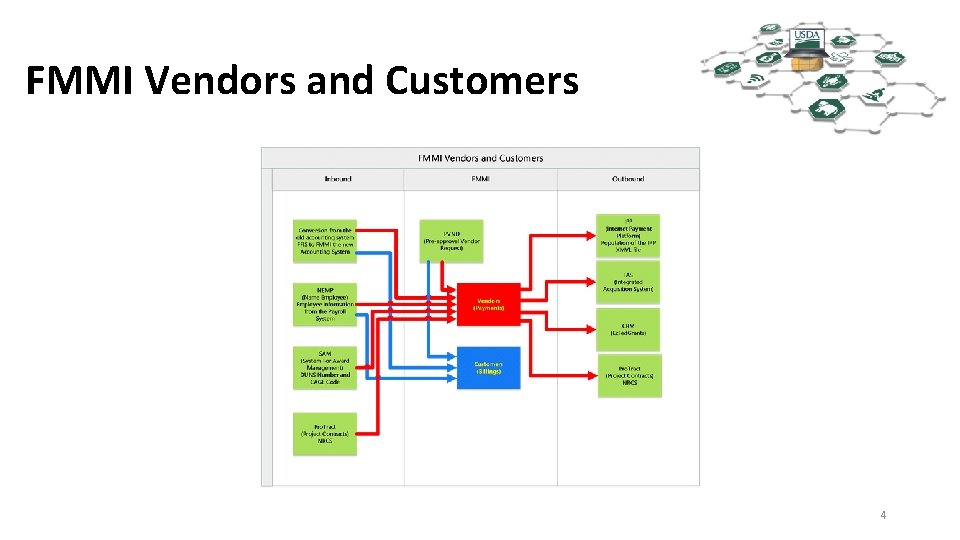
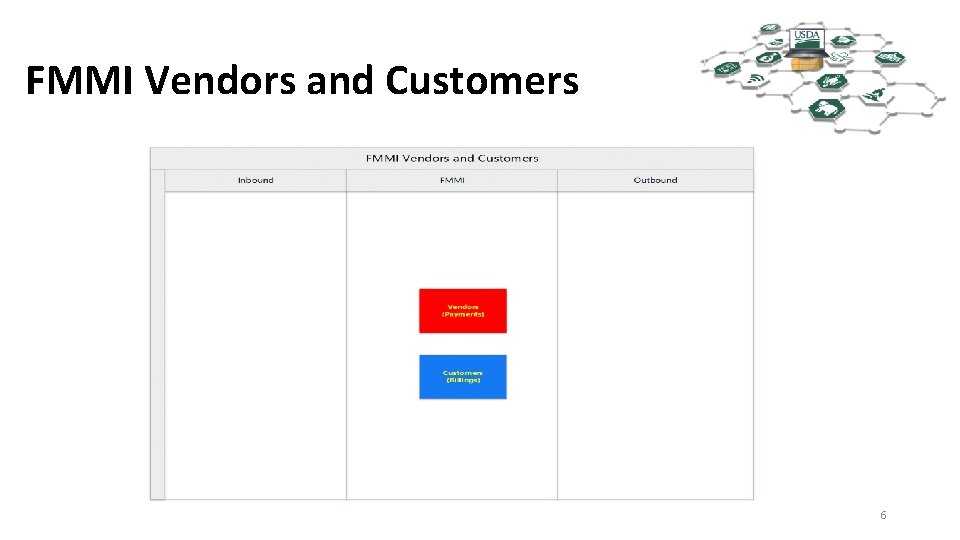
FMMI Vendors and Customers 4
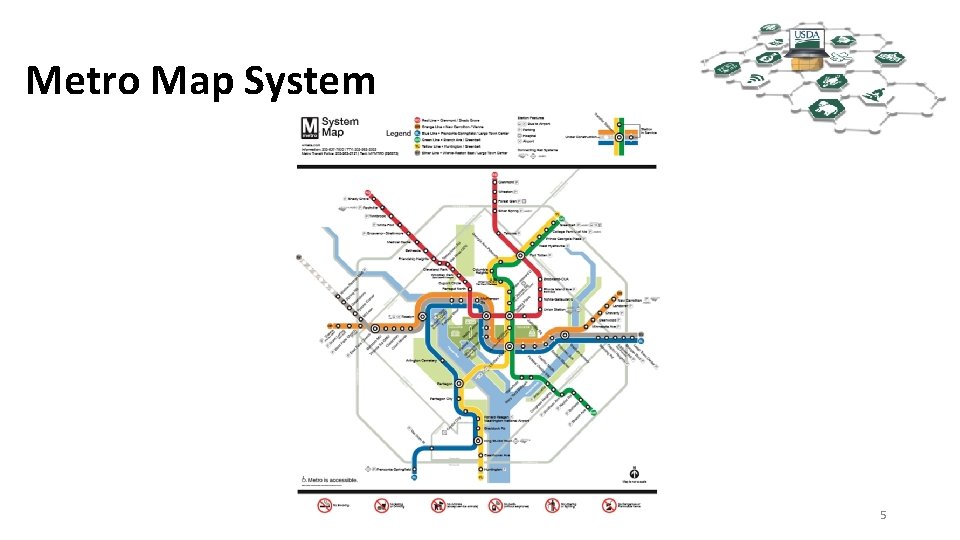
Metro Map System 5
FMMI Vendors and Customers 6
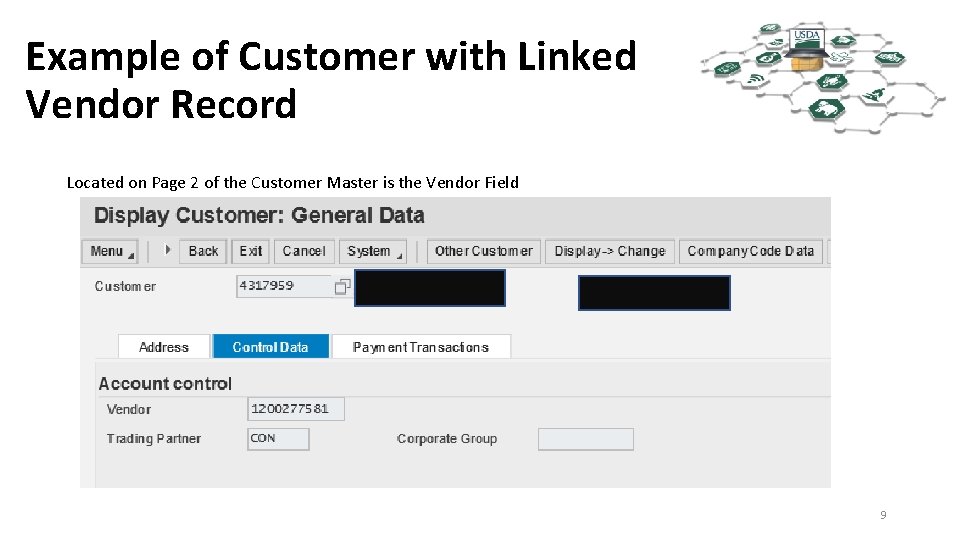
Vendors and Customers • Vendors are entities we pay, Account Payable (A/P) • Customers are entities we bill or receive monies from, Accounts Receivable (A/R) • Vendors and Customers may come in pairs (linked) or as singles. • Not every Vendor has a Customer. • Not every Customer has a Vendor. • Vendors numbers are 10 digits in length. • Customer numbers are 7 digits in length. 7
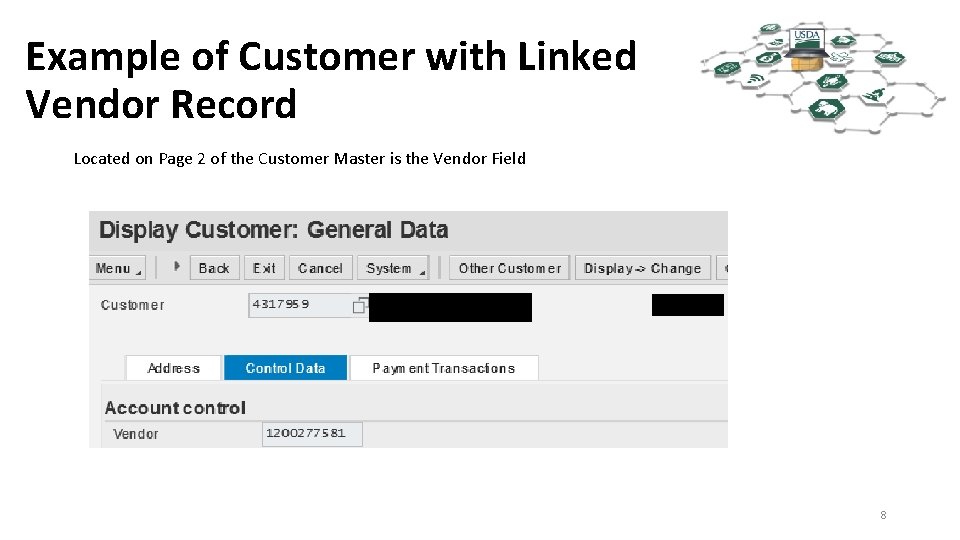
Example of Customer with Linked Vendor Record Located on Page 2 of the Customer Master is the Vendor Field 8
Example of Customer with Linked Vendor Record Located on Page 2 of the Customer Master is the Vendor Field 9
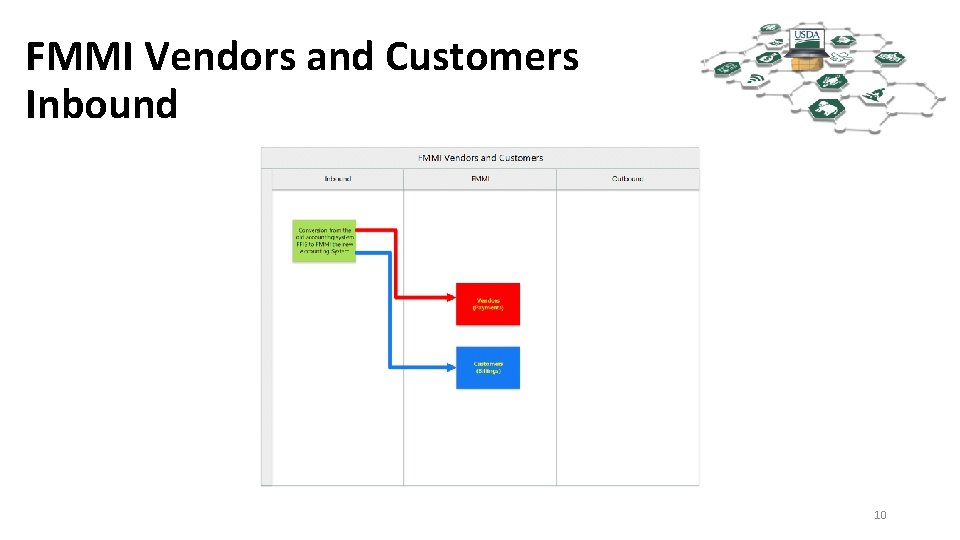
FMMI Vendors and Customers Inbound 10
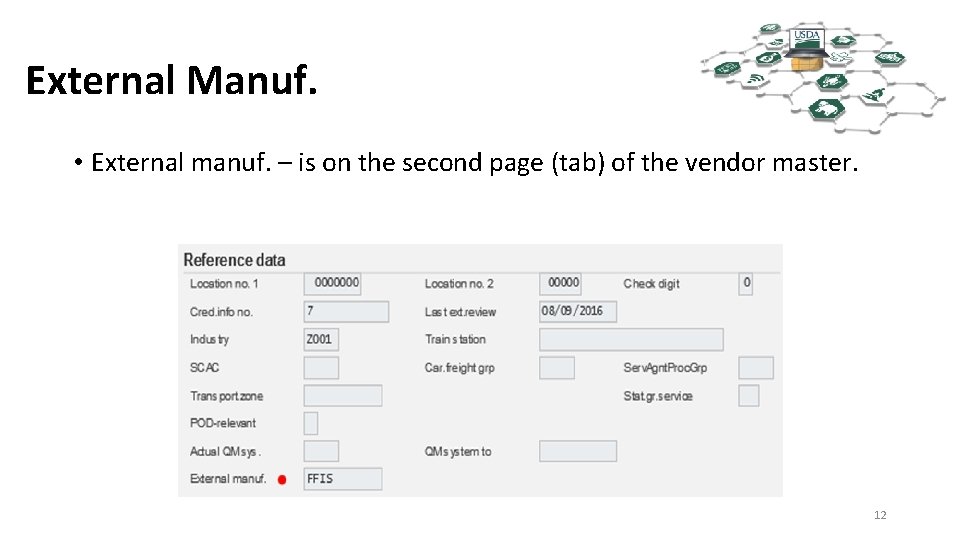
Conversion from FFIS (Foundation Financial Information System) • This can be considered a one time event that happened in phases. • FFIS was USDA’s Accounting System Prior to FMMI. • As we converted agencies from FFIS to FMMI we identified the vendors used within the last two years and converted them to FMMI. • Brought in both customer and vendors. • External Manuf. Field will show FFIS 11
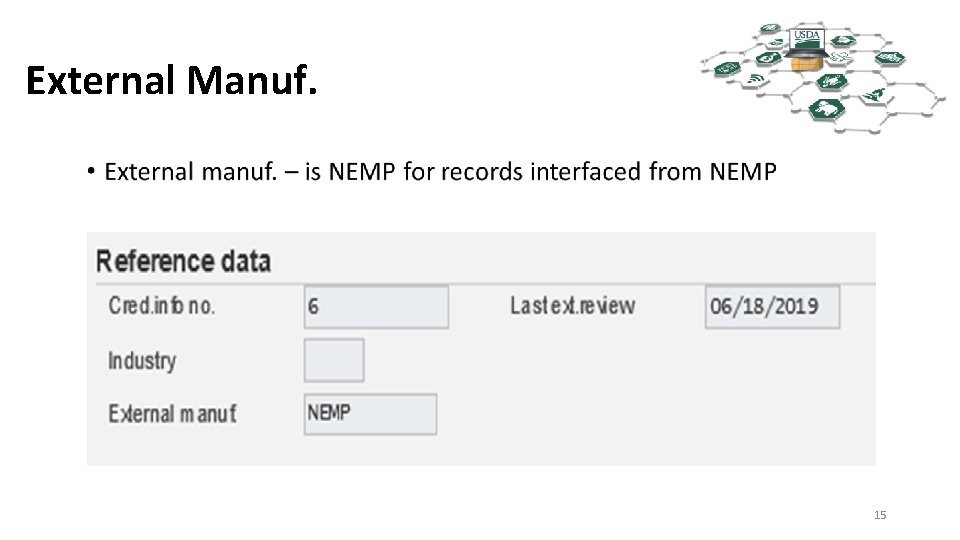
External Manuf. • External manuf. – is on the second page (tab) of the vendor master. 12
FMMI Vendors and Customers 13
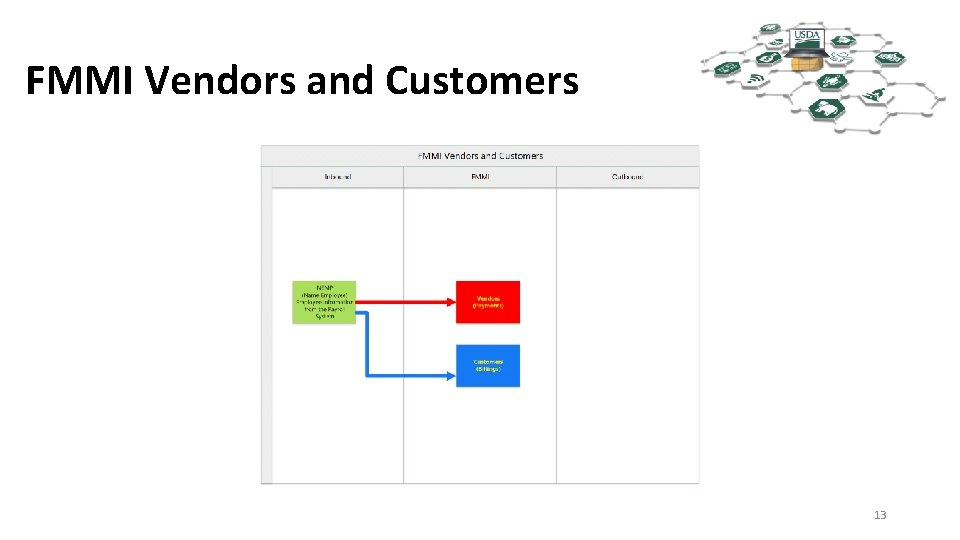
NEMP Inbound • NEMP stands for Name EMPloyee. The source is payroll. • The records in FMMI are not the records used for your paychecks. • These records are used for: • • Entries to the General Ledger Miscellaneous payments to employees Travel Payments to Employees Billing Employees • The NEMP to FMMI Interface also builds the Pseudo Code (PSSN) used in the Travel System (Concur) to FMMI interface, covered in detail later. 14
External Manuf. 15
FMMI Vendors and Customers cont. 16
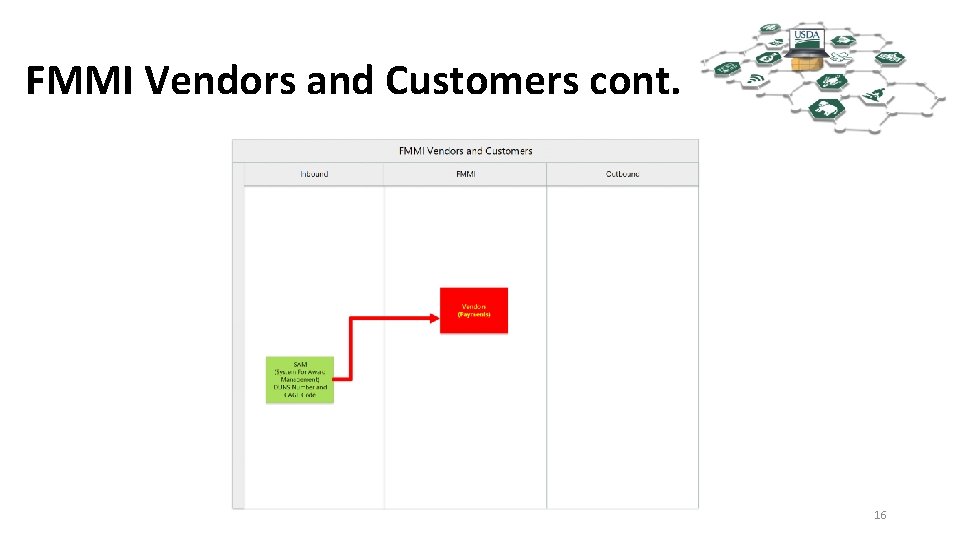
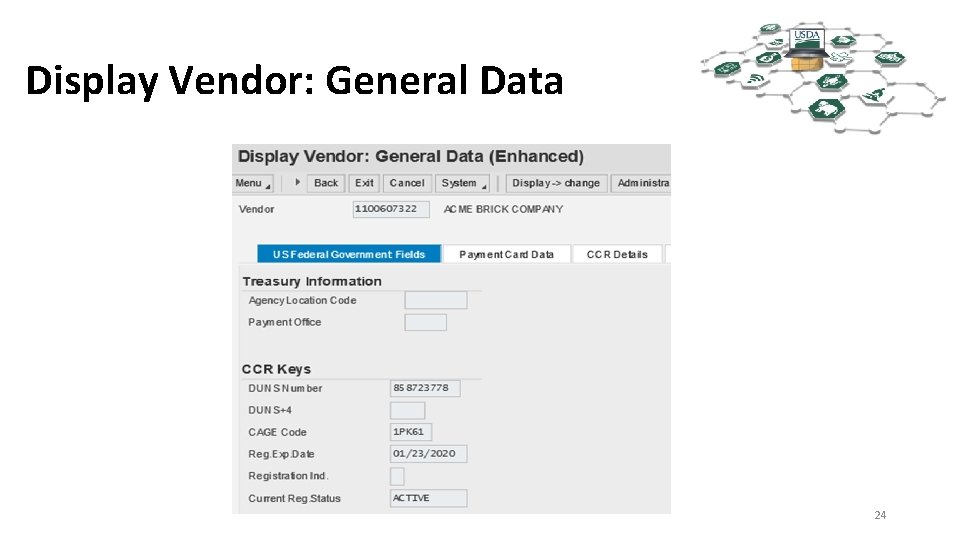
SAM to FMMI Interface • System for Award Management (SAM), formerly Central Contractor Registration(CCR). which was owned by the Department of Defense until July of 2012. • SAM is currently owned by GSA (General Services Administration) • Vendors register with SAM after obtaining a DUNS number from Dun and Bradstreet. • DUNS is a nine digit identifier - The Data Universal Numbering System, abbreviated as DUNS or D-U-N-S, is a proprietary system developed and regulated by Dun & Bradstreet that assigns a unique numeric identifier, referred to as a "DUNS number" to a single business entity. It was introduced in 1963 to support D&B's credit reporting practice. It is standard worldwide. DUNS users include the European Commission, the United Nations, and the United States government. More than 50 global industry and trade associations recognize, recommend, or require DUNS. The DUNS database contains over 300 million entries for businesses throughout the world. • PLUS 4 – four digit number assigned within SAM to identify different EFT for a given DUNS • CAGE Code- stands for Commercial and Government Entity code. The Department of Defense’s Defense Logistics Agency ( DLA ) assigns the five-character ID; it is an alpha numeric identifier. 17
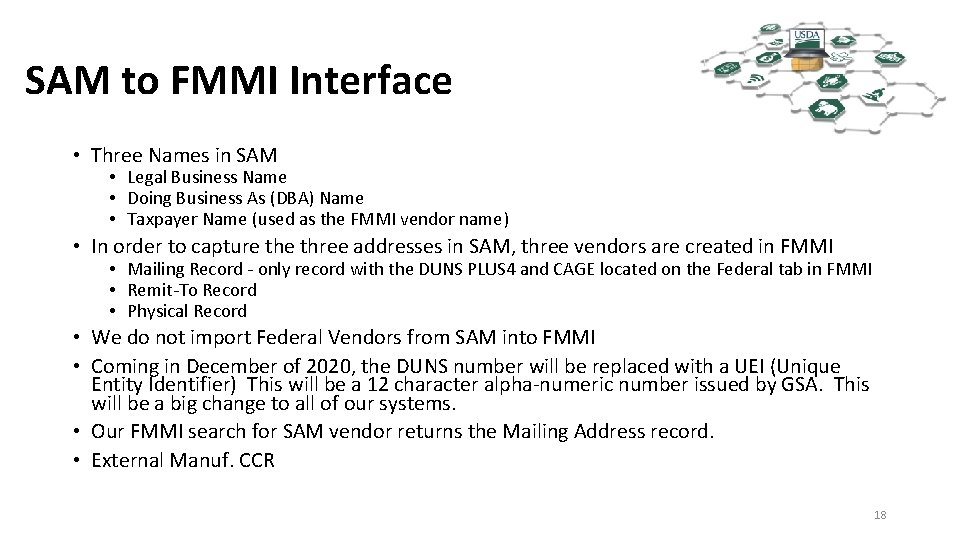
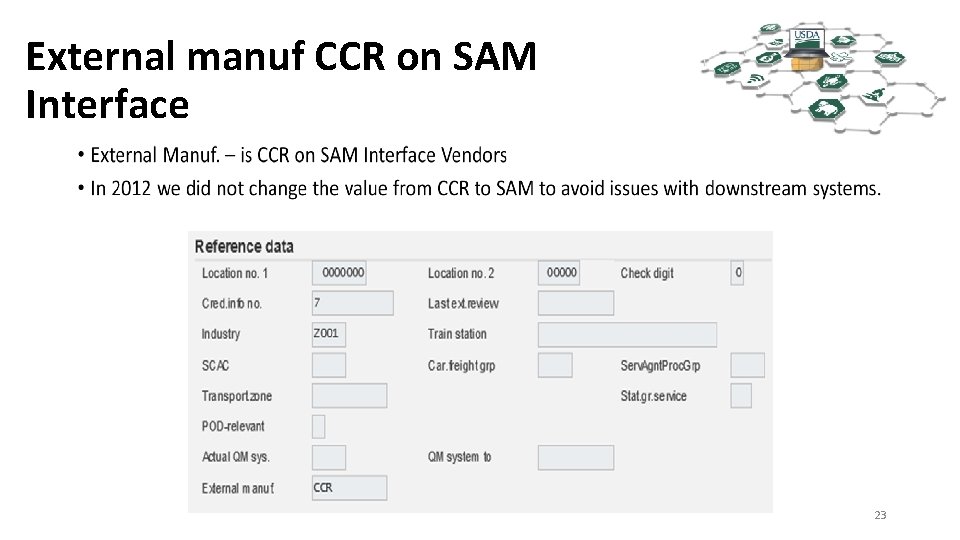
SAM to FMMI Interface • Three Names in SAM • Legal Business Name • Doing Business As (DBA) Name • Taxpayer Name (used as the FMMI vendor name) • In order to capture three addresses in SAM, three vendors are created in FMMI • Mailing Record - only record with the DUNS PLUS 4 and CAGE located on the Federal tab in FMMI • Remit-To Record • Physical Record • We do not import Federal Vendors from SAM into FMMI • Coming in December of 2020, the DUNS number will be replaced with a UEI (Unique Entity Identifier) This will be a 12 character alpha-numeric number issued by GSA. This will be a big change to all of our systems. • Our FMMI search for SAM vendor returns the Mailing Address record. • External Manuf. CCR 18
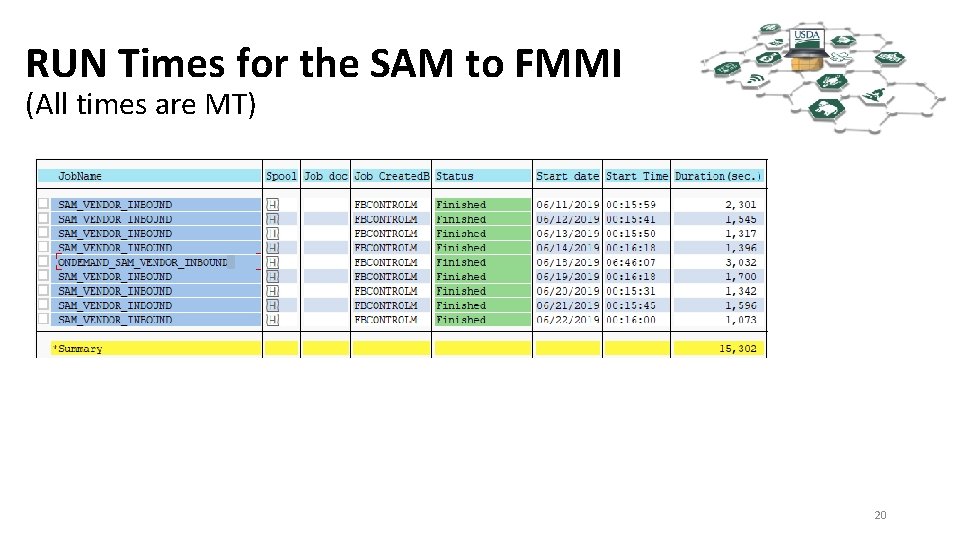
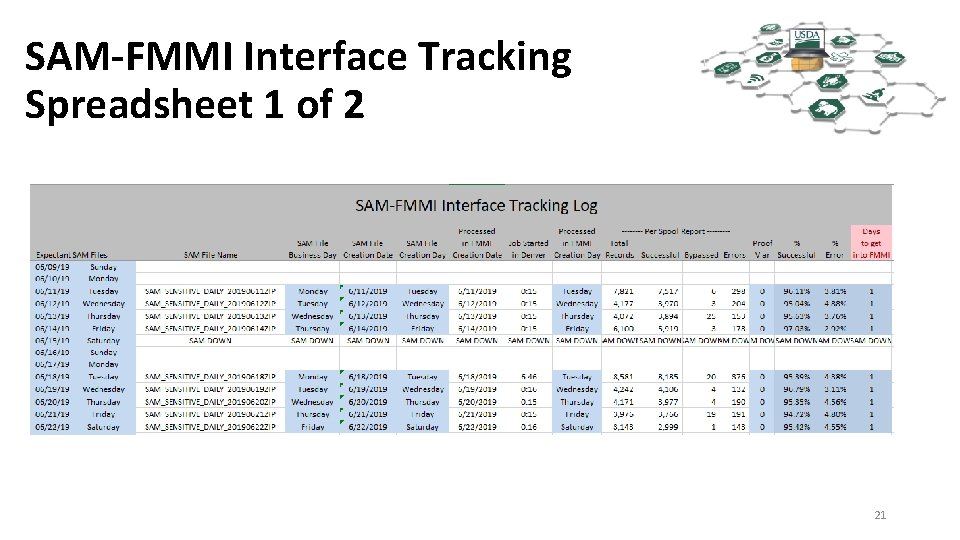
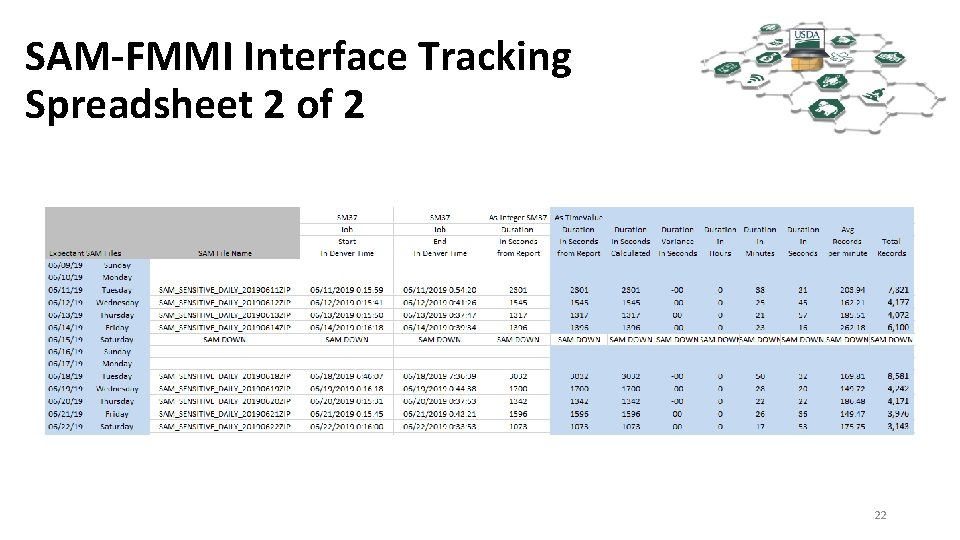
SAM to FMMI Interface Runs • SAM produces daily files Tuesday – Saturday just after midnight. • The SAM to FMMI interface runs close to 12: 40 a. m. MT every Tuesday – Saturday. • The Wednesday file represents Tuesday SAM Business and so on. The Saturday file represents Friday SAM Business. The Tuesday file represents Saturday, Sunday and Monday SAM business. • A typical daily file from SAM contains 3, 000 to 9, 000 registrants. 19
RUN Times for the SAM to FMMI (All times are MT) 20
SAM-FMMI Interface Tracking Spreadsheet 1 of 2 21
SAM-FMMI Interface Tracking Spreadsheet 2 of 2 22
External manuf CCR on SAM Interface 23
Display Vendor: General Data 24
ACME 25
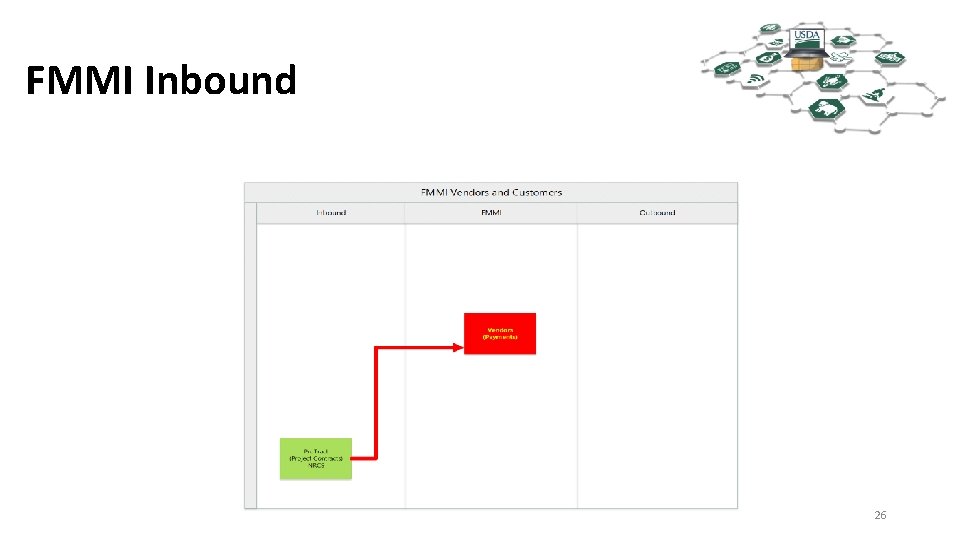
FMMI Inbound 26
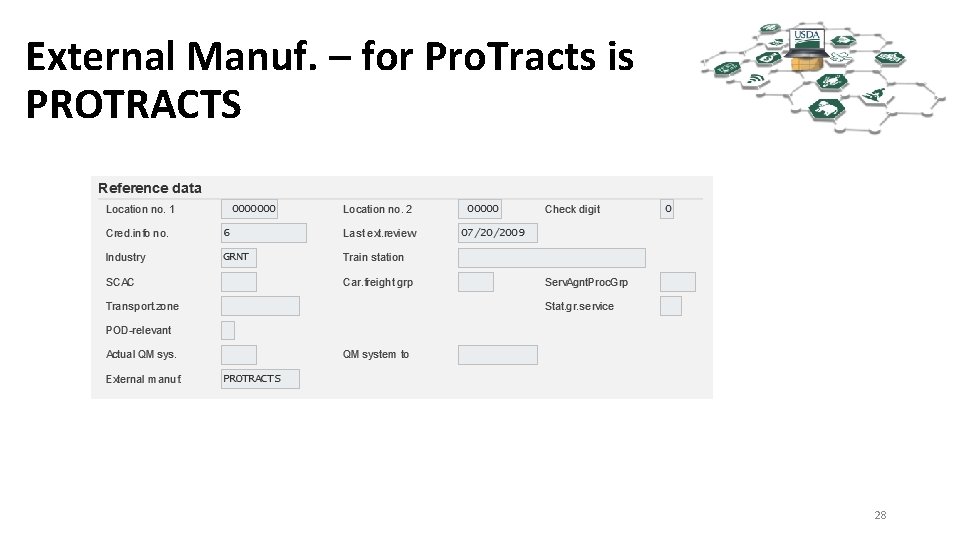
Pro. Tracts Interface • Pro. Tracts (Project Contracts) is owned by NRCS (Natural Resource and Conservation Service) • Vendors are Bulk TIN matched by VCM prior to being fed through the Pro. Tracts interface from NRCS to FMMI. • Pro. Tract vendors cannot be changed using the PVND process. 27
External Manuf. – for Pro. Tracts is PROTRACTS 28
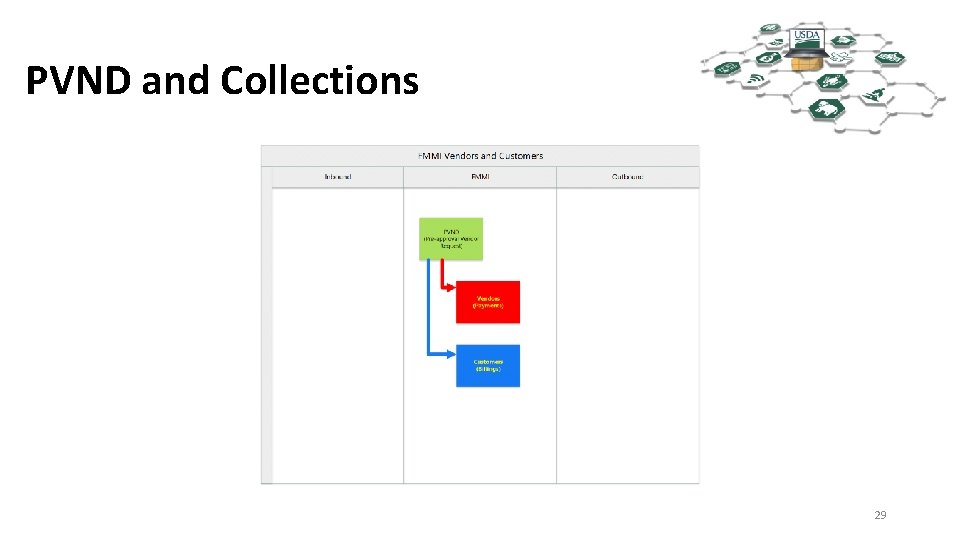
PVND and Collections 29
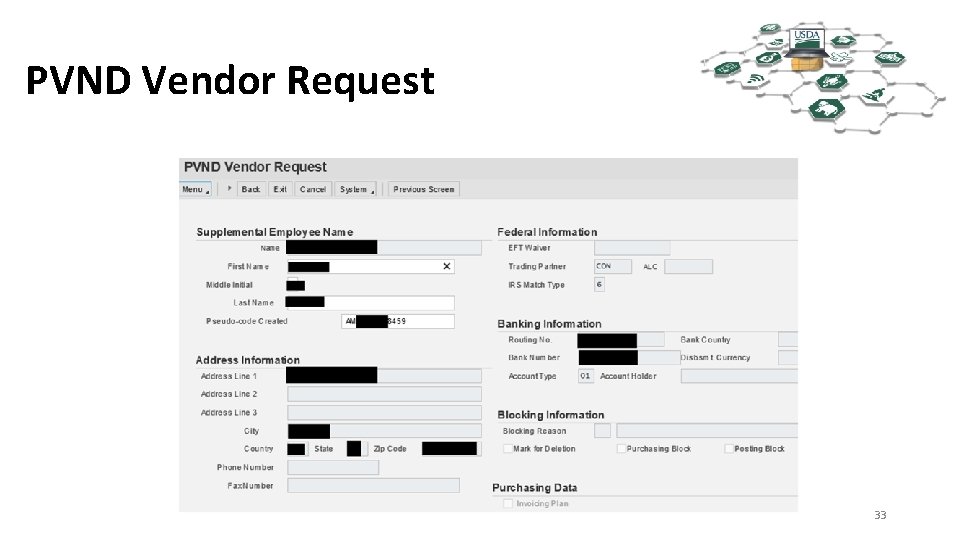
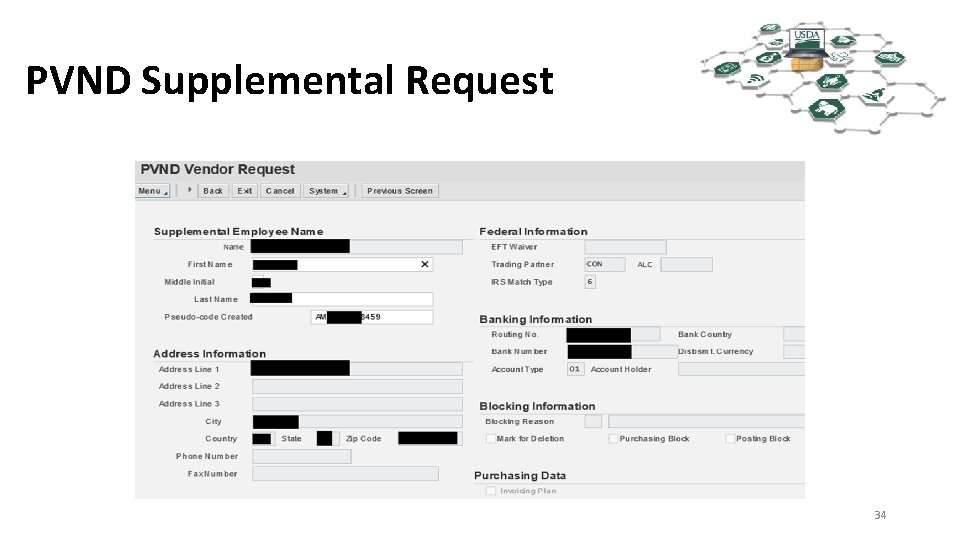
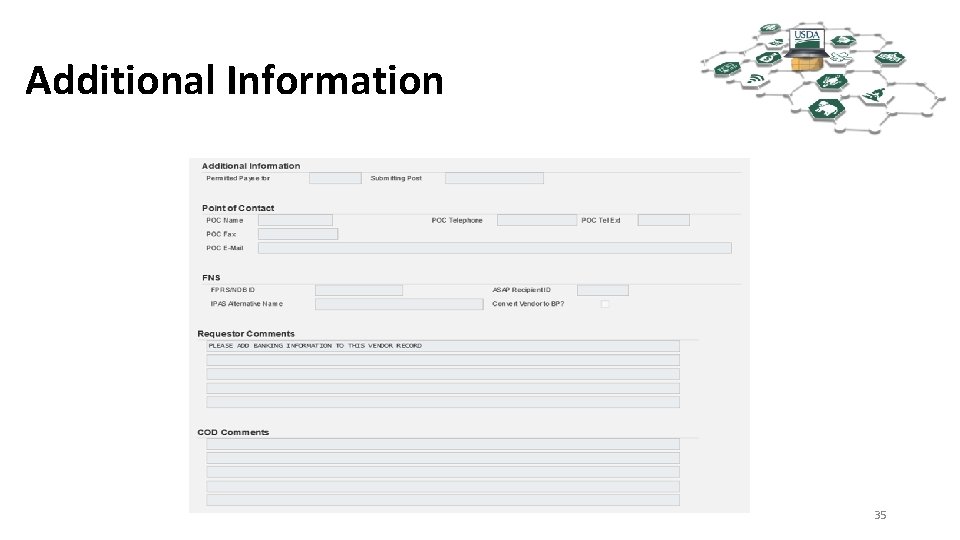
PVND • PVND (Pre-Approval Vendor Request) • This is for both vendors and customer. • The name PVND is a carryover from our last accounting system, FFIS. • PVND is a custom module located within FMMI. • Authorized users make PVND requests. • PVND requests are made-up of an online two page form. • VCM section members review PVNDs, TIN match them, and either approve or reject the PVNDS. 3030
PVND Lifecycle • All PVND begin as NEW requests • On Hold • Resubmit • Analyst Review • All PVNDs end as either Rejected or Approved requests 31
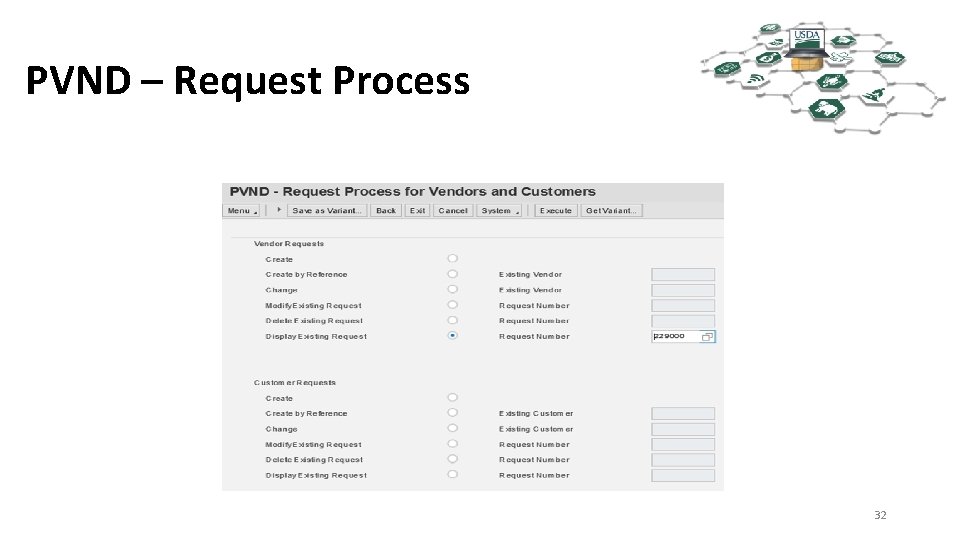
PVND – Request Process 32
PVND Vendor Request 33
PVND Supplemental Request 34
Additional Information 35
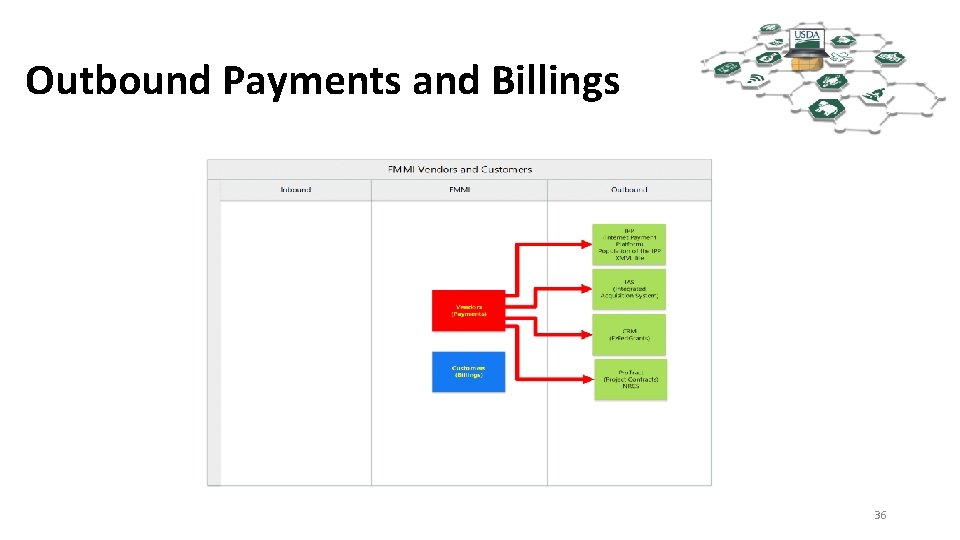
Outbound Payments and Billings 36
FMMI to IPP Outbound • The IPP Outbound is a manual process • When IPP Purchase Orders reject for a missing vendor, VCM extracts the vendors from FMMI and uploads them to the USDA IPP XMVL (vendor) table in IPP. • The XMVL vendor must then be matched to an IPP Supplier 37
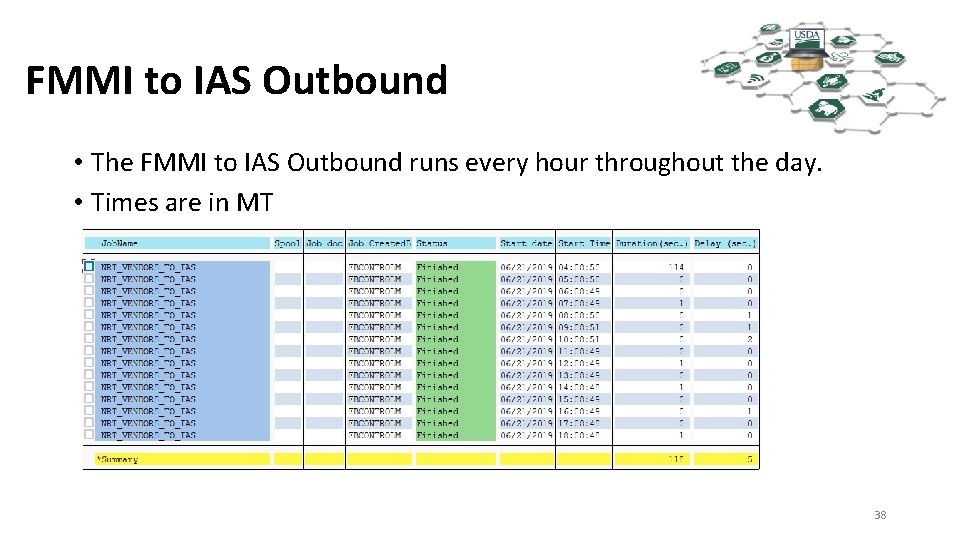
FMMI to IAS Outbound • The FMMI to IAS Outbound runs every hour throughout the day. • Times are in MT 38
FMMI to CRM Interface • CRM stands for Customer Relationship Module • An argument could be made to include CRM in the FMMI swim lane • VCM receives e-mail requests to mark vendors for replication from FMMI to CRM. In CRM the Business Partners are: • • • A FAS (Now X) B FNS C NRCS (Now X) D AMS (Now X) X Enterprise • We have moved to using X Enterprise for all agencies except FNS 39
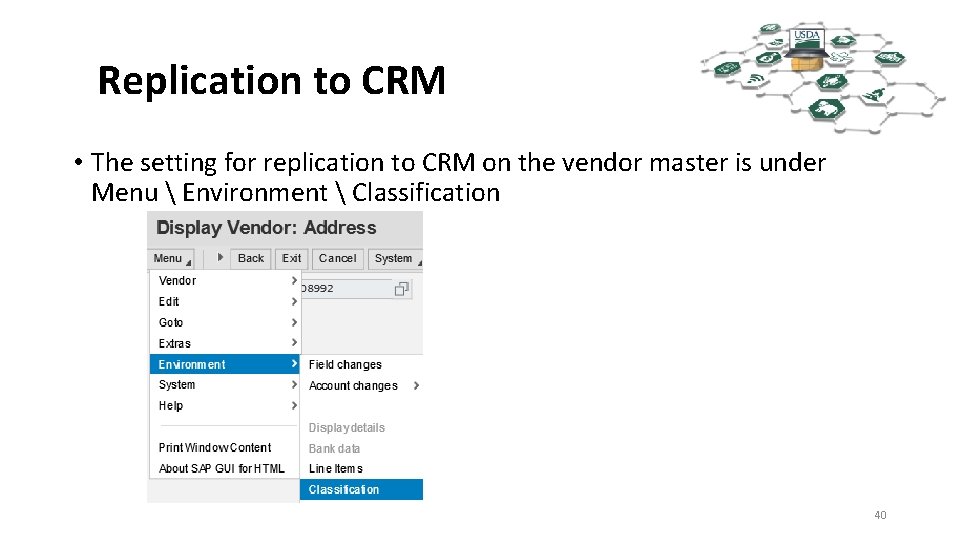
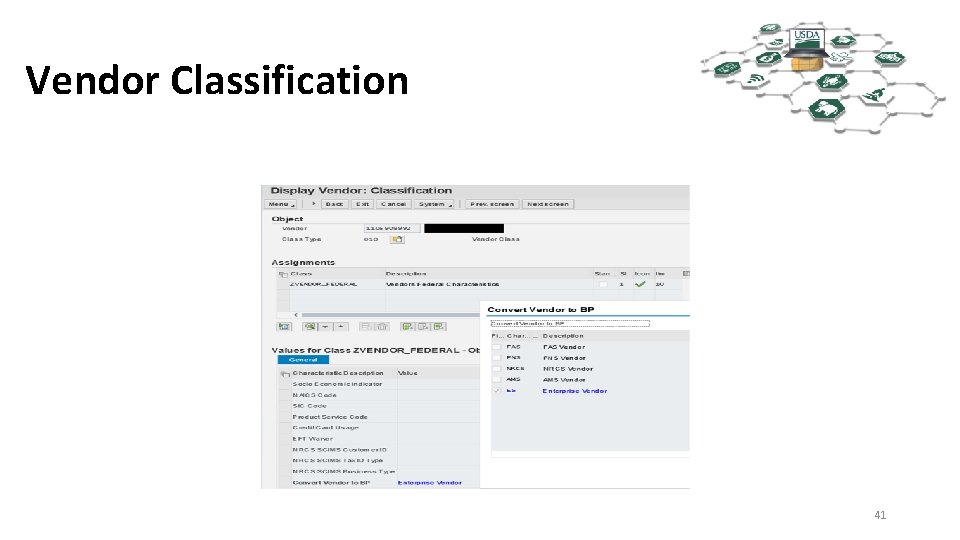
Replication to CRM • The setting for replication to CRM on the vendor master is under Menu Environment Classification 40
Vendor Classification 41
CRM Replication • The vendors that are marked for replication to CRM are replicated around 20: 40 (08: 40 p. m. MT). • After the initial replication, changes to the FMMI vendors are kept synchronized almost instantaneously with CRM. 42
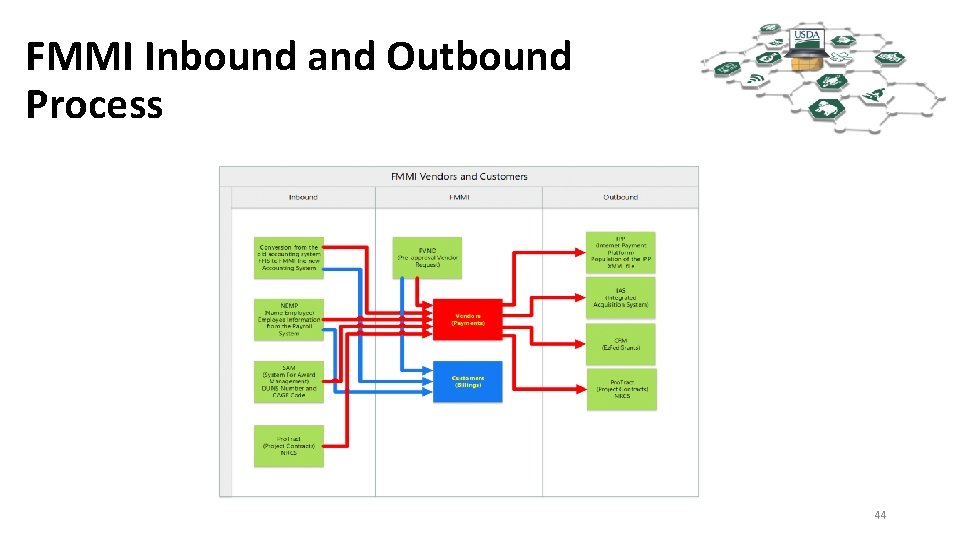
Pro. Tracts and Other Outbounds • Pro. Tracts Interface Outbound Runs Nightly • There are other Outbounds for the Vendor and Customer table not depicted on the flow chart. 43
FMMI Inbound and Outbound Process 44
TIN Matching • What is a TIN? • A Taxpayer Identification Number (TIN) is an identification number used by the Internal Revenue Service (IRS) in the administration of tax laws. It is issued either by the Social Security Administration (SSA) or by the IRS. A Social Security number (SSN) is issued by the SSA whereas all other TINs are issued by the IRS. • We are only concerned with two types of TINS • EINs (Employee Identification Numbers) **-******* • SSNs (Social Security Numbers) ***-**-**** 45
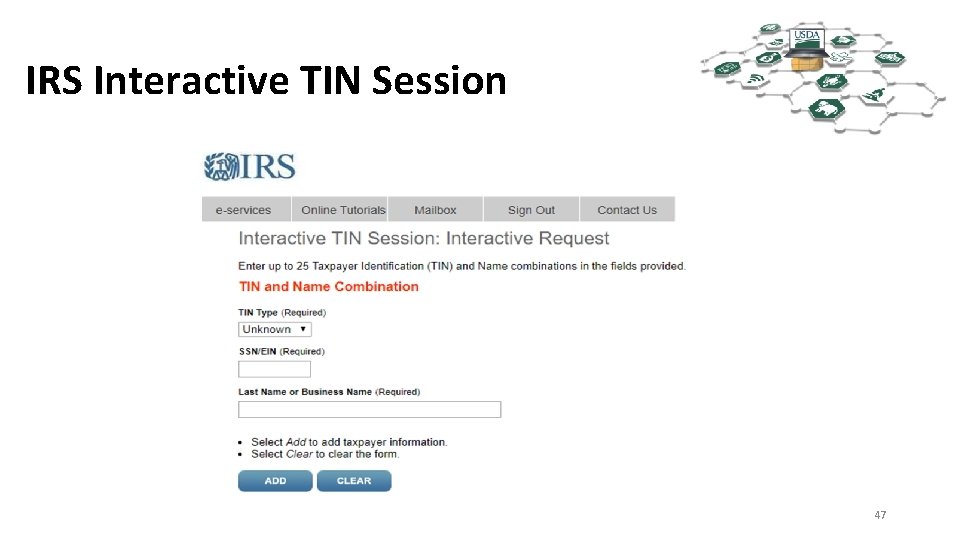
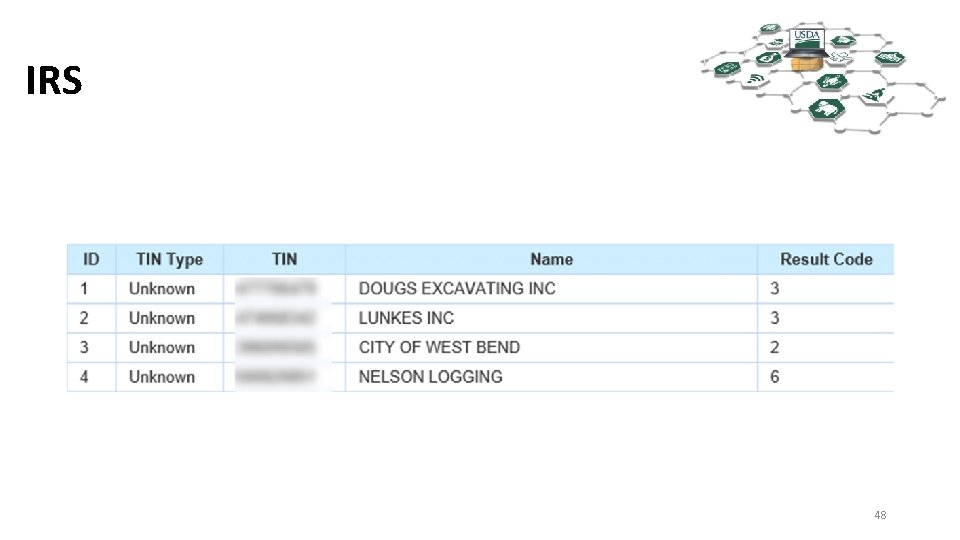
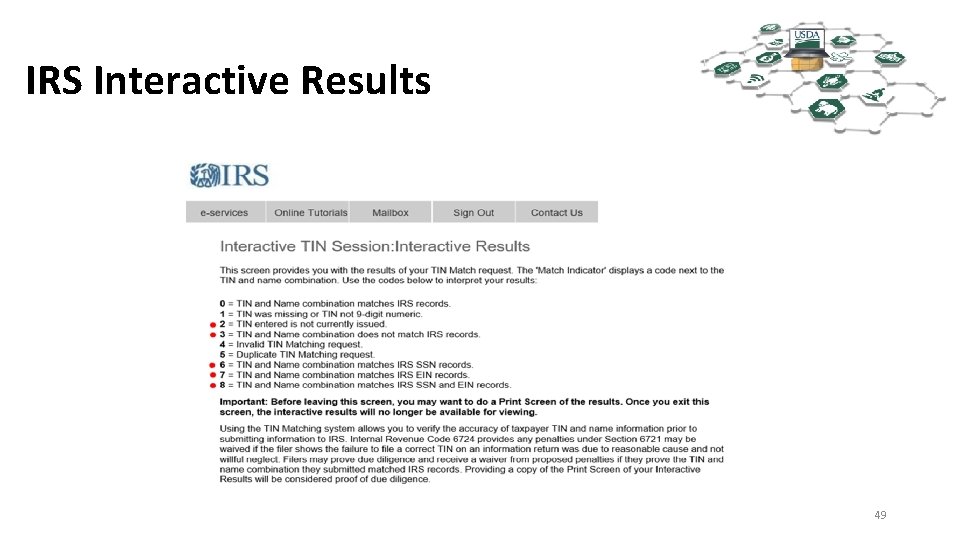
How TIN matching is accomplished • The IRS maintains a web site for TIN matching against both the IRS and SSA databases. • The VCM (Vendor and Customer Maintenance) Section and FMS’ 1099 Section have access to TIN match. • TINs (EIN or SSN) and Names are submitted to the IRS. • Manually, 25 maximum • Bulk match, 100, 000 maximum • A resulting code is returned for each submission indicating a TIN match or non-TIN match. 46
IRS Interactive TIN Session 47
IRS 48
IRS Interactive Results 49
TIN Matching • TIN numbers cannot be submitted multiple times or access will be temporarily suspended, sometime for days. • Names cannot be submitted multiple times or access will be temporarily suspended, sometime for days. • The IRS only accepts as valid characters • A-Z (case doesn’t matter) • Integers 0 -9 • Special characters • Ampersand & • Dash – 50
TIN Matching • Entities incorporate with their Legal Business Name. It is often not the name they file their taxes under. • Many times the name is completely different • Sometimes the TIN match names are close to their Legal Business Names. However because of the restrictions the IRS places on the names, such as the special characters it disallows, a Legal Business Name of Initech’s Consulting would not TIN match because of the apostrophe. It would most likely match under Initechs Consulting. 51
TIN Matching • Sole proprietors are very tricky as well. For example if Michael Bolton has a lawn service called “Bob & Bob Making Cuts” • Depending on how Michael has registered his company • • • It might match as a “ 6” under Michael Bolton It might match as a “ 6” under Bob & Bob Making Cuts It might match as a “ 7” under Michael Bolton It might match as a “ 7” under Bob & Bob Making Cuts It might match as an “ 8” under Michael Bolton It might match as an “ 8” under Bob & Bob Making Cuts 52
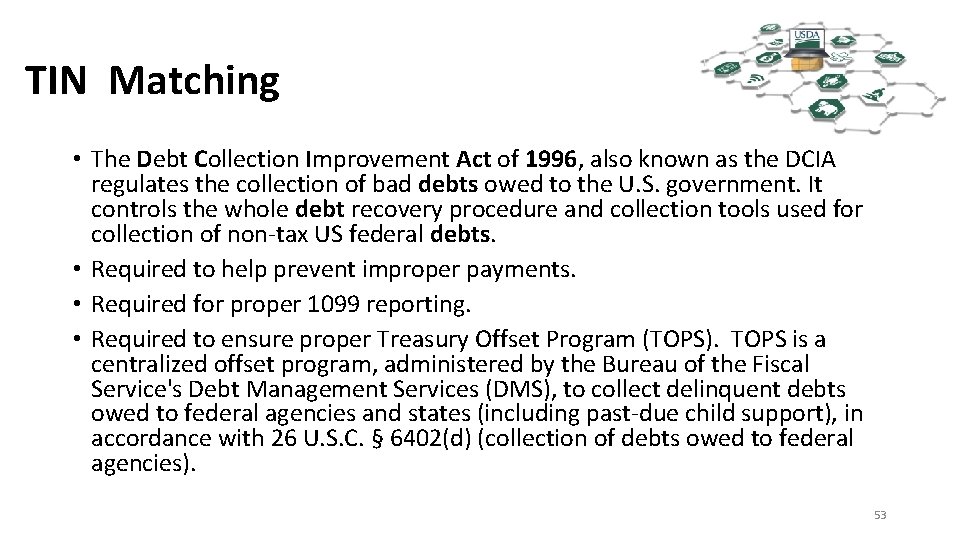
TIN Matching • The Debt Collection Improvement Act of 1996, also known as the DCIA regulates the collection of bad debts owed to the U. S. government. It controls the whole debt recovery procedure and collection tools used for collection of non-tax US federal debts. • Required to help prevent improper payments. • Required for proper 1099 reporting. • Required to ensure proper Treasury Offset Program (TOPS). TOPS is a centralized offset program, administered by the Bureau of the Fiscal Service's Debt Management Services (DMS), to collect delinquent debts owed to federal agencies and states (including past-due child support), in accordance with 26 U. S. C. § 6402(d) (collection of debts owed to federal agencies). 53
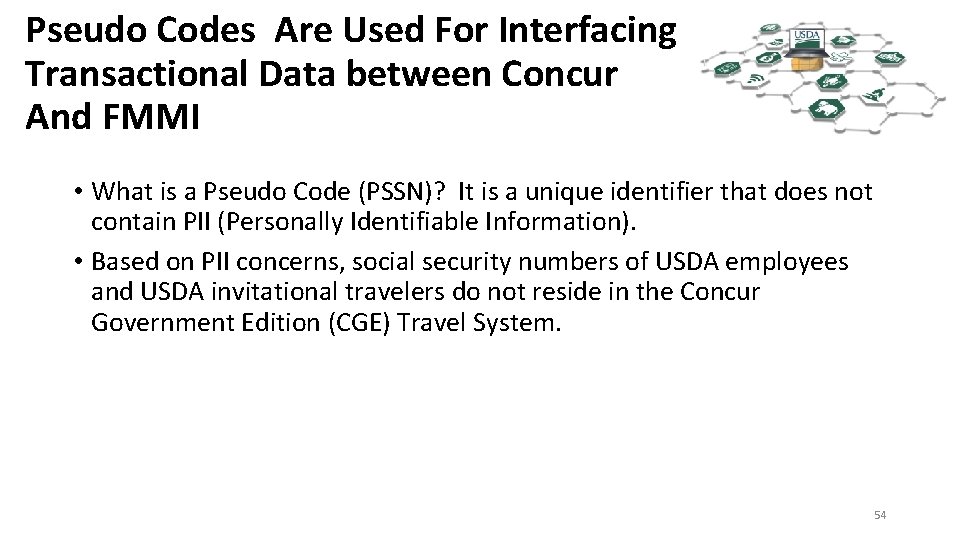
Pseudo Codes Are Used For Interfacing Transactional Data between Concur And FMMI • What is a Pseudo Code (PSSN)? It is a unique identifier that does not contain PII (Personally Identifiable Information). • Based on PII concerns, social security numbers of USDA employees and USDA invitational travelers do not reside in the Concur Government Edition (CGE) Travel System. 54
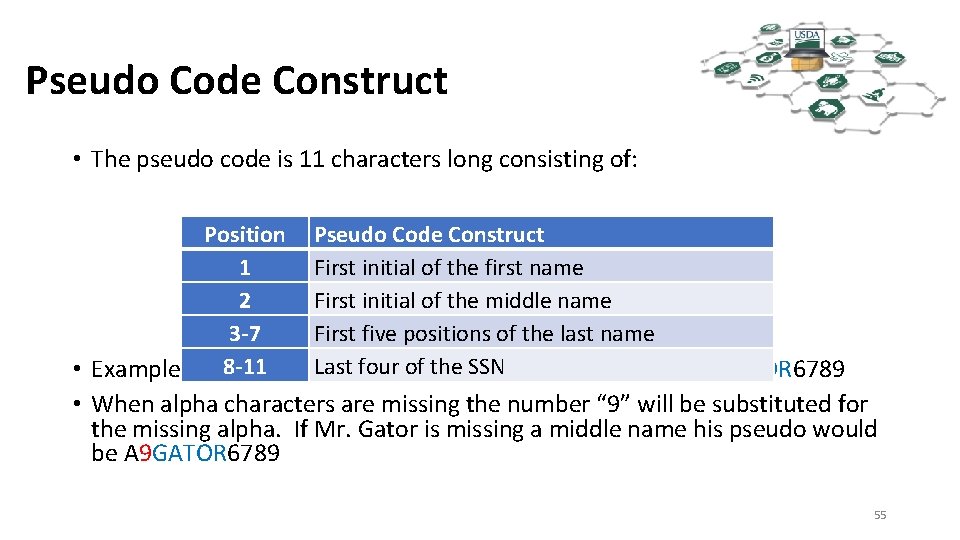
Pseudo Code Construct • The pseudo code is 11 characters long consisting of: Position Pseudo Code Construct 1 First initial of the first name 2 First initial of the middle name 3 -7 First five positions of the last name Last four of the SSN • Example - Al 8 -11 E Gator SSN 123456789, his PSSN would be AEGATOR 6789 • When alpha characters are missing the number “ 9” will be substituted for the missing alpha. If Mr. Gator is missing a middle name his pseudo would be A 9 GATOR 6789 55
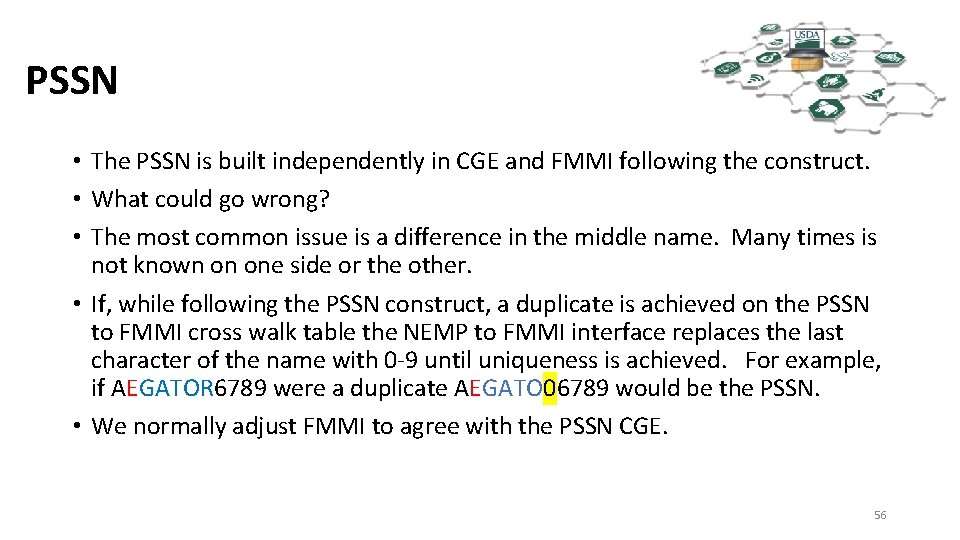
PSSN • The PSSN is built independently in CGE and FMMI following the construct. • What could go wrong? • The most common issue is a difference in the middle name. Many times is not known on one side or the other. • If, while following the PSSN construct, a duplicate is achieved on the PSSN to FMMI cross walk table the NEMP to FMMI interface replaces the last character of the name with 0 -9 until uniqueness is achieved. For example, if AEGATOR 6789 were a duplicate AEGATO 06789 would be the PSSN. • We normally adjust FMMI to agree with the PSSN CGE. 56
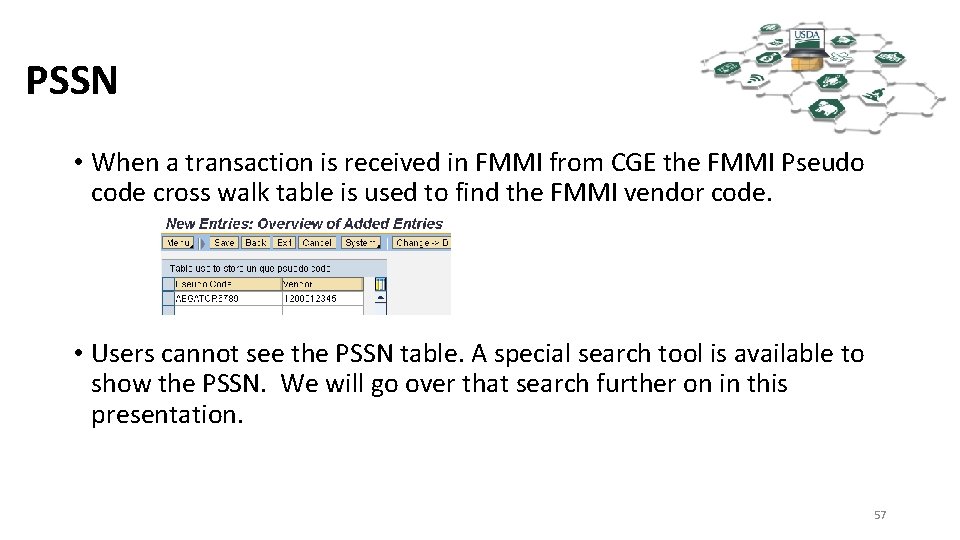
PSSN • When a transaction is received in FMMI from CGE the FMMI Pseudo code cross walk table is used to find the FMMI vendor code. • Users cannot see the PSSN table. A special search tool is available to show the PSSN. We will go over that search further on in this presentation. 57
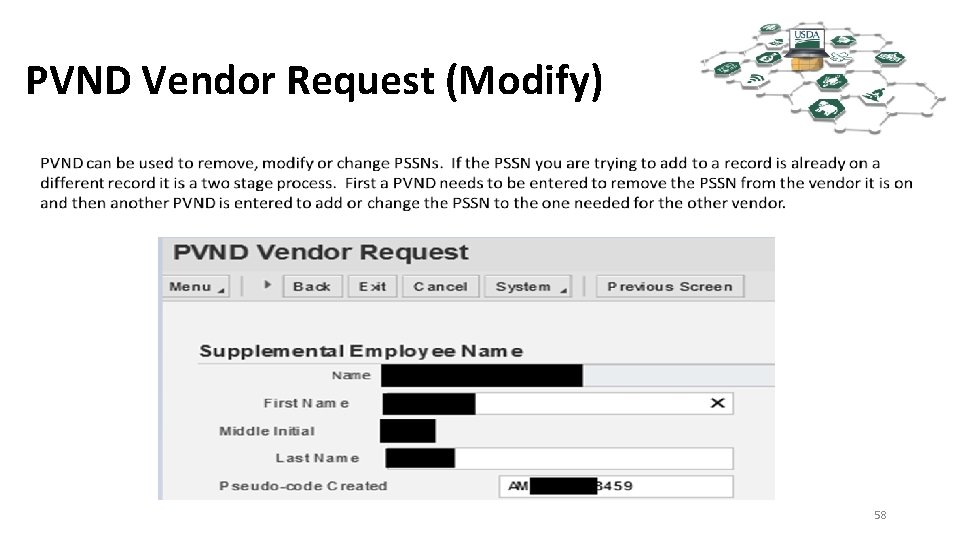
PVND Vendor Request (Modify) 58
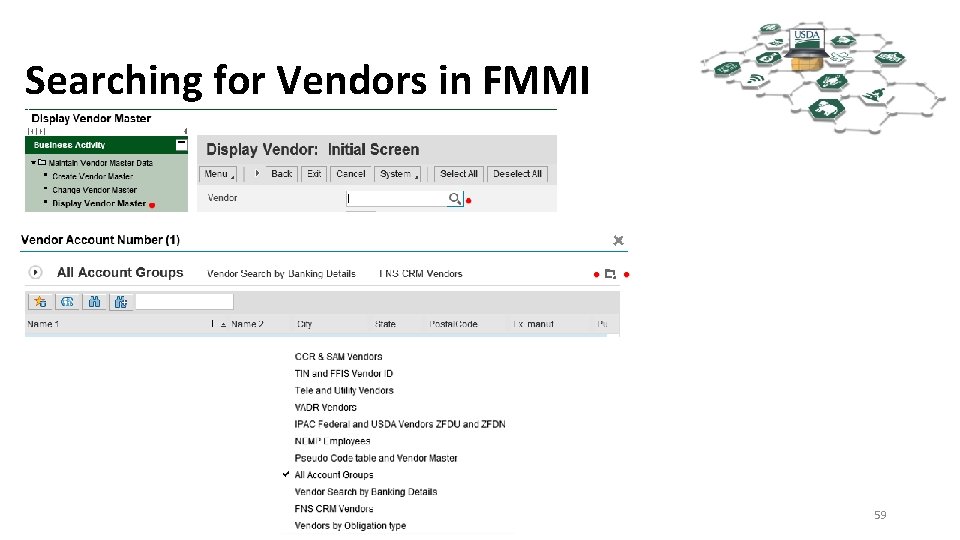
Searching for Vendors in FMMI 59
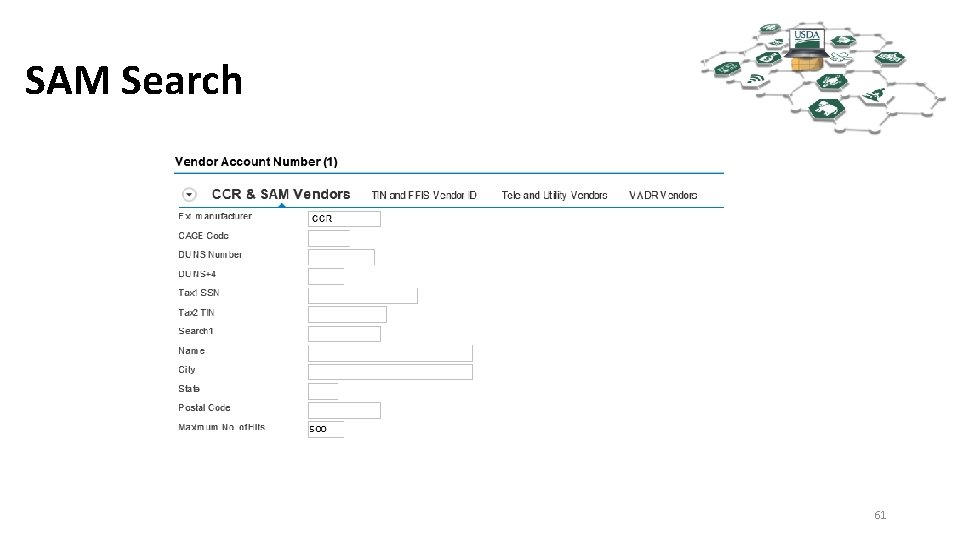
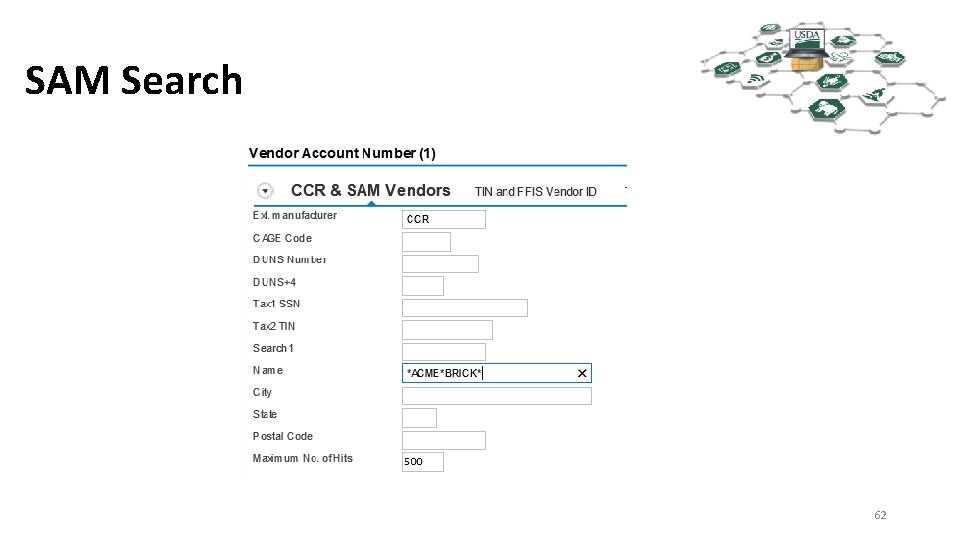
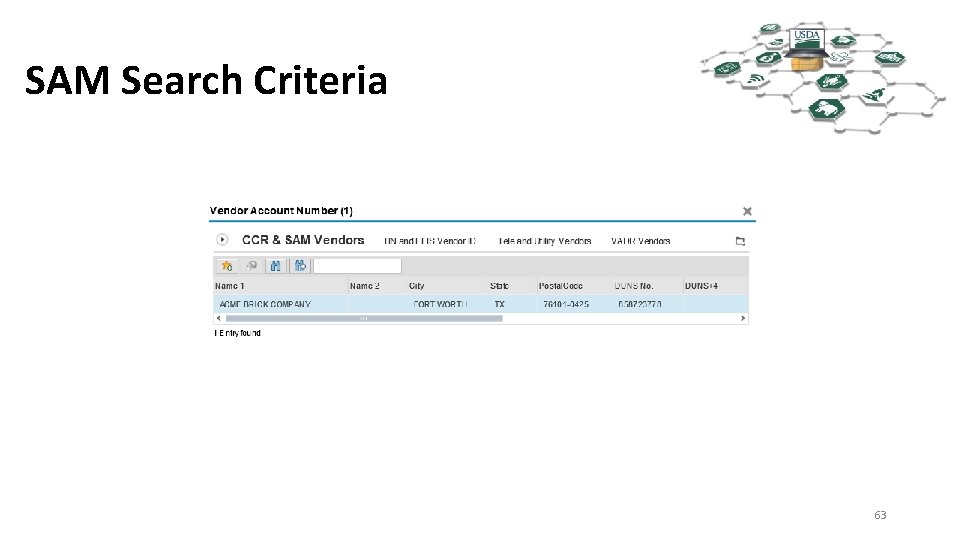
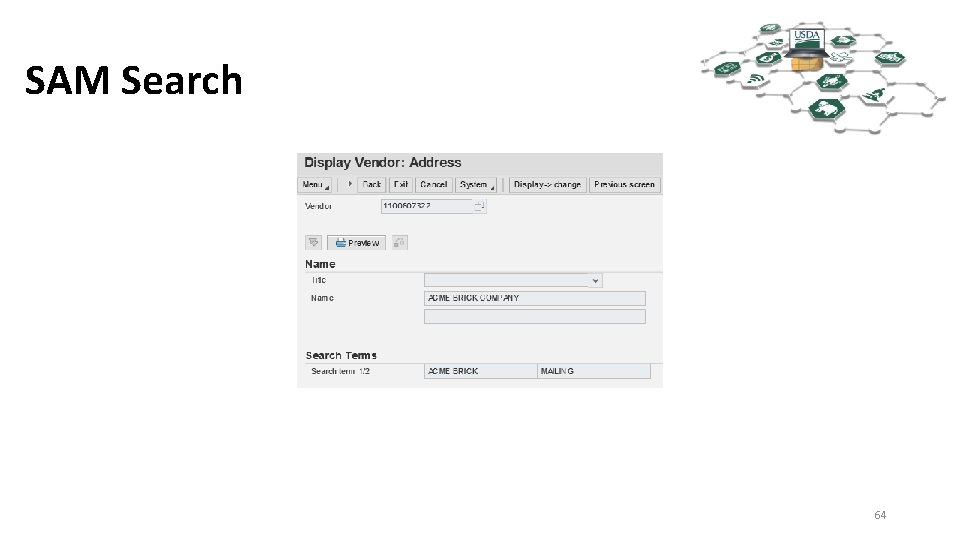
Using the CCR & SAM Vendors Search • This search will only return SAM vendors, and is limited to Vendors with “CCR” in the External Manuf. • It will only return the Mailing Record. • Once you know the Mailing Record FMMI vendor number you can find the Physical and Remit-To vendor records on the Partner Tab of the Mailing Record. 60
SAM Search 61
SAM Search 62
SAM Search Criteria 63
SAM Search 64
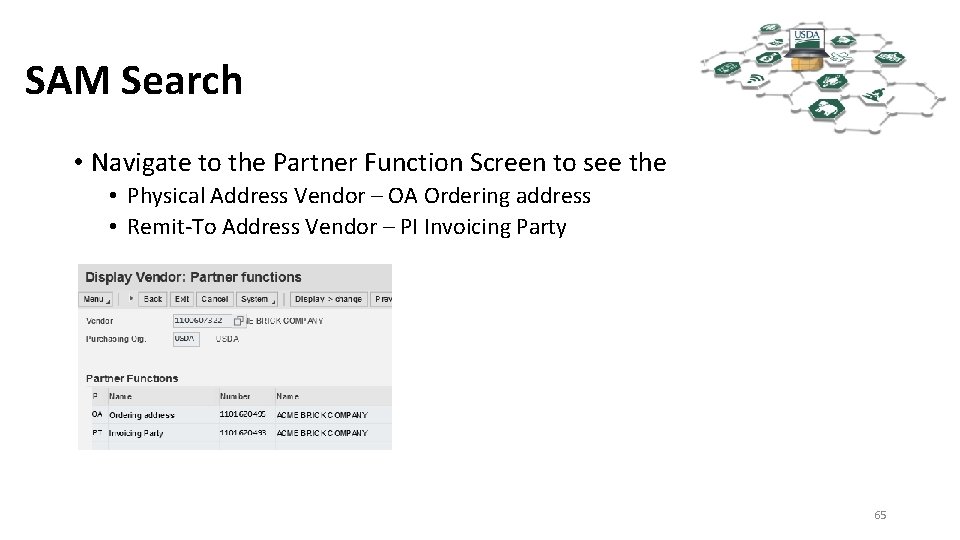
SAM Search • Navigate to the Partner Function Screen to see the • Physical Address Vendor – OA Ordering address • Remit-To Address Vendor – PI Invoicing Party 65
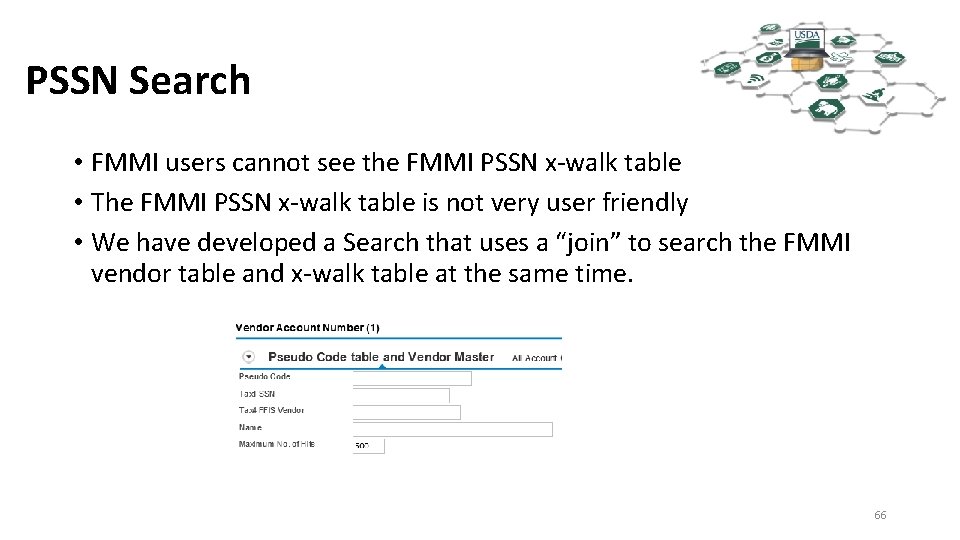
PSSN Search • FMMI users cannot see the FMMI PSSN x-walk table • The FMMI PSSN x-walk table is not very user friendly • We have developed a Search that uses a “join” to search the FMMI vendor table and x-walk table at the same time. 66
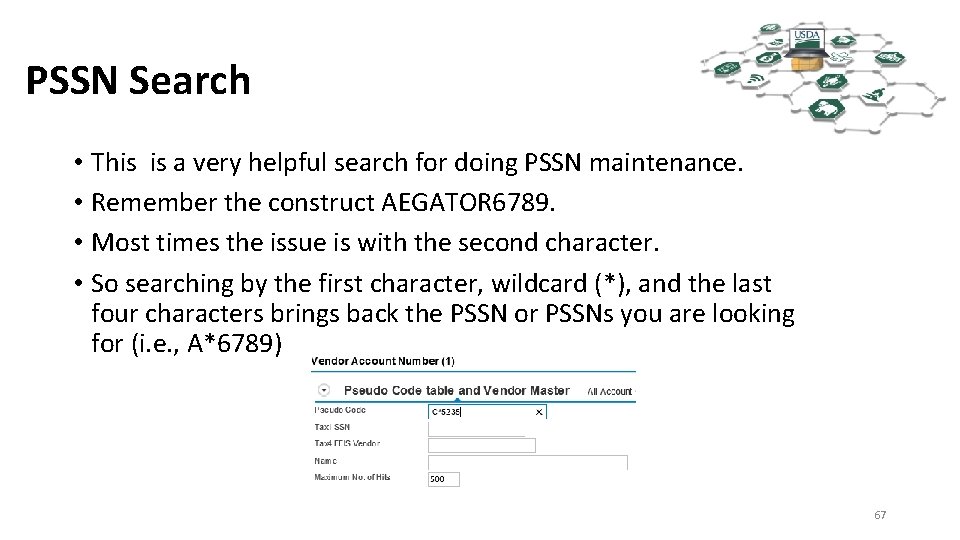
PSSN Search • This is a very helpful search for doing PSSN maintenance. • Remember the construct AEGATOR 6789. • Most times the issue is with the second character. • So searching by the first character, wildcard (*), and the last four characters brings back the PSSN or PSSNs you are looking for (i. e. , A*6789) 67
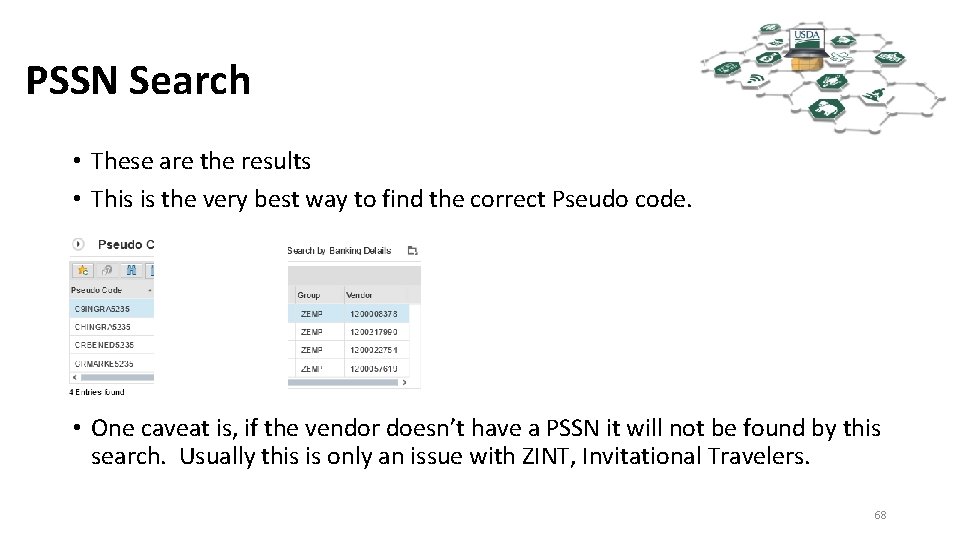
PSSN Search • These are the results • This is the very best way to find the correct Pseudo code. • One caveat is, if the vendor doesn’t have a PSSN it will not be found by this search. Usually this is only an issue with ZINT, Invitational Travelers. 68
QUESTIONS? 69