
Fluency Chapter 3 The Basics of Networking What
Fluency Chapter 3 The Basics of Networking
What is the Internet? ► The totality of all wires, fibers, switches, routers, satellite links, and other hardware for transporting information between addressed computers. ►What’s your address?
How have computers changed our lives? ► For the better? ► For the worse? ► What effect has it had on the influence of the English language?
Communication Categories ► Synchronous ► Asynchronous ► Broadcast ► Multicast ► Point-to-point So what category does the Internet fit into?
Computer addresses ► Each computer connected to the Internet is given a unique IP (Internet Protocol) address ► IP address – currently series of 4 numbers separated by dots: e. g. 213. 43. 1. 156 ► Each # can be in range of 0 -255 ► Internet protocol moving to Version 6 (IPv 6) with a 16 -byte address system.

Domain Names ►A more human-friendly way of addressing computers based on a hierarchy of domains. ► Domain – related group of networked computers ► markel. faculty. msmc. edu ► Domain Name System (DNS) translates the domain name into its 4 -number IP address ► DNS server – a computer that keeps a list of the symbolic names and the corresponding IP addresses
Top Level Domains ►. com ►. org ►. mil ►. net ►. gov ►. edu In addition there’s a 2 -letter country code: . uk, . au, . fr etc. that identifies countries
TCP/IP Transmission Control Protocol/Internet Protocol ► TCP – breaks a transmission up into small fixed-size packets ► Each packet contains the following: § Data being sent § Destination IP address § Sequence # ► IP - re-orders the packets at the destination to assemble the information
Characteristics of TCP/IP ► Packets are independent ► Packets are transmitted over the Internet using whatever route is available ► Transmissions often rely on multiple technologies to move the packets through the Internet: § Telephone lines § Fiber optics § Dedicated lines
Networks ► WAN – wide-area networks: networks designed to send information between two locations not directly connected. § Packets take several “hops” before delivery ► LAN – local-area network. Computers are directly cabled or “channeled” together. Most LANs use Ethernet technology.
Connecting to the Internet ► ISP – Internet Service Provider § Examples? § Connection method: Modem ► DSL (digital subscriber line) ► ► Network connections § LANs connect to the Internet via a gateway. Information from a remote Web computer is sent across the Internet, through the gateway to the organization’s intranet, and across the LAN to the user’s computer.
The World Wide Web servers – computers programmed to send files to browsers running on other computers connected to the Internet. ► Subset of the Internet ► Each web page has a unique address called a Universal Resource Locator or URL ► Built on a client-server relationship ►
The URL consists of three parts: ► Protocol: http: // - stands for Hypertext Transfer Ptococol ► Server computer’s name ► Pathname of the particular page http: //domain. address/pathname http: //faculty. msmc. edu/markel/cit 1100/outline. html
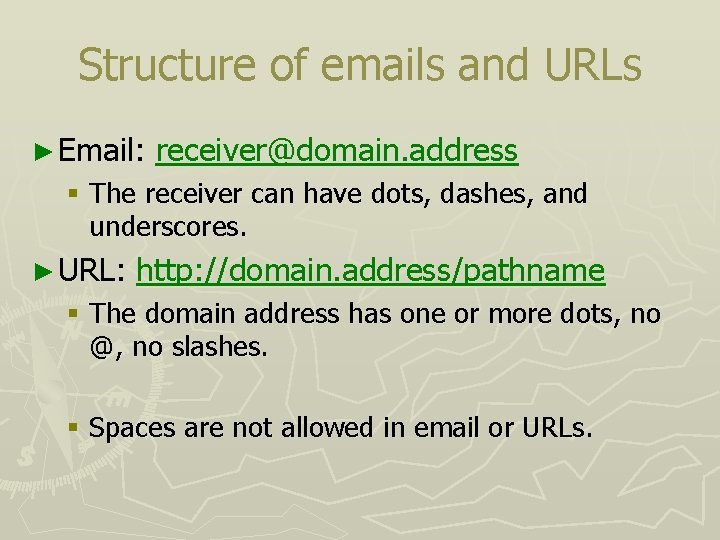
Structure of emails and URLs ► Email: receiver@domain. address § The receiver can have dots, dashes, and underscores. ► URL: http: //domain. address/pathname § The domain address has one or more dots, no @, no slashes. § Spaces are not allowed in email or URLs.
Describing a Web Page • Web pages stored as a description of how they should appear • Description file is called the source file • Written in HTML (hypertext markup language) • Markup languages describe document layout • Hypertext – breaks linear sequence of text through links: non-linear and dynamic
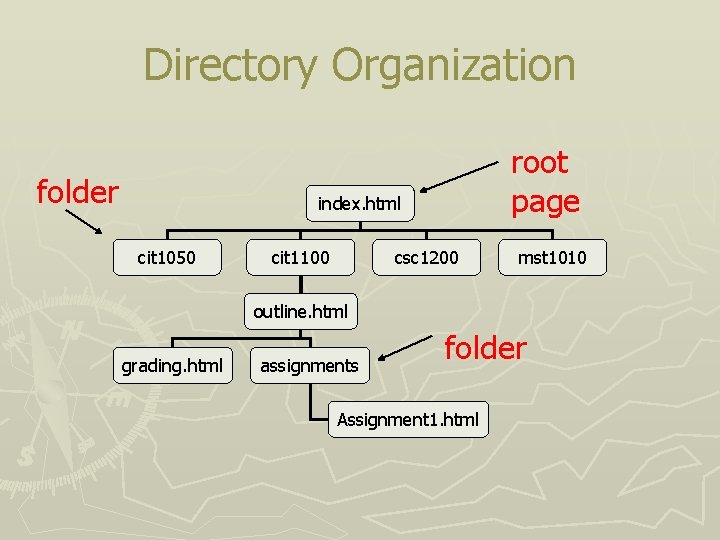
Directory Organization folder root page index. html cit 1050 cit 1100 csc 1200 mst 1010 outline. html grading. html assignments folder Assignment 1. html
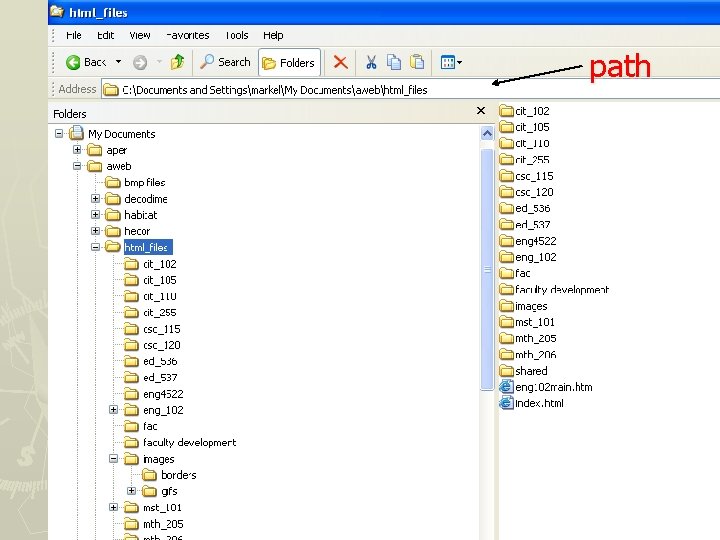
path

Th. . . that’s all, folks!
- Slides: 18