
FLSA and Its Impact on Timesheet Processing Agenda


- Slides: 23
FLSA and It’s Impact on Timesheet Processing
Agenda • Timesheet Requirements • Reporting Hours • Completing Timesheet • Calculating Your Pay • Walkaways
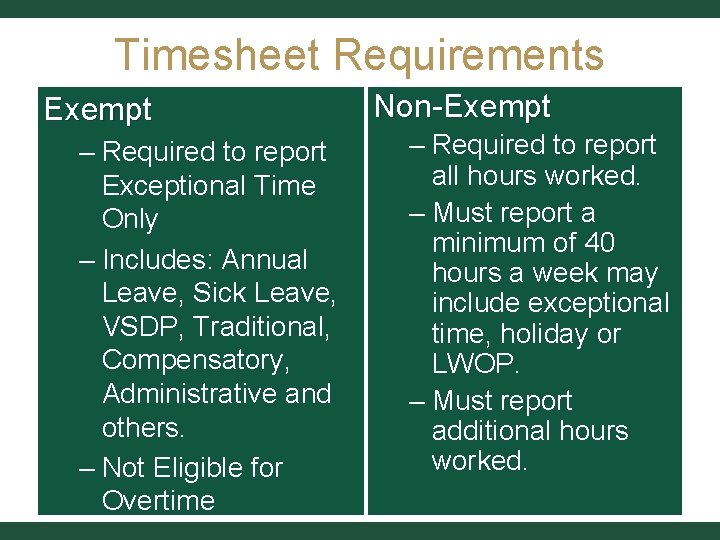
Timesheet Requirements Exempt – Required to report Exceptional Time Only – Includes: Annual Leave, Sick Leave, VSDP, Traditional, Compensatory, Administrative and others. – Not Eligible for Overtime Non-Exempt – Required to report all hours worked. – Must report a minimum of 40 hours a week may include exceptional time, holiday or LWOP. – Must report additional hours worked.
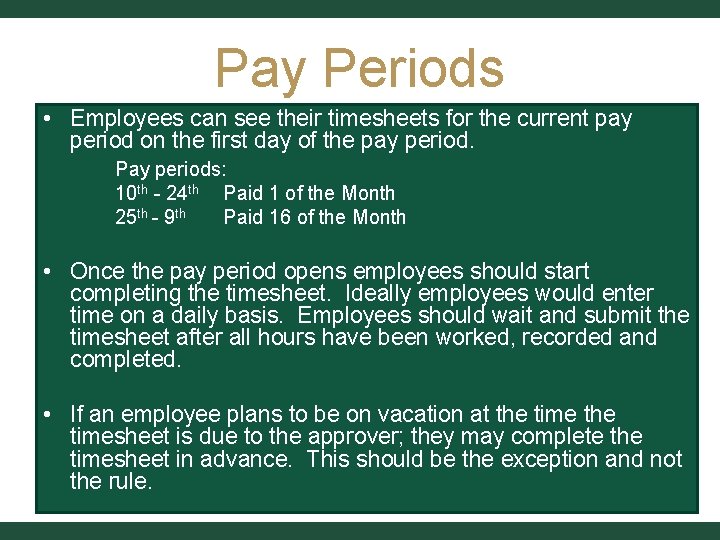
Pay Periods • Employees can see their timesheets for the current pay period on the first day of the pay period. Pay periods: 10 th - 24 th Paid 1 of the Month 25 th - 9 th Paid 16 of the Month • Once the pay period opens employees should start completing the timesheet. Ideally employees would enter time on a daily basis. Employees should wait and submit the timesheet after all hours have been worked, recorded and completed. • If an employee plans to be on vacation at the timesheet is due to the approver; they may complete the timesheet in advance. This should be the exception and not the rule.
REPORTING HOURS
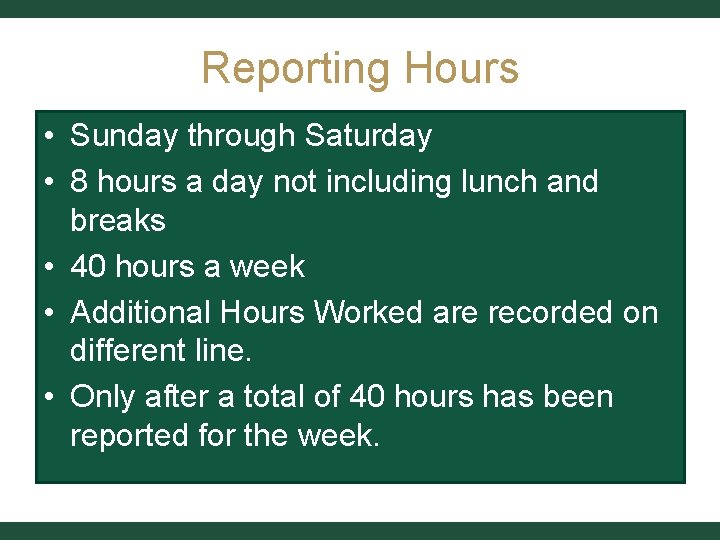
Reporting Hours • Sunday through Saturday • 8 hours a day not including lunch and breaks • 40 hours a week • Additional Hours Worked are recorded on different line. • Only after a total of 40 hours has been reported for the week.
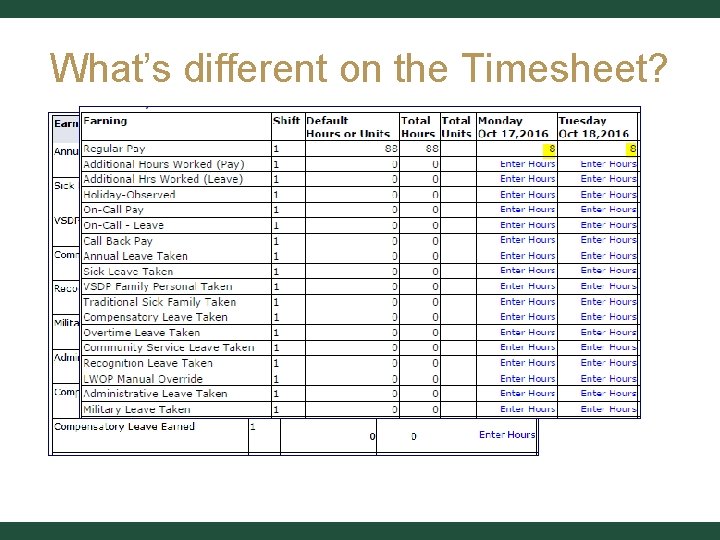
What’s different on the Timesheet?
COMPLETING THE TIMESHEET
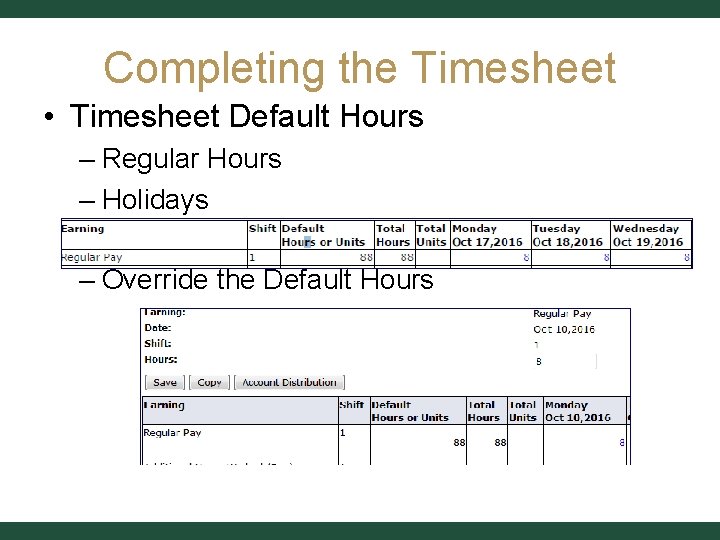
Completing the Timesheet • Timesheet Default Hours – Regular Hours – Holidays – Override the Default Hours
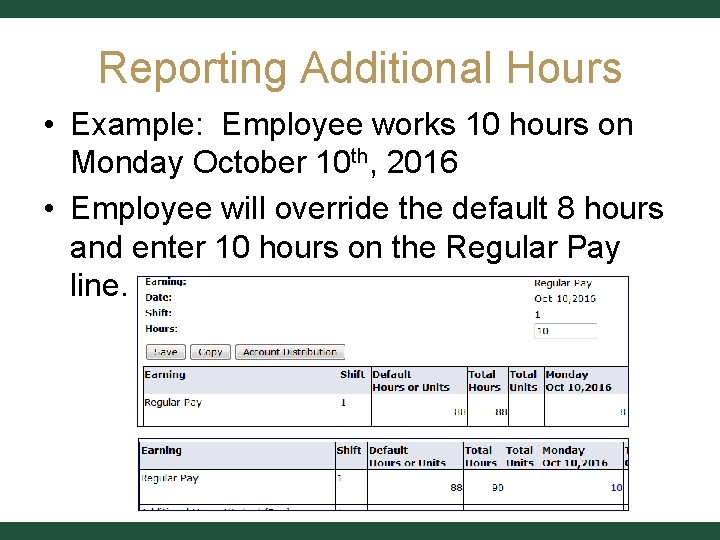
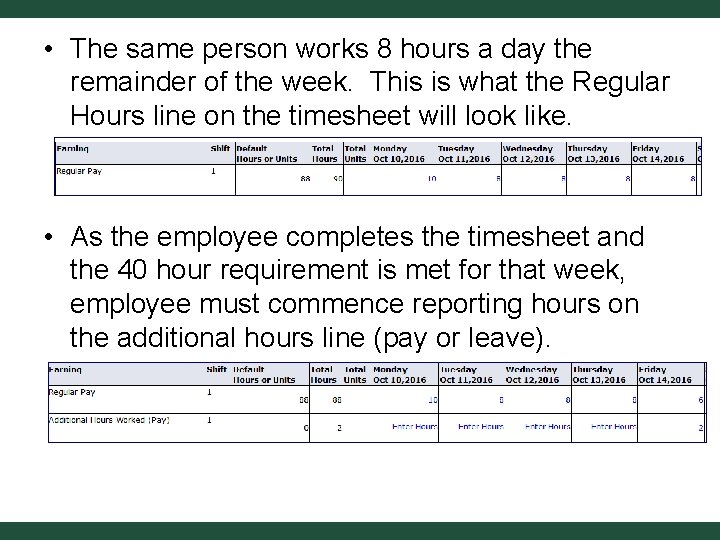
Reporting Additional Hours • Example: Employee works 10 hours on Monday October 10 th, 2016 • Employee will override the default 8 hours and enter 10 hours on the Regular Pay line.
• The same person works 8 hours a day the remainder of the week. This is what the Regular Hours line on the timesheet will look like. • As the employee completes the timesheet and the 40 hour requirement is met for that week, employee must commence reporting hours on the additional hours line (pay or leave).
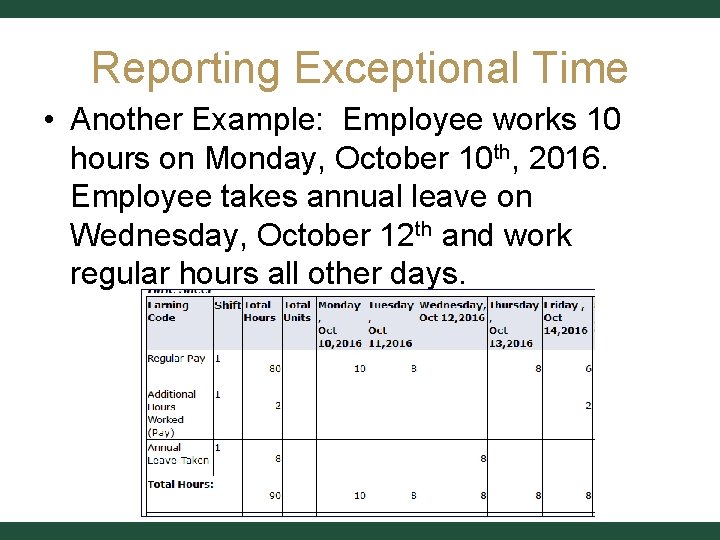
Reporting Exceptional Time • Another Example: Employee works 10 hours on Monday, October 10 th, 2016. Employee takes annual leave on Wednesday, October 12 th and work regular hours all other days.
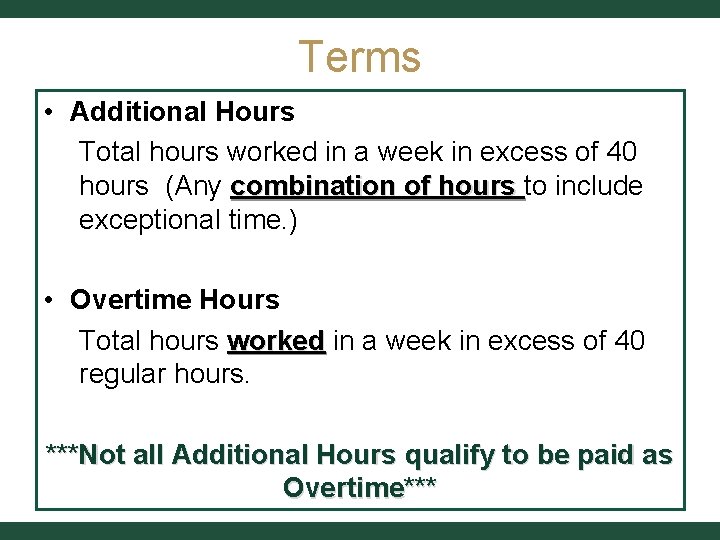
Terms • Additional Hours Total hours worked in a week in excess of 40 hours (Any combination of hours to include exceptional time. ) • Overtime Hours Total hours worked in a week in excess of 40 regular hours. ***Not all Additional Hours qualify to be paid as Overtime***
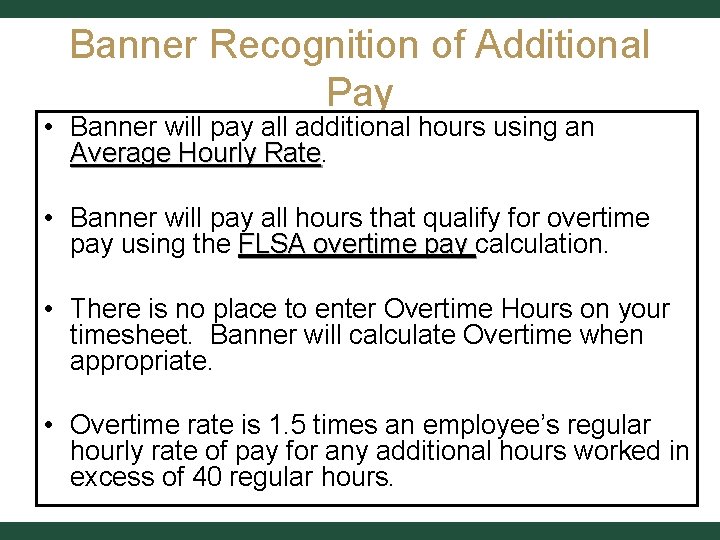
Banner Recognition of Additional Pay • Banner will pay all additional hours using an Average Hourly Rate • Banner will pay all hours that qualify for overtime pay using the FLSA overtime pay calculation. • There is no place to enter Overtime Hours on your timesheet. Banner will calculate Overtime when appropriate. • Overtime rate is 1. 5 times an employee’s regular hourly rate of pay for any additional hours worked in excess of 40 regular hours.
CALCULATING YOUR PAY
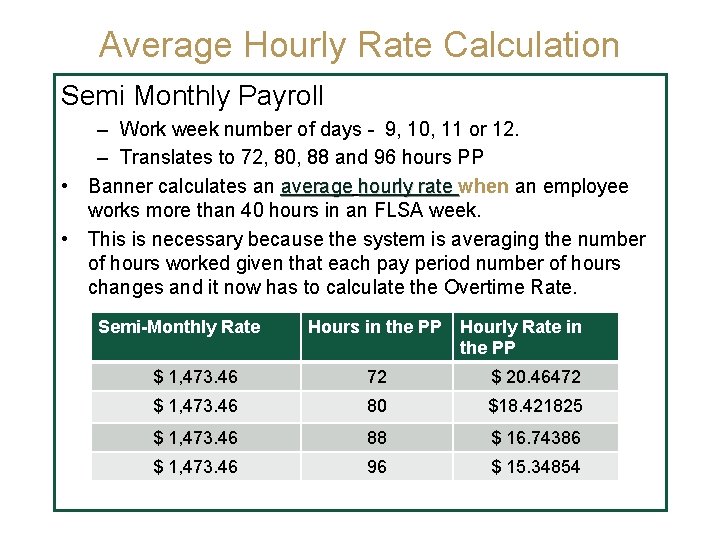
Average Hourly Rate Calculation Semi Monthly Payroll – Work week number of days - 9, 10, 11 or 12. – Translates to 72, 80, 88 and 96 hours PP • Banner calculates an average hourly rate when an employee works more than 40 hours in an FLSA week. • This is necessary because the system is averaging the number of hours worked given that each pay period number of hours changes and it now has to calculate the Overtime Rate. Semi-Monthly Rate Hours in the PP Hourly Rate in the PP $ 1, 473. 46 72 $ 20. 46472 $ 1, 473. 46 80 $18. 421825 $ 1, 473. 46 88 $ 16. 74386 $ 1, 473. 46 96 $ 15. 34854
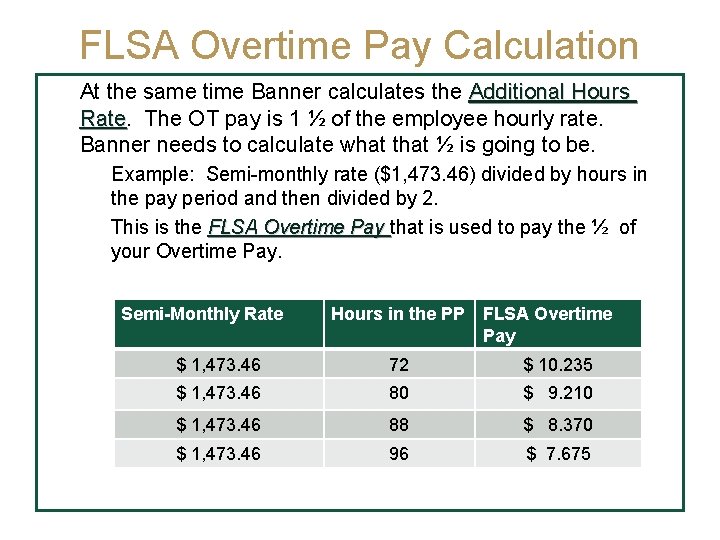
FLSA Overtime Pay Calculation At the same time Banner calculates the Additional Hours Rate The OT pay is 1 ½ of the employee hourly rate. Banner needs to calculate what that ½ is going to be. Example: Semi-monthly rate ($1, 473. 46) divided by hours in the pay period and then divided by 2. This is the FLSA Overtime Pay that is used to pay the ½ of your Overtime Pay. Semi-Monthly Rate Hours in the PP FLSA Overtime Pay $ 1, 473. 46 72 $ 10. 235 $ 1, 473. 46 80 $ 9. 210 $ 1, 473. 46 88 $ 8. 370 $ 1, 473. 46 96 $ 7. 675
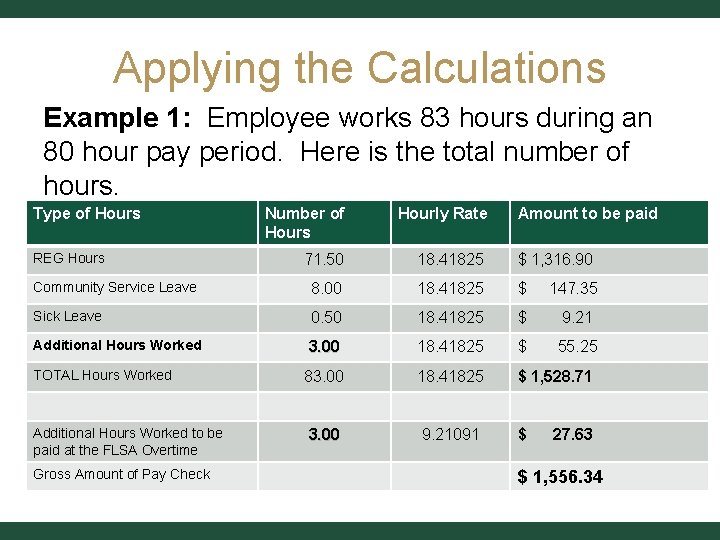
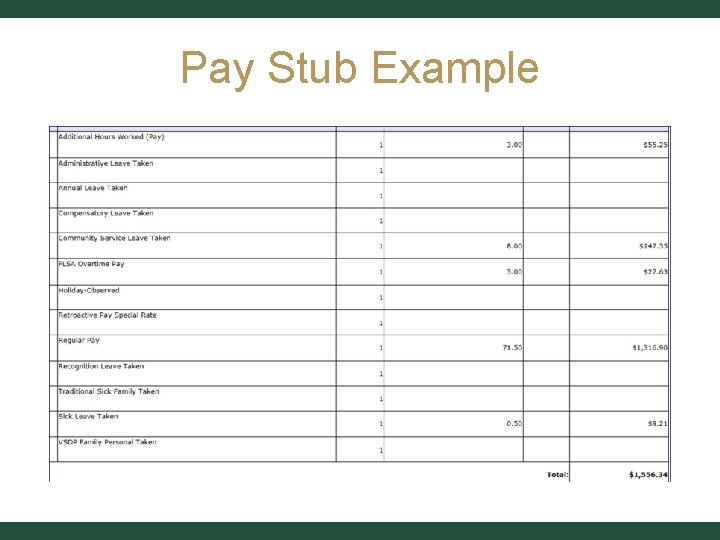
Applying the Calculations Example 1: Employee works 83 hours during an 80 hour pay period. Here is the total number of hours. Type of Hours Number of Hours Hourly Rate 71. 50 18. 41825 $ 1, 316. 90 Community Service Leave 8. 00 18. 41825 $ 147. 35 Sick Leave 0. 50 18. 41825 $ 9. 21 Additional Hours Worked 3. 00 18. 41825 $ 55. 25 83. 00 18. 41825 $ 1, 528. 71 3. 00 9. 21091 $ REG Hours TOTAL Hours Worked Additional Hours Worked to be paid at the FLSA Overtime Gross Amount of Pay Check Amount to be paid 27. 63 $ 1, 556. 34
Pay Stub Example
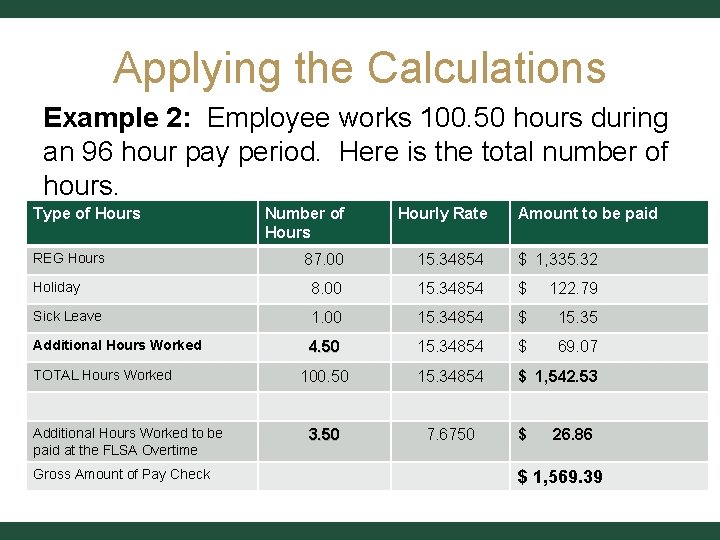
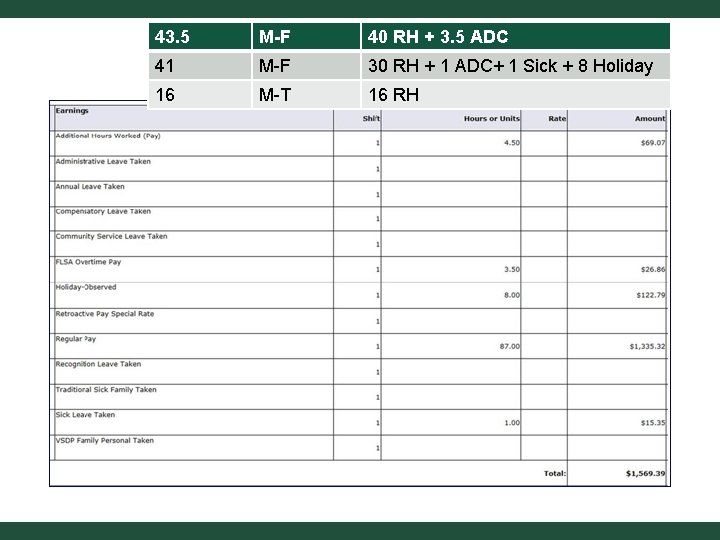
Applying the Calculations Example 2: Employee works 100. 50 hours during an 96 hour pay period. Here is the total number of hours. Type of Hours Number of Hours Hourly Rate 87. 00 15. 34854 $ 1, 335. 32 Holiday 8. 00 15. 34854 $ 122. 79 Sick Leave 1. 00 15. 34854 $ 15. 35 Additional Hours Worked 4. 50 15. 34854 $ 69. 07 100. 50 15. 34854 $ 1, 542. 53 3. 50 7. 6750 REG Hours TOTAL Hours Worked Additional Hours Worked to be paid at the FLSA Overtime Gross Amount of Pay Check Amount to be paid $ 26. 86 $ 1, 569. 39
43. 5 M-F 40 RH + 3. 5 ADC M-F 30 RH + 1 ADC+ 1 Sick + 8 Holiday Pay Stub Example 16 M-T 16 RH 41
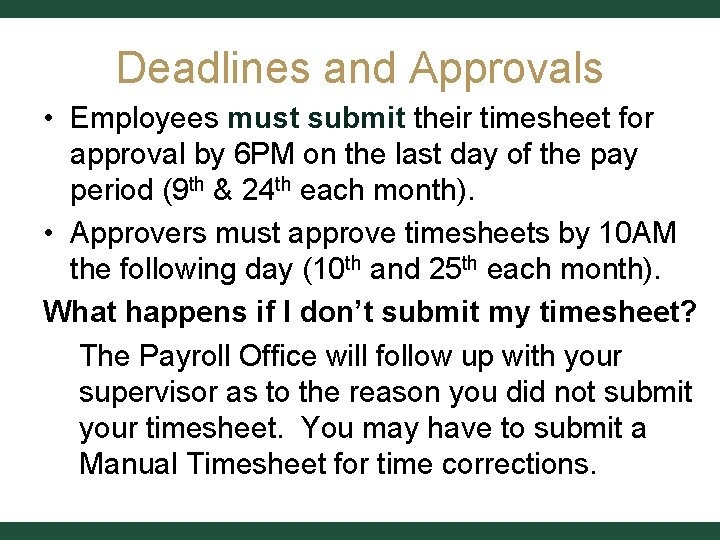
Deadlines and Approvals • Employees must submit their timesheet for approval by 6 PM on the last day of the pay period (9 th & 24 th each month). • Approvers must approve timesheets by 10 AM the following day (10 th and 25 th each month). What happens if I don’t submit my timesheet? The Payroll Office will follow up with your supervisor as to the reason you did not submit your timesheet. You may have to submit a Manual Timesheet for time corrections.
Walkaways • System Defaults 8 hours a day automatically. • Employee must record hours worked on the day the employee worked them. • Employee must report at a minimum 40 hours a week combination of regular and exceptional time. • After 40 hour requirement is met; employee must start recording hours as Additional Hours Worked (Pay or Leave).