
Florida Assessments for Instruction in Reading aligned to
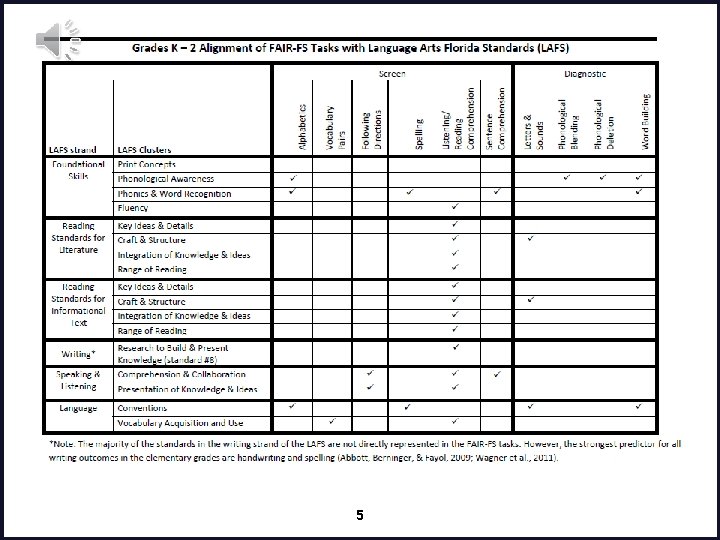
- Slides: 84
Florida Assessments for Instruction in Reading aligned to the Language Arts Florida Standards Grades K – 2 PMRN FLKRS
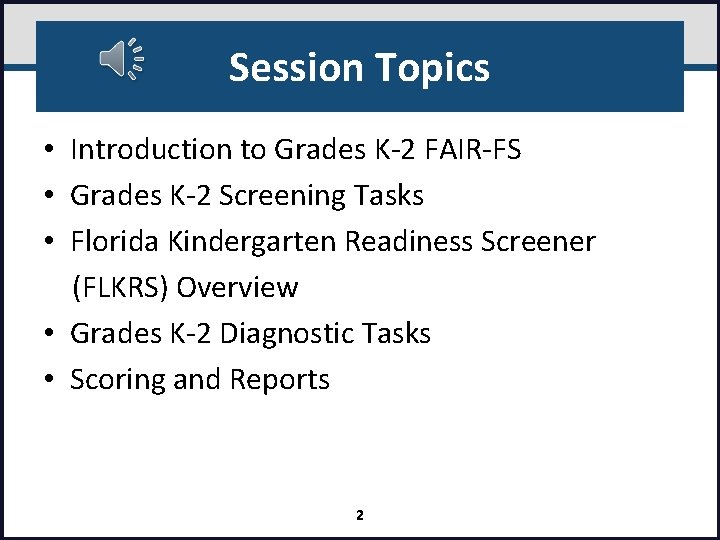
Session Topics • Introduction to Grades K‐ 2 FAIR‐FS • Grades K‐ 2 Screening Tasks • Florida Kindergarten Readiness Screener (FLKRS) Overview • Grades K‐ 2 Diagnostic Tasks • Scoring and Reports 2
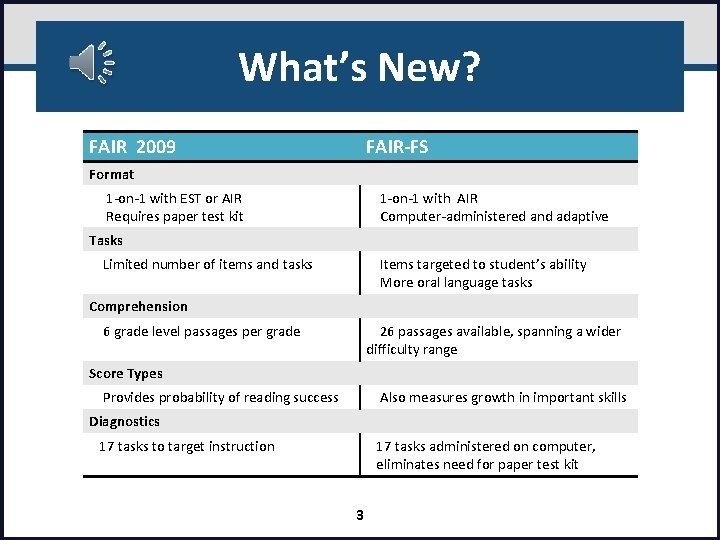
What’s New? FAIR 2009 FAIR-FS Format 1‐on‐ 1 with EST or AIR Requires paper test kit 1‐on‐ 1 with AIR Computer‐administered and adaptive Tasks Limited number of items and tasks Items targeted to student’s ability More oral language tasks Comprehension 6 grade level passages per grade 26 passages available, spanning a wider difficulty range Score Types Provides probability of reading success Also measures growth in important skills Diagnostics 17 tasks to target instruction 17 tasks administered on computer, eliminates need for paper test kit 3
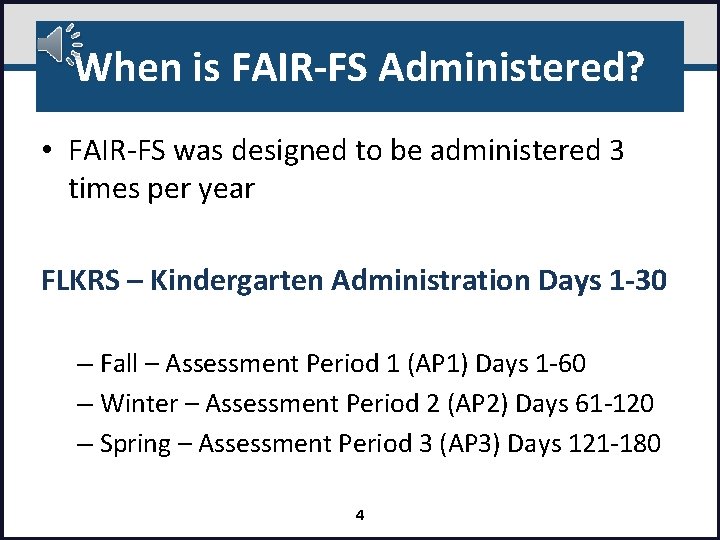
When is FAIR-FS Administered? • FAIR‐FS was designed to be administered 3 times per year FLKRS – Kindergarten Administration Days 1 -30 – Fall – Assessment Period 1 (AP 1) Days 1‐ 60 – Winter – Assessment Period 2 (AP 2) Days 61‐ 120 – Spring – Assessment Period 3 (AP 3) Days 121‐ 180 4
5
Grades K-2 Screening Tasks 6
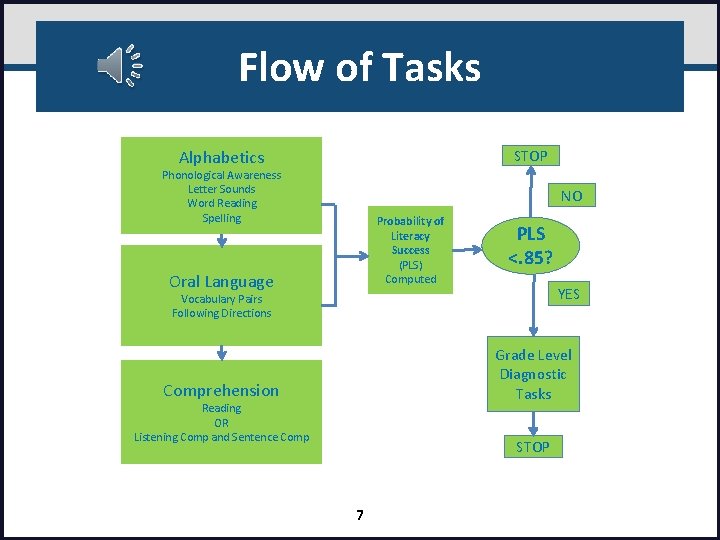
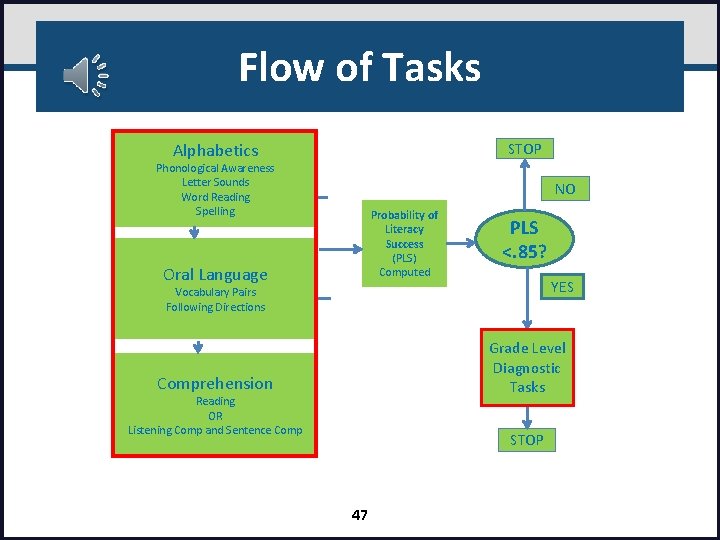
Flow of Tasks Alphabetics STOP Phonological Awareness Letter Sounds Word Reading Spelling NO Probability of Literacy Success (PLS) Computed Oral Language PLS <. 85? YES Vocabulary Pairs Following Directions Grade Level Diagnostic Tasks Comprehension Reading OR Listening Comp and Sentence Comp STOP 7
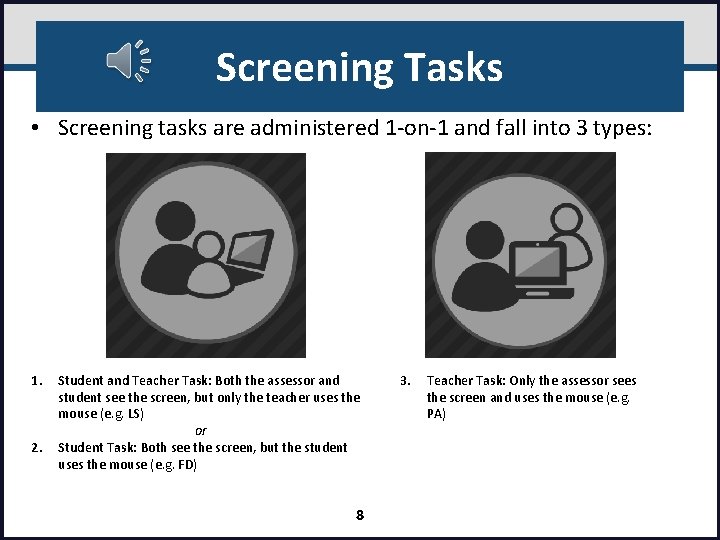
Screening Tasks • Screening tasks are administered 1‐on‐ 1 and fall into 3 types: 1. 2. Student and Teacher Task: Both the assessor and student see the screen, but only the teacher uses the mouse (e. g. LS) or Student Task: Both see the screen, but the student uses the mouse (e. g. FD) 8 3. Teacher Task: Only the assessor sees the screen and uses the mouse (e. g. PA)
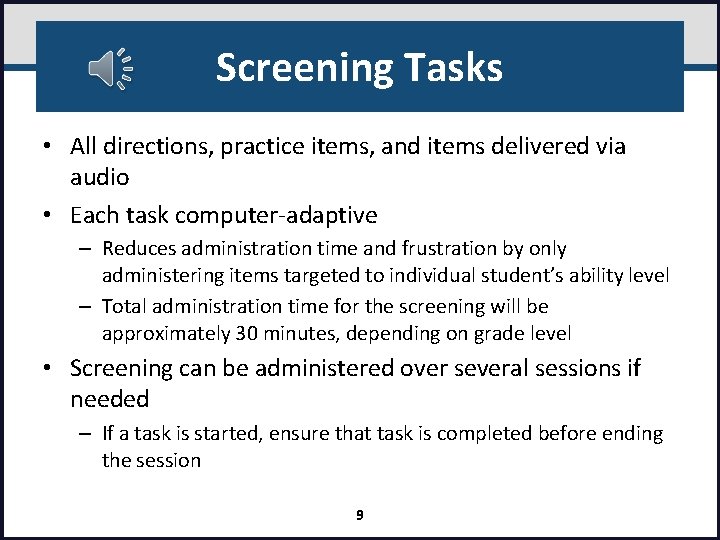
Screening Tasks • All directions, practice items, and items delivered via audio • Each task computer‐adaptive – Reduces administration time and frustration by only administering items targeted to individual student’s ability level – Total administration time for the screening will be approximately 30 minutes, depending on grade level • Screening can be administered over several sessions if needed – If a task is started, ensure that task is completed before ending the session 9
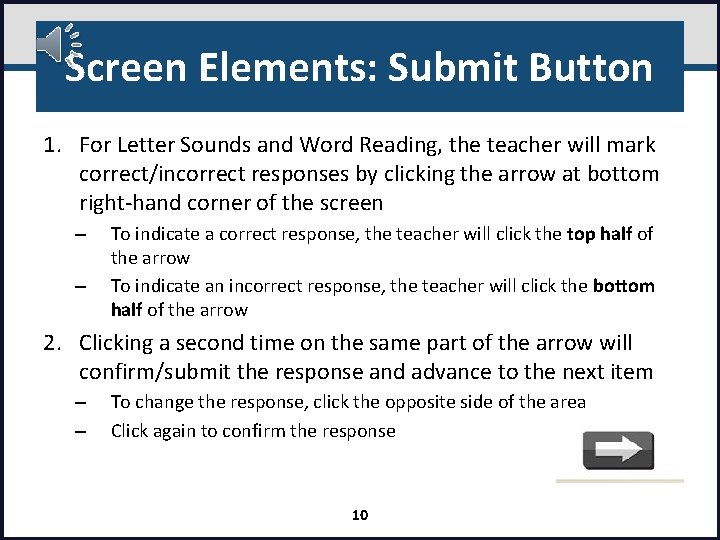
Screen Elements: Submit Button 1. For Letter Sounds and Word Reading, the teacher will mark correct/incorrect responses by clicking the arrow at bottom right‐hand corner of the screen – – To indicate a correct response, the teacher will click the top half of the arrow To indicate an incorrect response, the teacher will click the bottom half of the arrow 2. Clicking a second time on the same part of the arrow will confirm/submit the response and advance to the next item – – To change the response, click the opposite side of the area Click again to confirm the response 10
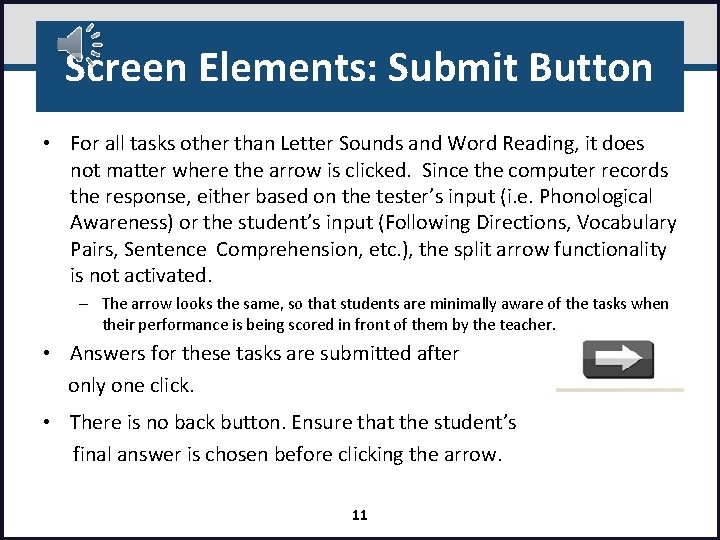
Screen Elements: Submit Button • For all tasks other than Letter Sounds and Word Reading, it does not matter where the arrow is clicked. Since the computer records the response, either based on the tester’s input (i. e. Phonological Awareness) or the student’s input (Following Directions, Vocabulary Pairs, Sentence Comprehension, etc. ), the split arrow functionality is not activated. – The arrow looks the same, so that students are minimally aware of the tasks when their performance is being scored in front of them by the teacher. • Answers for these tasks are submitted after only one click. • There is no back button. Ensure that the student’s final answer is chosen before clicking the arrow. 11
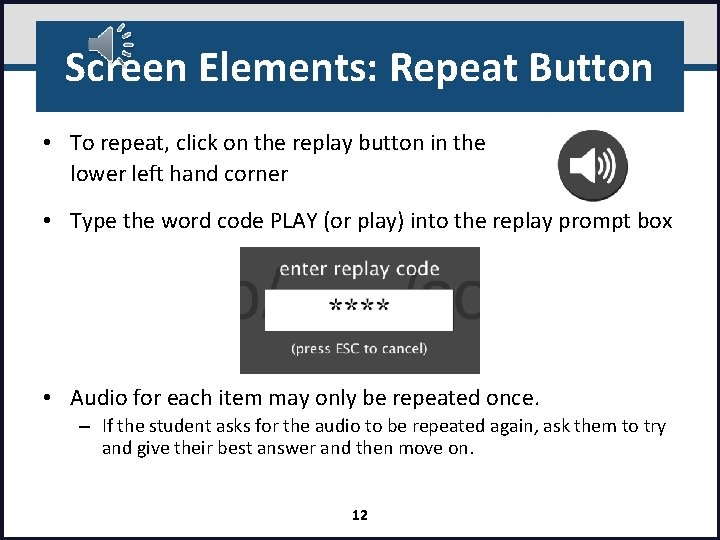
Screen Elements: Repeat Button • To repeat, click on the replay button in the lower left hand corner • Type the word code PLAY (or play) into the replay prompt box • Audio for each item may only be repeated once. – If the student asks for the audio to be repeated again, ask them to try and give their best answer and then move on. 12
Screen Elements: Reset Button • For some tasks, students may want to change their answer before submitting (e. g. Following Directions or Vocabulary Pairs) • To reset the page to the original screen, the students can click on the x button in the lower left hand corner and it will reset the screen elements 13
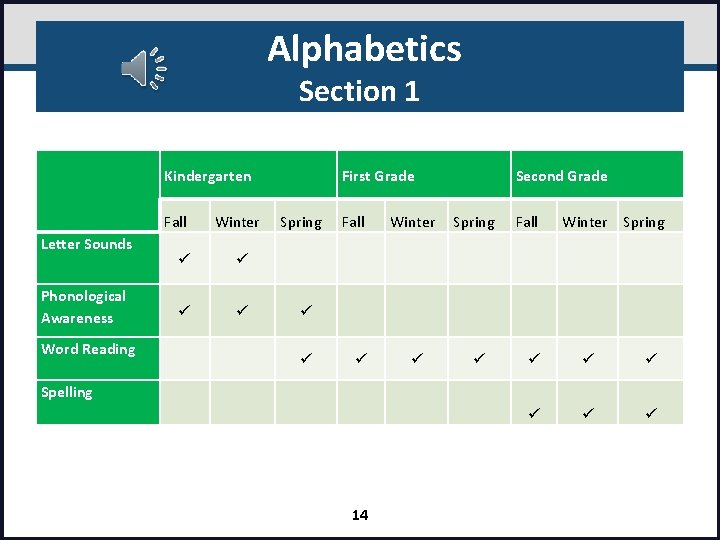
Alphabetics Section 1 Kindergarten Fall Letter Sounds Phonological Awareness Word Reading Winter First Grade Spring Fall Winter Second Grade Spring Fall Winter Spring Spelling 14
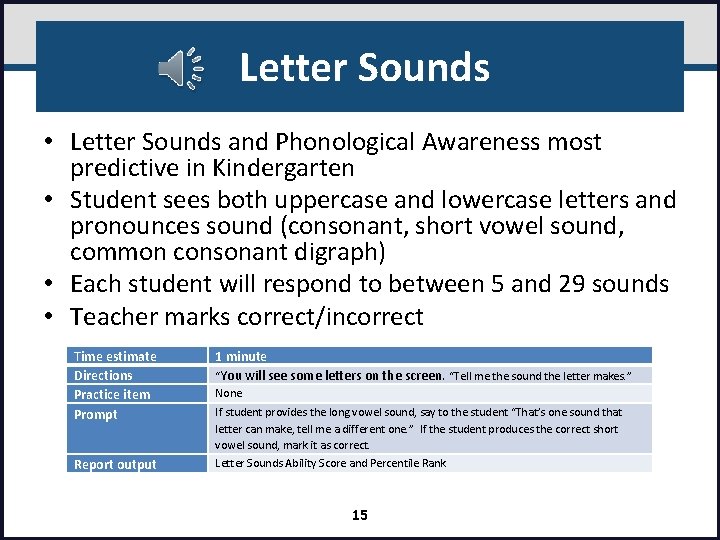
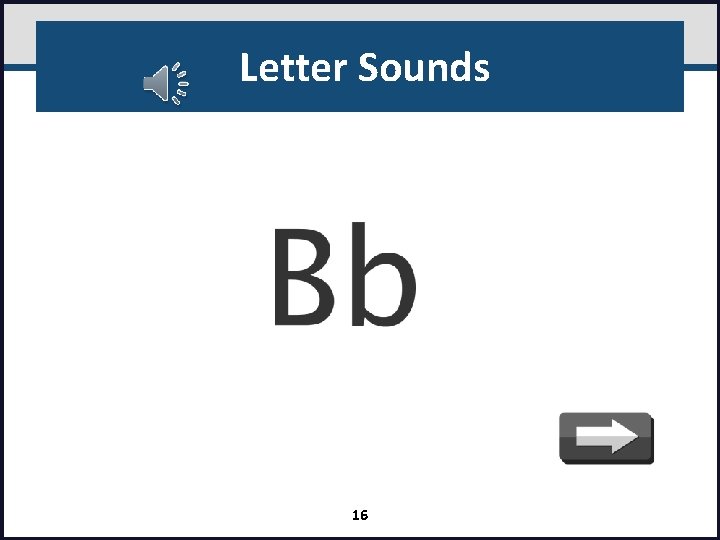
Letter Sounds • Letter Sounds and Phonological Awareness most predictive in Kindergarten • Student sees both uppercase and lowercase letters and pronounces sound (consonant, short vowel sound, common consonant digraph) • Each student will respond to between 5 and 29 sounds • Teacher marks correct/incorrect Time estimate Directions Practice item Prompt Report output 1 minute “You will see some letters on the screen. “Tell me the sound the letter makes. ” None If student provides the long vowel sound, say to the student “That’s one sound that letter can make, tell me a different one. ” If the student produces the correct short vowel sound, mark it as correct. Letter Sounds Ability Score and Percentile Rank 15
Letter Sounds 16
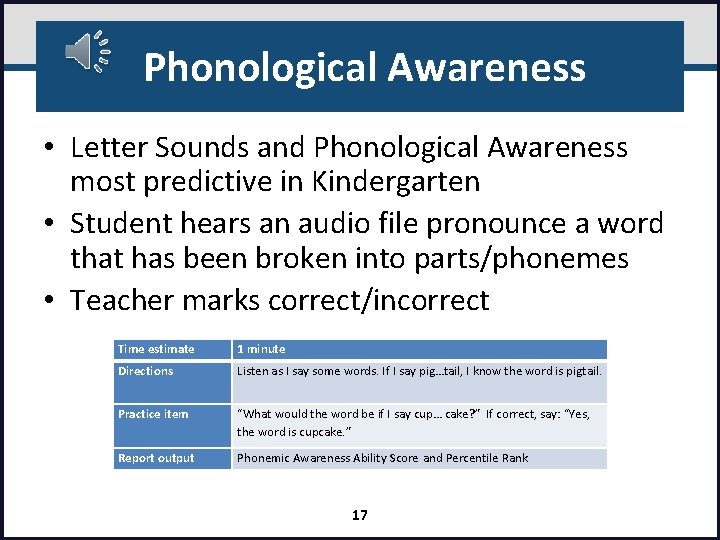
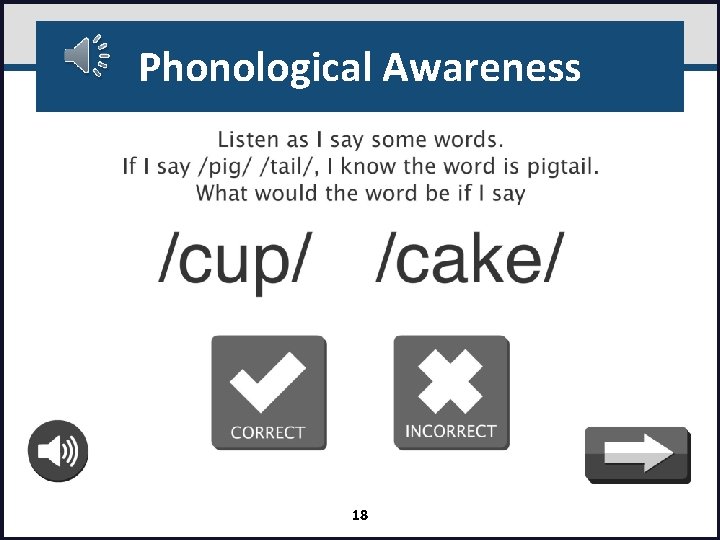
Phonological Awareness • Letter Sounds and Phonological Awareness most predictive in Kindergarten • Student hears an audio file pronounce a word that has been broken into parts/phonemes • Teacher marks correct/incorrect Time estimate 1 minute Directions Listen as I say some words. If I say pig…tail, I know the word is pigtail. Practice item “What would the word be if I say cup… cake? ” If correct, say: “Yes, the word is cupcake. ” Report output Phonemic Awareness Ability Score and Percentile Rank 17
Phonological Awareness 18
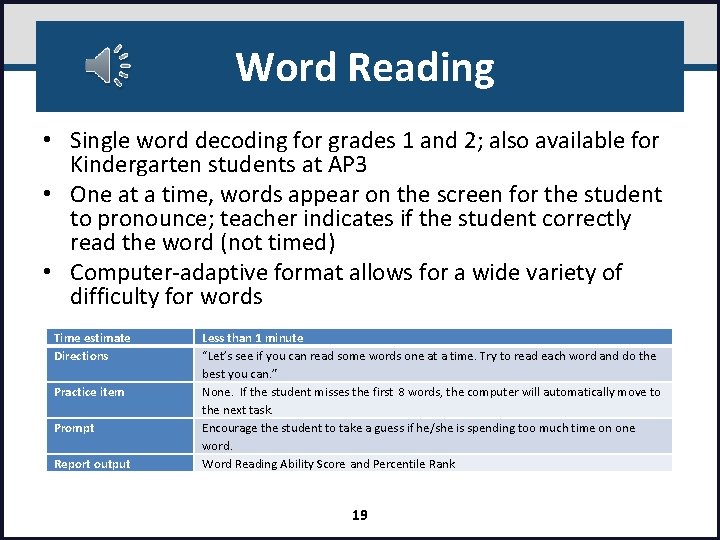
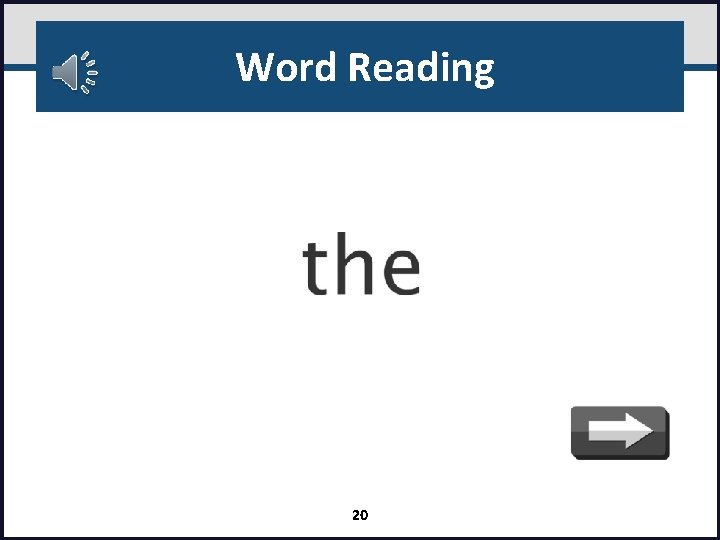
Word Reading • Single word decoding for grades 1 and 2; also available for Kindergarten students at AP 3 • One at a time, words appear on the screen for the student to pronounce; teacher indicates if the student correctly read the word (not timed) • Computer‐adaptive format allows for a wide variety of difficulty for words Time estimate Directions Practice item Prompt Report output Less than 1 minute “Let’s see if you can read some words one at a time. Try to read each word and do the best you can. ” None. If the student misses the first 8 words, the computer will automatically move to the next task. Encourage the student to take a guess if he/she is spending too much time on one word. Word Reading Ability Score and Percentile Rank 19
Word Reading 20
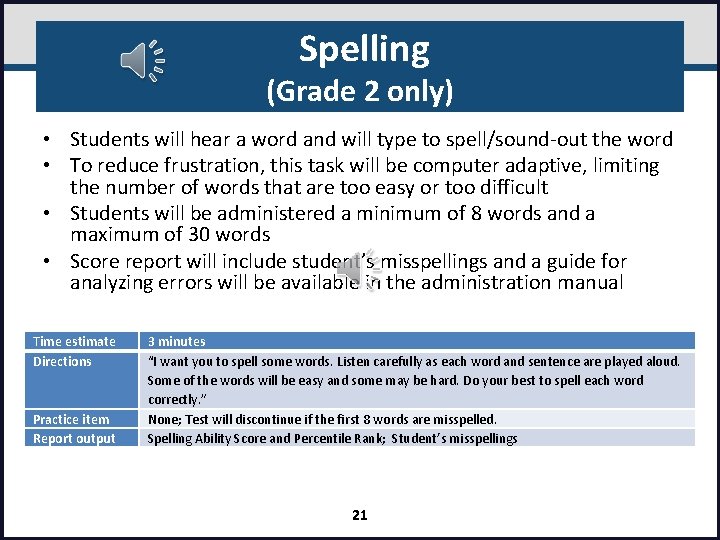
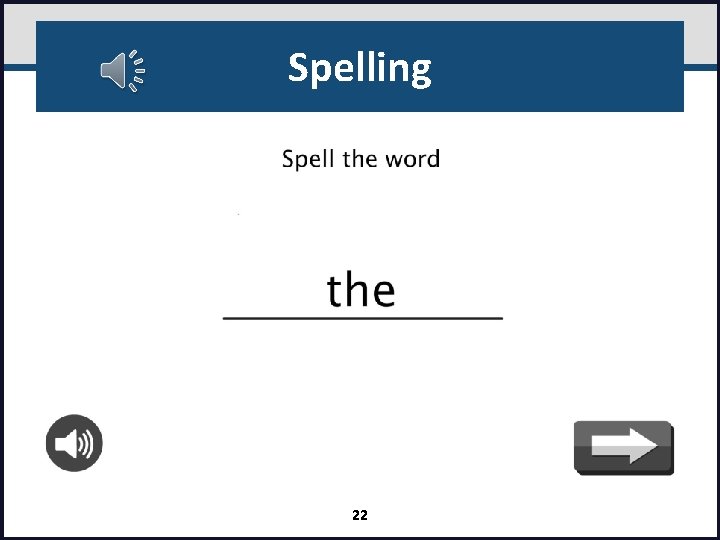
Spelling (Grade 2 only) • Students will hear a word and will type to spell/sound‐out the word • To reduce frustration, this task will be computer adaptive, limiting the number of words that are too easy or too difficult • Students will be administered a minimum of 8 words and a maximum of 30 words • Score report will include student’s misspellings and a guide for analyzing errors will be available in the administration manual Time estimate Directions Practice item Report output 3 minutes “I want you to spell some words. Listen carefully as each word and sentence are played aloud. Some of the words will be easy and some may be hard. Do your best to spell each word correctly. ” None; Test will discontinue if the first 8 words are misspelled. Spelling Ability Score and Percentile Rank; Student’s misspellings 21
Spelling 22
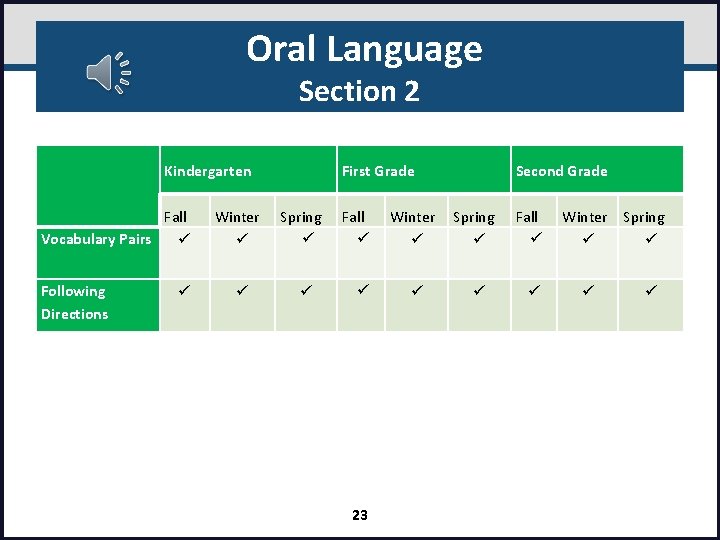
Oral Language Section 2 Kindergarten Fall Vocabulary Pairs Following Directions Winter First Grade Spring Fall 23 Winter Second Grade Spring Fall Winter Spring
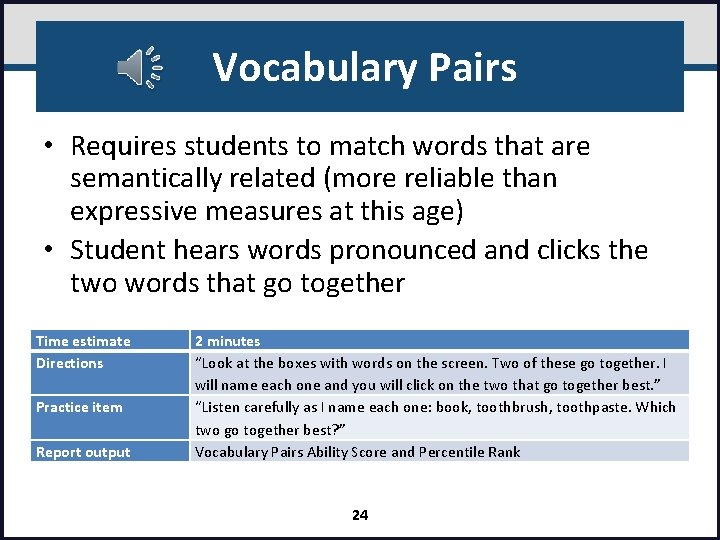
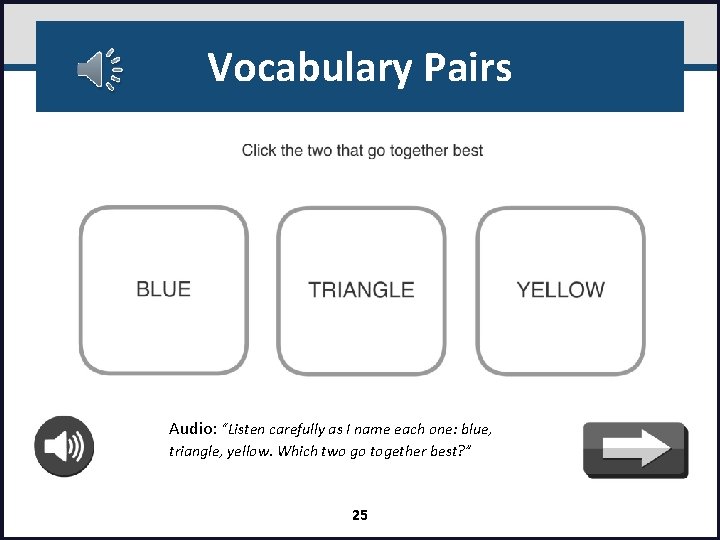
Vocabulary Pairs • Requires students to match words that are semantically related (more reliable than expressive measures at this age) • Student hears words pronounced and clicks the two words that go together Time estimate Directions Practice item Report output 2 minutes “Look at the boxes with words on the screen. Two of these go together. I will name each one and you will click on the two that go together best. ” “Listen carefully as I name each one: book, toothbrush, toothpaste. Which two go together best? ” Vocabulary Pairs Ability Score and Percentile Rank 24
Vocabulary Pairs Audio: “Listen carefully as I name each one: blue, triangle, yellow. Which two go together best? ” 25
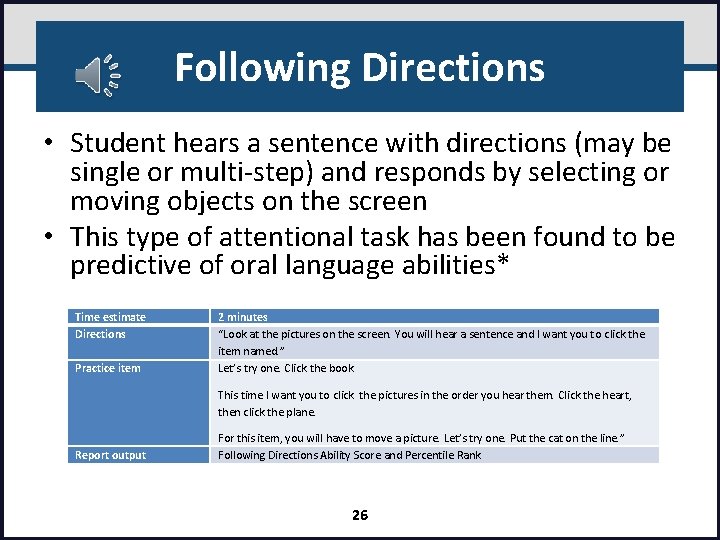
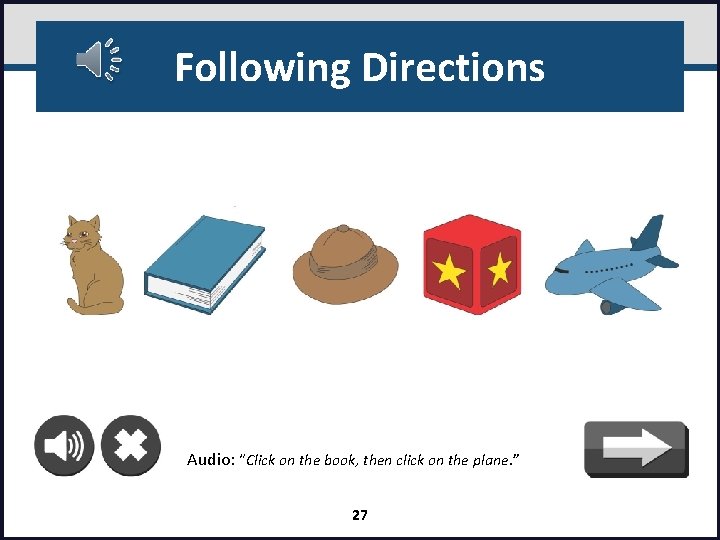
Following Directions • Student hears a sentence with directions (may be single or multi‐step) and responds by selecting or moving objects on the screen • This type of attentional task has been found to be predictive of oral language abilities* Time estimate Directions Practice item 2 minutes “Look at the pictures on the screen. You will hear a sentence and I want you to click the item named. ” Let’s try one. Click the book. This time I want you to click the pictures in the order you hear them. Click the heart, then click the plane. Report output For this item, you will have to move a picture. Let’s try one. Put the cat on the line. ” Following Directions Ability Score and Percentile Rank 26
Following Directions Audio: “Click on the book, then click on the plane. ” 27
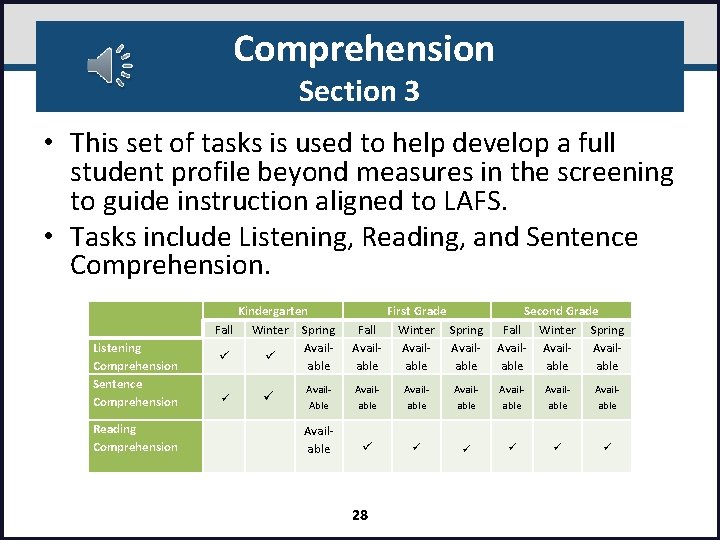
Comprehension Section 3 • This set of tasks is used to help develop a full student profile beyond measures in the screening to guide instruction aligned to LAFS. • Tasks include Listening, Reading, and Sentence Comprehension. Listening Comprehension Sentence Comprehension Reading Comprehension Kindergarten Fall Winter Spring Avail‐ able First Grade Fall Winter Spring Avail‐ able Second Grade Fall Winter Spring Avail‐ able Avail‐ Able Avail‐ able Avail‐ able 28
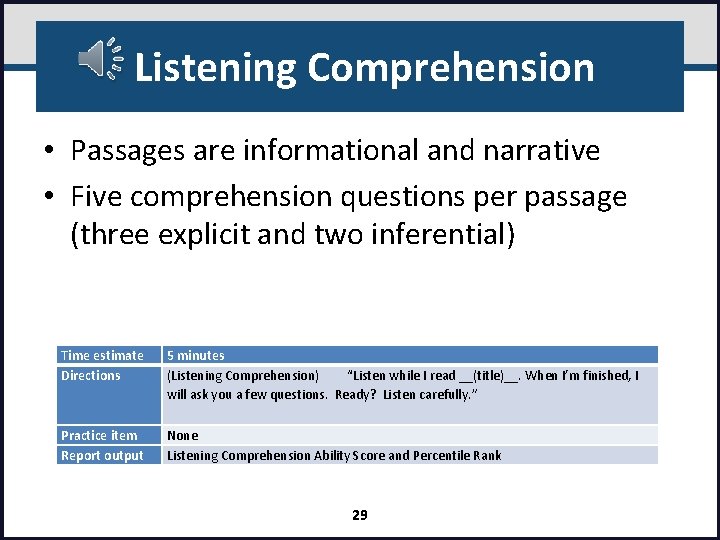
Listening Comprehension • Passages are informational and narrative • Five comprehension questions per passage (three explicit and two inferential) Time estimate Directions 5 minutes (Listening Comprehension) “Listen while I read __(title)__. When I’m finished, I will ask you a few questions. Ready? Listen carefully. ” Practice item Report output None Listening Comprehension Ability Score and Percentile Rank 29
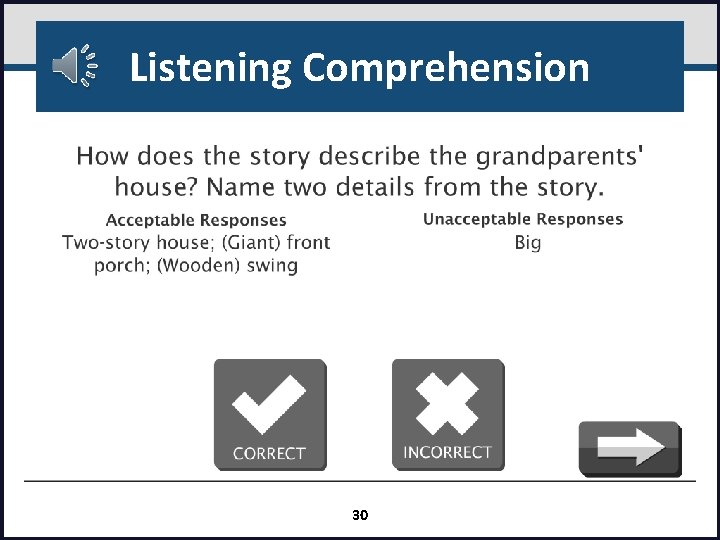
Listening Comprehension 30
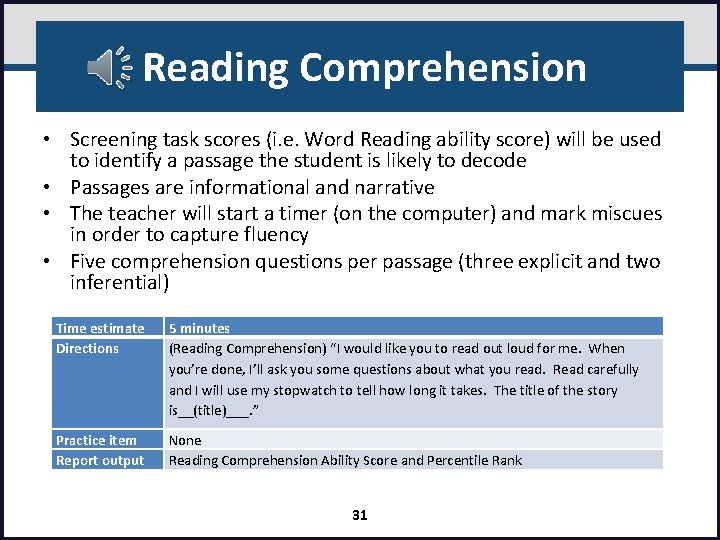
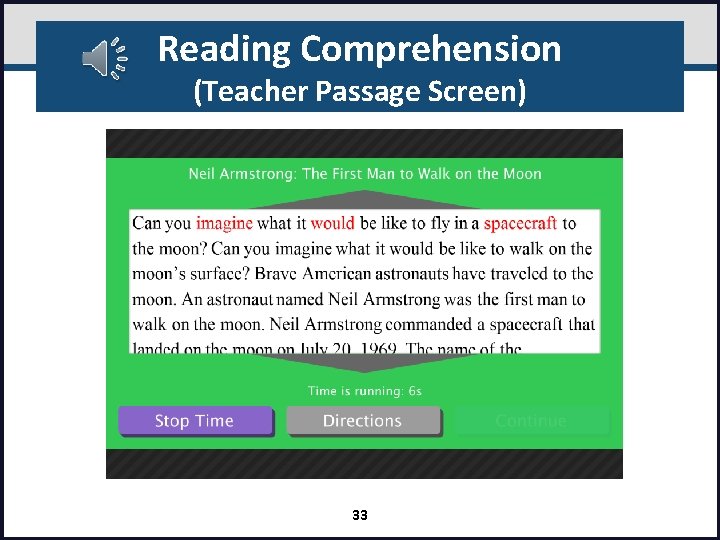
Reading Comprehension • Screening task scores (i. e. Word Reading ability score) will be used to identify a passage the student is likely to decode • Passages are informational and narrative • The teacher will start a timer (on the computer) and mark miscues in order to capture fluency • Five comprehension questions per passage (three explicit and two inferential) Time estimate Directions 5 minutes (Reading Comprehension) “I would like you to read out loud for me. When you’re done, I’ll ask you some questions about what you read. Read carefully and I will use my stopwatch to tell how long it takes. The title of the story is__(title)___. ” Practice item Report output None Reading Comprehension Ability Score and Percentile Rank 31
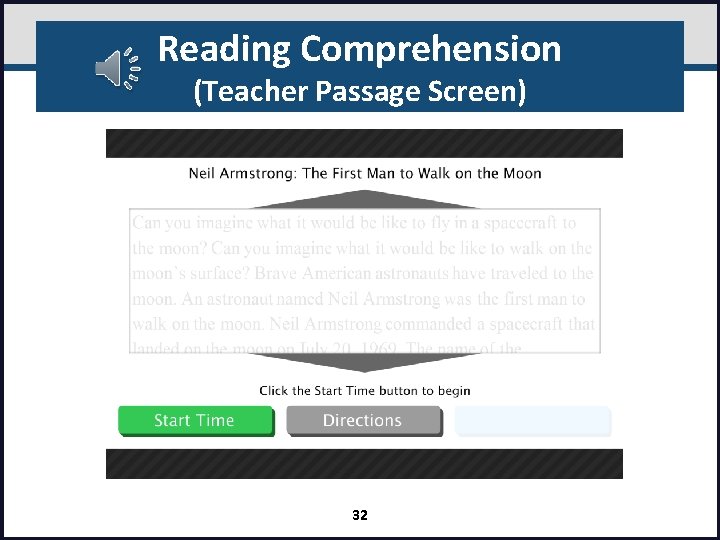
Reading Comprehension (Teacher Passage Screen) 32
Reading Comprehension (Teacher Passage Screen) 33
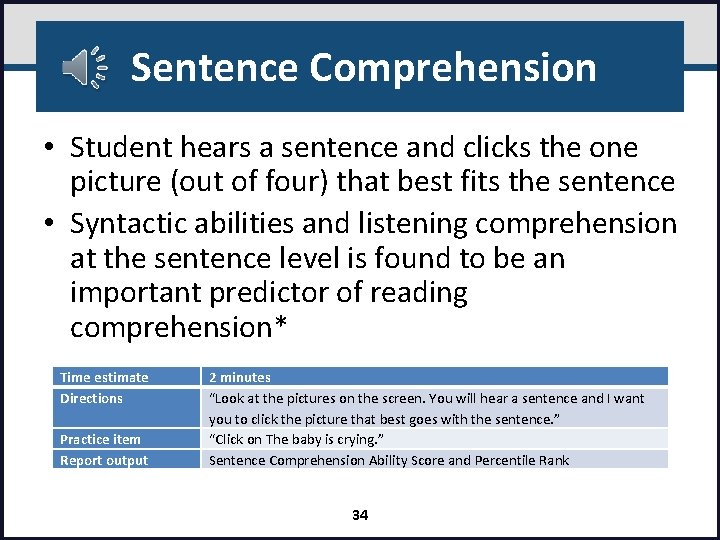
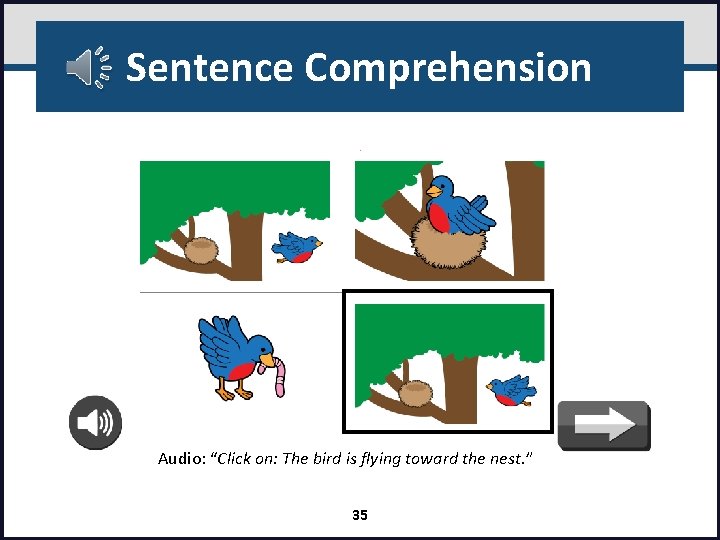
Sentence Comprehension • Student hears a sentence and clicks the one picture (out of four) that best fits the sentence • Syntactic abilities and listening comprehension at the sentence level is found to be an important predictor of reading comprehension* Time estimate Directions Practice item Report output 2 minutes “Look at the pictures on the screen. You will hear a sentence and I want you to click the picture that best goes with the sentence. ” “Click on The baby is crying. ” Sentence Comprehension Ability Score and Percentile Rank 34
Sentence Comprehension Audio: “Click on: The bird is flying toward the nest. ” 35
Session Topics Introduction to Grades K-2 FAIR-FS Grades K-2 Screening Tasks • Florida Kindergarten Readiness Screener (FLKRS) Overview • Grades K‐ 2 Diagnostic Tasks • Scoring and Reports 36
Florida Kindergarten Readiness Screener (FLKRS) Overview 37
Florida Kindergarten Readiness Screener (FLKRS) • In compliance with Section 1002. 69, F. S. – All kindergarten students in each public school must be screened – Each child who was enrolled in the VPK education program during the previous school year must be submitted for the statewide kindergarten screening (FLKRS), regardless of whether the child is admitted to Kindergarten in a public or non‐public school • Consists of two parts: – the Work Sampling System™ (WSS™) – the screening portion of the Florida Assessments for Instruction in Reading (FAIR‐FS) 38
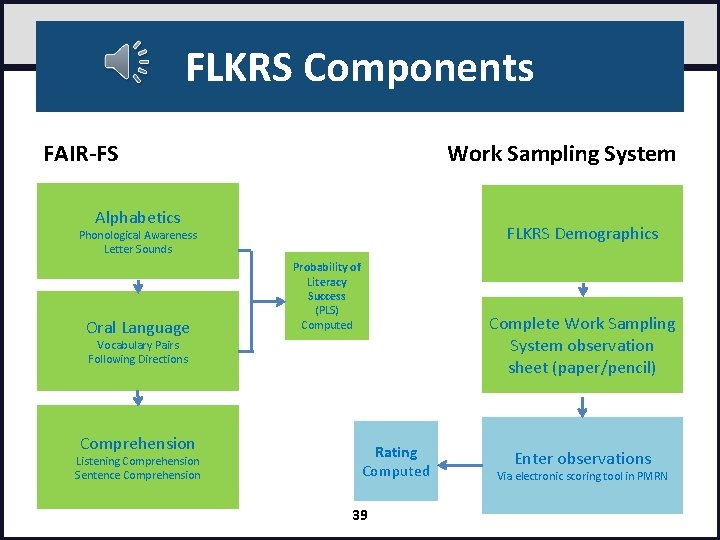
FLKRS Components FAIR-FS Work Sampling System Alphabetics FLKRS Demographics Phonological Awareness Letter Sounds Oral Language Probability of Literacy Success (PLS) Computed Complete Work Sampling System observation sheet (paper/pencil) Vocabulary Pairs Following Directions Comprehension Listening Comprehension Sentence Comprehension Rating Computed 39 Enter observations Via electronic scoring tool in PMRN
Accessing FLKRS • Accessing FLKRS Administration – Accessed by Reading Level Users – Teacher must have Kindergarten class assigned • FLKRS administration is completed via – Reading Level FLKRS Data Entry page – Work Sampling System (WSS) printable materials • WSS data entry currently being developed – K‐ 2 AIR for FAIR‐FS Screening tasks 40
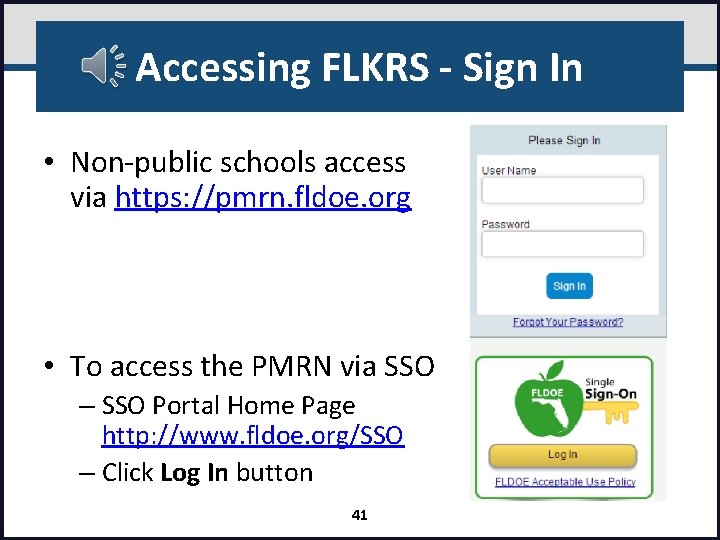
Accessing FLKRS - Sign In • Non‐public schools access via https: //pmrn. fldoe. org • To access the PMRN via SSO – SSO Portal Home Page http: //www. fldoe. org/SSO – Click Log In button 41
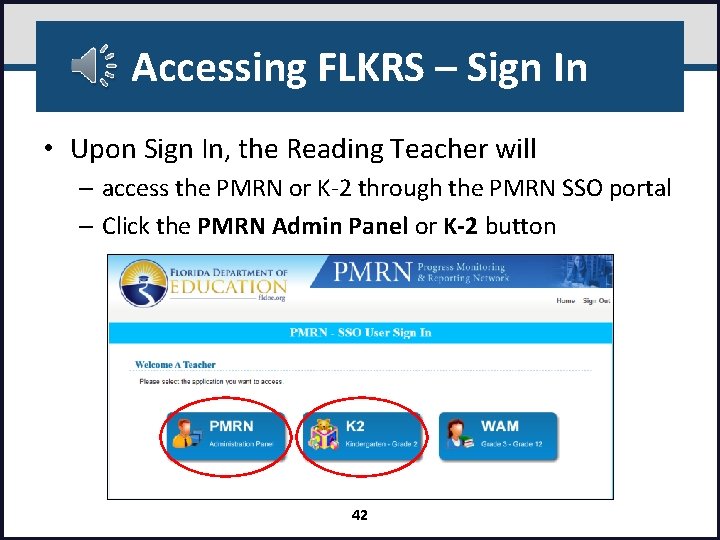
Accessing FLKRS – Sign In • Upon Sign In, the Reading Teacher will – access the PMRN or K‐ 2 through the PMRN SSO portal – Click the PMRN Admin Panel or K-2 button 42
New Observation Tool Work Sampling System (WSS) • Complete student data form on the 45 indicators via pencil/paper • Per FDOE, Pearson will provide training in administration of WSS • Store data in a secure location • When electronic scoring tool becomes available, enter data into PMRN – Just Read, Florida! office will provide availability dates 43
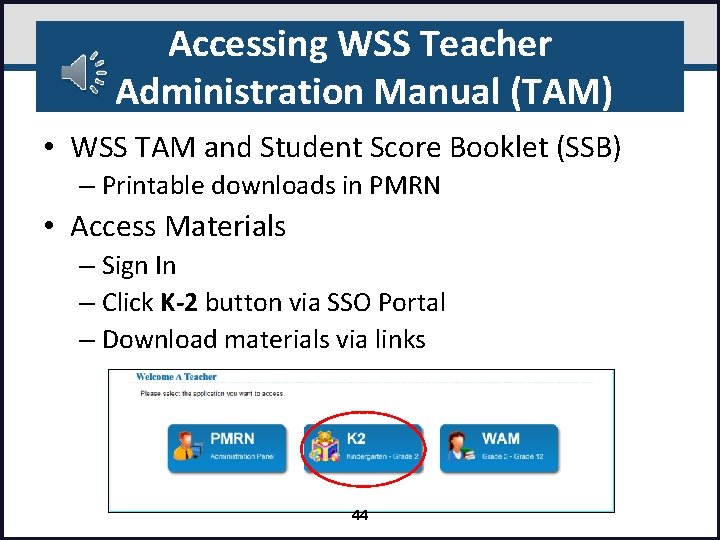
Accessing WSS Teacher Administration Manual (TAM) • WSS TAM and Student Score Booklet (SSB) – Printable downloads in PMRN • Access Materials – Sign In – Click K-2 button via SSO Portal – Download materials via links 44
Frequently Asked Questions For questions regarding Contact Student exemption from FLKRS Just Read, Florida! 850‐ 245‐ 0503 Case by case considerations Your district office Assistance accessing FLKRS components FLDOE Integrated Education Network Service Center IENHELP@fldoe. org 855‐ 814‐ 2876 45
Grades K-2 Diagnostic Tasks 46
Flow of Tasks Alphabetics STOP Phonological Awareness Letter Sounds Word Reading Spelling NO Probability of Literacy Success (PLS) Computed Oral Language PLS <. 85? YES Vocabulary Pairs Following Directions Grade Level Diagnostic Tasks Comprehension Reading OR Listening Comp and Sentence Comp STOP 47
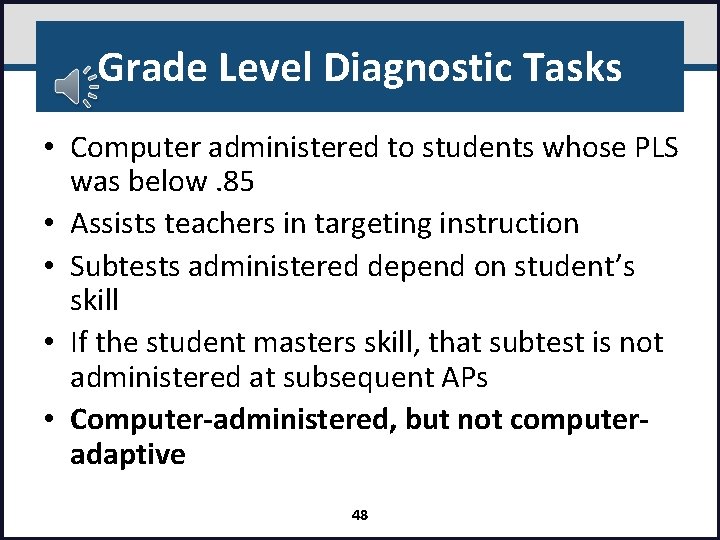
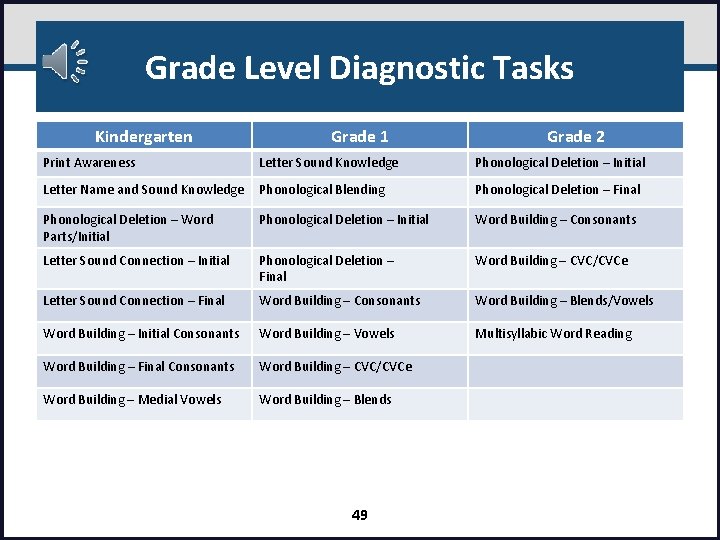
Grade Level Diagnostic Tasks • Computer administered to students whose PLS was below. 85 • Assists teachers in targeting instruction • Subtests administered depend on student’s skill • If the student masters skill, that subtest is not administered at subsequent APs • Computer-administered, but not computeradaptive 48
Grade Level Diagnostic Tasks Kindergarten Grade 1 Grade 2 Print Awareness Letter Sound Knowledge Phonological Deletion – Initial Letter Name and Sound Knowledge Phonological Blending Phonological Deletion – Final Phonological Deletion – Word Parts/Initial Phonological Deletion – Initial Word Building – Consonants Letter Sound Connection – Initial Phonological Deletion – Final Word Building – CVC/CVCe Letter Sound Connection – Final Word Building – Consonants Word Building – Blends/Vowels Word Building – Initial Consonants Word Building – Vowels Multisyllabic Word Reading Word Building – Final Consonants Word Building – CVC/CVCe Word Building – Medial Vowels Word Building – Blends 49
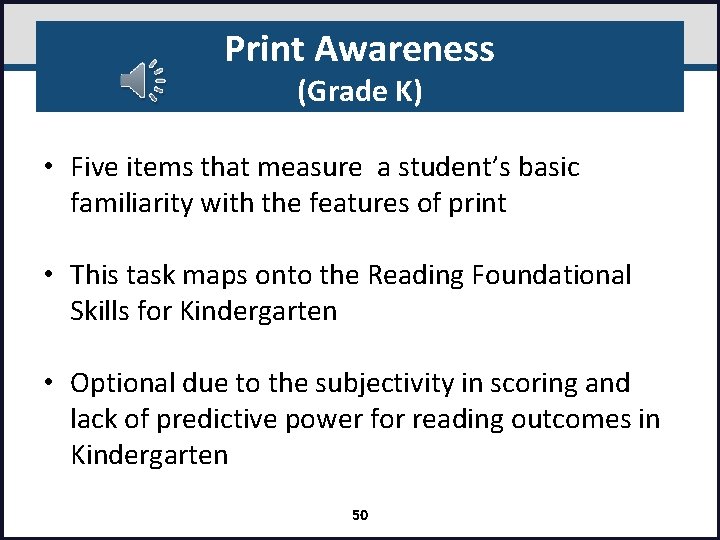
Print Awareness (Grade K) • Five items that measure a student’s basic familiarity with the features of print • This task maps onto the Reading Foundational Skills for Kindergarten • Optional due to the subjectivity in scoring and lack of predictive power for reading outcomes in Kindergarten 50
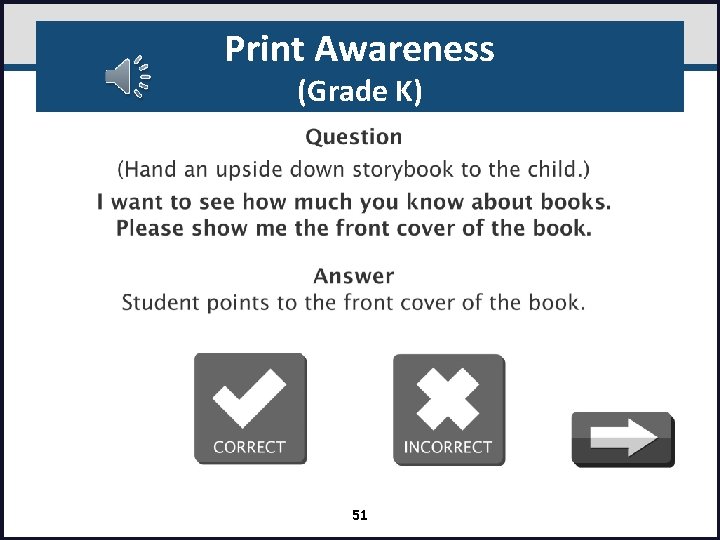
Print Awareness (Grade K) 51
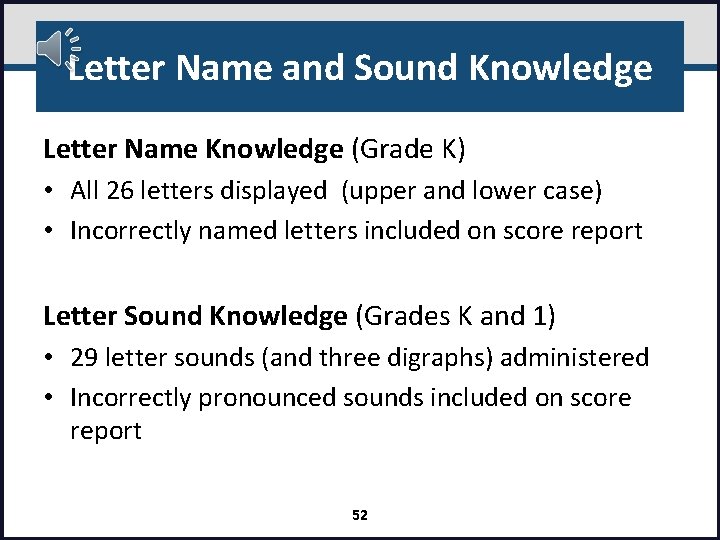
Letter Name and Sound Knowledge Letter Name Knowledge (Grade K) • All 26 letters displayed (upper and lower case) • Incorrectly named letters included on score report Letter Sound Knowledge (Grades K and 1) • 29 letter sounds (and three digraphs) administered • Incorrectly pronounced sounds included on score report 52
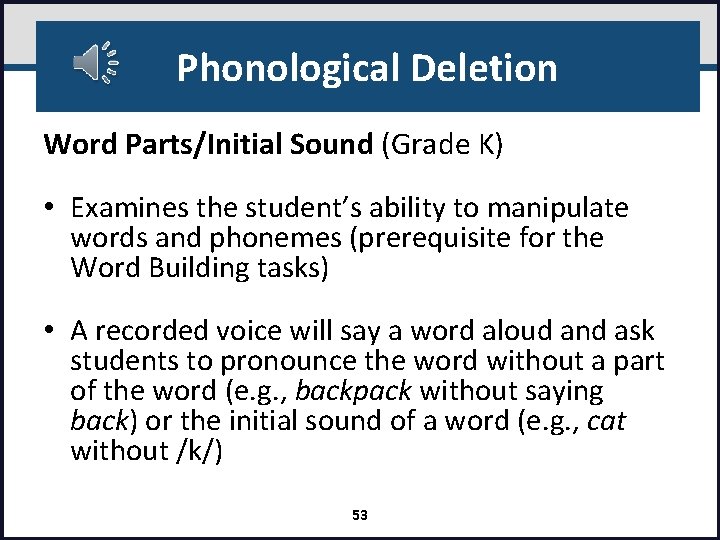
Phonological Deletion Word Parts/Initial Sound (Grade K) • Examines the student’s ability to manipulate words and phonemes (prerequisite for the Word Building tasks) • A recorded voice will say a word aloud and ask students to pronounce the word without a part of the word (e. g. , backpack without saying back) or the initial sound of a word (e. g. , cat without /k/) 53
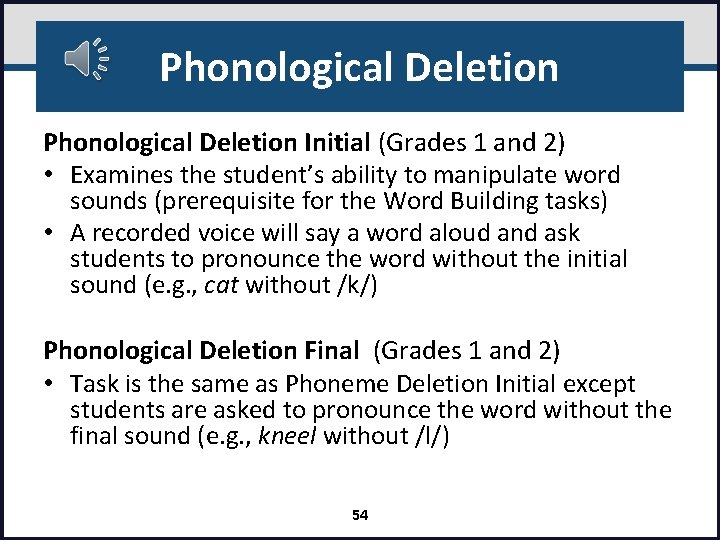
Phonological Deletion Initial (Grades 1 and 2) • Examines the student’s ability to manipulate word sounds (prerequisite for the Word Building tasks) • A recorded voice will say a word aloud and ask students to pronounce the word without the initial sound (e. g. , cat without /k/) Phonological Deletion Final (Grades 1 and 2) • Task is the same as Phoneme Deletion Initial except students are asked to pronounce the word without the final sound (e. g. , kneel without /l/) 54
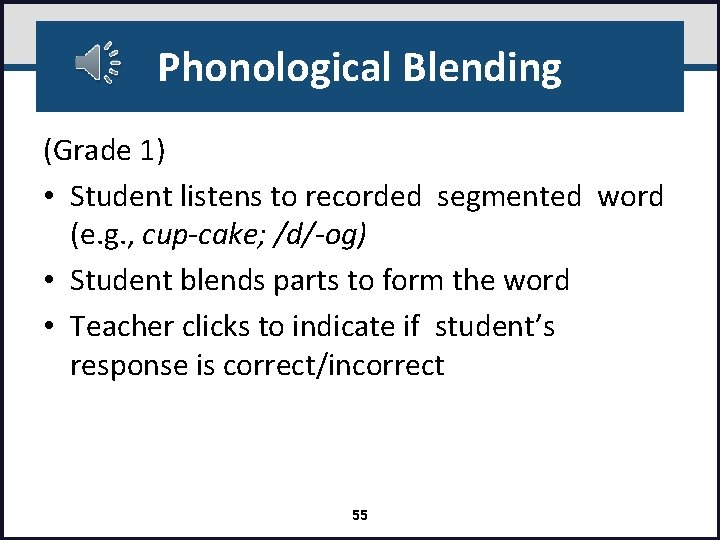
Phonological Blending (Grade 1) • Student listens to recorded segmented word (e. g. , cup-cake; /d/-og) • Student blends parts to form the word • Teacher clicks to indicate if student’s response is correct/incorrect 55
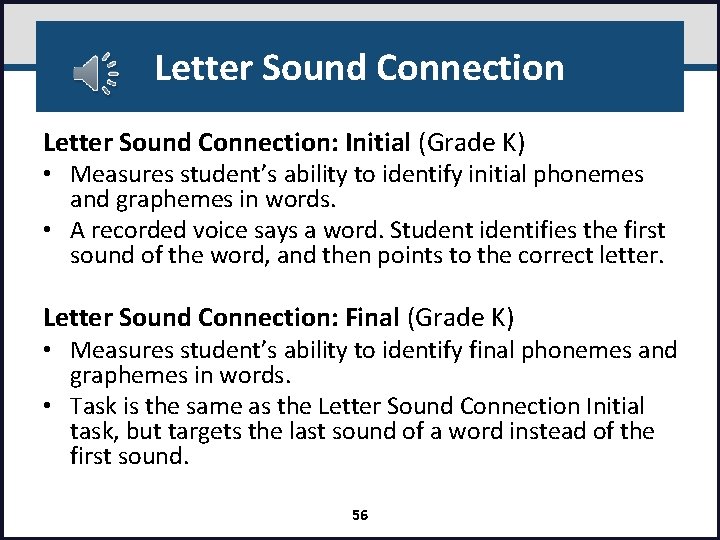
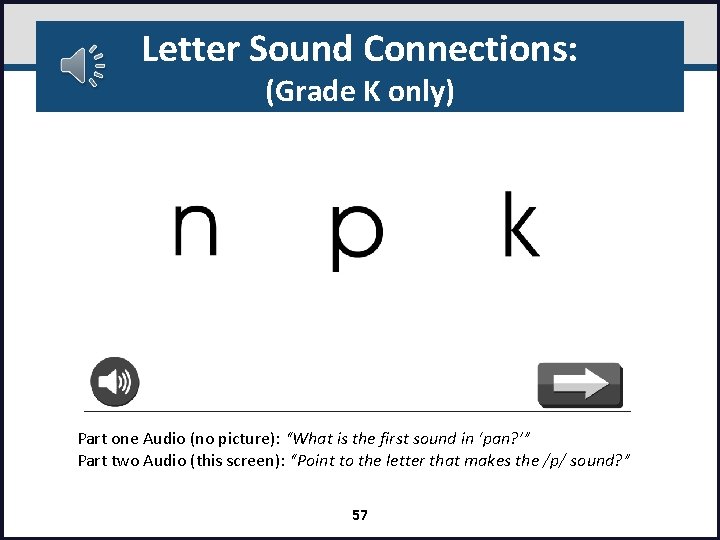
Letter Sound Connection: Initial (Grade K) • Measures student’s ability to identify initial phonemes and graphemes in words. • A recorded voice says a word. Student identifies the first sound of the word, and then points to the correct letter. Letter Sound Connection: Final (Grade K) • Measures student’s ability to identify final phonemes and graphemes in words. • Task is the same as the Letter Sound Connection Initial task, but targets the last sound of a word instead of the first sound. 56
Letter Sound Connections: (Grade K only) Part one Audio (no picture): “What is the first sound in ‘pan? ’” Part two Audio (this screen): “Point to the letter that makes the /p/ sound? ” 57
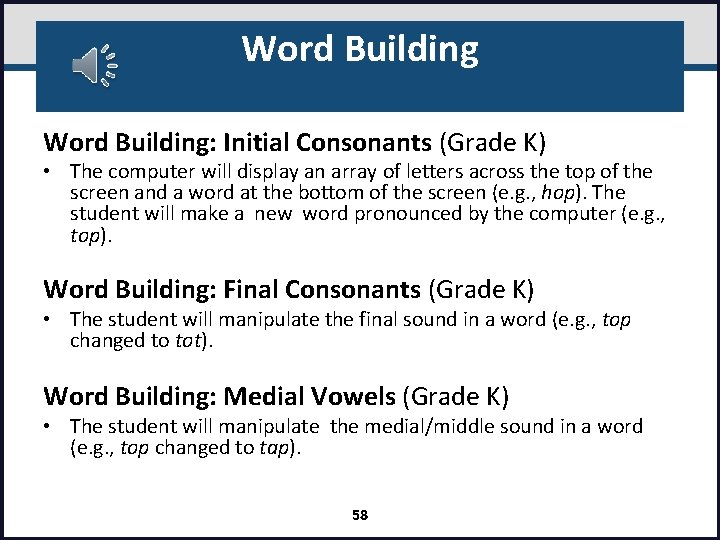
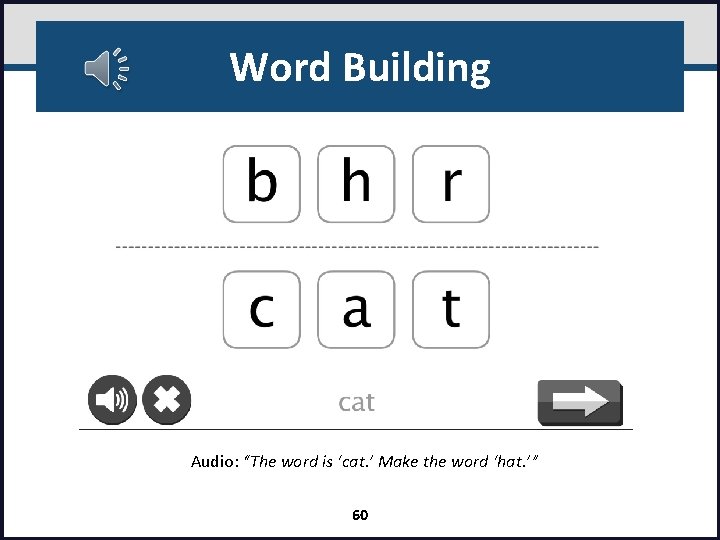
Word Building: Initial Consonants (Grade K) • The computer will display an array of letters across the top of the screen and a word at the bottom of the screen (e. g. , hop). The student will make a new word pronounced by the computer (e. g. , top). Word Building: Final Consonants (Grade K) • The student will manipulate the final sound in a word (e. g. , top changed to tot). Word Building: Medial Vowels (Grade K) • The student will manipulate the medial/middle sound in a word (e. g. , top changed to tap). 58
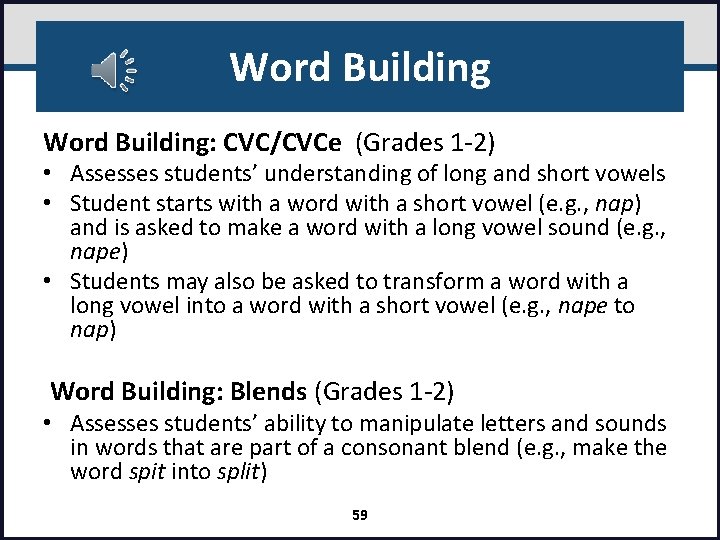
Word Building: CVC/CVCe (Grades 1‐ 2) • Assesses students’ understanding of long and short vowels • Student starts with a word with a short vowel (e. g. , nap) and is asked to make a word with a long vowel sound (e. g. , nape) • Students may also be asked to transform a word with a long vowel into a word with a short vowel (e. g. , nape to nap) Word Building: Blends (Grades 1‐ 2) • Assesses students’ ability to manipulate letters and sounds in words that are part of a consonant blend (e. g. , make the word spit into split) 59
Word Building Audio: “The word is ‘cat. ’ Make the word ‘hat. ’” 60
Multisyllabic Word Reading (Grade 2) • Evaluates the student’s ability to decode words with various combinations of the six syllable types 61
Scoring and Reports 62
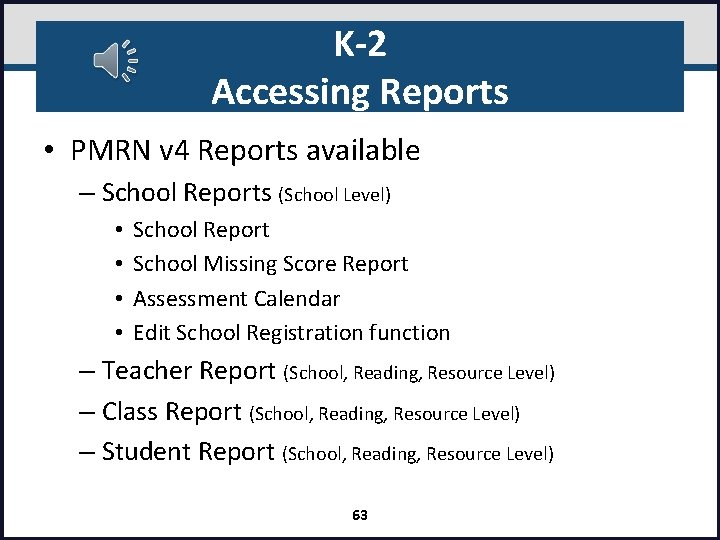
K-2 Accessing Reports • PMRN v 4 Reports available – School Reports (School Level) • • School Report School Missing Score Report Assessment Calendar Edit School Registration function – Teacher Report (School, Reading, Resource Level) – Class Report (School, Reading, Resource Level) – Student Report (School, Reading, Resource Level) 63
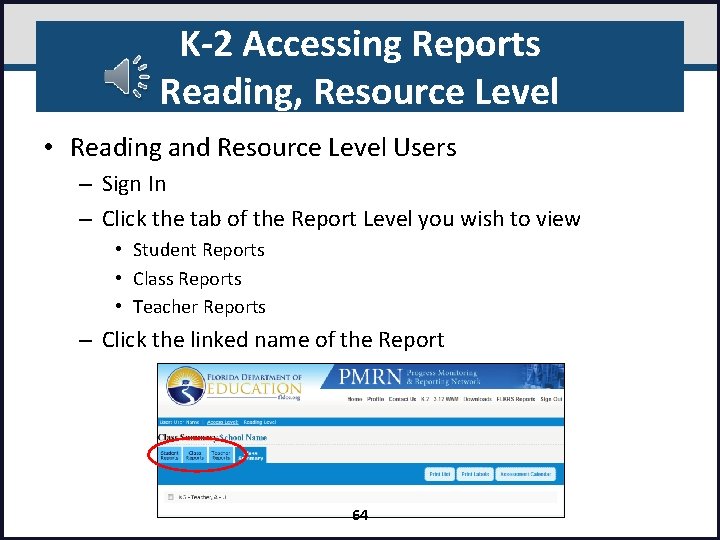
K-2 Accessing Reports Reading, Resource Level • Reading and Resource Level Users – Sign In – Click the tab of the Report Level you wish to view • Student Reports • Class Reports • Teacher Reports – Click the linked name of the Report 64
Scoring and Reports Important note: Scores from FAIR‐FS were designed to facilitate instructional decision making including problem‐ solving and data‐based decision making. FAIR‐FS scores are not intended to be the sole data point in determining retention or special education determination 65
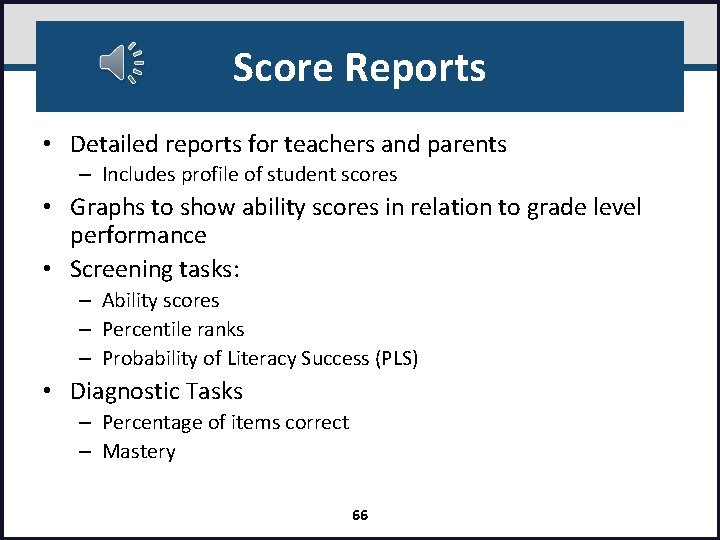
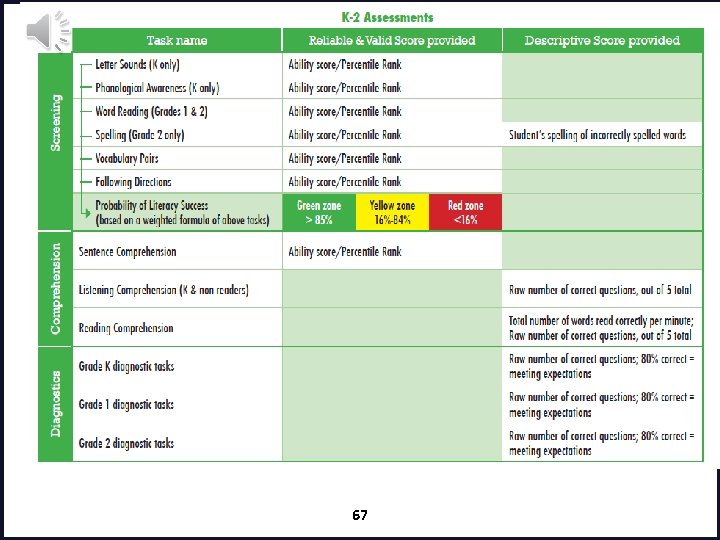
Score Reports • Detailed reports for teachers and parents – Includes profile of student scores • Graphs to show ability scores in relation to grade level performance • Screening tasks: – Ability scores – Percentile ranks – Probability of Literacy Success (PLS) • Diagnostic Tasks – Percentage of items correct – Mastery 66
67
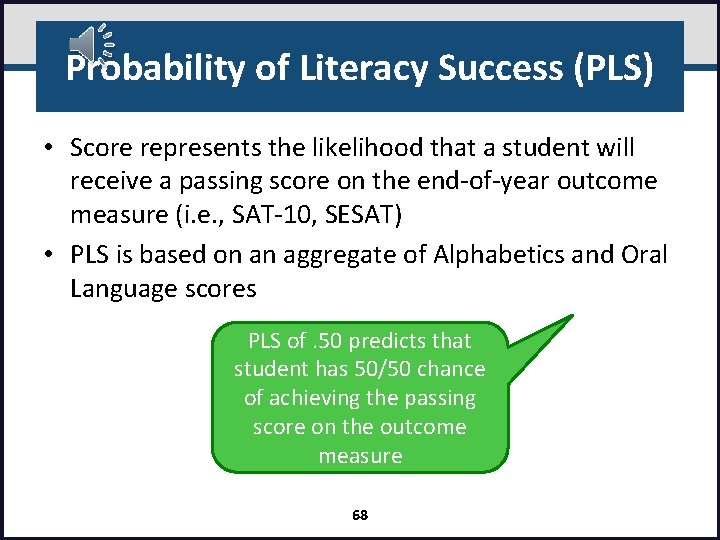
Probability of Literacy Success (PLS) • Score represents the likelihood that a student will receive a passing score on the end‐of‐year outcome measure (i. e. , SAT‐ 10, SESAT) • PLS is based on an aggregate of Alphabetics and Oral Language scores PLS of. 50 predicts that student has 50/50 chance of achieving the passing score on the outcome measure 68
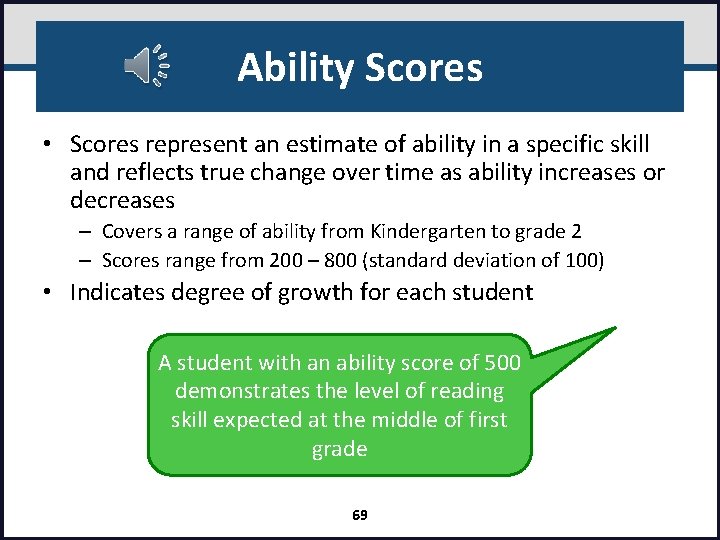
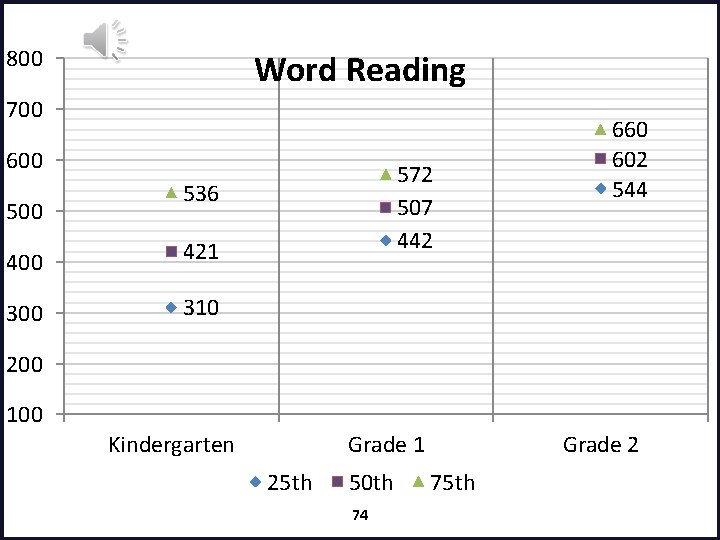
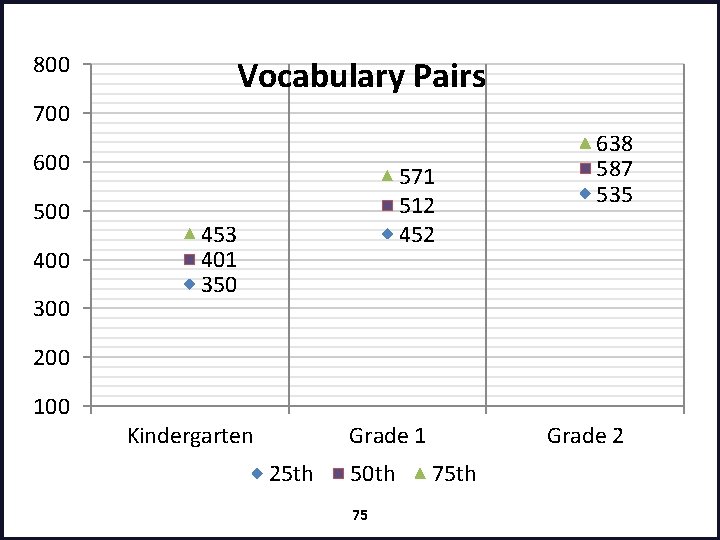
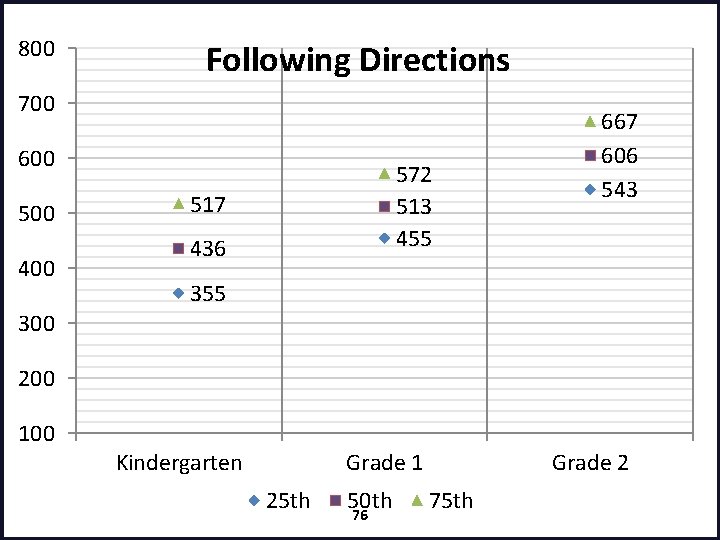
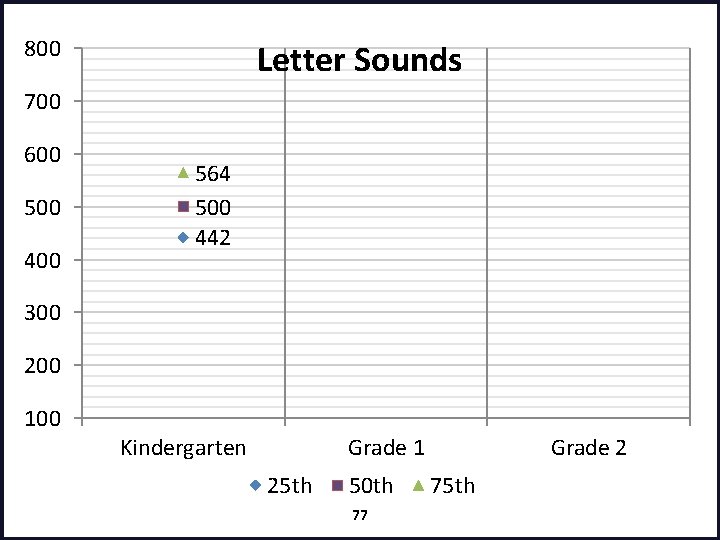
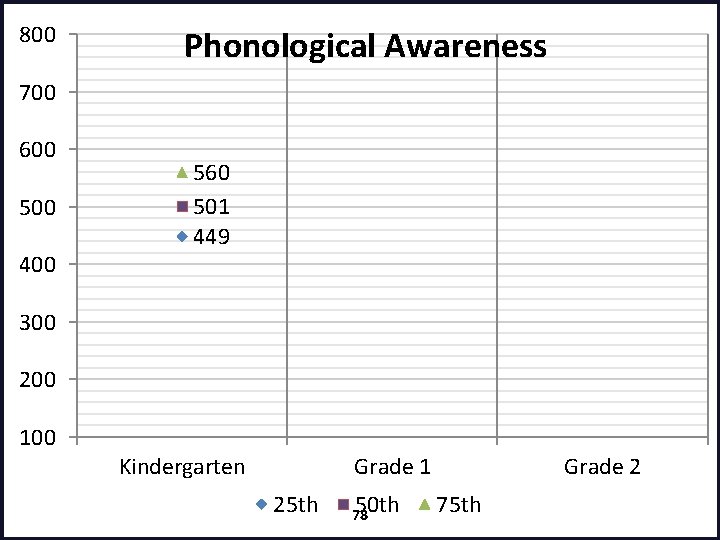
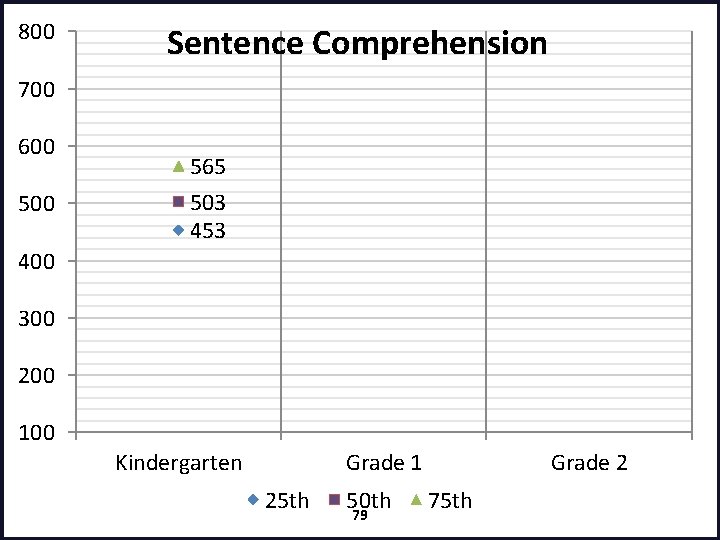
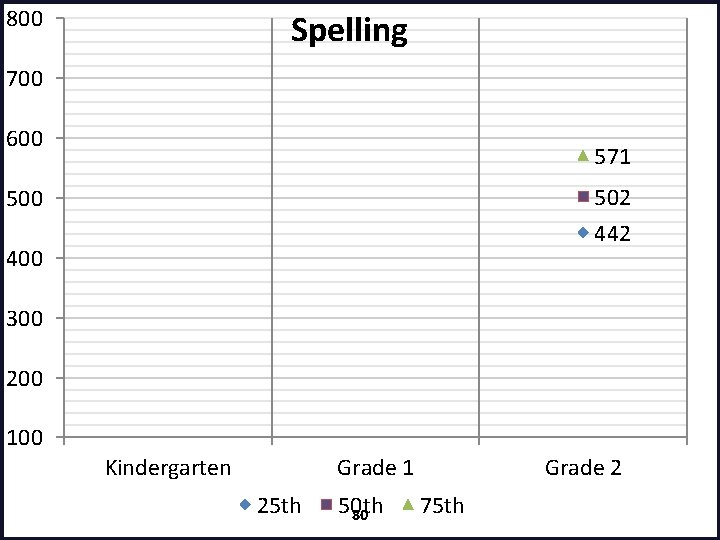
Ability Scores • Scores represent an estimate of ability in a specific skill and reflects true change over time as ability increases or decreases – Covers a range of ability from Kindergarten to grade 2 – Scores range from 200 – 800 (standard deviation of 100) • Indicates degree of growth for each student A student with an ability score of 500 demonstrates the level of reading skill expected at the middle of first grade 69
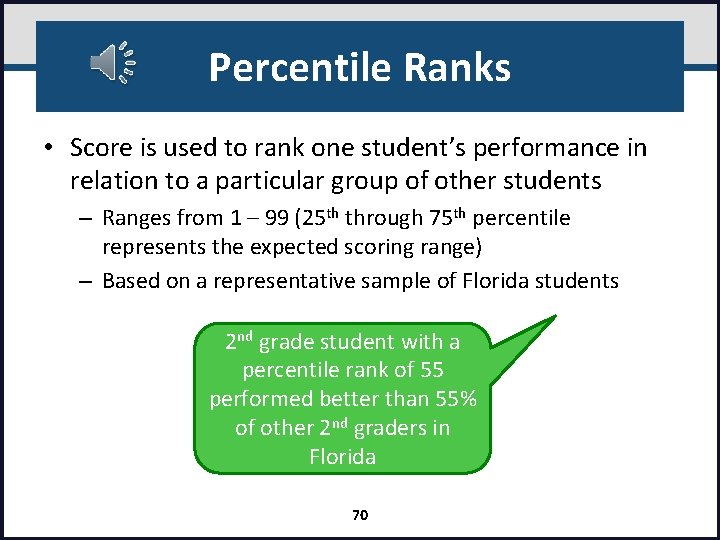
Percentile Ranks • Score is used to rank one student’s performance in relation to a particular group of other students – Ranges from 1 – 99 (25 th through 75 th percentile represents the expected scoring range) – Based on a representative sample of Florida students 2 nd grade student with a percentile rank of 55 performed better than 55% of other 2 nd graders in Florida 70
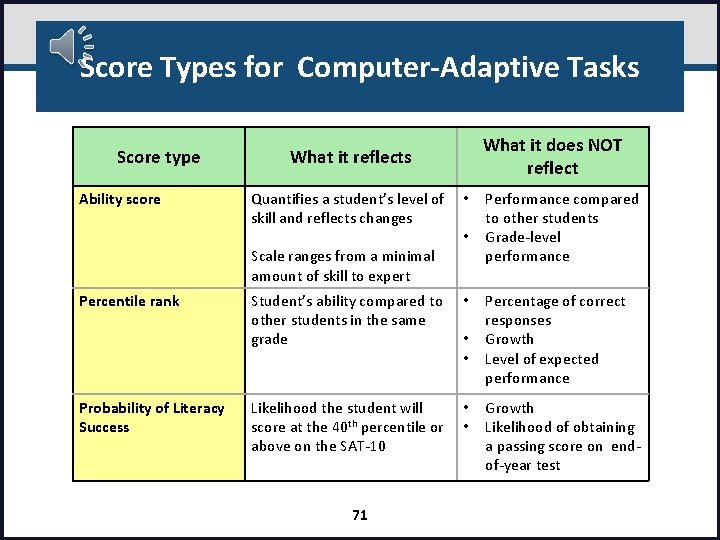
Score Types for Computer-Adaptive Tasks Score type Ability score What it does NOT reflect What it reflects Quantifies a student’s level of skill and reflects changes • • Scale ranges from a minimal amount of skill to expert Percentile rank Probability of Literacy Success Student’s ability compared to other students in the same grade • Likelihood the student will score at the 40 th percentile or above on the SAT‐ 10 • • 71 • • Performance compared to other students Grade‐level performance Percentage of correct responses Growth Level of expected performance Growth Likelihood of obtaining a passing score on end‐ of‐year test
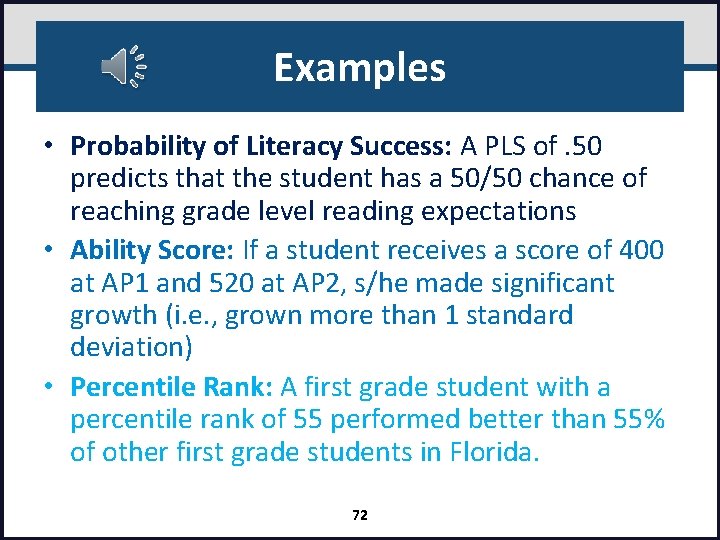
Examples • Probability of Literacy Success: A PLS of. 50 predicts that the student has a 50/50 chance of reaching grade level reading expectations • Ability Score: If a student receives a score of 400 at AP 1 and 520 at AP 2, s/he made significant growth (i. e. , grown more than 1 standard deviation) • Percentile Rank: A first grade student with a percentile rank of 55 performed better than 55% of other first grade students in Florida. 72
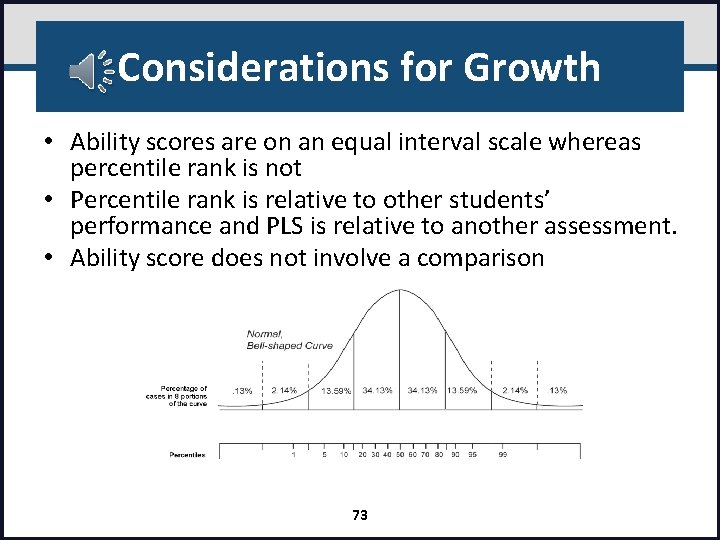
Considerations for Growth • Ability scores are on an equal interval scale whereas percentile rank is not • Percentile rank is relative to other students’ performance and PLS is relative to another assessment. • Ability score does not involve a comparison 73
800 Word Reading 700 600 572 507 442 536 400 421 300 310 660 602 544 200 100 Kindergarten Grade 1 25 th 50 th 74 Grade 2 75 th
800 Vocabulary Pairs 700 600 500 400 300 571 512 453 401 350 638 587 535 200 100 Kindergarten Grade 1 25 th 50 th 75 Grade 2 75 th
800 Following Directions 700 600 500 400 572 513 455 517 436 667 606 543 355 300 200 100 Kindergarten Grade 1 25 th 50 th 76 Grade 2 75 th
800 Letter Sounds 700 600 500 400 564 500 442 300 200 100 Kindergarten Grade 1 25 th 50 th 77 Grade 2 75 th
800 Phonological Awareness 700 600 500 400 560 501 449 300 200 100 Kindergarten Grade 1 25 th 50 th 78 Grade 2 75 th
800 Sentence Comprehension 700 600 565 503 453 400 300 200 100 Kindergarten Grade 1 25 th 50 th 79 Grade 2 75 th
800 Spelling 700 600 571 502 442 500 400 300 200 100 Kindergarten Grade 1 25 th 50 th 80 Grade 2 75 th
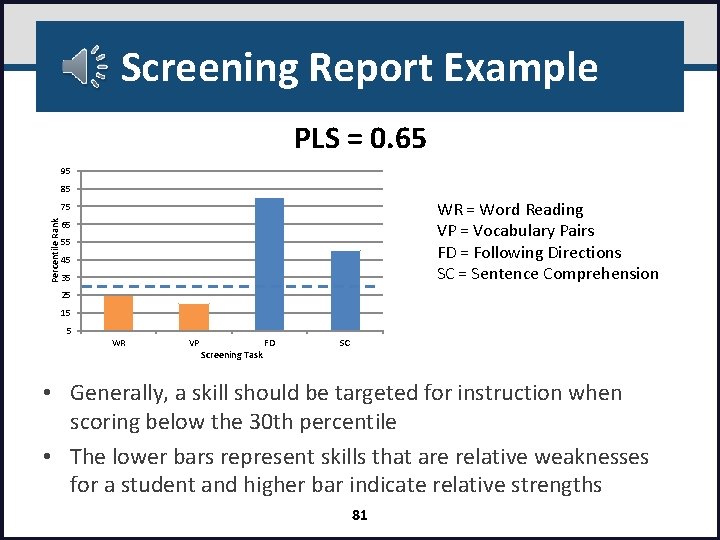
Screening Report Example PLS = 0. 65 95 85 WR = Word Reading VP = Vocabulary Pairs FD = Following Directions SC = Sentence Comprehension Percentile Rank 75 65 55 45 35 25 15 5 WR VP Screening Task FD SC • Generally, a skill should be targeted for instruction when scoring below the 30 th percentile • The lower bars represent skills that are relative weaknesses for a student and higher bar indicate relative strengths 81
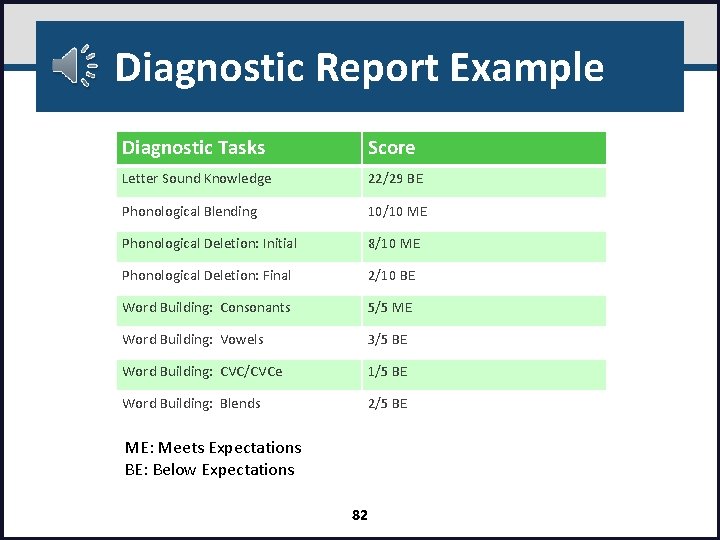
Diagnostic Report Example Diagnostic Tasks Score Letter Sound Knowledge 22/29 BE Phonological Blending 10/10 ME Phonological Deletion: Initial 8/10 ME Phonological Deletion: Final 2/10 BE Word Building: Consonants 5/5 ME Word Building: Vowels 3/5 BE Word Building: CVC/CVCe 1/5 BE Word Building: Blends 2/5 BE ME: Meets Expectations BE: Below Expectations 82
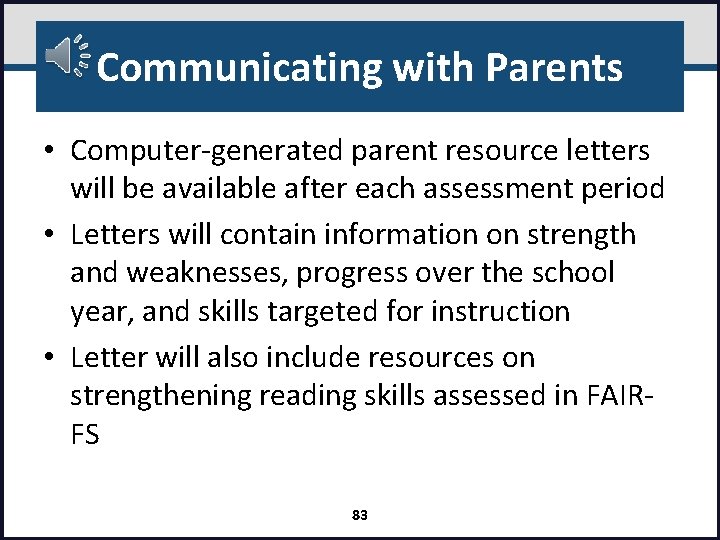
Communicating with Parents • Computer‐generated parent resource letters will be available after each assessment period • Letters will contain information on strength and weaknesses, progress over the school year, and skills targeted for instruction • Letter will also include resources on strengthening reading skills assessed in FAIR‐ FS 83
Training Documentation • Sign the attestation page for your grade level. Return to your principal when all teachers on the grade level have signed. • In order to gain in‐service points for this training, complete a district follow‐up form. Return the follow‐ up form to Stephanie Willenbrecht in the reading department at the District Office. Attach to the follow‐ up form a copy of your class status report for AP 1, along with a one paragraph summary stating what instructional implications your data has for you as a teacher. Follow‐up is due by October 30, 2014. 84