
Floppy Disk Drive Rear view of floppy disk
- Slides: 19
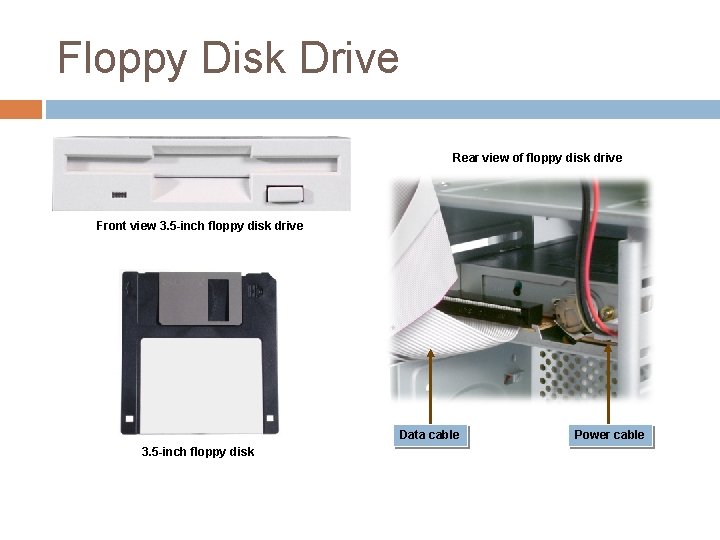
Floppy Disk Drive Rear view of floppy disk drive Front view 3. 5 -inch floppy disk drive Data cable 3. 5 -inch floppy disk Power cable
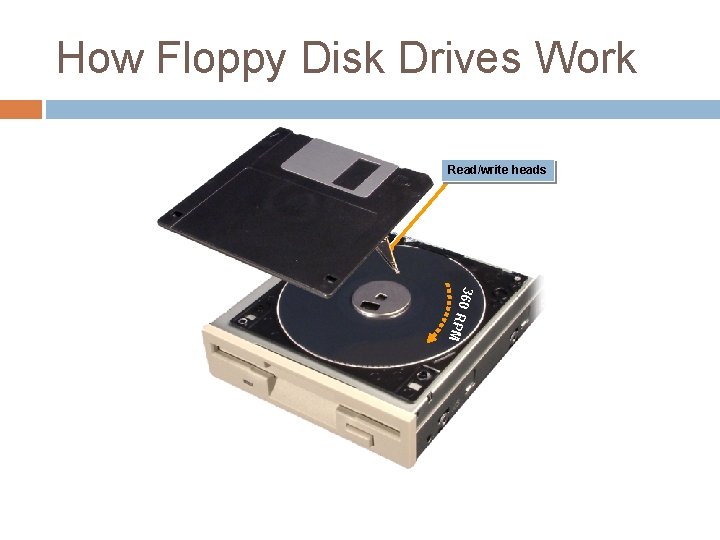
How Floppy Disk Drives Work Read/write heads 360 R PM
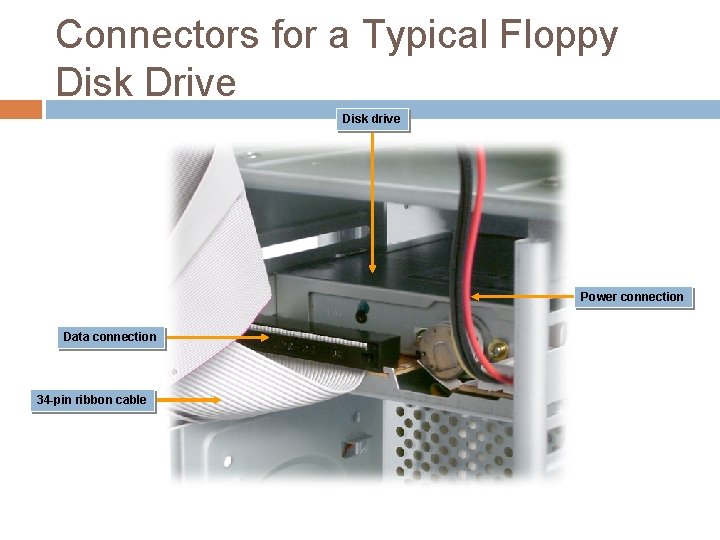
Connectors for a Typical Floppy Disk Drive Disk drive Power connection Data connection 34 -pin ribbon cable
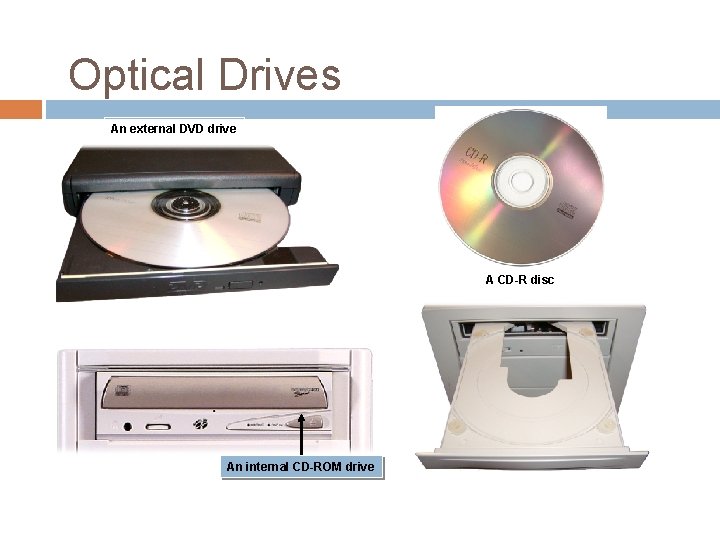
Optical Drives An external DVD drive A CD-R disc An internal CD-ROM drive
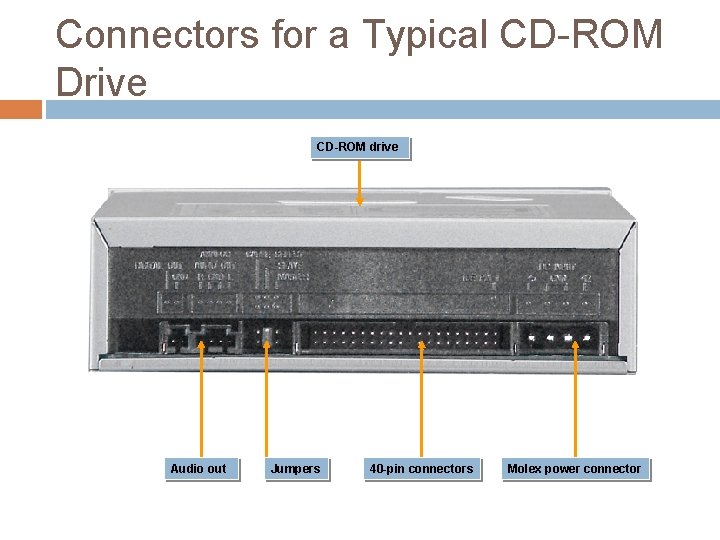
Connectors for a Typical CD-ROM Drive CD-ROM drive Audio out Jumpers 40 -pin connectors Molex power connector
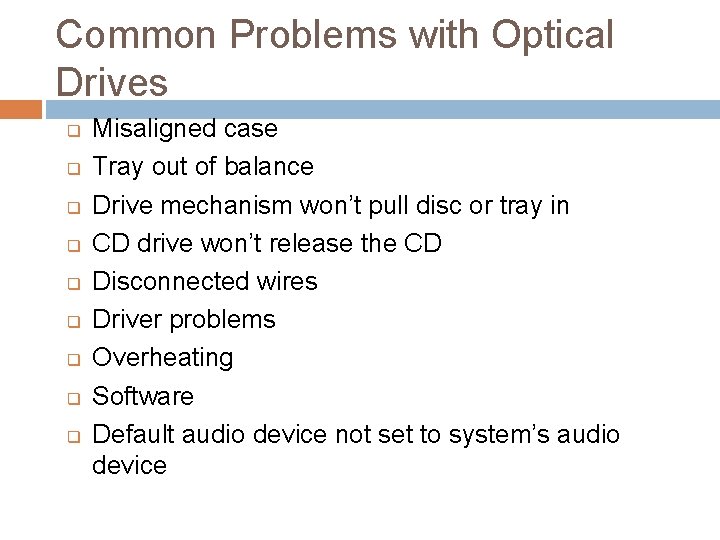
Common Problems with Optical Drives q q q q q Misaligned case Tray out of balance Drive mechanism won’t pull disc or tray in CD drive won’t release the CD Disconnected wires Driver problems Overheating Software Default audio device not set to system’s audio device
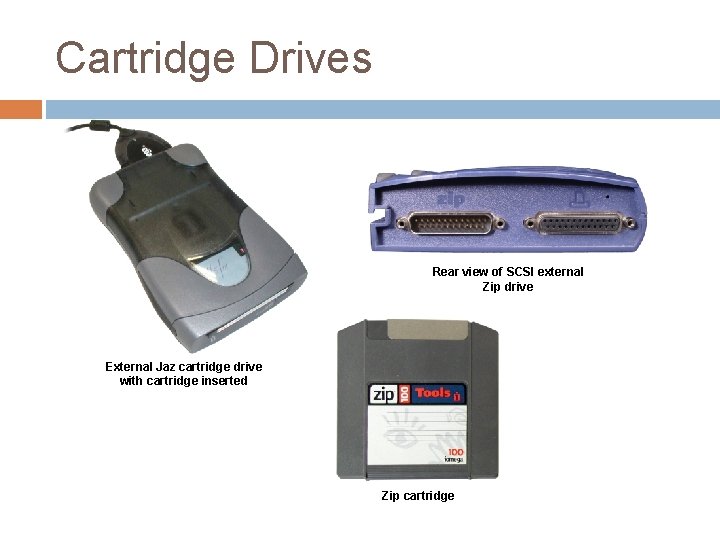
Cartridge Drives Rear view of SCSI external Zip drive External Jaz cartridge drive with cartridge inserted Zip cartridge
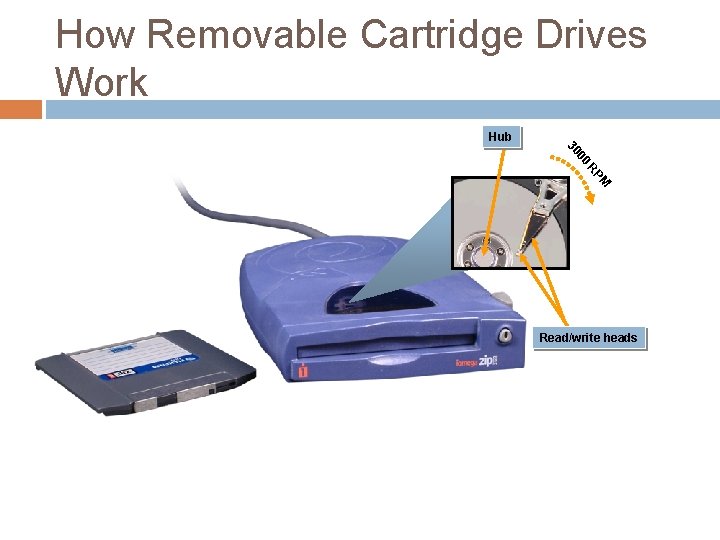
How Removable Cartridge Drives Work Hub 00 30 M RP Read/write heads
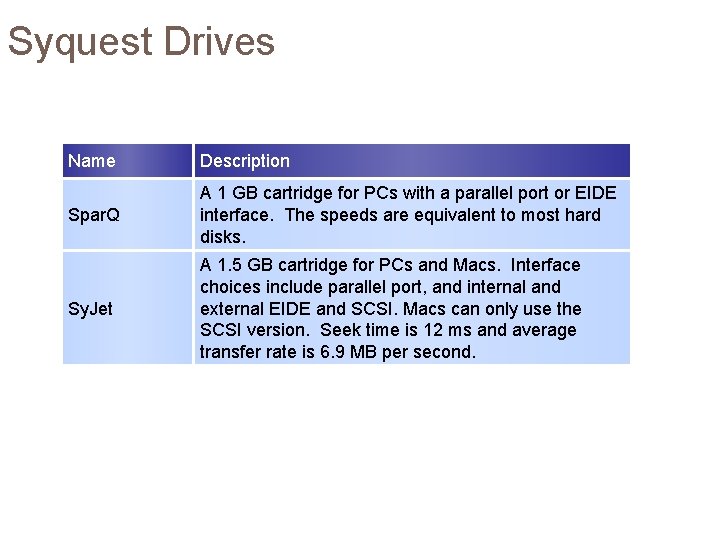
Syquest Drives Name Description Spar. Q A 1 GB cartridge for PCs with a parallel port or EIDE interface. The speeds are equivalent to most hard disks. Sy. Jet A 1. 5 GB cartridge for PCs and Macs. Interface choices include parallel port, and internal and external EIDE and SCSI. Macs can only use the SCSI version. Seek time is 12 ms and average transfer rate is 6. 9 MB per second.
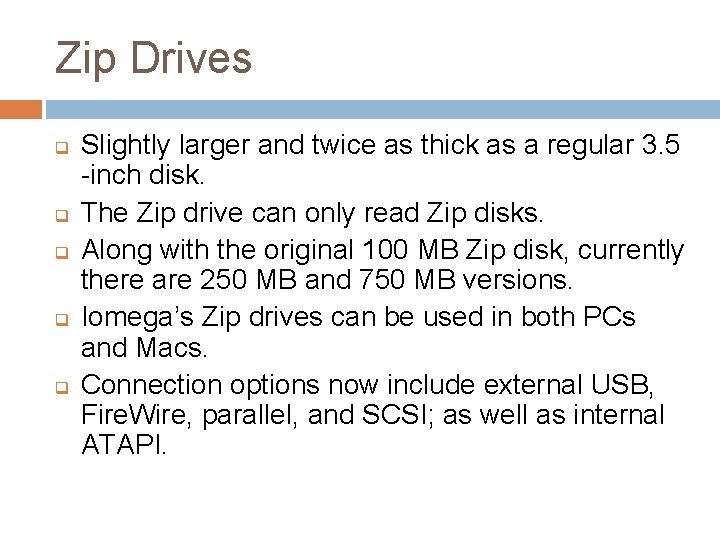
Zip Drives q q q Slightly larger and twice as thick as a regular 3. 5 -inch disk. The Zip drive can only read Zip disks. Along with the original 100 MB Zip disk, currently there are 250 MB and 750 MB versions. Iomega’s Zip drives can be used in both PCs and Macs. Connection options now include external USB, Fire. Wire, parallel, and SCSI; as well as internal ATAPI.
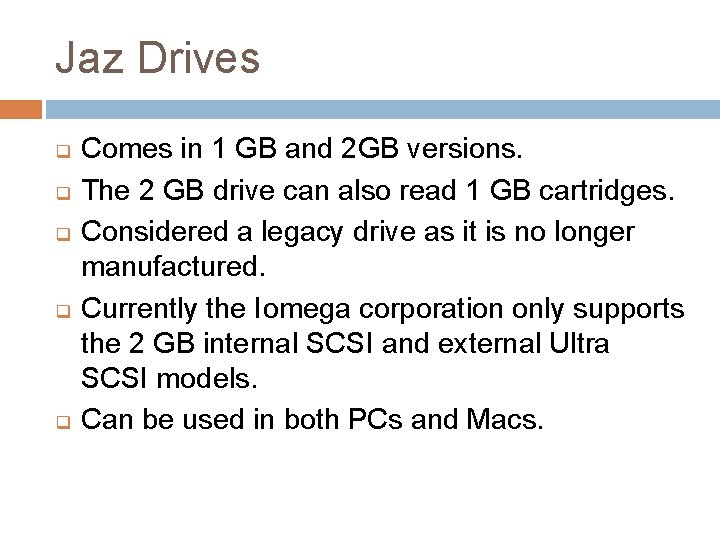
Jaz Drives q q q Comes in 1 GB and 2 GB versions. The 2 GB drive can also read 1 GB cartridges. Considered a legacy drive as it is no longer manufactured. Currently the Iomega corporation only supports the 2 GB internal SCSI and external Ultra SCSI models. Can be used in both PCs and Macs.
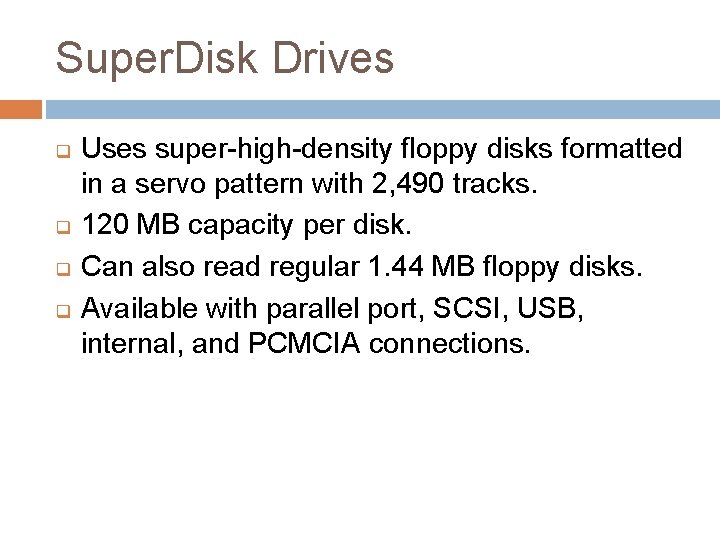
Super. Disk Drives q q Uses super-high-density floppy disks formatted in a servo pattern with 2, 490 tracks. 120 MB capacity per disk. Can also read regular 1. 44 MB floppy disks. Available with parallel port, SCSI, USB, internal, and PCMCIA connections.
Backup Considerations q q q What backup media will you use? Does the system give you the performance and reliability you need? Is the system flexible and easy to use? In the event of a disaster, will the recovery be complete? How fast can the system be up and running again?
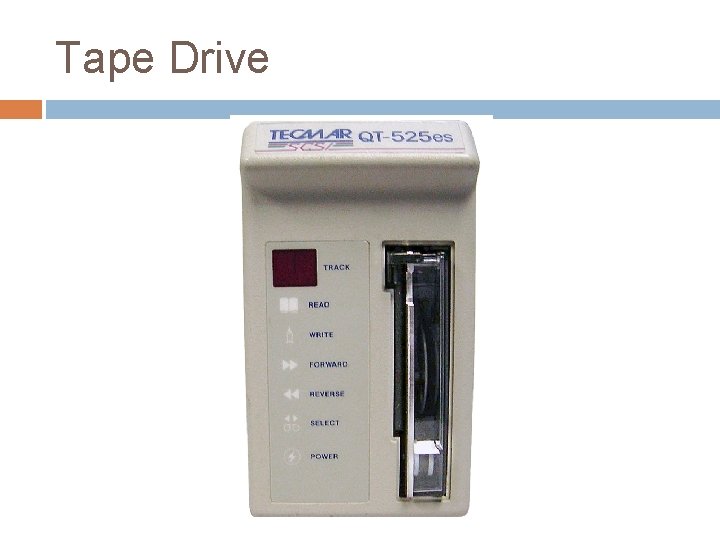
Tape Drive
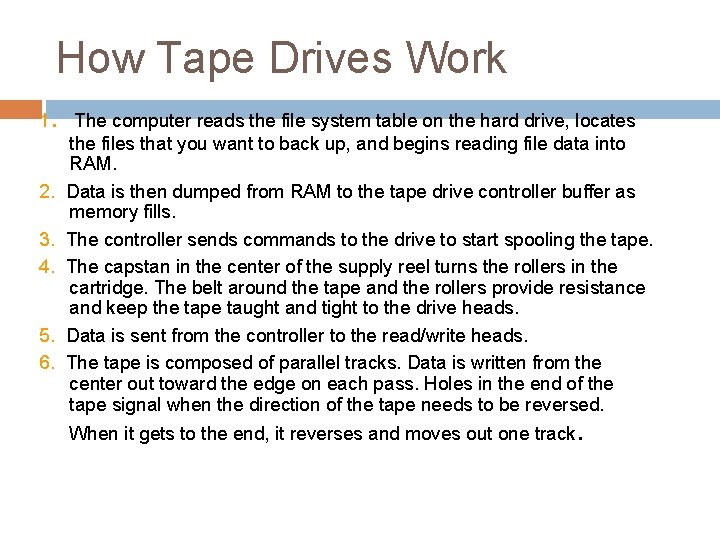
How Tape Drives Work 1. The computer reads the file system table on the hard drive, locates the files that you want to back up, and begins reading file data into RAM. 2. Data is then dumped from RAM to the tape drive controller buffer as memory fills. 3. The controller sends commands to the drive to start spooling the tape. 4. The capstan in the center of the supply reel turns the rollers in the cartridge. The belt around the tape and the rollers provide resistance and keep the tape taught and tight to the drive heads. 5. Data is sent from the controller to the read/write heads. 6. The tape is composed of parallel tracks. Data is written from the center out toward the edge on each pass. Holes in the end of the tape signal when the direction of the tape needs to be reversed. When it gets to the end, it reverses and moves out one track.
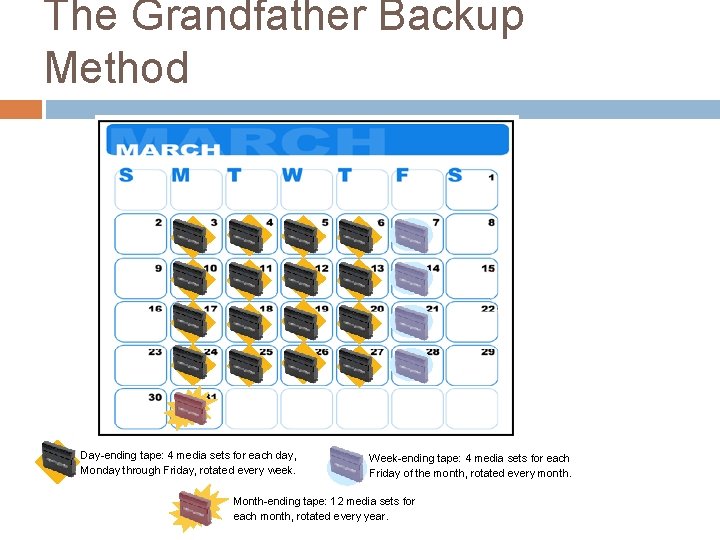
The Grandfather Backup Method Day-ending tape: 4 media sets for each day, Monday through Friday, rotated every week. Week-ending tape: 4 media sets for each Friday of the month, rotated every month. Month-ending tape: 12 media sets for each month, rotated every year.
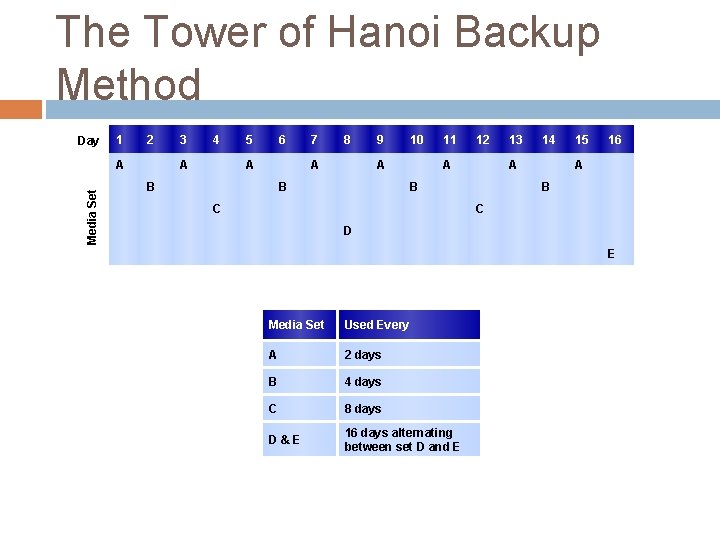
The Tower of Hanoi Backup Method Day 1 2 Media Set A 3 4 A 5 6 A 7 8 A B 9 10 A B 11 12 A 14 A B C 13 15 16 A B C D E Media Set Used Every A 2 days B 4 days C 8 days D&E 16 days alternating between set D and E
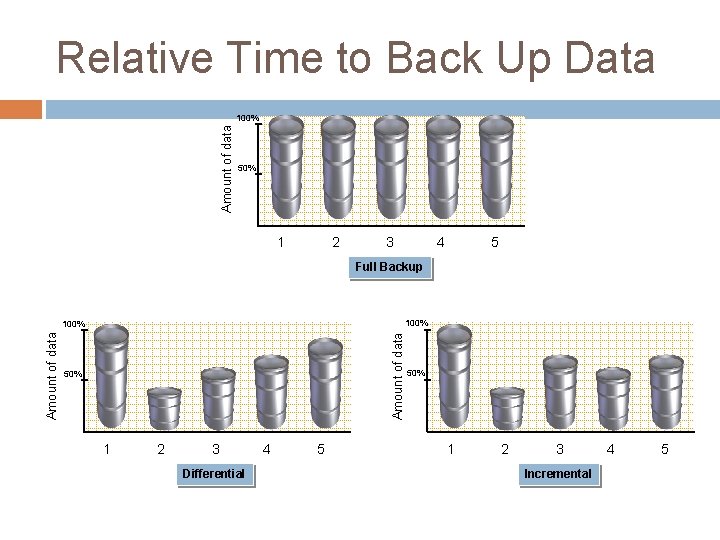
Relative Time to Back Up Data Amount of data 100% 50% 1 2 3 4 5 Full Backup 100% Amount of data 100% 50% 1 2 3 Differential 4 5 50% 1 2 3 Incremental 4 5
Common Problems with Internal Removable Media Devices q q q If the computer case is not properly aligned with the chassis, the opening for the internal drive might be difficult to access. Because there are large openings in the case for these devices, it is common for them to gather large amounts of dust, so be sure to keep them clean. Be sure to properly store the media so it is not dirty or damaged. Using dirty or damaged media can damage the drive.