
Flexible packaging Production Part 5 Work in Process
Flexible packaging Production Part 5 : Work in Process : Printing Stage
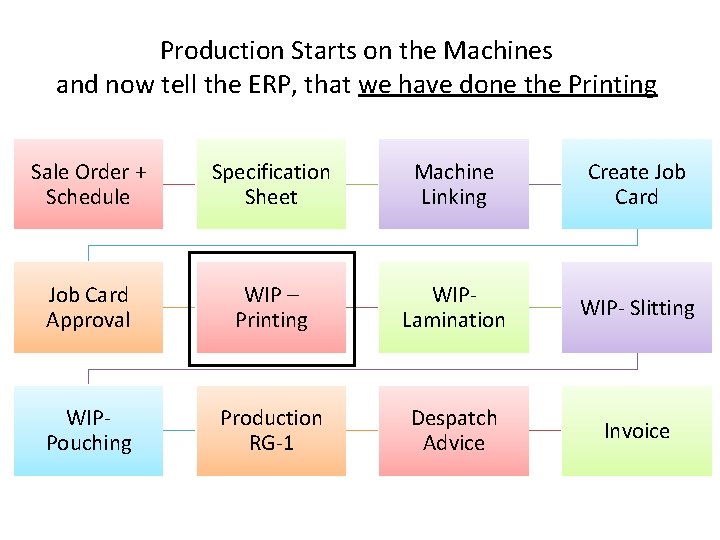
Production Starts on the Machines and now tell the ERP, that we have done the Printing Sale Order + Schedule Specification Sheet Machine Linking Create Job Card Approval WIP – Printing WIPLamination WIP- Slitting WIPPouching Production RG-1 Despatch Advice Invoice
Time to Start production on Floor … Time running out
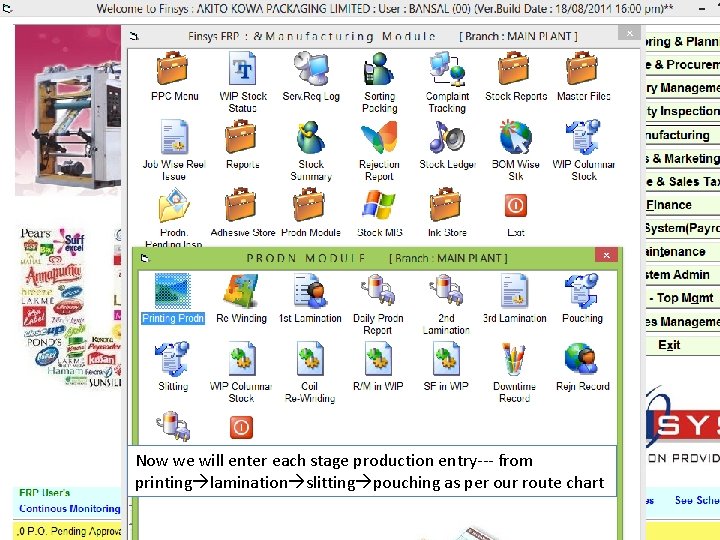
Now we will enter each stage production entry--- from printing lamination slitting pouching as per our route chart

This was our Route Card

Production Entry Screen
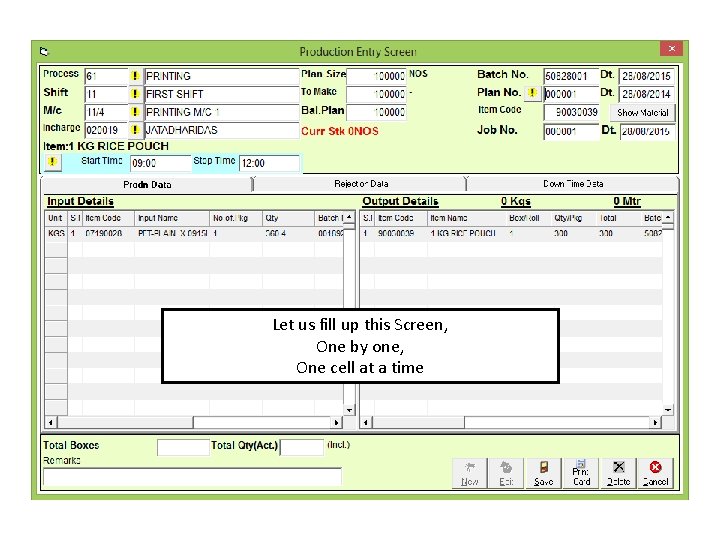
Let us fill up this Screen, One by one, One cell at a time
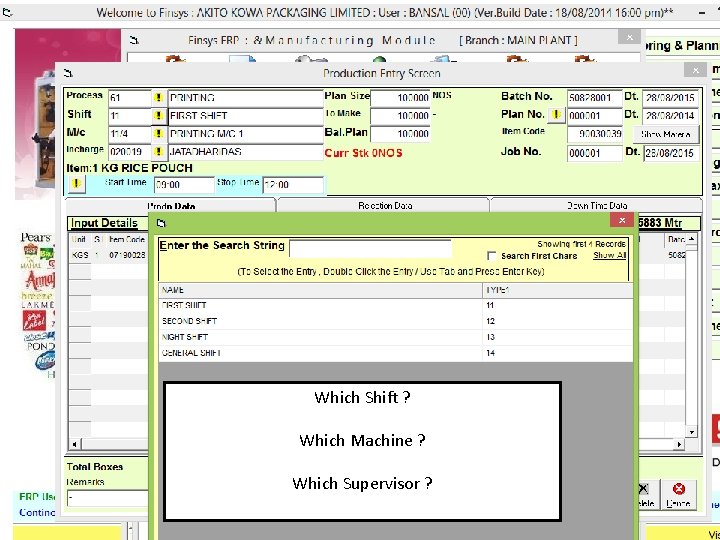
Which Shift ? Which Machine ? Which Supervisor ?
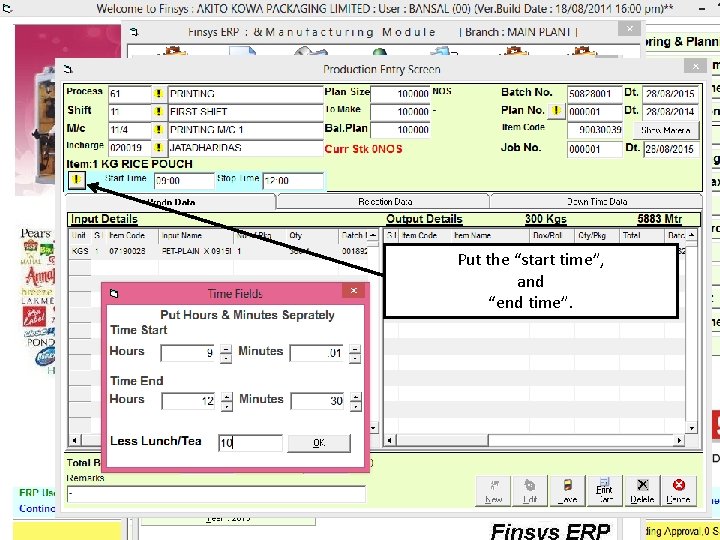
Put the “start time”, and “end time”.
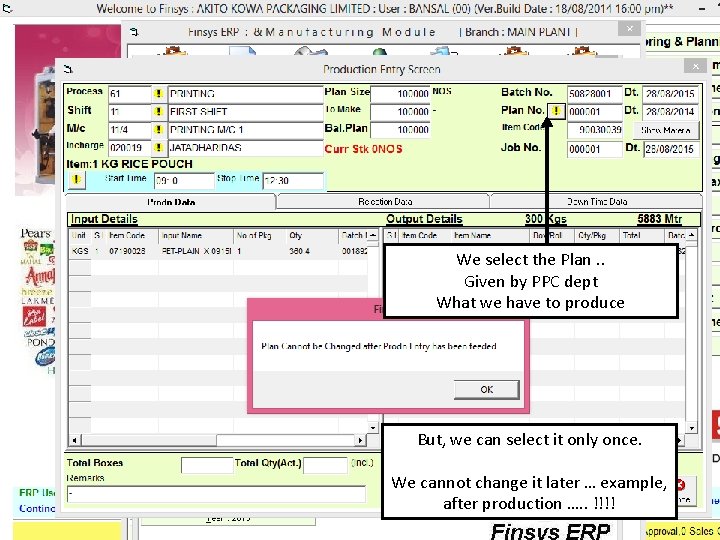
We select the Plan. . Given by PPC dept What we have to produce But, we can select it only once. We cannot change it later … example, after production …. . !!!!

Click on show material button It will fill up two grids automatically Based on the Specification Sheet What is the Standard Input and what should be the output ?


Production entry done But what about “Rejections” and “Down Time” ?
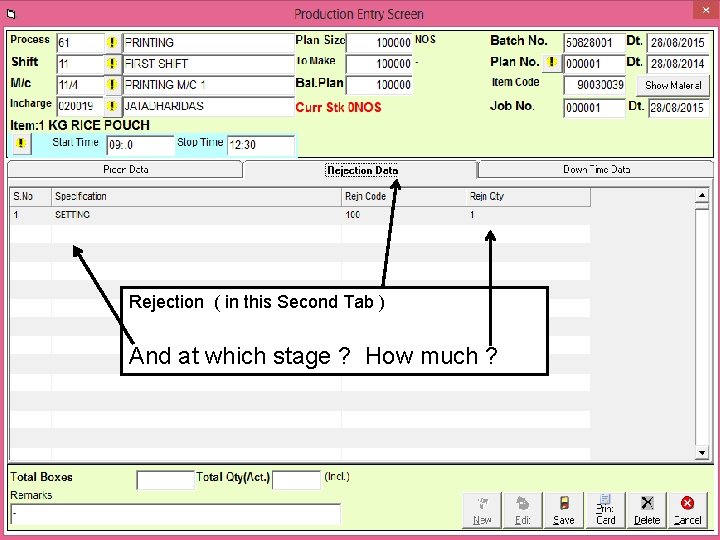
Rejection ( in this Second Tab ) And at which stage ? How much ?
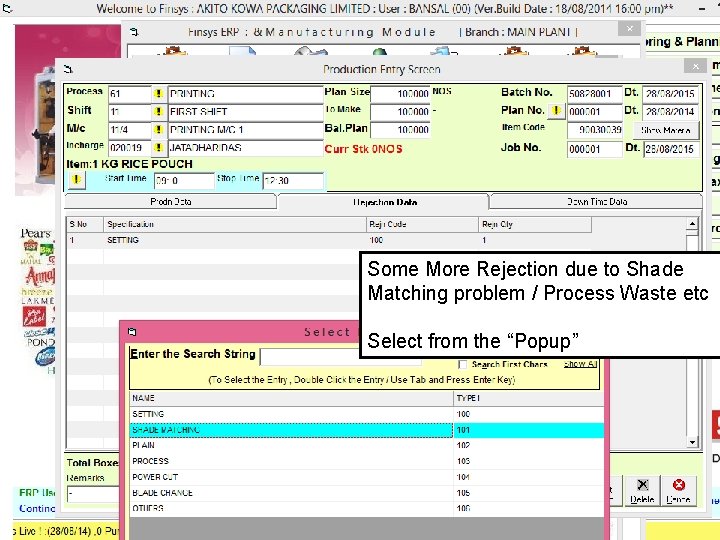
Some More Rejection due to Shade Matching problem / Process Waste etc Select from the “Popup”
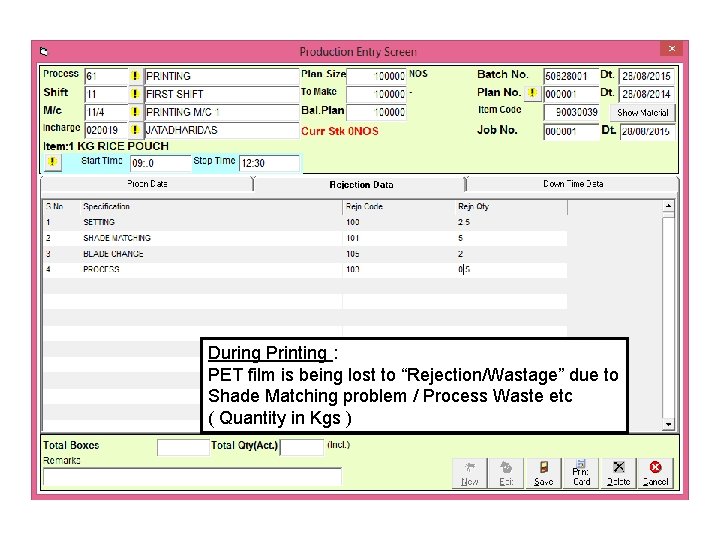
During Printing : PET film is being lost to “Rejection/Wastage” due to Shade Matching problem / Process Waste etc ( Quantity in Kgs )

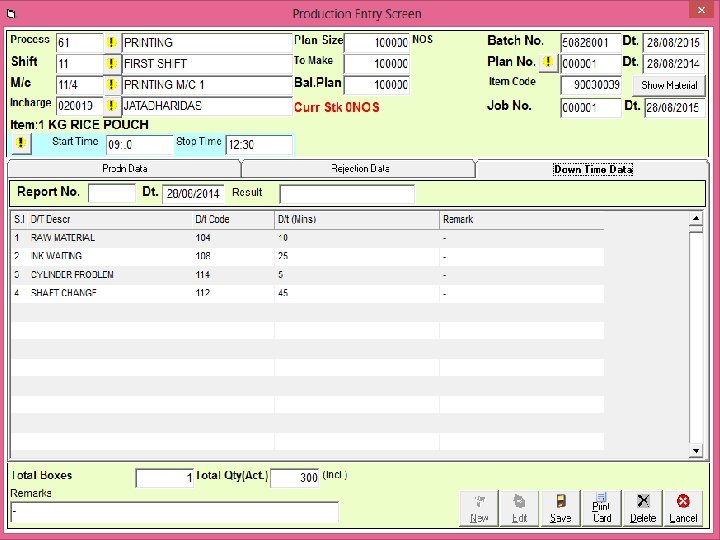
What about Down Time ? O Yes !! Go to the 3 rd Tab
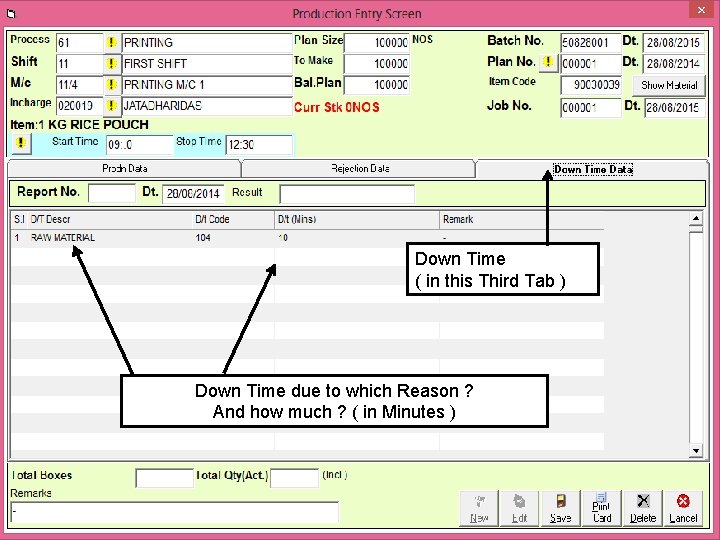
Down Time ( in this Third Tab ) Down Time due to which Reason ? And how much ? ( in Minutes )
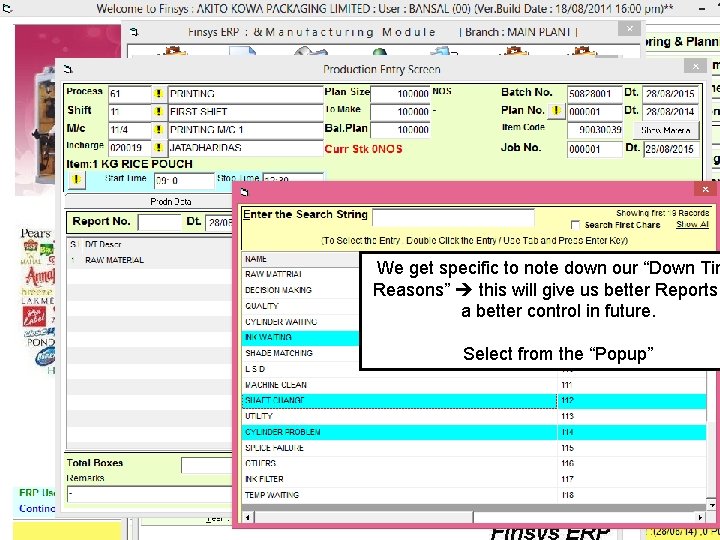
We get specific to note down our “Down Tim Reasons” this will give us better Reports a better control in future. Select from the “Popup”
Where is my Traceability ? Roll number Of Inputs ? (also known as “Reel” number)
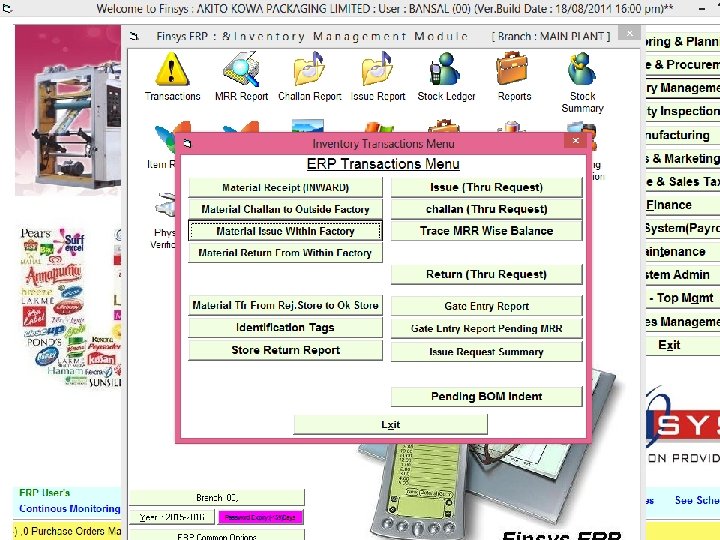
Pet Roll Issue Slip
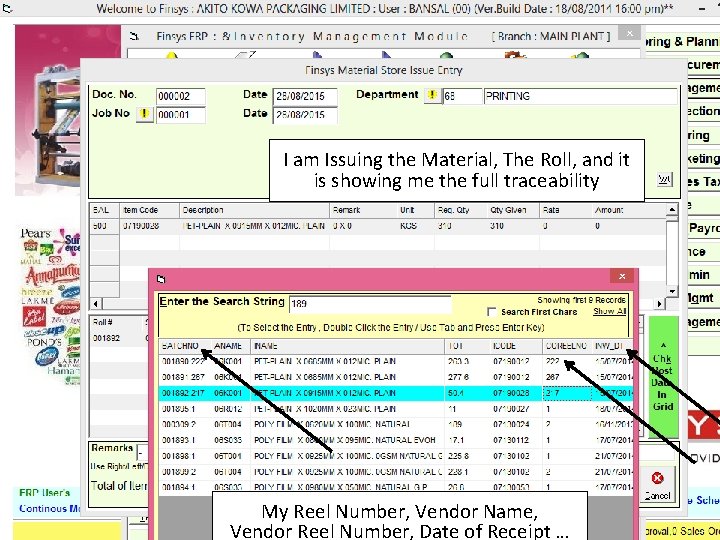
I am Issuing the Material, The Roll, and it is showing me the full traceability My Reel Number, Vendor Name, Vendor Reel Number, Date of Receipt …
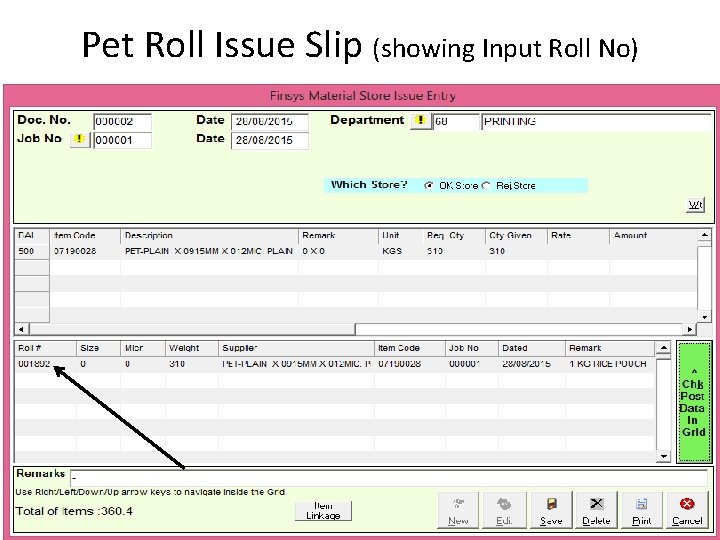
Pet Roll Issue Slip (showing Input Roll No)
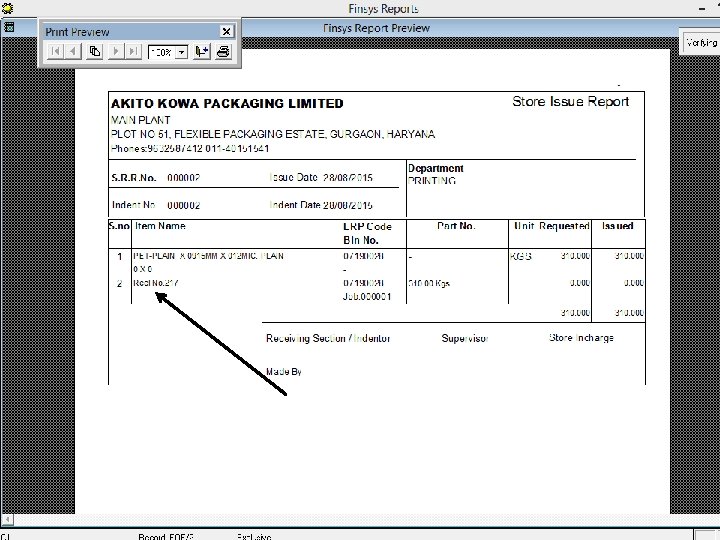
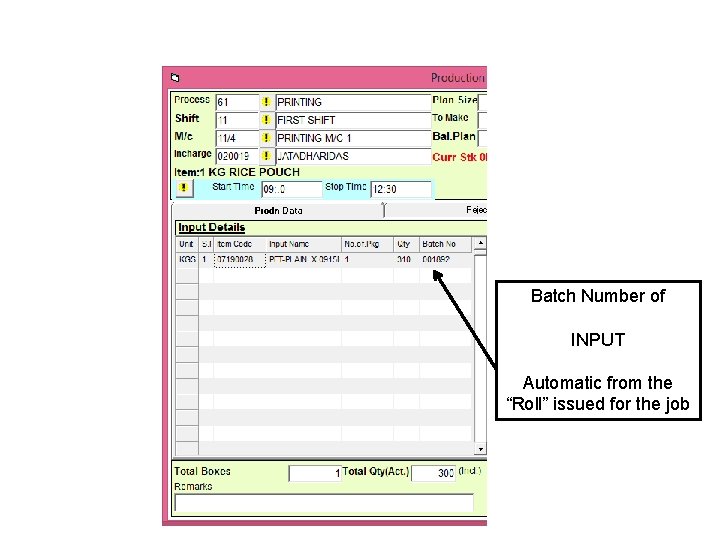
Batch Number of INPUT Automatic from the “Roll” issued for the job
Where is my Output Batch Number ? Yes, it is auto Generated
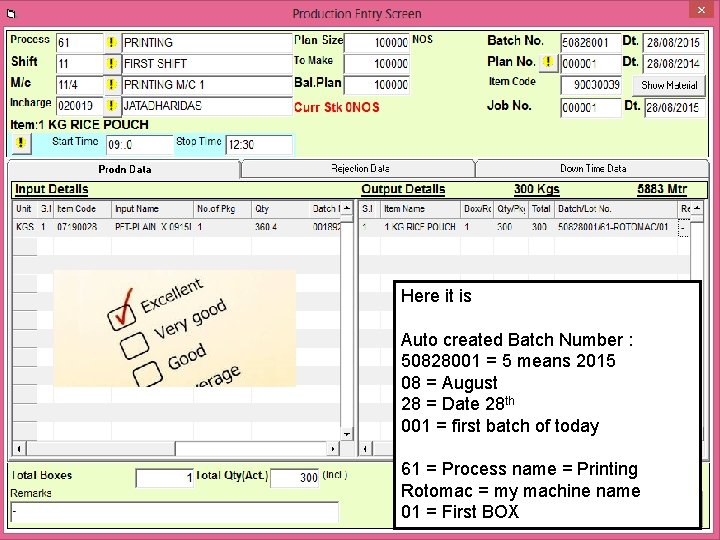
Here it is Auto created Batch Number : 50828001 = 5 means 2015 08 = August 28 = Date 28 th 001 = first batch of today 61 = Process name = Printing Rotomac = my machine name 01 = First BOX

Now the Output…. The Yield Report ….

Overall ? DPR ? Daily Production Report

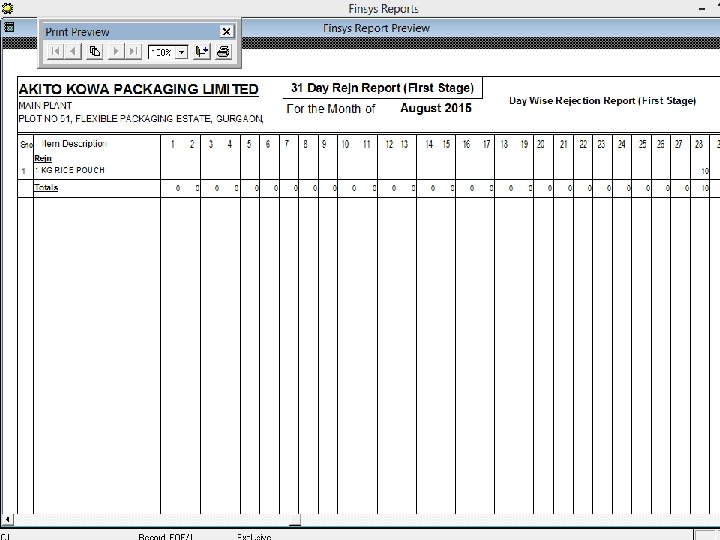
Rejection Record ? Day Wise
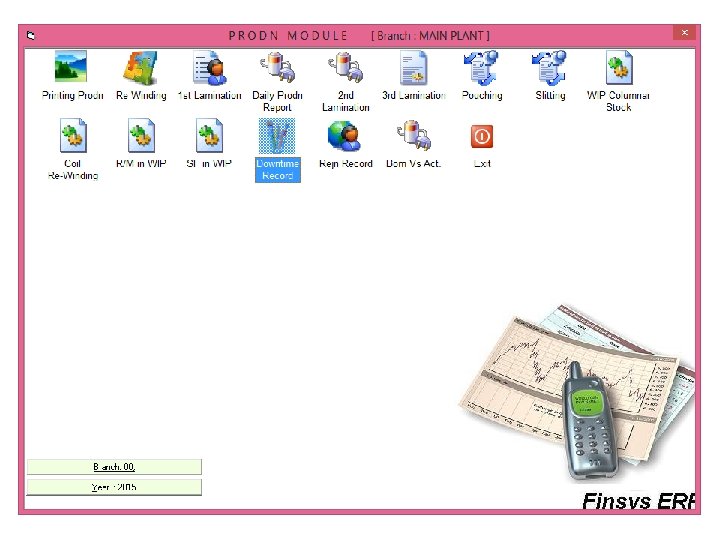
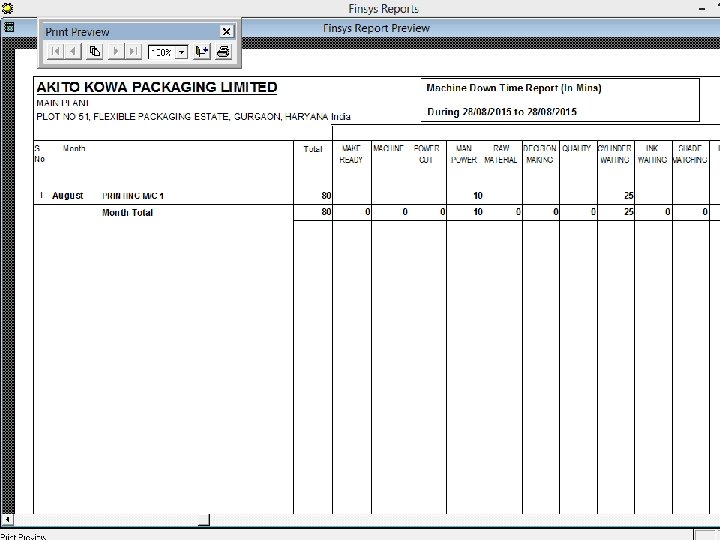
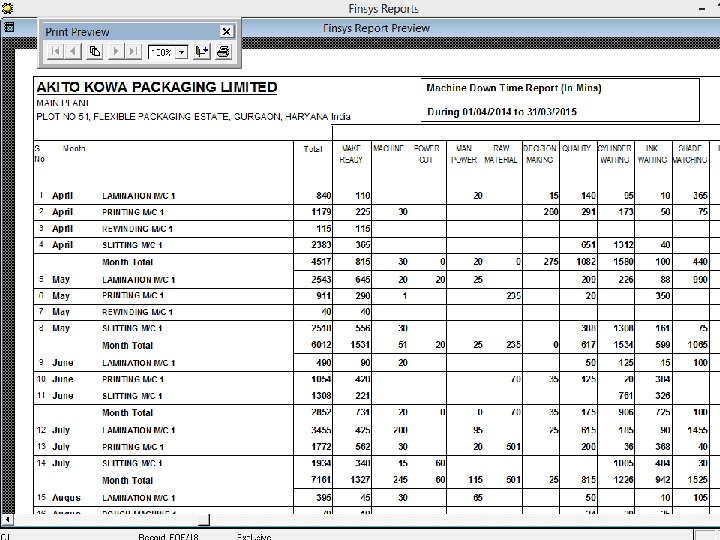
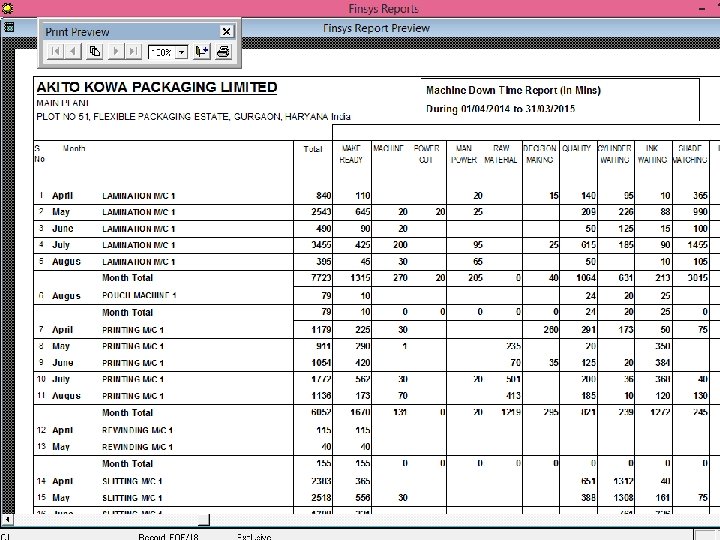
Down Time Record ? Day Wise
- Slides: 41