
Flexbox CSCI 1720 CSS 3 Flexbox Flexible boxes
Flexbox CSCI 1720
CSS 3 Flexbox Flexible boxes, or flexbox, is a new layout mode in CSS 3 Use of flexbox ensures that elements behave predictably when the page layout must accommodate different screen sizes and different display devices For many applications, the flexible box model provides an improvement over the block model in that it does not use floats, nor do the flex container's margins collapse with the margins of its contents
CSS 3 Flexbox - Concepts Flexbox consists of flex containers and flex items A flex container is declared by setting the display property of an element to either flex (rendered as a block) or inline-flex (rendered as inline) Inside a flex container there is one or more flex items
CSS 3 Flexbox - Concepts Note: Everything outside a flex container and inside a flex item is rendered as usual Flexbox defines how flex items are laid out inside a flex container Flex items are positioned inside a flex container along a flex line By default there is only one flex line per flex container
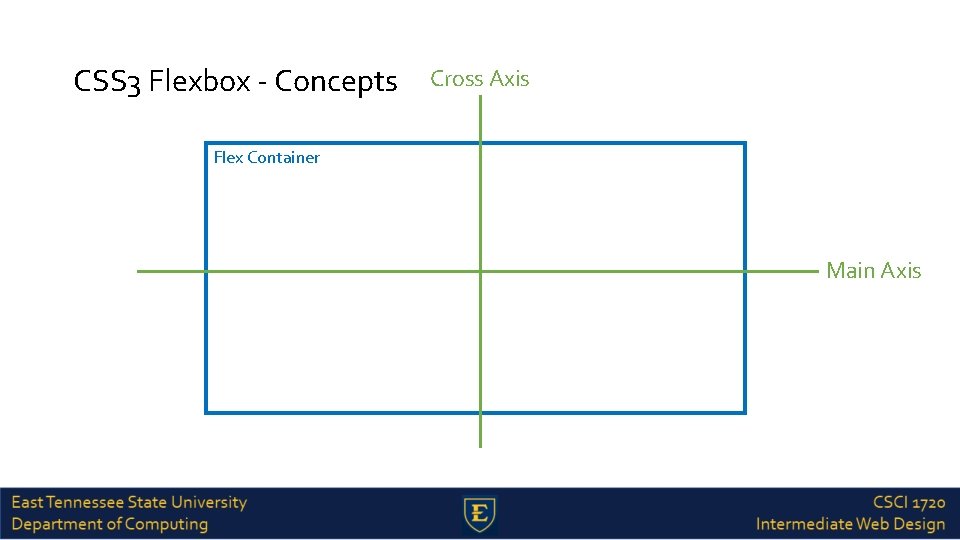
CSS 3 Flexbox - Concepts Cross Axis Flex Container Main Axis
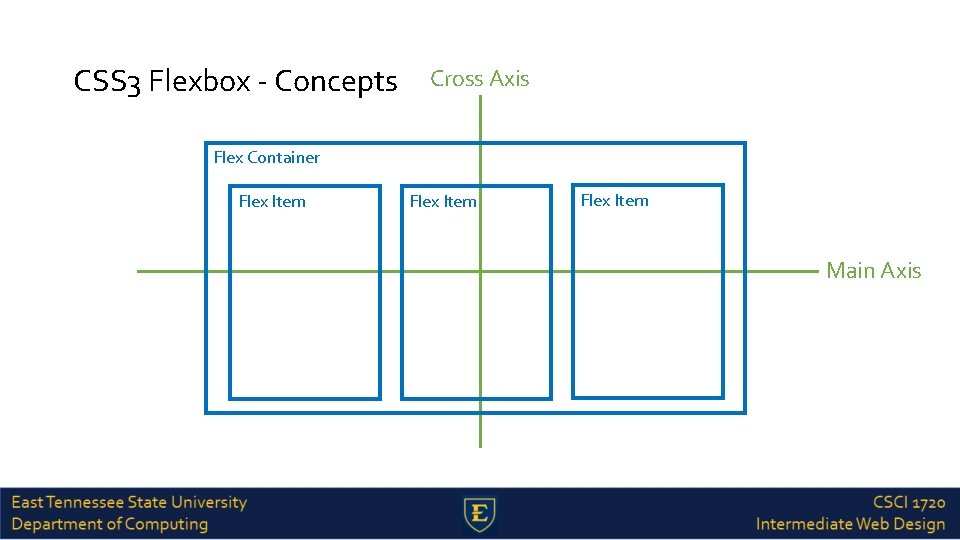
CSS 3 Flexbox - Concepts Cross Axis Flex Container Flex Item Main Axis
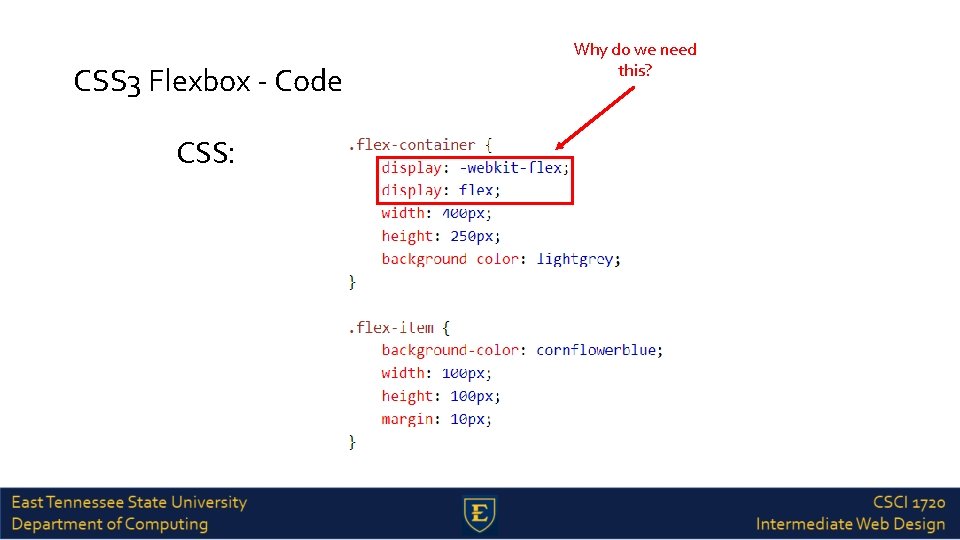
CSS 3 Flexbox - Code CSS: Why do we need this?
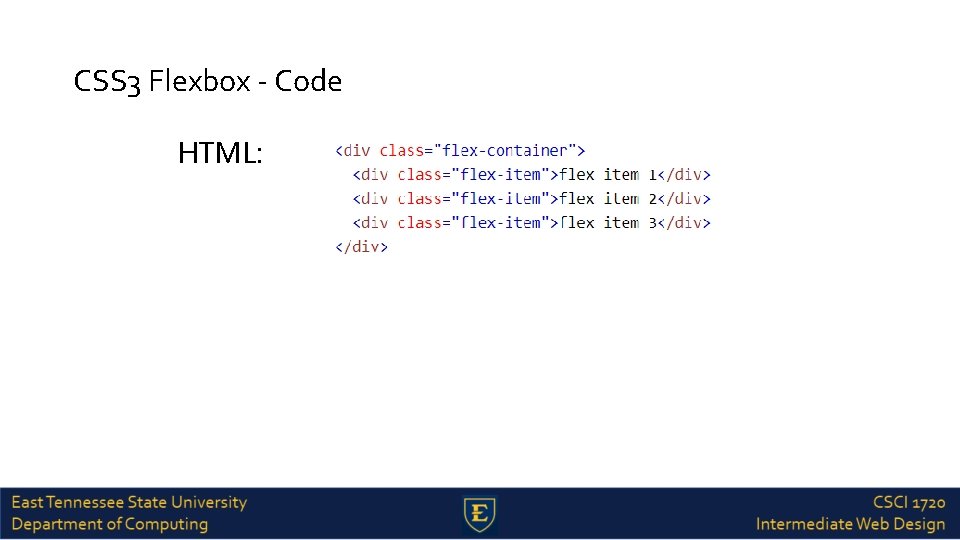
CSS 3 Flexbox - Code HTML:
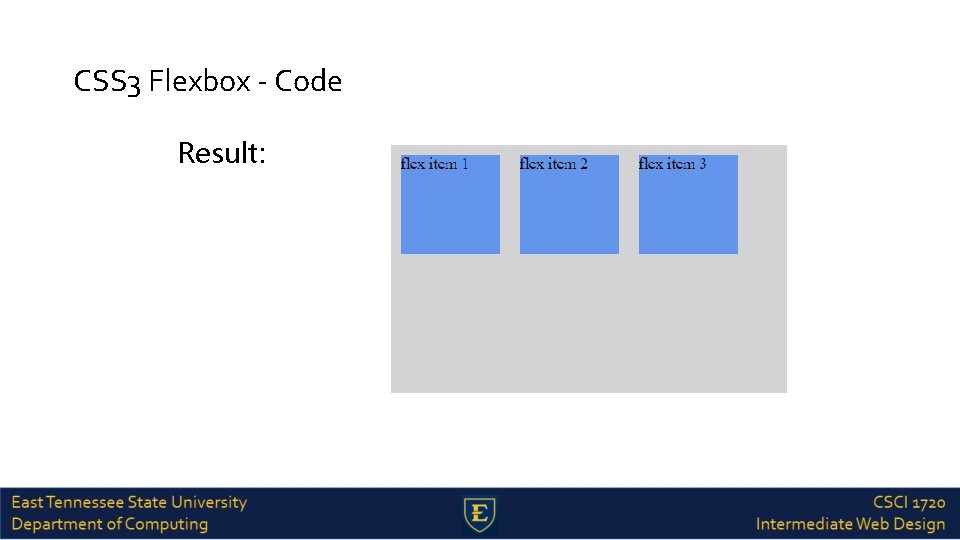
CSS 3 Flexbox - Code Result:
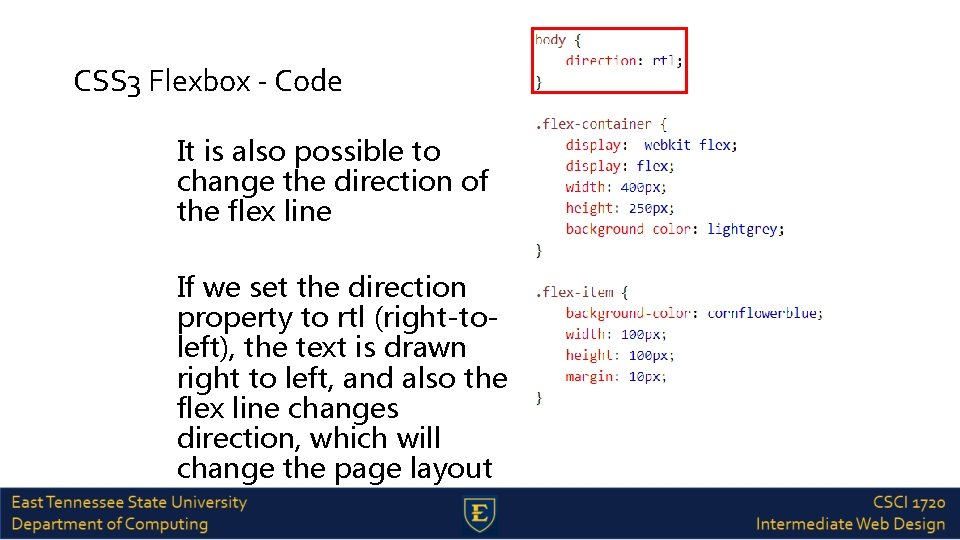
CSS 3 Flexbox - Code It is also possible to change the direction of the flex line If we set the direction property to rtl (right-toleft), the text is drawn right to left, and also the flex line changes direction, which will change the page layout
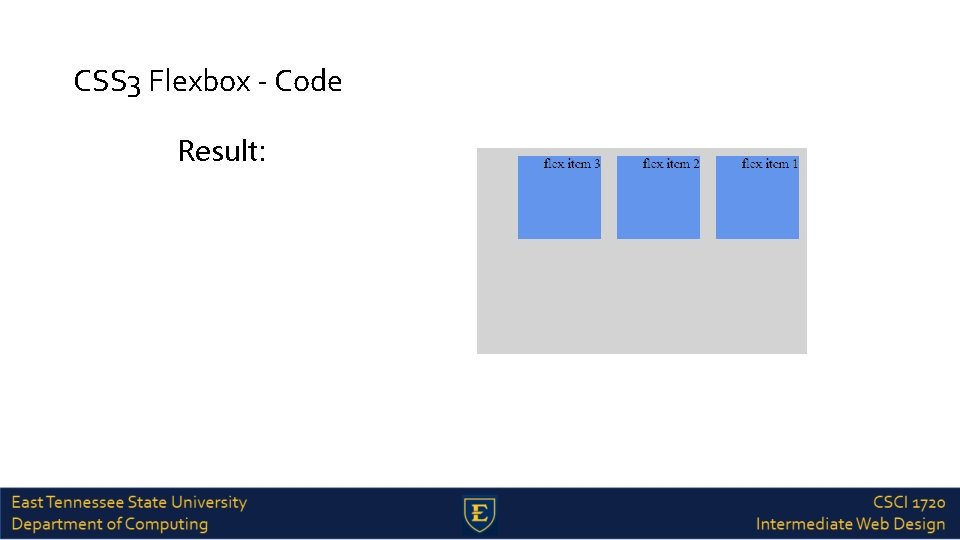
CSS 3 Flexbox - Code Result:
CSS 3 Flexbox - Flex Direction The flex-direction property specifies the direction of the flexible items inside the flex container. The default value of flex-direction is row (left-to-right, top-to-bottom) The other values are as follows: row-reverse - If the writing-mode (direction) is left to right, the flex items will be laid out right to left column - If the writing system is horizontal, the flex items will be laid out vertically column-reverse - Same as column, but reversed
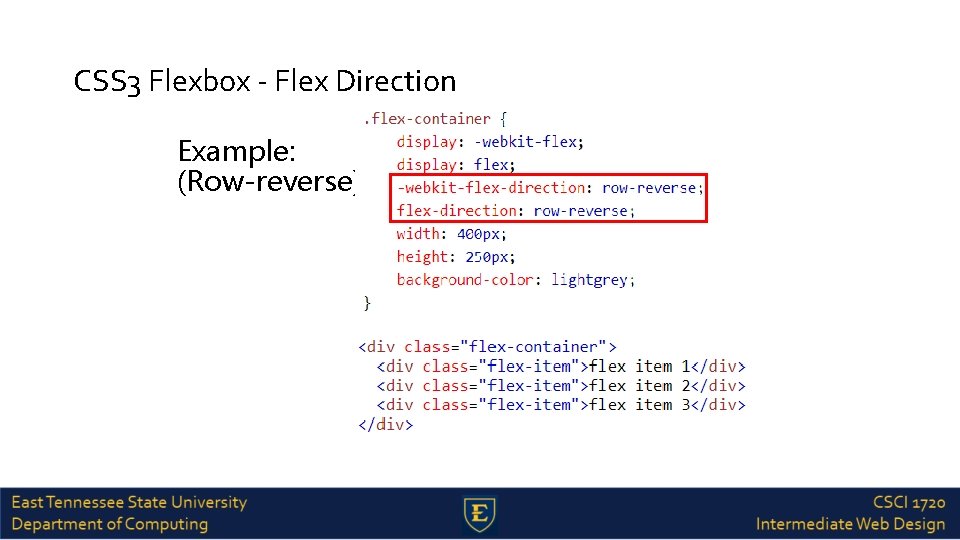
CSS 3 Flexbox - Flex Direction Example: (Row-reverse)
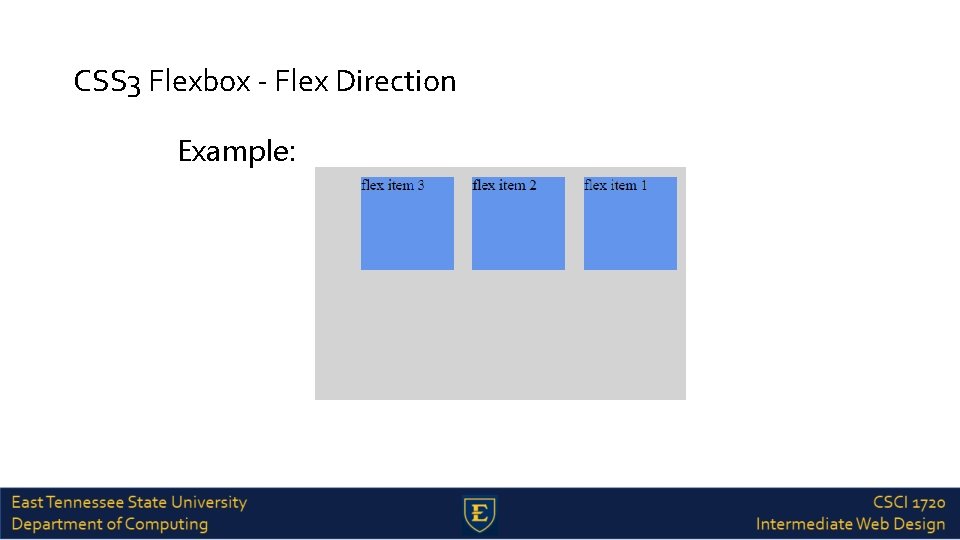
CSS 3 Flexbox - Flex Direction Example:
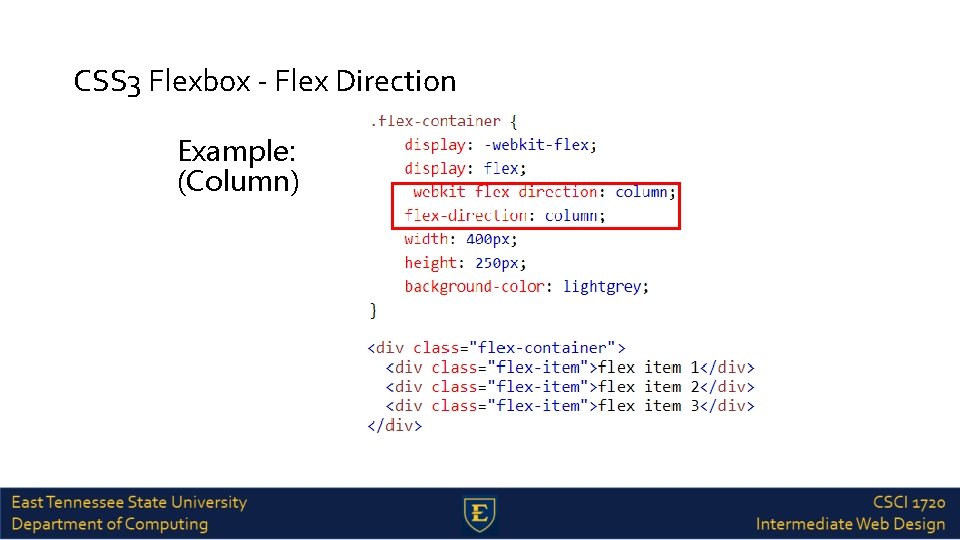
CSS 3 Flexbox - Flex Direction Example: (Column)
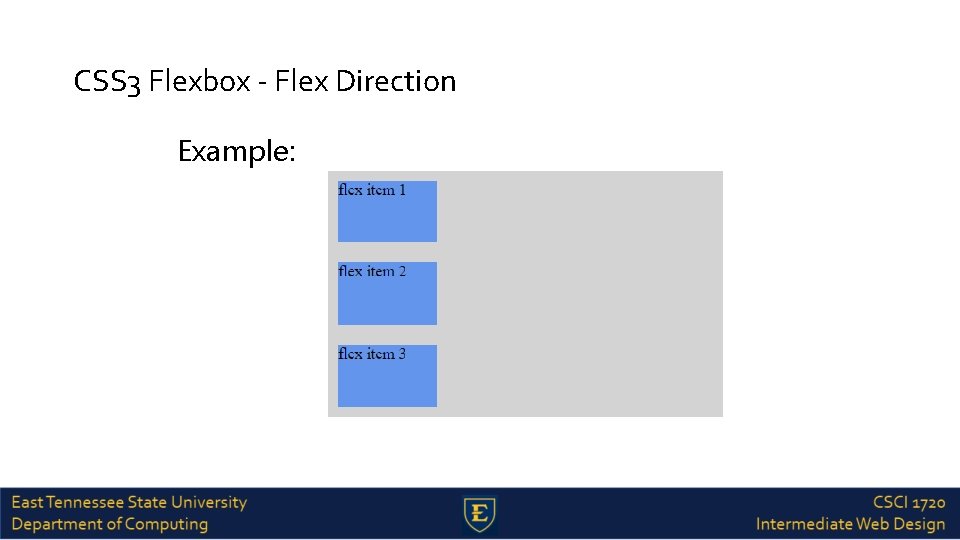
CSS 3 Flexbox - Flex Direction Example:
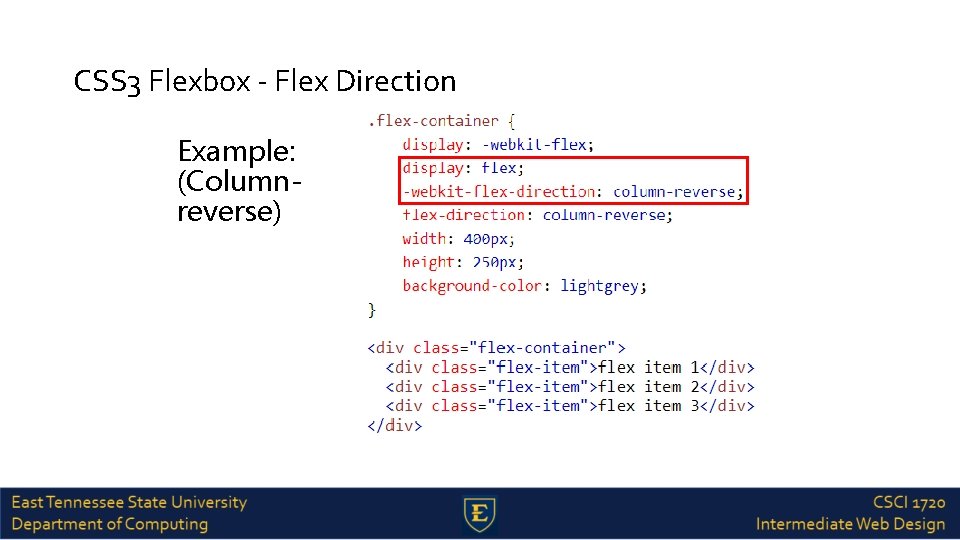
CSS 3 Flexbox - Flex Direction Example: (Columnreverse)
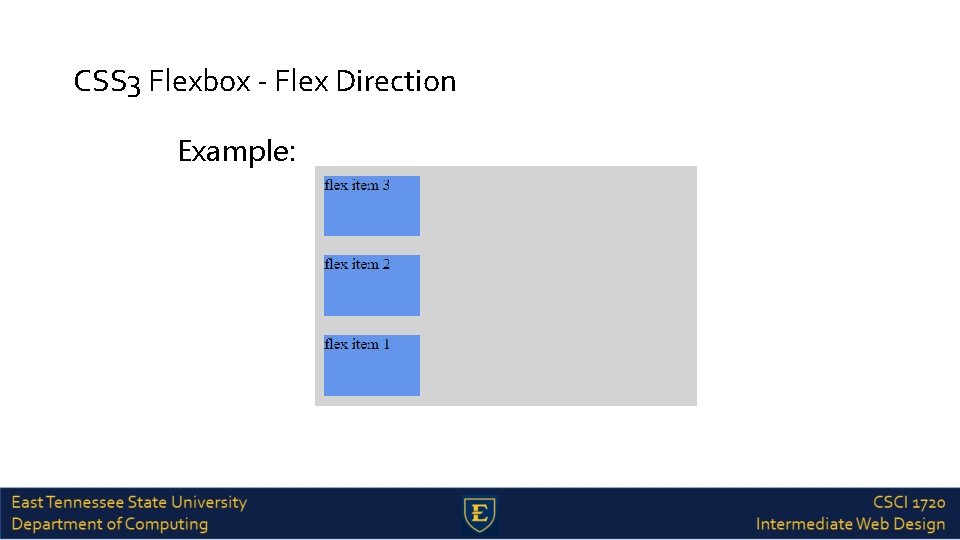
CSS 3 Flexbox - Flex Direction Example:
justify-content Property The justify-content property horizontally aligns the flexible container's items when the items do not use all available space on the main-axis The possible values are as follows: flex-start - Default value. Items are positioned at the beginning of the container flex-end - Items are positioned at the end of the container center - Items are positioned at the center of the container space-between - Items are positioned with space between the lines space-around - Items are positioned with space before, between, and after the lines
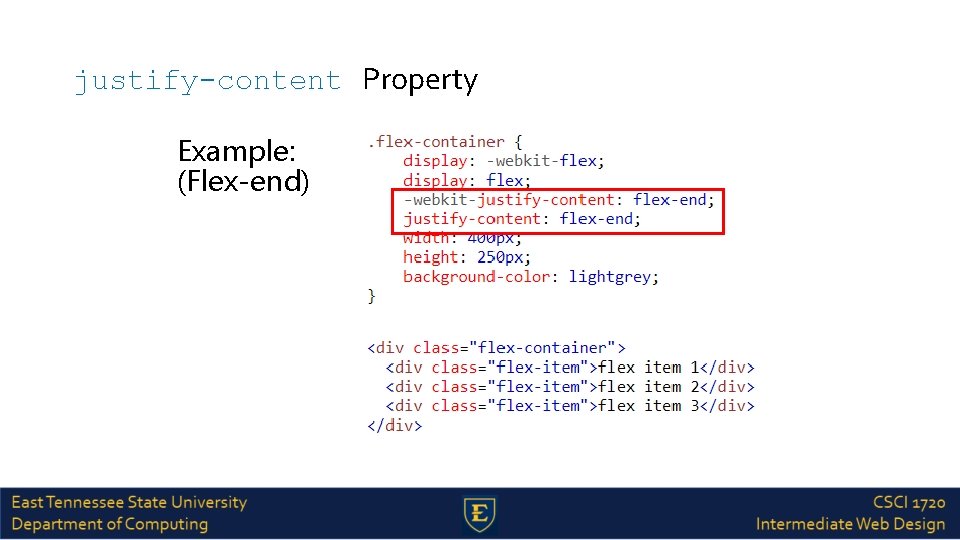
justify-content Property Example: (Flex-end)
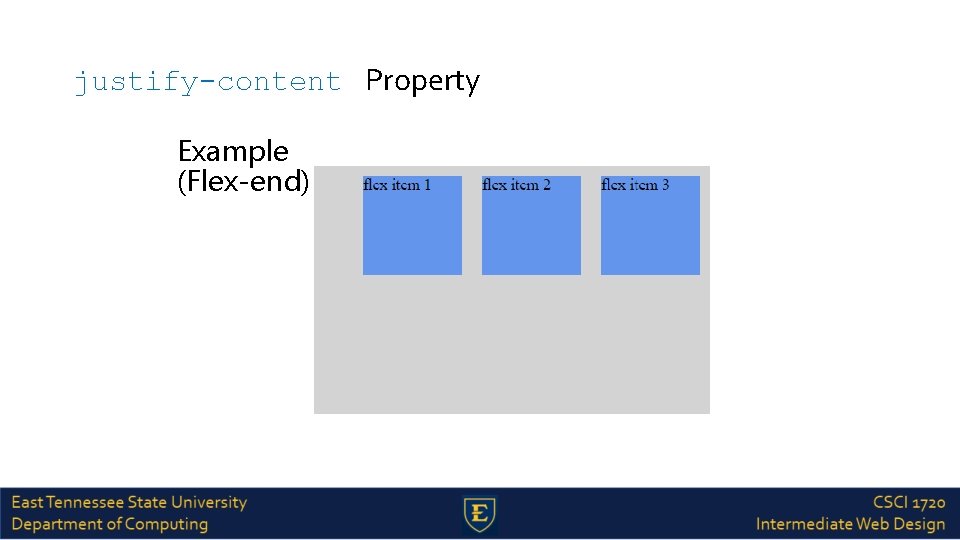
justify-content Property Example (Flex-end):
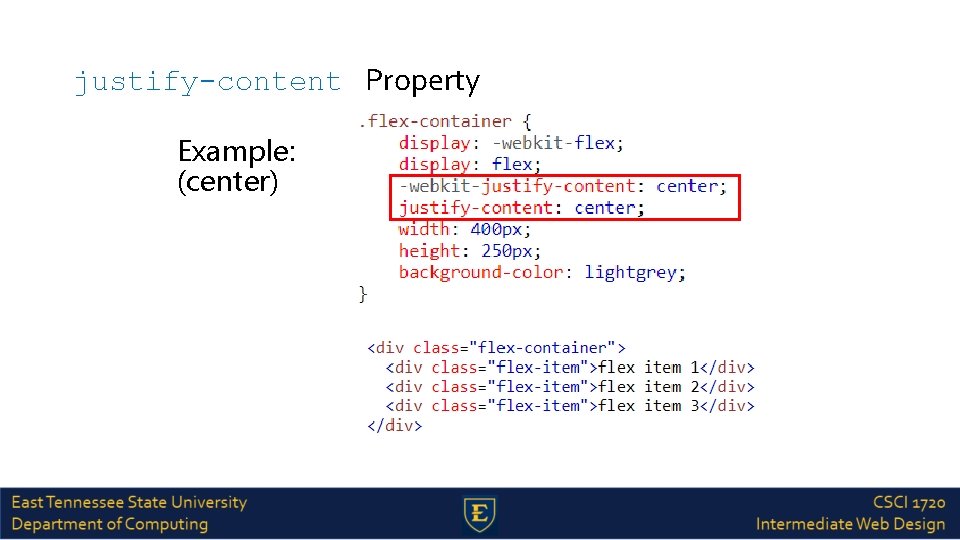
justify-content Property Example: (center)
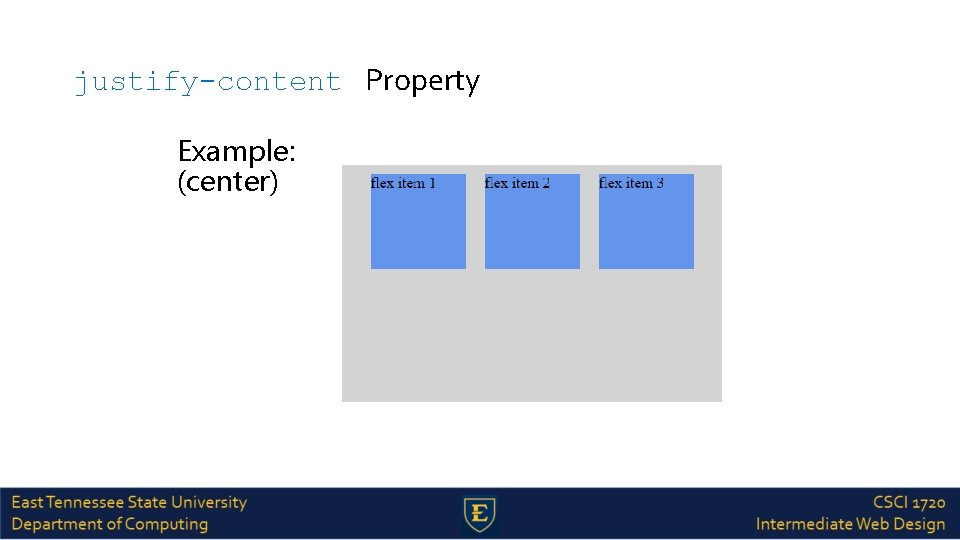
justify-content Property Example: (center)
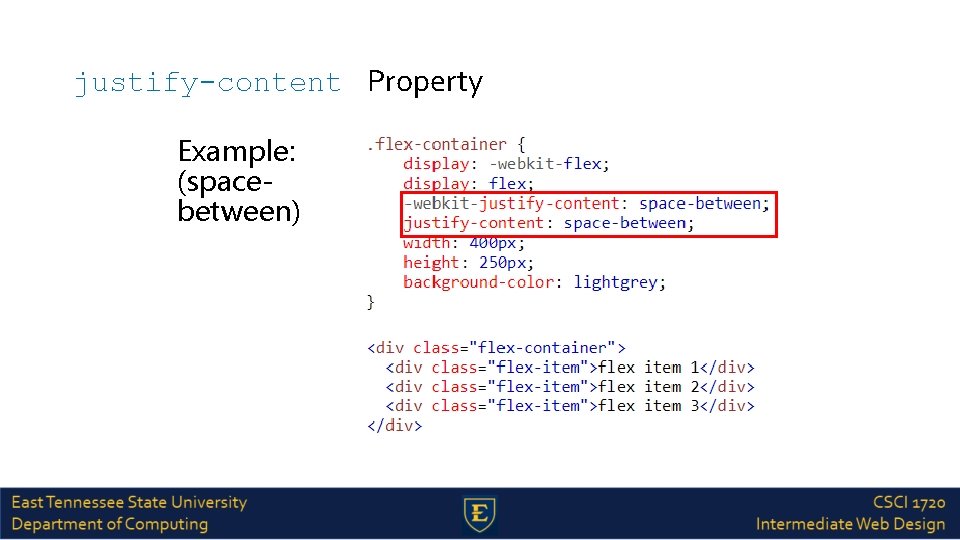
justify-content Property Example: (spacebetween)
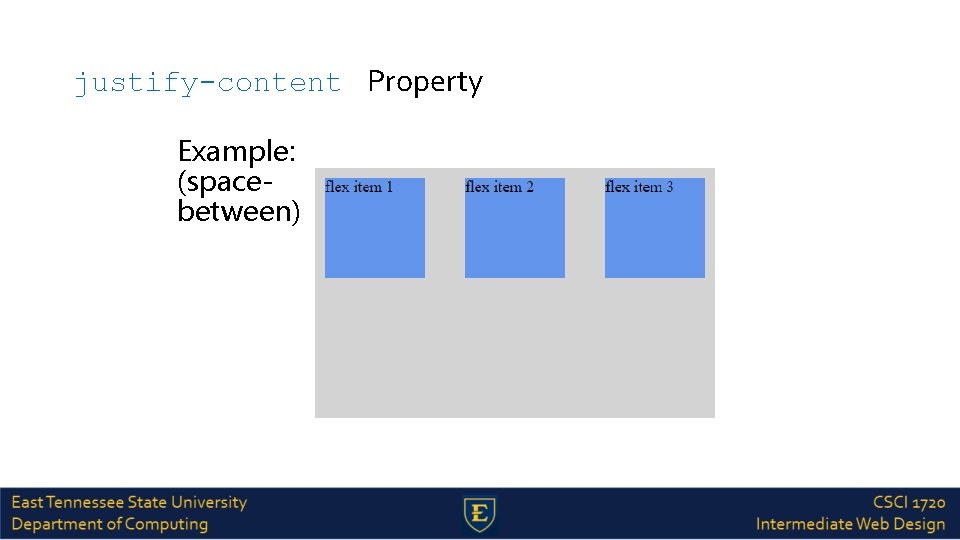
justify-content Property Example: (spacebetween)
align-items Property The align-items property vertically aligns the flexible container's items when the items do not use all available space on the cross-axis The possible values are as follows: stretch - Default value. Items are stretched to fit the container flex-start - Items are positioned at the top of the container flex-end - Items are positioned at the bottom of the container center - Items are positioned at the center of the container (vertically) baseline - Items are positioned at the baseline of the container
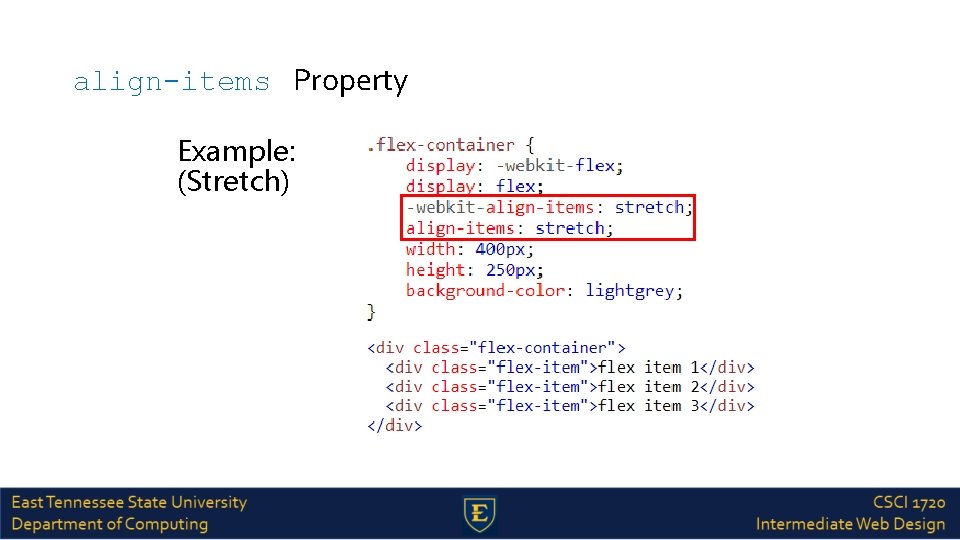
align-items Property Example: (Stretch)
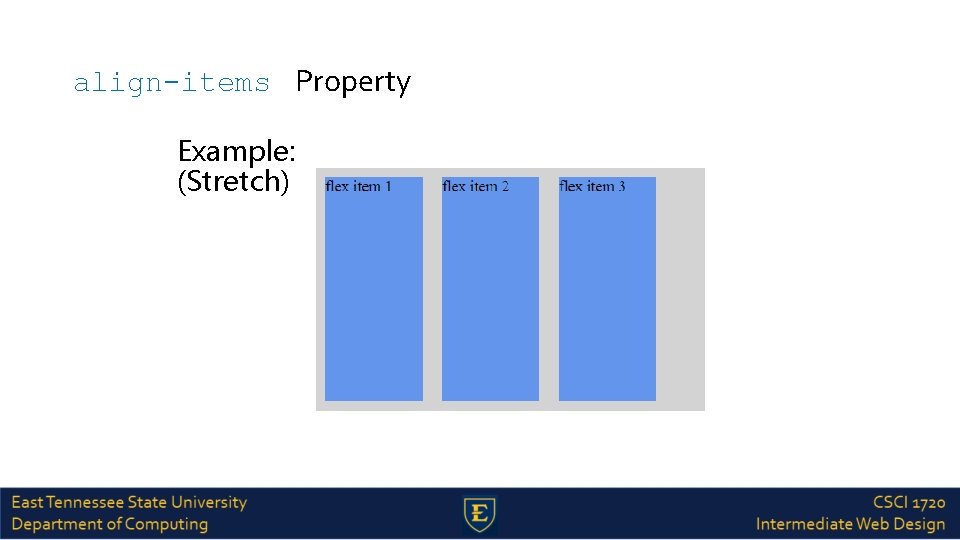
align-items Property Example: (Stretch)
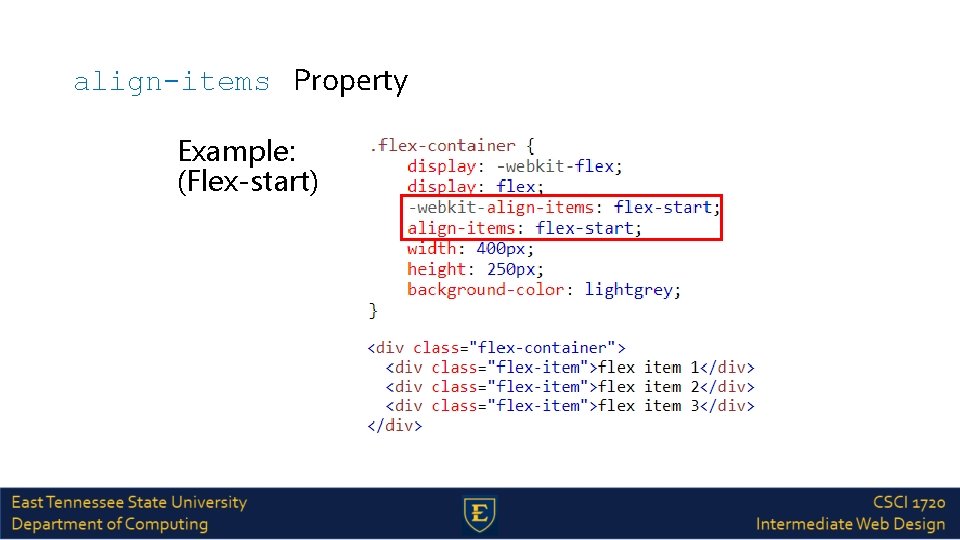
align-items Property Example: (Flex-start)
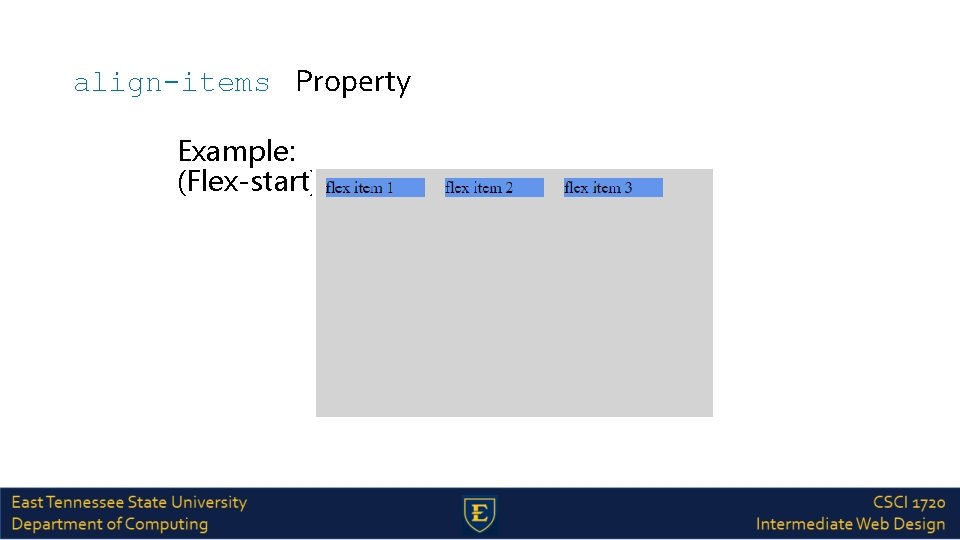
align-items Property Example: (Flex-start)
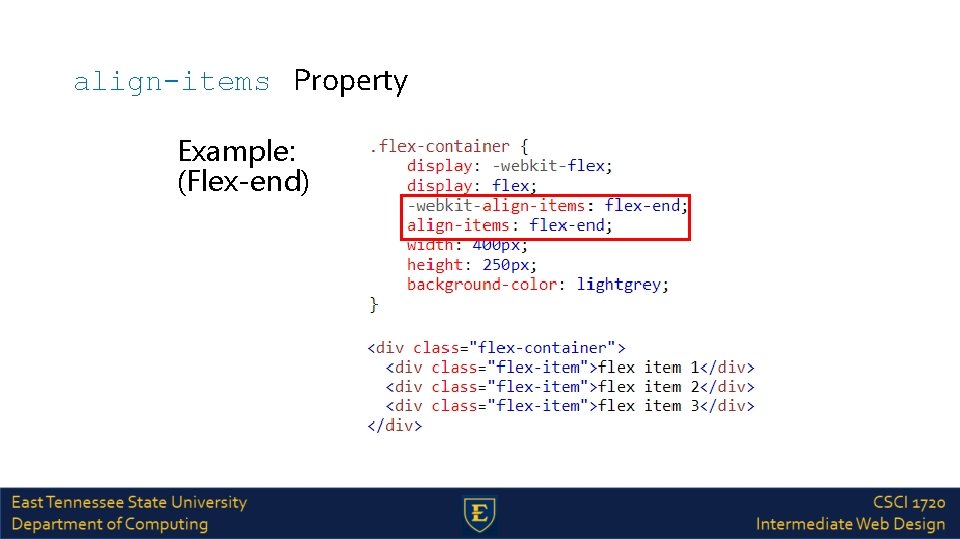
align-items Property Example: (Flex-end)
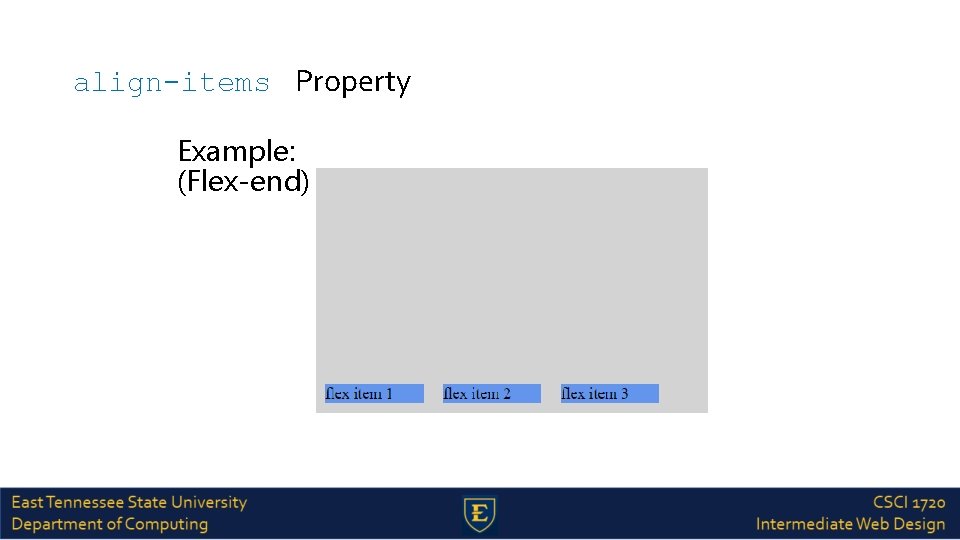
align-items Property Example: (Flex-end)
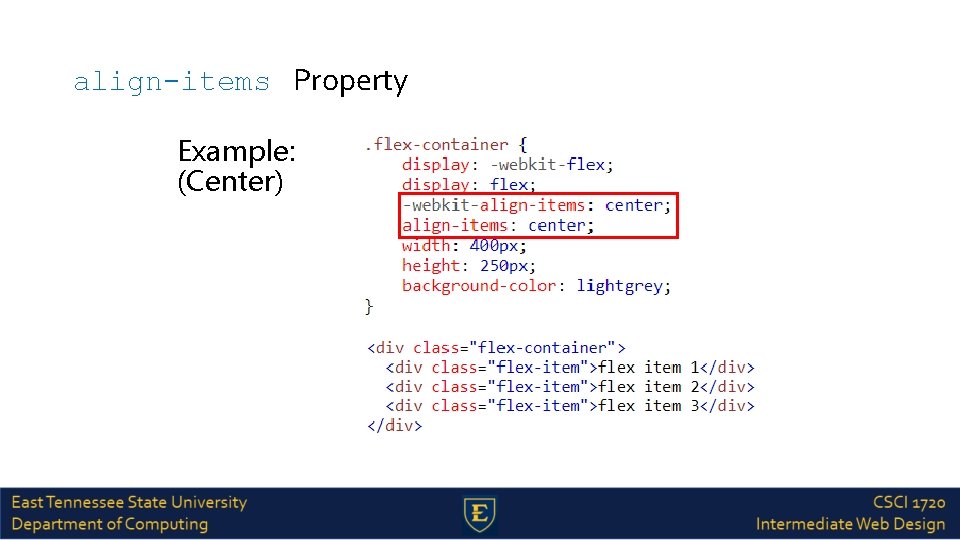
align-items Property Example: (Center)
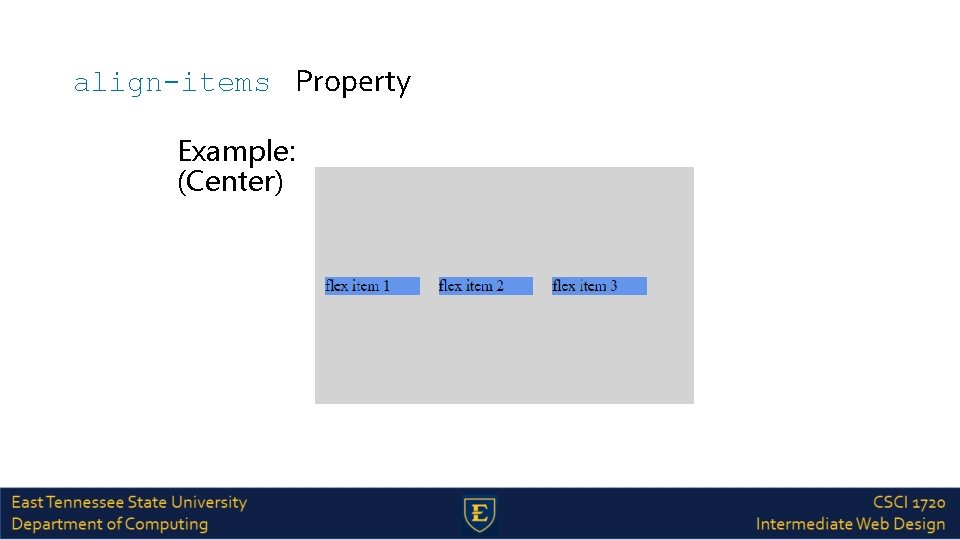
align-items Property Example: (Center)
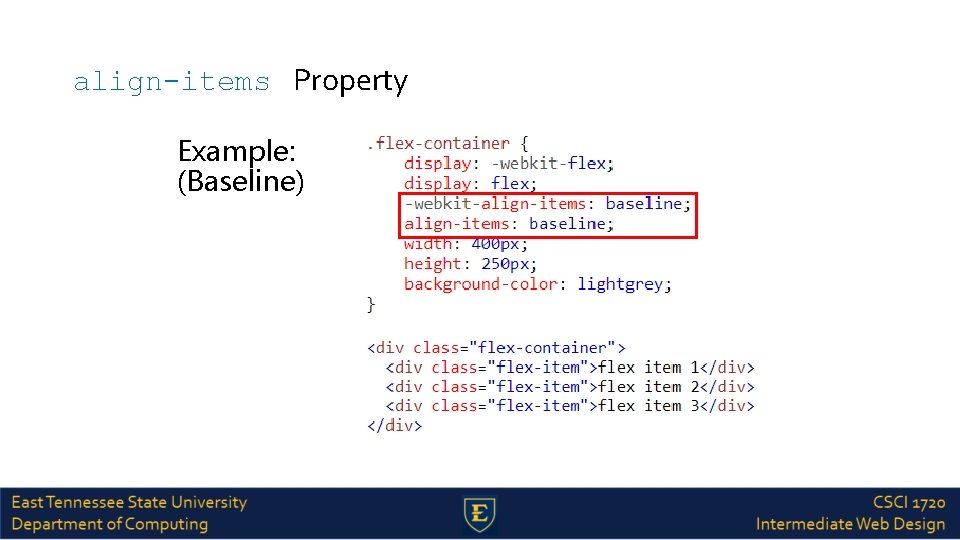
align-items Property Example: (Baseline)
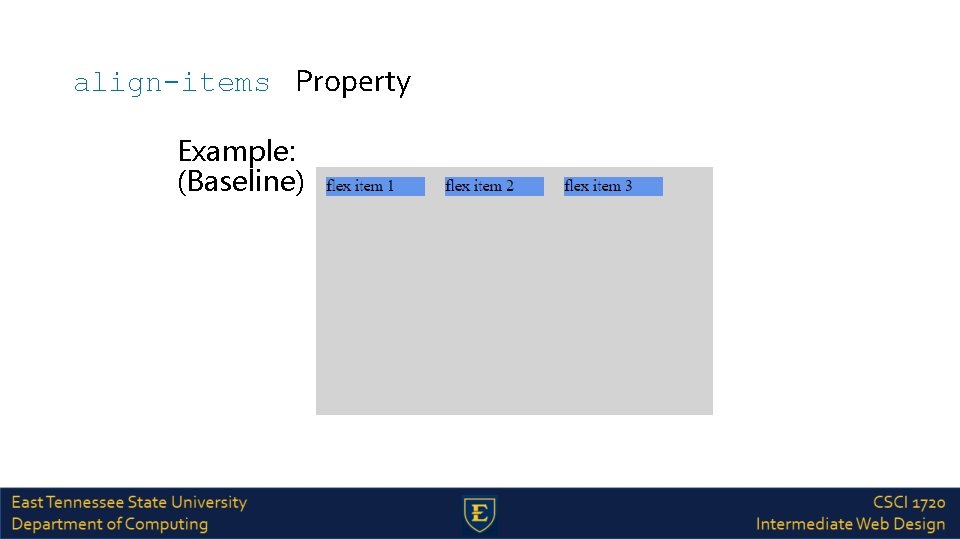
align-items Property Example: (Baseline)
flex-wrap Property The flex-wrap property specifies whether the flex items should wrap or not, if there is not enough room for them on one flex line The possible values are as follows: nowrap - Default value. The flexible items will not wrap - The flexible items will wrap if necessary wrap-reverse - The flexible items will wrap, if necessary, in reverse order
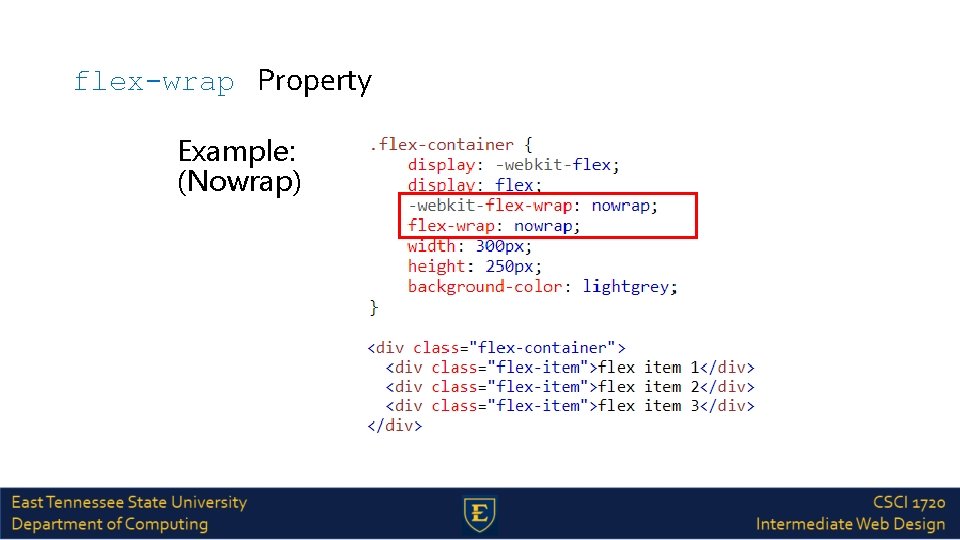
flex-wrap Property Example: (Nowrap)
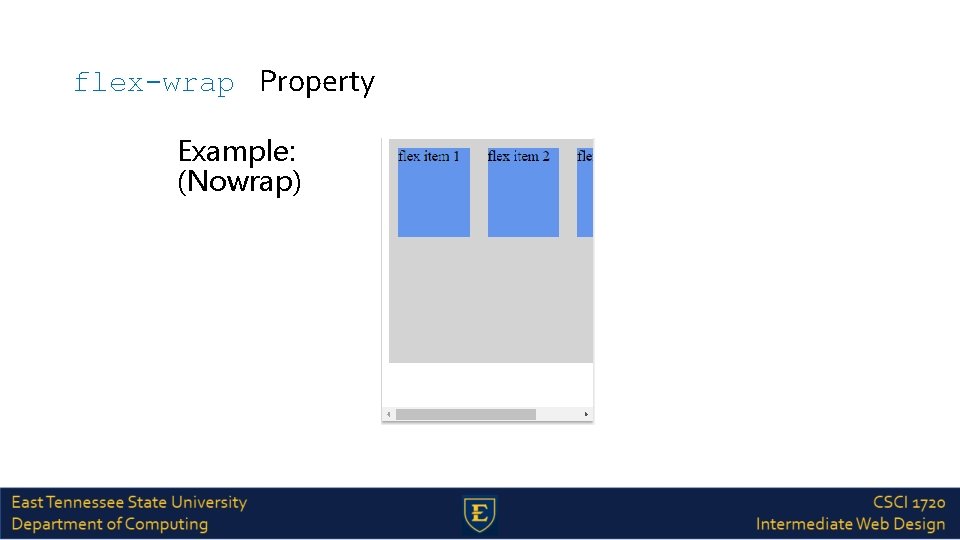
flex-wrap Property Example: (Nowrap)
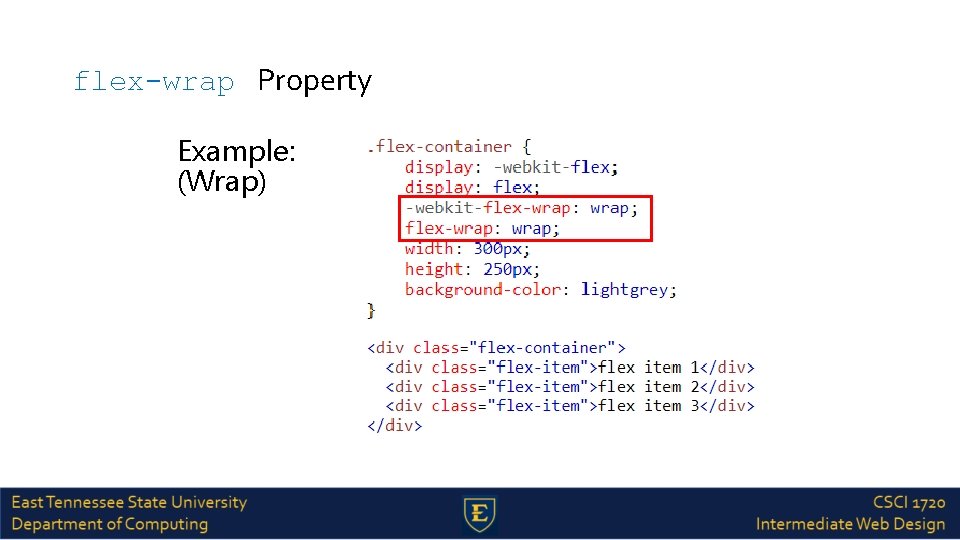
flex-wrap Property Example: (Wrap)
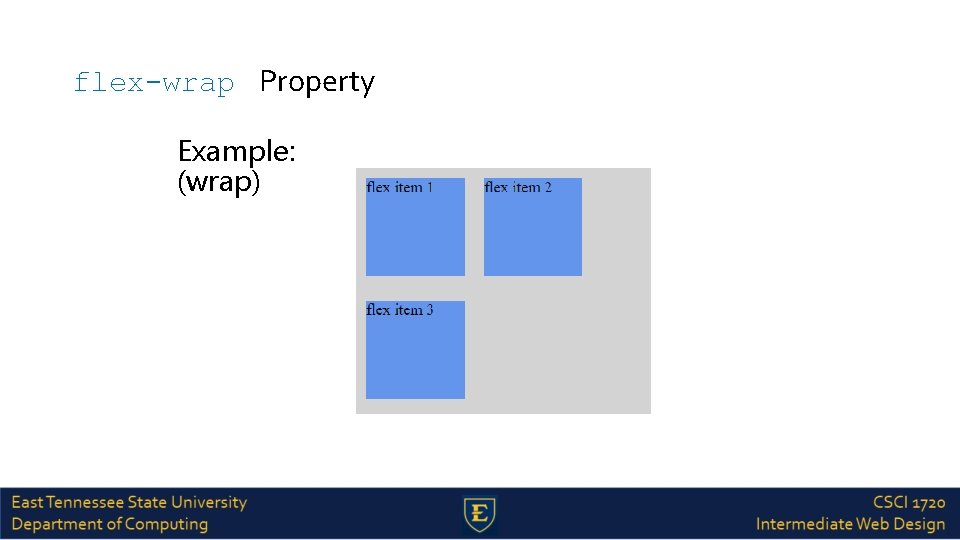
flex-wrap Property Example: (wrap)
align-content Property The align-content property modifies the behavior of the flex-wrap property. It is similar to alignitems, but instead of aligning flex items, it aligns flex lines The possible values are as follows: stretch - Default value. Lines stretch to take up the remaining space flex-start - Lines are packed toward the start of the flex container flex-end - Lines are packed toward the end of the flex container
align-content Property The align-content property modifies the behavior of the flex-wrap property. It is similar to alignitems, but instead of aligning flex items, it aligns flex lines The possible values are as follows: center - Lines are packed toward the center of the flex container space-between - Lines are evenly distributed in the flex container space-around - Lines are evenly distributed in the flex container, with half-size spaces on either end
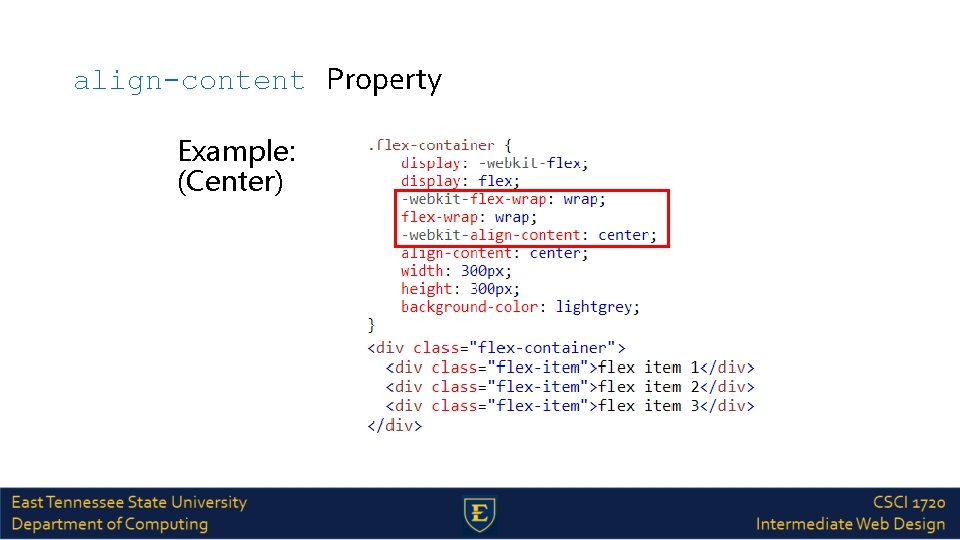
align-content Property Example: (Center)
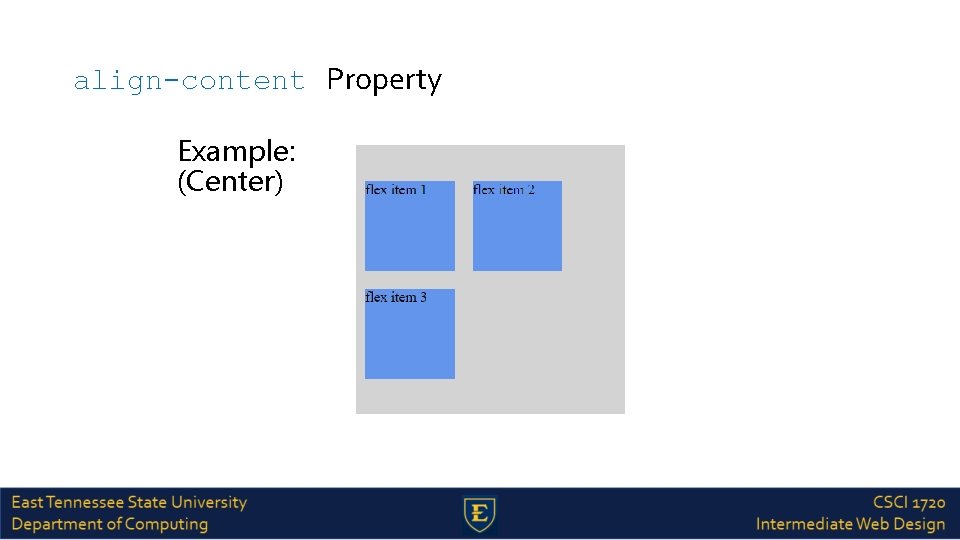
align-content Property Example: (Center)
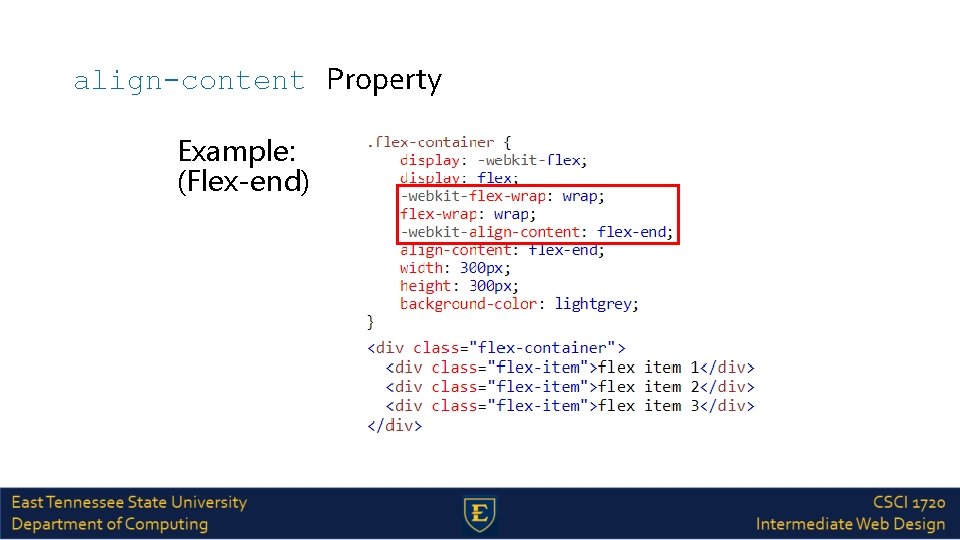
align-content Property Example: (Flex-end)
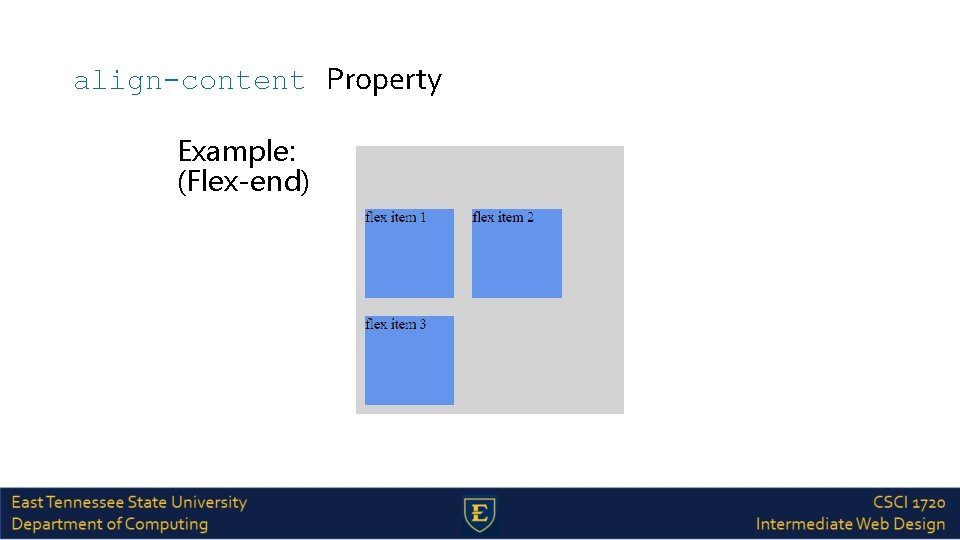
align-content Property Example: (Flex-end)
Flex Item Properties - Ordering The order property specifies the order of a flexible item relative to the rest of the flexible items inside the same container
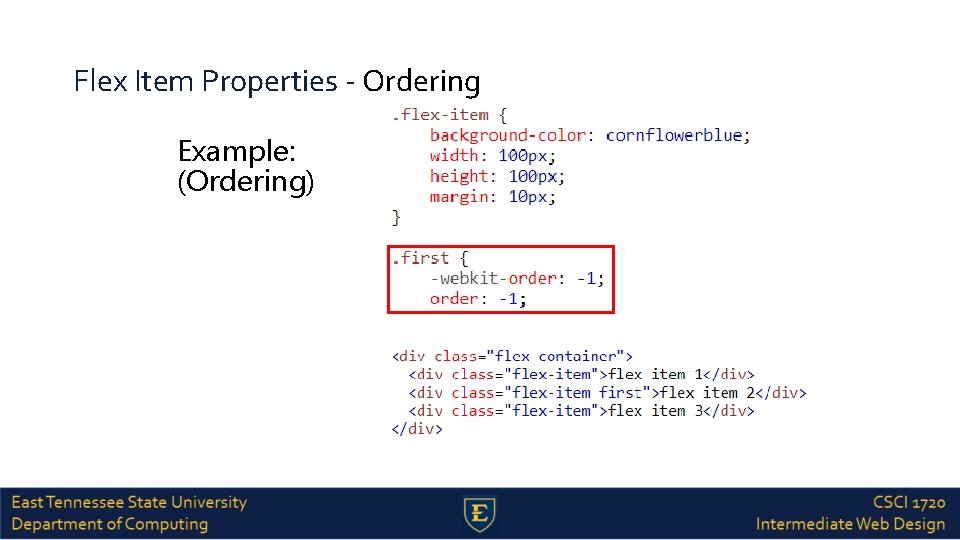
Flex Item Properties - Ordering Example: (Ordering)
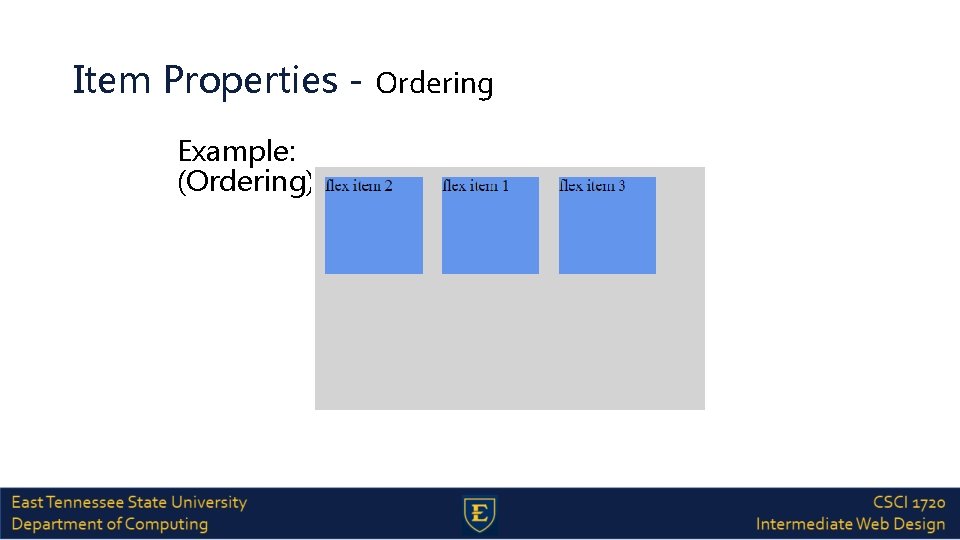
Item Properties - Ordering Example: (Ordering)
Flex Item Properties - Margin Setting margin: auto; will absorb extra space It can be used to push flex items into different positions
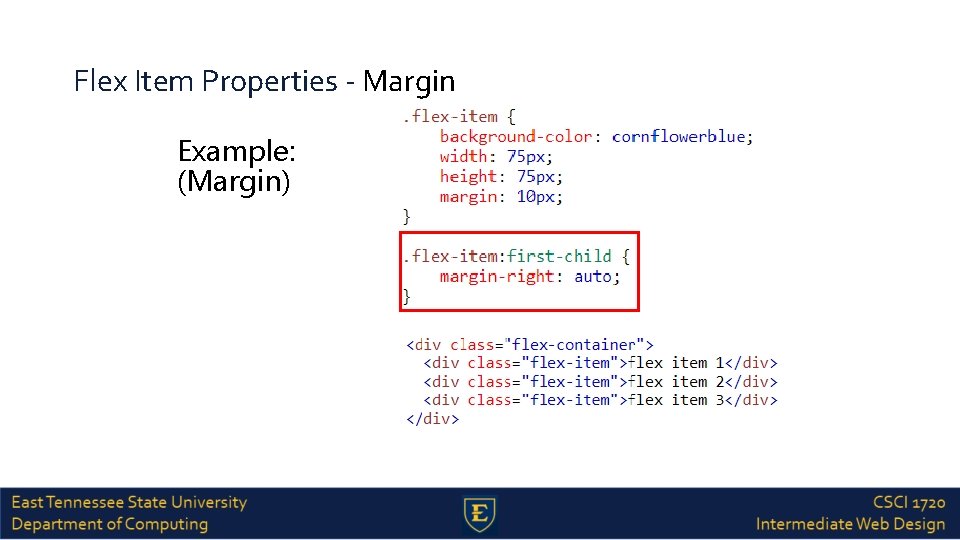
Flex Item Properties - Margin Example: (Margin)
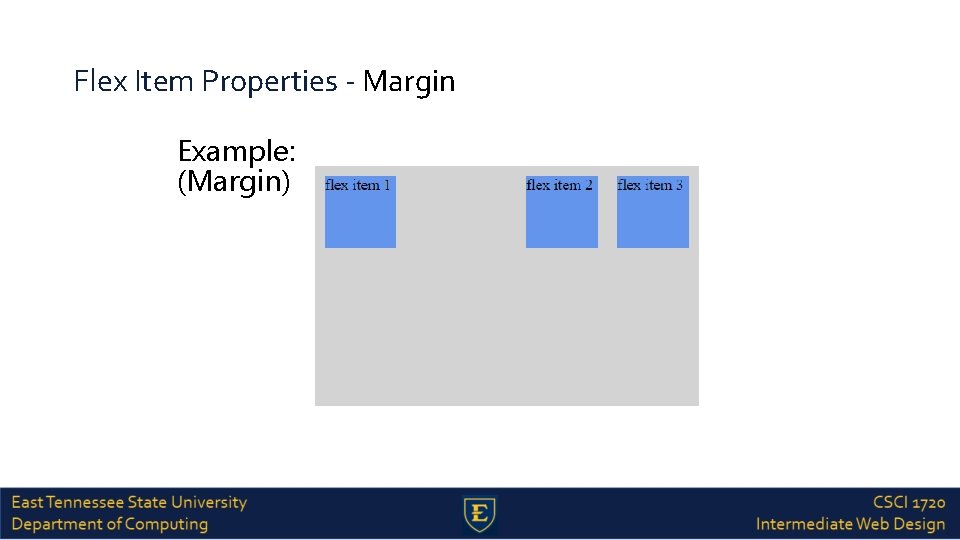
Flex Item Properties - Margin Example: (Margin)
Flex Item Properties - Perfect Centering Setting margin: auto; will make the item perfectly centered in both axis
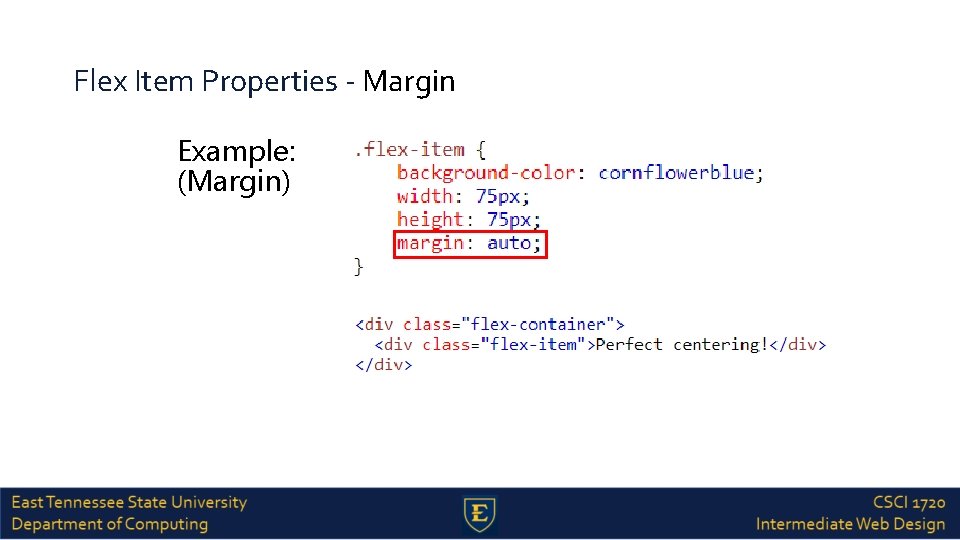
Flex Item Properties - Margin Example: (Margin)
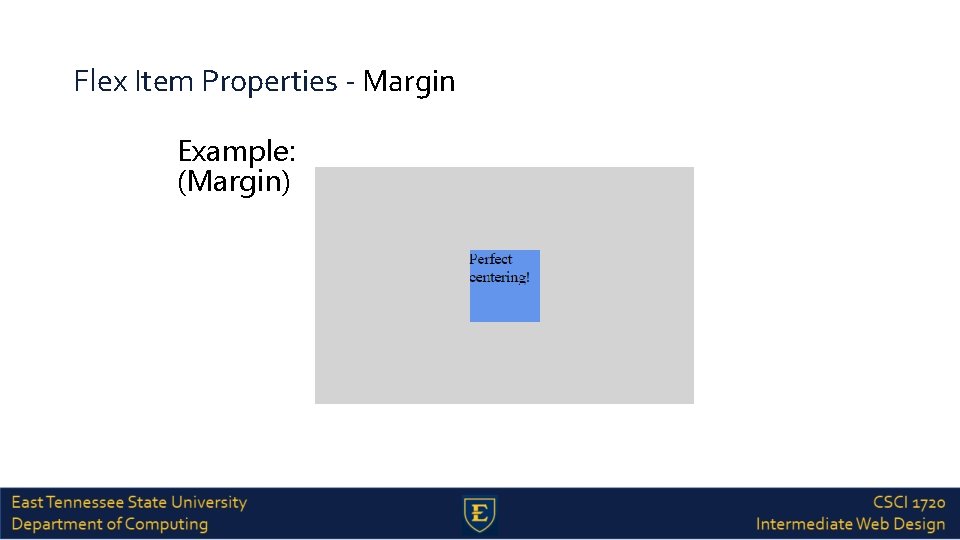
Flex Item Properties - Margin Example: (Margin)
Flex Item Properties - Align Self The align-self property of flex items overrides the flex container's align-items property for that item It has the same possible values as the alignitems property
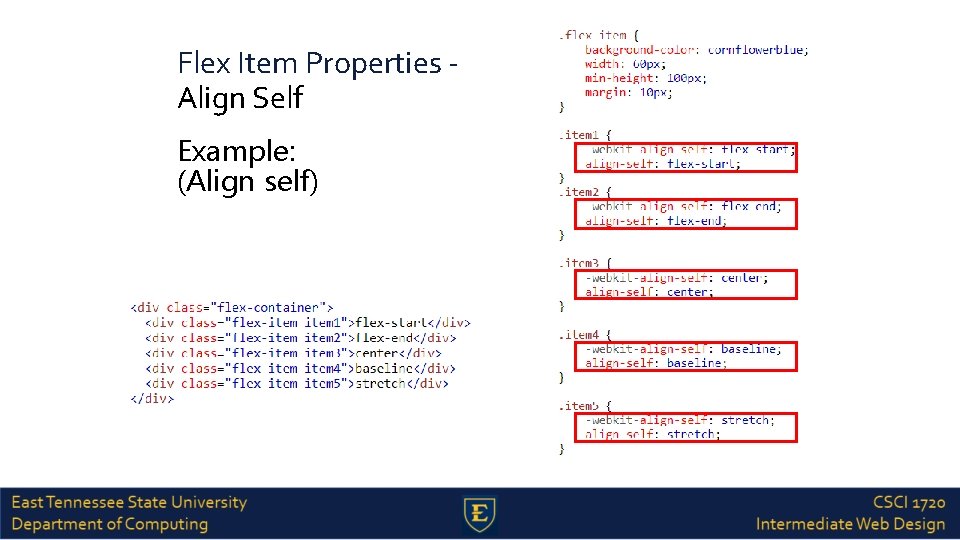
Flex Item Properties Align Self Example: (Align self)
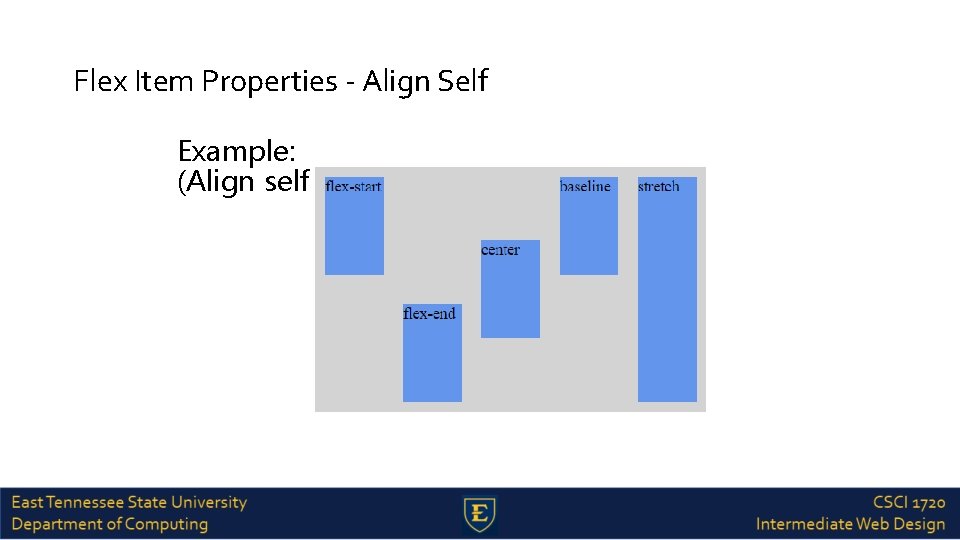
Flex Item Properties - Align Self Example: (Align self)
Flex Item Properties - Flex The flex property specifies the length of the flex item, relative to the rest of the flex items inside the same container
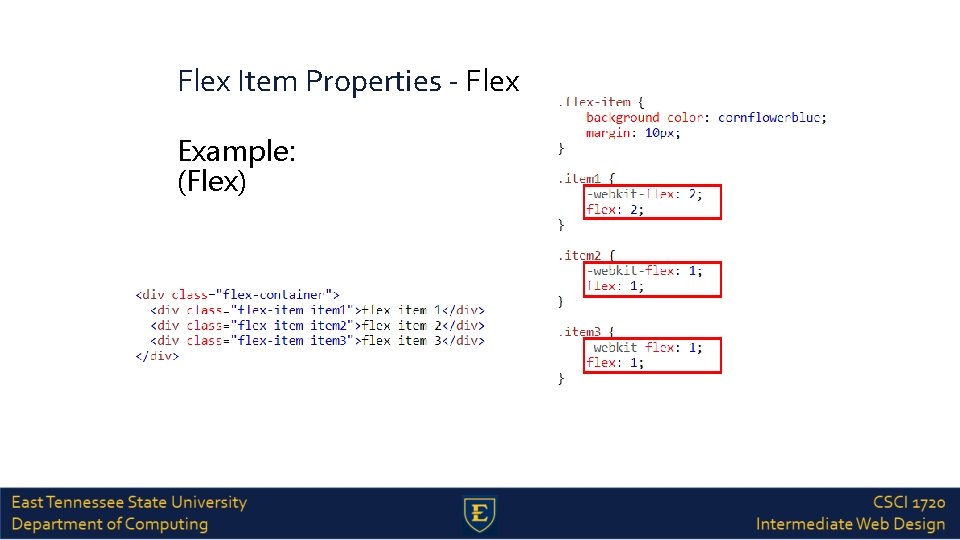
Flex Item Properties - Flex Example: (Flex)
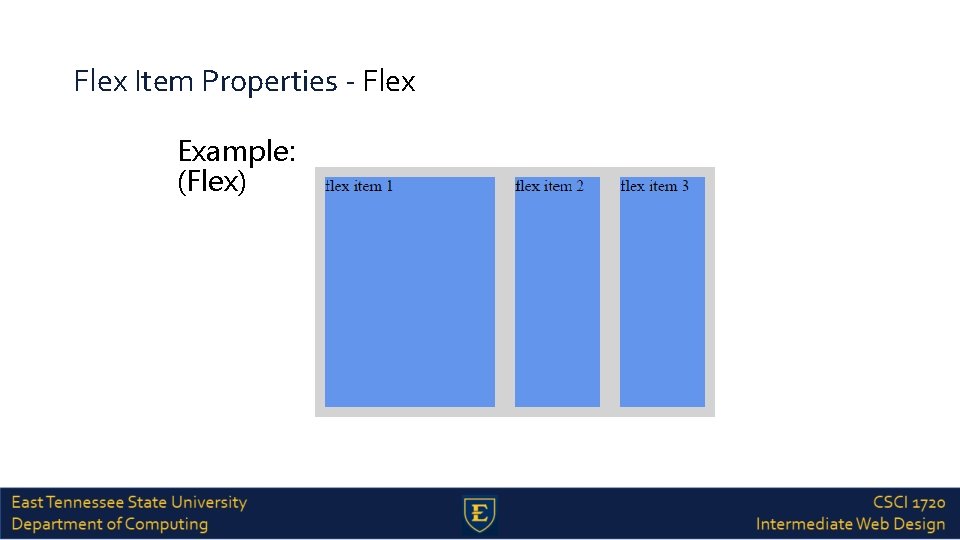
Flex Item Properties - Flex Example: (Flex)
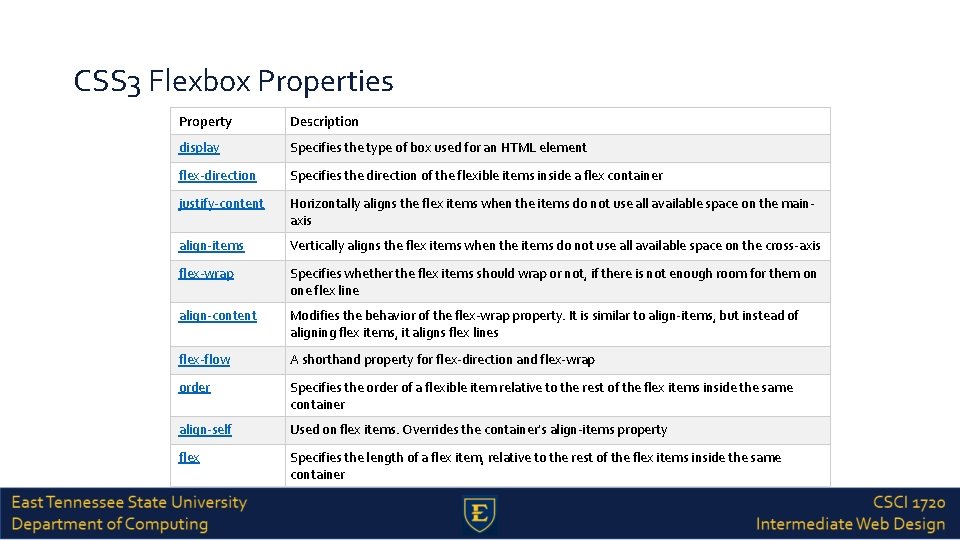
CSS 3 Flexbox Properties Property Description display Specifies the type of box used for an HTML element flex-direction Specifies the direction of the flexible items inside a flex container justify-content Horizontally aligns the flex items when the items do not use all available space on the mainaxis align-items Vertically aligns the flex items when the items do not use all available space on the cross-axis flex-wrap Specifies whether the flex items should wrap or not, if there is not enough room for them on one flex line align-content Modifies the behavior of the flex-wrap property. It is similar to align-items, but instead of aligning flex items, it aligns flex lines flex-flow A shorthand property for flex-direction and flex-wrap order Specifies the order of a flexible item relative to the rest of the flex items inside the same container align-self Used on flex items. Overrides the container's align-items property flex Specifies the length of a flex item, relative to the rest of the flex items inside the same container
Sources https: //www. w 3 schools. com/css 3_flexbox. asp
Copyrights Presentation prepared by and copyright of John Ramsey, East Tennessee State University, Department of Computing. (ramseyjw@etsu. edu) • Microsoft, Windows, Excel, Outlook, and Power. Point are registered trademarks of Microsoft Corporation. • IBM, DB 2 Universal Database, System i 5, System p 5, System x, System z 10, System z 9, z 10, z 9, i. Series, p. Series, x. Series, z. Series, e. Server, z/VM, z/OS, i 5/OS, S/390, OS/400, AS/400, S/390 Parallel Enterprise Server, Power. VM, Power Architecture, POWER 6+, POWER 6, POWER 5+, POWER 5, POWER, Open. Power, Power. PC, Batch. Pipes, Blade. Center, System Storage, GPFS, HACMP, RETAIN, DB 2 Connect, RACF, Redbooks, OS/2, Parallel Sysplex, MVS/ESA, AIX, Intelligent Miner, Web. Sphere, Netfinity, Tivoli and Informix are trademarks or registered trademarks of IBM Corporation. • Linux is the registered trademark of Linus Torvalds in the U. S. and other countries. • Oracle is a registered trademark of Oracle Corporation. • HTML, XHTML and W 3 C are trademarks or registered trademarks of W 3 C®, World Wide Web Consortium, Massachusetts Institute of Technology. • Java is a registered trademark of Sun Microsystems, Inc. • Java. Script is a registered trademark of Sun Microsystems, Inc. , used under license for technology invented and implemented by Netscape. • SAP, R/3, SAP Net. Weaver, Duet, Partner. Edge, By. Design, SAP Business By. Design, and other SAP products and services mentioned herein as well as their respective logos are trademarks or registered trademarks of SAP AG in Germany and other countries. • Business Objects and the Business Objects logo, Business. Objects, Crystal Reports, Crystal Decisions, Web Intelligence, Xcelsius, and other Business Objects products and services mentioned herein as well as their respective logos are trademarks or registered trademarks of Business Objects S. A. in the United States and in other countries. Business Objects is an SAP company. • ERPsim is a registered copyright of ERPsim Labs, HEC Montreal. • Other products mentioned in this presentation are trademarks of their respective owners.
- Slides: 65