
Flanged with Opposite Side Support Installation Instructions Quick




- Slides: 17
Flanged with Opposite Side Support Installation Instructions Quick Installation Guide 00825 -0200 -4809 rev. DB – 485 00825 -0100 -4585 rev. AA – 585
Mark the Locations for Drilling the Mounting Holes l l Mark the location for the first hole Use a pipe tape to find and mark the location of the opposite side hole
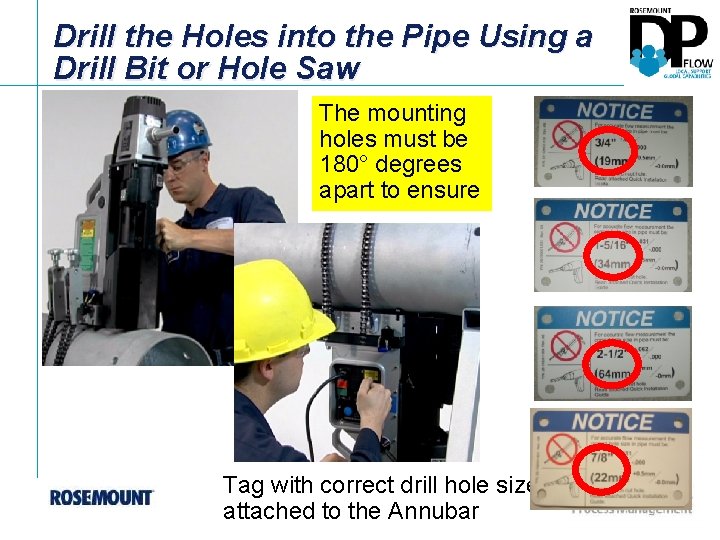
Drill the Holes into the Pipe Using a Drill Bit or Hole Saw The mounting holes must be 180° degrees apart to ensure Tag with correct drill hole size attached to the Annubar
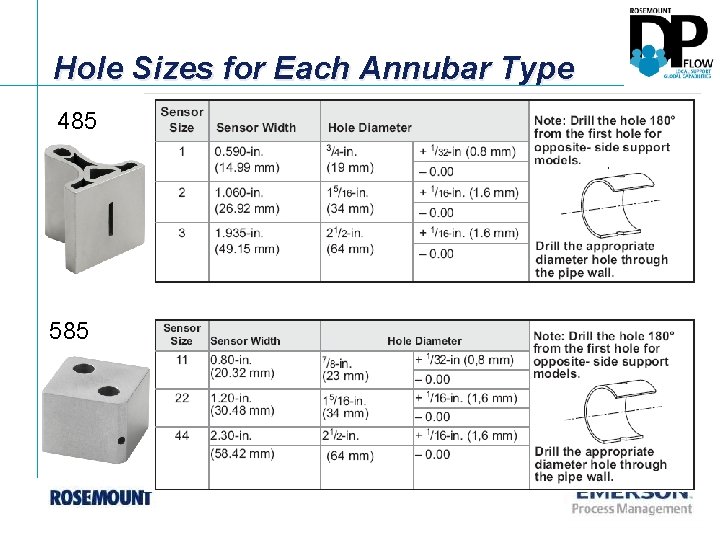
Hole Sizes for Each Annubar Type 485 585
Clean the Area with a Grinder to Prepare for the Surface for Welding
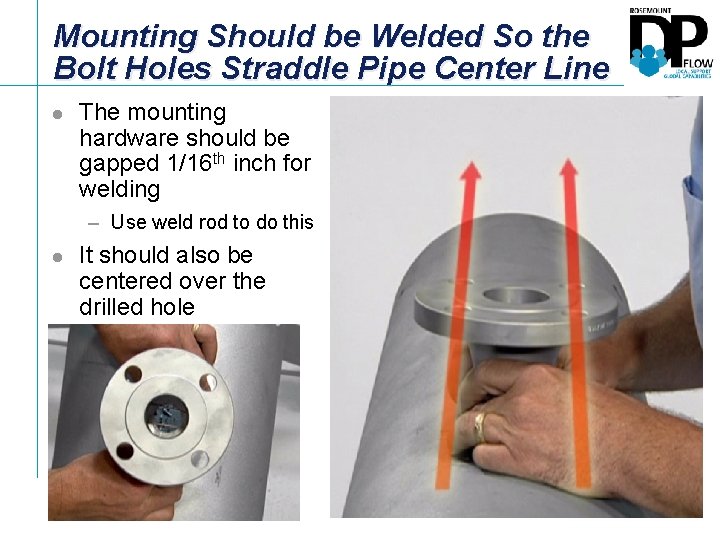
Mounting Should be Welded So the Bolt Holes Straddle Pipe Center Line l The mounting hardware should be gapped 1/16 th inch for welding – Use weld rod to do this l It should also be centered over the drilled hole
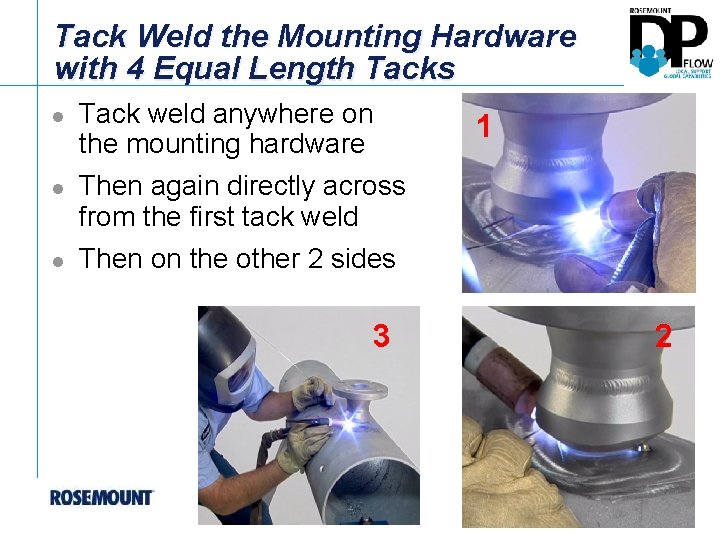
Tack Weld the Mounting Hardware with 4 Equal Length Tacks l l l Tack weld anywhere on the mounting hardware Then again directly across from the first tack weld Then on the other 2 sides 3 1 2
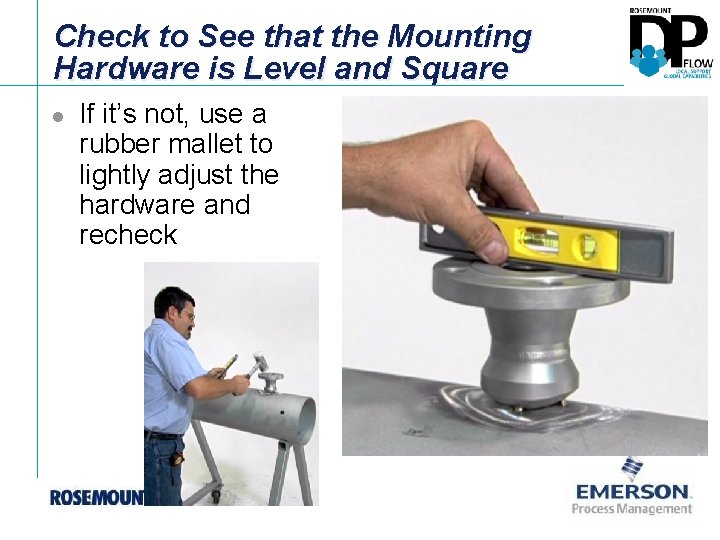
Check to See that the Mounting Hardware is Level and Square l If it’s not, use a rubber mallet to lightly adjust the hardware and recheck
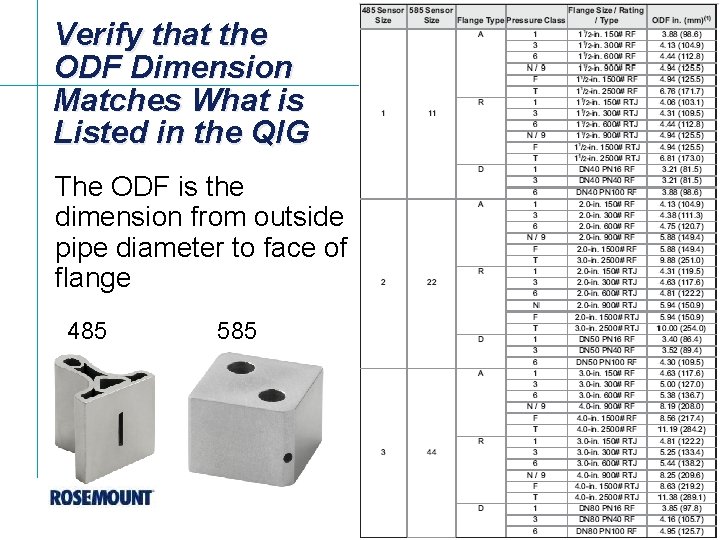
Verify that the ODF Dimension Matches What is Listed in the QIG The ODF is the dimension from outside pipe diameter to face of flange 485 585
Verify that the ODF Dimension Matches What is Listed in the QIG The ODF is the dimension from outside pipe diameter to face of flange
Complete a Continuous Weld Around the Perimeter of the Unit
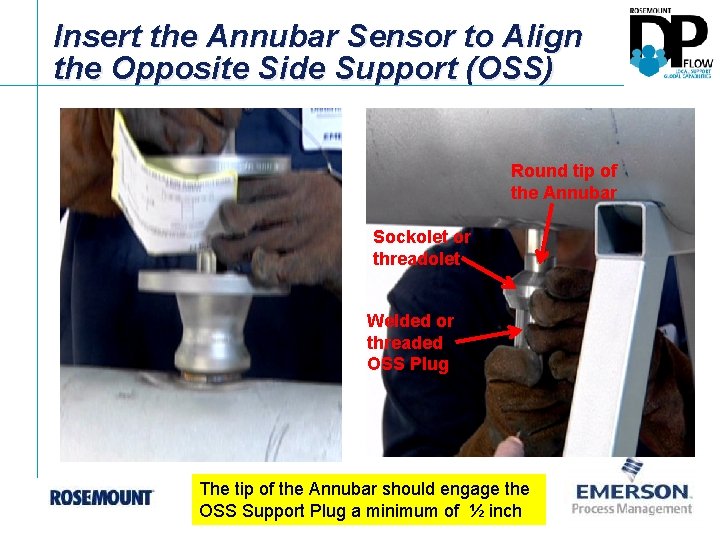
Insert the Annubar Sensor to Align the Opposite Side Support (OSS) Round tip of the Annubar Sockolet or threadolet Welded or threaded OSS Plug The tip of the Annubar should engage the OSS Support Plug a minimum of ½ inch
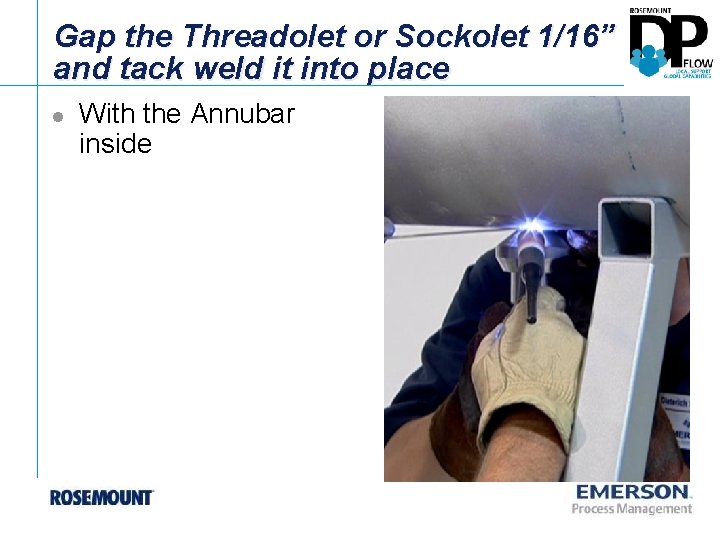
Gap the Threadolet or Sockolet 1/16” and tack weld it into place l With the Annubar inside
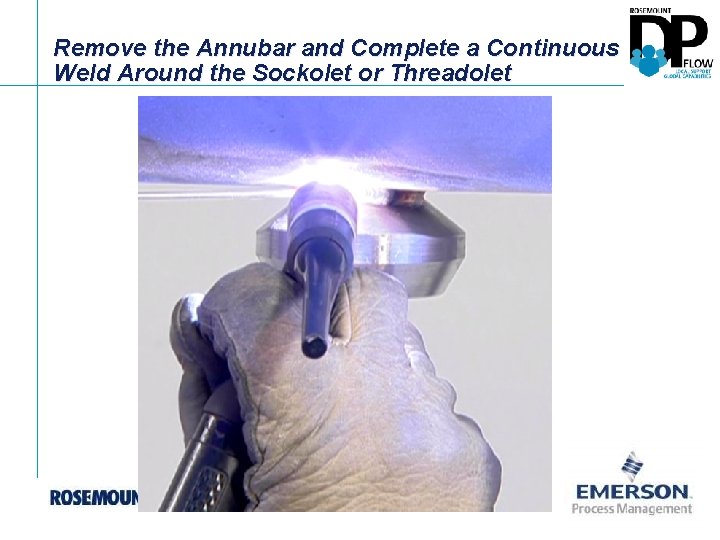
Remove the Annubar and Complete a Continuous Weld Around the Sockolet or Threadolet
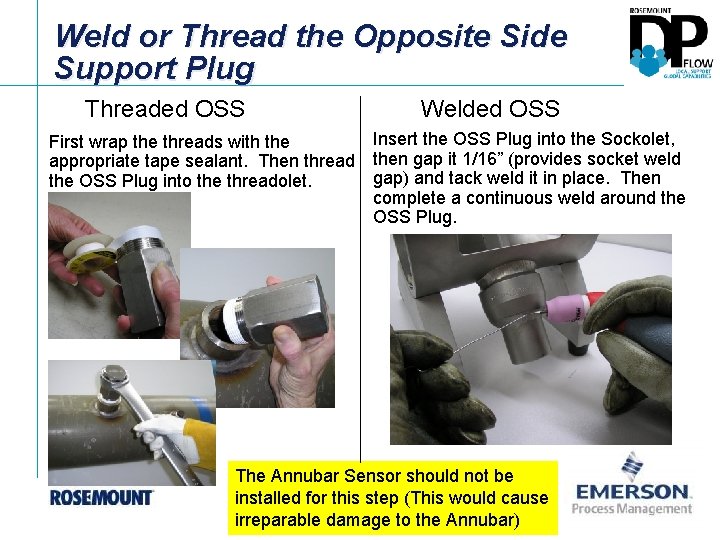
Weld or Thread the Opposite Side Support Plug Threaded OSS Welded OSS Insert the OSS Plug into the Sockolet, First wrap the threads with the appropriate tape sealant. Then thread then gap it 1/16” (provides socket weld gap) and tack weld it in place. Then the OSS Plug into the threadolet. complete a continuous weld around the OSS Plug. The Annubar Sensor should not be installed for this step (This would cause irreparable damage to the Annubar)
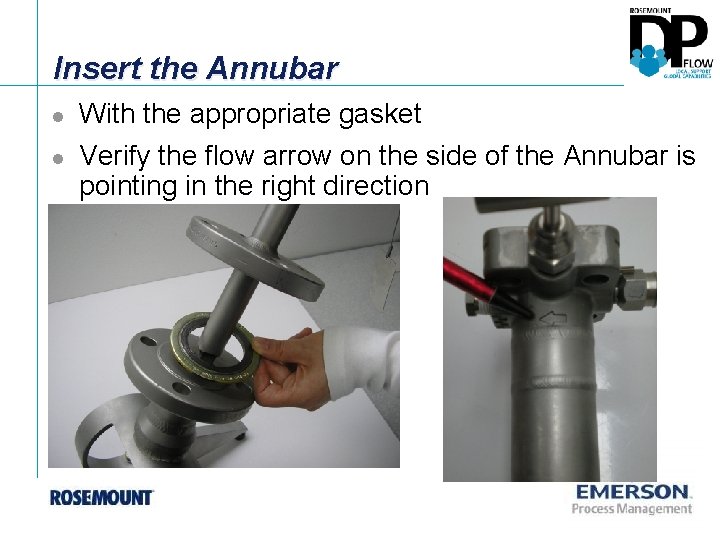
Insert the Annubar l l With the appropriate gasket Verify the flow arrow on the side of the Annubar is pointing in the right direction
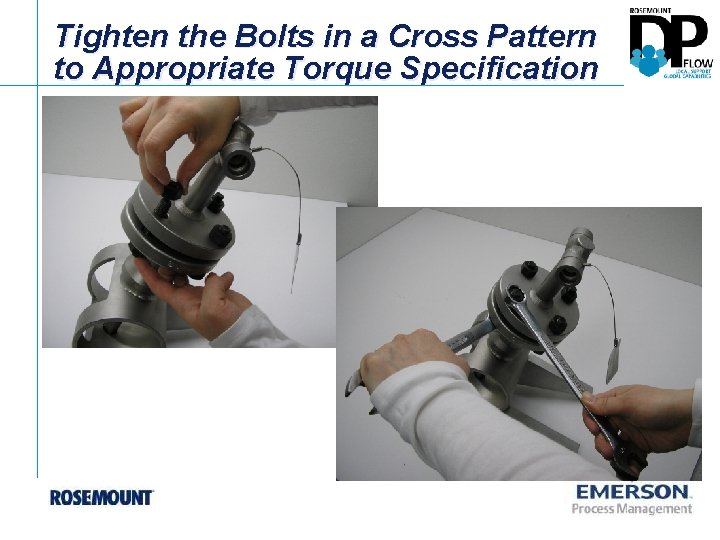
Tighten the Bolts in a Cross Pattern to Appropriate Torque Specification