
Five 9 s for SANs wo Breaking the
Five 9 s for SANs w/o Breaking the Bank Presented by Marc Staimer President & CDS (Chief Dragon Slayer) Dragon Slayer Consulting
Agenda l What is Five 9 s? l How this relates to SANs l Reality Check l What you should do
What is Five 9 s & What does it Really Mean?
Five 9 s Generally Defined l 99. 999% is another term for “High Availability”

What does “Availability” mean? l Availability is the proportion of time that a system can be used for productive work
Then what does “five 9 s” mean? l Scheduled & Unscheduled downtime does not exceed ~ 5 minutes per year l Perspective: Annual downtime = • Less time than it takes to drink a cup of coffee • 1/6 th the time of the average daily commute
What about Four 9 s or less? l Four 9 s = ~ an hour of downtime/yr l Three 9 s = ~ 9 hours of downtime/yr l Two 9 s = ~ 4 days (88 Hours) of downtime/yr
Can you live two, three, or four 9 s? …it Depends l On the Application l The types of outages you can live with l The cost of downtime for those applications l The cost of high availability such as five 9 s.
Application Availability Dependencies l Mission criticalness l Productivity loss from downtime l Alternatives
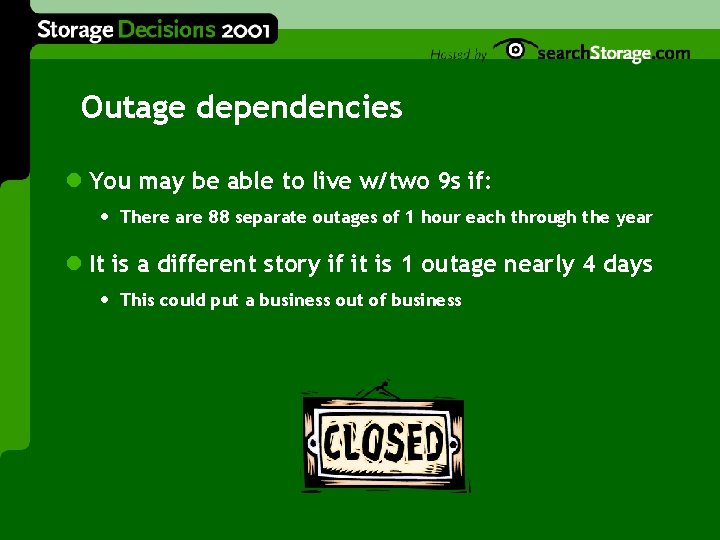
Outage dependencies l You may be able to live w/two 9 s if: • There are 88 separate outages of 1 hour each through the year l It is a different story if it is 1 outage nearly 4 days • This could put a business out of business
Cost of downtime l The cost of app downtime can be prohibitive
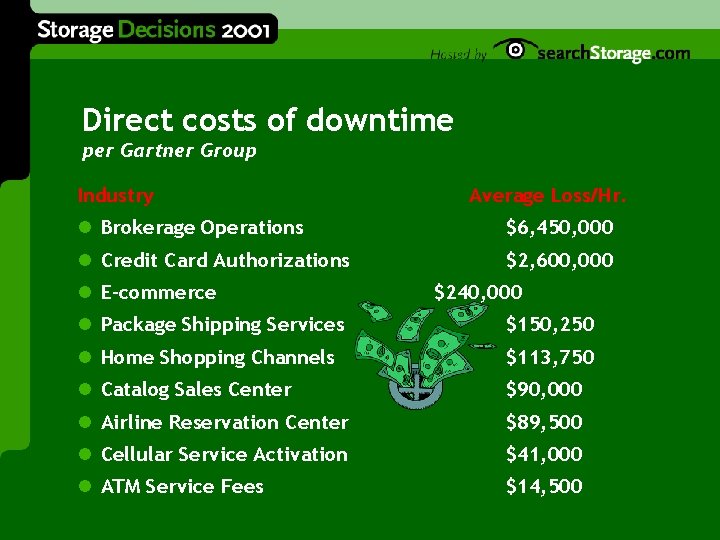
Direct costs of downtime per Gartner Group Industry Average Loss/Hr. l Brokerage Operations $6, 450, 000 l Credit Card Authorizations $2, 600, 000 l E-commerce $240, 000 l Package Shipping Services $150, 250 l Home Shopping Channels $113, 750 l Catalog Sales Center $90, 000 l Airline Reservation Center $89, 500 l Cellular Service Activation $41, 000 l ATM Service Fees $14, 500
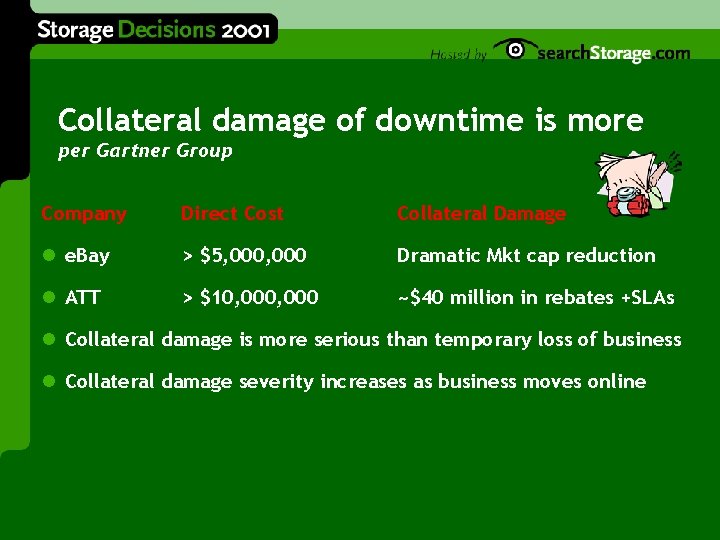
Collateral damage of downtime is more per Gartner Group Company Direct Cost Collateral Damage l e. Bay > $5, 000 Dramatic Mkt cap reduction l ATT > $10, 000 ~$40 million in rebates +SLAs l Collateral damage is more serious than temporary loss of business l Collateral damage severity increases as business moves online
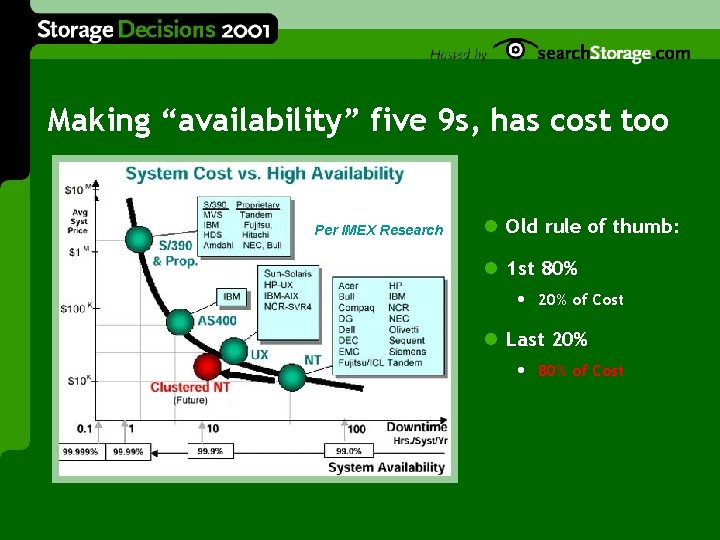
Making “availability” five 9 s, has cost too Per IMEX Research l Old rule of thumb: l 1 st 80% • 20% of Cost l Last 20% • 80% of Cost
There must be tradeoffs Per IMEX Research
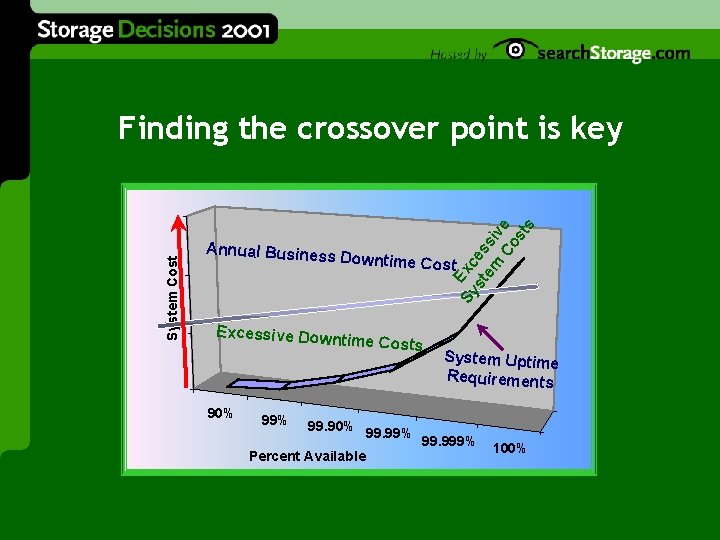
Annual Busines s Downtime Co st Excessive Dow ntime Costs 90% 99% Sy Exc st es em si v Co e st s System Cost Finding the crossover point is key 99. 90% Percent Available 99. 99% System Uptime Requirements 99. 999% 100%
How: Thorough Environment Knowledge l Systems l Hardware l Software l Data l Productivity l Direct cost of downtime and collateral damage
What about disasters & downtime Not if, when l There will eventually be a major interruption of your business environment
Test, test l Whatever your business continuity plans l Make sure you can recover your business in the event of a failure l Test, test • One end-user claims to backup to tape every month, except he backs up onto the same tape every time, even when the system asks for a new tape
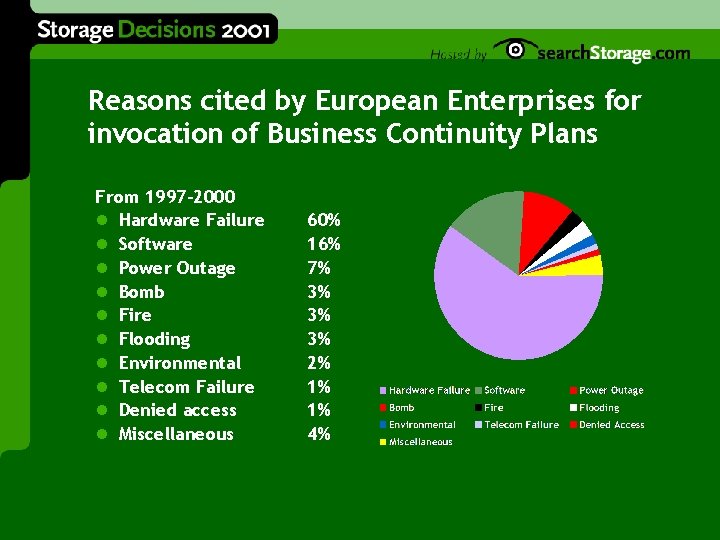
Reasons cited by European Enterprises for invocation of Business Continuity Plans From 1997 -2000 l Hardware Failure l Software l Power Outage l Bomb l Fire l Flooding l Environmental l Telecom Failure l Denied access l Miscellaneous 60% 16% 7% 3% 3% 3% 2% 1% 1% 4%
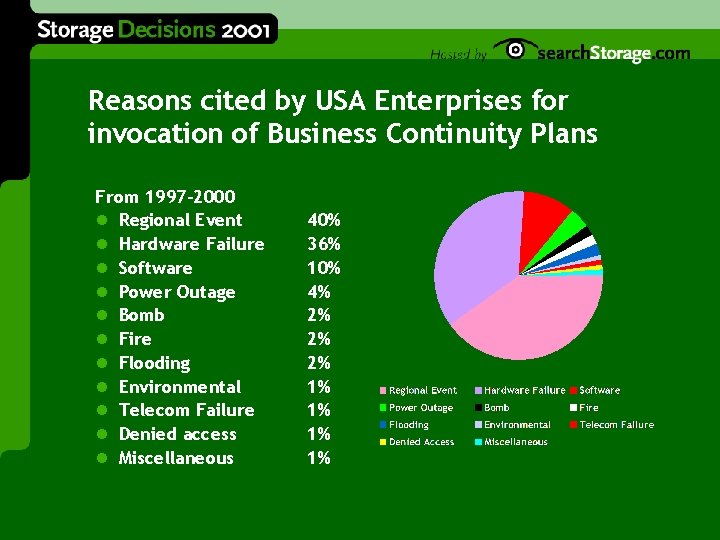
Reasons cited by USA Enterprises for invocation of Business Continuity Plans From 1997 -2000 l Regional Event l Hardware Failure l Software l Power Outage l Bomb l Fire l Flooding l Environmental l Telecom Failure l Denied access l Miscellaneous 40% 36% 10% 4% 2% 2% 2% 1% 1%
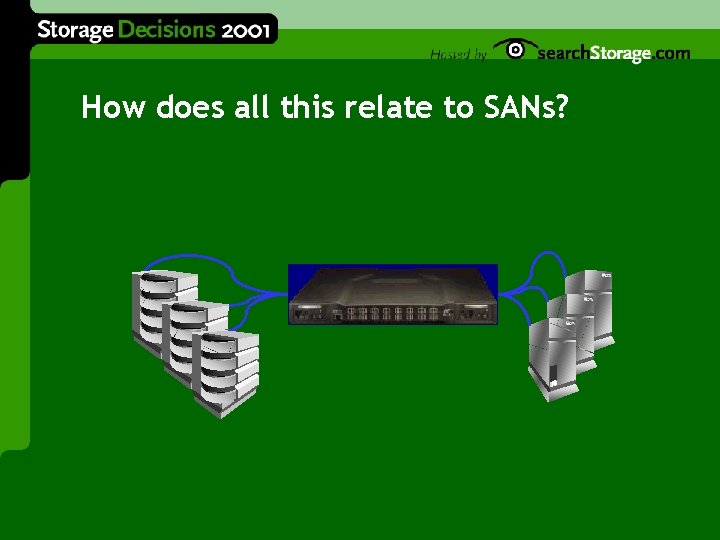
How does all this relate to SANs?
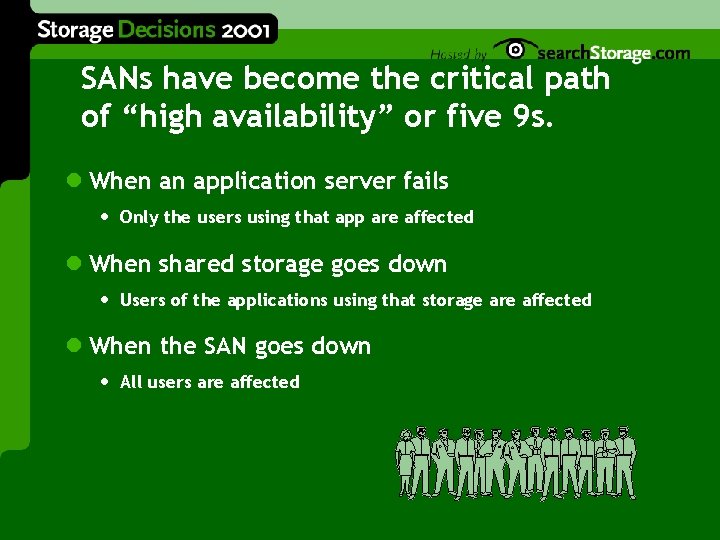
SANs have become the critical path of “high availability” or five 9 s. l When an application server fails • Only the users using that app are affected l When shared storage goes down • Users of the applications using that storage are affected l When the SAN goes down • All users are affected
Complete availability vs. high availability w/reduced capabilities l Five 9 s w/no loss of capabilities • Full Bandwidth all the time w/no pr l Five 9 s w/reduced capabilities • Reduced Bandwidth • Higher probability of path congestion l Similar to differences between RAID 0, 1 & RAID 5
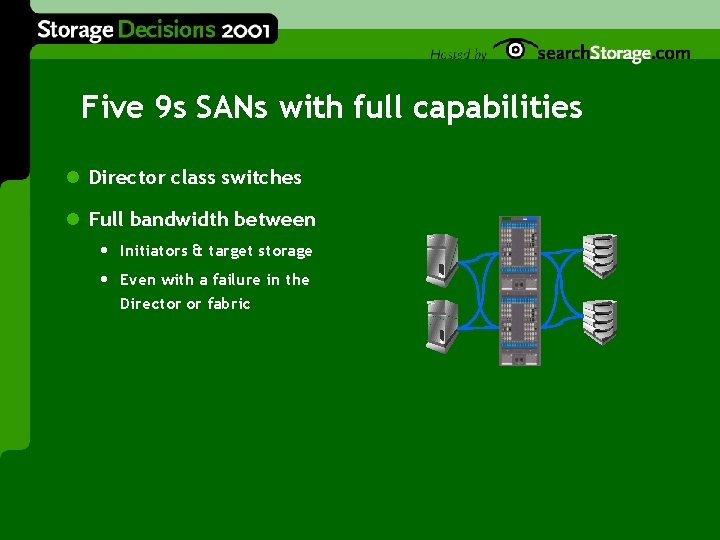
Five 9 s SANs with full capabilities l Director class switches l Full bandwidth between • Initiators & target storage • Even with a failure in the Director or fabric
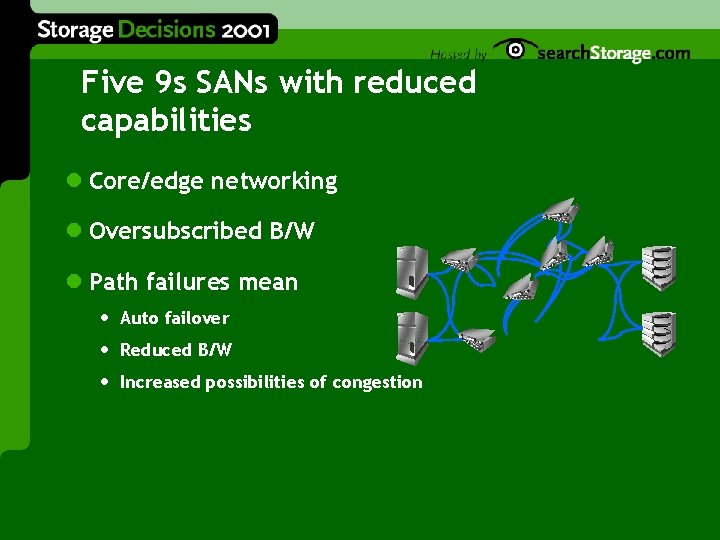
Five 9 s SANs with reduced capabilities l Core/edge networking l Oversubscribed B/W l Path failures mean • Auto failover • Reduced B/W • Increased possibilities of congestion
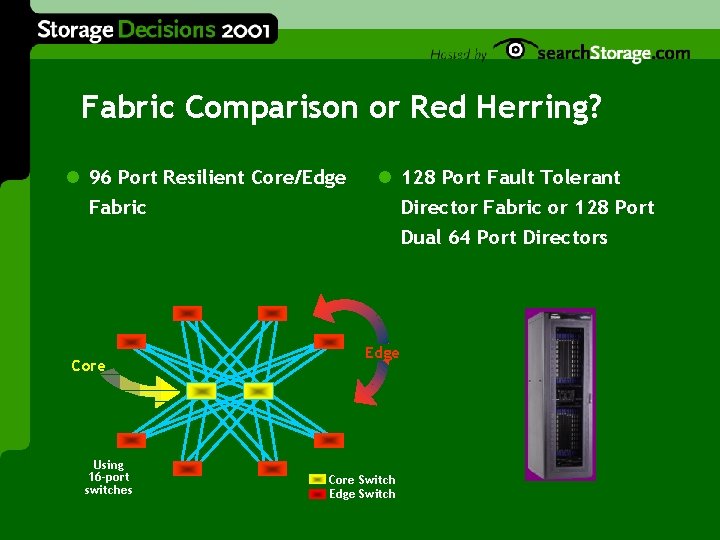
Fabric Comparison or Red Herring? l 96 Port Resilient Core/Edge Fabric Core Using 16 -port switches l 128 Port Fault Tolerant Director Fabric or 128 Port Dual 64 Port Directors Edge Core Switch Edge Switch
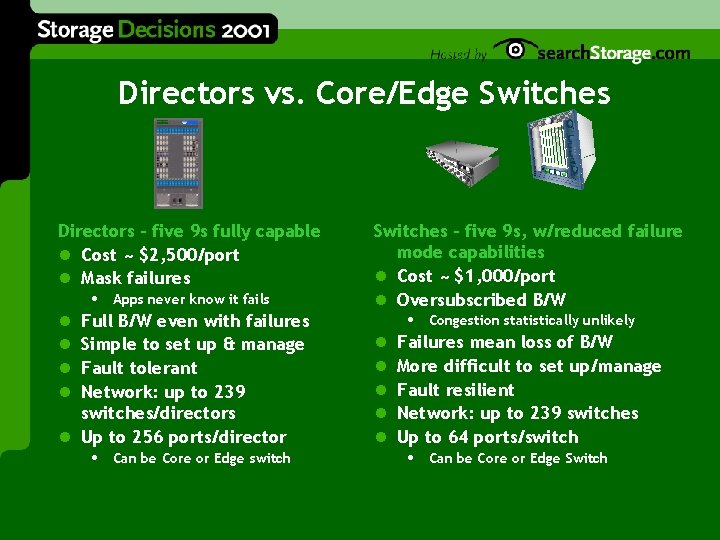
Directors vs. Core/Edge Switches Directors - five 9 s fully capable l Cost ~ $2, 500/port l Mask failures • Apps never know it fails l Full B/W even with failures l Simple to set up & manage l Fault tolerant l Network: up to 239 switches/directors l Up to 256 ports/director • Can be Core or Edge switch Switches - five 9 s, w/reduced failure mode capabilities l Cost ~ $1, 000/port l Oversubscribed B/W • Congestion statistically unlikely l Failures mean loss of B/W l More difficult to set up/manage l Fault resilient l Network: up to 239 switches l Up to 64 ports/switch • Can be Core or Edge Switch
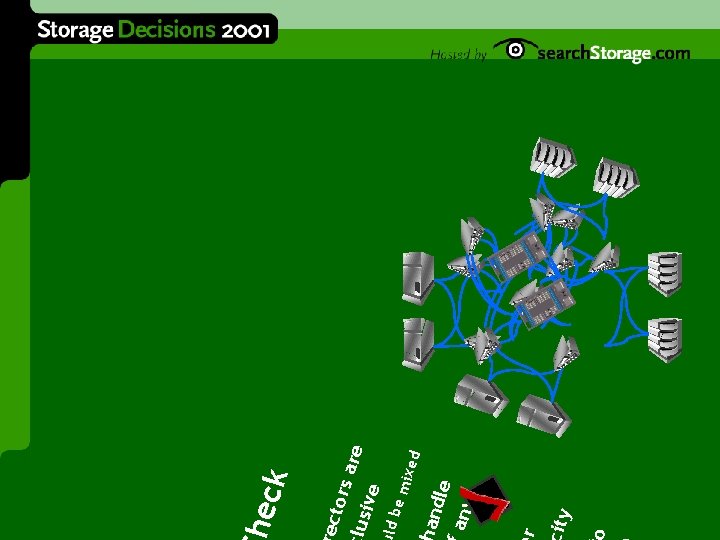
ixed em ity r and le any ld b ecto rs a re lusiv e eck
Fabric Design “five 9 s” Factors l The larger the switch/director nodes • The less likely there will be inter-switch/director traffic • The more oversubscribed your fabric can be w/o increased risk • The more important “HA” becomes in the node itself l FSPF has limited failover capabilities • The loss of a path in the fabric (ISL failure) will cause failover • Failover may not be fast enough to avoid SCSI device timeout • Edge device retransmissions or failover must be designed in
The Key is determining where to implement with what & when l Use the same ROE as before l Thorough knowledge of the data & environment • Hardware, software, systems, etc. l Match the type of SAN to the application
What you should do l Educate yourself about your data & environment l Design your SANs to meet the needs of the business • Provide five 9 s with full capability for those apps that need it • Provide five 9 s with less than full capability for those apps that don’t need it l Making your entire SAN environment completely five 9 s w/no loss of capabilities could be cost prohibitive
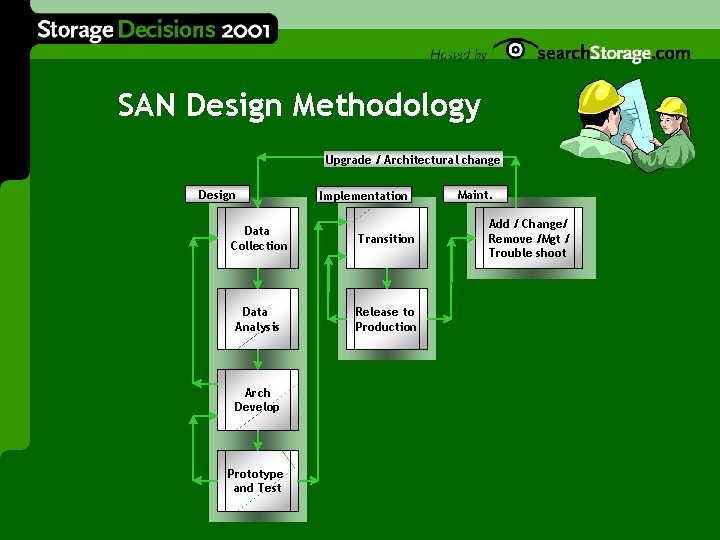
SAN Design Methodology Upgrade / Architectural change Design Implementation Data Collection Transition Data Analysis Release to Production Arch Develop Prototype and Test Maint. Add / Change/ Remove /Mgt / Trouble shoot
Other tools you can use l Interactive online high availability interrogator • Helps determine the cost of your downtime l White papers • http: //www. available. com
Marc Staimer marcstaimer@earthlink. net 503 -579 -3763
- Slides: 35