
FITSPA Module 7 Information System Continuous Monitoring ISCM
- Slides: 54
FITSP-A Module 7 Information System Continuous Monitoring (ISCM)
Leadership “Continuous monitoring is the backbone of true security. ” -Vivek Kundra Federal CIO
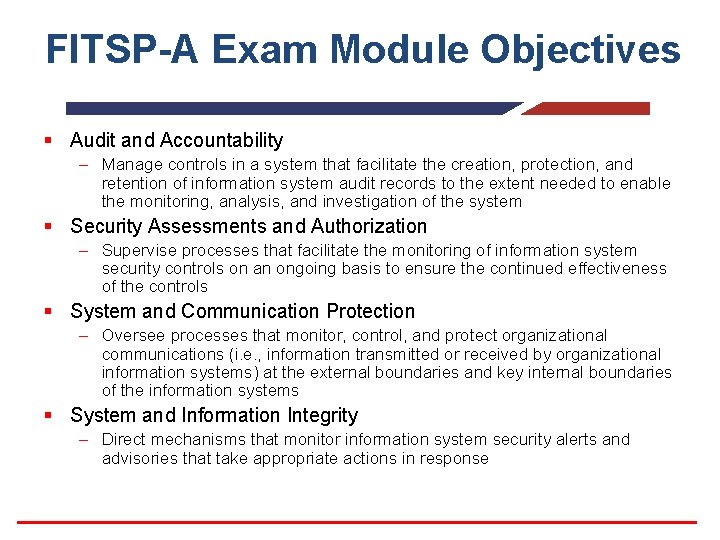
FITSP-A Exam Module Objectives § Audit and Accountability – Manage controls in a system that facilitate the creation, protection, and retention of information system audit records to the extent needed to enable the monitoring, analysis, and investigation of the system § Security Assessments and Authorization – Supervise processes that facilitate the monitoring of information system security controls on an ongoing basis to ensure the continued effectiveness of the controls § System and Communication Protection – Oversee processes that monitor, control, and protect organizational communications (i. e. , information transmitted or received by organizational information systems) at the external boundaries and key internal boundaries of the information systems § System and Information Integrity – Direct mechanisms that monitor information system security alerts and advisories that take appropriate actions in response
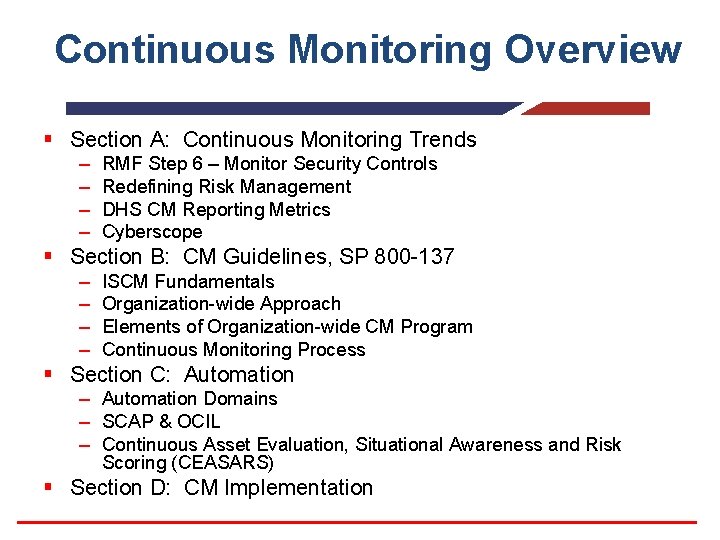
Continuous Monitoring Overview § Section A: Continuous Monitoring Trends – – RMF Step 6 – Monitor Security Controls Redefining Risk Management DHS CM Reporting Metrics Cyberscope § Section B: CM Guidelines, SP 800 -137 – – ISCM Fundamentals Organization-wide Approach Elements of Organization-wide CM Program Continuous Monitoring Process § Section C: Automation – Automation Domains – SCAP & OCIL – Continuous Asset Evaluation, Situational Awareness and Risk Scoring (CEASARS) § Section D: CM Implementation
Section A CONTINUOUS MONITORING TRENDS
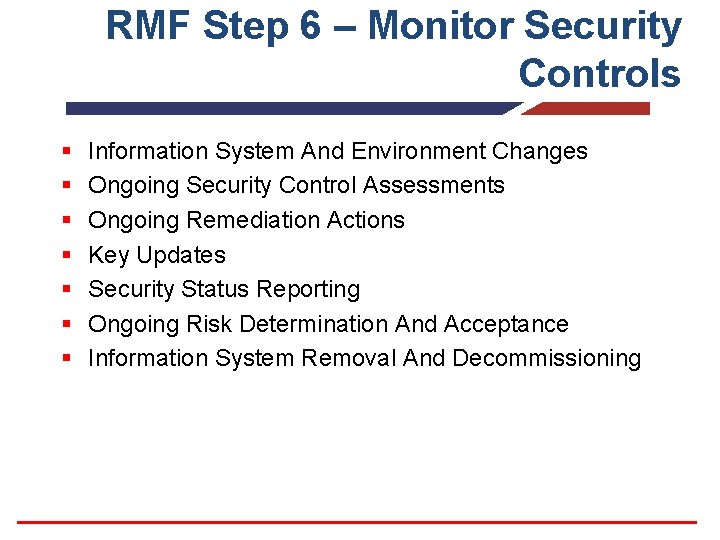
RMF Step 6 – Monitor Security Controls § § § § Information System And Environment Changes Ongoing Security Control Assessments Ongoing Remediation Actions Key Updates Security Status Reporting Ongoing Risk Determination And Acceptance Information System Removal And Decommissioning
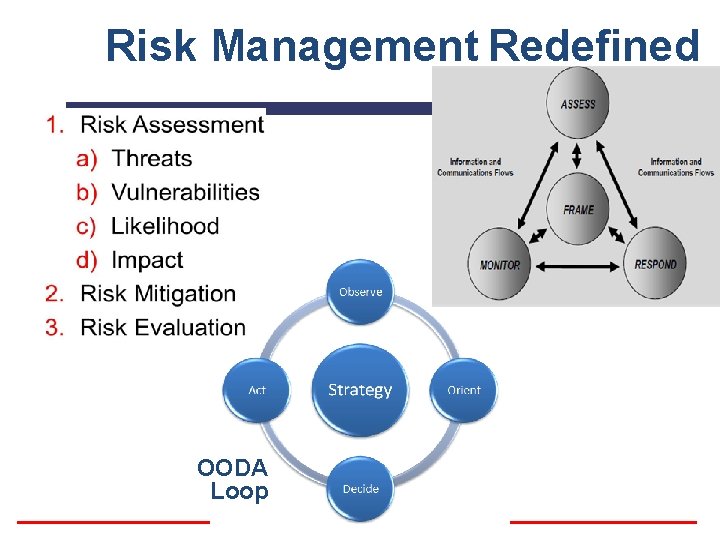
Risk Management Redefined OODA Loop
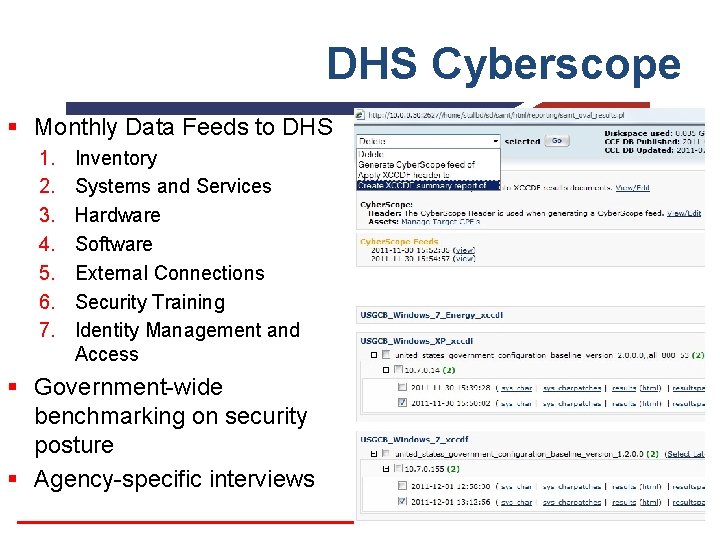
DHS Cyberscope § Monthly Data Feeds to DHS 1. 2. 3. 4. 5. 6. 7. Inventory Systems and Services Hardware Software External Connections Security Training Identity Management and Access § Government-wide benchmarking on security posture § Agency-specific interviews
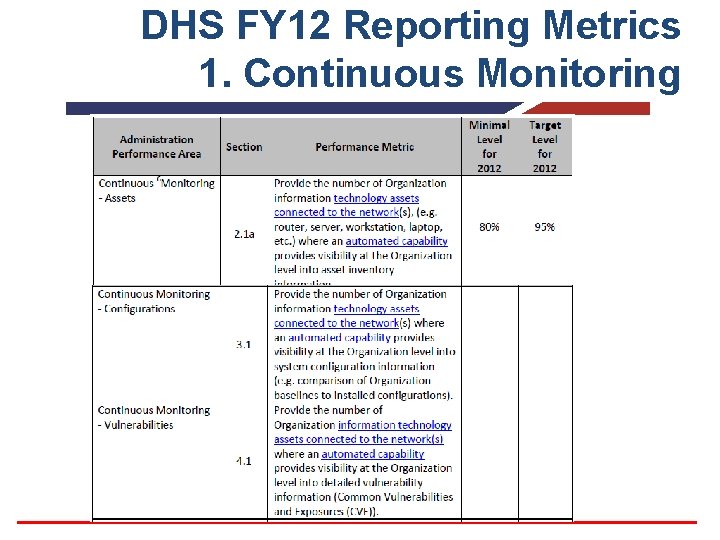
DHS FY 12 Reporting Metrics 1. Continuous Monitoring
Knowledge Check § Name the components of the new risk management model. § Name the reporting tool, which automates Agency FISMA reporting directly to the DHS. § What 3 Continuous Monitoring metrics will DHS expect agencies to report for FY 2012?
Section B THE CM GUIDELINES SP 800 -137
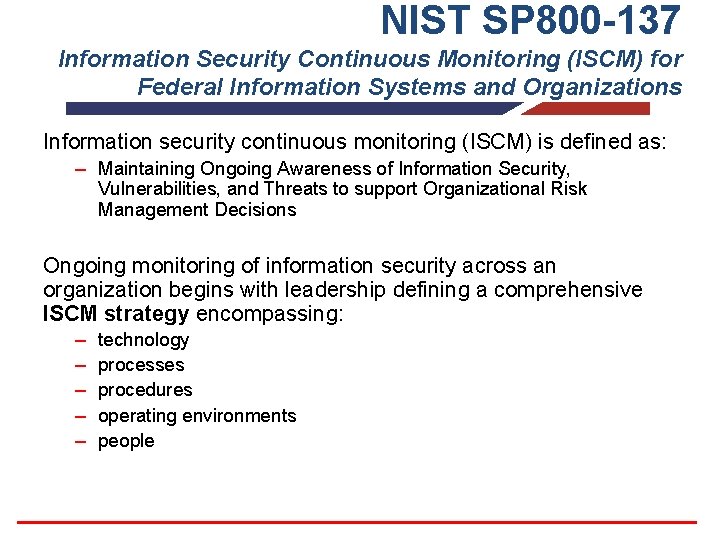
NIST SP 800 -137 Information Security Continuous Monitoring (ISCM) for Federal Information Systems and Organizations Information security continuous monitoring (ISCM) is defined as: – Maintaining Ongoing Awareness of Information Security, Vulnerabilities, and Threats to support Organizational Risk Management Decisions Ongoing monitoring of information security across an organization begins with leadership defining a comprehensive ISCM strategy encompassing: – – – technology processes procedures operating environments people
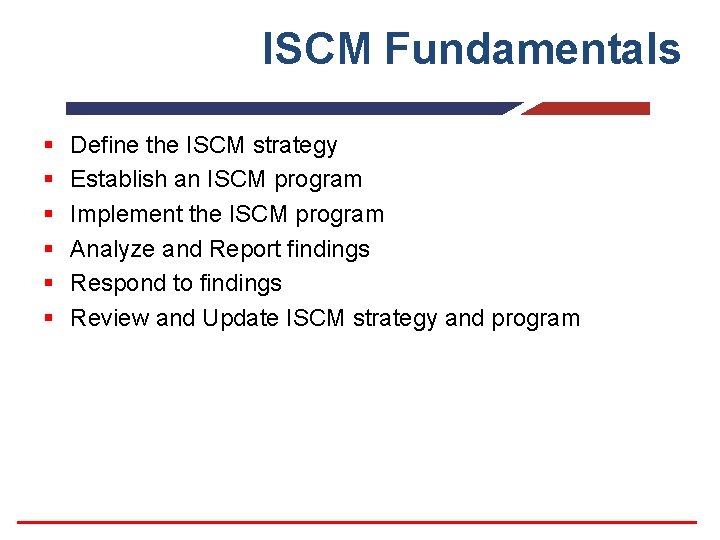
ISCM Fundamentals § § § Define the ISCM strategy Establish an ISCM program Implement the ISCM program Analyze and Report findings Respond to findings Review and Update ISCM strategy and program
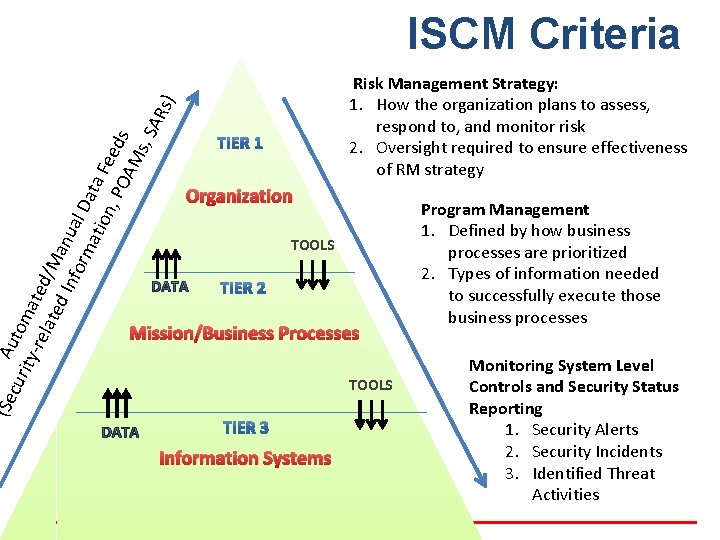
cur Auto ity- ma rel ted ate /M d In anu for al D ma tio ata Fe n, P e OA ds Ms , SA Rs) ISCM Criteria Risk Management Strategy: 1. How the organization plans to assess, respond to, and monitor risk 2. Oversight required to ensure effectiveness of RM strategy Organization TOOLS (Se Mission/Business Processes Information Systems TOOLS Program Management 1. Defined by how business processes are prioritized 2. Types of information needed to successfully execute those business processes Monitoring System Level Controls and Security Status Reporting 1. Security Alerts 2. Security Incidents 3. Identified Threat Activities
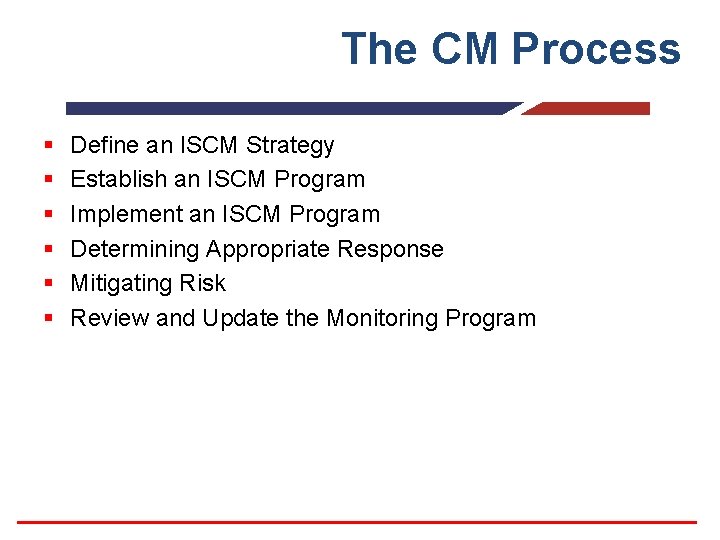
The CM Process § § § Define an ISCM Strategy Establish an ISCM Program Implement an ISCM Program Determining Appropriate Response Mitigating Risk Review and Update the Monitoring Program
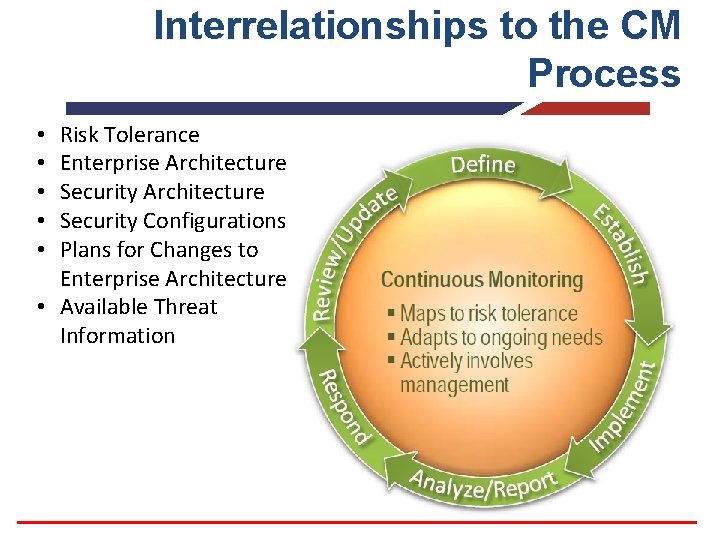
Interrelationships to the CM Process Risk Tolerance Enterprise Architecture Security Configurations Plans for Changes to Enterprise Architecture • Available Threat Information • • •
Section C AUTOMATION
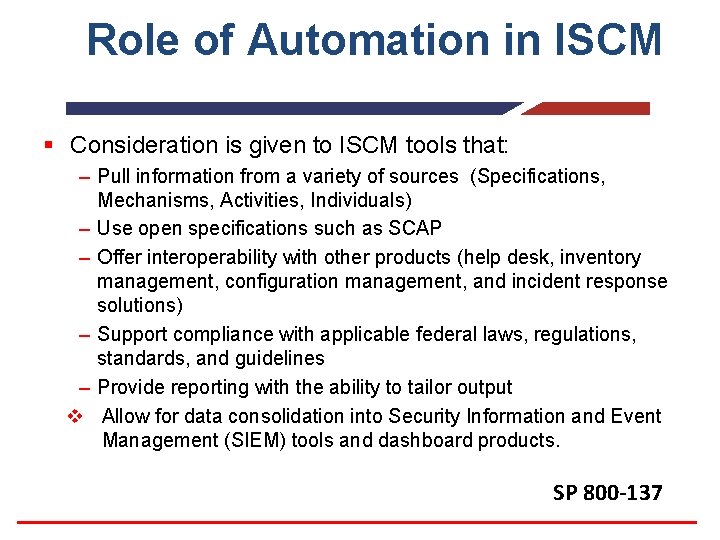
Role of Automation in ISCM § Consideration is given to ISCM tools that: – Pull information from a variety of sources (Specifications, Mechanisms, Activities, Individuals) – Use open specifications such as SCAP – Offer interoperability with other products (help desk, inventory management, configuration management, and incident response solutions) – Support compliance with applicable federal laws, regulations, standards, and guidelines – Provide reporting with the ability to tailor output v Allow for data consolidation into Security Information and Event Management (SIEM) tools and dashboard products. SP 800 -137
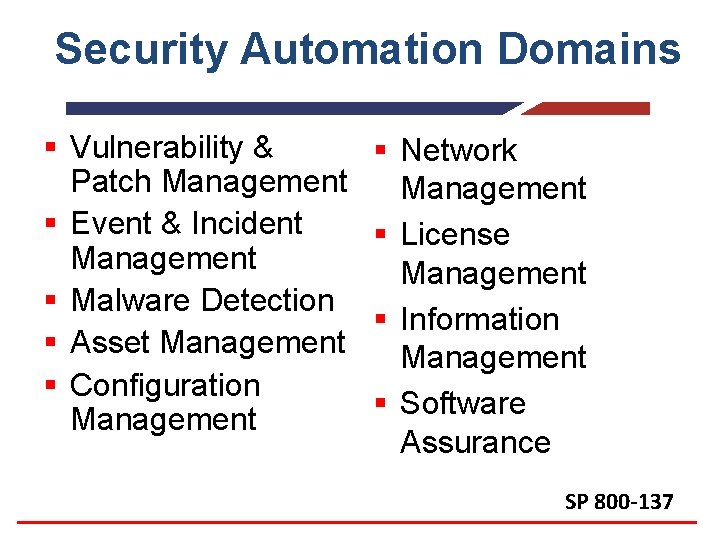
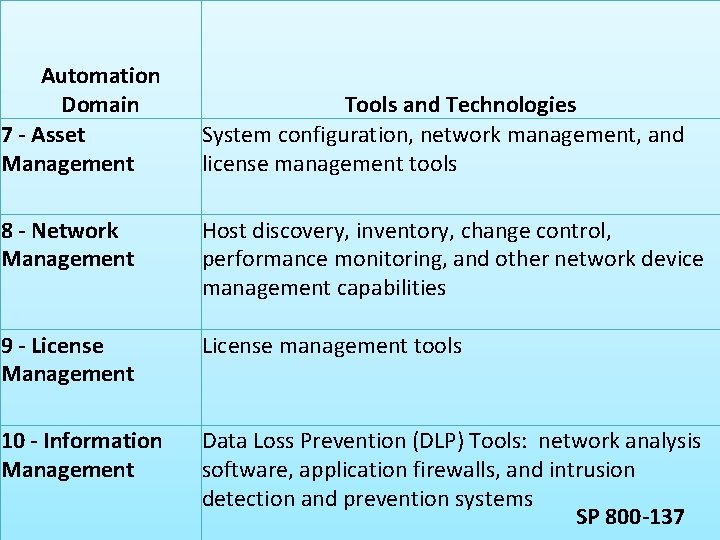
Security Automation Domains § Vulnerability & Patch Management § Event & Incident Management § Malware Detection § Asset Management § Configuration Management § Network Management § License Management § Information Management § Software Assurance SP 800 -137
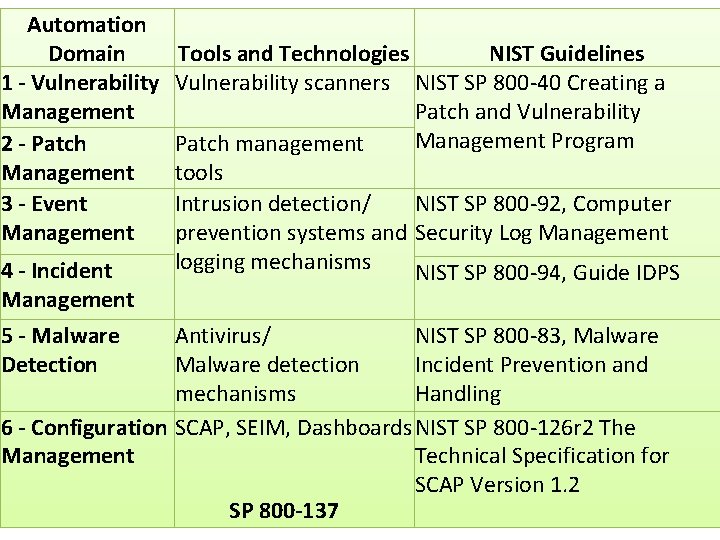
Automation Domain 1 - Vulnerability Management 2 - Patch Management 3 - Event Management 4 - Incident Management 5 - Malware Detection Tools and Technologies NIST Guidelines Vulnerability scanners NIST SP 800 -40 Creating a Patch and Vulnerability Management Program Patch management tools Intrusion detection/ NIST SP 800 -92, Computer prevention systems and Security Log Management logging mechanisms NIST SP 800 -94, Guide IDPS Antivirus/ NIST SP 800 -83, Malware detection Incident Prevention and mechanisms Handling 6 - Configuration SCAP, SEIM, Dashboards NIST SP 800 -126 r 2 The Management Technical Specification for SCAP Version 1. 2 SP 800 -137
Automation Domain 7 - Asset Management Tools and Technologies System configuration, network management, and license management tools 8 - Network Management Host discovery, inventory, change control, performance monitoring, and other network device management capabilities 9 - License Management License management tools 10 - Information Management Data Loss Prevention (DLP) Tools: network analysis software, application firewalls, and intrusion detection and prevention systems SP 800 -137
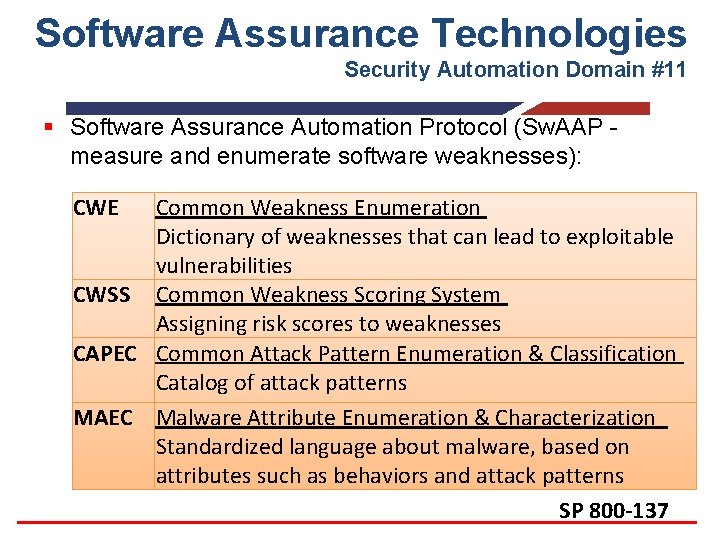
Software Assurance Technologies Security Automation Domain #11 § Software Assurance Automation Protocol (Sw. AAP measure and enumerate software weaknesses): CWE Common Weakness Enumeration Dictionary of weaknesses that can lead to exploitable vulnerabilities CWSS Common Weakness Scoring System Assigning risk scores to weaknesses CAPEC Common Attack Pattern Enumeration & Classification Catalog of attack patterns MAEC Malware Attribute Enumeration & Characterization Standardized language about malware, based on attributes such as behaviors and attack patterns SP 800 -137
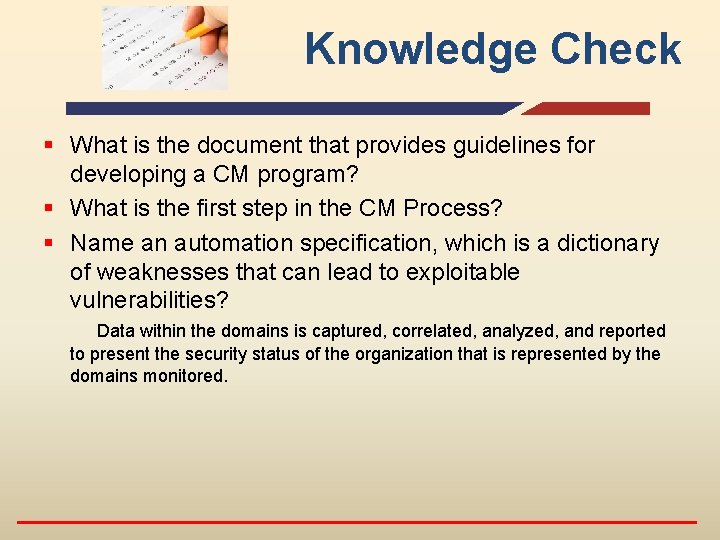
Knowledge Check § What is the document that provides guidelines for developing a CM program? § What is the first step in the CM Process? § Name an automation specification, which is a dictionary of weaknesses that can lead to exploitable vulnerabilities? Data within the domains is captured, correlated, analyzed, and reported to present the security status of the organization that is represented by the domains monitored.
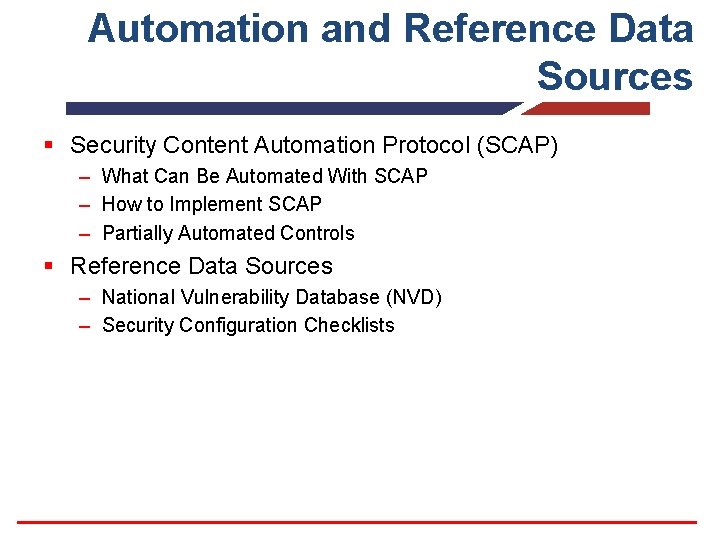
Automation and Reference Data Sources § Security Content Automation Protocol (SCAP) – What Can Be Automated With SCAP – How to Implement SCAP – Partially Automated Controls § Reference Data Sources – National Vulnerability Database (NVD) – Security Configuration Checklists
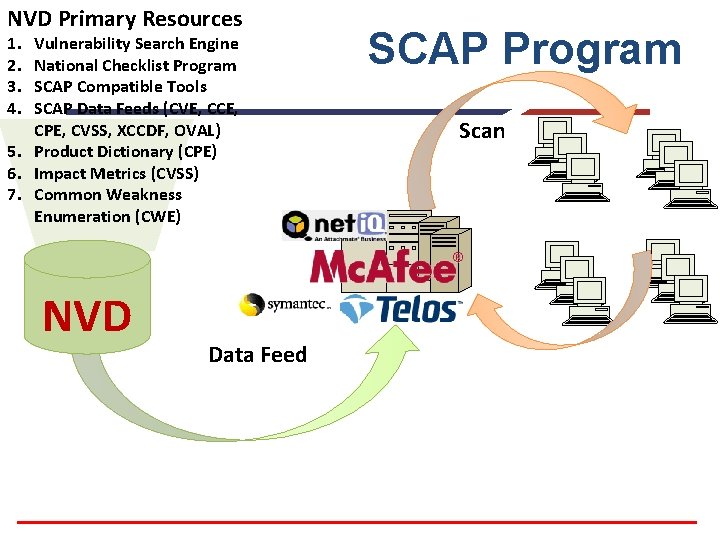
NVD Primary Resources 1. 2. 3. 4. Vulnerability Search Engine National Checklist Program SCAP Compatible Tools SCAP Data Feeds (CVE, CCE, CPE, CVSS, XCCDF, OVAL) 5. Product Dictionary (CPE) 6. Impact Metrics (CVSS) 7. Common Weakness Enumeration (CWE) NVD Data Feed SCAP Program Scan
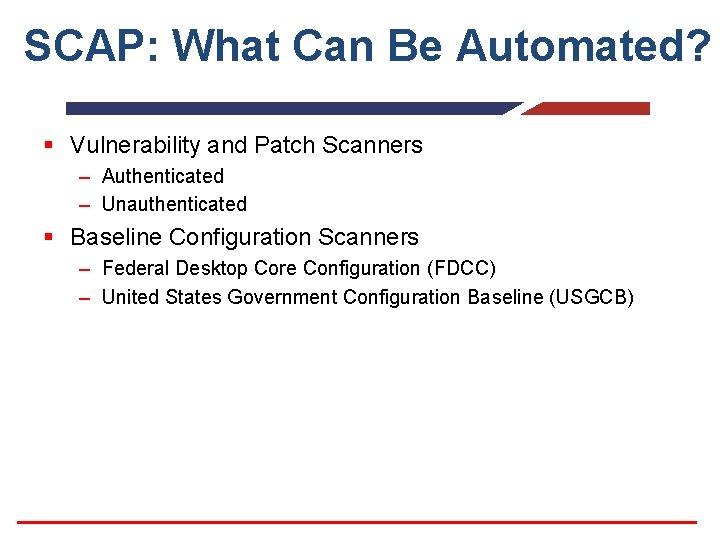
SCAP: What Can Be Automated? § Vulnerability and Patch Scanners – Authenticated – Unauthenticated § Baseline Configuration Scanners – Federal Desktop Core Configuration (FDCC) – United States Government Configuration Baseline (USGCB)
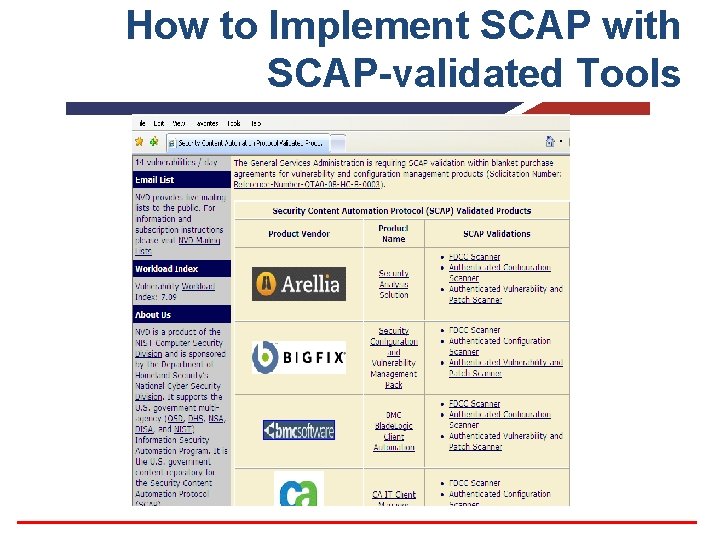
How to Implement SCAP with SCAP-validated Tools
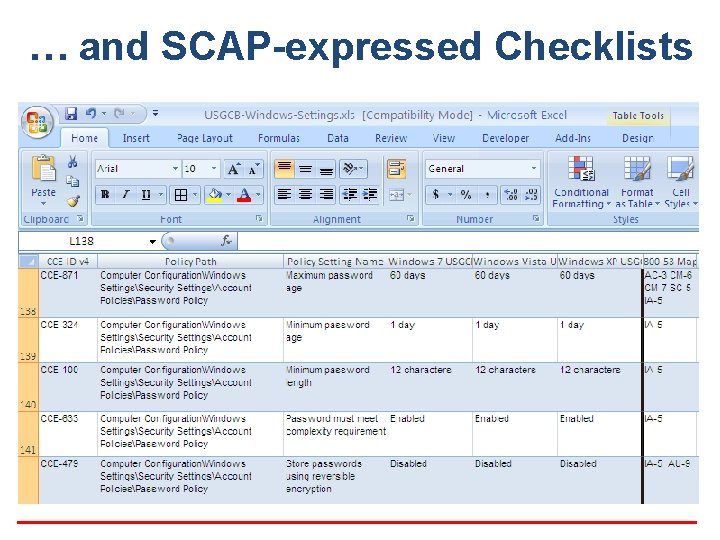
… and SCAP-expressed Checklists
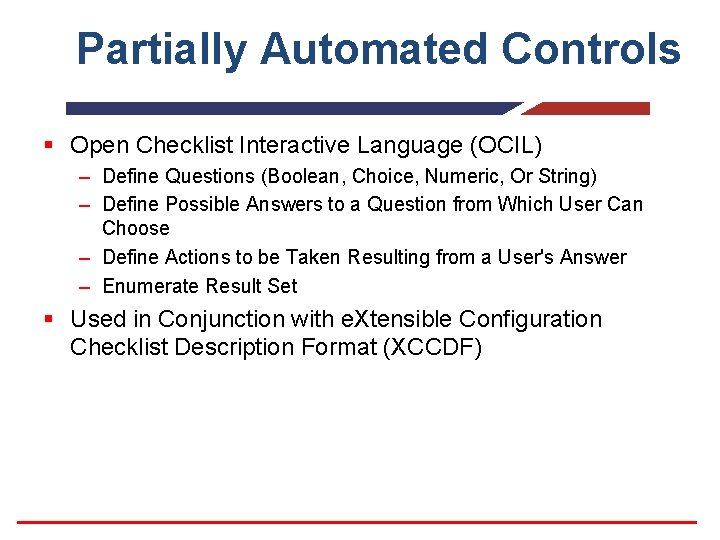
Partially Automated Controls § Open Checklist Interactive Language (OCIL) – Define Questions (Boolean, Choice, Numeric, Or String) – Define Possible Answers to a Question from Which User Can Choose – Define Actions to be Taken Resulting from a User's Answer – Enumerate Result Set § Used in Conjunction with e. Xtensible Configuration Checklist Description Format (XCCDF)
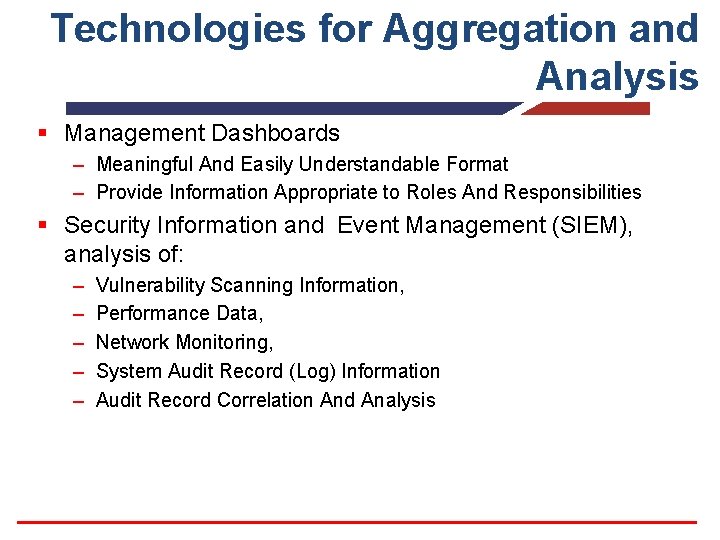
Technologies for Aggregation and Analysis § Management Dashboards – Meaningful And Easily Understandable Format – Provide Information Appropriate to Roles And Responsibilities § Security Information and Event Management (SIEM), analysis of: – – – Vulnerability Scanning Information, Performance Data, Network Monitoring, System Audit Record (Log) Information Audit Record Correlation And Analysis
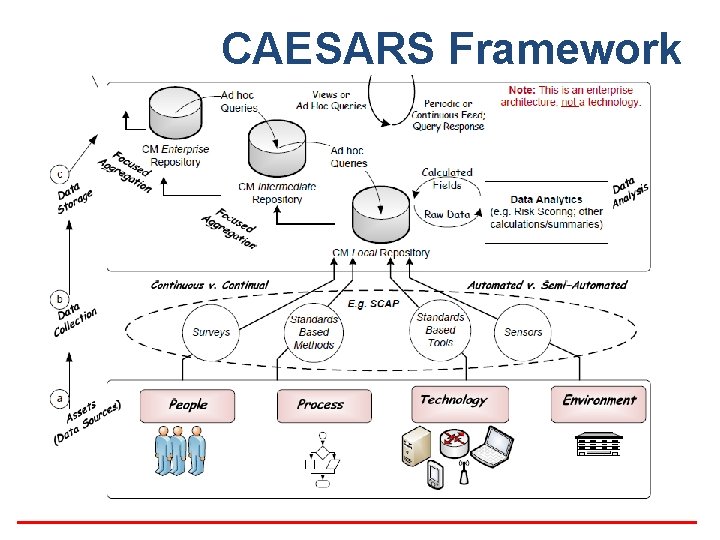
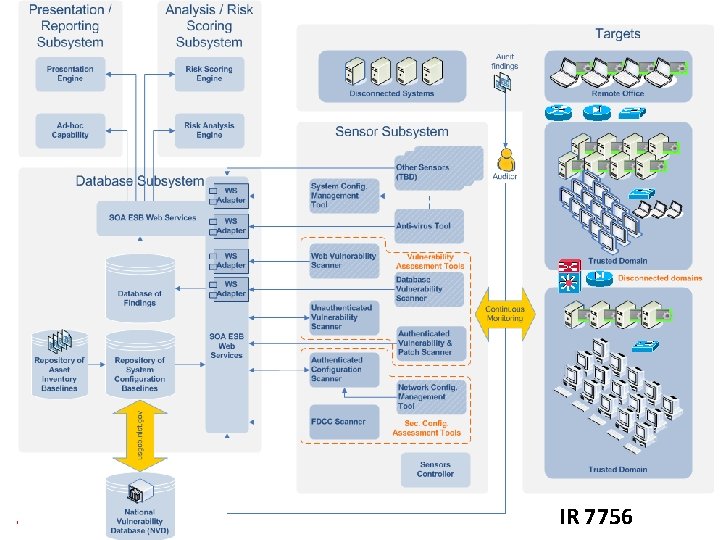
CAESARS Framework
IR 7756
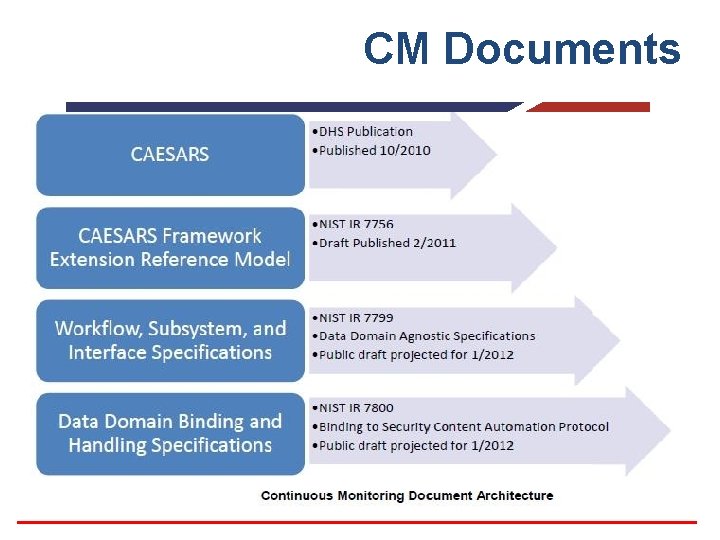
CM Documents
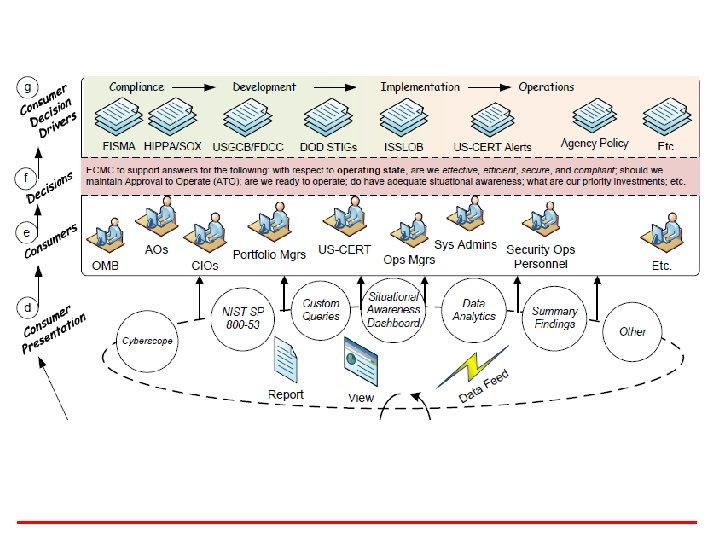
Knowledge Check § Name the set of specifications used to standardize the communication of software flaws and security configurations. § What is the name of the U. S. government repository of standards-based vulnerability management data represented using the SCAP specifications? § Name an ISCM reference model that provides a foundation for a continuous monitoring reference model that aims to enable organizations to aggregate collected data from across a diverse set of security tools, analyze that data, perform scoring, enable user queries, and provide overall situational awareness.
Section D CM IMPLEMENTATION
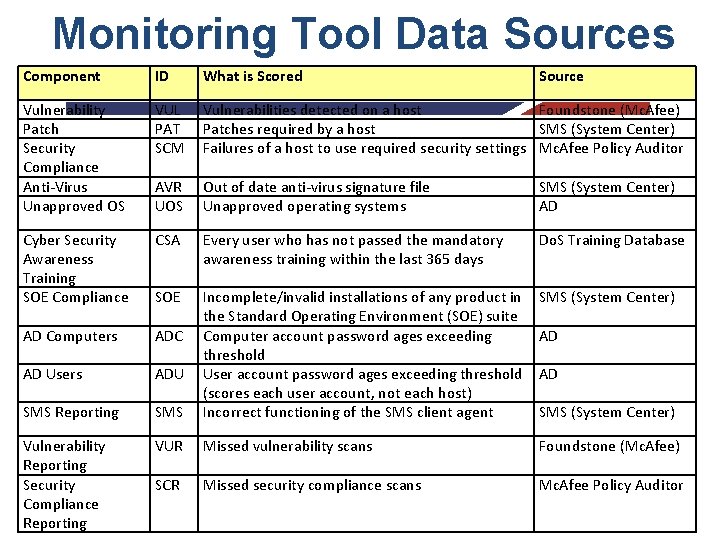
Monitoring Tool Data Sources Component ID What is Scored Source Vulnerability Patch Security Compliance Anti-Virus Unapproved OS VUL PAT SCM Vulnerabilities detected on a host Foundstone (Mc. Afee) Patches required by a host SMS (System Center) Failures of a host to use required security settings Mc. Afee Policy Auditor AVR UOS Out of date anti-virus signature file Unapproved operating systems SMS (System Center) AD Cyber Security Awareness Training SOE Compliance CSA Every user who has not passed the mandatory awareness training within the last 365 days Do. S Training Database SOE SMS (System Center) AD Computers ADC AD Users ADU SMS Reporting SMS Incomplete/invalid installations of any product in the Standard Operating Environment (SOE) suite Computer account password ages exceeding threshold User account password ages exceeding threshold (scores each user account, not each host) Incorrect functioning of the SMS client agent Vulnerability Reporting Security Compliance Reporting VUR Missed vulnerability scans Foundstone (Mc. Afee) SCR Missed security compliance scans Mc. Afee Policy Auditor AD AD SMS (System Center)
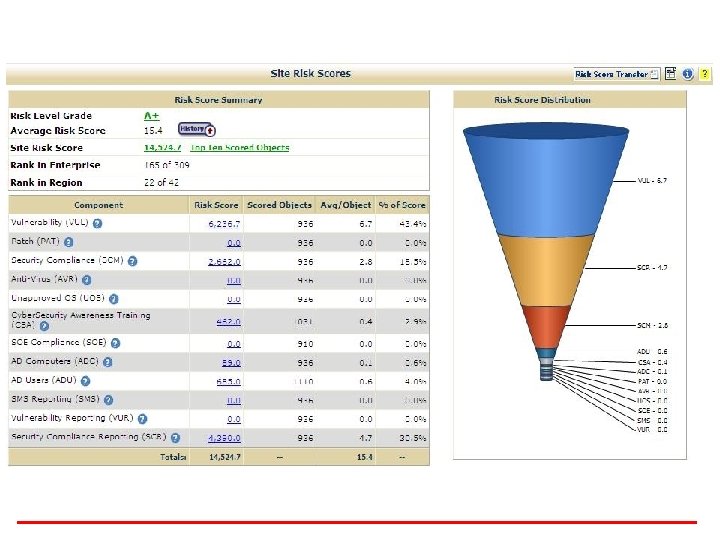
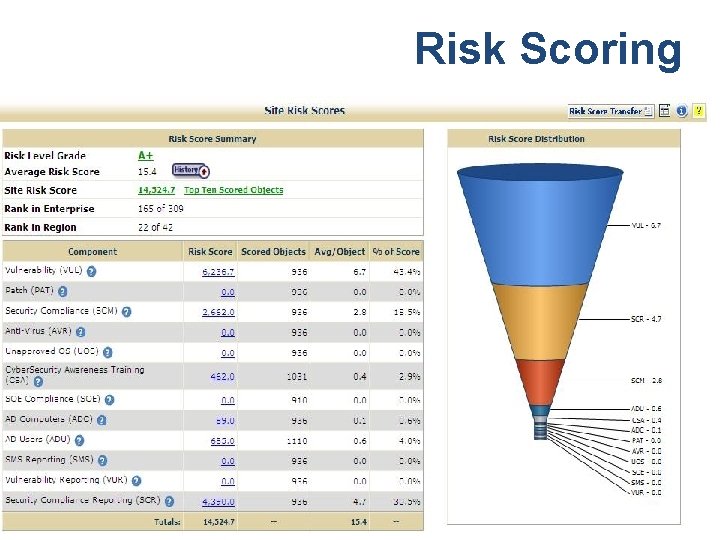
Risk Scoring
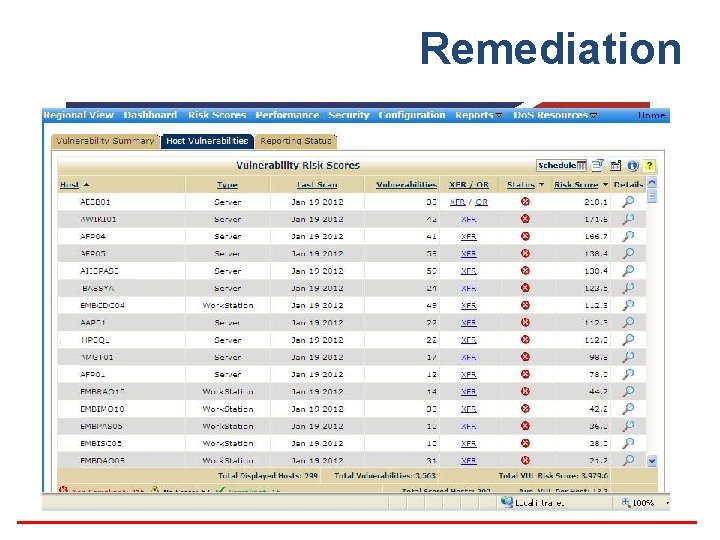
Remediation
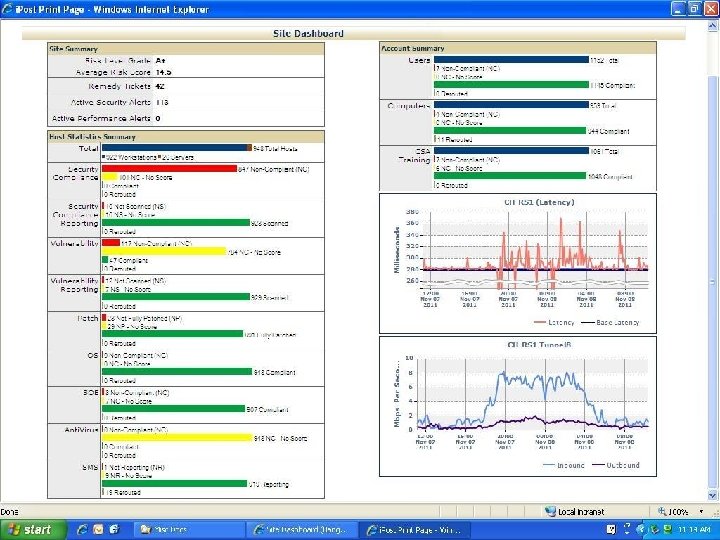
CM Challenges § The Organization of the SP 800 -53 § Emerging CM Technologies – SCAP – OCIL § The Limitations of CAESARS § Department of State’s i. Post and Risk Scoring Program
Section Optional CM DISCUSSION
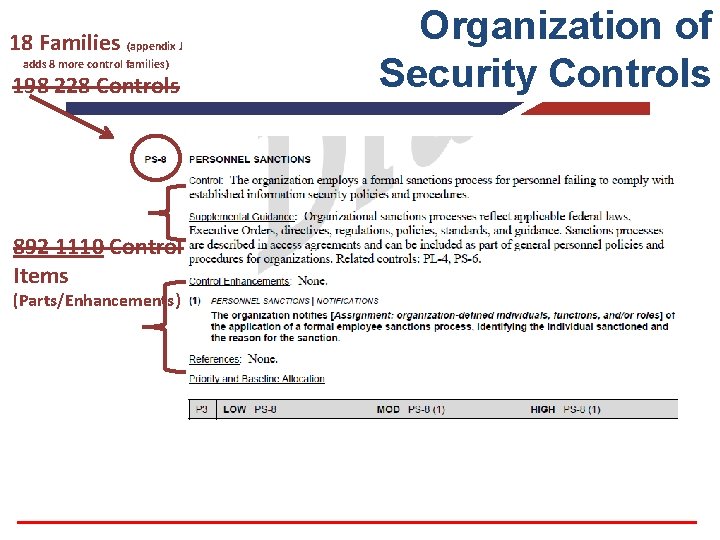
18 Families (appendix J adds 8 more control families) 198 228 Controls 892 1110 Control Items (Parts/Enhancements) Organization of Security Controls
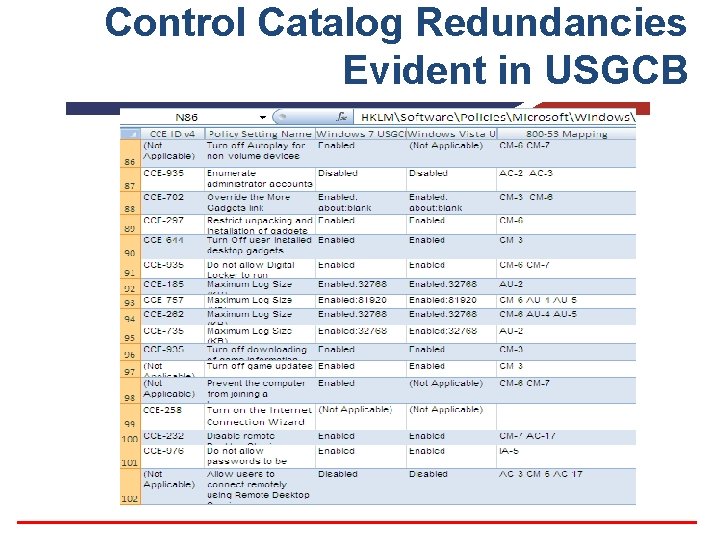
Control Catalog Redundancies Evident in USGCB
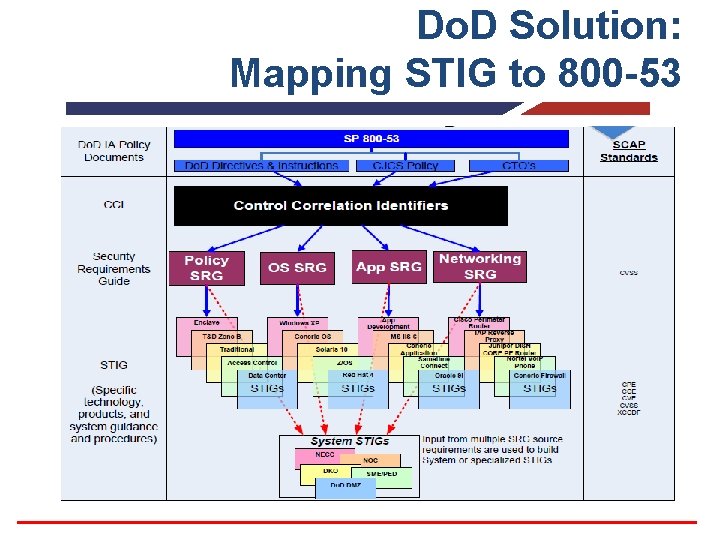
Do. D Solution: Mapping STIG to 800 -53
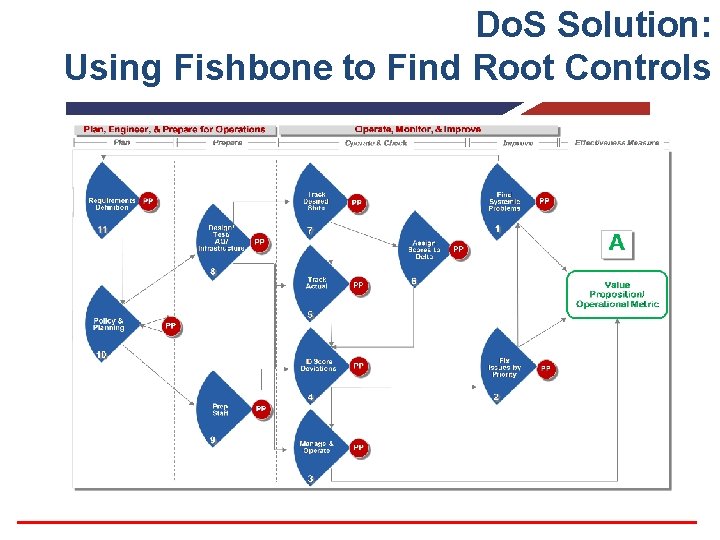
Do. S Solution: Using Fishbone to Find Root Controls
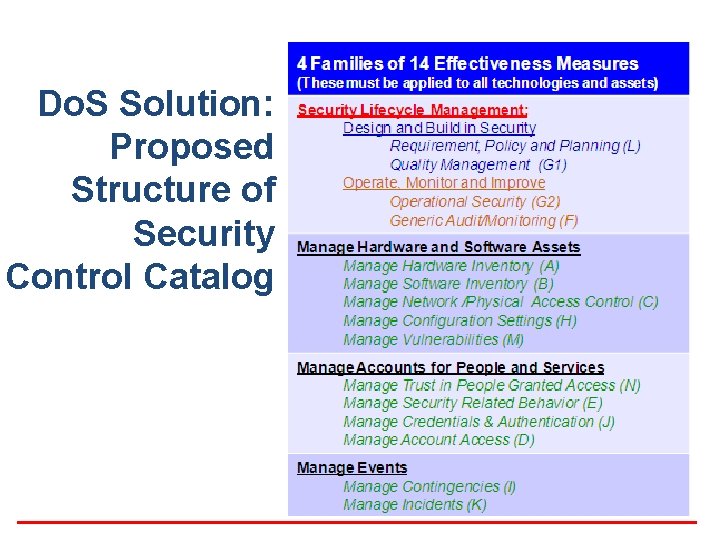
Do. S Solution: Proposed Structure of Security Control Catalog
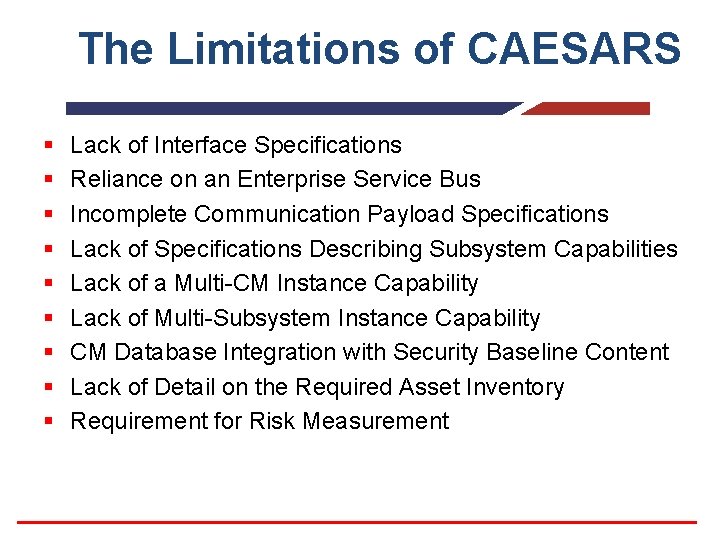
The Limitations of CAESARS § § § § § Lack of Interface Specifications Reliance on an Enterprise Service Bus Incomplete Communication Payload Specifications Lack of Specifications Describing Subsystem Capabilities Lack of a Multi-CM Instance Capability Lack of Multi-Subsystem Instance Capability CM Database Integration with Security Baseline Content Lack of Detail on the Required Asset Inventory Requirement for Risk Measurement
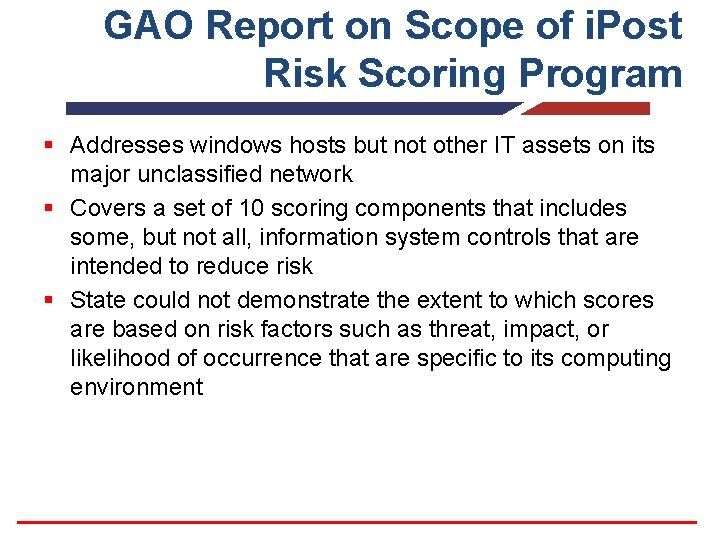
GAO Report on Scope of i. Post Risk Scoring Program § Addresses windows hosts but not other IT assets on its major unclassified network § Covers a set of 10 scoring components that includes some, but not all, information system controls that are intended to reduce risk § State could not demonstrate the extent to which scores are based on risk factors such as threat, impact, or likelihood of occurrence that are specific to its computing environment
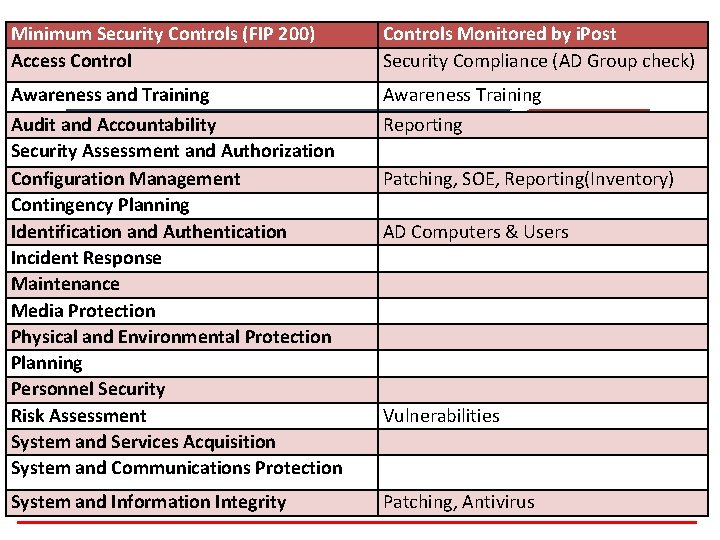
Minimum Security Controls (FIP 200) Access Controls Monitored by i. Post Security Compliance (AD Group check) Awareness and Training Audit and Accountability Security Assessment and Authorization Configuration Management Contingency Planning Identification and Authentication Incident Response Maintenance Media Protection Physical and Environmental Protection Planning Personnel Security Risk Assessment System and Services Acquisition System and Communications Protection Awareness Training Reporting System and Information Integrity Patching, Antivirus Patching, SOE, Reporting(Inventory) AD Computers & Users Vulnerabilities
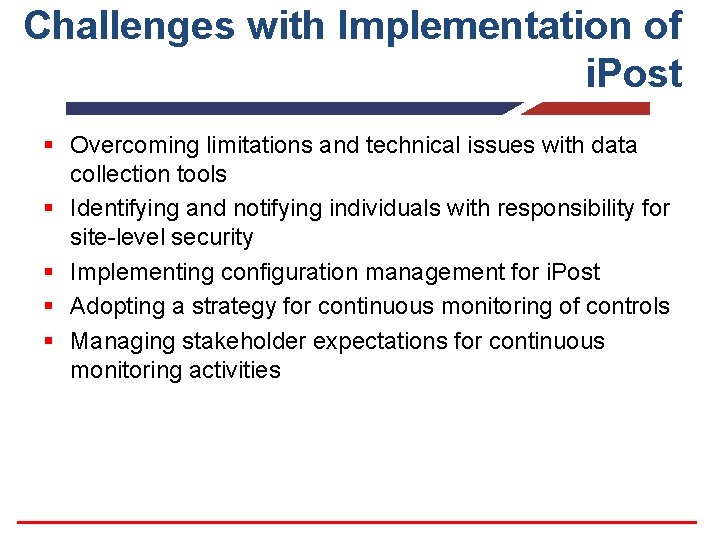
Challenges with Implementation of i. Post § Overcoming limitations and technical issues with data collection tools § Identifying and notifying individuals with responsibility for site-level security § Implementing configuration management for i. Post § Adopting a strategy for continuous monitoring of controls § Managing stakeholder expectations for continuous monitoring activities
Continuous Monitoring Key Concepts & Vocabulary § § § § Role in the RMF Process RMF Step 6 – Monitor Security Controls Characteristics of Continuous Monitoring organization-wide approach Elements of Organization-wide CM Program Continuous Monitoring Process Role of Automation Continuous Asset Evaluation, Situational Awareness and Risk Scoring (CEASARS)
Questions?