
Firewalls and Intrusion Prevention Dr Tyler Bletsch Based
Firewalls and Intrusion Prevention Dr. Tyler Bletsch Based on slides from Computer Security: Principles and Practices by William Stallings and Lawrie Brown CSC 230: C and Software Tools © NC State University Computer Science Faculty 1
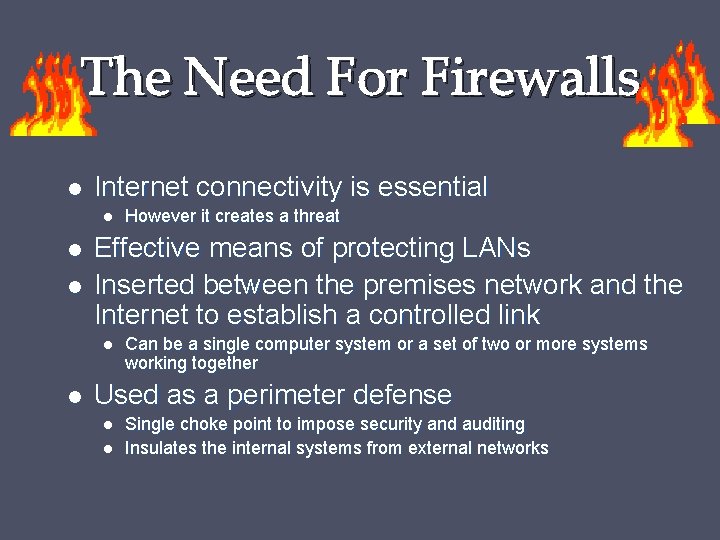
The Need For Firewalls Internet connectivity is essential Effective means of protecting LANs Inserted between the premises network and the Internet to establish a controlled link However it creates a threat Can be a single computer system or a set of two or more systems working together Used as a perimeter defense Single choke point to impose security and auditing Insulates the internal systems from external networks
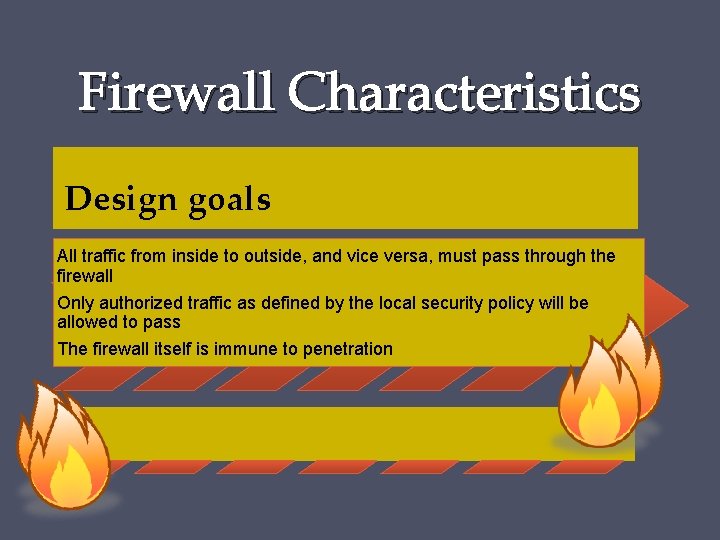
Firewall Characteristics Design goals All traffic from inside to outside, and vice versa, must pass through the firewall Only authorized traffic as defined by the local security policy will be allowed to pass The firewall itself is immune to penetration
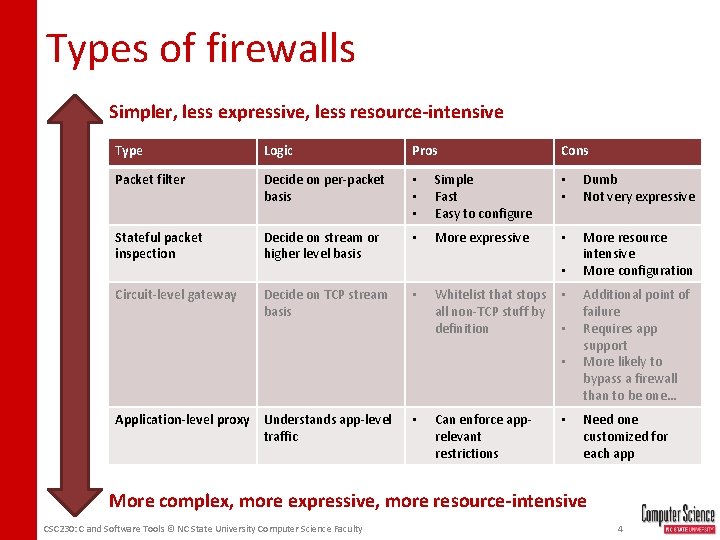
Types of firewalls Simpler, less expressive, less resource-intensive Type Logic Pros Cons Packet filter Decide on per-packet basis • • • Simple Fast Easy to configure • • Dumb Not very expressive Stateful packet inspection Decide on stream or higher level basis • More expressive • More resource intensive More configuration Circuit-level gateway Decide on TCP stream basis • • Whitelist that stops all non-TCP stuff by definition • • • Application-level proxy Understands app-level traffic • Can enforce apprelevant restrictions • Additional point of failure Requires app support More likely to bypass a firewall than to be one… Need one customized for each app More complex, more expressive, more resource-intensive CSC 230: C and Software Tools © NC State University Computer Science Faculty 4
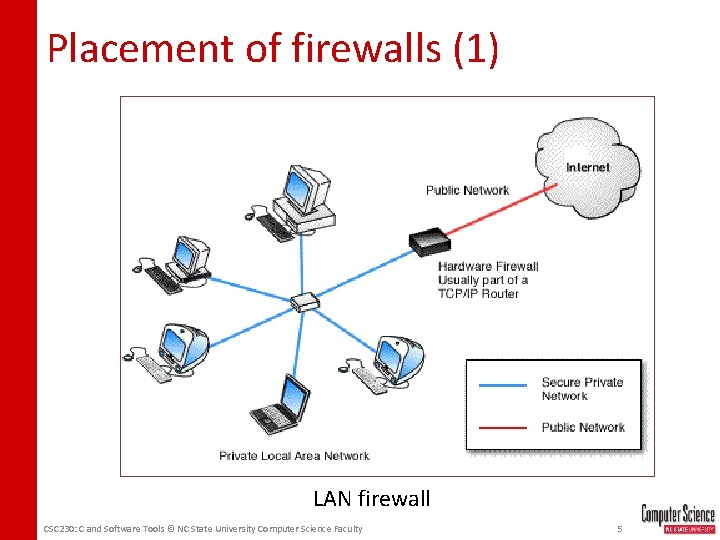
Placement of firewalls (1) LAN firewall CSC 230: C and Software Tools © NC State University Computer Science Faculty 5

Placement of firewalls (2) App App Userspace Kernel Firewall module NIC driver NIC Internet Host-based firewall CSC 230: C and Software Tools © NC State University Computer Science Faculty 6

Placement of firewalls (3) App App Userspace Hey is this unknown traffic cool? Kernel Firewall module NIC driver NIC Internet “Personal” firewall CSC 230: C and Software Tools © NC State University Computer Science Faculty 7
Bastion Hosts System identified as a critical strong point in the network’s security Serves as a platform for an application-level or circuit-level gateway Common characteristics: Runs secure O/S, only essential services May require user authentication to access proxy or host Each proxy can restrict features, hosts accessed Each proxy is small, simple, checked for security Each proxy is independent, non-privileged Limited disk use, hence read-only code
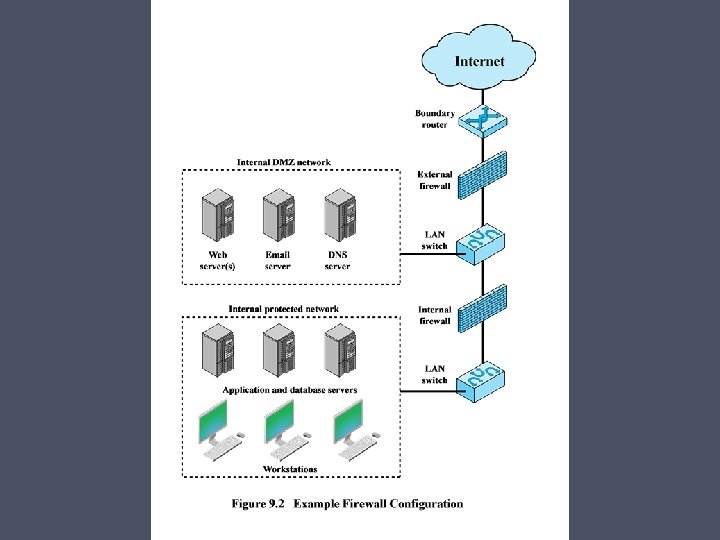
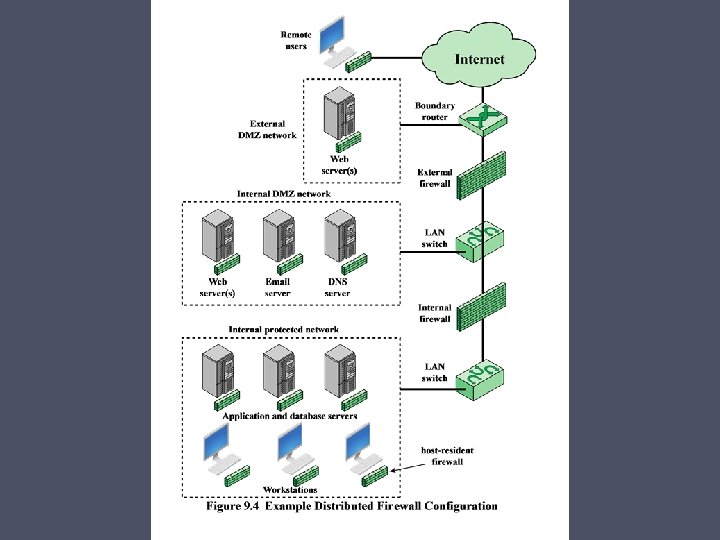
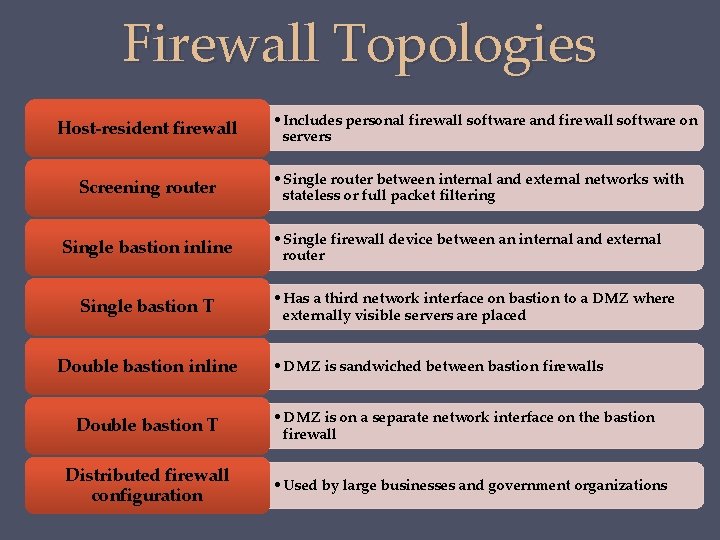
Firewall Topologies Host-resident firewall Screening router Single bastion inline Single bastion T Double bastion inline Double bastion T Distributed firewall configuration • Includes personal firewall software and firewall software on servers • Single router between internal and external networks with stateless or full packet filtering • Single firewall device between an internal and external router • Has a third network interface on bastion to a DMZ where externally visible servers are placed • DMZ is sandwiched between bastion firewalls • DMZ is on a separate network interface on the bastion firewall • Used by large businesses and government organizations
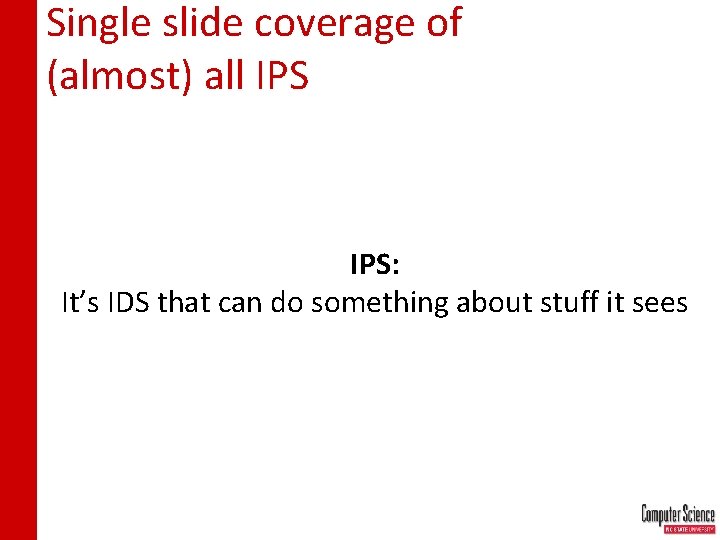
Single slide coverage of (almost) all IPS: It’s IDS that can do something about stuff it sees
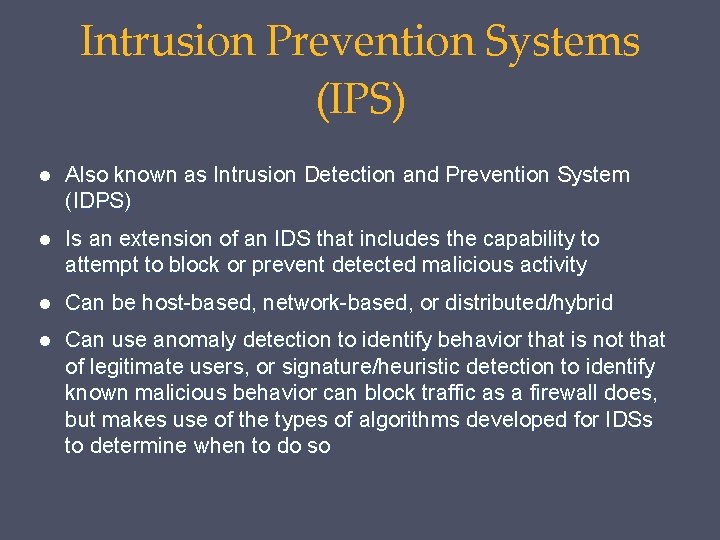
Intrusion Prevention Systems (IPS) Also known as Intrusion Detection and Prevention System (IDPS) Is an extension of an IDS that includes the capability to attempt to block or prevent detected malicious activity Can be host-based, network-based, or distributed/hybrid Can use anomaly detection to identify behavior that is not that of legitimate users, or signature/heuristic detection to identify known malicious behavior can block traffic as a firewall does, but makes use of the types of algorithms developed for IDSs to determine when to do so
Host-Based IPS (HIPS) • Can make use of either signature/heuristic or anomaly detection techniques to identify attacks • Signature: focus is on the specific content of application network traffic, or of sequences of system calls, looking for patterns that have been identified as malicious • Anomaly: IPS is looking for behavior patterns that indicate malware • Examples of the types of malicious behavior addressed by a HIPS include: • Modification of system resources • Privilege-escalation exploits • Buffer-overflow exploits • Access to e-mail contact list • Directory traversal
HIPS • Capability can be tailored to the specific platform • A set of general purpose tools may be used for a desktop or server system • Some packages are designed to protect specific types of servers, such as Web servers and database servers • In this case the HIPS looks for particular application attacks • Can use a sandbox approach • Sandboxes are especially suited to mobile code such as Java applets and scripting languages • HIPS quarantines such code in an isolated system area then runs the code and monitors its behavior • Areas for which a HIPS typically offers desktop protection: • • System calls File system access System registry settings Host input/output
The Role of HIPS • Many industry observers see the enterprise endpoint, including desktop and laptop systems, as now the main target for hackers and criminals • Thus security vendors are focusing more on developing endpoint security products • Traditionally, endpoint security has been provided by a collection of distinct products, such as antivirus, antispyware, antispam, and personal firewalls • Approach is an effort to provide an integrated, single-product suite of functions • Advantages of the integrated HIPS approach are that the various tools work closely together, threat prevention is more comprehensive, and management is easier • A prudent approach is to use HIPS as one element in a defense-in-depth strategy that involves network-level devices, such as either firewalls or network-based IPSs
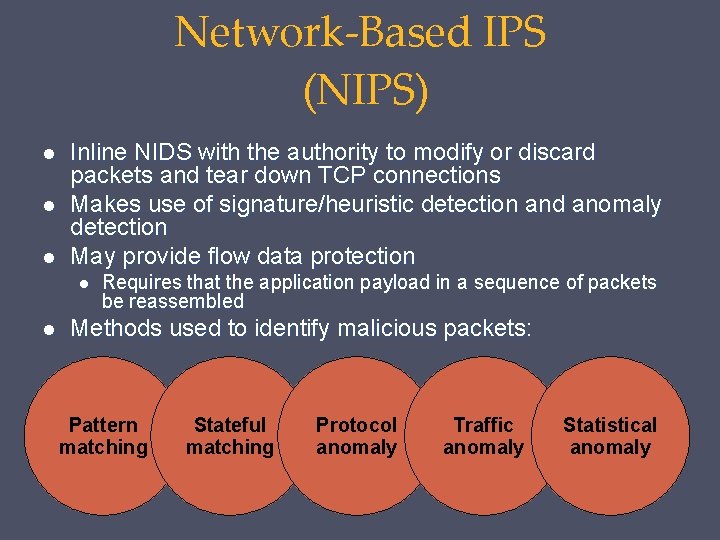
Network-Based IPS (NIPS) Inline NIDS with the authority to modify or discard packets and tear down TCP connections Makes use of signature/heuristic detection and anomaly detection May provide flow data protection Requires that the application payload in a sequence of packets be reassembled Methods used to identify malicious packets: Pattern matching Stateful matching Protocol anomaly Traffic anomaly Statistical anomaly
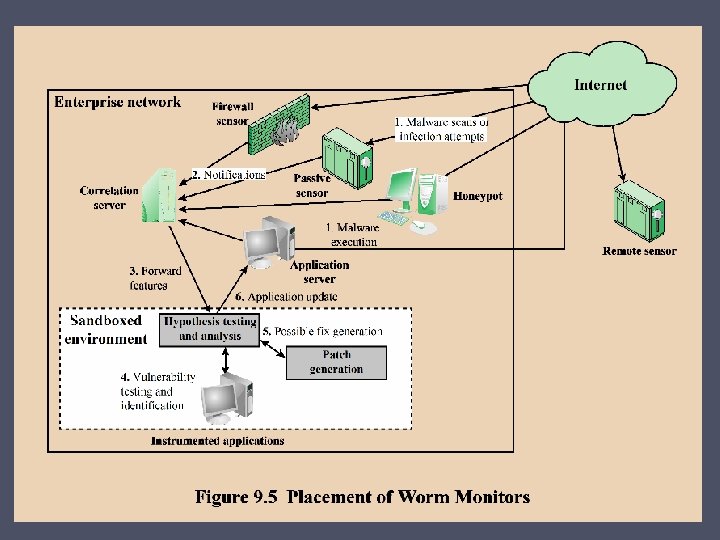
r than e h t o g in h t y n a s lide a s is h t t e r p r e t in n! io t n e t t If you can a l a ic d e seek m , e s n o n g in t marke Digital Immune System • Comprehensive defense against malicious behavior caused by malware • Developed by IBM and refined by Symantec • Motivation for this development includes the rising threat of Internet-based malware, the increasing speed of its propagation provided by the Internet, and the need to acquire a global view of the situation • Success depends on the ability of the malware analysis system to detect new and innovative malware strains
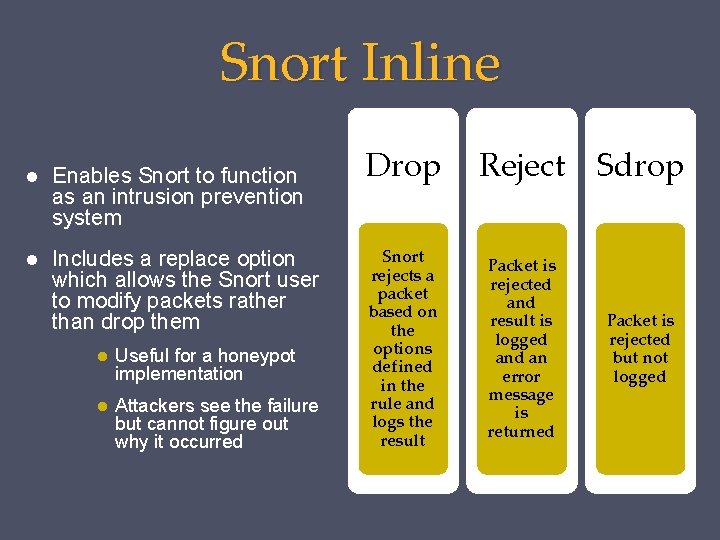
Snort Inline Enables Snort to function as an intrusion prevention system Includes a replace option which allows the Snort user to modify packets rather than drop them Useful for a honeypot implementation Attackers see the failure but cannot figure out why it occurred Drop Snort rejects a packet based on the options defined in the rule and logs the result Reject Sdrop Packet is rejected and result is logged an error message is returned Packet is rejected but not logged
? ? w o n h c r a e s e r s a counts ” e c n o t a p a r c is h t Apparently “do all
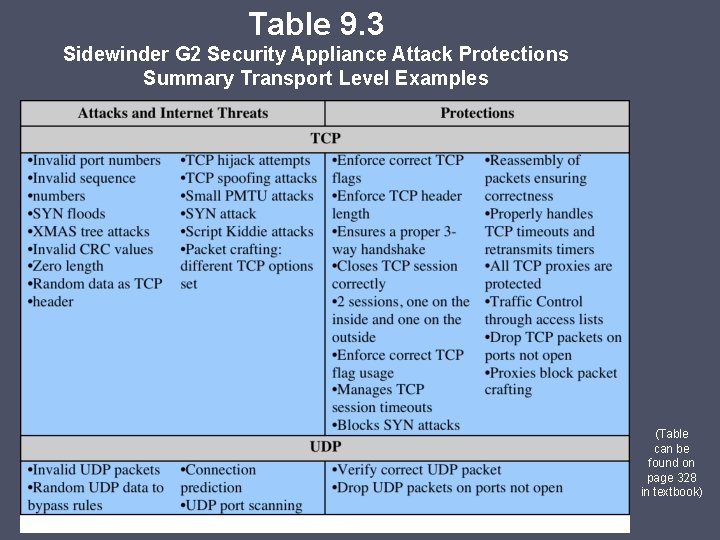
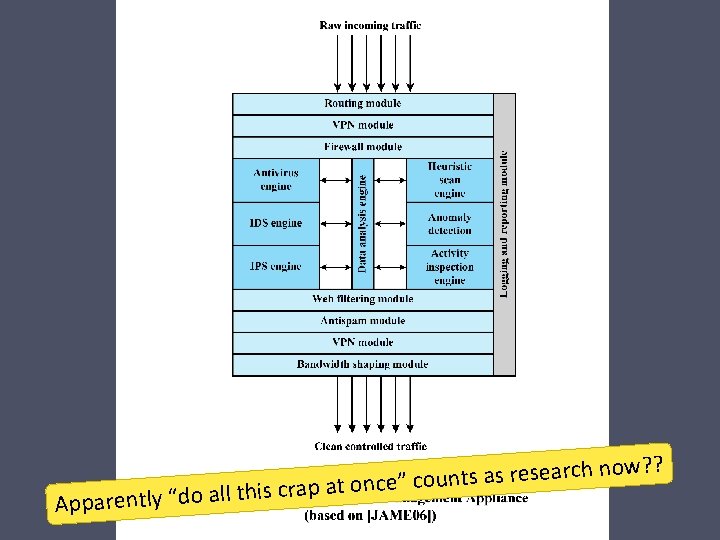
Table 9. 3 Sidewinder G 2 Security Appliance Attack Protections Summary Transport Level Examples (Table can be found on page 328 in textbook)
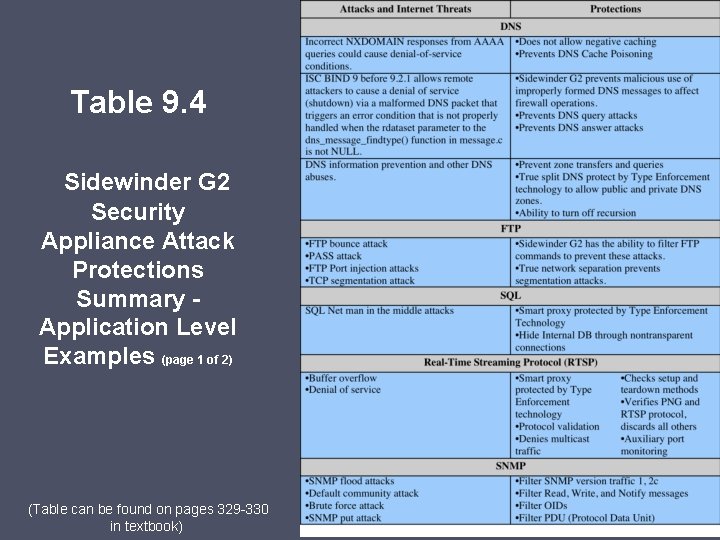
Table 9. 4 Sidewinder G 2 Security Appliance Attack Protections Summary Application Level Examples (page 1 of 2) (Table can be found on pages 329 -330 in textbook)
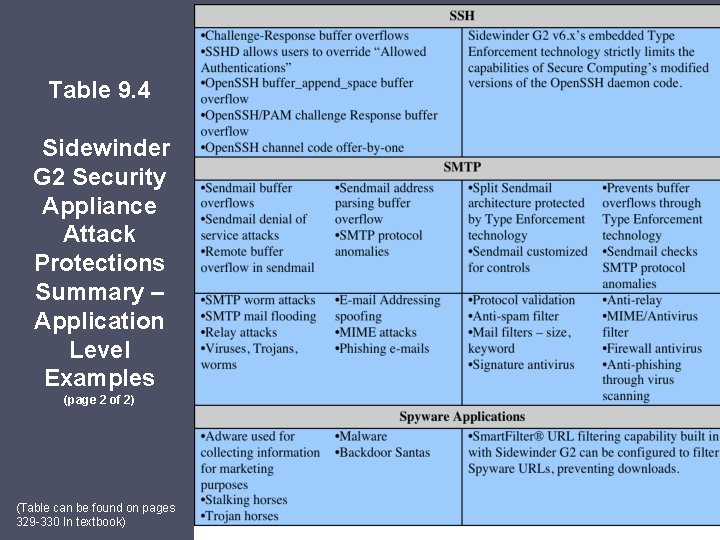
Table 9. 4 Sidewinder G 2 Security Appliance Attack Protections Summary – Application Level Examples (page 2 of 2) (Table can be found on pages 329 -330 In textbook)
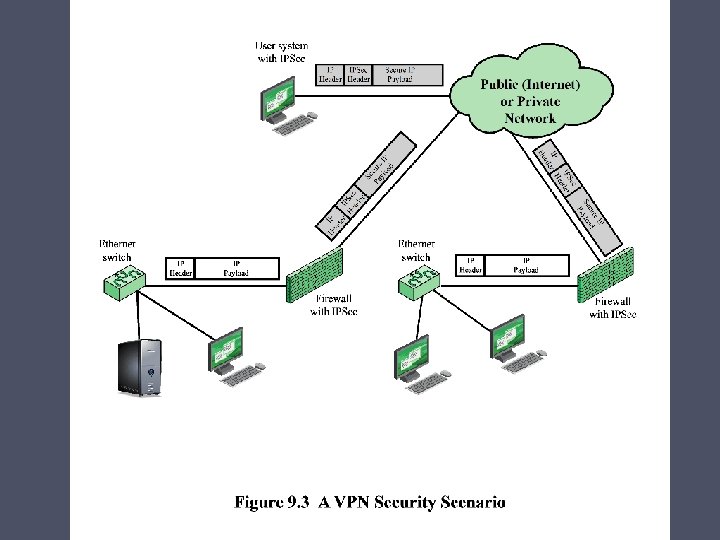
Summary • The need for firewalls • Firewall characteristics and access policy • Types of firewalls o o Packet filtering firewall Stateful inspection firewalls Application-level gateway Circuit-level gateway • Firewall basing o Bastion host o Host-based firewalls o Personal firewall • Firewall location and configurations o o DMZ networks Virtual private networks Distributed firewalls Firewall locations and topologies • Intrusion prevention systems o o Host-based IPS Network-based IPS Distributed or hybrid IPS Snort inline • Example: Unified Threat Management Products
- Slides: 26