
Finite Element Primer for Engineers Part 2 Mike
- Slides: 11
Finite Element Primer for Engineers: Part 2 Mike Barton & S. D. Rajan
Contents • Introduction to the Finite Element Method (FEM) • Steps in Using the FEM (an Example from Solid Mechanics) • Examples • Commercial FEM Software • Competing Technologies • Future Trends • Internet Resources • References 2
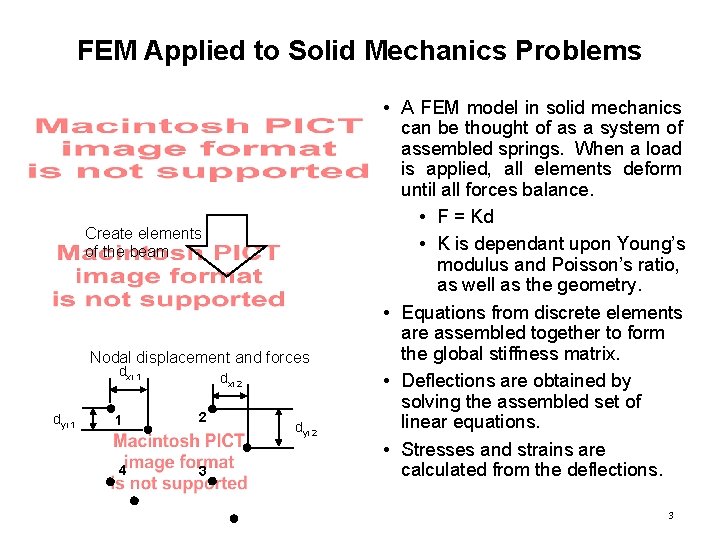
FEM Applied to Solid Mechanics Problems Create elements of the beam Nodal displacement and forces dxi 1 dyi 1 dxi 2 1 2 4 3 dyi 2 • A FEM model in solid mechanics can be thought of as a system of assembled springs. When a load is applied, all elements deform until all forces balance. • F = Kd • K is dependant upon Young’s modulus and Poisson’s ratio, as well as the geometry. • Equations from discrete elements are assembled together to form the global stiffness matrix. • Deflections are obtained by solving the assembled set of linear equations. • Stresses and strains are calculated from the deflections. 3
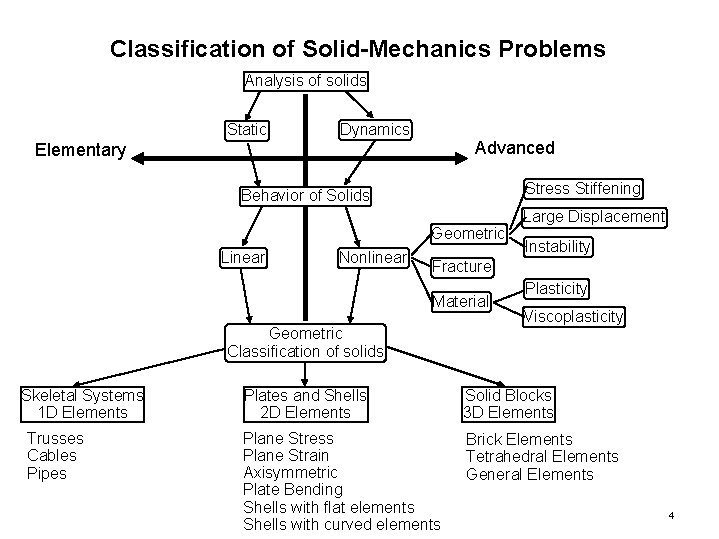
Classification of Solid-Mechanics Problems Analysis of solids Static Dynamics Advanced Elementary Stress Stiffening Behavior of Solids Geometric Linear Nonlinear Geometric Classification of solids Trusses Cables Pipes Instability Fracture Material Skeletal Systems 1 D Elements Large Displacement Plasticity Viscoplasticity Plates and Shells 2 D Elements Solid Blocks 3 D Elements Plane Stress Plane Strain Axisymmetric Plate Bending Shells with flat elements Shells with curved elements Brick Elements Tetrahedral Elements General Elements 4
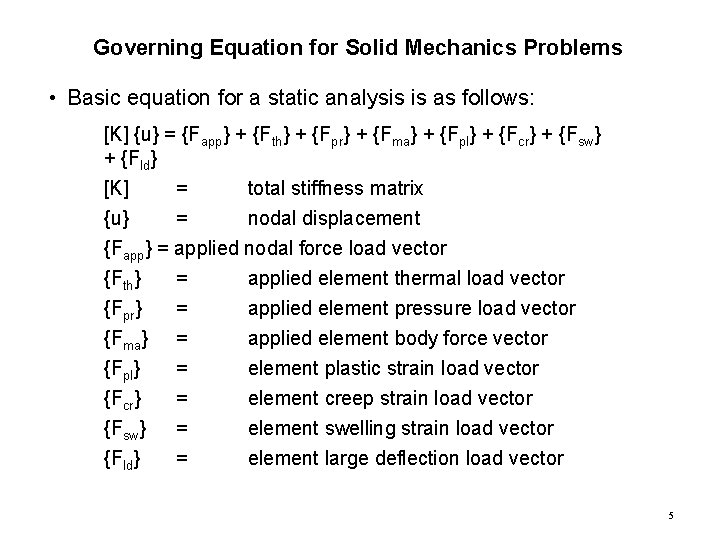
Governing Equation for Solid Mechanics Problems • Basic equation for a static analysis is as follows: [K] {u} = {Fapp} + {Fth} + {Fpr} + {Fma} + {Fpl} + {Fcr} + {Fsw} + {Fld} [K] = total stiffness matrix {u} = nodal displacement {Fapp} = applied nodal force load vector {Fth} = applied element thermal load vector {Fpr} = applied element pressure load vector {Fma} = applied element body force vector {Fpl} = element plastic strain load vector {Fcr} = element creep strain load vector {Fsw} = element swelling strain load vector {Fld} = element large deflection load vector 5
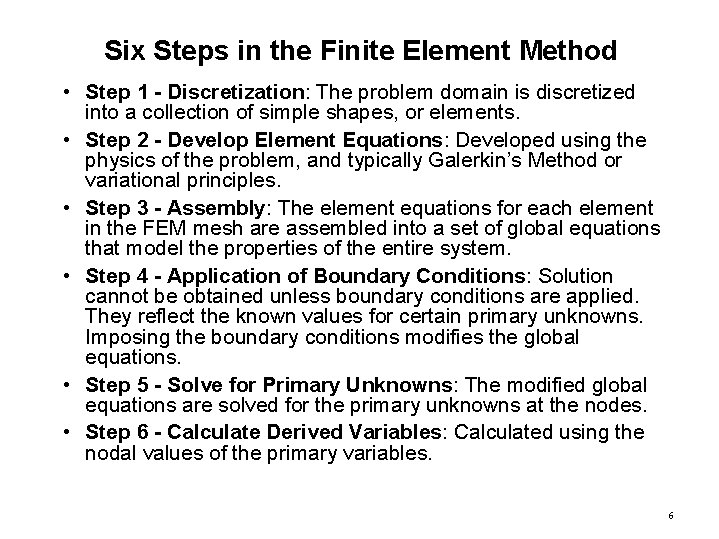
Six Steps in the Finite Element Method • Step 1 - Discretization: The problem domain is discretized into a collection of simple shapes, or elements. • Step 2 - Develop Element Equations: Developed using the physics of the problem, and typically Galerkin’s Method or variational principles. • Step 3 - Assembly: The element equations for each element in the FEM mesh are assembled into a set of global equations that model the properties of the entire system. • Step 4 - Application of Boundary Conditions: Solution cannot be obtained unless boundary conditions are applied. They reflect the known values for certain primary unknowns. Imposing the boundary conditions modifies the global equations. • Step 5 - Solve for Primary Unknowns: The modified global equations are solved for the primary unknowns at the nodes. • Step 6 - Calculate Derived Variables: Calculated using the nodal values of the primary variables. 6
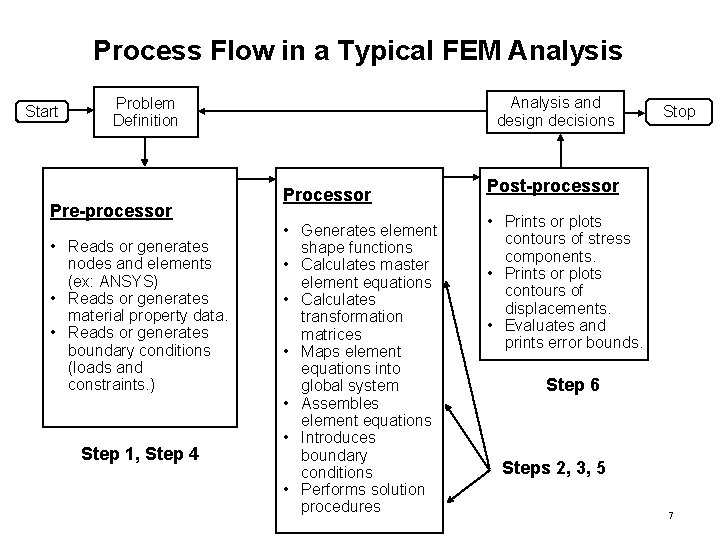
Process Flow in a Typical FEM Analysis Start Analysis and design decisions Problem Definition Pre-processor • Reads or generates nodes and elements (ex: ANSYS) • Reads or generates material property data. • Reads or generates boundary conditions (loads and constraints. ) Step 1, Step 4 Processor • Generates element shape functions • Calculates master element equations • Calculates transformation matrices • Maps element equations into global system • Assembles element equations • Introduces boundary conditions • Performs solution procedures Stop Post-processor • Prints or plots contours of stress components. • Prints or plots contours of displacements. • Evaluates and prints error bounds. Step 6 Steps 2, 3, 5 7
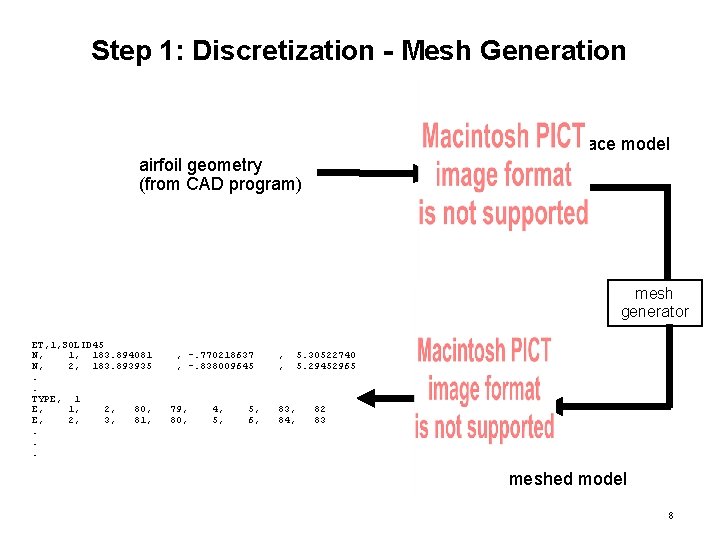
Step 1: Discretization - Mesh Generation surface model airfoil geometry (from CAD program) mesh generator ET, 1, SOLID 45 N, 1, 183. 894081 N, 2, 183. 893935. . TYPE, 1, 2, 80, E, 2, 3, 81, . . . , -. 770218637 , -. 838009645 79, 80, 4, 5, 6, , , 83, 84, 5. 30522740 5. 29452965 82 83 meshed model 8
Step 4: Boundary Conditions for a Solid Mechanics Problem • Displacements DOF constraints usually specified at model boundaries to define rigid supports. • Forces and Moments Concentrated loads on nodes usually specified on the model exterior. • Pressures Surface loads usually specified on the model exterior. • Temperatures Input at nodes to study the effect of thermal expansion or contraction. • Inertia Loads that affect the entire structure (ex: acceleration, rotation). 9
Step 4: Applying Boundary Conditions (Thermal Loads) Nodes from FE Modeler Temp mapper bf, . . . bf, 1, temp, 2, temp, 149. 77 149. 78 1637, temp, 1638, temp, 303. 64 303. 63 Thermal Soln Files 10
Step 4: Applying Boundary Conditions (Other Loads) • Speed, temperature and hub fixity applied to sample problem. • FE Modeler used to apply speed and hub constraint. antype, static omega, 10400*3. 1416/30 d, 1, all, 0, 0, 57, 1 11