
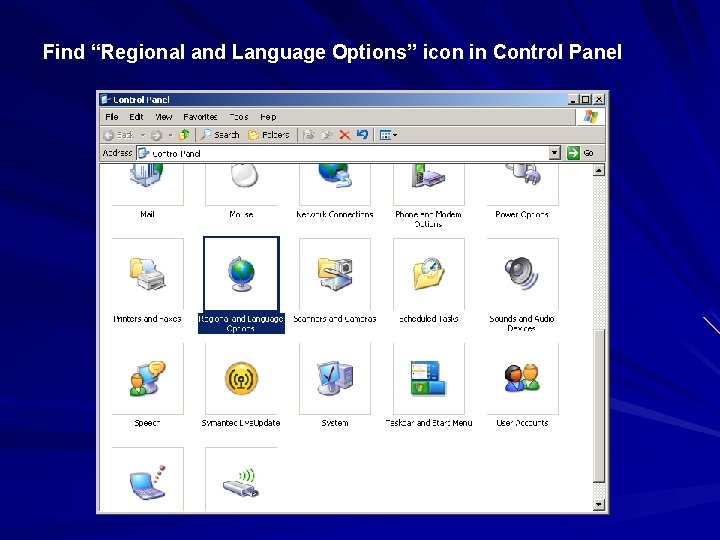
Find Regional and Language Options icon in Control

![Control Panel Regional Language Options Languages Click [Detail]](https://slidetodoc.com/presentation_image/07821071744faea1a27f9acc527ee588/image-4.jpg "Control Panel Regional Language Options Languages Click [Detail]")
![Click [Add] Make the following selections: Click OK](https://slidetodoc.com/presentation_image/07821071744faea1a27f9acc527ee588/image-5.jpg "Click [Add] Make the following selections: Click OK")


- Slides: 16
Find “Regional and Language Options” icon in Control Panel
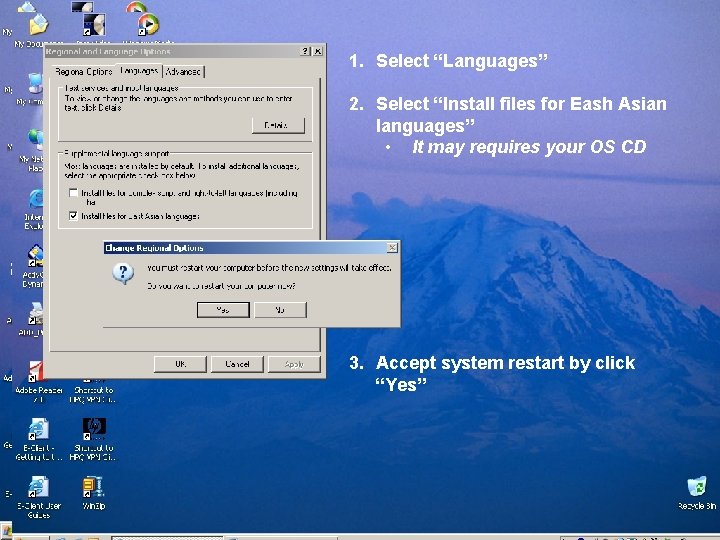
1. Select “Languages” 2. Select “Install files for Eash Asian languages” • It may requires your OS CD 3. Accept system restart by click “Yes”
Control Panel Regional Language Options Languages Click [Detail]
Click [Add] Make the following selections: Click OK
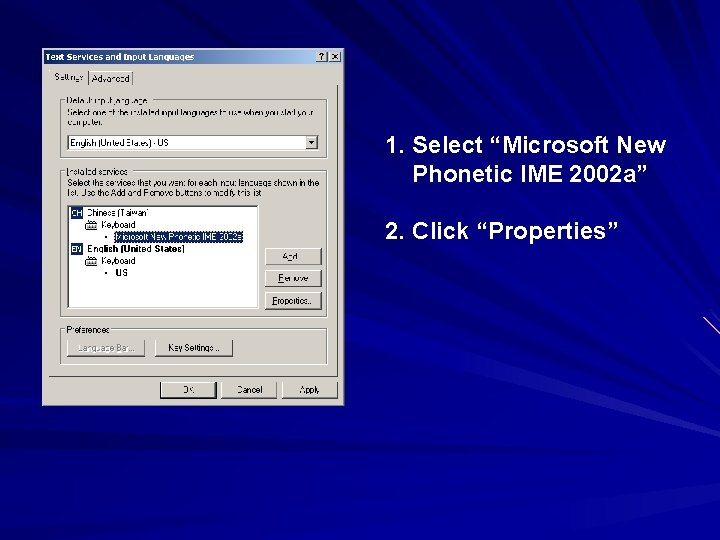
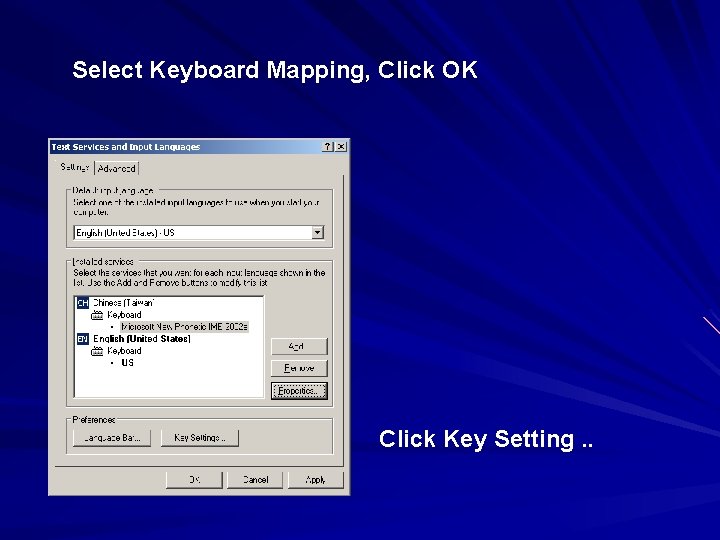
1. Select “Microsoft New Phonetic IME 2002 a” 2. Click “Properties”
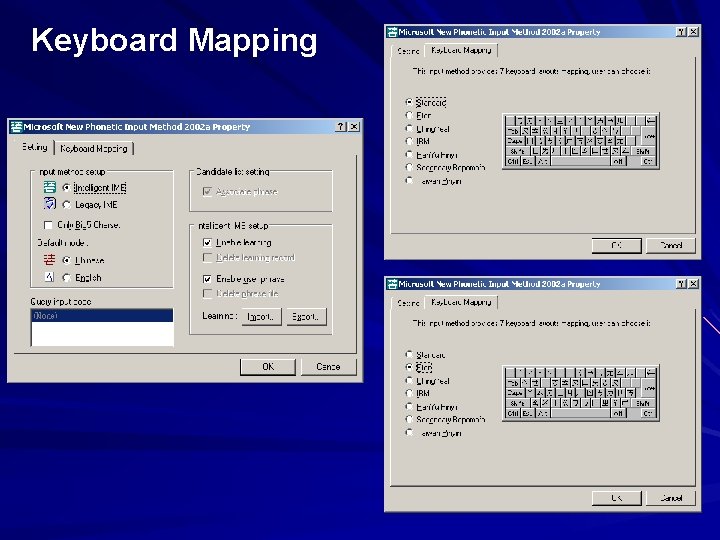
Keyboard Mapping
Select Keyboard Mapping, Click OK Click Key Setting. .
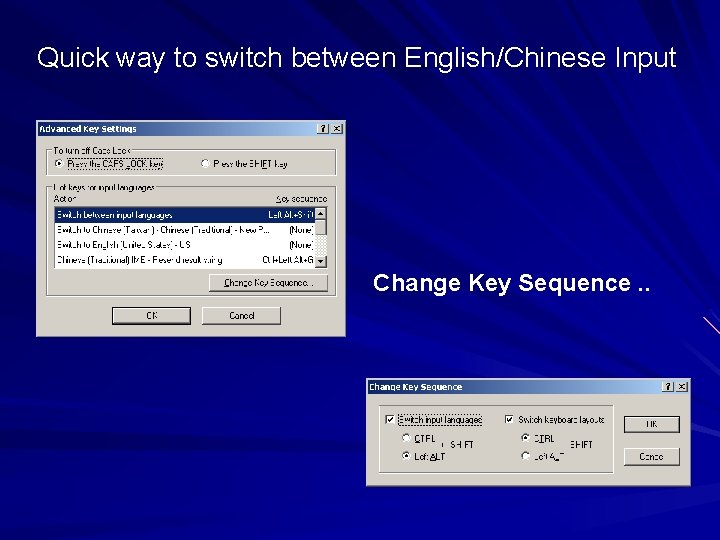
Quick way to switch between English/Chinese Input Change Key Sequence. .
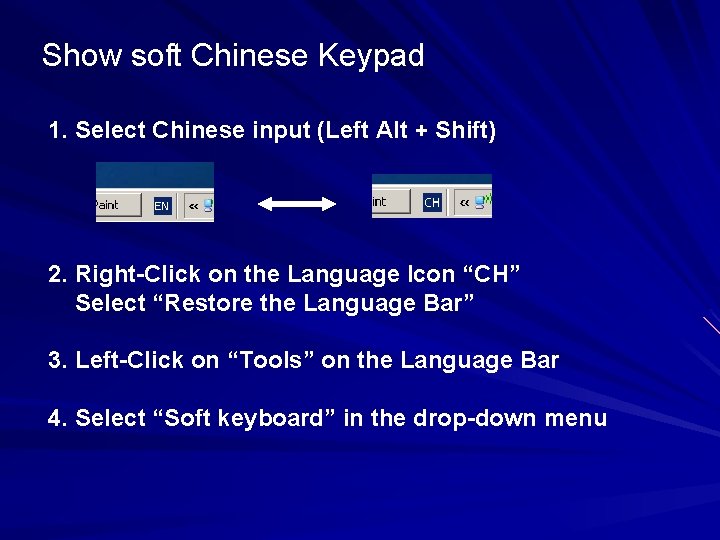
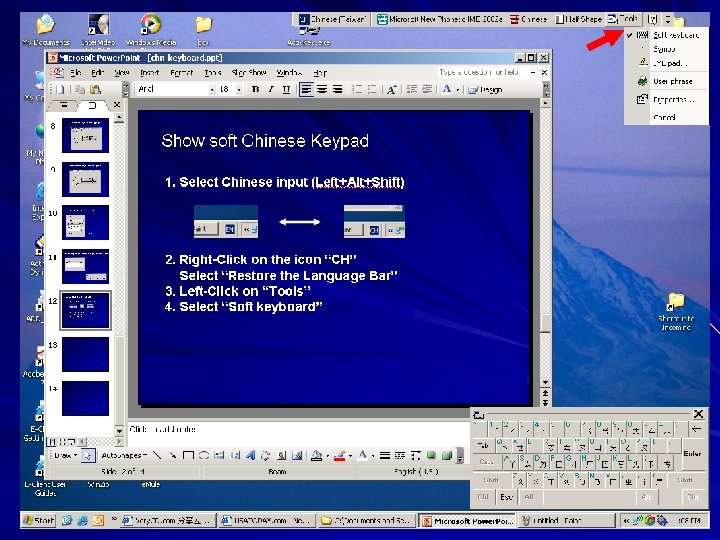
Show soft Chinese Keypad 1. Select Chinese input (Left Alt + Shift) 2. Right-Click on the Language Icon “CH” Select “Restore the Language Bar” 3. Left-Click on “Tools” on the Language Bar 4. Select “Soft keyboard” in the drop-down menu
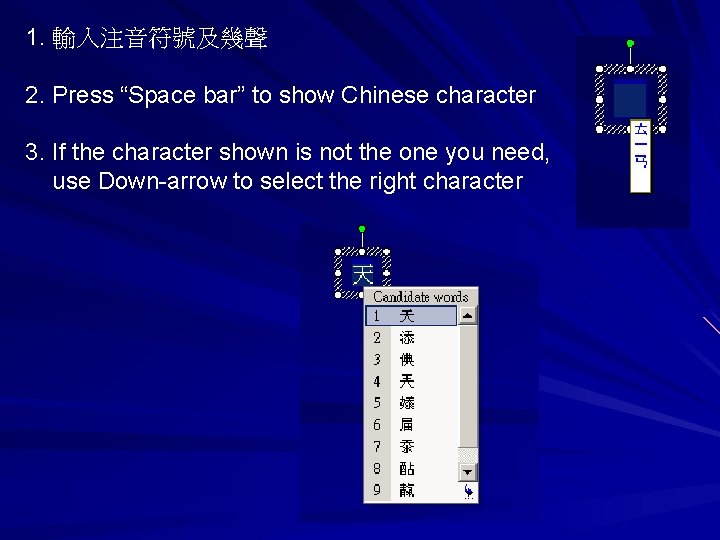
1. 輸入注音符號及幾聲 2. Press “Space bar” to show Chinese character 3. If the character shown is not the one you need, use Down-arrow to select the right character
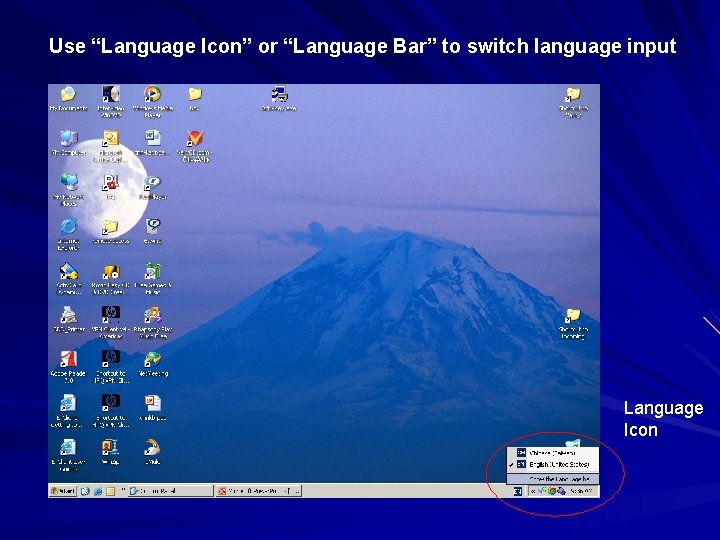
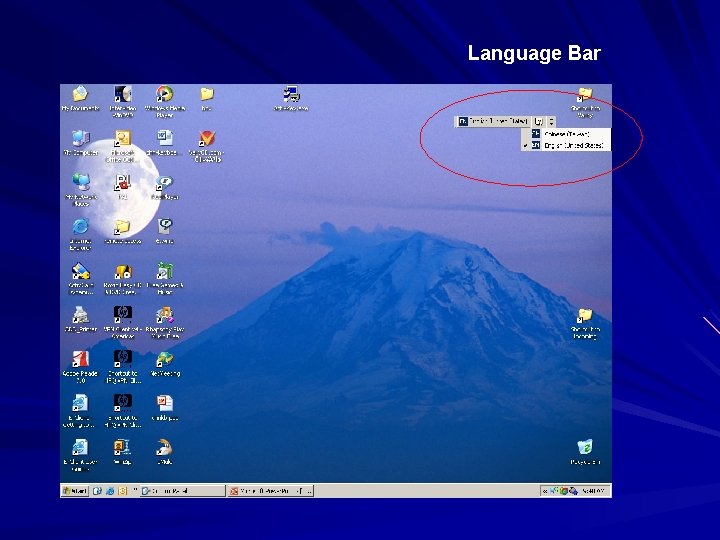
Use “Language Icon” or “Language Bar” to switch language input Language Icon
Language Bar
德州奧斯汀中文學校 請參與中文學校志願 作群 謝 謝 !! http: //www. austinchineseschool. org March 05, 2006 袁理宗 Li-Tzong Yuan