
Financial Planning Analysis Budgeting and Forecasting Models Value
Financial Planning & Analysis Budgeting and Forecasting Models Value. Scope, Inc. 950 E. State Highway 114 Suite 120 Southlake, TX 76092
Introduction Benjamin Westcott Mr. Westcott is currently a Manager at Value. Scope, Inc. where he has managed numerous business valuation and transaction advisory projects. During his time with Value. Scope, Mr. Westcott has specialized in conducting business valuation for financial and tax reporting and transaction advisory support. He also has significant experience valuing derivatives and complex securities using Monte Carlo simulation and in assisting companies in optimizing their financial reporting and budgeting processes. Prior to joining Value. Scope, he served as the head of the William C. Conner Investment Fund at TCU. Mr. Westcott has significant experience within the hospitality, food and beverage, and construction industries. Mr. Westcott also spent time with a local endowment fund where he worked with private equity, hedge fund, debt, and venture capital Areasfund of managers. Focus Manager 817 -481 -6354 bwestcott@valuescopeinc. com q q q Business Valuation Transaction Advisory Derivative Valuation Financial Planning & Analysis Support Financial and Tax Reporting Education q Texas Christian University, Masters of Business Administration q University of Missouri, Bachelor of Science - Finance Certifications q Passed all 3 Levels of the CFA Exam 1

Financial Planning and Analysis Financial Planning & Analysis Reporting Planning Forecasting 2
What is Financial Planning & Analysis? Financial Planning and Analysis • Financial planning and analysis (FP&A) is the process of compiling and analyzing an organization's long-term financial strategy. • Additionally, FP&A activities include generating management reports, analyzing operating metrics and financial trends, calculating the monetary effects of potential business decisions, and advising company leaders on business decisions. • FP&A provides management with the analysis and information they need to make major operational, financial, and strategic decisions. 3
Ten Benefits of FP&A Financial Planning and Analysis 1. Gives you control over your business’s finances 2. Keeps you focused on achieving your financial goals 3. Makes you aware what is going on with the financial performance of your business 4. Helps you prioritize your expenditures and capital investments 5. Makes it known in advance how your money will work for you 6. Enables you to plan for expected and unexpected costs and revenue changes 7. Enables you to communicate with your management team, investors, and bankers about the financial performance of your business 8. Provides you with an early warning for potential problems 9. Helps you determine if you can take on debt and how much 10. Enables you to identify areas to improve financial performance (i. e. , which products or services should you focus on and which you should eliminate) 4
Better Information Equals Better Performance Financial Planning and Analysis • Our team works with you to determine the drivers of your business’s success and how changes to the drivers can optimize your business’s financial performance and value creation. • An easy to use dashboard based model will provide you with better information that will allow decision makers to quickly compare the performance of business segments, locations, seasons, managers, etc. to determine which are the best performing and which are lagging behind. • Information can be broken down by various input or factors, providing more information on what is contributing to performance. • Scenario based financial models provide decision makers with a range of possible outcomes and allow them to quickly compare actual to expected financial performance. Pricing insight can be gained through analyzing the potential effects of pricing changes or other tweaks to the business model. • Professional reports and analyses are immediately available when it comes time to speak with the bank, discuss M&A opportunities, pursue strategic partnerships, or whatever the next big decision your company faces. • Increasing the level of available information makes it easier for decision makers to identify key customers and vendors, as well as provides data necessary for any future financing or partnership. 5
Financial Planning Model Overview 6
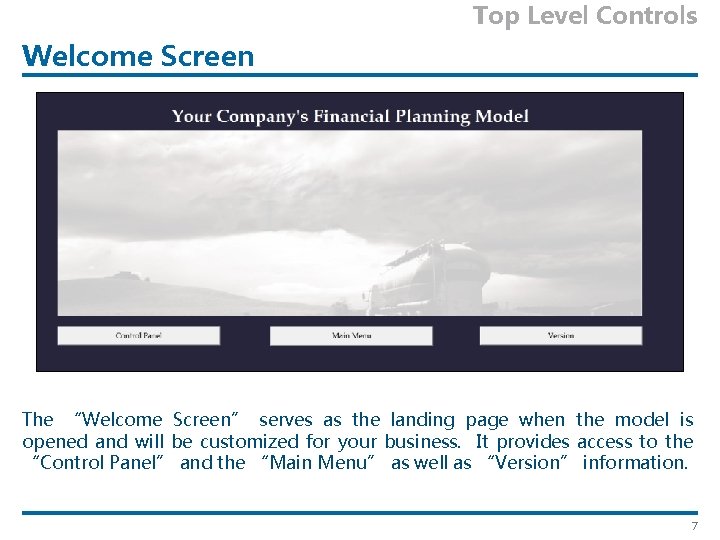
Top Level Controls Welcome Screen The “Welcome Screen” serves as the landing page when the model is opened and will be customized for your business. It provides access to the “Control Panel” and the “Main Menu” as well as “Version” information. 7
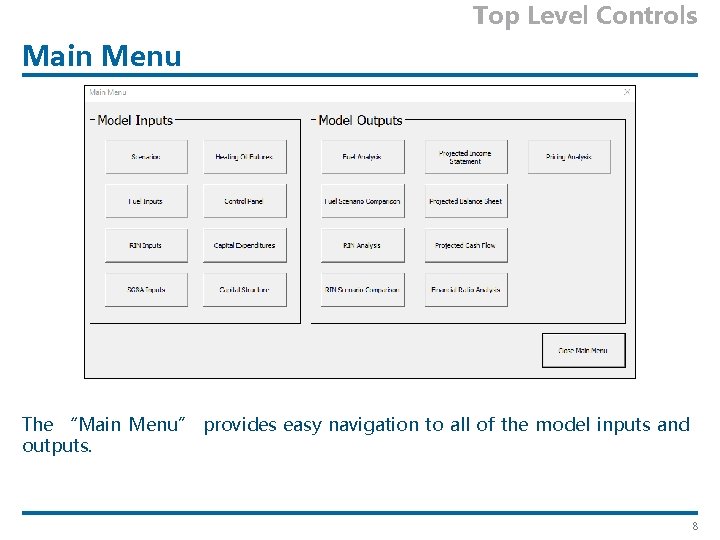
Top Level Controls Main Menu The “Main Menu” provides easy navigation to all of the model inputs and outputs. 8
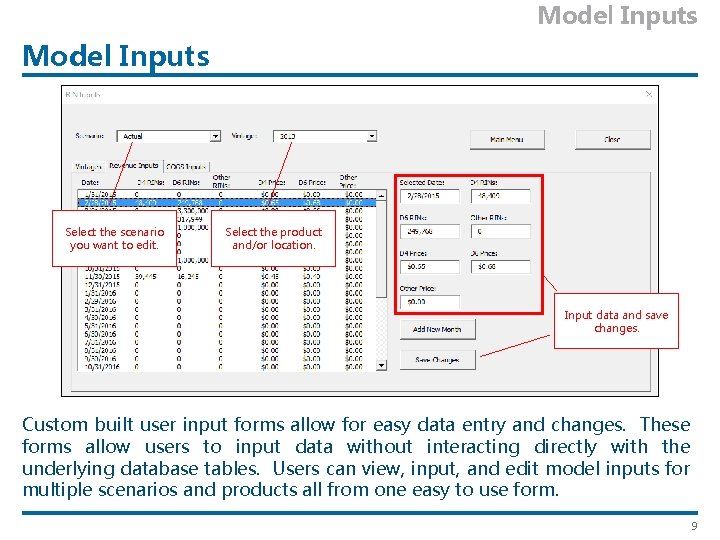
Model Inputs Select the scenario you want to edit. Select the product and/or location. Input data and save changes. Custom built user input forms allow for easy data entry and changes. These forms allow users to input data without interacting directly with the underlying database tables. Users can view, input, and edit model inputs for multiple scenarios and products all from one easy to use form. 9
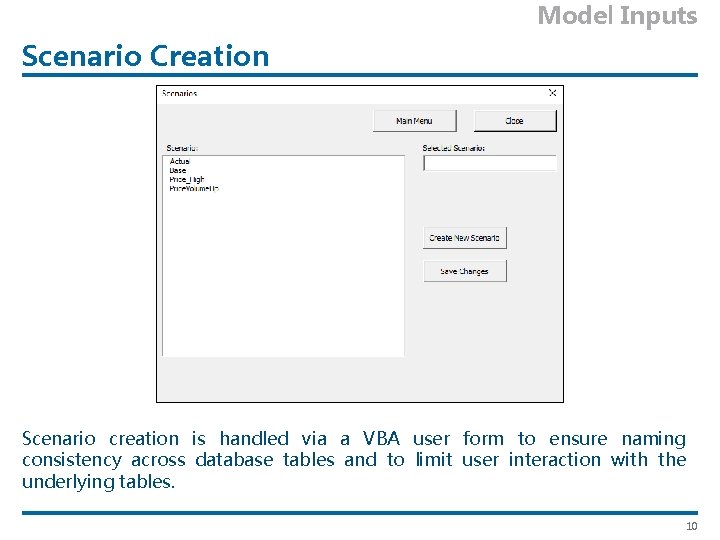
Model Inputs Scenario Creation Scenario creation is handled via a VBA user form to ensure naming consistency across database tables and to limit user interaction with the underlying tables. 10
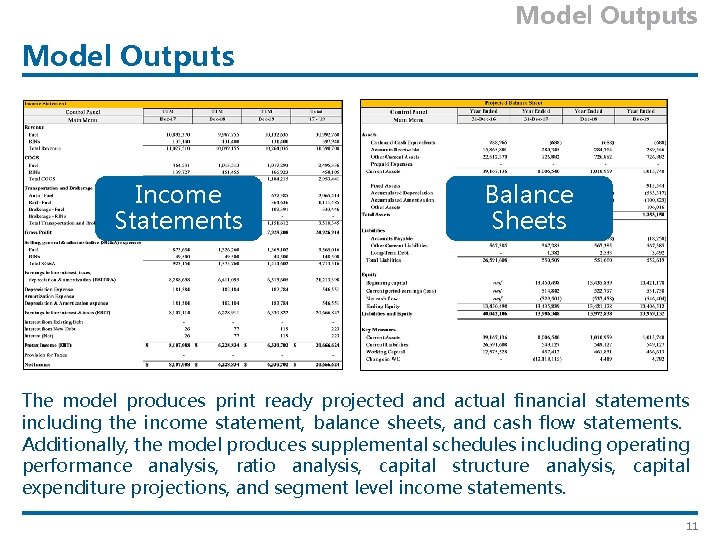
Model Outputs Income Statements Balance Sheets The model produces print ready projected and actual financial statements including the income statement, balance sheets, and cash flow statements. Additionally, the model produces supplemental schedules including operating performance analysis, ratio analysis, capital structure analysis, capital expenditure projections, and segment level income statements. 11
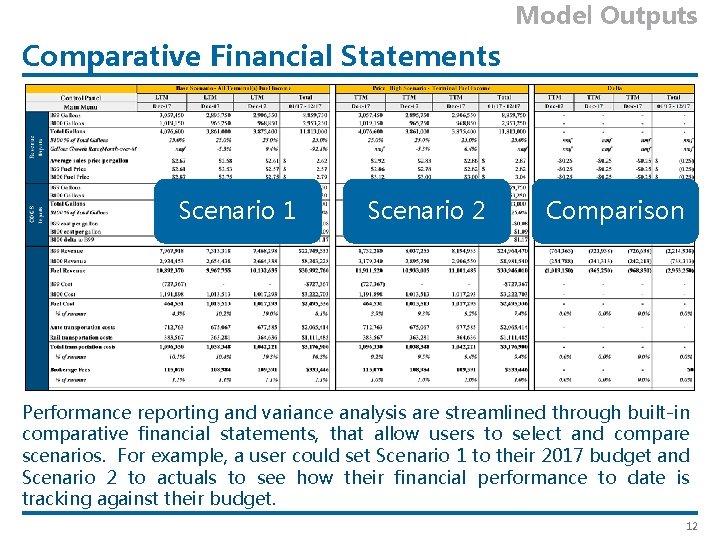
Model Outputs Comparative Financial Statements Scenario 1 Scenario 2 Comparison Performance reporting and variance analysis are streamlined through built-in comparative financial statements, that allow users to select and compare scenarios. For example, a user could set Scenario 1 to their 2017 budget and Scenario 2 to actuals to see how their financial performance to date is tracking against their budget. 12
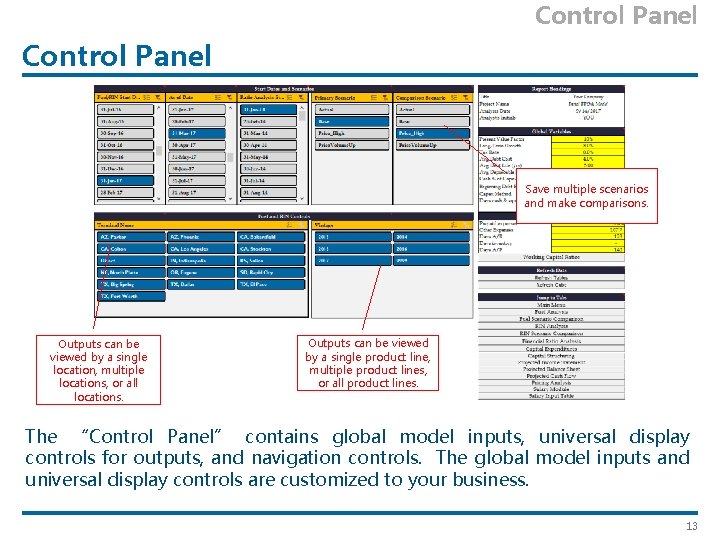
Control Panel Save multiple scenarios and make comparisons. Outputs can be viewed by a single location, multiple locations, or all locations. Outputs can be viewed by a single product line, multiple product lines, or all product lines. The “Control Panel” contains global model inputs, universal display controls for outputs, and navigation controls. The global model inputs and universal display controls are customized to your business. 13
© 2017 Value. Scope, Inc. www. Value. Scope. Inc. com
- Slides: 15