
FINANCIAL OFFICER TRAINING Spring 2020 1 YOUR ROLE




- Slides: 21
FINANCIAL OFFICER TRAINING Spring 2020 1
YOUR ROLE AS THE FINANCIAL OFFICER To manage your team’s budget and expenses during the semester or year. 2
WHAT DO I DO AS THE FINANCIAL OFFICER? As the financial officer, you will: • Learn how to create and maintain a budget for multiple projects • Track expenditures for multiple projects A detailed description of the role and responsibilities can be found here. 3
BUDGET PLANNING 4
WHY DO I NEED TO SUBMIT A TEAM BUDGET? EPICS is just like any other group – we have to operate on a budget. To be aware of what each team might need and spend is how we determine our yearly budget. We make our overall project budget from your budget submissions. We want your team to be successful and don’t want project progress to be held up by insufficient funds. 5
SEED ALLOCATION Each team starts with a $200 seed allocation. It is automatically included on your budget form. Your budget submission is your opportunity to request additional funding. The EPICS staff will take the project scope into consideration when evaluating your budget submission. Question: Do I need to submit a budget if I know my team will not exceed the seed money? Answer: Yes. Even if you are not spending over the $200 seed money, we need to know what your expenses will be. 6
HOW DO I CREATE MY BUDGET? Have each project team on your team give you an estimate for what they will spend. It is a team budget and you need your team’s help in preparing it. You must use the budget form found here. Tips: • Include shipping costs in your purchase estimates if you know them. • Do not include tax in your estimates. Purchases through the university are tax exempt. • Be realistic about room for error in your project. 7
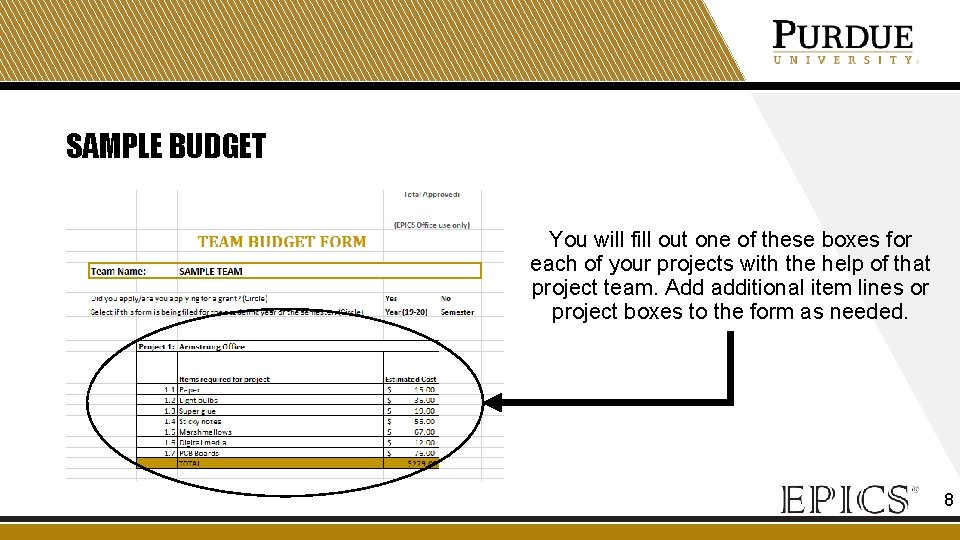
SAMPLE BUDGET You will fill out one of these boxes for each of your projects with the help of that project team. Add additional item lines or project boxes to the form as needed. 8
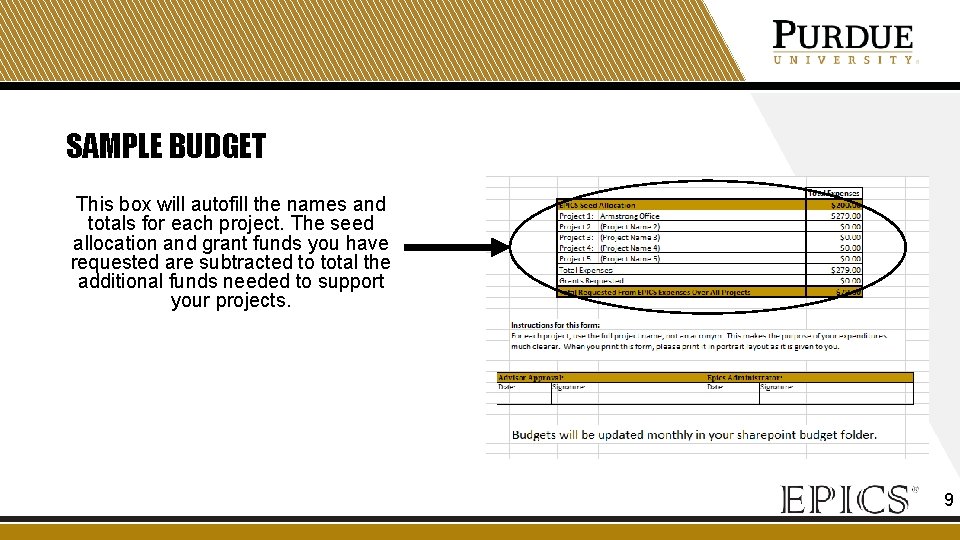
SAMPLE BUDGET This box will autofill the names and totals for each project. The seed allocation and grant funds you have requested are subtracted to total the additional funds needed to support your projects. 9
WHAT DO I DO WITH MY COMPLETED BUDGET FORM? 1. Print your budget form. 2. Have your advisor approve and sign it. 3. Submit the document to Pam Brown in ARMS 1207. 4. Await approval. You will receive an email notifying you if your budget was approved. If you have not received confirmation within 2 weeks, please email Pam Brown (pamb@purdue. edu). 10
EXPENSE TRACKING When your budget is approved, it will appear on your team’s Share. Point at: Documents > Budgets > (Semester) An updated accounting of your budget and expenses will be updated monthly in that location. You should make a monthly report to your team to discuss your financial standings. 11
GRANTS 12
SERVICE LEARNING GRANTS You are encouraged to apply for a service learning grant. You can either apply for a grant for your team as a whole or for each individual project. These grants allow EPICS to do more projects and maximize community impact. This is also a great opportunity for you to learn about grant writing. There will be a grant workshop next week to provide you with detailed information about grant writing and the submission process. A grant application example can be found here. 13
PURCHASING ON GRANT FUNDS You will be notified by the Office of Engagement if your application is approved. You must provide this information to the EPICS office for the funds to be reflected in your budget. The purchase request form has a place for you indicate which purchases you would like to place using grant funds. Please indicate your team, your project, and which grant you would like the purchase applied to. 14
GRANT FUND ACCOUNTING You will be required to provide a detailed accounting of your grant purchases to the Office of Engagement at the end of the semester. The accounting for your grant purchases will be included in the semester’s budget folder on Share. Point and updated monthly. 15
PURCHASING 16
HOW CAN MY TEAM PURCHASE ITEMS? The first step to purchasing anything is filling out the purchase request form found here. As the financial officer, you are responsible for familiarizing yourself and your team with the form and its requirements. You can either have the items ordered for you, or request to check out a credit card. Additional purchasing guidelines are detailed here. 17
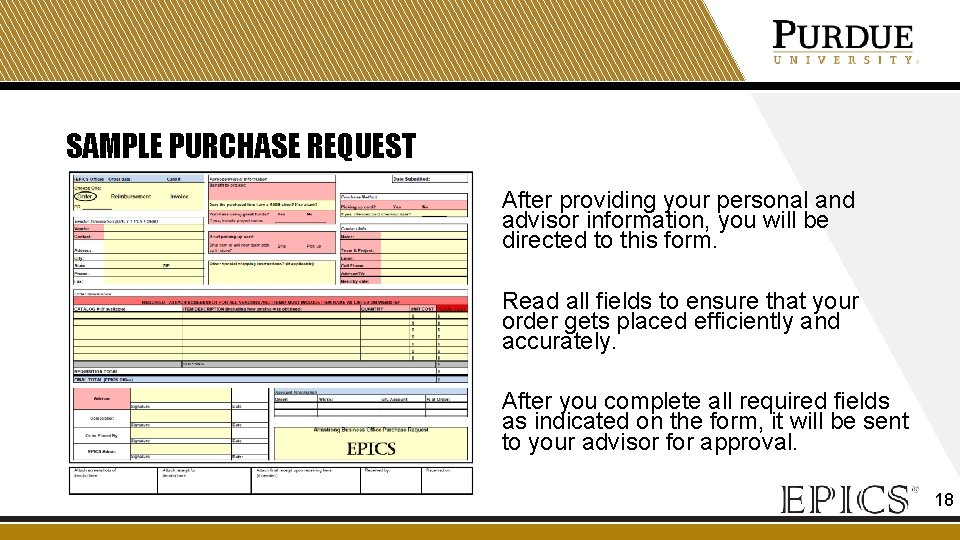
SAMPLE PURCHASE REQUEST After providing your personal and advisor information, you will be directed to this form. Read all fields to ensure that your order gets placed efficiently and accurately. After you complete all required fields as indicated on the form, it will be sent to your advisor for approval. 18
PURCHASE REQUEST TIPS • Submit a separate purchase request for each vendor (e. g. , Amazon, Home Depot, Menards, etc. ). • If you are ordering too many items to fit in the lines on the document, attach a spreadsheet and indicate “spreadsheet attached” on the form. Make sure you still include the catalog number, item description, quantity, unit cost, and total cost for all items. • Make sure your shipping cost is consistent with the speed with which you want it shipped (“Need by date”). 19
PURCHASE PROCESS You will be notified via email when: 1. Your purchase request is submitted 2. When your order is placed 3. When your item is available for pickup from the EPICS office (ARMS 1200). If you don’t receive an email that your order has been placed within a reasonable amount of time, check with your advisor. Please pick up your packages in a timely manner. If you have not received an email, your package has not arrived. 20
THANK YOU If you have questions about… …budgets or grants, talk to Pam Brown in ARMS 1207. …the purchase process, talk to Robin Terwilliger (ARMS 1200). 21