
Finance Program Hyperion Planning Project Budget Stakeholder Meeting
Finance Program Hyperion Planning Project Budget Stakeholder Meeting October 2016
Agenda Topics Project Goal and timeline 2017/18 Process overview What’s changing and what’s not? How are we managing the change? Training and Support Idea Exchange Session How you can help Agenda 2
Hyperion Planning system launch - Nov 16 (was communicated as – Nov 14) Why? • We need to ensure that the FINS month end closes correctly using the new Chart of Accounts in FINS 9. 2 before loading Hyperion Planning • Need sometime to validate the data in Hyperion Planning is correct 3
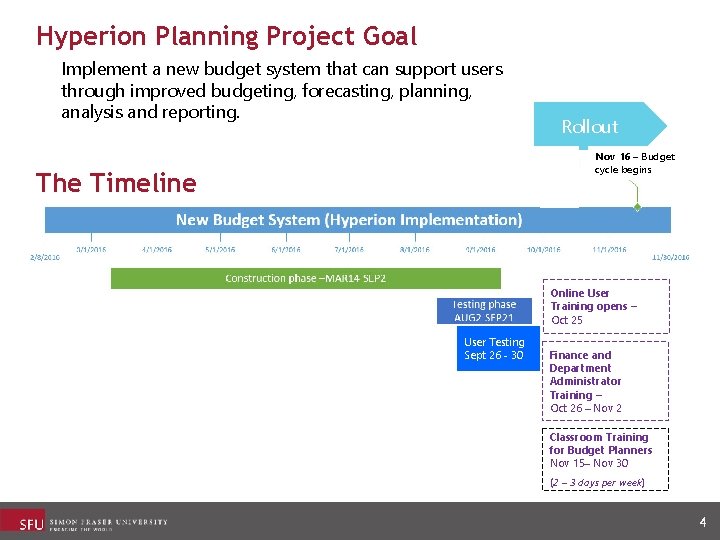
Hyperion Planning Project Goal Implement a new budget system that can support users through improved budgeting, forecasting, planning, analysis and reporting. Rollout Nov 16 – Budget cycle begins The Timeline Online User Training opens – Oct 25 nwards User Testing Sept 26 - 30 Finance and Department Administrator Training – Oct 26 – Nov 2 Classroom Training for Budget Planners Nov 15– Nov 30 (2 – 3 days per week) 4
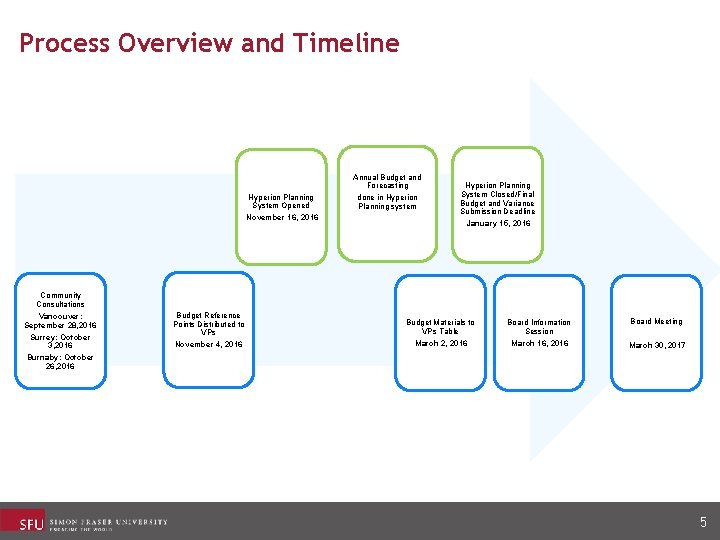
Process Overview and Timeline Annual Budget and Forecasting Hyperion Planning System Opened November 16, 2016 done in Hyperion Planning system Hyperion Planning System Closed/Final Budget and Variance Submission Deadline January 15, 2016 Community Consultations Vancouver: September 28, 2016 Surrey: October 3, 2016 Burnaby: October 26, 2016 Budget Reference Points Distributed to VPs November 4, 2016 Budget Materials to VPs Table March 2, 2016 Board Information Session March 16, 2016 Board Meeting March 30, 2017 5

Annual Budget Submission Overview 6
What is changing? • The tool • The new system (Oracle’s Hyperion Planning) is a web based solution that will utilize the newly re-designed Chart of Accounts (the foundation for any fiscal management/accounting system). • New functionality • Departments have the ability to budget and/or forecast by month (versus an annual total), and can opt to forecast throughout the year on a monthly or quarterly basis, improving ability to manage finances during the year. • System will be available all year. Departments can update forecasts monthly or quarterly throughout the year. • Task lists and budget and forecasting instructions and links to the Finance website all available from within the system. • Comments, supporting attachments and variance explanations all captured together within the system. 7

Hyperion Planning Task List Page The Task list expands 8

What is changing? • Streamlined Business processes • One budget process where the development of the planned use of carry forward is budgeted simultaneously with the annual budget. Consolidates two processes into one! One Board submission! • Budget submission timeline extended (opening one week earlier than in the past and extended one week longer). • Forecasts and Budgets will leverage the new Chart of Accounts structure. • New “to be hired” proposed continuing positions can be created directly into the system for planning purposes. In Phase 1, this functionality restricted to “Super Planners” (Directors of Admin/Finance) • Leaves and some selected groups of temporary positions can be entered into the system for planning purposes. 9
What is changing? • Improved Reporting capabilities • Preliminary and Final University Enrolment Plan data available in the system at the Faculty level. • Roll-out of powerful reporting and analytics capabilities in phases. • Inclusion of Ancillary Services fund planning details (in addition to the Operating fund). 10
Hyperion Planning Data • Financial data (from FINS): 5 years historical data from 2011/12 inclusive; • HR data (from HAP): • Current year position/employee data; • Snapshot of salaries as of October 28 th (which will include all of the base adjustments up to 2016/17) and increase for the base 2017/18 salaries; and • AFTE Enrolment data at the Faculty level only) 11
Hyperion Planning Security • Defined at the Department level for Phase 1 • Depending on user access: • Read or Write • Finance and/or Labour (Compensation) components • AVP/Faculty-Level access to: • To Be Hired • Planned Use of Carry Forward • Variance submissions • Reviewed existing IFPBS budget system access as a starting point with the various areas • If any questions, check with your AVP/Faculty-level Finance Director/Manager 12
What is not changing? We will continue to: • produce an annual budget and forecasting official submission to the Board of Directors • budget and forecast for continuing positions with detailed compensation totals. • provide Community reports – but leveraging the new Chart of Accounts foundational structure. 13
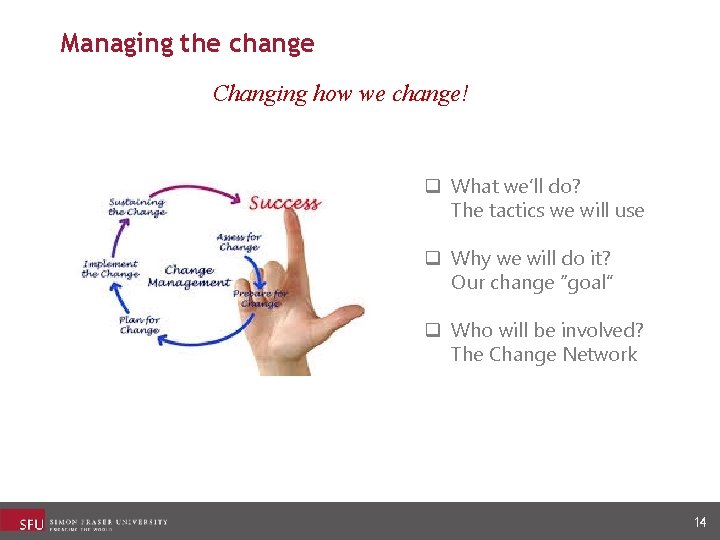
Managing the change Changing how we change! q What we’ll do? The tactics we will use q Why we will do it? Our change “goal” q Who will be involved? The Change Network 14
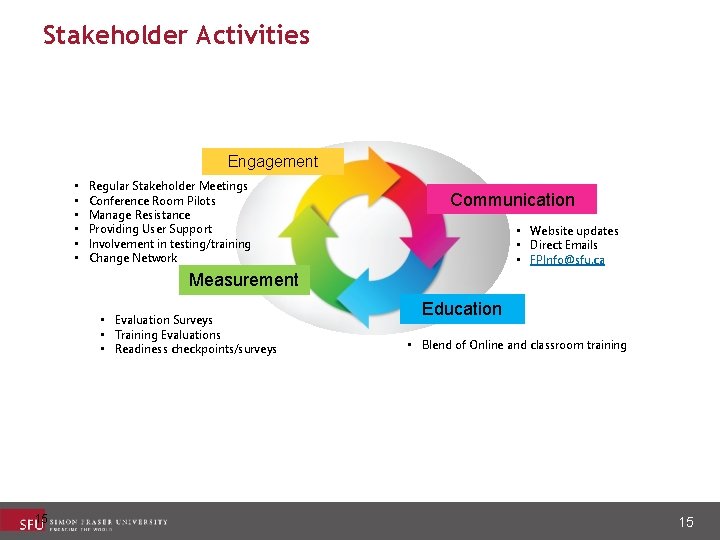
Stakeholder Activities Engagement • • • Regular Stakeholder Meetings Conference Room Pilots Manage Resistance Providing User Support Involvement in testing/training Change Network Communication • Website updates • Direct Emails • FPInfo@sfu. ca Measurement • Evaluation Surveys • Training Evaluations • Readiness checkpoints/surveys 15 Education • Blend of Online and classroom training 15
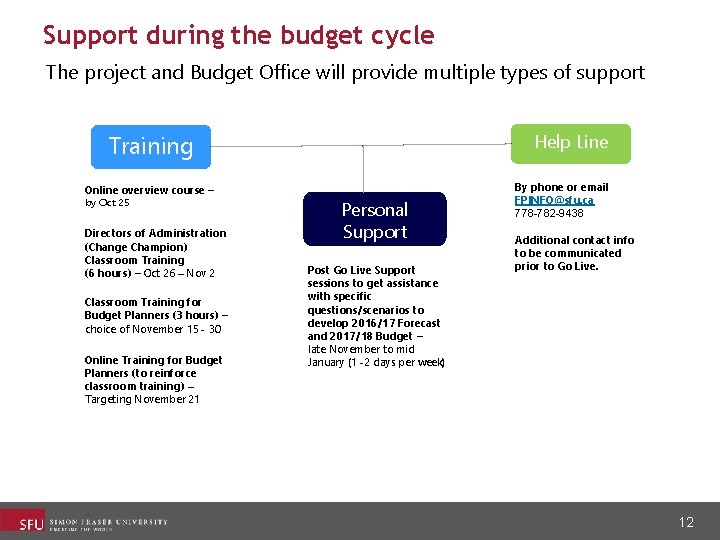
Support during the budget cycle The project and Budget Office will provide multiple types of support Help Line Training Online overview course – by Oct 25 Directors of Administration (Change Champion) Classroom Training (6 hours) – Oct 26 – Nov 2 Classroom Training for Budget Planners (3 hours) – choice of November 15 - 30 Online Training for Budget Planners (to reinforce classroom training) – Targeting November 21 Personal Support Post Go Live Support sessions to get assistance with specific questions/scenarios to develop 2016/17 Forecast and 2017/18 Budget – late November to mid January (1 -2 days per week) By phone or email FPINFO@sfu. ca 778 -782 -9438 Additional contact info to be communicated prior to Go Live. 12
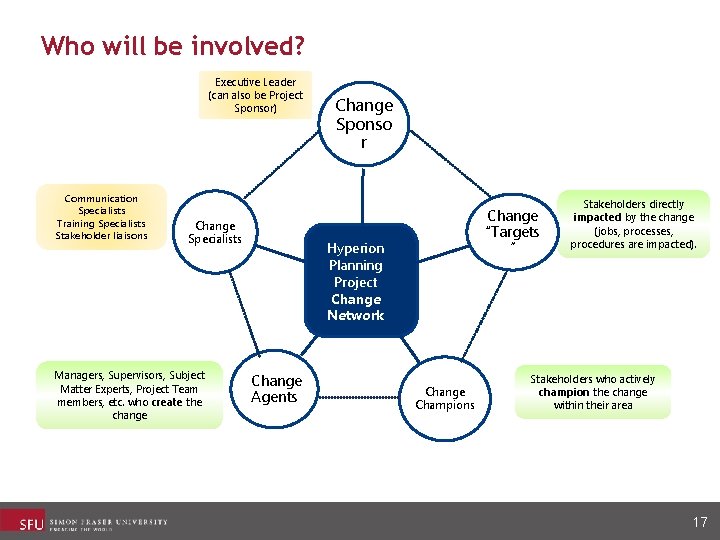
Who will be involved? Executive Leader (can also be Project Sponsor) Communication Specialists Training Specialists Stakeholder liaisons Change Specialists Managers, Supervisors, Subject Matter Experts, Project Team members, etc. who create the change Change Sponso r Change “Targets ” Hyperion Planning Project Change Network Change Agents Change Champions Stakeholders directly impacted by the change (jobs, processes, procedures are impacted). Stakeholders who actively champion the change within their area 17
ideaexchange – Brainstorming Activity • • Top 3 differences from IFPBS – comments from people who have taken training The 3 top concerns/questions about the new system Suggestions for structure of the “drop-in” sessions One question you want the project team to answer • We have 30 minutes for the brainstorming activity. 18
How you can help • Be aware … • Ask questions – be responsible for your own learning. • Read the communications. • Be open to new processes and the new system. • Not everything will be “perfect” for this year. • Directors of Administration will be undertaking multiple roles – as change champions/ambassadors as well as managing/supervising other staff. 19

20
- Slides: 20