
Finance Forum 18 September 2013 Welcome and Overview
Finance Forum 18 September 2013
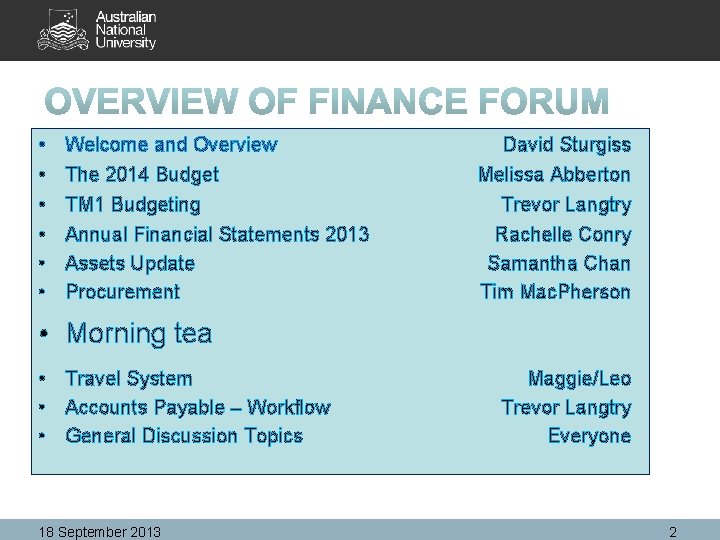
• • • Welcome and Overview The 2014 Budget David Sturgiss Melissa Abberton TM 1 Budgeting Annual Financial Statements 2013 Assets Update Procurement Trevor Langtry Rachelle Conry Samantha Chan Tim Mac. Pherson • Morning tea • Travel System • Accounts Payable – Workflow • General Discussion Topics 18 September 2013 Maggie/Leo Trevor Langtry Everyone 2
Welcome and Overview David Sturgiss 18 September 2013 3

The 2014 Budget Melissa Abberton
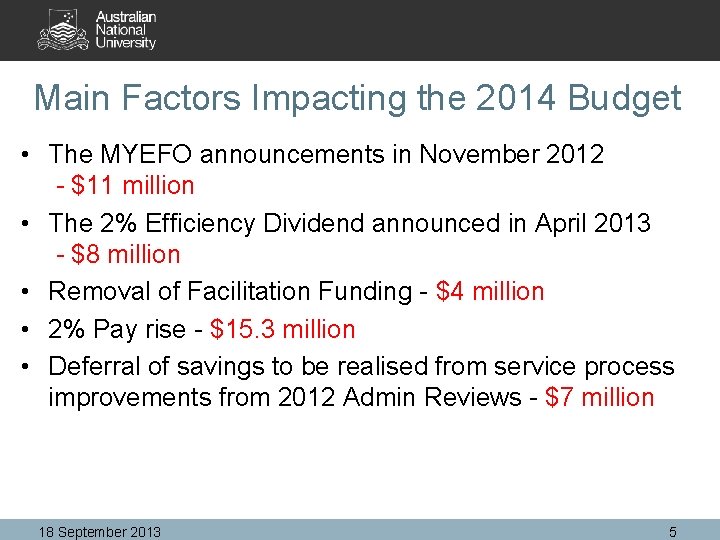
Main Factors Impacting the 2014 Budget • The MYEFO announcements in November 2012 - $11 million • The 2% Efficiency Dividend announced in April 2013 - $8 million • Removal of Facilitation Funding - $4 million • 2% Pay rise - $15. 3 million • Deferral of savings to be realised from service process improvements from 2012 Admin Reviews - $7 million 18 September 2013 5
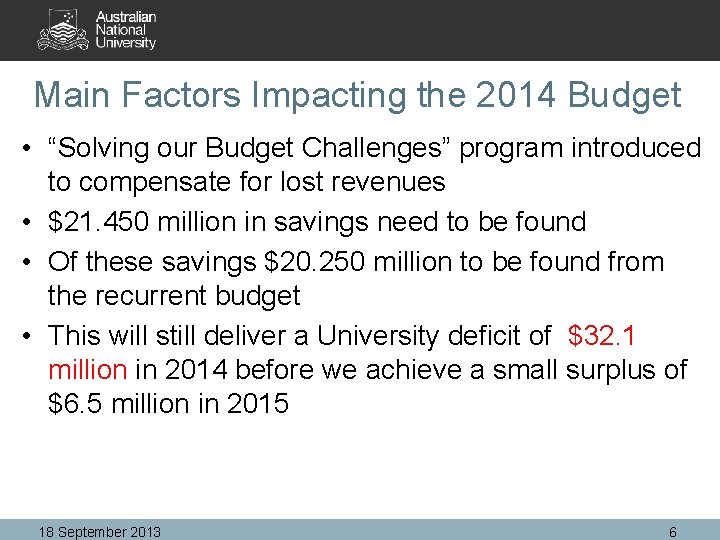
Main Factors Impacting the 2014 Budget • “Solving our Budget Challenges” program introduced to compensate for lost revenues • $21. 450 million in savings need to be found • Of these savings $20. 250 million to be found from the recurrent budget • This will still deliver a University deficit of $32. 1 million in 2014 before we achieve a small surplus of $6. 5 million in 2015 18 September 2013 6
How to Allocate the $20. 250 million? • The Senior Management Group (SMG) agreed to use the Transparent Budget Model as the mechanism to deliver the savings • At the SMG retreat a number of modelling options were assessed to determine how the savings should be allocated • This has lead to some changes to the 2013 Budget Model to be adopted for implementation in 2014 18 September 2013 7
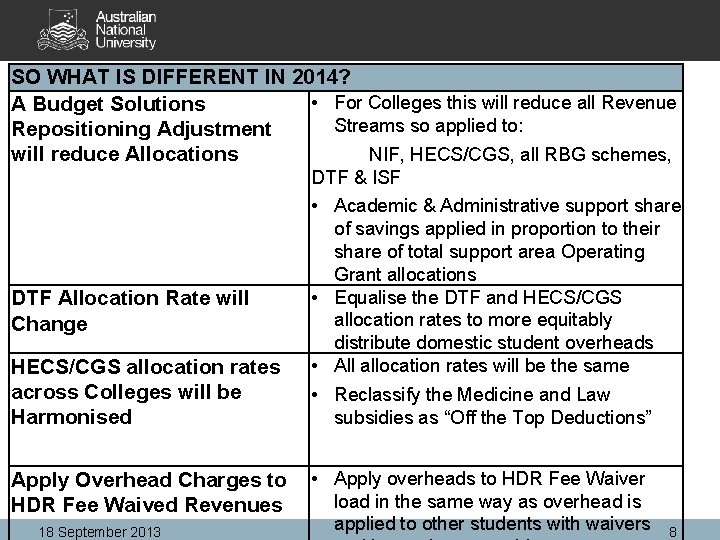
SO WHAT IS DIFFERENT IN 2014? • For Colleges this will reduce all Revenue A Budget Solutions Streams so applied to: Repositioning Adjustment NIF, HECS/CGS, all RBG schemes, will reduce Allocations DTF & ISF DTF Allocation Rate will Change HECS/CGS allocation rates across Colleges will be Harmonised Apply Overhead Charges to HDR Fee Waived Revenues 18 September 2013 • Academic & Administrative support share of savings applied in proportion to their share of total support area Operating Grant allocations • Equalise the DTF and HECS/CGS allocation rates to more equitably distribute domestic student overheads • All allocation rates will be the same • Reclassify the Medicine and Law subsidies as “Off the Top Deductions” • Apply overheads to HDR Fee Waiver load in the same way as overhead is applied to other students with waivers 8
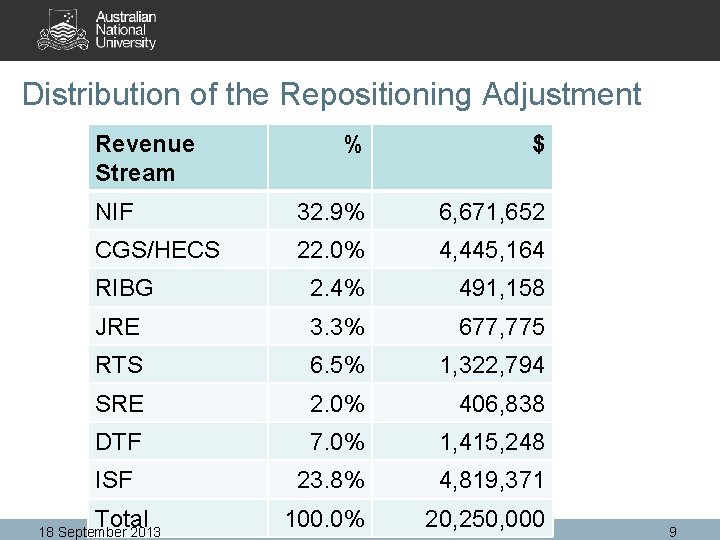
Distribution of the Repositioning Adjustment Revenue Stream % $ NIF 32. 9% 6, 671, 652 CGS/HECS 22. 0% 4, 445, 164 RIBG 2. 4% 491, 158 JRE 3. 3% 677, 775 RTS 6. 5% 1, 322, 794 SRE 2. 0% 406, 838 DTF 7. 0% 1, 415, 248 ISF 23. 8% 4, 819, 371 100. 0% 20, 250, 000 Total 18 September 2013 9
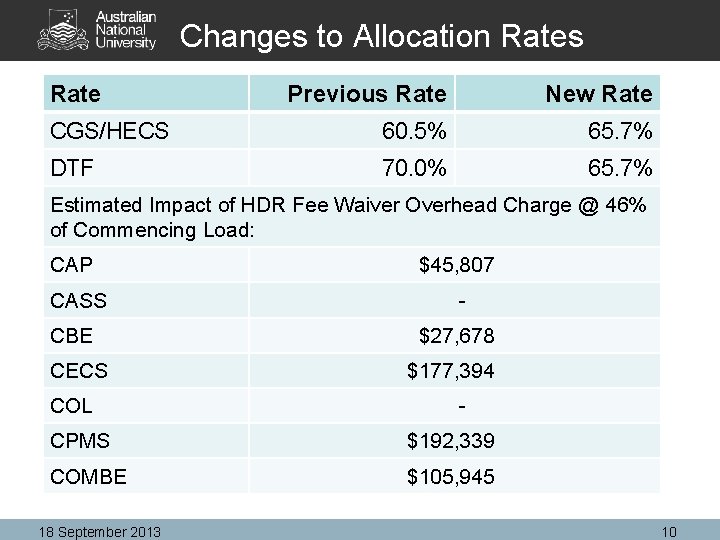
Changes to Allocation Rates Rate Previous Rate New Rate CGS/HECS 60. 5% 65. 7% DTF 70. 0% 65. 7% Estimated Impact of HDR Fee Waiver Overhead Charge @ 46% of Commencing Load: CAP $45, 807 CASS - CBE $27, 678 CECS $177, 394 COL - CPMS $192, 339 COMBE $105, 945 18 September 2013 10
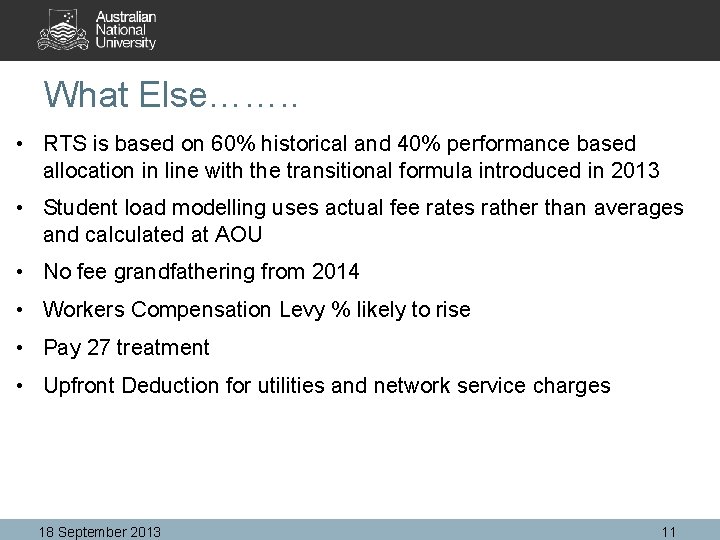
What Else……. . • RTS is based on 60% historical and 40% performance based allocation in line with the transitional formula introduced in 2013 • Student load modelling uses actual fee rates rather than averages and calculated at AOU • No fee grandfathering from 2014 • Workers Compensation Levy % likely to rise • Pay 27 treatment • Upfront Deduction for utilities and network service charges 18 September 2013 11
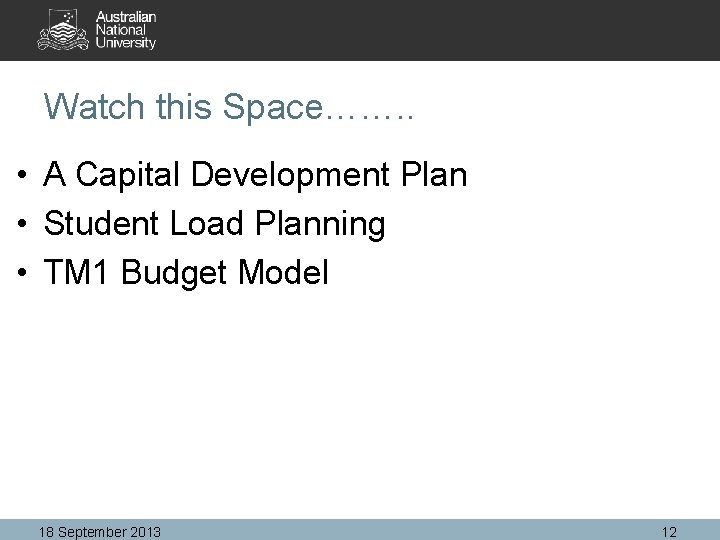
Watch this Space……. . • A Capital Development Plan • Student Load Planning • TM 1 Budget Model 18 September 2013 12
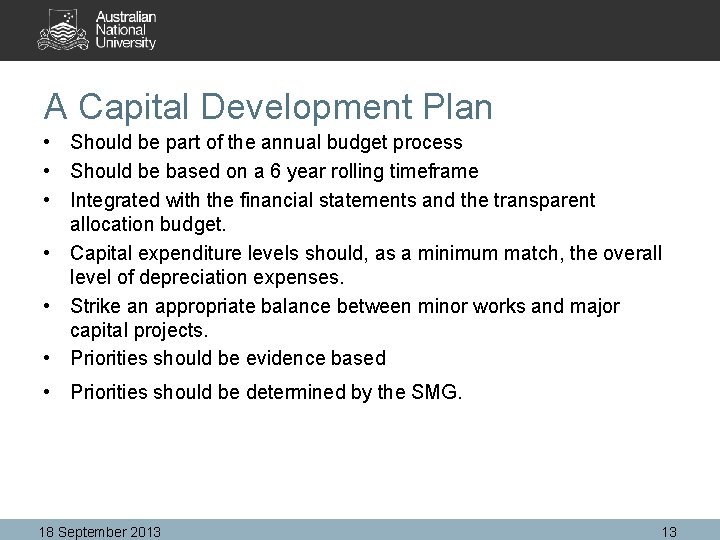
A Capital Development Plan • Should be part of the annual budget process • Should be based on a 6 year rolling timeframe • Integrated with the financial statements and the transparent allocation budget. • Capital expenditure levels should, as a minimum match, the overall level of depreciation expenses. • Strike an appropriate balance between minor works and major capital projects. • Priorities should be evidence based • Priorities should be determined by the SMG. 18 September 2013 13
Student Load Planning • PASS has developed new student load models to project commencing and continuing load by program • Will be further developed during 2014 to more fully integrate with the Budget Model for projecting tuition fees and allocatiing HECS/CGS revenues 18 September 2013 14
TM 1 Budget Model • Performance Issues Resolved • Web based delivery increasing flexibility & portability of the model • Salary model enhancements – budget at School Level • Consistency between data input and report output • Period 9 Data and 2014 Reporting Structure Loaded • Go Live week beginning 9 September 2013 18 September 2013 15
2014 Budget Timetable – Key Dates KEY DATE DELIVERABLE 3 & 4 September Senior Administrators Retreat 9 September TM 1 Budget Model available 30 September Draft Budget Advice Sheets Issued 16 November TM 1 Budget Model Closed for Recurrent and Trading Ledgers 22 November University & Allocation Budget Considered by Finance Committee Budget Policy & Guidelines Released End Final Budget Advice Packs issued incorporating December 18 September 2013 final Commonwealth Grant outcomes 16
TM 1 Budgeting Trevor Langtry September 2013
TM 1 - Update 18 September 2013 18
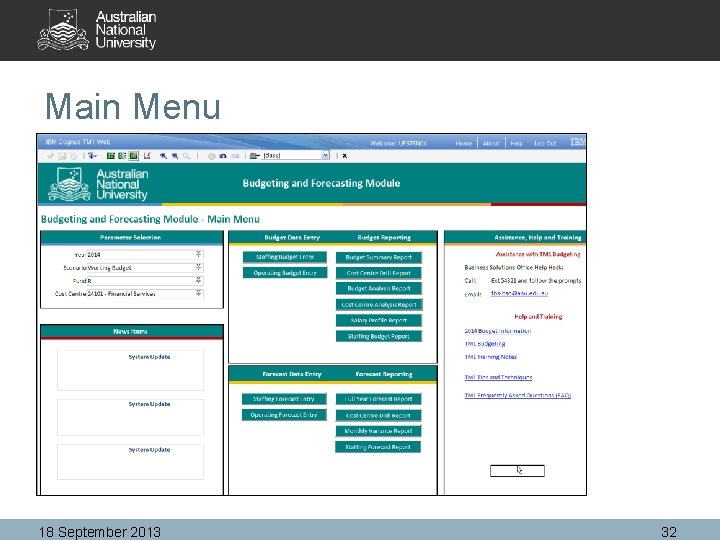
Agenda • • What’s Different Help & Documentation What’s Available - Data Main Menu Salary Template Operating Budget Reports 18 September 2013 19
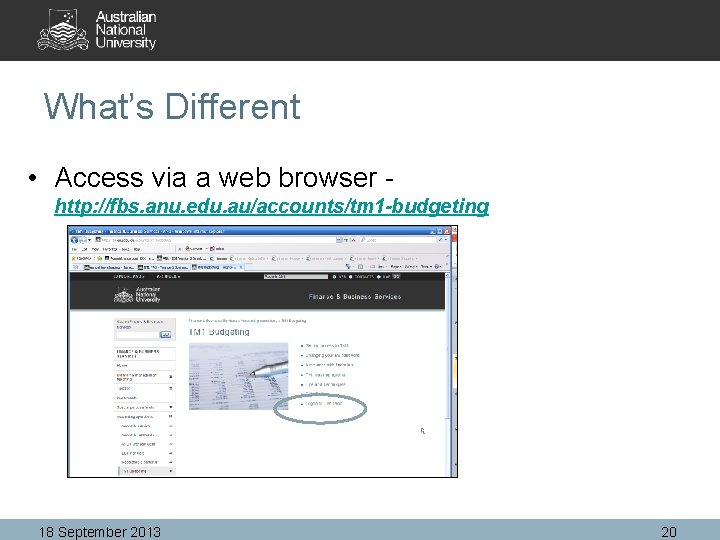
What’s Different • Access via a web browser - http: //fbs. anu. edu. au/accounts/tm 1 -budgeting 18 September 2013 20
What’s Different – cont. • Supported browsers: – – IE 6, 7, 8 Firefox – not supported but appears to work Chrome – don’t bother Other – Untested • Access to client install has been removed 18 September 2013 21
What’s Different – cont. Web Advantages: • Easier Deployment • Auto Calc – don’t have to turn off • Unable to accidently delete formula’s • No Confusion re Excel features • Improved Mobility • Can run a separate instance of Excel • Use off campus via a VPN (https: //anuvpn. anu. edu. au) • Easy to export to Excel for quick report 18 September 2013 22
What’s Different – cont. • Accounts Codes: – Budgeting is at a subset of the account codes – Reporting will include all account codes • Budget Data Entry Screens: – – No longer contains prior year data Only used for budget entry Includes an additional 2 years of projections Recommend running the Budget Summary report on second screen 18 September 2013 23
What’s Different – cont. System Performance Hopefully and not 18 September 2013 24
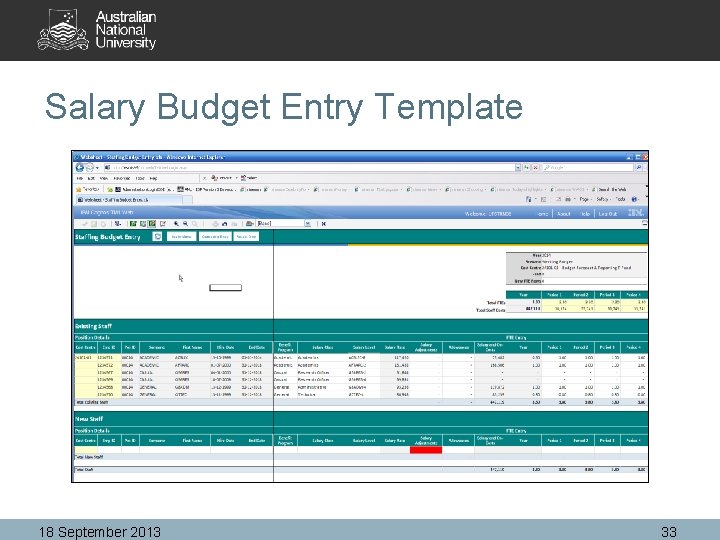
What’s Different – cont. Salary: • Comments field added • Increased max limit for additional staff • Fixed issues re account code mapping • Fixed bugs in drop down lists • Can salary budget for a whole department/budget unit 18 September 2013 25
Help & Documentation • Call – Ext 54321 and follow the prompts • Email – fbs-bso@anu. edu. au • Doco - http: //fbs. anu. edu. au/accounts/tm 1 budgeting • Request Drop In Session – Call or Email BSO 18 September 2013 26
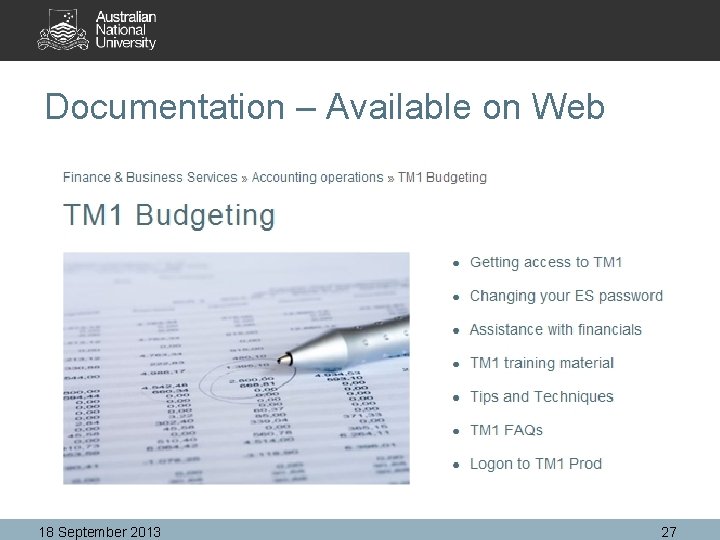
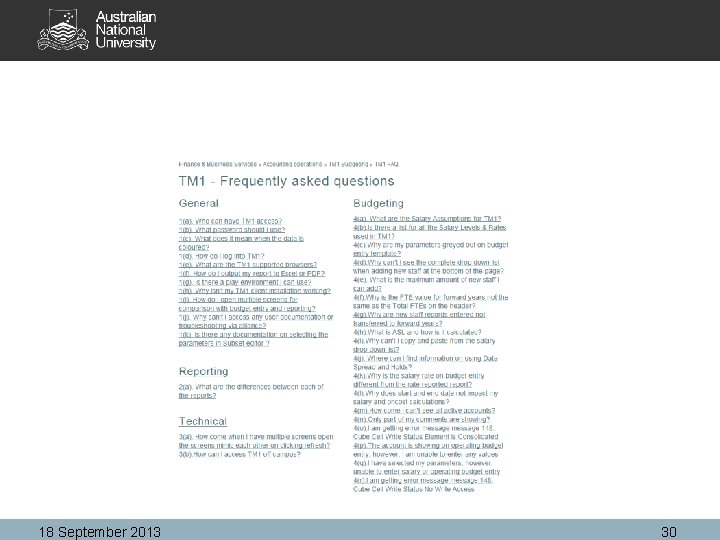
Documentation – Available on Web 18 September 2013 27
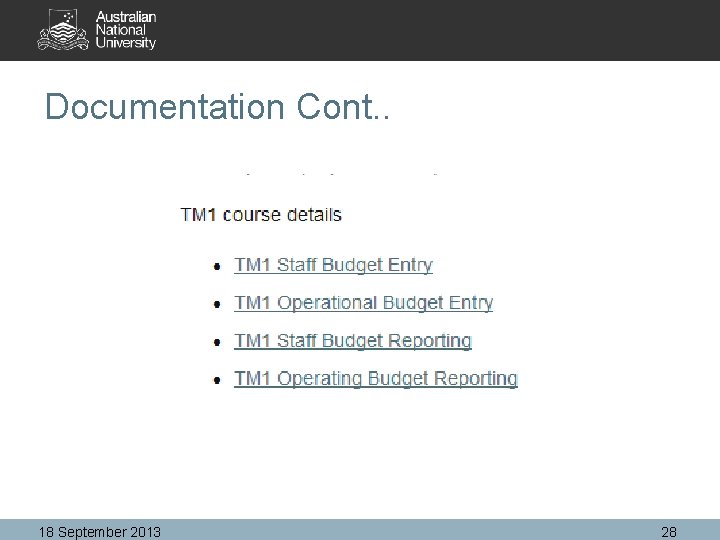
Documentation Cont. . 18 September 2013 28
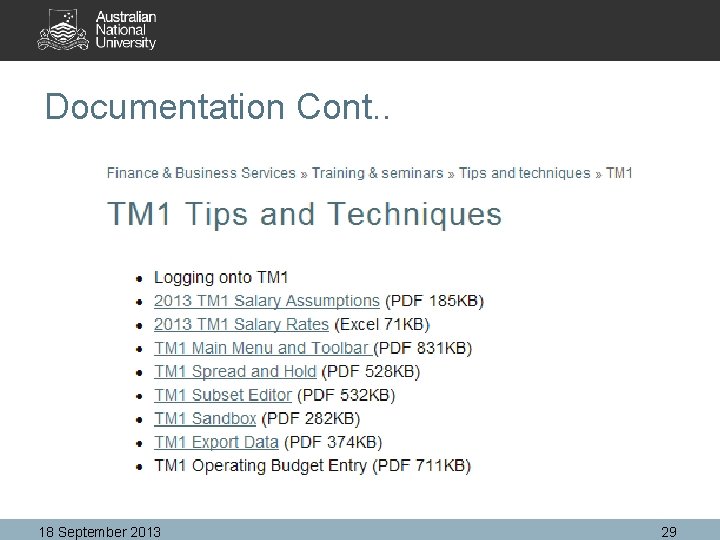
Documentation Cont. . 18 September 2013 29
18 September 2013 30
What’s Available - Data • Budgeting for 2014 • Forecasting – untested and data not populated • Original Budget for 2013 – Loaded from P/Soft Financials • Actuals for 2013 loaded to P 9 • Salary Date – extracted from HR 6 th September • Chart fields and Tree Structure - extracted from Finance 6 th September 18 September 2013 31
Main Menu 18 September 2013 32
Salary Budget Entry Template 18 September 2013 33
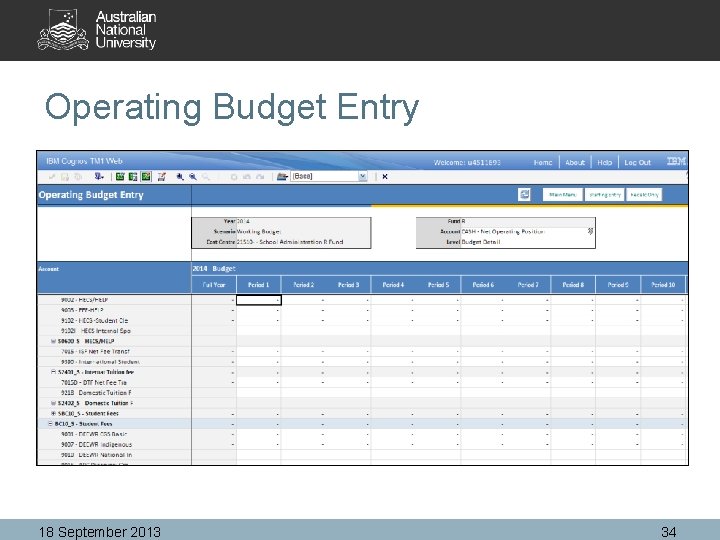
Operating Budget Entry 18 September 2013 34
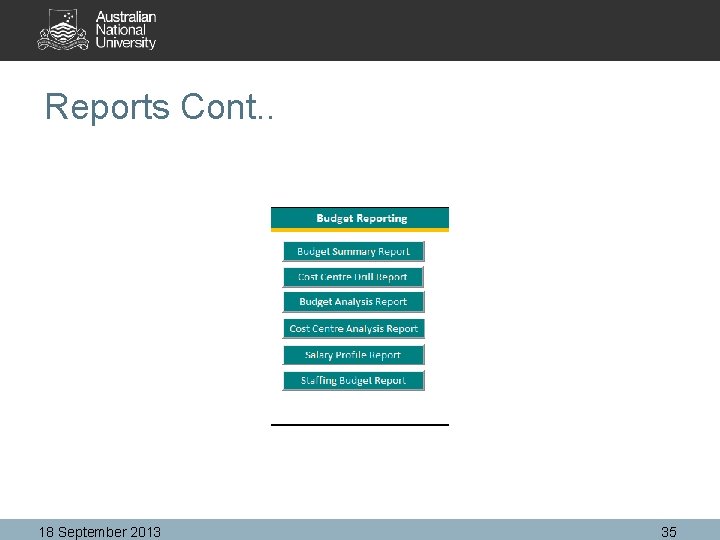
Reports Cont. . 18 September 2013 35
Questions? 18 September 2013 36
Annual Financial Statements (AFS) 2013 Rachelle Conry
Financial Reporting at ANU • Internal (Management) Reporting • External (Financial) Reporting • AFS is one of the major External Reporting Items • Reported on an Accrual basis • Includes ACTUAL (cash) & FINANCIAL (non-cash) entries 18 September 2013 38
AFS Overview • AFS are produced each year by the ANU in line with the following regulations: – Commonwealth Authorities and Companies Act 1997 (CAC Act) – Australian Accounting Standards – DIICCSRTE Financial Statement Guidelines for Australian Higher Education Providers – Finance Ministers Orders (FMOs) 18 September 2013 39
AFS Overview • CFO is responsible for delivery inc. signoff by the Australian National Audit Office (ANAO), Audit Committee, Finance Committee, Council, Vice. Chancellor & Chancellor • The process is managed by F&BS but is a collaboration with the Colleges and Service Divisions • Packs are completed by each Budget Unit & signed off by the Principle Delegate 18 September 2013 40
AFS 2013 – Process & Packs • Full update – November Finance Forum • No major changes for 2013 • 2013 Packs available in October inc. confirmed timings • 2012 Packs – Instructions, schedules, year end journal rules – http: //fbs. anu. edu. au/reporting/financial-reporting/annual-financialstatement-basics 18 September 2013 41
AFS 2013 – Land, Buildings, Infrastructure, Plant & Equipment (LBIPE) • Plant & Equipment (P&E) and Inventory Stocktakes to be returned to F&BS in early December • 2013 Revaluation - Land & Rare Library Material inc. Noel Butlin Archives • AMS closes 1 st week of December • Work In Progress (WIP) 18 September 2013 42
AFS 2013 – Other Balance Sheet Items • All Asset & Liability accounts require reconciliation • Recs to be submitted electronically –. xls &. pdf (signed version) • Comparing ES Financials information to original source 18 September 2013 43
AFS 2013 – Ledger Maintenance • Asset Reconciliations • 7 xxx (transfer) & 8 xxx (internal sales & purchase) Reconciliations • 51 xx – Equipment Purchase Review • 9370 – Proceeds from Sale of Assets 18 September 2013 44
AFS 2013 - Other Items • Description for vouchers to contain the year when the goods/services received • Chasing 2013 Invoices • 2013 Packs to be submitted electronically –. xls &. pdf (signed version) • Delegation needs to be arranged for an appropriate officer where the principle delegate is on leave 18 September 2013 45
AFS 2013 – Provisional Timing • Friday 6 December: – Plant & Equipment Schedules – Store Stock Schedules – Last day for adjustments in Asset Management System • Friday 13 December: – Last day for Vendor Additions 18 September 2013 46
AFS 2013 - Provisional Timing • Wednesday 18 December: – Pay 26 to be sent – Last AP runs for 2013 (draft, chq & TT) – Last day for AR invoices – Last day for banking foreign drafts 18 September 2013 47
AFS 2013 - Provisional Timing • Thursday 19 December: – Last AP EFT run for 2013 – Last day for direct debits for Halls & Colleges – Last day for Courier Run – Pay 26 re-banks – Last opportunity to run Outstanding Encumbrances Report for 2013 data 18 September 2013 48
AFS 2013 - Provisional Timing • Thursday 19 December (cont. ): – Last day for AP Vouchers for 2013 – Last day for entering ACTUALS, FINANCIAL & STD_BUDGET Journals – Access to ESP Financials closed at 5 pm 18 September 2013 49
AFS 2013 - Provisional Timing • Friday 20 December: – All receipting points must be deposit listed by 11 am – Access to One-Stop (Receipting) closed at 11 am 18 September 2013 50
AFS 2013 - Provisional Timing • Thursday 2 January: – One-Stop reopened after 10 am – ESP Financials reopened after 12 noon – First day for Vendors & AR Invoices after 12 noon • Friday 3 January: – First AP runs (EFT, TT, draft & chq) 18 September 2013 51
AFS 2013 - Provisional Timing • Friday 10 January: – Last day for year end journals – All AP invoices received in 2014 relating to 2013 goods & services should be processed by 5 pm – All AR invoices relating to 2013 goods & services should be processed – All other AFS Pack Schedules due 18 September 2013 52

Assets Update Samantha Chan
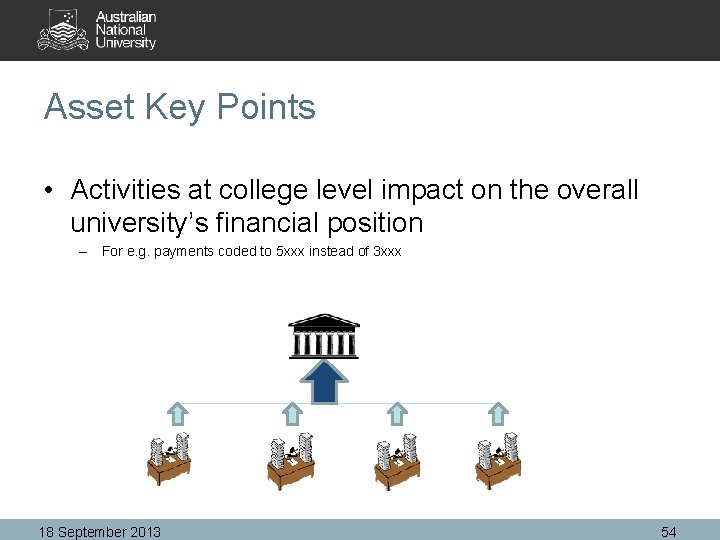
Asset Key Points • Activities at college level impact on the overall university’s financial position – For e. g. payments coded to 5 xxx instead of 3 xxx 18 September 2013 54
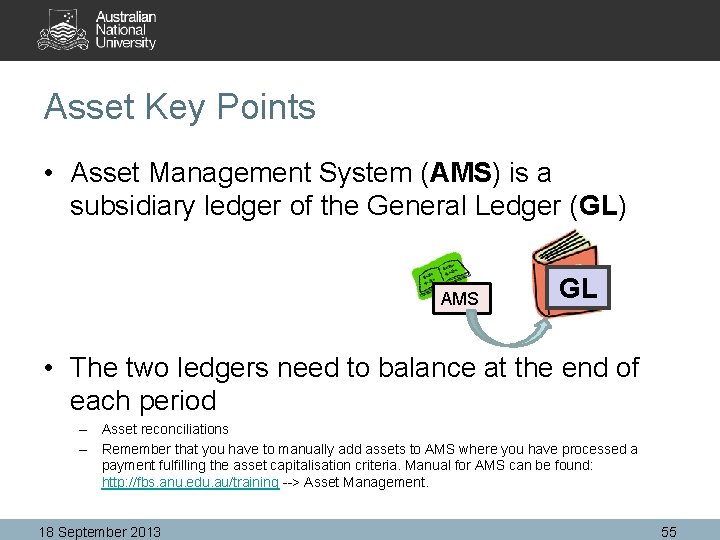
Asset Key Points • Asset Management System (AMS) is a subsidiary ledger of the General Ledger (GL) AMS GL • The two ledgers need to balance at the end of each period – Asset reconciliations – Remember that you have to manually add assets to AMS where you have processed a payment fulfilling the asset capitalisation criteria. Manual for AMS can be found: http: //fbs. anu. edu. au/training --> Asset Management. 18 September 2013 55
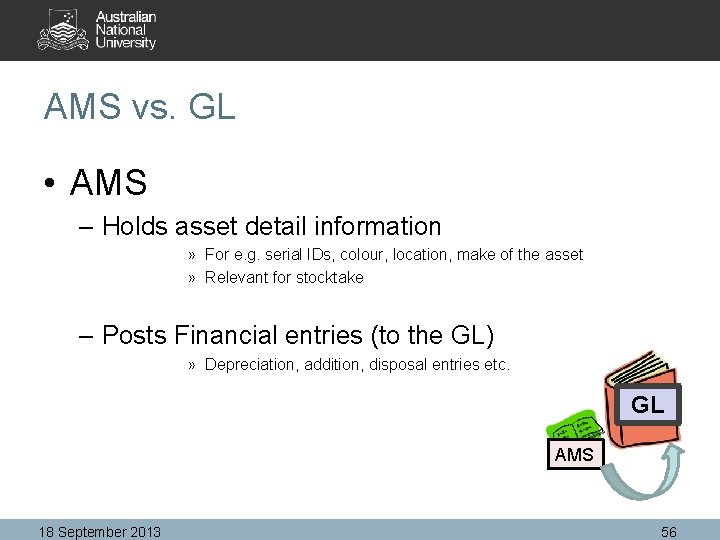
AMS vs. GL • AMS – Holds asset detail information » For e. g. serial IDs, colour, location, make of the asset » Relevant for stocktake – Posts Financial entries (to the GL) » Depreciation, addition, disposal entries etc. GL AMS 18 September 2013 56
AMS vs. GL • AMS automatically calculates and posts depreciation to the GL • AMS automatically posts entries on asset transfer – Business units do not need to process an actuals journal entry, unless they want this reflected on a cash basis (i. e. on FMR). Where this is the case, please contact srli@anu. edu. au. 18 September 2013 57
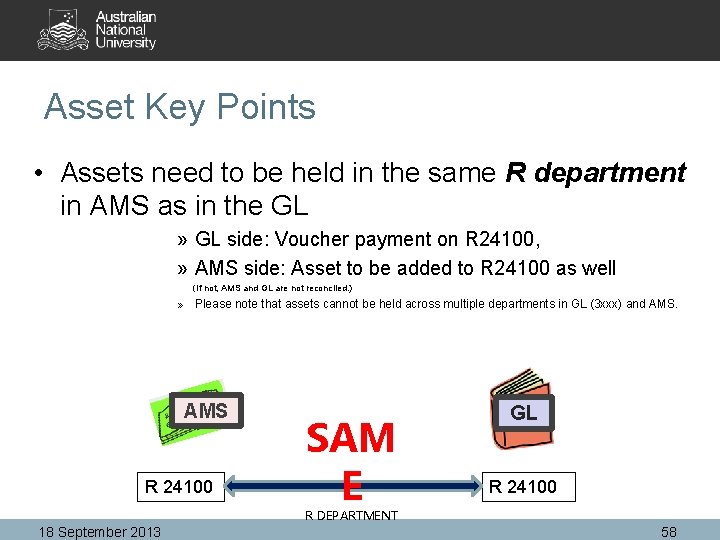
Asset Key Points • Assets need to be held in the same R department in AMS as in the GL » GL side: Voucher payment on R 24100, » AMS side: Asset to be added to R 24100 as well (If not, AMS and GL are not reconciled. ) » Please note that assets cannot be held across multiple departments in GL (3 xxx) and AMS R 24100 SAM E GL R 24100 R DEPARTMENT 18 September 2013 58
Final note on Assets • Training is available! – Need a refresher? Got new staff members managing assets? – Please contact Sam on x 58776 or email: samantha. chan@anu. edu. au • Quick links to asset information on the web: – http: //fbs. anu. edu. au/reporting/assets – Forms: http: //fbs. anu. edu. au/forms/asset-management – AMS user manual: http: //fbs. anu. edu. au/training --> asset management 18 September 2013 59
Procurement Tim Mac. Pherson
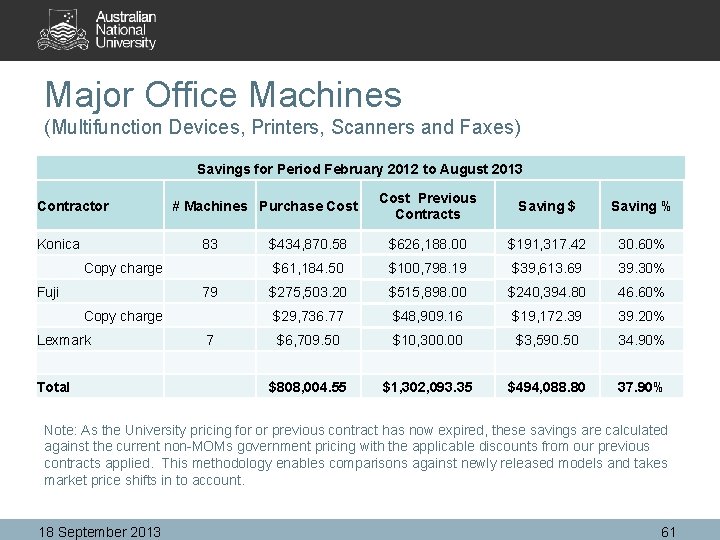
Major Office Machines (Multifunction Devices, Printers, Scanners and Faxes) Savings for Period February 2012 to August 2013 Contractor Konica # Machines Purchase Cost Previous Contracts Saving $ Saving % $434, 870. 58 $626, 188. 00 $191, 317. 42 30. 60% Copy charge 83 $61, 184. 50 $100, 798. 19 $39, 613. 69 39. 30% $275, 503. 20 $515, 898. 00 $240, 394. 80 46. 60% Copy charge 79 $29, 736. 77 $48, 909. 16 $19, 172. 39 39. 20% Lexmark 7 $6, 709. 50 $10, 300. 00 $3, 590. 50 34. 90% Total $808, 004. 55 $1, 302, 093. 35 $494, 088. 80 37. 90% Fuji Note: As the University pricing for or previous contract has now expired, these savings are calculated against the current non-MOMs government pricing with the applicable discounts from our previous contracts applied. This methodology enables comparisons against newly released models and takes market price shifts in to account. 18 September 2013 61
Major Office Machines (cont. ) • Compliance at ~98% • Product range updates Ø Specification comparative • Whole-of-life cost comparative • Automatic meter readings • Invoicing – Fuji Xerox • Non-mandated suppliers (Canon, Toshiba etc. ) Ø Managed Print Services 18 September 2013 62
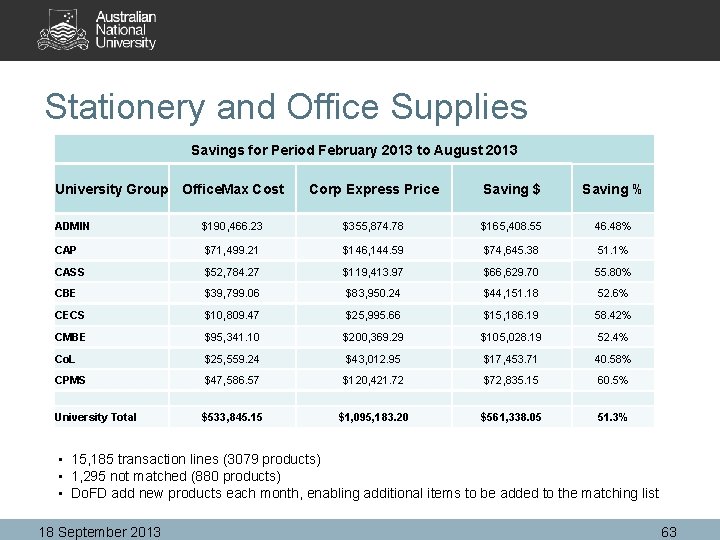
Stationery and Office Supplies Savings for Period February 2013 to August 2013 University Group Office. Max Cost Corp Express Price Saving $ Saving % ADMIN $190, 466. 23 $355, 874. 78 $165, 408. 55 46. 48% CAP $71, 499. 21 $146, 144. 59 $74, 645. 38 51. 1% CASS $52, 784. 27 $119, 413. 97 $66, 629. 70 55. 80% CBE $39, 799. 06 $83, 950. 24 $44, 151. 18 52. 6% CECS $10, 809. 47 $25, 995. 66 $15, 186. 19 58. 42% CMBE $95, 341. 10 $200, 369. 29 $105, 028. 19 52. 4% Co. L $25, 559. 24 $43, 012. 95 $17, 453. 71 40. 58% CPMS $47, 586. 57 $120, 421. 72 $72, 835. 15 60. 5% $533, 845. 15 $1, 095, 183. 20 $561, 338. 05 51. 3% University Total • 15, 185 transaction lines (3079 products) • 1, 295 not matched (880 products) • Do. FD add new products each month, enabling additional items to be added to the matching list 18 September 2013 63
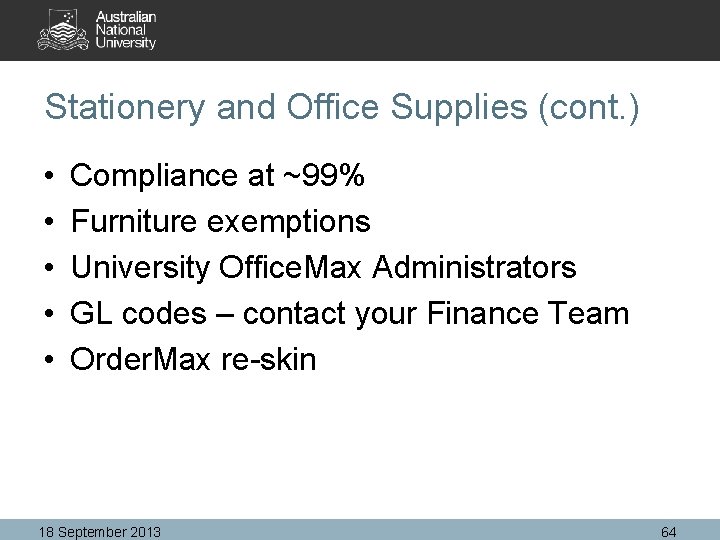
Stationery and Office Supplies (cont. ) • • • Compliance at ~99% Furniture exemptions University Office. Max Administrators GL codes – contact your Finance Team Order. Max re-skin 18 September 2013 64
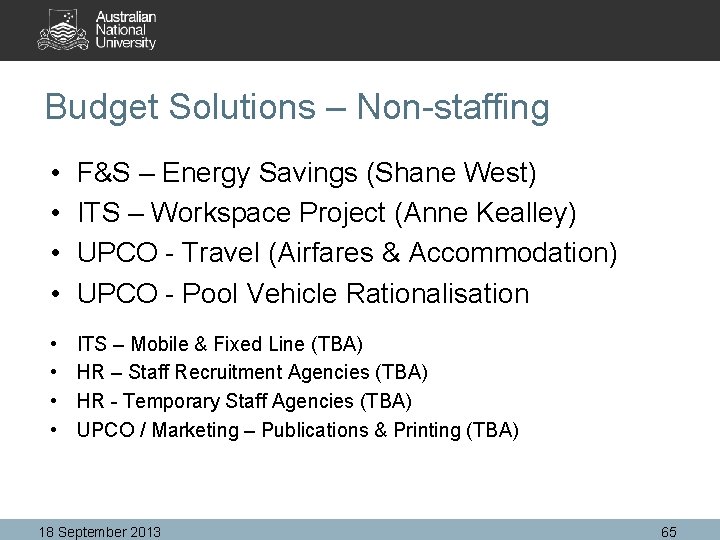
Budget Solutions – Non-staffing • • F&S – Energy Savings (Shane West) ITS – Workspace Project (Anne Kealley) UPCO - Travel (Airfares & Accommodation) UPCO - Pool Vehicle Rationalisation • • ITS – Mobile & Fixed Line (TBA) HR – Staff Recruitment Agencies (TBA) HR - Temporary Staff Agencies (TBA) UPCO / Marketing – Publications & Printing (TBA) 18 September 2013 65
Morning Tea Recommence in 20 minutes
Travel & Expense Project Update Maggie & Leo
Overview • • Business process workflow Travel request entry screen Collaborative email function Integration with Expenses module Web services integration Outcomes/Benefits Project status update Future enhancement 18 September 2013 68
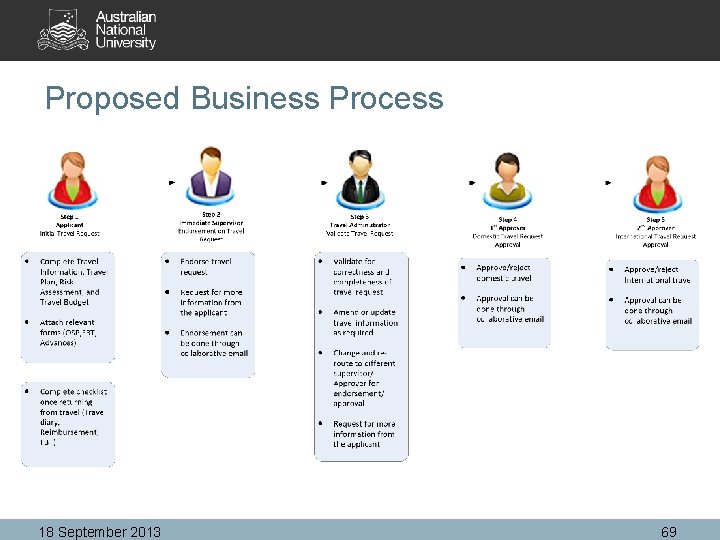
Proposed Business Process 18 September 2013 69
Other Enhanced Functionalities • Process per-diem and advances requests through OCR workflow and pay through Accounts Payable • Automatic email reminder for travellers upon returning from their trip to complete travel diary or advance acquittals if applicable 18 September 2013 70
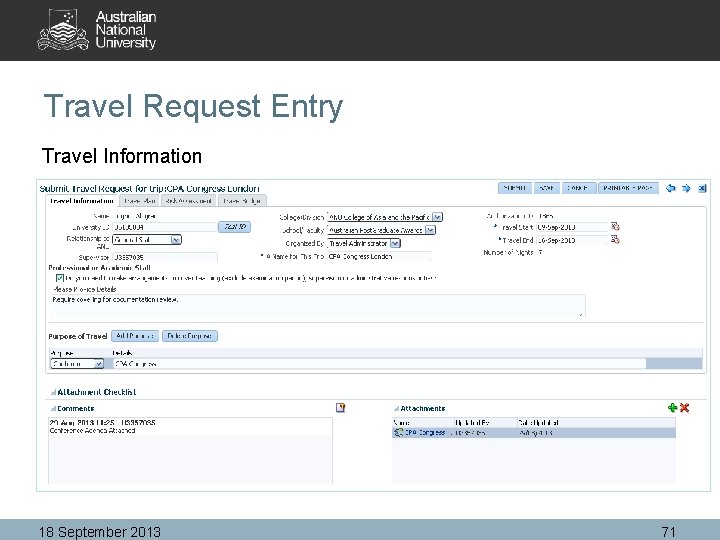
Travel Request Entry Travel Information 18 September 2013 71
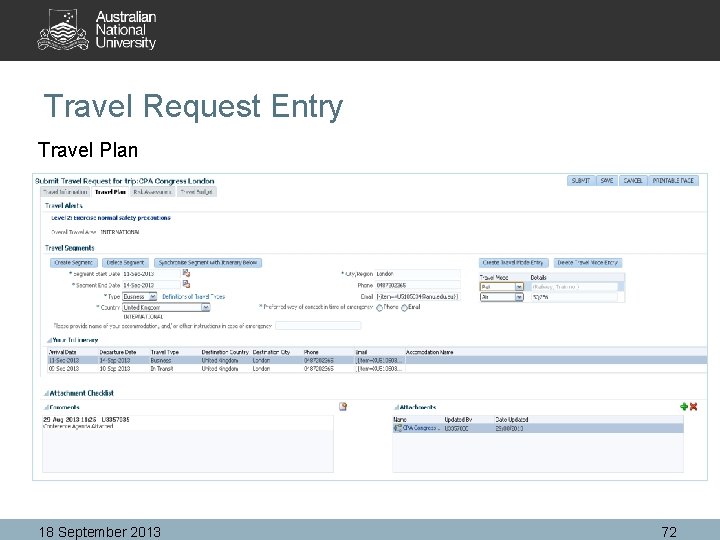
Travel Request Entry Travel Plan 18 September 2013 72
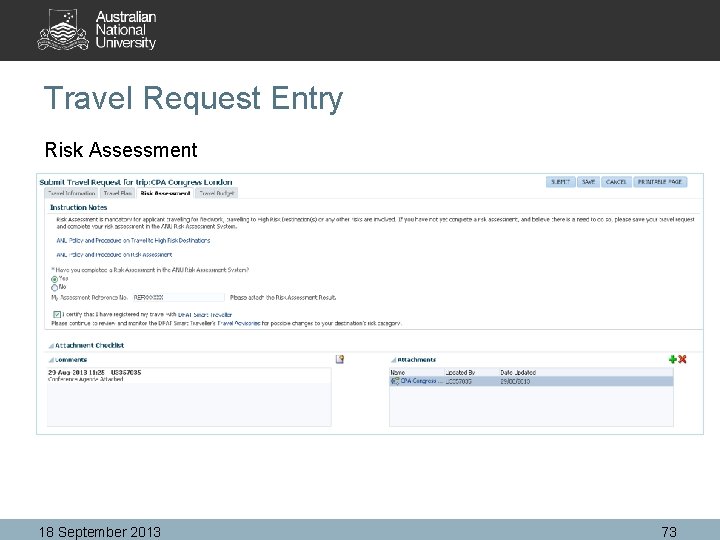
Travel Request Entry Risk Assessment 18 September 2013 73
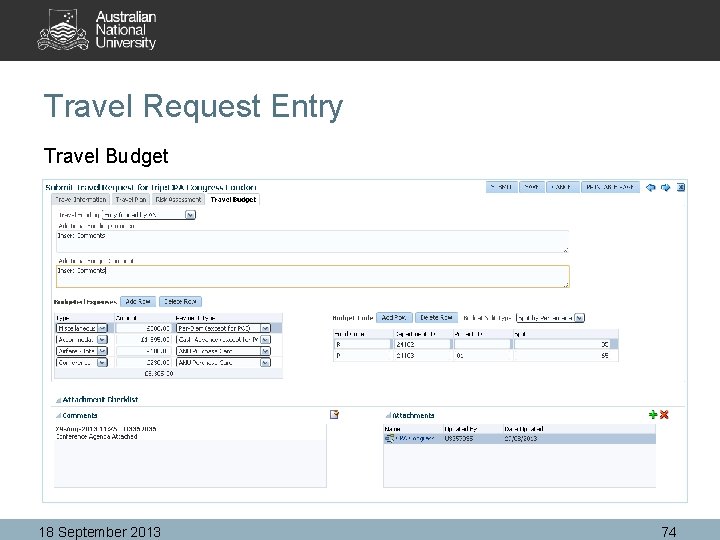
Travel Request Entry Travel Budget 18 September 2013 74
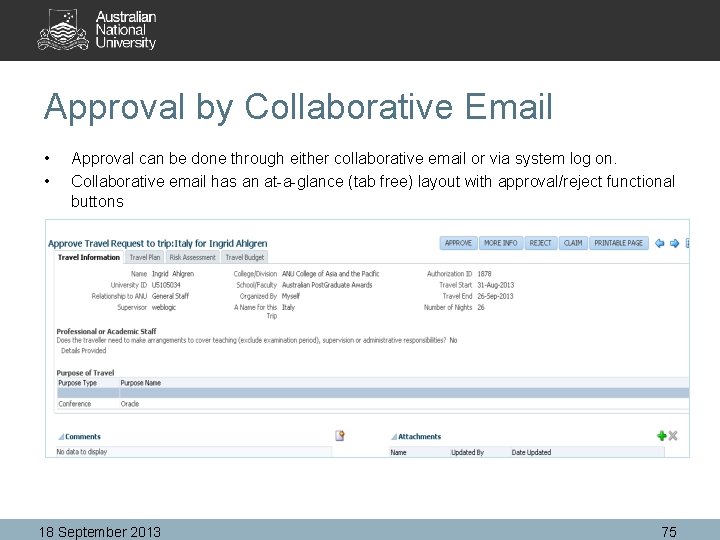
Approval by Collaborative Email • • Approval can be done through either collaborative email or via system log on. Collaborative email has an at-a-glance (tab free) layout with approval/reject functional buttons 18 September 2013 75
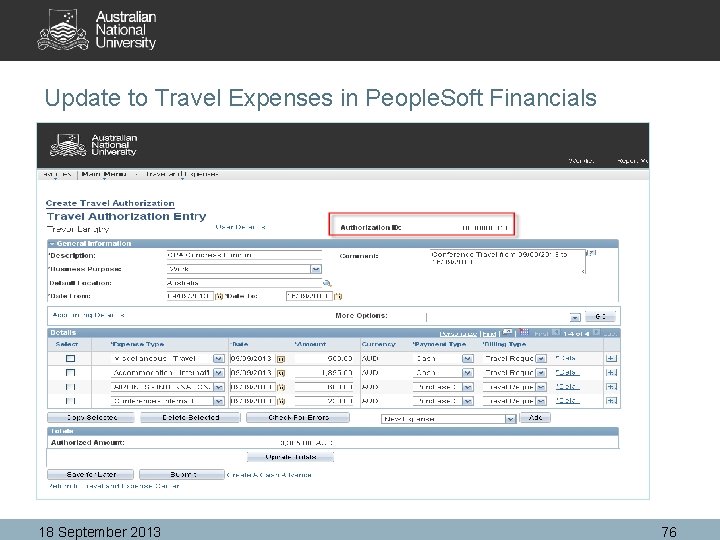
Update to Travel Expenses in People. Soft Financials 18 September 2013 76
System Integrations through Web Services • People. Soft Financials – GL validation (Fund Department Project) – ANU Tree Structure – Travel Administrators • People. Soft HR/Campus Solutions – Personal Data ( Relationship to ANU, College, Program Plan, Emergency contact) – Approval delegation – Staff/Students supervisor • LDAP – Log on credentials • DFAT- Smart Traveller – Country Risk Level 18 September 2013 77
Reporting • Travel & Expense Costing Report Provides a full costing for travel events, and including reconciliations between actual and budget for each travel events • Traveller Location Report The ability to track travellers by location for a given date range, and DFAT categories. • Other Reports to be determined 18 September 2013 78
Outcomes/Benefits • • • End to end process on a single platform Duty of care reporting Electronic enabled workflow process Standardized efficient process across University Executive reporting on travel costing Elimination of paper based process on per-diem, advances, and reimbursement 18 September 2013 79
Project Status Update • • Testing commence in early September Pilot move into CAP Pilot review with CAP through weekly meetings Concurrent developments by ITS – In built Travel Diary and acquittals – In built FBT calculator (pre and post travel) as compared to current manual form attachment – In built Per-diem calculator – In built Risk Assessment and approval workflow – Development environment is currently used for testing purpose – Acceptance environment will be required for pilot phase. 18 September 2013 80
Future Enhancements • Proxy Function – Travel Administrator can create travel request on behalf of others • Advanced Integration with HR – Flag/update Employee Leave record with absence type travel when a travel request is raised and approved in BPM – Flag/update assignment of delegations when the usual delegate has absence type travel • Copy Function – Allow user to copy from a previously created travel request or copying from a different person. 18 September 2013 81
Accounts Payable - Workflow Trevor Langtry
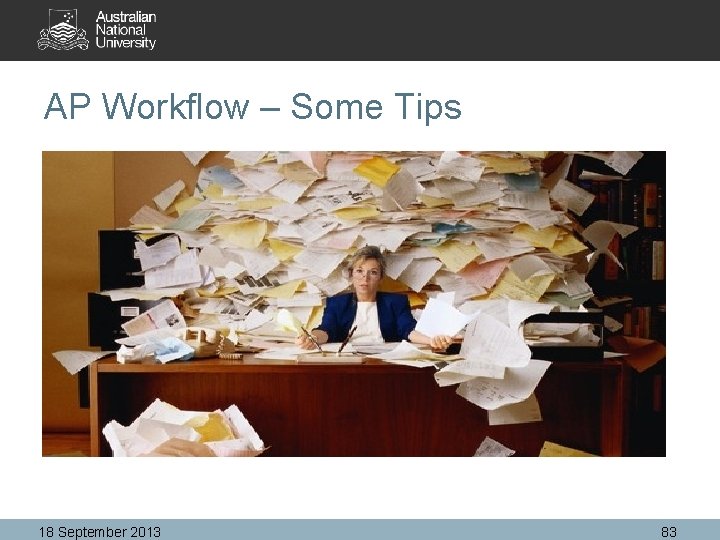
AP Workflow – Some Tips 18 September 2013 83
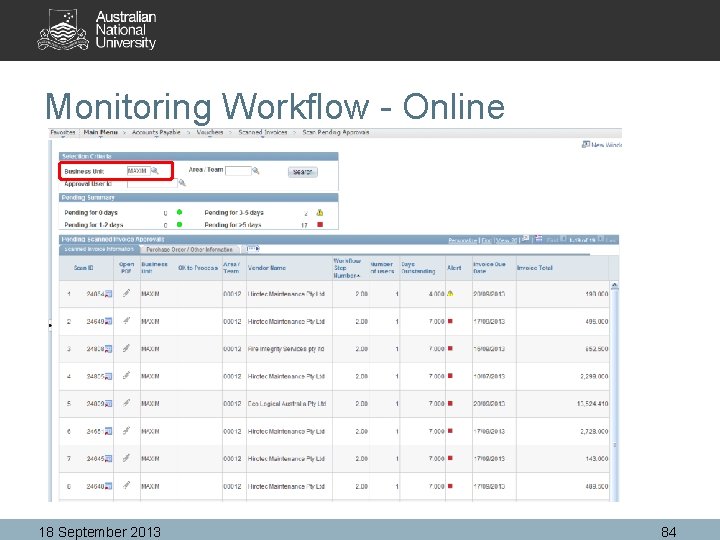
Monitoring Workflow - Online 18 September 2013 84
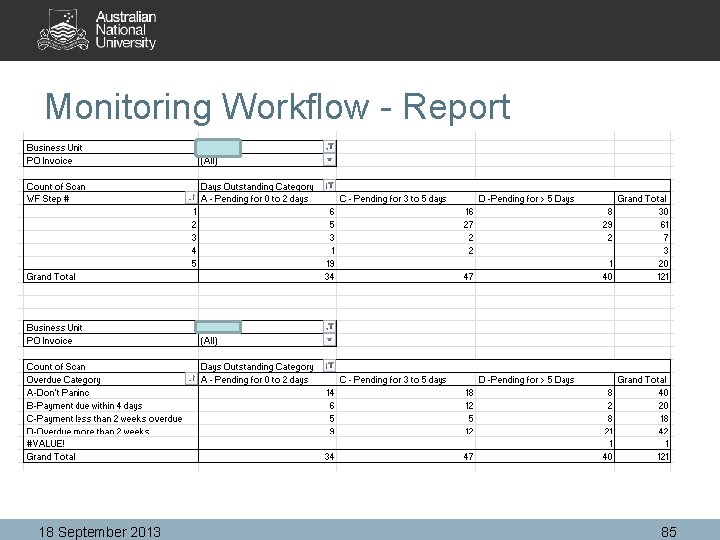
Monitoring Workflow - Report 18 September 2013 85
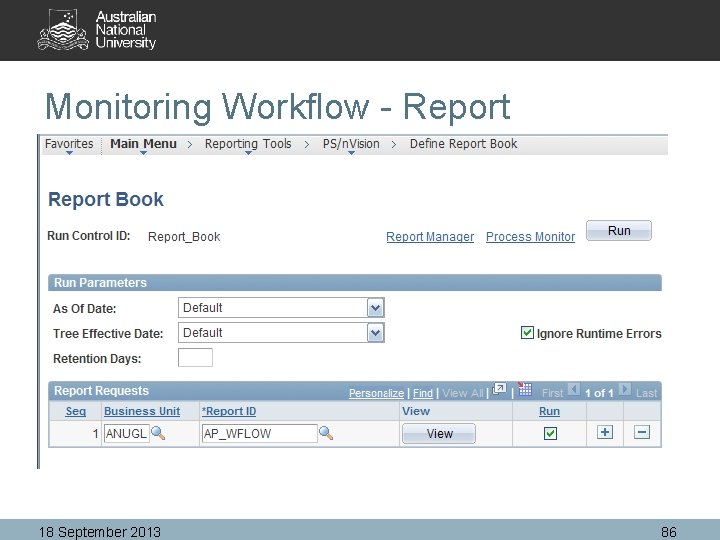
Monitoring Workflow - Report 18 September 2013 86
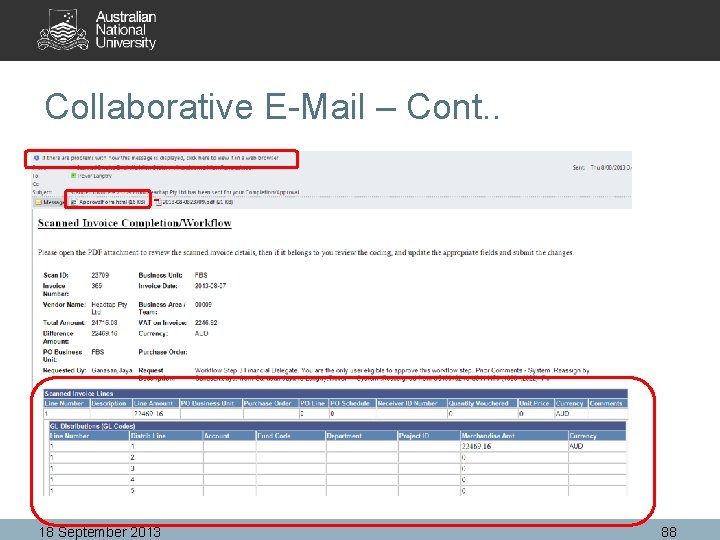
Collaborative E-Mail What is it: • Allows a person to engage in the workflow process (i. e. approve) via an email without logging into the system • Sounds Good? But! – – – Has reduced functionality Unable to additional documentation Unable to insert additional workflow steps Limited field validations Does not like the use of special characters in the description or comments fields - @#$’%^&*! - Sometimes 18 September 2013 87
Collaborative E-Mail – Cont. . 18 September 2013 88
Collaborative E-Mail – Cont. . Three Options on how to use Collab E-Mail 1. Via the body of the e-mail itself – Limited support in terms of which e-mail client software it will work on • • Works OK on the i. Pad Old version of Outlook – Office 360 requires new versions of Oulook 18 September 2013 89
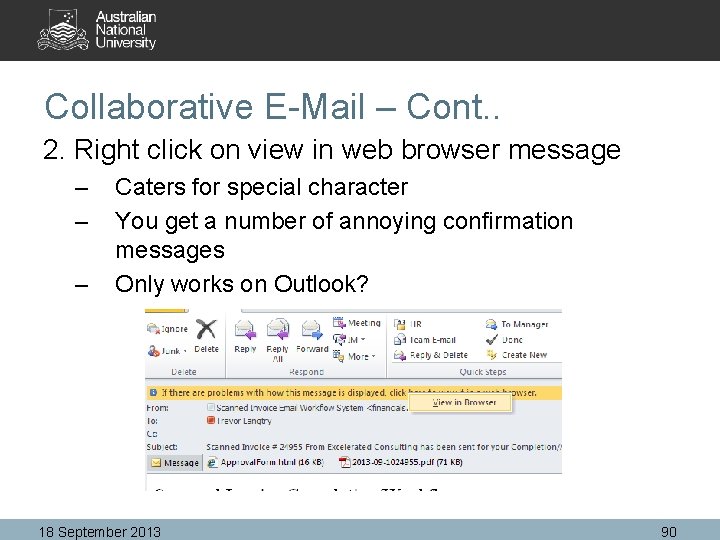
Collaborative E-Mail – Cont. . 2. Right click on view in web browser message – – – Caters for special character You get a number of annoying confirmation messages Only works on Outlook? 18 September 2013 90
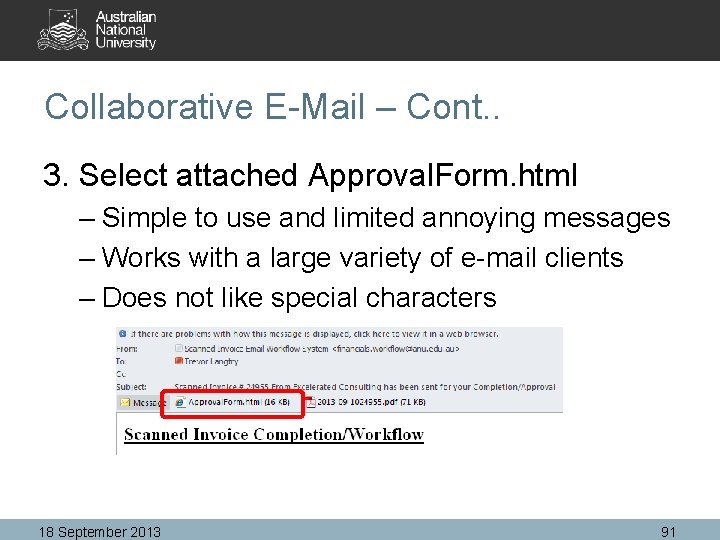
Collaborative E-Mail – Cont. . 3. Select attached Approval. Form. html – Simple to use and limited annoying messages – Works with a large variety of e-mail clients – Does not like special characters 18 September 2013 91
Collaborative E-Mail – Cont. . 18 September 2013 92
Collaborative E-Mail – Cont. . Recommendation: – Limit Collaborative E-mail to those staff that: • Have a very limited number of transactions; and • Do not regularly use the system for other purposes – Can still get e-mail notification that allows you to click on link that takes you straight into the workflow transaction once a user id and password is entered – Same as approving online leave 18 September 2013 93
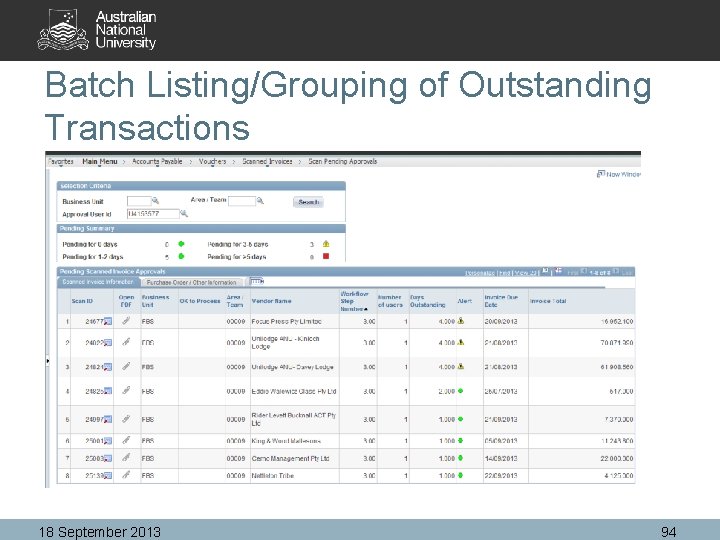
Batch Listing/Grouping of Outstanding Transactions 18 September 2013 94
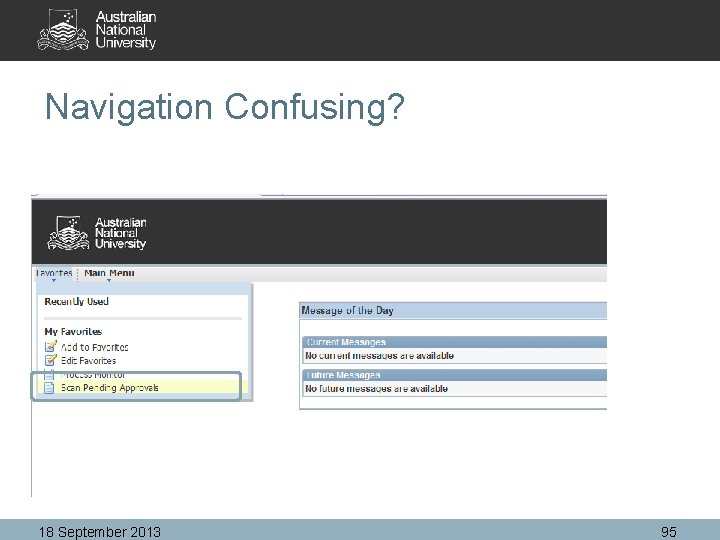
Navigation Confusing? 18 September 2013 95
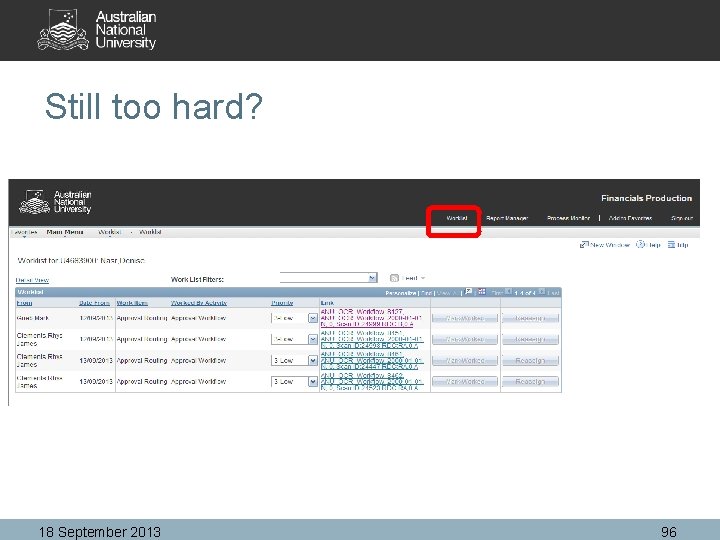
Still too hard? 18 September 2013 96
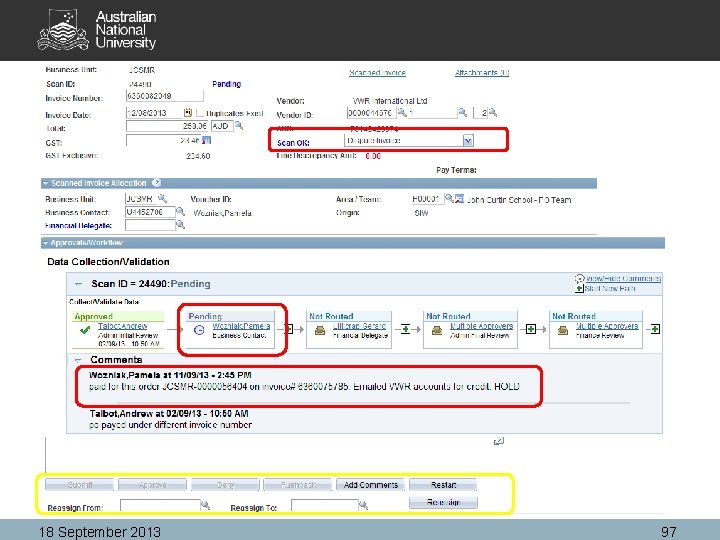
18 September 2013 97
Need Help • Call – Ext 54321 and follow the prompts • Email – fbs-bso@anu. edu. au • Doco - http: //fbs. anu. edu. au/training/tips-andtechiniques/accounts-payable-workflow • Request Drop In Session – Call or Email BSO • Fortnightly Open forum – bring your problem and discuss with all. 18 September 2013 98
Questions? 18 September 2013 99
General Discussion All Participants
Next Finance Forum Wednesday 13 November 2013 10: 00 am to 12: 30 pm Close!
- Slides: 101