
FINAL Project Information Two Design Review presentations 1015
- Slides: 53
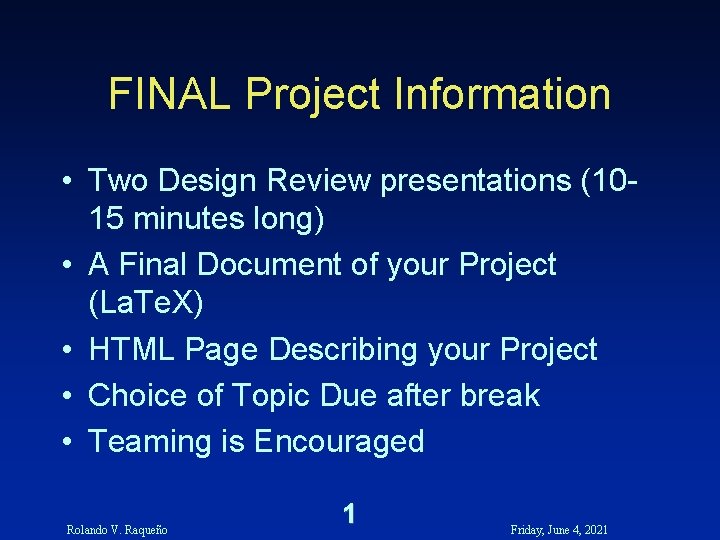
FINAL Project Information • Two Design Review presentations (1015 minutes long) • A Final Document of your Project (La. Te. X) • HTML Page Describing your Project • Choice of Topic Due after break • Teaming is Encouraged Rolando V. Raqueño 1 Friday, June 4, 2021
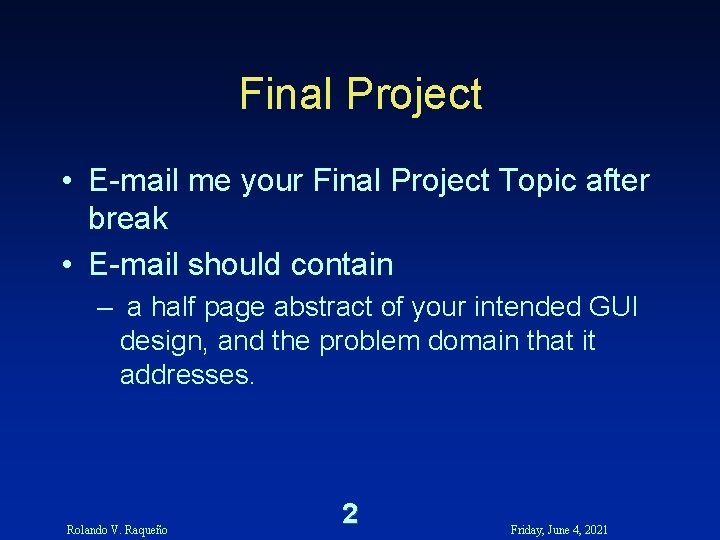
Final Project • E-mail me your Final Project Topic after break • E-mail should contain – a half page abstract of your intended GUI design, and the problem domain that it addresses. Rolando V. Raqueño 2 Friday, June 4, 2021
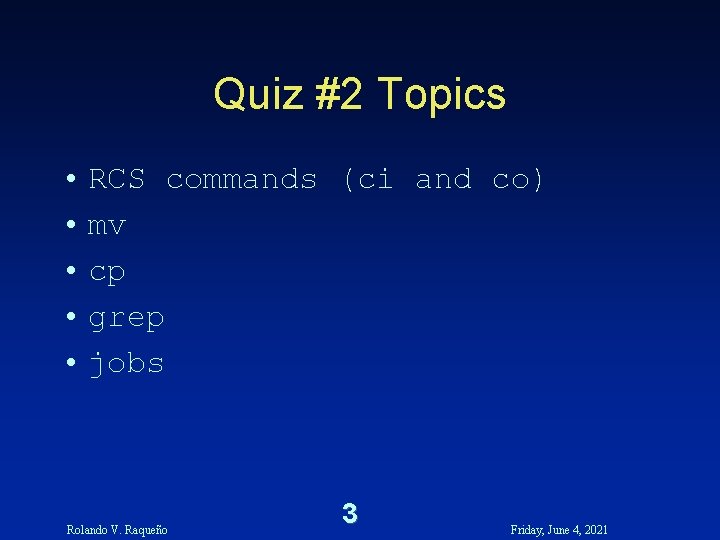
Quiz #2 Topics • RCS commands (ci and co) • mv • cp • grep • jobs Rolando V. Raqueño 3 Friday, June 4, 2021
Working with Data Rolando V. Raqueño 4 Friday, June 4, 2021
Representation of Information in a Computer • All information in a computer is stored as a collection of bits • A bit, also known as a binary digit, is a number represented in base 2. It can only be either a 1 (one) or 0 (zero) • Think of information as data with structure – All the one’s and zero’s represented by the computer is data. How they are interpretted generates information (or garbage) Rolando V. Raqueño 5 Friday, June 4, 2021
Representation of Information in a Computer • Information stored in a computer can represent – Instructions • Executable Programs – Data • Numbers - integers and real values • Characters - ASCII, multinational characters • Others - imagery, sound, etc. Rolando V. Raqueño 6 Friday, June 4, 2021
Representation of Information in a Computer • Bits in a computer are usually grouped into the following units – 4 bits == 1 nibble – 8 bits == 1 byte or 1 ( char ) - a single character – 16 bits == 2 bytes or 1 ( short int, int ) - integer value – 32 bits == 4 bytes or 1 ( long int, int ) - integer value or 1( float) - real value – 64 bits == 8 bytes or 1 (double) - real value Rolando V. Raqueño 7 Friday, June 4, 2021
Representation of Information in a Computer • Numbers can be represented as either integers or real values integers { -5, 0, 125, -32767 } real { 3. 14159, -2. 71828, -1. 0 e-20, 10. 000 } • Text is typically represented using the ASCII character set where each character is represented as a byte value. Rolando V. Raqueño 8 Friday, June 4, 2021
Representation of Information in a Computer Rolando V. Raqueño 9 Friday, June 4, 2021
Representation of Information in a Computer Rolando V. Raqueño 10 Friday, June 4, 2021
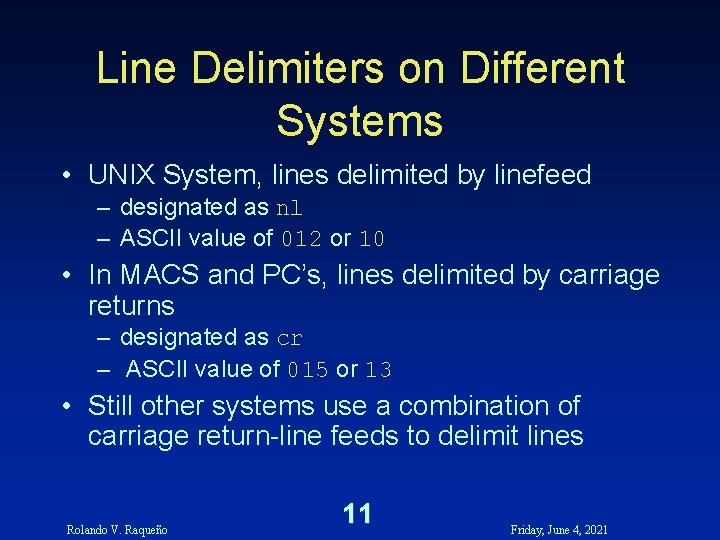
Line Delimiters on Different Systems • UNIX System, lines delimited by linefeed – designated as nl – ASCII value of 012 or 10 • In MACS and PC’s, lines delimited by carriage returns – designated as cr – ASCII value of 015 or 13 • Still other systems use a combination of carriage return-line feeds to delimit lines Rolando V. Raqueño 11 Friday, June 4, 2021
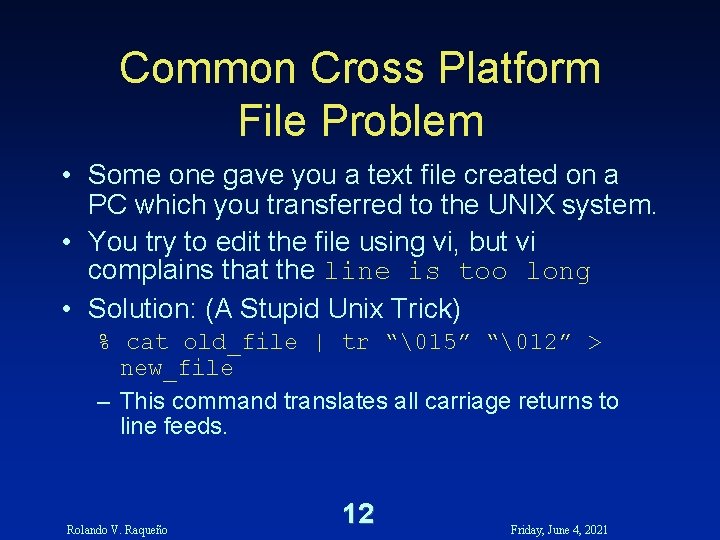
Common Cross Platform File Problem • Some one gave you a text file created on a PC which you transferred to the UNIX system. • You try to edit the file using vi, but vi complains that the line is too long • Solution: (A Stupid Unix Trick) % cat old_file | tr “15” “12” > new_file – This command translates all carriage returns to line feeds. Rolando V. Raqueño 12 Friday, June 4, 2021
Numbering Systems Rolando V. Raqueño 13 Friday, June 4, 2021
Converting Number Bases Rolando V. Raqueño 14 Friday, June 4, 2021
Converting Number Bases Rolando V. Raqueño 15 Friday, June 4, 2021
Negative Number Representation Rolando V. Raqueño 16 Friday, June 4, 2021
Converting a Negative Number into Binary using 2’s Complement Rolando V. Raqueño 17 Friday, June 4, 2021
How Does This All Relate to Computers and Programming Rolando V. Raqueño 18 Friday, June 4, 2021
1 -bit Address Line and 1 -bit Data Line Computer Architecture Rolando V. Raqueño 19 Friday, June 4, 2021
2 -bit Address Line and 1 -bit Data Line Computer Architecture Rolando V. Raqueño 20 Friday, June 4, 2021
1 -bit Address Line and 2 -bit Data Line Computer Architecture Rolando V. Raqueño 21 Friday, June 4, 2021
2 -bit Address Line and 2 -bit Data Line Computer Architecture Rolando V. Raqueño 22 Friday, June 4, 2021
8 -bit Address Line and 8 -bit Data Line Computer Architecture Rolando V. Raqueño 23 Friday, June 4, 2021
In General Rolando V. Raqueño 24 Friday, June 4, 2021
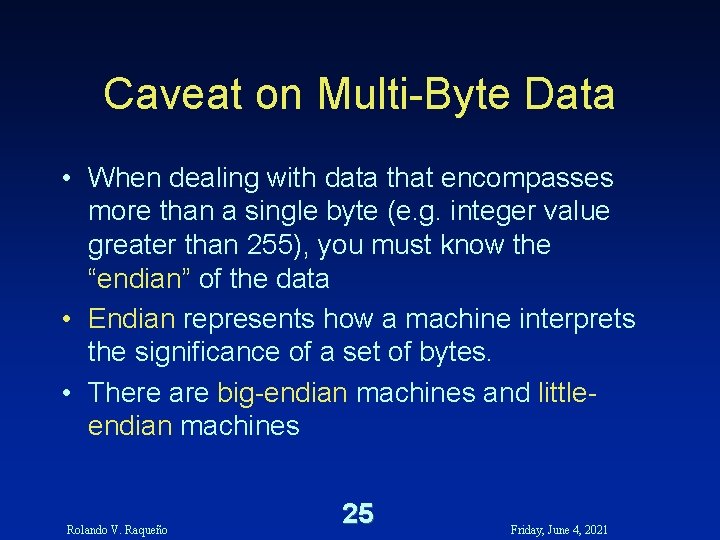
Caveat on Multi-Byte Data • When dealing with data that encompasses more than a single byte (e. g. integer value greater than 255), you must know the “endian” of the data • Endian represents how a machine interprets the significance of a set of bytes. • There are big-endian machines and littleendian machines Rolando V. Raqueño 25 Friday, June 4, 2021
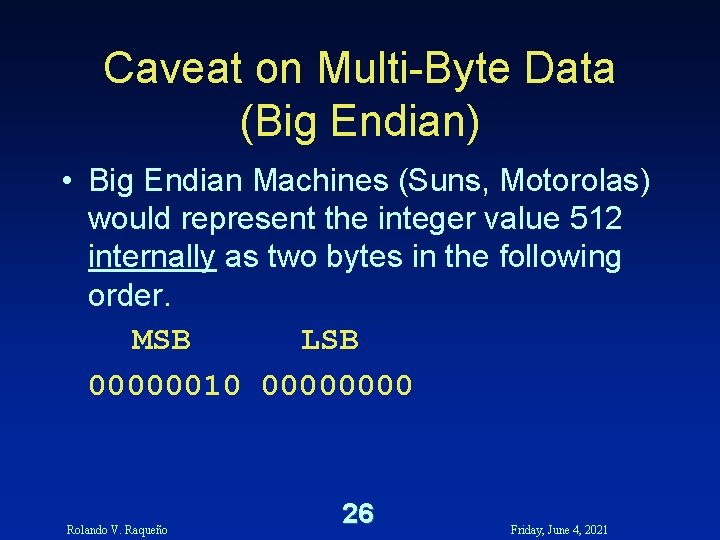
Caveat on Multi-Byte Data (Big Endian) • Big Endian Machines (Suns, Motorolas) would represent the integer value 512 internally as two bytes in the following order. MSB LSB 00000010 0000 Rolando V. Raqueño 26 Friday, June 4, 2021
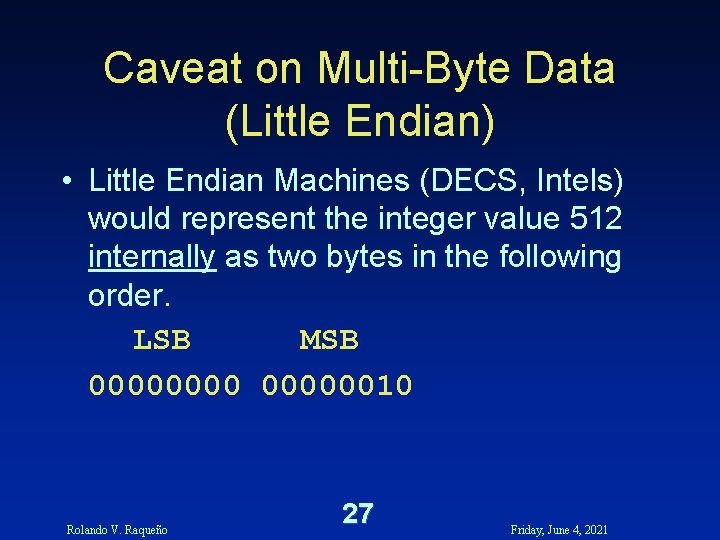
Caveat on Multi-Byte Data (Little Endian) • Little Endian Machines (DECS, Intels) would represent the integer value 512 internally as two bytes in the following order. LSB MSB 00000010 Rolando V. Raqueño 27 Friday, June 4, 2021
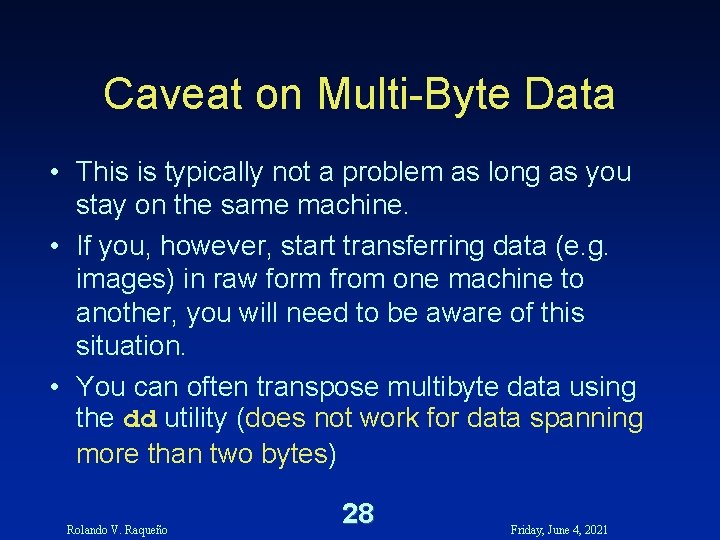
Caveat on Multi-Byte Data • This is typically not a problem as long as you stay on the same machine. • If you, however, start transferring data (e. g. images) in raw form from one machine to another, you will need to be aware of this situation. • You can often transpose multibyte data using the dd utility (does not work for data spanning more than two bytes) Rolando V. Raqueño 28 Friday, June 4, 2021
Working with IDL Variables • Variable names must start with a letter but can include, letters, digits, underscore or dollar characters. • Variables are not case sensitive, i. e. , – Celsius is equivalent to celsius Rolando V. Raqueño 29 Friday, June 4, 2021
Working with IDL Variables • Variables in IDL have two important attributes – Data type – Attributes Rolando V. Raqueño 30 Friday, June 4, 2021
IDL Variable Data Types • Undefined • Integer Values – Byte, Integer, Long Integer • Floating Point Values – Floating Point, Double Precision – Single Precision Complex, Double Precision Complex • String Rolando V. Raqueño 31 Friday, June 4, 2021
IDL Variable Data Structures • • Scalar Vector (one-dimensional array) Array (up to eight dimensions) Structure (combination of any mixture of data - Very Important in understanding Object-Oriented Programming Concepts) Rolando V. Raqueño 32 Friday, June 4, 2021
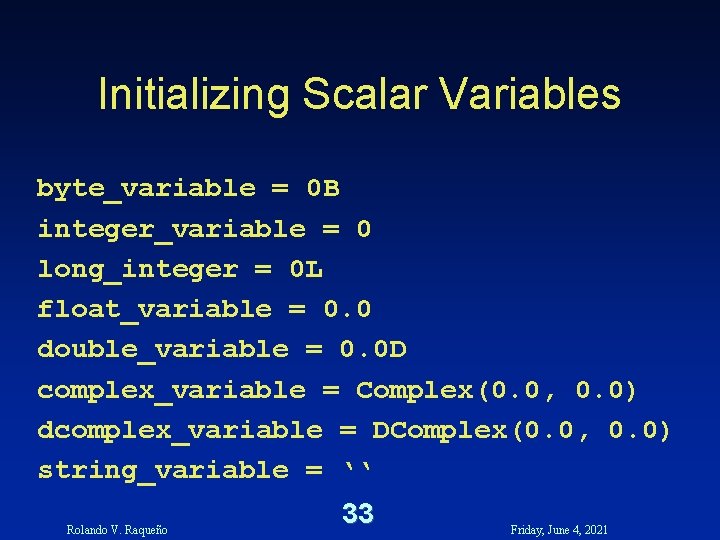
Initializing Scalar Variables byte_variable = 0 B integer_variable = 0 long_integer = 0 L float_variable = 0. 0 double_variable = 0. 0 D complex_variable = Complex(0. 0, 0. 0) dcomplex_variable = DComplex(0. 0, 0. 0) string_variable = ‘‘ Rolando V. Raqueño 33 Friday, June 4, 2021
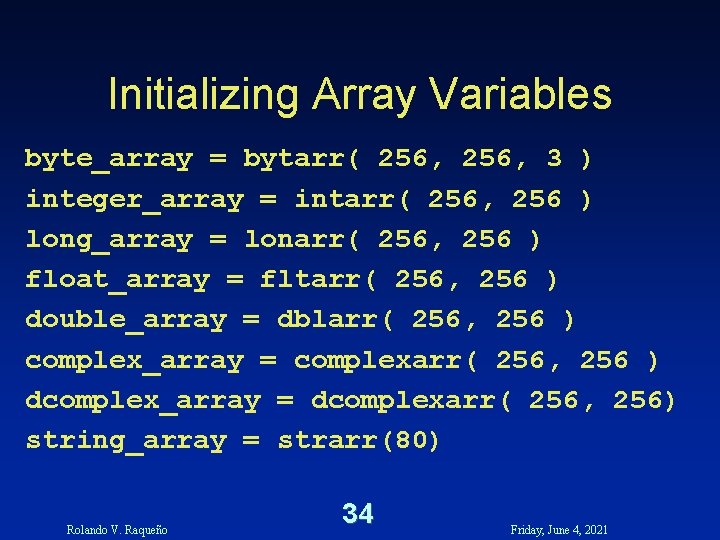
Initializing Array Variables byte_array = bytarr( 256, 3 ) integer_array = intarr( 256, 256 ) long_array = lonarr( 256, 256 ) float_array = fltarr( 256, 256 ) double_array = dblarr( 256, 256 ) complex_array = complexarr( 256, 256 ) dcomplex_array = dcomplexarr( 256, 256) string_array = strarr(80) Rolando V. Raqueño 34 Friday, June 4, 2021
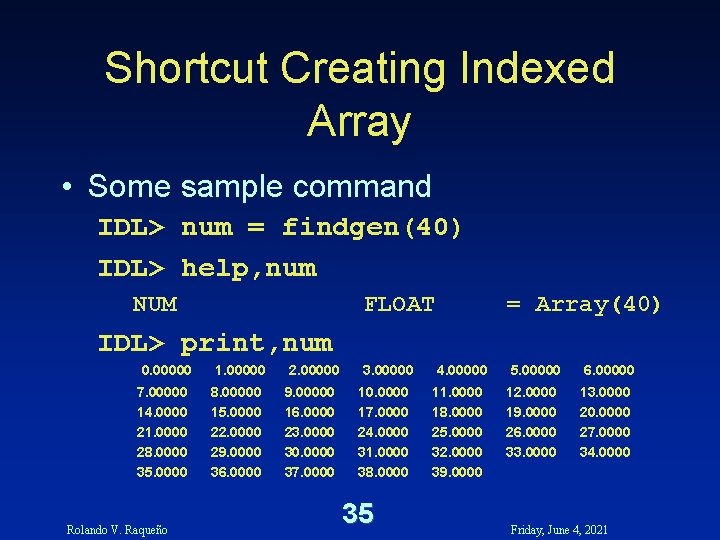
Shortcut Creating Indexed Array • Some sample command IDL> num = findgen(40) IDL> help, num NUM FLOAT = Array(40) IDL> print, num 0. 00000 7. 00000 14. 0000 21. 0000 28. 0000 35. 0000 Rolando V. Raqueño 1. 00000 8. 00000 15. 0000 22. 0000 29. 0000 36. 0000 2. 00000 9. 00000 16. 0000 23. 0000 30. 0000 37. 0000 3. 00000 10. 0000 17. 0000 24. 0000 31. 0000 38. 0000 35 4. 00000 11. 0000 18. 0000 25. 0000 32. 0000 39. 0000 5. 00000 12. 0000 19. 0000 26. 0000 33. 0000 6. 00000 13. 0000 20. 0000 27. 0000 34. 0000 Friday, June 4, 2021
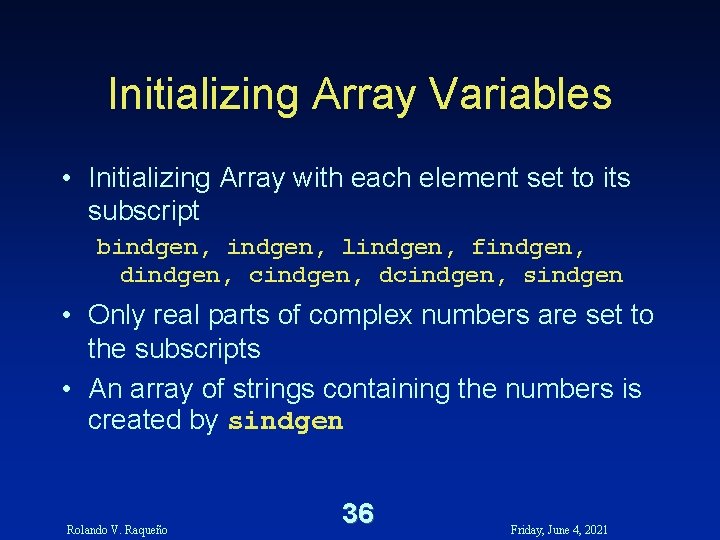
Initializing Array Variables • Initializing Array with each element set to its subscript bindgen, lindgen, findgen, dindgen, cindgen, dcindgen, sindgen • Only real parts of complex numbers are set to the subscripts • An array of strings containing the numbers is created by sindgen Rolando V. Raqueño 36 Friday, June 4, 2021
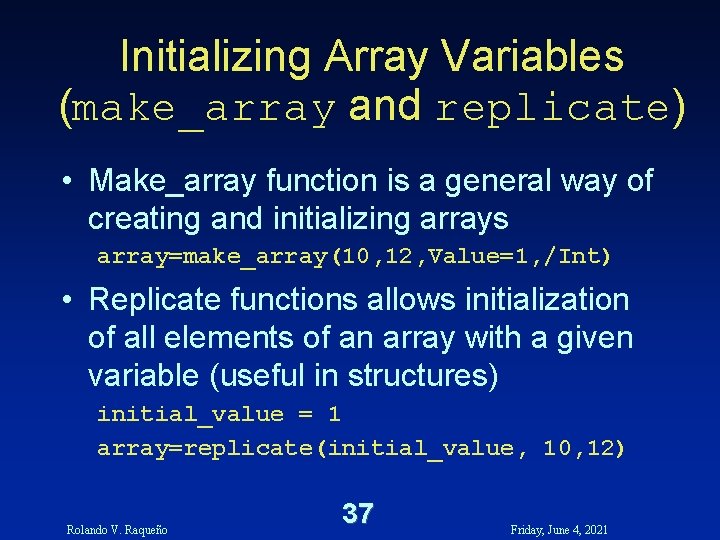
Initializing Array Variables (make_array and replicate) • Make_array function is a general way of creating and initializing arrays array=make_array(10, 12, Value=1, /Int) • Replicate functions allows initialization of all elements of an array with a given variable (useful in structures) initial_value = 1 array=replicate(initial_value, 10, 12) Rolando V. Raqueño 37 Friday, June 4, 2021
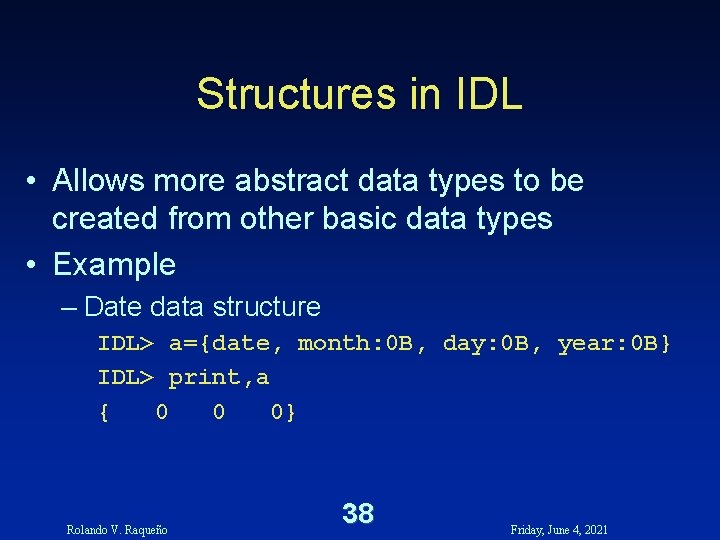
Structures in IDL • Allows more abstract data types to be created from other basic data types • Example – Date data structure IDL> a={date, month: 0 B, day: 0 B, year: 0 B} IDL> print, a { 0 0 0} Rolando V. Raqueño 38 Friday, June 4, 2021
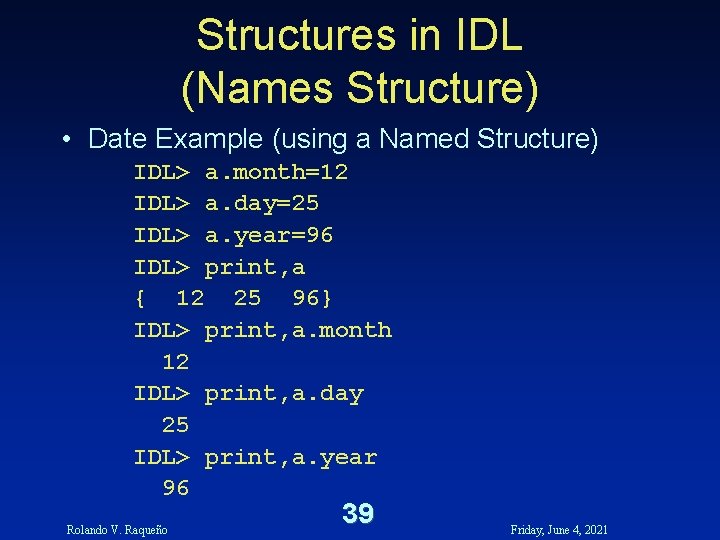
Structures in IDL (Names Structure) • Date Example (using a Named Structure) IDL> a. month=12 IDL> a. day=25 IDL> a. year=96 IDL> print, a { 12 25 96} IDL> print, a. month 12 IDL> print, a. day 25 IDL> print, a. year 96 Rolando V. Raqueño 39 Friday, June 4, 2021
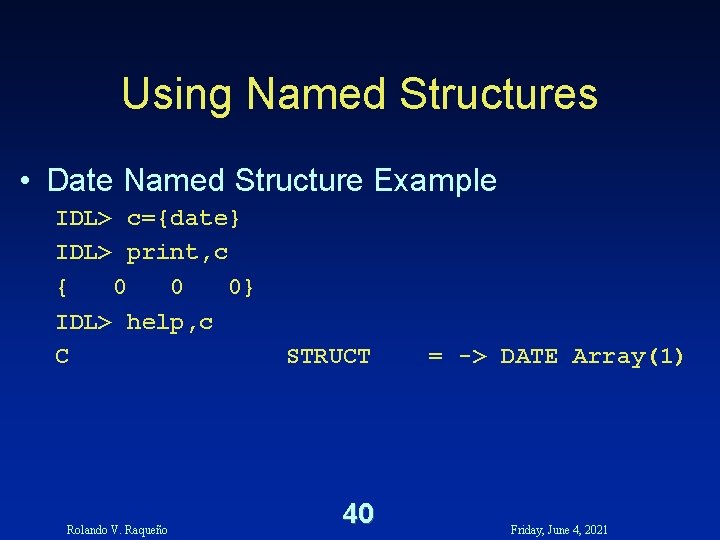
Using Named Structures • Date Named Structure Example IDL> c={date} IDL> print, c { 0 0 0} IDL> help, c C Rolando V. Raqueño STRUCT 40 = -> DATE Array(1) Friday, June 4, 2021
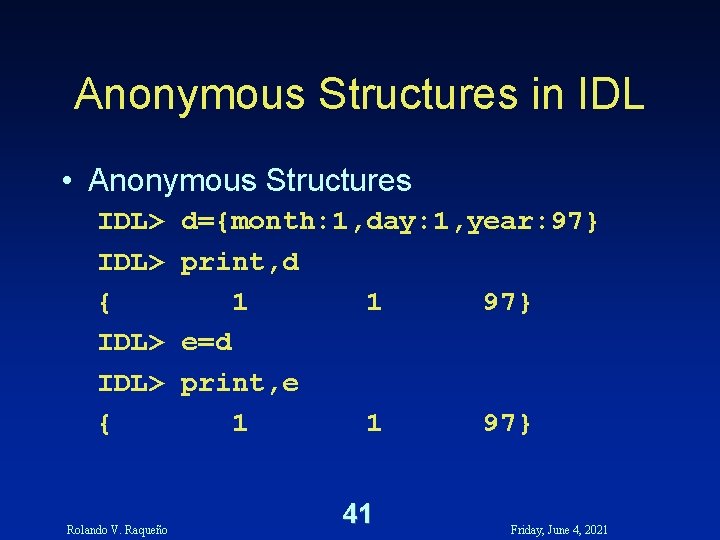
Anonymous Structures in IDL • Anonymous Structures IDL> { Rolando V. Raqueño d={month: 1, day: 1, year: 97} print, d 1 1 97} e=d print, e 1 1 97} 41 Friday, June 4, 2021
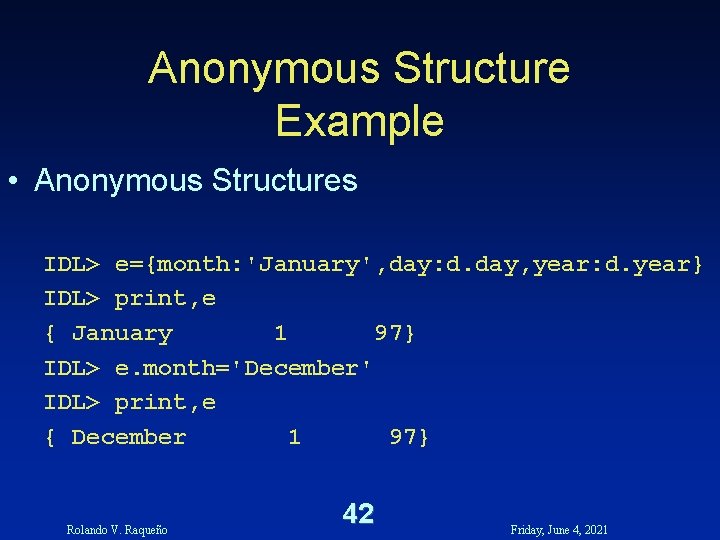
Anonymous Structure Example • Anonymous Structures IDL> e={month: 'January', day: d. day, year: d. year} IDL> print, e { January 1 97} IDL> e. month='December' IDL> print, e { December 1 97} Rolando V. Raqueño 42 Friday, June 4, 2021
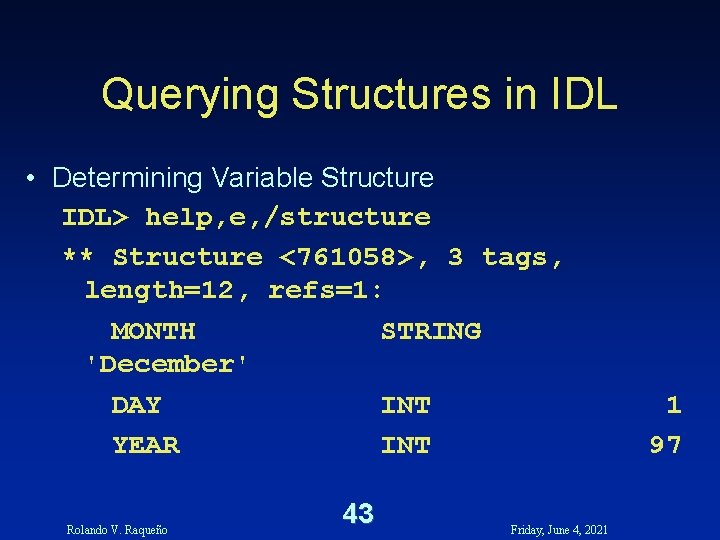
Querying Structures in IDL • Determining Variable Structure IDL> help, e, /structure ** Structure <761058>, 3 tags, length=12, refs=1: MONTH STRING 'December' DAY INT YEAR INT Rolando V. Raqueño 43 Friday, June 4, 2021 1 97
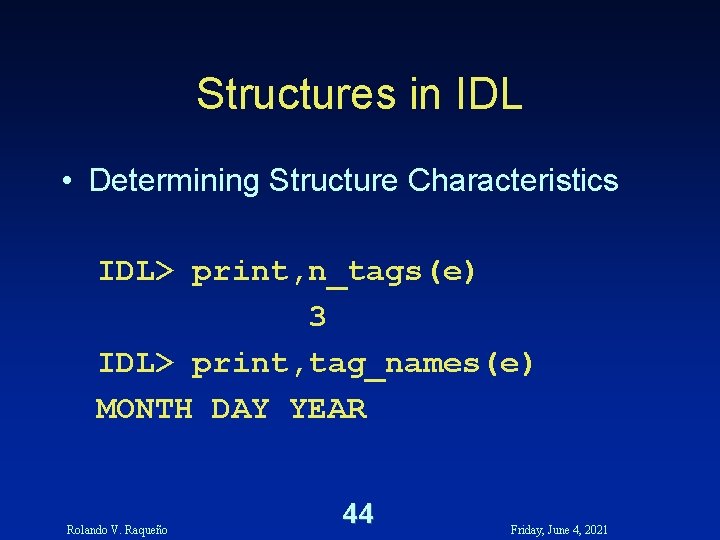
Structures in IDL • Determining Structure Characteristics IDL> print, n_tags(e) 3 IDL> print, tag_names(e) MONTH DAY YEAR Rolando V. Raqueño 44 Friday, June 4, 2021
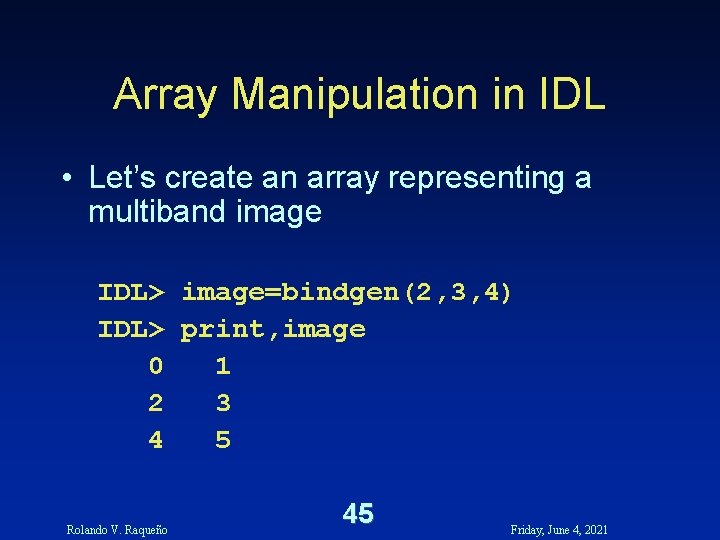
Array Manipulation in IDL • Let’s create an array representing a multiband image IDL> image=bindgen(2, 3, 4) IDL> print, image 0 1 2 3 4 5 Rolando V. Raqueño 45 Friday, June 4, 2021
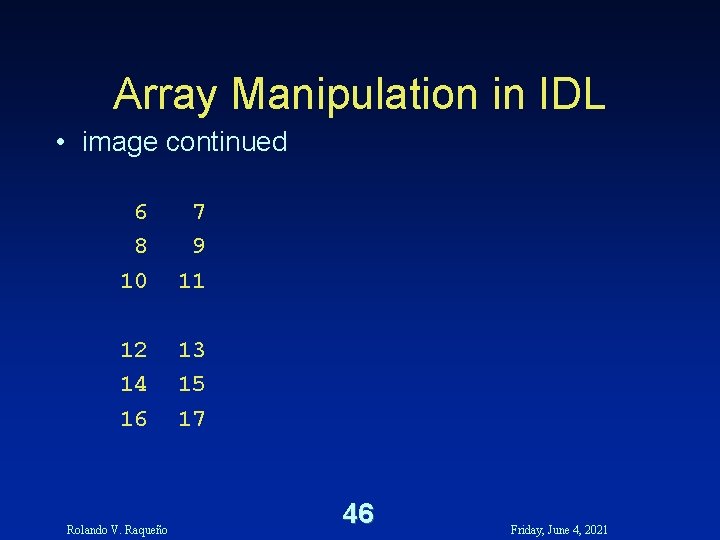
Array Manipulation in IDL • image continued 6 8 10 7 9 11 12 14 16 13 15 17 Rolando V. Raqueño 46 Friday, June 4, 2021
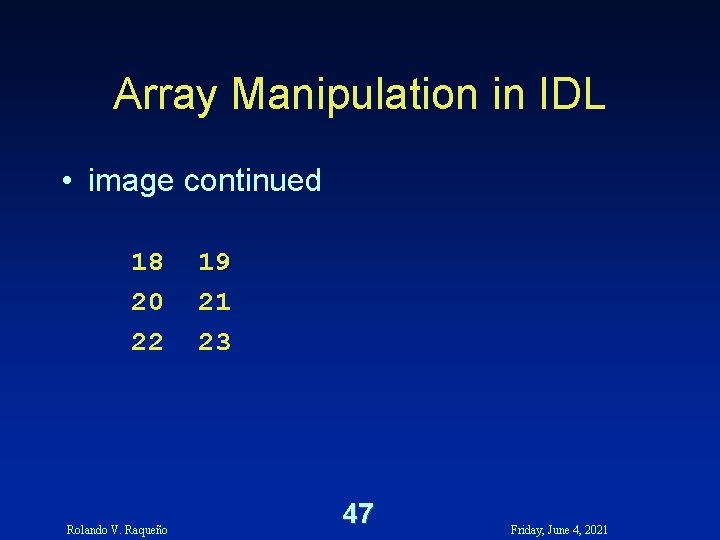
Array Manipulation in IDL • image continued 18 20 22 Rolando V. Raqueño 19 21 23 47 Friday, June 4, 2021
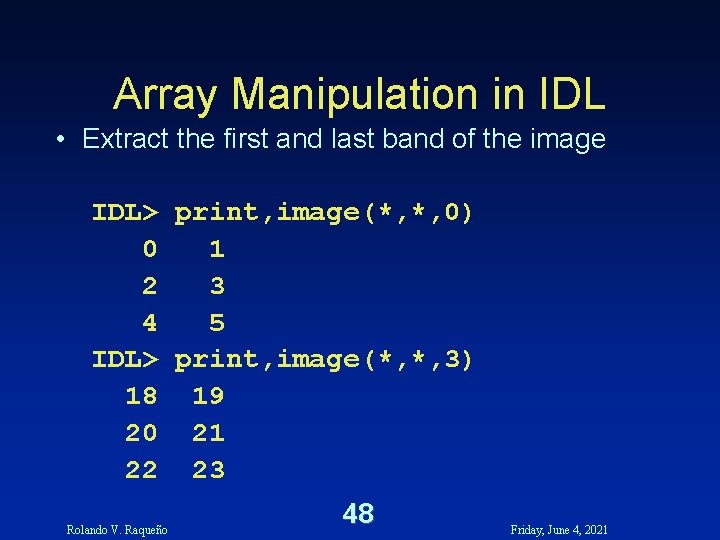
Array Manipulation in IDL • Extract the first and last band of the image IDL> print, image(*, *, 0) 0 1 2 3 4 5 IDL> print, image(*, *, 3) 18 19 20 21 22 23 Rolando V. Raqueño 48 Friday, June 4, 2021
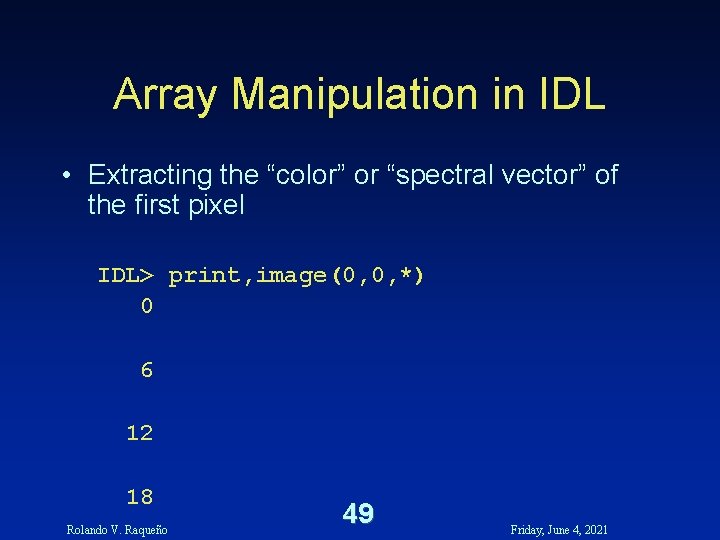
Array Manipulation in IDL • Extracting the “color” or “spectral vector” of the first pixel IDL> print, image(0, 0, *) 0 6 12 18 Rolando V. Raqueño 49 Friday, June 4, 2021
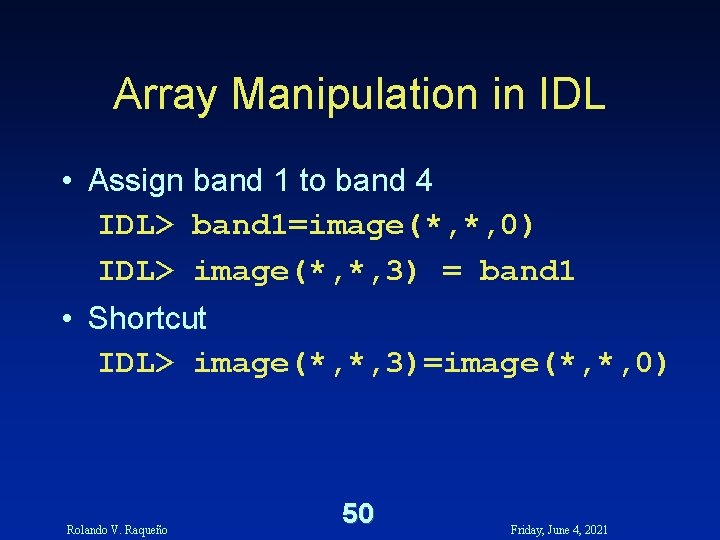
Array Manipulation in IDL • Assign band 1 to band 4 IDL> band 1=image(*, *, 0) IDL> image(*, *, 3) = band 1 • Shortcut IDL> image(*, *, 3)=image(*, *, 0) Rolando V. Raqueño 50 Friday, June 4, 2021
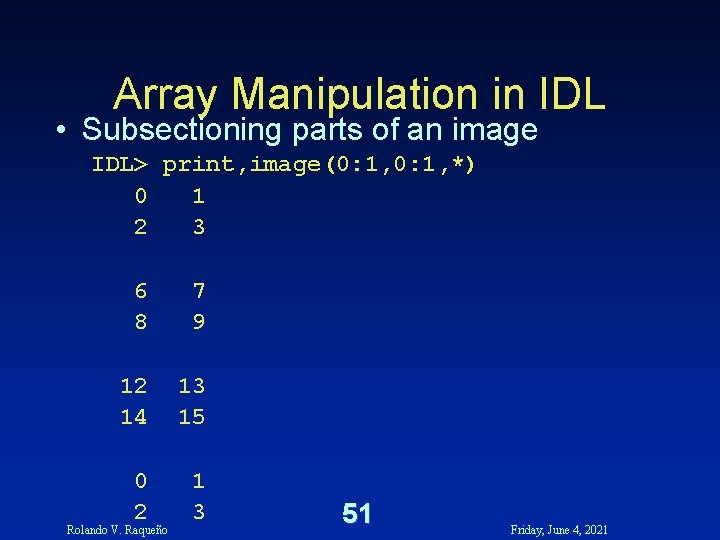
Array Manipulation in IDL • Subsectioning parts of an image IDL> print, image(0: 1, *) 0 1 2 3 6 8 7 9 12 14 13 15 0 2 1 3 Rolando V. Raqueño 51 Friday, June 4, 2021
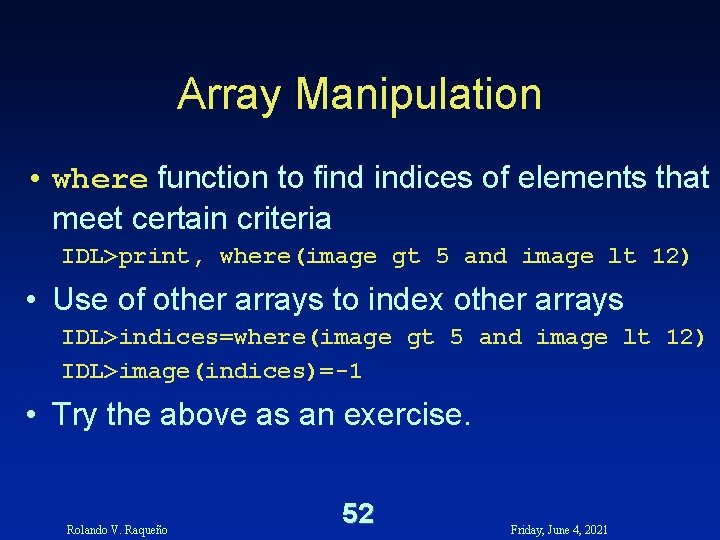
Array Manipulation • where function to find indices of elements that meet certain criteria IDL>print, where(image gt 5 and image lt 12) • Use of other arrays to index other arrays IDL>indices=where(image gt 5 and image lt 12) IDL>image(indices)=-1 • Try the above as an exercise. Rolando V. Raqueño 52 Friday, June 4, 2021
Rolando V. Raqueño 53 Friday, June 4, 2021