
FIN 102 Procurement in Workday Bridgett Clancy March
FIN 102: Procurement in Workday Bridgett Clancy March 12, 2021
Welcome! Today’s session will include: o Overviews (Learn It!) o Demonstrations (See It!) o Hands-on Exercises (Try It!) You are not expected to be an expert today! This course is intended to provide an introduction to the types of transactions you will perform in Workday. Step-by-step job aids are available at www. learning. workday. wfu. edu and the Training Worklet within Workday.
Please remember to: o o Silence your cell phones. Log completely out of your WFU Google mail (if using a loaner). Refrain from saving or downloading confidential files (if using a loaner). Enjoy this class!
Procurement in Workday - Learning Objectives 1. Understand the different types of requisitions to purchase goods and services using Workday 2. Complete a Requisition in Workday 3. Understand how to create a Supplier Request 4. Understand how to locate a Requisition and view the locations in the approval process 5. Understand the approval process of a Requisition 6. Understand Procurement policy for purchasing goods and service
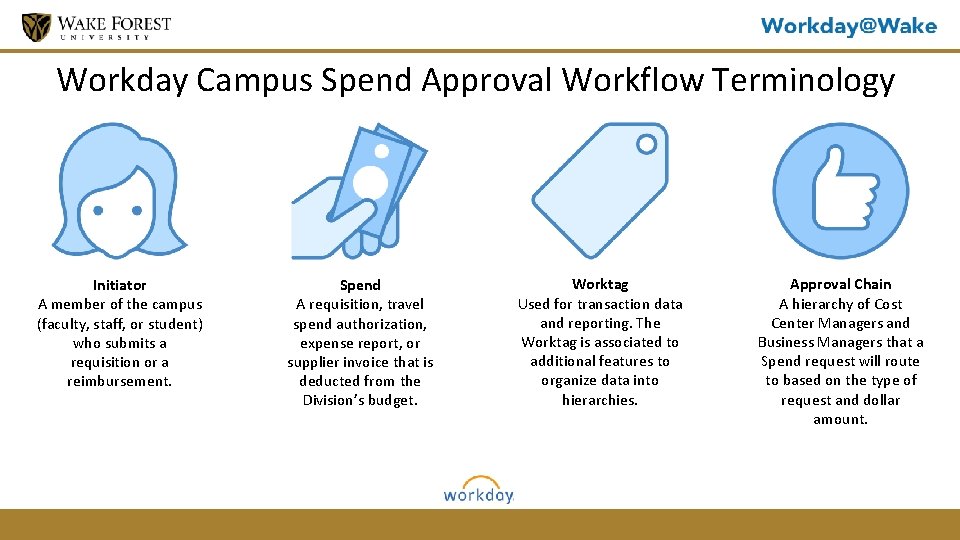
Workday Campus Spend Approval Workflow Terminology Initiator A member of the campus (faculty, staff, or student) who submits a requisition or a reimbursement. Spend A requisition, travel spend authorization, expense report, or supplier invoice that is deducted from the Division’s budget. Worktag Used for transaction data and reporting. The Worktag is associated to additional features to organize data into hierarchies. Approval Chain A hierarchy of Cost Center Managers and Business Managers that a Spend request will route to based on the type of request and dollar amount.
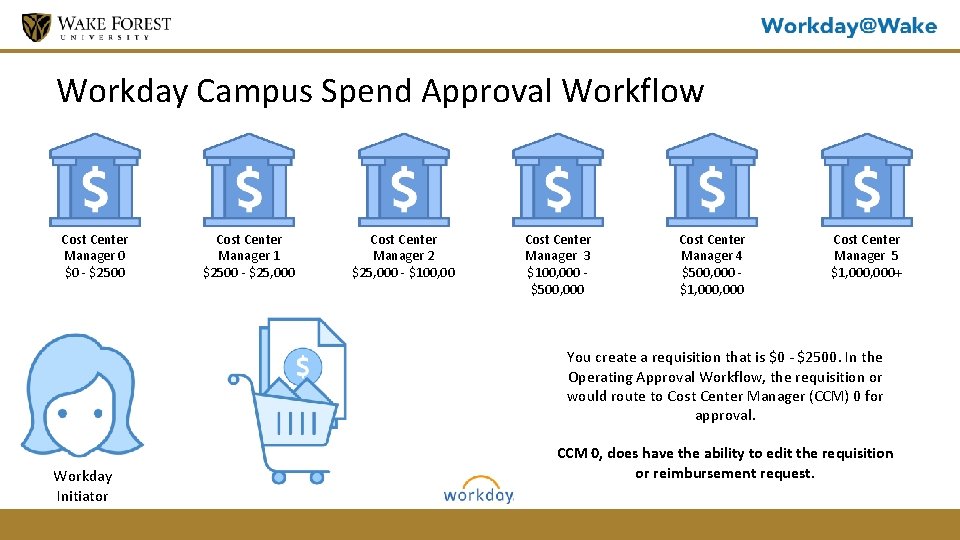
Workday Campus Spend Approval Workflow Cost Center Manager 0 $0 - $2500 Cost Center Manager 1 $2500 - $25, 000 Cost Center Manager 2 $25, 000 - $100, 00 Cost Center Manager 3 $100, 000 $500, 000 Cost Center Manager 4 $500, 000 $1, 000 Cost Center Manager 5 $1, 000+ You create a requisition that is $0 - $2500. In the Operating Approval Workflow, the requisition or would route to Cost Center Manager (CCM) 0 for approval. Workday Initiator CCM 0, does have the ability to edit the requisition or reimbursement request.
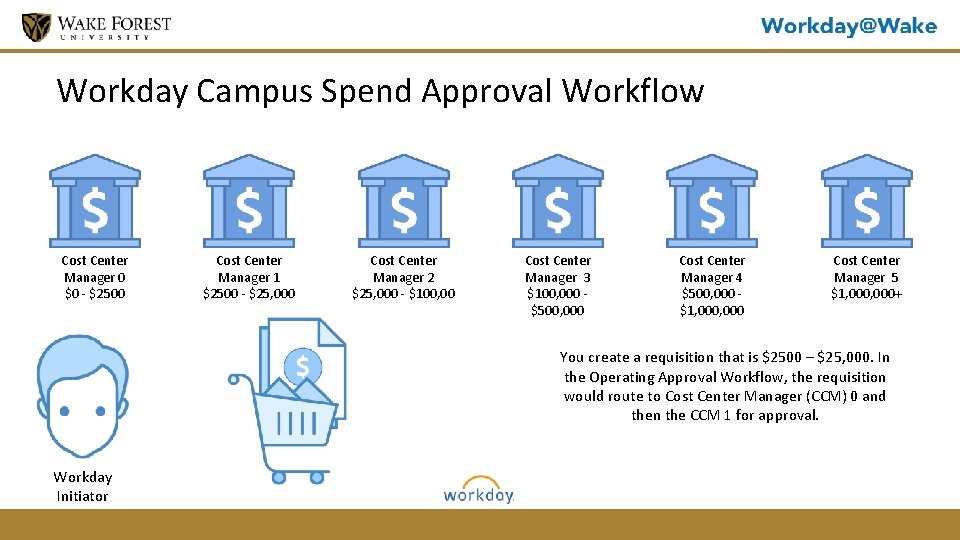
Workday Campus Spend Approval Workflow Cost Center Manager 0 $0 - $2500 Cost Center Manager 1 $2500 - $25, 000 Cost Center Manager 2 $25, 000 - $100, 00 Cost Center Manager 3 $100, 000 $500, 000 Cost Center Manager 4 $500, 000 $1, 000 Cost Center Manager 5 $1, 000+ You create a requisition that is $2500 – $25, 000. In the Operating Approval Workflow, the requisition would route to Cost Center Manager (CCM) 0 and then the CCM 1 for approval. Workday Initiator
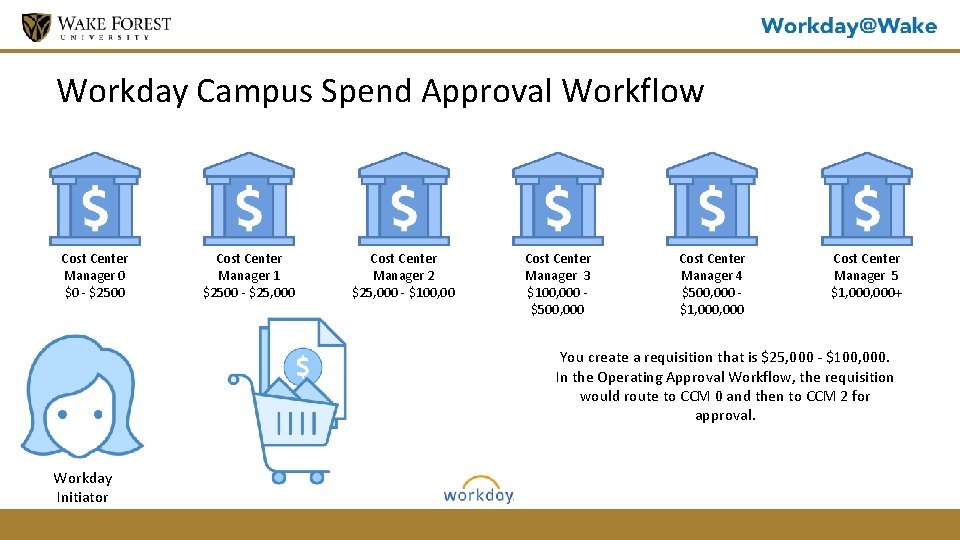
Workday Campus Spend Approval Workflow Cost Center Manager 0 $0 - $2500 Cost Center Manager 1 $2500 - $25, 000 Cost Center Manager 2 $25, 000 - $100, 00 Cost Center Manager 3 $100, 000 $500, 000 Cost Center Manager 4 $500, 000 $1, 000 Cost Center Manager 5 $1, 000+ You create a requisition that is $25, 000 - $100, 000. In the Operating Approval Workflow, the requisition would route to CCM 0 and then to CCM 2 for approval. Workday Initiator
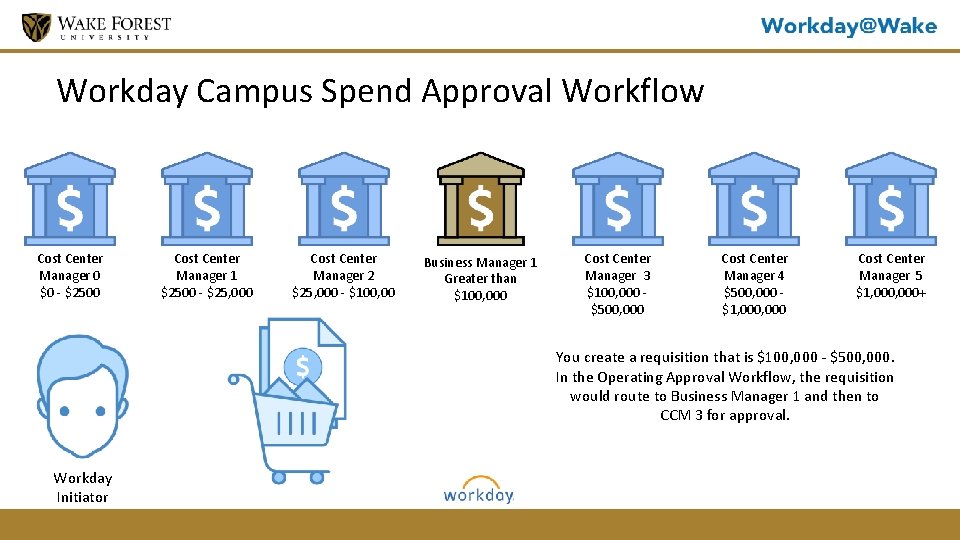
Workday Campus Spend Approval Workflow Cost Center Manager 0 $0 - $2500 Cost Center Manager 1 $2500 - $25, 000 Cost Center Manager 2 $25, 000 - $100, 00 Business Manager 1 Greater than $100, 000 Cost Center Manager 3 $100, 000 $500, 000 Cost Center Manager 4 $500, 000 $1, 000 Cost Center Manager 5 $1, 000+ You create a requisition that is $100, 000 - $500, 000. In the Operating Approval Workflow, the requisition would route to Business Manager 1 and then to CCM 3 for approval. Workday Initiator
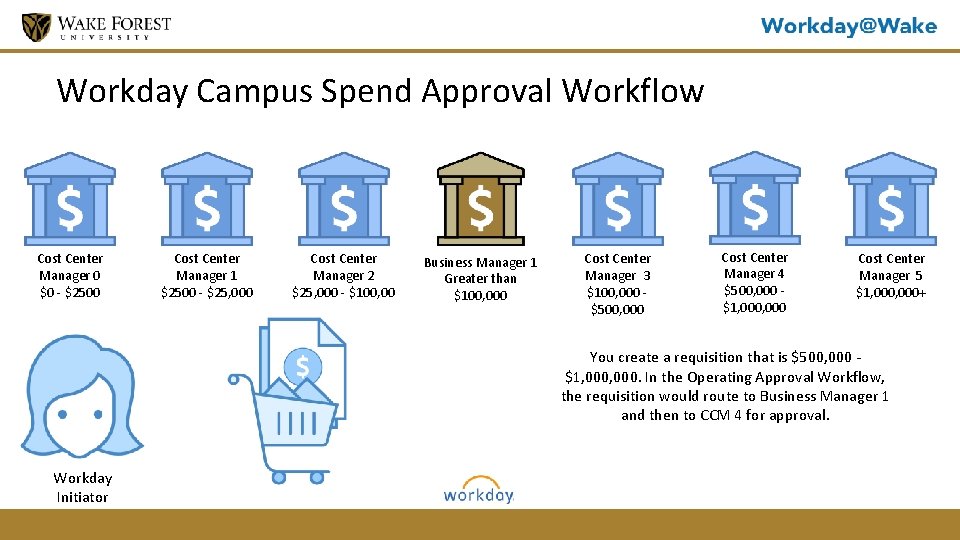
Workday Campus Spend Approval Workflow Cost Center Manager 0 $0 - $2500 Cost Center Manager 1 $2500 - $25, 000 Cost Center Manager 2 $25, 000 - $100, 00 Business Manager 1 Greater than $100, 000 Cost Center Manager 3 $100, 000 $500, 000 Cost Center Manager 4 $500, 000 $1, 000 Cost Center Manager 5 $1, 000+ You create a requisition that is $500, 000 $1, 000. In the Operating Approval Workflow, the requisition would route to Business Manager 1 and then to CCM 4 for approval. Workday Initiator
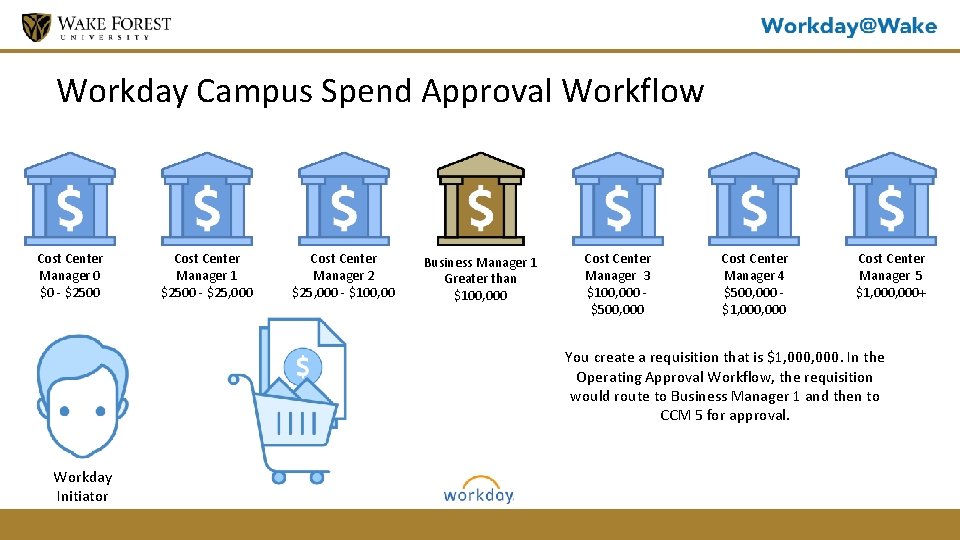
Workday Campus Spend Approval Workflow Cost Center Manager 0 $0 - $2500 Cost Center Manager 1 $2500 - $25, 000 Cost Center Manager 2 $25, 000 - $100, 00 Business Manager 1 Greater than $100, 000 Cost Center Manager 3 $100, 000 $500, 000 Cost Center Manager 4 $500, 000 $1, 000 Cost Center Manager 5 $1, 000+ You create a requisition that is $1, 000. In the Operating Approval Workflow, the requisition would route to Business Manager 1 and then to CCM 5 for approval. Workday Initiator
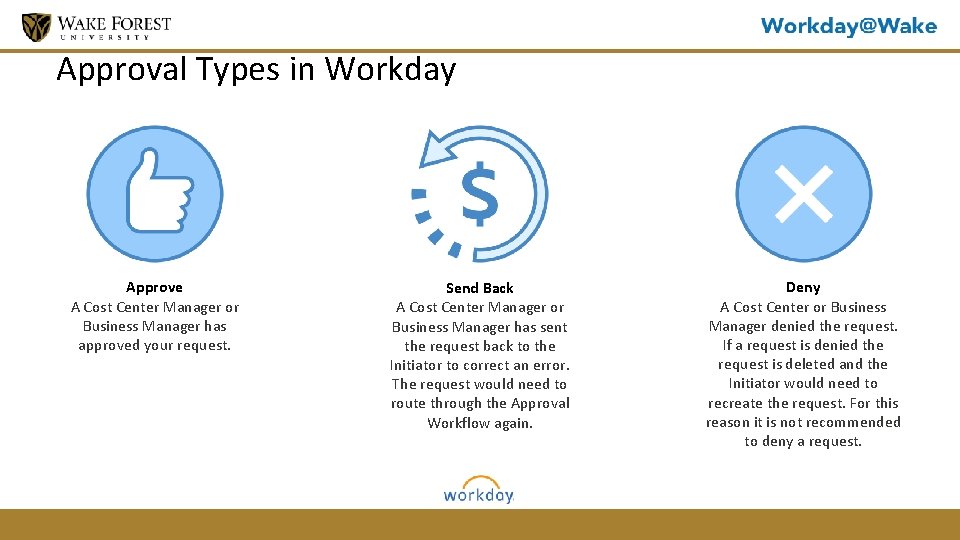
Approval Types in Workday Approve A Cost Center Manager or Business Manager has approved your request. Send Back A Cost Center Manager or Business Manager has sent the request back to the Initiator to correct an error. The request would need to route through the Approval Workflow again. Deny A Cost Center or Business Manager denied the request. If a request is denied the request is deleted and the Initiator would need to recreate the request. For this reason it is not recommended to deny a request.
Knowledge Check 1. What is a Worktag? Used for transaction data and reporting. The Worktag is associated to additional features to organize data into hierarchies 2. You have created a Requisition for $2400. Who would approve your Requisition? Cost Center Manger 0 or CCM 0
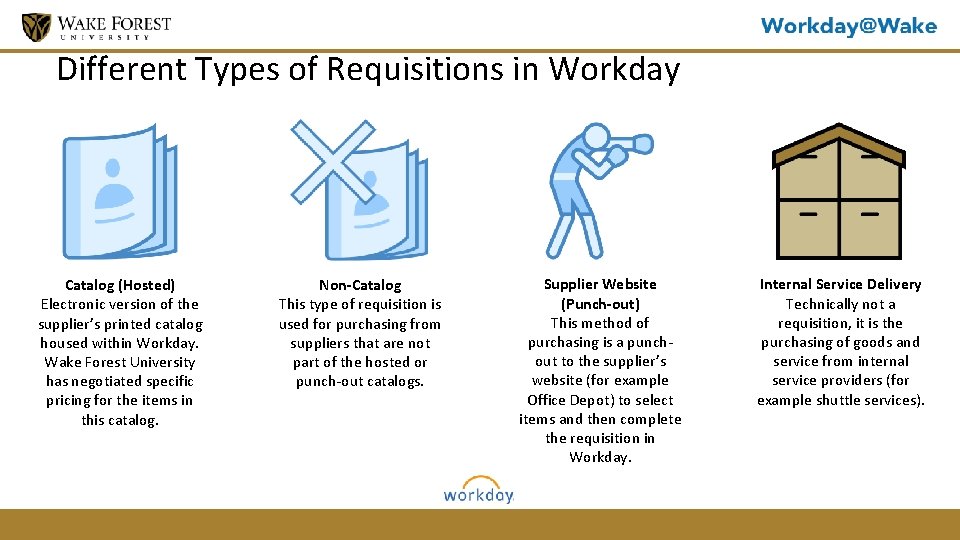
Different Types of Requisitions in Workday Catalog (Hosted) Electronic version of the supplier’s printed catalog housed within Workday. Wake Forest University has negotiated specific pricing for the items in this catalog. Non-Catalog This type of requisition is used for purchasing from suppliers that are not part of the hosted or punch-out catalogs. Supplier Website (Punch-out) This method of purchasing is a punchout to the supplier’s website (for example Office Depot) to select items and then complete the requisition in Workday. Internal Service Delivery Technically not a requisition, it is the purchasing of goods and service from internal service providers (for example shuttle services).
Procurement in Workday - Demonstration and Activity Supplier Website (Punch-Out) Demo
Procurement in Workday - Demonstration and Activity Non-Catalog Requisition Demo
Activity #2: Create Non-Catalog Requisition Activity Instructions 1. You are buying 3 office plants. You are creating a Non-Catalog Requisition with “A New Leaf”, as the supplier. Each plant costs $50. 00. Activity Time Please spend 15 min on this exercise
Knowledge Check 1. If you needed to rent a shuttle because your department is going bowling, how should you do that? Internal Service Delivery 2. What type of Requisition would you create if you were ordering office supplies? Supplier Website (Punch out) 3. You need to purchase customized water bottles for an event, what type of Requisition should you create? Non-Catalog 4. You need to buy 5 brooms and you want to make sure that you get the best price, what type of Requisition should you create? Catalog
How to Create a Supplier Request • There may be a time that you will need to request a new Supplier in Workday • Please check to see if the Supplier Request is in Workday • You will need to allow Procurement to approve the Supplier before you can purchase from them
Procurement in Workday - Demonstration and Activity Locating a Requisition and View the Location in the Approval Process
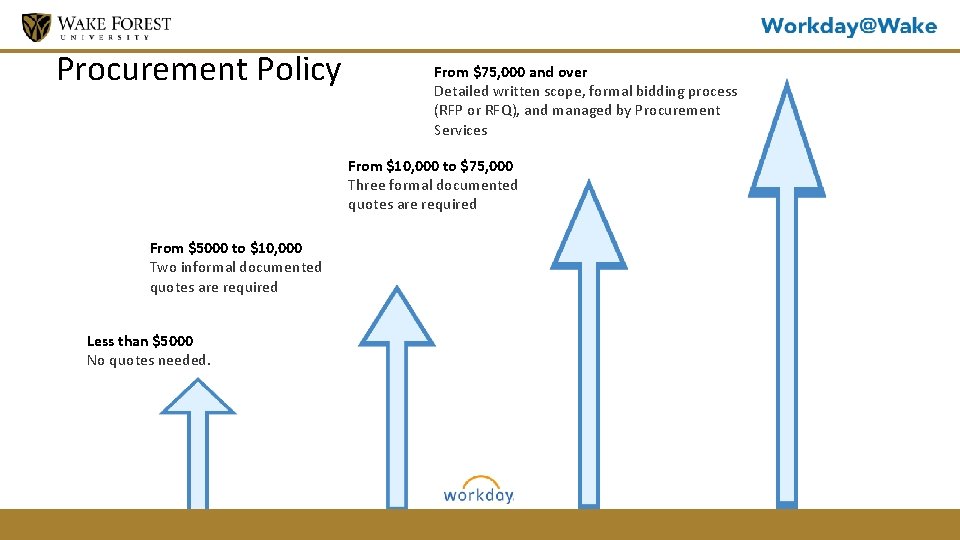
Procurement Policy From $75, 000 and over Detailed written scope, formal bidding process (RFP or RFQ), and managed by Procurement Services From $10, 000 to $75, 000 Three formal documented quotes are required From $5000 to $10, 000 Two informal documented quotes are required Less than $5000 No quotes needed.
Knowledge Check 1. You create a Requisition for Office Depot for office supplies, do you need a quote? No. The purchase is less than $5000. 2. What is the procurement policy for a Requisition that is $76, 500? You will need a detailed written scope, formal bidding process and include a RFP or RFQ and Procurement will manage the process
Helpful Links & Resources FIN Policies (travel, expenses, purchasing) o http: //finance. wfu. edu/policies-and-procedures HCM Policies (benefits, leave, recruitment) o https: //hr. wfu. edu/quick-links/policies
Helpful Links & Resources Professional Development Center www. pdc. wfu. edu/workday online. pdc. wfu. edu/ Workday@Wake www. learning. workday. wfu. edu Open Labs o Week of Launch - July 2 -6 o August 14, 20, 22, 24
Helpful Links & Resources Training & Support Worklet Job Aids & Videos Access them without leaving Workday! Power Users (if applicable) Names and Contact Info Training and Support
Helpful Links & Resources Workday Hotline 758 -5100 (Available July 2, 2018) I. S. Service Desk 758 -HELP Live Chat is. wfu. edu
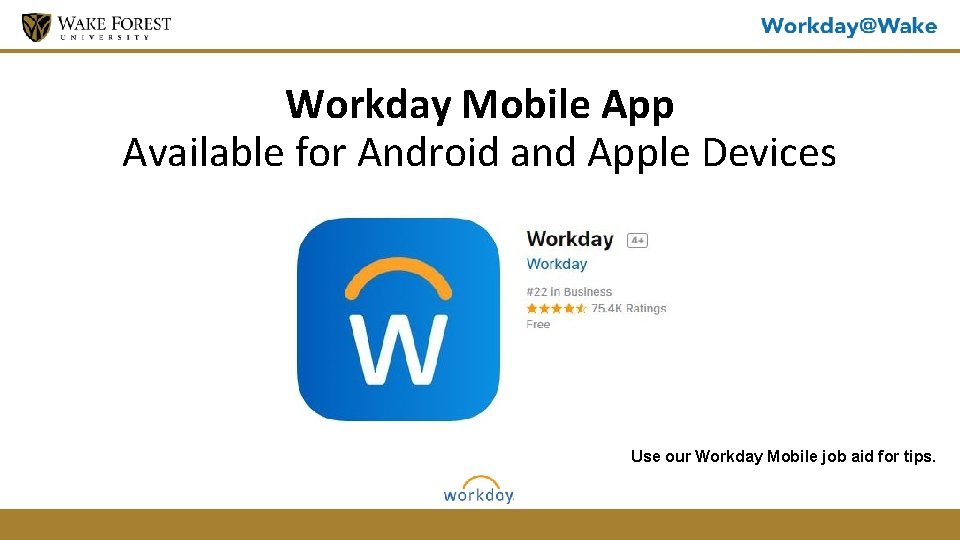
Workday Mobile App Available for Android and Apple Devices Use our Workday Mobile job aid for tips.
- Slides: 27