
FileSystem Interface FileSystem Interface File Concept Access Methods
- Slides: 41
File-System Interface
File-System Interface • • • File Concept Access Methods Directory Structure File-System Mounting File Sharing Protection
Objectives • To explain the function of file systems • To describe the interfaces to file systems • To discuss file-system design tradeoffs, including access methods, file sharing, file locking, and directory structures • To explore file-system protection
File Concept • Contiguous logical address space • Types: – Data • numeric • character • binary – Program
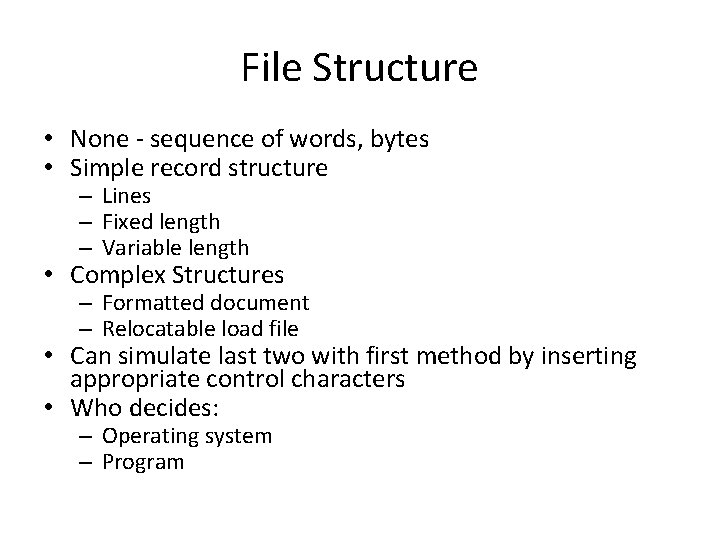
File Structure • None - sequence of words, bytes • Simple record structure – Lines – Fixed length – Variable length • Complex Structures – Formatted document – Relocatable load file • Can simulate last two with first method by inserting appropriate control characters • Who decides: – Operating system – Program
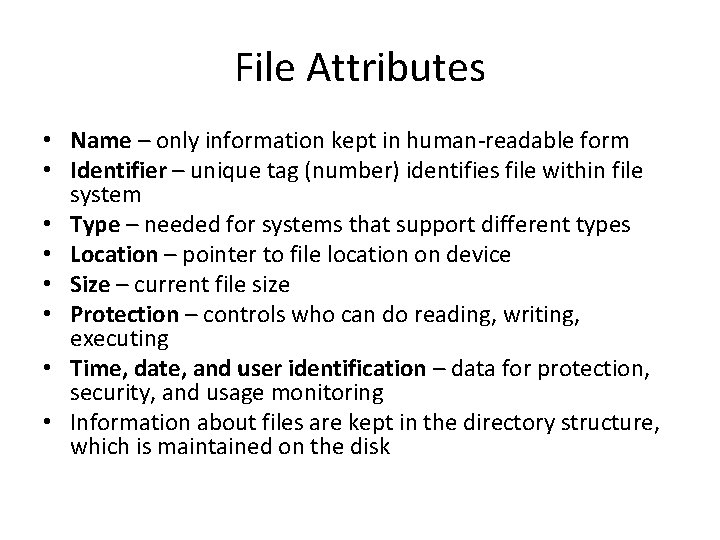
File Attributes • Name – only information kept in human-readable form • Identifier – unique tag (number) identifies file within file system • Type – needed for systems that support different types • Location – pointer to file location on device • Size – current file size • Protection – controls who can do reading, writing, executing • Time, date, and user identification – data for protection, security, and usage monitoring • Information about files are kept in the directory structure, which is maintained on the disk
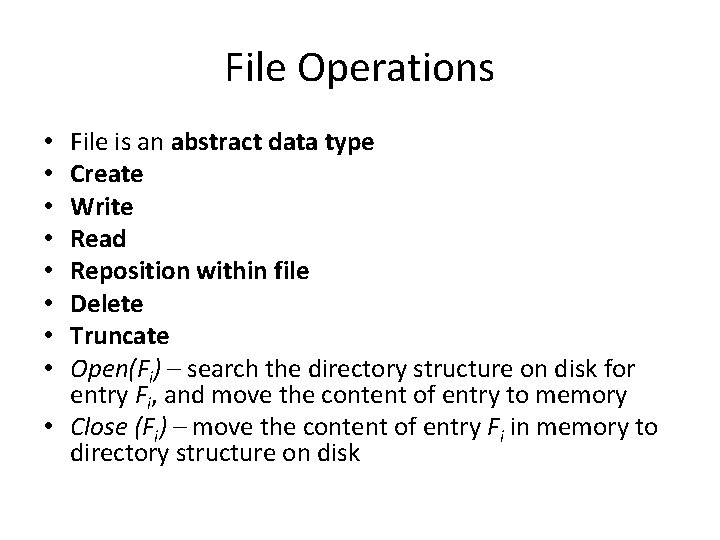
File Operations File is an abstract data type Create Write Read Reposition within file Delete Truncate Open(Fi) – search the directory structure on disk for entry Fi, and move the content of entry to memory • Close (Fi) – move the content of entry Fi in memory to directory structure on disk • •
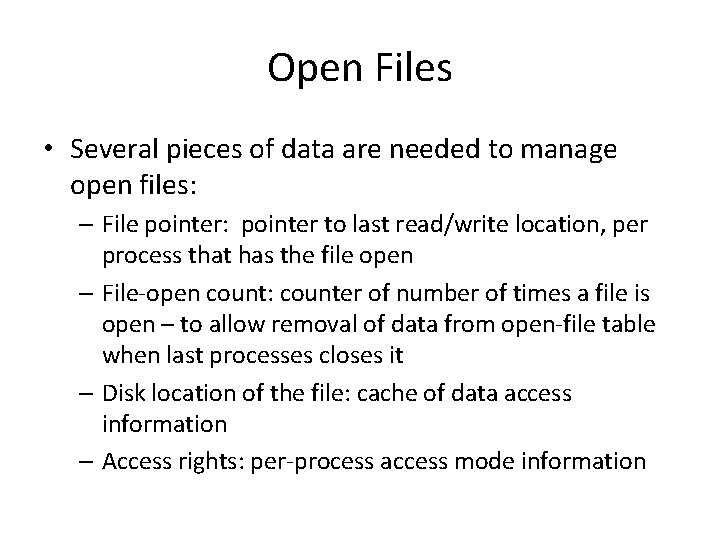
Open Files • Several pieces of data are needed to manage open files: – File pointer: pointer to last read/write location, per process that has the file open – File-open count: counter of number of times a file is open – to allow removal of data from open-file table when last processes closes it – Disk location of the file: cache of data access information – Access rights: per-process access mode information
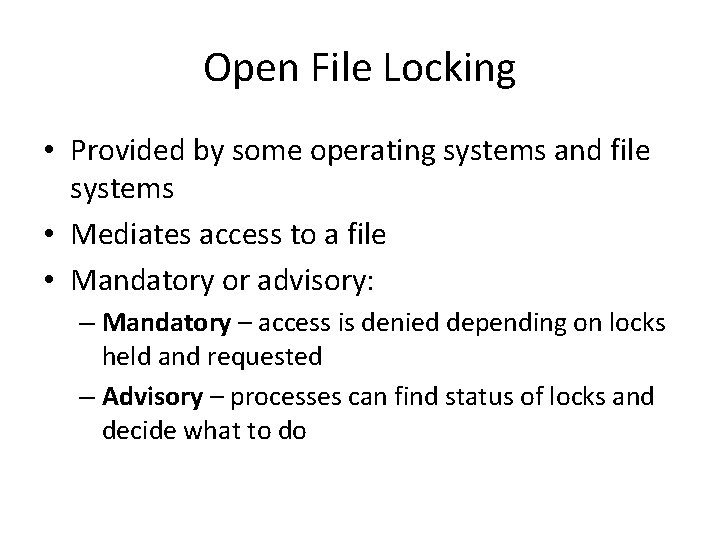
Open File Locking • Provided by some operating systems and file systems • Mediates access to a file • Mandatory or advisory: – Mandatory – access is denied depending on locks held and requested – Advisory – processes can find status of locks and decide what to do
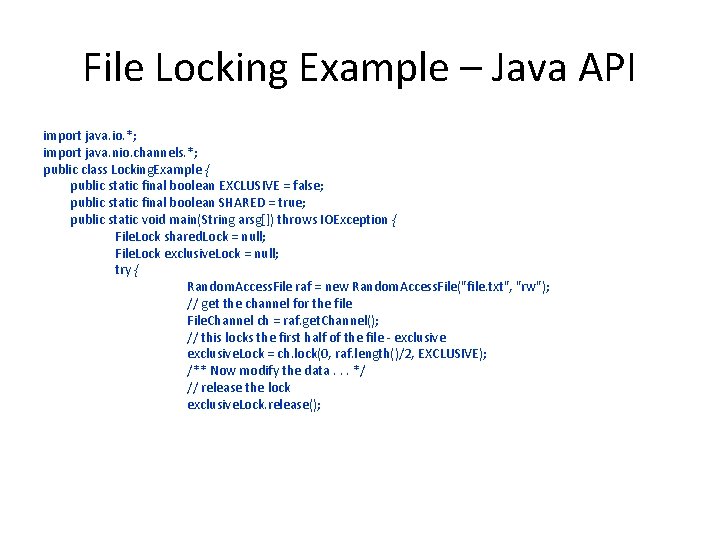
File Locking Example – Java API import java. io. *; import java. nio. channels. *; public class Locking. Example { public static final boolean EXCLUSIVE = false; public static final boolean SHARED = true; public static void main(String arsg[]) throws IOException { File. Lock shared. Lock = null; File. Lock exclusive. Lock = null; try { Random. Access. File raf = new Random. Access. File("file. txt", "rw"); // get the channel for the file File. Channel ch = raf. get. Channel(); // this locks the first half of the file - exclusive. Lock = ch. lock(0, raf. length()/2, EXCLUSIVE); /** Now modify the data. . . */ // release the lock exclusive. Lock. release();
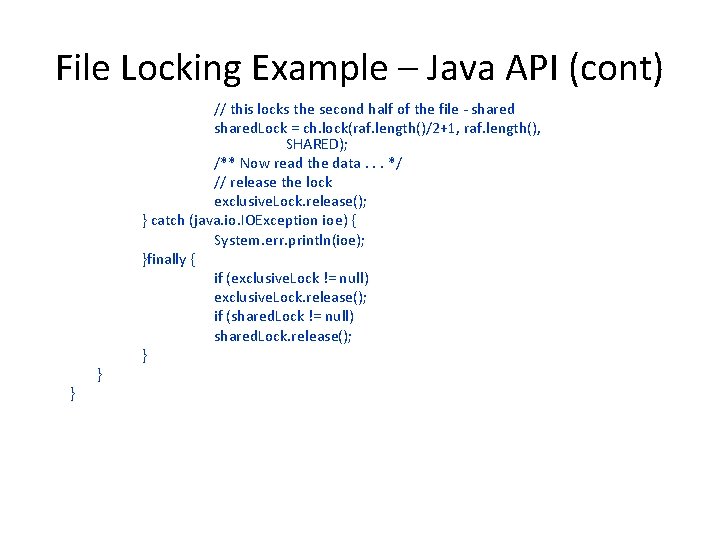
File Locking Example – Java API (cont) } } // this locks the second half of the file - shared. Lock = ch. lock(raf. length()/2+1, raf. length(), SHARED); /** Now read the data. . . */ // release the lock exclusive. Lock. release(); } catch (java. io. IOException ioe) { System. err. println(ioe); }finally { if (exclusive. Lock != null) exclusive. Lock. release(); if (shared. Lock != null) shared. Lock. release(); }
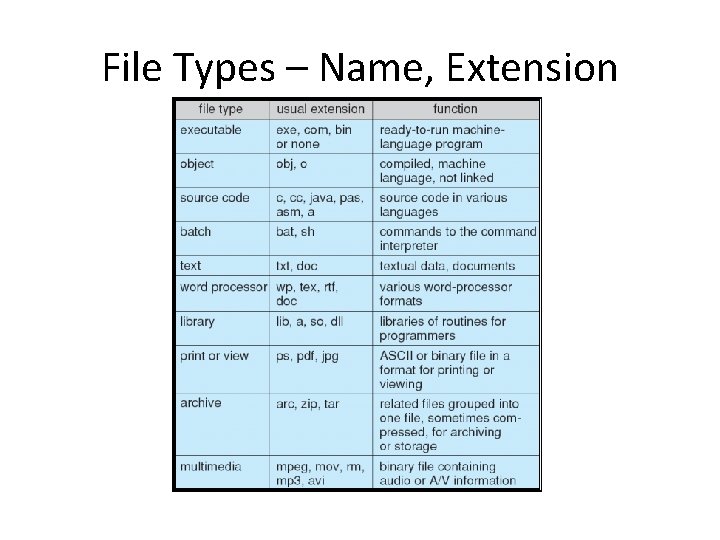
File Types – Name, Extension
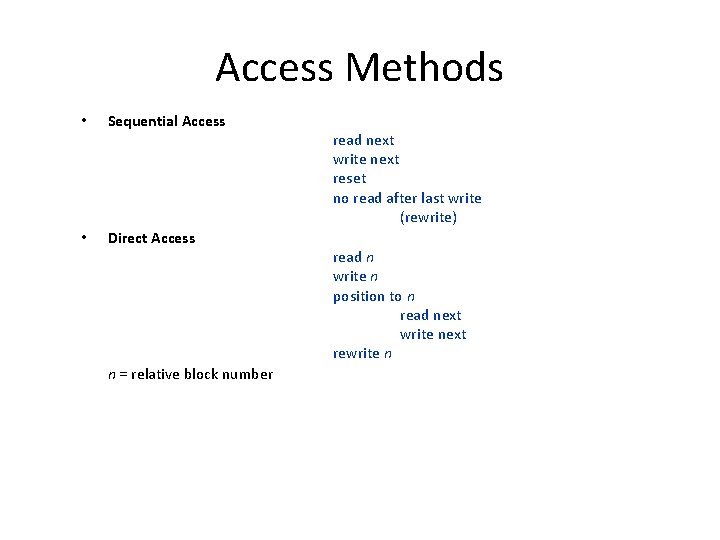
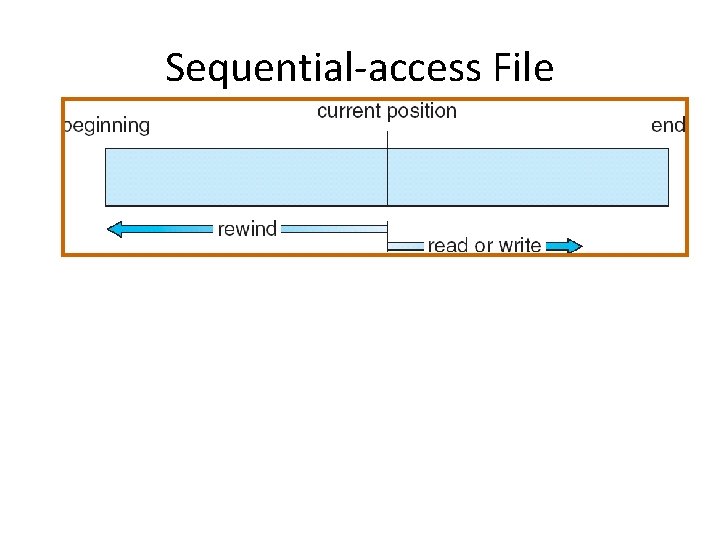
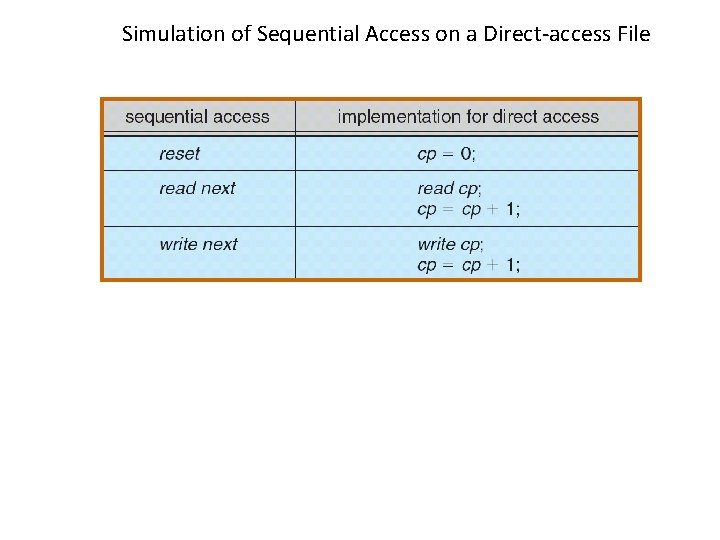
Access Methods • • Sequential Access Direct Access n = relative block number read next write next reset no read after last write (rewrite) read n write n position to n read next write next rewrite n
Sequential-access File
Simulation of Sequential Access on a Direct-access File
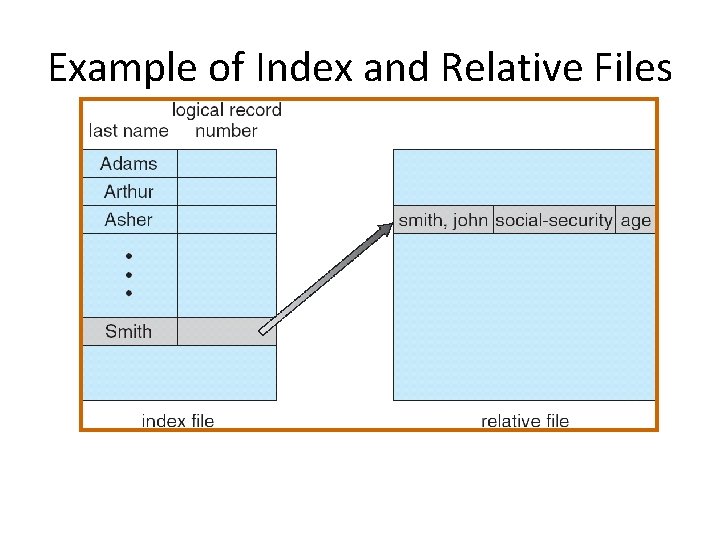
Example of Index and Relative Files
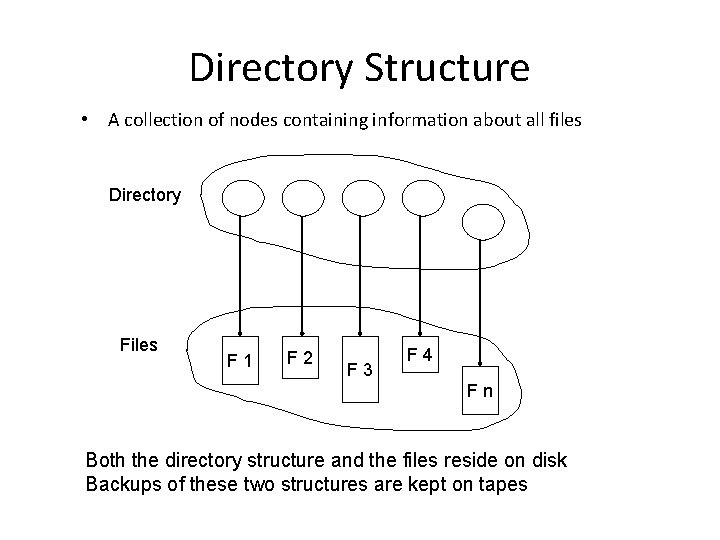
Directory Structure • A collection of nodes containing information about all files Directory Files F 1 F 2 F 3 F 4 Fn Both the directory structure and the files reside on disk Backups of these two structures are kept on tapes
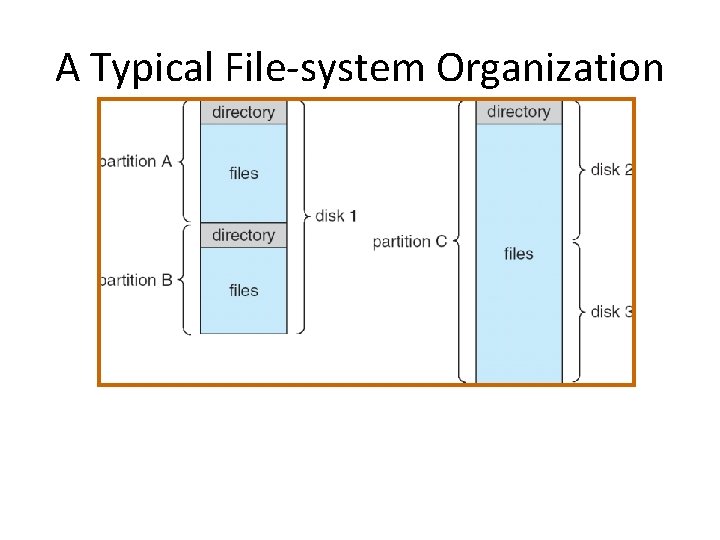
A Typical File-system Organization
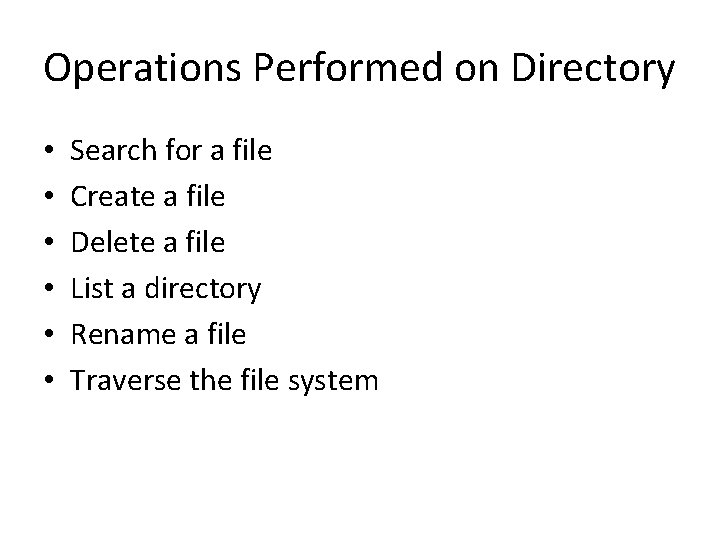
Operations Performed on Directory • • • Search for a file Create a file Delete a file List a directory Rename a file Traverse the file system
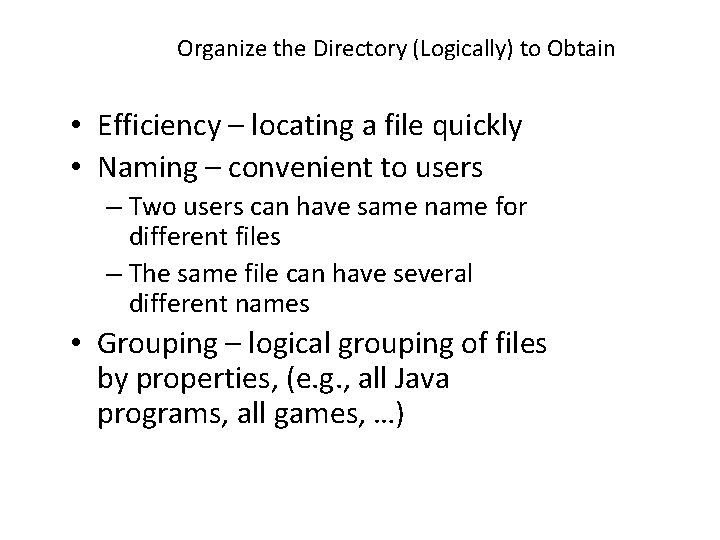
Organize the Directory (Logically) to Obtain • Efficiency – locating a file quickly • Naming – convenient to users – Two users can have same name for different files – The same file can have several different names • Grouping – logical grouping of files by properties, (e. g. , all Java programs, all games, …)
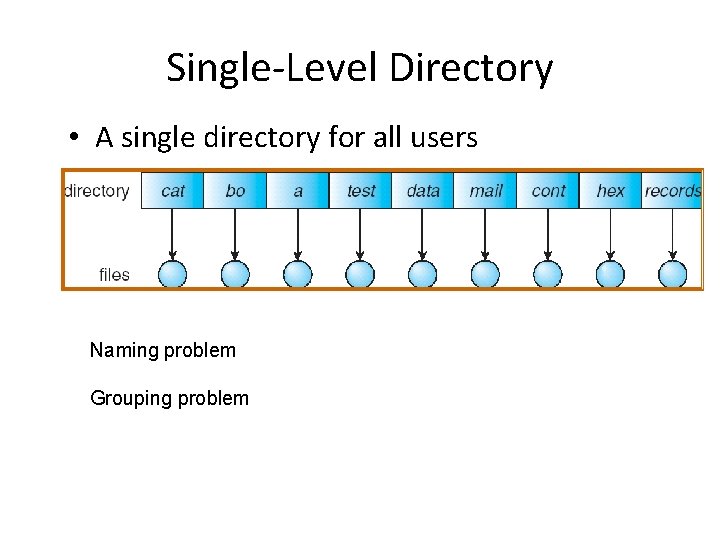
Single-Level Directory • A single directory for all users Naming problem Grouping problem
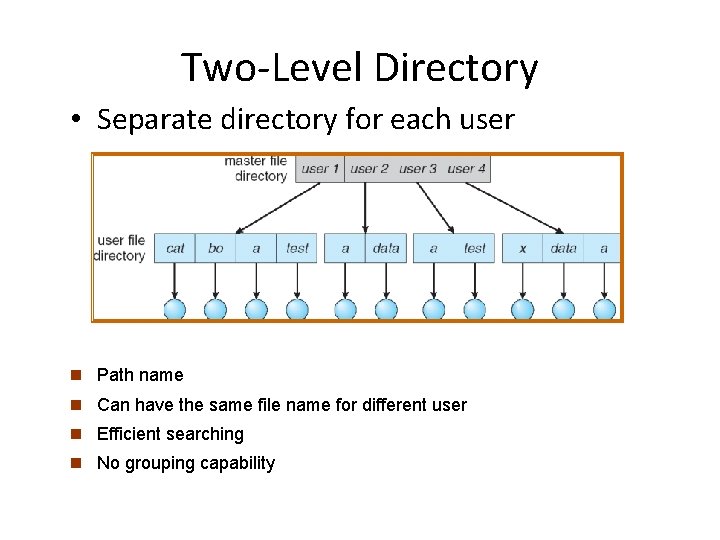
Two-Level Directory • Separate directory for each user n Path name n Can have the same file name for different user n Efficient searching n No grouping capability
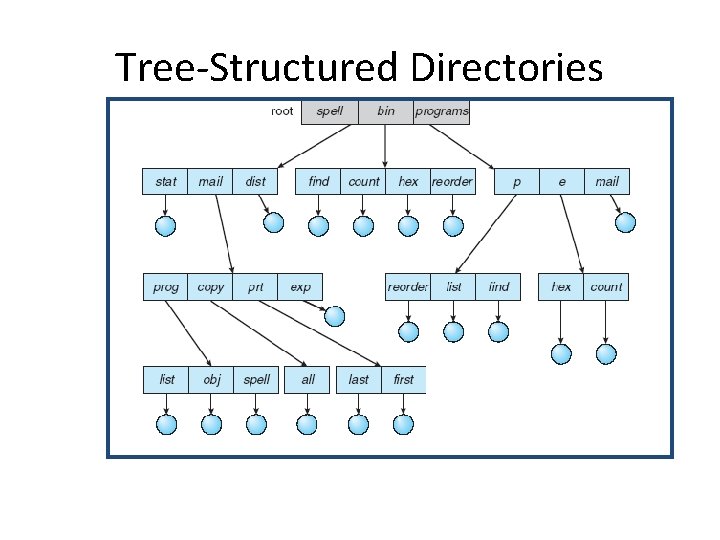
Tree-Structured Directories
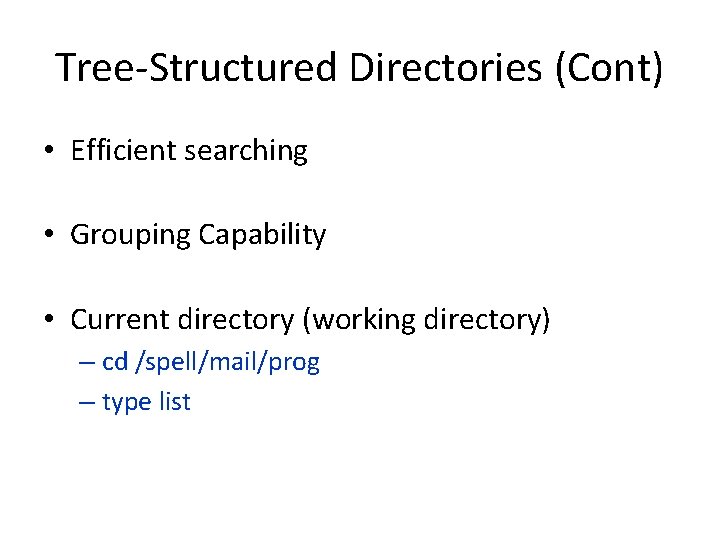
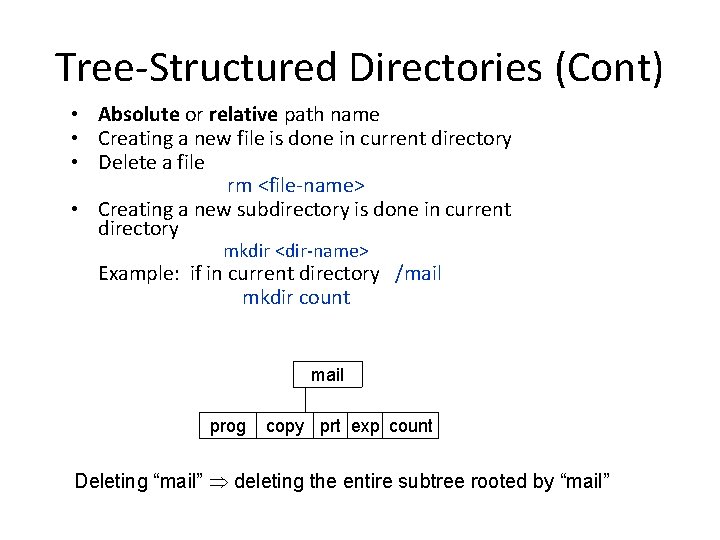
Tree-Structured Directories (Cont) • Efficient searching • Grouping Capability • Current directory (working directory) – cd /spell/mail/prog – type list
Tree-Structured Directories (Cont) • Absolute or relative path name • Creating a new file is done in current directory • Delete a file rm <file-name> • Creating a new subdirectory is done in current directory mkdir <dir-name> Example: if in current directory /mail mkdir count mail prog copy prt exp count Deleting “mail” deleting the entire subtree rooted by “mail”
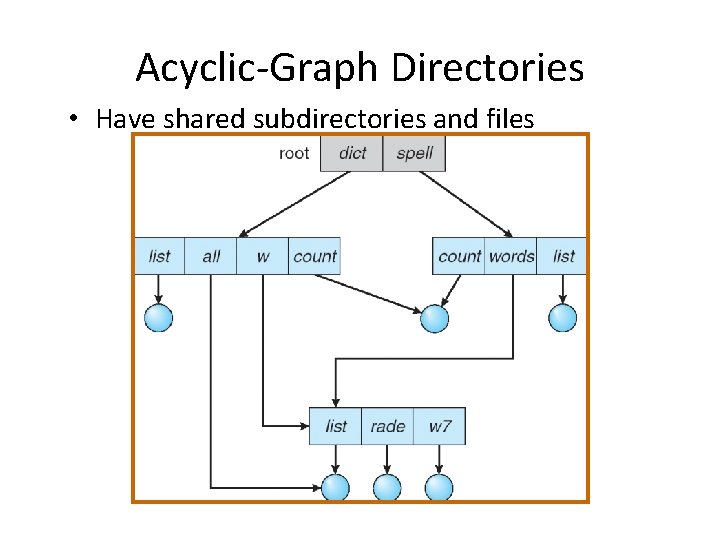
Acyclic-Graph Directories • Have shared subdirectories and files
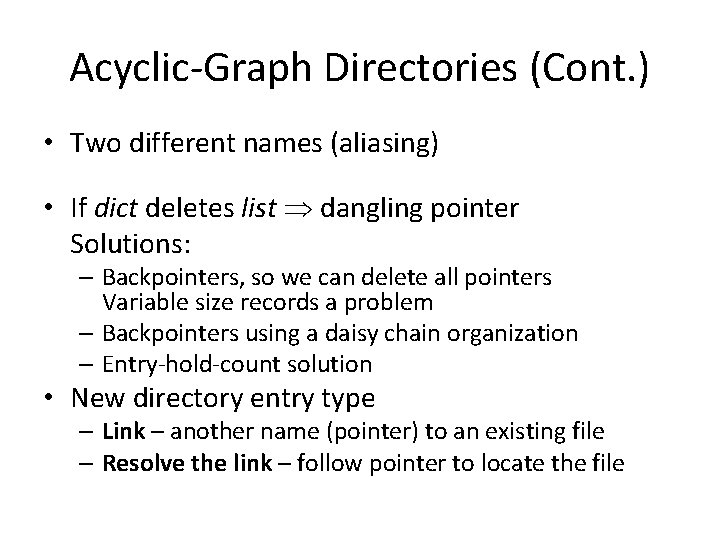
Acyclic-Graph Directories (Cont. ) • Two different names (aliasing) • If dict deletes list dangling pointer Solutions: – Backpointers, so we can delete all pointers Variable size records a problem – Backpointers using a daisy chain organization – Entry-hold-count solution • New directory entry type – Link – another name (pointer) to an existing file – Resolve the link – follow pointer to locate the file
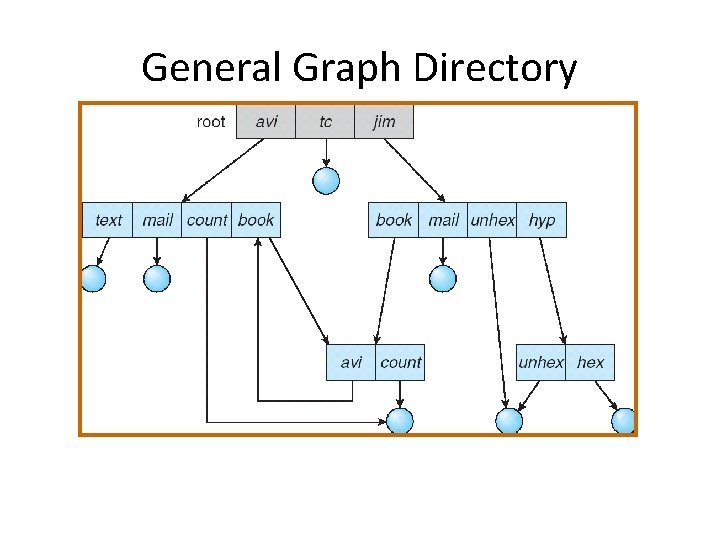
General Graph Directory
General Graph Directory (Cont. ) • How do we guarantee no cycles? – Allow only links to file not subdirectories – Garbage collection – Every time a new link is added use a cycle detection algorithm to determine whether it is OK
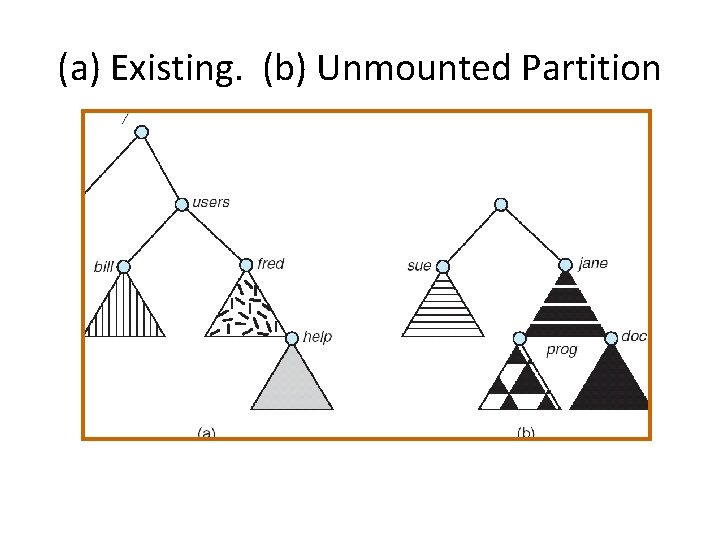
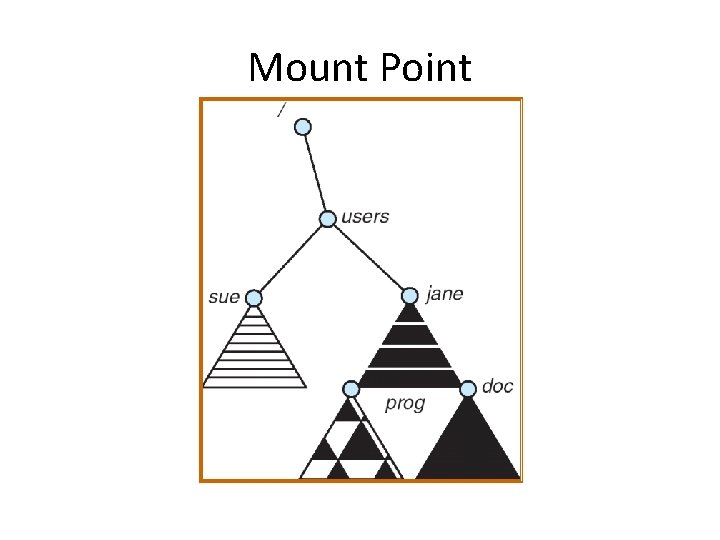
File System Mounting • A file system must be mounted before it can be accessed • A unmounted file system (i. e. Fig. 11 -11(b)) is mounted at a mount point
(a) Existing. (b) Unmounted Partition
Mount Point
File Sharing • Sharing of files on multi-user systems is desirable • Sharing may be done through a protection scheme • On distributed systems, files may be shared across a network • Network File System (NFS) is a common distributed file-sharing method
File Sharing – Multiple Users • User IDs identify users, allowing permissions and protections to be per-user • Group IDs allow users to be in groups, permitting group access rights
File Sharing – Remote File Systems • Uses networking to allow file system access between systems – Manually via programs like FTP – Automatically, seamlessly using distributed file systems – Semi automatically via the world wide web • model allows clients to mount remote file systems from servers Client-server – Server can serve multiple clients – Client and user-on-client identification is insecure or complicated – NFS is standard UNIX client-server file sharing protocol – CIFS is standard Windows protocol – Standard operating system file calls are translated into remote calls • Distributed Information Systems (distributed naming services) such as LDAP, DNS, NIS, Active Directory implement unified access to information needed for remote computing
File Sharing – Failure Modes • Remote file systems add new failure modes, due to network failure, server failure • Recovery from failure can involve state information about status of each remote request • Stateless protocols such as NFS include all information in each request, allowing easy recovery but less security
File Sharing – Consistency Semantics • Consistency semantics specify how multiple users are to access a shared file simultaneously – Similar to Ch 7 process synchronization algorithms • Tend to be less complex due to disk I/O and network latency (for remote file systems – Andrew File System (AFS) implemented complex remote file sharing semantics – Unix file system (UFS) implements: • Writes to an open file visible immediately to other users of the same open file • Sharing file pointer to allow multiple users to read and write concurrently – AFS has session semantics • Writes only visible to sessions starting after the file is closed
Protection • File owner/creator should be able to control: – what can be done – by whom • Types of access – Read – Write – Execute – Append – Delete – List
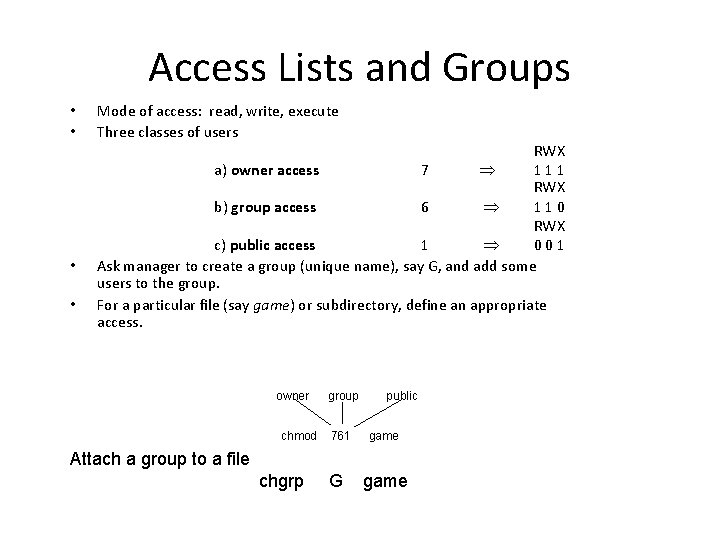
Access Lists and Groups • • Mode of access: read, write, execute Three classes of users RWX a) owner access 7 111 RWX b) group access 6 110 RWX c) public access 1 001 Ask manager to create a group (unique name), say G, and add some users to the group. For a particular file (say game) or subdirectory, define an appropriate access. owner chmod group 761 public game Attach a group to a file chgrp G game
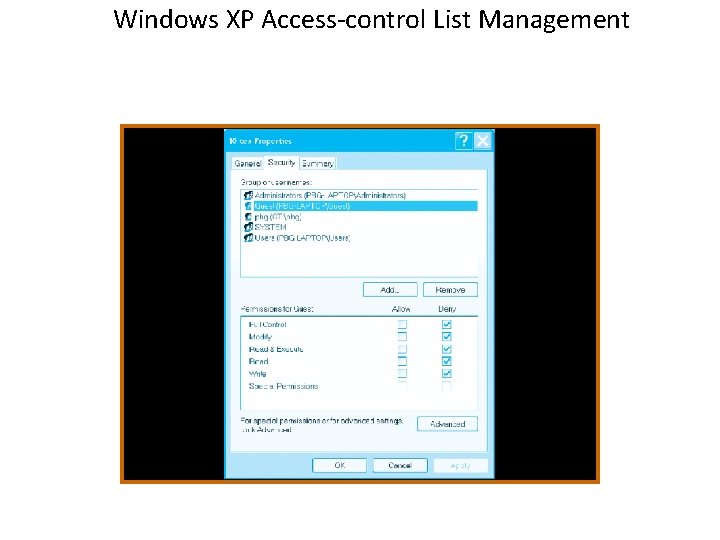
Windows XP Access-control List Management
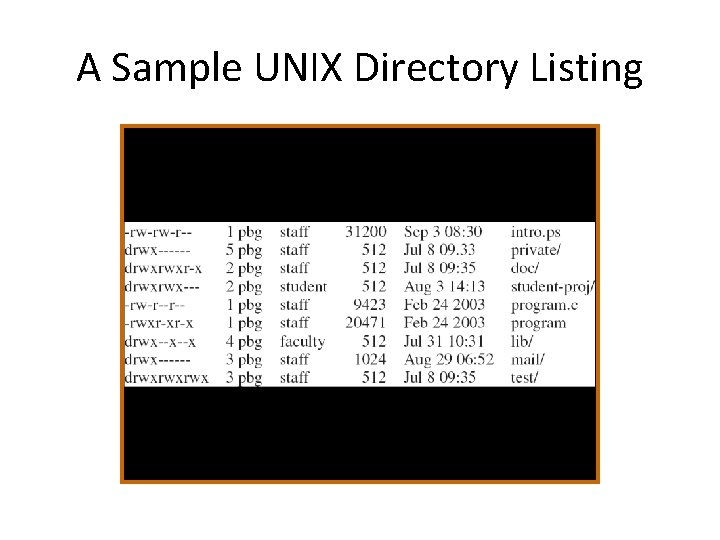
A Sample UNIX Directory Listing