
FILES AND FOLDER MANAGEMENT PRESENTATION BY CHIWANDE PIYUSH
FILES AND FOLDER MANAGEMENT PRESENTATION BY CHIWANDE PIYUSH SUDHIR DEPUTY COLLECTOR CPTP-5 YASHADA , PUNE 1
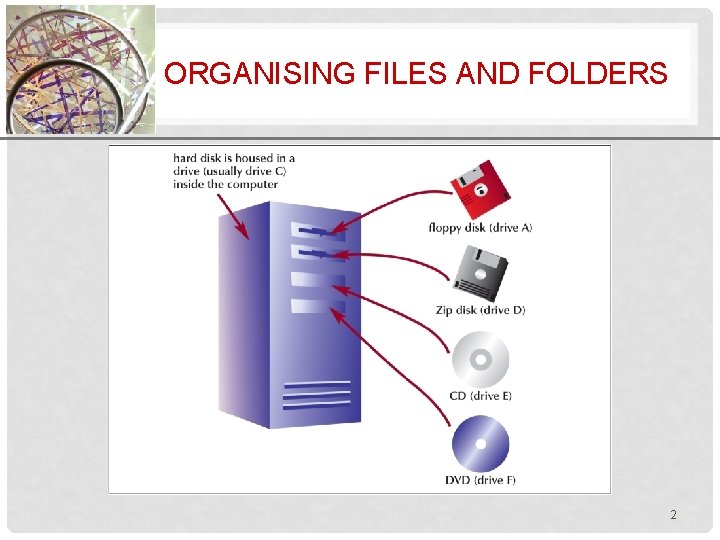
XP ORGANISING FILES AND FOLDERS 2
DEVELOPING STRATEGIES FOR MANAGING FILES AND FOLDERS XP • The type of disk you use to store files determines how you organize those files • Storing files on removable media allows you to use simpler organization • The larger the medium, the more levels of folders you should use • My Documents folder • You should have a backup, or duplicate copy, of important files 3
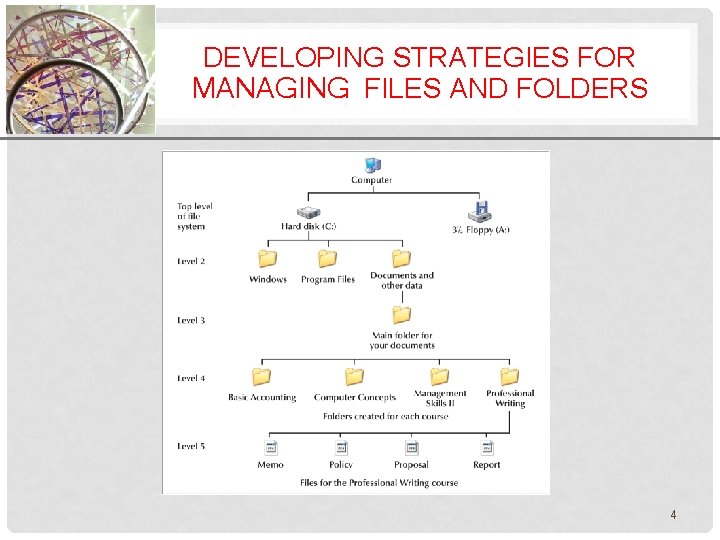
DEVELOPING STRATEGIES FOR XP MANAGING FILES AND FOLDERS 4

MANAGING FILES AND FOLDERS XP 5

FILE AND FOLDER MANAGEMENT XP • File Explorer (also known as Windows Explorer) helps you manipulate files and folders in the following ways: • Rename • Copy • Move • Delete • Windows offers a set of preconfigured personal folders, • such as My Documents and My Music, • for storing your personal data files. Managing Your Files 6
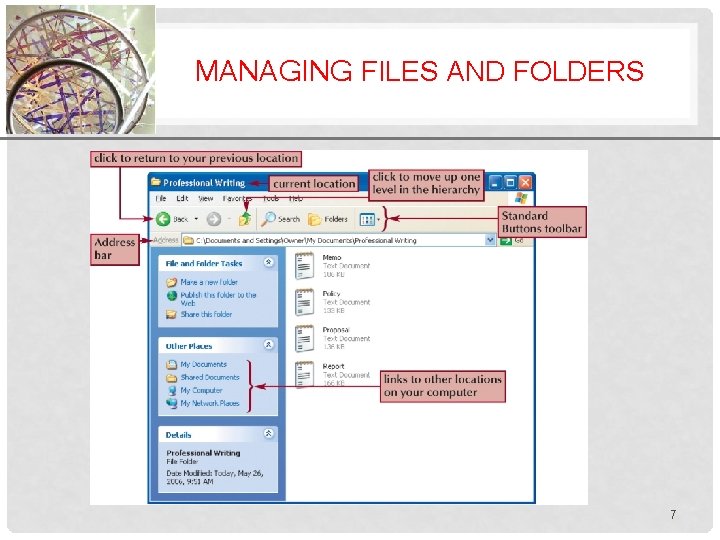
MANAGING FILES AND FOLDERS XP 7
UNITS FOR MEASURING FILES XP • • One byte = one character, pretty small 1 Kilobyte = 1024 bytes, about a page of text 1 Megabyte = 1024 KBs, a 1000 -page book 1 Gigabyte = 1024 MBs (more than 1 billion bytes), about 1000 books, a library! • 1 Terabyte = 1024 GBs (more than 1 trillion bytes), over 1000 libraries • 1 Petabyte = 1024 TBs (more than 1 quadrillion bytes), over 1 million libraries Managing Your Files 8
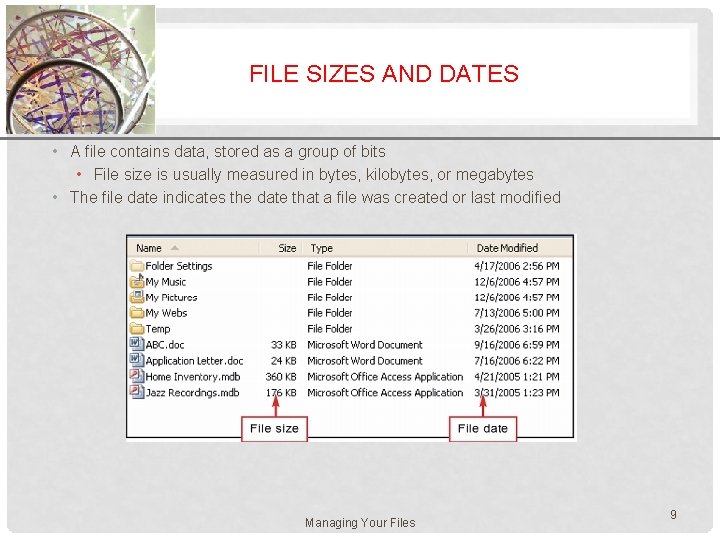
FILE SIZES AND DATES XP • A file contains data, stored as a group of bits • File size is usually measured in bytes, kilobytes, or megabytes • The file date indicates the date that a file was created or last modified Managing Your Files 9
XP NAVIGATING TO YOUR DATA FILES • The file path is a notation that indicates a file’s location on your computer A: FMTutorialHoliday. bmp • • A: is the drive name FM is the top-level folder on drive A Tutorial is a subfolder in the FM folder Holiday. bmp is the full filename with the file extention 10
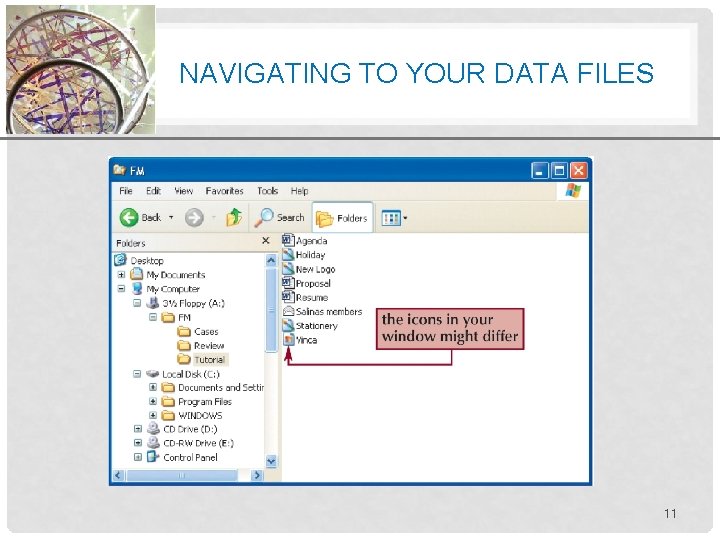
NAVIGATING TO YOUR DATA FILES XP 11
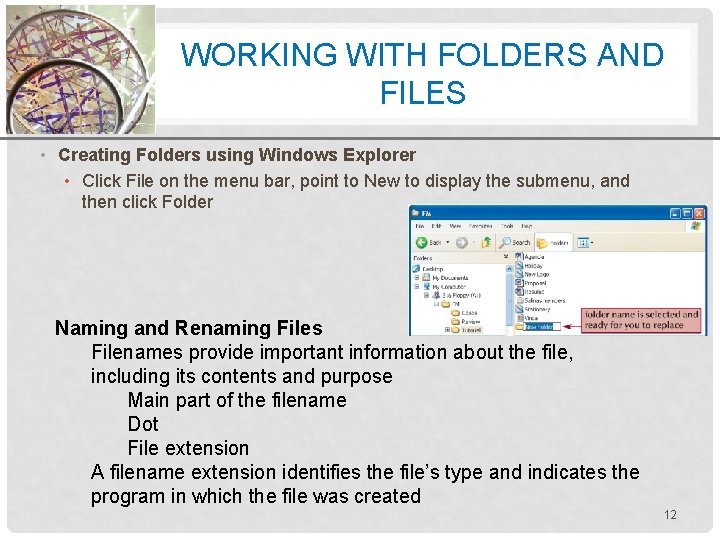
WORKING WITH FOLDERS ANDXP FILES • Creating Folders using Windows Explorer • Click File on the menu bar, point to New to display the submenu, and then click Folder Naming and Renaming Files Filenames provide important information about the file, including its contents and purpose Main part of the filename Dot File extension A filename extension identifies the file’s type and indicates the program in which the file was created 12
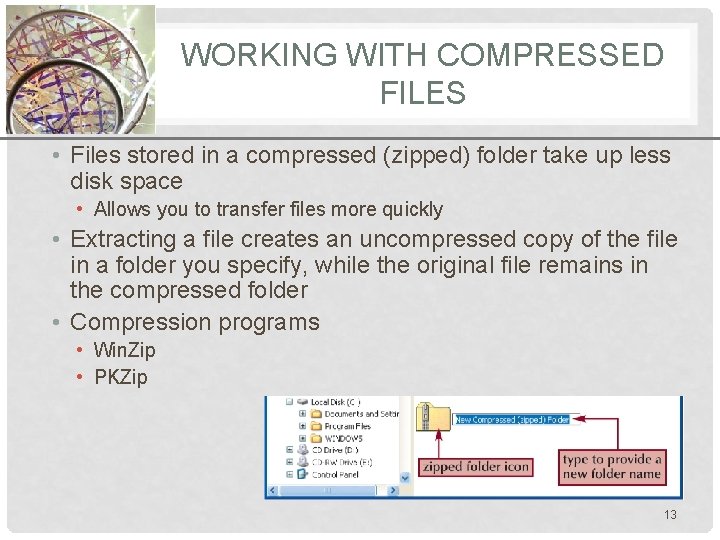
WORKING WITH COMPRESSEDXP FILES • Files stored in a compressed (zipped) folder take up less disk space • Allows you to transfer files more quickly • Extracting a file creates an uncompressed copy of the file in a folder you specify, while the original file remains in the compressed folder • Compression programs • Win. Zip • PKZip 13
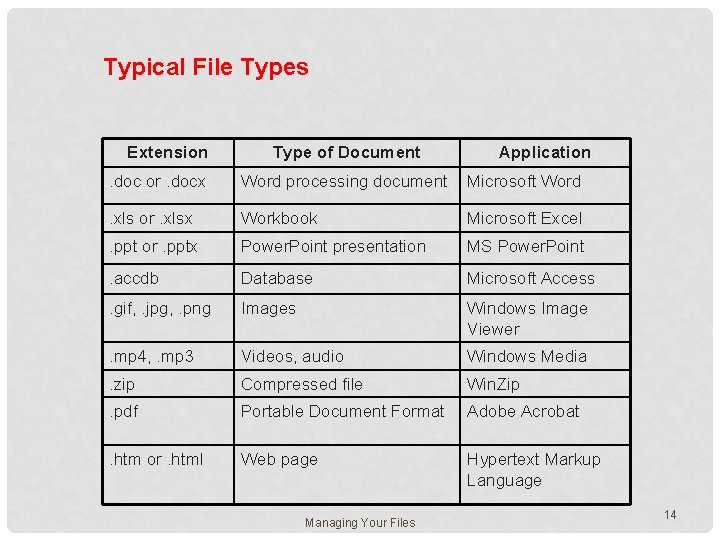
Typical File Types Extension Type of Document Application . doc or. docx Word processing document Microsoft Word . xls or. xlsx Workbook Microsoft Excel . ppt or. pptx Power. Point presentation MS Power. Point . accdb Database Microsoft Access . gif, . jpg, . png Images Windows Image Viewer . mp 4, . mp 3 Videos, audio Windows Media . zip Compressed file Win. Zip . pdf Portable Document Format Adobe Acrobat . htm or. html Web page Hypertext Markup Language Managing Your Files 14

Thank You 15
- Slides: 15