
File Types GCSE Computer Science JPEG show understanding
- Slides: 19
File Types GCSE Computer Science
JPEG show understanding of the concept of Musical Instrument Digital Interface (MIDI) files, JPEG files, MP 3 and MP 4 files Click here for Topic Introduction
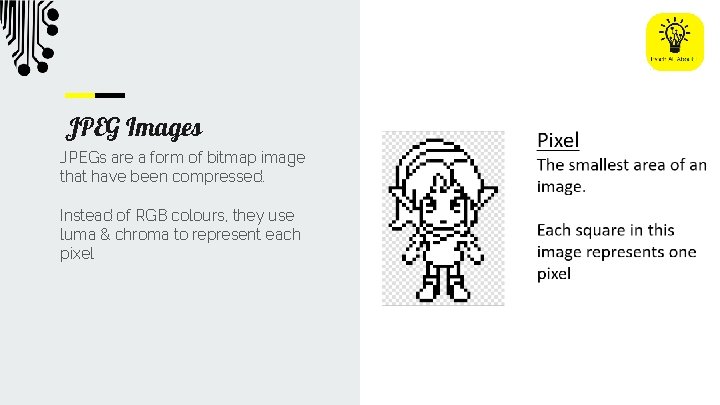
JPEG Images JPEGs are a form of bitmap image that have been compressed. Instead of RGB colours, they use luma & chroma to represent each pixel
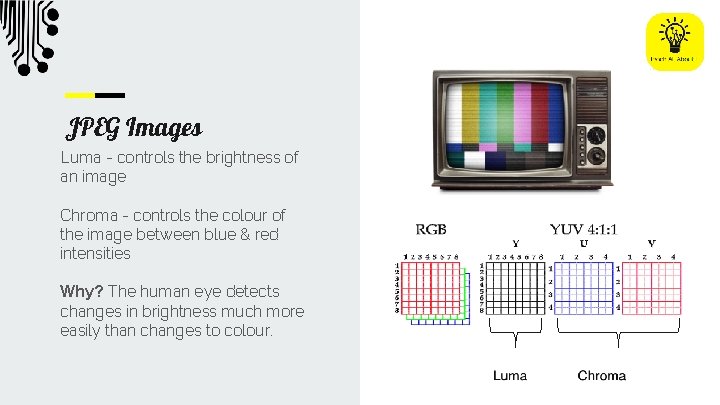
JPEG Images Luma - controls the brightness of an image Chroma - controls the colour of the image between blue & red intensities Why? The human eye detects changes in brightness much more easily than changes to colour.
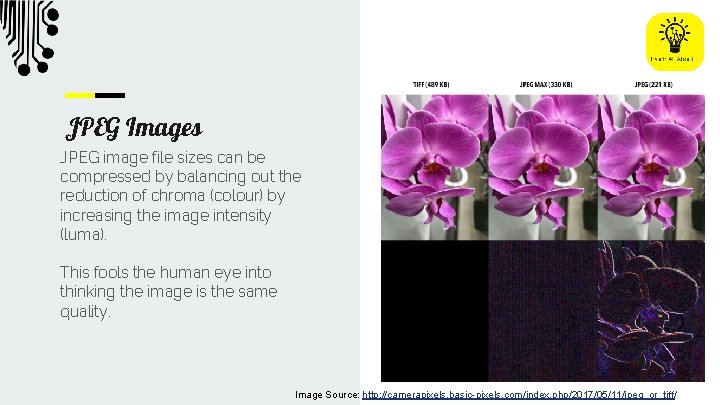
JPEG Images JPEG image file sizes can be compressed by balancing out the reduction of chroma (colour) by increasing the image intensity (luma). This fools the human eye into thinking the image is the same quality. Image Source: http: //camerapixels. basic-pixels. com/index. php/2017/05/11/jpeg_or_tiff/
MP 3 show understanding of the concept of Musical Instrument Digital Interface (MIDI) files, JPEG files, MP 3 and MP 4 files Click here for Topic Introduction
MP 3 Sound Digital sound requires large volumes of data to hold the samples needed to reproduce clear sound. MP 3 files compress the data without losing enough quality to be noticable. Sound samples usually use 44, 100 samples per second. Each sample is 2 bytes How large would a 10 second file be in Kb?
MP 3 files make files smaller by: MP 3 Sound Digital sound requires large volumes of data to hold the samples needed to reproduce clear sound. MP 3 files compress the data without losing enough quality to be noticable. ● ● ● Removing sounds the human ear can’t hear Removing sounds at the edge of hearing if another is present Reducing the sampling rate
MP 4 show understanding of the concept of Musical Instrument Digital Interface (MIDI) files, JPEG files, MP 3 and MP 4 files Click here for Topic Introduction
Advantages: - Smaller file size is better for streaming online MPEG-4 uses similar techniques to MP 3 for making files smaller. - Reduction in quality is difficult to detect MP 4 contains a combination of: ● Audio ● Video ● Captions - Portable (across platforms) - Includes metadata MP 4 Video
Disadvantages: MP 4 Video MPEG-4 uses similar techniques to MP 3 for making files smaller. MP 4 contains a combination of: ● Audio ● Video ● Captions - Difficult to edit after encoding - Audio can become out of synch with video - Lost data from compression cannot be recovered
MIDI show understanding of the concept of Musical Instrument Digital Interface (MIDI) files, JPEG files, MP 3 and MP 4 files Click here for Topic Introduction
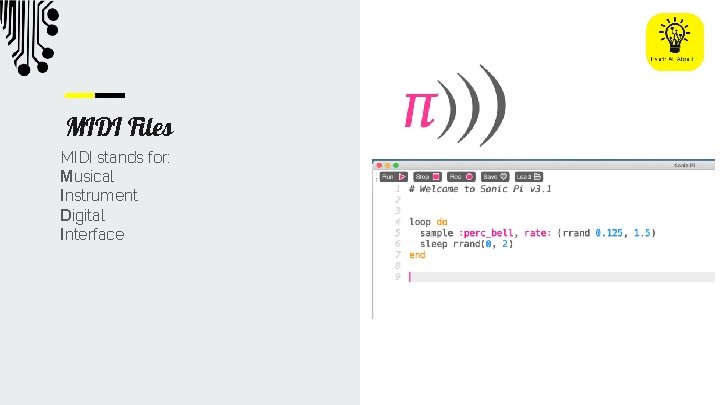
MIDI Files MIDI stands for: Musical Instrument Digital Interface
MIDI Files Benefits: - Smaller files - Ability to change instruments - Change song without recording again - Algorithm can generate music
Exam Questions Represent positive numbers in hexadecimal notation Show understanding of the reasons for choosing hexadecimal notation to represent numbers Identify current uses of hexadecimal numbers in computing, such as defining colours in Hypertext Markup Language (HTML), Media Access Control (MAC) addresses, assembly languages and machine code, debugging Convert positive hexadecimal integers to and from denary (a maximum of four hexadecimal digits will be required) Convert positive hexadecimal integers to and from binary (a maximum of 16 bit binary numbers will be required)
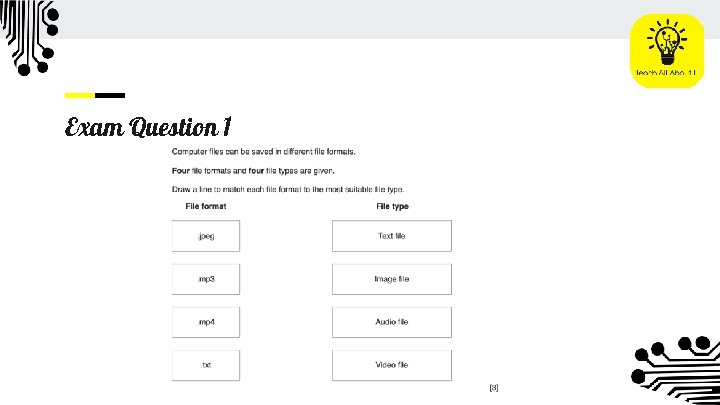
Exam Question 1
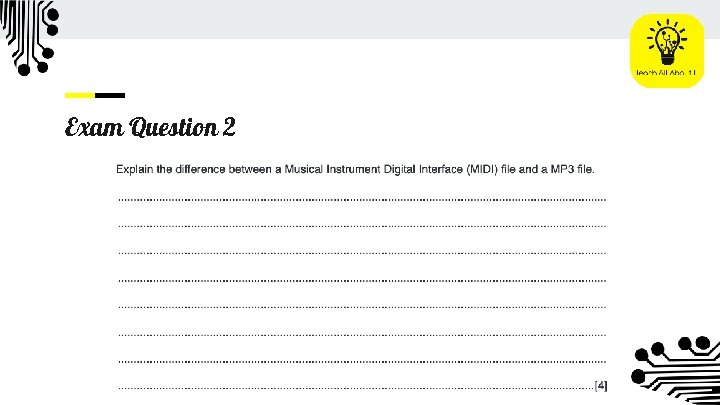
Exam Question 2
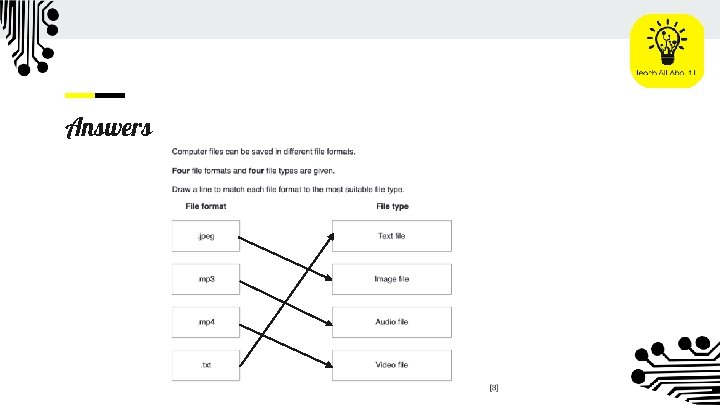
Answers
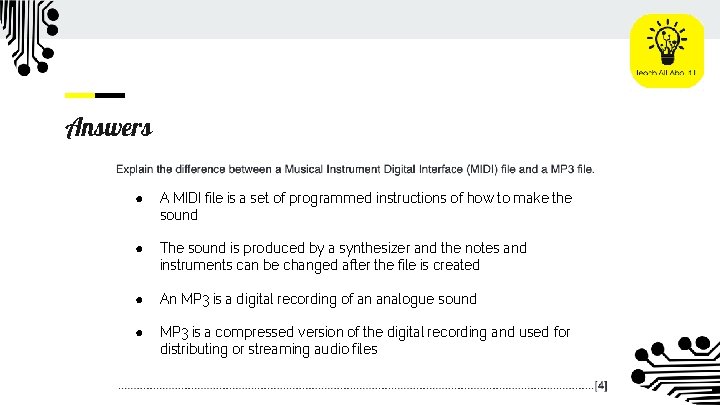
Answers ● A MIDI file is a set of programmed instructions of how to make the sound ● The sound is produced by a synthesizer and the notes and instruments can be changed after the file is created ● An MP 3 is a digital recording of an analogue sound ● MP 3 is a compressed version of the digital recording and used for distributing or streaming audio files