
File Transfer FTP and TFTP TCPIP Protocol Suite





- Slides: 38
File Transfer: FTP and TFTP TCP/IP Protocol Suite 1
21 -1 FTP File Transfer Protocol (FTP) is the standard mechanism provided by TCP/IP for copying a file from one host to another. Although transferring files from one system to another seems simple and straightforward, some problems must be dealt with first. For example, two systems may use different file name conventions. Two systems may have different ways to represent text and data. Two systems may have different directory structures. All of these problems have been solved by FTP in a very simple and elegant approach. TCP/IP Protocol Suite 2
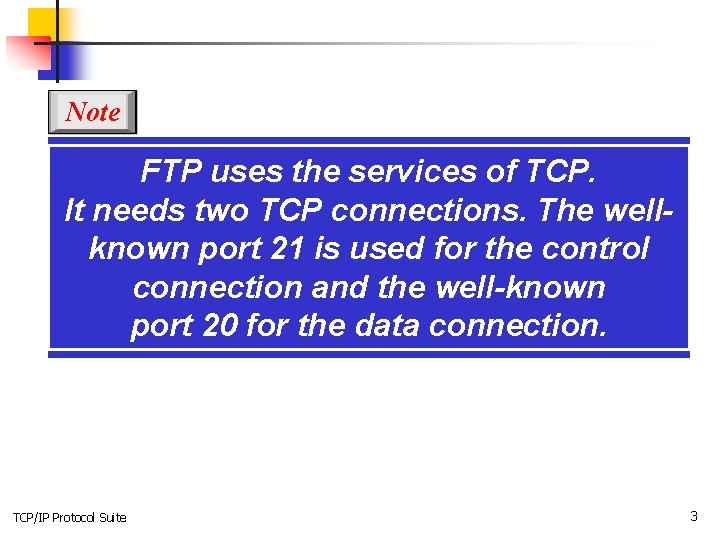
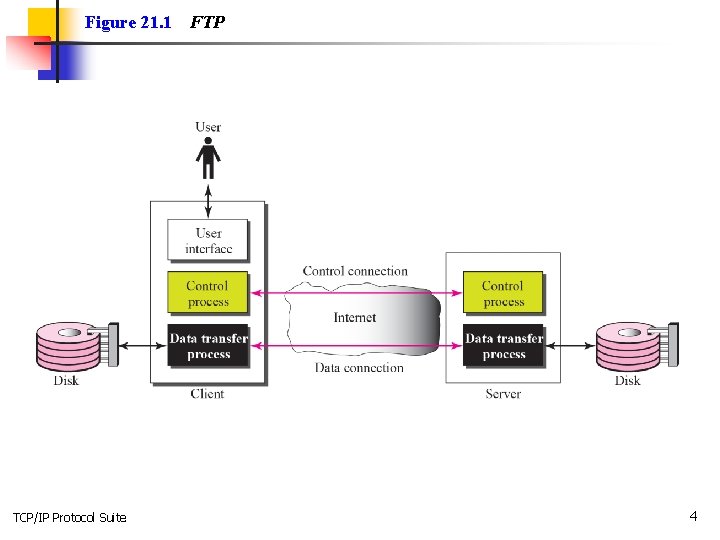
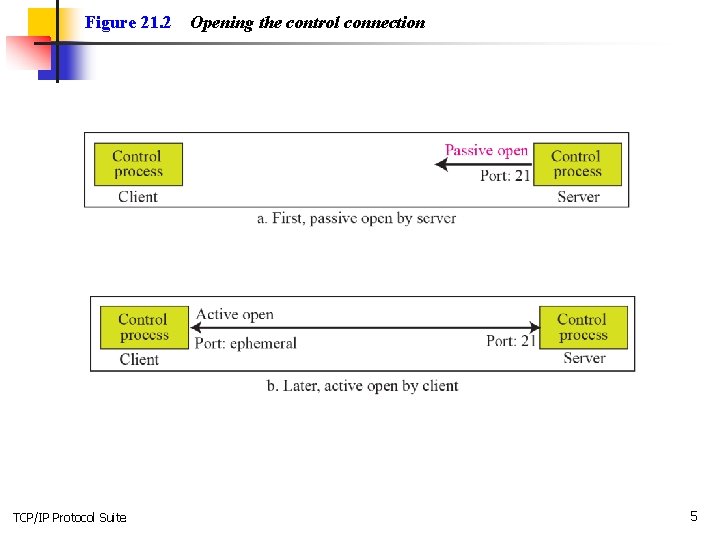
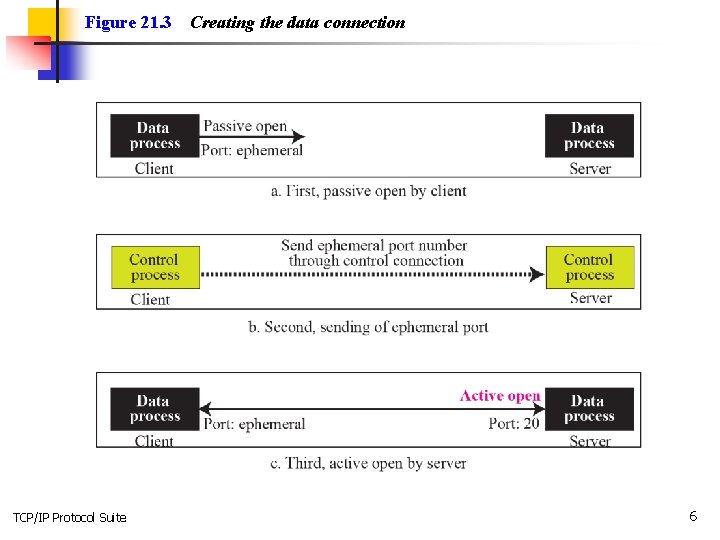
Note FTP uses the services of TCP. It needs two TCP connections. The wellknown port 21 is used for the control connection and the well-known port 20 for the data connection. TCP/IP Protocol Suite 3
Figure 21. 1 TCP/IP Protocol Suite FTP 4
Figure 21. 2 TCP/IP Protocol Suite Opening the control connection 5
Figure 21. 3 TCP/IP Protocol Suite Creating the data connection 6
Figure 21. 4 TCP/IP Protocol Suite Using the control connection 7
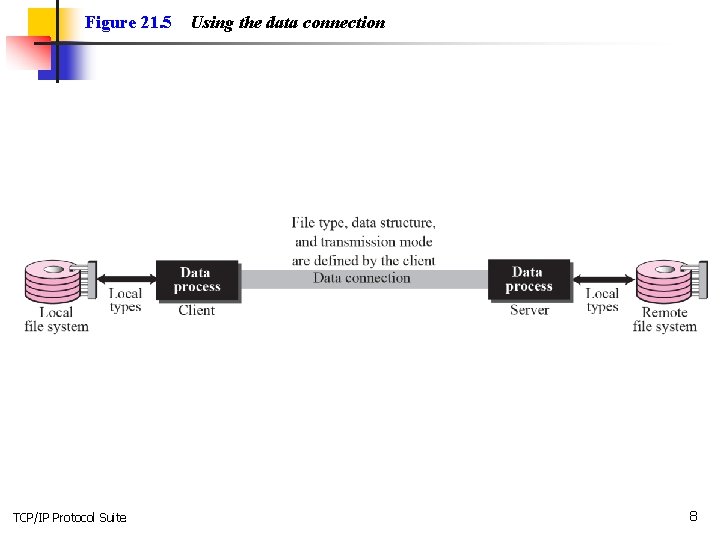
Figure 21. 5 TCP/IP Protocol Suite Using the data connection 8
Figure 21. 6 TCP/IP Protocol Suite Command processing 9
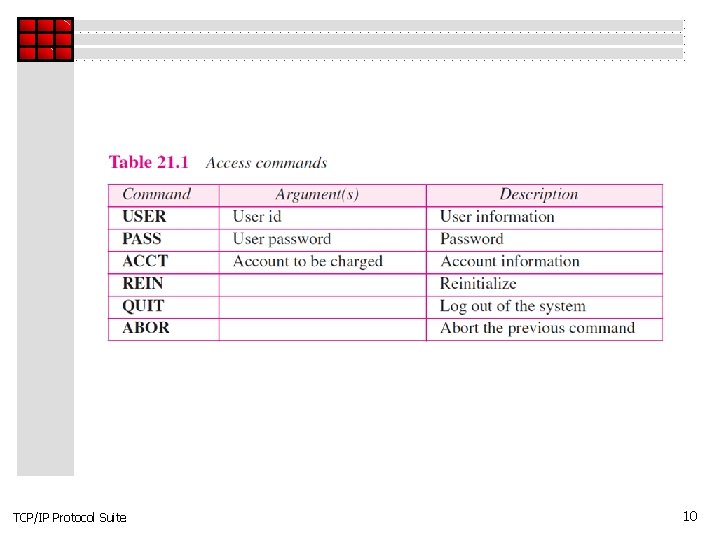
TCP/IP Protocol Suite 10
TCP/IP Protocol Suite 11
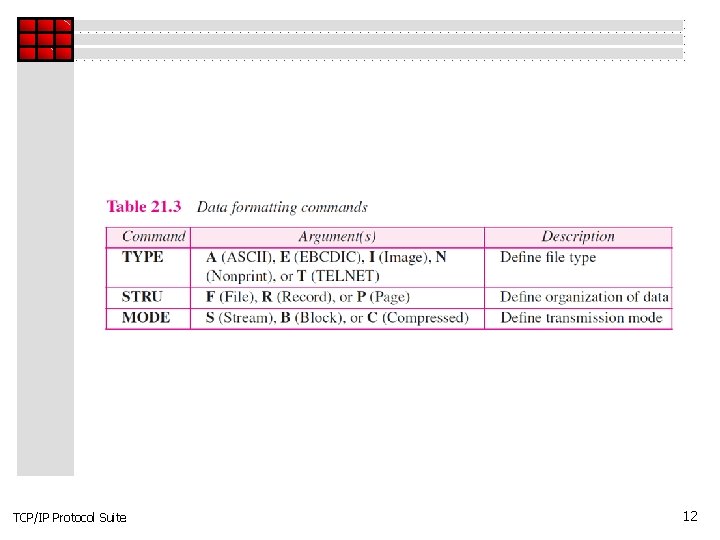
TCP/IP Protocol Suite 12
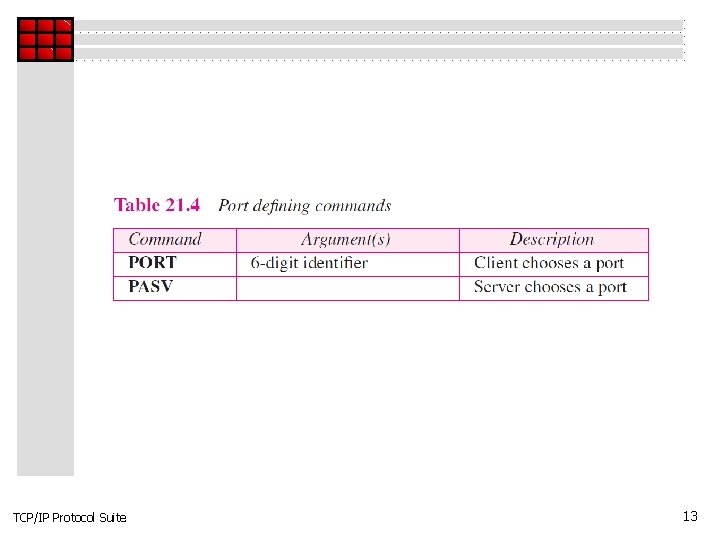
TCP/IP Protocol Suite 13
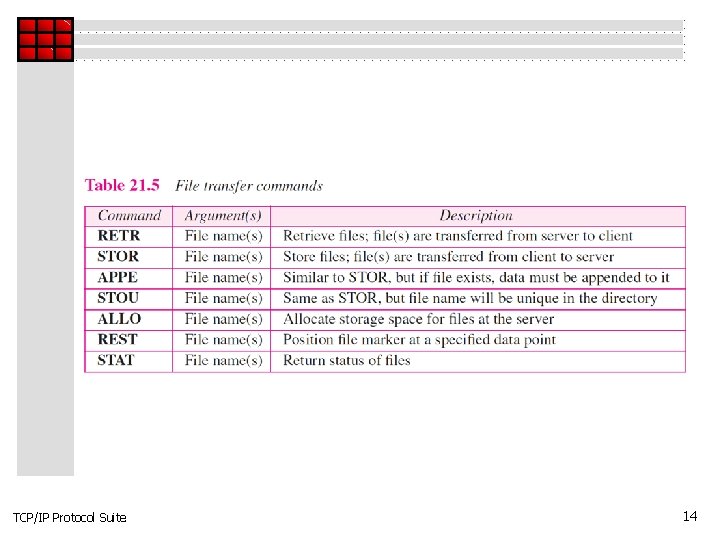
TCP/IP Protocol Suite 14
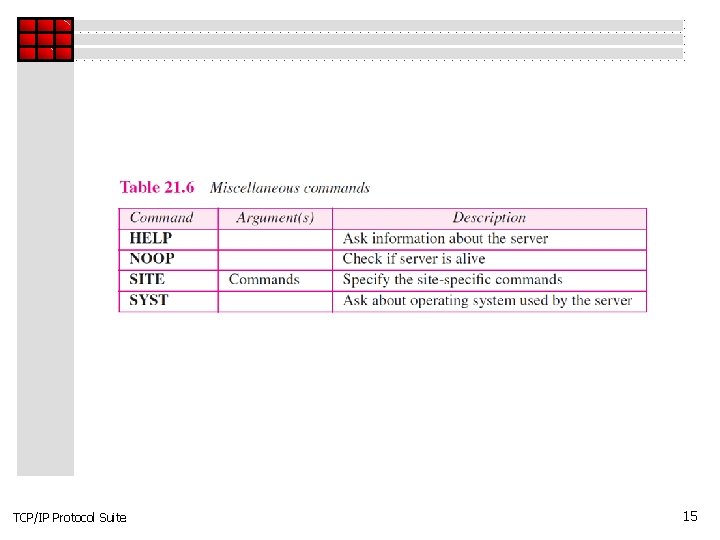
TCP/IP Protocol Suite 15
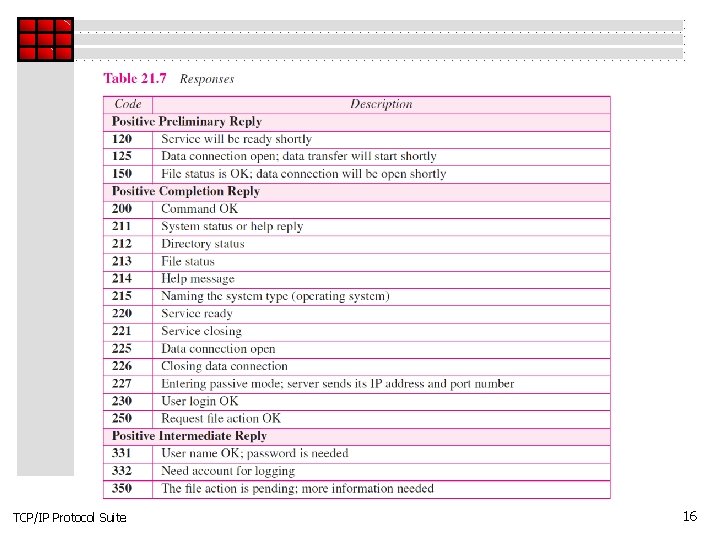
TCP/IP Protocol Suite 16
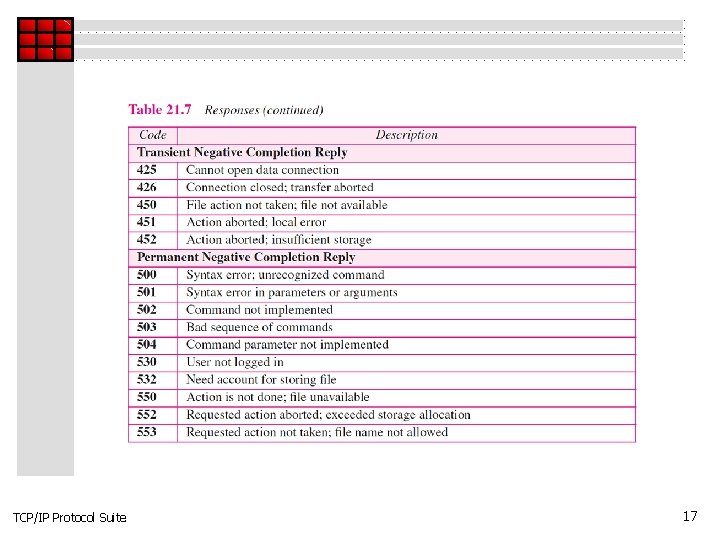
TCP/IP Protocol Suite 17
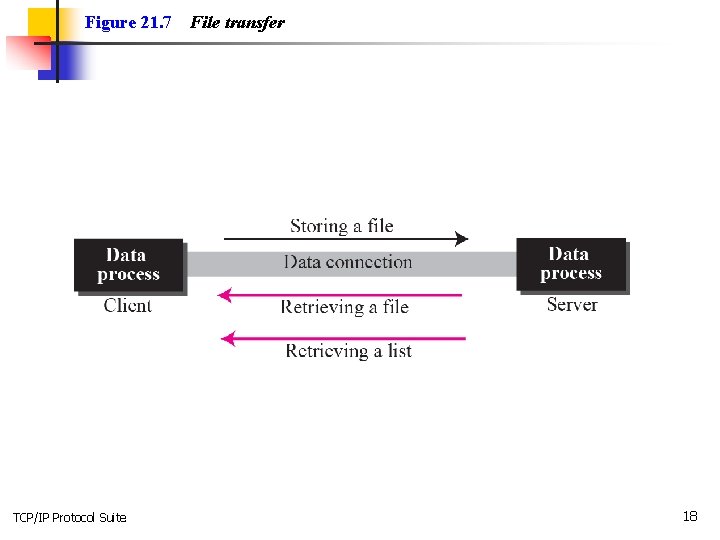
Figure 21. 7 TCP/IP Protocol Suite File transfer 18
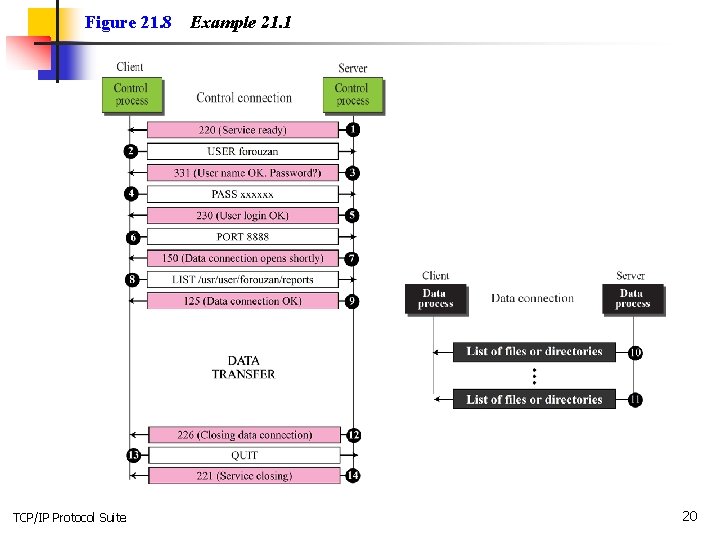
Example 21. 1 Figure 21. 8 shows an example of using FTP for retrieving a list of items in a directory. TCP/IP Protocol Suite 19
Figure 21. 8 TCP/IP Protocol Suite Example 21. 1 20
Example 21. 2 The following shows an actual FTP session that parallels Example 21. 1. The colored lines show the responses from the server control connection; the black lines show the commands sent by the client. The lines in white with black background show data transfer. TCP/IP Protocol Suite 21
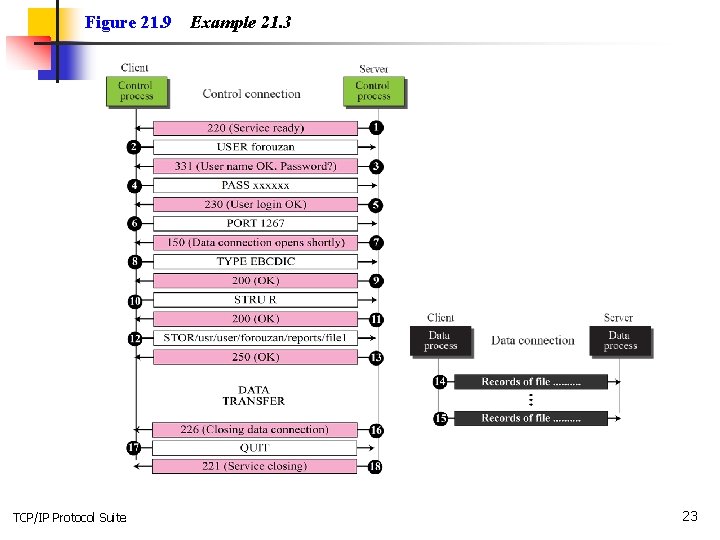
Example 21. 3 Figure 21. 9 shows an example of how an image (binary) file is stored. TCP/IP Protocol Suite 22
Figure 21. 9 TCP/IP Protocol Suite Example 21. 3 23
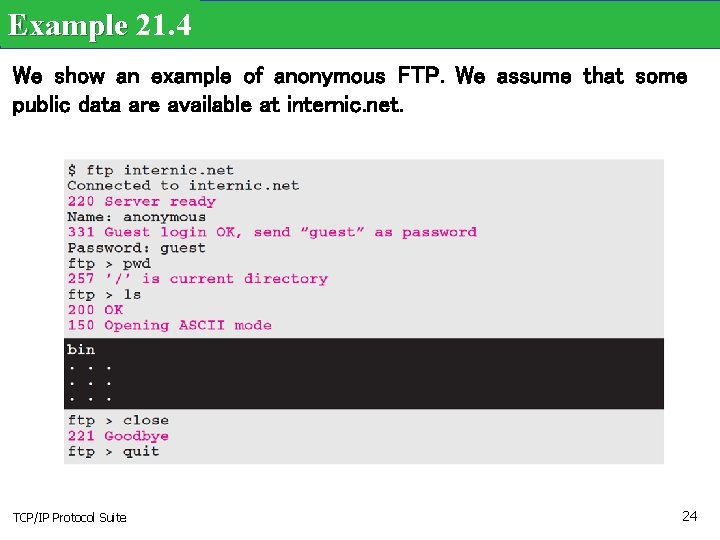
Example 21. 4 We show an example of anonymous FTP. We assume that some public data are available at internic. net. TCP/IP Protocol Suite 24
21 -2 TFTP There are occasions when we need to simply copy a file without the need for all of the features of the FTP protocol. For example, when a diskless workstation or a router is booted, we need to download the bootstrap and configuration files. Here we do not need all of the sophistication provided in FTP. We just need a protocol that quickly copies the files. TCP/IP Protocol Suite 25
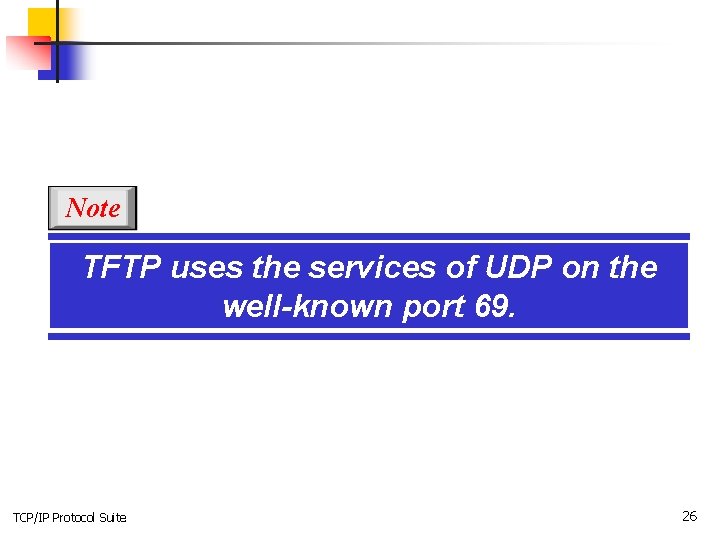
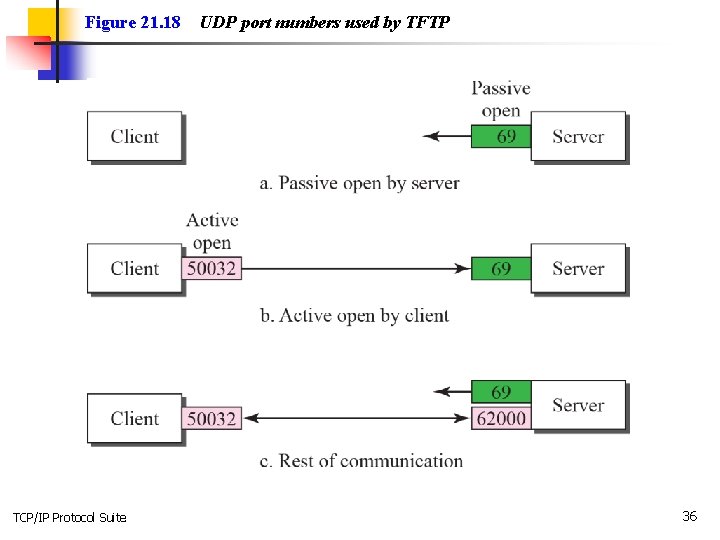
Note TFTP uses the services of UDP on the well-known port 69. TCP/IP Protocol Suite 26
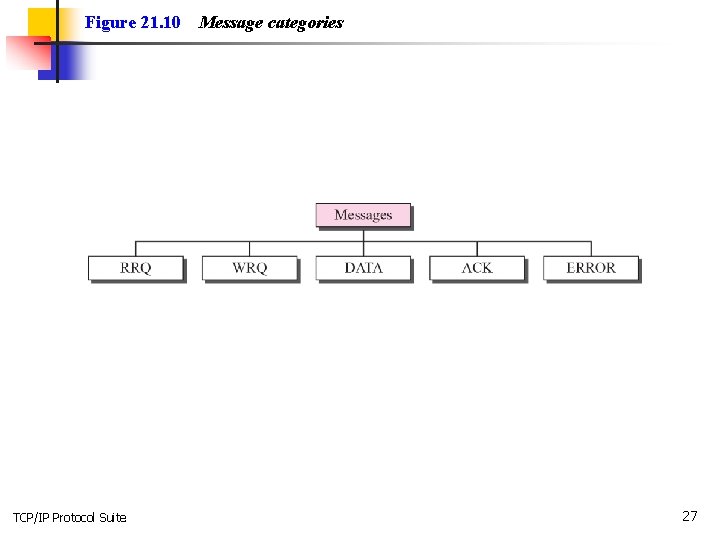
Figure 21. 10 TCP/IP Protocol Suite Message categories 27
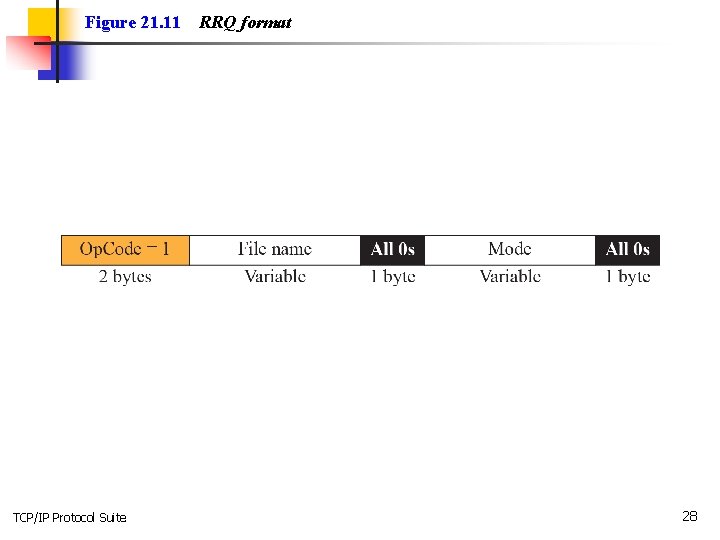
Figure 21. 11 TCP/IP Protocol Suite RRQ format 28
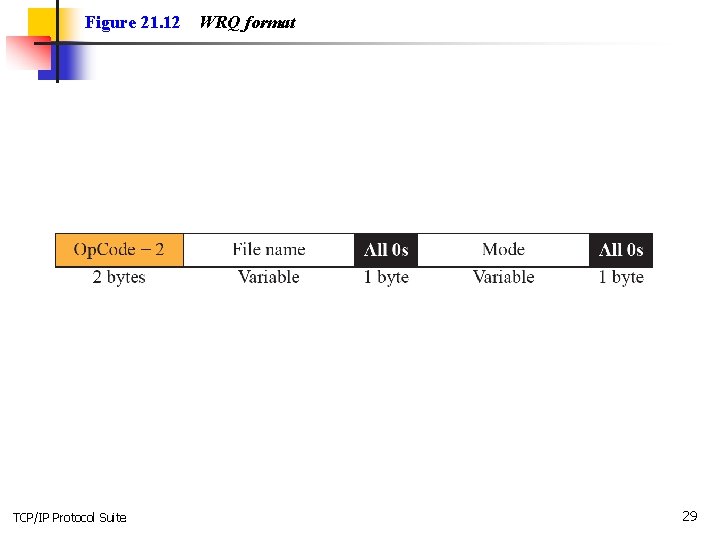
Figure 21. 12 TCP/IP Protocol Suite WRQ format 29
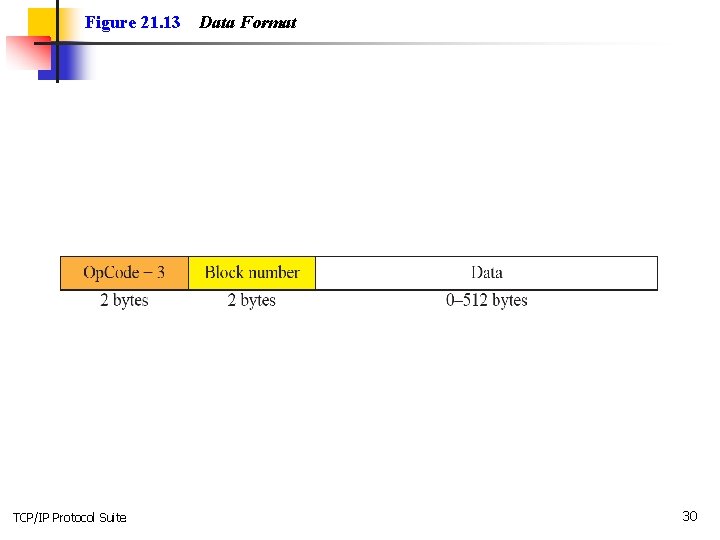
Figure 21. 13 TCP/IP Protocol Suite Data Format 30
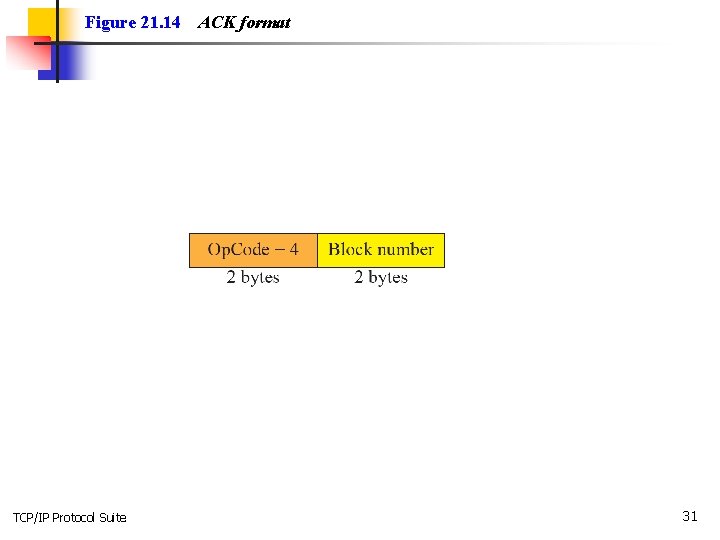
Figure 21. 14 TCP/IP Protocol Suite ACK format 31
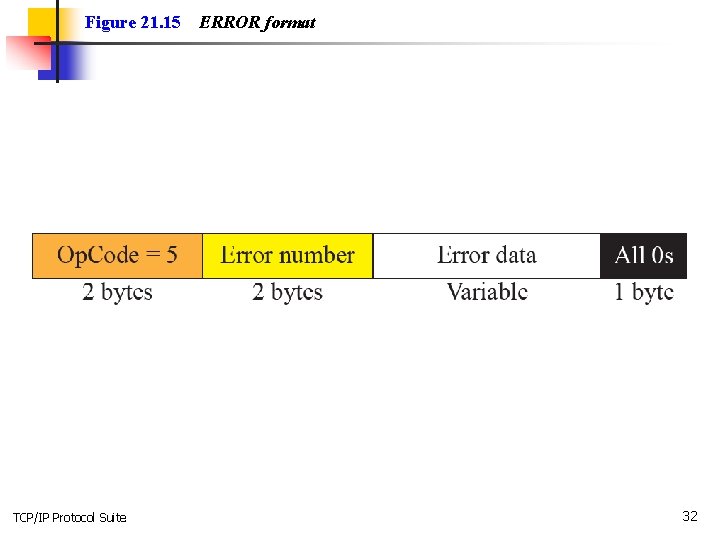
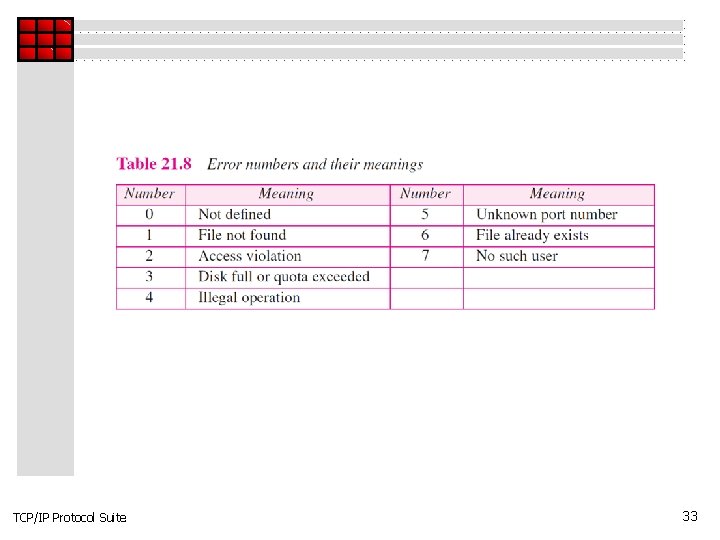
Figure 21. 15 TCP/IP Protocol Suite ERROR format 32
TCP/IP Protocol Suite 33
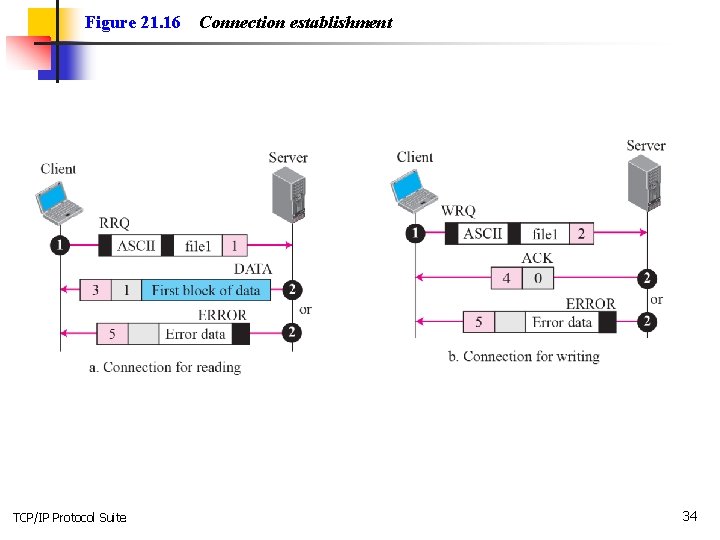
Figure 21. 16 TCP/IP Protocol Suite Connection establishment 34
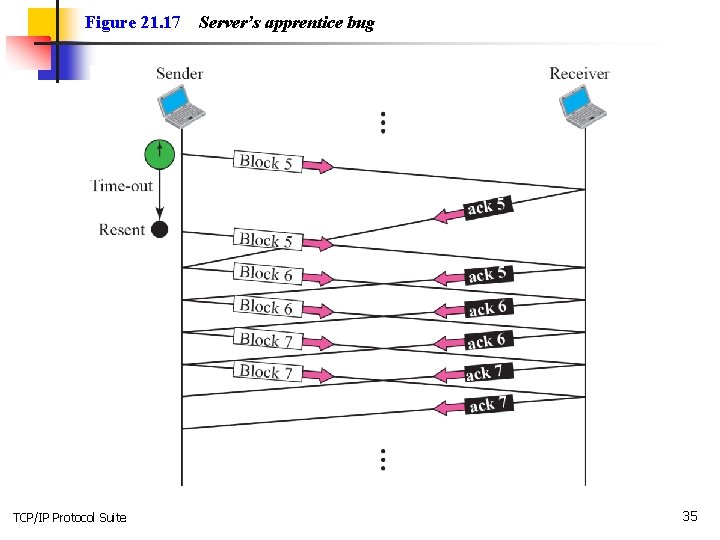
Figure 21. 17 TCP/IP Protocol Suite Server’s apprentice bug 35
Figure 21. 18 TCP/IP Protocol Suite UDP port numbers used by TFTP 36
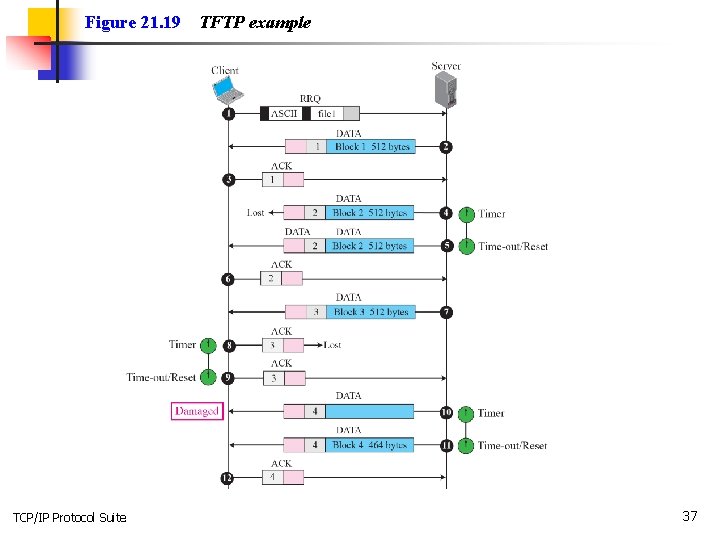
Figure 21. 19 TCP/IP Protocol Suite TFTP example 37
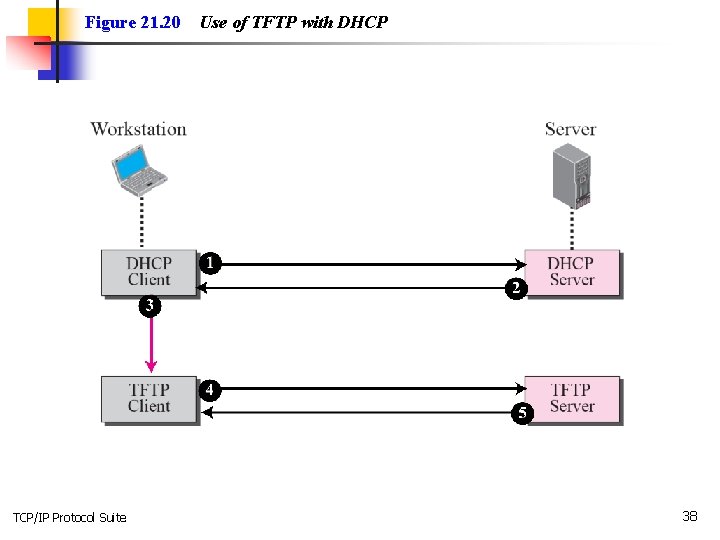
Figure 21. 20 TCP/IP Protocol Suite Use of TFTP with DHCP 38