
File Systems Main Points File layout Directory layout
- Slides: 71
File Systems
Main Points • File layout • Directory layout
File Systems (1) Essential requirements for long-term information storage: 1. It must be possible to store a very large amount of information. 2. Information must survive termination of process using it. 3. Multiple processes must be able to access information concurrently. Tanenbaum & Bo, Modern Operating Systems: 4 th ed. , (c) 2013 Prentice-Hall, Inc. All rights reserved.
File Systems (2) Think of a disk as a linear sequence of fixed-size blocks and supporting two operations: 1. Read block k. 2. Write block k Tanenbaum & Bo, Modern Operating Systems: 4 th ed. , (c) 2013 Prentice-Hall, Inc. All rights reserved.
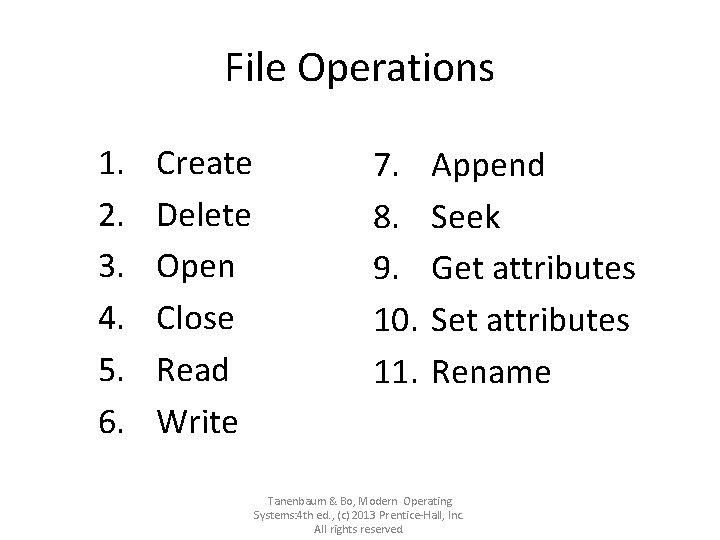
File Operations 1. 2. 3. 4. 5. 6. Create Delete Open Close Read Write 7. 8. 9. 10. 11. Append Seek Get attributes Set attributes Rename Tanenbaum & Bo, Modern Operating Systems: 4 th ed. , (c) 2013 Prentice-Hall, Inc. All rights reserved.
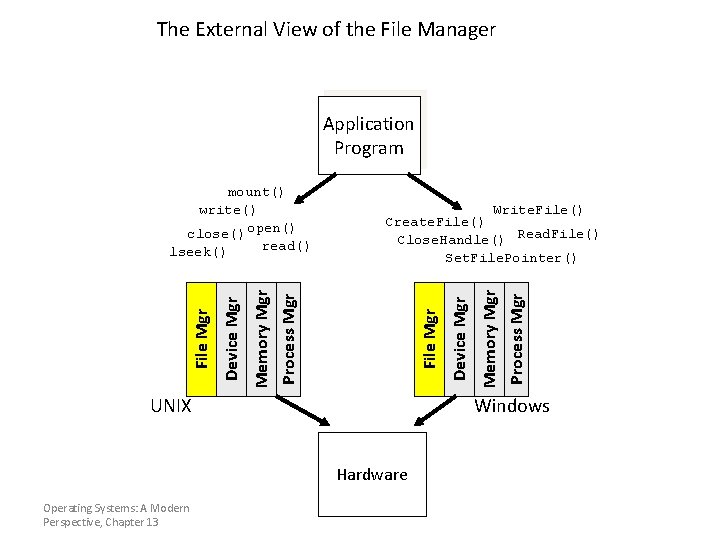
The External View of the File Manager Application Program Windows Hardware Operating Systems: A Modern Perspective, Chapter 13 Memory Mgr Process Mgr File Mgr UNIX Device Mgr Write. File() Create. File() Close. Handle() Read. File() Set. File. Pointer() Memory Mgr Process Mgr Device Mgr File Mgr mount() write() close() open() read() lseek()
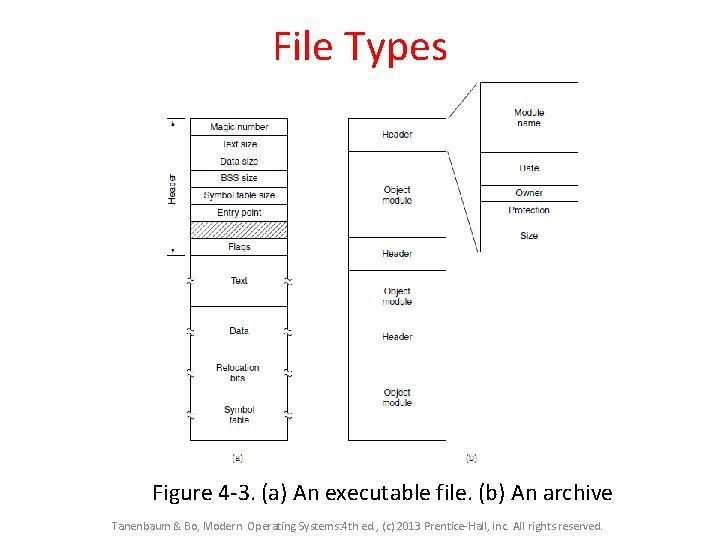
File Types Figure 4 -3. (a) An executable file. (b) An archive Tanenbaum & Bo, Modern Operating Systems: 4 th ed. , (c) 2013 Prentice-Hall, Inc. All rights reserved.
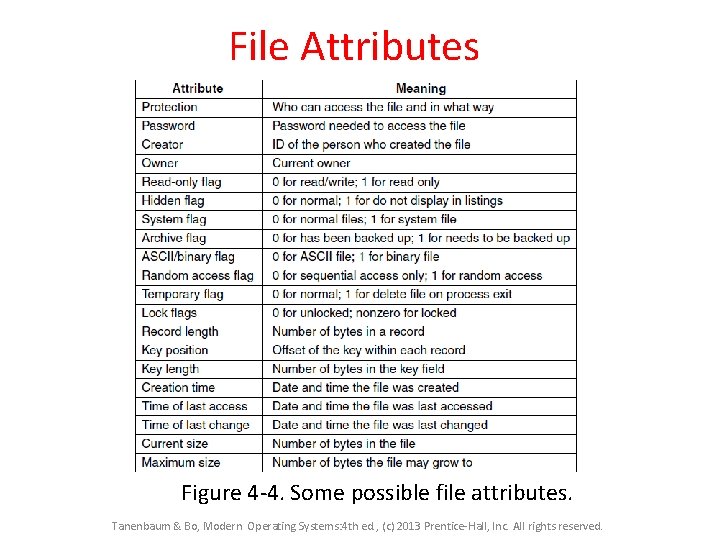
File Attributes Figure 4 -4. Some possible file attributes. Tanenbaum & Bo, Modern Operating Systems: 4 th ed. , (c) 2013 Prentice-Hall, Inc. All rights reserved.
File Management • File is a named, ordered collection of information • The file manager administers the collection by: – Storing the information on a device – Mapping the block storage to a logical view – Allocating/deallocating storage – Providing file directories Operating Systems: A Modern Perspective, Chapter 13
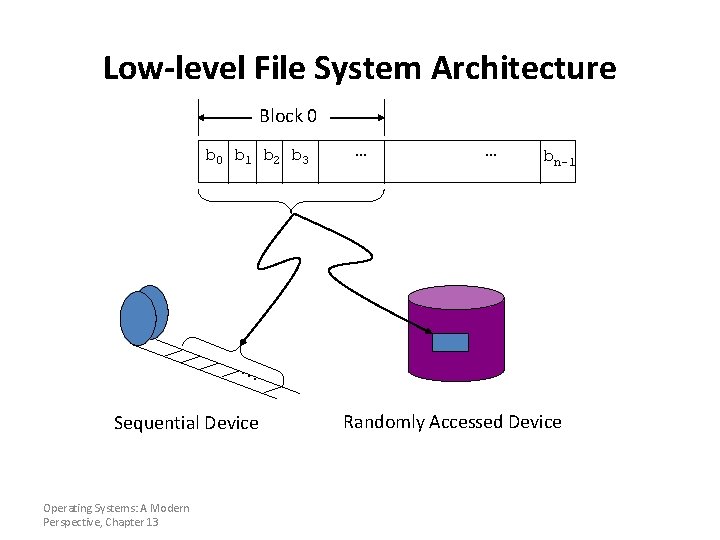
Low-level File System Architecture Block 0 b 1 b 2 b 3 … … bn-1 . . . Sequential Device Operating Systems: A Modern Perspective, Chapter 13 Randomly Accessed Device
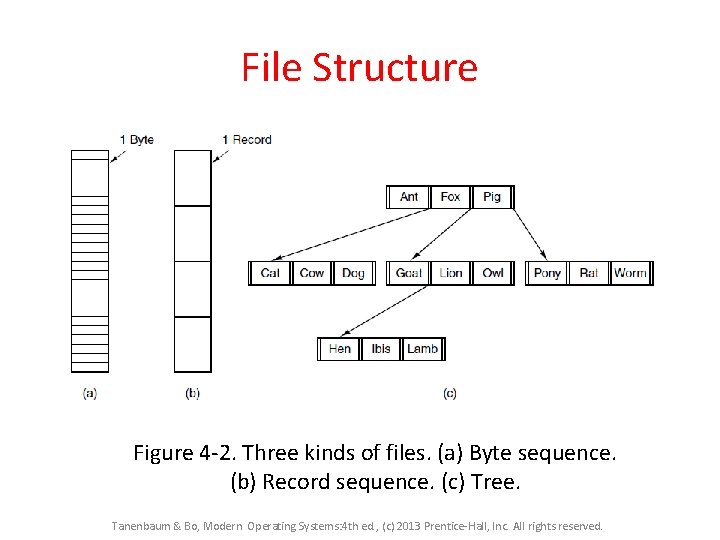
File Structure Figure 4 -2. Three kinds of files. (a) Byte sequence. (b) Record sequence. (c) Tree. Tanenbaum & Bo, Modern Operating Systems: 4 th ed. , (c) 2013 Prentice-Hall, Inc. All rights reserved.
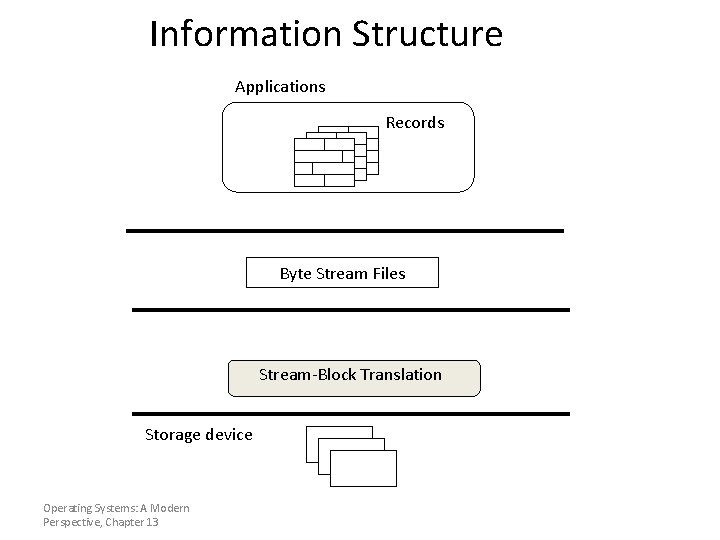
Information Structure Applications Records Byte Stream Files Stream-Block Translation Storage device Operating Systems: A Modern Perspective, Chapter 13
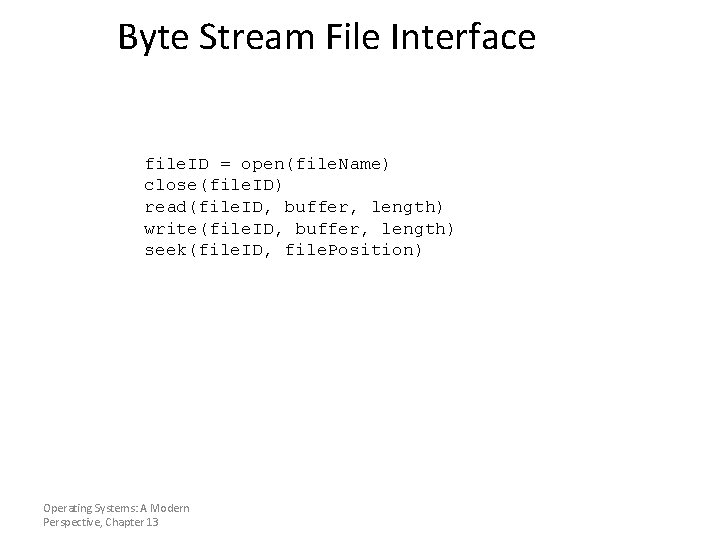
Byte Stream File Interface file. ID = open(file. Name) close(file. ID) read(file. ID, buffer, length) write(file. ID, buffer, length) seek(file. ID, file. Position) Operating Systems: A Modern Perspective, Chapter 13
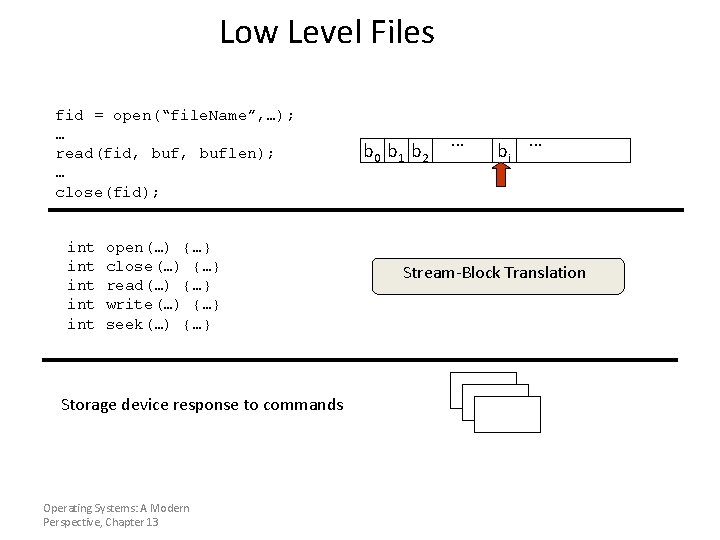
Low Level Files fid = open(“file. Name”, …); … read(fid, buflen); … close(fid); int int int open(…) {…} close(…) {…} read(…) {…} write(…) {…} seek(…) {…} Storage device response to commands Operating Systems: A Modern Perspective, Chapter 13 b 0 b 1 b 2 . . . bi . . . Stream-Block Translation
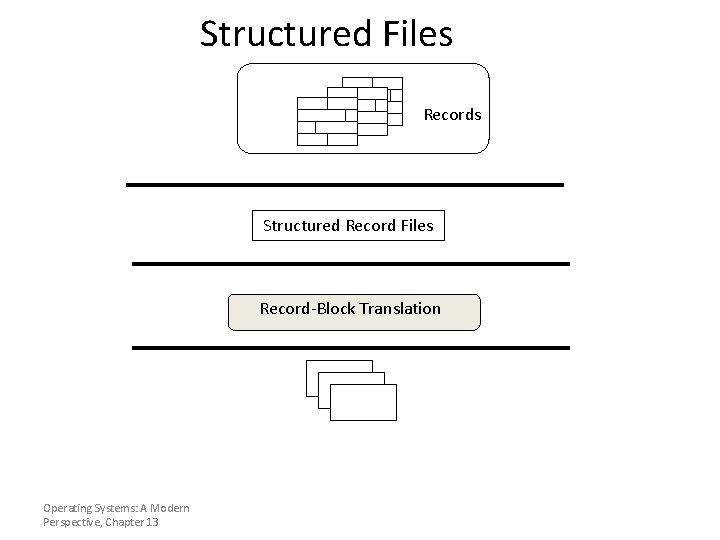
Structured Files Records Structured Record Files Record-Block Translation Operating Systems: A Modern Perspective, Chapter 13
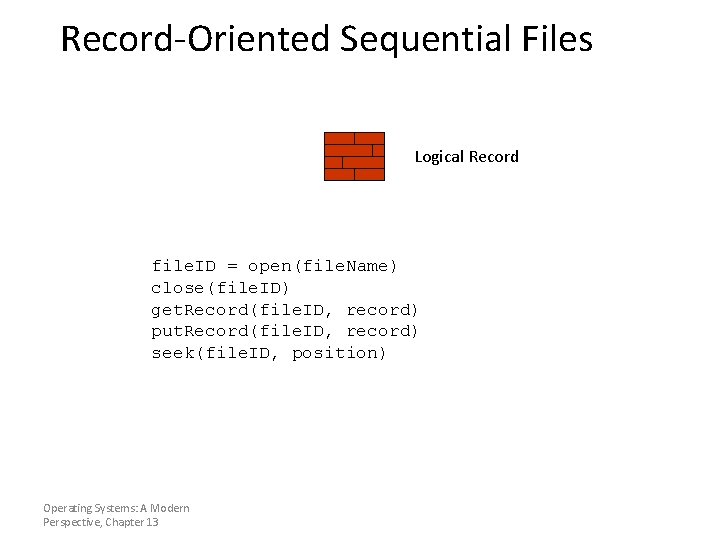
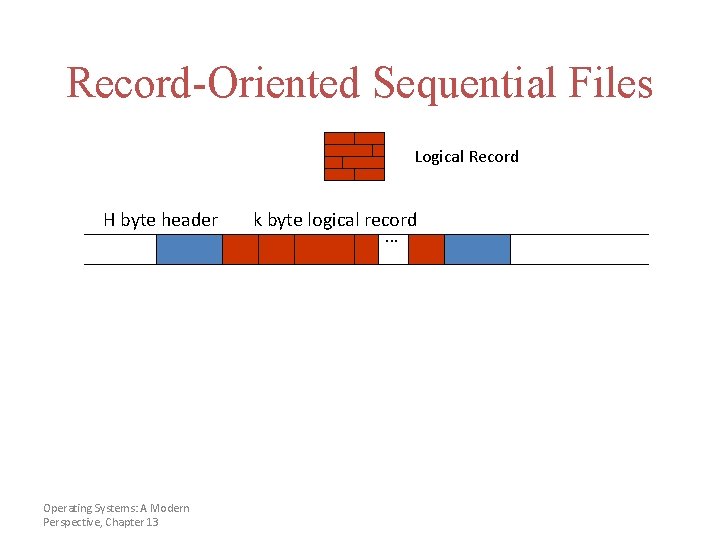
Record-Oriented Sequential Files Logical Record file. ID = open(file. Name) close(file. ID) get. Record(file. ID, record) put. Record(file. ID, record) seek(file. ID, position) Operating Systems: A Modern Perspective, Chapter 13
Record-Oriented Sequential Files Logical Record H byte header Operating Systems: A Modern Perspective, Chapter 13 k byte logical record. . .
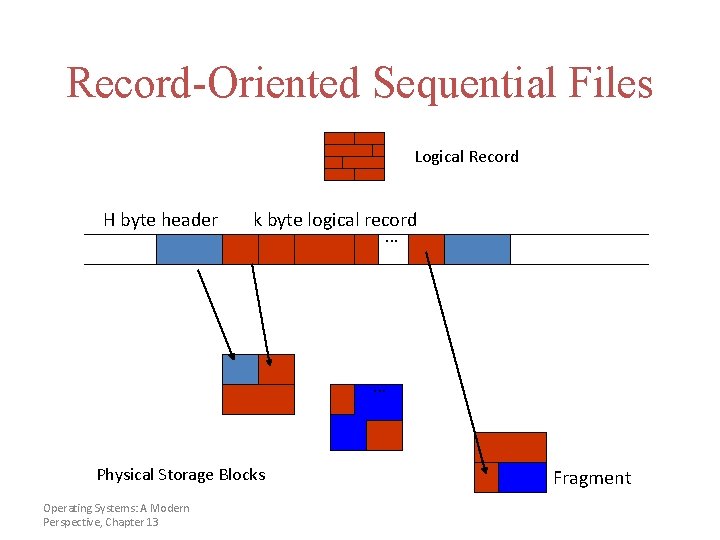
Record-Oriented Sequential Files Logical Record H byte header k byte logical record. . . Physical Storage Blocks Operating Systems: A Modern Perspective, Chapter 13 Fragment
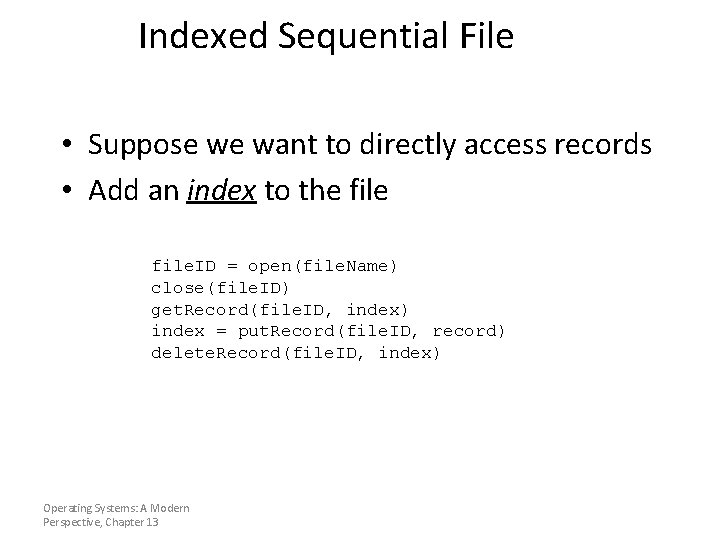
Indexed Sequential File • Suppose we want to directly access records • Add an index to the file. ID = open(file. Name) close(file. ID) get. Record(file. ID, index) index = put. Record(file. ID, record) delete. Record(file. ID, index) Operating Systems: A Modern Perspective, Chapter 13
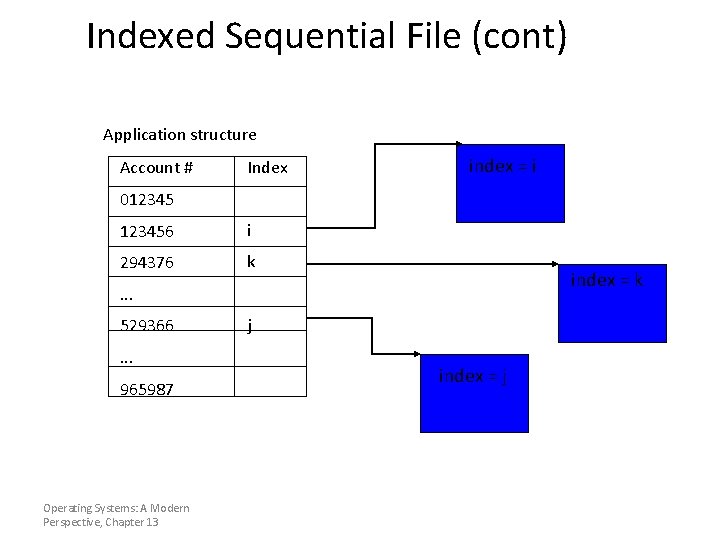
Indexed Sequential File (cont) Application structure Account # Index index = i 0123456 i 294376 k index = k . . . 529366. . . 965987 Operating Systems: A Modern Perspective, Chapter 13 j index = j
File System Design • File System is an organized collection of regular files and directories (mkfs) • Data structures – Directories: file name -> file metadata • Store directories as files – File metadata: how to find file data blocks – Free map: list of free disk blocks
File System Design Constraints • For small files: – Small blocks for storage efficiency – Files used together should be stored together • For large files: – Contiguous allocation for sequential access – Efficient lookup for random access • May not know at file creation – Whether file will become small or large
Design Challenges • Index structure – How do we locate the blocks of a file? • Index granularity – What block size do we use? • Free space – How do we find unused blocks on disk? • Locality – How do we preserve spatial locality? • Reliability – What if machine crashes in middle of a file system op?
Block Management • The job of selecting & assigning storage blocks to the file • Three basic strategies: – Contiguous allocation – Linked lists – Indexed allocation Operating Systems: A Modern Perspective, Chapter 13
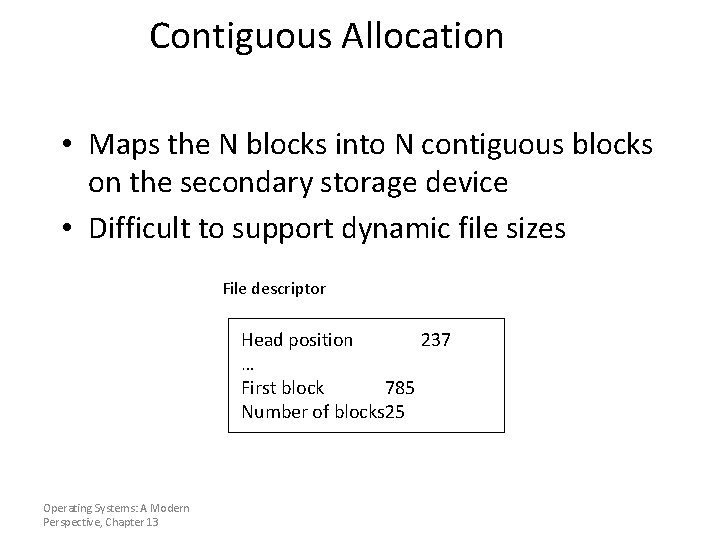
Contiguous Allocation • Maps the N blocks into N contiguous blocks on the secondary storage device • Difficult to support dynamic file sizes File descriptor Head position 237 … First block 785 Number of blocks 25 Operating Systems: A Modern Perspective, Chapter 13
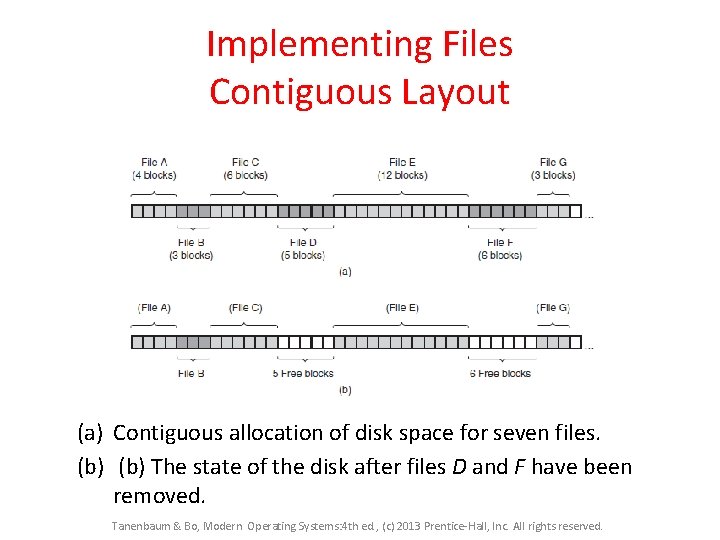
Implementing Files Contiguous Layout (a) Contiguous allocation of disk space for seven files. (b) The state of the disk after files D and F have been removed. Tanenbaum & Bo, Modern Operating Systems: 4 th ed. , (c) 2013 Prentice-Hall, Inc. All rights reserved.
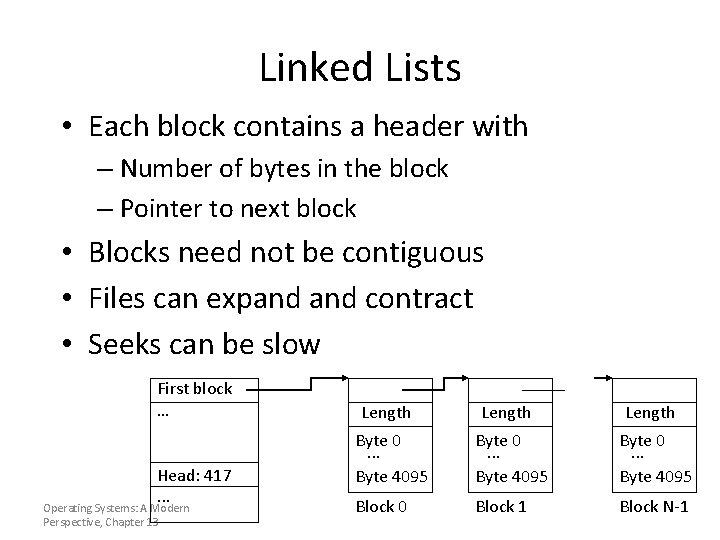
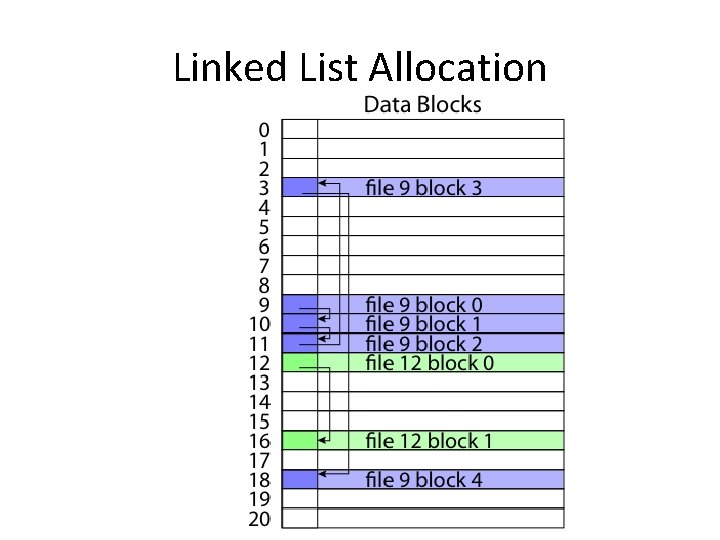
Linked Lists • Each block contains a header with – Number of bytes in the block – Pointer to next block • Blocks need not be contiguous • Files can expand contract • Seeks can be slow First block … Head: 417. . . Operating Systems: A Modern Perspective, Chapter 13 Length Byte 0. . . Byte 4095 Block 0 Block 1 Block N-1
Linked List Allocation
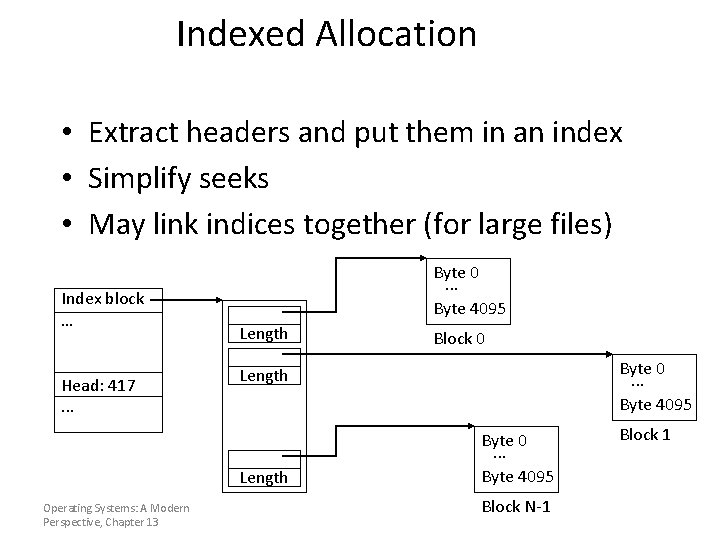
Indexed Allocation • Extract headers and put them in an index • Simplify seeks • May link indices together (for large files) Index block … Head: 417. . . Byte 0. . . Byte 4095 Length Operating Systems: A Modern Perspective, Chapter 13 Block 0 Byte 0. . . Byte 4095 Block N-1 Block 1
File Systems • Traditional FFS file system (Linux) • Microsoft’s FAT, FAT 2 and NTFS file systems • Journaling file systems, ext 3 • … others
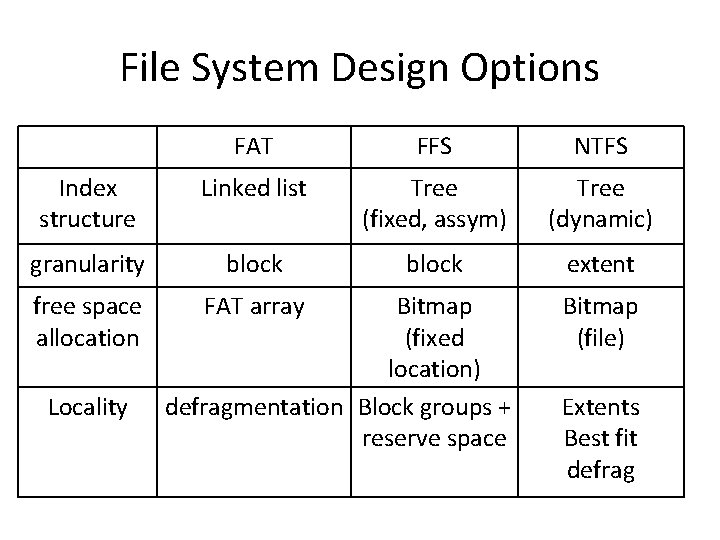
File System Design Options FAT FFS NTFS Index structure Linked list Tree (fixed, assym) Tree (dynamic) granularity block extent free space allocation FAT array Locality Bitmap (fixed location) defragmentation Block groups + reserve space Bitmap (file) Extents Best fit defrag
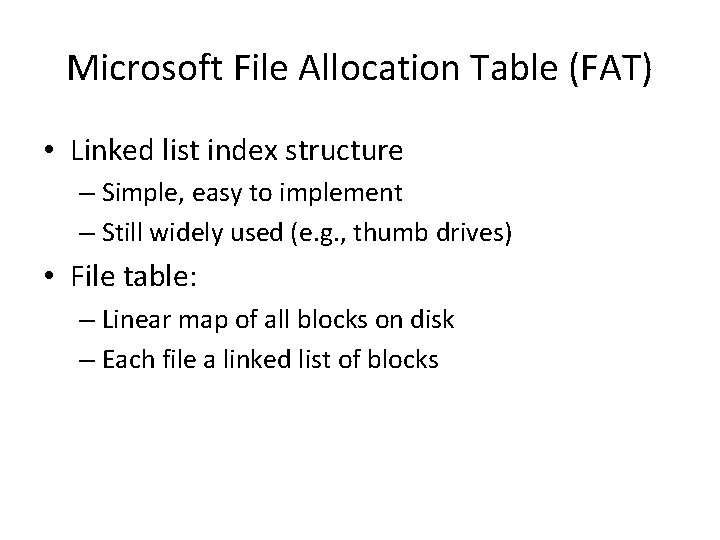
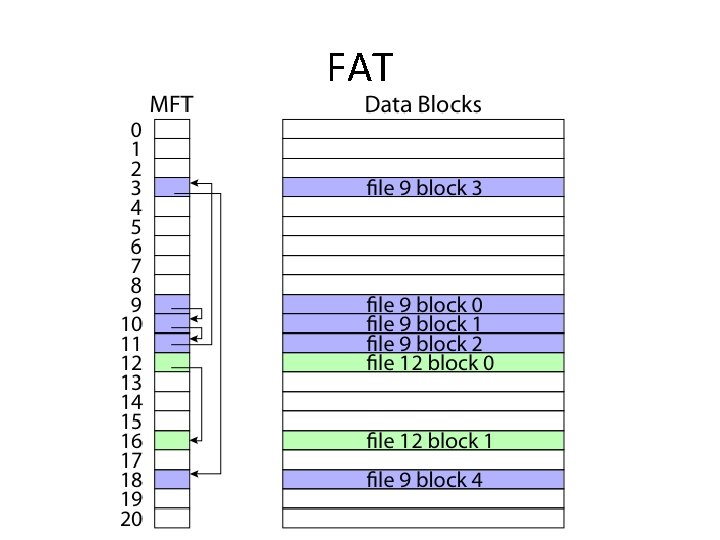
Microsoft File Allocation Table (FAT) • Linked list index structure – Simple, easy to implement – Still widely used (e. g. , thumb drives) • File table: – Linear map of all blocks on disk – Each file a linked list of blocks
FAT
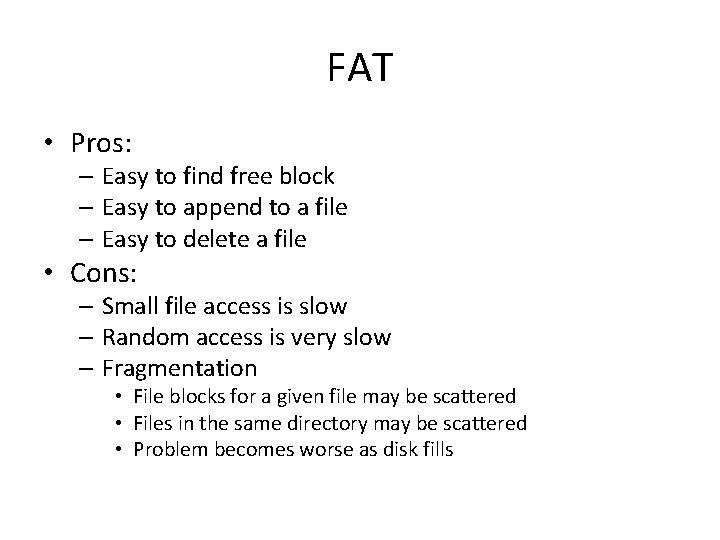
FAT • Pros: – Easy to find free block – Easy to append to a file – Easy to delete a file • Cons: – Small file access is slow – Random access is very slow – Fragmentation • File blocks for a given file may be scattered • Files in the same directory may be scattered • Problem becomes worse as disk fills
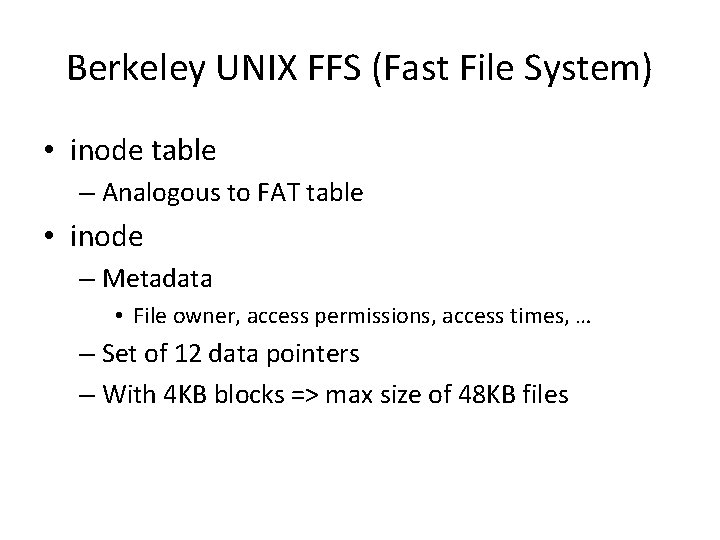
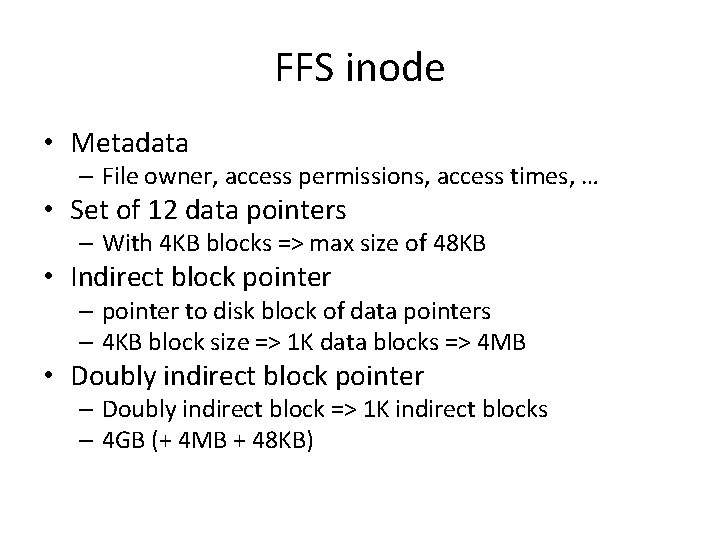
Berkeley UNIX FFS (Fast File System) • inode table – Analogous to FAT table • inode – Metadata • File owner, access permissions, access times, … – Set of 12 data pointers – With 4 KB blocks => max size of 48 KB files
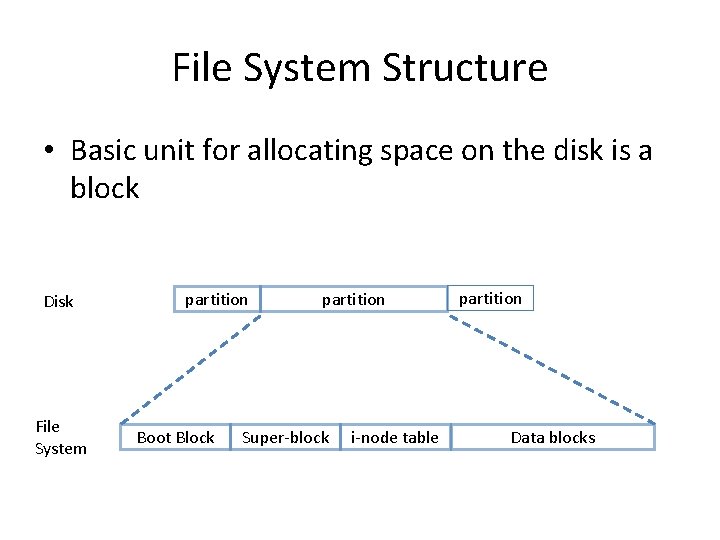
File System Structure • Basic unit for allocating space on the disk is a block Disk File System partition Boot Block partition Super-block i-node table partition Data blocks
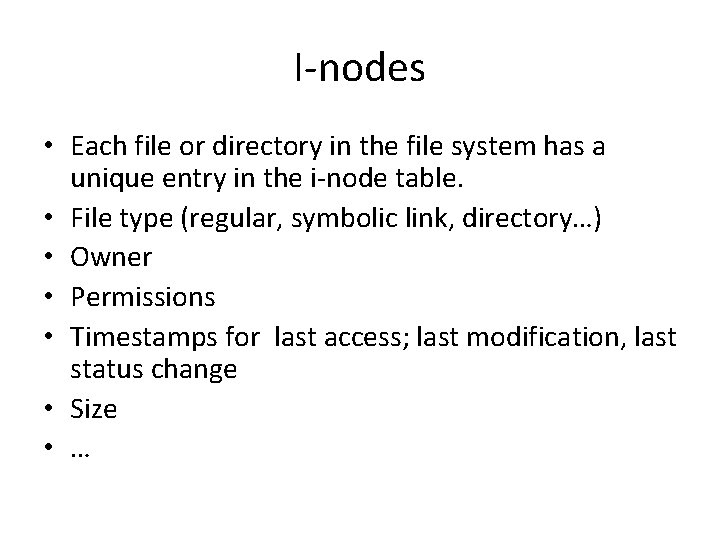
I-nodes • Each file or directory in the file system has a unique entry in the i-node table. • File type (regular, symbolic link, directory…) • Owner • Permissions • Timestamps for last access; last modification, last status change • Size • …
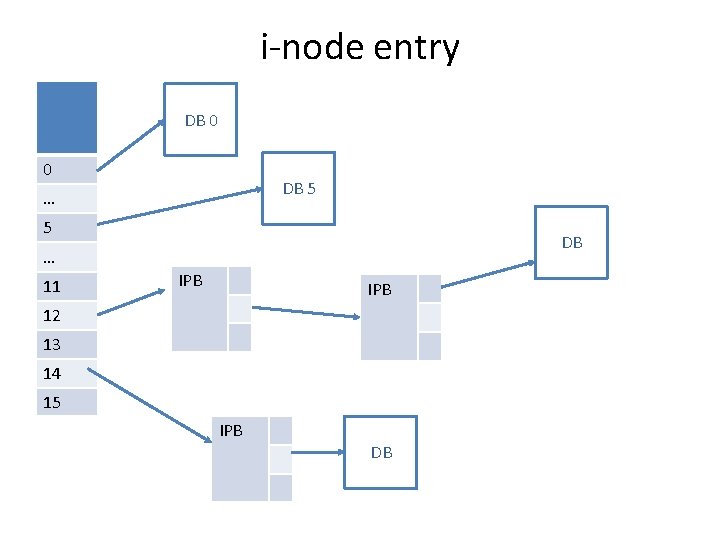
i-node entry DB 0 0 DB 5 … 5 DB … 11 IPB 12 13 14 15 IPB DB
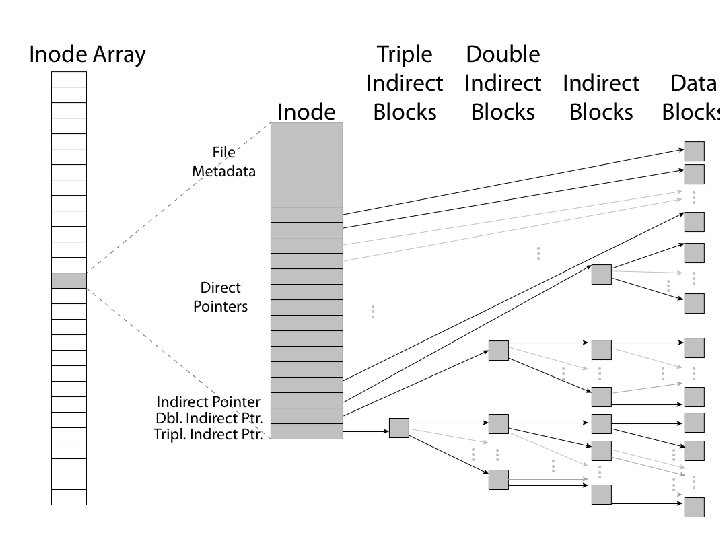
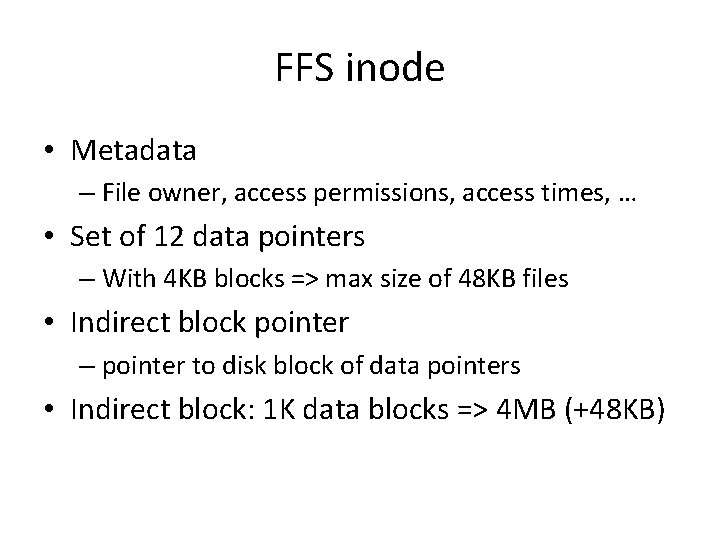
FFS inode • Metadata – File owner, access permissions, access times, … • Set of 12 data pointers – With 4 KB blocks => max size of 48 KB files • Indirect block pointer – pointer to disk block of data pointers • Indirect block: 1 K data blocks => 4 MB (+48 KB)
FFS inode • Metadata – File owner, access permissions, access times, … • Set of 12 data pointers – With 4 KB blocks => max size of 48 KB • Indirect block pointer – pointer to disk block of data pointers – 4 KB block size => 1 K data blocks => 4 MB • Doubly indirect block pointer – Doubly indirect block => 1 K indirect blocks – 4 GB (+ 4 MB + 48 KB)
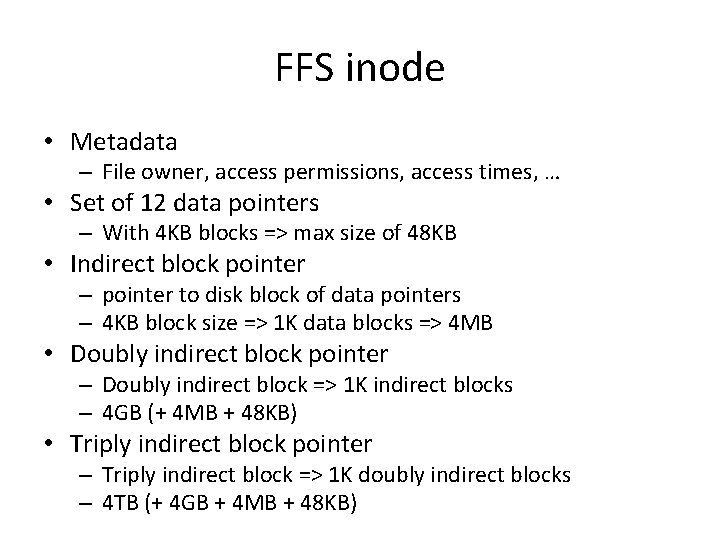
FFS inode • Metadata – File owner, access permissions, access times, … • Set of 12 data pointers – With 4 KB blocks => max size of 48 KB • Indirect block pointer – pointer to disk block of data pointers – 4 KB block size => 1 K data blocks => 4 MB • Doubly indirect block pointer – Doubly indirect block => 1 K indirect blocks – 4 GB (+ 4 MB + 48 KB) • Triply indirect block pointer – Triply indirect block => 1 K doubly indirect blocks – 4 TB (+ 4 GB + 4 MB + 48 KB)
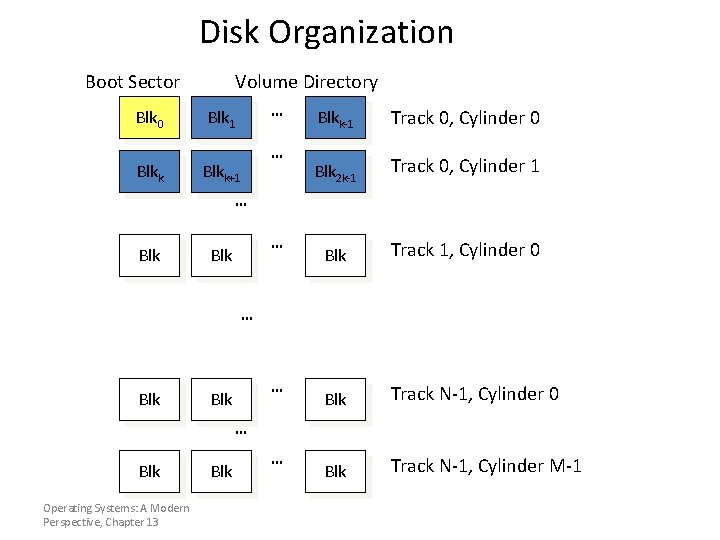
Disk Organization Boot Sector Blk 0 Blkk Volume Directory … Blk 1 Blkk+1 … Blkk-1 Track 0, Cylinder 0 Blk 2 k-1 Track 0, Cylinder 1 Blk Track 1, Cylinder 0 Blk Track N-1, Cylinder M-1 … Blk … Blk Operating Systems: A Modern Perspective, Chapter 13 Blk …
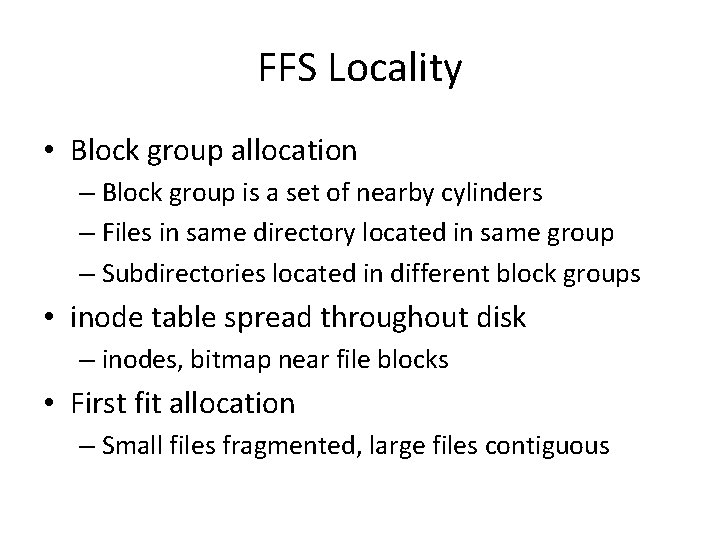
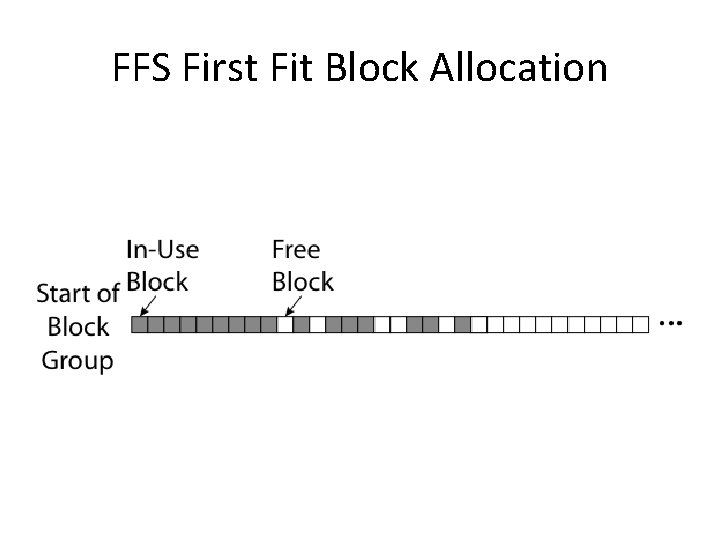
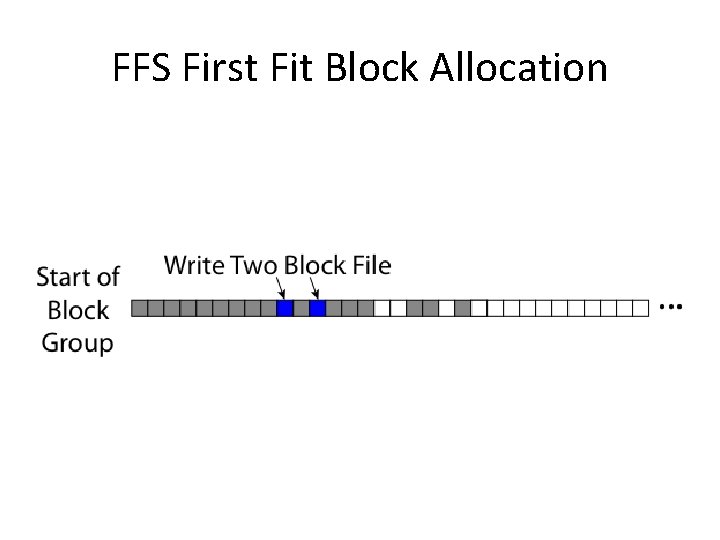
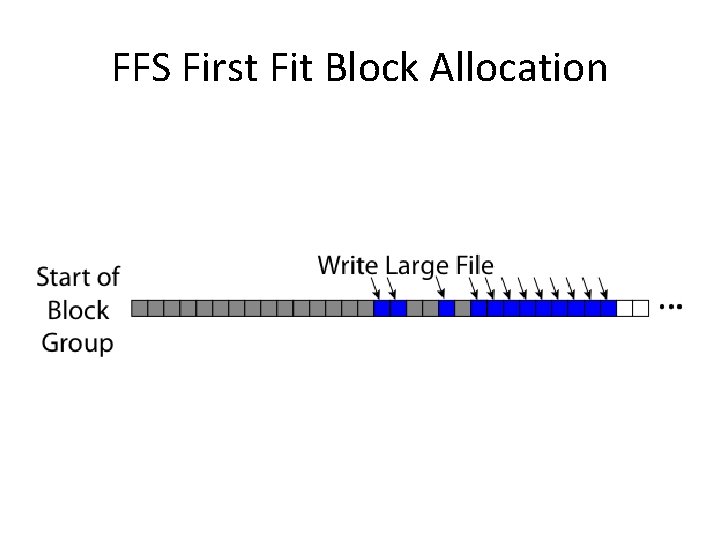
FFS Locality • Block group allocation – Block group is a set of nearby cylinders – Files in same directory located in same group – Subdirectories located in different block groups • inode table spread throughout disk – inodes, bitmap near file blocks • First fit allocation – Small files fragmented, large files contiguous
FFS First Fit Block Allocation
FFS First Fit Block Allocation
FFS First Fit Block Allocation
FFS • Pros – Efficient storage for both small and large files – Locality for metadata and data • Cons – Inefficient for tiny files (a 1 byte file requires both an inode and a data block) – Inefficient encoding when file is mostly contiguous on disk (no equivalent to superpages) – Need to reserve 10 -20% of free space to prevent fragmentation
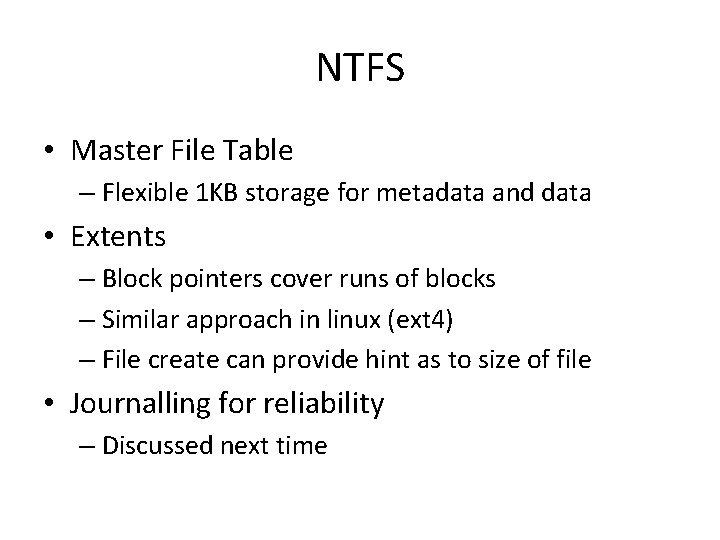
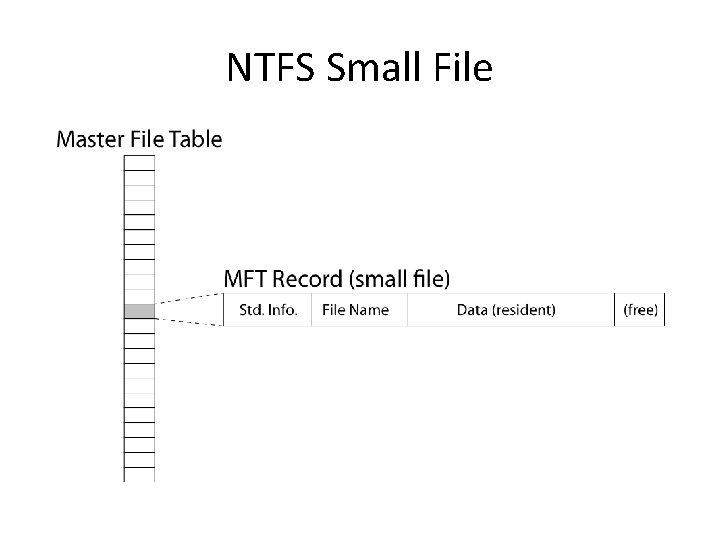
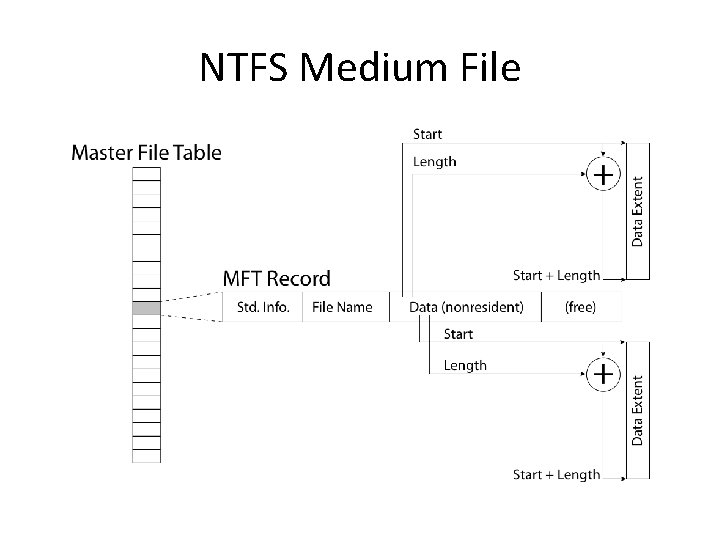
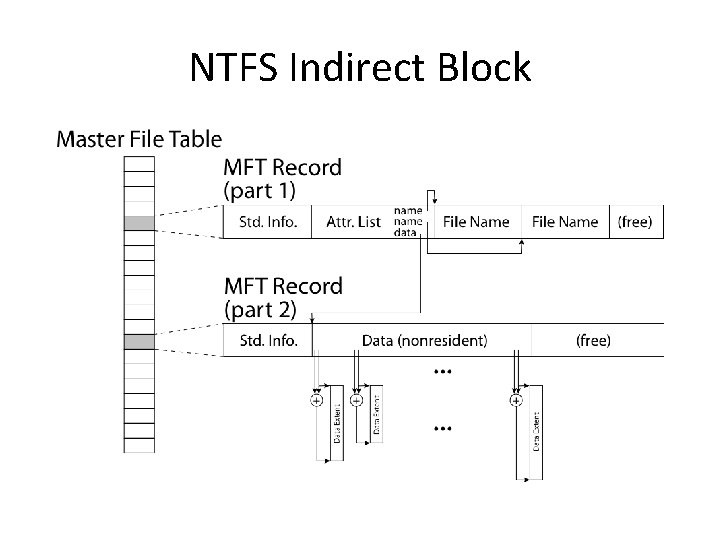
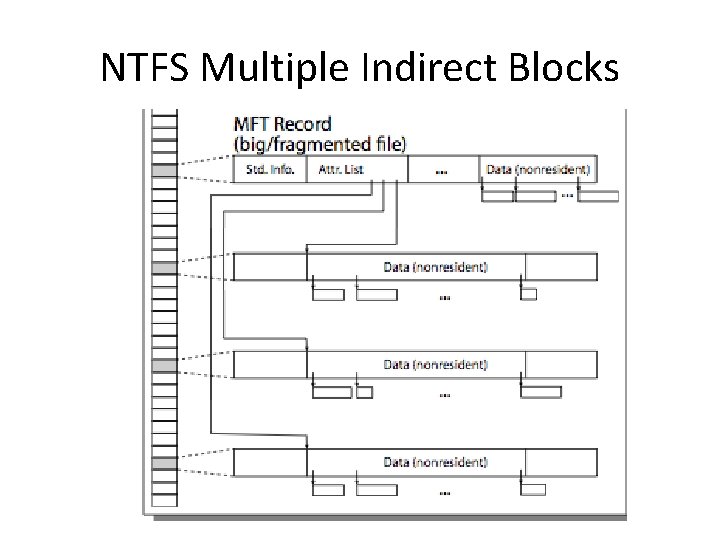
NTFS • Master File Table – Flexible 1 KB storage for metadata and data • Extents – Block pointers cover runs of blocks – Similar approach in linux (ext 4) – File create can provide hint as to size of file • Journalling for reliability – Discussed next time
NTFS Small File
NTFS Medium File
NTFS Indirect Block
NTFS Multiple Indirect Blocks
File Management Operating Systems: A Modern Perspective, Chapter 13 13
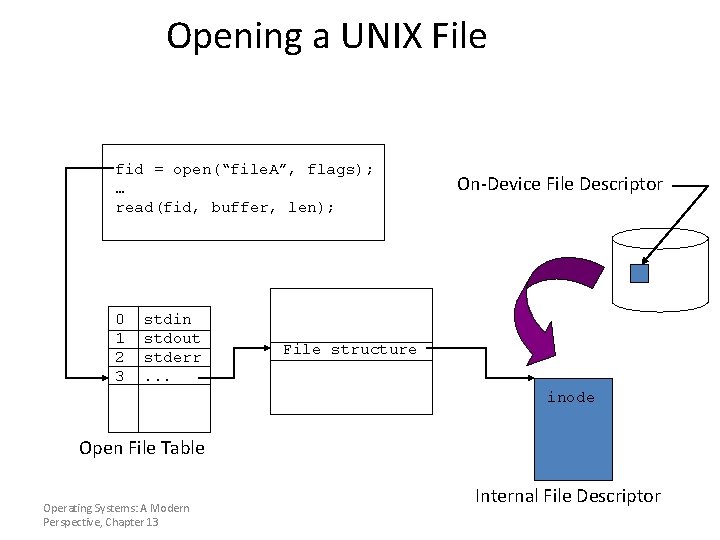
An open() Operation • Locate the on-device (external) file descriptor • Extract info needed to read/write file • Authenticate that process can access the file • Create an internal file descriptor in primary memory • Create an entry in a “per process” open file status table • Allocate resources, e. g. , buffers, to support file usage Operating Systems: A Modern Perspective, Chapter 13
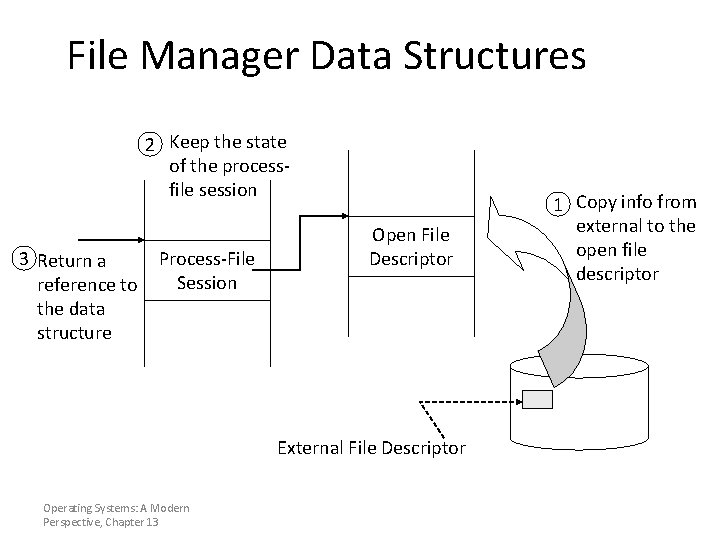
File Manager Data Structures 2 Keep the state of the processfile session 3 Return a reference to the data structure Process-File Session Open File Descriptor External File Descriptor Operating Systems: A Modern Perspective, Chapter 13 1 Copy info from external to the open file descriptor
Opening a UNIX File fid = open(“file. A”, flags); … read(fid, buffer, len); 0 1 2 3 stdin stdout stderr. . . On-Device File Descriptor File structure inode Open File Table Operating Systems: A Modern Perspective, Chapter 13 Internal File Descriptor
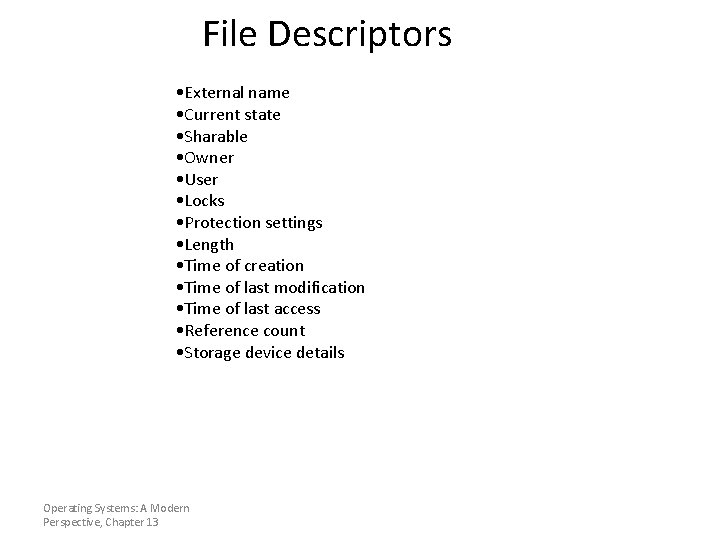
File Descriptors • External name • Current state • Sharable • Owner • User • Locks • Protection settings • Length • Time of creation • Time of last modification • Time of last access • Reference count • Storage device details Operating Systems: A Modern Perspective, Chapter 13
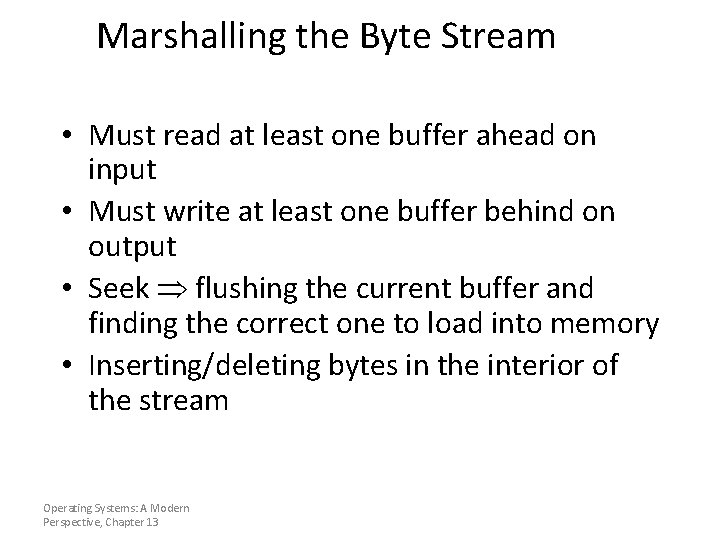
Marshalling the Byte Stream • Must read at least one buffer ahead on input • Must write at least one buffer behind on output • Seek flushing the current buffer and finding the correct one to load into memory • Inserting/deleting bytes in the interior of the stream Operating Systems: A Modern Perspective, Chapter 13
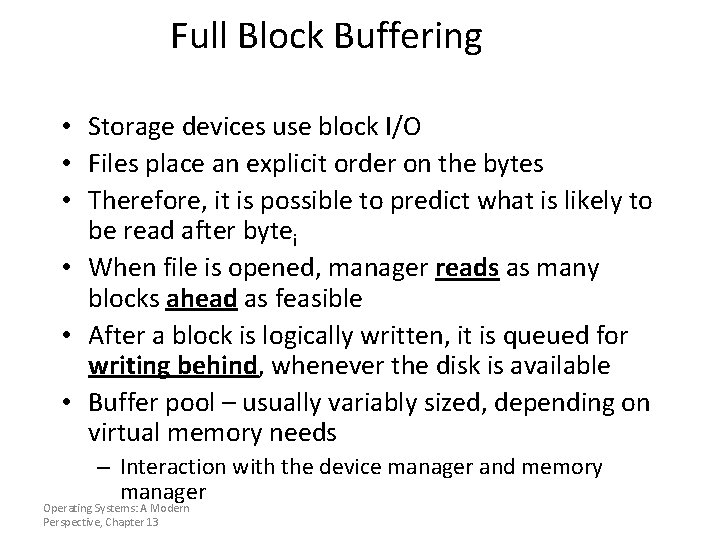
Full Block Buffering • Storage devices use block I/O • Files place an explicit order on the bytes • Therefore, it is possible to predict what is likely to be read after bytei • When file is opened, manager reads as many blocks ahead as feasible • After a block is logically written, it is queued for writing behind, whenever the disk is available • Buffer pool – usually variably sized, depending on virtual memory needs – Interaction with the device manager and memory manager Operating Systems: A Modern Perspective, Chapter 13
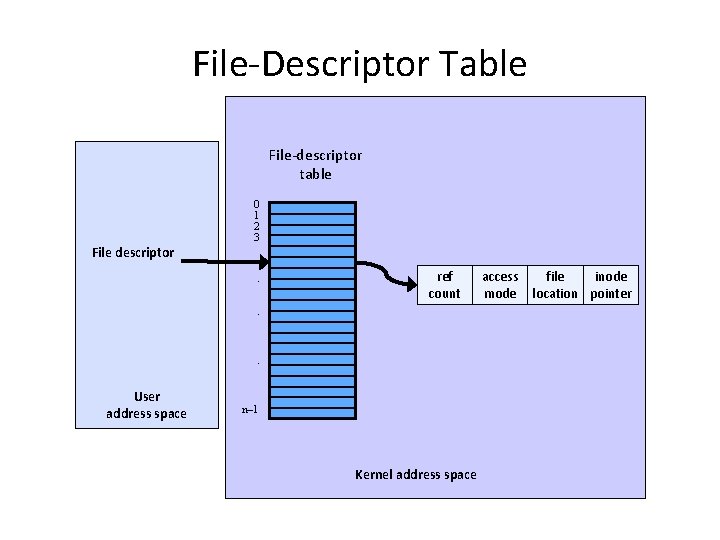
File-Descriptor Table File-descriptor table 0 1 2 3 File descriptor. ref count . . User address space n– 1 Kernel address space access mode file inode location pointer
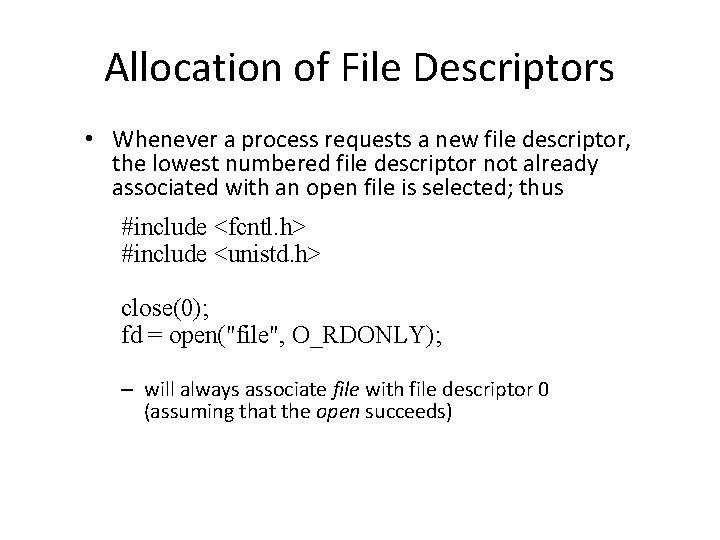
Allocation of File Descriptors • Whenever a process requests a new file descriptor, the lowest numbered file descriptor not already associated with an open file is selected; thus #include <fcntl. h> #include <unistd. h> close(0); fd = open("file", O_RDONLY); – will always associate file with file descriptor 0 (assuming that the open succeeds)
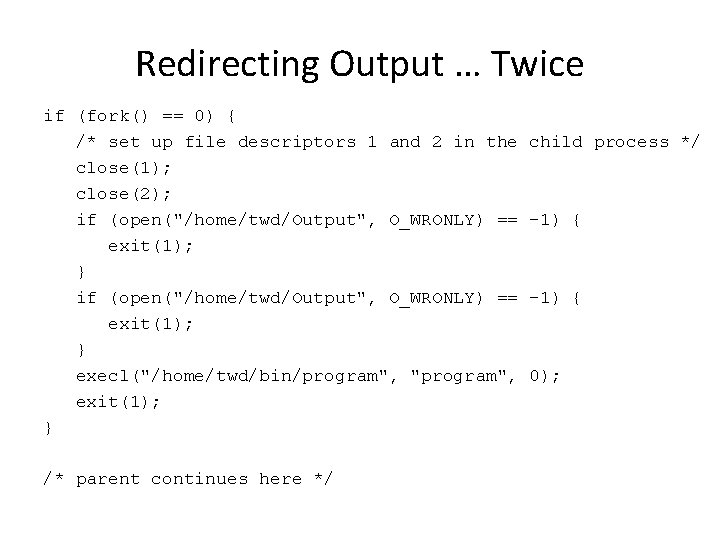
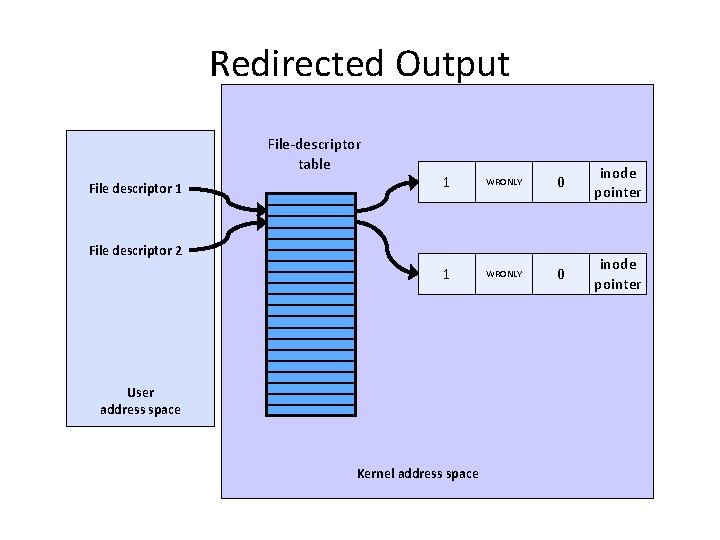
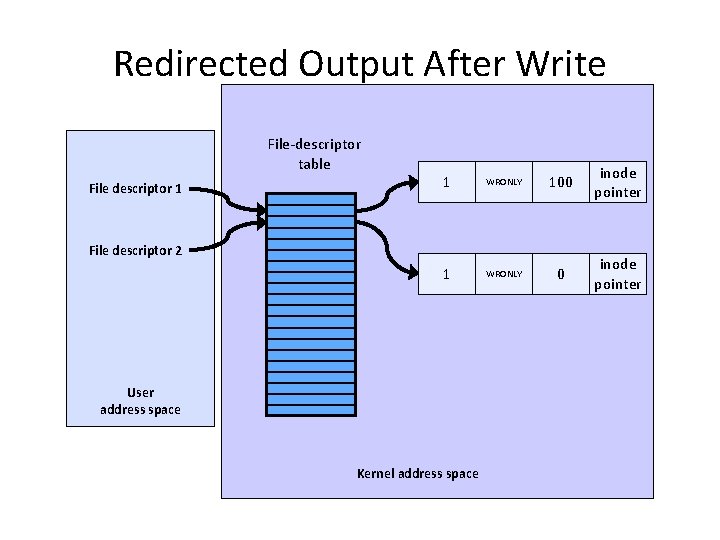
Redirecting Output … Twice if (fork() == 0) { /* set up file descriptors 1 and 2 in the close(1); close(2); if (open("/home/twd/Output", O_WRONLY) == exit(1); } execl("/home/twd/bin/program", "program", exit(1); } /* parent continues here */ child process */ -1) { 0);
Redirected Output File-descriptor table File descriptor 1 1 WRONLY 0 inode pointer File descriptor 2 User address space Kernel address space
Redirected Output After Write File-descriptor table File descriptor 1 1 WRONLY 100 inode pointer 1 WRONLY 0 inode pointer File descriptor 2 User address space Kernel address space
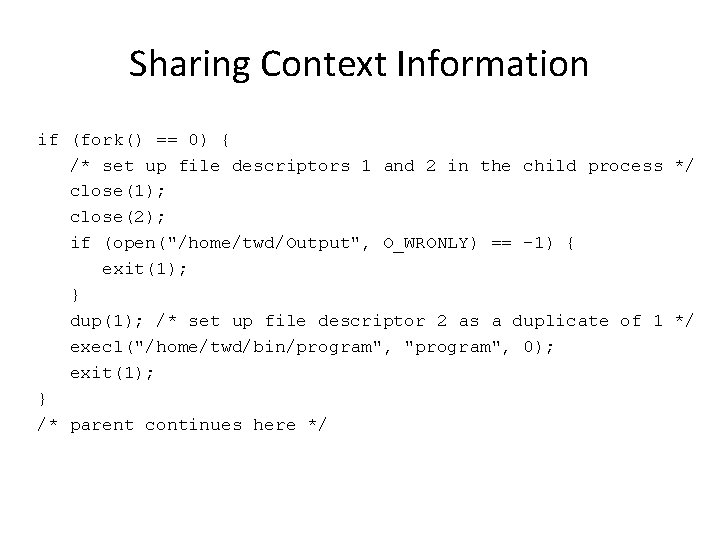
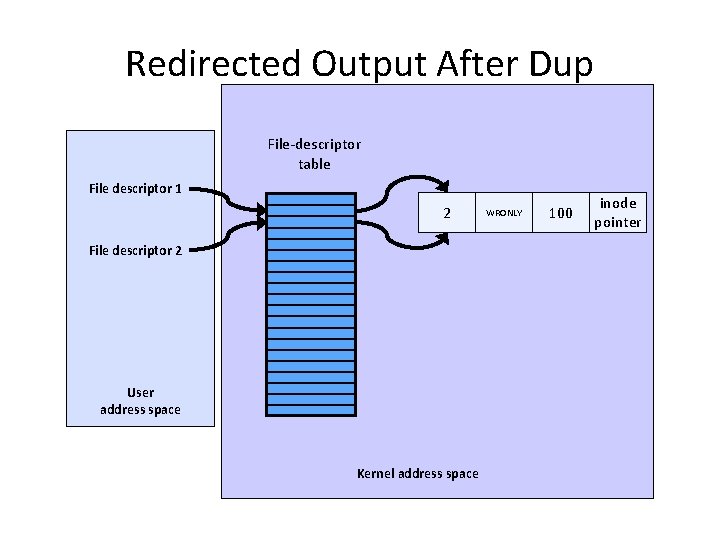
Sharing Context Information if (fork() == 0) { /* set up file descriptors 1 and 2 in the child process */ close(1); close(2); if (open("/home/twd/Output", O_WRONLY) == -1) { exit(1); } dup(1); /* set up file descriptor 2 as a duplicate of 1 */ execl("/home/twd/bin/program", "program", 0); exit(1); } /* parent continues here */
Redirected Output After Dup File-descriptor table File descriptor 1 2 File descriptor 2 User address space Kernel address space WRONLY 100 inode pointer
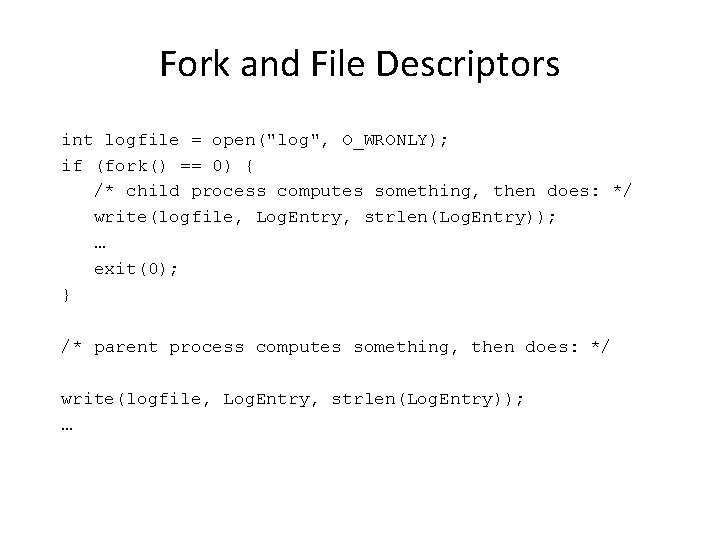
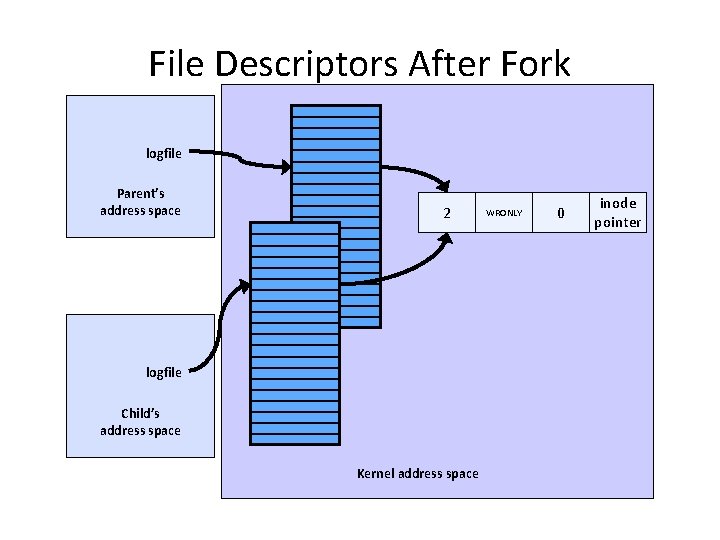
Fork and File Descriptors int logfile = open("log", O_WRONLY); if (fork() == 0) { /* child process computes something, then does: */ write(logfile, Log. Entry, strlen(Log. Entry)); … exit(0); } /* parent process computes something, then does: */ write(logfile, Log. Entry, strlen(Log. Entry)); …
File Descriptors After Fork logfile Parent’s address space 2 logfile Child’s address space Kernel address space WRONLY 0 inode pointer
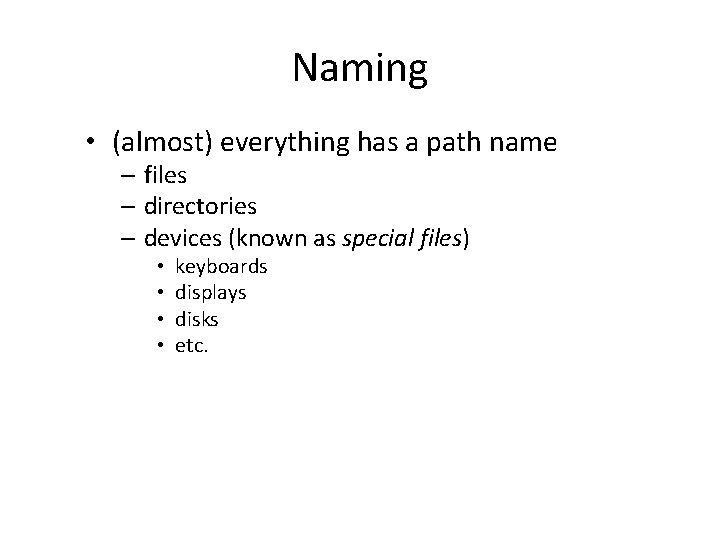
Naming • (almost) everything has a path name – files – directories – devices (known as special files) • • keyboards displays disks etc.
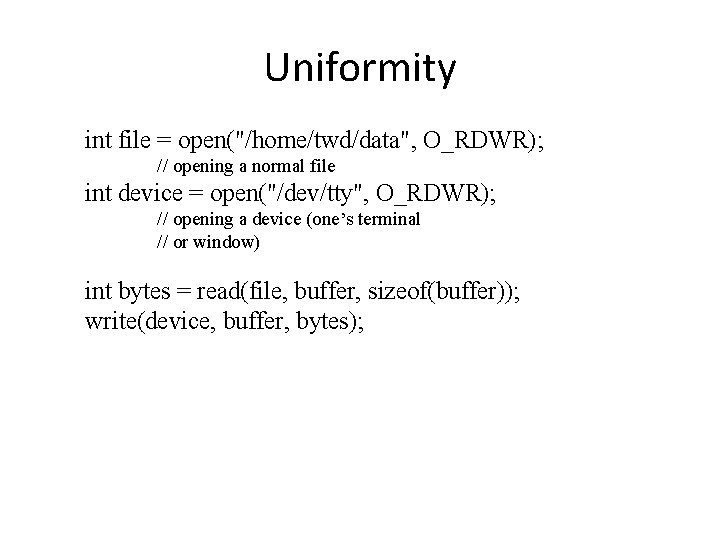
Uniformity int file = open("/home/twd/data", O_RDWR); // opening a normal file int device = open("/dev/tty", O_RDWR); // opening a device (one’s terminal // or window) int bytes = read(file, buffer, sizeof(buffer)); write(device, buffer, bytes);