
File system fun u Processes vm synchronization fs
- Slides: 42
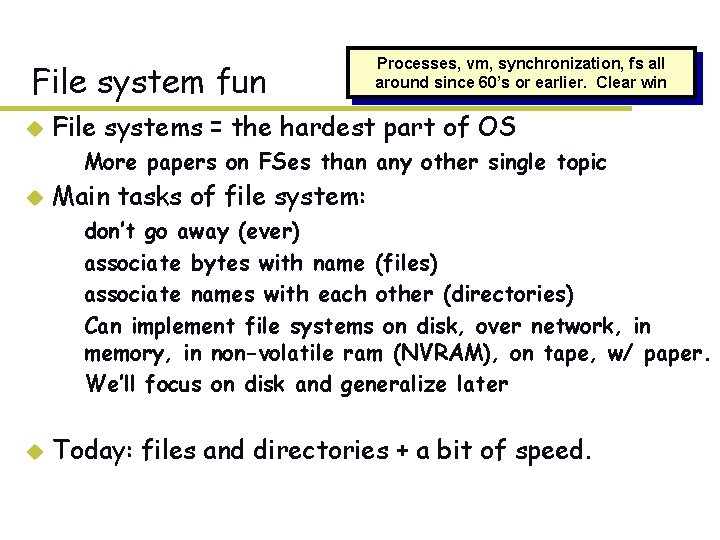
File system fun u Processes, vm, synchronization, fs all around since 60’s or earlier. Clear win File systems = the hardest part of OS – More papers on FSes than any other single topic u Main tasks of file system: – – don’t go away (ever) associate bytes with name (files) associate names with each other (directories) Can implement file systems on disk, over network, in memory, in non-volatile ram (NVRAM), on tape, w/ paper. – We’ll focus on disk and generalize later u Today: files and directories + a bit of speed.
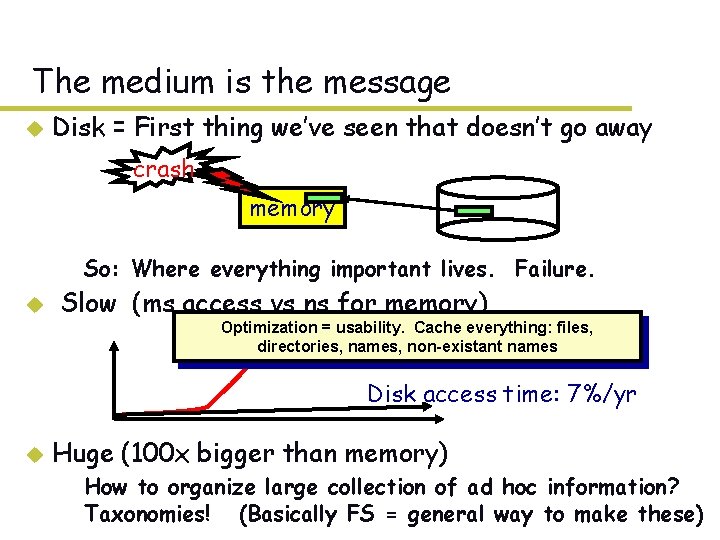
The medium is the message u Disk = First thing we’ve seen that doesn’t go away crash memory – So: Where everything important lives. Failure. u Slow (ms access vs ns for memory) Optimization = usability. Cache everything: files, Processor speed: ~2 x/yr directories, names, non-existant names Disk access time: 7%/yr u Huge (100 x bigger than memory) – How to organize large collection of ad hoc information? Taxonomies! (Basically FS = general way to make these)
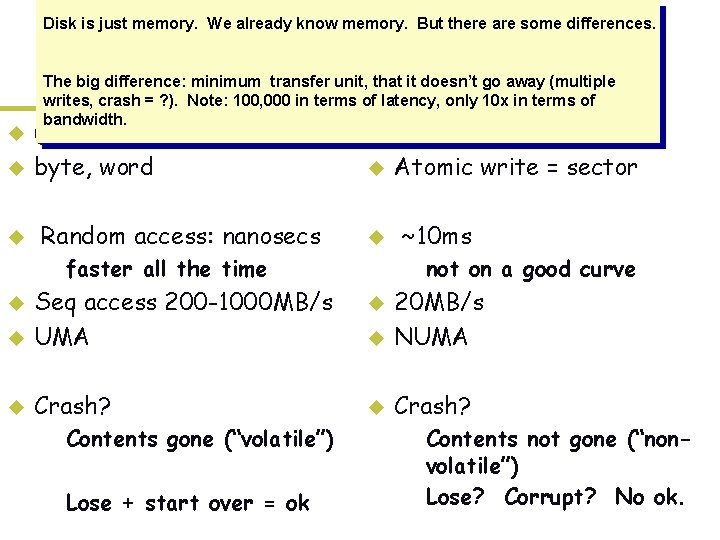
Disk is just memory. We already know memory. But there are some differences. Memory u u u vs. (usually) bytes byte, word Random access: nanosecs u u u – faster all the time u Seq access 200 -1000 MB/s UMA u Crash? u Disk The big difference: minimum transfer unit, that it doesn’t go away (multiple writes, crash = ? ). Note: 100, 000 in terms of latency, only 10 x in terms of bandwidth. – Contents gone (“volatile”) – Lose + start over = ok Smallest write: sector Atomic write = sector ~10 ms – not on a good curve u 20 MB/s NUMA u Crash? u – Contents not gone (“nonvolatile”) – Lose? Corrupt? No ok.
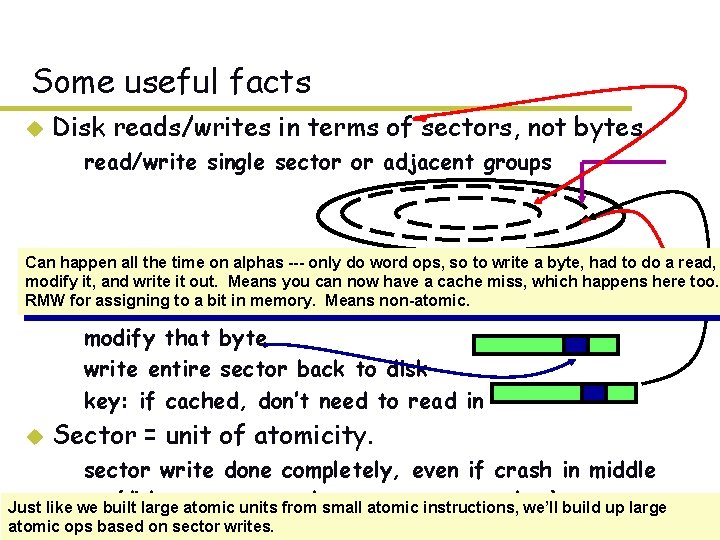
Some useful facts u Disk reads/writes in terms of sectors, not bytes – read/write single sector or adjacent groups How to write a single byte? “Read-modify-write” Can happen all the time on alphas --- only do word ops, so to write a byte, had to do a read, u modify it, and write it out. Means you can now have a cache miss, which happens here too. RMW–forread assigning to a bit incontaining memory. Means non-atomic. in sector the byte – modify that byte – write entire sector back to disk – key: if cached, don’t need to read in u Sector = unit of atomicity. – sector write done completely, even if crash in middle (disk saves enough momentum to complete) Just like we» built large atomicup units from small atomic instructions, we’ll build up large atomic –ops based on sector writes. larger atomic units have to be synthesized by OS
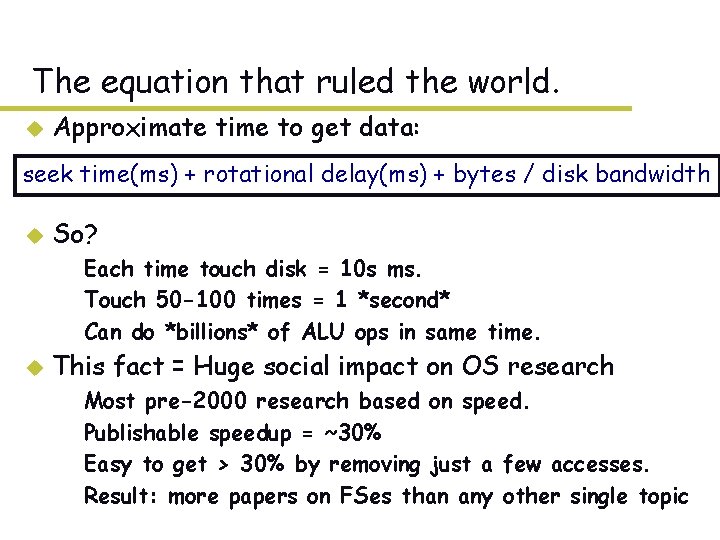
The equation that ruled the world. u Approximate time to get data: seek time(ms) + rotational delay(ms) + bytes / disk bandwidth u So? – Each time touch disk = 10 s ms. – Touch 50 -100 times = 1 *second* – Can do *billions* of ALU ops in same time. u This fact = Huge social impact on OS research – – Most pre-2000 research based on speed. Publishable speedup = ~30% Easy to get > 30% by removing just a few accesses. Result: more papers on FSes than any other single topic
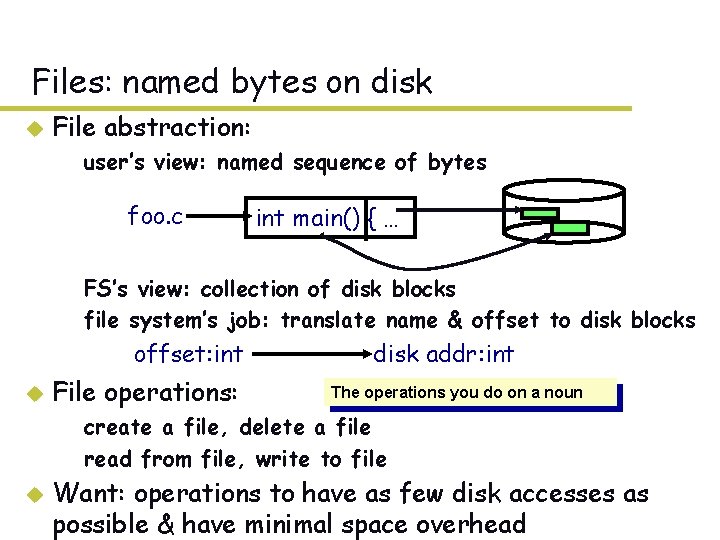
Files: named bytes on disk u File abstraction: – user’s view: named sequence of bytes foo. c int main() { … – FS’s view: collection of disk blocks – file system’s job: translate name & offset to disk blocks offset: int u File operations: disk addr: int The operations you do on a noun – create a file, delete a file – read from file, write to file u Want: operations to have as few disk accesses as possible & have minimal space overhead
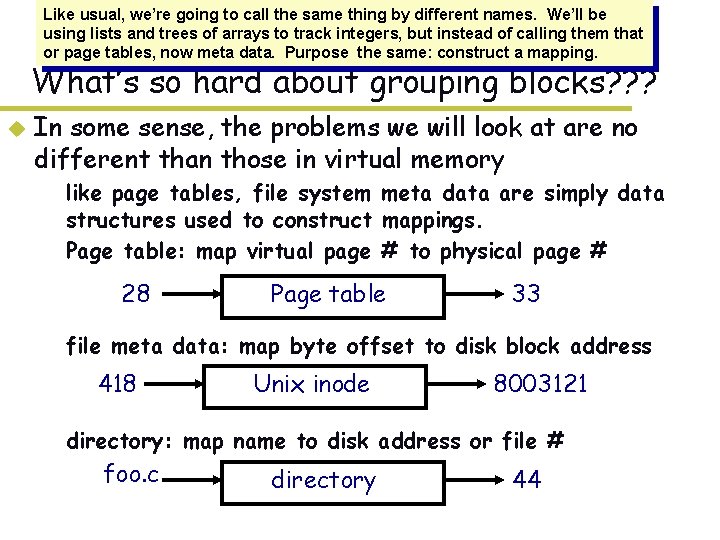
Like usual, we’re going to call the same thing by different names. We’ll be using lists and trees of arrays to track integers, but instead of calling them that or page tables, now meta data. Purpose the same: construct a mapping. What’s so hard about grouping blocks? ? ? u In some sense, the problems we will look at are no different than those in virtual memory – like page tables, file system meta data are simply data structures used to construct mappings. – Page table: map virtual page # to physical page # 28 Page table 33 – file meta data: map byte offset to disk block address 418 Unix inode 8003121 – directory: map name to disk address or file # foo. c directory 44
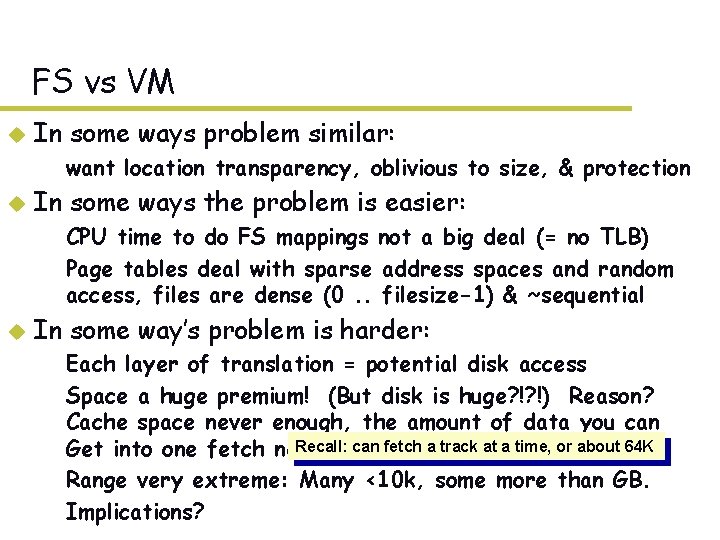
FS vs VM u In some ways problem similar: – want location transparency, oblivious to size, & protection u In some ways the problem is easier: – CPU time to do FS mappings not a big deal (= no TLB) – Page tables deal with sparse address spaces and random access, files are dense (0. . filesize-1) & ~sequential u In some way’s problem is harder: – Each layer of translation = potential disk access – Space a huge premium! (But disk is huge? !? !) Reason? Cache space never enough, the amount of data you can Recall: enough. can fetch a track at a time, or about 64 K Get into one fetch never – Range very extreme: Many <10 k, some more than GB. – Implications?
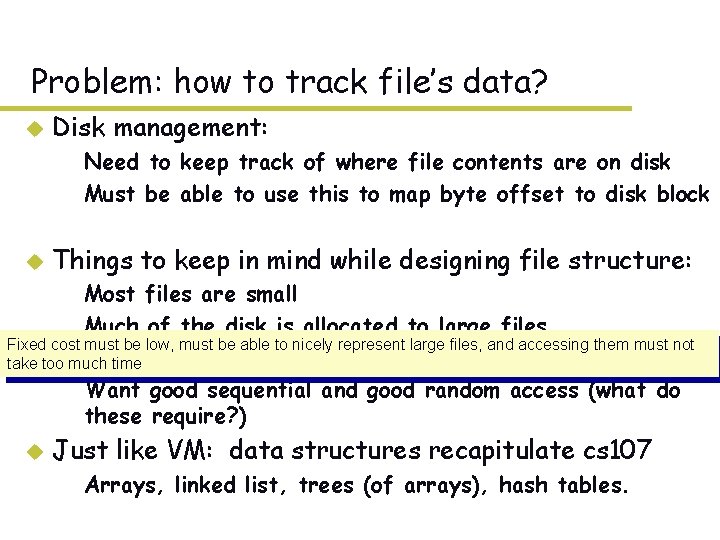
Problem: how to track file’s data? u Disk management: – Need to keep track of where file contents are on disk – Must be able to use this to map byte offset to disk block u Things to keep in mind while designing file structure: – Most files are small – Much of the disk is allocated to large files Fixed cost must be low, must be able to nicely represent large files, and accessing them must not Many take too–much time of the I/O operations are made to large files – Want good sequential and good random access (what do these require? ) u Just like VM: data structures recapitulate cs 107 – Arrays, linked list, trees (of arrays), hash tables.
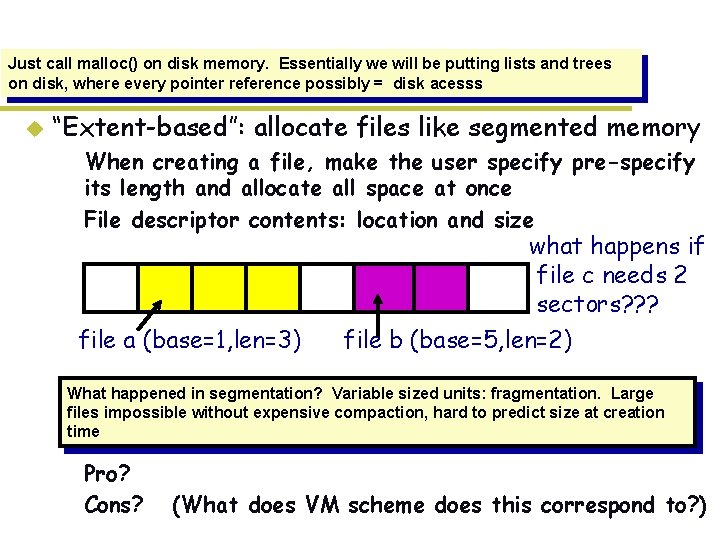
Just call malloc() on disk memory. Essentially we will be putting lists and trees on disk, where every pointer reference possibly = disk acesss Simple mechanism: contiguous allocation u “Extent-based”: allocate files like segmented memory – When creating a file, make the user specify pre-specify its length and allocate all space at once – File descriptor contents: location and size what happens if file c needs 2 sectors? ? ? file a (base=1, len=3) file b (base=5, len=2) What happened in segmentation? Variable sized units: fragmentation. Large –files Example: impossible IBM without. OS/360 expensive compaction, hard to predict size at creation time – Pro? – Cons? (What does VM scheme does this correspond to? )
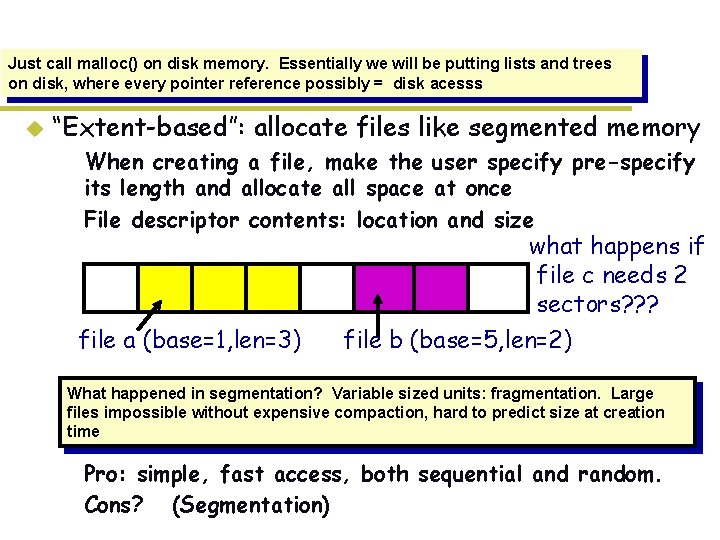
Just call malloc() on disk memory. Essentially we will be putting lists and trees on disk, where every pointer reference possibly = disk acesss Simple mechanism: contiguous allocation u “Extent-based”: allocate files like segmented memory – When creating a file, make the user specify pre-specify its length and allocate all space at once – File descriptor contents: location and size what happens if file c needs 2 sectors? ? ? file a (base=1, len=3) file b (base=5, len=2) What happened in segmentation? Variable sized units: fragmentation. Large –files Example: impossible IBM without. OS/360 expensive compaction, hard to predict size at creation time – Pro: simple, fast access, both sequential and random. – Cons? (Segmentation)
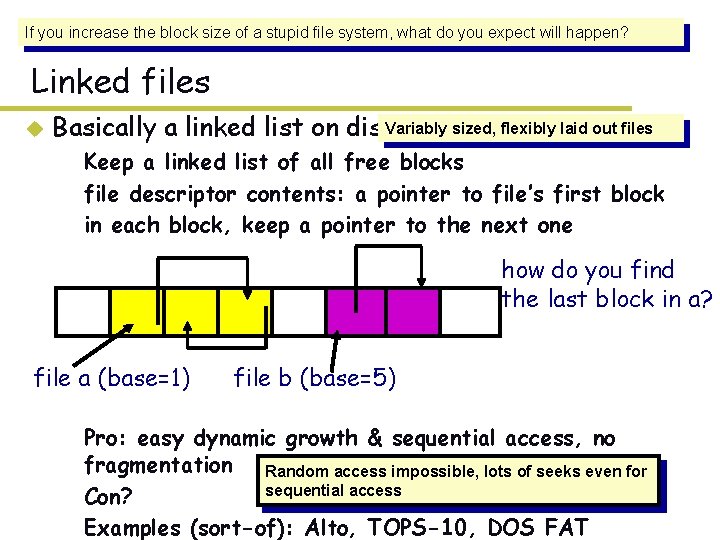
If you increase the block size of a stupid file system, what do you expect will happen? Linked files u Variably sized, flexibly laid out files Basically a linked list on disk. – Keep a linked list of all free blocks – file descriptor contents: a pointer to file’s first block – in each block, keep a pointer to the next one how do you find the last block in a? file a (base=1) file b (base=5) – Pro? Random access impossible, lots of seeks even for – Con? sequential access – Examples (sort-of): Alto, TOPS-10, DOS FAT
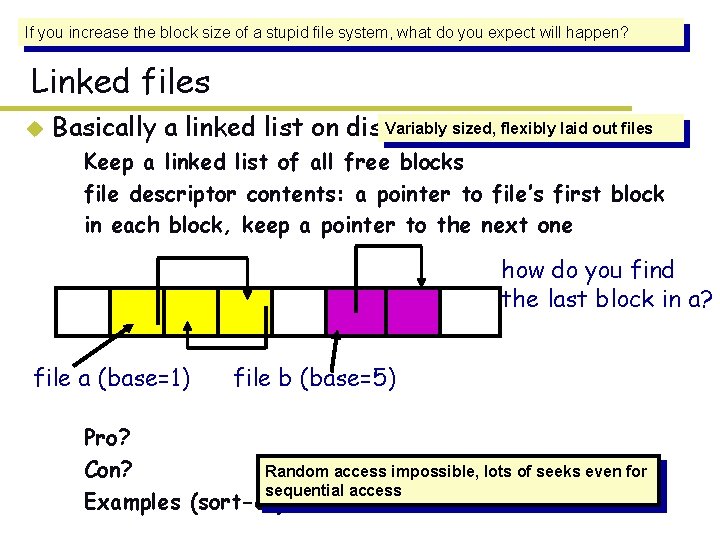
If you increase the block size of a stupid file system, what do you expect will happen? Linked files u Variably sized, flexibly laid out files Basically a linked list on disk. – Keep a linked list of all free blocks – file descriptor contents: a pointer to file’s first block – in each block, keep a pointer to the next one how do you find the last block in a? file a (base=1) file b (base=5) – Pro: easy dynamic growth & sequential access, no fragmentation Random access impossible, lots of seeks even for sequential access – Con? – Examples (sort-of): Alto, TOPS-10, DOS FAT
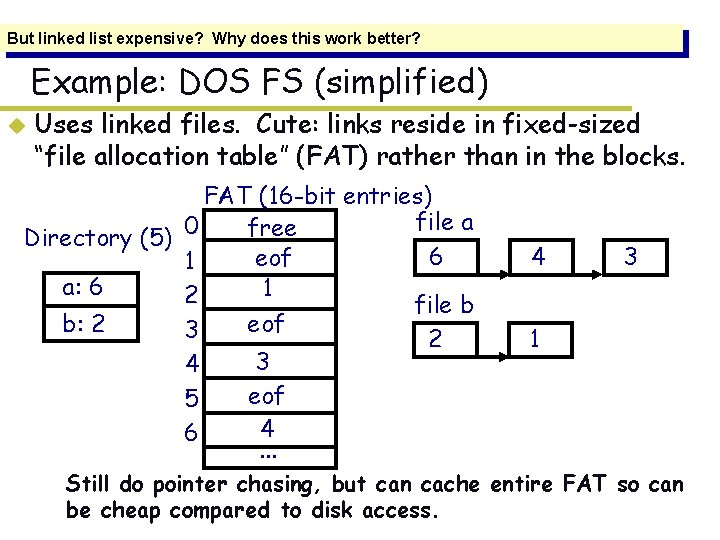
But linked list expensive? Why does this work better? Example: DOS FS (simplified) u Uses linked files. Cute: links reside in fixed-sized “file allocation table” (FAT) rather than in the blocks. FAT (16 -bit entries) file a 0 free Directory (5) 6 eof 1 a: 6 1 2 file b b: 2 eof 3 2 3 4 eof 5 4 6. . . 4 3 1 – Still do pointer chasing, but can cache entire FAT so can be cheap compared to disk access.
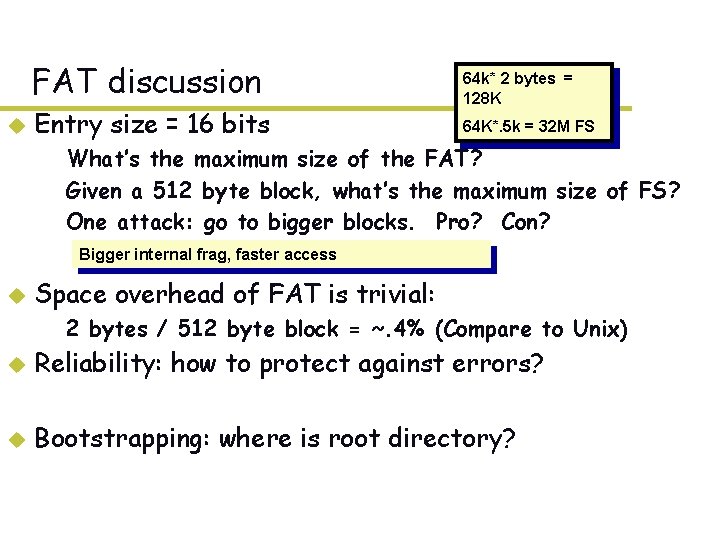
FAT discussion u Entry size = 16 bits 64 k* 2 bytes = 128 K 64 K*. 5 k = 32 M FS – What’s the maximum size of the FAT? – Given a 512 byte block, what’s the maximum size of FS? – One attack: go to bigger blocks. Pro? Con? Bigger internal frag, faster access u Space overhead of FAT is trivial: – 2 bytes / 512 byte block = ~. 4% (Compare to Unix) u Reliability: how to protect against errors? u Bootstrapping: where is root directory?
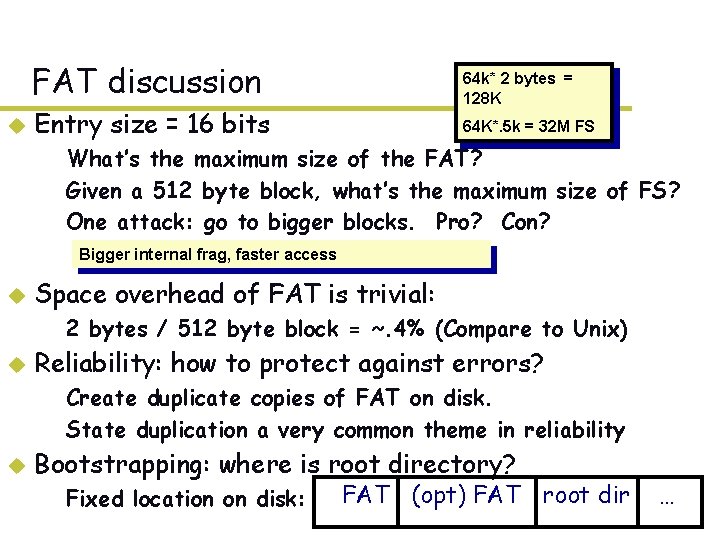
FAT discussion u 64 k* 2 bytes = 128 K Entry size = 16 bits 64 K*. 5 k = 32 M FS – What’s the maximum size of the FAT? – Given a 512 byte block, what’s the maximum size of FS? – One attack: go to bigger blocks. Pro? Con? Bigger internal frag, faster access u Space overhead of FAT is trivial: – 2 bytes / 512 byte block = ~. 4% (Compare to Unix) u Reliability: how to protect against errors? – Create duplicate copies of FAT on disk. – State duplication a very common theme in reliability u Bootstrapping: where is root directory? – Fixed location on disk: FAT (opt) FAT root dir …
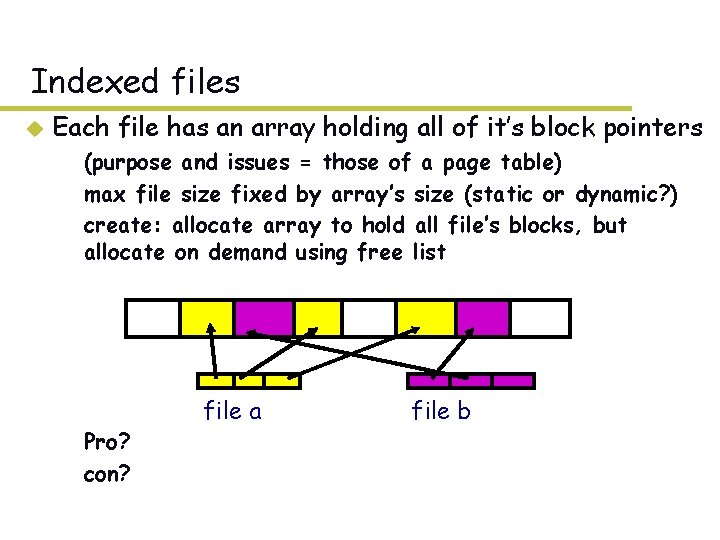
Indexed files u Each file has an array holding all of it’s block pointers – (purpose and issues = those of a page table) – max file size fixed by array’s size (static or dynamic? ) – create: allocate array to hold all file’s blocks, but allocate on demand using free list – Pro? – con? file a file b
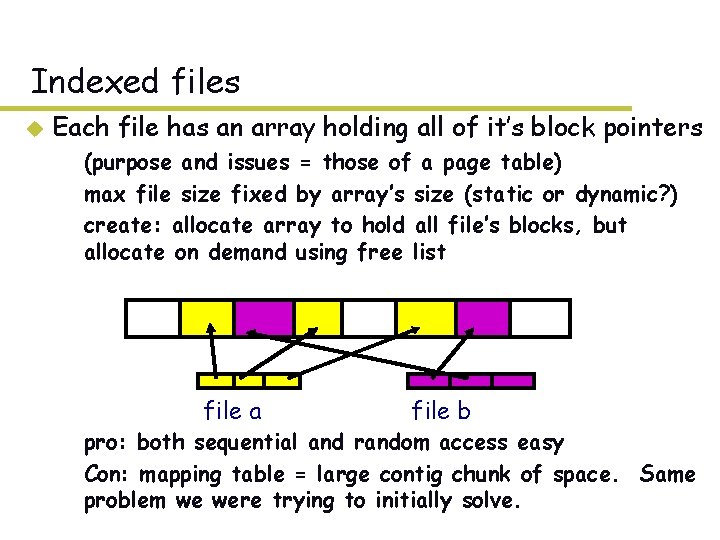
Indexed files u Each file has an array holding all of it’s block pointers – (purpose and issues = those of a page table) – max file size fixed by array’s size (static or dynamic? ) – create: allocate array to hold all file’s blocks, but allocate on demand using free list file a file b – pro: both sequential and random access easy – Con: mapping table = large contig chunk of space. Same problem we were trying to initially solve.
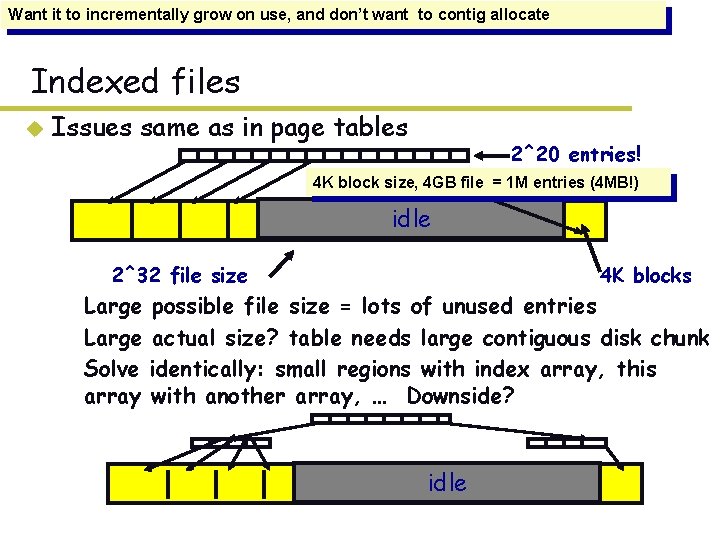
Want it to incrementally grow on use, and don’t want to contig allocate Indexed files u Issues same as in page tables 2^20 entries! 4 K block size, 4 GB file = 1 M entries (4 MB!) idle 2^32 file size 4 K blocks – Large possible file size = lots of unused entries – Large actual size? table needs large contiguous disk chunk – Solve identically: small regions with index array, this array with another array, … Downside? idle
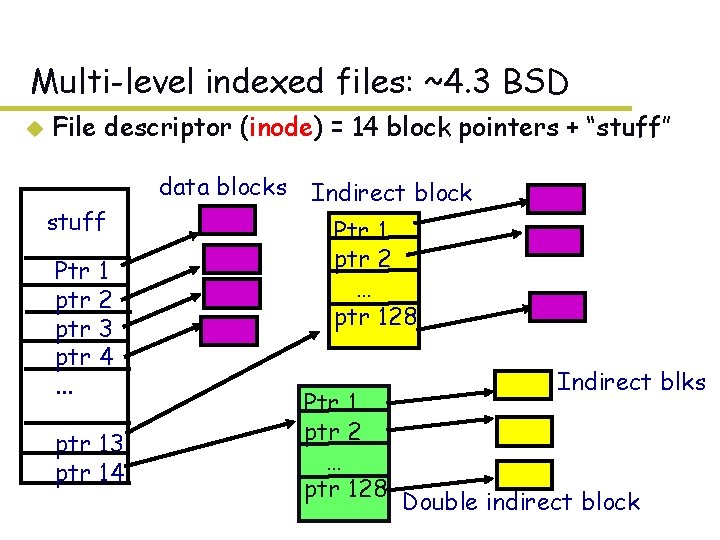
Multi-level indexed files: ~4. 3 BSD u File descriptor (inode) = 14 block pointers + “stuff” data blocks stuff Ptr 1 ptr 2 ptr 3 ptr 4. . . ptr 13 ptr 14 Indirect block Ptr 1 ptr 2 … ptr 128 Indirect blks Double indirect block
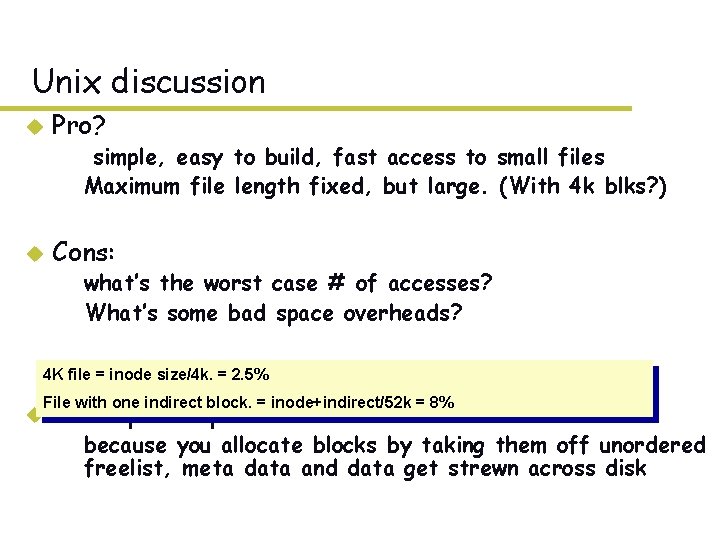
Unix discussion u Pro? – simple, easy to build, fast access to small files – Maximum file length fixed, but large. (With 4 k blks? ) u Cons: – what’s the worst case # of accesses? – What’s some bad space overheads? 4 K file = inode size/4 k. = 2. 5% An empirical problem: File with one indirect block. = inode+indirect/52 k = 8% u – because you allocate blocks by taking them off unordered freelist, meta data and data get strewn across disk
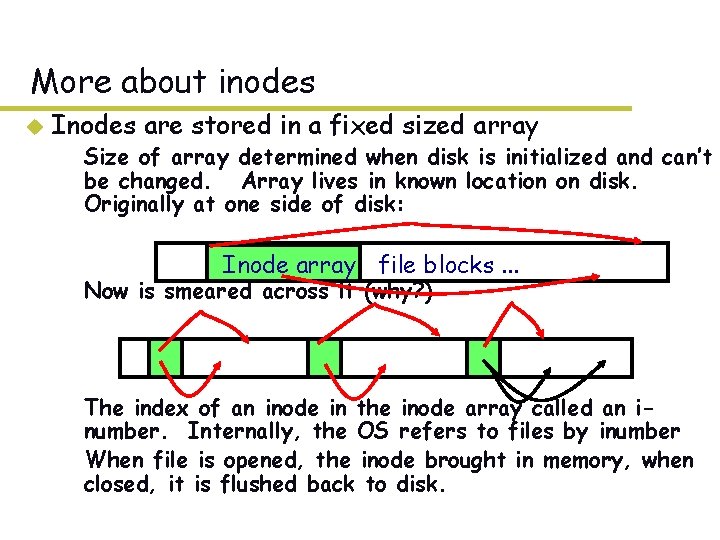
More about inodes u Inodes are stored in a fixed sized array – Size of array determined when disk is initialized and can’t be changed. Array lives in known location on disk. Originally at one side of disk: Inode array file blocks. . . – Now is smeared across it (why? ) – The index of an inode in the inode array called an inumber. Internally, the OS refers to files by inumber – When file is opened, the inode brought in memory, when closed, it is flushed back to disk.
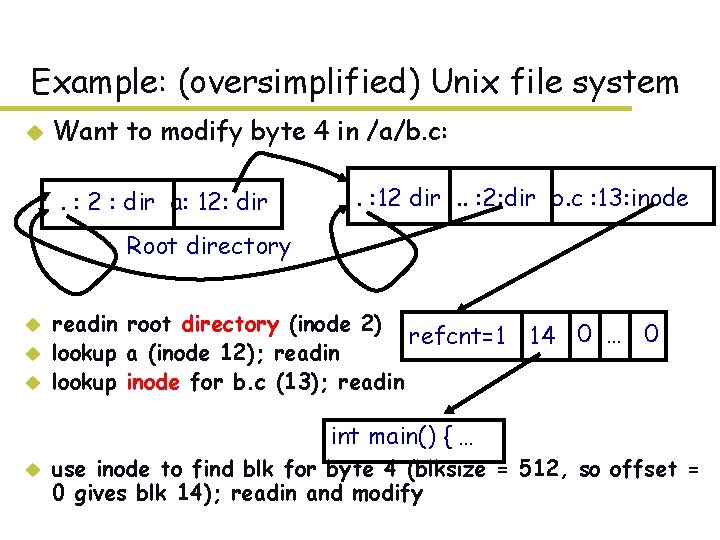
Example: (oversimplified) Unix file system u Want to modify byte 4 in /a/b. c: . : 2 : dir a: 12: dir . : 12 dir. . : 2: dir b. c : 13: inode Root directory u u u readin root directory (inode 2) refcnt=1 lookup a (inode 12); readin lookup inode for b. c (13); readin 14 0 … 0 int main() { … u use inode to find blk for byte 4 (blksize = 512, so offset = 0 gives blk 14); readin and modify
Disk contains millions of messy things. Directories u Problem: – “spend all day generating data, come back the next morning, want to use it. ” F. Corbato, on why files/dirs invented. u Approach 0: have user remember where on disk the file is. – (e. g. , social security numbers) u Yuck. People want human digestible names – we use directories to map names to file blocks u Next: What is in a directory and why?
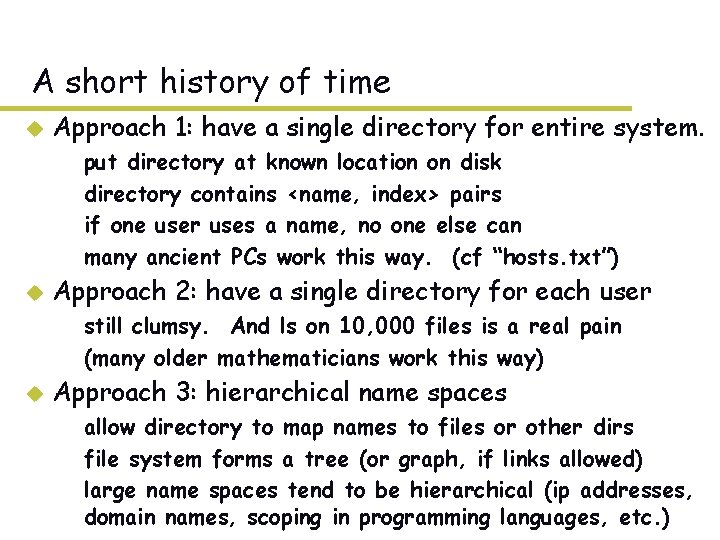
A short history of time u Approach 1: have a single directory for entire system. – – u put directory at known location on disk directory contains <name, index> pairs if one user uses a name, no one else can many ancient PCs work this way. (cf “hosts. txt”) Approach 2: have a single directory for each user – still clumsy. And ls on 10, 000 files is a real pain – (many older mathematicians work this way) u Approach 3: hierarchical name spaces – allow directory to map names to files or other dirs – file system forms a tree (or graph, if links allowed) – large name spaces tend to be hierarchical (ip addresses, domain names, scoping in programming languages, etc. )
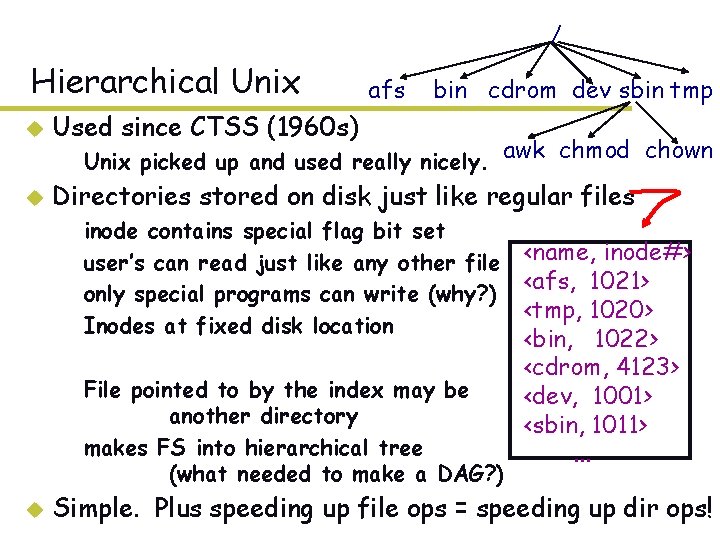
/ Hierarchical Unix afs bin cdrom dev sbin tmp u Used since CTSS (1960 s) u Directories stored on disk just like regular files – Unix picked up and used really nicely. awk chmod chown – – inode contains special flag bit set user’s can read just like any other file only special programs can write (why? ) Inodes at fixed disk location – File pointed to by the index may be another directory – makes FS into hierarchical tree (what needed to make a DAG? ) u <name, inode#> <afs, 1021> <tmp, 1020> <bin, 1022> <cdrom, 4123> <dev, 1001> <sbin, 1011>. . . Simple. Plus speeding up file ops = speeding up dir ops!
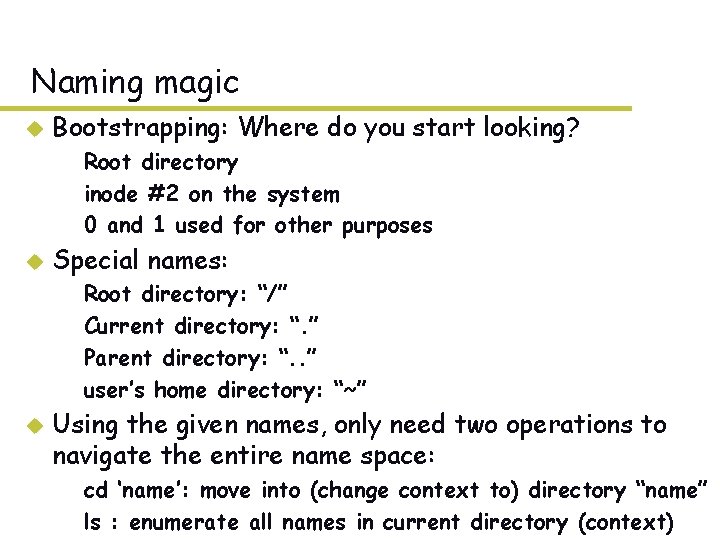
Naming magic u Bootstrapping: Where do you start looking? – Root directory – inode #2 on the system – 0 and 1 used for other purposes u Special names: – – u Root directory: “/” Current directory: “. ” Parent directory: “. . ” user’s home directory: “~” Using the given names, only need two operations to navigate the entire name space: – cd ‘name’: move into (change context to) directory “name” – ls : enumerate all names in current directory (context)
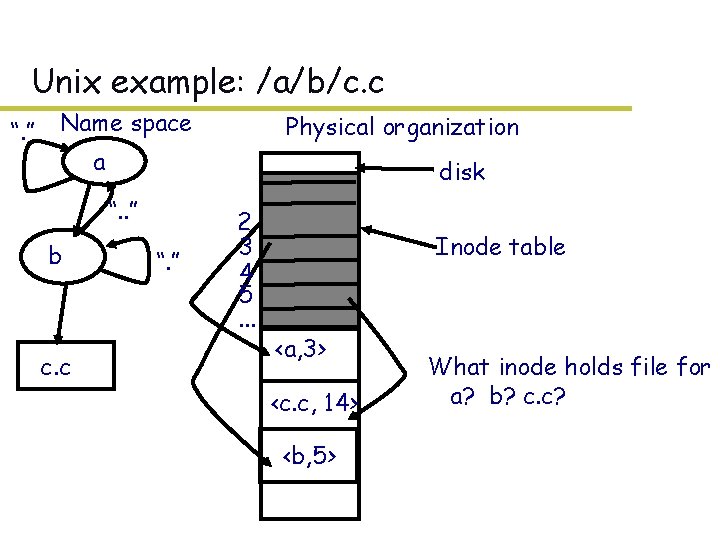
Unix example: /a/b/c. c “. ” Name space Physical organization a disk “. . ” b c. c “. ” 2 3 4 5. . . Inode table <a, 3> <c. c, 14> <b, 5> What inode holds file for a? b? c. c?
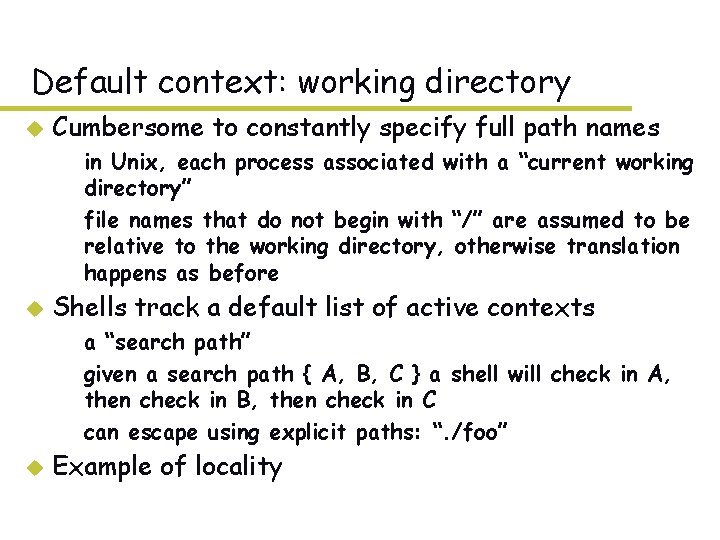
Default context: working directory u Cumbersome to constantly specify full path names – in Unix, each process associated with a “current working directory” – file names that do not begin with “/” are assumed to be relative to the working directory, otherwise translation happens as before u Shells track a default list of active contexts – a “search path” – given a search path { A, B, C } a shell will check in A, then check in B, then check in C – can escape using explicit paths: “. /foo” u Example of locality
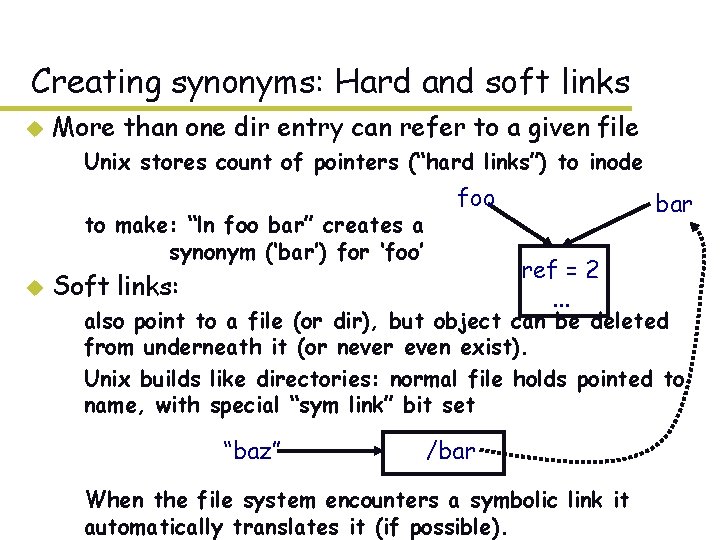
Creating synonyms: Hard and soft links u More than one dir entry can refer to a given file – Unix stores count of pointers (“hard links”) to inode – to make: “ln foo bar” creates a synonym (‘bar’) for ‘foo’ u foo bar ref = 2. . . Soft links: – also point to a file (or dir), but object can be deleted from underneath it (or never even exist). – Unix builds like directories: normal file holds pointed to name, with special “sym link” bit set “baz” /bar – When the file system encounters a symbolic link it automatically translates it (if possible).
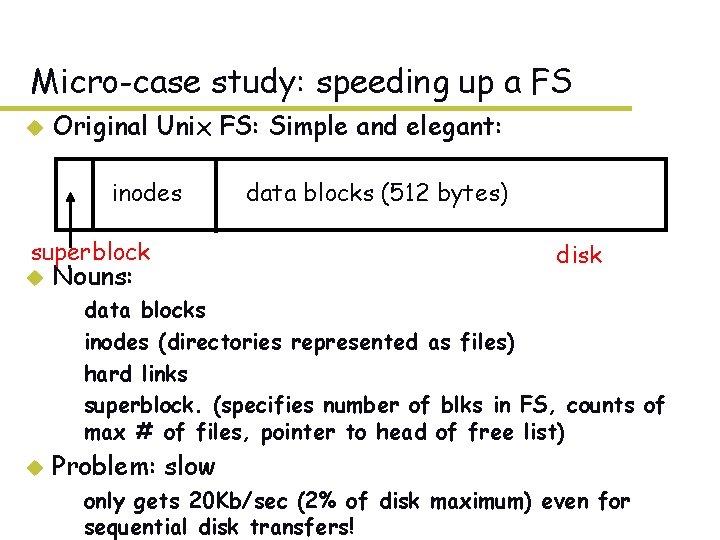
Micro-case study: speeding up a FS u Original Unix FS: Simple and elegant: inodes superblock u Nouns: – – u data blocks (512 bytes) disk data blocks inodes (directories represented as files) hard links superblock. (specifies number of blks in FS, counts of max # of files, pointer to head of free list) Problem: slow – only gets 20 Kb/sec (2% of disk maximum) even for sequential disk transfers!
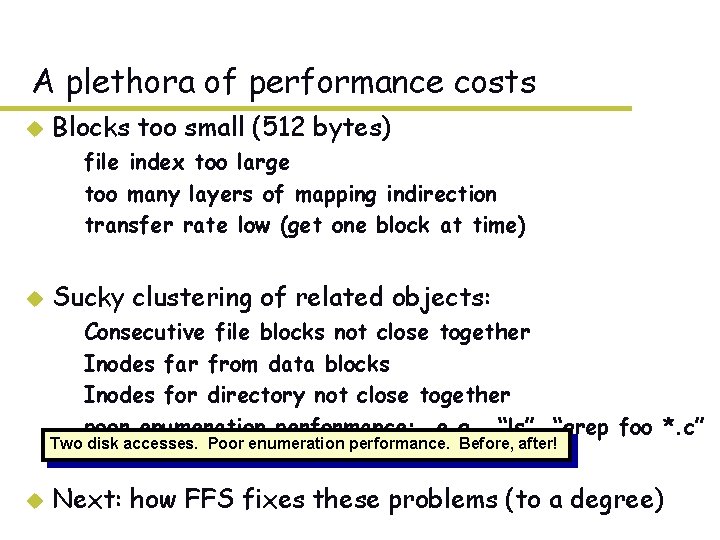
A plethora of performance costs u Blocks too small (512 bytes) – file index too large – too many layers of mapping indirection – transfer rate low (get one block at time) u Sucky clustering of related objects: – – Consecutive file blocks not close together Inodes far from data blocks Inodes for directory not close together poor enumeration performance: e. g. , “ls”, “grep foo *. c” Two disk accesses. Poor enumeration performance. Before, after! u Next: how FFS fixes these problems (to a degree)
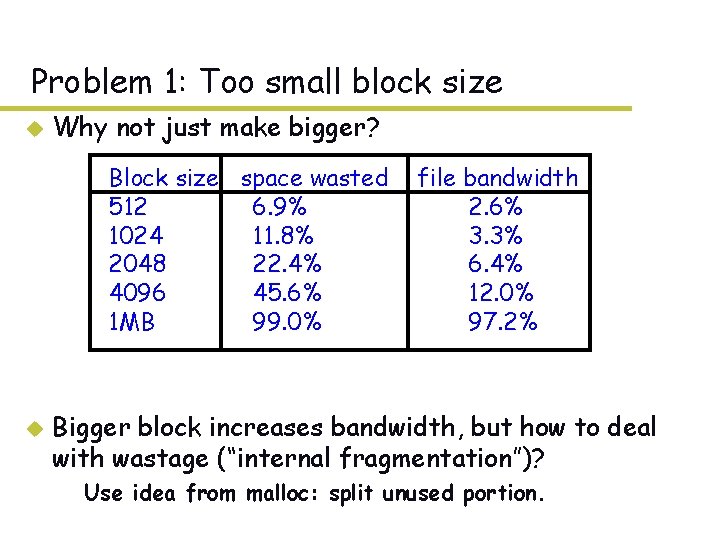
Problem 1: Too small block size u Why not just make bigger? Block size space wasted 512 6. 9% 1024 11. 8% 2048 22. 4% 4096 45. 6% 1 MB 99. 0% u file bandwidth 2. 6% 3. 3% 6. 4% 12. 0% 97. 2% Bigger block increases bandwidth, but how to deal with wastage (“internal fragmentation”)? – Use idea from malloc: split unused portion.
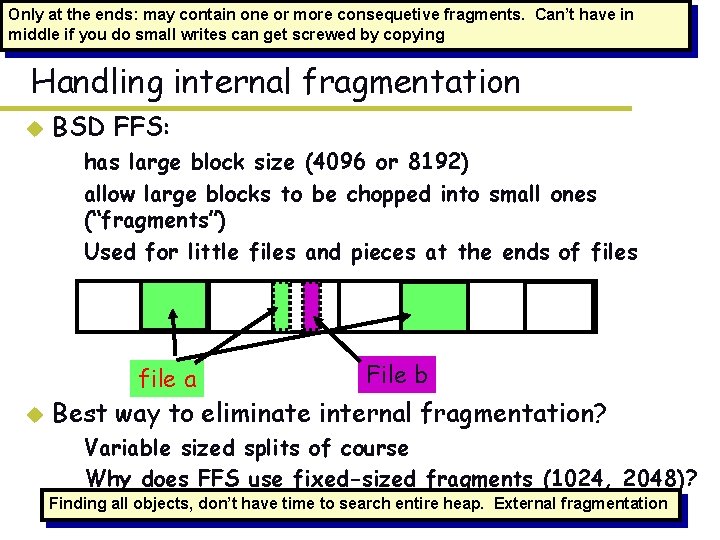
Only at the ends: may contain one or more consequetive fragments. Can’t have in middle if you do small writes can get screwed by copying Handling internal fragmentation u BSD FFS: – has large block size (4096 or 8192) – allow large blocks to be chopped into small ones (“fragments”) – Used for little files and pieces at the ends of files file a u File b Best way to eliminate internal fragmentation? – Variable sized splits of course – Why does FFS use fixed-sized fragments (1024, 2048)? Finding all objects, don’t have time to search entire heap. External fragmentation
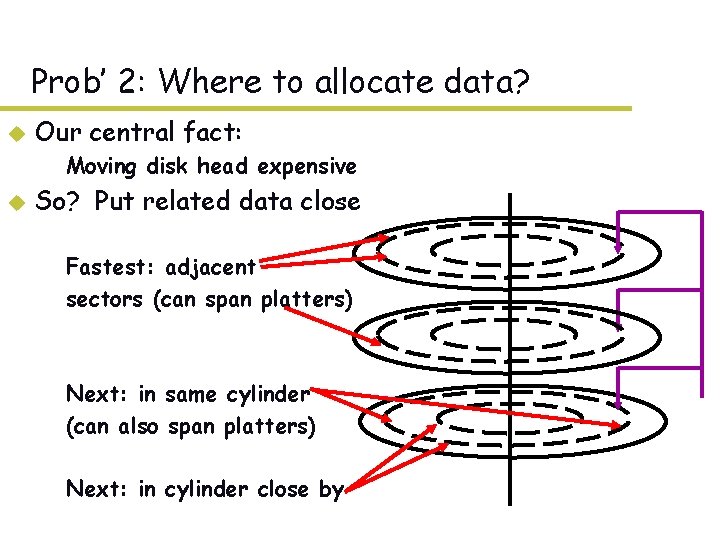
Prob’ 2: Where to allocate data? u Our central fact: – Moving disk head expensive u So? Put related data close – Fastest: adjacent – sectors (can span platters) – Next: in same cylinder – (can also span platters) – Next: in cylinder close by
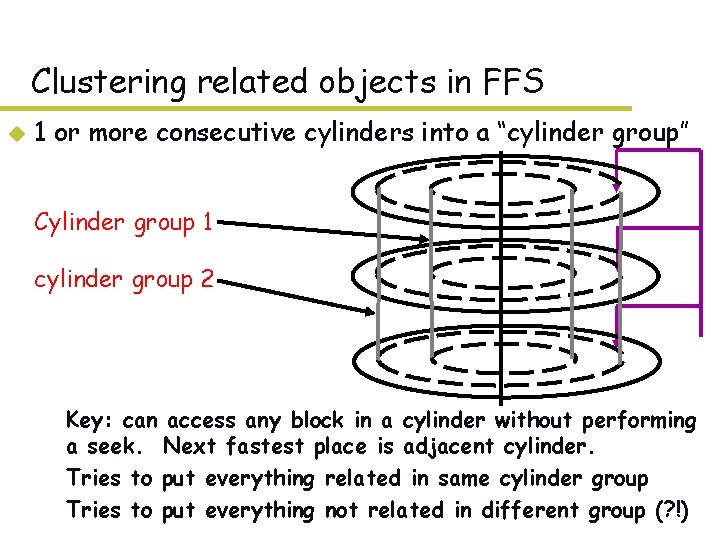
Clustering related objects in FFS u 1 or more consecutive cylinders into a “cylinder group” Cylinder group 1 cylinder group 2 – Key: can access any block in a cylinder without performing a seek. Next fastest place is adjacent cylinder. – Tries to put everything related in same cylinder group – Tries to put everything not related in different group (? !)
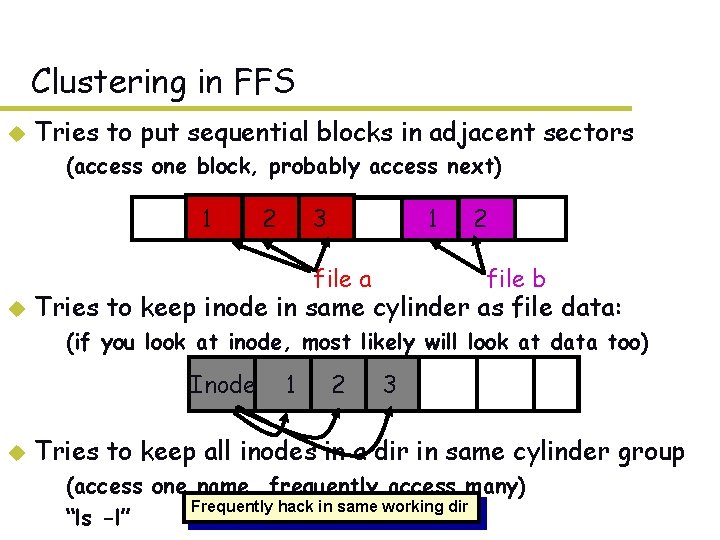
Clustering in FFS u Tries to put sequential blocks in adjacent sectors – (access one block, probably access next) 1 2 3 1 file a u 2 file b Tries to keep inode in same cylinder as file data: – (if you look at inode, most likely will look at data too) Inode u 1 2 3 Tries to keep all inodes in a dir in same cylinder group – (access one name, frequently access many) Frequently hack in same working dir – “ls -l”
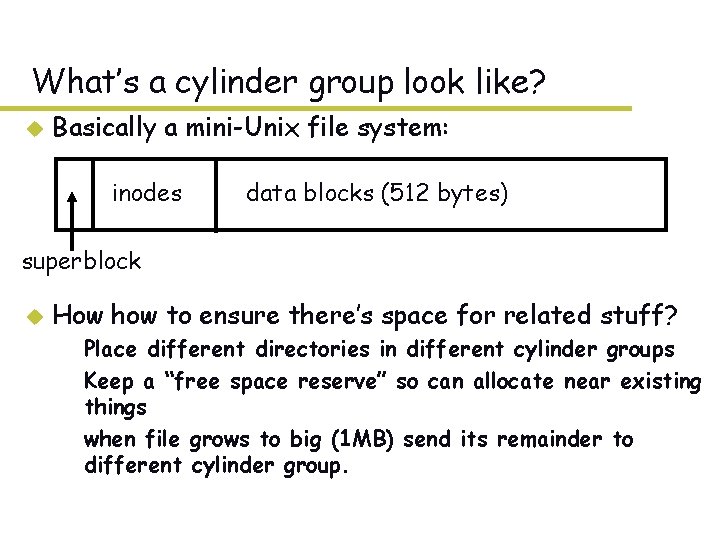
What’s a cylinder group look like? u Basically a mini-Unix file system: inodes data blocks (512 bytes) superblock u How how to ensure there’s space for related stuff? – Place different directories in different cylinder groups – Keep a “free space reserve” so can allocate near existing things – when file grows to big (1 MB) send its remainder to different cylinder group.
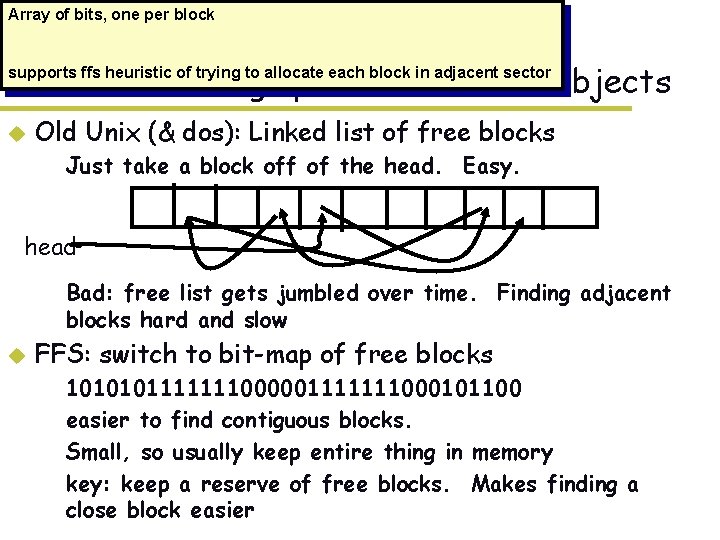
Array of bits, one per block Prob’ 3: Finding space for related objects supports ffs heuristic of trying to allocate each block in adjacent sector u Old Unix (& dos): Linked list of free blocks – Just take a block off of the head. Easy. head – Bad: free list gets jumbled over time. Finding adjacent blocks hard and slow u FFS: switch to bit-map of free blocks – – 1010101111111000001111111000101100 easier to find contiguous blocks. Small, so usually keep entire thing in memory key: keep a reserve of free blocks. Makes finding a close block easier
Using a bitmap u Usually keep entire bitmap in memory: – 4 G disk / 4 K byte blocks. How big is map? u Allocate block close to block x? – check for blocks near bmap[x/32] – if disk almost empty, will likely find one near – as disk becomes full, search becomes more expensive and less effective. u Trade space for time (search time, file access time) – keep a reserve (e. g, 10%) of disk always free, ideally scattered across disk – don’t tell users (df --> 110% full) – N platters = N adjacent blocks – with 10% free, can almost always find one of them free
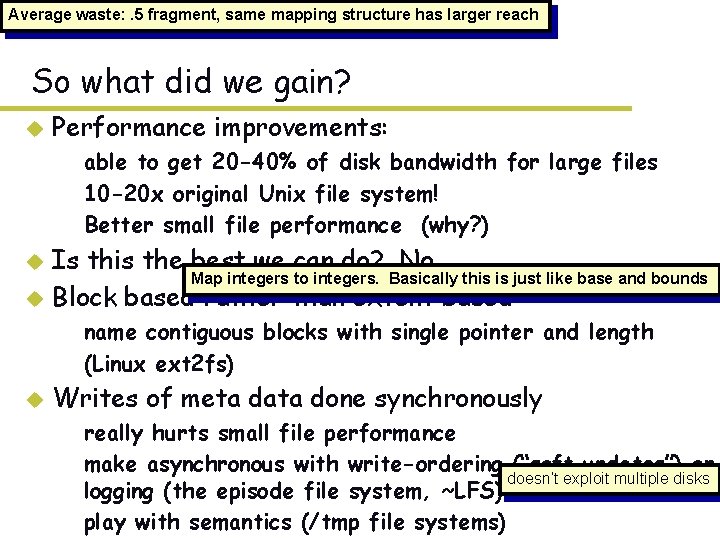
Average waste: . 5 fragment, same mapping structure has larger reach So what did we gain? u Performance improvements: – able to get 20 -40% of disk bandwidth for large files – 10 -20 x original Unix file system! – Better small file performance (why? ) Is this the best we can do? No. Map integers to integers. Basically this is just like base and bounds u Block based rather than extent based u – name contiguous blocks with single pointer and length – (Linux ext 2 fs) u Writes of meta data done synchronously – really hurts small file performance – make asynchronous with write-ordering (“soft updates”) or doesn’t exploit multiple disks logging (the episode file system, ~LFS) – play with semantics (/tmp file systems)
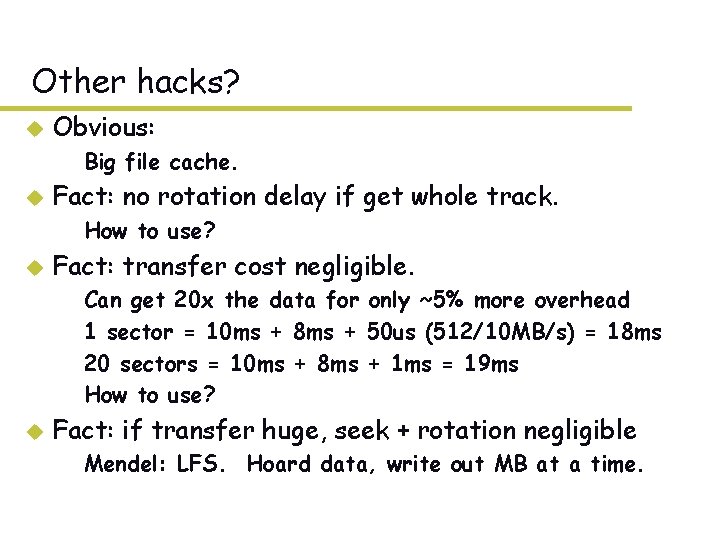
Other hacks? u Obvious: – Big file cache. u Fact: no rotation delay if get whole track. – How to use? u Fact: transfer cost negligible. – – u Can get 20 x the data for only ~5% more overhead 1 sector = 10 ms + 8 ms + 50 us (512/10 MB/s) = 18 ms 20 sectors = 10 ms + 8 ms + 1 ms = 19 ms How to use? Fact: if transfer huge, seek + rotation negligible – Mendel: LFS. Hoard data, write out MB at a time.