
FEATURES OVERVIEW CORE FEATURES NETWORK CONFIGURATION BACKUP RECOVERY

FEATURES OVERVIEW
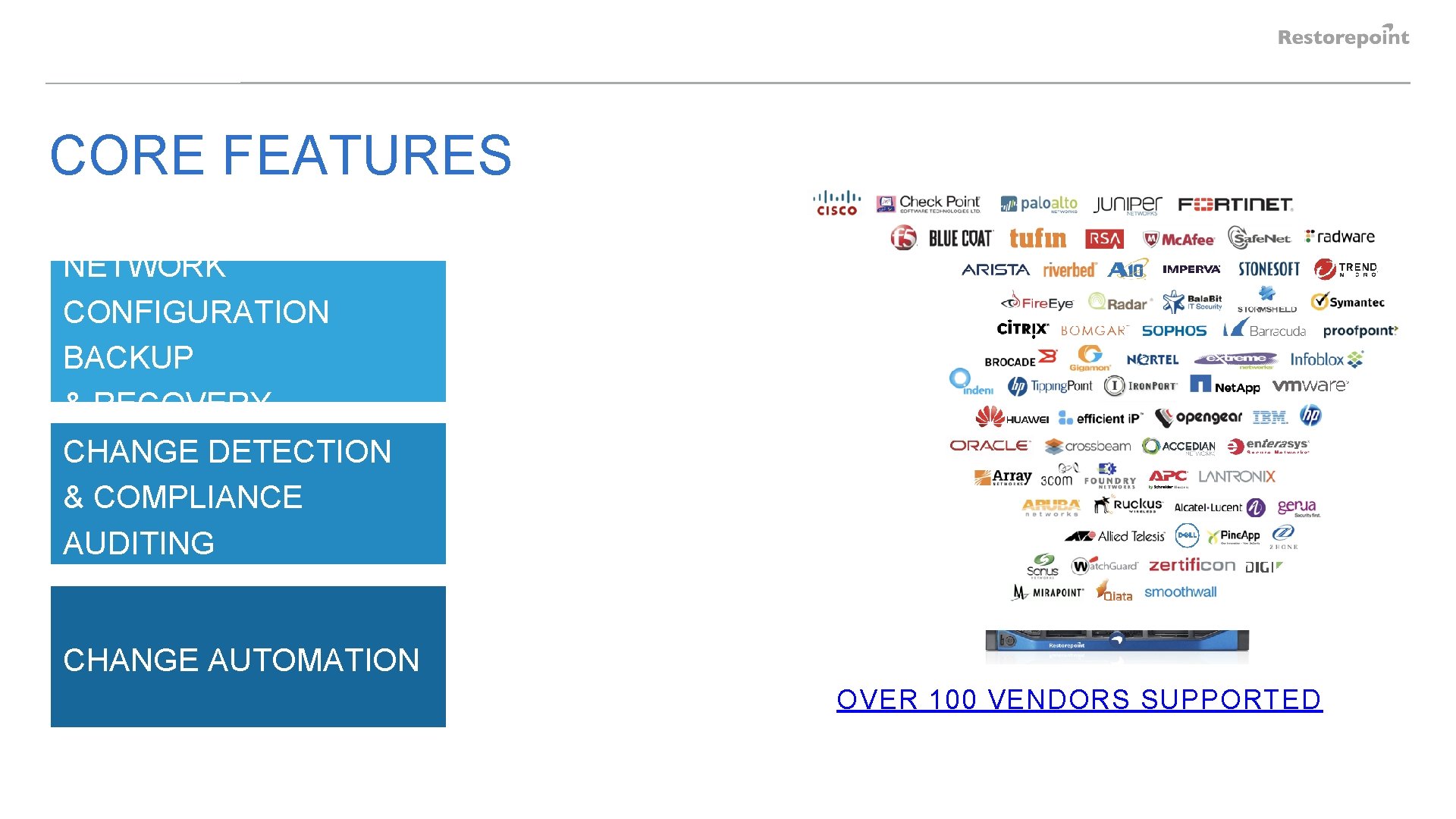
CORE FEATURES NETWORK CONFIGURATION BACKUP & RECOVERY CHANGE DETECTION & COMPLIANCE AUDITING CHANGE AUTOMATION OVER 100 VENDORS SUPPORTED
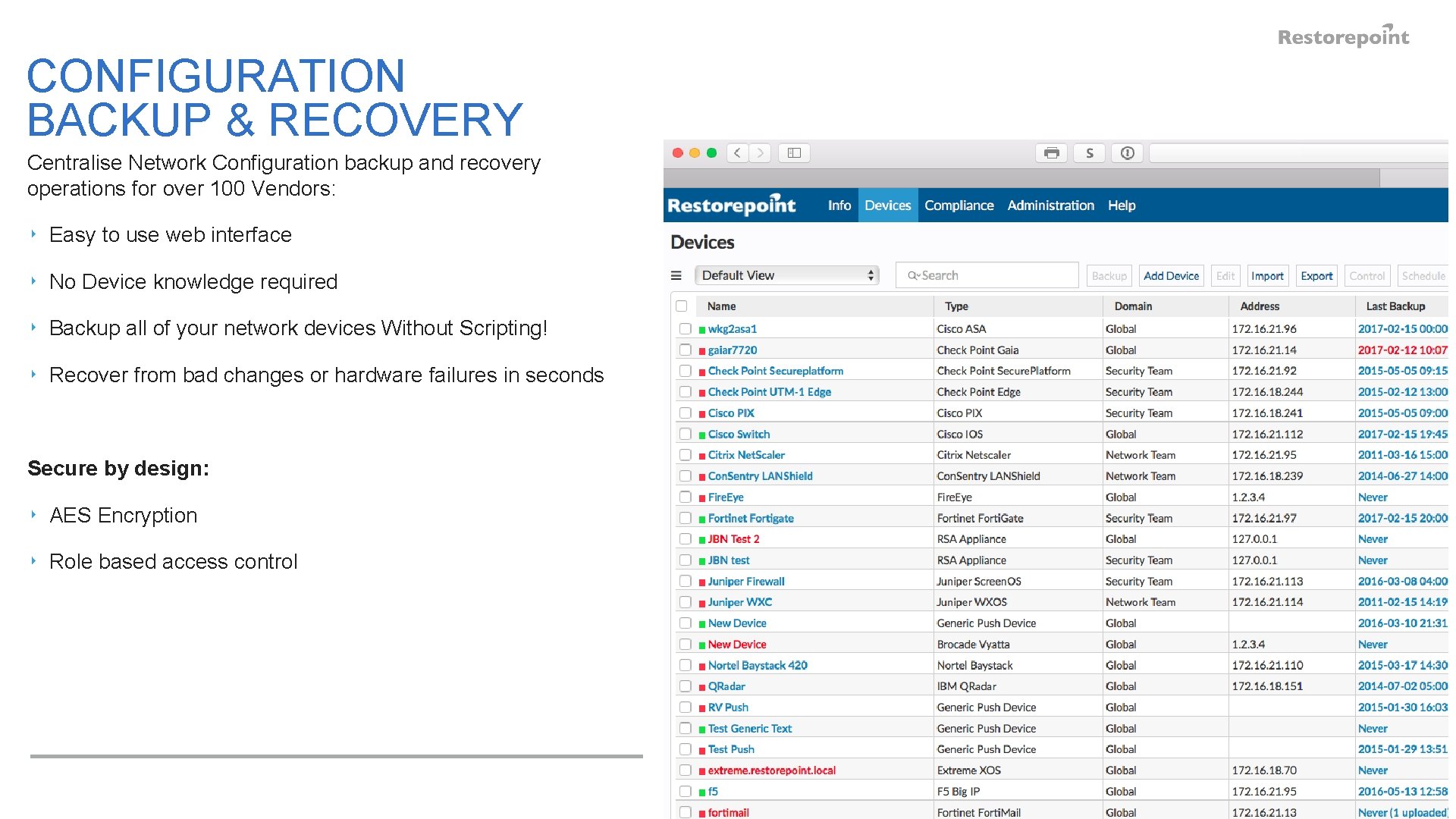
CONFIGURATION BACKUP & RECOVERY Centralise Network Configuration backup and recovery operations for over 100 Vendors: ‣ Easy to use web interface ‣ No Device knowledge required ‣ Backup all of your network devices Without Scripting! ‣ Recover from bad changes or hardware failures in seconds Secure by design: ‣ AES Encryption ‣ Role based access control
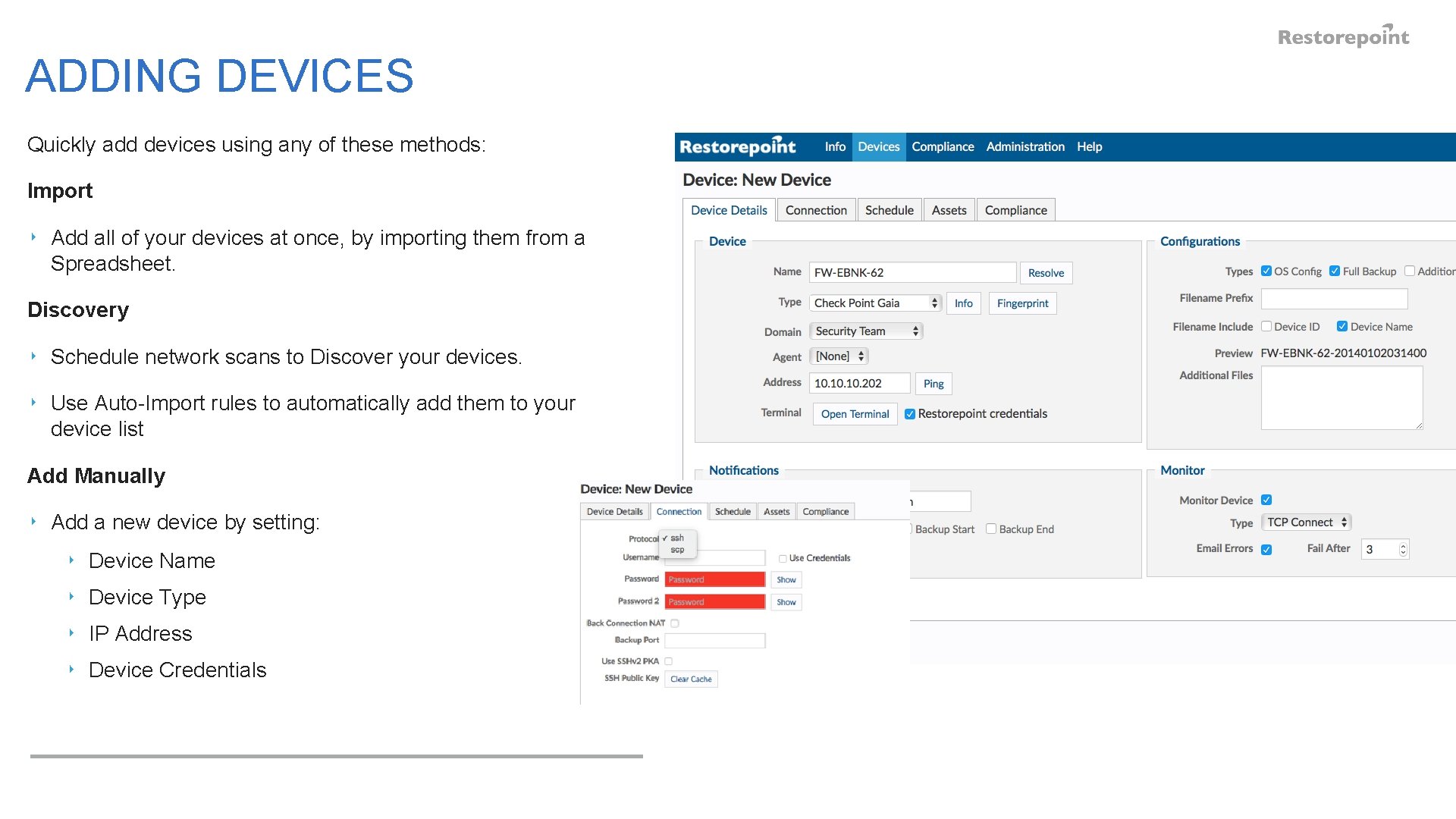
ADDING DEVICES Quickly add devices using any of these methods: Import ‣ Add all of your devices at once, by importing them from a Spreadsheet. Discovery ‣ Schedule network scans to Discover your devices. ‣ Use Auto-Import rules to automatically add them to your device list Add Manually ‣ Add a new device by setting: ‣ Device Name ‣ Device Type ‣ IP Address ‣ Device Credentials
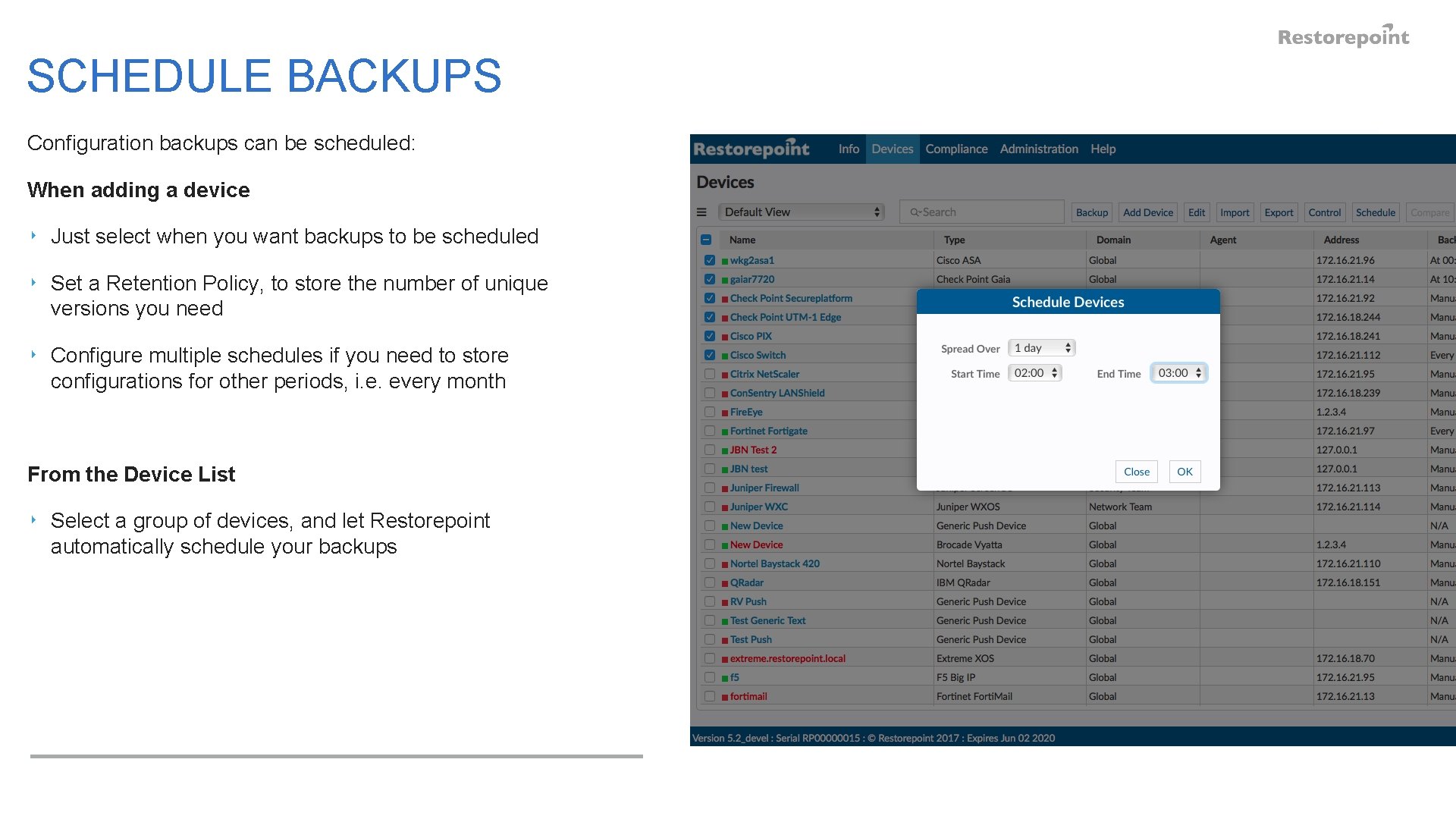
SCHEDULE BACKUPS Configuration backups can be scheduled: When adding a device ‣ Just select when you want backups to be scheduled ‣ Set a Retention Policy, to store the number of unique versions you need ‣ Configure multiple schedules if you need to store configurations for other periods, i. e. every month From the Device List ‣ Select a group of devices, and let Restorepoint automatically schedule your backups
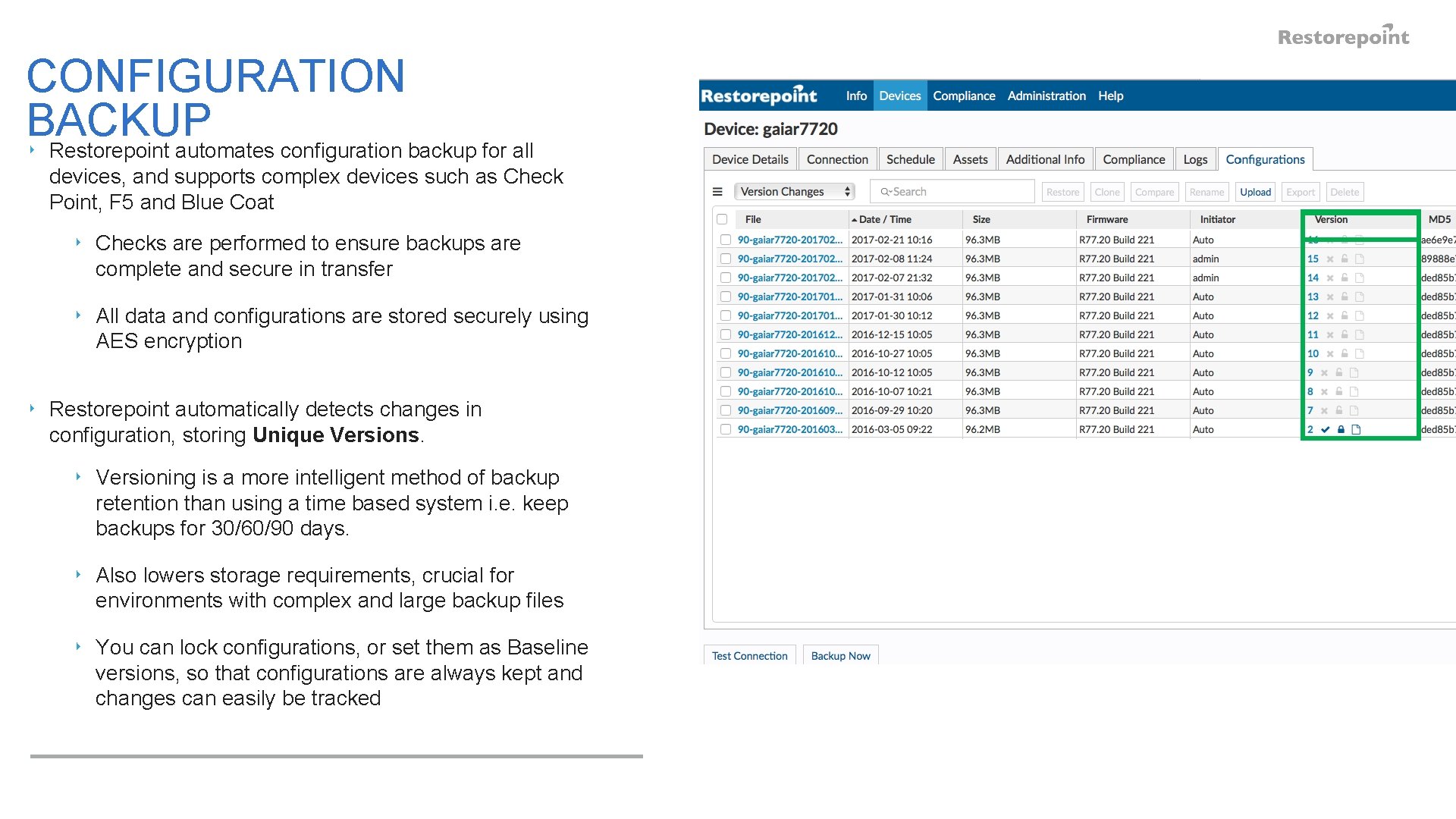
CONFIGURATION BACKUP ‣ Restorepoint automates configuration backup for all devices, and supports complex devices such as Check Point, F 5 and Blue Coat ‣ Checks are performed to ensure backups are complete and secure in transfer ‣ All data and configurations are stored securely using AES encryption ‣ Restorepoint automatically detects changes in configuration, storing Unique Versions. ‣ Versioning is a more intelligent method of backup retention than using a time based system i. e. keep backups for 30/60/90 days. ‣ Also lowers storage requirements, crucial for environments with complex and large backup files ‣ You can lock configurations, or set them as Baseline versions, so that configurations are always kept and changes can easily be tracked
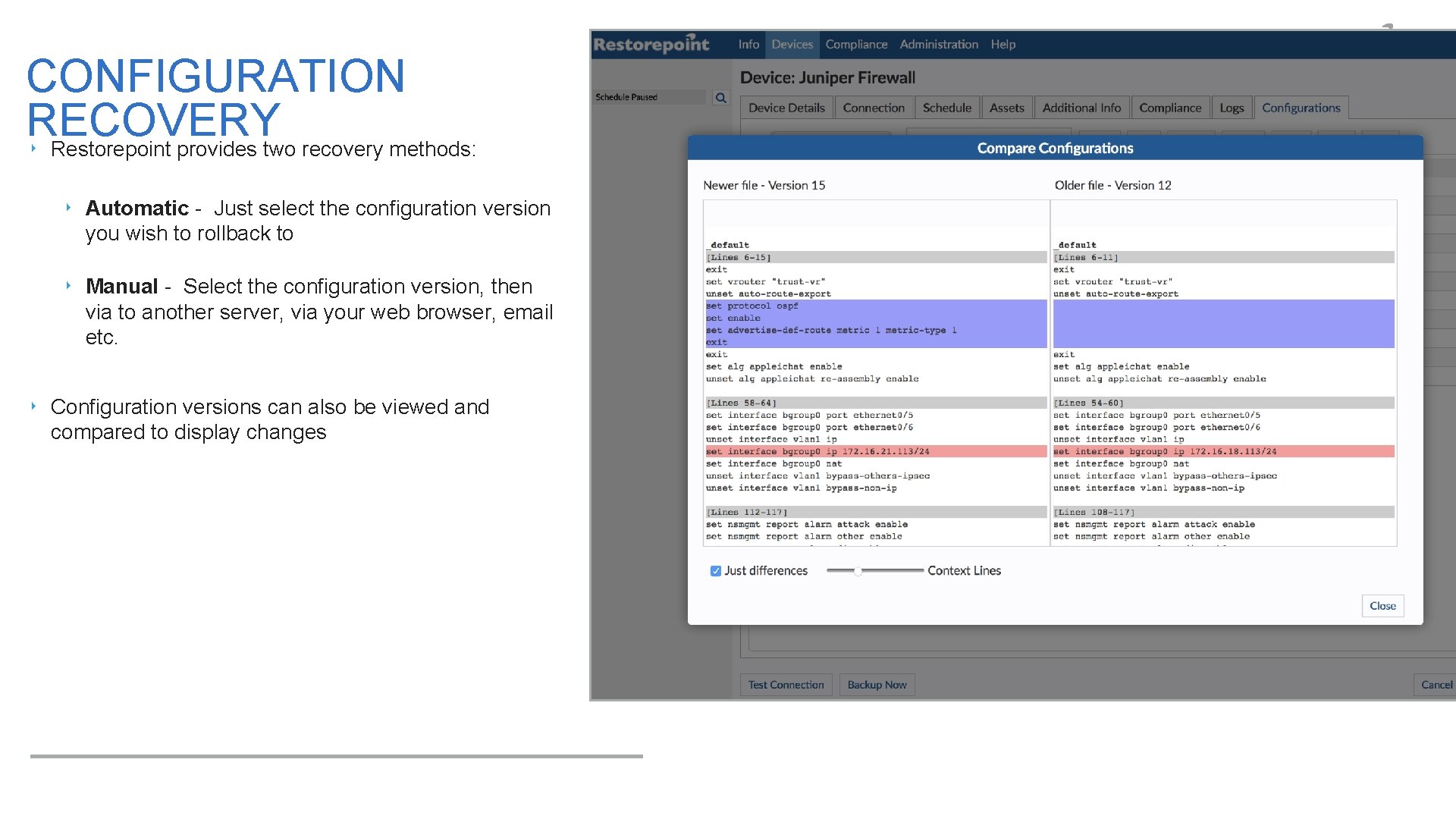
CONFIGURATION RECOVERY ‣ Restorepoint provides two recovery methods: ‣ Automatic - Just select the configuration version you wish to rollback to ‣ Manual - Select the configuration version, then via to another server, via your web browser, email etc. ‣ Configuration versions can also be viewed and compared to display changes
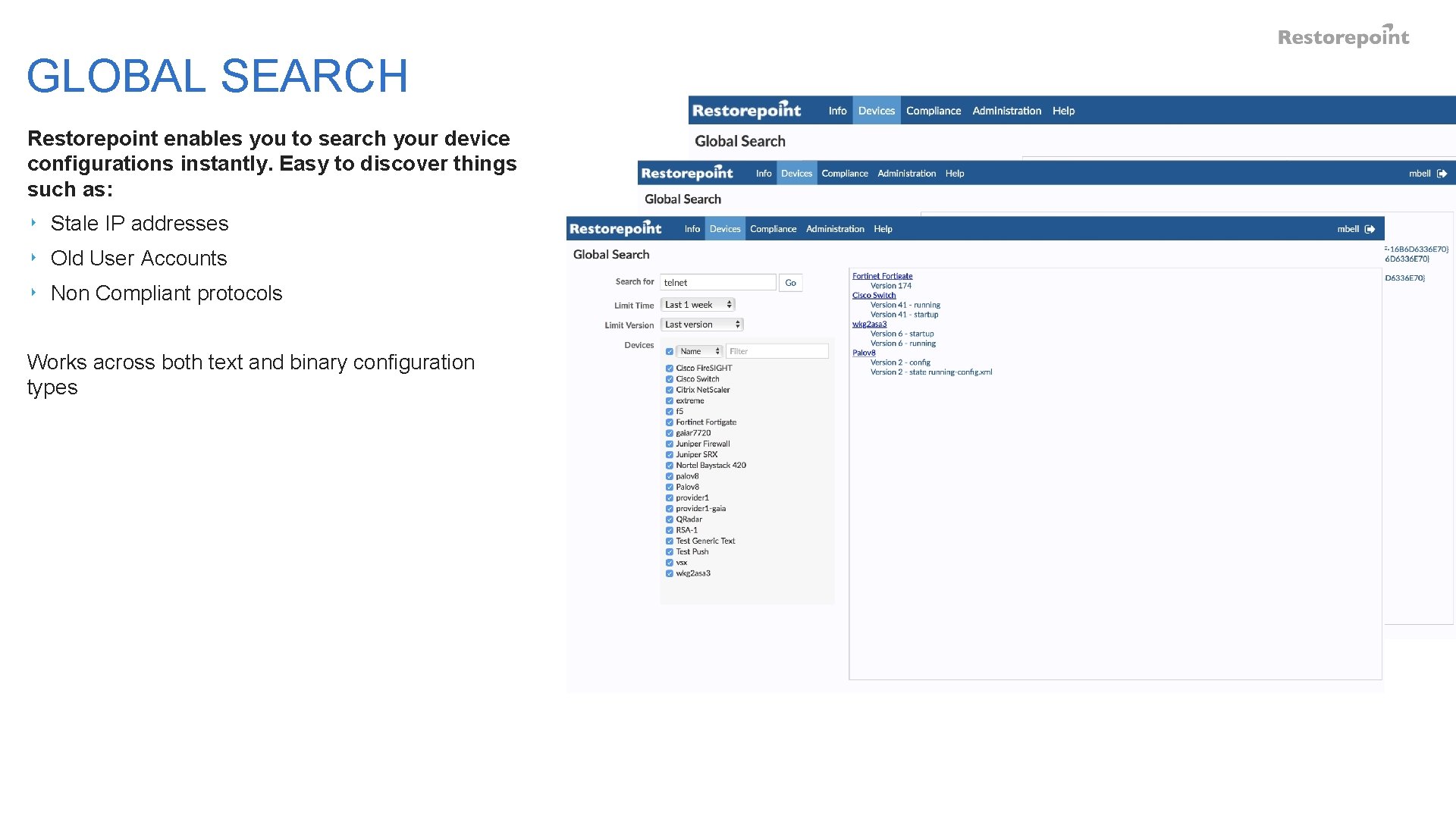
GLOBAL SEARCH Restorepoint enables you to search your device configurations instantly. Easy to discover things such as: ‣ Stale IP addresses ‣ Old User Accounts ‣ Non Compliant protocols Works across both text and binary configuration types
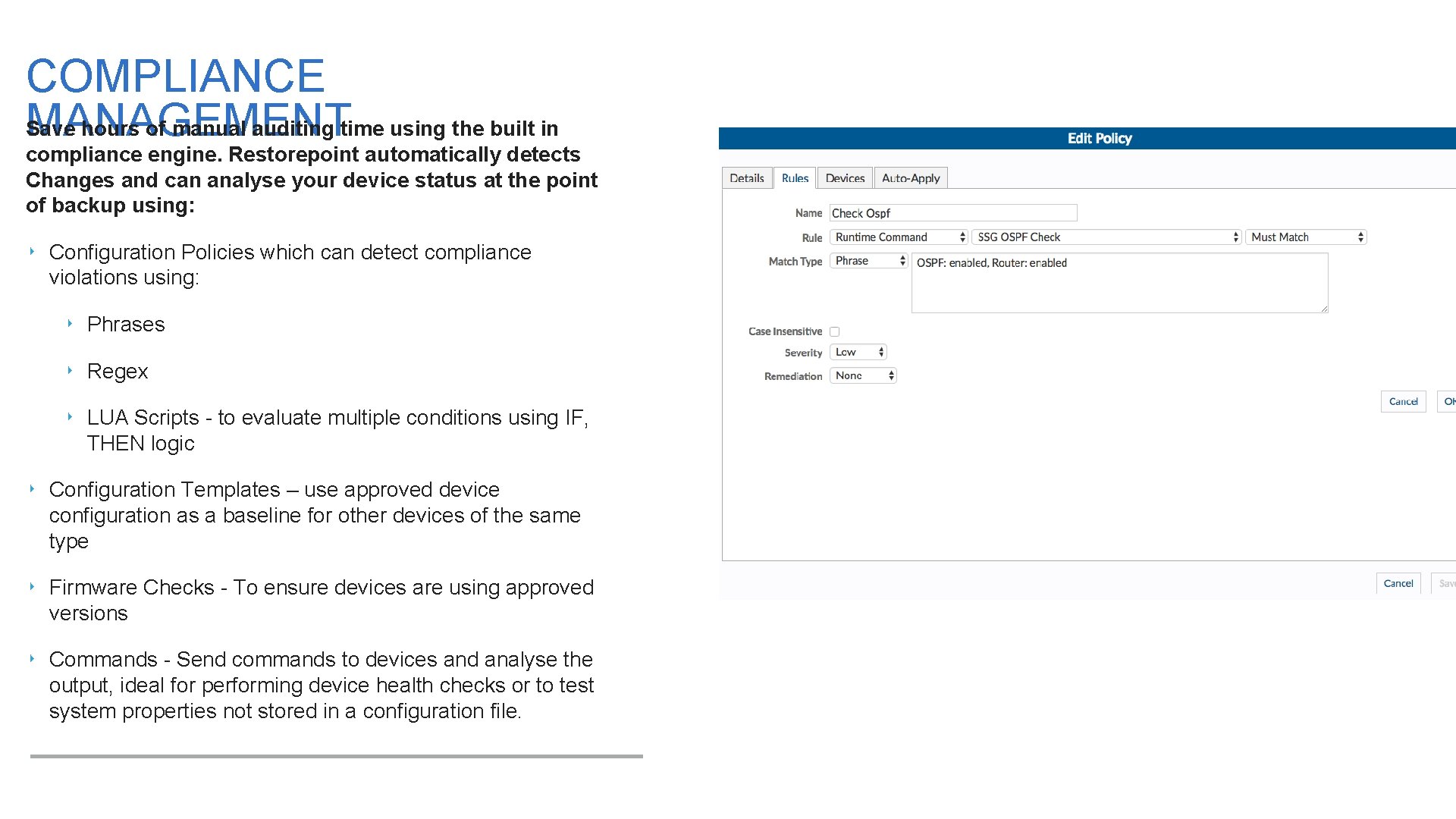
COMPLIANCE MANAGEMENT Save hours of manual auditing time using the built in compliance engine. Restorepoint automatically detects Changes and can analyse your device status at the point of backup using: ‣ Configuration Policies which can detect compliance violations using: ‣ Phrases ‣ Regex ‣ LUA Scripts - to evaluate multiple conditions using IF, THEN logic ‣ Configuration Templates – use approved device configuration as a baseline for other devices of the same type ‣ Firmware Checks - To ensure devices are using approved versions ‣ Commands - Send commands to devices and analyse the output, ideal for performing device health checks or to test system properties not stored in a configuration file.
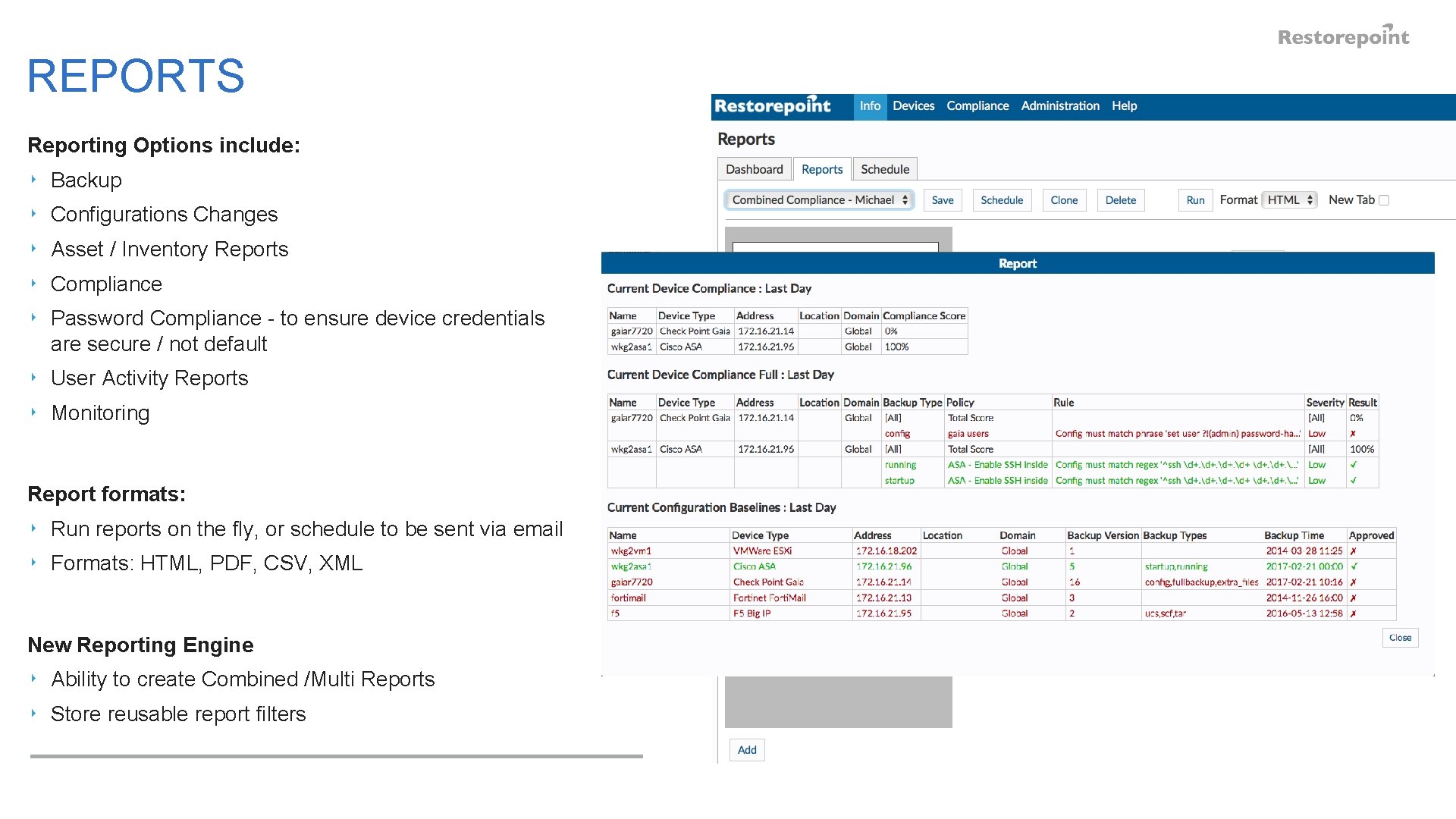
REPORTS Reporting Options include: ‣ Backup ‣ Configurations Changes ‣ Asset / Inventory Reports ‣ Compliance ‣ Password Compliance - to ensure device credentials are secure / not default ‣ User Activity Reports ‣ Monitoring Report formats: ‣ Run reports on the fly, or schedule to be sent via email ‣ Formats: HTML, PDF, CSV, XML New Reporting Engine ‣ Ability to create Combined /Multi Reports ‣ Store reusable report filters
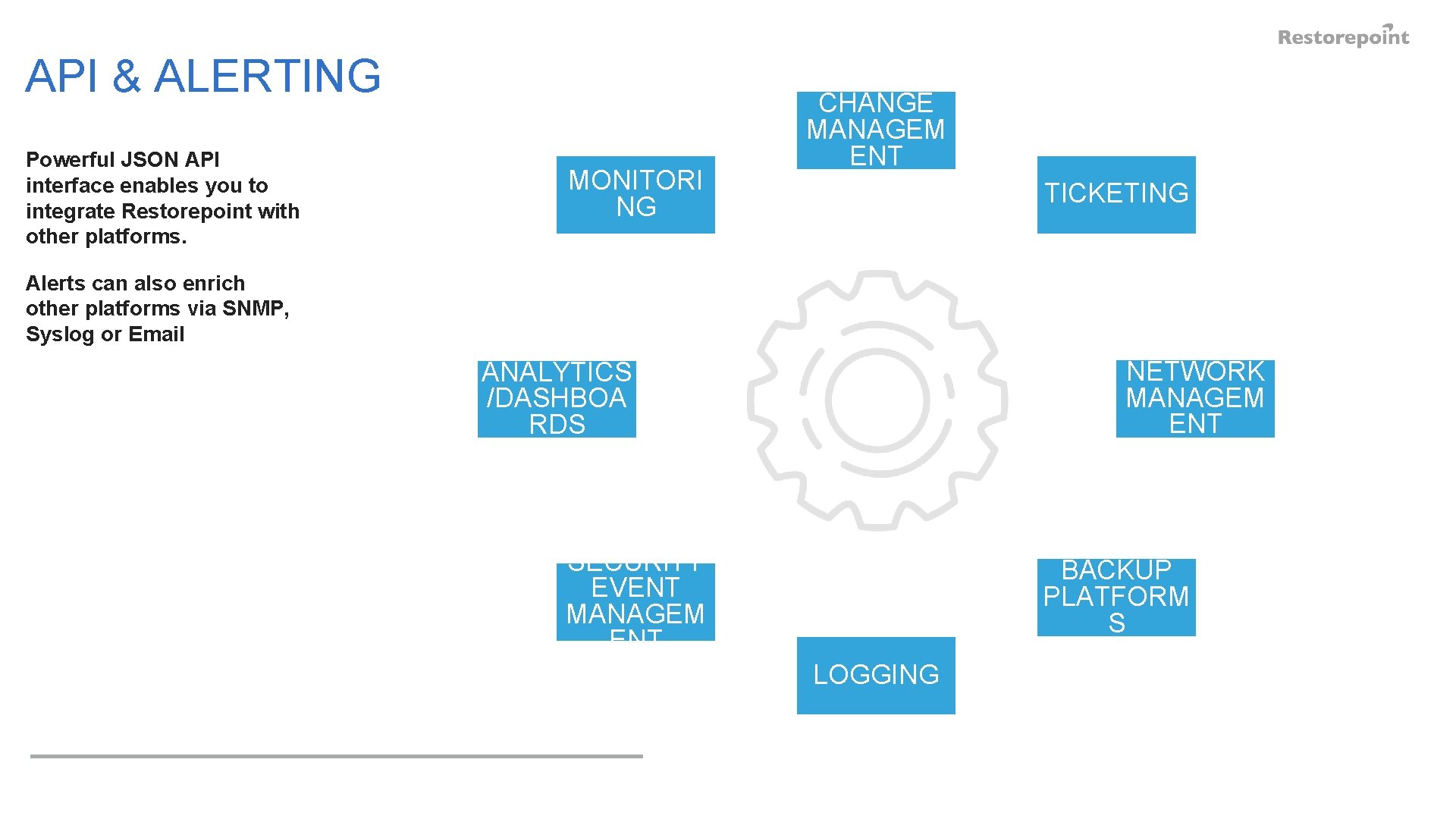
API & ALERTING Powerful JSON API interface enables you to integrate Restorepoint with other platforms. MONITORI NG CHANGE MANAGEM ENT TICKETING Alerts can also enrich other platforms via SNMP, Syslog or Email NETWORK MANAGEM ENT ANALYTICS /DASHBOA RDS SECURITY EVENT MANAGEM ENT BACKUP PLATFORM S LOGGING
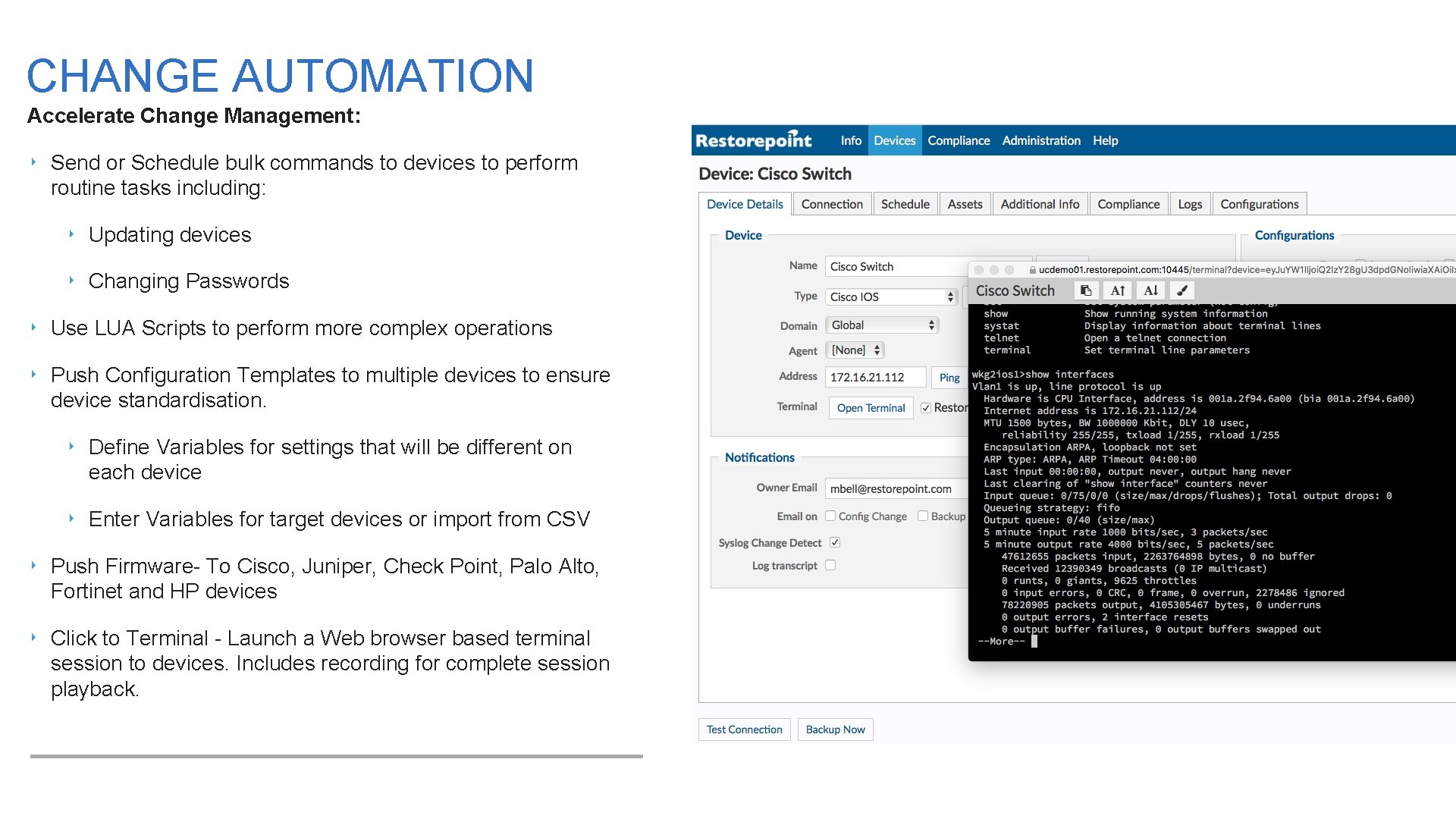
CHANGE AUTOMATION Accelerate Change Management: ‣ Send or Schedule bulk commands to devices to perform routine tasks including: ‣ Updating devices ‣ Changing Passwords ‣ Use LUA Scripts to perform more complex operations ‣ Push Configuration Templates to multiple devices to ensure device standardisation. ‣ Define Variables for settings that will be different on each device ‣ Enter Variables for target devices or import from CSV ‣ Push Firmware- To Cisco, Juniper, Check Point, Palo Alto, Fortinet and HP devices ‣ Click to Terminal - Launch a Web browser based terminal session to devices. Includes recording for complete session playback.
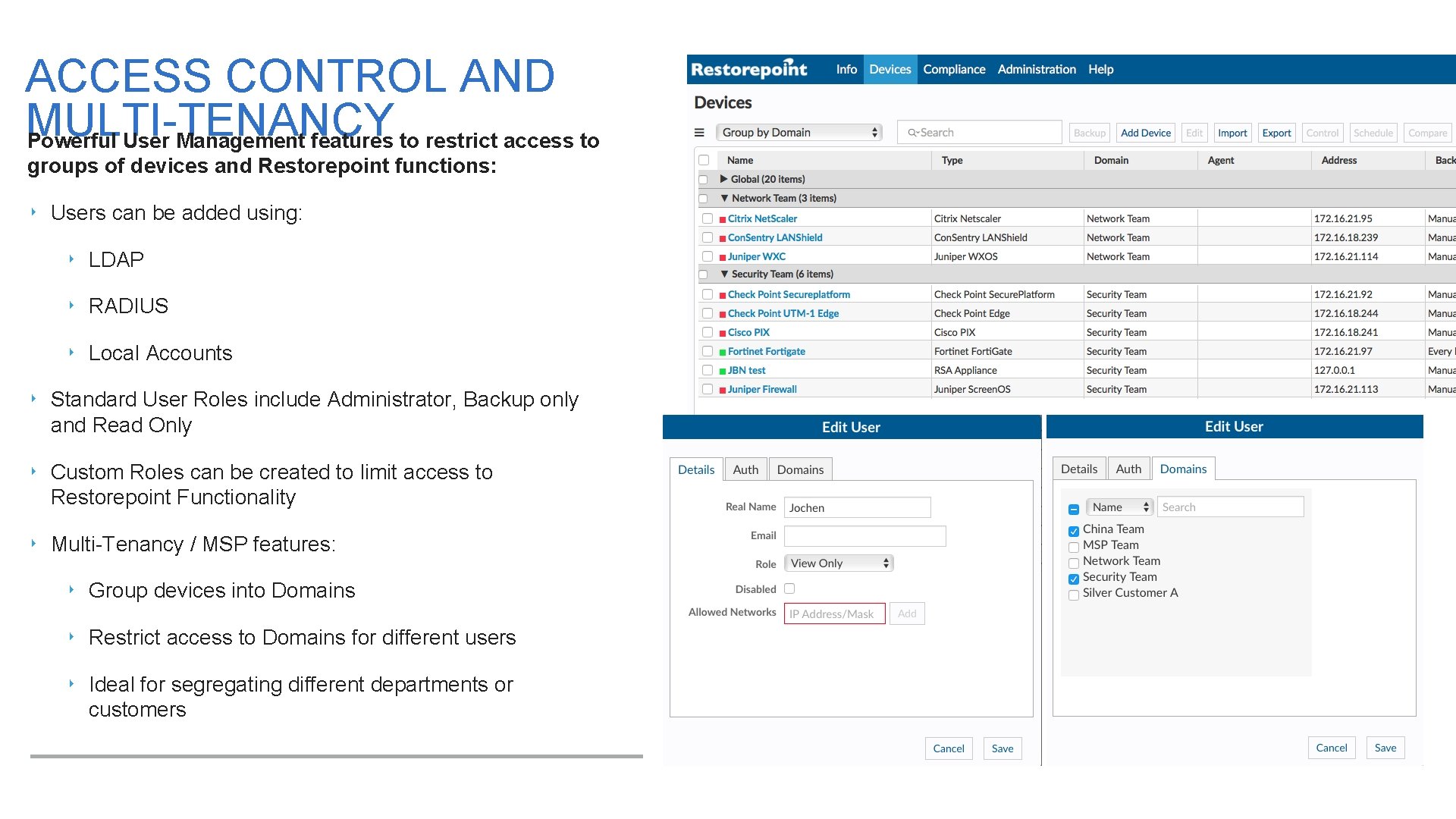
ACCESS CONTROL AND MULTI-TENANCY Powerful User Management features to restrict access to groups of devices and Restorepoint functions: ‣ Users can be added using: ‣ LDAP ‣ RADIUS ‣ Local Accounts ‣ Standard User Roles include Administrator, Backup only and Read Only ‣ Custom Roles can be created to limit access to Restorepoint Functionality ‣ Multi-Tenancy / MSP features: ‣ Group devices into Domains ‣ Restrict access to Domains for different users ‣ Ideal for segregating different departments or customers
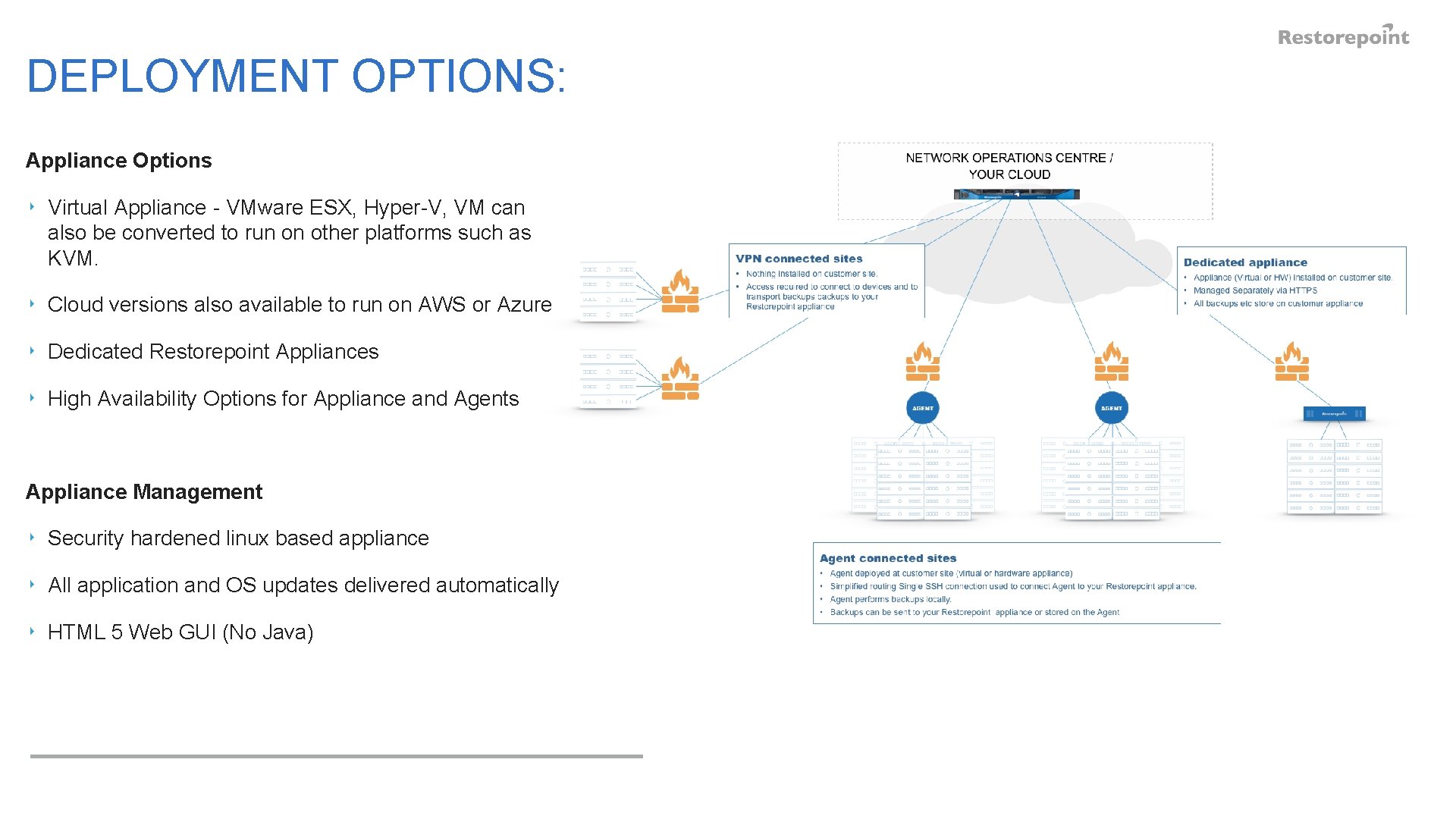
DEPLOYMENT OPTIONS: Appliance Options ‣ Virtual Appliance - VMware ESX, Hyper-V, VM can also be converted to run on other platforms such as KVM. ‣ Cloud versions also available to run on AWS or Azure ‣ Dedicated Restorepoint Appliances ‣ High Availability Options for Appliance and Agents Appliance Management ‣ Security hardened linux based appliance ‣ All application and OS updates delivered automatically ‣ HTML 5 Web GUI (No Java)
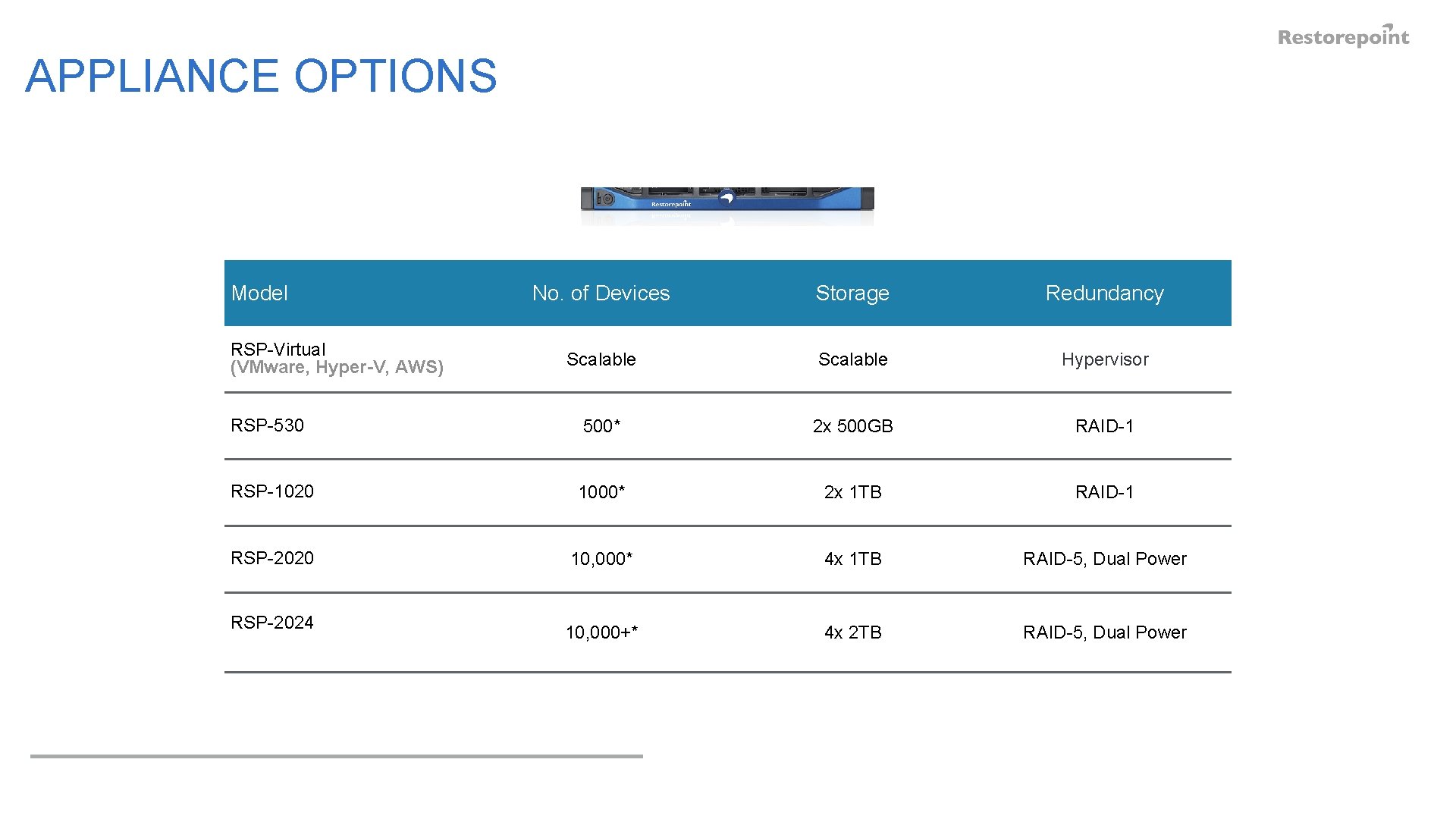
APPLIANCE OPTIONS Model No. of Devices Storage Redundancy Scalable Hypervisor RSP-530 500* 2 x 500 GB RAID-1 RSP-1020 1000* 2 x 1 TB RAID-1 RSP-2020 10, 000* 4 x 1 TB RAID-5, Dual Power 10, 000+* 4 x 2 TB RAID-5, Dual Power RSP-Virtual (VMware, Hyper-V, AWS) RSP-2024

OUR CUSTOMERS INCLUDE:
ANY QUESTIONS?
- Slides: 17