
FASTER Processing in Skyward Megan Van Deventer State


- Slides: 25
FASTER Processing in Skyward Megan Van. Deventer State and Federal Compliance
This session will cover recent FASTER updates and walk through FASTER transcript processing in Skyward. Recent Updates FASTER Configuration FASTER Processing
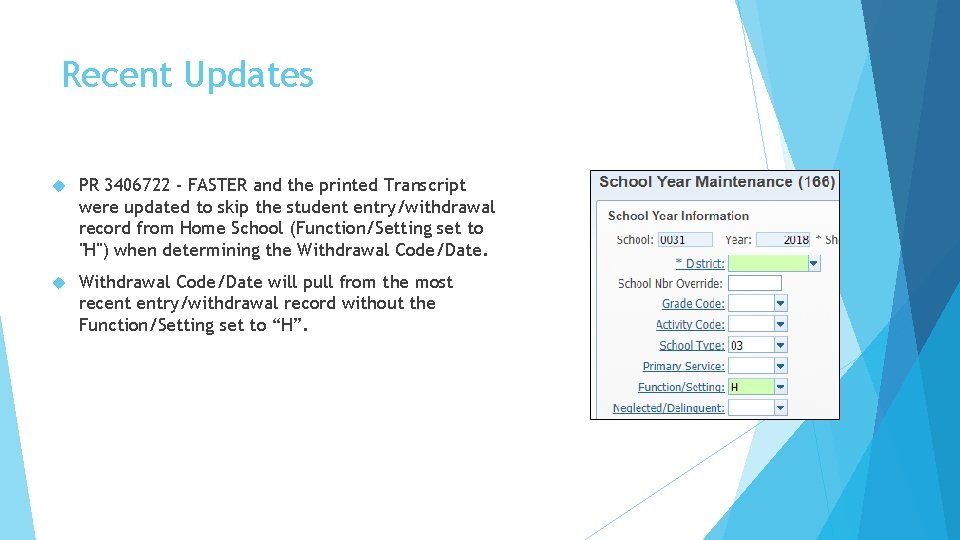
Recent Updates PR 3406722 - FASTER and the printed Transcript were updated to skip the student entry/withdrawal record from Home School (Function/Setting set to "H") when determining the Withdrawal Code/Date will pull from the most recent entry/withdrawal record without the Function/Setting set to “H”.
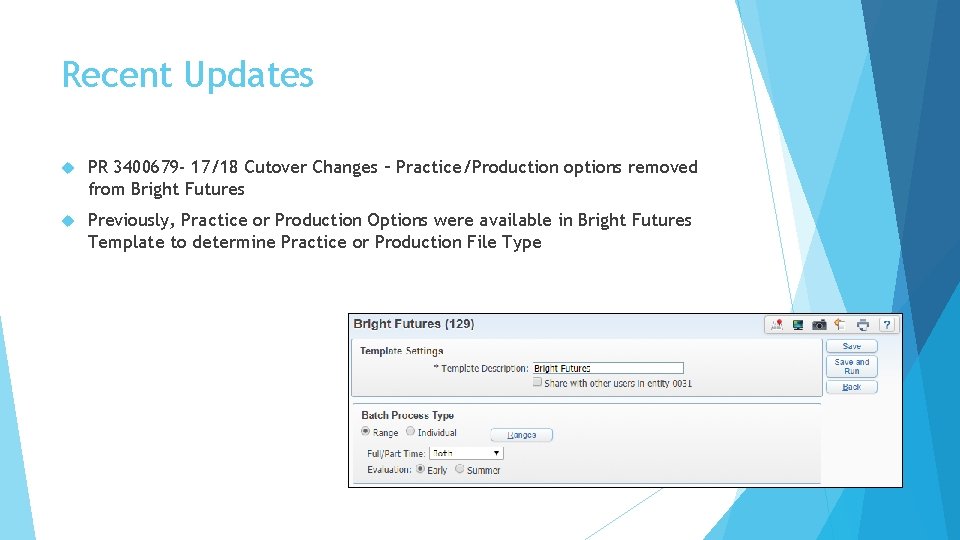
Recent Updates PR 3400679 - 17/18 Cutover Changes – Practice/Production options removed from Bright Futures Previously, Practice or Production Options were available in Bright Futures Template to determine Practice or Production File Type
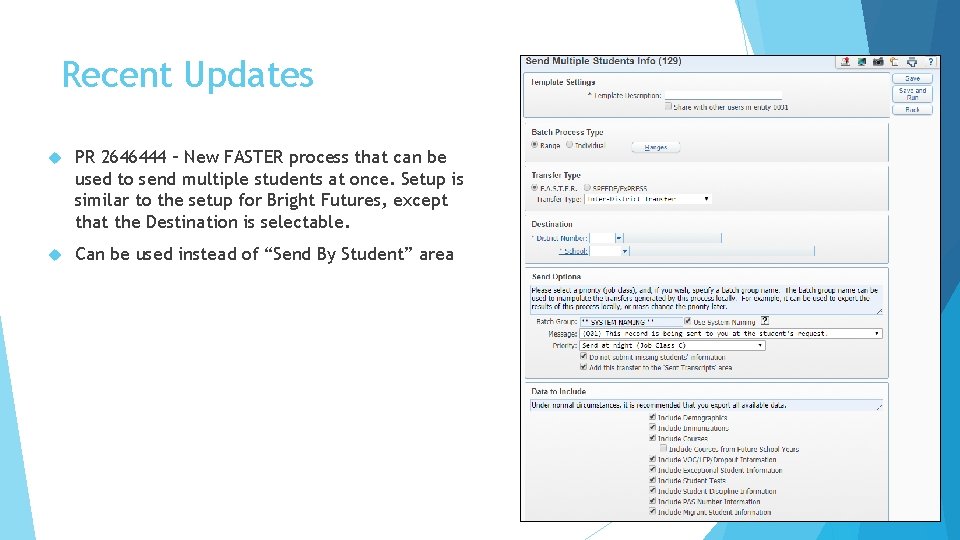
Recent Updates PR 2646444 – New FASTER process that can be used to send multiple students at once. Setup is similar to the setup for Bright Futures, except that the Destination is selectable. Can be used instead of “Send By Student” area
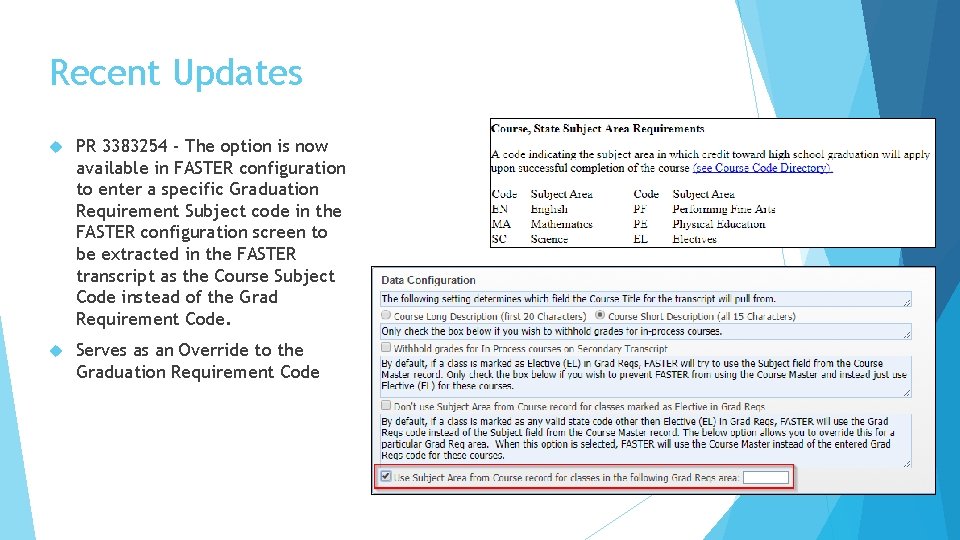
Recent Updates PR 3383254 - The option is now available in FASTER configuration to enter a specific Graduation Requirement Subject code in the FASTER configuration screen to be extracted in the FASTER transcript as the Course Subject Code instead of the Grad Requirement Code. Serves as an Override to the Graduation Requirement Code
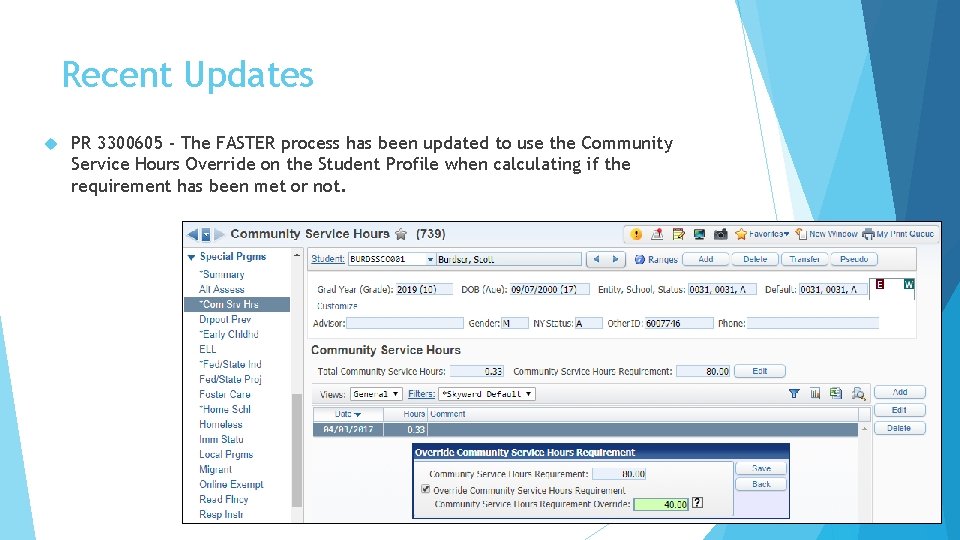
Recent Updates PR 3300605 - The FASTER process has been updated to use the Community Service Hours Override on the Student Profile when calculating if the requirement has been met or not.
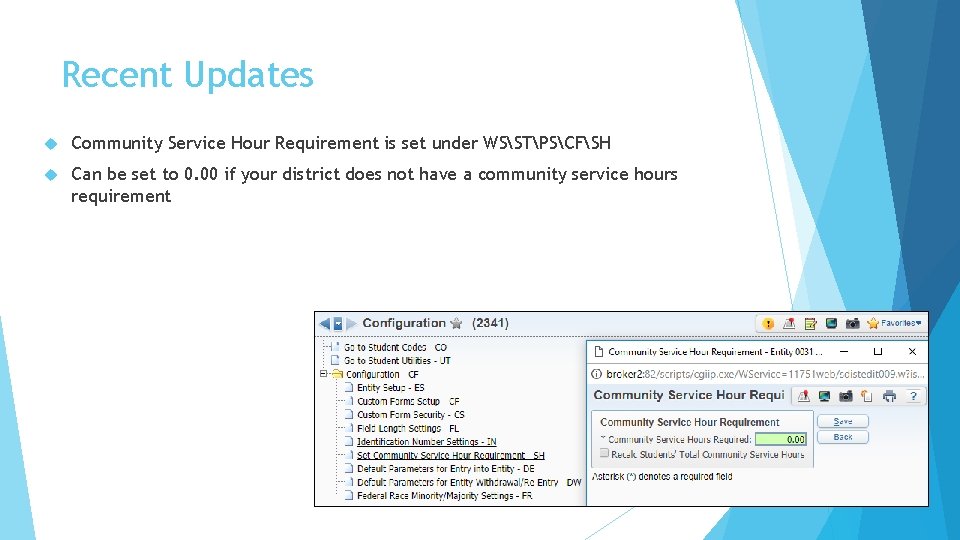
Recent Updates Community Service Hour Requirement is set under WSSTPSCFSH Can be set to 0. 00 if your district does not have a community service hours requirement
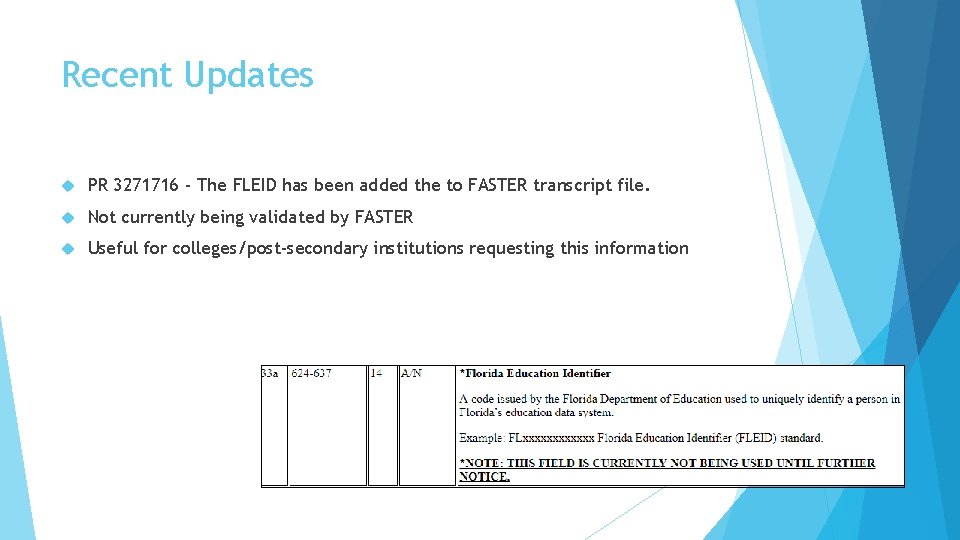
Recent Updates PR 3271716 - The FLEID has been added the to FASTER transcript file. Not currently being validated by FASTER Useful for colleges/post-secondary institutions requesting this information
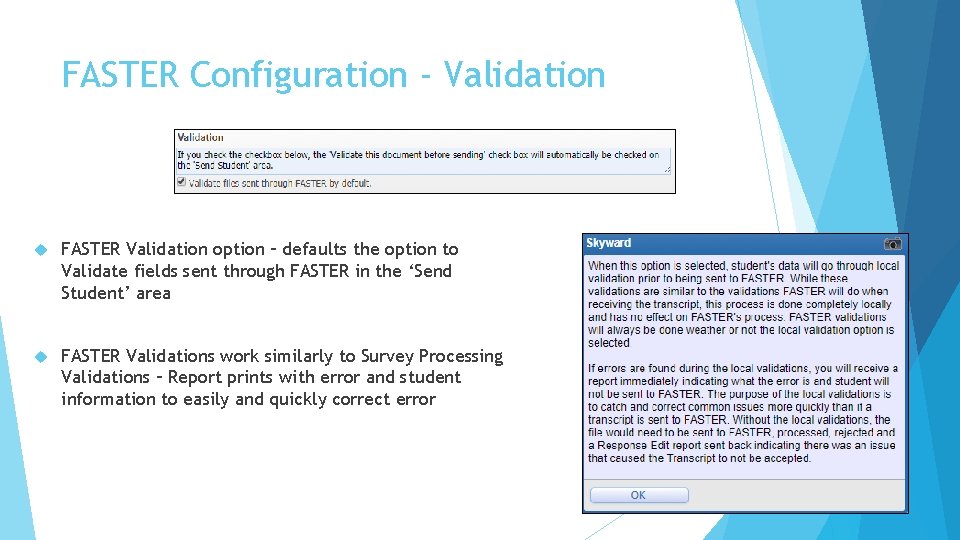
FASTER Configuration - Validation FASTER Validation option – defaults the option to Validate fields sent through FASTER in the ‘Send Student’ area FASTER Validations work similarly to Survey Processing Validations – Report prints with error and student information to easily and quickly correct error
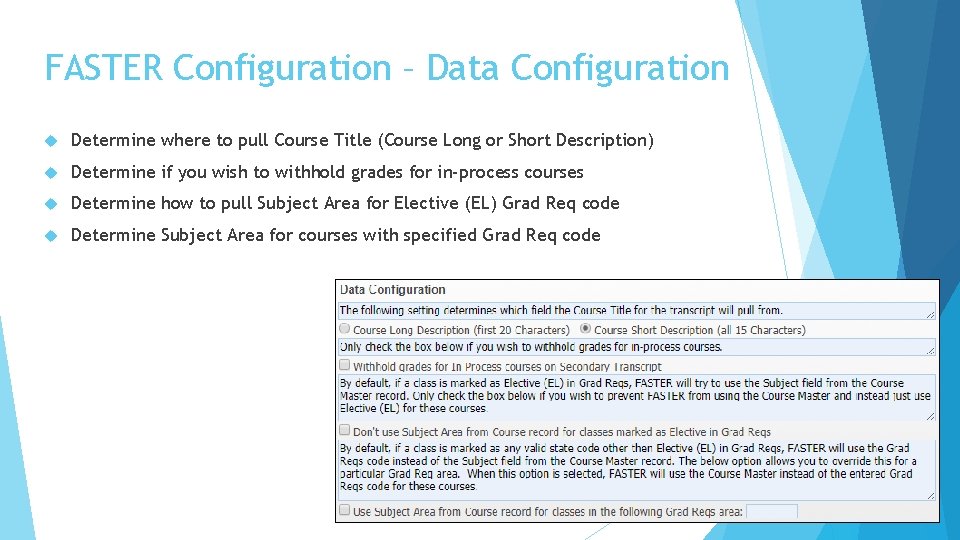
FASTER Configuration – Data Configuration Determine where to pull Course Title (Course Long or Short Description) Determine if you wish to withhold grades for in-process courses Determine how to pull Subject Area for Elective (EL) Grad Req code Determine Subject Area for courses with specified Grad Req code
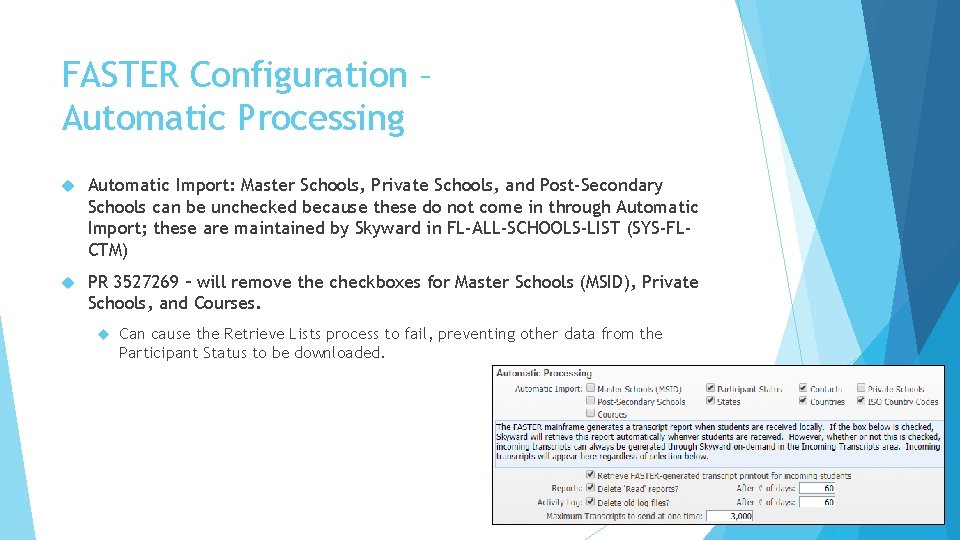
FASTER Configuration – Automatic Processing Automatic Import: Master Schools, Private Schools, and Post-Secondary Schools can be unchecked because these do not come in through Automatic Import; these are maintained by Skyward in FL-ALL-SCHOOLS-LIST (SYS-FLCTM) PR 3527269 – will remove the checkboxes for Master Schools (MSID), Private Schools, and Courses. Can cause the Retrieve Lists process to fail, preventing other data from the Participant Status to be downloaded.
FASTER Configuration Application Server Info usually does not need to be changed once setup is complete F. A. S. T. E. R. Mainframe Configuration usually does not need to be changed once setup is complete File Names usually do not need to be changed once setup is complete JCL Files usually do not need to be changed once setup is complete
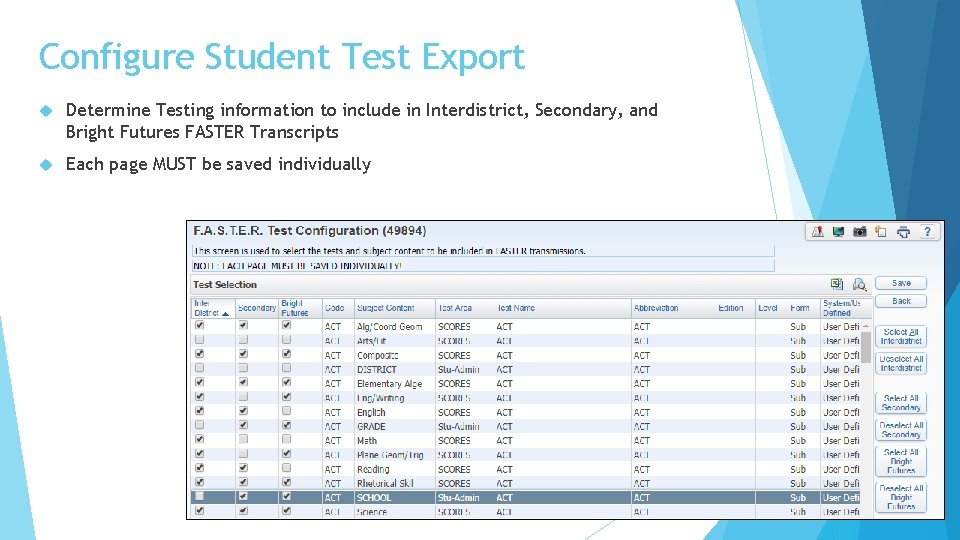
Configure Student Test Export Determine Testing information to include in Interdistrict, Secondary, and Bright Futures FASTER Transcripts Each page MUST be saved individually
F. A. S. T. E. R 1. Send Student Info Sending Student Info View Outgoing Transmissions 2. Requesting Student Info 3. Approve/Deny Requests Retrieve Incoming Files
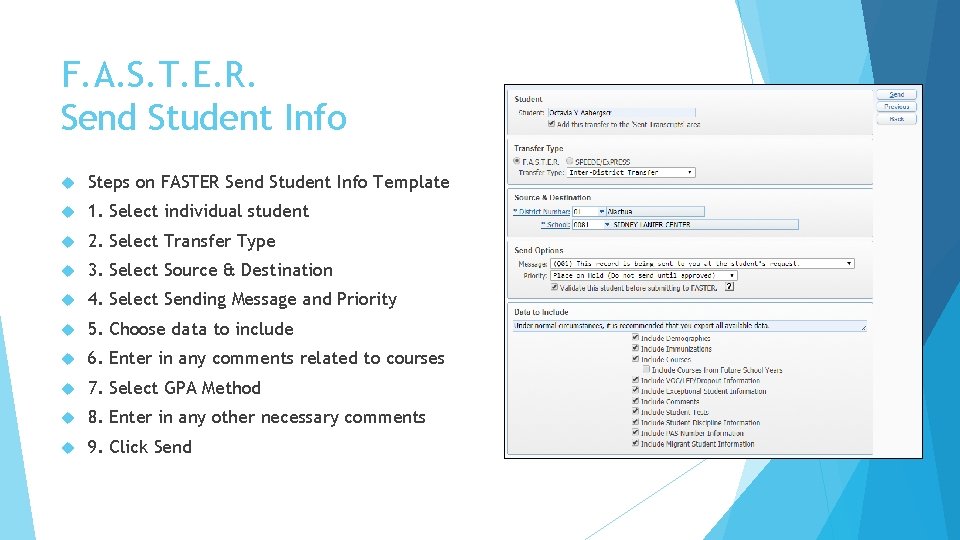
F. A. S. T. E. R. Send Student Info Steps on FASTER Send Student Info Template 1. Select individual student 2. Select Transfer Type 3. Select Source & Destination 4. Select Sending Message and Priority 5. Choose data to include 6. Enter in any comments related to courses 7. Select GPA Method 8. Enter in any other necessary comments 9. Click Send
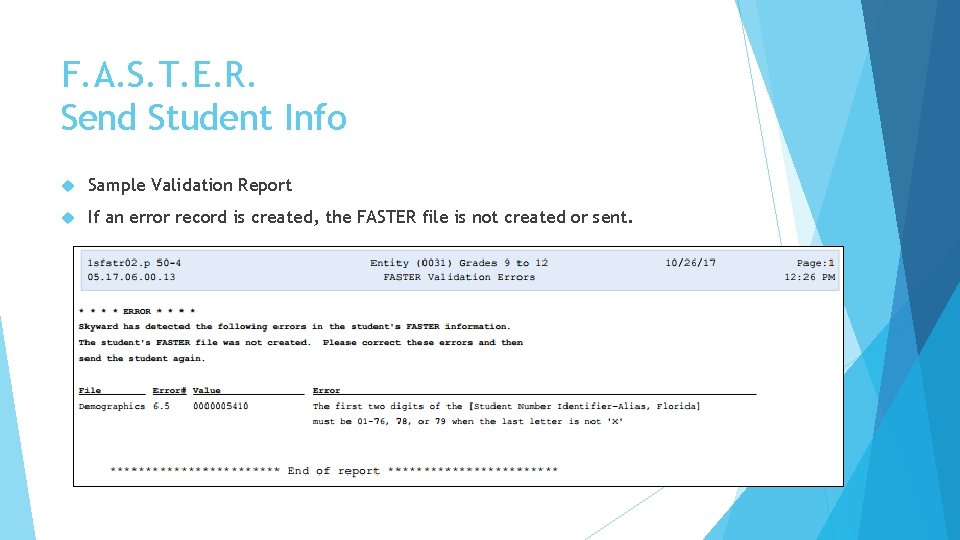
F. A. S. T. E. R. Send Student Info Sample Validation Report If an error record is created, the FASTER file is not created or sent.
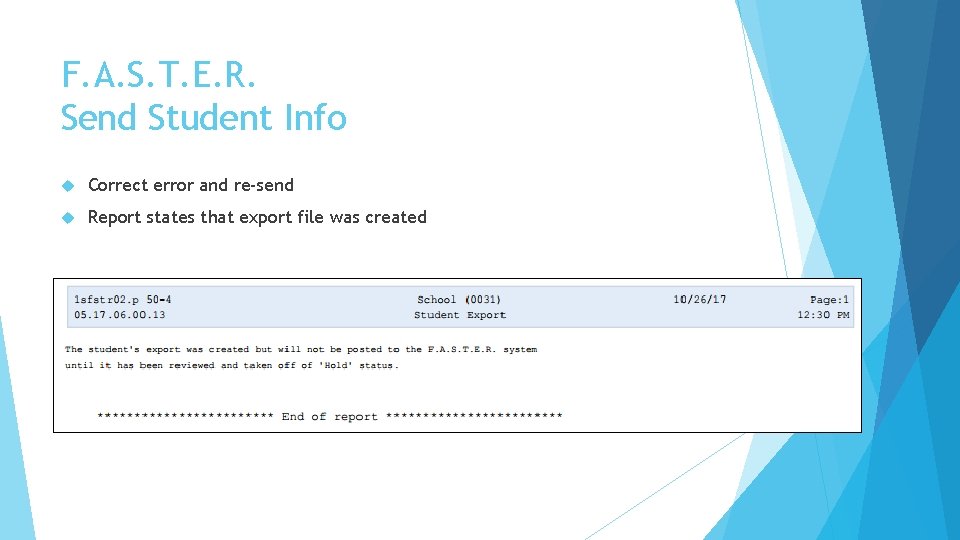
F. A. S. T. E. R. Send Student Info Correct error and re-send Report states that export file was created
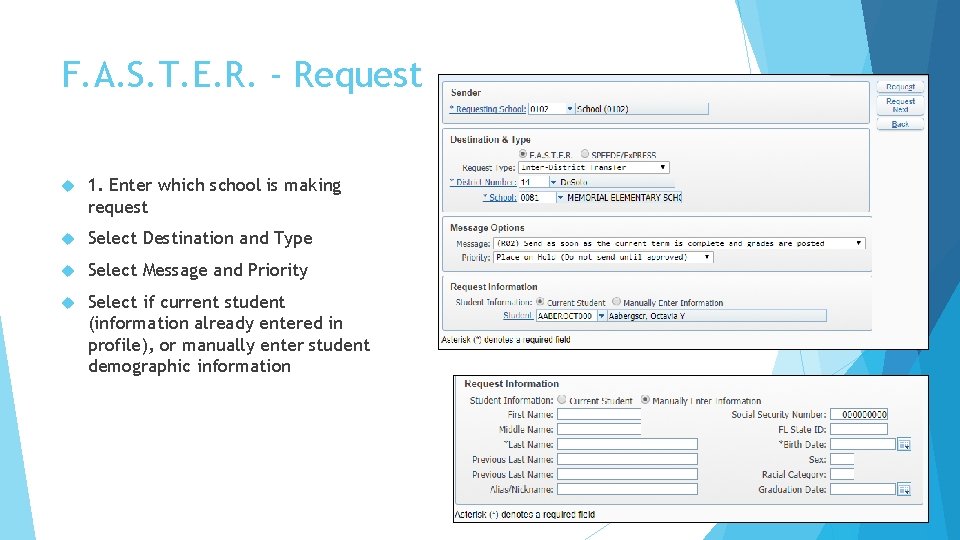
F. A. S. T. E. R. - Request 1. Enter which school is making request Select Destination and Type Select Message and Priority Select if current student (information already entered in profile), or manually enter student demographic information
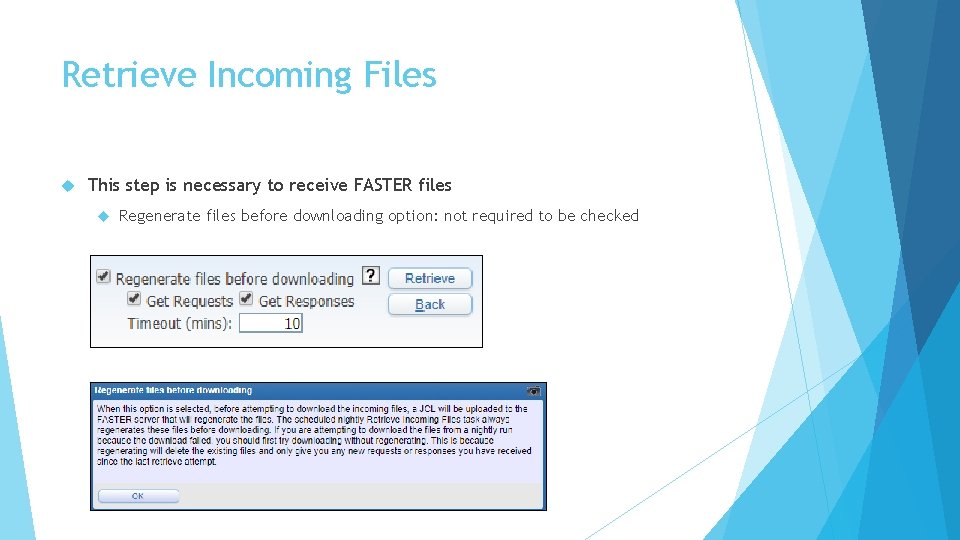
Retrieve Incoming Files This step is necessary to receive FASTER files Regenerate files before downloading option: not required to be checked
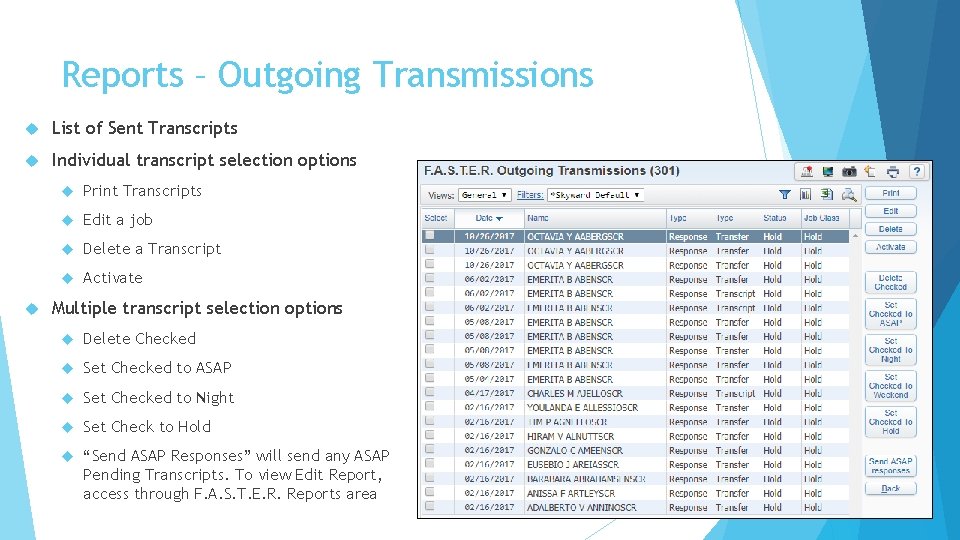
Reports – Outgoing Transmissions List of Sent Transcripts Individual transcript selection options Print Transcripts Edit a job Delete a Transcript Activate Multiple transcript selection options Delete Checked Set Checked to ASAP Set Checked to Night Set Check to Hold “Send ASAP Responses” will send any ASAP Pending Transcripts. To view Edit Report, access through F. A. S. T. E. R. Reports area
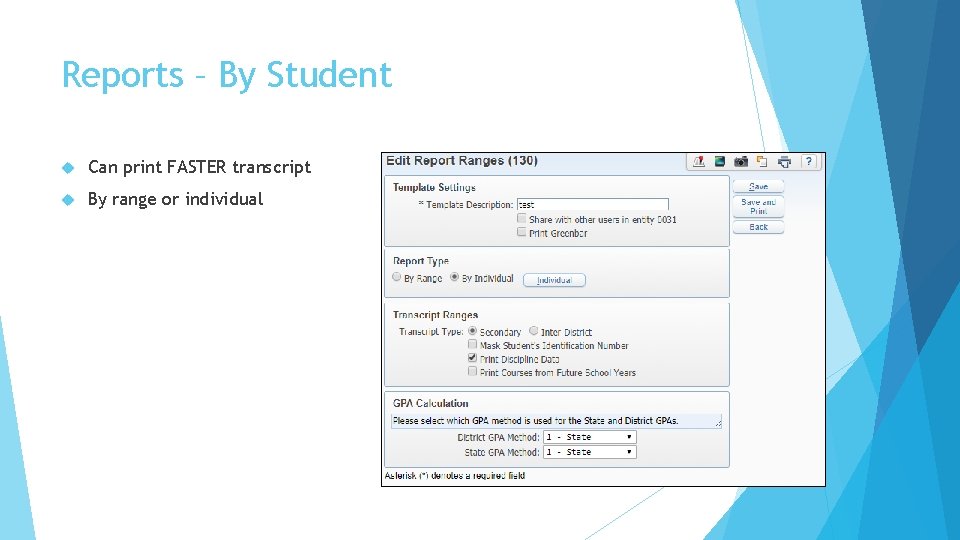
Reports – By Student Can print FASTER transcript By range or individual
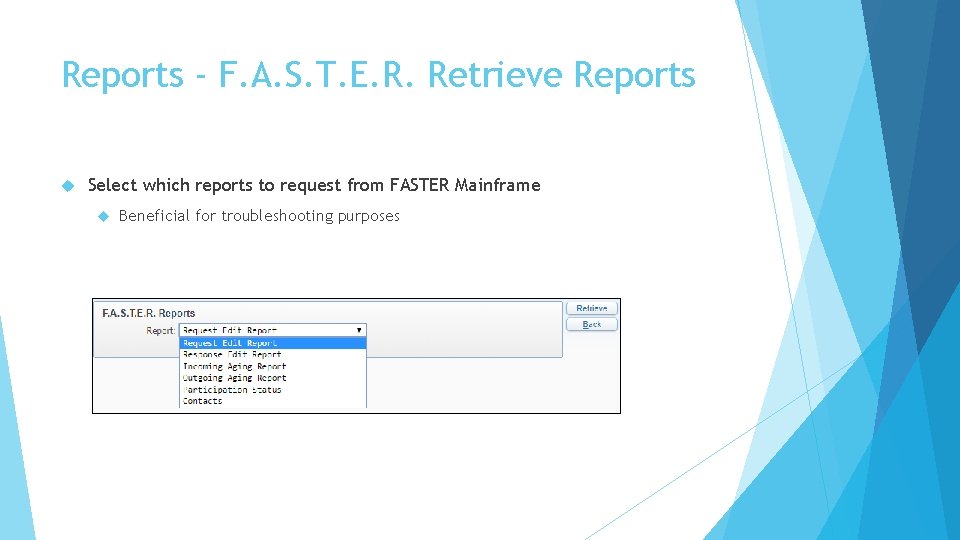
Reports - F. A. S. T. E. R. Retrieve Reports Select which reports to request from FASTER Mainframe Beneficial for troubleshooting purposes
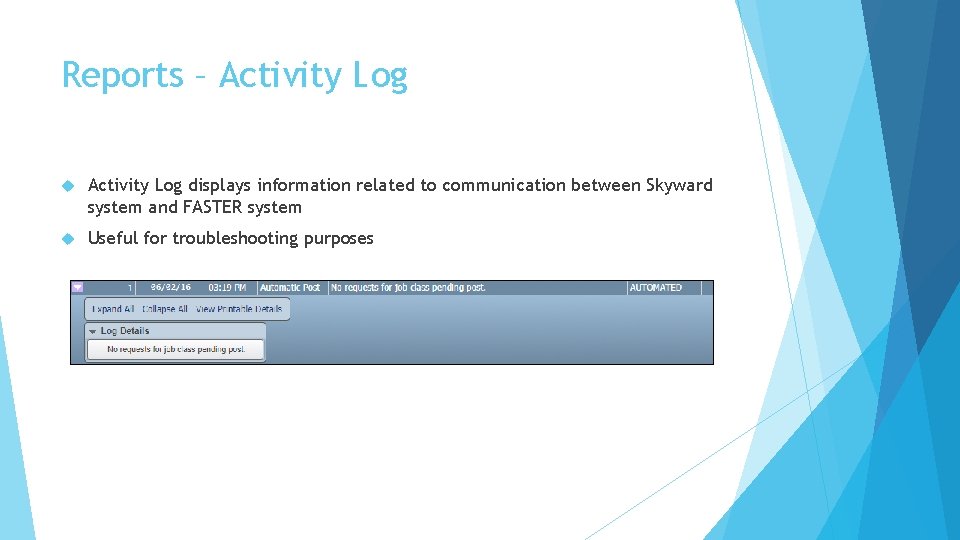
Reports – Activity Log displays information related to communication between Skyward system and FASTER system Useful for troubleshooting purposes