
Fast Wire Scans Update and Writing Robust MATLAB
Fast Wire Scans Update and Writing Robust MATLAB GUIs Greg White Many thanks to K. Luchini, S. Hoobler, W. Colocho, P. Krejick, L. Piccoli, Z. Oven 6 -July-2016, SLAC
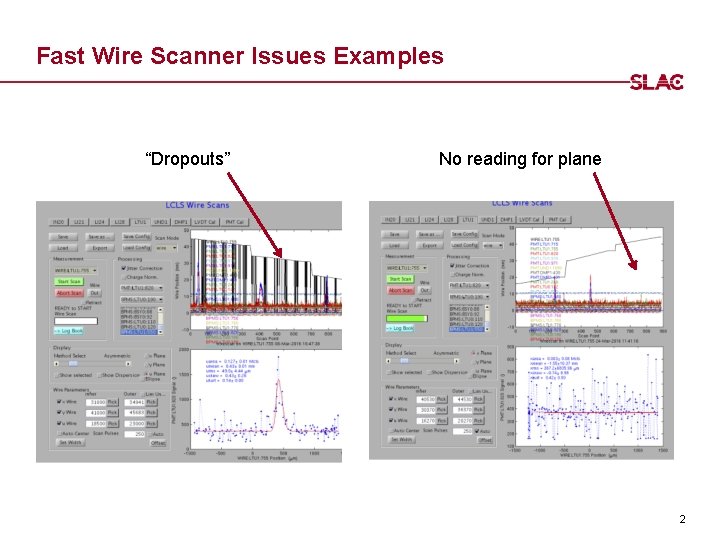
Fast Wire Scanner Issues Examples “Dropouts” No reading for plane 2
Wire Scanner controls issues • 38 issues discovered • All software ones fixed, or implemented workarounds • All 3 Caters resolved: • “hangs” – fixed by error handling • “Get Data” not working. Fixed by better reporting • Scale to 10 Hz. Done. • Many motor position "drop-outs" caused by incorrect EVR polarity • EPICS IOC db was incomplete for all Fast Wire Scanners • EPICS FWS Sequencer was/is incomplete • EPICS IOC channel. Watcher file was incomplete, so PV resets on IOC boot • GUI range configs were wrong, probably caused by Ops attempt to fix or work around other problems. Fixed by resetting to good range configs. 3

New Wire Scanner GUI 4
Wire Scanner GUI Issues and redesign • GUI Error handling issues: • • Often didn’t check if things worked Didn’t say what it was doing Didn’t have room to display complex messages Logging wasn’t “traceable” from what happened in EPICS to what GUI couldn’t do Couldn’t find log files easily Log files didn’t say where in the code errors occurred No consistent error propagation, so high level code knew status of low level code Solutions: • • • Redesigned User Interface for better messaging Added logging Invented error handling pattern, for robust, friendly GUIs 5
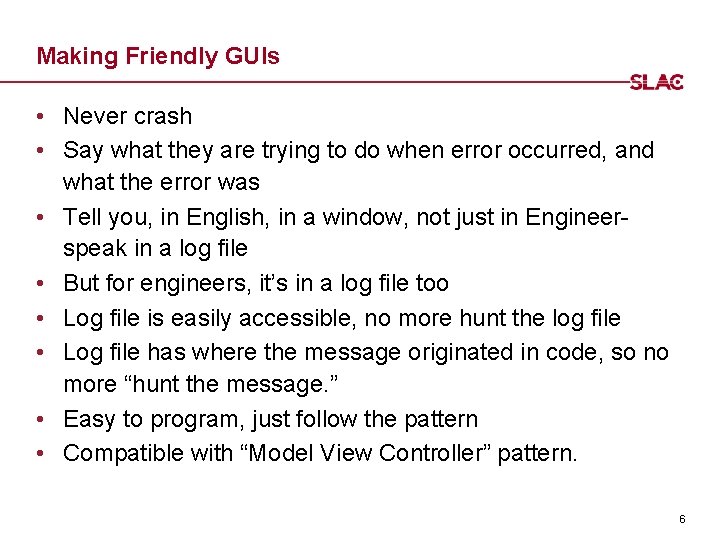
Making Friendly GUIs • Never crash • Say what they are trying to do when error occurred, and what the error was • Tell you, in English, in a window, not just in Engineerspeak in a log file • But for engineers, it’s in a log file too • Log file is easily accessible, no more hunt the log file • Log file has where the message originated in code, so no more “hunt the message. ” • Easy to program, just follow the pattern • Compatible with “Model View Controller” pattern. 6
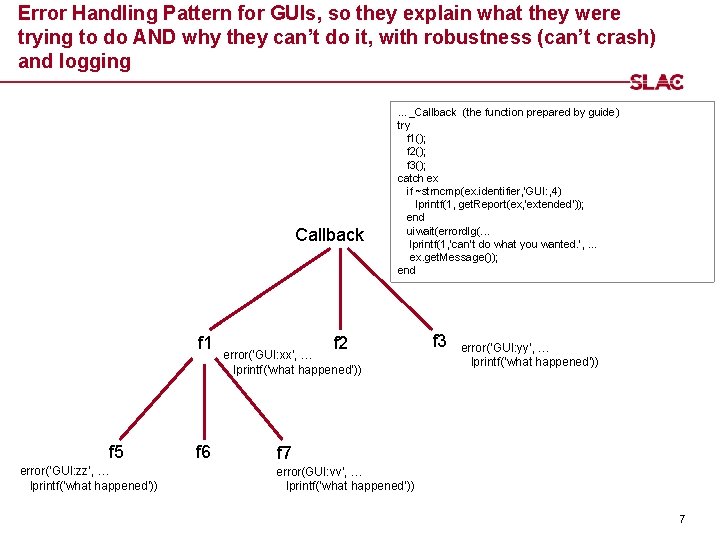
Error Handling Pattern for GUIs, so they explain what they were trying to do AND why they can’t do it, with robustness (can’t crash) and logging Callback f 1 f 5 error(‘GUI: zz’, … lprintf(‘what happened’)) f 6 …_Callback (the function prepared by guide) try f 1(); f 2(); f 3(); catch ex if ~strncmp(ex. identifier, ’GUI: , 4) lprintf(1, get. Report(ex, 'extended')); end uiwait(errordlg(. . . lprintf(1, ‘can’t do what you wanted. ’, . . . ex. get. Message()); end f 2 error(‘GUI: xx’, … lprintf(‘what happened’)) f 3 error(‘GUI: yy’, … lprintf(‘what happened’)) f 7 error(GUI: vv’, … lprintf(‘what happened’)) 7
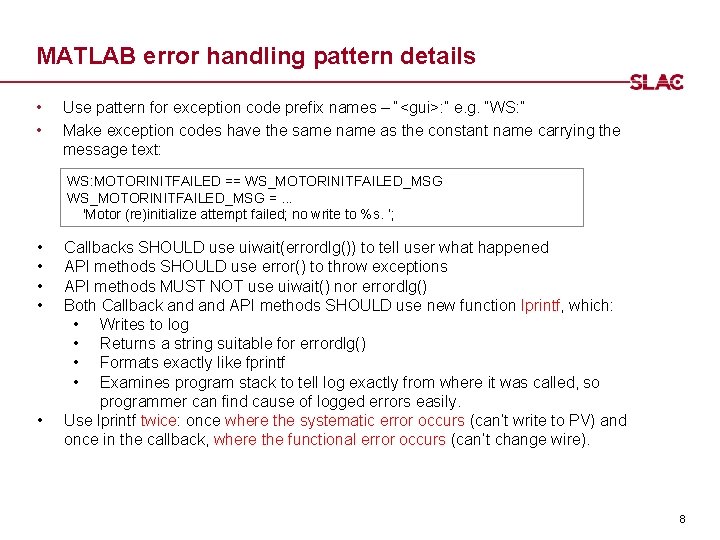
MATLAB error handling pattern details • • Use pattern for exception code prefix names – “<gui>: ” e. g. “WS: ” Make exception codes have the same name as the constant name carrying the message text: WS: MOTORINITFAILED == WS_MOTORINITFAILED_MSG =. . . 'Motor (re)initialize attempt failed; no write to %s. ’; • • • Callbacks SHOULD use uiwait(errordlg()) to tell user what happened API methods SHOULD use error() to throw exceptions API methods MUST NOT use uiwait() nor errordlg() Both Callback and API methods SHOULD use new function lprintf, which: • Writes to log • Returns a string suitable for errordlg() • Formats exactly like fprintf • Examines program stack to tell log exactly from where it was called, so programmer can find cause of logged errors easily. Use lprintf twice: once where the systematic error occurs (can’t write to PV) and once in the callback, where the functional error occurs (can’t change wire). 8
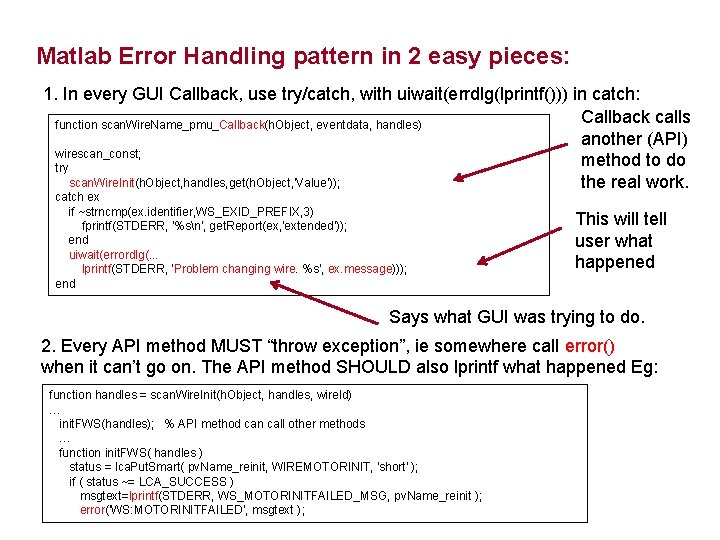
Matlab Error Handling pattern in 2 easy pieces: 1. In every GUI Callback, use try/catch, with uiwait(errdlg(lprintf())) in catch: Callback calls function scan. Wire. Name_pmu_Callback(h. Object, eventdata, handles) another (API) wirescan_const; method to do try scan. Wire. Init(h. Object, handles, get(h. Object, 'Value')); the real work. catch ex if ~strncmp(ex. identifier, WS_EXID_PREFIX, 3) fprintf(STDERR, '%sn', get. Report(ex, 'extended')); end uiwait(errordlg(. . . lprintf(STDERR, 'Problem changing wire. %s', ex. message))); end This will tell user what happened Says what GUI was trying to do. 2. Every API method MUST “throw exception”, ie somewhere call error() when it can’t go on. The API method SHOULD also lprintf what happened Eg: function handles = scan. Wire. Init(h. Object, handles, wire. Id) … init. FWS(handles); % API method can call other methods … function init. FWS( handles ) status = lca. Put. Smart( pv. Name_reinit, WIREMOTORINIT, 'short' ); if ( status ~= LCA_SUCCESS ) msgtext=lprintf(STDERR, WS_MOTORINITFAILED_MSG, pv. Name_reinit ); error('WS: MOTORINITFAILED', msgtext );
- Slides: 9