
Fast Radiation Simulation and Visualized Data Processing Method




- Slides: 30
Fast Radiation Simulation and Visualized Data Processing Method GHMT R&D Center Accelerator Physics Department Jinlong Wang 2016 -9 -23
Abstract Typical FLUKA simulation time for a primary number 106 is 1~2 hours on a standalone computer, in order to get a better statistics, the general way is to increase the primary, for a complicated shielding case the primary number is up to 109. Thus a fast radiation simulation method is introduced which is called Multicore FLUKA. Flair and Simp. GEO are good additional tools for FLUKA, they are helpful to geometry model, compile an input file and visualize the standard FLUKA output. What more, Gun plot is powerful to merge multi data to figures. Full beam line radiation is also discussed. 2
Contents 1. Introduction 2. Fast Radiation Simulation 3. Complicated Model 4. Visualized Data Processing 5. Data Merge Method 6. Full Beam Line Simulation 7. Summary 3
1. Introduction
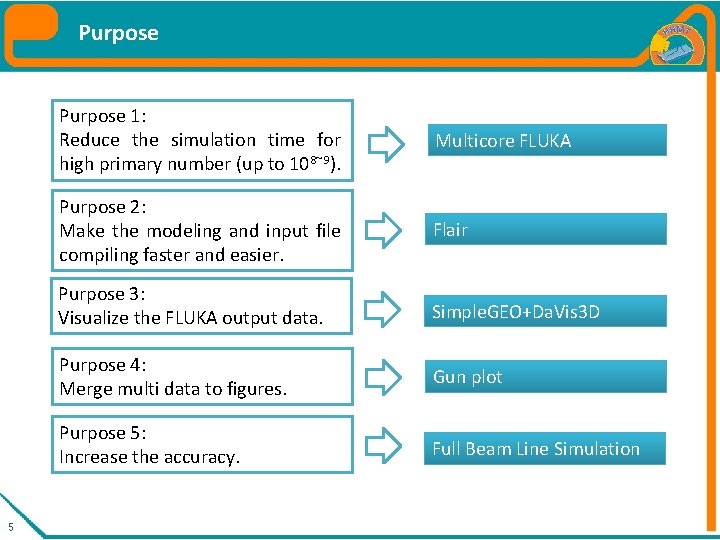
Purpose 5 Purpose 1: Reduce the simulation time for high primary number (up to 108~9). Multicore FLUKA Purpose 2: Make the modeling and input file compiling faster and easier. Flair Purpose 3: Visualize the FLUKA output data. Simple. GEO+Da. Vis 3 D Purpose 4: Merge multi data to figures. Gun plot Purpose 5: Increase the accuracy. Full Beam Line Simulation
2. Fast Radiation Simulation
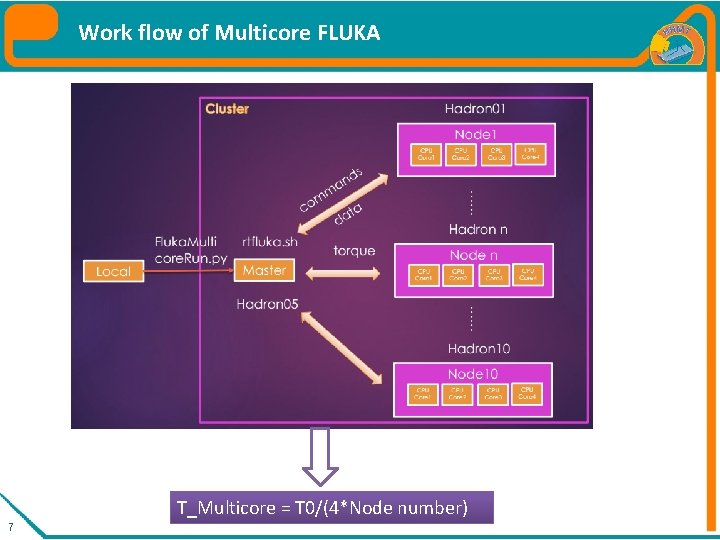
Work flow of Multicore FLUKA T_Multicore = T 0/(4*Node number) 7
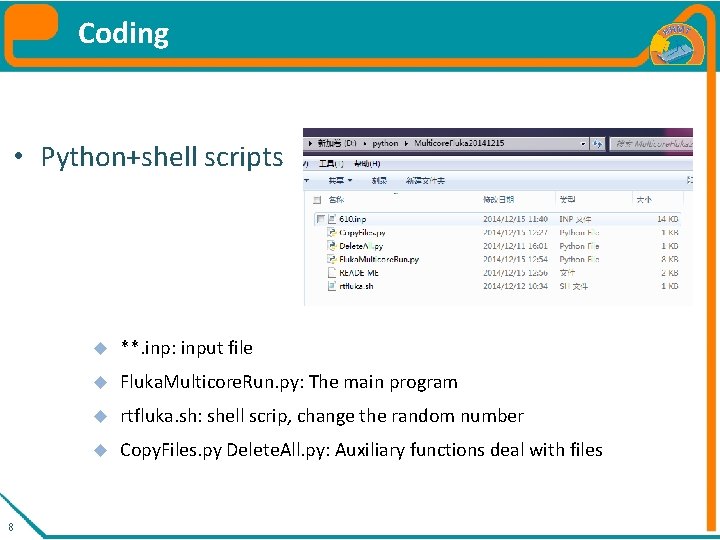
Coding • Python+shell scripts 8 **. inp: input file Fluka. Multicore. Run. py: The main program rtfluka. sh: shell scrip, change the random number Copy. Files. py Delete. All. py: Auxiliary functions deal with files
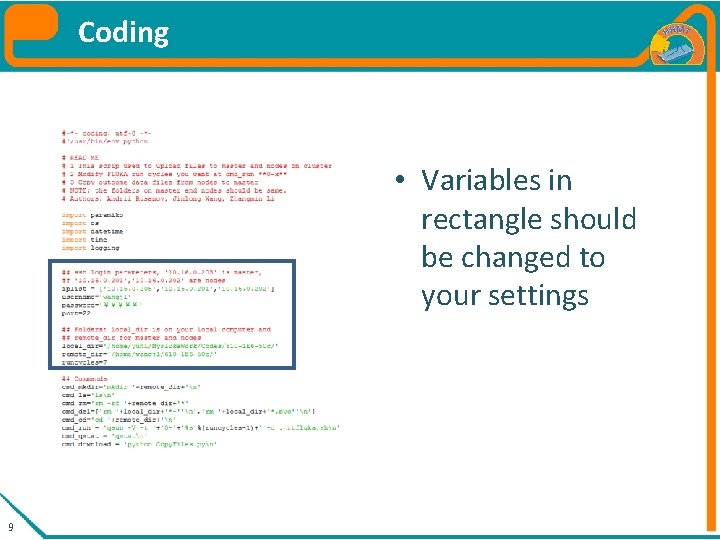
Coding Specification of Fluka. Multicore. Run. py • Variables in rectangle should be changed to your settings 9
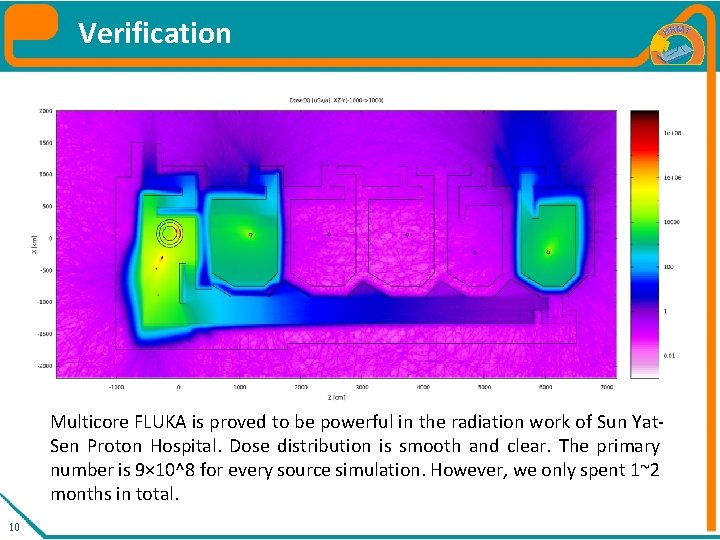
Verification Multicore FLUKA is proved to be powerful in the radiation work of Sun Yat. Sen Proton Hospital. Dose distribution is smooth and clear. The primary number is 9× 10^8 for every source simulation. However, we only spent 1~2 months in total. 10
3. Complicated model
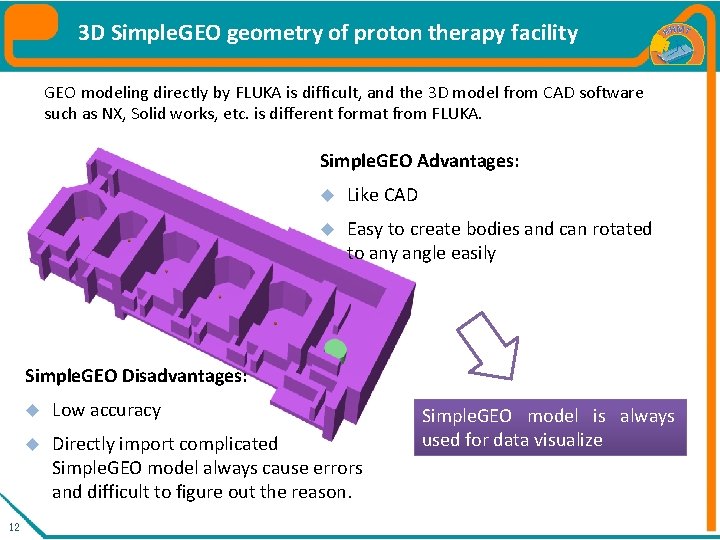
3 D Simple. GEO geometry of proton therapy facility GEO modeling directly by FLUKA is difficult, and the 3 D model from CAD software such as NX, Solid works, etc. is different format from FLUKA. Simple. GEO Advantages: Like CAD Easy to create bodies and can rotated to any angle easily Simple. GEO Disadvantages: 12 Low accuracy Directly import complicated Simple. GEO model always cause errors and difficult to figure out the reason. Simple. GEO model is always used for data visualize
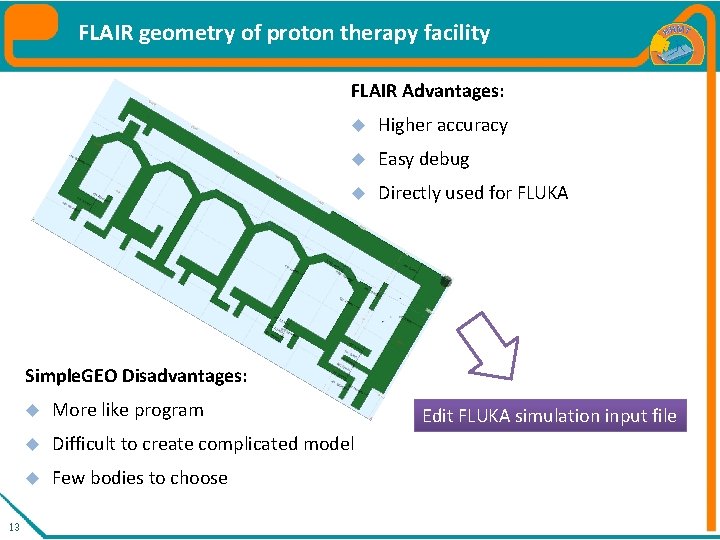
FLAIR geometry of proton therapy facility FLAIR Advantages: Higher accuracy Easy debug Directly used for FLUKA Simple. GEO Disadvantages: 13 More like program Difficult to create complicated model Few bodies to choose Edit FLUKA simulation input file
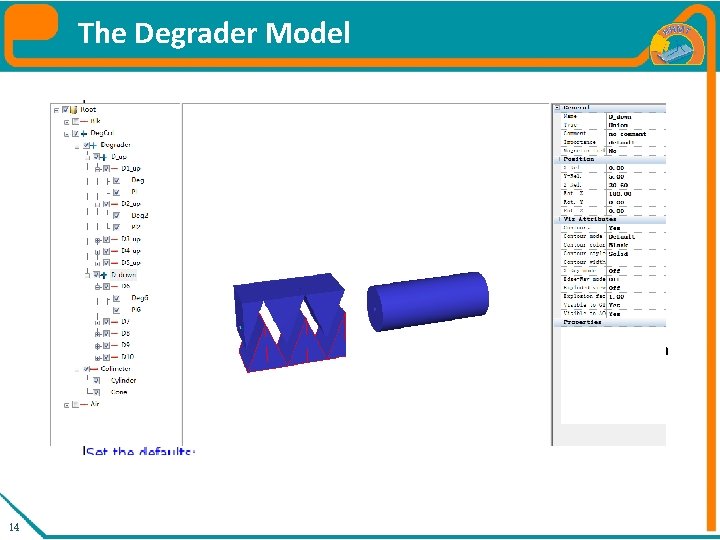
The Degrader Model FLAIR Slow but accurate Many parameters Simple GEO • Fast but almost can not work in fluka • Easy to rotate • Less parameters 14
4. Visualized Data Processing
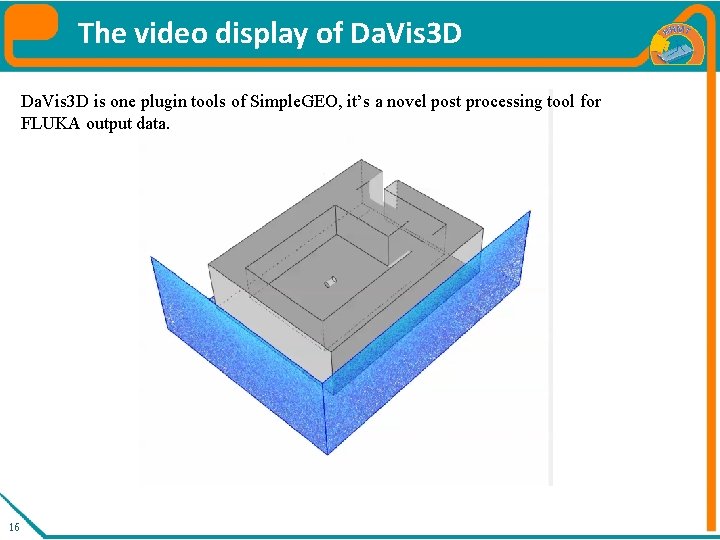
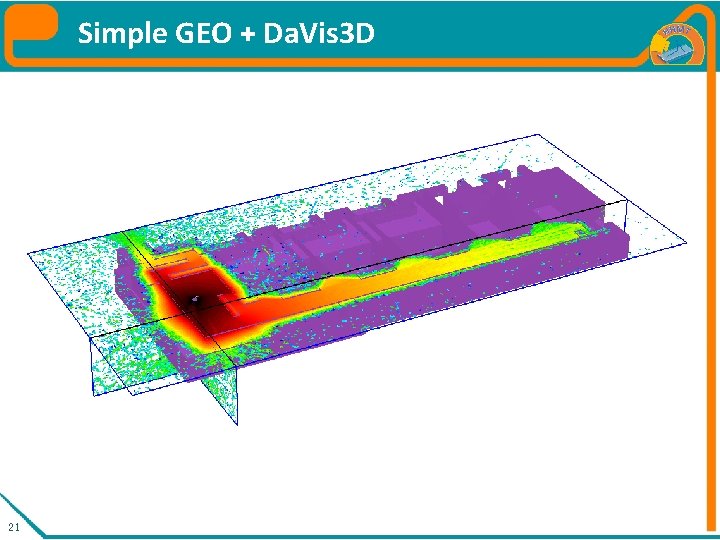
The video display of Da. Vis 3 D is one plugin tools of Simple. GEO, it’s a novel post processing tool for FLUKA output data. 16
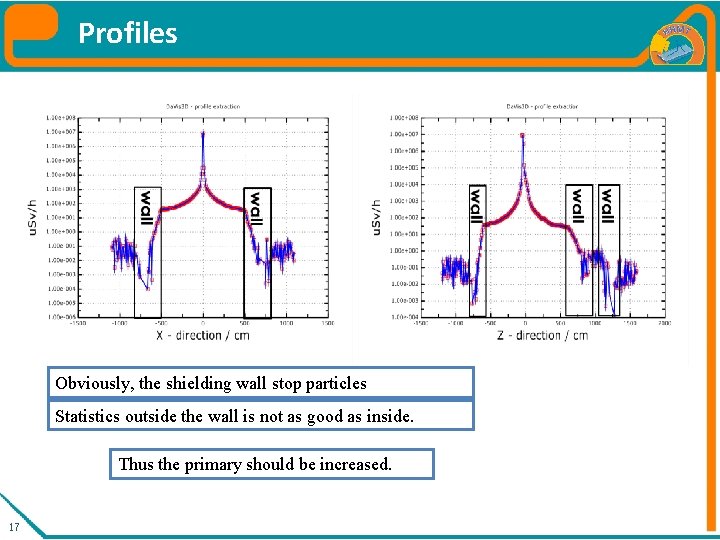
Profiles Obviously, the shielding wall stop particles Statistics outside the wall is not as good as inside. Thus the primary should be increased. 17
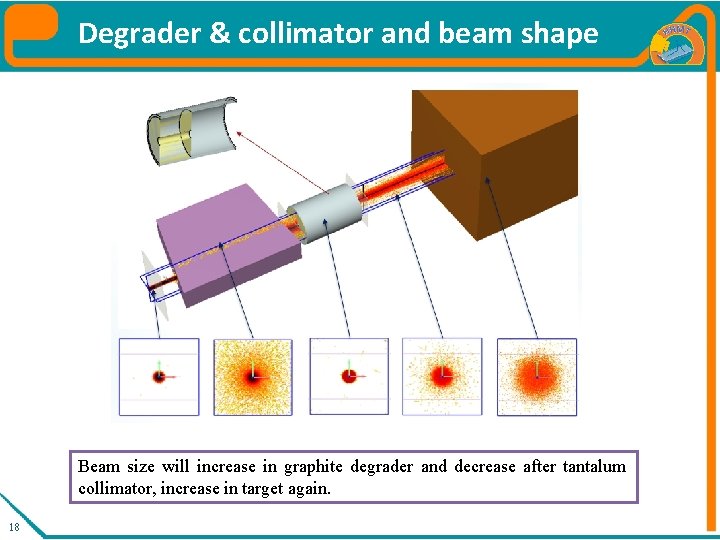
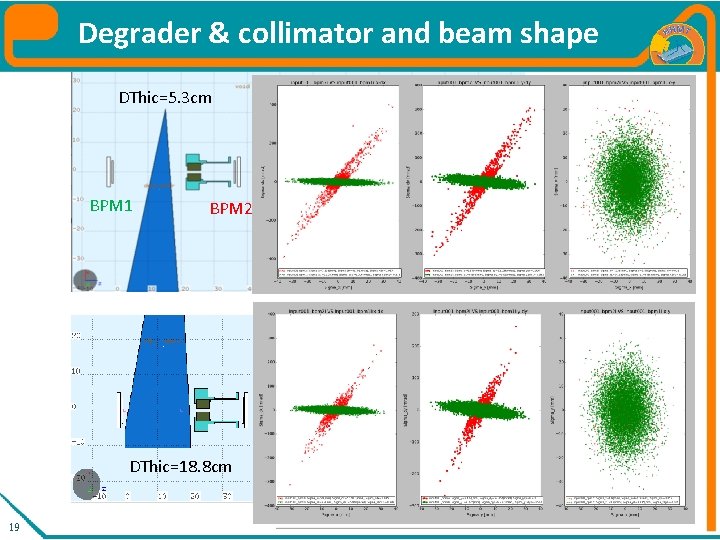
Degrader & collimator and beam shape Beam size will increase in graphite degrader and decrease after tantalum collimator, increase in target again. 18
Degrader & collimator and beam shape DThic=5. 3 cm BPM 1 BPM 2 Energy≈195 Me. V Efficiency(T 2 T 3) ≈18. 26% Energy≈75 Me. V Efficiency(T 2 T 3) ≈7. 08% DThic=18. 8 cm 19
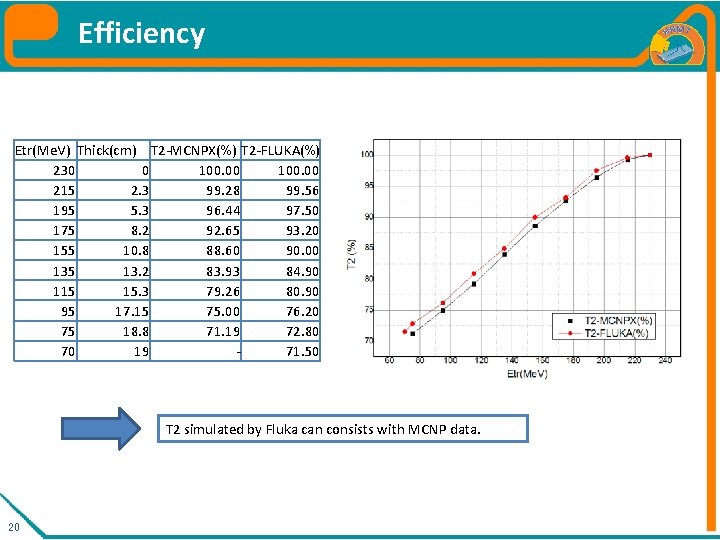
Efficiency Etr(Me. V) Thick(cm) T 2 -MCNPX(%) T 2 -FLUKA(%) 230 0 100. 00 215 2. 3 99. 28 99. 56 195 5. 3 96. 44 97. 50 175 8. 2 92. 65 93. 20 155 10. 8 88. 60 90. 00 135 13. 2 83. 93 84. 90 115 15. 3 79. 26 80. 90 95 17. 15 75. 00 76. 20 75 18. 8 71. 19 72. 80 70 19 71. 50 T 2 simulated by Fluka can consists with MCNP data. 20
Simple GEO + Da. Vis 3 D 21
5. Data Merge
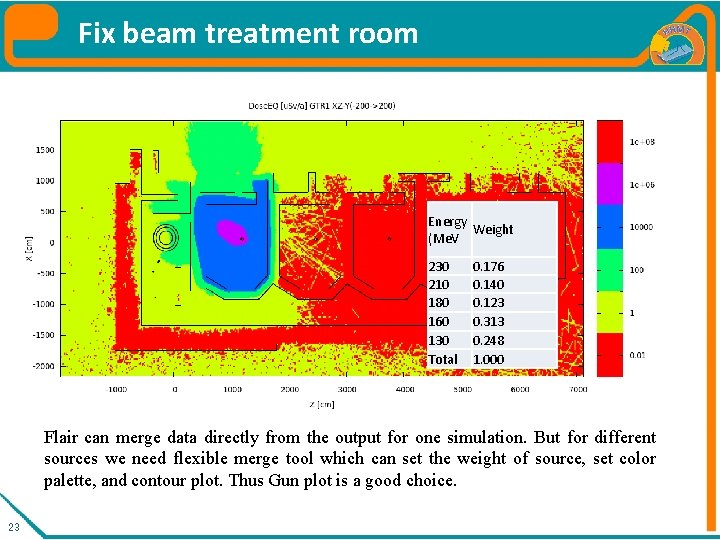
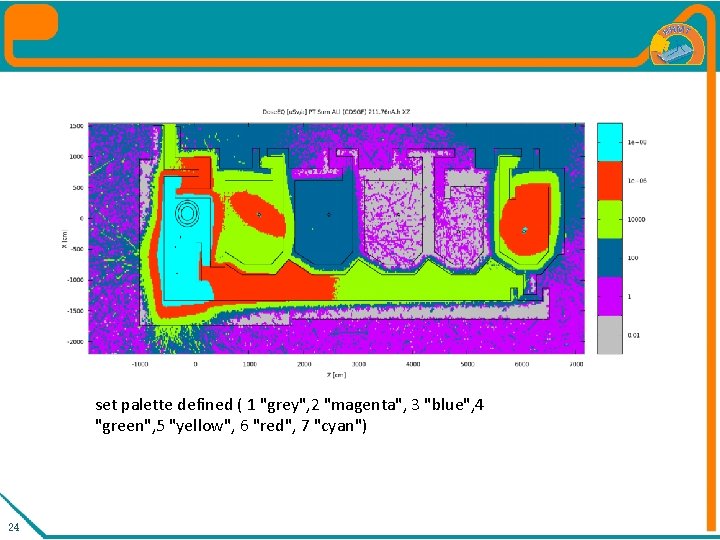
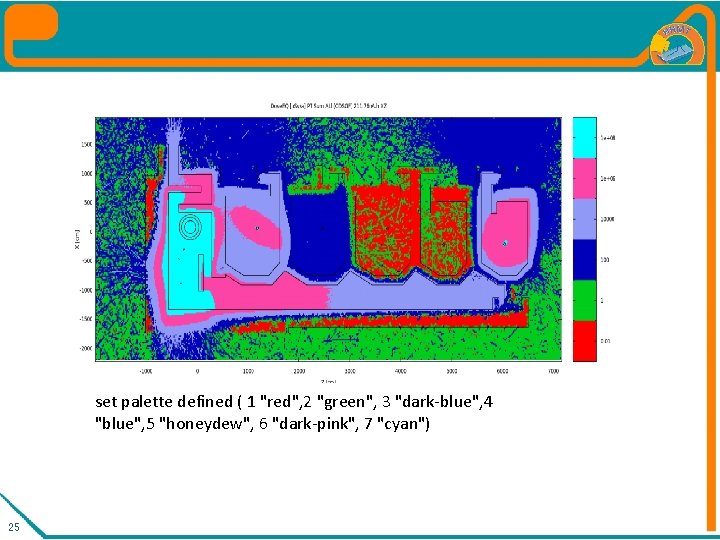
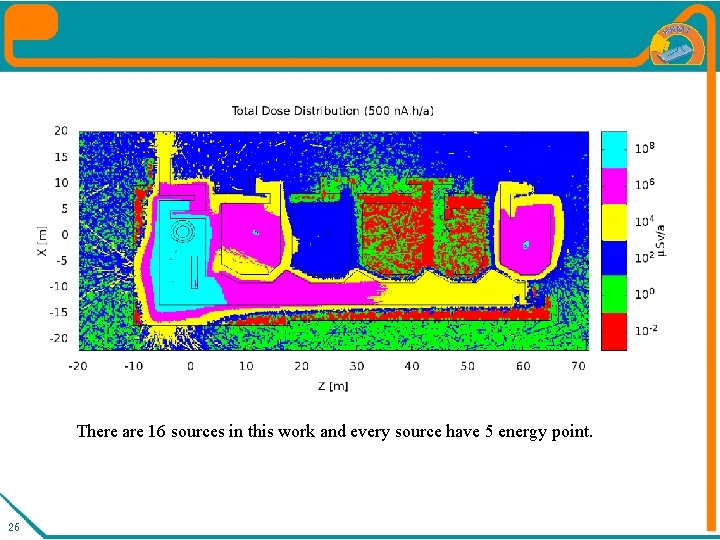
Fix beam treatment room Energy Weight (Me. V 230 210 180 160 130 Total 0. 176 0. 140 0. 123 0. 313 0. 248 1. 000 Flair can merge data directly from the output for one simulation. But for different sources we need flexible merge tool which can set the weight of source, set color palette, and contour plot. Thus Gun plot is a good choice. 23
set palette defined ( 1 "grey", 2 "magenta", 3 "blue", 4 "green", 5 "yellow", 6 "red", 7 "cyan") 24
set palette defined ( 1 "red", 2 "green", 3 "dark-blue", 4 "blue", 5 "honeydew", 6 "dark-pink", 7 "cyan") 25
There are 16 sources in this work and every source have 5 energy point. 26
6. Full Beam Line Simulation
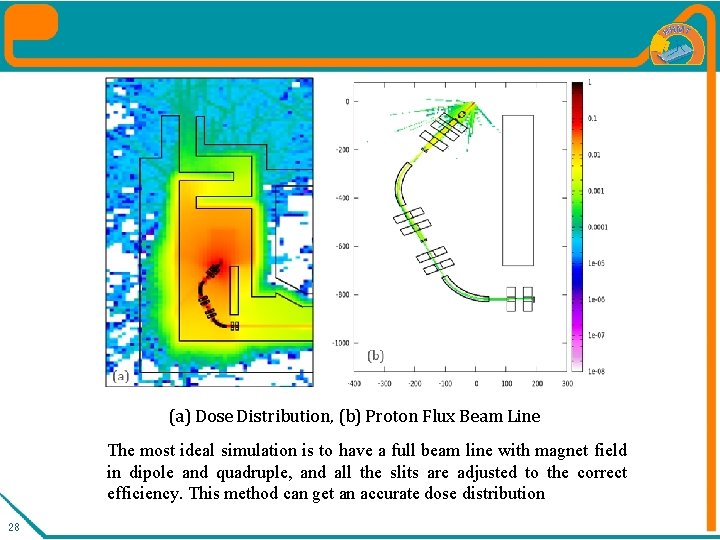
(a) Dose Distribution, (b) Proton Flux Beam Line The most ideal simulation is to have a full beam line with magnet field in dipole and quadruple, and all the slits are adjusted to the correct efficiency. This method can get an accurate dose distribution 28
7. Summary
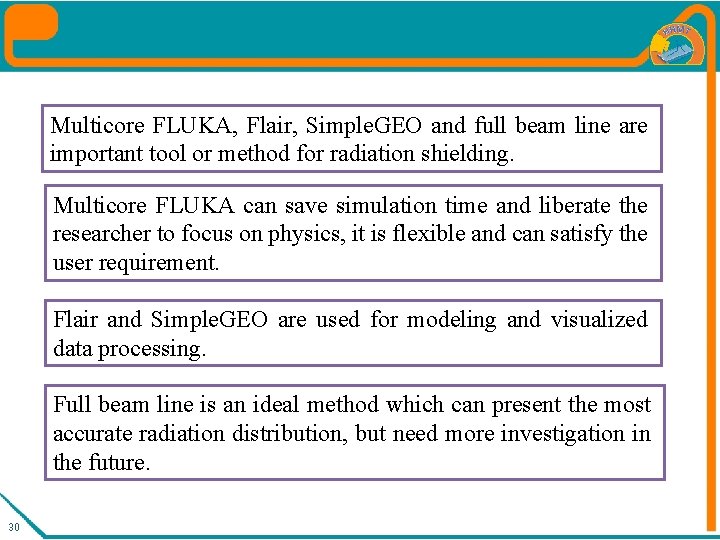
Multicore FLUKA, Flair, Simple. GEO and full beam line are important tool or method for radiation shielding. Multicore FLUKA can save simulation time and liberate the researcher to focus on physics, it is flexible and can satisfy the user requirement. Flair and Simple. GEO are used for modeling and visualized data processing. Full beam line is an ideal method which can present the most accurate radiation distribution, but need more investigation in the future. 30