
Fast Data Amazon Elasticsearch Service What well cover








- Slides: 59
Fast Data: Amazon Elasticsearch Service
What we'll cover • • Elasticsearch capabilities and challenges Deep dive on Amazon ES How Elasticsearch does analytics Positioning and qualification
Elasticsearch capabilities and challenges
Elasticsearch Target Realize
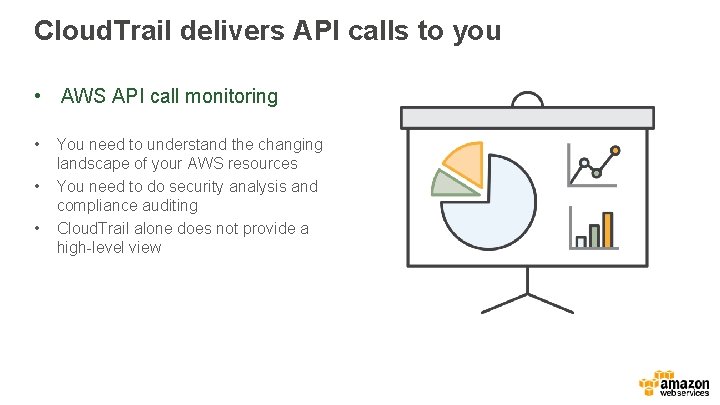
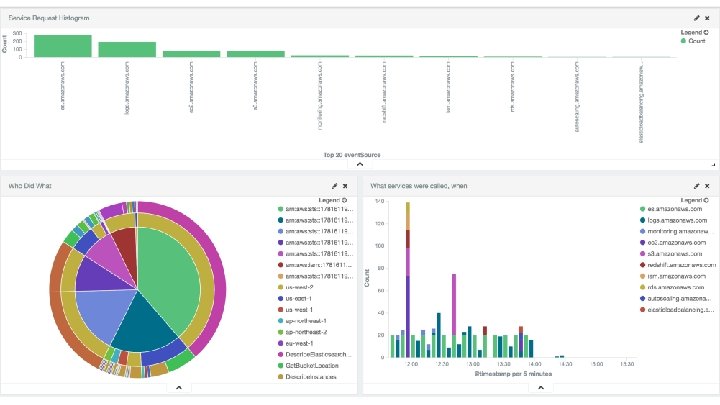
Cloud. Trail delivers API calls to you • AWS API call monitoring • • • You need to understand the changing landscape of your AWS resources You need to do security analysis and compliance auditing Cloud. Trail alone does not provide a high-level view
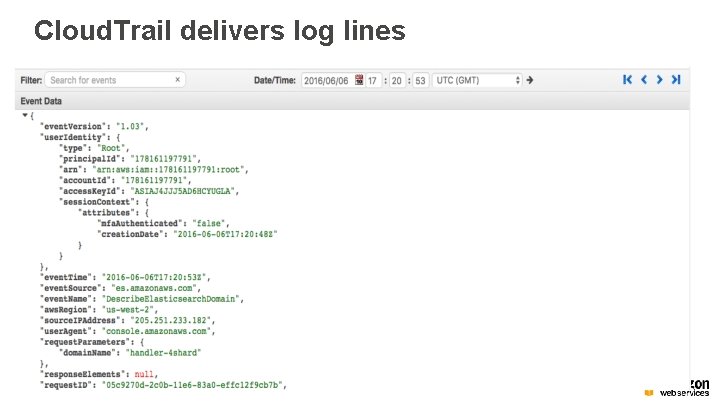
Cloud. Trail delivers log lines
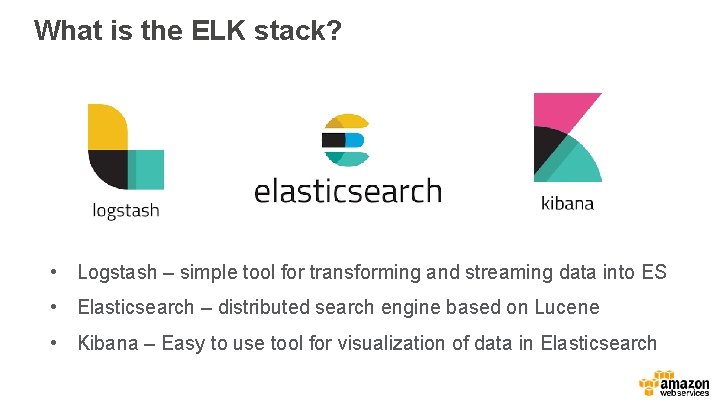
What is the ELK stack? • Logstash – simple tool for transforming and streaming data into ES • Elasticsearch – distributed search engine based on Lucene • Kibana – Easy to use tool for visualization of data in Elasticsearch
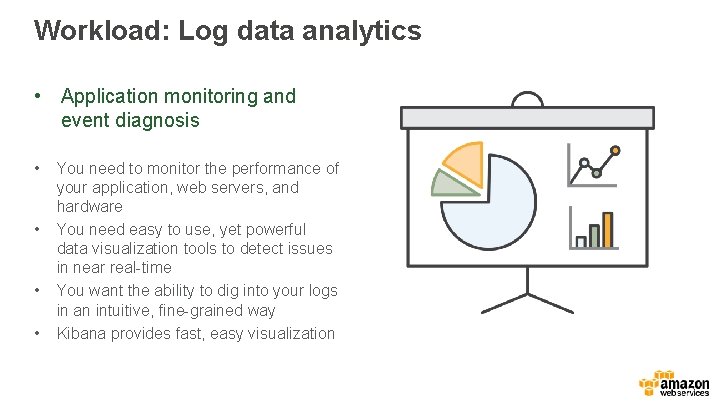
Workload: Log data analytics • Application monitoring and event diagnosis • • You need to monitor the performance of your application, web servers, and hardware You need easy to use, yet powerful data visualization tools to detect issues in near real-time You want the ability to dig into your logs in an intuitive, fine-grained way Kibana provides fast, easy visualization
Example: Adobe API group NDA • Multiple 100 s of 1000 s of API calls per second captured: destinations, response times, bandwidth • Data is sent to Kinesis and then Spark for aggregation into hourly blocks • Kibana for visualization and detection of anomalies in traffic patterns and error rates
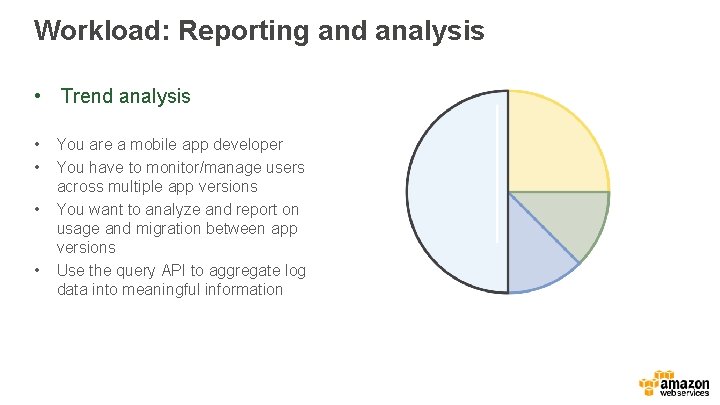
Workload: Reporting and analysis • Trend analysis • • You are a mobile app developer You have to monitor/manage users across multiple app versions You want to analyze and report on usage and migration between app versions Use the query API to aggregate log data into meaningful information
Example: Mc. Graw Hill Education NDA • Generating 100 M learning events per month • Analyzing student test results, student/teacher interaction, teacher effectiveness • Multi-tenant across their catalog of software and jurisdictions
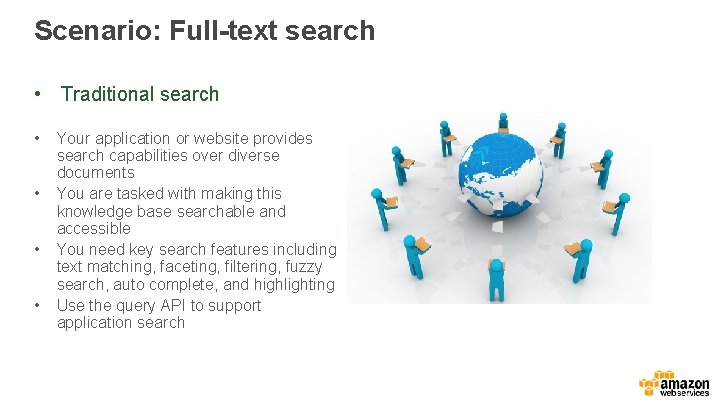
Scenario: Full-text search • Traditional search • • Your application or website provides search capabilities over diverse documents You are tasked with making this knowledge base searchable and accessible You need key search features including text matching, faceting, filtering, fuzzy search, auto complete, and highlighting Use the query API to support application search
Example: Freshdesk NDA • Ticketing and CRM Saa. S offering • Running 80 nodes in 3 clusters • Supports text-based ticket search and retrieval for phone support operators
Deep dive into Amazon ES
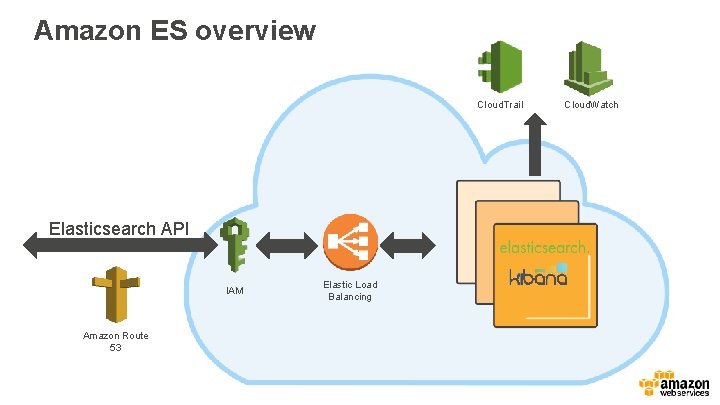
Amazon ES overview Cloud. Trail Elasticsearch API IAM Amazon Route 53 Elastic Load Balancing Cloud. Watch
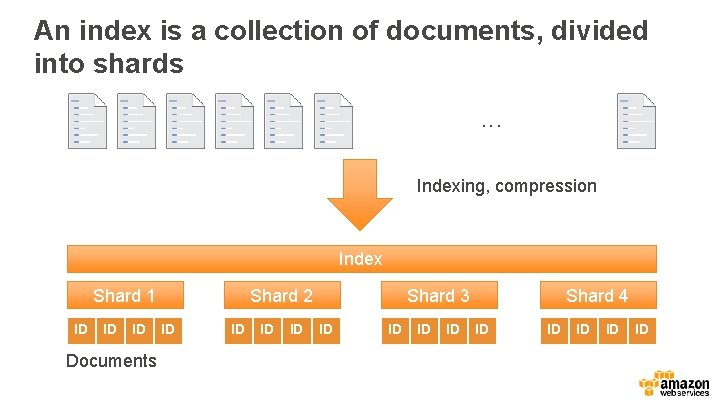
An index is a collection of documents, divided into shards. . . Indexing, compression Index Shard 1 ID ID ID Documents Shard 2 ID ID Shard 3 ID ID Shard 4 ID ID ID
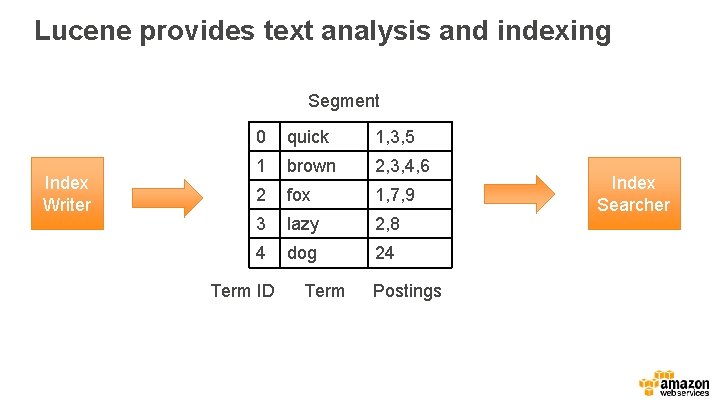
Lucene provides text analysis and indexing Segment Index Writer 0 quick 1, 3, 5 1 brown 2, 3, 4, 6 2 fox 1, 7, 9 3 lazy 2, 8 4 dog 24 Term ID Term Postings Index Searcher
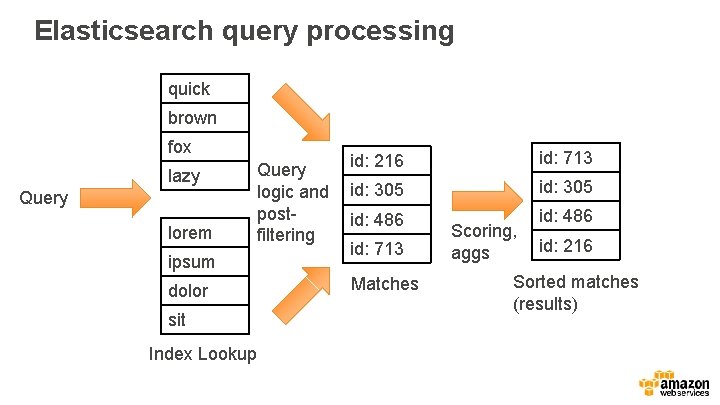
Elasticsearch query processing quick brown fox lazy Query lorem Query logic and postfiltering ipsum dolor sit Index Lookup id: 216 id: 713 id: 305 id: 486 id: 713 Matches Scoring, aggs id: 216 Sorted matches (results)
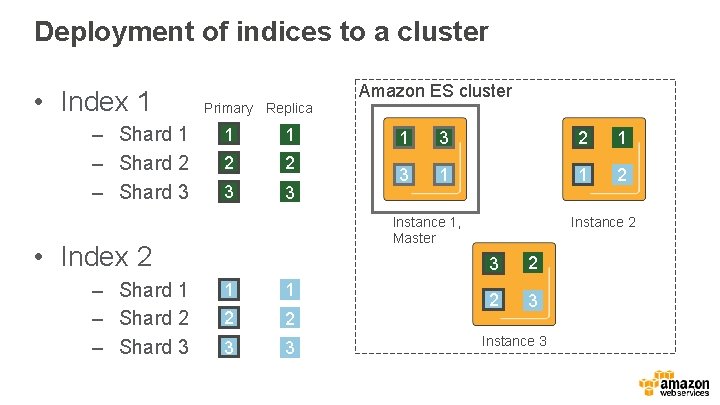
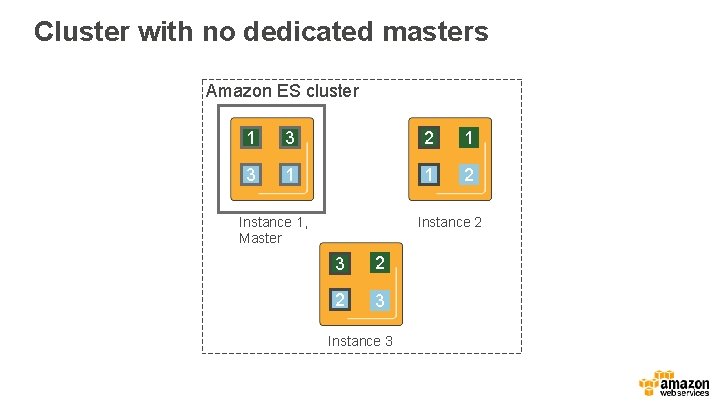
Deployment of indices to a cluster • Index 1 – Shard 2 – Shard 3 Primary Replica 1 1 2 2 3 3 1 3 2 1 3 1 1 2 Instance 1, Master • Index 2 – Shard 1 – Shard 2 – Shard 3 Amazon ES cluster 1 1 2 2 3 3 Instance 2 3 2 2 3 Instance 3
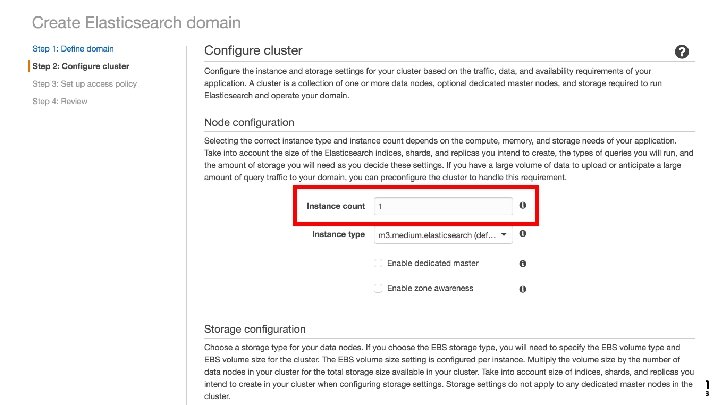
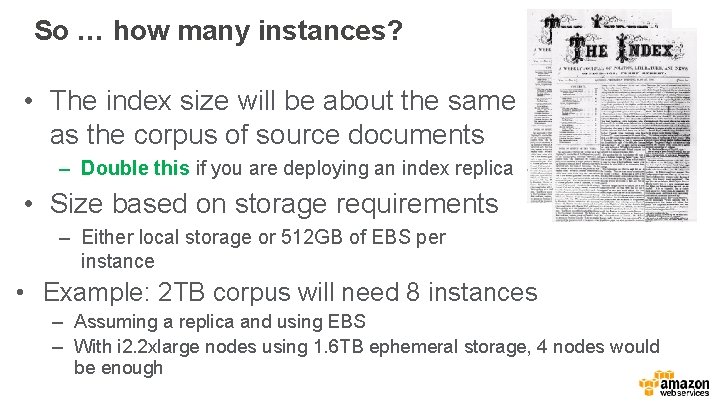
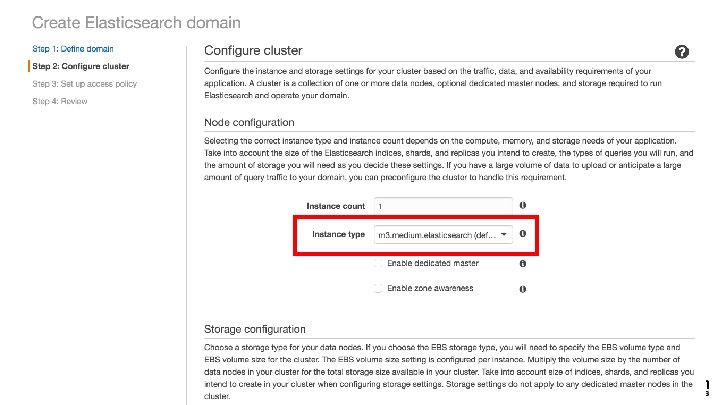
So … how many instances? • The index size will be about the same as the corpus of source documents – Double this if you are deploying an index replica • Size based on storage requirements – Either local storage or 512 GB of EBS per instance • Example: 2 TB corpus will need 8 instances – Assuming a replica and using EBS – With i 2. 2 xlarge nodes using 1. 6 TB ephemeral storage, 4 nodes would be enough
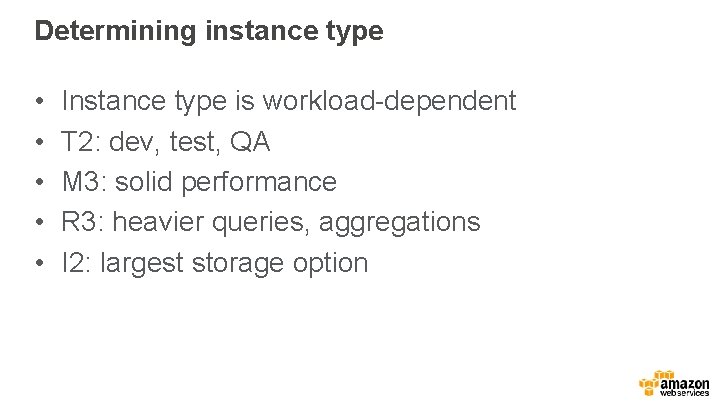
Determining instance type • • • Instance type is workload-dependent T 2: dev, test, QA M 3: solid performance R 3: heavier queries, aggregations I 2: largest storage option
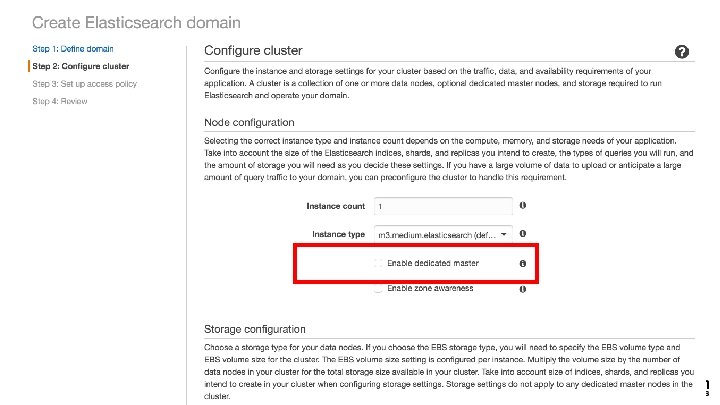
Cluster with no dedicated masters Amazon ES cluster 1 3 2 1 3 1 1 2 Instance 1, Master Instance 2 3 2 2 3 Instance 3
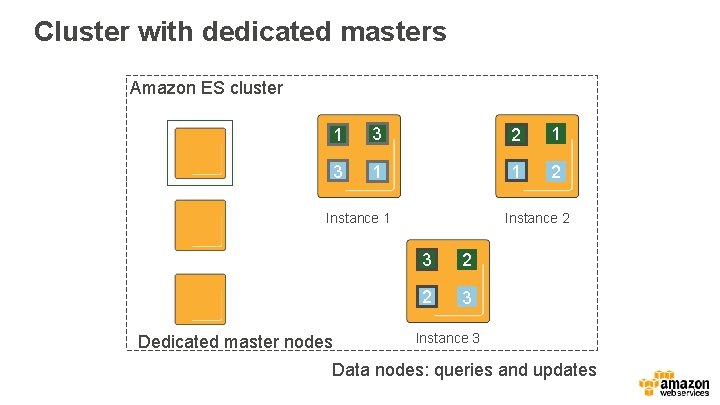
Cluster with dedicated masters Amazon ES cluster 1 3 2 1 3 1 1 2 Instance 1 Dedicated master nodes Instance 2 3 2 2 3 Instance 3 Data nodes: queries and updates
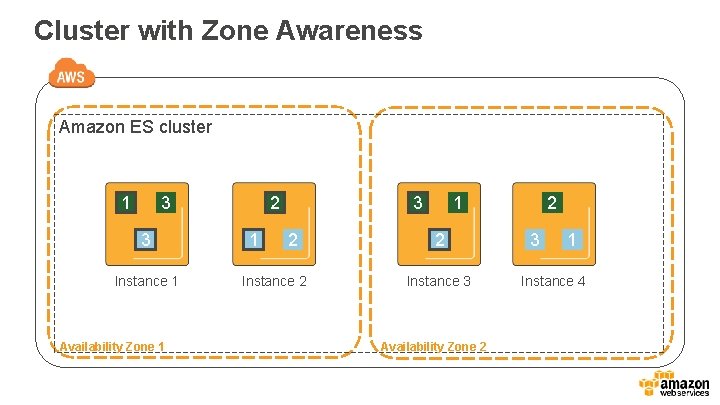
Cluster with Zone Awareness Amazon ES cluster 1 3 3 Instance 1 Availability Zone 1 2 1 3 2 Instance 2 1 2 Instance 3 Availability Zone 2 2 3 1 Instance 4
Securing your domain
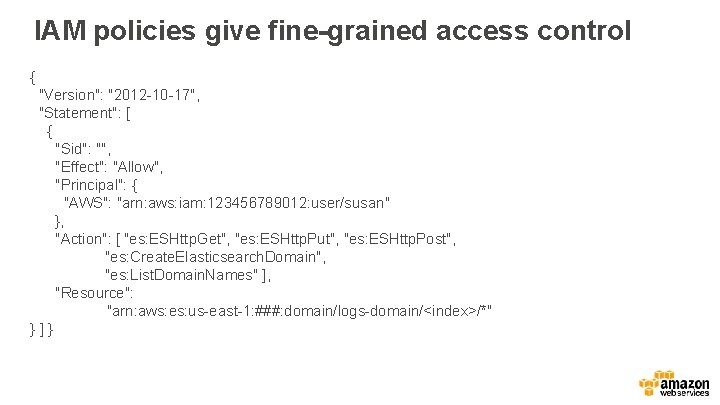
IAM policies give fine-grained access control { "Version": "2012 -10 -17", "Statement": [ { "Sid": "", "Effect": "Allow", "Principal": { "AWS": "arn: aws: iam: 123456789012: user/susan" }, "Action": [ "es: ESHttp. Get", "es: ESHttp. Put", "es: ESHttp. Post", "es: Create. Elasticsearch. Domain", "es: List. Domain. Names" ], "Resource": "arn: aws: es: us-east-1: ###: domain/logs-domain/<index>/*" }]}
Set schema and sharding
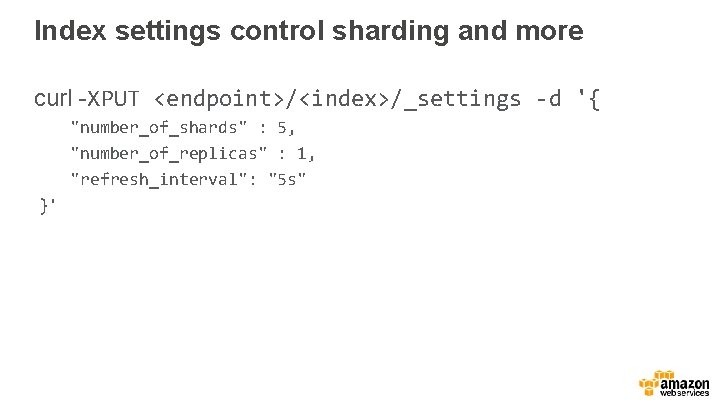
Index settings control sharding and more curl -XPUT <endpoint>/<index>/_settings -d '{ "number_of_shards" : 5, "number_of_replicas" : 1, "refresh_interval": "5 s" }'
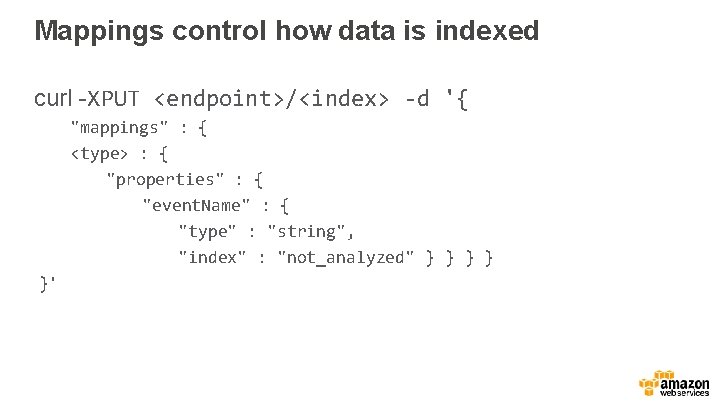
Mappings control how data is indexed curl -XPUT <endpoint>/<index> -d '{ "mappings" : { <type> : { "properties" : { "event. Name" : { "type" : "string", "index" : "not_analyzed" } } }'
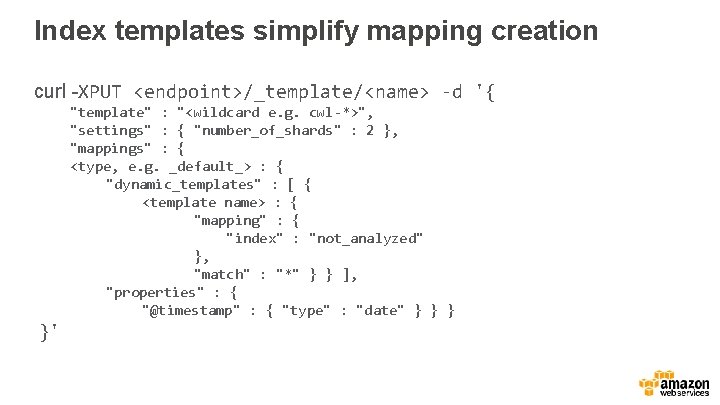
Index templates simplify mapping creation curl -XPUT <endpoint>/_template/<name> -d '{ "template" : "<wildcard e. g. cwl-*>", "settings" : { "number_of_shards" : 2 }, "mappings" : { <type, e. g. _default_> : { "dynamic_templates" : [ { <template name> : { "mapping" : { "index" : "not_analyzed" }, "match" : "*" } } ], "properties" : { "@timestamp" : { "type" : "date" } }'
Ingest data
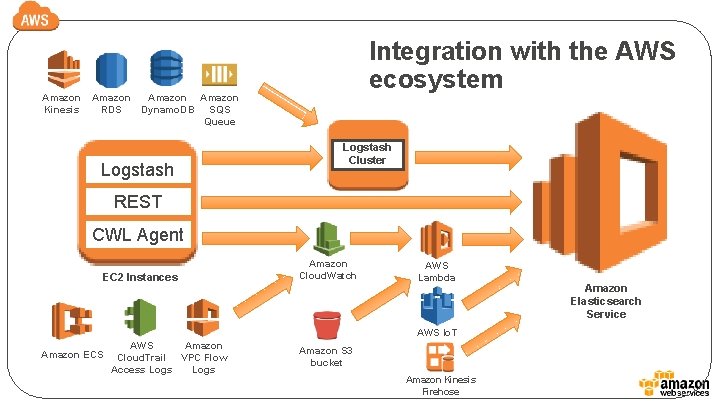
Amazon Kinesis Amazon RDS Integration with the AWS ecosystem Amazon Dynamo. DB SQS Queue Logstash Cluster REST CWL Agent EC 2 Instances Amazon Cloud. Watch AWS Lambda AWS Io. T AWS Amazon ECS Cloud. Trail VPC Flow Access Logs Amazon S 3 bucket Amazon Kinesis Firehose Amazon Elasticsearch Service
Indexing strategy for streaming data • Use an index per time period, typically index-perday, high volume can go to index-per-hour • Shard the index according to data size; use 50 GB as a soft limit per shard • Total storage is based on compression and replication • 1 shard per index is optimal
Monitor the cluster
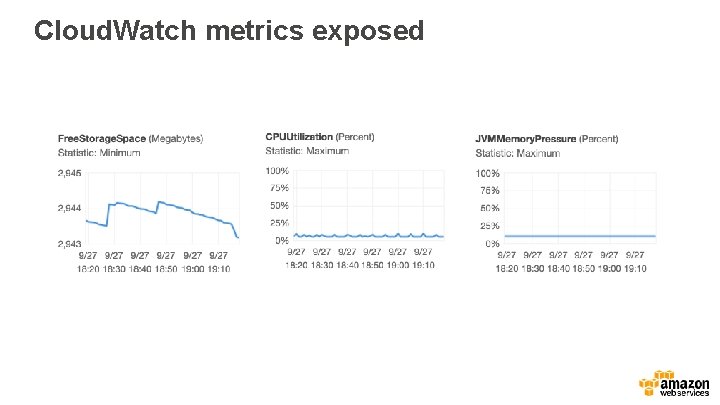
Cloud. Watch metrics exposed
Use direct-to-API to monitor as well • • curl <endpoint>/_cluster/stats curl <endpoint>/_nodes/stats curl <endpoint>/<index>/_stats Low-level stats covering OS, file system, and much more
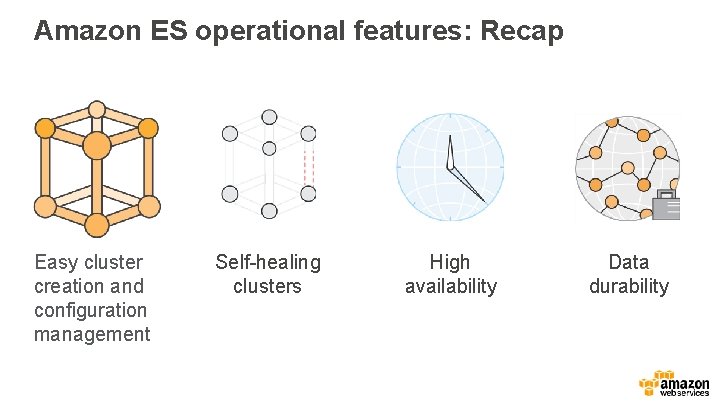
Amazon ES operational features: Recap Easy cluster creation and configuration management Self-healing clusters High availability Data durability
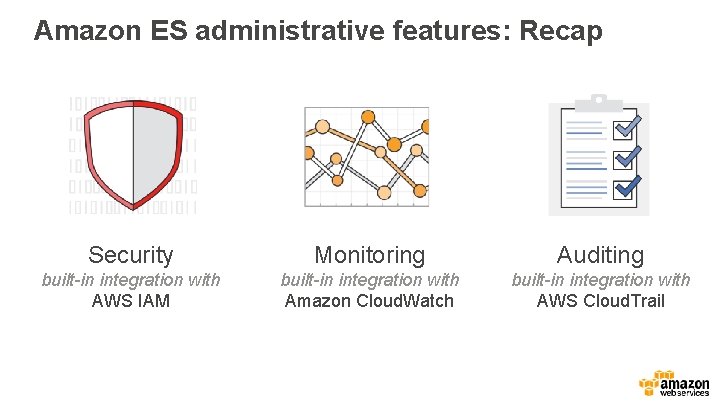
Amazon ES administrative features: Recap Security Monitoring Auditing built-in integration with AWS IAM built-in integration with Amazon Cloud. Watch built-in integration with AWS Cloud. Trail
How Elasticsearch does analytics
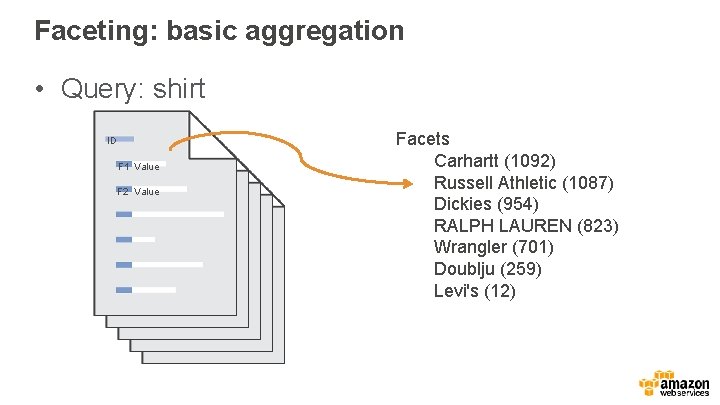
Faceting: basic aggregation • Query: shirt ID F 1 Value F 2 Value Facets Carhartt (1092) Russell Athletic (1087) Dickies (954) RALPH LAUREN (823) Wrangler (701) Doublju (259) Levi's (12)
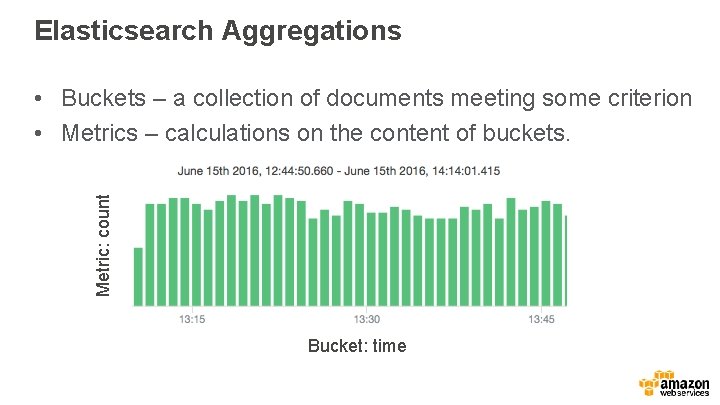
Elasticsearch Aggregations Metric: count • Buckets – a collection of documents meeting some criterion • Metrics – calculations on the content of buckets. Bucket: time
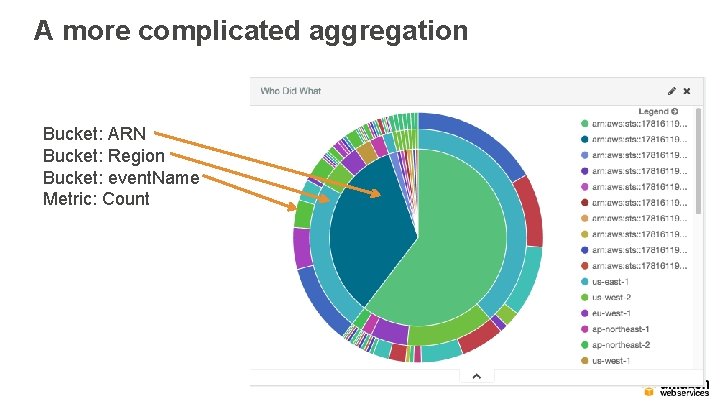
A more complicated aggregation Bucket: ARN Bucket: Region Bucket: event. Name Metric: Count
Positioning and qualification
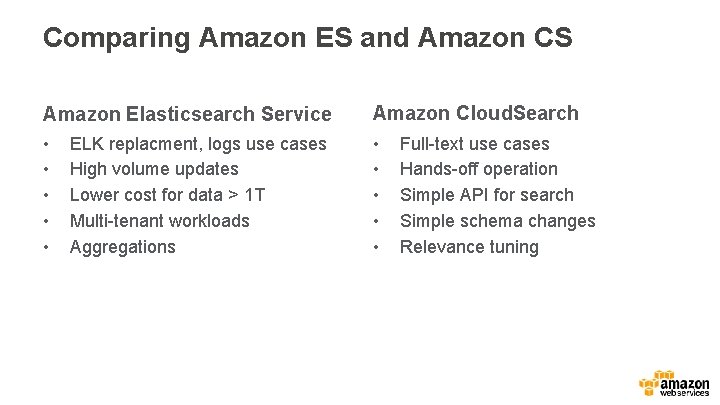
Comparing Amazon ES and Amazon CS Amazon Elasticsearch Service Amazon Cloud. Search • • • ELK replacment, logs use cases High volume updates Lower cost for data > 1 T Multi-tenant workloads Aggregations Full-text use cases Hands-off operation Simple API for search Simple schema changes Relevance tuning
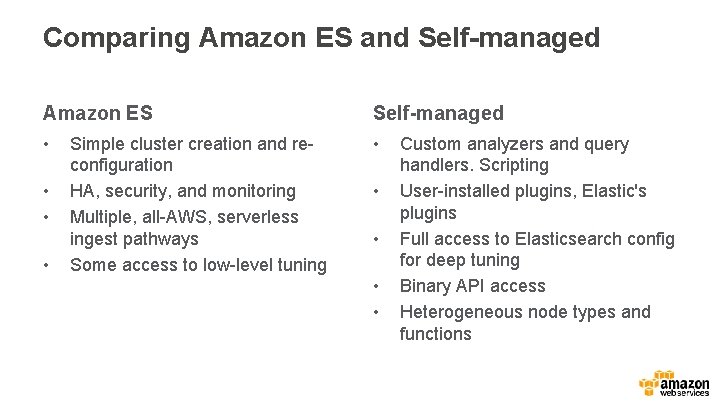
Comparing Amazon ES and Self-managed Amazon ES Self-managed • • • Simple cluster creation and reconfiguration HA, security, and monitoring Multiple, all-AWS, serverless ingest pathways Some access to low-level tuning • • Custom analyzers and query handlers. Scripting User-installed plugins, Elastic's plugins Full access to Elasticsearch config for deep tuning Binary API access Heterogeneous node types and functions
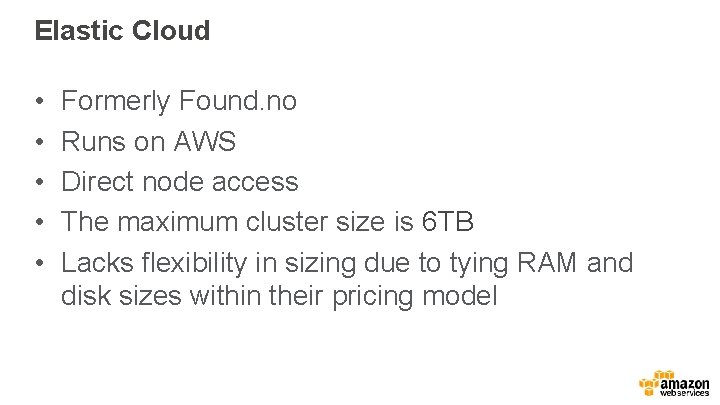
Elastic Cloud • • • Formerly Found. no Runs on AWS Direct node access The maximum cluster size is 6 TB Lacks flexibility in sizing due to tying RAM and disk sizes within their pricing model
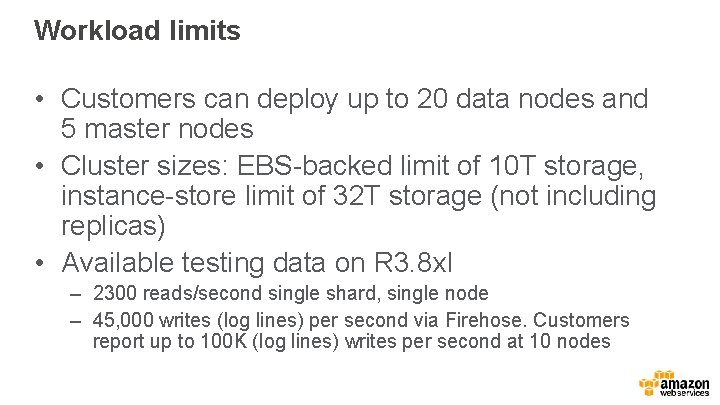
Workload limits • Customers can deploy up to 20 data nodes and 5 master nodes • Cluster sizes: EBS-backed limit of 10 T storage, instance-store limit of 32 T storage (not including replicas) • Available testing data on R 3. 8 xl – 2300 reads/second single shard, single node – 45, 000 writes (log lines) per second via Firehose. Customers report up to 100 K (log lines) writes per second at 10 nodes
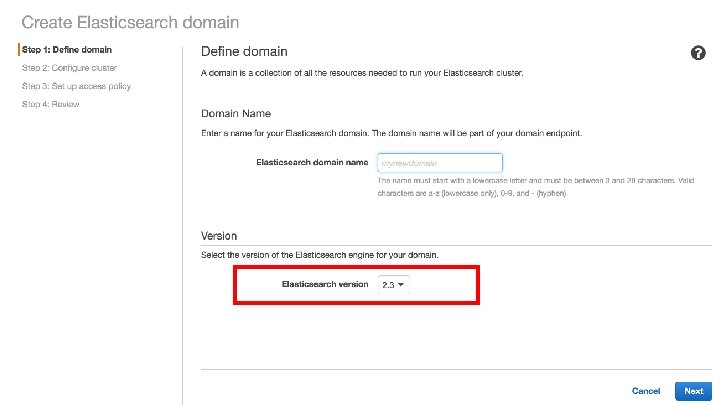
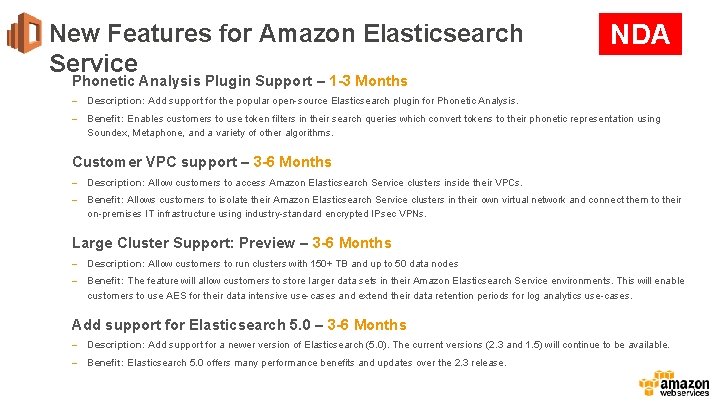
New Features for Amazon Elasticsearch Service NDA Phonetic Analysis Plugin Support – 1 -3 Months – Description: Add support for the popular open-source Elasticsearch plugin for Phonetic Analysis. – Benefit: Enables customers to use token filters in their search queries which convert tokens to their phonetic representation using Soundex, Metaphone, and a variety of other algorithms. Customer VPC support – 3 -6 Months – Description: Allow customers to access Amazon Elasticsearch Service clusters inside their VPCs. – Benefit: Allows customers to isolate their Amazon Elasticsearch Service clusters in their own virtual network and connect them to their on-premises IT infrastructure using industry-standard encrypted IPsec VPNs. Large Cluster Support: Preview – 3 -6 Months – Description: Allow customers to run clusters with 150+ TB and up to 50 data nodes – Benefit: The feature will allow customers to store larger data sets in their Amazon Elasticsearch Service environments. This will enable customers to use AES for their data intensive use-cases and extend their data retention periods for log analytics use-cases. Add support for Elasticsearch 5. 0 – 3 -6 Months – Description: Add support for a newer version of Elasticsearch (5. 0). The current versions (2. 3 and 1. 5) will continue to be available. – Benefit: Elasticsearch 5. 0 offers many performance benefits and updates over the 2. 3 release.
Contacts • Jon Handler, Principal Solutions Architect: handler@amazon. com • Carl Meadows, Sr. Product manager: carlmead@amazon. com • Darin Briskman, Technical Evangelist: briskman@amazon. com