
Fantastic Forms and How to Fix them Nice


- Slides: 36
Fantastic Forms and How to Fix them
Nice to Meet You BETH LINNETZ TYRONE MITCHELL QA, Accessibility Front End Dev © 2018 Primacy | Proprietary & Confidential
About Primacy is the digital-first agency that develops: • Integrated Marketing Programs • Brand Platforms • Web and Digital Experiences © 2018 Primacy | Proprietary & Confidential
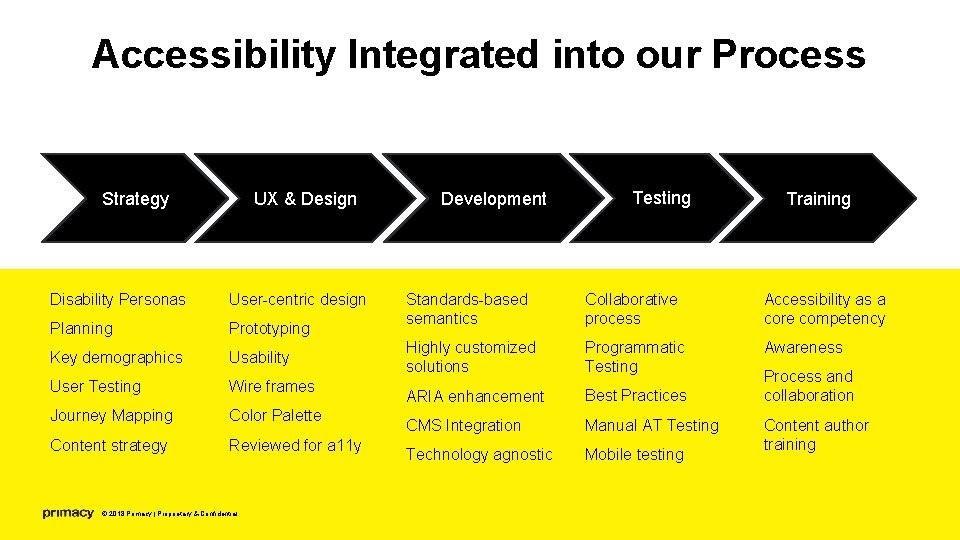
Accessibility Integrated into our Process Strategy UX & Design Disability Personas User-centric design Planning Prototyping Key demographics Usability User Testing Wire frames Journey Mapping Color Palette Content strategy Reviewed for a 11 y © 2018 Primacy | Proprietary & Confidential Development Testing Training Standards-based semantics Collaborative process Accessibility as a core competency Highly customized solutions Programmatic Testing Awareness ARIA enhancement Best Practices CMS Integration Manual AT Testing Technology agnostic Mobile testing Process and collaboration Content author training
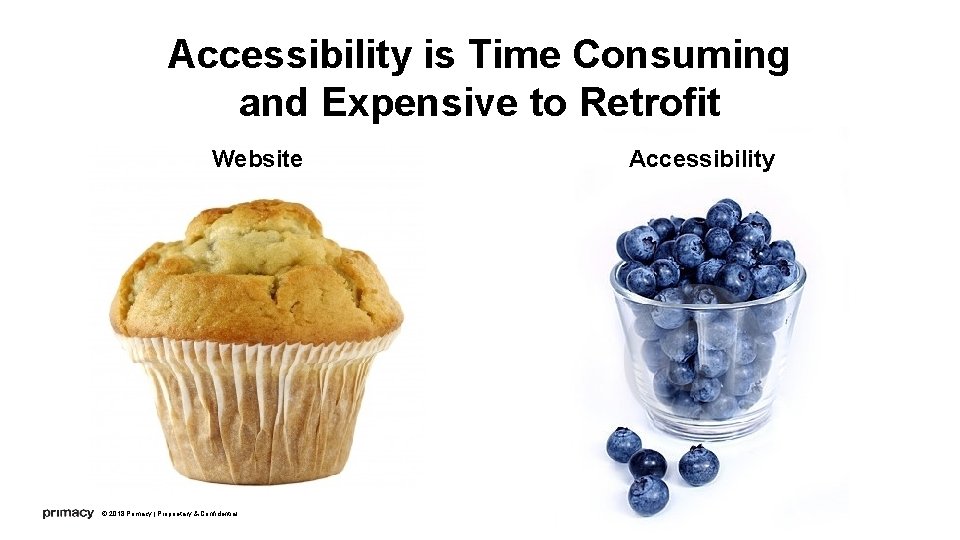
Accessibility is Time Consuming and Expensive to Retrofit Website © 2018 Primacy | Proprietary & Confidential Accessibility
ACCESSIBILITY: BAKE IT IN FROM THE START! 6
The Story Who? National Healthcare Company What? Bring to WCAG 2. 0 AA How? Work on a per-module basis © 2018 Primacy | Proprietary & Confidential 7
The Challenge Bring client site up to WCAG 2. 0 AA Compliance • Encompasses 7 -8 of their smaller sites • For each component (~118!!), rehabilitate HTML structure, ARIA roles, CSS, Java. Script, and point out color contrast issues Objective: 80%+ • Included over 70 forms for rehabilitation • Forms not inherently accessible and can be difficult to remediate © 2018 Primacy | Proprietary & Confidential 8
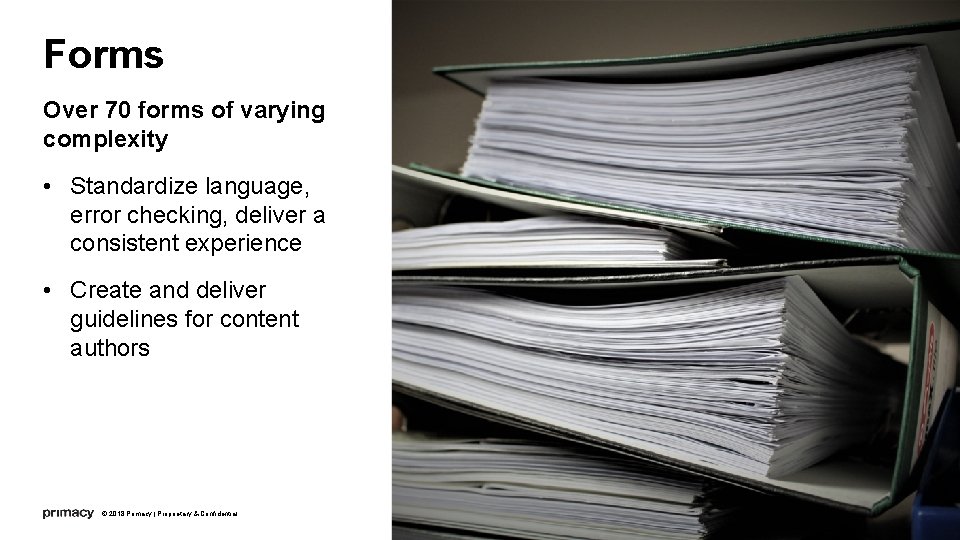
Forms Over 70 forms of varying complexity • Standardize language, error checking, deliver a consistent experience • Create and deliver guidelines for content authors © 2018 Primacy | Proprietary & Confidential 9
Our Process • Define common problems • Define unique problems • Prioritize forms based on usage • Fix individual high-priority forms (approx. 30) • Assess client implementation of code and content author updates © 2018 Primacy | Proprietary & Confidential 10
Problems Overall, the forms were inconsistent • Inconsistent and missing input field labels • Inconsistent error message language • Inaccessible or missing error checking • Insufficient contrast for red error messaging © 2018 Primacy | Proprietary & Confidential 11
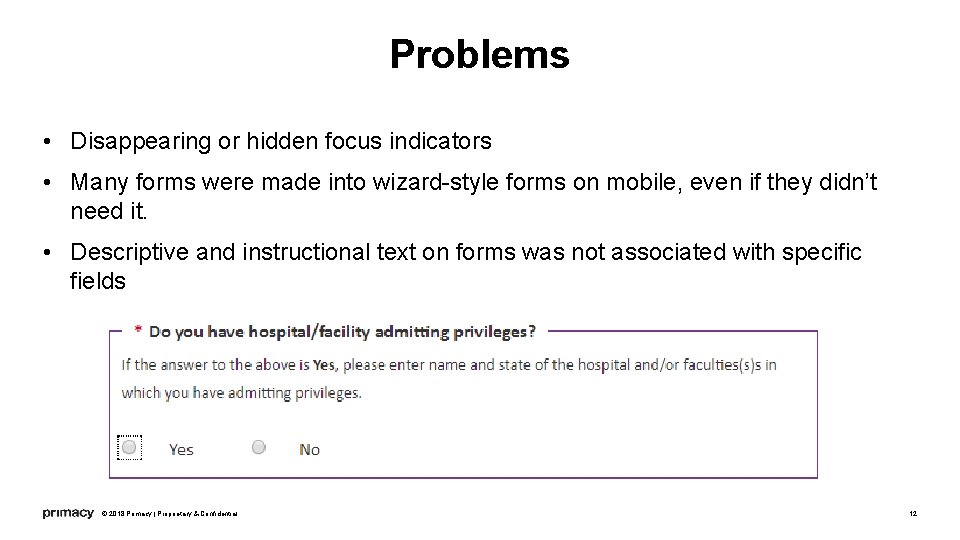
Problems • Disappearing or hidden focus indicators • Many forms were made into wizard-style forms on mobile, even if they didn’t need it. • Descriptive and instructional text on forms was not associated with specific fields © 2018 Primacy | Proprietary & Confidential 12
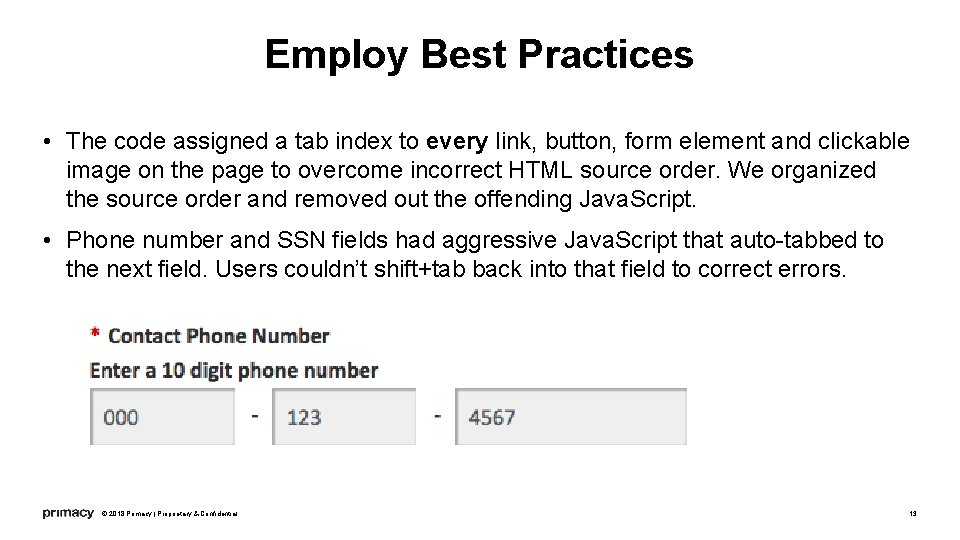
Employ Best Practices • The code assigned a tab index to every link, button, form element and clickable image on the page to overcome incorrect HTML source order. We organized the source order and removed out the offending Java. Script. • Phone number and SSN fields had aggressive Java. Script that auto-tabbed to the next field. Users couldn’t shift+tab back into that field to correct errors. © 2018 Primacy | Proprietary & Confidential 13
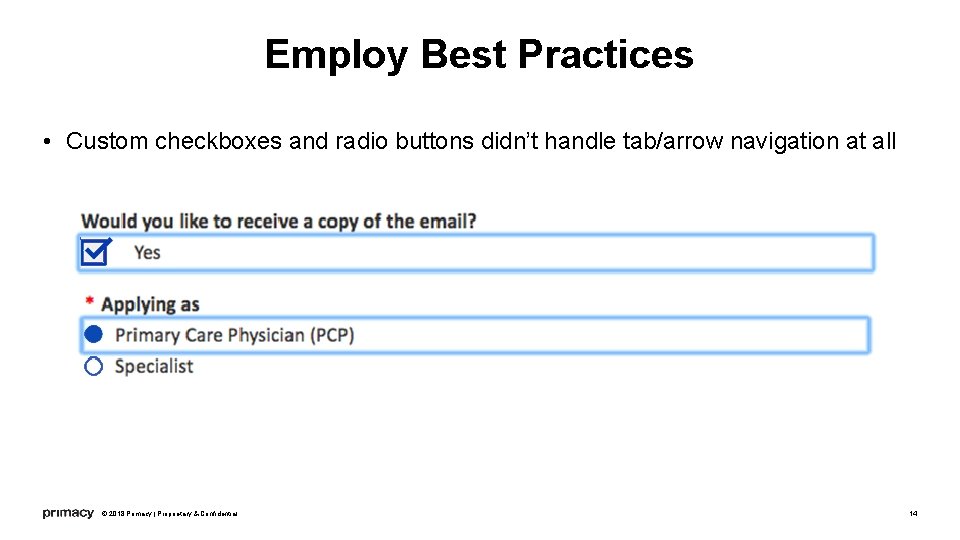
Employ Best Practices • Custom checkboxes and radio buttons didn’t handle tab/arrow navigation at all © 2018 Primacy | Proprietary & Confidential 14
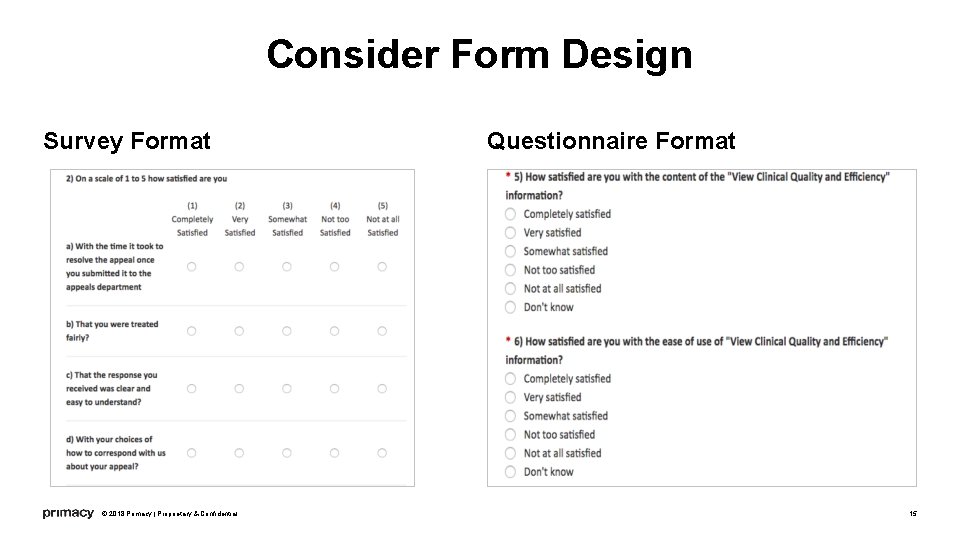
Consider Form Design Survey Format © 2018 Primacy | Proprietary & Confidential Questionnaire Format 15
Solution: Style Guide We created a style guide for us and for content authors going forward Standardized language, look & feel of forms We offer continuous checks and guidance to aid the client where needed © 2018 Primacy | Proprietary & Confidential 16
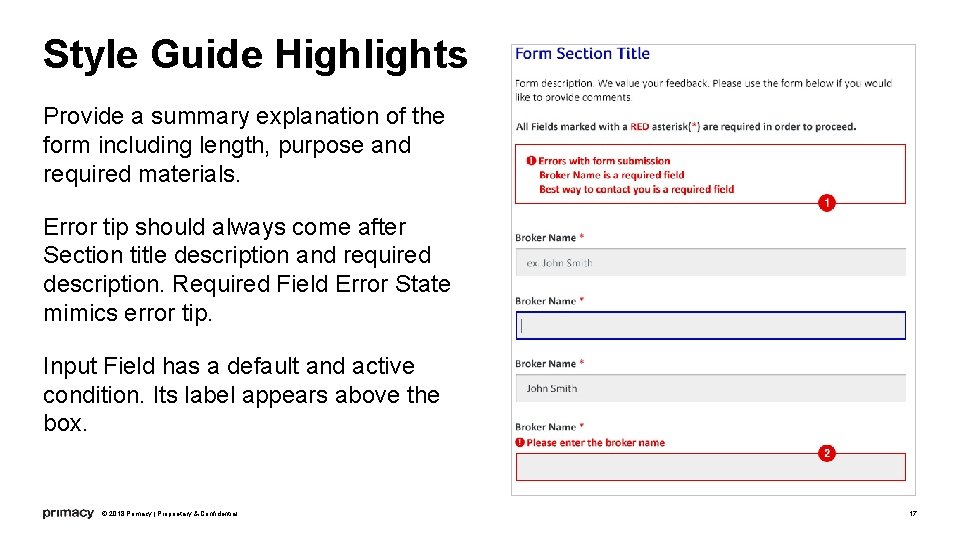
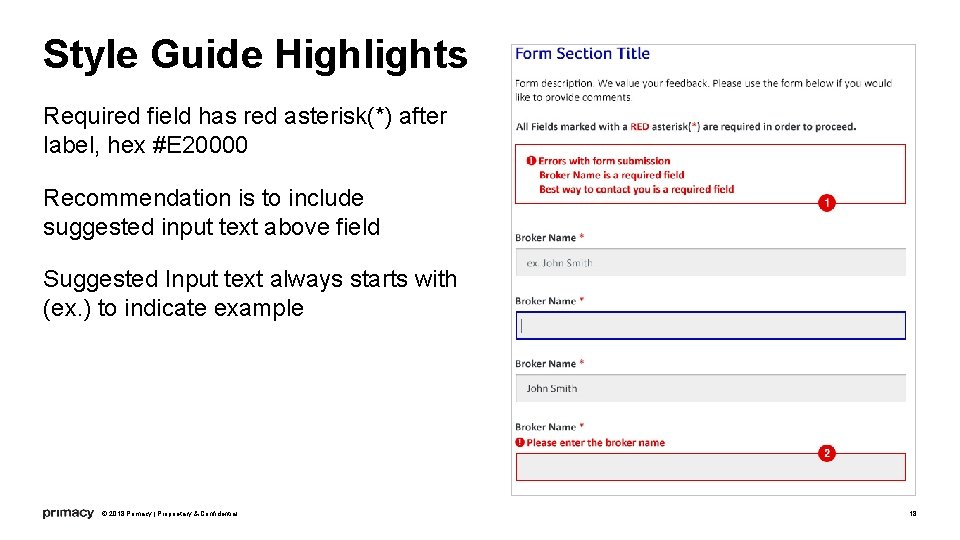
Style Guide Highlights Provide a summary explanation of the form including length, purpose and required materials. Error tip should always come after Section title description and required description. Required Field Error State mimics error tip. Input Field has a default and active condition. Its label appears above the box. © 2018 Primacy | Proprietary & Confidential 17
Style Guide Highlights Required field has red asterisk(*) after label, hex #E 20000 Recommendation is to include suggested input text above field Suggested Input text always starts with (ex. ) to indicate example © 2018 Primacy | Proprietary & Confidential 18
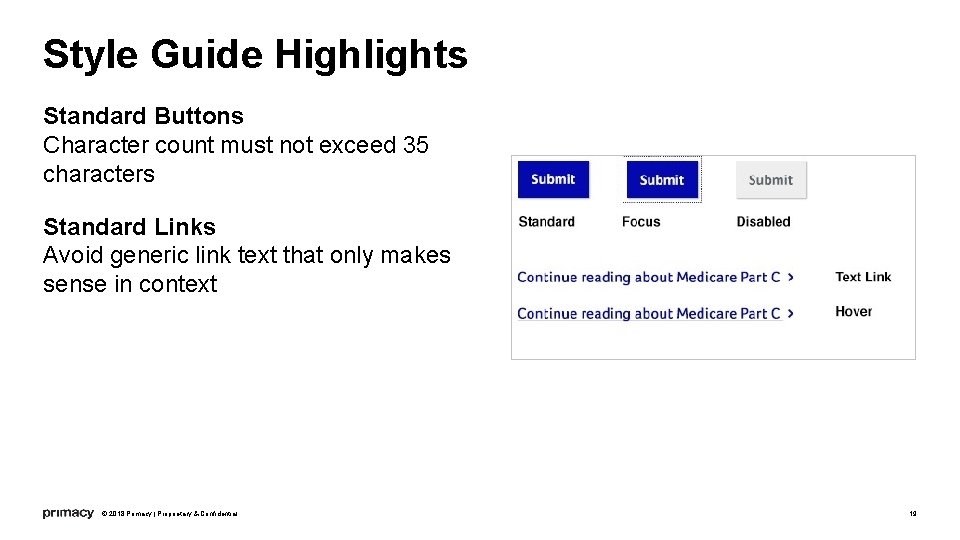
Style Guide Highlights Standard Buttons Character count must not exceed 35 characters Standard Links Avoid generic link text that only makes sense in context © 2018 Primacy | Proprietary & Confidential 19
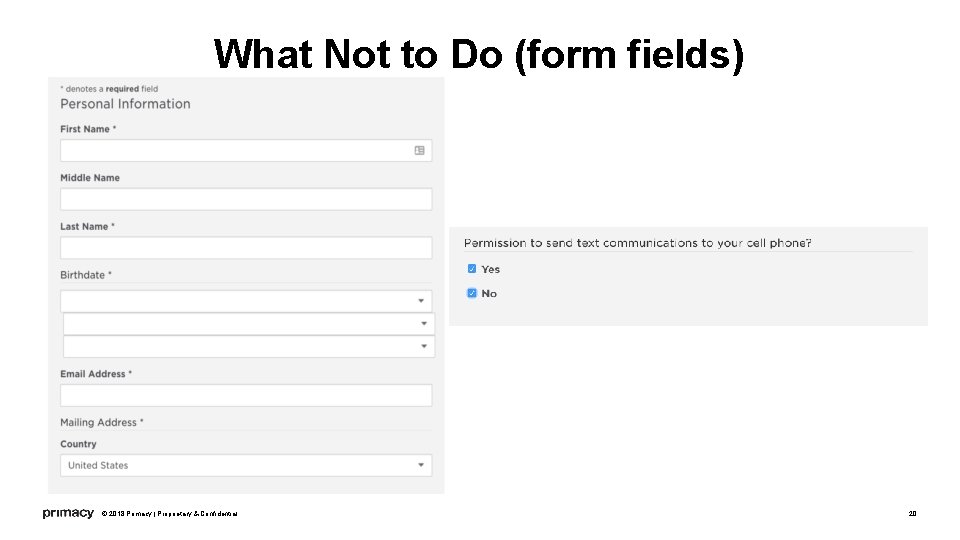
What Not to Do (form fields) © 2018 Primacy | Proprietary & Confidential 20
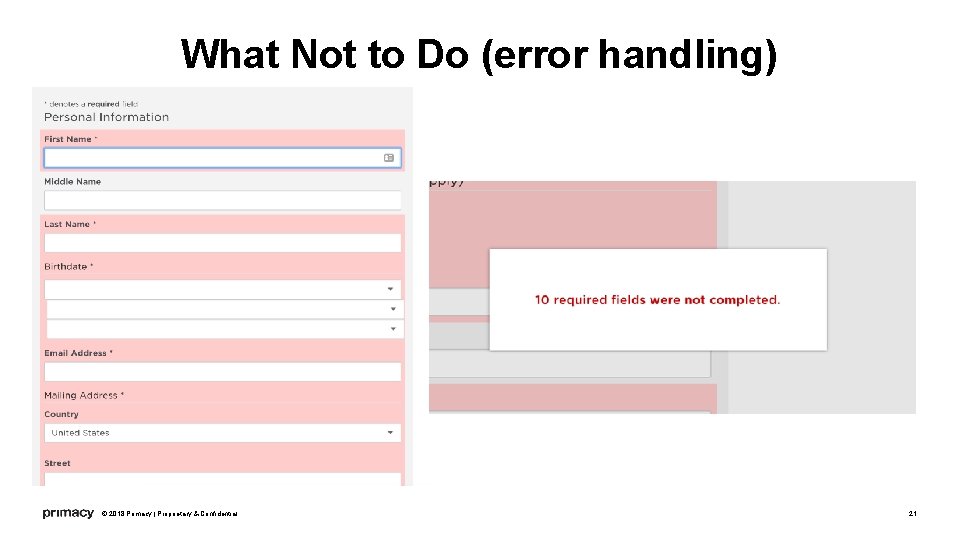
What Not to Do (error handling) © 2018 Primacy | Proprietary & Confidential 21
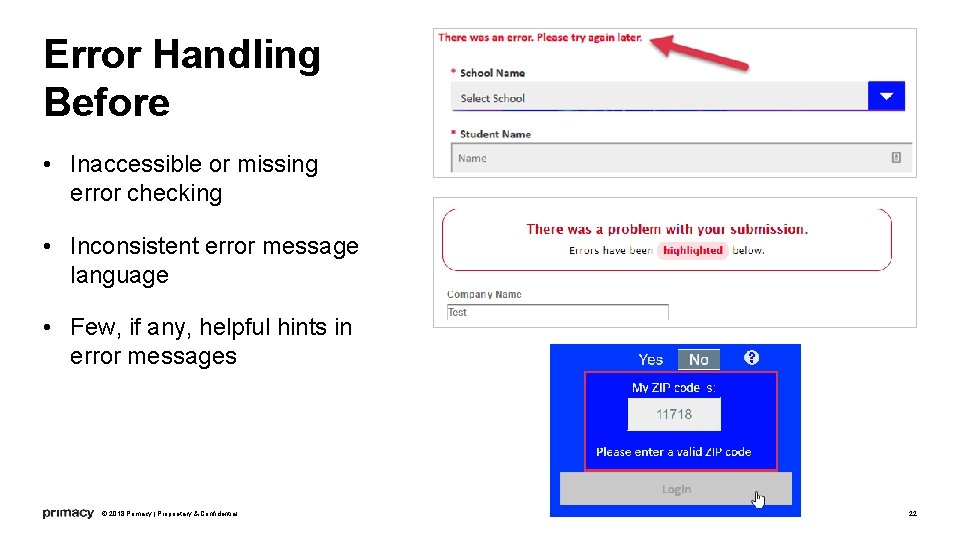
Error Handling Before • Inaccessible or missing error checking • Inconsistent error message language • Few, if any, helpful hints in error messages © 2018 Primacy | Proprietary & Confidential 22
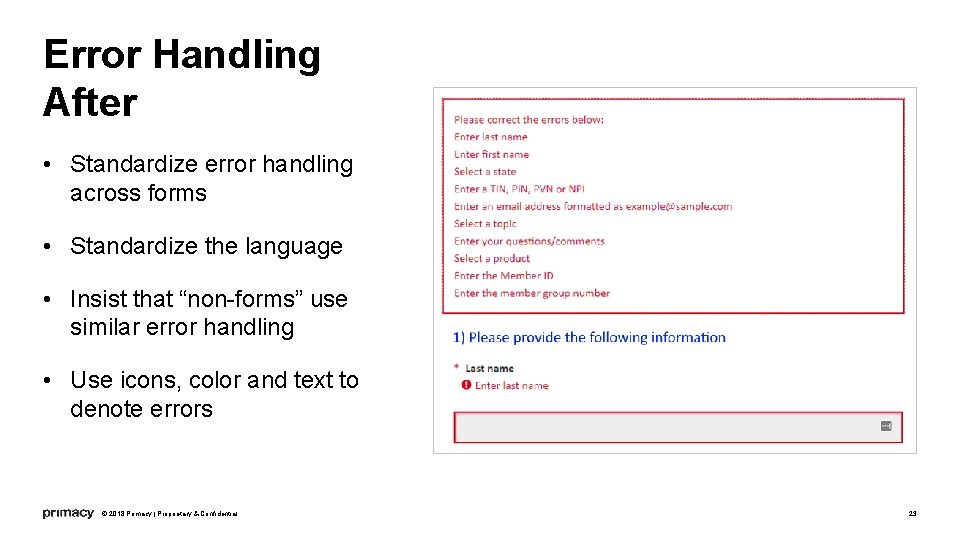
Error Handling After • Standardize error handling across forms • Standardize the language • Insist that “non-forms” use similar error handling • Use icons, color and text to denote errors © 2018 Primacy | Proprietary & Confidential 23
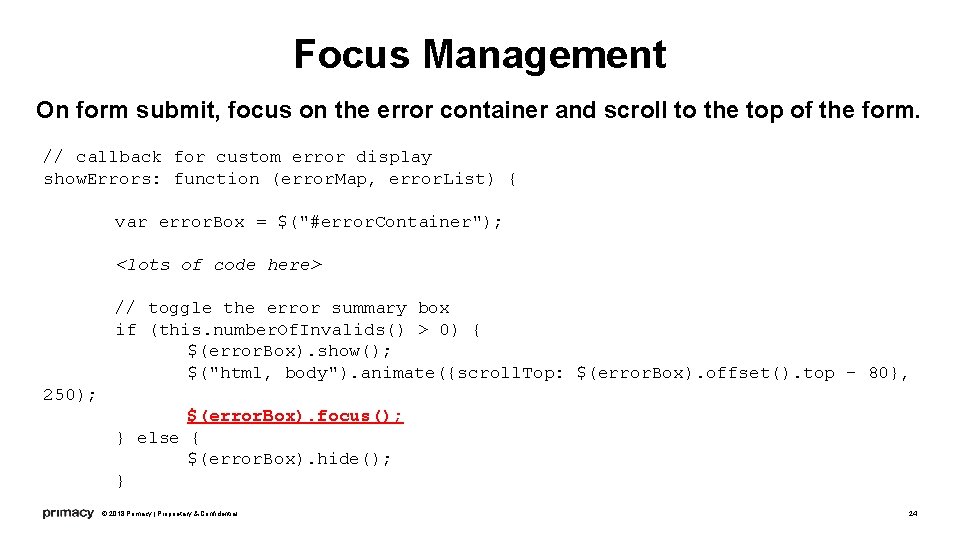
Focus Management On form submit, focus on the error container and scroll to the top of the form. // callback for custom error display show. Errors: function (error. Map, error. List) { var error. Box = $("#error. Container"); <lots of code here> // toggle the error summary box if (this. number. Of. Invalids() > 0) { $(error. Box). show(); $("html, body"). animate({scroll. Top: $(error. Box). offset(). top - 80}, 250); $(error. Box). focus(); } else { $(error. Box). hide(); } © 2018 Primacy | Proprietary & Confidential 24
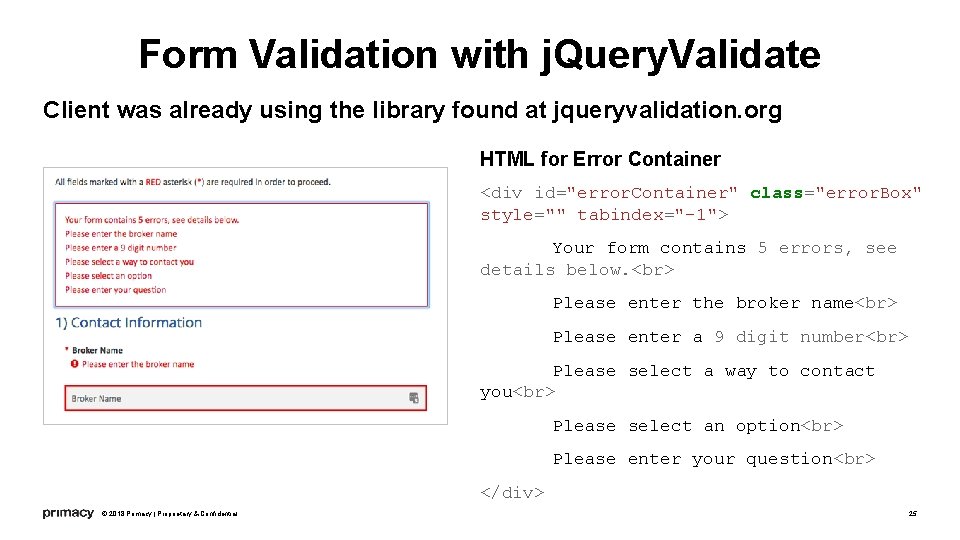
Form Validation with j. Query. Validate Client was already using the library found at jqueryvalidation. org HTML for Error Container <div id="error. Container" class="error. Box" style="" tabindex="-1"> Your form contains 5 errors, see details below. Please enter the broker name Please enter a 9 digit number Please select a way to contact you Please select an option Please enter your question </div> © 2018 Primacy | Proprietary & Confidential 25
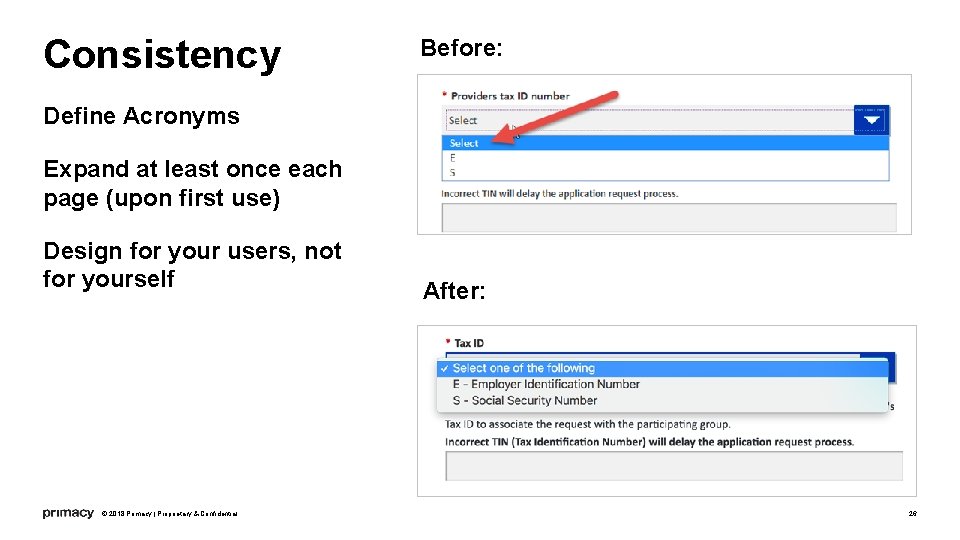
Consistency Before: Define Acronyms Expand at least once each page (upon first use) Design for your users, not for yourself © 2018 Primacy | Proprietary & Confidential After: 26
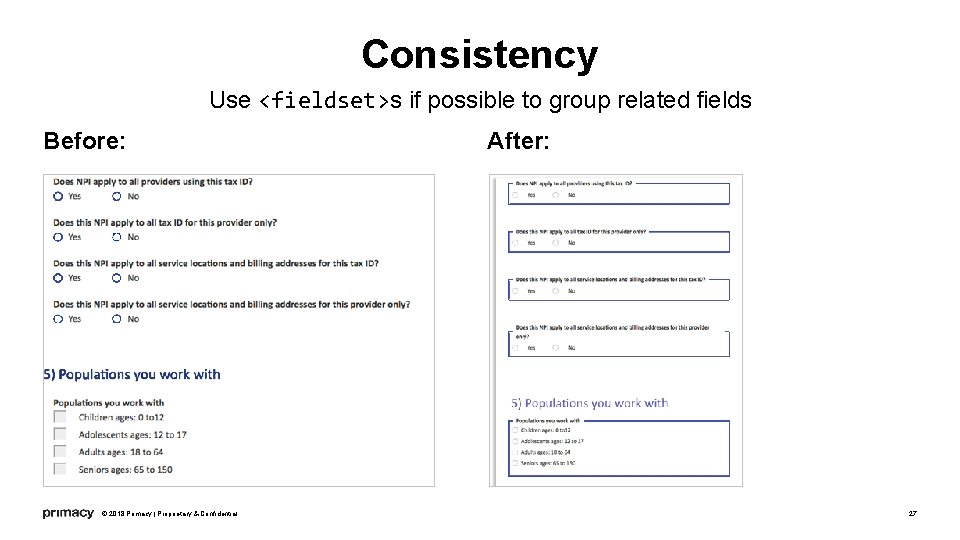
Consistency Use <fieldset>s if possible to group related fields Before: © 2018 Primacy | Proprietary & Confidential After: 27
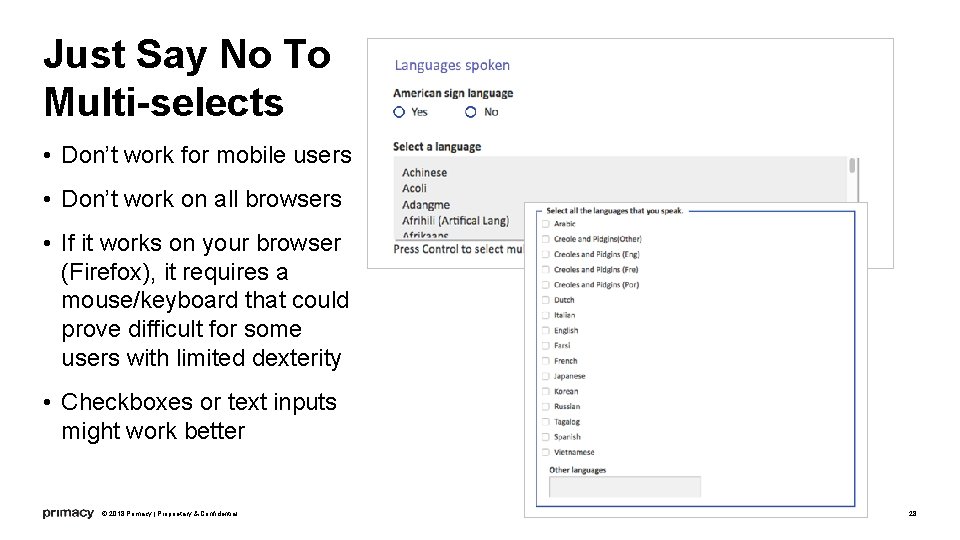
Just Say No To Multi-selects • Don’t work for mobile users • Don’t work on all browsers • If it works on your browser (Firefox), it requires a mouse/keyboard that could prove difficult for some users with limited dexterity • Checkboxes or text inputs might work better © 2018 Primacy | Proprietary & Confidential 28
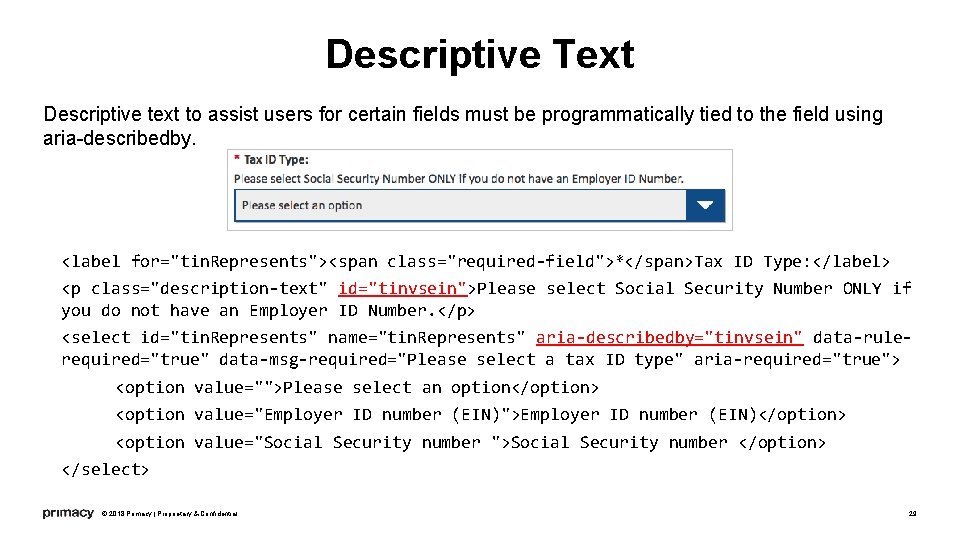
Descriptive Text Descriptive text to assist users for certain fields must be programmatically tied to the field using aria-describedby. <label for="tin. Represents"><span class="required-field">*</span>Tax ID Type: </label> <p class="description-text" id="tinvsein">Please select Social Security Number ONLY if you do not have an Employer ID Number. </p> <select id="tin. Represents" name="tin. Represents" aria-describedby="tinvsein" data-rulerequired="true" data-msg-required="Please select a tax ID type" aria-required="true"> <option value="">Please select an option</option> <option value="Employer ID number (EIN)">Employer ID number (EIN)</option> <option value="Social Security number ">Social Security number </option> </select> © 2018 Primacy | Proprietary & Confidential 29
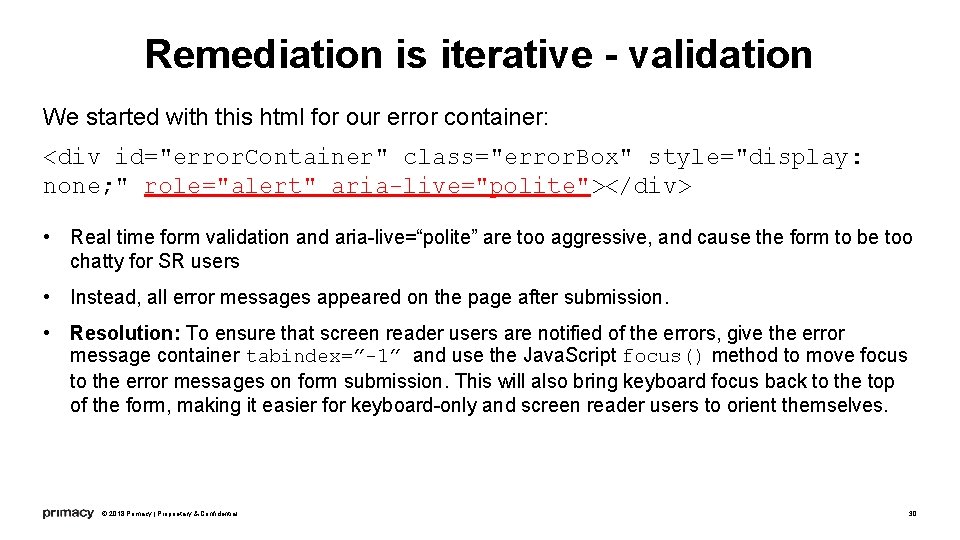
Remediation is iterative - validation We started with this html for our error container: <div id="error. Container" class="error. Box" style="display: none; " role="alert" aria-live="polite"></div> • Real time form validation and aria-live=“polite” are too aggressive, and cause the form to be too chatty for SR users • Instead, all error messages appeared on the page after submission. • Resolution: To ensure that screen reader users are notified of the errors, give the error message container tabindex=”-1” and use the Java. Script focus() method to move focus to the error messages on form submission. This will also bring keyboard focus back to the top of the form, making it easier for keyboard-only and screen reader users to orient themselves. © 2018 Primacy | Proprietary & Confidential 30
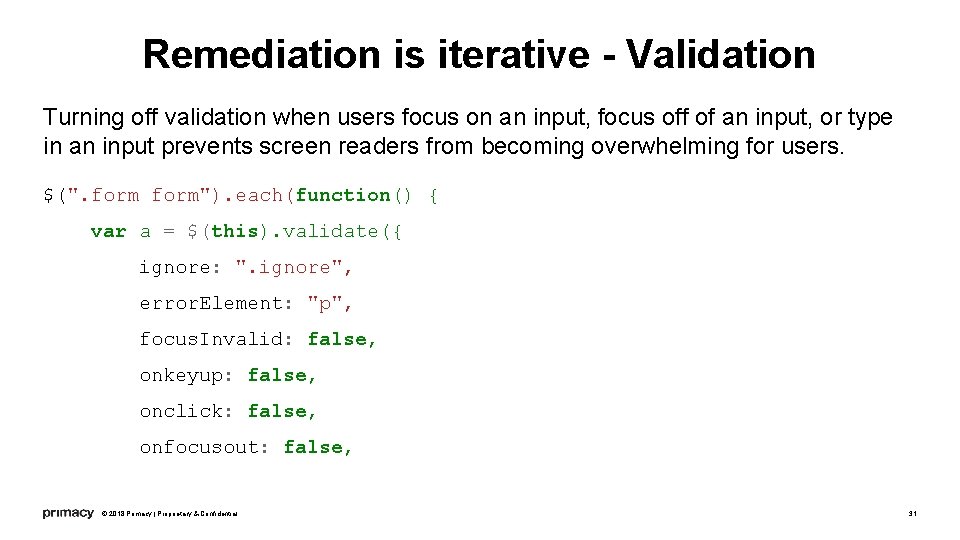
Remediation is iterative - Validation Turning off validation when users focus on an input, focus off of an input, or type in an input prevents screen readers from becoming overwhelming for users. $(". form"). each(function() { var a = $(this). validate({ ignore: ". ignore", error. Element: "p", focus. Invalid: false, onkeyup: false, onclick: false, onfocusout: false, © 2018 Primacy | Proprietary & Confidential 31
You Can’t Win Every Battle Some problems were beyond our control • Phone number information was broken into three separate fields • Date fields were not robust enough • Make the submission flow consistent across all forms • Which forms receive validation? • Continuing problems: • Inconsistencies on long forms • Forms continue to be long and complex © 2018 Primacy | Proprietary & Confidential 32
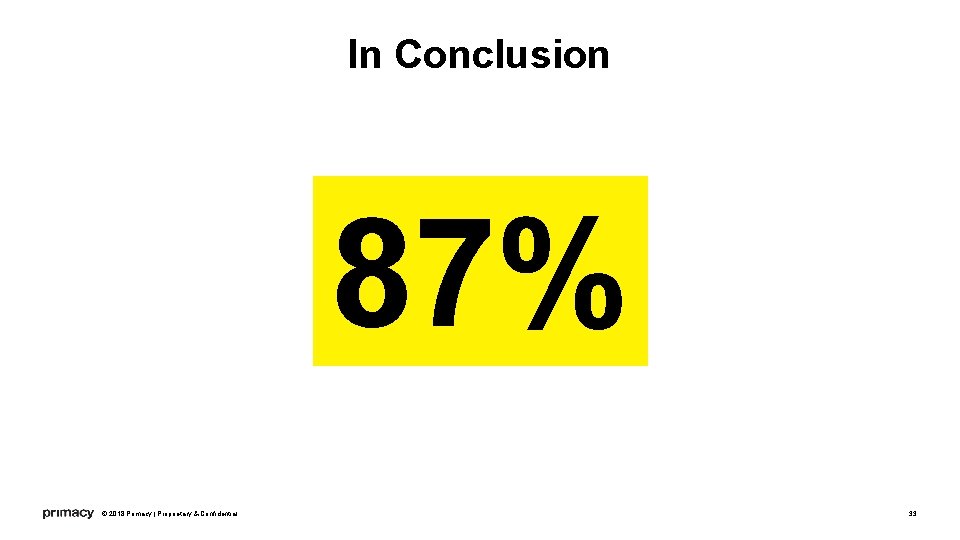
In Conclusion 87% © 2018 Primacy | Proprietary & Confidential 33
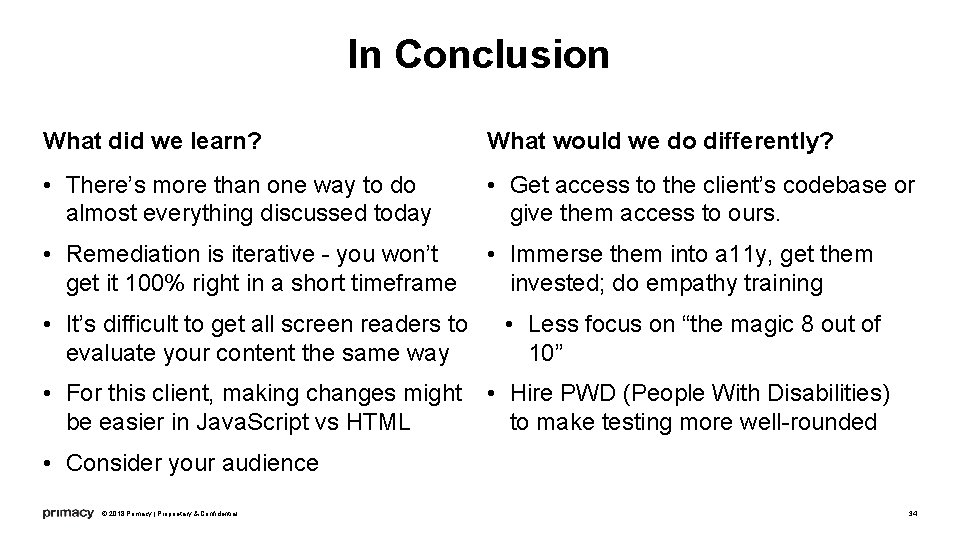
In Conclusion What did we learn? What would we do differently? • There’s more than one way to do almost everything discussed today • Get access to the client’s codebase or give them access to ours. • Remediation is iterative - you won’t get it 100% right in a short timeframe • Immerse them into a 11 y, get them invested; do empathy training • It’s difficult to get all screen readers to evaluate your content the same way • Less focus on “the magic 8 out of 10” • For this client, making changes might be easier in Java. Script vs HTML • Hire PWD (People With Disabilities) to make testing more well-rounded • Consider your audience © 2018 Primacy | Proprietary & Confidential 34
QUESTIONS? 35
Thank You! Elizabeth. Linnetz@theprimacy. com PDF of this presentation is at: Tyrone. Mitchell@theprimacy. com http: //theprimacy. com/ahg/Fantastic. Forms. pdf Biz. Dev@theprimacy. com 860. 679. 9332 © 2018 Primacy | Proprietary & Confidential 36