
Fancy Image Repository Cross Platform Distributed App Pallavi
Fancy Image Repository (Cross Platform Distributed App) Pallavi Iyengar Tarun Rajput Course: Distributed Objects Instructor: Dr. James Fawcett
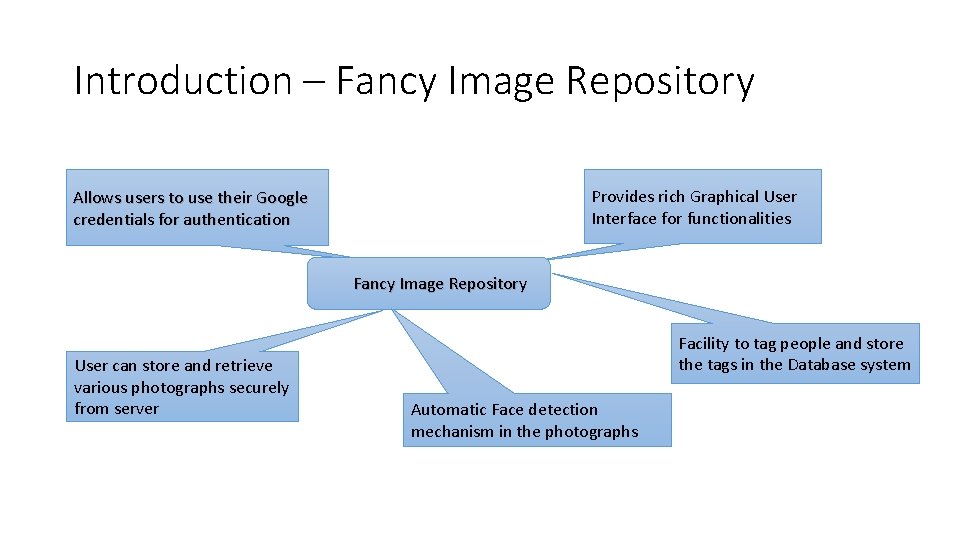
Introduction – Fancy Image Repository Provides rich Graphical User Interface for functionalities Allows users to use their Google credentials for authentication Fancy Image Repository User can store and retrieve various photographs securely from server Facility to tag people and store the tags in the Database system Automatic Face detection mechanism in the photographs
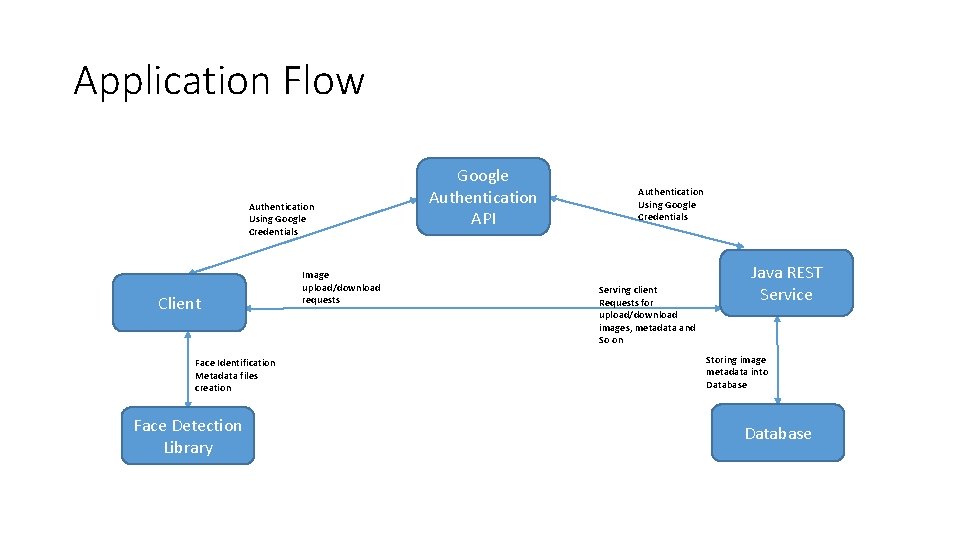
Application Flow Authentication Using Google Credentials Client Face Identification Metadata files creation Face Detection Library Image upload/download requests Google Authentication API Authentication Using Google Credentials Serving client Requests for upload/download images, metadata and So on Java REST Service Storing image metadata into Database
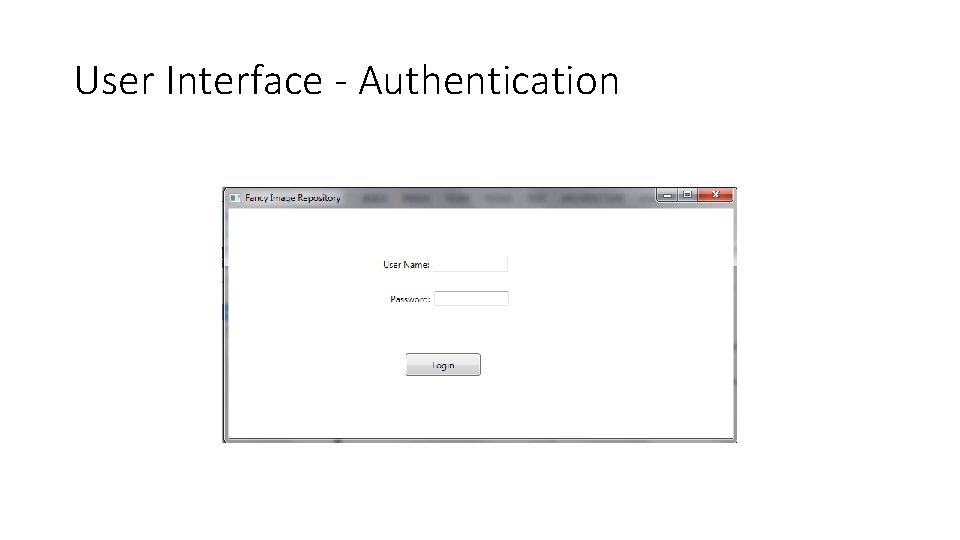
User Interface - Authentication
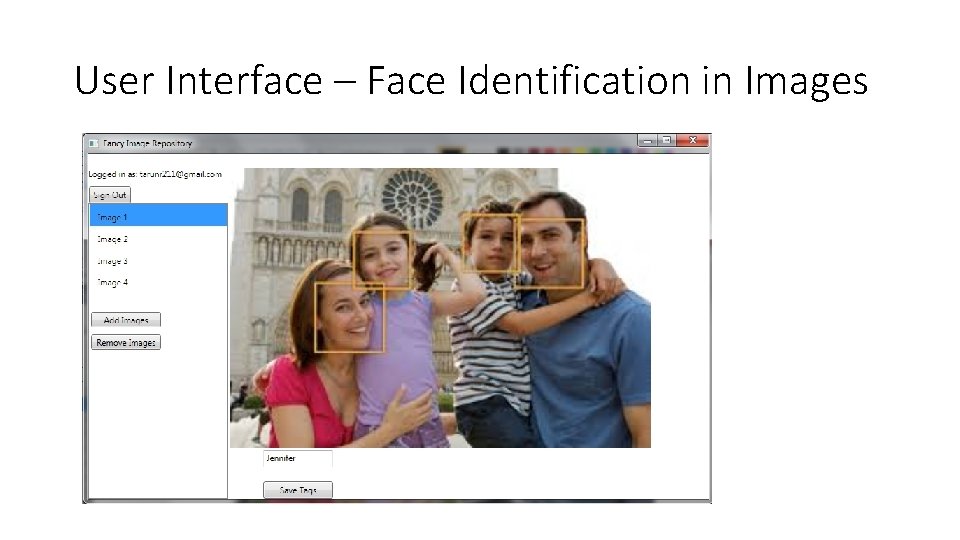
User Interface – Face Identification in Images
Technologies • RDBMS My. SQL for Data storage • Java Swing API for Client Application • Java REST services • Google Authentication API • Open. CV Face Detection library
My SQL
My SQL - Introduction • My. SQL is a relational database management system and ships with no GUI tools to administer My. SQL databases or manage data contained within the databases. • Users may use the included command line tools use My. SQL "front-ends", desktop software and web applications that create and manage My. SQL databases, build database structures, back up data, inspect status, and work with data records. • The official set of My. SQL front-end tools, My. SQL Workbench is actively developed by Oracle, and is freely available for use.
My SQL Editions • My. SQL Community Edition • My. SQL Standard Edition • My. SQL Enterprise Edition • My. SQL Cluster Carrier Grade Edition
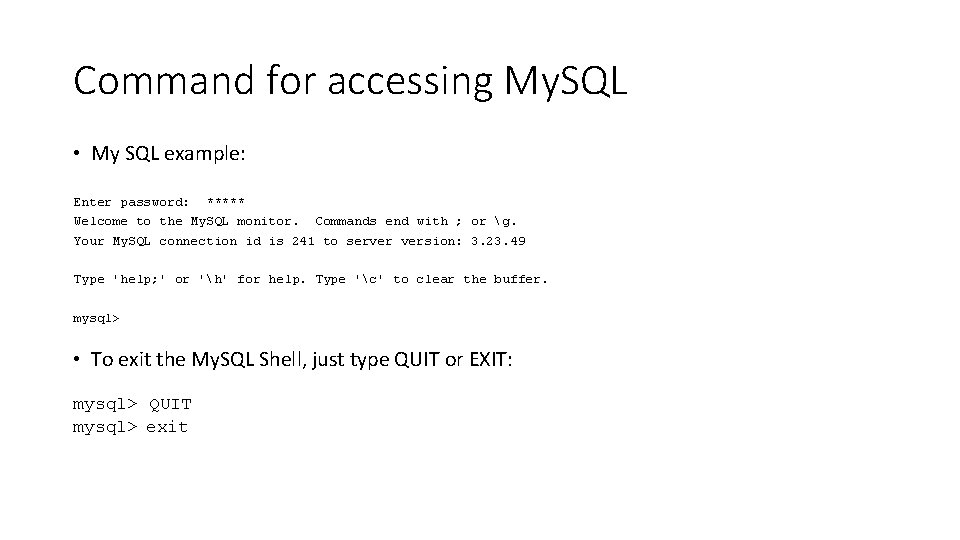
Command for accessing My. SQL • My SQL example: Enter password: ***** Welcome to the My. SQL monitor. Commands end with ; or g. Your My. SQL connection id is 241 to server version: 3. 23. 49 Type 'help; ' or 'h' for help. Type 'c' to clear the buffer. mysql> • To exit the My. SQL Shell, just type QUIT or EXIT: mysql> QUIT mysql> exit
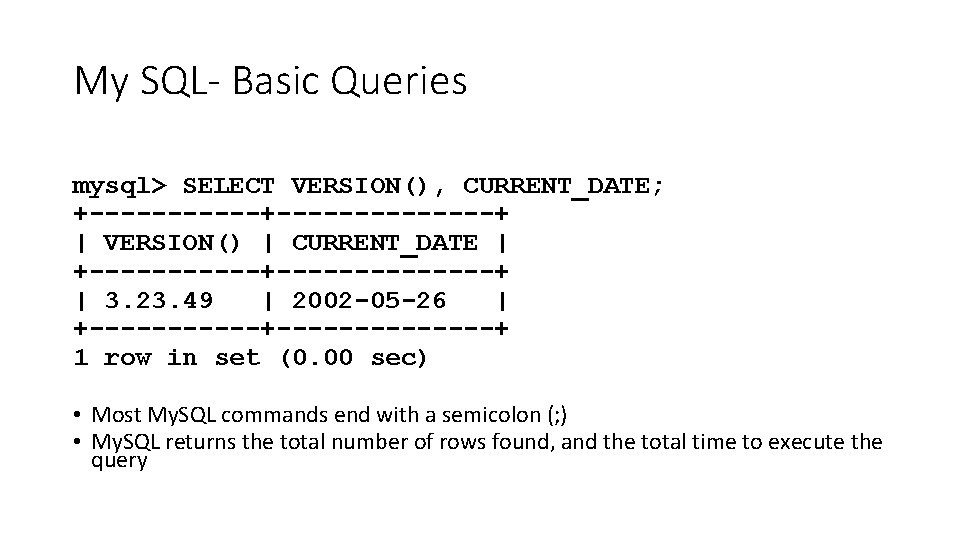
My SQL- Basic Queries mysql> SELECT VERSION(), CURRENT_DATE; +--------------+ | VERSION() | CURRENT_DATE | +--------------+ | 3. 23. 49 | 2002 -05 -26 | +--------------+ 1 row in set (0. 00 sec) • Most My. SQL commands end with a semicolon (; ) • My. SQL returns the total number of rows found, and the total time to execute the query
Java Swing API
Java Swing API • Swing is a GUI widget toolkit for Java. It is part of Oracle's Java Foundation Classes (JFC) — an API for providing a graphical user interface (GUI) for Java programs. Swing was developed to provide a more sophisticated set of GUI components than the earlier Abstract Window Toolkit (AWT). • JApplet, Jframe, JLabel, JButton, JPanel, Jslider, JColor. Chooser, JInternal. Frame, JOption. Pane, JTool. Bar, JEditor. Pane, JCheck. Box, JRadio. Button, JText. Field, JText. Area, JFile. Choose
Java Swing API - Features • Many more built-in controls - Image buttons, tabbed panes, sliders, toolbars, color choosers, HTML text areas, lists, trees, and tables. • Increased customization of components • Border styles, text alignments, and basic drawing features. Images can be added to almost any control. • A pluggable “look and feel” • Not limited to “native” look. • Many miscellaneous small features • Built-in double buffering, tool-tips, dockable toolbars, keyboard accelerators, custom cursors, etc. • Model-view-controller architecture • Can change internal representation of trees, lists, tables.
Java Swing API - Features • Lightweight components • Most Swing components are lightweight: formed by drawing in the underlying window. • Use of paint. Component for drawing • Custom drawing code is in paint. Component, not paint.
REST Services
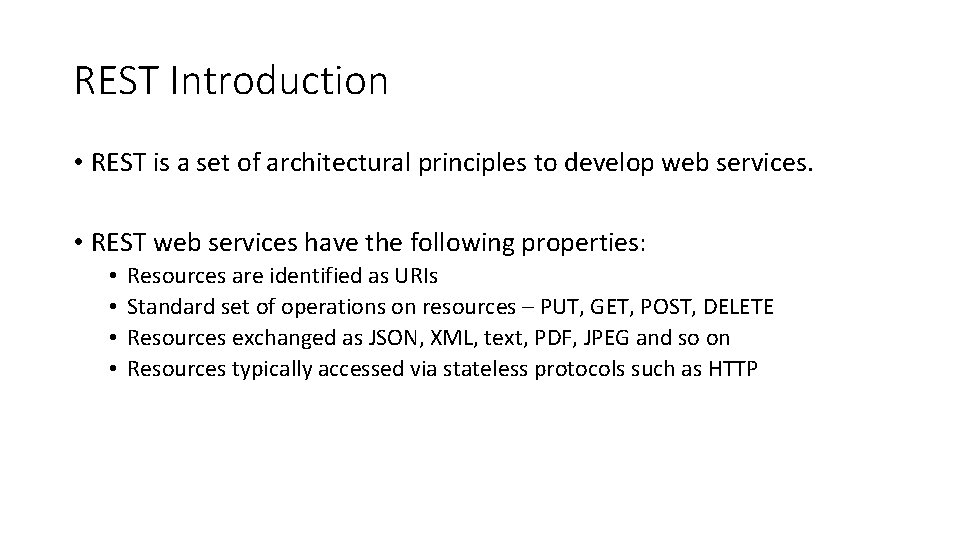
REST Introduction • REST is a set of architectural principles to develop web services. • REST web services have the following properties: • • Resources are identified as URIs Standard set of operations on resources – PUT, GET, POST, DELETE Resources exchanged as JSON, XML, text, PDF, JPEG and so on Resources typically accessed via stateless protocols such as HTTP
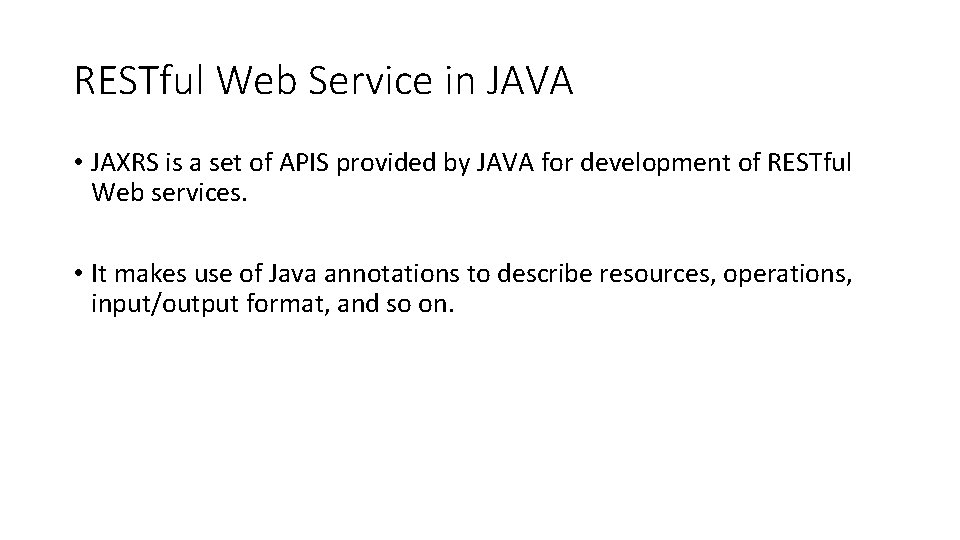
RESTful Web Service in JAVA • JAXRS is a set of APIS provided by JAVA for development of RESTful Web services. • It makes use of Java annotations to describe resources, operations, input/output format, and so on.
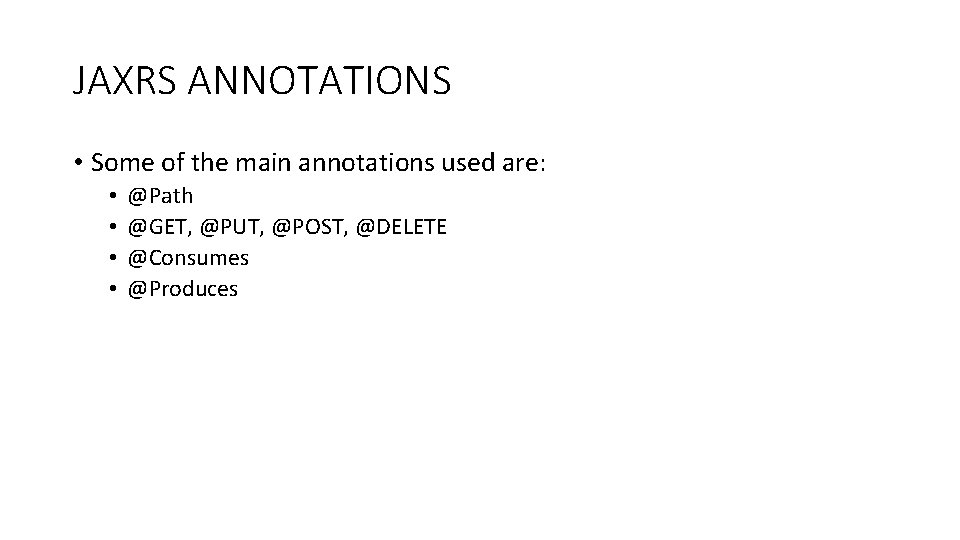
JAXRS ANNOTATIONS • Some of the main annotations used are: • • @Path @GET, @PUT, @POST, @DELETE @Consumes @Produces
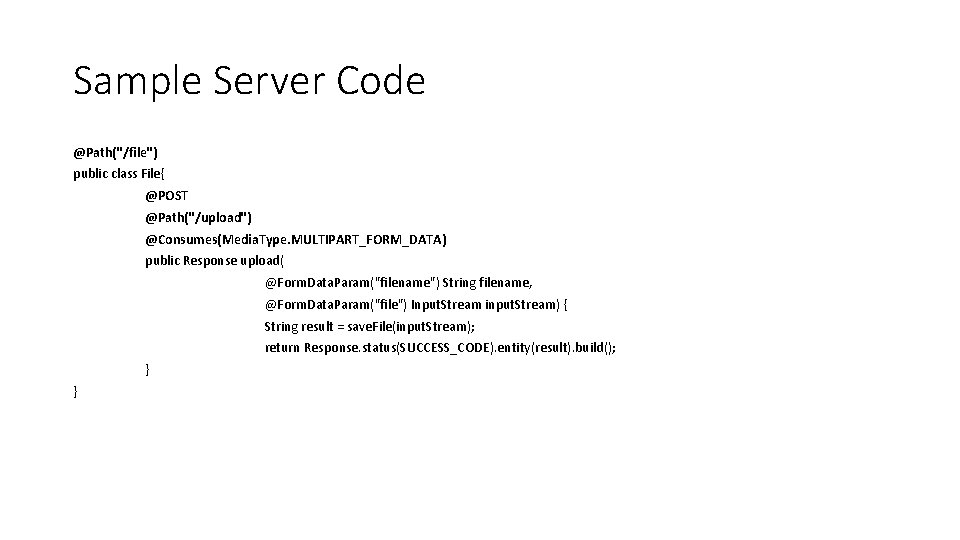
Sample Server Code @Path("/file") public class File{ @POST @Path("/upload") @Consumes(Media. Type. MULTIPART_FORM_DATA) public Response upload( @Form. Data. Param("filename") String filename, @Form. Data. Param("file") Input. Stream input. Stream) { String result = save. File(input. Stream); return Response. status(SUCCESS_CODE). entity(result). build(); } }
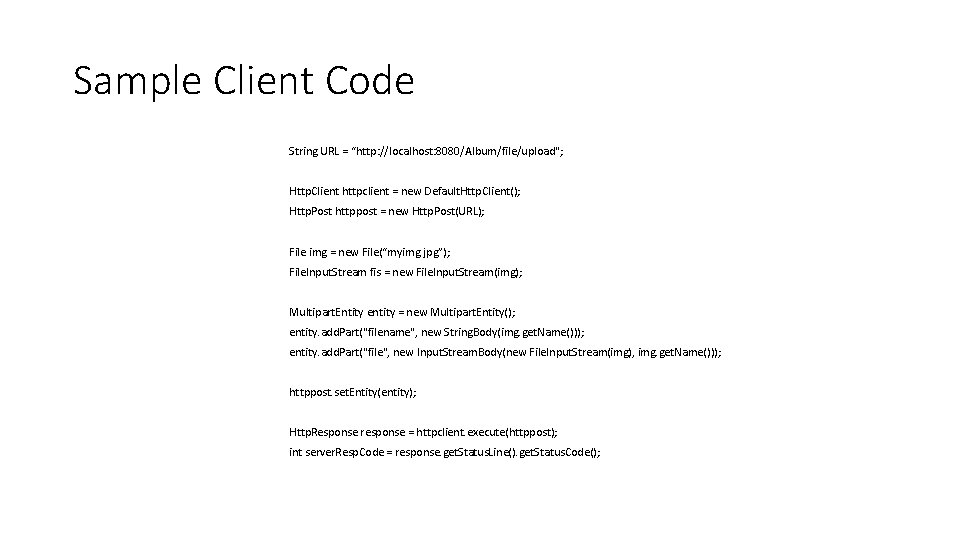
Sample Client Code String URL = “http: //localhost: 8080/Album/file/upload"; Http. Client httpclient = new Default. Http. Client(); Http. Post httppost = new Http. Post(URL); File img = new File(“myimg. jpg”); File. Input. Stream fis = new File. Input. Stream(img); Multipart. Entity entity = new Multipart. Entity(); entity. add. Part("filename", new String. Body(img. get. Name())); entity. add. Part("file", new Input. Stream. Body(new File. Input. Stream(img), img. get. Name())); httppost. set. Entity(entity); Http. Response response = httpclient. execute(httppost); int server. Resp. Code = response. get. Status. Line(). get. Status. Code();
Open. CV for Face. Detection
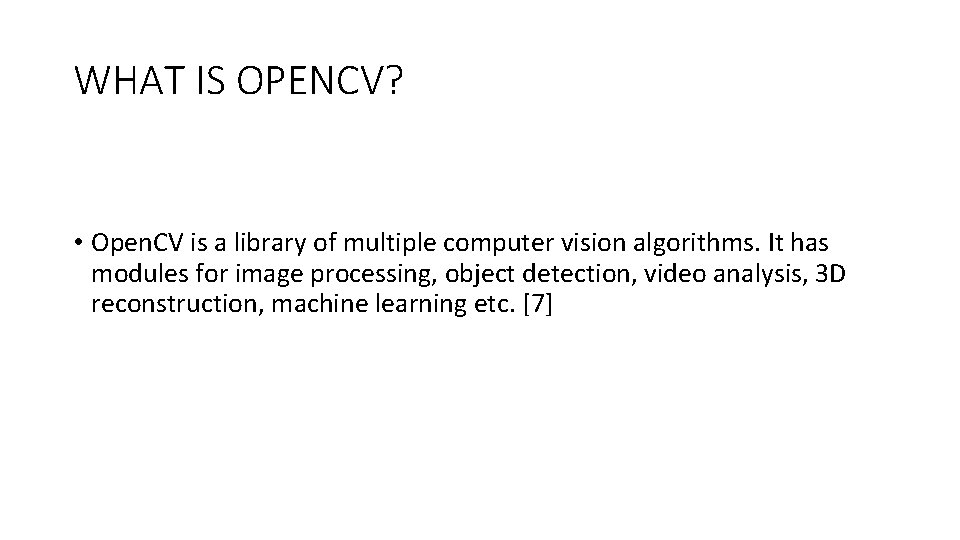
WHAT IS OPENCV? • Open. CV is a library of multiple computer vision algorithms. It has modules for image processing, object detection, video analysis, 3 D reconstruction, machine learning etc. [7]
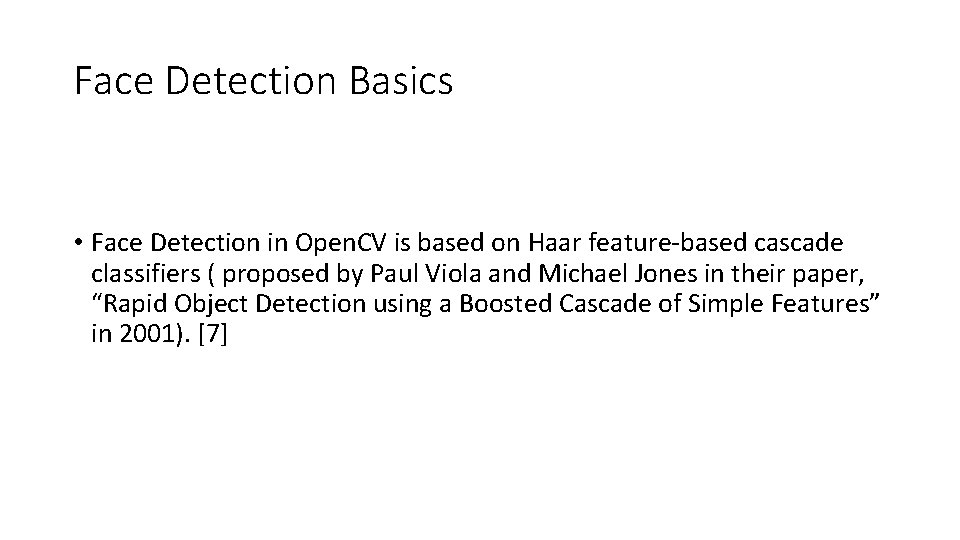
Face Detection Basics • Face Detection in Open. CV is based on Haar feature-based cascade classifiers ( proposed by Paul Viola and Michael Jones in their paper, “Rapid Object Detection using a Boosted Cascade of Simple Features” in 2001). [7]
![Open. CV APIs • Load the native library System. load. Library(Core. NATIVE_LIBRARY_NAME); [7]](http://slidetodoc.com/presentation_image_h2/75039cd8b35366bbbe98009d7adb6bda/image-25.jpg "Open. CV APIs • Load the native library System. load. Library(Core. NATIVE_LIBRARY_NAME); [7]")
Open. CV APIs • Load the native library System. load. Library(Core. NATIVE_LIBRARY_NAME); [7]
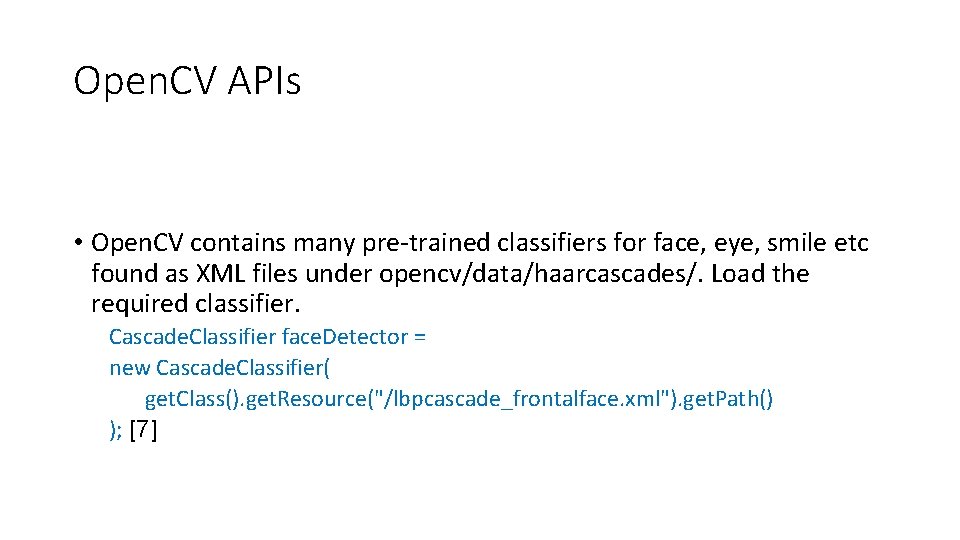
Open. CV APIs • Open. CV contains many pre-trained classifiers for face, eye, smile etc found as XML files under opencv/data/haarcascades/. Load the required classifier. Cascade. Classifier face. Detector = new Cascade. Classifier( get. Class(). get. Resource("/lbpcascade_frontalface. xml"). get. Path() ); [7]
![Open. CV APIs • Load the image. Mat is C++ n-dimensional dense array class[5].](http://slidetodoc.com/presentation_image_h2/75039cd8b35366bbbe98009d7adb6bda/image-27.jpg "Open. CV APIs • Load the image. Mat is C++ n-dimensional dense array class[5].")
Open. CV APIs • Load the image. Mat is C++ n-dimensional dense array class[5]. Mat image = Highgui. imread( get. Class(). get. Resource("/lena. png"). get. Path() ); [7]
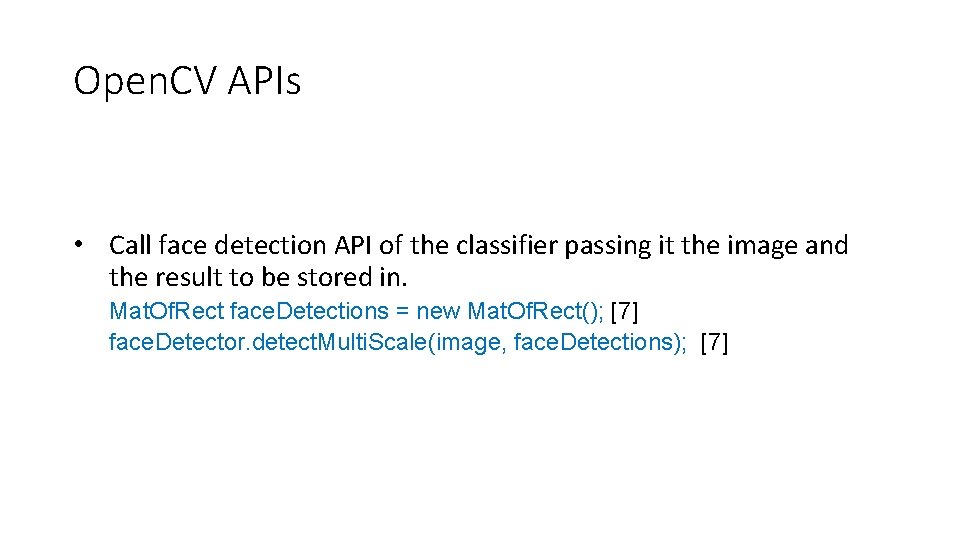
Open. CV APIs • Call face detection API of the classifier passing it the image and the result to be stored in. Mat. Of. Rect face. Detections = new Mat. Of. Rect(); [7] face. Detector. detect. Multi. Scale(image, face. Detections); [7]
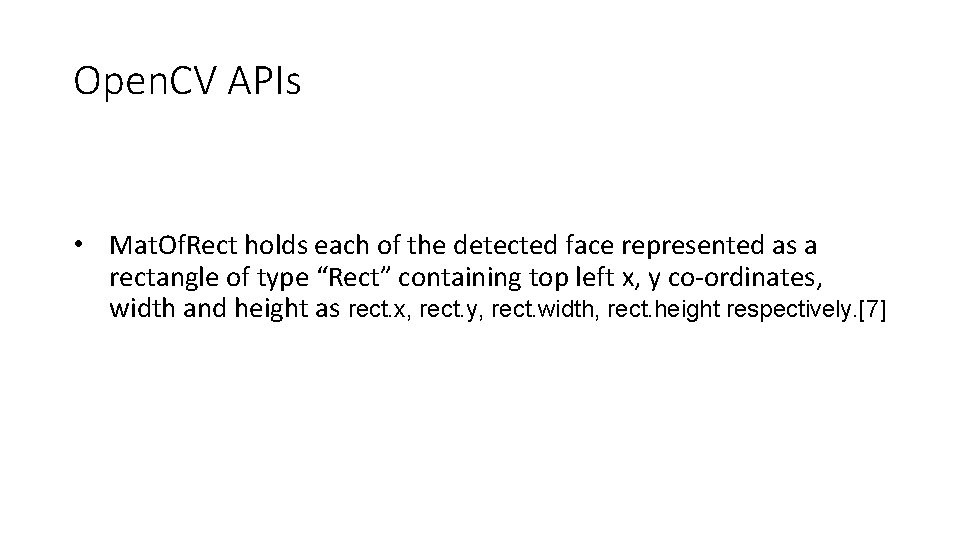
Open. CV APIs • Mat. Of. Rect holds each of the detected face represented as a rectangle of type “Rect” containing top left x, y co-ordinates, width and height as rect. x, rect. y, rect. width, rect. height respectively. [7]
Google Authentication
OAUTH – The Authorization Protocol • OAuth is an open standard for authorization. OAuth provides client applications a 'secure delegated access' to server resources on behalf of a resource owner. [9]
OAuth 2. 0 • OAuth 2. 0 is the next evolution of the Oauth protocol [9]. Google supports OAuth 2. 0 as the recommended authentication mechanism for all of its APIs [12].
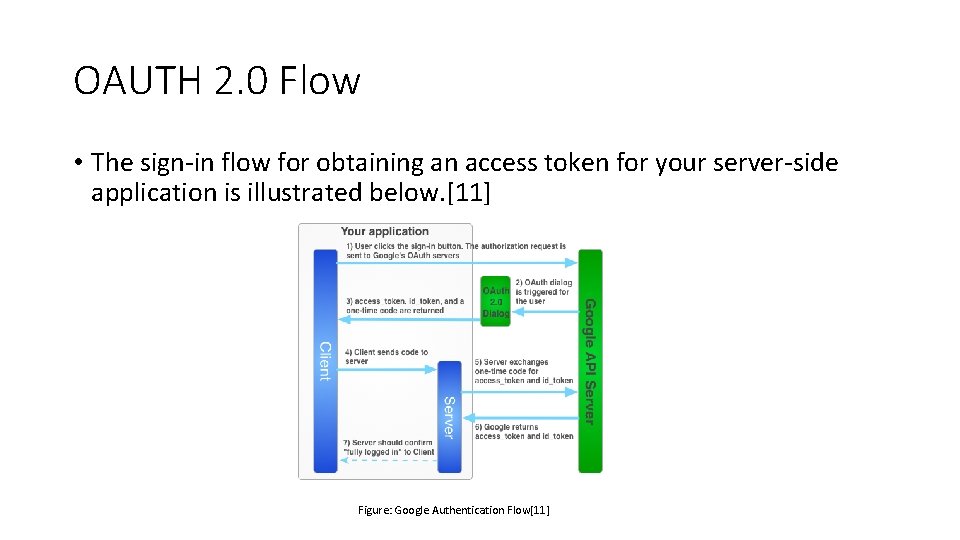
OAUTH 2. 0 Flow • The sign-in flow for obtaining an access token for your server-side application is illustrated below. [11] Figure: Google Authentication Flow[11]
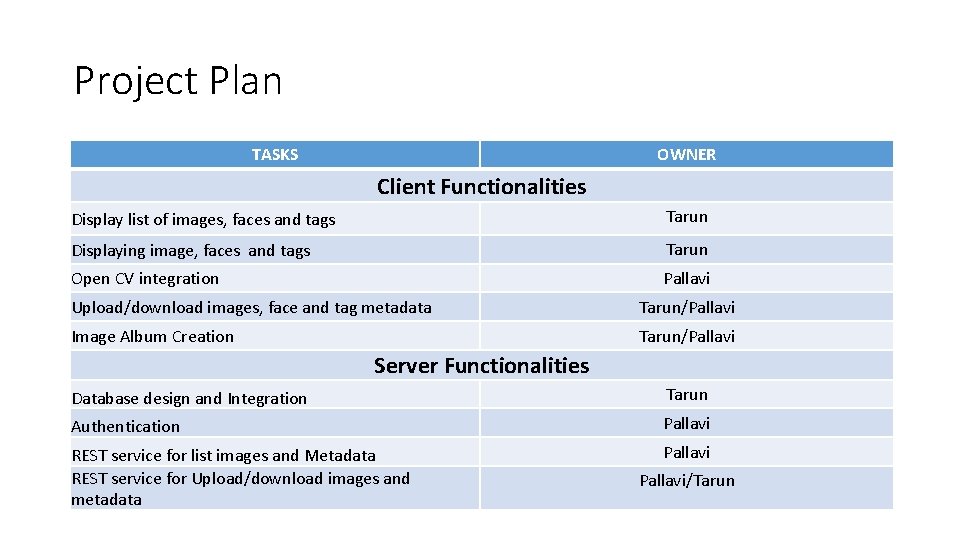
Project Plan TASKS OWNER Client Functionalities Display list of images, faces and tags Tarun Displaying image, faces and tags Tarun Open CV integration Pallavi Upload/download images, face and tag metadata Tarun/Pallavi Image Album Creation Tarun/Pallavi Server Functionalities Database design and Integration Tarun Authentication Pallavi REST service for list images and Metadata REST service for Upload/download images and metadata Pallavi/Tarun
![REFERENCES http: //docs. oracle. com/javaee/6/tutorial/doc/gijqy. html [1] http: //opencv. org/ [2] http: //docs. opencv.](http://slidetodoc.com/presentation_image_h2/75039cd8b35366bbbe98009d7adb6bda/image-35.jpg "REFERENCES http: //docs. oracle. com/javaee/6/tutorial/doc/gijqy. html [1] http: //opencv. org/ [2] http: //docs. opencv.")
REFERENCES http: //docs. oracle. com/javaee/6/tutorial/doc/gijqy. html [1] http: //opencv. org/ [2] http: //docs. opencv. org/modules/core/doc/intro. html [3] http: //www. vogella. com/tutorials/REST/article. html [4] http: //docs. opencv. org/modules/core/doc/basic_structures. html [5] http: //docs. opencv. org/doc/tutorials/introduction/desktop_java/java_dev_intro. html [6] http: //docs. opencv. org/trunk/doc/py_tutorials/py_objdetect/py_face_detection. html [7] http: //docs. opencv. org/trunk/doc/tutorials/introduction/java_eclipse. html [8] http: //en. wikipedia. org/wiki/OAuth [9] http: //tools. ietf. org/html/rfc 6749 [10] https: //developers. google. com/+/web/signin/server-side-flow [11] "Google Accounts Authentication and Authorization". [12] https: //blog. openshift. com/day-12 -opencv-face-detection-for-java-developers/ [13]
REFERENCES • http: //www. cs. kent. edu/~mabuata/DB 10_lab/ • http: //docs. oracle. com/javase/tutorial/uiswing/

Thank You
- Slides: 37