
Fame or Shame Sandy Zhou IT 522 Professor
- Slides: 12
Fame or Shame Sandy Zhou IT 522 Professor Saban 4/25/2016
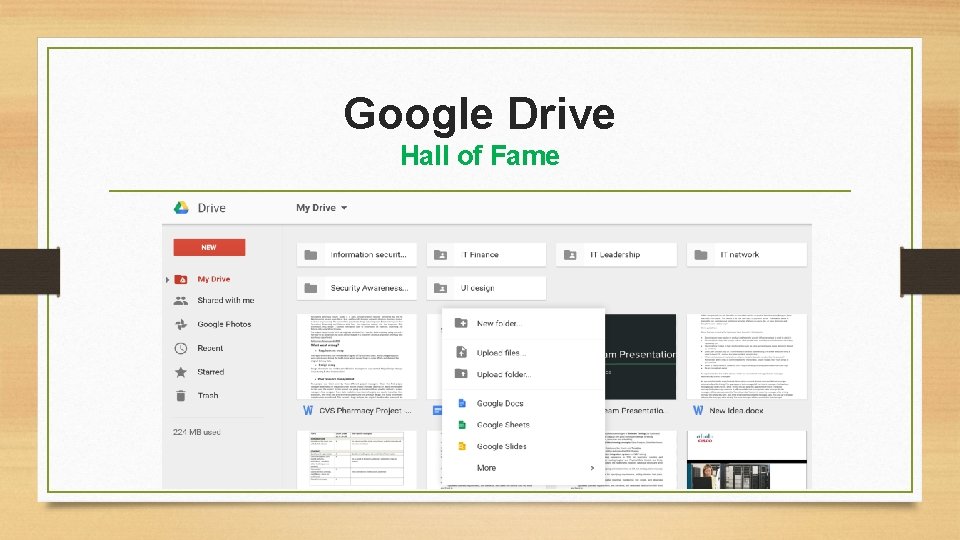
Google Drive Hall of Fame
Google Drive Hall of Fame Usability • UI is pretty neat and easy to access folders/files • Easy to access every functionality such as create new folder, upload files, share the document and so on Learnability • No complex instructions required to learn how to use google drive • All the functionalities are easy to understand
Google Drive Hall of Fame Visibility • Every functionality is laid out nicely and easy to view • Appropriately colors are used for highlighted functions Efficiency • One click on the NEW button could upload folders/files (Major functions) • All the files are shown as large icon with snapshot, no need to always open the file to check what it is
Google Drive Hall of Fame Errors and User control • Users can always cancel the process even in the middle of uploading the files • Users can move the files to trash and restore them anytime • When users try to delete the files forever from the trash box, a warning message pops up to prompt users the action can’t be undone
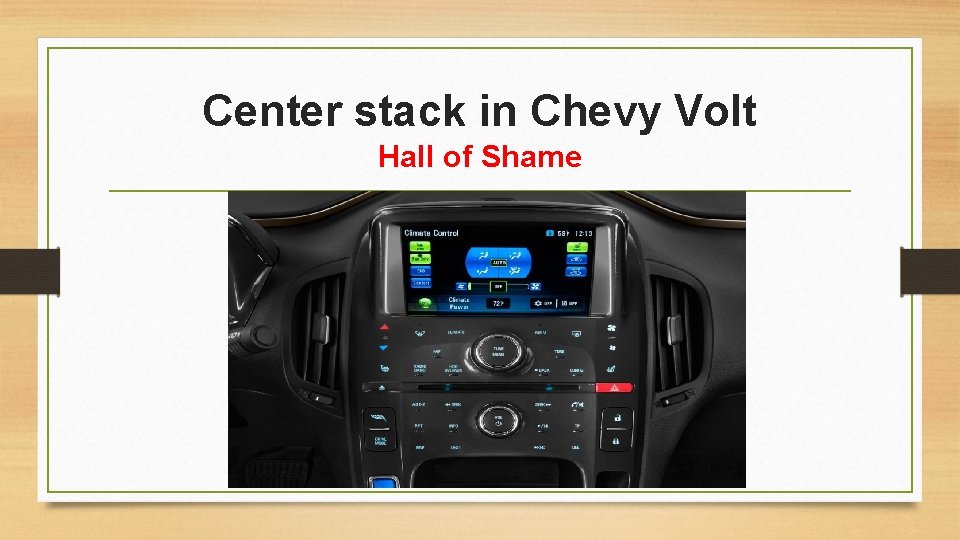
Center stack in Chevy Volt Hall of Shame
Center stack in Chevy Volt Hall of Shame Usability • At first glance all the functionalities are easy to access on the center stack • Capacitive touch buttons don’t give good feeback compare to tranditional buttons • It is hard to manage content without real ipod connectivity, special Bluetooth adapeter is required Learnability • Center console is not intuitive and takes time to figure out how to use it
Center stack in Chevy Volt Hall of Shame Visibility • Every functionality is laid out nicely and visible to users Efficiency • Users have to take a lot of time to figure out how to use it • Touch-activated controls below the touch screen is hard to identify since they are too small
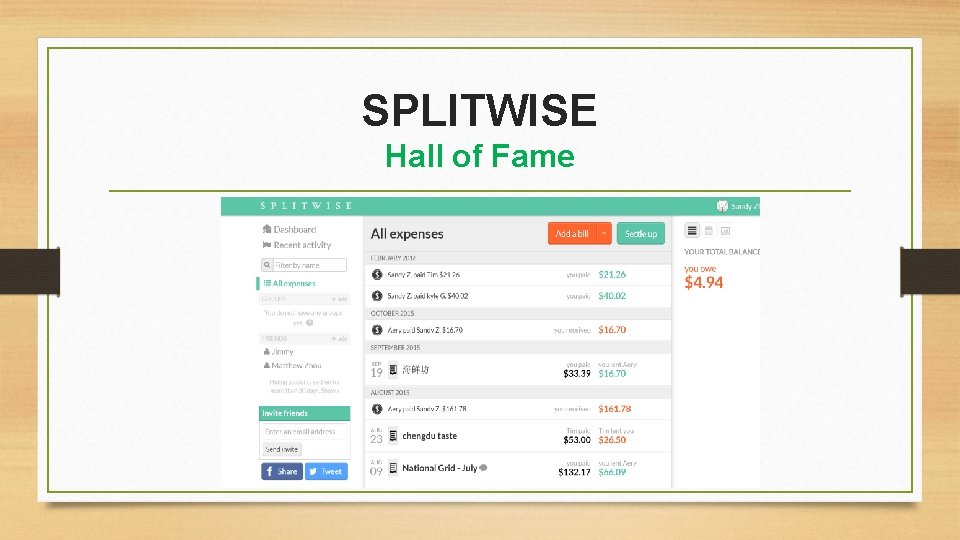
SPLITWISE Hall of Fame
SPLITWISE Hall of Fame Usability/Learnability • Every functionality can be easily accessed on the webpage • Highlight the most critical functionality ‘Add a bill’ in red for users to easily identify • Different colors are used to indicate the money users owe or users are owed • Easy to understand the steps of each functionality and the webpage layout is neat
SPLITWISE Hall of Fame Visibility • User interface is visible and simple. • All the functionalities can be accessed directly without scrolling • Dashboard always shows the money users owe or users are owed which users care the most, settled up expenses can be retrieved from ‘All expenses’ option • Appropriate colors are used while options are getting selected
SPLITWISE Hall of Fame Efficiency • Users can read everything thru the main page without scrolling • Detail instructions are provided for each step while accessing every functionality • Users can easily invite friends or share SPLITWISE on facebook or twiteer • Support IPhone and easy to track bills anytime