
Fall 2012 ITEC 450 MODULE 4 DATABASE TUNING
Fall 2012 ITEC 450 MODULE 4 DATABASE TUNING AND DATA LOAD 1 Section 1 Database Tuning and Monitoring
BULK DATA IMPORTS AND EXPORTS USING DATA PUMP Fall 2012 Previously, export (exp) and import (imp) utilities were used to import/export data from a DB Data Pump export (expdp) and import (impdp) utilities are more versatile and much faster ITEC 450 � Can be executed in parallel, failed/stopped jobs can be restarted, metadata can be filtered out, etc. Exporting/importing is allowed at all logical layers: tables, schemas, groups of objects, or an entire DB � You export data and metadata � Database exports can used to migrate and upgrade between different versions of Oracle 2
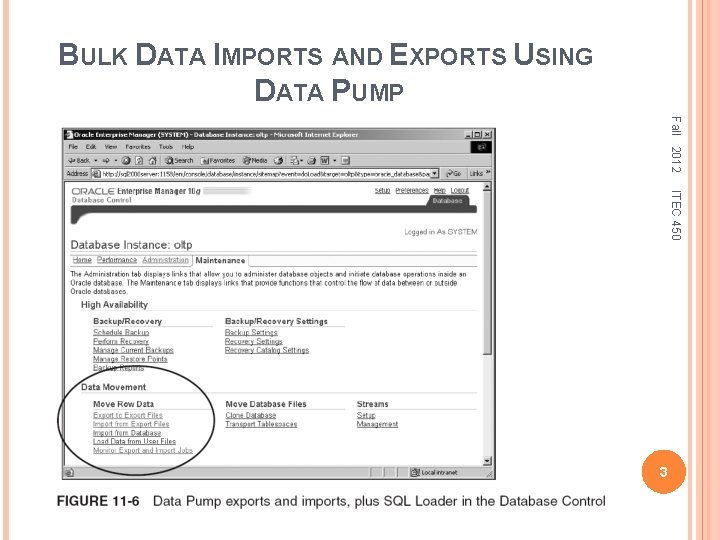
BULK DATA IMPORTS AND EXPORTS USING DATA PUMP Fall 2012 ITEC 450 3
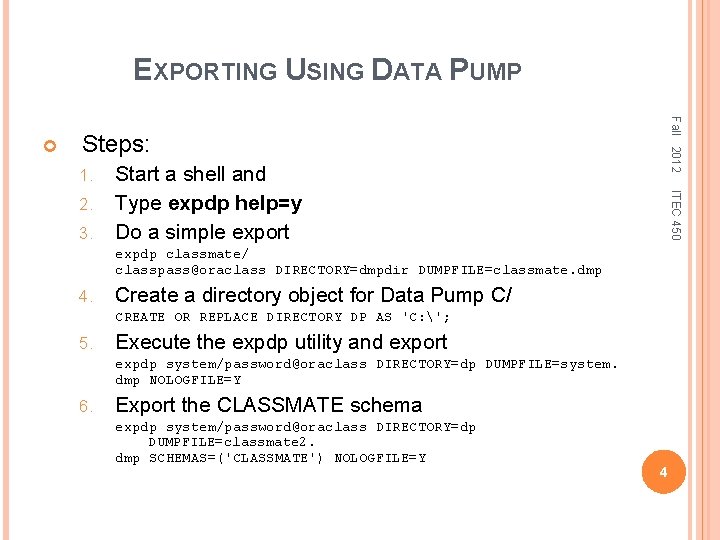
EXPORTING USING DATA PUMP Fall 2012 Steps: 1. 3. ITEC 450 2. Start a shell and Type expdp help=y Do a simple export expdp classmate/ classpass@oraclass DIRECTORY=dmpdir DUMPFILE=classmate. dmp 4. Create a directory object for Data Pump C/ CREATE OR REPLACE DIRECTORY DP AS 'C: '; 5. Execute the expdp utility and export expdp system/password@oraclass DIRECTORY=dp DUMPFILE=system. dmp NOLOGFILE=Y 6. Export the CLASSMATE schema expdp system/password@oraclass DIRECTORY=dp DUMPFILE=classmate 2. dmp SCHEMAS=('CLASSMATE') NOLOGFILE=Y 4
IMPORTING USING DATA PUMP Fall 2012 Data Pump is only available to DB- and OS level administrative personnel Older utils. allow exports/imports across a network ITEC 450 � Are secure because users have to have the schema password names to access schemas Steps: 1. 2. Start a shell Type impdp help=y The most likely use of these utilities are as fast backups and as an easy method of copying DBs IMP and EXP are easier to use than Data Pump, with the same options, just fewer options 5
BULK DATA LOADS WITH SQL*LOADER Fall 2012 SQL*Loader can perform magnificently in direct path, parallel mode, and using external tables ITEC 450 � Direct path loads allow appending to tables � Some situations will cause single tables and even entire SQL*Loader executions to execute using a conventional path load SQL*Loader is not limited to individual table loads � It can load into more than one table at once, considering all constraints SQL*Loader can also perform fast direct loads with external tables 6
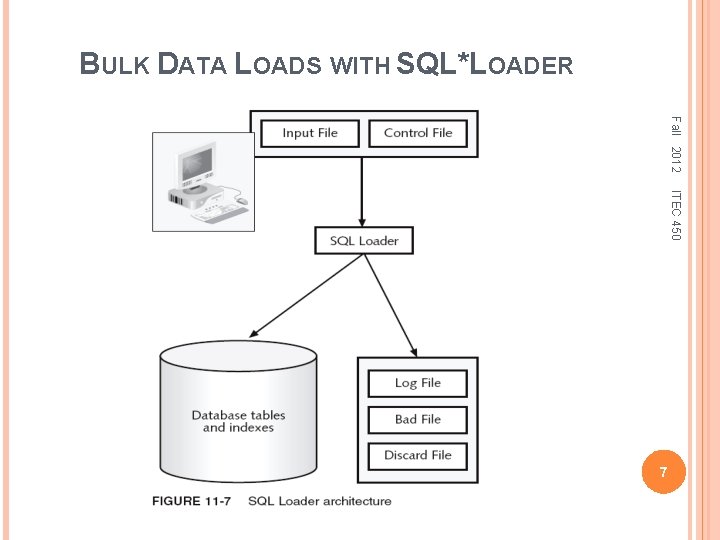
BULK DATA LOADS WITH SQL*LOADER Fall 2012 ITEC 450 7
DIRECT VERSUS CONVENTIONAL PATH LOADS Fall 2012 In a conventional path load rows are parsed into an array structure according to field specification, as defined by SQL Loader and table to be added to A direct path is similar to a conventional one; but, load writes data to end of table into new block and extent structures, creating new blocks as it goes ITEC 450 � Potentially much faster than conventional path loads A parallel direct path load is a variation on a direct path load and is potentially faster than a direct one The external table load creates and loads an external table 8
SQL LOADER INPUT DATA FILES Fall 2012 The input data files provide the data loaded in SQL Loader ITEC 450 � Input data file contents can be fixed-length rows, variable-length rows, or a single stream (string) � Input data can consist of a single data file in control file, or a separate data set in the input data file File does not have to exist and that input data can all be included in the control file To avoid confusion, it is best to divide things into the different appropriate files 9
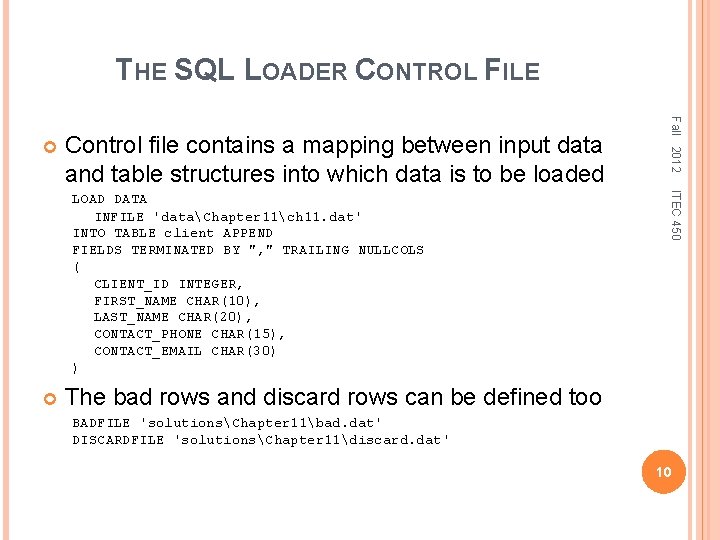
THE SQL LOADER CONTROL FILE Control file contains a mapping between input data and table structures into which data is to be loaded ITEC 450 LOAD DATA INFILE 'dataChapter 11ch 11. dat' INTO TABLE client APPEND FIELDS TERMINATED BY ", " TRAILING NULLCOLS ( CLIENT_ID INTEGER, FIRST_NAME CHAR(10), LAST_NAME CHAR(20), CONTACT_PHONE CHAR(15), CONTACT_EMAIL CHAR(30) ) Fall 2012 The bad rows and discard rows can be defined too BADFILE 'solutionsChapter 11bad. dat' DISCARDFILE 'solutionsChapter 11discard. dat' 10
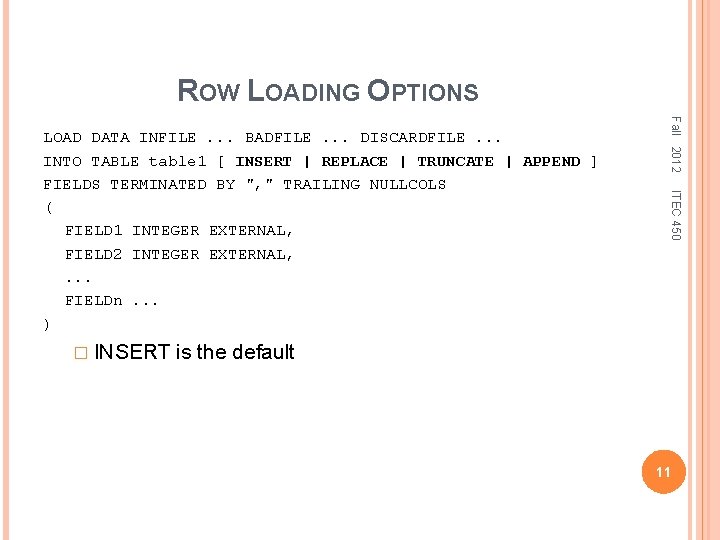
ROW LOADING OPTIONS ITEC 450 � INSERT Fall 2012 LOAD DATA INFILE. . . BADFILE. . . DISCARDFILE. . . INTO TABLE table 1 [ INSERT | REPLACE | TRUNCATE | APPEND ] FIELDS TERMINATED BY ", " TRAILING NULLCOLS ( FIELD 1 INTEGER EXTERNAL, FIELD 2 INTEGER EXTERNAL, . . . FIELDn. . . ) is the default 11
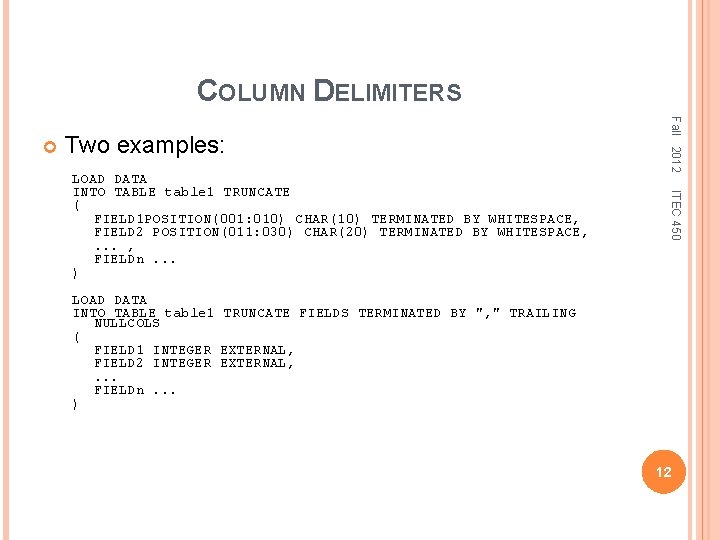
COLUMN DELIMITERS Two examples: ITEC 450 LOAD DATA INTO TABLE table 1 TRUNCATE ( FIELD 1 POSITION(001: 010) CHAR(10) TERMINATED BY WHITESPACE, FIELD 2 POSITION(011: 030) CHAR(20) TERMINATED BY WHITESPACE, . . . , FIELDn. . . ) Fall 2012 LOAD DATA INTO TABLE table 1 TRUNCATE FIELDS TERMINATED BY ", " TRAILING NULLCOLS ( FIELD 1 INTEGER EXTERNAL, FIELD 2 INTEGER EXTERNAL, . . . FIELDn. . . ) 12
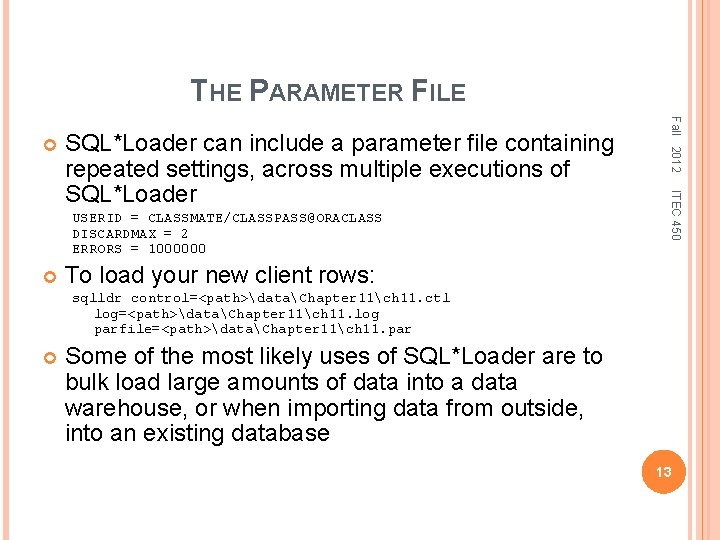
THE PARAMETER FILE USERID = CLASSMATE/CLASSPASS@ORACLASS DISCARDMAX = 2 ERRORS = 1000000 ITEC 450 SQL*Loader can include a parameter file containing repeated settings, across multiple executions of SQL*Loader Fall 2012 To load your new client rows: sqlldr control=<path>dataChapter 11ch 11. ctl log=<path>dataChapter 11ch 11. log parfile=<path>dataChapter 11ch 11. par Some of the most likely uses of SQL*Loader are to bulk load large amounts of data into a data warehouse, or when importing data from outside, into an existing database 13
EXAMPLES OF PERFORMANCE ISSUES Fall 2012 ITEC 450 A query has a response-time problem A query used to run for 5 minutes, now for an hour and still running A tablespace runs out of disk storage space The batch window extends into day Someone submitted a “query from hell” that just won’t stop running, and take away CPU and I/O resources 14
PERFORMANCE INFLUENTIAL FACTORS Fall 2012 ITEC 450 Workload – a combination of online transactions, batch jobs, ad hoc queries, and other system activities outside of database Throughput – the overall capability of the computer to process data, such as I/O speed Resources – hardware and software tools, such as chips, memory, and database kernel Optimization – query tuning, configuration change Contention – two or more components of the workload are competing a single resource 15
DATABASE PERFORMANCE TUNING ITEC 450 Memory allocation (buffer/cache for data) � Logging option (log cache, log size, log switch) � I/O efficiency (data contention, fragmentation) � Enabled features (parallelism, query rewrite) Fall 2012 Database performance tuning can be defined as the optimization of resource use to increase throughput and minimize contention, enabling the largest possible workload to be processed. Identify the most troublesome areas Application tuning – 80% of database performance problems are from poorly coded SQL or application logic Database system tuning areas: � 16
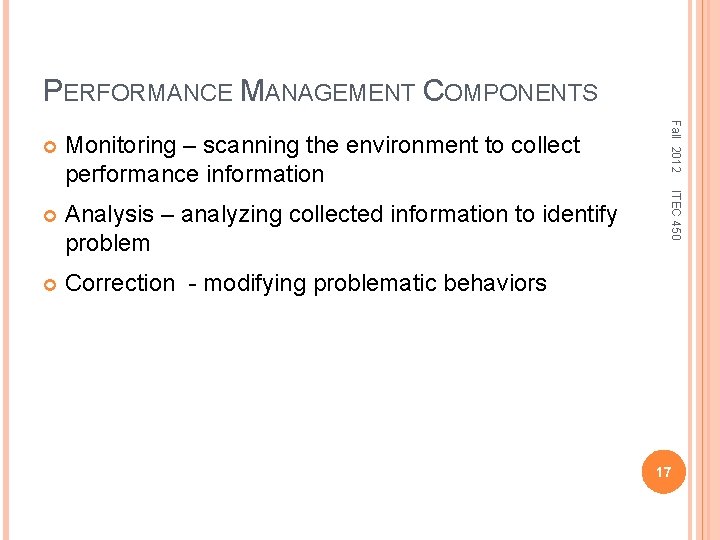
PERFORMANCE MANAGEMENT COMPONENTS Analysis – analyzing collected information to identify problem Correction - modifying problematic behaviors ITEC 450 Monitoring – scanning the environment to collect performance information Fall 2012 17
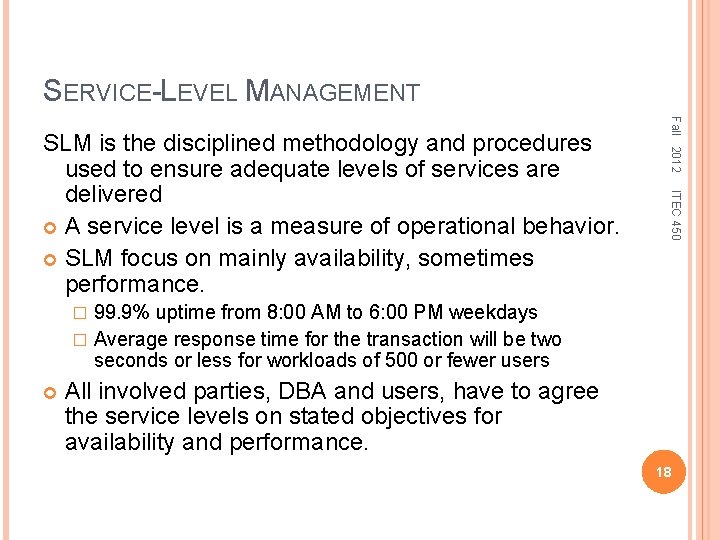
SERVICE-LEVEL MANAGEMENT Fall 2012 ITEC 450 SLM is the disciplined methodology and procedures used to ensure adequate levels of services are delivered A service level is a measure of operational behavior. SLM focus on mainly availability, sometimes performance. 99. 9% uptime from 8: 00 AM to 6: 00 PM weekdays � Average response time for the transaction will be two seconds or less for workloads of 500 or fewer users � All involved parties, DBA and users, have to agree the service levels on stated objectives for availability and performance. 18
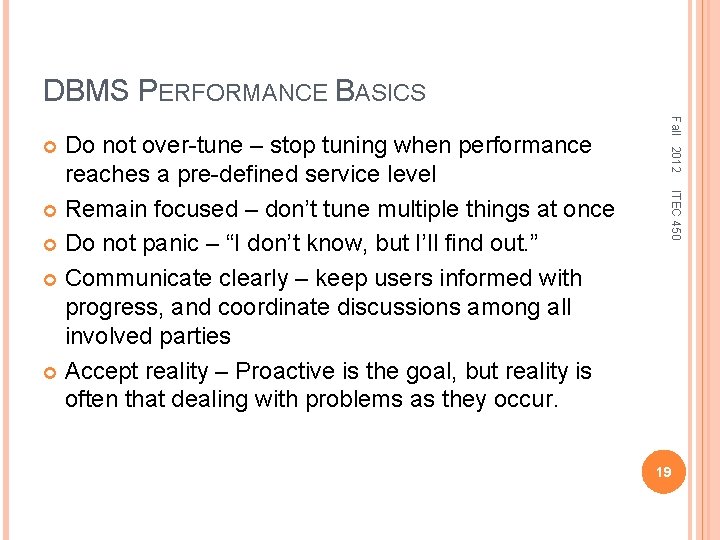
DBMS PERFORMANCE BASICS Fall 2012 ITEC 450 Do not over-tune – stop tuning when performance reaches a pre-defined service level Remain focused – don’t tune multiple things at once Do not panic – “I don’t know, but I’ll find out. ” Communicate clearly – keep users informed with progress, and coordinate discussions among all involved parties Accept reality – Proactive is the goal, but reality is often that dealing with problems as they occur. 19
Fall 2012 ITEC 450 MODULE 4 DATABASE TUNING 20 Section 2 Managing and Monitoring Oracle Database
PROACTIVE DATABASE MONITORING ITEC 450 Time Per Call (warning at 8000 ms, critical at 10, 000 ms) � Table space usage (warning at 85% full, critical at 97% full) � SQL Service Response Time � Recovery Area Space Usage Fall 2012 Alerts are used to monitor the database when particular metric thresholds are crossed, or can issue simply because an event has occurred. For each alert, you can set critical and warning threshold Default server-generated alerts: � CPU 21
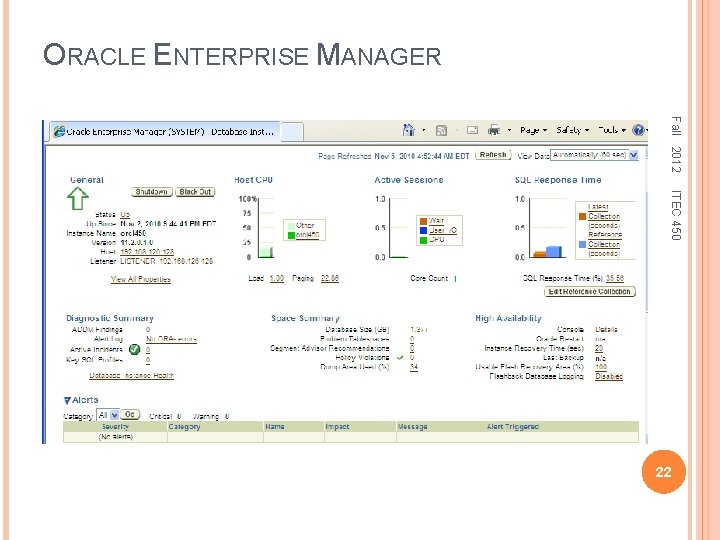
ORACLE ENTERPRISE MANAGER Fall 2012 ITEC 450 22
MANAGING ALERTS ITEC 450 Warning and critical thresholds Response action, setting notification rules Read Chapter 10 in Oracle 2 Day DBA; and Chapter 5 in Oracle 2 Day DBA Tuning Guide Fall 2012 Using Oracle Enterprise Manager Using DBMS_SERVER_ALERT Package Use DBMS_SERVER_ALERT. GET_THRESHOLD, SET_THRESHOLD SQL> connect sys/password as sysdba; SQL> desc dbms_server_alert SQL> select reason from dba_outstanding_alerts; SQL> select reason, resolution from dba_alert_history; Metrics and alerts information – v$sysmetric, v$servicemetric, v$sysmetric_history Information about alert types – v$alert_types SQL> select distinct object_type from v$alert_types 23
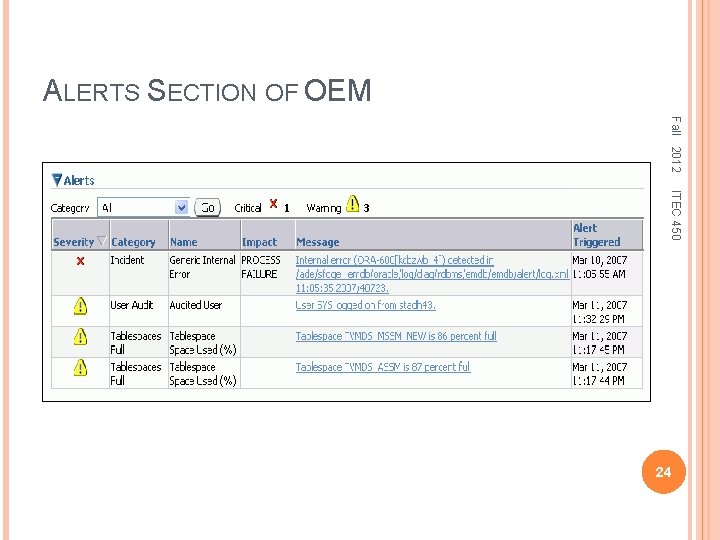
ALERTS SECTION OF OEM Fall 2012 ITEC 450 24
AUTOMATIC WORKLOAD REPOSITORY (AWR) Fall 2012 ITEC 450 AWR automatically collects and stores database performance statistics relating to problem detection and tuning. A temporary in-memory collection of statistics in the SGA, accessible through dynamic views – v$sysstat, v$session, v$session_wait, etc. A persistent type of performance data, access by data dictionary views – dba_users, dba_source, dba_errors, etc. By default, AWR generates snapshots once every hour, and retains the statistics for 8 days. Read Chapter 3 in Oracle 2 Day DBA Tuning Guide 25
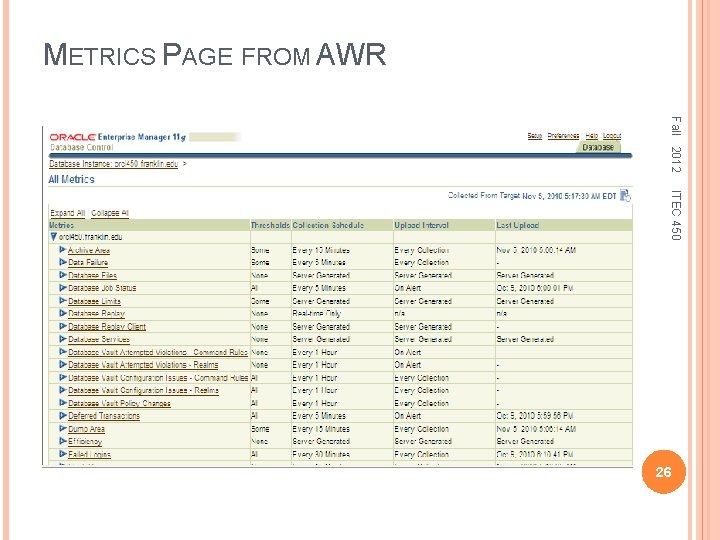
METRICS PAGE FROM AWR Fall 2012 ITEC 450 26
AWR REPORTS ITEC 450 SQL> @C: appAdministratorproduct11. 2. 0 dbhome_1RDBMSADMINawrrpt. sql; Type Specified: html Enter value for num_days: 1 Enter value for begin_snap: 84 Enter value for end_snap: 89 A report is generated under: C: appAdministratorproduct11. 2. 0dbhome_1BIN. The file name can be specified or default. Fall 2012 Oracle provides a script generate summary reports: Top five timed events Wait events and latch activity Time-model statistics Buffer pool and PGA statistics and advisories 27
ACTIVE SESSION HISTORY (ASH) ITEC 450 Current active session data – v$session, v$active_session_history 2012 Fall Oracle also provides statistics for all active sessions every second, instead of AWR with 60 minutes by default. SQL> select username, status, sid, serial#, program from v$session 2 where username is not null; SQL> select sample_time, session_id, event, module from v$active_session_history 2 where user_id = (select user_id from dba_users where username = 'SYSTEM'); Read Chapter 4 in Oracle 2 Day DBA Tuning Guide 28
AUTOMATIC DATABASE DIAGNOSTIC MONITOR Fall 2012 ITEC 450 ADDM identifies performance problems, and recommends actions, after the AWR takes a new snapshot. ADDM diagnoses problems such as: � Expensive SQL statements � I/O performance issues � Resource bottlenecks, including memory and CPU bottlenecks ADDM findings and recommendations � Finding types – problem, symptom, and informational � Recommendations – actions for each problem finding 29
MANAGING ADDM Performance findings of the stored ADDM reports CREATE_TASK – creates a new advisor task SET_DEFAULT_TASK – modifies default values of parameters within a task DELETE_TASK – deletes a specific task from the repository GET_TASK_REPORT – Displays the most recent ADDM report ITEC 450 Using DBMS_ADVISOR Package Fall 2012 Using Oracle Enterprise Manager Using Oracle Provided Script SQL> @ C: appAdministratorproduct11. 2. 0dbhome_1 RDBMSADMIN addmrpt. sql; A report is generated under: C: appAdministratorproduct11. 2. 0dbhome_1BIN by default. The file name should start with addmrpt. 30
MANAGEMENT ADVISORY FRAMEWORK Fall 2012 ITEC 450 The advisors help in the performance tuning, identifying bottlenecks and suggesting optimal sizes for key database resources. Memory advisor – recommendations regarding the optimal sizing of the SGA and PGA. Tuning-related advisors � SQL tuning advisor – analyzing complex SQL statements and recommending way to improve performance � SQL access advisor – advising on creating new indexes, materialized views, or materialized view logs. Space-Related advisors – segment advisor, undo advisor 31
- Slides: 31