
Fair Use Statement Certain images and information located


- Slides: 9
Fair Use Statement Certain images and information located in this Power. Point fall under the Fair Use exemption of the U. S. Copyright Law. They have been prepared according to the educational multimedia fair use Guidelines and are restricted from further use.
Your Public Service Announcement • To create your PSA, use i. Movie 3. • i. Movie 3 • A program created by Apple • Simplified editing software usable only on Macintosh computers
Your i. Movie must include: • Fair Use Statement • At least two effects • At least two transitions • Sound throughout most of the i. Movie
Fair Use Statement • Use: • short video clips, song excerpts, quotes • Follow the Fair Use Guidelines. • Cite each piece of non-original work.
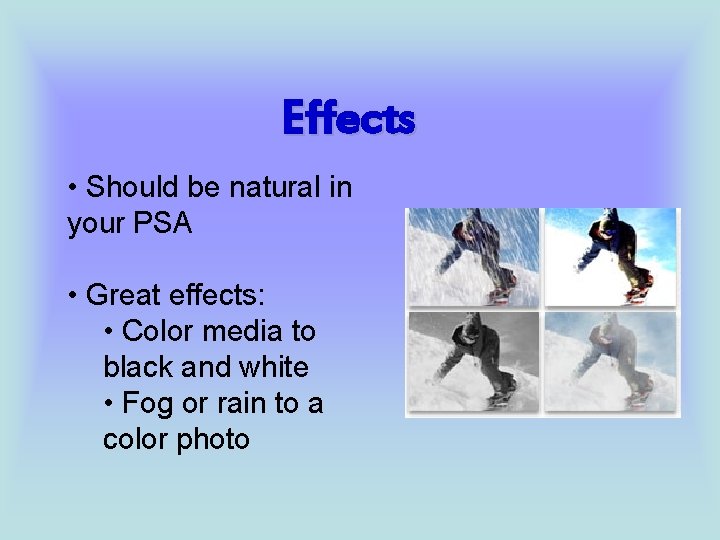
Effects • Should be natural in your PSA • Great effects: • Color media to black and white • Fog or rain to a color photo
Transitions • Carry one scene into the next • Most commonly used transitions: • Fade • Scene fades to or from black • Cross Dissolve • Scene fades out as the next fades in simultaneously.
Sound • Most of your PSA should have sound. • Options for sound: • Narration • A person may explain material. • Music • Short song clips may be used legally and cited properly.
Credits • Information regarding effects and transitions taken from the i. Movie handout created specifically for EDMT 380 by Barbara Erdman and Carol Koroghlanian. • Sample effect photo taken from http: //www. apple. com/imovie/visual_effects. html