
Factor Analysis with SPSS Karl L Wuensch Dept

- Slides: 41
Factor Analysis with SPSS Karl L. Wuensch Dept. of Psychology East Carolina University
What is a Common Factor? • It is an abstraction, a hypothetical construct that relates to at least two of our measurement variables. • We want to estimate the common factors that contribute to the variance in our variables. • Is this an act of discovery or an act of invention?
What is a Unique Factor? • It is a factor that contributes to the variance in only one variable. • There is one unique factor for each variable. • The unique factors are unrelated to one another and unrelated to the common factors. • We want to exclude these unique factors from our solution.
Iterated Principal Factors Analysis • The most common type of FA. • Also known as principal axis FA. • We eliminate the unique variance by replacing, on the main diagonal of the correlation matrix, 1’s with estimates of communalities. • Initial estimate of communality = R 2 between one variable and all others.
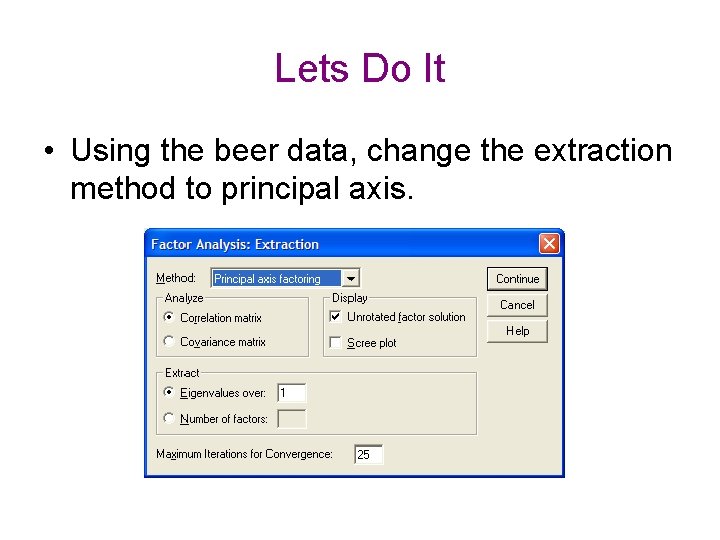
Lets Do It • Using the beer data, change the extraction method to principal axis.
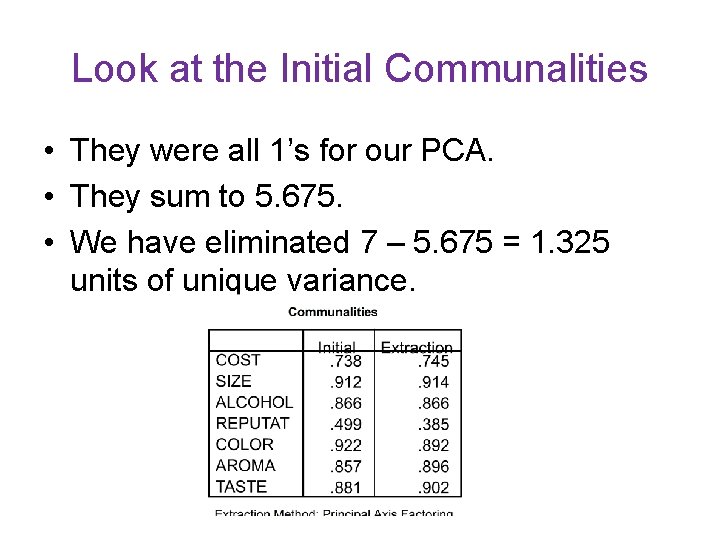
Look at the Initial Communalities • They were all 1’s for our PCA. • They sum to 5. 675. • We have eliminated 7 – 5. 675 = 1. 325 units of unique variance.
Iterate! • Using the estimated communalities, obtain a solution. • Take the communalities from the first solution and insert them into the main diagonal of the correlation matrix. • Solve again. • Take communalities from this second solution and insert into correlation matrix.
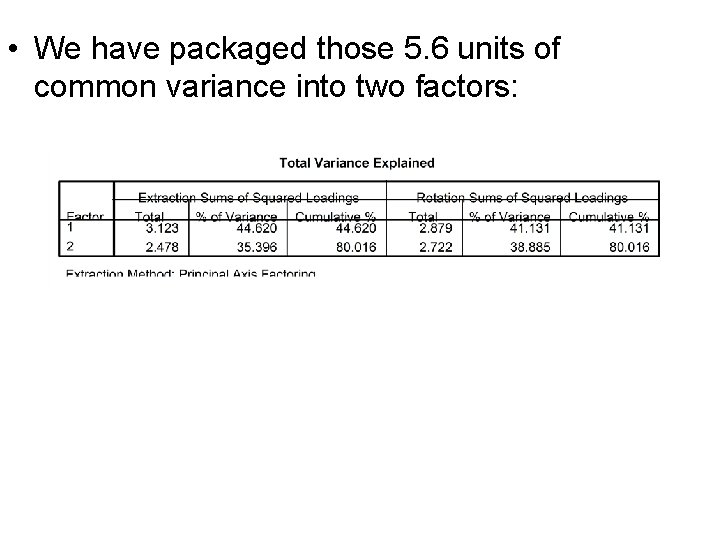
• Solve again. • Repeat this, over and over, until the changes in communalities from one iteration to the next are trivial. • Our final communalities sum to 5. 6. • After excluding 1. 4 units of unique variance, we have extracted 5. 6 units of common variance. • That is 5. 6 / 7 = 80% of the total variance in our seven variables.
• We have packaged those 5. 6 units of common variance into two factors:
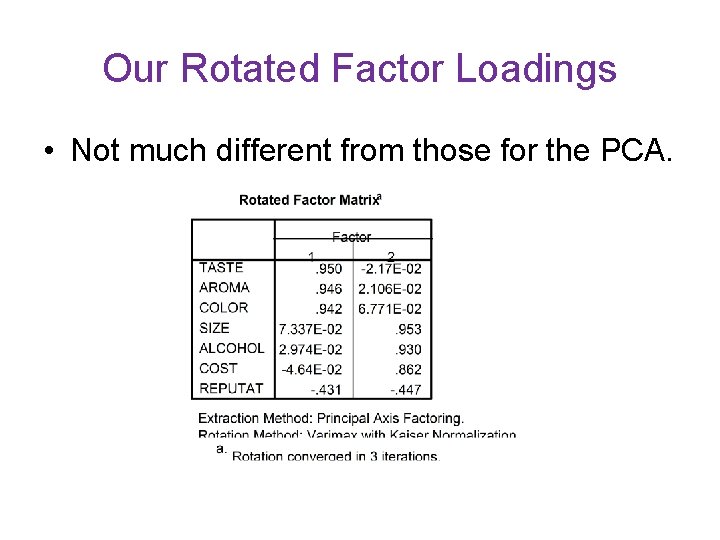
Our Rotated Factor Loadings • Not much different from those for the PCA.
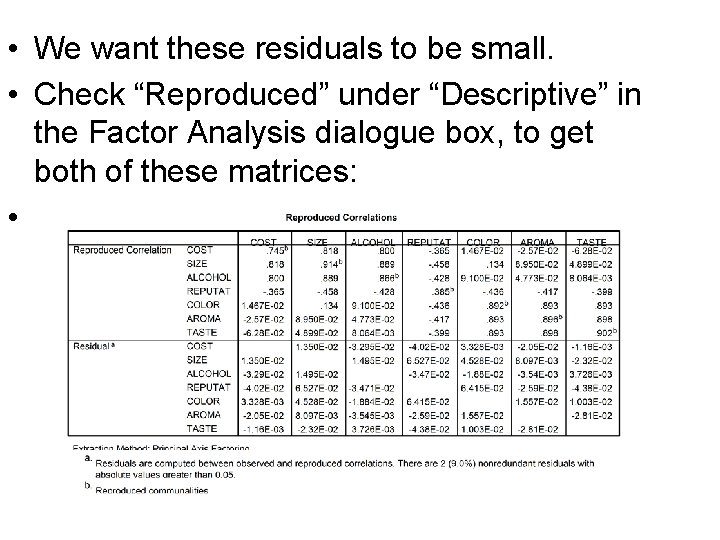
Reproduced and Residual Correlation Matrices • Correlations between variables result from their sharing common underlying factors. • Try to reproduce the original correlation matrix from the correlations between factors and variables (the loadings). • The difference between the reproduced correlation matrix and the original correlation matrix is the residual matrix.
• We want these residuals to be small. • Check “Reproduced” under “Descriptive” in the Factor Analysis dialogue box, to get both of these matrices: •
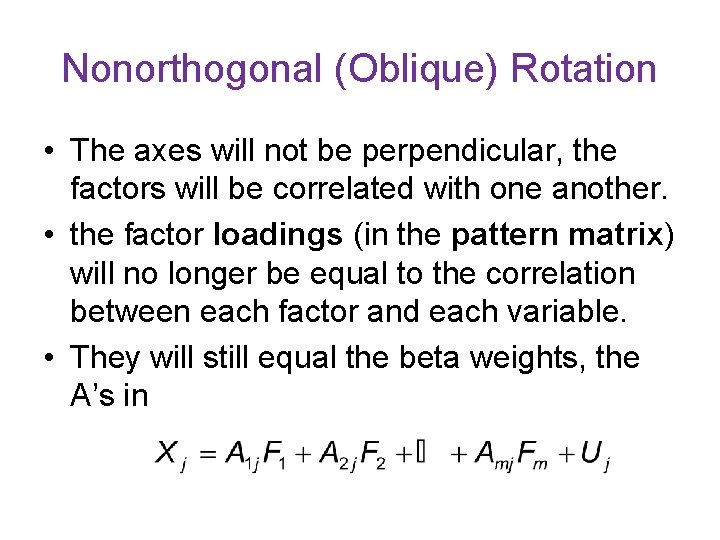
Nonorthogonal (Oblique) Rotation • The axes will not be perpendicular, the factors will be correlated with one another. • the factor loadings (in the pattern matrix) will no longer be equal to the correlation between each factor and each variable. • They will still equal the beta weights, the A’s in
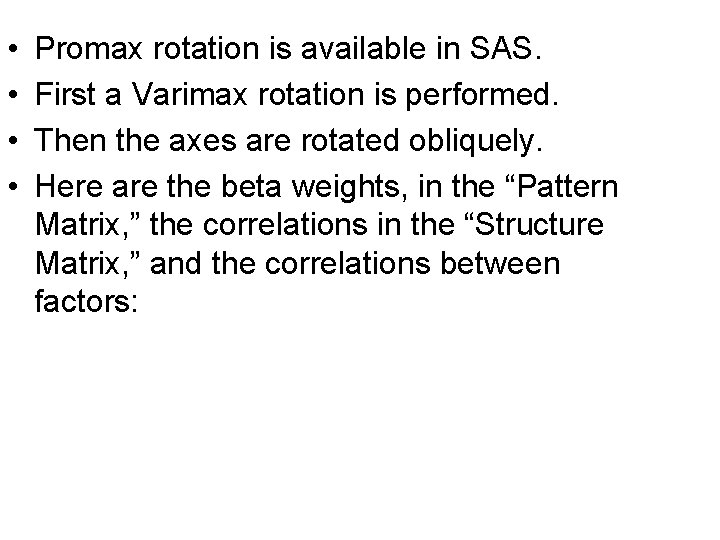
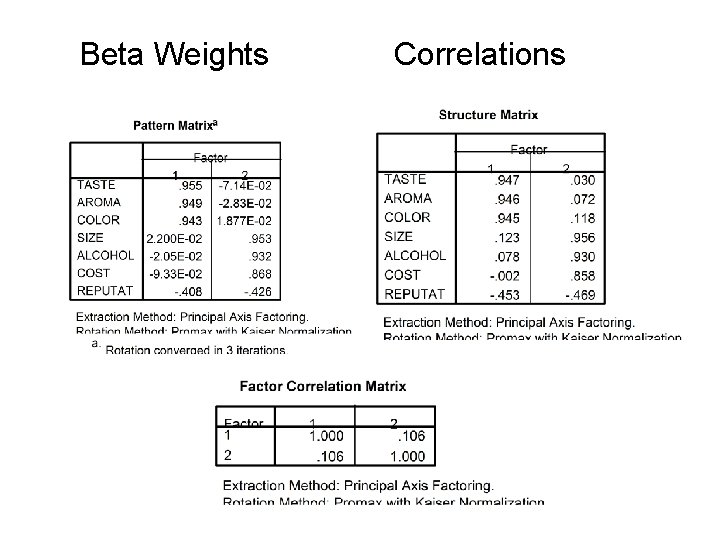
• • Promax rotation is available in SAS. First a Varimax rotation is performed. Then the axes are rotated obliquely. Here are the beta weights, in the “Pattern Matrix, ” the correlations in the “Structure Matrix, ” and the correlations between factors:
Beta Weights Correlations
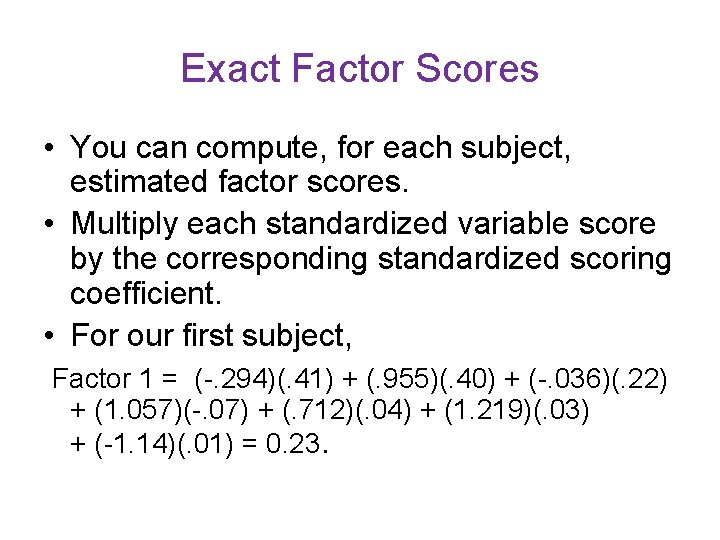
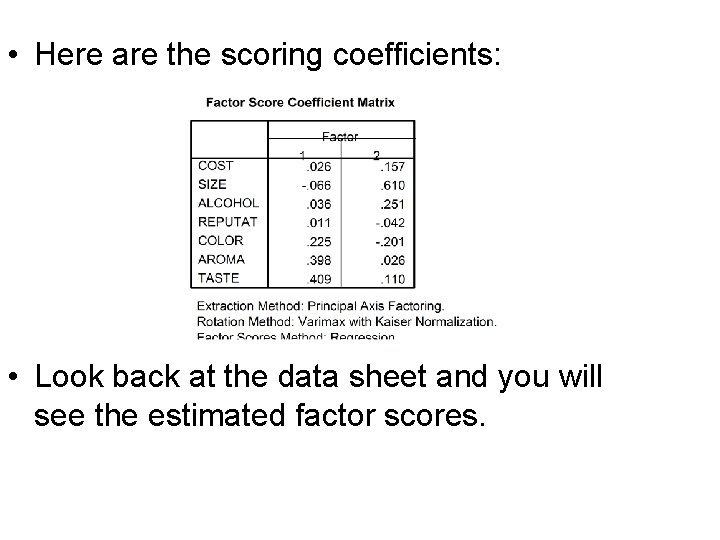
Exact Factor Scores • You can compute, for each subject, estimated factor scores. • Multiply each standardized variable score by the corresponding standardized scoring coefficient. • For our first subject, Factor 1 = (-. 294)(. 41) + (. 955)(. 40) + (-. 036)(. 22) + (1. 057)(-. 07) + (. 712)(. 04) + (1. 219)(. 03) + (-1. 14)(. 01) = 0. 23.
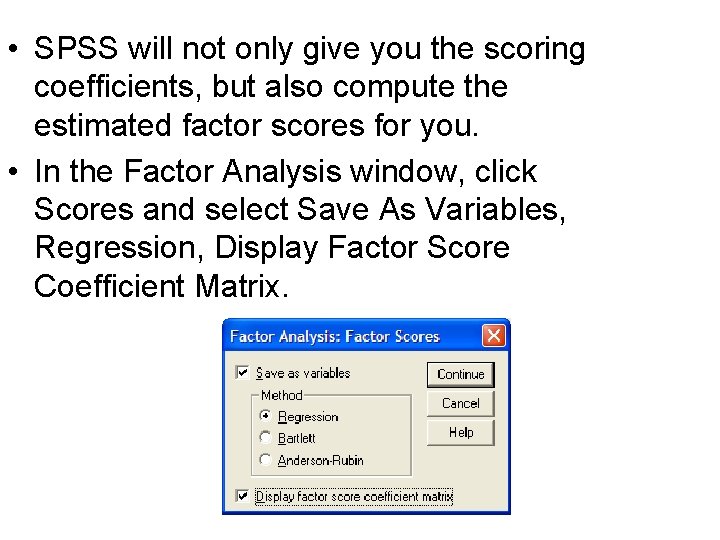
• SPSS will not only give you the scoring coefficients, but also compute the estimated factor scores for you. • In the Factor Analysis window, click Scores and select Save As Variables, Regression, Display Factor Score Coefficient Matrix.
• Here are the scoring coefficients: • Look back at the data sheet and you will see the estimated factor scores.
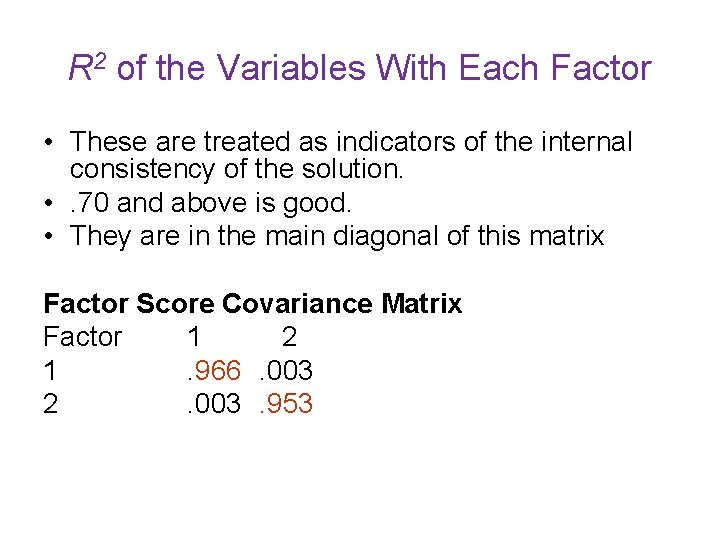
R 2 of the Variables With Each Factor • These are treated as indicators of the internal consistency of the solution. • . 70 and above is good. • They are in the main diagonal of this matrix Factor Score Covariance Matrix Factor 1 2 1 . 966. 003 2. 003. 953
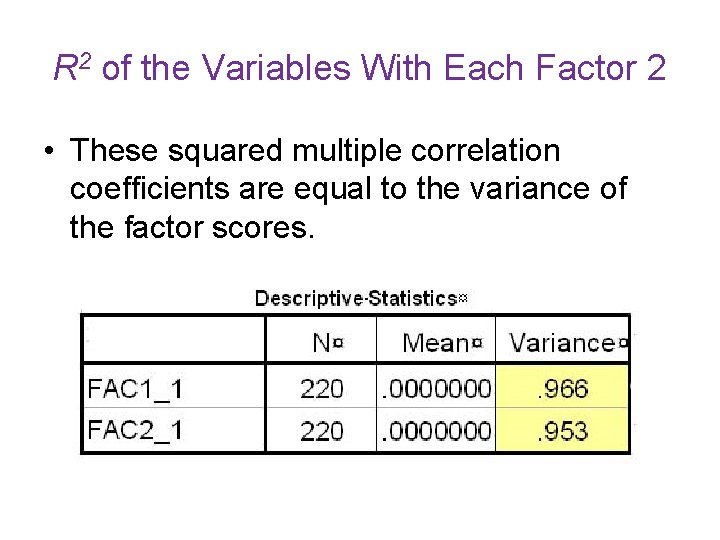
R 2 of the Variables With Each Factor 2 • These squared multiple correlation coefficients are equal to the variance of the factor scores.
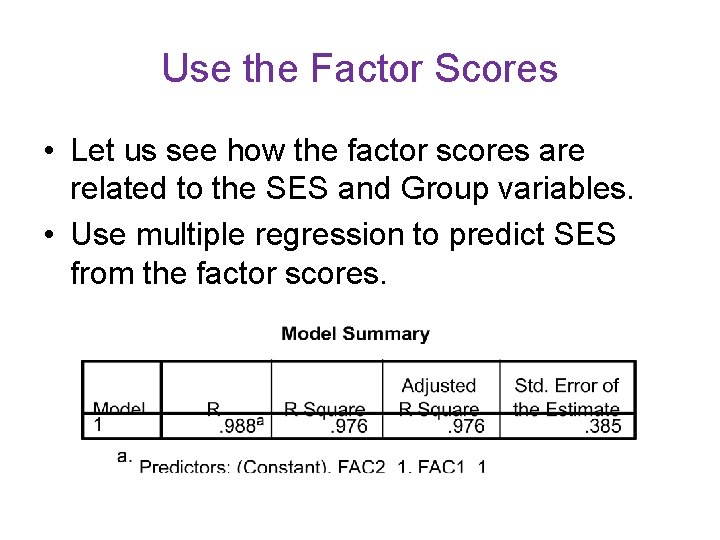
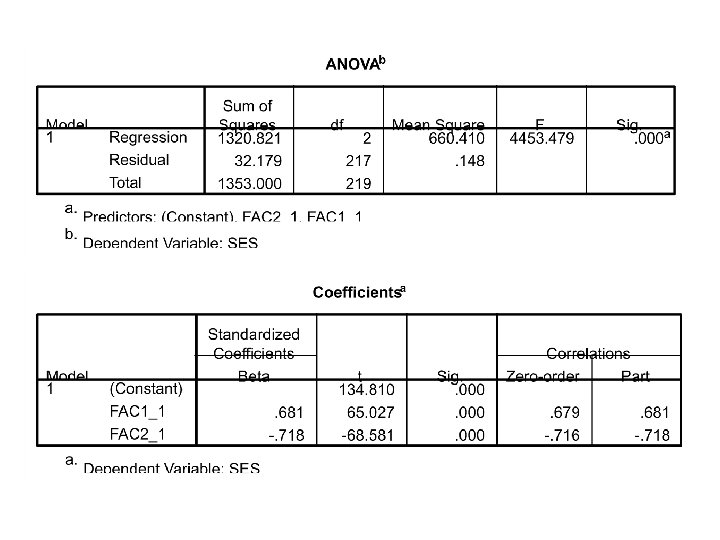
Use the Factor Scores • Let us see how the factor scores are related to the SES and Group variables. • Use multiple regression to predict SES from the factor scores.
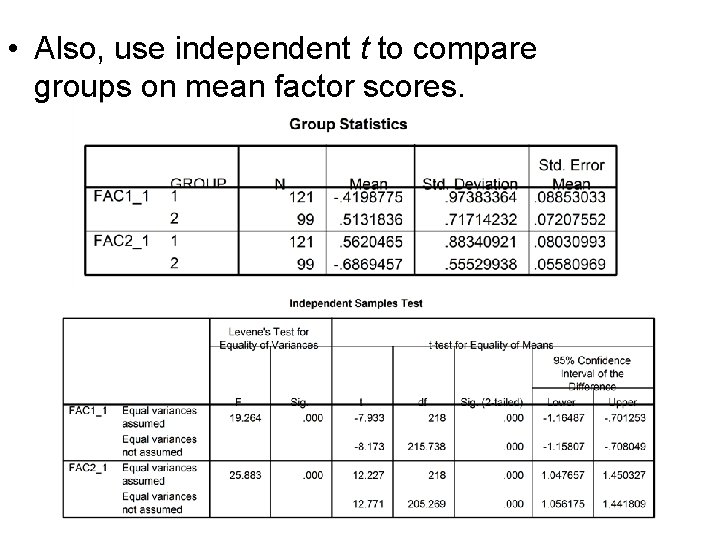
• Also, use independent t to compare groups on mean factor scores.
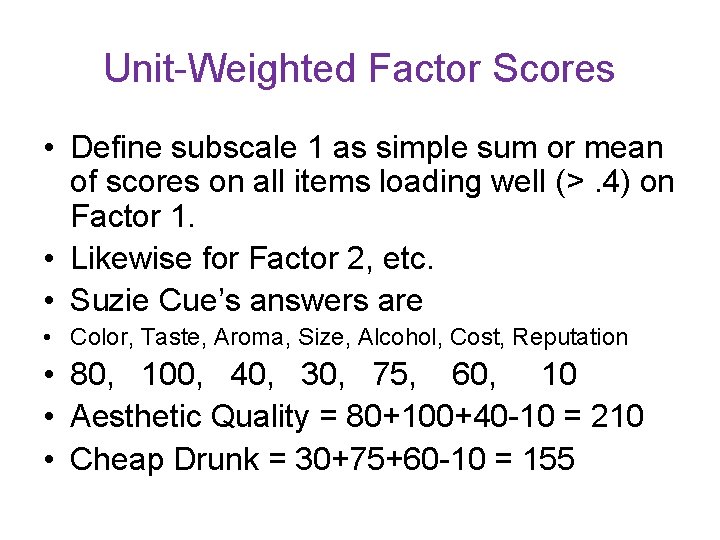
Unit-Weighted Factor Scores • Define subscale 1 as simple sum or mean of scores on all items loading well (>. 4) on Factor 1. • Likewise for Factor 2, etc. • Suzie Cue’s answers are • Color, Taste, Aroma, Size, Alcohol, Cost, Reputation • 80, 100, 40, 30, 75, 60, 10 • Aesthetic Quality = 80+100+40 -10 = 210 • Cheap Drunk = 30+75+60 -10 = 155
• It may be better to use factor scoring coefficients (rather than loadings) to determine unit weights. • Grice (2001) evaluated several techniques and found the best to be assigning a unit weight of 1 to each variable that has a scoring coefficient at least 1/3 as large as the largest for that factor. • Using this rule, we would not include Reputation on either subscale and would drop Cost from the second subscale.
Item Analysis and Cronbach’s Alpha • Are our subscales reliable? • Test-Retest reliability • Cronbach’s Alpha – internal consistency – Mean split-half reliability – With correction for attenuation – Is a conservative estimate of reliability
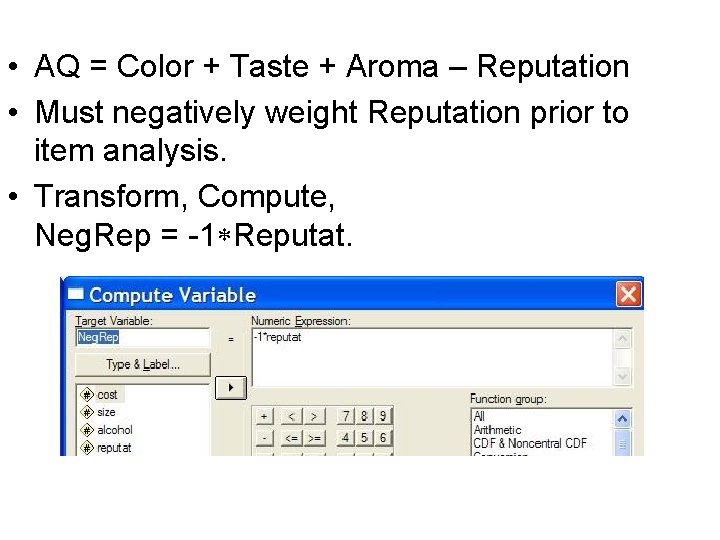
• AQ = Color + Taste + Aroma – Reputation • Must negatively weight Reputation prior to item analysis. • Transform, Compute, Neg. Rep = -1 Reputat.
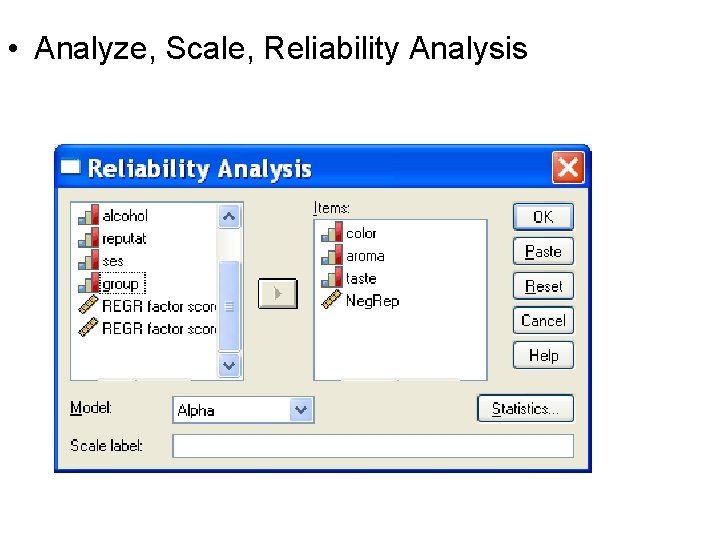
• Analyze, Scale, Reliability Analysis
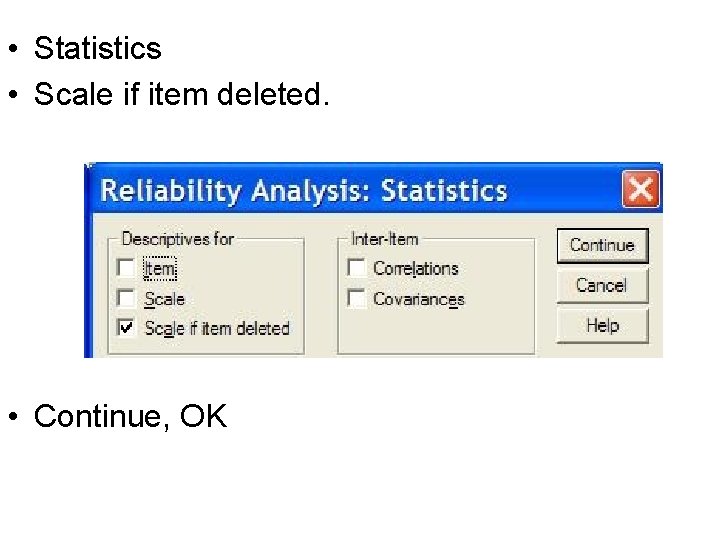
• Statistics • Scale if item deleted. • Continue, OK
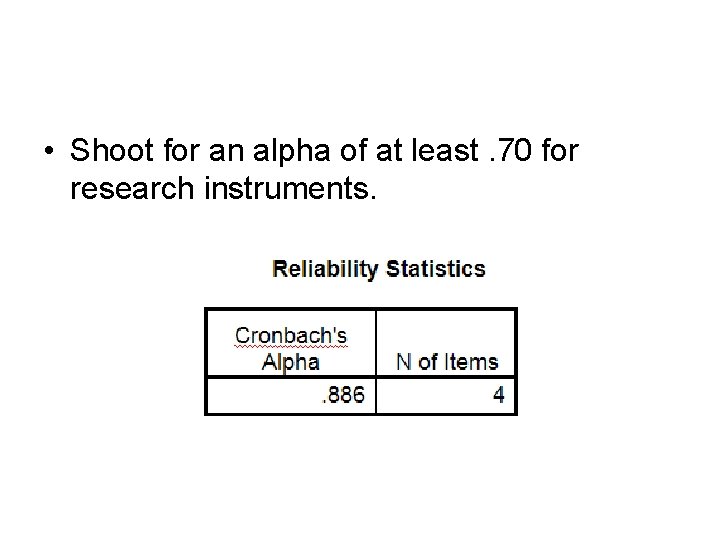
• Shoot for an alpha of at least. 70 for research instruments.
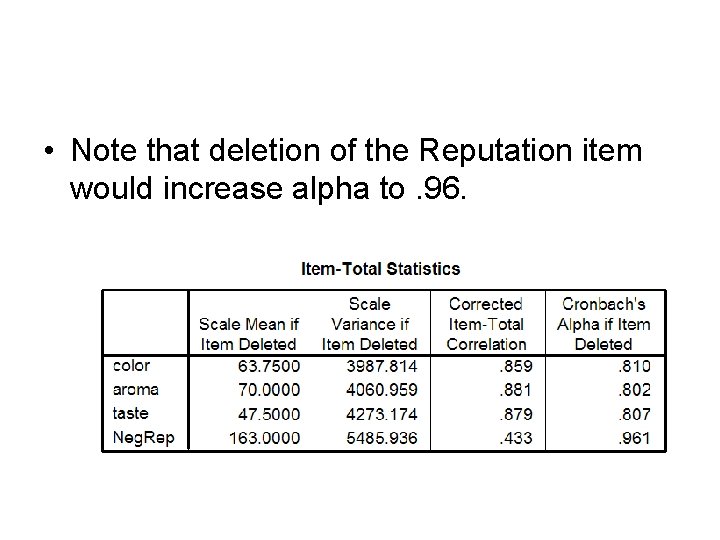
• Note that deletion of the Reputation item would increase alpha to. 96.
Comparing Two Groups’ Factor Structure • Eyeball Test – Same number of well defined factors in both groups? – Same variables load well on same factors in both groups?
• Pearson r – Just correlate the loadings for one factor in one group with those for the corresponding factor in the other group. – If there are many small loadings, r may be large due to the factors being similar on small loadings despite lack of similarity on the larger loadings.
• CC, Tucker’s coefficient of congruence – Follow the instructions in the document Comparing Two Groups’ Factor Structures: Pearson r and the Coefficient of Congruence – CC of. 85 to. 94 corresponds to similar factors, and. 95 to 1 as essentially identical factors.
• Cross-Scoring – Obtain scoring coefficients for each group. – For each group, compute factor scores using coefficients obtained from the analysis for that same group (SG) and using coefficients obtained from the analysis for the other group (OG). – Correlate SG factor scores with OG factor scores.
• Catell’s Salient Similarity Index – Factors (one from one group, one from the other group) are compared in terms of similarity of loadings. – Catell’s Salient Similarity Index, s, can be transformed to a p value testing the null that the factors are not related to one another. – See my document Cattell’s s for details.
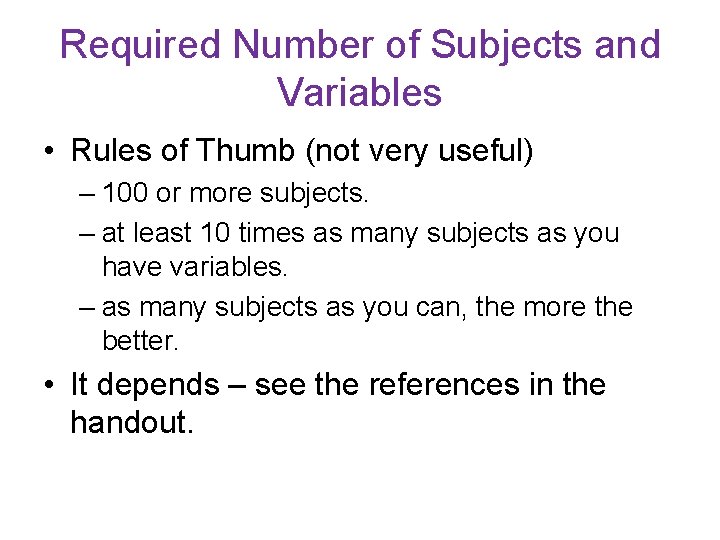
Required Number of Subjects and Variables • Rules of Thumb (not very useful) – 100 or more subjects. – at least 10 times as many subjects as you have variables. – as many subjects as you can, the more the better. • It depends – see the references in the handout.
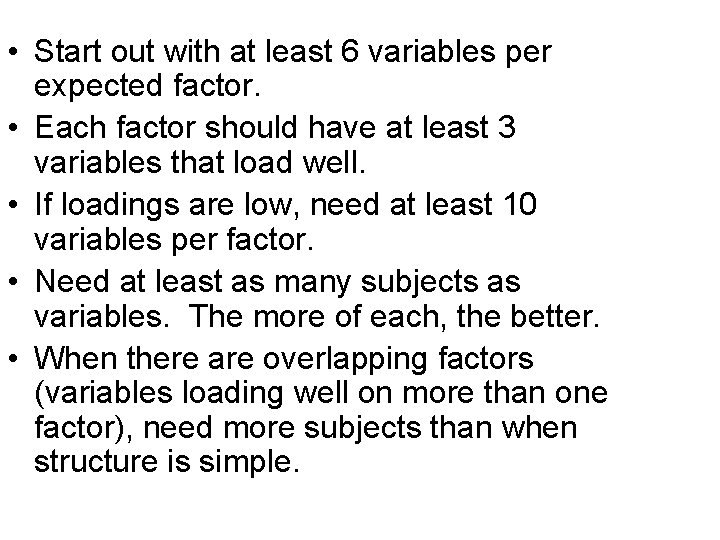
• Start out with at least 6 variables per expected factor. • Each factor should have at least 3 variables that load well. • If loadings are low, need at least 10 variables per factor. • Need at least as many subjects as variables. The more of each, the better. • When there are overlapping factors (variables loading well on more than one factor), need more subjects than when structure is simple.
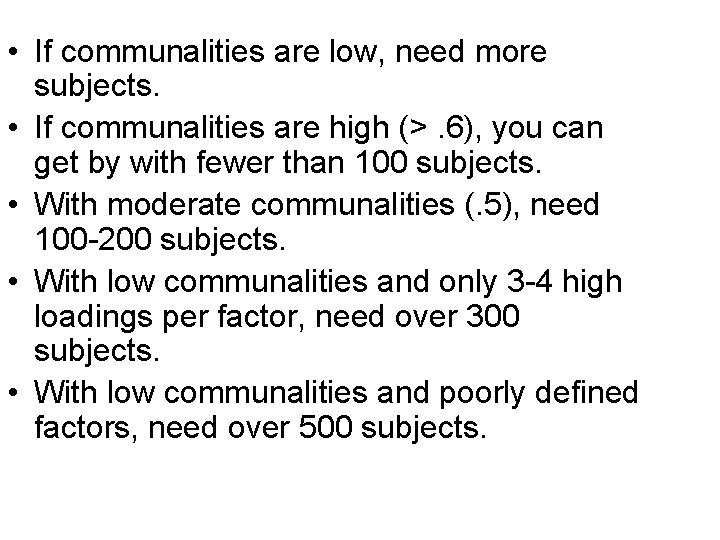
• If communalities are low, need more subjects. • If communalities are high (>. 6), you can get by with fewer than 100 subjects. • With moderate communalities (. 5), need 100 -200 subjects. • With low communalities and only 3 -4 high loadings per factor, need over 300 subjects. • With low communalities and poorly defined factors, need over 500 subjects.
What I Have Not Covered Today • LOTS. • For a brief introduction to reliability, validity, and scaling, see Document or Slideshow. • For an SAS version of this workshop, see Document or Slideshow.
Practice Exercises • Animal Rights, Ethical Ideology, and Misanthropy • Rating Characteristics of Criminal Defendants