
Facilities System Integration for Optimized Energy Safety and

- Slides: 69
Facilities System Integration for Optimized Energy, Safety, and Comfort It’s Not Just Temperature Controls Anymore! Niagara Sales Victor Distributing Co. Honeywell International Inc.
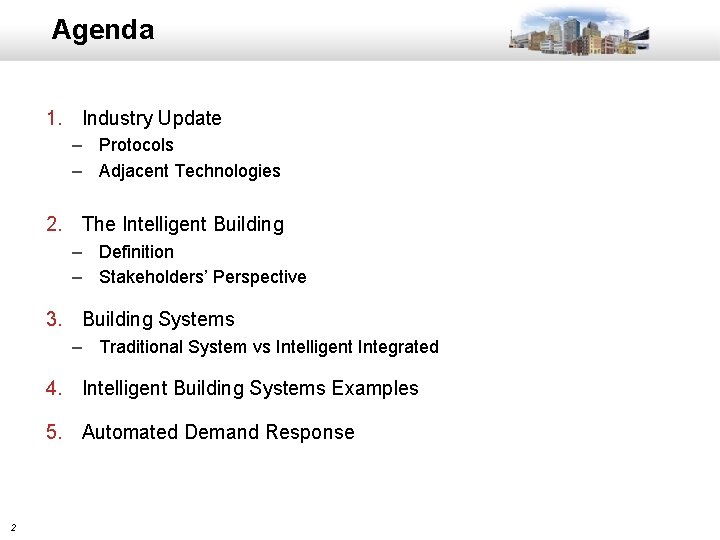
Agenda 1. Industry Update – Protocols – Adjacent Technologies 2. The Intelligent Building – Definition – Stakeholders’ Perspective 3. Building Systems – Traditional System vs Intelligent Integrated 4. Intelligent Building Systems Examples 5. Automated Demand Response 2
INDUSTRY UPDATE 3
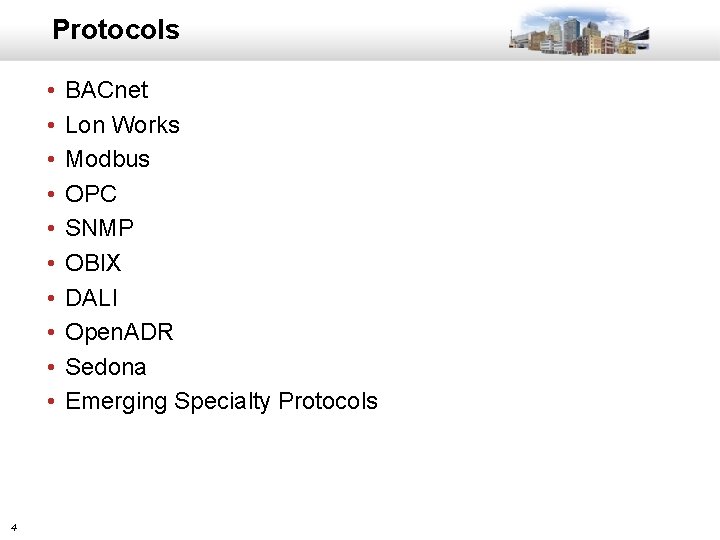
Protocols • • • 4 BACnet Lon Works Modbus OPC SNMP OBIX DALI Open. ADR Sedona Emerging Specialty Protocols
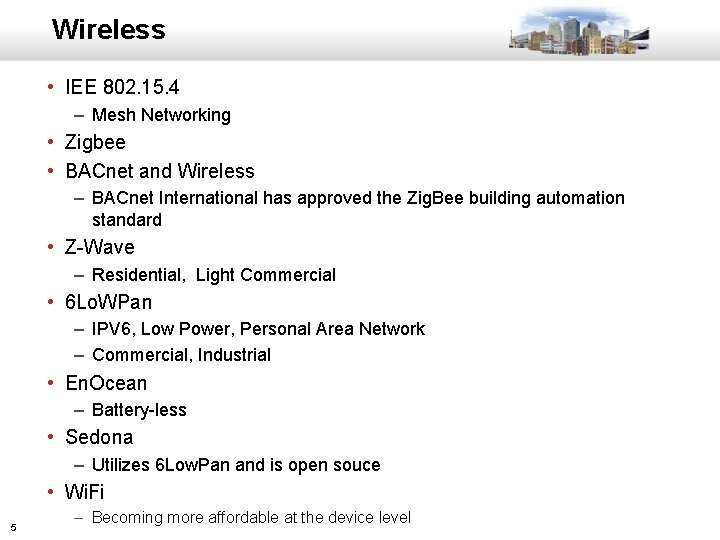
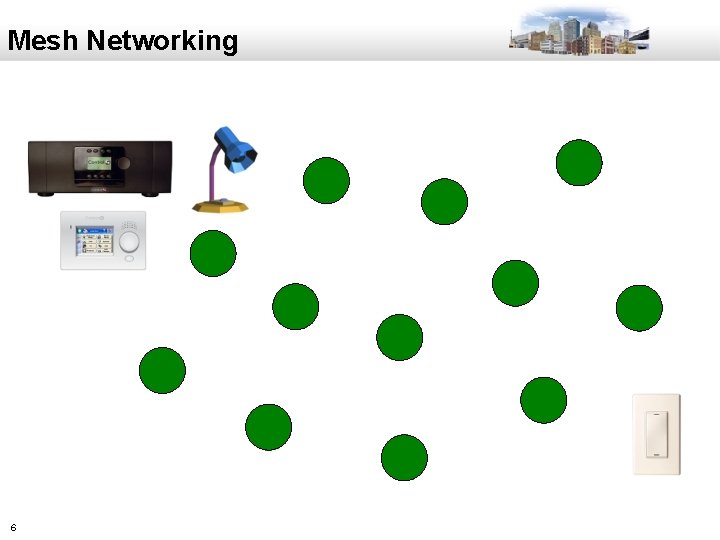
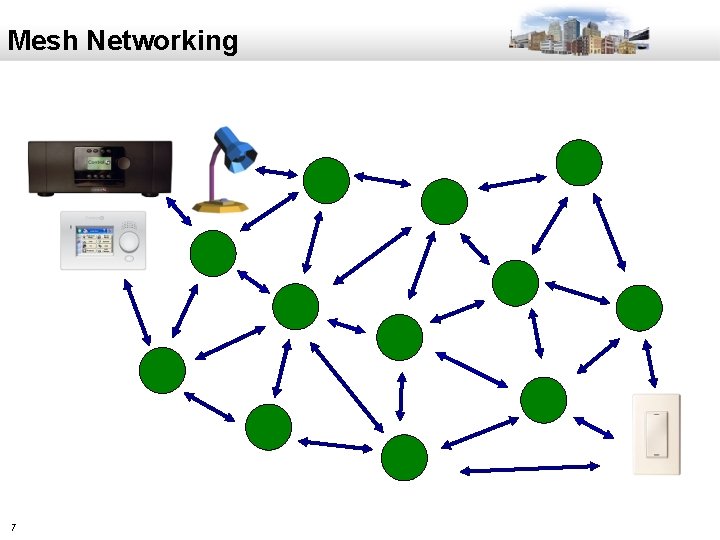
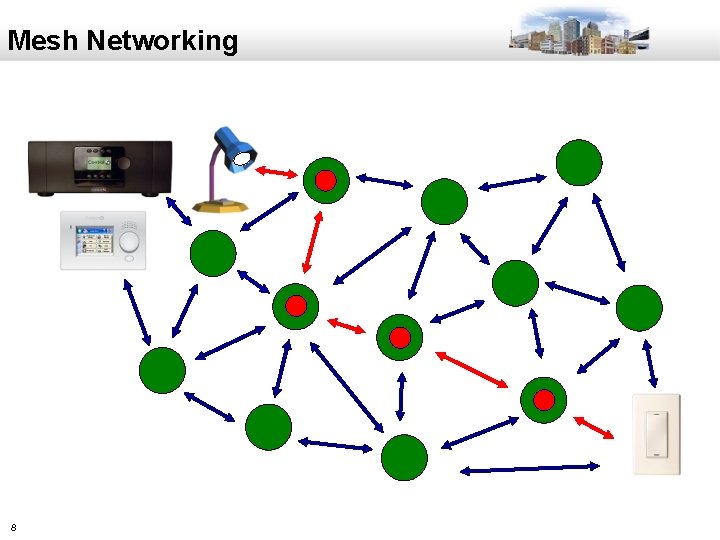
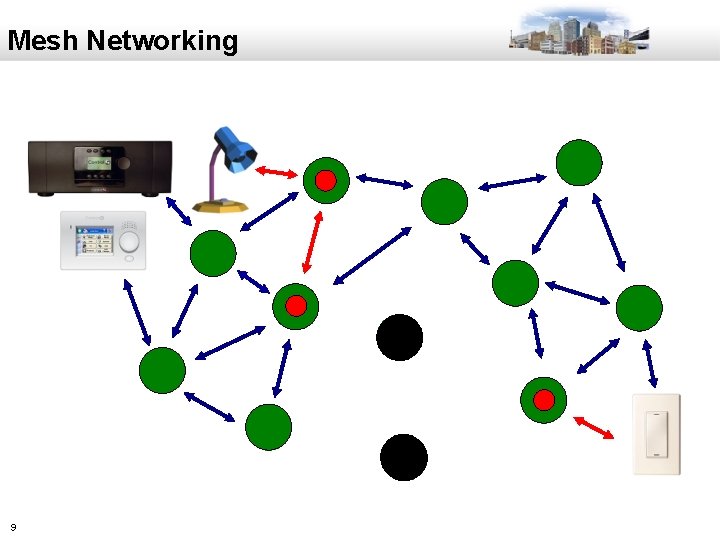
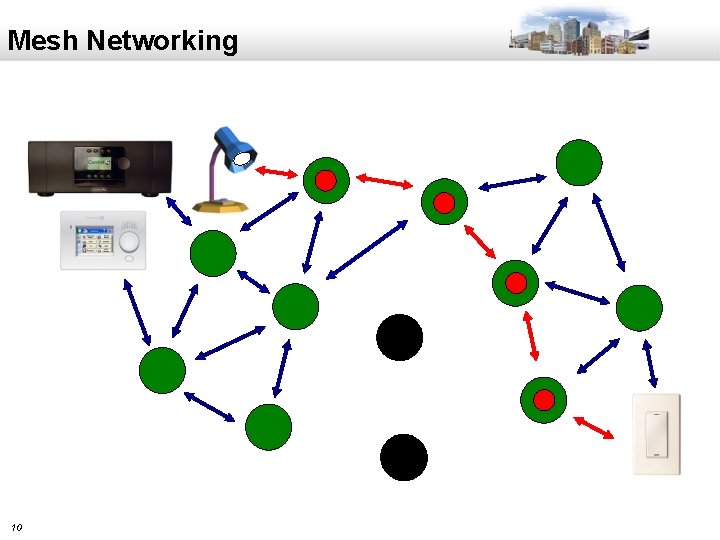
Wireless • IEE 802. 15. 4 – Mesh Networking • Zigbee • BACnet and Wireless – BACnet International has approved the Zig. Bee building automation standard • Z-Wave – Residential, Light Commercial • 6 Lo. WPan – IPV 6, Low Power, Personal Area Network – Commercial, Industrial • En. Ocean – Battery-less • Sedona – Utilizes 6 Low. Pan and is open souce • Wi. Fi 5 – Becoming more affordable at the device level
Mesh Networking 6
Mesh Networking 7
Mesh Networking 8
Mesh Networking 9
Mesh Networking 10
ADJACENT TECHNOLOGIES 11
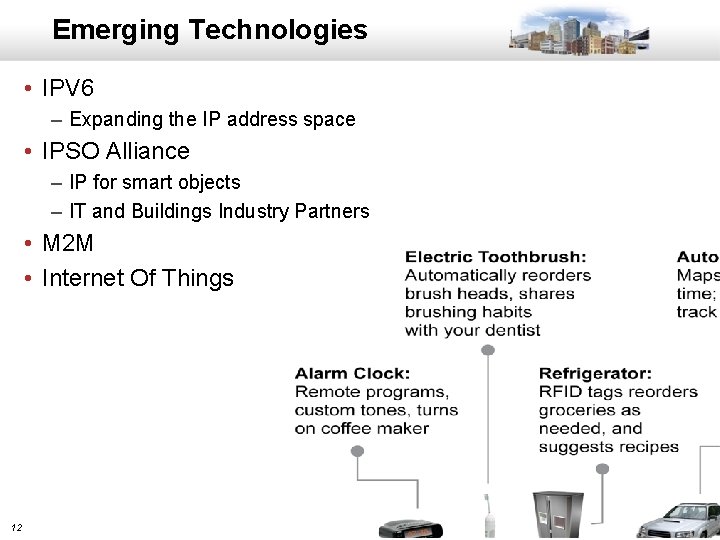
Emerging Technologies • IPV 6 – Expanding the IP address space • IPSO Alliance – IP for smart objects – IT and Buildings Industry Partners • M 2 M • Internet Of Things 12
THE INTELLIGENT BUILDING 13
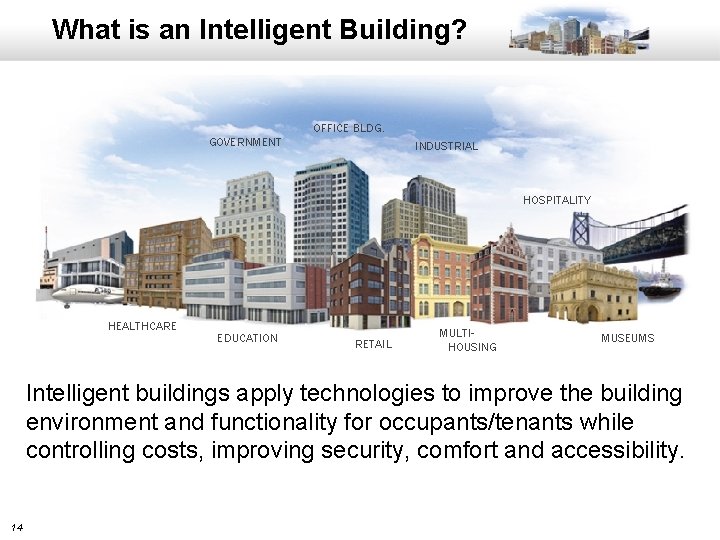
What is an Intelligent Building? OFFICE BLDG. GOVERNMENT INDUSTRIAL HOSPITALITY HEALTHCARE EDUCATION RETAIL MULTIHOUSING MUSEUMS Intelligent buildings apply technologies to improve the building environment and functionality for occupants/tenants while controlling costs, improving security, comfort and accessibility. 14
Intelligent Building Characteristics • • • 15 Designed around Users Improves Security Enhances Comfort Energy Intelligence Provides Energy Savings Enterprise-wide Energy Monitoring Everything Communicates System Data Sharing Local Command Control Remote Command Control Designed for Reliability
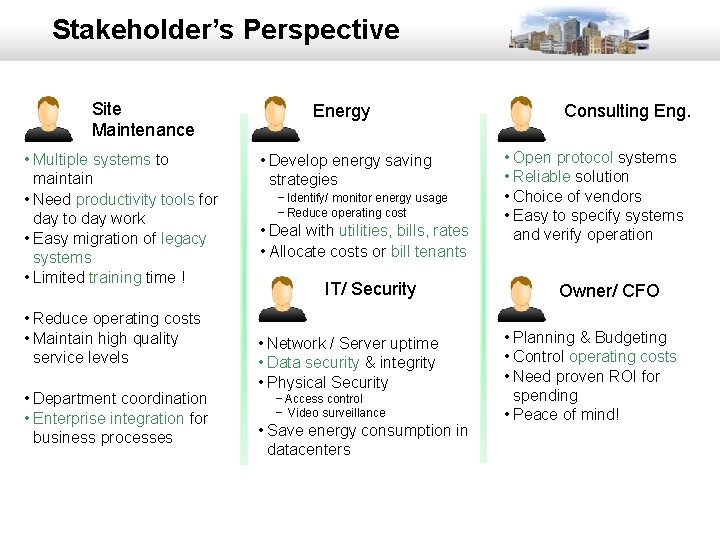
Stakeholder’s Perspective Site Maintenance • Multiple systems to maintain • Need productivity tools for day to day work • Easy migration of legacy systems • Limited training time ! • Reduce operating costs • Maintain high quality service levels • Department coordination • Enterprise integration for business processes 16 Energy • Develop energy saving strategies − Identify/ monitor energy usage − Reduce operating cost • Deal with utilities, bills, rates • Allocate costs or bill tenants IT/ Security • Network / Server uptime • Data security & integrity • Physical Security − Access control − Video surveillance • Save energy consumption in datacenters Consulting Eng. • Open protocol systems • Reliable solution • Choice of vendors • Easy to specify systems and verify operation Owner/ CFO • Planning & Budgeting • Control operating costs • Need proven ROI for spending • Peace of mind!
TRADITIONAL BUILDING SYSTEMS 17
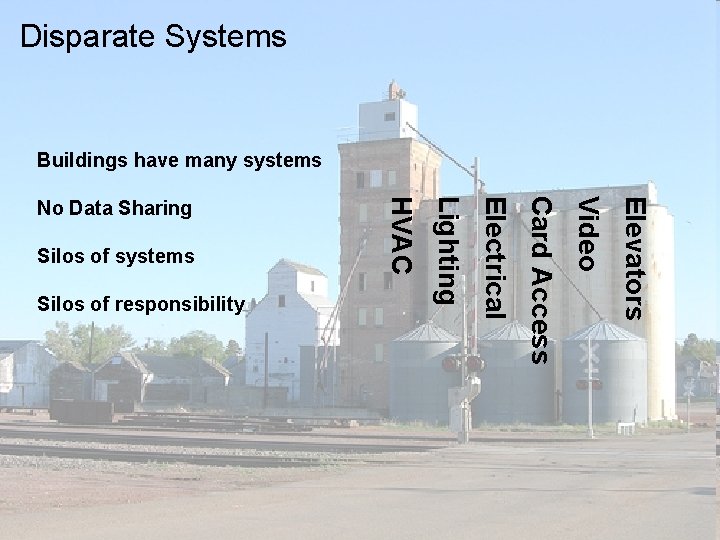
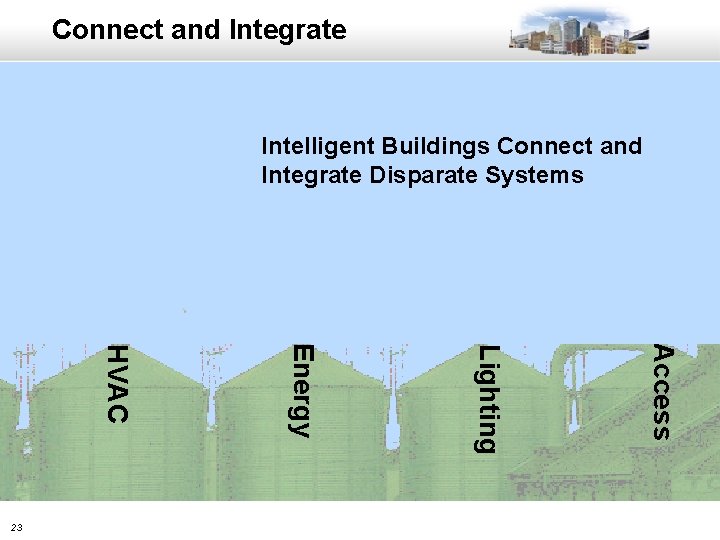
Disparate Systems Buildings have many systems Elevators Video Card Access 18 Electrical Silos of responsibility Lighting Silos of systems HVAC No Data Sharing
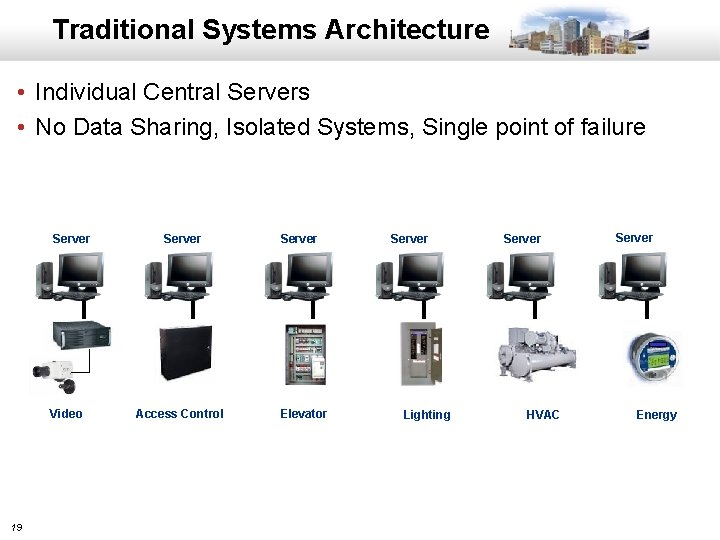
Traditional Systems Architecture • Individual Central Servers • No Data Sharing, Isolated Systems, Single point of failure Server Video 19 Server Access Control Server Elevator Server Lighting Server HVAC Server Energy
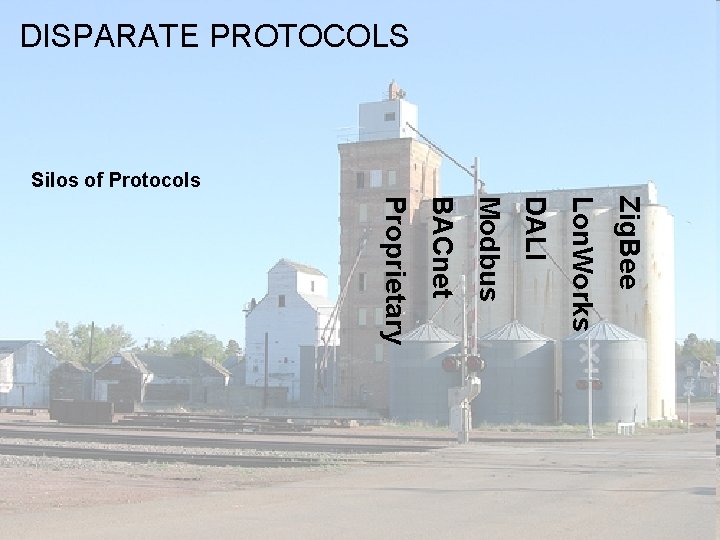
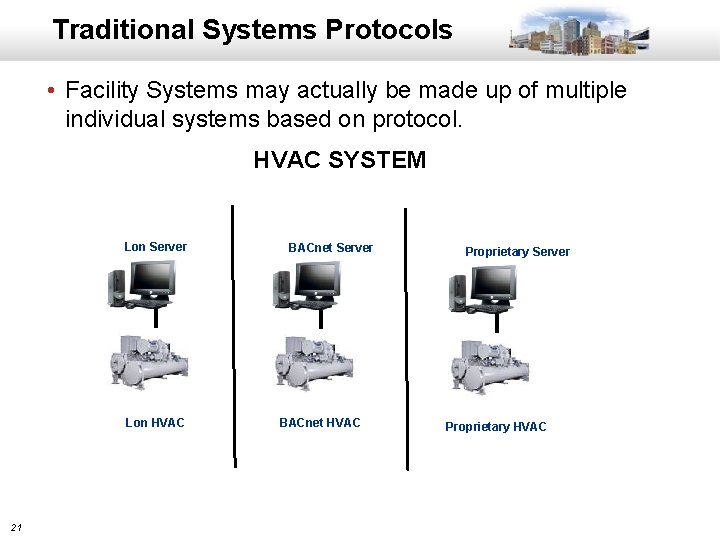
DISPARATE PROTOCOLS Silos of Protocols Zig. Bee Lon. Works DALI Modbus BACnet Proprietary 20
Traditional Systems Protocols • Facility Systems may actually be made up of multiple individual systems based on protocol. HVAC SYSTEM Lon Server Lon HVAC 21 BACnet Server BACnet HVAC Proprietary Server Proprietary HVAC
INTELLIGENT BUILDING SYSTEMS 22
Connect and Integrate Intelligent Buildings Connect and Integrate Disparate Systems Access Lighting Energy HVAC 23
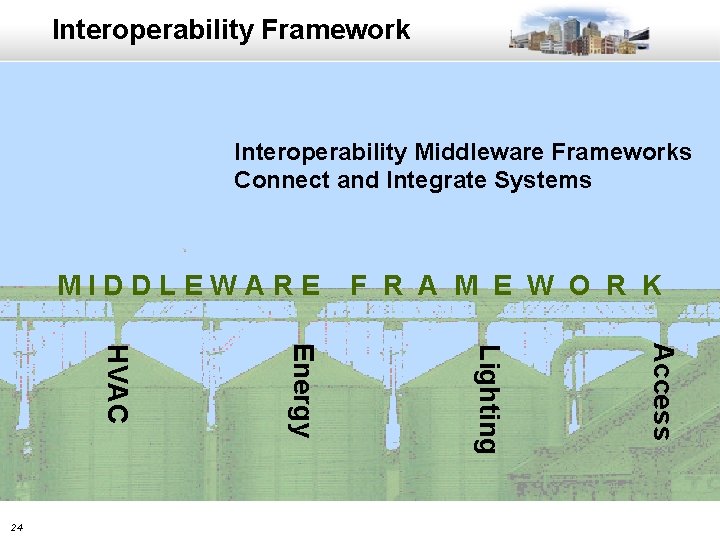
Interoperability Framework Interoperability Middleware Frameworks Connect and Integrate Systems MIDDLEWARE Access Lighting Energy HVAC 24 F R A M E W O R K
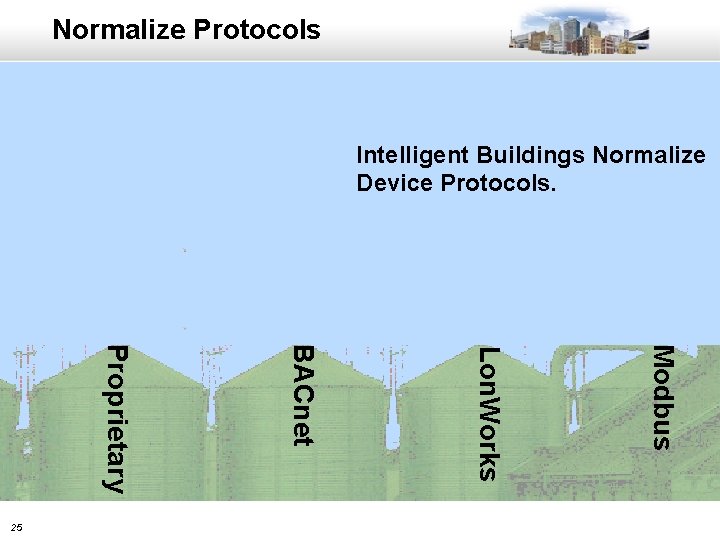
Normalize Protocols Intelligent Buildings Normalize Device Protocols. Modbus Lon. Works BACnet Proprietary 25
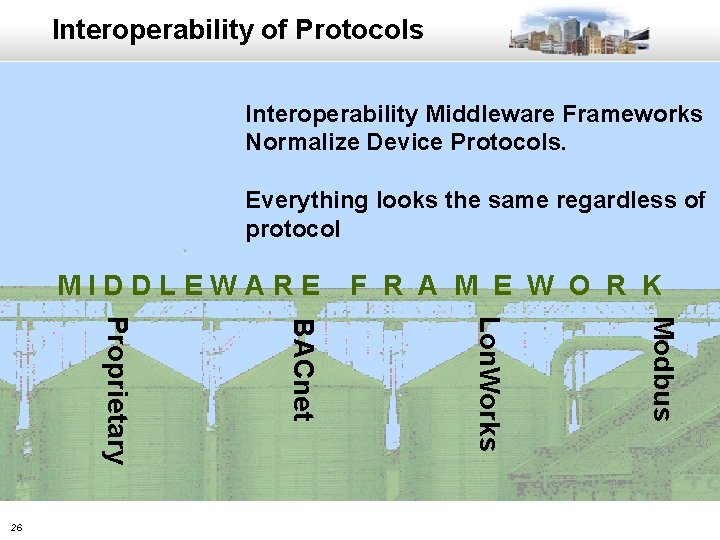
Interoperability of Protocols Interoperability Middleware Frameworks Normalize Device Protocols. Everything looks the same regardless of protocol MIDDLEWARE Modbus Lon. Works BACnet Proprietary 26 F R A M E W O R K
Example Scenario • Class A, Multi-tenant Office Building • Systems being installed: – – – Security - Card Access, Video, Elevator Access and Intrusion HVAC Lighting Energy Monitoring Tenant Billing • HVAC and Lights Scheduled 7 am-7 pm M-F • After hours usage billed extra 27
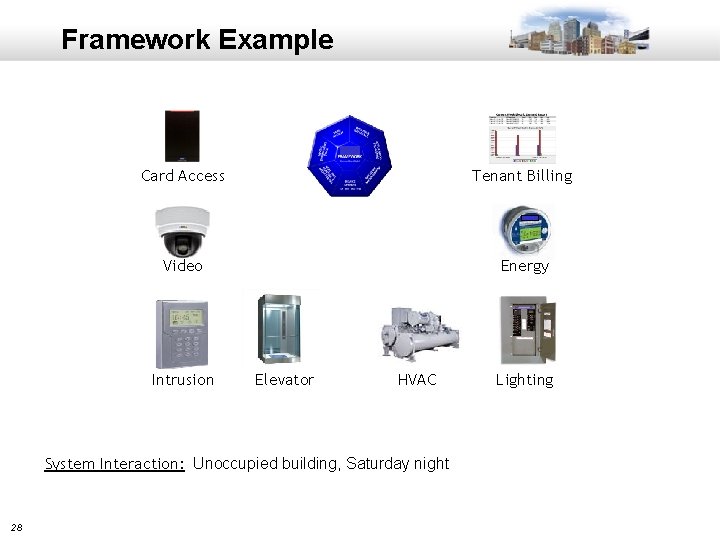
Framework Example Card Access Tenant Billing Video Energy Intrusion Elevator HVAC System Interaction: Unoccupied building, Saturday night 28 Lighting
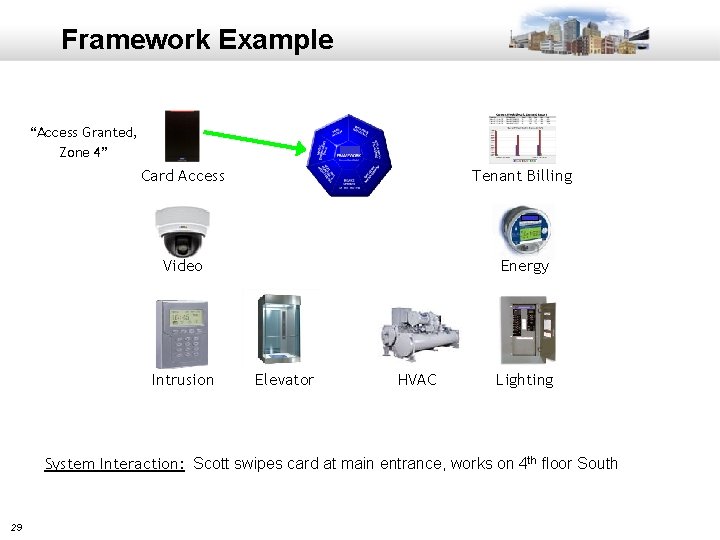
Framework Example “Access Granted, Zone 4” Card Access Tenant Billing Video Energy Intrusion Elevator HVAC Lighting System Interaction: Scott swipes card at main entrance, works on 4 th floor South 29
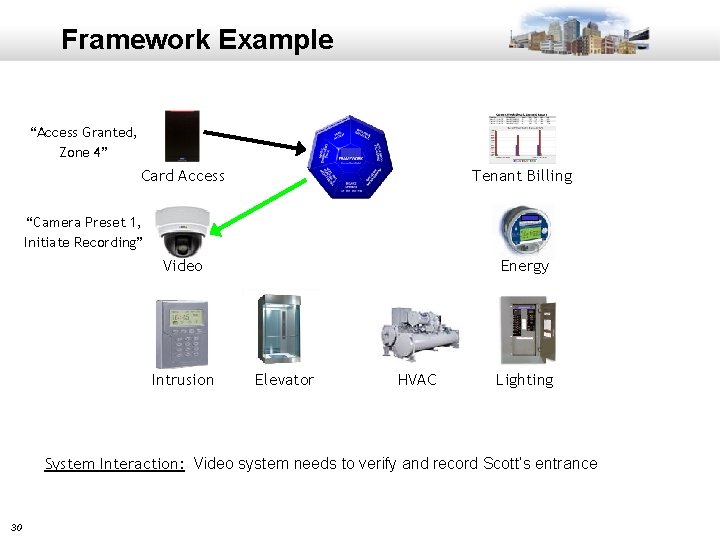
Framework Example “Access Granted, Zone 4” Card Access Tenant Billing “Camera Preset 1, Initiate Recording” Video Intrusion Energy Elevator HVAC Lighting System Interaction: Video system needs to verify and record Scott’s entrance 30
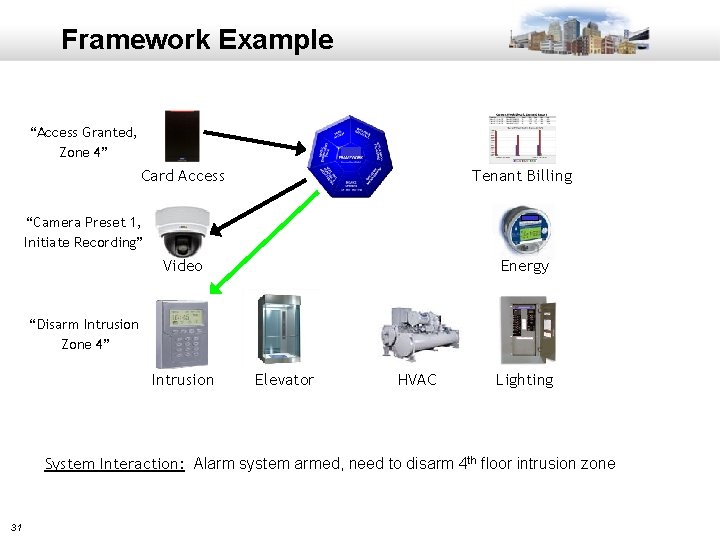
Framework Example “Access Granted, Zone 4” Card Access Tenant Billing “Camera Preset 1, Initiate Recording” Video Energy “Disarm Intrusion Zone 4” Intrusion Elevator HVAC Lighting System Interaction: Alarm system armed, need to disarm 4 th floor intrusion zone 31
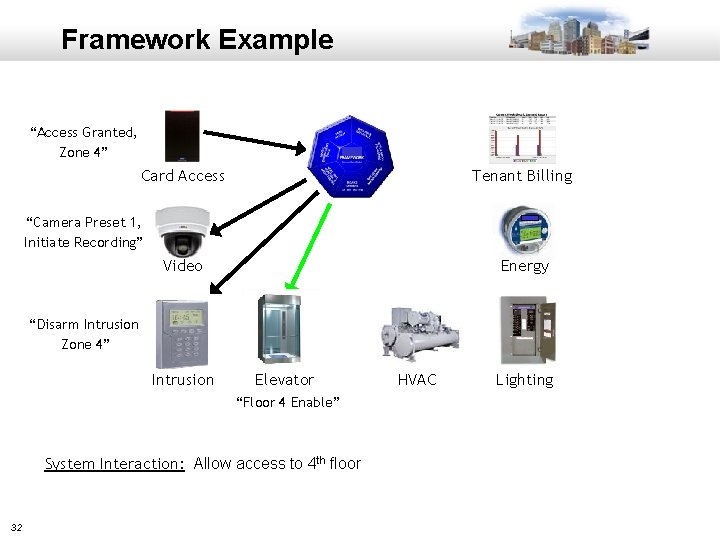
Framework Example “Access Granted, Zone 4” Card Access Tenant Billing “Camera Preset 1, Initiate Recording” Video Energy “Disarm Intrusion Zone 4” Intrusion Elevator “Floor 4 Enable” System Interaction: Allow access to 4 th floor 32 HVAC Lighting
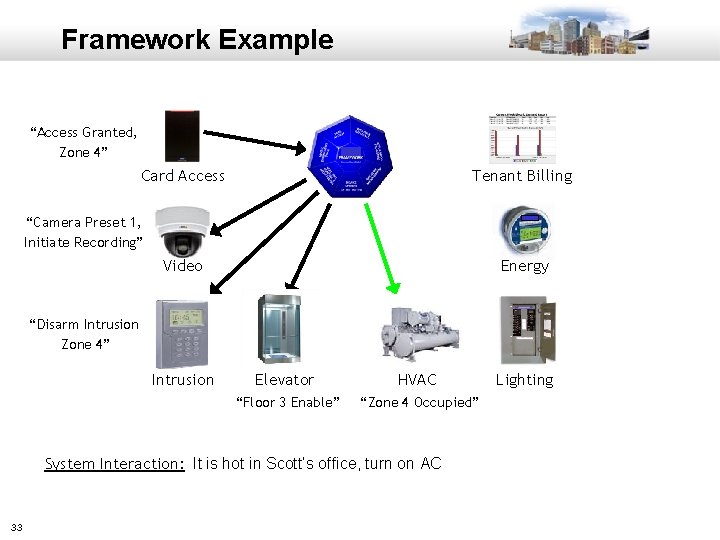
Framework Example “Access Granted, Zone 4” Card Access Tenant Billing “Camera Preset 1, Initiate Recording” Video Energy “Disarm Intrusion Zone 4” Intrusion Elevator HVAC “Floor 3 Enable” “Zone 4 Occupied” System Interaction: It is hot in Scott’s office, turn on AC 33 Lighting
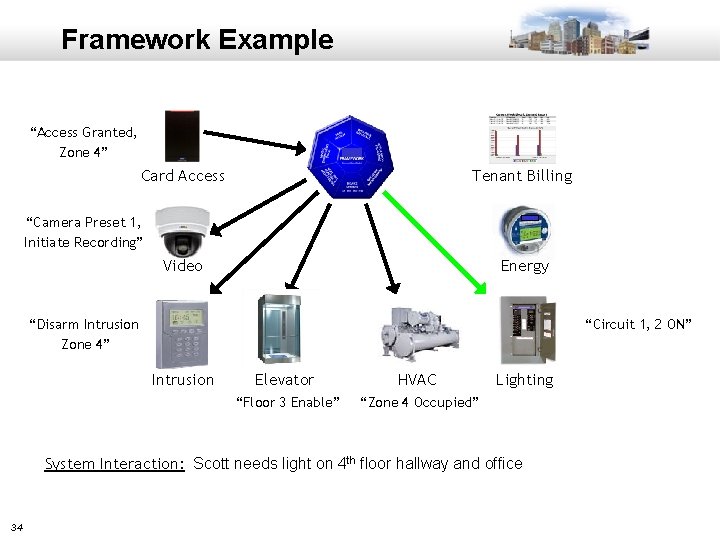
Framework Example “Access Granted, Zone 4” Card Access Tenant Billing “Camera Preset 1, Initiate Recording” Video Energy “Circuit 1, 2 ON” “Disarm Intrusion Zone 4” Intrusion Elevator HVAC “Floor 3 Enable” “Zone 4 Occupied” Lighting System Interaction: Scott needs light on 4 th floor hallway and office 34
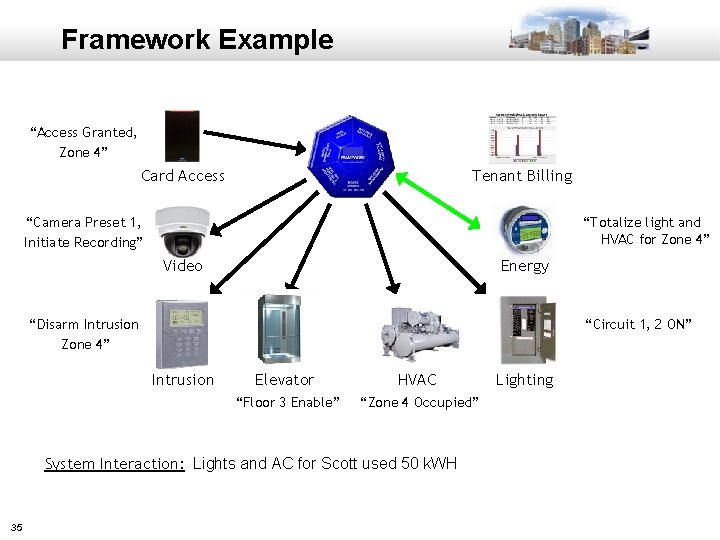
Framework Example “Access Granted, Zone 4” Card Access Tenant Billing “Camera Preset 1, Initiate Recording” “Totalize light and HVAC for Zone 4” Video Energy “Circuit 1, 2 ON” “Disarm Intrusion Zone 4” Intrusion Elevator HVAC “Floor 3 Enable” “Zone 4 Occupied” System Interaction: Lights and AC for Scott used 50 k. WH 35 Lighting
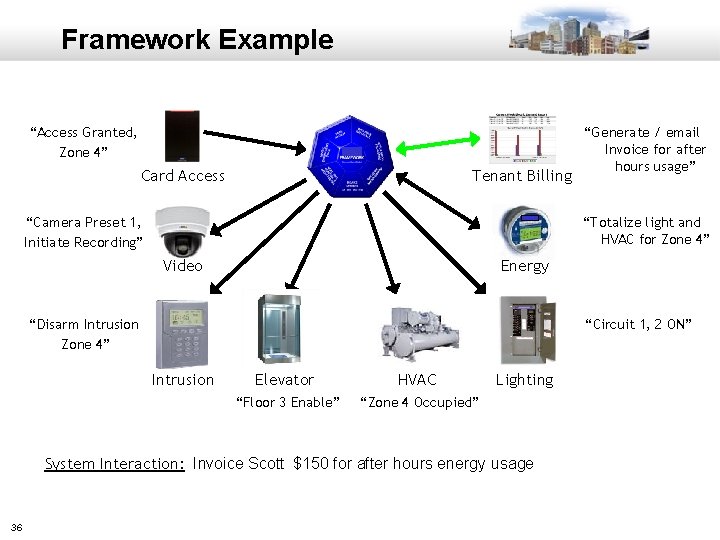
Framework Example “Access Granted, Zone 4” Card Access Tenant Billing “Camera Preset 1, Initiate Recording” “Totalize light and HVAC for Zone 4” Video Energy “Circuit 1, 2 ON” “Disarm Intrusion Zone 4” Intrusion Elevator HVAC “Floor 3 Enable” “Zone 4 Occupied” Lighting System Interaction: Invoice Scott $150 for after hours energy usage 36 “Generate / email Invoice for after hours usage”
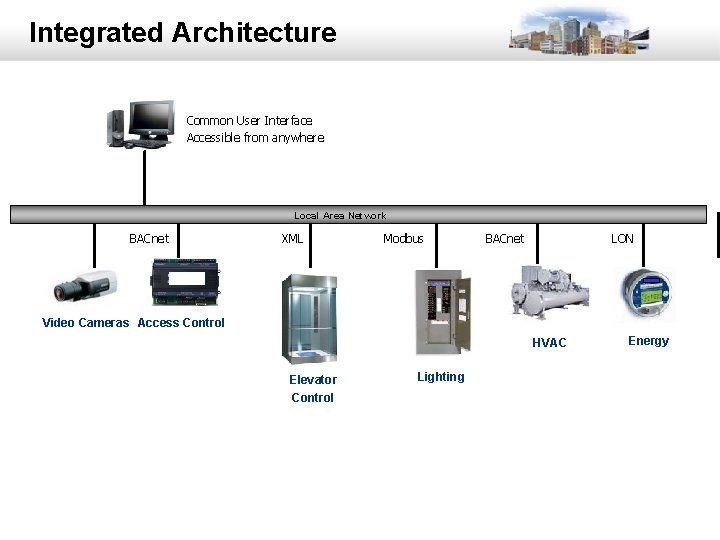
Integrated Architecture Common User Interface Accessible from anywhere Local Area Network BACnet XML Modbus BACnet LON Video Cameras Access Control HVAC Elevator Control 37 Lighting Energy
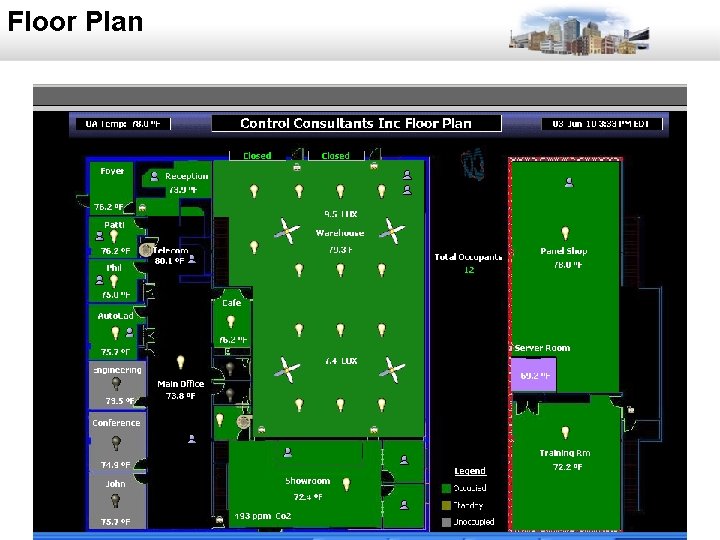
Floor Plan 38
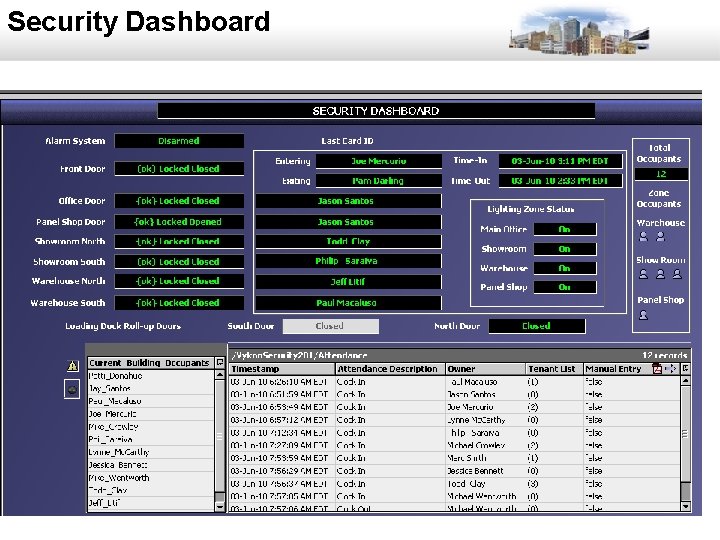
Security Dashboard 39
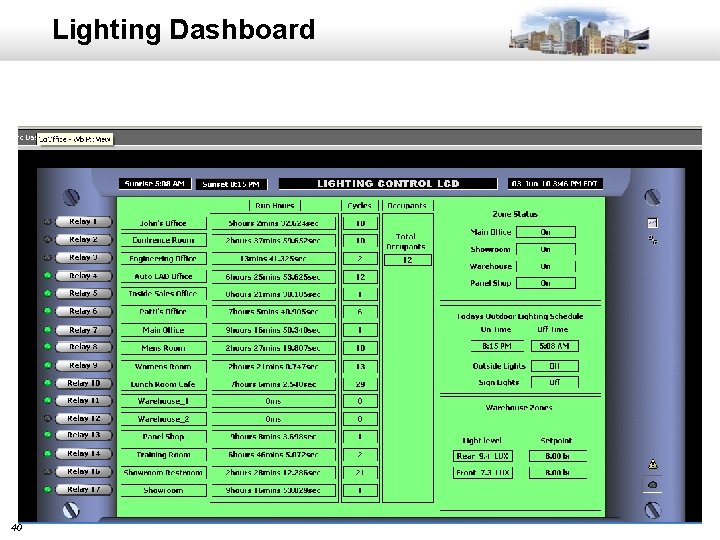
Lighting Dashboard 40
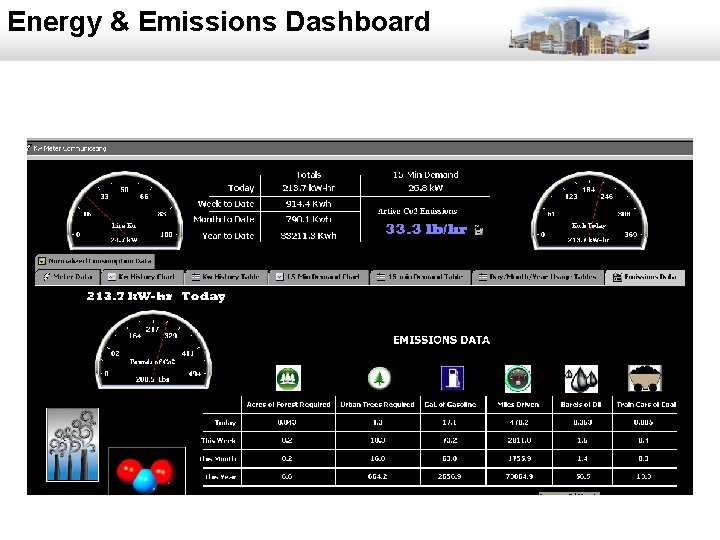
Energy & Emissions Dashboard 41
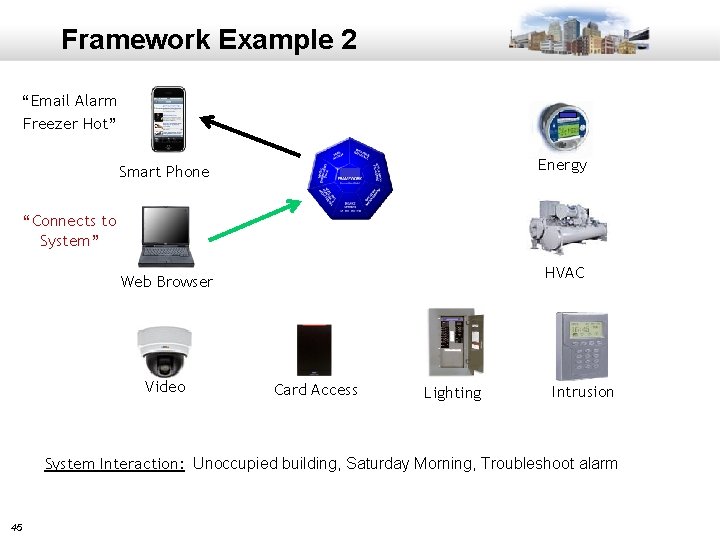
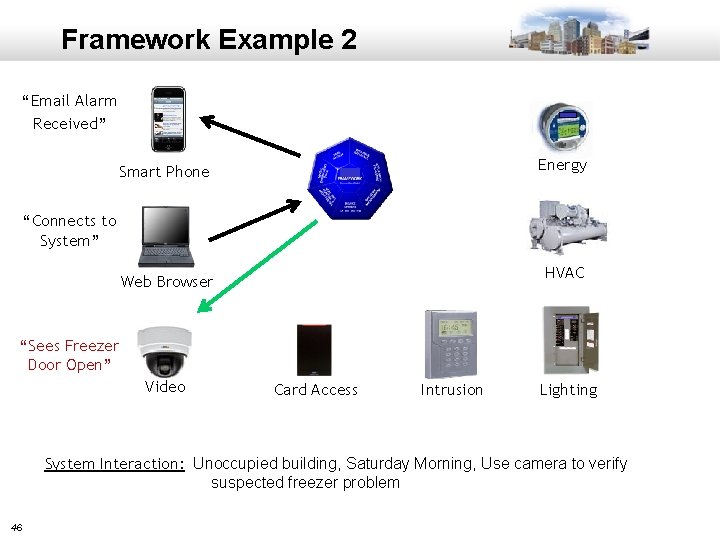
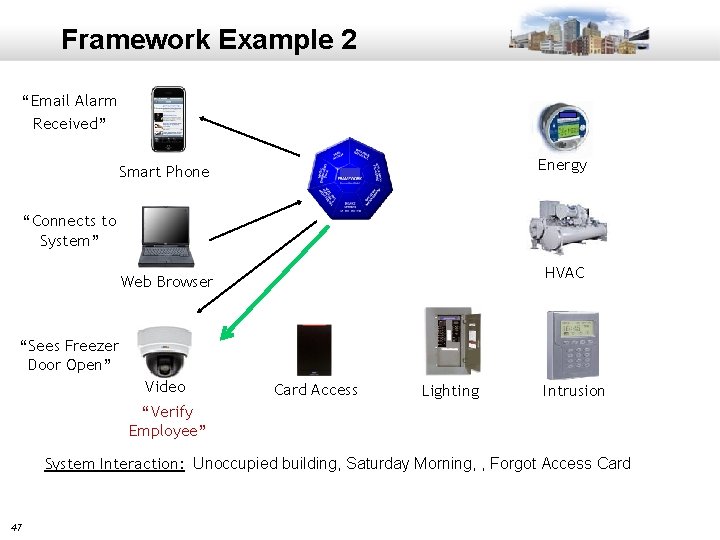
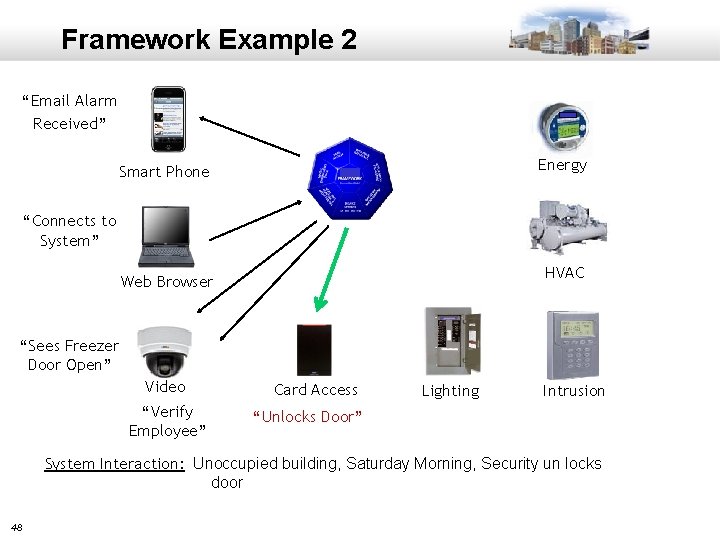
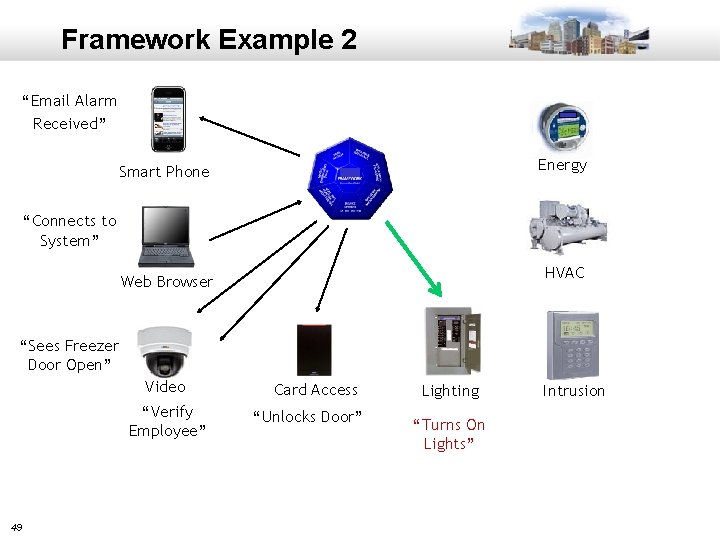
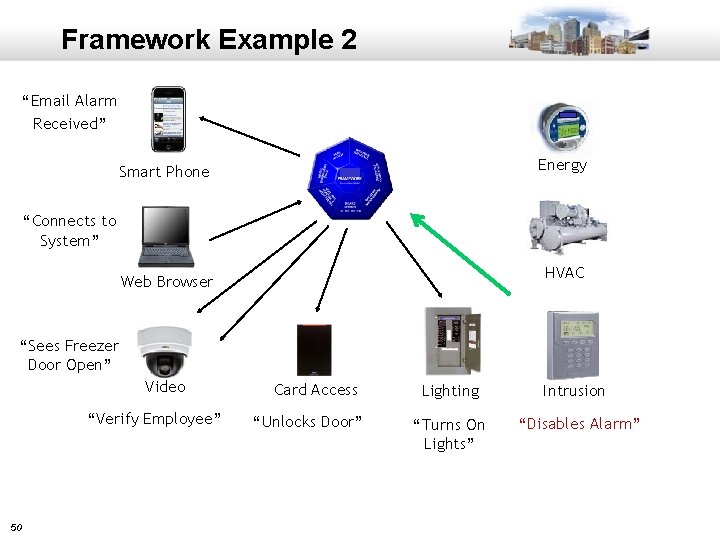
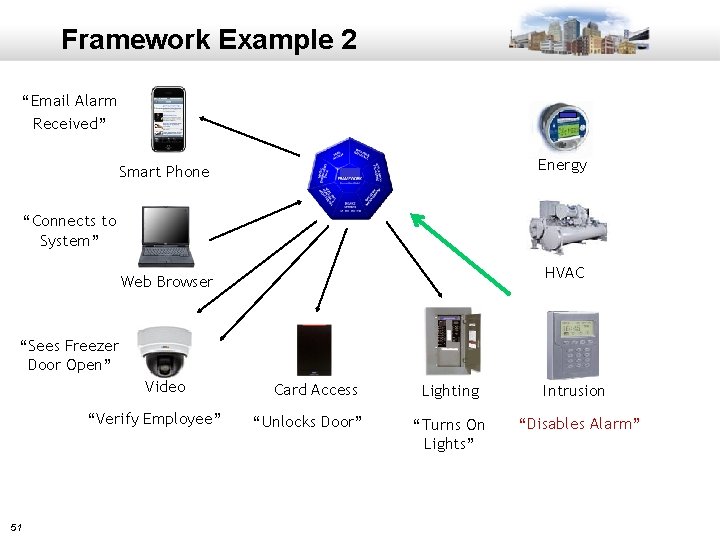
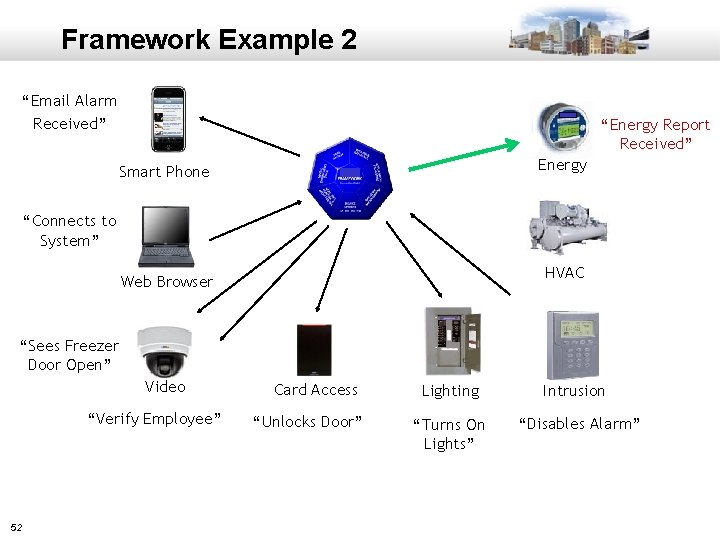
Example Scenario 2 • School District Central Food Preparation Center • Systems being installed: – – Security - Card Access, Video and Intrusion HVAC Lighting Energy Monitoring • HVAC and Lights Scheduled 7 am-7 pm M-F 42
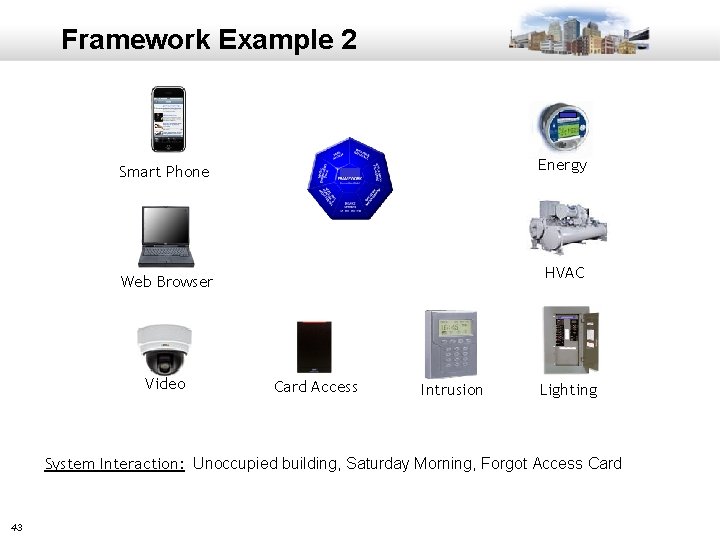
Framework Example 2 Energy Smart Phone HVAC Web Browser Video Card Access Intrusion Lighting System Interaction: Unoccupied building, Saturday Morning, Forgot Access Card 43
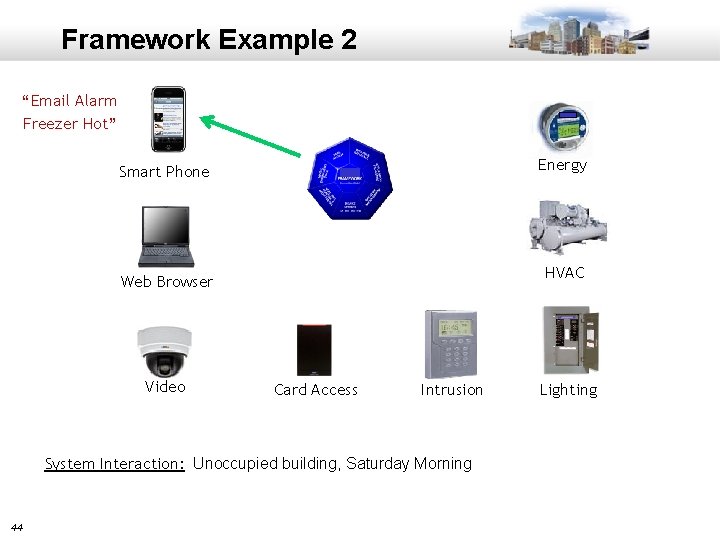
Framework Example 2 “Email Alarm Freezer Hot” Energy Smart Phone HVAC Web Browser Video Card Access Intrusion System Interaction: Unoccupied building, Saturday Morning 44 Lighting
Framework Example 2 “Email Alarm Freezer Hot” Energy Smart Phone “Connects to System” HVAC Web Browser Video Card Access Lighting Intrusion System Interaction: Unoccupied building, Saturday Morning, Troubleshoot alarm 45
Framework Example 2 “Email Alarm Received” Energy Smart Phone “Connects to System” HVAC Web Browser “Sees Freezer Door Open” Video Card Access Intrusion Lighting System Interaction: Unoccupied building, Saturday Morning, Use camera to verify suspected freezer problem 46
Framework Example 2 “Email Alarm Received” Energy Smart Phone “Connects to System” HVAC Web Browser “Sees Freezer Door Open” Video Card Access Lighting Intrusion “Verify Employee” System Interaction: Unoccupied building, Saturday Morning, , Forgot Access Card 47
Framework Example 2 “Email Alarm Received” Energy Smart Phone “Connects to System” HVAC Web Browser “Sees Freezer Door Open” Video “Verify Employee” Card Access Lighting Intrusion “Unlocks Door” System Interaction: Unoccupied building, Saturday Morning, Security un locks door 48
Framework Example 2 “Email Alarm Received” Energy Smart Phone “Connects to System” HVAC Web Browser “Sees Freezer Door Open” Video “Verify Employee” 49 Card Access “Unlocks Door” Lighting “Turns On Lights” Intrusion
Framework Example 2 “Email Alarm Received” Energy Smart Phone “Connects to System” HVAC Web Browser “Sees Freezer Door Open” Video “Verify Employee” 50 Card Access “Unlocks Door” Lighting “Turns On Lights” Intrusion “Disables Alarm”
Framework Example 2 “Email Alarm Received” Energy Smart Phone “Connects to System” HVAC Web Browser “Sees Freezer Door Open” Video “Verify Employee” 51 Card Access “Unlocks Door” Lighting “Turns On Lights” Intrusion “Disables Alarm”
Framework Example 2 “Email Alarm Received” “Energy Report Received” Energy Smart Phone “Connects to System” HVAC Web Browser “Sees Freezer Door Open” Video “Verify Employee” 52 Card Access “Unlocks Door” Lighting “Turns On Lights” Intrusion “Disables Alarm”
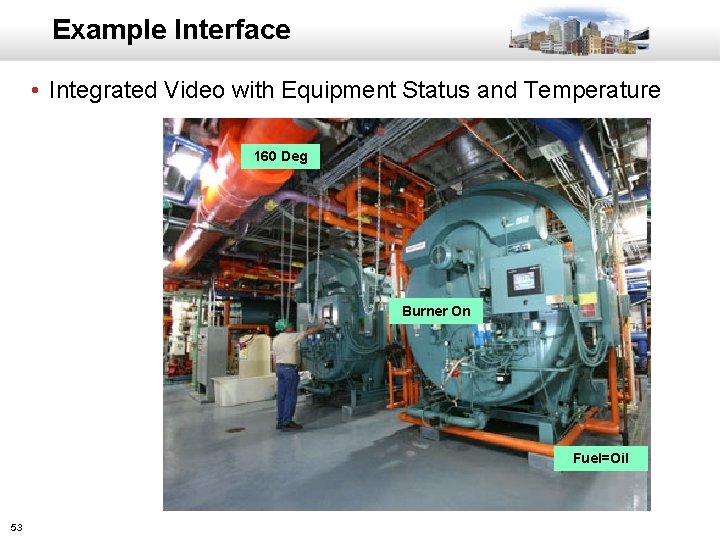
Example Interface • Integrated Video with Equipment Status and Temperature 160 Deg Burner On Fuel=Oil 53
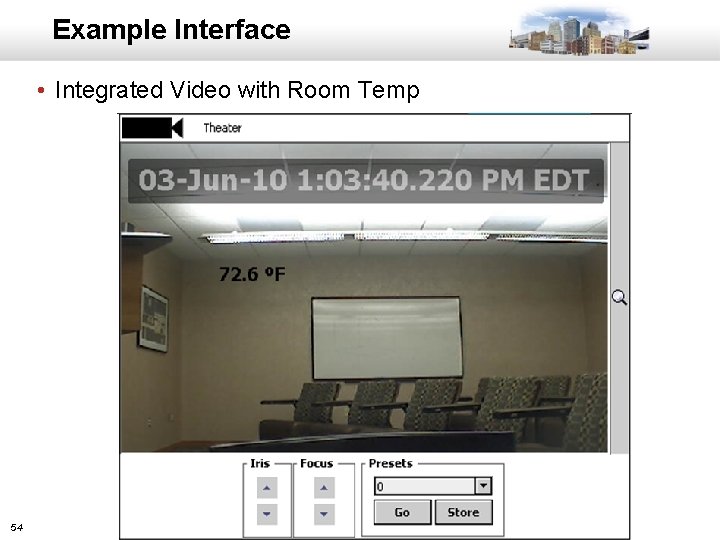
Example Interface • Integrated Video with Room Temp 54
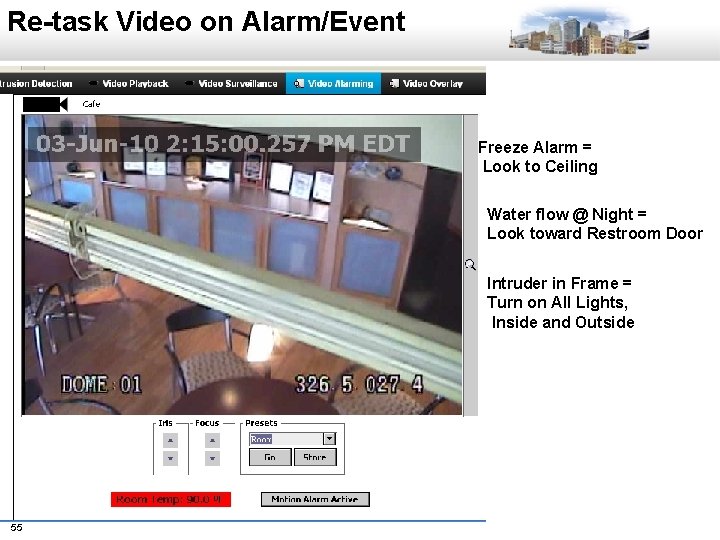
Re-task Video on Alarm/Event Freeze Alarm = Look to Ceiling Water flow @ Night = Look toward Restroom Door Intruder in Frame = Turn on All Lights, Inside and Outside 55
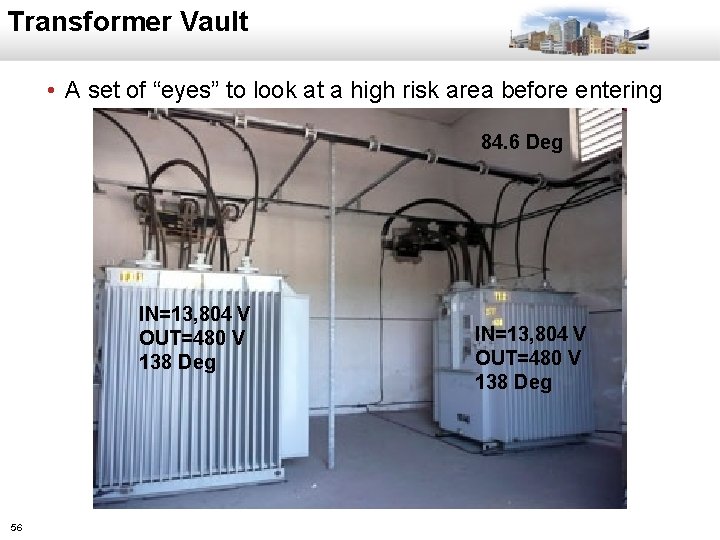
Transformer Vault • A set of “eyes” to look at a high risk area before entering 84. 6 Deg IN=13, 804 V OUT=480 V 138 Deg 56 IN=13, 804 V OUT=480 V 138 Deg
AUTOMATED DEMAND RESPONSE (ADR) 57
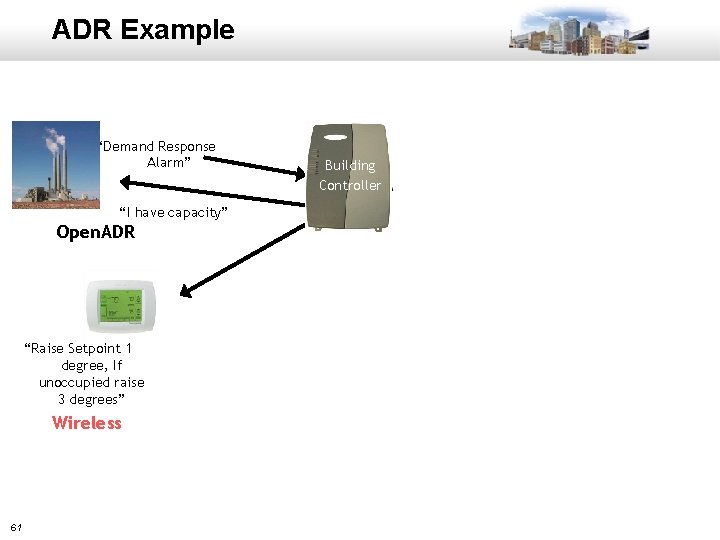
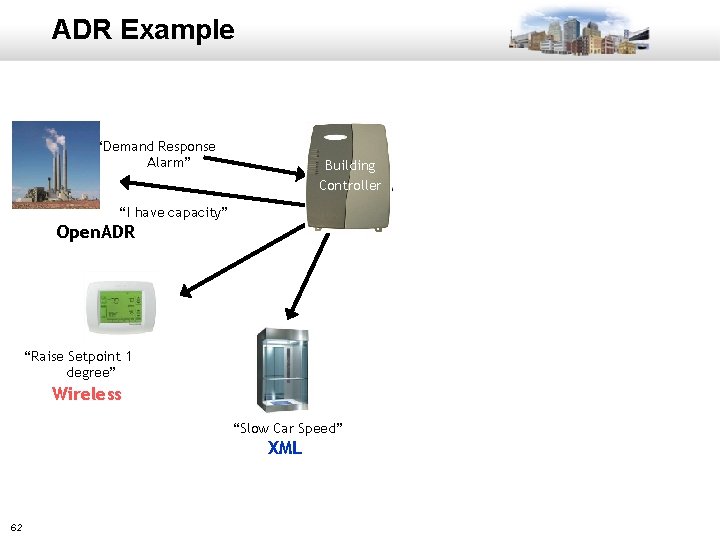
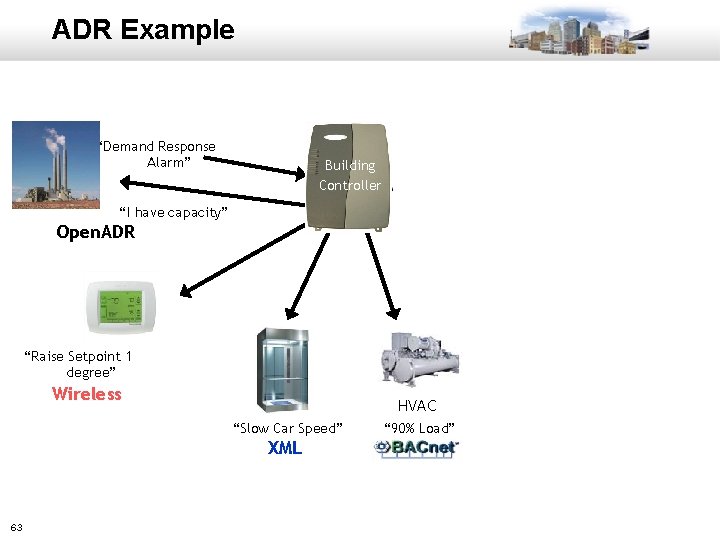
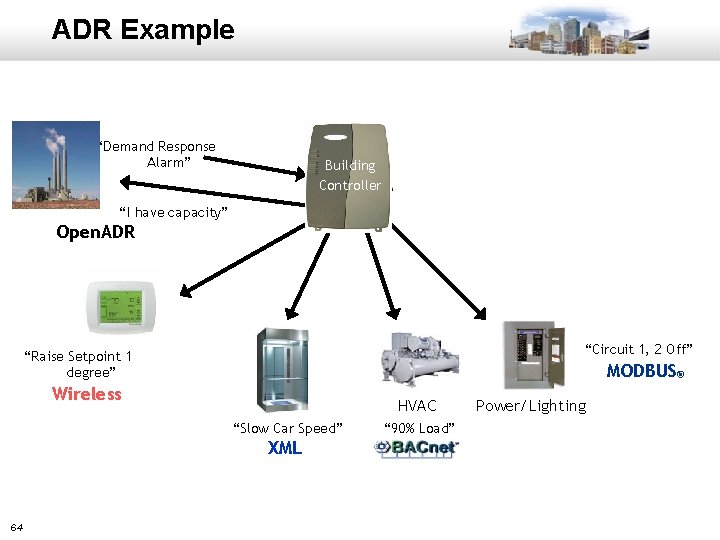
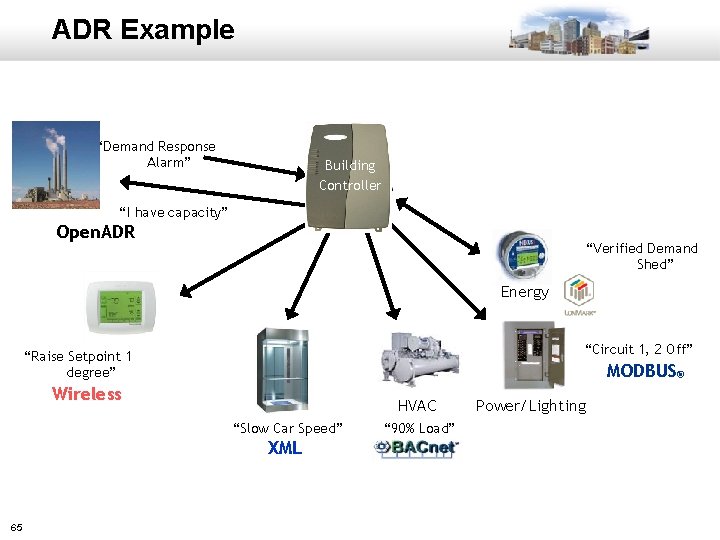
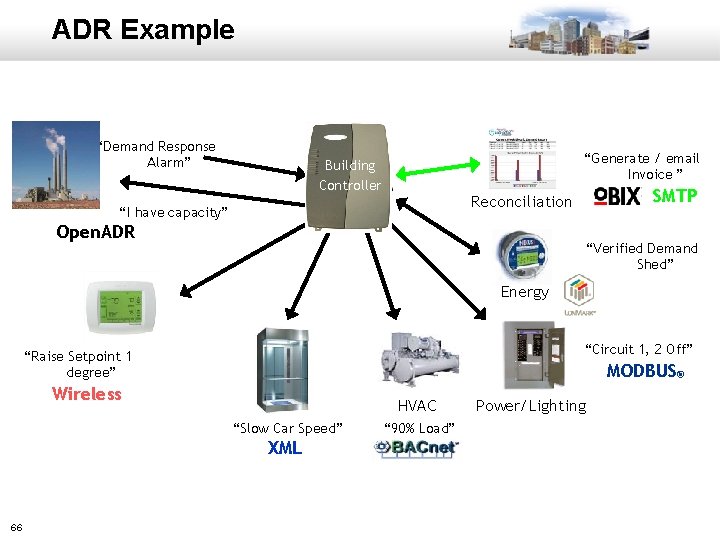
ADR • Connect the utility or aggregator directly to the facility • Utility or aggregator provides financial incentives to adjust building energy usage in real time • ADR enabled building controller – Ensure the building stays within safety and comfort standards – Adjust usage in increments depending on utility demand – Keep an energy and activity log to verify demand reduction • Utility controls demand on the grid • Owner gets a check! 58
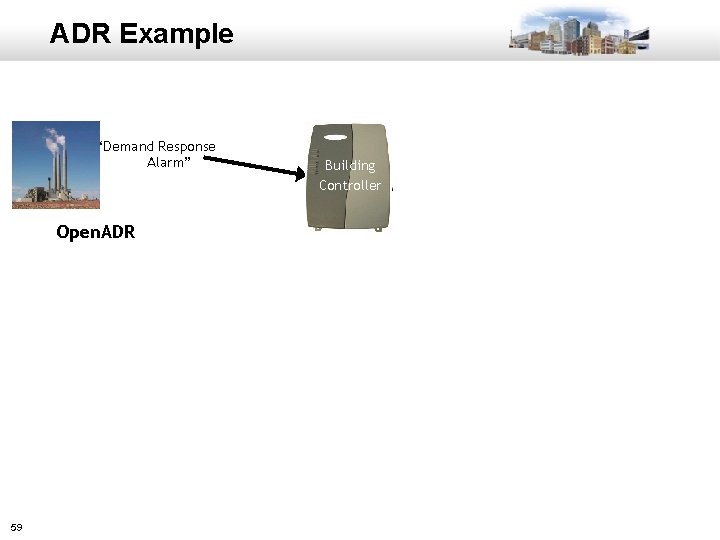
ADR Example “Demand Response Alarm” Open. ADR 59 Building Controller
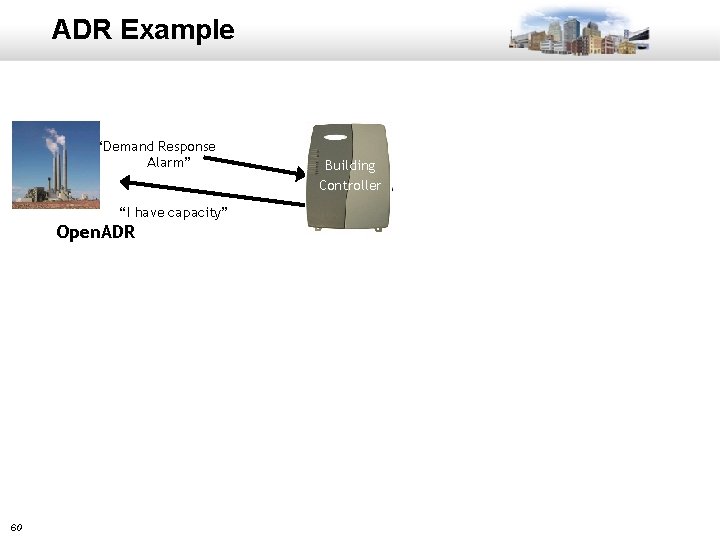
ADR Example “Demand Response Alarm” “I have capacity” Open. ADR 60 Building Controller
ADR Example “Demand Response Alarm” “I have capacity” Open. ADR “Raise Setpoint 1 degree, If unoccupied raise 3 degrees” Wireless 61 Building Controller
ADR Example “Demand Response Alarm” Building Controller “I have capacity” Open. ADR “Raise Setpoint 1 degree” Wireless Elevator “Slow Car Speed” XML 62
ADR Example “Demand Response Alarm” Building Controller “I have capacity” Open. ADR “Raise Setpoint 1 degree” Wireless Elevator HVAC “Slow Car Speed” “ 90% Load” XML 63
ADR Example “Demand Response Alarm” Building Controller “I have capacity” Open. ADR “Circuit 1, 2 Off” “Raise Setpoint 1 degree” Wireless MODBUS® Elevator HVAC “Slow Car Speed” “ 90% Load” XML 64 Power/Lighting
ADR Example “Demand Response Alarm” Building Controller “I have capacity” Open. ADR “Verified Demand Shed” Energy “Circuit 1, 2 Off” “Raise Setpoint 1 degree” Wireless MODBUS® Elevator HVAC “Slow Car Speed” “ 90% Load” XML 65 Power/Lighting
ADR Example “Demand Response Alarm” “Generate / email Invoice ” Building Controller SMTP Reconciliation “I have capacity” Open. ADR “Verified Demand Shed” Energy “Circuit 1, 2 Off” “Raise Setpoint 1 degree” Wireless MODBUS® Elevator HVAC “Slow Car Speed” “ 90% Load” XML 66 Power/Lighting
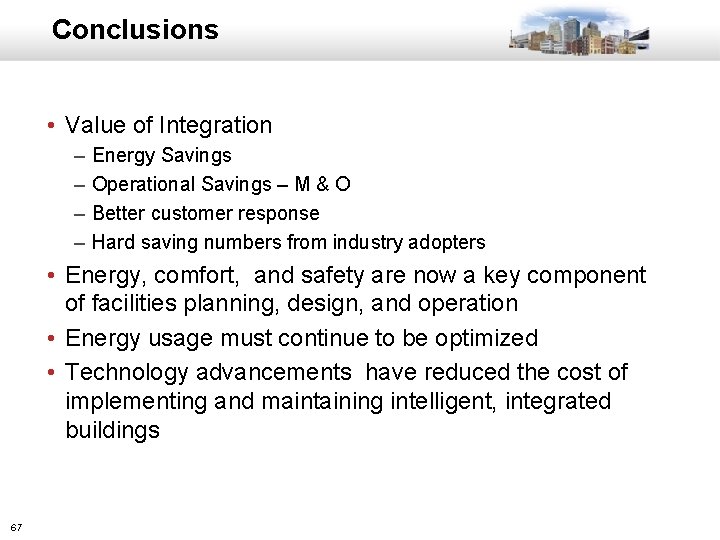
Conclusions • Value of Integration – – Energy Savings Operational Savings – M & O Better customer response Hard saving numbers from industry adopters • Energy, comfort, and safety are now a key component of facilities planning, design, and operation • Energy usage must continue to be optimized • Technology advancements have reduced the cost of implementing and maintaining intelligent, integrated buildings 67
QUESTIONS 68
THANKS! 69