
Facilities for x 86 debugging Introduction to x
Facilities for x 86 debugging Introduction to x 86 CPU features that can assist programmers in the debugging of their software
Any project ‘bugs’? • As you work on designing your solution for the programming assignment in Project #2 it is possible (likely? ) that you may run into some program failures • What can you do if your program doesn’t behave as you had expected it would? • How can you diagnose the causes? • Where does your problem first appear?

Single-stepping • An ability to trace through your program’s code, one instruction at a time, often can be extremely helpful in identifying where a program flaw is occurring – and also why • Intel’s x 86 processor provides hardware assistance in implementing a ‘debugging’ capability such as ‘single-stepping’.
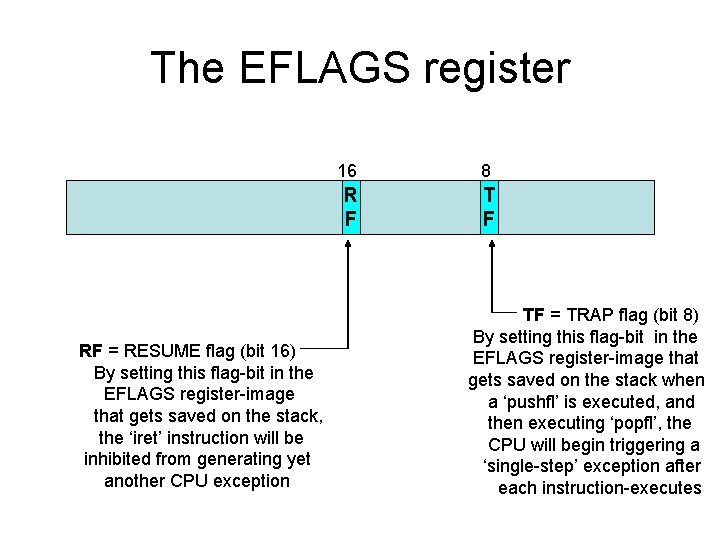
The EFLAGS register RF = RESUME flag (bit 16) By setting this flag-bit in the EFLAGS register-image that gets saved on the stack, the ‘iret’ instruction will be inhibited from generating yet another CPU exception 16 8 R F TF = TRAP flag (bit 8) By setting this flag-bit in the EFLAGS register-image that gets saved on the stack when a ‘pushfl’ is executed, and then executing ‘popfl’, the CPU will begin triggering a ‘single-step’ exception after each instruction-executes
TF-bit in EFLAGS • Our ‘usedebug. s’ demo shows how to use the TF-bit to perform ‘single-stepping’ of a Linux application (e. g. , our ‘linuxapp. o’) • The ‘popfw’ instruction is used to set TF • The exception-handler for INT-1 displays information about the state of the program • But single-stepping starts only AFTER the immediately following instruction executes
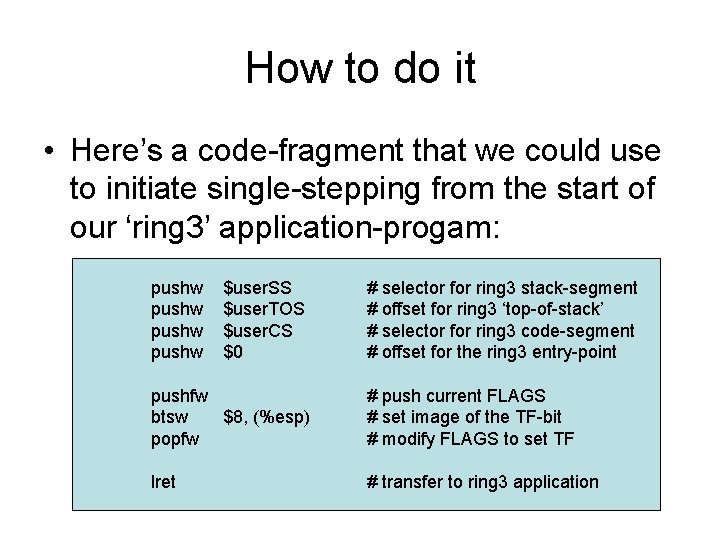
How to do it • Here’s a code-fragment that we could use to initiate single-stepping from the start of our ‘ring 3’ application-progam: pushw $user. SS $user. TOS $user. CS $0 # selector for ring 3 stack-segment # offset for ring 3 ‘top-of-stack’ # selector for ring 3 code-segment # offset for the ring 3 entry-point pushfw btsw $8, (%esp) popfw # push current FLAGS # set image of the TF-bit # modify FLAGS to set TF lret # transfer to ring 3 application
Using assembler listings • You can generate an assembler ‘listing’ of the instructions in our ‘linuxapp. o’ file, then use that listing to follow along while you’re ‘single-stepping’ through that file’s code • Here’s how to do it: $ as –al linuxapp. s > linuxapp. lst • (The ‘-al’ option is for ‘assembly listing’)
A slight ‘flaw’ • We cannot single-step the execution of an ‘int-0 x 80’ instruction (Linux’s system-calls) • Our exception-handler’s ‘iret’ instruction will restore the TF-bit to EFLAGS, but the single-step ‘trap’ doesn’t take effect until after the immediately following instruction • This means we ‘skip’ seeing a display of the registers immediately after ‘int-0 x 80’
Fixing that ‘flaw’ • The x 86 offers us a way to overcome the delayed effect of TF when ‘iret’ executes • We can use the Debug Registers to set an instruction ‘breakpoint’ which will interrupt the CPU at a specific instruction-address • There are six Debug Registers: DR 0, DR 1, DR 2, DR 3 (breakpoints) DR 6 (the Debug Status register) DR 7 (the Debug Control register)
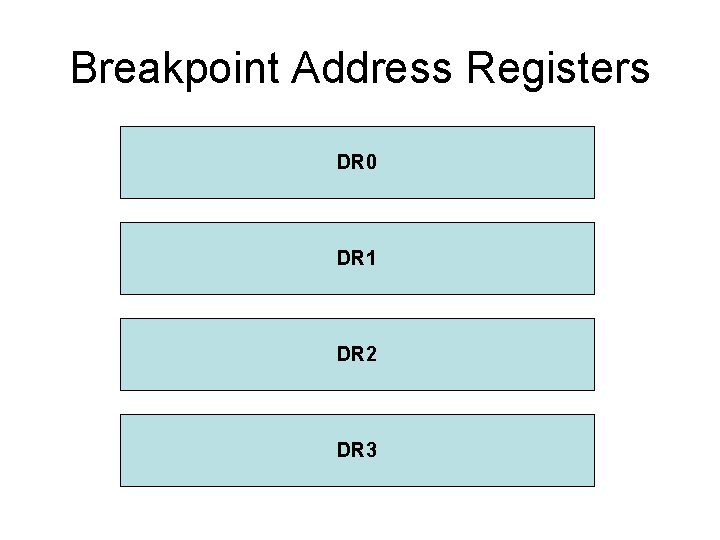
Breakpoint Address Registers DR 0 DR 1 DR 2 DR 3
Special ‘MOV’ instructions • Use ‘mov %reg, %DRn’ to write into DRn • Use ‘mov %DRn, %reg’ to read from DRn • Here ‘reg’ stands for any one of the CPU’s general-purpose registers (e. g. , EAX, etc. ) • These special instructions are ‘privileged’ (i. e. , they can only be executed by code that is running in ring 0)
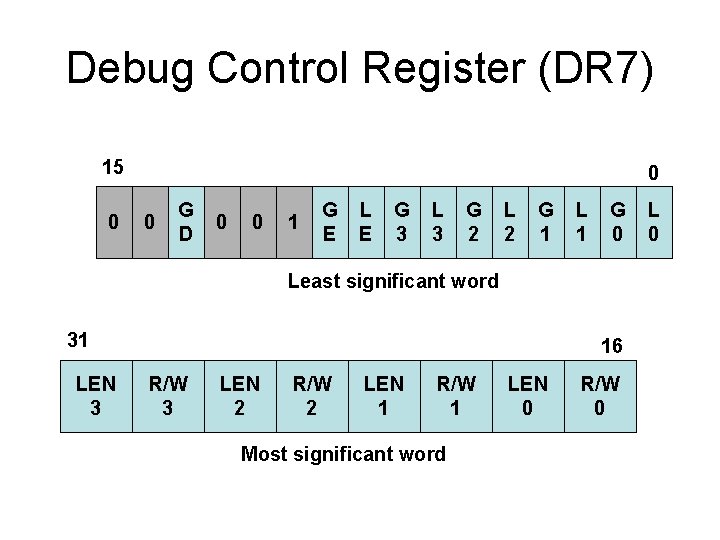
Debug Control Register (DR 7) 15 0 0 0 G D 0 0 1 G E L E G 3 L 3 G 2 L 2 G 1 L 1 G 0 Least significant word 31 LEN 3 16 R/W 3 LEN 2 R/W 2 LEN 1 R/W 1 Most significant word LEN 0 R/W 0 L 0
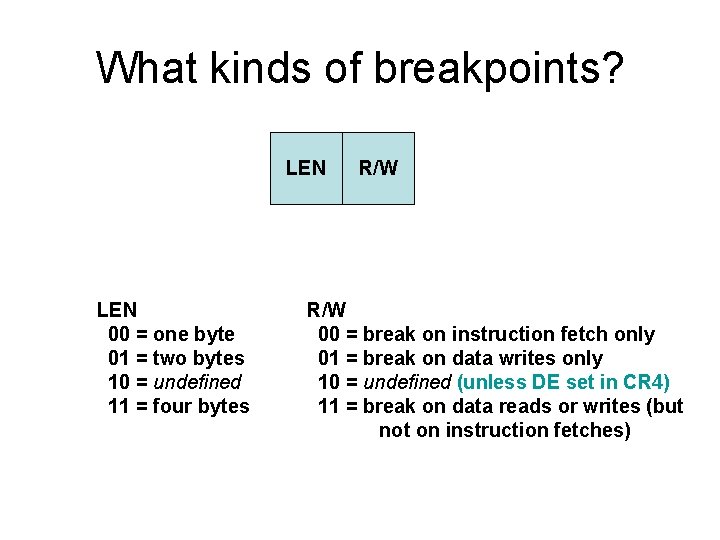
What kinds of breakpoints? LEN 00 = one byte 01 = two bytes 10 = undefined 11 = four bytes R/W 00 = break on instruction fetch only 01 = break on data writes only 10 = undefined (unless DE set in CR 4) 11 = break on data reads or writes (but not on instruction fetches)
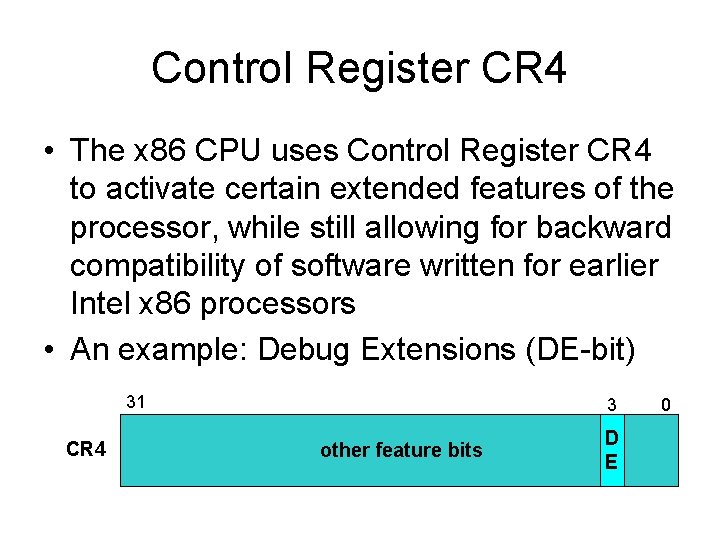
Control Register CR 4 • The x 86 CPU uses Control Register CR 4 to activate certain extended features of the processor, while still allowing for backward compatibility of software written for earlier Intel x 86 processors • An example: Debug Extensions (DE-bit) 31 CR 4 3 other feature bits D E 0
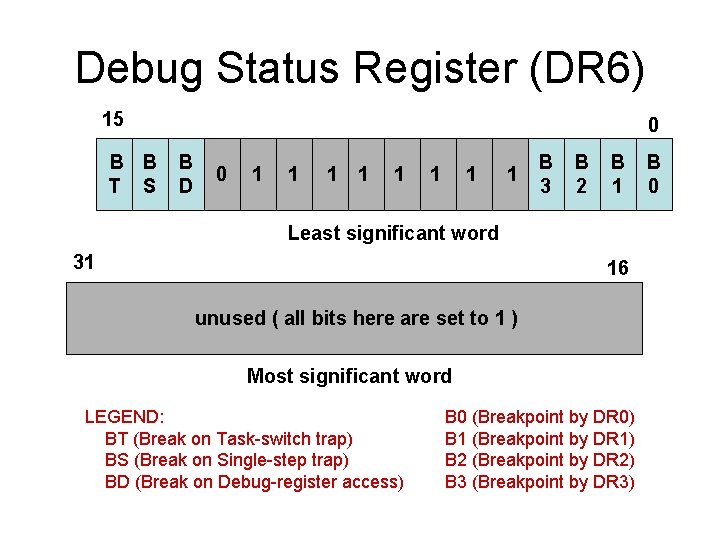
Debug Status Register (DR 6) 15 B B T S 0 B D 0 1 1 1 1 B 3 B 2 B 1 Least significant word 31 16 unused ( all bits here are set to 1 ) Most significant word LEGEND: BT (Break on Task-switch trap) BS (Break on Single-step trap) BD (Break on Debug-register access) B 0 (Breakpoint by DR 0) B 1 (Breakpoint by DR 1) B 2 (Breakpoint by DR 2) B 3 (Breakpoint by DR 3) B 0
Where to set a breakpoint • Suppose you want to trigger a ‘debug’ trap at the instruction immediately following the Linux software ‘int $0 x 80’ system-call • Your debug exception-handler can use the saved CS: EIP values on its stack to check that ‘int $0 x 80’ has caused an exception • Machine-code is: 0 x. CD, 0 x 80 (2 bytes) • So set a ‘breakpoint’ at address EIP+2
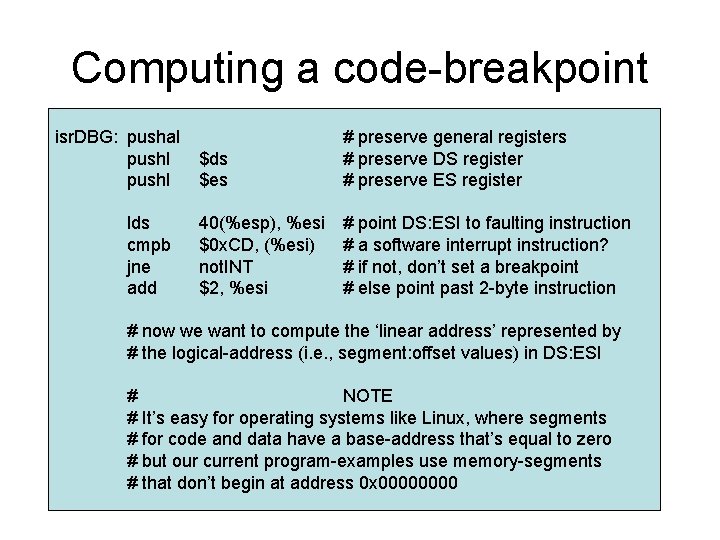
Computing a code-breakpoint isr. DBG: pushal pushl lds cmpb jne add $ds $es # preserve general registers # preserve DS register # preserve ES register 40(%esp), %esi $0 x. CD, (%esi) not. INT $2, %esi # point DS: ESI to faulting instruction # a software interrupt instruction? # if not, don’t set a breakpoint # else point past 2 -byte instruction # now we want to compute the ‘linear address’ represented by # the logical-address (i. e. , segment: offset values) in DS: ESI # NOTE # It’s easy for operating systems like Linux, where segments # for code and data have a base-address that’s equal to zero # but our current program-examples use memory-segments # that don’t begin at address 0 x 0000
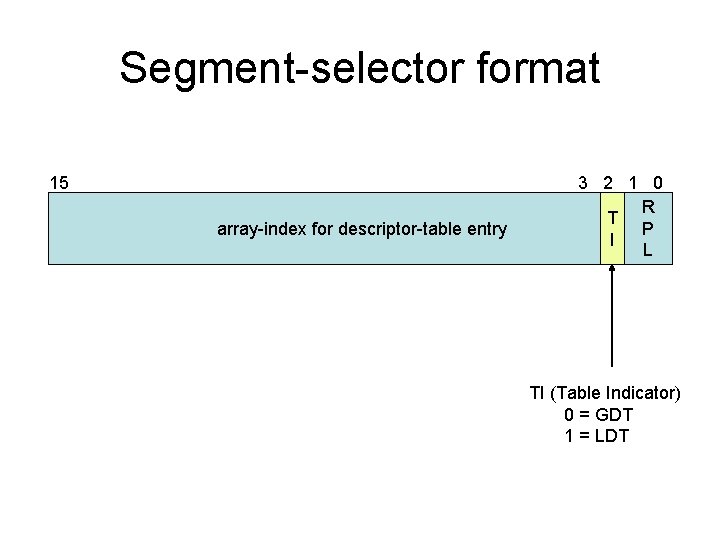
Segment-selector format 15 array-index for descriptor-table entry 3 2 1 0 R T P I L TI (Table Indicator) 0 = GDT 1 = LDT
![Segment-Descriptor Format 63 32 Base[31. . 24] RA D CR Limit GDS V P](http://slidetodoc.com/presentation_image_h2/17d53de56abea0fbf3c92243b0690085/image-19.jpg "Segment-Descriptor Format 63 32 Base[31. . 24] RA D CR Limit GDS V P")
Segment-Descriptor Format 63 32 Base[31. . 24] RA D CR Limit GDS V P P SX / / A [19. . 16] VL L DW Base[15. . 0] 31 Base[23. . 16] Limit[15. . 0] 0 Several instances of this basic ‘segment-descriptor’ data-structure will occur in the Global Descriptor Table (and maybe also in some Local Descriptor Tables)
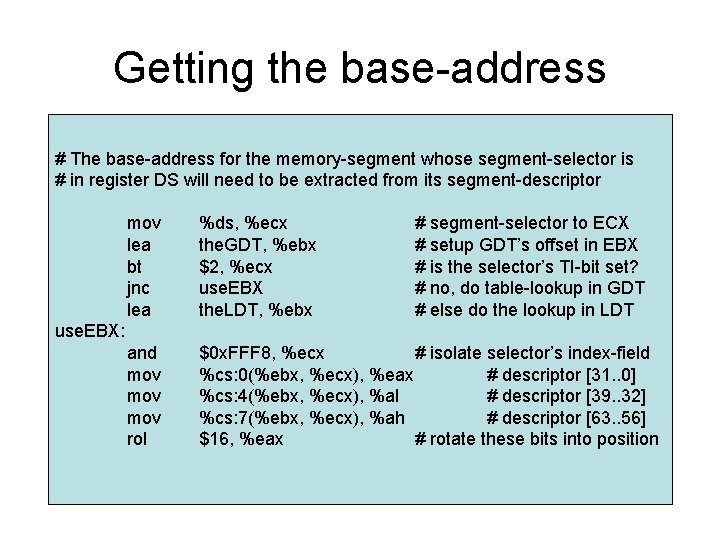
Getting the base-address # The base-address for the memory-segment whose segment-selector is # in register DS will need to be extracted from its segment-descriptor mov lea bt jnc lea %ds, %ecx the. GDT, %ebx $2, %ecx use. EBX the. LDT, %ebx # segment-selector to ECX # setup GDT’s offset in EBX # is the selector’s TI-bit set? # no, do table-lookup in GDT # else do the lookup in LDT and mov mov rol $0 x. FFF 8, %ecx # isolate selector’s index-field %cs: 0(%ebx, %ecx), %eax # descriptor [31. . 0] %cs: 4(%ebx, %ecx), %al # descriptor [39. . 32] %cs: 7(%ebx, %ecx), %ah # descriptor [63. . 56] $16, %eax # rotate these bits into position use. EBX:
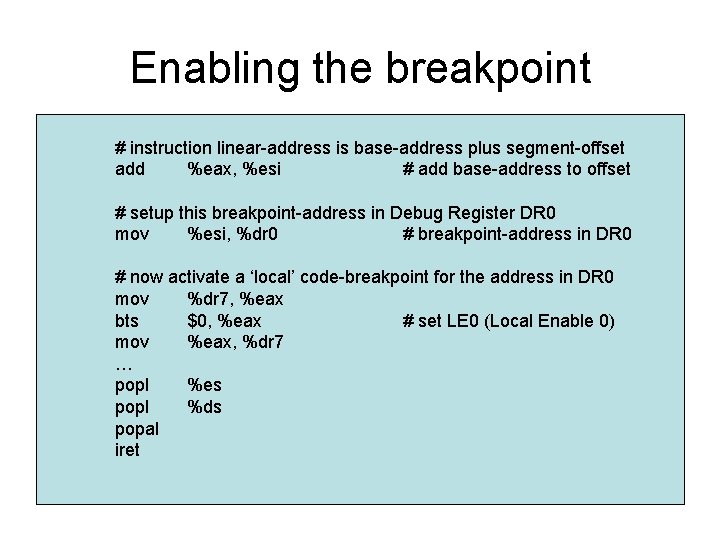
Enabling the breakpoint # instruction linear-address is base-address plus segment-offset add %eax, %esi # add base-address to offset # setup this breakpoint-address in Debug Register DR 0 mov %esi, %dr 0 # breakpoint-address in DR 0 # now activate a ‘local’ code-breakpoint for the address in DR 0 mov %dr 7, %eax bts $0, %eax # set LE 0 (Local Enable 0) mov %eax, %dr 7 … popl %es popl %ds popal iret
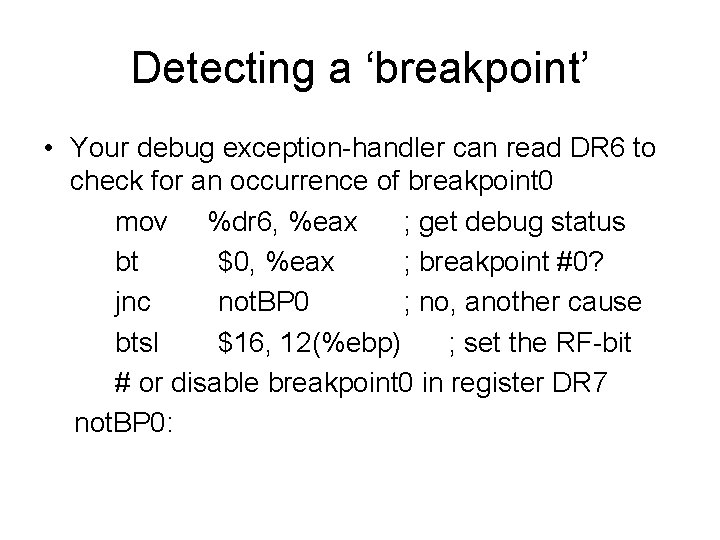
Detecting a ‘breakpoint’ • Your debug exception-handler can read DR 6 to check for an occurrence of breakpoint 0 mov %dr 6, %eax ; get debug status bt $0, %eax ; breakpoint #0? jnc not. BP 0 ; no, another cause btsl $16, 12(%ebp) ; set the RF-bit # or disable breakpoint 0 in register DR 7 not. BP 0:
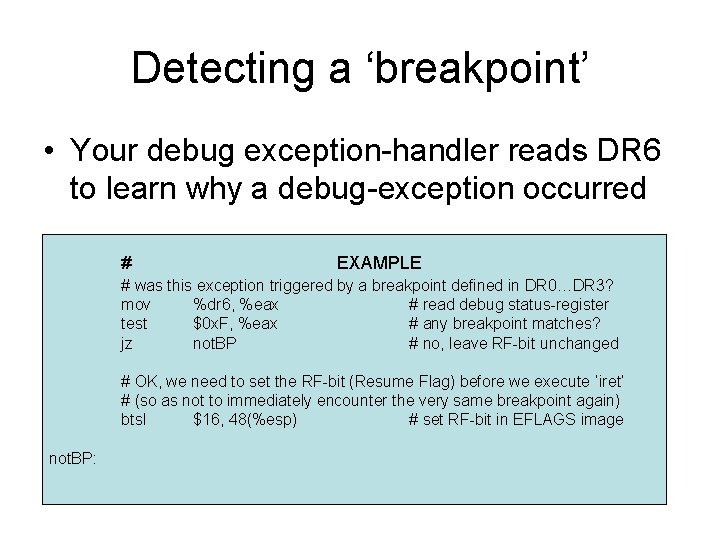
Detecting a ‘breakpoint’ • Your debug exception-handler reads DR 6 to learn why a debug-exception occurred # EXAMPLE # was this exception triggered by a breakpoint defined in DR 0…DR 3? mov %dr 6, %eax # read debug status-register test $0 x. F, %eax # any breakpoint matches? jz not. BP # no, leave RF-bit unchanged # OK, we need to set the RF-bit (Resume Flag) before we execute ‘iret’ # (so as not to immediately encounter the very same breakpoint again) btsl $16, 48(%esp) # set RF-bit in EFLAGS image not. BP:
In-class exercise #1 • Our ‘usedebug. s’ demo illustrates the idea of single-stepping through a program, but after several steps it encounter a General Protection Exception (i. e. , interrupt $0 x 0 D) • You will recognize a display of information from registers that gets saved on the stack • Can you determine why this fault occurs, and then modify our code to eliminate it?
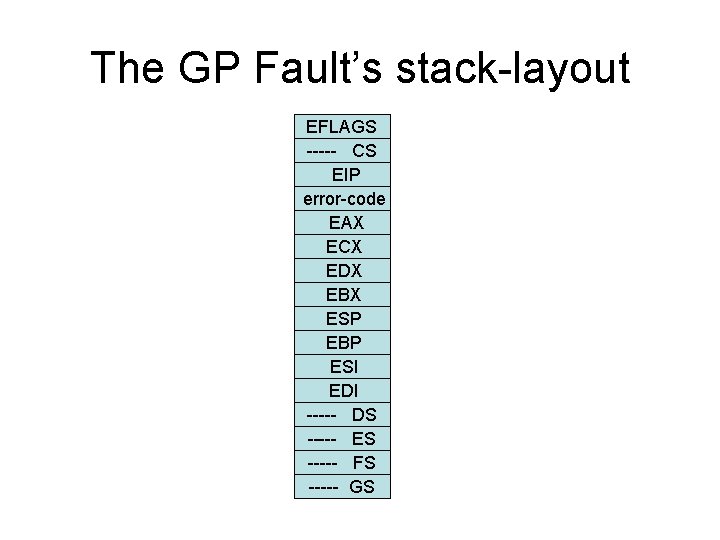
The GP Fault’s stack-layout EFLAGS ----- CS EIP error-code EAX ECX EDX EBX ESP EBP ESI EDI ----- DS ----- ES ----- FS ----- GS
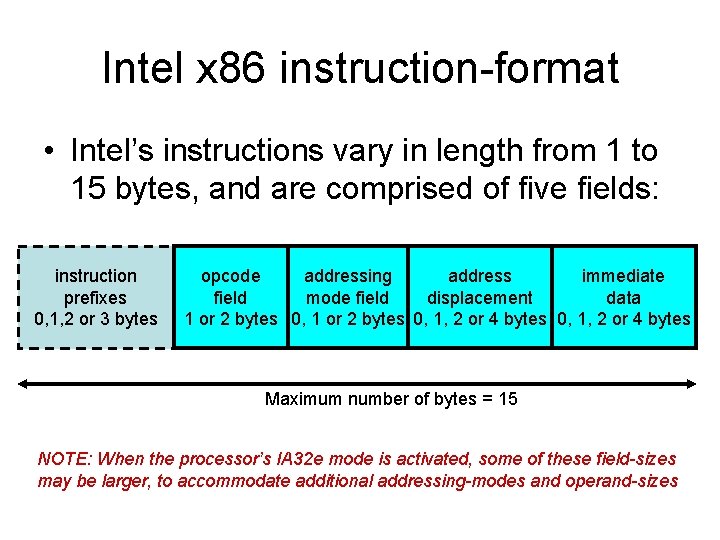
Intel x 86 instruction-format • Intel’s instructions vary in length from 1 to 15 bytes, and are comprised of five fields: instruction prefixes 0, 1, 2 or 3 bytes opcode addressing address immediate field mode field displacement data 1 or 2 bytes 0, 1, 2 or 4 bytes Maximum number of bytes = 15 NOTE: When the processor’s IA 32 e mode is activated, some of these field-sizes may be larger, to accommodate additional addressing-modes and operand-sizes
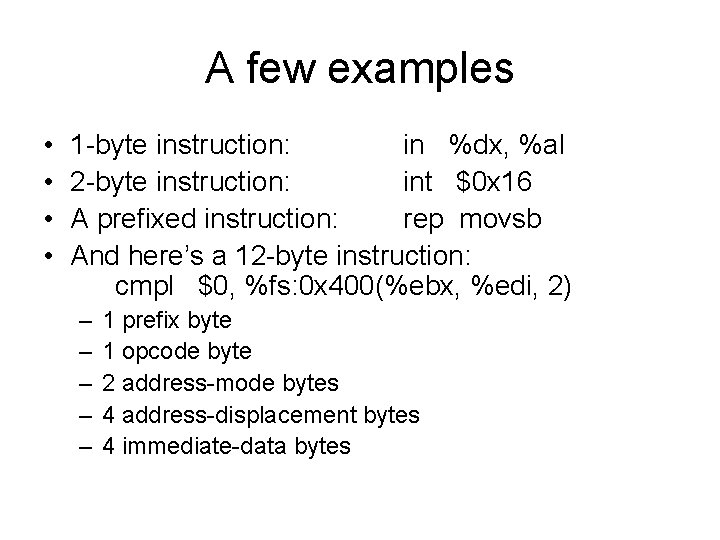
A few examples • • 1 -byte instruction: in %dx, %al 2 -byte instruction: int $0 x 16 A prefixed instruction: rep movsb And here’s a 12 -byte instruction: cmpl $0, %fs: 0 x 400(%ebx, %edi, 2) – – – 1 prefix byte 1 opcode byte 2 address-mode bytes 4 address-displacement bytes 4 immediate-data bytes
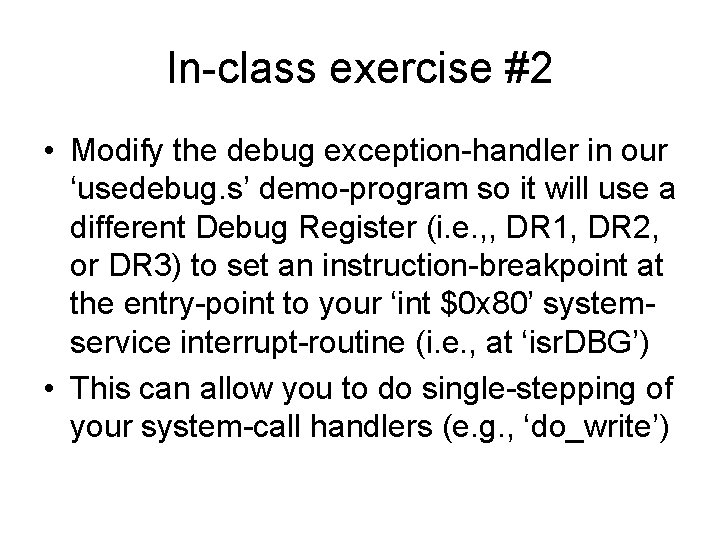
In-class exercise #2 • Modify the debug exception-handler in our ‘usedebug. s’ demo-program so it will use a different Debug Register (i. e. , , DR 1, DR 2, or DR 3) to set an instruction-breakpoint at the entry-point to your ‘int $0 x 80’ systemservice interrupt-routine (i. e. , at ‘isr. DBG’) • This can allow you to do single-stepping of your system-call handlers (e. g. , ‘do_write’)
- Slides: 28