
Extension Line Dimension lines Shows the beginning and
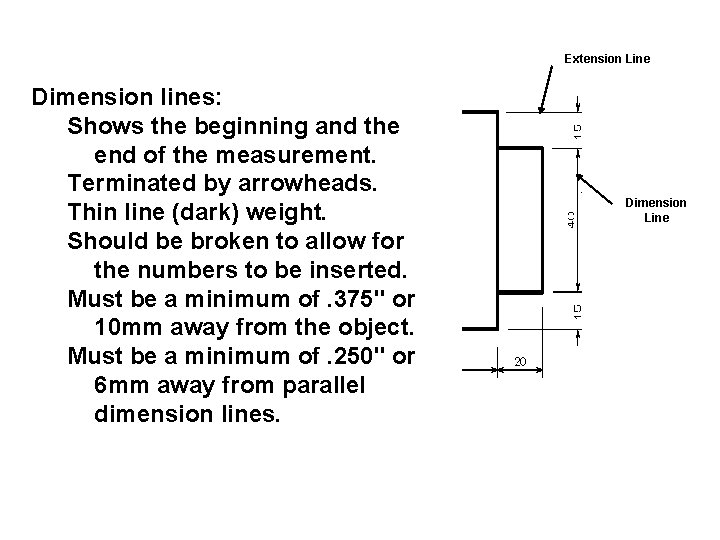
Extension Line Dimension lines: Shows the beginning and the end of the measurement. Terminated by arrowheads. Thin line (dark) weight. Should be broken to allow for the numbers to be inserted. Must be a minimum of. 375" or 10 mm away from the object. Must be a minimum of. 250" or 6 mm away from parallel dimension lines. Dimension Line
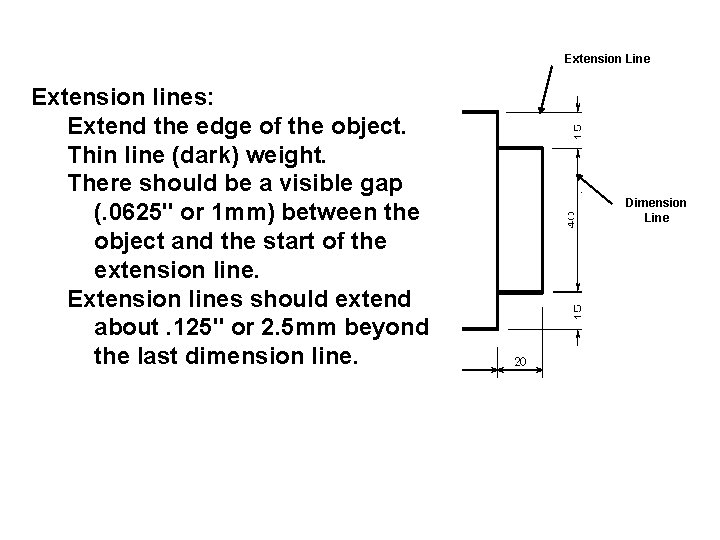
Extension Line Extension lines: Extend the edge of the object. Thin line (dark) weight. There should be a visible gap (. 0625" or 1 mm) between the object and the start of the extension line. Extension lines should extend about. 125" or 2. 5 mm beyond the last dimension line. Dimension Line
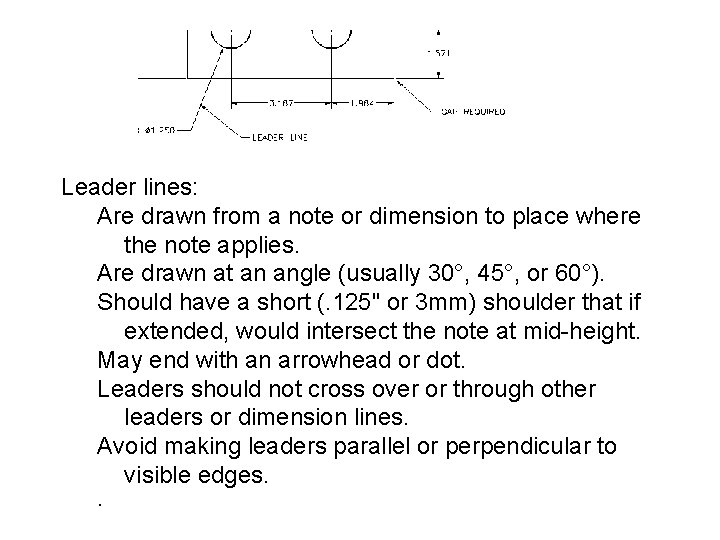
Leader lines: Are drawn from a note or dimension to place where the note applies. Are drawn at an angle (usually 30°, 45°, or 60°). Should have a short (. 125" or 3 mm) shoulder that if extended, would intersect the note at mid-height. May end with an arrowhead or dot. Leaders should not cross over or through other leaders or dimension lines. Avoid making leaders parallel or perpendicular to visible edges. .
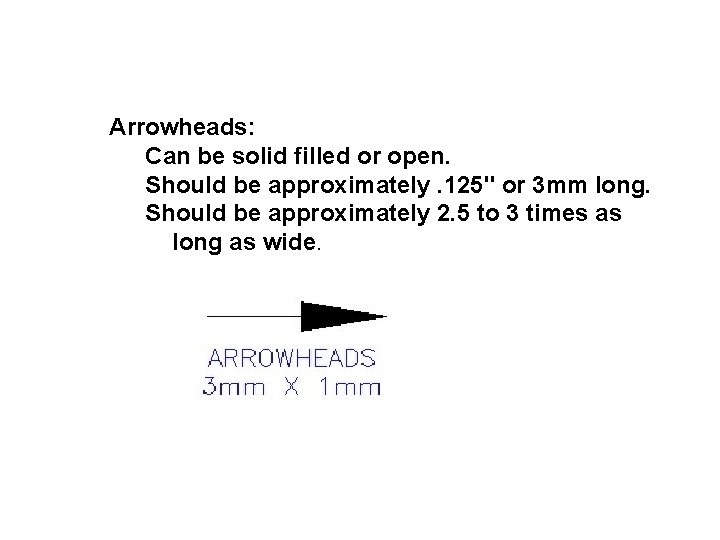
Arrowheads: Can be solid filled or open. Should be approximately. 125" or 3 mm long. Should be approximately 2. 5 to 3 times as long as wide.
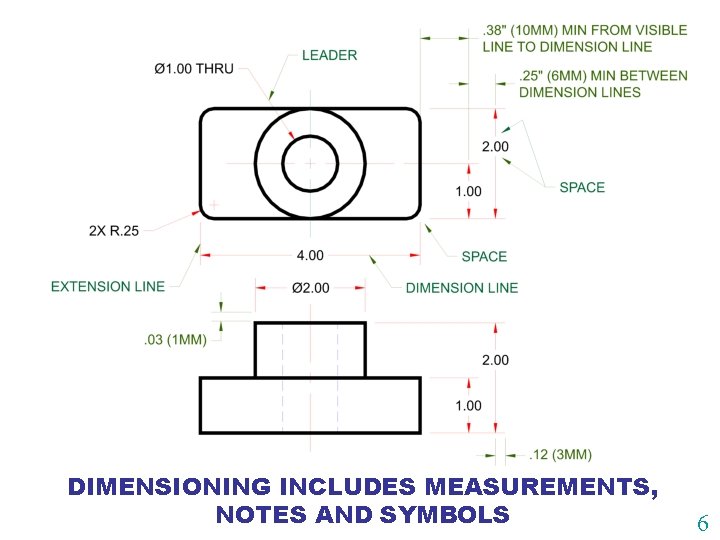
DIMENSIONING INCLUDES MEASUREMENTS, NOTES AND SYMBOLS 6
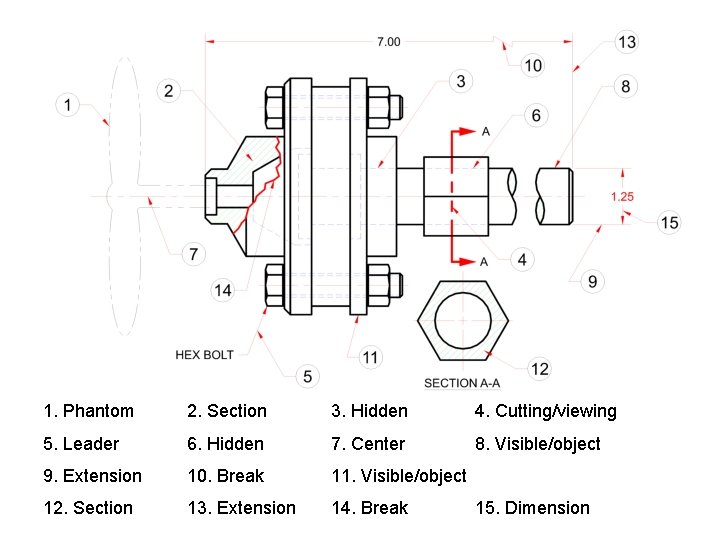
1. Phantom 2. Section 3. Hidden 4. Cutting/viewing 5. Leader 6. Hidden 7. Center 8. Visible/object 9. Extension 10. Break 11. Visible/object 12. Section 13. Extension 14. Break 15. Dimension
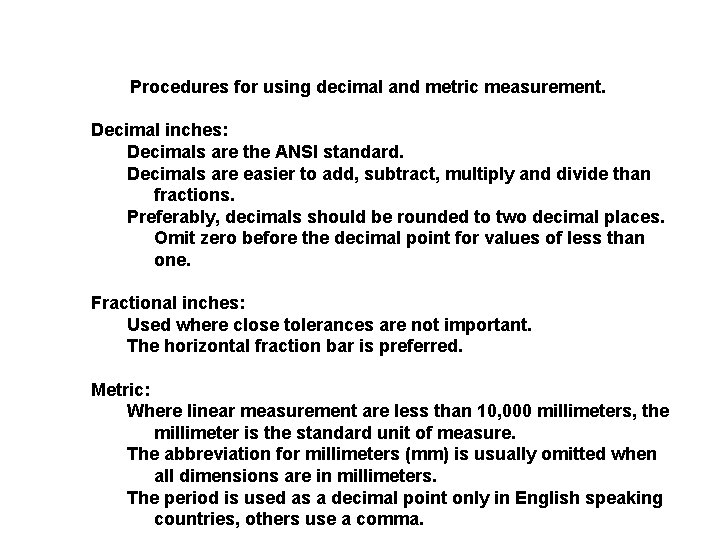
Procedures for using decimal and metric measurement. Decimal inches: Decimals are the ANSI standard. Decimals are easier to add, subtract, multiply and divide than fractions. Preferably, decimals should be rounded to two decimal places. Omit zero before the decimal point for values of less than one. Fractional inches: Used where close tolerances are not important. The horizontal fraction bar is preferred. Metric: Where linear measurement are less than 10, 000 millimeters, the millimeter is the standard unit of measure. The abbreviation for millimeters (mm) is usually omitted when all dimensions are in millimeters. The period is used as a decimal point only in English speaking countries, others use a comma.
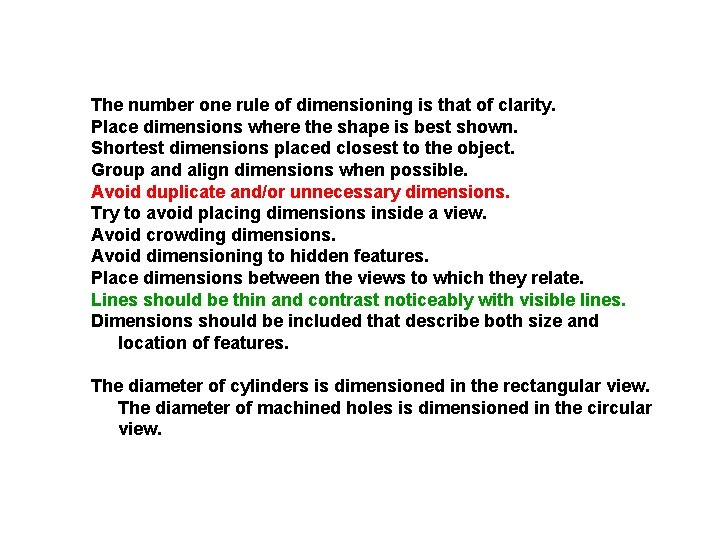
The number one rule of dimensioning is that of clarity. Place dimensions where the shape is best shown. Shortest dimensions placed closest to the object. Group and align dimensions when possible. Avoid duplicate and/or unnecessary dimensions. Try to avoid placing dimensions inside a view. Avoid crowding dimensions. Avoid dimensioning to hidden features. Place dimensions between the views to which they relate. Lines should be thin and contrast noticeably with visible lines. Dimensions should be included that describe both size and location of features. The diameter of cylinders is dimensioned in the rectangular view. The diameter of machined holes is dimensioned in the circular view.
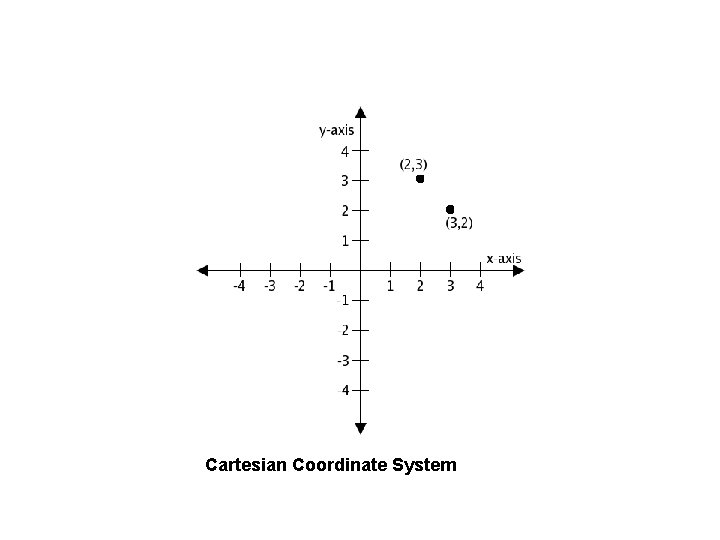
Cartesian Coordinate System
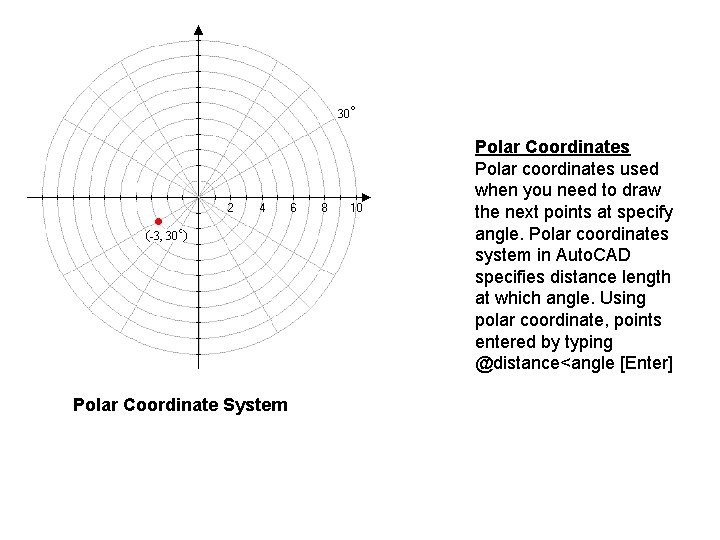
Polar Coordinates Polar coordinates used when you need to draw the next points at specify angle. Polar coordinates system in Auto. CAD specifies distance length at which angle. Using polar coordinate, points entered by typing @distance<angle [Enter] Polar Coordinate System
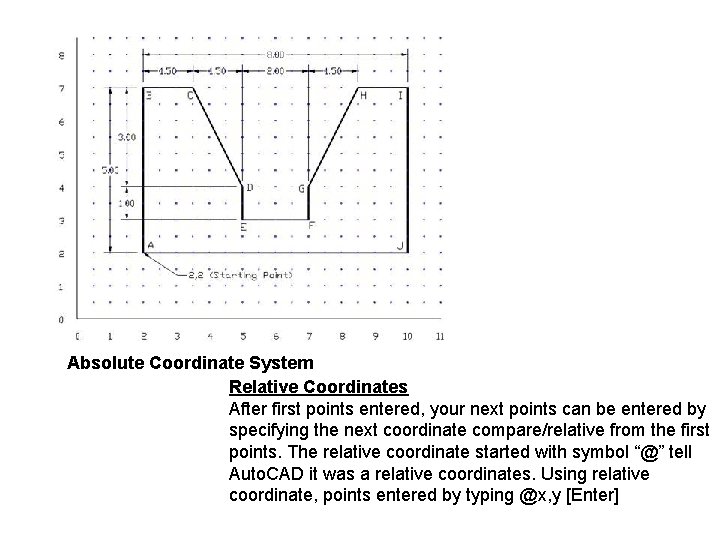
Absolute Coordinate System Relative Coordinates After first points entered, your next points can be entered by specifying the next coordinate compare/relative from the first points. The relative coordinate started with symbol “@” tell Auto. CAD it was a relative coordinates. Using relative coordinate, points entered by typing @x, y [Enter]
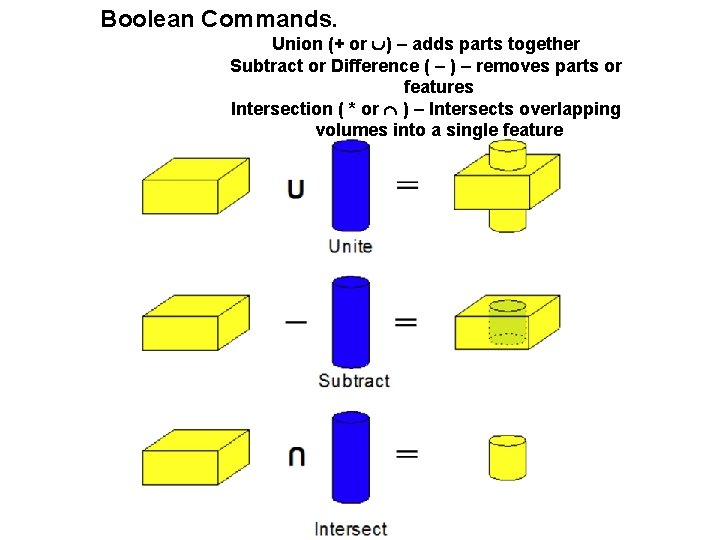
Boolean Commands. Union (+ or ) – adds parts together Subtract or Difference ( ) – removes parts or features Intersection ( * or ) – Intersects overlapping volumes into a single feature
Purpose of a Sketch • Quickly & easily get an idea on paper – Design sketches – Freehand technical sketches – Technical illustrations
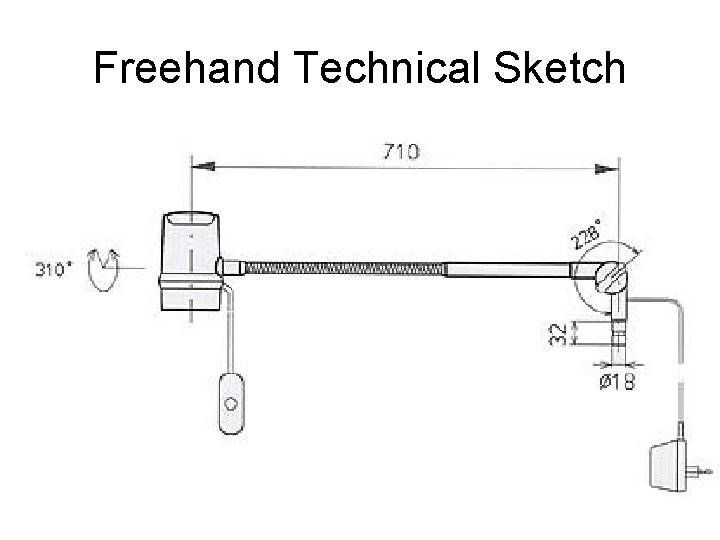
Freehand Technical Sketch
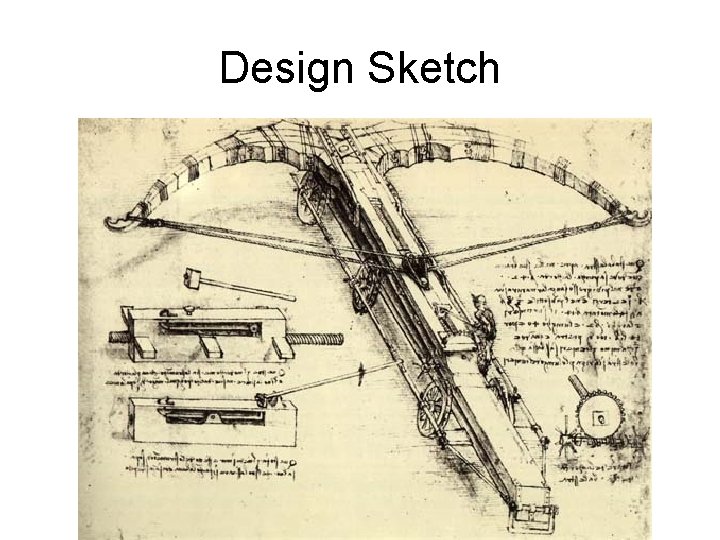
Design Sketch
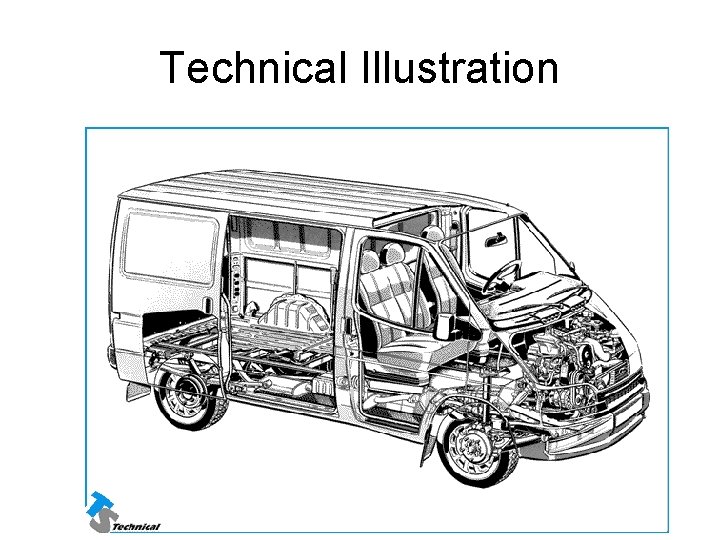
Technical Illustration
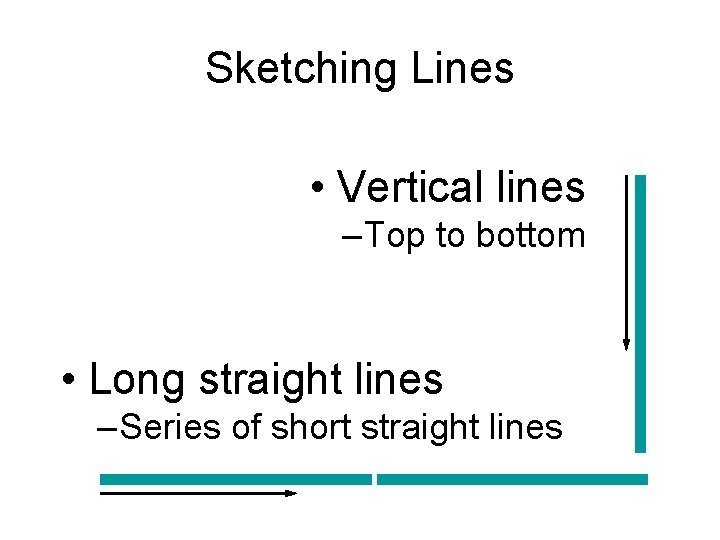
Sketching Lines • Vertical lines – Top to bottom • Long straight lines – Series of short straight lines
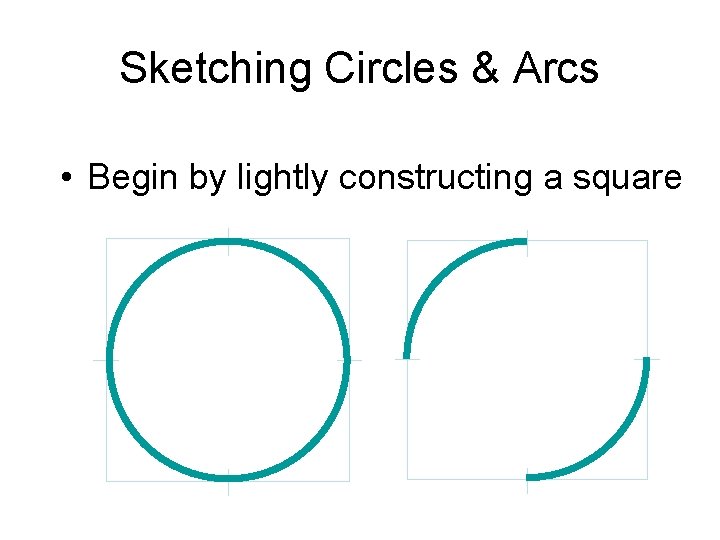
Sketching Circles & Arcs • Begin by lightly constructing a square
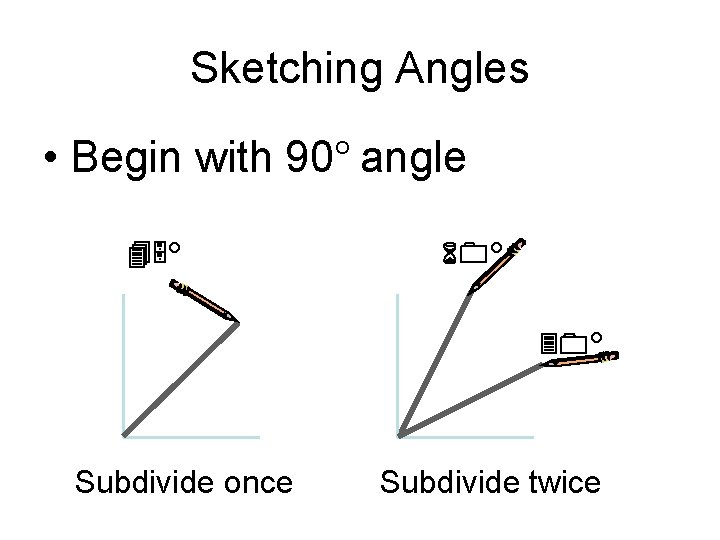
Sketching Angles • Begin with 90° angle 45° 60° 30° Subdivide once Subdivide twice
Sketching • Types of Sketches –Single-view –Multi-view –Pictorials
Single-view Sketching • Technical purposes • Front view –Most descriptive features
Multi-view Sketching • Technical sketch –Front view –Top view –Side view
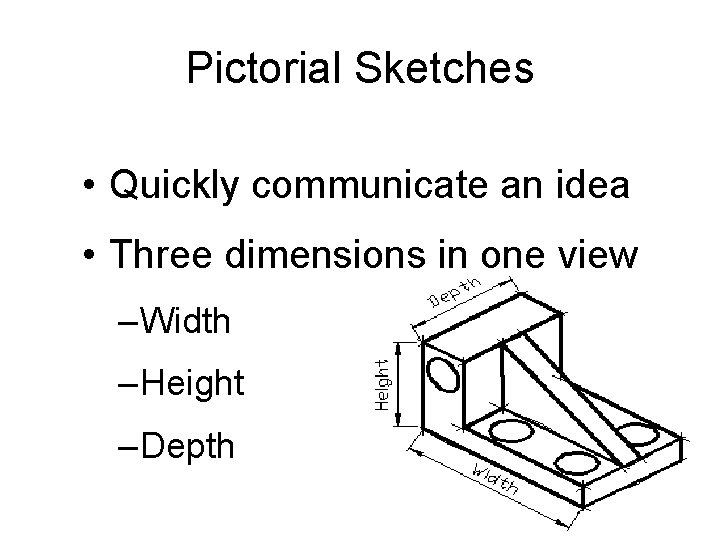
Pictorial Sketches • Quickly communicate an idea • Three dimensions in one view – Width – Height – Depth
Pictorial Sketches • Three (3) types –Isometric –Oblique –Perspective
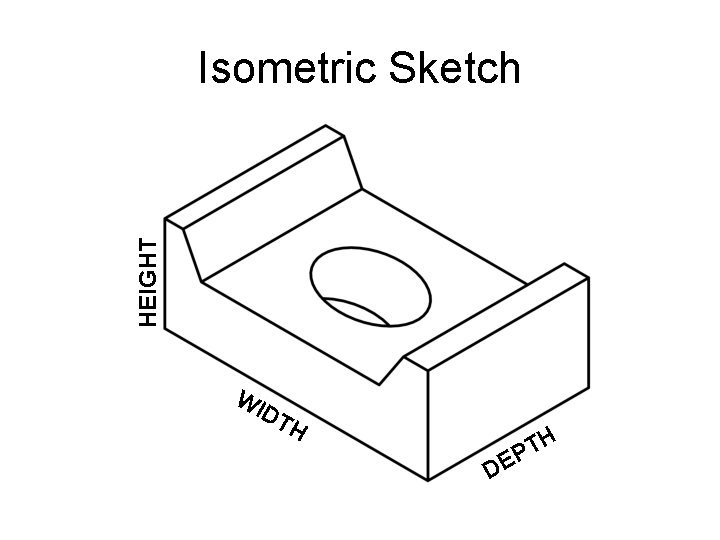
HEIGHT Isometric Sketch WI DT H DE H T P
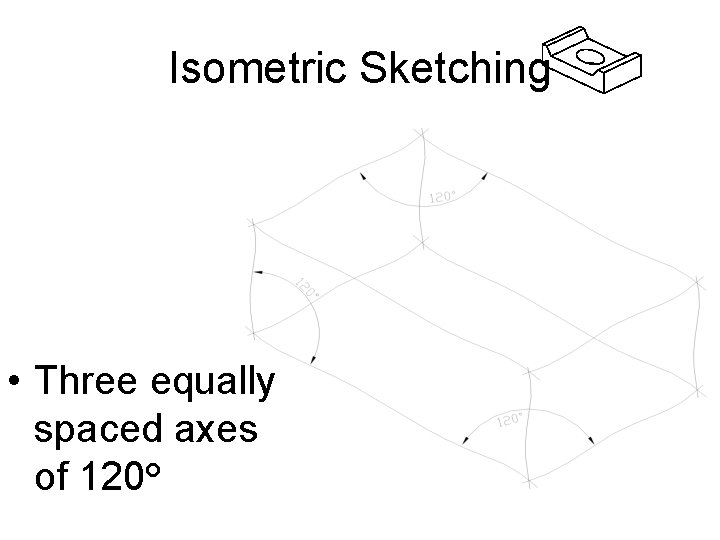
Isometric Sketching • Three equally spaced axes of 120°
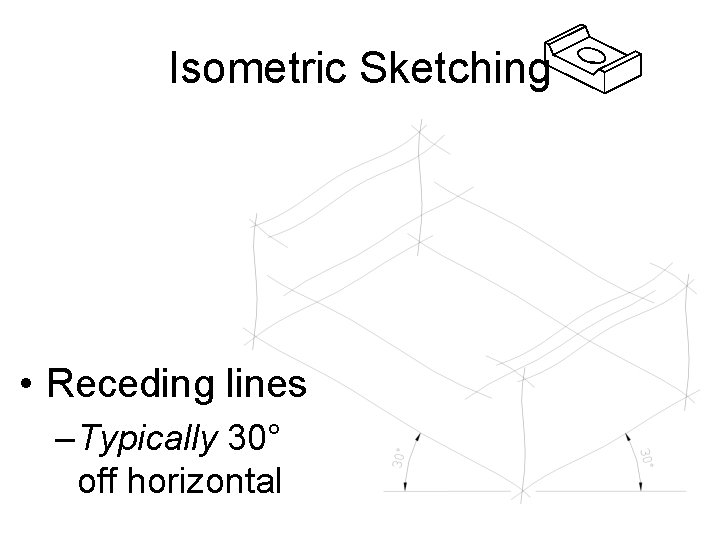
Isometric Sketching • Receding lines – Typically 30° off horizontal
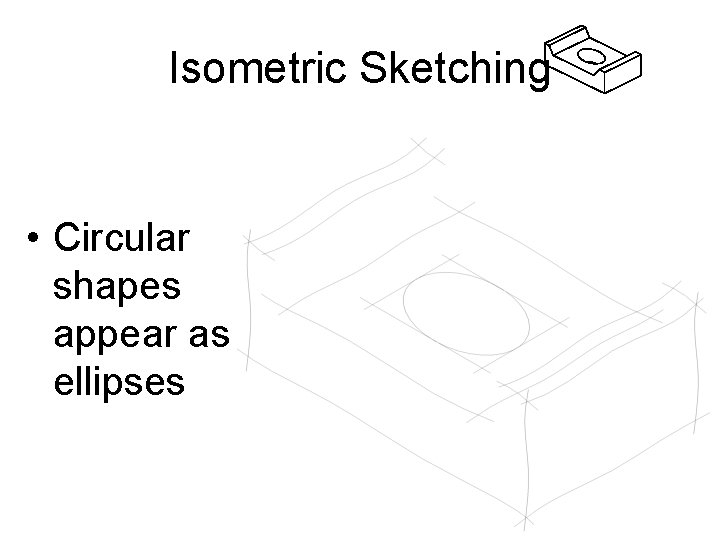
Isometric Sketching • Circular shapes appear as ellipses
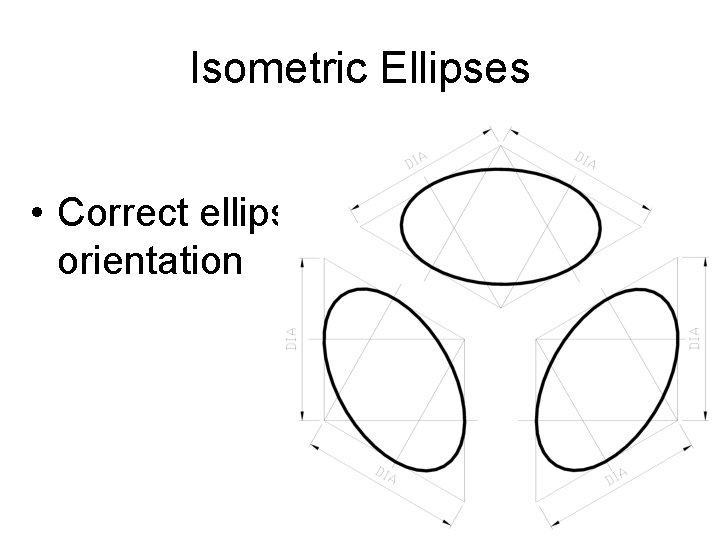
Isometric Ellipses • Correct ellipse orientation
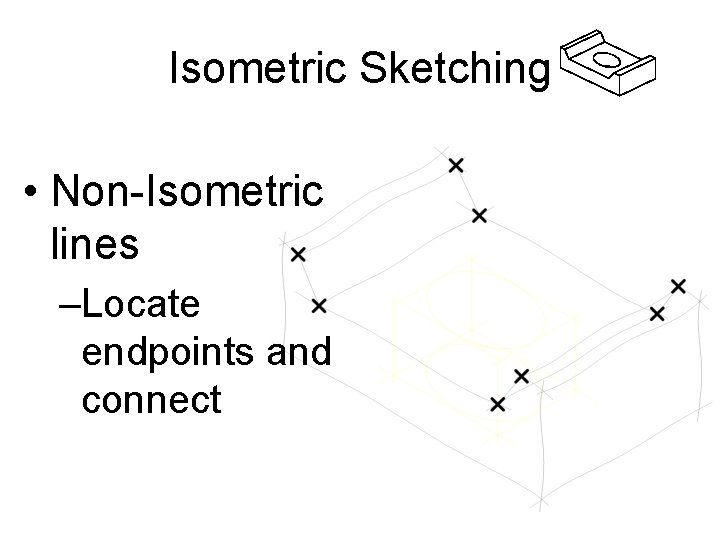
Isometric Sketching • Non-Isometric lines –Locate endpoints and connect
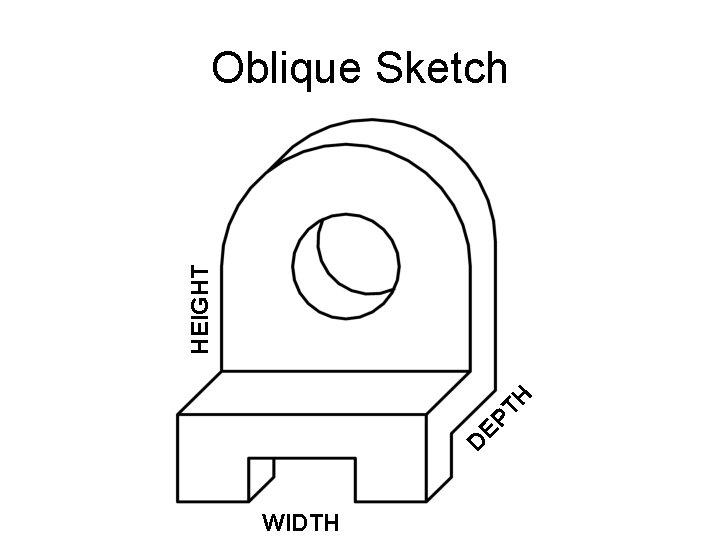
D EP TH HEIGHT Oblique Sketch WIDTH
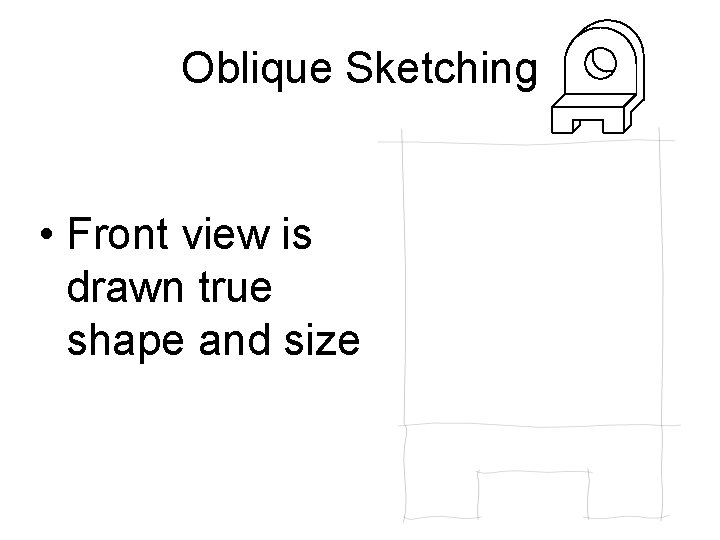
Oblique Sketching • Front view is drawn true shape and size
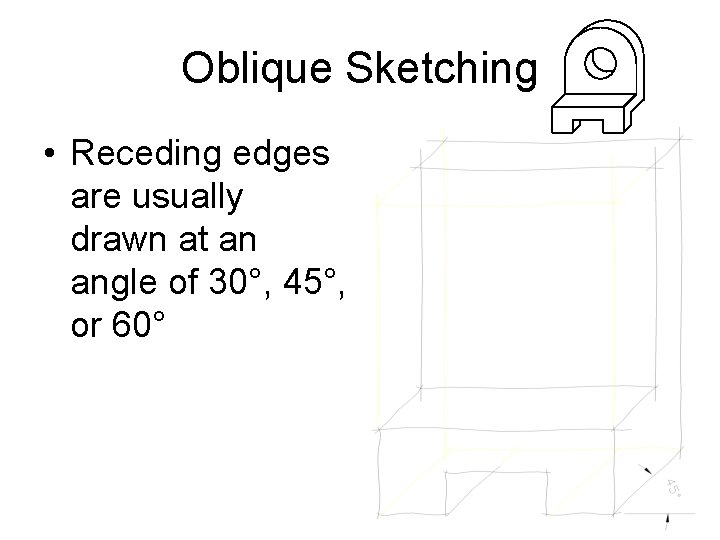
Oblique Sketching • Receding edges are usually drawn at an angle of 30°, 45°, or 60°
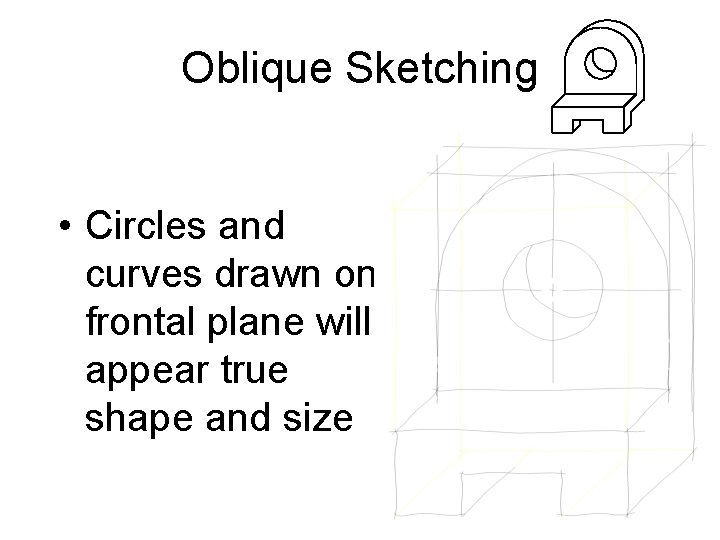
Oblique Sketching • Circles and curves drawn on frontal plane will appear true shape and size
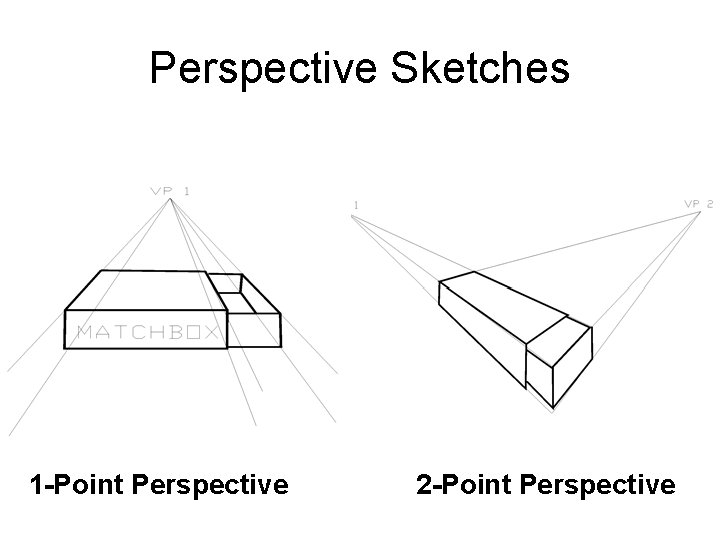
Perspective Sketches 1 -Point Perspective 2 -Point Perspective
Perspective Sketches • Objects appear as the eye would see them • Most realistic type of pictorial sketch • Most difficult pictorial sketch to draw
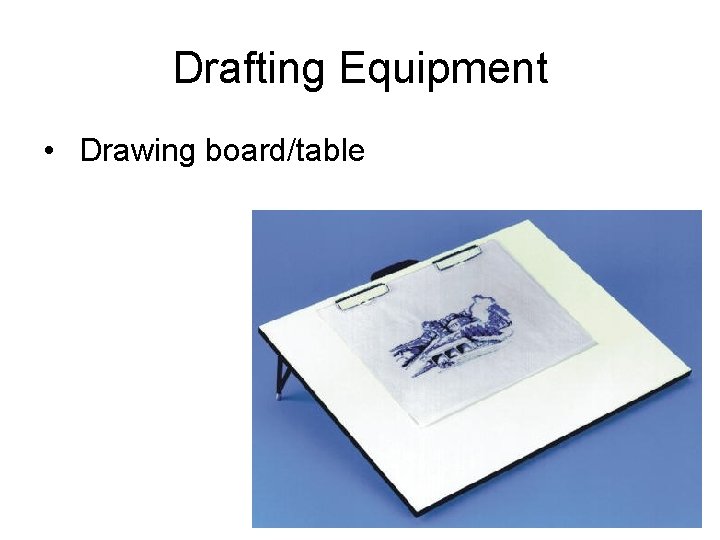
Drafting Equipment • Drawing board/table
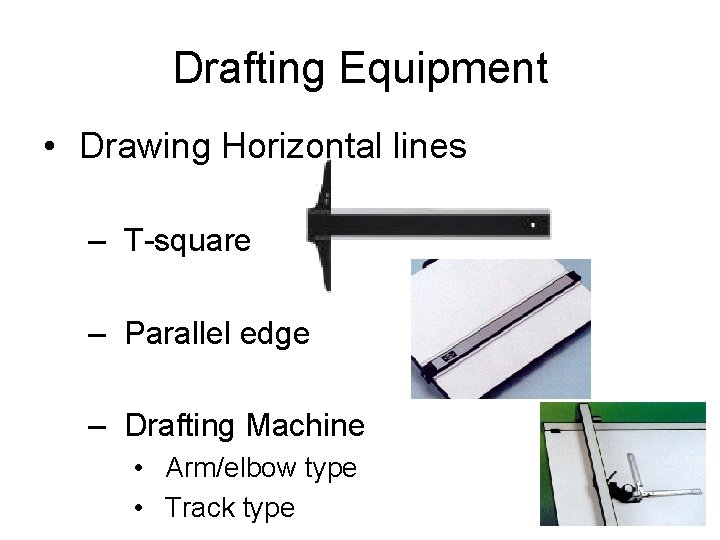
Drafting Equipment • Drawing Horizontal lines – T-square – Parallel edge – Drafting Machine • Arm/elbow type • Track type
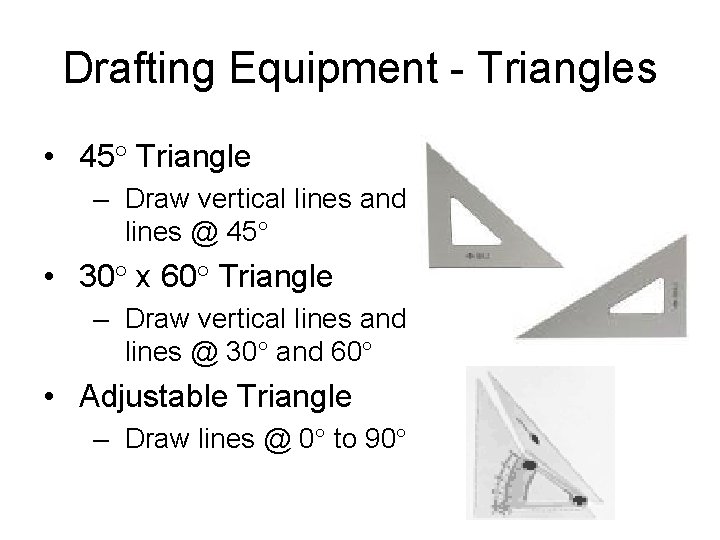
Drafting Equipment - Triangles • 45° Triangle – Draw vertical lines and lines @ 45° • 30° x 60° Triangle – Draw vertical lines and lines @ 30° and 60° • Adjustable Triangle – Draw lines @ 0° to 90°
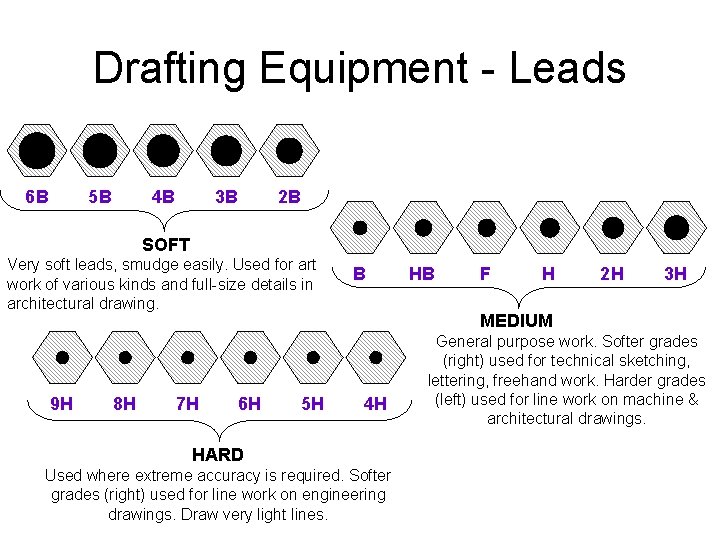
Drafting Equipment - Leads 5 B 6 B 4 B 2 B 3 B SOFT Very soft leads, smudge easily. Used for art work of various kinds and full-size details in architectural drawing. 9 H 8 H 7 H 6 H 5 H B HB F H 2 H 3 H MEDIUM 4 H HARD Used where extreme accuracy is required. Softer grades (right) used for line work on engineering drawings. Draw very light lines. General purpose work. Softer grades (right) used for technical sketching, lettering, freehand work. Harder grades (left) used for line work on machine & architectural drawings.
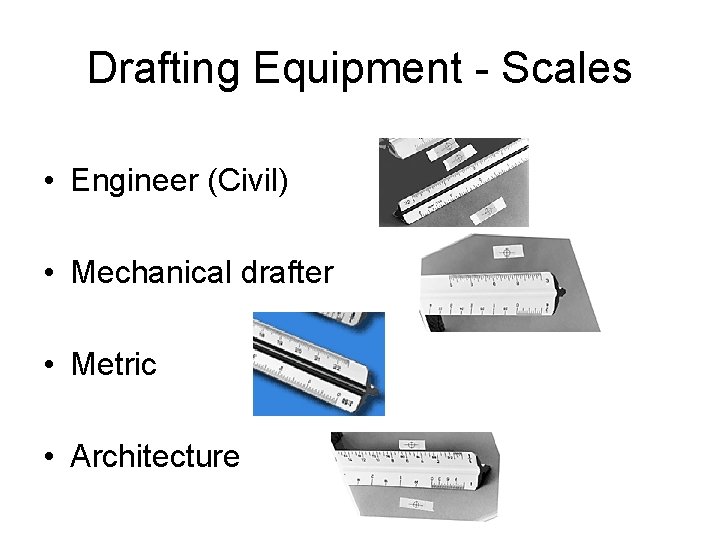
Drafting Equipment - Scales • Engineer (Civil) • Mechanical drafter • Metric • Architecture
Drafting Media Types • Vellum – Tracing paper treated to make it more transparent – Most commonly used drafting media • Polyester drafting films (mylar) – Very transparent, strong, and lasting – Strongest drafting media • Bond – Standard printing and copy paper
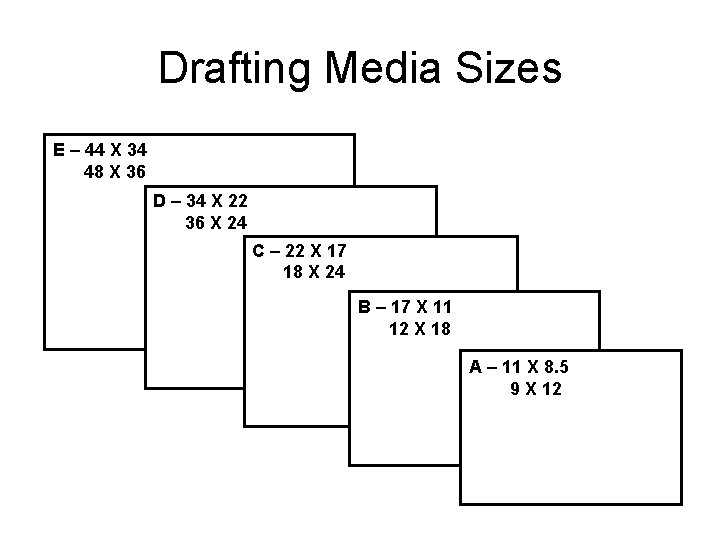
Drafting Media Sizes E – 44 X 34 48 X 36 D – 34 X 22 36 X 24 C – 22 X 17 18 X 24 B – 17 X 11 12 X 18 A – 11 X 8. 5 9 X 12
Lettering • Practice of adding clear, concise words on a drawing to help people understand the drawing • Notes lettered on rough sketches are functional and important to operation • Simple freehand lettering completes the idea captured in a sketch
Lettering Composition • Letter and word spacing should be about uniform – Space between words should equal the approximate width of the letter “O” • Background area between letters should appear equal
Lettering • Practice of adding clear, concise words on a drawing to help people understand the drawing • Notes lettered on rough sketches are functional and important to operation • Simple freehand lettering completes the idea captured in a sketch
Lettering Composition • Letter and word spacing should be about uniform – Space between words should equal the approximate width of the letter “O” • Background area between letters should appear equal
Guidelines • Horizontal guidelines keep letters the same height • Vertical guidelines aid the eye in keeping letters from slanting • Guidelines are drawn very light and very thin – Do not need to be erased • Uniform vertical space should be left between lines of letters
Types of Lettering • ANSI (American National Standards Institute) – Recognizes the use of single-stroke Gothic letters • Letters are formed using a series of strokes – Typically all capital letters are used • Most common lettering on Engineering Drawings – Vertical, Uppercase, Gothic
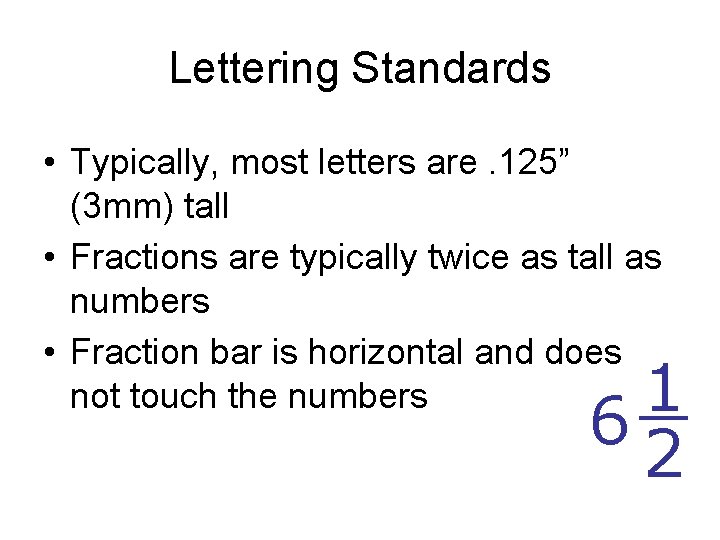
Lettering Standards • Typically, most letters are. 125” (3 mm) tall • Fractions are typically twice as tall as numbers • Fraction bar is horizontal and does not touch the numbers 1 6 2
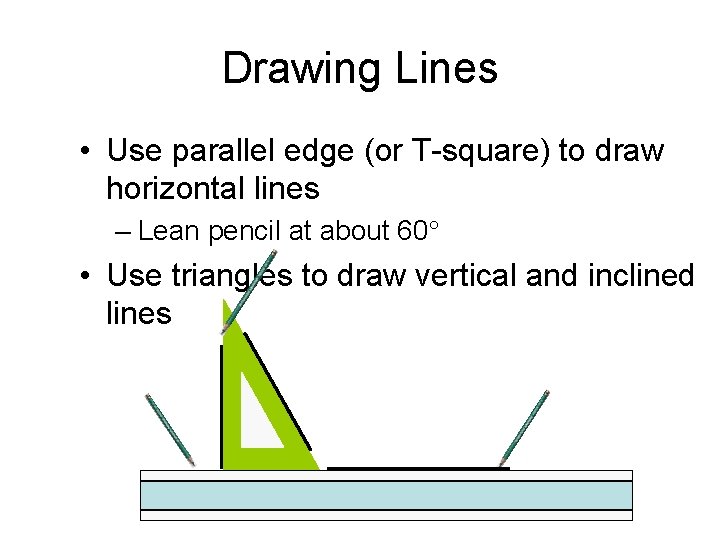
Drawing Lines • Use parallel edge (or T-square) to draw horizontal lines – Lean pencil at about 60° • Use triangles to draw vertical and inclined lines
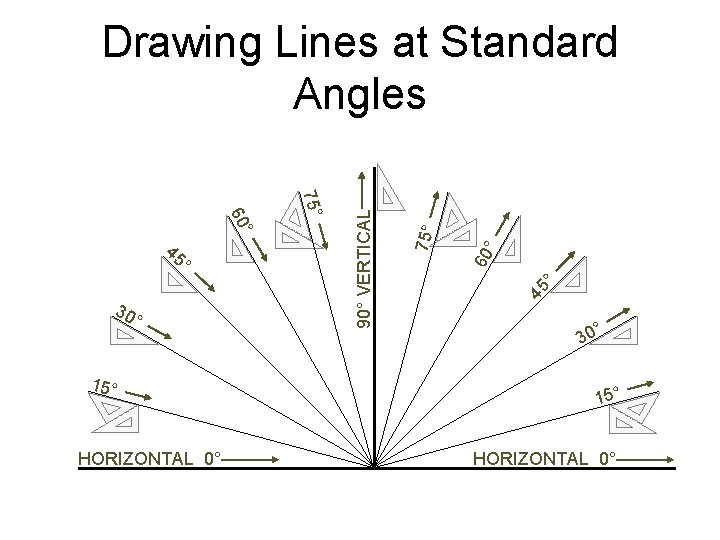
° 15° HORIZONTAL 0° ° ° 75° 60 45 30 75° ° 60 45 ° 90° VERTICAL Drawing Lines at Standard Angles ° 30 15° HORIZONTAL 0°
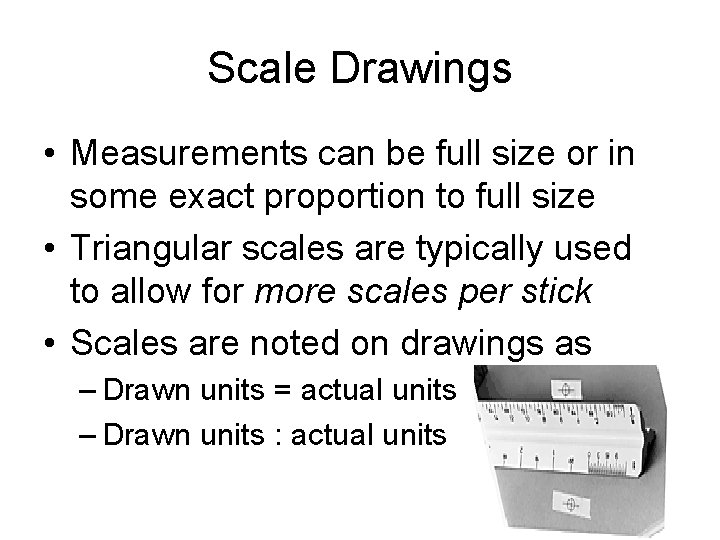
Scale Drawings • Measurements can be full size or in some exact proportion to full size • Triangular scales are typically used to allow for more scales per stick • Scales are noted on drawings as – Drawn units = actual units – Drawn units : actual units
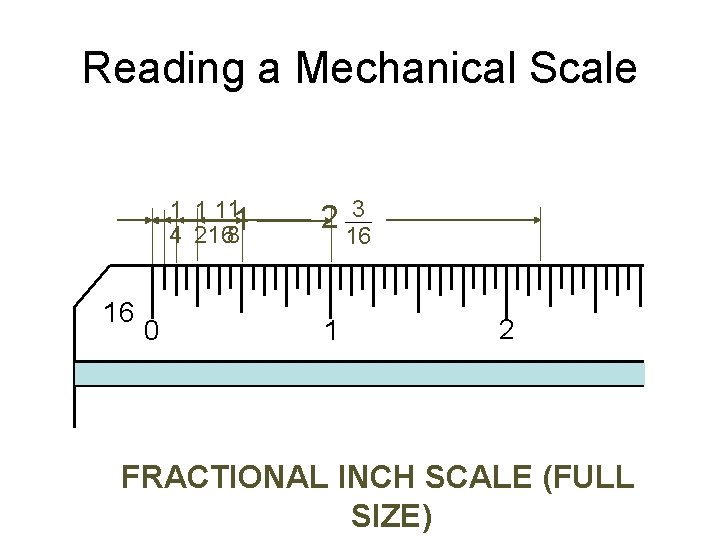
Reading a Mechanical Scale 1 1 111 4 2168 16 0 2 1 3 16 2 FRACTIONAL INCH SCALE (FULL SIZE)
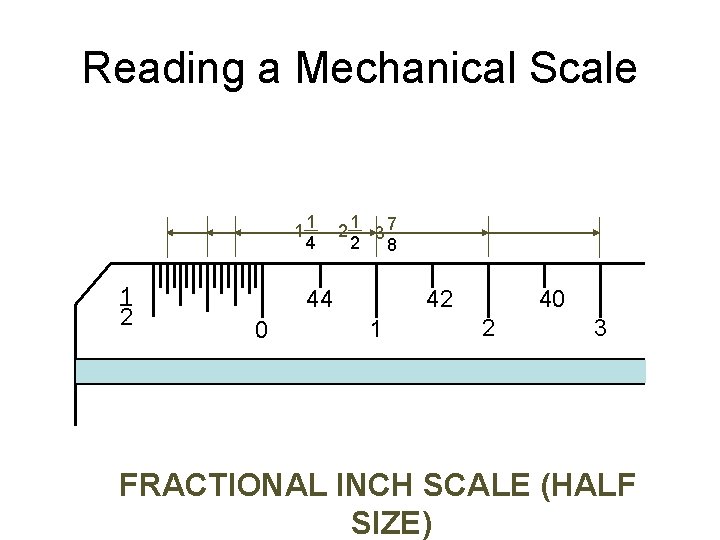
Reading a Mechanical Scale 11 4 1 2 21 37 2 8 42 44 0 1 40 2 3 FRACTIONAL INCH SCALE (HALF SIZE)
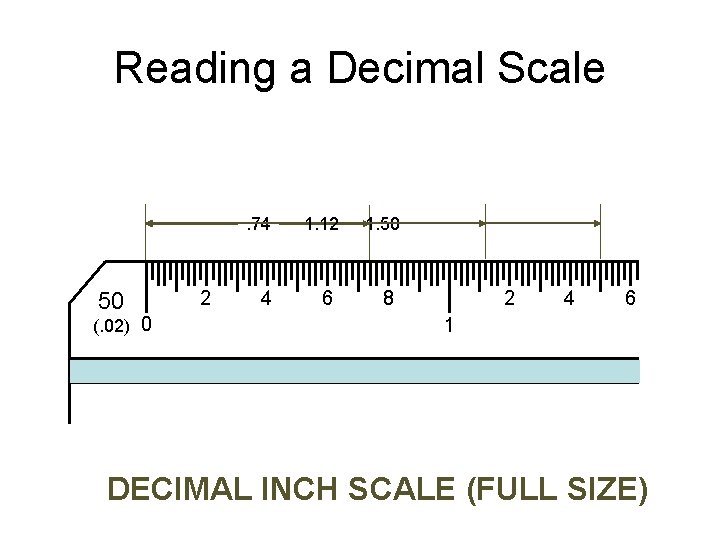
Reading a Decimal Scale . 74 50 (. 02) 0 2 4 1. 12 6 1. 50 8 2 4 6 1 DECIMAL INCH SCALE (FULL SIZE)
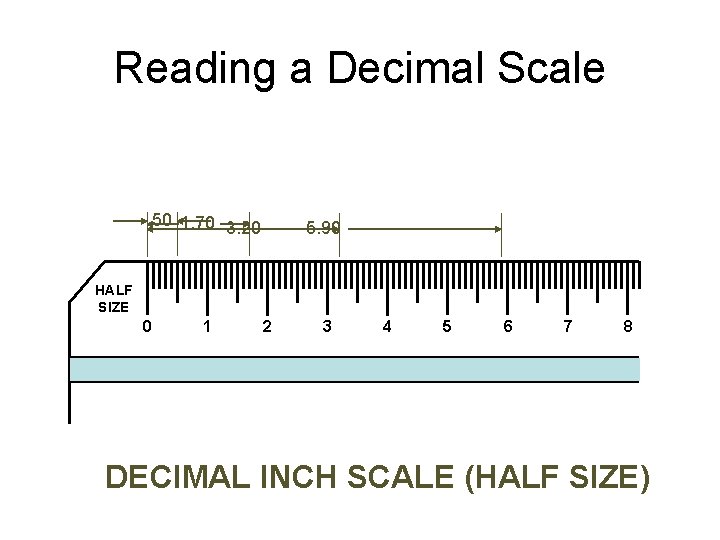
Reading a Decimal Scale . 50 1. 70 3. 20 5. 90 HALF SIZE 0 1 2 3 4 5 6 7 8 DECIMAL INCH SCALE (HALF SIZE)
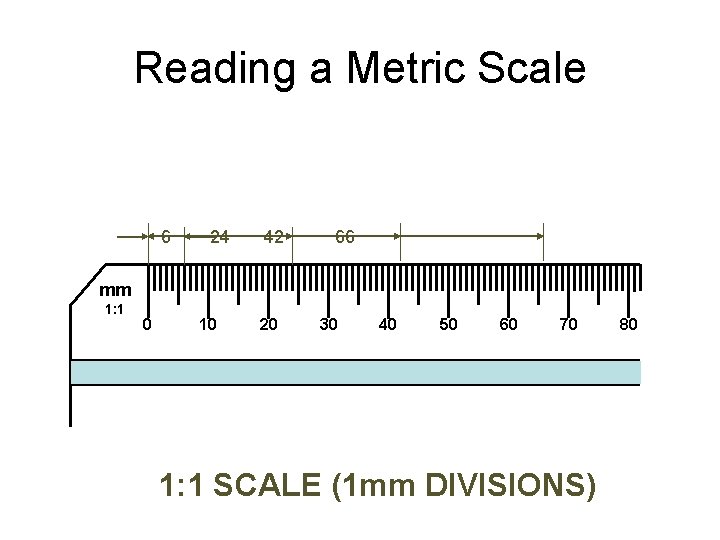
Reading a Metric Scale 6 24 42 66 mm 1: 1 0 10 20 30 40 50 60 70 1: 1 SCALE (1 mm DIVISIONS) 80
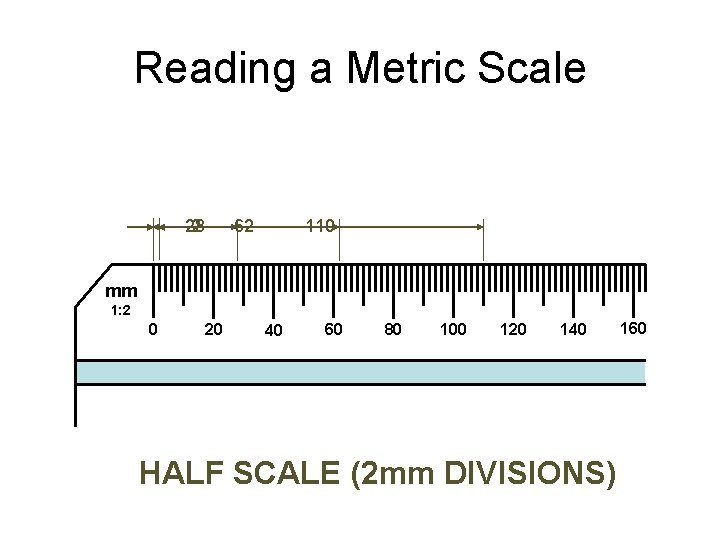
Reading a Metric Scale 62 28 2 110 mm 1: 2 0 20 40 60 80 100 120 140 HALF SCALE (2 mm DIVISIONS) 160
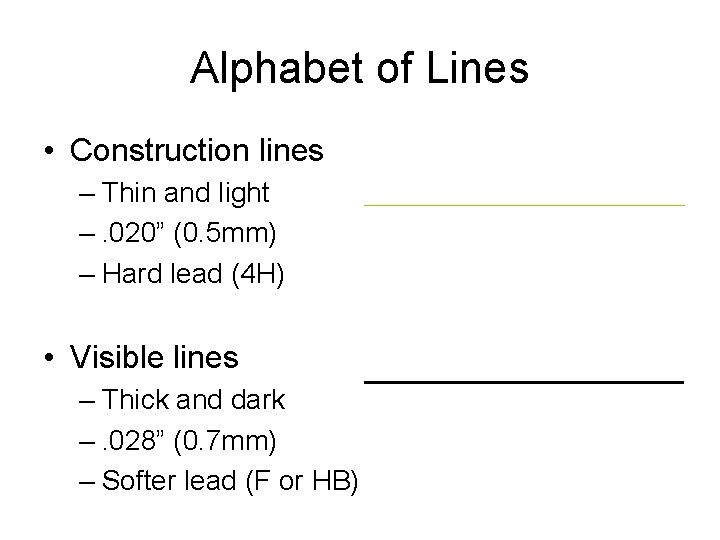
Alphabet of Lines • Construction lines – Thin and light –. 020” (0. 5 mm) – Hard lead (4 H) • Visible lines – Thick and dark –. 028” (0. 7 mm) – Softer lead (F or HB)
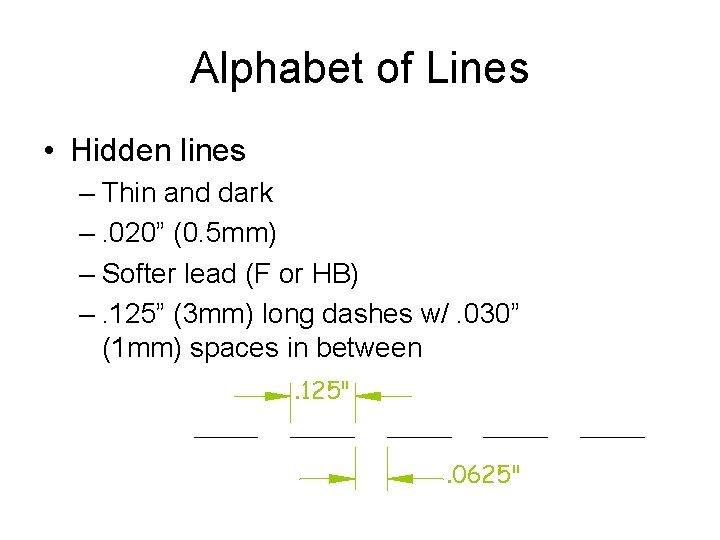
Alphabet of Lines • Hidden lines – Thin and dark –. 020” (0. 5 mm) – Softer lead (F or HB) –. 125” (3 mm) long dashes w/. 030” (1 mm) spaces in between. 125". 0625"
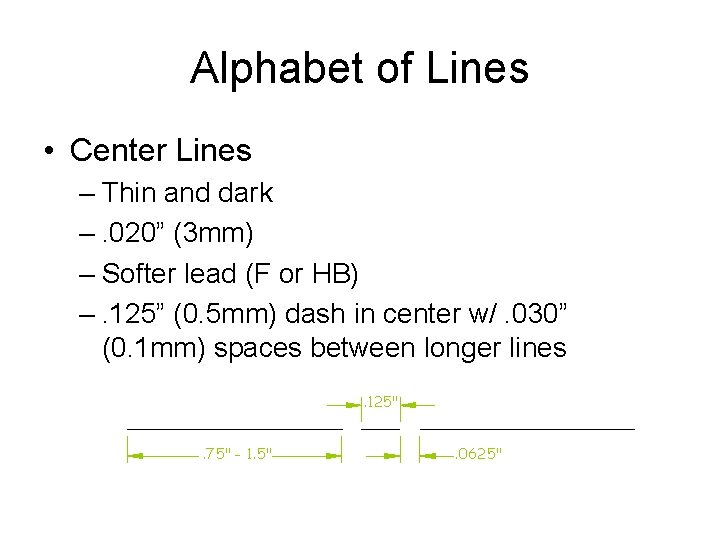
Alphabet of Lines • Center Lines – Thin and dark –. 020” (3 mm) – Softer lead (F or HB) –. 125” (0. 5 mm) dash in center w/. 030” (0. 1 mm) spaces between longer lines. 125". 75" - 1. 5" . 0625"
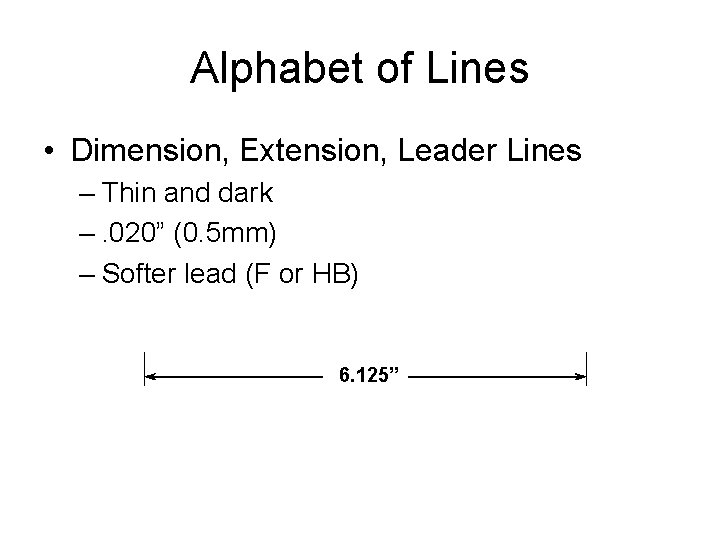
Alphabet of Lines • Dimension, Extension, Leader Lines – Thin and dark –. 020” (0. 5 mm) – Softer lead (F or HB) 6. 125”
Multiview Drawing • Another name for orthographic projection is multiview drawing • Involves visualization and implementation – Ability to see clearly in the mind’s eye an object – Process of drawing the object
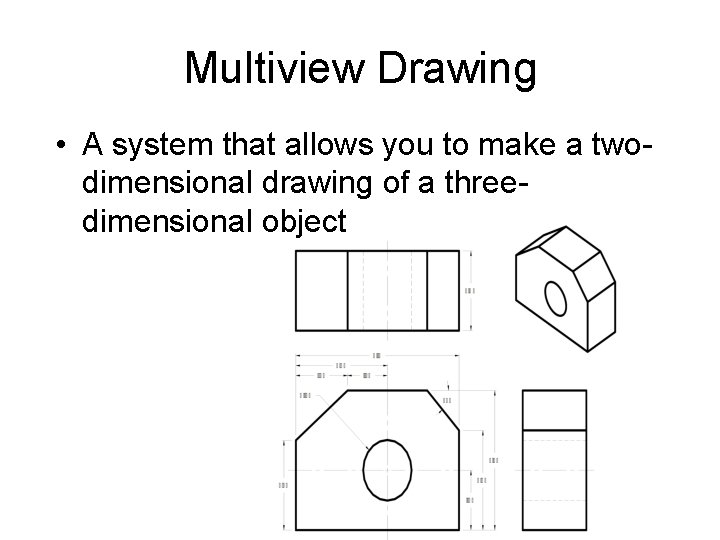
Multiview Drawing • A system that allows you to make a twodimensional drawing of a threedimensional object
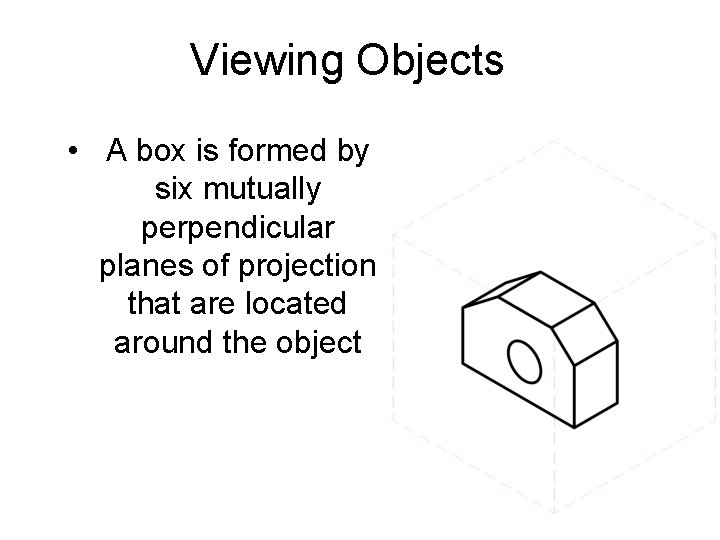
Viewing Objects • A box is formed by six mutually perpendicular planes of projection that are located around the object
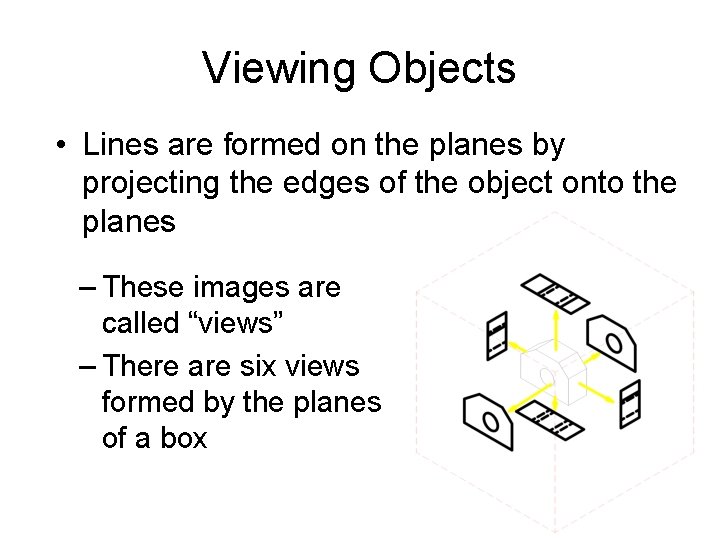
Viewing Objects • Lines are formed on the planes by projecting the edges of the object onto the planes – These images are called “views” – There are six views formed by the planes of a box
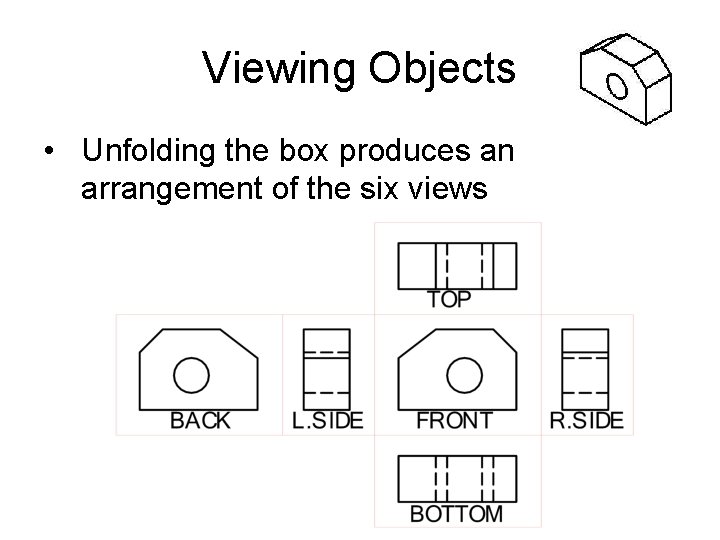
Viewing Objects • Unfolding the box produces an arrangement of the six views
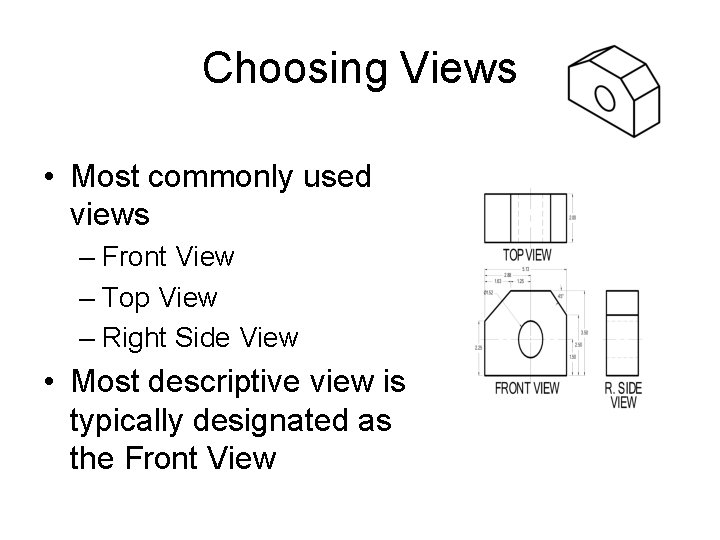
Choosing Views • Most commonly used views – Front View – Top View – Right Side View • Most descriptive view is typically designated as the Front View
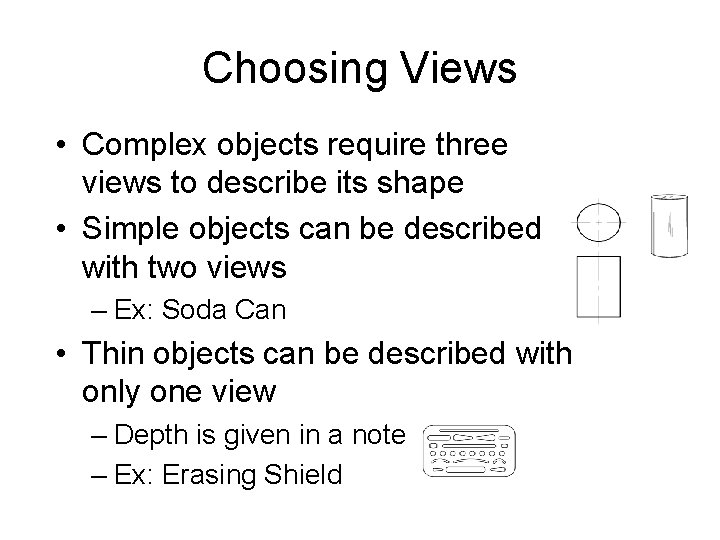
Choosing Views • Complex objects require three views to describe its shape • Simple objects can be described with two views – Ex: Soda Can • Thin objects can be described with only one view – Depth is given in a note – Ex: Erasing Shield
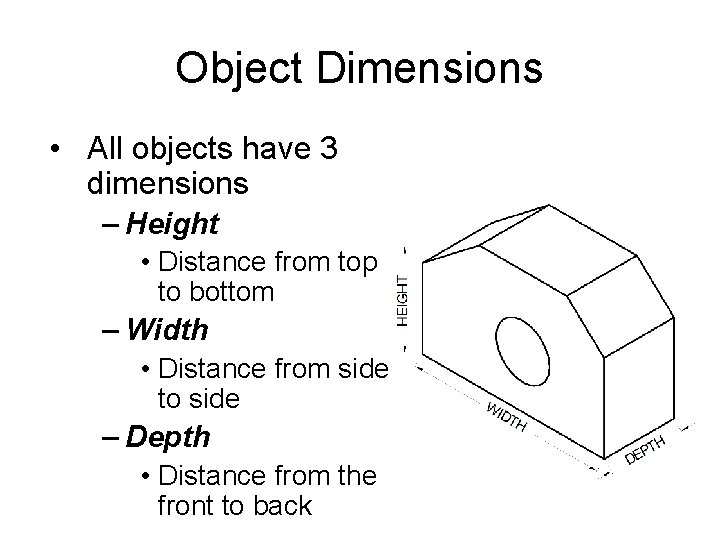
Object Dimensions • All objects have 3 dimensions – Height • Distance from top to bottom – Width • Distance from side to side – Depth • Distance from the front to back
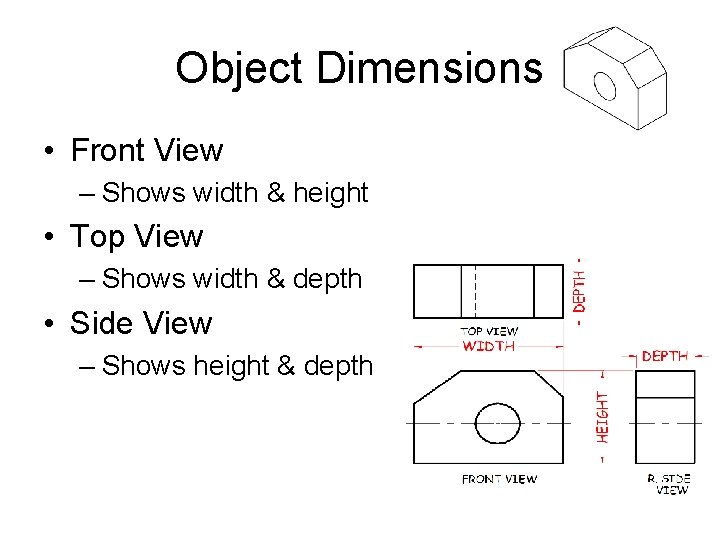
Object Dimensions • Front View – Shows width & height • Top View – Shows width & depth • Side View – Shows height & depth
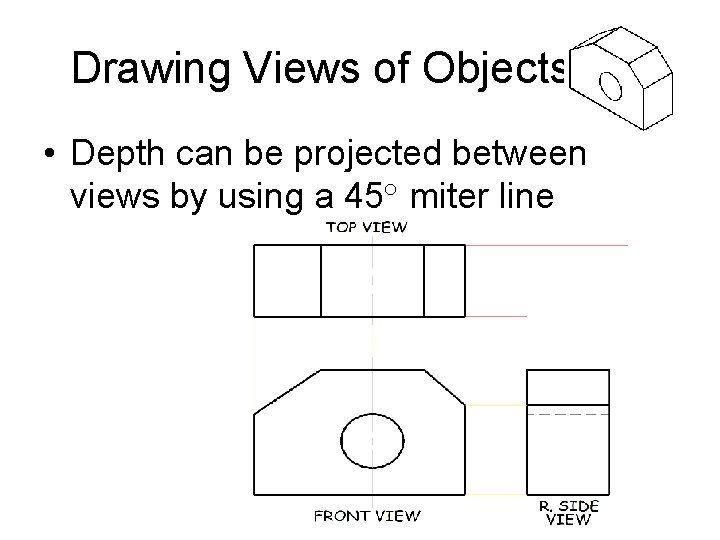
Drawing Views of Objects • Depth can be projected between views by using a 45° miter line
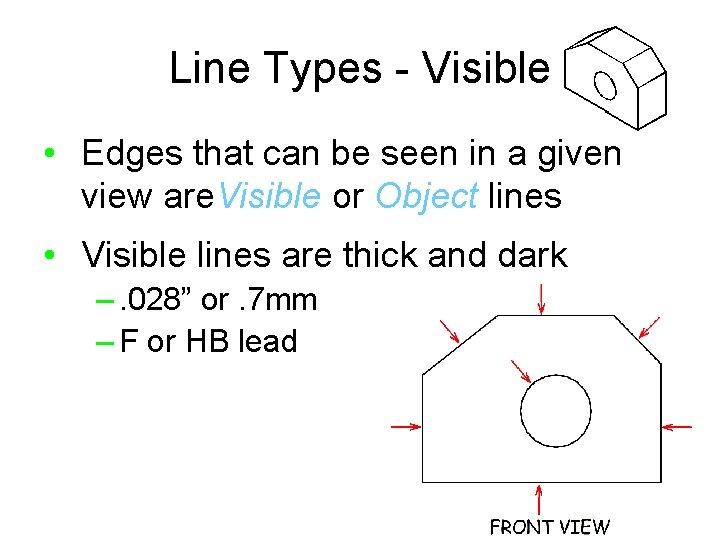
Line Types - Visible • Edges that can be seen in a given view are. Visible or Object lines • Visible lines are thick and dark –. 028” or. 7 mm – F or HB lead
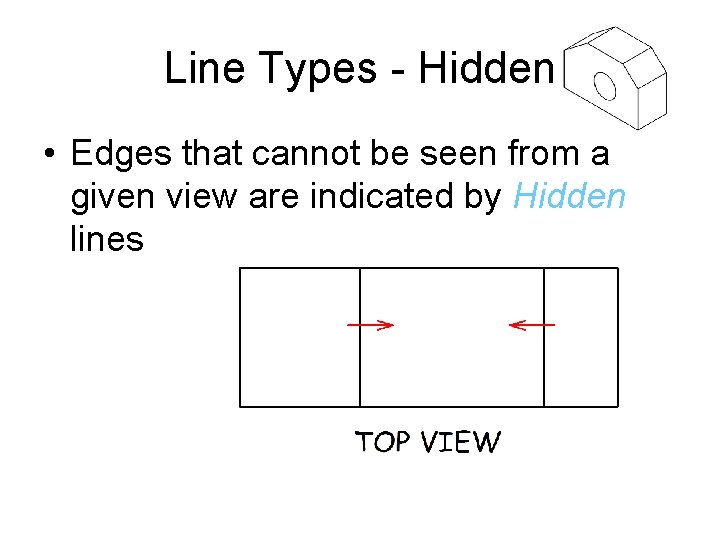
Line Types - Hidden • Edges that cannot be seen from a given view are indicated by Hidden lines
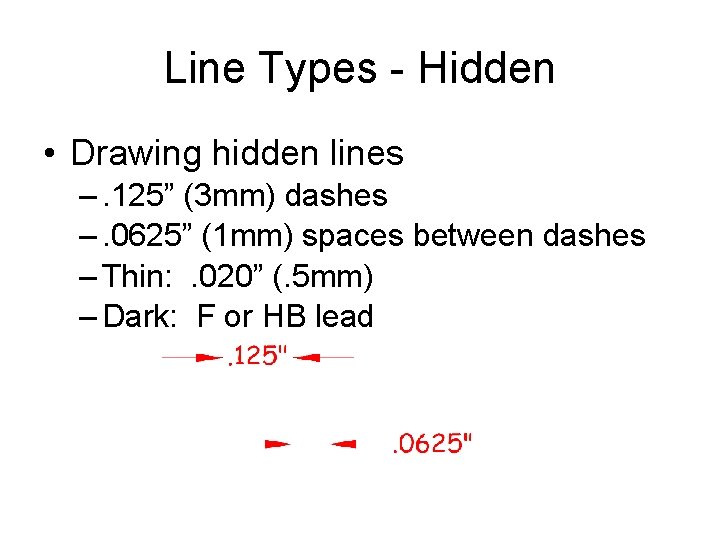
Line Types - Hidden • Drawing hidden lines –. 125” (3 mm) dashes –. 0625” (1 mm) spaces between dashes – Thin: . 020” (. 5 mm) – Dark: F or HB lead
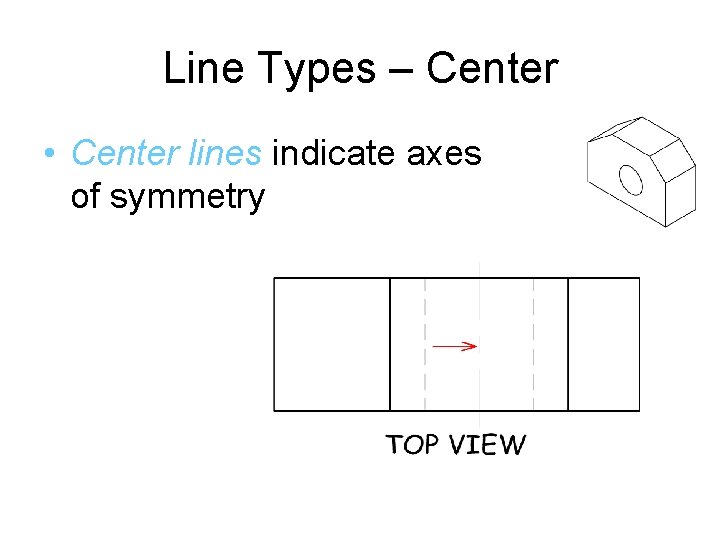
Line Types – Center • Center lines indicate axes of symmetry
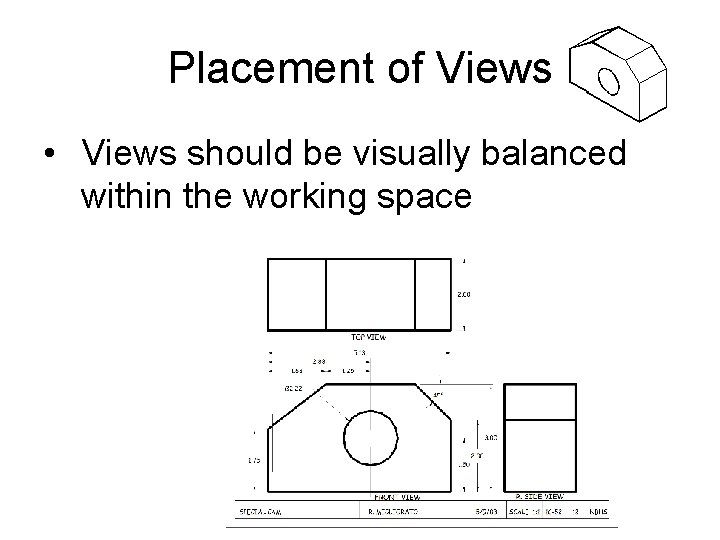
Placement of Views • Views should be visually balanced within the working space
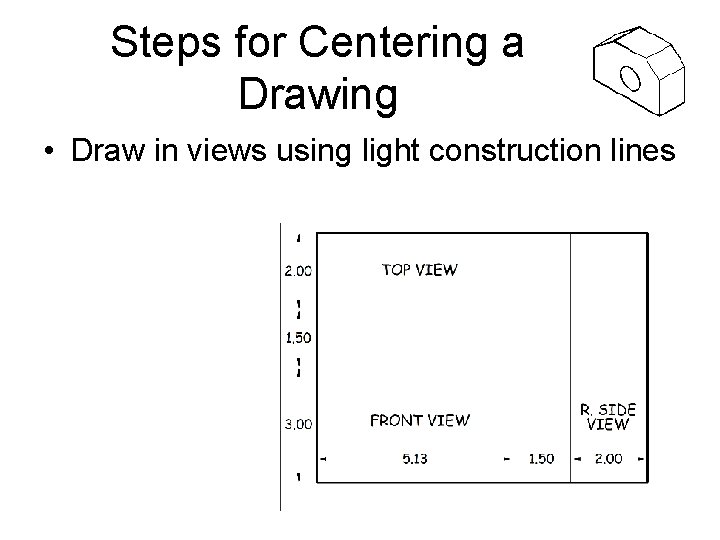
Steps for Centering a Drawing • Draw in views using light construction lines
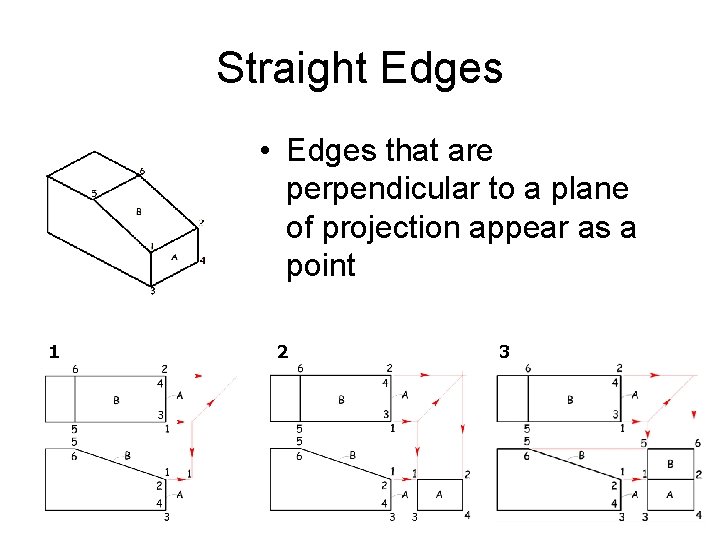
Straight Edges • Edges that are perpendicular to a plane of projection appear as a point 1 2 3
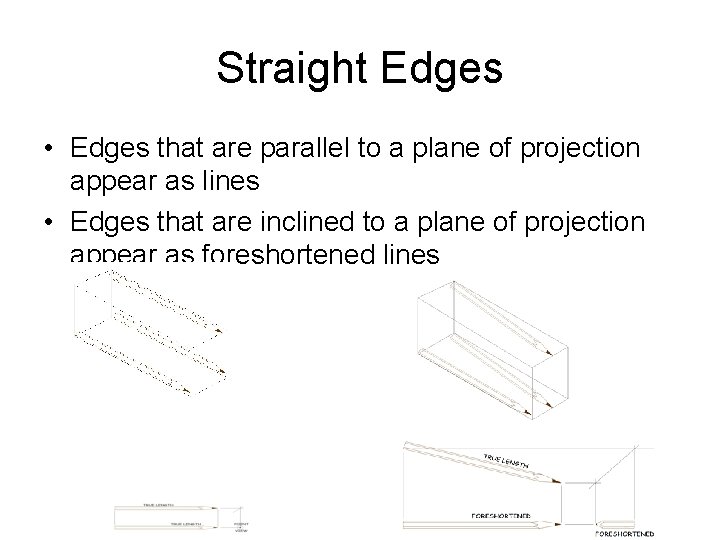
Straight Edges • Edges that are parallel to a plane of projection appear as lines • Edges that are inclined to a plane of projection appear as foreshortened lines
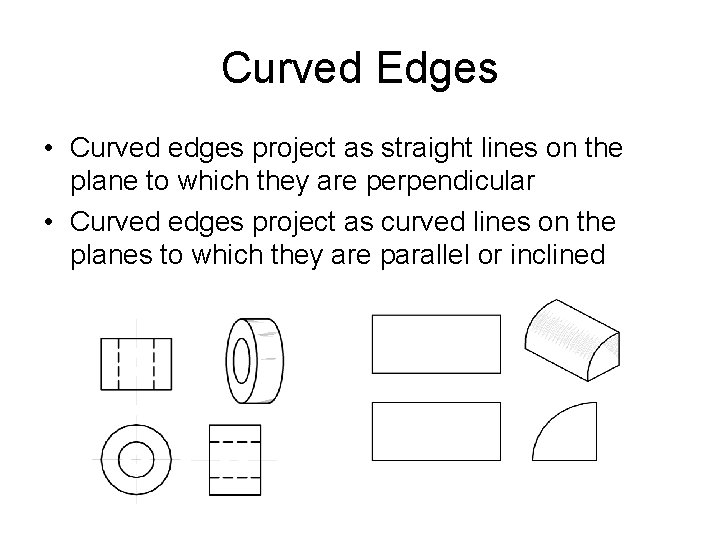
Curved Edges • Curved edges project as straight lines on the plane to which they are perpendicular • Curved edges project as curved lines on the planes to which they are parallel or inclined
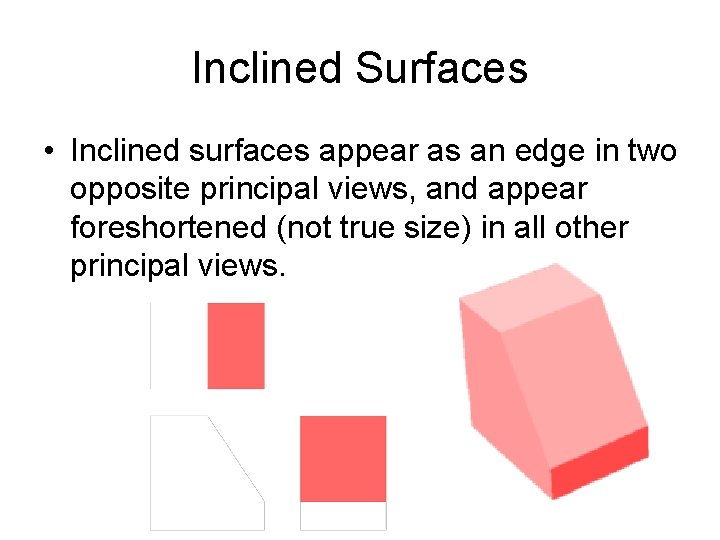
Inclined Surfaces • Inclined surfaces appear as an edge in two opposite principal views, and appear foreshortened (not true size) in all other principal views.
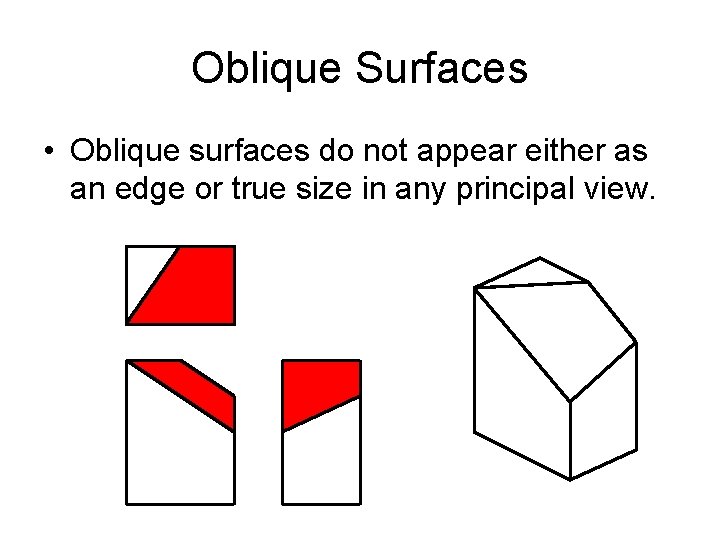
Oblique Surfaces • Oblique surfaces do not appear either as an edge or true size in any principal view.
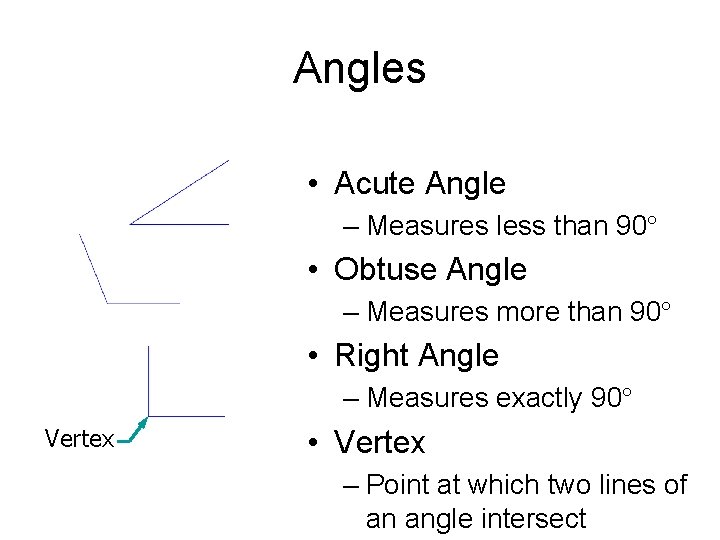
Angles • Acute Angle – Measures less than 90° • Obtuse Angle – Measures more than 90° • Right Angle – Measures exactly 90° Vertex • Vertex – Point at which two lines of an angle intersect
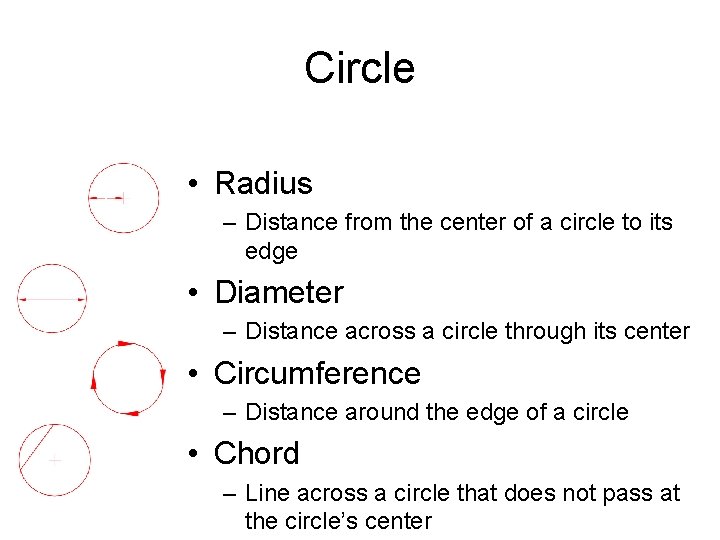
Circle • Radius – Distance from the center of a circle to its edge • Diameter – Distance across a circle through its center • Circumference – Distance around the edge of a circle • Chord – Line across a circle that does not pass at the circle’s center
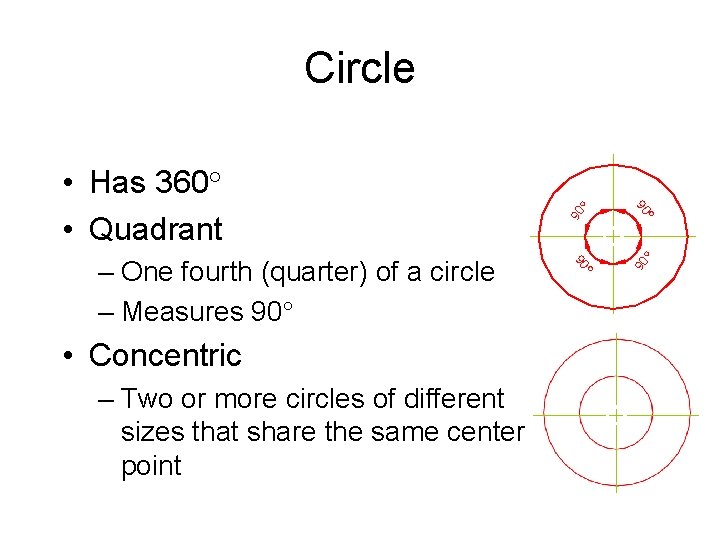
– Two or more circles of different sizes that share the same center point 90 ° • Concentric 90 – One fourth (quarter) of a circle – Measures 90° ° 90 • Has 360° • Quadrant ° Circle
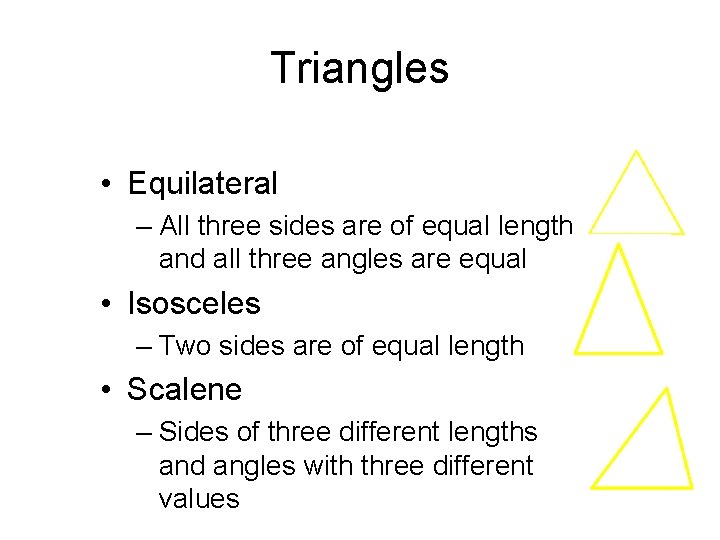
Triangles • Equilateral – All three sides are of equal length and all three angles are equal • Isosceles – Two sides are of equal length • Scalene – Sides of three different lengths and angles with three different values
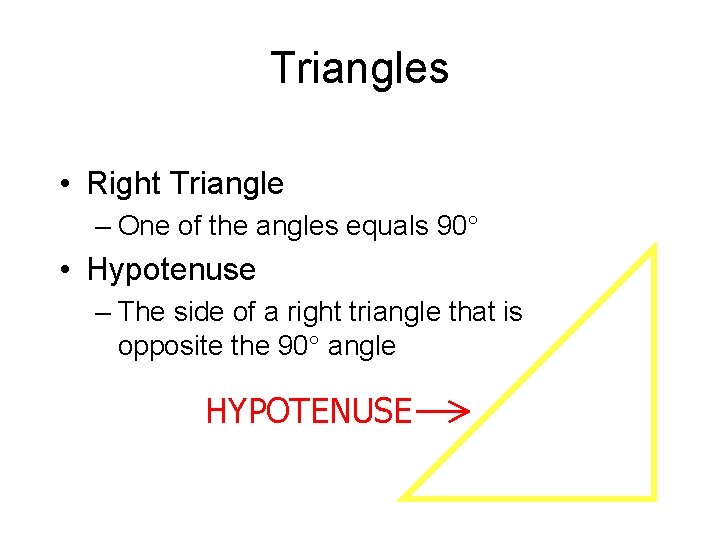
Triangles • Right Triangle – One of the angles equals 90° • Hypotenuse – The side of a right triangle that is opposite the 90° angle HYPOTENUSE
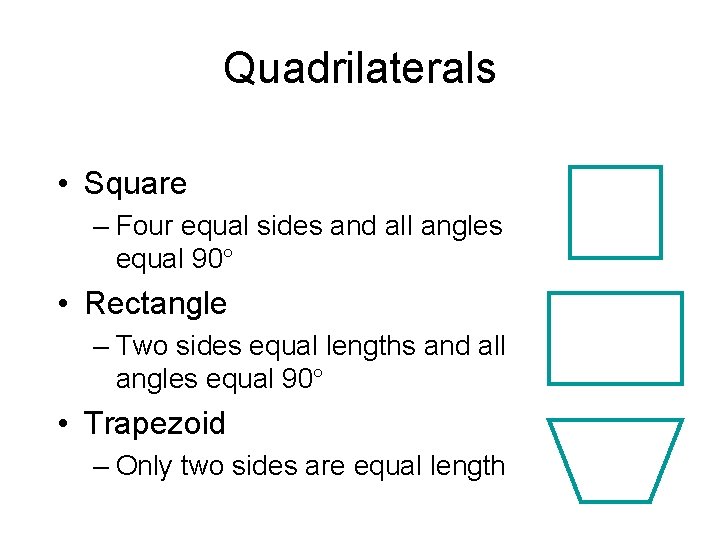
Quadrilaterals • Square – Four equal sides and all angles equal 90° • Rectangle – Two sides equal lengths and all angles equal 90° • Trapezoid – Only two sides are equal length
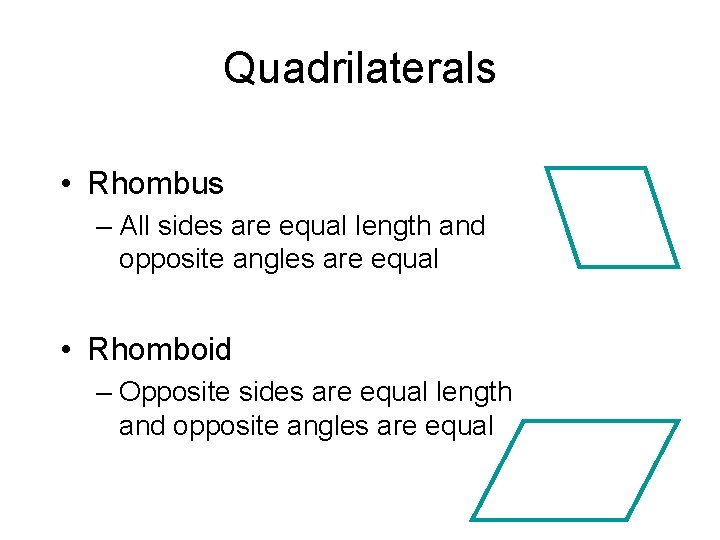
Quadrilaterals • Rhombus – All sides are equal length and opposite angles are equal • Rhomboid – Opposite sides are equal length and opposite angles are equal
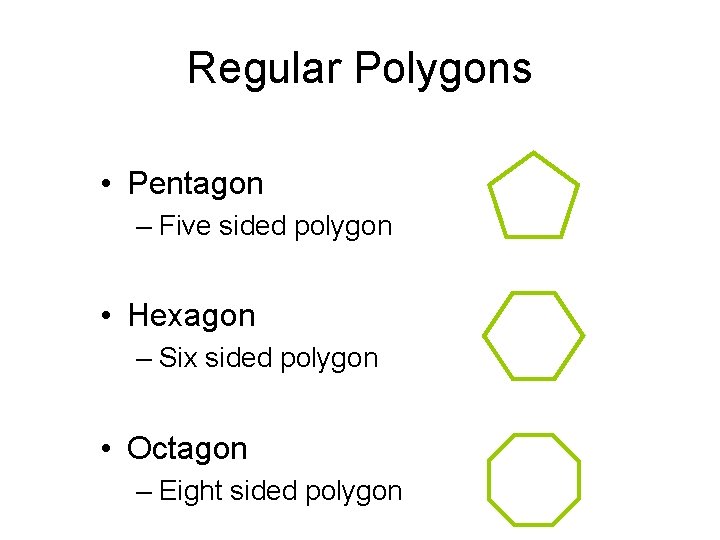
Regular Polygons • Pentagon – Five sided polygon • Hexagon – Six sided polygon • Octagon – Eight sided polygon
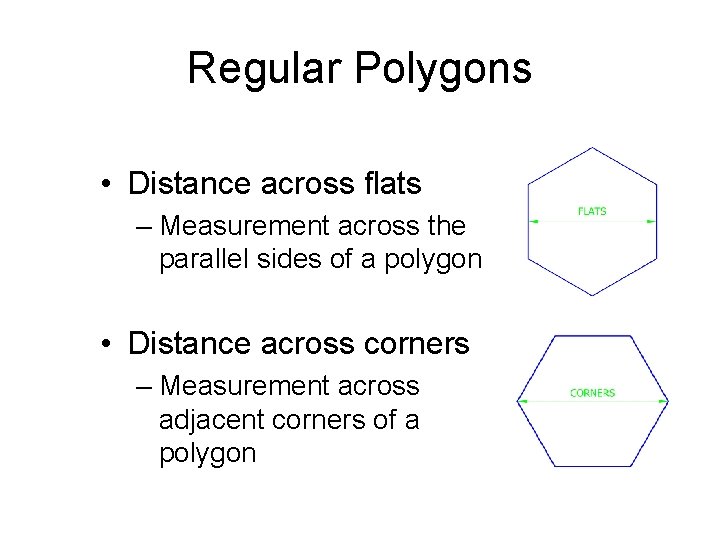
Regular Polygons • Distance across flats – Measurement across the parallel sides of a polygon • Distance across corners – Measurement across adjacent corners of a polygon
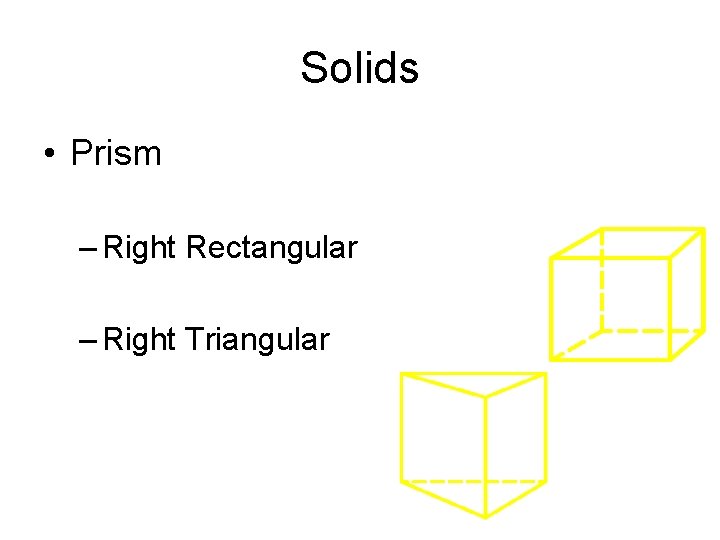
Solids • Prism – Right Rectangular – Right Triangular
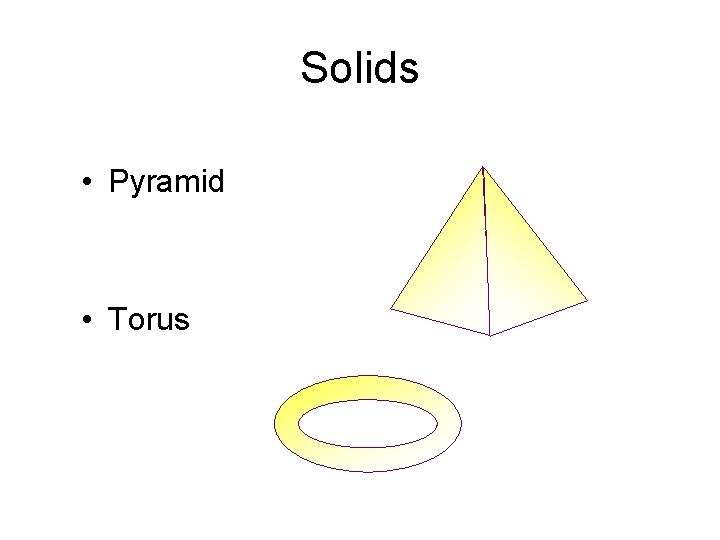
Solids • Pyramid • Torus
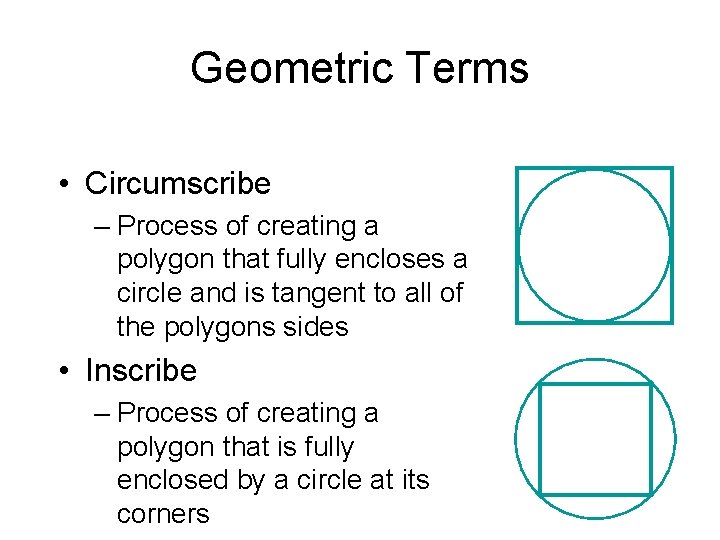
Geometric Terms • Circumscribe – Process of creating a polygon that fully encloses a circle and is tangent to all of the polygons sides • Inscribe – Process of creating a polygon that is fully enclosed by a circle at its corners
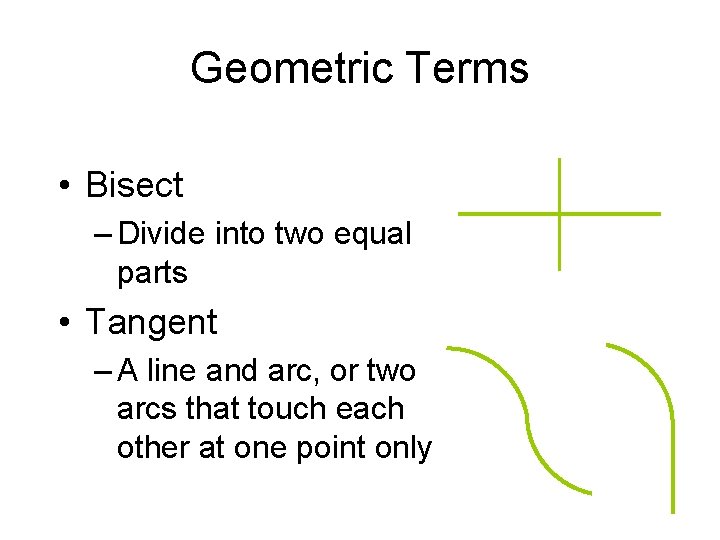
Geometric Terms • Bisect – Divide into two equal parts • Tangent – A line and arc, or two arcs that touch each other at one point only
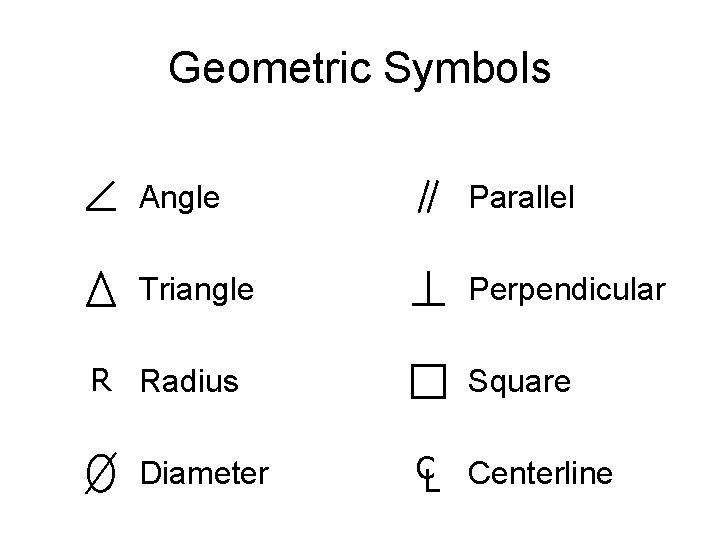
Geometric Symbols Angle Parallel Triangle Perpendicular R Radius Diameter Square CL Centerline
Terms & Definitions • Parliamentary Procedure – A set of rules for conduct at meetings which keeps assemblies orderly and guarantees that all people have equal opportunity to express themselves • Item of Business – A single matter to be discussed or acted on by an organization
Terms & Definitions • Minutes – The official written record of what was said and done in a meeting
Terms & Definitions • Standing – A regular committee which usually serves for a one year period to plan/carry out activities that fall w/in a certain subject matter • Majority vote – More than half the votes cast • Two-thirds vote – Two-thirds or more of the legal votes cast
Terms & Definitions • Second – An indication by a member that he or she wants to consider the motion just proposed by another member
Terms & Definitions • Minority – Less than half • Majority – More than half • Quorum – The number of members needed to be present to legally transact business
Motions & their Purposes • Main motion – To present an item of business for consideration and action by the assembly • Amend – To change a main motion in some way; add to, take away from, or substitute words for • Postpone – To defer action of a motion until a later time
Steps for Processing a Main Motion • Obtain the floor – Be recognized by the Chair by standing and saying Mr. Chairman • Chair assigns the floor – The Chair recognizes one of the members by pointing or nodding • Member makes the motion – States “I move that …” • Another member seconds the motion
Steps for Processing a Main Motion • Chair restates the motion to the assembly • Motions is discussed/debated by the assembly • Vote is taken on the motion • Vote is announced and appropriate action is taken
Order of Business • Opening – Call to order, emblem ceremony, pledge to flag) • • Roll Call Reading of Secretary’s minutes Treasurer’s report Committee reports – Standing – Ad Hoc
Order of Business • Unfinished business • New business • Program – Speaker, film, etc • Adjournment • Refreshments
Raps of the Gavel & their Purposes • One rap – Everyone should be seated • Two raps – The meeting is called to order • Three raps – Everyone should stand up
- Slides: 109