
Extending Arc GIS using programming David Tarboton Why
Extending Arc. GIS using programming David Tarboton
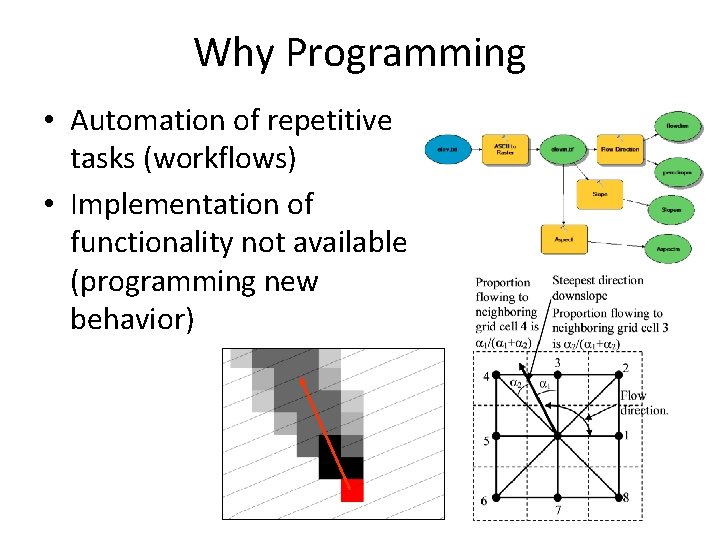
Why Programming • Automation of repetitive tasks (workflows) • Implementation of functionality not available (programming new behavior)
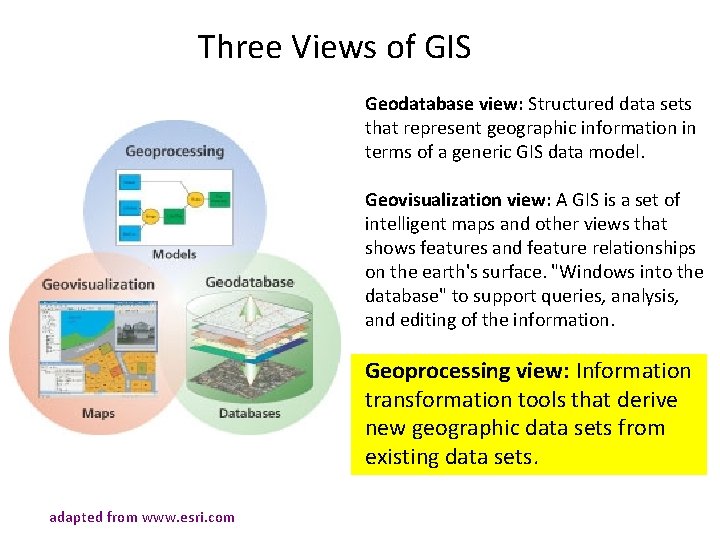
Three Views of GIS Geodatabase view: Structured data sets that represent geographic information in terms of a generic GIS data model. Geovisualization view: A GIS is a set of intelligent maps and other views that shows features and feature relationships on the earth's surface. "Windows into the database" to support queries, analysis, and editing of the information. Geoprocessing view: Information transformation tools that derive new geographic data sets from existing data sets. adapted from www. esri. com
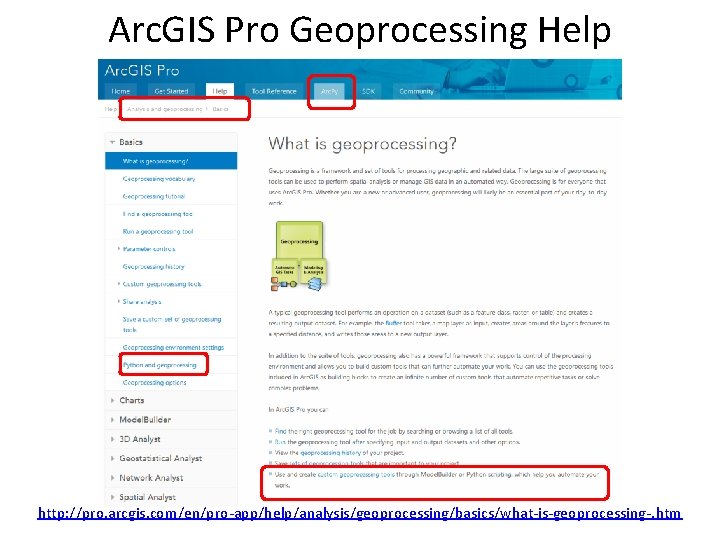
Arc. GIS Pro Geoprocessing Help http: //pro. arcgis. com/en/pro-app/help/analysis/geoprocessing/basics/what-is-geoprocessing-. htm
Arc. GIS programming options • Model builder • Python scripting environment • Arc. Objects library (for system language like C++, . Net) • AML • Open standard data formats that anyone can use in programs (e. g. shapefiles, geo. TIFF, net. CDF)

Python Environments • Python Window built into Arc. GIS Pro http: //pro. arcgis. com/en/pro-app/arcpy/get-started/pythonwindow. htm • Idle: Simple editor that is part of Python • Py. Charm: Powerful professional development environment, https: //www. jetbrains. com/pycharm/
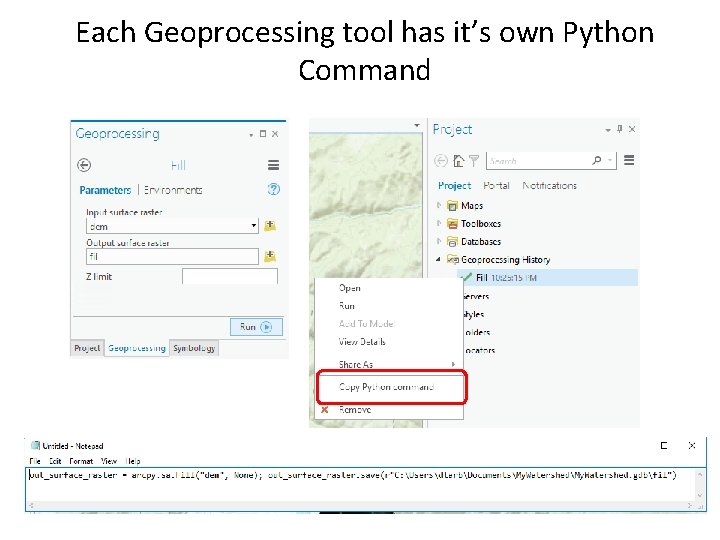
Each Geoprocessing tool has it’s own Python Command
Demo • • • Python code from Geoprocessing History Use of Python Window Python code from online help Sequencing code into a script Editing and running with Idle
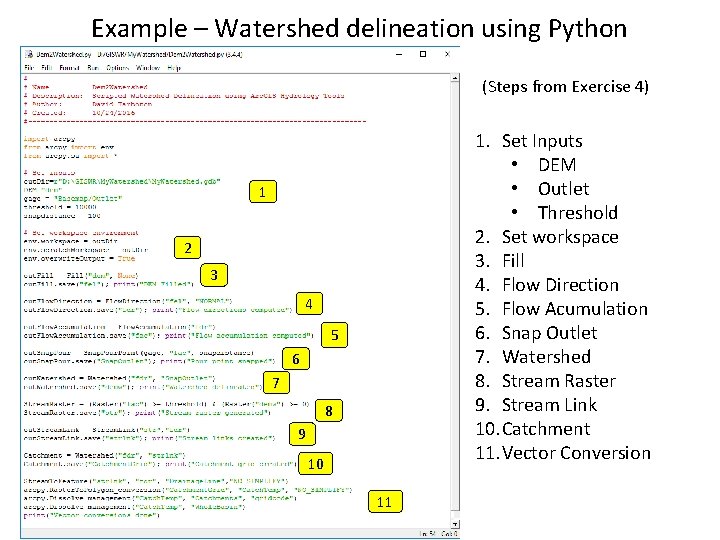
Example – Watershed delineation using Python (Steps from Exercise 4) 1. Set Inputs • DEM • Outlet • Threshold 2. Set workspace 3. Fill 4. Flow Direction 5. Flow Acumulation 6. Snap Outlet 7. Watershed 8. Stream Raster 9. Stream Link 10. Catchment 11. Vector Conversion 1 2 3 4 5 6 7 8 9 10 11
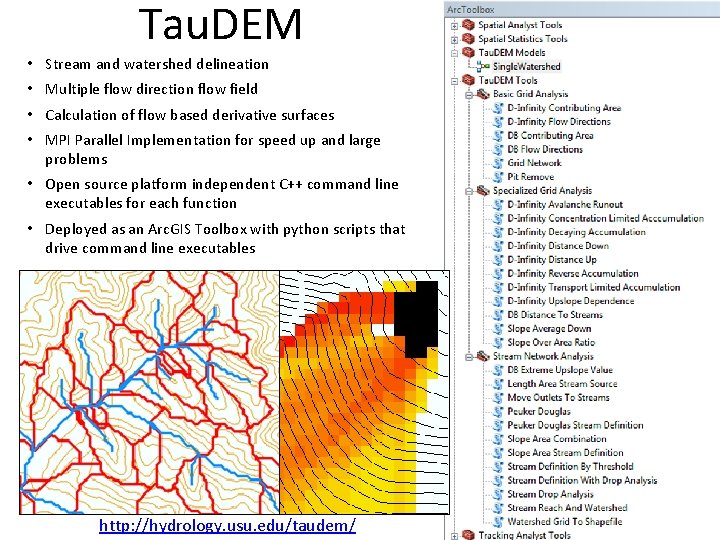
Tau. DEM • Stream and watershed delineation • Multiple flow direction flow field • Calculation of flow based derivative surfaces • MPI Parallel Implementation for speed up and large problems • Open source platform independent C++ command line executables for each function • Deployed as an Arc. GIS Toolbox with python scripts that drive command line executables http: //hydrology. usu. edu/taudem/
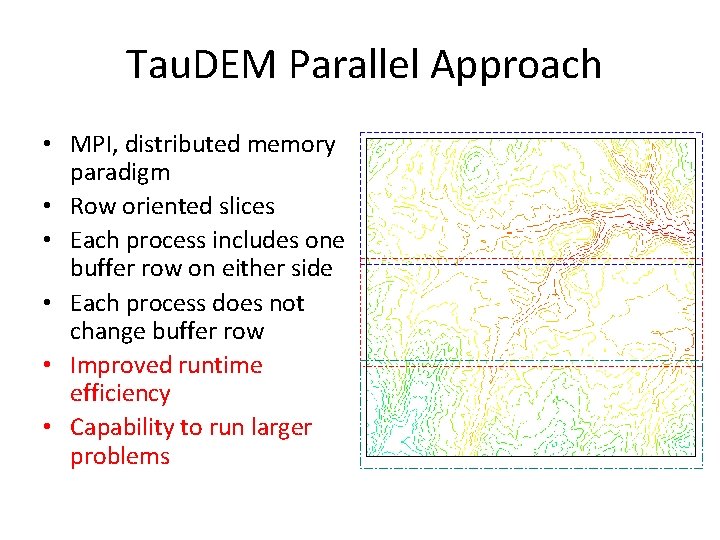
Tau. DEM Parallel Approach • MPI, distributed memory paradigm • Row oriented slices • Each process includes one buffer row on either side • Each process does not change buffer row • Improved runtime efficiency • Capability to run larger problems
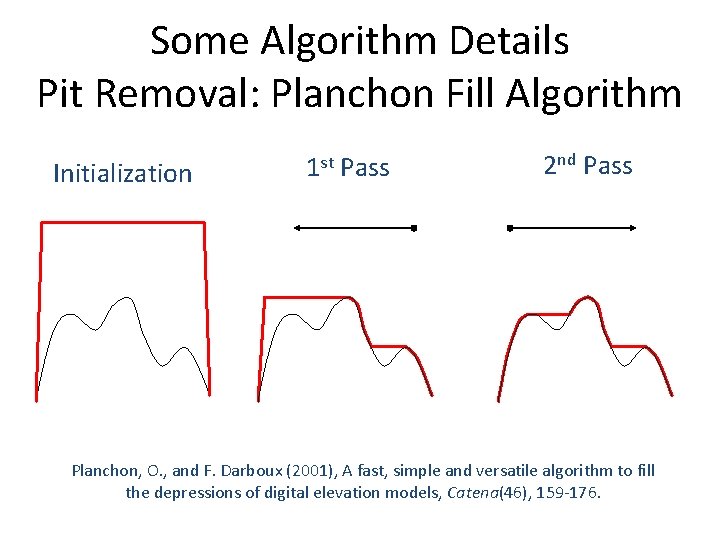
Some Algorithm Details Pit Removal: Planchon Fill Algorithm Initialization 1 st Pass 2 nd Pass Planchon, O. , and F. Darboux (2001), A fast, simple and versatile algorithm to fill the depressions of digital elevation models, Catena(46), 159 -176.
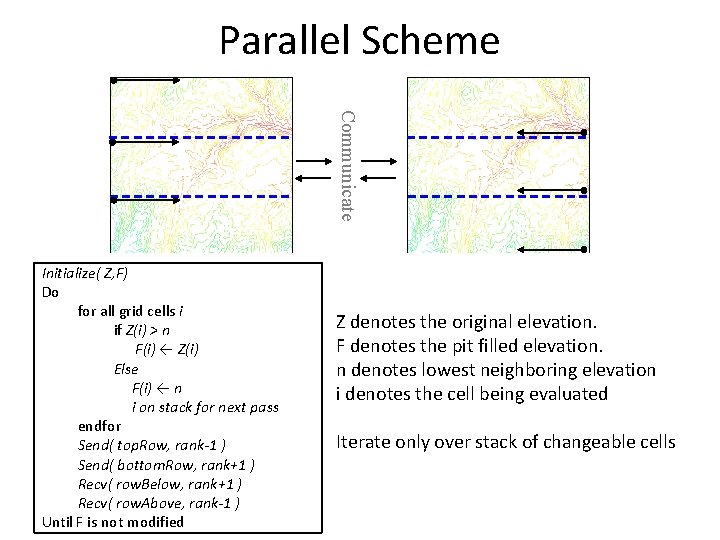
Parallel Scheme Communicate Initialize( Z, F) Do for all grid cells i if Z(i) > n F(i) ← Z(i) Else F(i) ← n i on stack for next pass endfor Send( top. Row, rank-1 ) Send( bottom. Row, rank+1 ) Recv( row. Below, rank+1 ) Recv( row. Above, rank-1 ) Until F is not modified Z denotes the original elevation. F denotes the pit filled elevation. n denotes lowest neighboring elevation i denotes the cell being evaluated Iterate only over stack of changeable cells
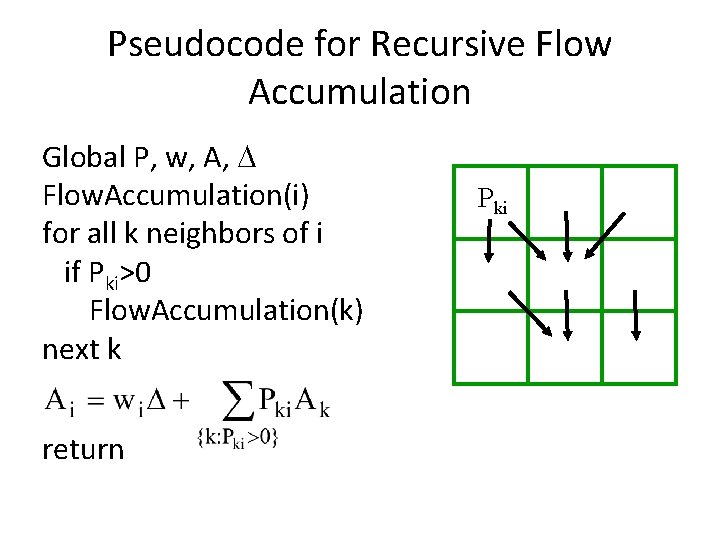
Pseudocode for Recursive Flow Accumulation Global P, w, A, Flow. Accumulation(i) for all k neighbors of i if Pki>0 Flow. Accumulation(k) next k return Pki
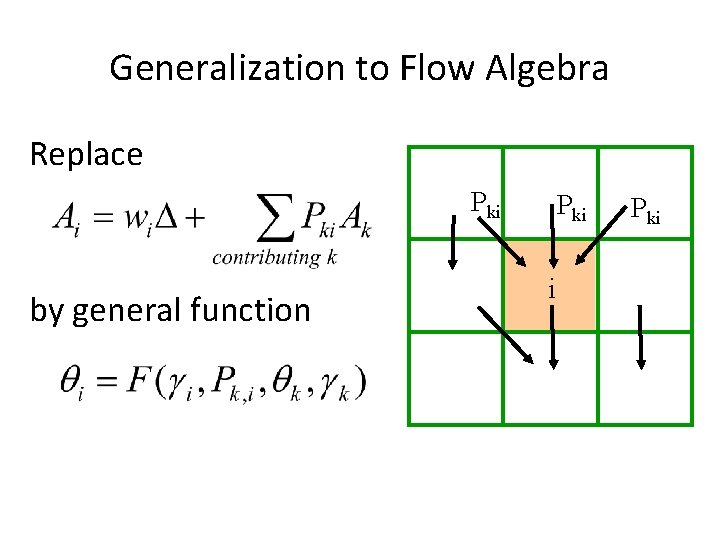
Generalization to Flow Algebra Replace Pki by general function Pki i Pki
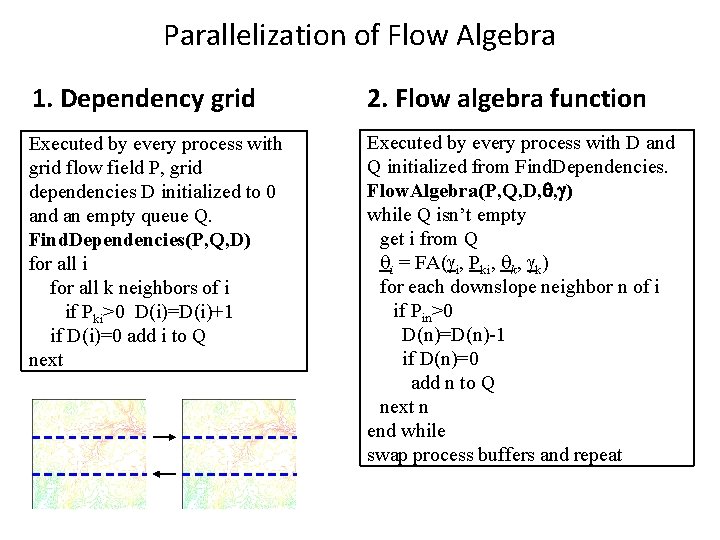
Parallelization of Flow Algebra 1. Dependency grid 2. Flow algebra function Executed by every process with grid flow field P, grid dependencies D initialized to 0 and an empty queue Q. Find. Dependencies(P, Q, D) for all i for all k neighbors of i if Pki>0 D(i)=D(i)+1 if D(i)=0 add i to Q next Executed by every process with D and Q initialized from Find. Dependencies. Flow. Algebra(P, Q, D, , ) while Q isn’t empty get i from Q i = FA( i, Pki, k) for each downslope neighbor n of i if Pin>0 D(n)=D(n)-1 if D(n)=0 add n to Q next n end while swap process buffers and repeat
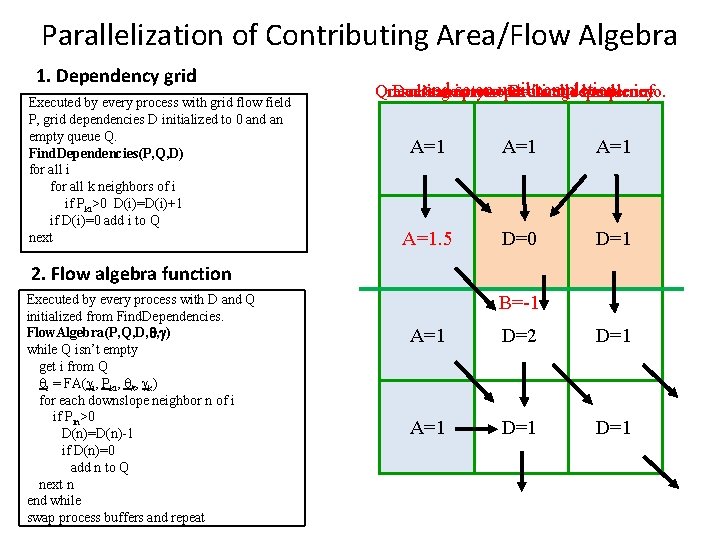
Parallelization of Contributing Area/Flow Algebra 1. Dependency grid Executed by every process with grid flow field P, grid dependencies D initialized to 0 and an empty queue Q. Find. Dependencies(P, Q, D) for all i for all k neighbors of i if Pki>0 D(i)=D(i)+1 if D(i)=0 add i to Q next and socross onsountil completion resulting in new D=0 cellsdependency on queue Queue’s empty exchange border info. Decrease partition A=1 D=0 A=1. 5 D=1 D=0 D=3 D=2 D=1 A=3 D=1 A=1. 5 D=0 2. Flow algebra function Executed by every process with D and Q initialized from Find. Dependencies. Flow. Algebra(P, Q, D, , ) while Q isn’t empty get i from Q i = FA( i, Pki, k) for each downslope neighbor n of i if Pin>0 D(n)=D(n)-1 if D(n)=0 add n to Q next n end while swap process buffers and repeat B=-1 B=-2 B=-1 A=1 D=0 D=2 A=5. 5 D=0 D=1 A=2. 5 D=0 A=1 D=0 D=1 D=3 D=2 A=6 D=1 A=3. 5
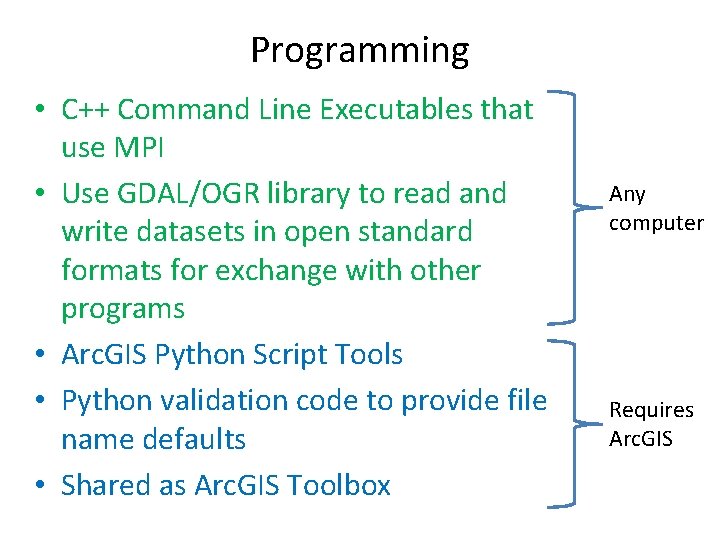
Programming • C++ Command Line Executables that use MPI • Use GDAL/OGR library to read and write datasets in open standard formats for exchange with other programs • Arc. GIS Python Script Tools • Python validation code to provide file name defaults • Shared as Arc. GIS Toolbox Any computer Requires Arc. GIS
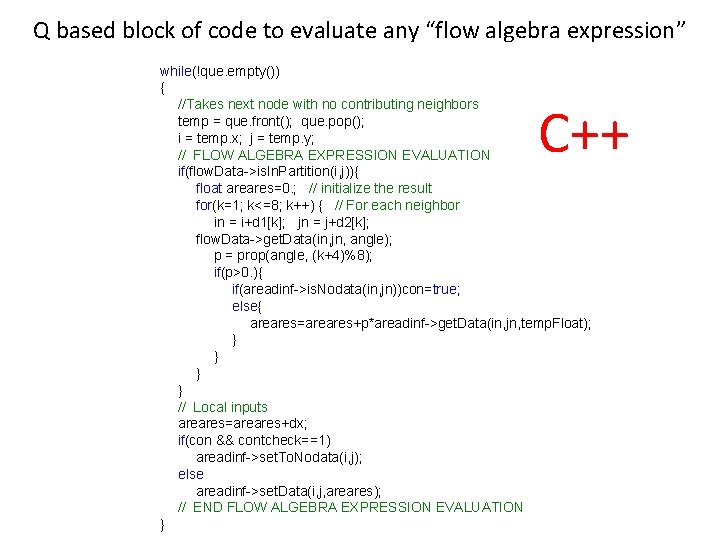
Q based block of code to evaluate any “flow algebra expression” while(!que. empty()) { //Takes next node with no contributing neighbors temp = que. front(); que. pop(); i = temp. x; j = temp. y; // FLOW ALGEBRA EXPRESSION EVALUATION if(flow. Data->is. In. Partition(i, j)){ float areares=0. ; // initialize the result for(k=1; k<=8; k++) { // For each neighbor in = i+d 1[k]; jn = j+d 2[k]; flow. Data->get. Data(in, jn, angle); p = prop(angle, (k+4)%8); if(p>0. ){ if(areadinf->is. Nodata(in, jn))con=true; else{ areares=areares+p*areadinf->get. Data(in, jn, temp. Float); } } // Local inputs areares=areares+dx; if(con && contcheck==1) areadinf->set. To. Nodata(i, j); else areadinf->set. Data(i, j, areares); // END FLOW ALGEBRA EXPRESSION EVALUATION } C++
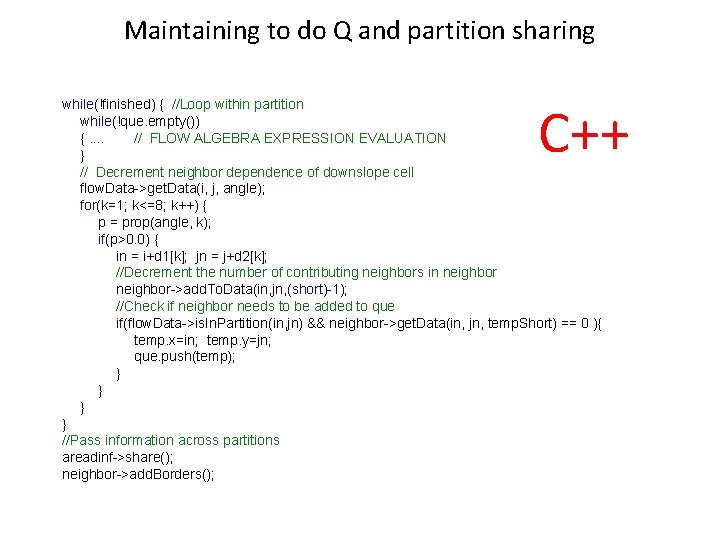
Maintaining to do Q and partition sharing C++ while(!finished) { //Loop within partition while(!que. empty()) {. . // FLOW ALGEBRA EXPRESSION EVALUATION } // Decrement neighbor dependence of downslope cell flow. Data->get. Data(i, j, angle); for(k=1; k<=8; k++) { p = prop(angle, k); if(p>0. 0) { in = i+d 1[k]; jn = j+d 2[k]; //Decrement the number of contributing neighbors in neighbor->add. To. Data(in, jn, (short)-1); //Check if neighbor needs to be added to que if(flow. Data->is. In. Partition(in, jn) && neighbor->get. Data(in, jn, temp. Short) == 0 ){ temp. x=in; temp. y=jn; que. push(temp); } } //Pass information across partitions areadinf->share(); neighbor->add. Borders();
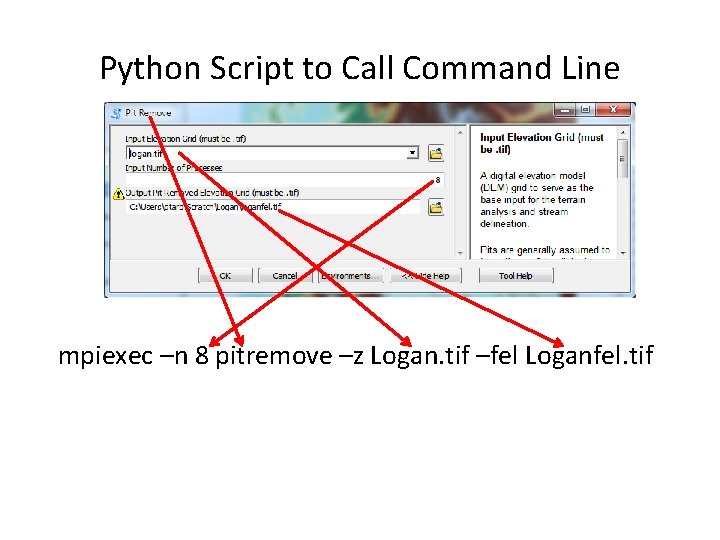
Python Script to Call Command Line mpiexec –n 8 pitremove –z Logan. tif –fel Loganfel. tif
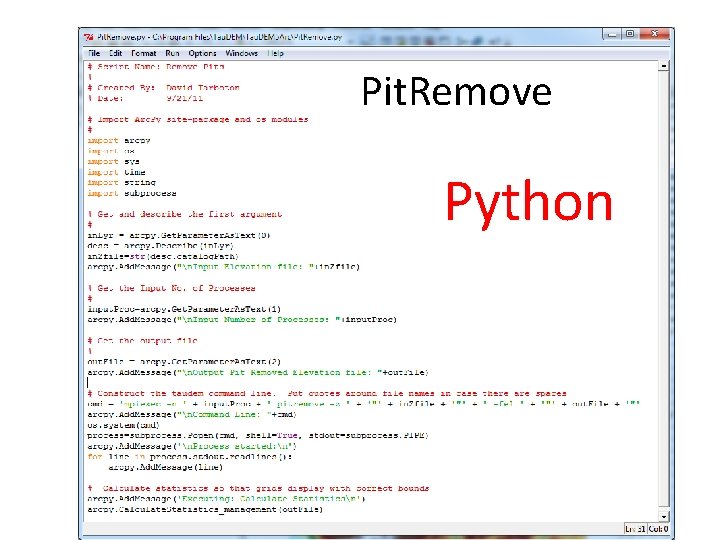
Pit. Remove Python
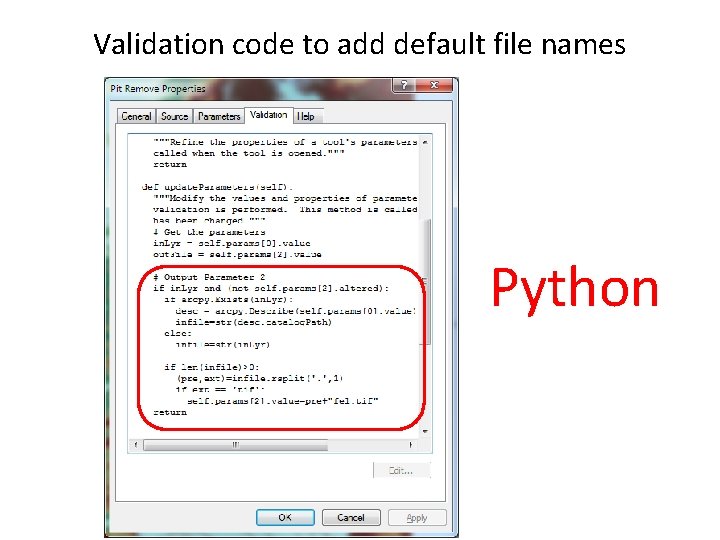
Validation code to add default file names Python
Summary • GIS and Water Resources analysis capabilities are readily extensible with programming • to do something new • to repeat something needed frequently • Model builder provides visual programming and helps learn Arc. GIS python commands • Python – cross platform, powerful and easy to use is a good programming language to start with (when your time is valuable) • Compiled language programming for developers (C++) to achieve optimal efficiency (when the computers time is valuable)
- Slides: 24