
Exposure Java 2013 APCS Edition Power Point Presentation
- Slides: 64
Exposure Java 2013 APCS Edition Power. Point Presentation created by: Mr. John L. M. Schram and Mr. Leon Schram Authors of Exposure Java
Section 3. 2
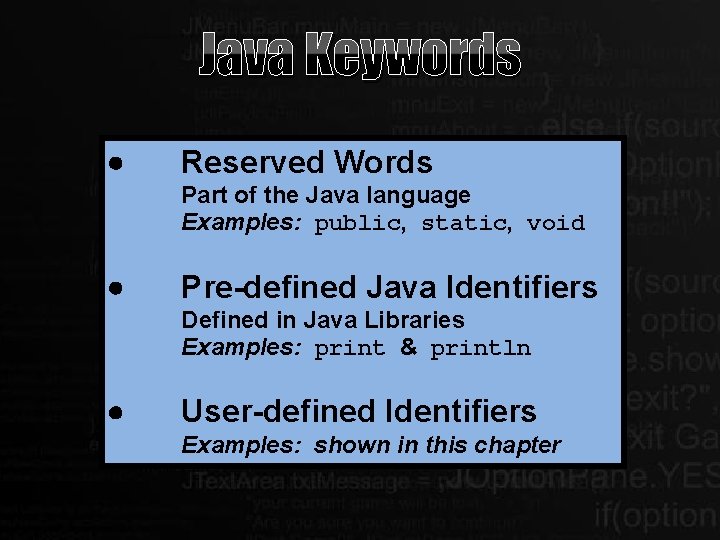
Java Keywords Reserved Words Part of the Java language Examples: public, static, void Pre-defined Java Identifiers Defined in Java Libraries Examples: print & println User-defined Identifiers Examples: shown in this chapter
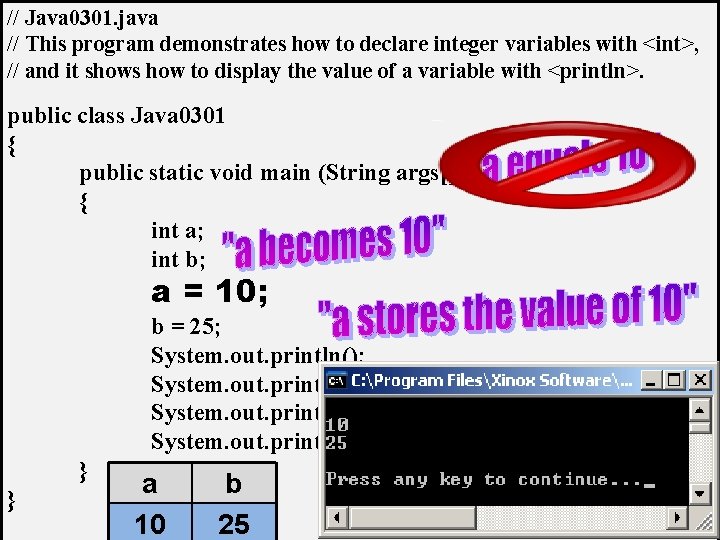
// Java 0301. java // This program demonstrates how to declare integer variables with <int>, // and it shows how to display the value of a variable with <println>. public class Java 0301 { public static void main (String args[]) { int a; int b; a = 10; b = 25; System. out. println(); System. out. println(a); System. out. println(b); System. out. println(); } } a 10 b 25
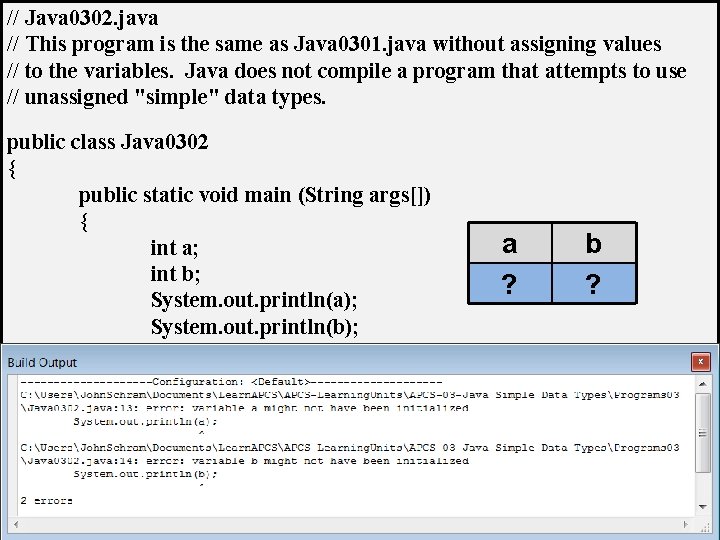
// Java 0302. java // This program is the same as Java 0301. java without assigning values // to the variables. Java does not compile a program that attempts to use // unassigned "simple" data types. public class Java 0302 { public static void main (String args[]) { int a; int b; System. out. println(a); System. out. println(b); } } a ? b ?
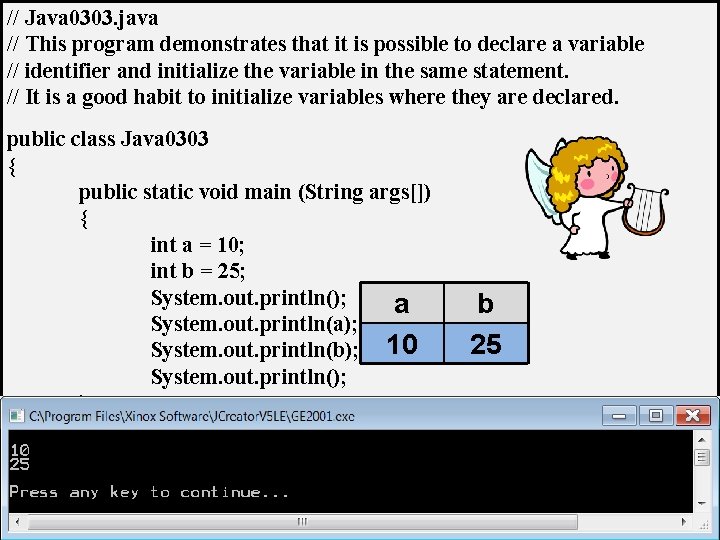
// Java 0303. java // This program demonstrates that it is possible to declare a variable // identifier and initialize the variable in the same statement. // It is a good habit to initialize variables where they are declared. public class Java 0303 { public static void main (String args[]) { int a = 10; int b = 25; System. out. println(); a System. out. println(a); System. out. println(b); 10 System. out. println(); } } b 25
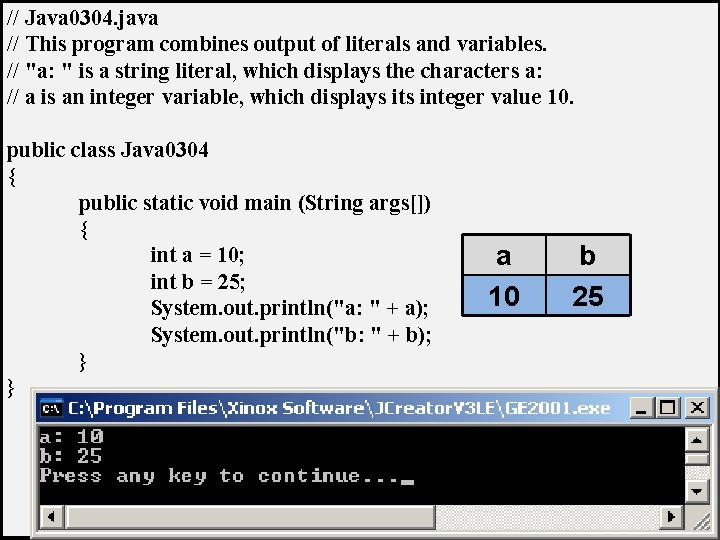
// Java 0304. java // This program combines output of literals and variables. // "a: " is a string literal, which displays the characters a: // a is an integer variable, which displays its integer value 10. public class Java 0304 { public static void main (String args[]) { int a = 10; int b = 25; System. out. println("a: " + a); System. out. println("b: " + b); } } a 10 b 25
Section 3. 3
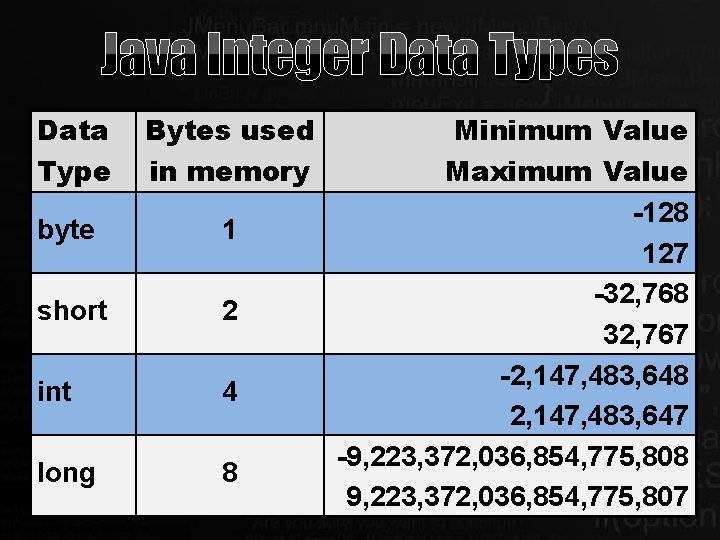
Java Integer Data Types Data Type Bytes used in memory byte 1 short 2 int 4 long 8 Minimum Value Maximum Value -128 127 -32, 768 32, 767 -2, 147, 483, 648 2, 147, 483, 647 -9, 223, 372, 036, 854, 775, 808 9, 223, 372, 036, 854, 775, 807
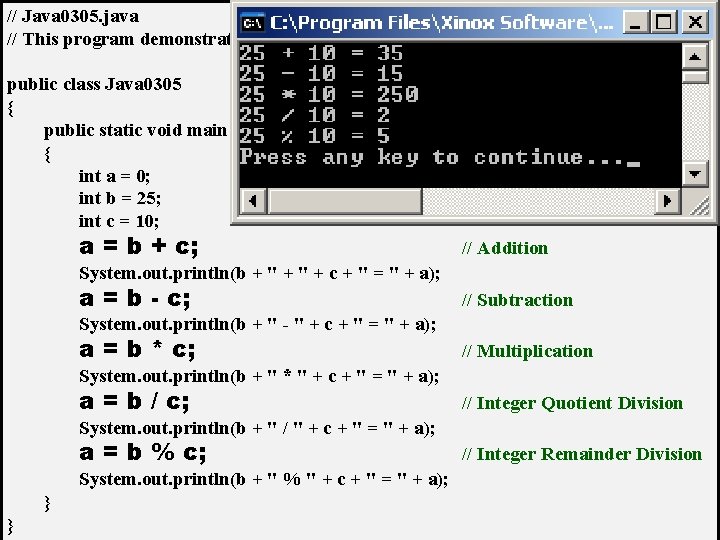
// Java 0305. java // This program demonstrates the five integer operations. public class Java 0305 { public static void main (String args[]) { int a = 0; int b = 25; int c = 10; a = b + c; // Addition System. out. println(b + " + c + " = " + a); a = b - c; // Subtraction System. out. println(b + " - " + c + " = " + a); a = b * c; // Multiplication System. out. println(b + " * " + c + " = " + a); a = b / c; // Integer Quotient Division System. out. println(b + " / " + c + " = " + a); a = b % c; System. out. println(b + " % " + c + " = " + a); } } // Integer Remainder Division
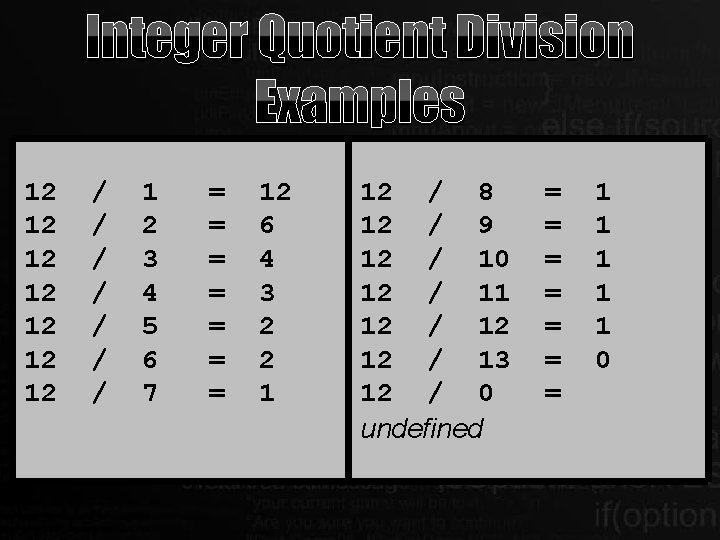
Integer Quotient Division Examples 12 12 / / / / 1 2 3 4 5 6 7 = = = = 12 6 4 3 2 2 1 12 / 8 12 / 9 12 / 10 12 / 11 12 / 12 12 / 13 12 / 0 undefined = = = = 1 1 1 0
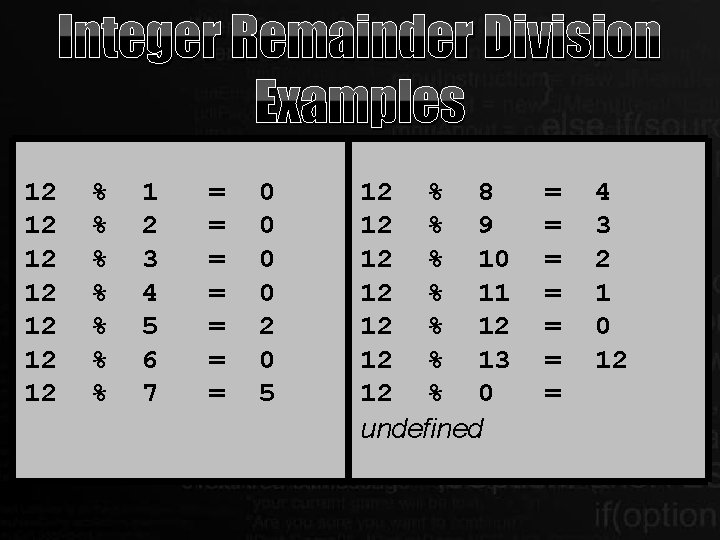
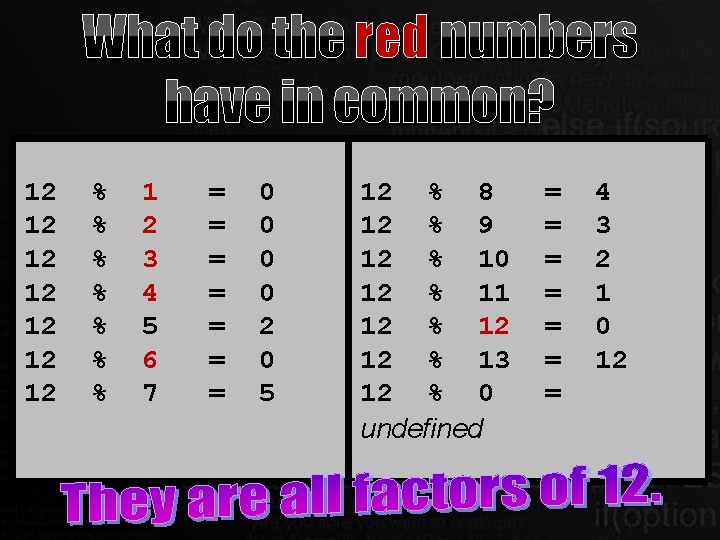
Integer Remainder Division Examples 12 12 % % % % 1 2 3 4 5 6 7 = = = = 0 0 2 0 5 12 % 8 12 % 9 12 % 10 12 % 11 12 % 12 12 % 13 12 % 0 undefined = = = = 4 3 2 1 0 12
What do the red numbers have in common? 12 12 % % % % 1 2 3 4 5 6 7 = = = = 0 0 2 0 5 12 % 8 12 % 9 12 % 10 12 % 11 12 % 12 12 % 13 12 % 0 undefined = = = = 4 3 2 1 0 12
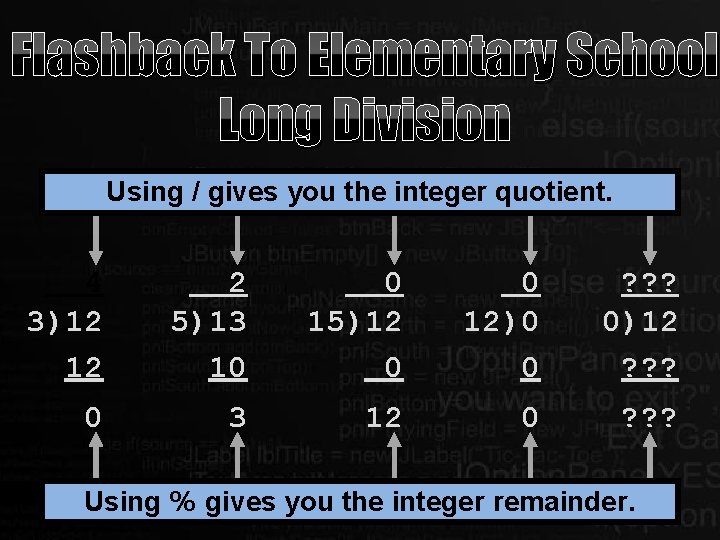
Flashback To Elementary School Long Division Using / gives you the integer quotient. 4 3)12 12 2 5)13 10 0 15)12 0 0 12)0 0 ? ? ? 0)12 ? ? ? 0 3 12 0 ? ? ? Using % gives you the integer remainder.
Section 3. 4
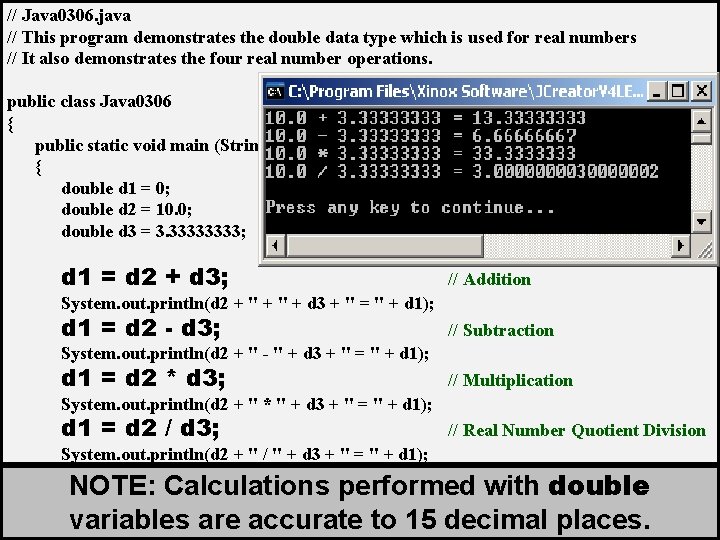
// Java 0306. java // This program demonstrates the double data type which is used for real numbers // It also demonstrates the four real number operations. public class Java 0306 { public static void main (String args[]) { double d 1 = 0; double d 2 = 10. 0; double d 3 = 3. 3333; d 1 = d 2 + d 3; // Addition System. out. println(d 2 + " + d 3 + " = " + d 1); d 1 = d 2 - d 3; // Subtraction System. out. println(d 2 + " - " + d 3 + " = " + d 1); d 1 = d 2 * d 3; // Multiplication System. out. println(d 2 + " * " + d 3 + " = " + d 1); d 1 = d 2 / d 3; System. out. println(d 2 + " / " + d 3 + " = " + d 1); System. out. println(); } } // Real Number Quotient Division NOTE: Calculations performed with double variables are accurate to 15 decimal places.
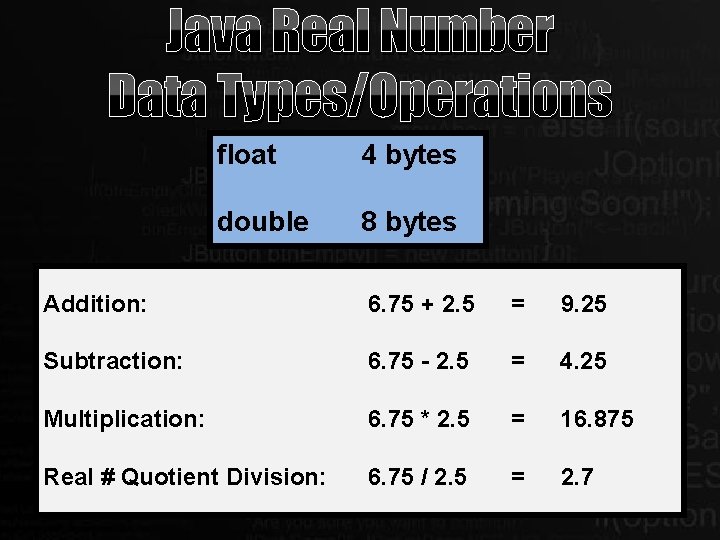
Java Real Number Data Types/Operations float 4 bytes double 8 bytes Addition: 6. 75 + 2. 5 = 9. 25 Subtraction: 6. 75 - 2. 5 = 4. 25 Multiplication: 6. 75 * 2. 5 = 16. 875 Real # Quotient Division: 6. 75 / 2. 5 = 2. 7
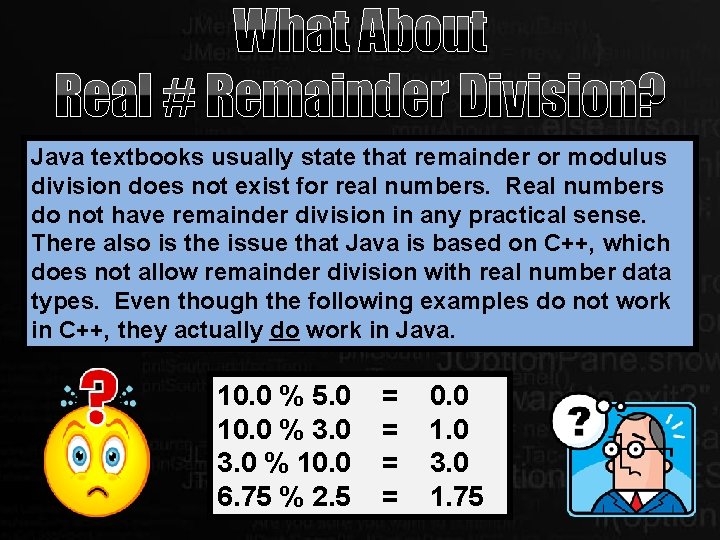
What About Real # Remainder Division? Java textbooks usually state that remainder or modulus division does not exist for real numbers. Real numbers do not have remainder division in any practical sense. There also is the issue that Java is based on C++, which does not allow remainder division with real number data types. Even though the following examples do not work in C++, they actually do work in Java. 10. 0 % 5. 0 10. 0 % 3. 0 % 10. 0 6. 75 % 2. 5 = = 0. 0 1. 0 3. 0 1. 75
Section 3. 5
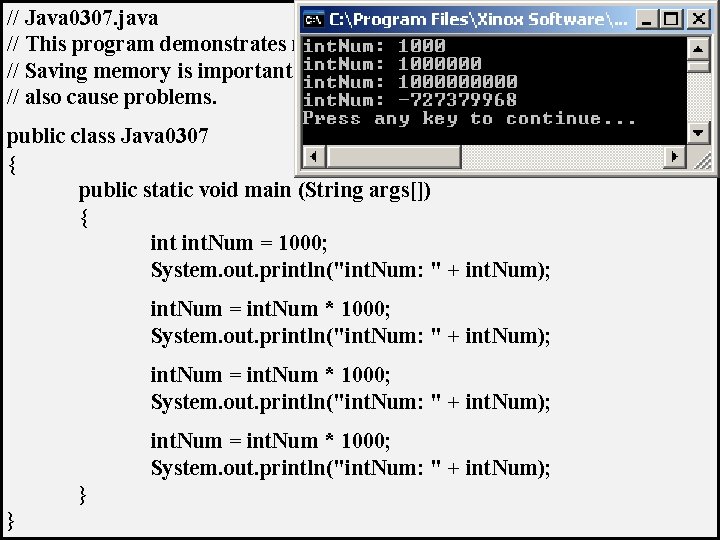
// Java 0307. java // This program demonstrates memory overflow problems. // Saving memory is important, but too little memory can // also cause problems. public class Java 0307 { public static void main (String args[]) { int. Num = 1000; System. out. println("int. Num: " + int. Num); int. Num = int. Num * 1000; System. out. println("int. Num: " + int. Num); } }
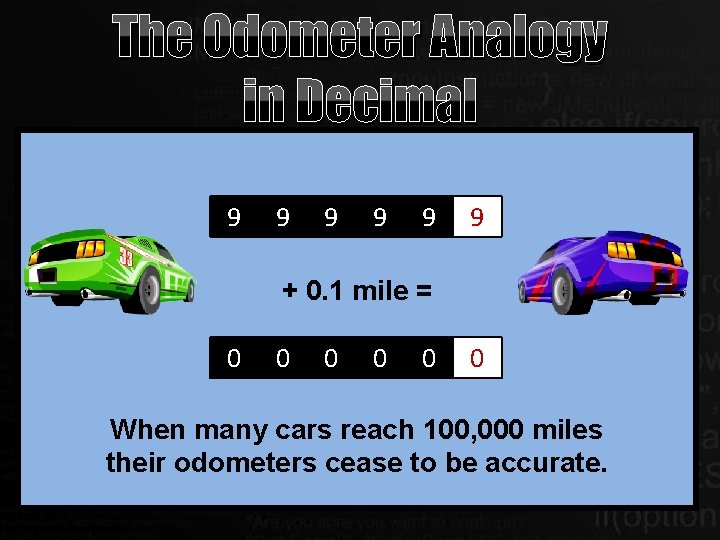
The Odometer Analogy in Decimal 9 9 9 + 0. 1 mile = 0 0 0 When many cars reach 100, 000 miles their odometers cease to be accurate.
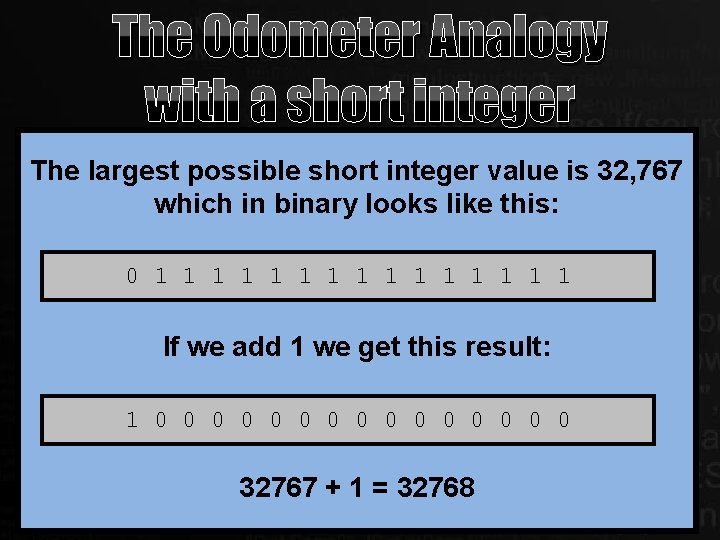
The Odometer Analogy with a short integer The largest possible short integer value is 32, 767 which in binary looks like this: 0 1 1 1 1 If we add 1 we get this result: 1 0 0 0 +01 0= 0 0 0 0 32767 + 1 = 32768
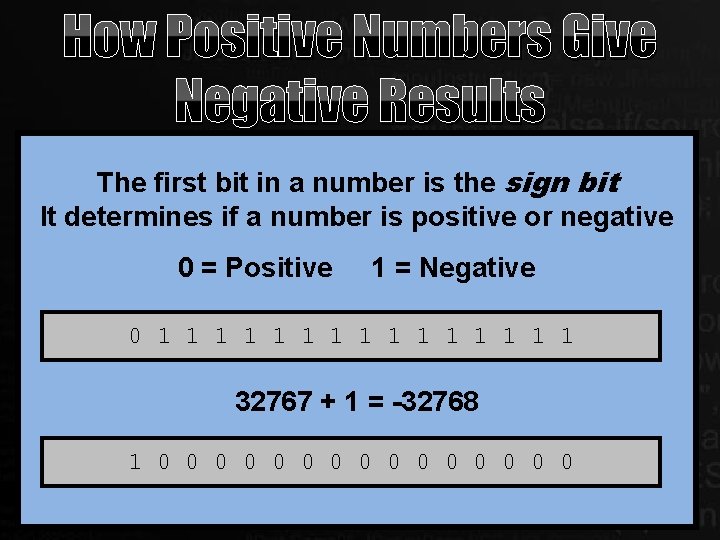
How Positive Numbers Give Negative Results The first bit in a number is the sign bit It determines if a number is positive or negative 0 = Positive 1 = Negative 0 1 1 1 1 32767 + 1 = -32768 1 0 0 0 0
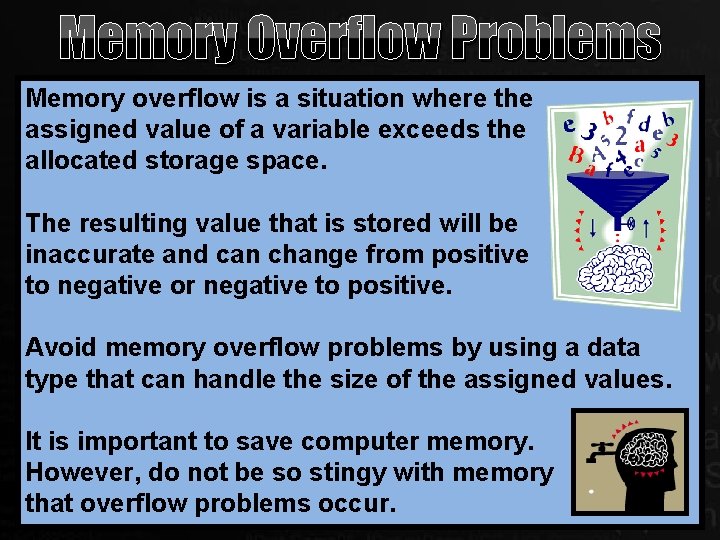
Memory Overflow Problems Memory overflow is a situation where the assigned value of a variable exceeds the allocated storage space. The resulting value that is stored will be inaccurate and can change from positive to negative or negative to positive. Avoid memory overflow problems by using a data type that can handle the size of the assigned values. It is important to save computer memory. However, do not be so stingy with memory that overflow problems occur.
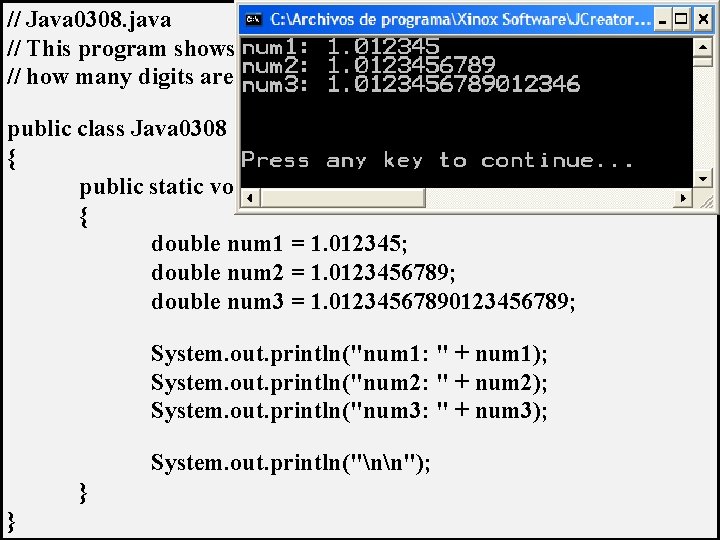
// Java 0308. java // This program shows that there is a memory storage limitation to // how many digits are stored beyond the decimal point. public class Java 0308 { public static void main (String args[]) { double num 1 = 1. 012345; double num 2 = 1. 0123456789; double num 3 = 1. 0123456789; System. out. println("num 1: " + num 1); System. out. println("num 2: " + num 2); System. out. println("num 3: " + num 3); System. out. println("nn"); } }
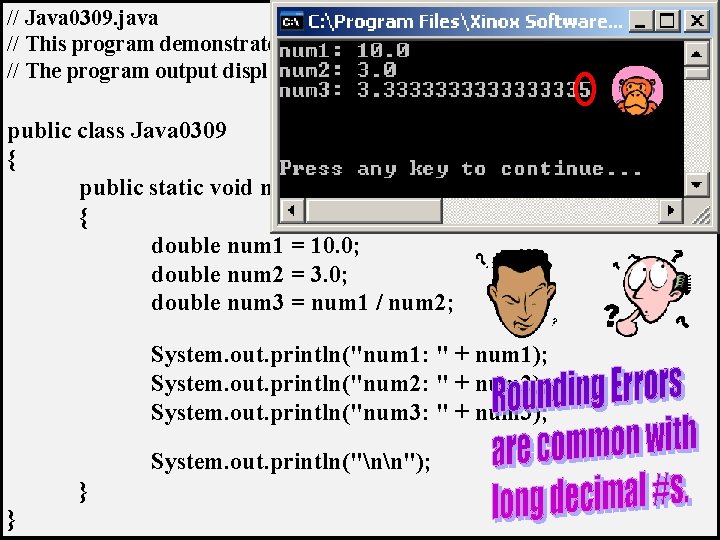
// Java 0309. java // This program demonstrates another error. // The program output displays a number that is mathematically incorrect. public class Java 0309 { public static void main (String args[]) { double num 1 = 10. 0; double num 2 = 3. 0; double num 3 = num 1 / num 2; System. out. println("num 1: " + num 1); System. out. println("num 2: " + num 2); System. out. println("num 3: " + num 3); System. out. println("nn"); } }
Section 3. 6
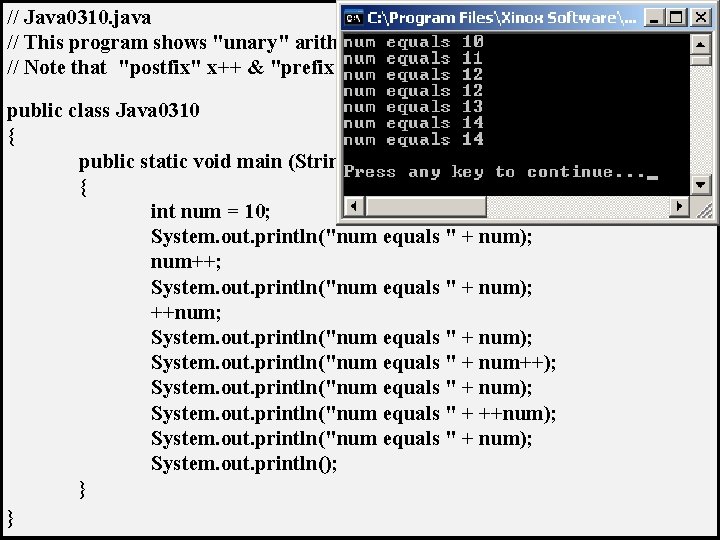
// Java 0310. java // This program shows "unary" arithmetic shortcut notation in Java. // Note that "postfix" x++ & "prefix" ++x don't always have the same result. public class Java 0310 { public static void main (String args[]) { int num = 10; System. out. println("num equals " + num); num++; System. out. println("num equals " + num); ++num; System. out. println("num equals " + num); System. out. println("num equals " + num++); System. out. println("num equals " + num); System. out. println("num equals " + ++num); System. out. println("num equals " + num); System. out. println(); } }
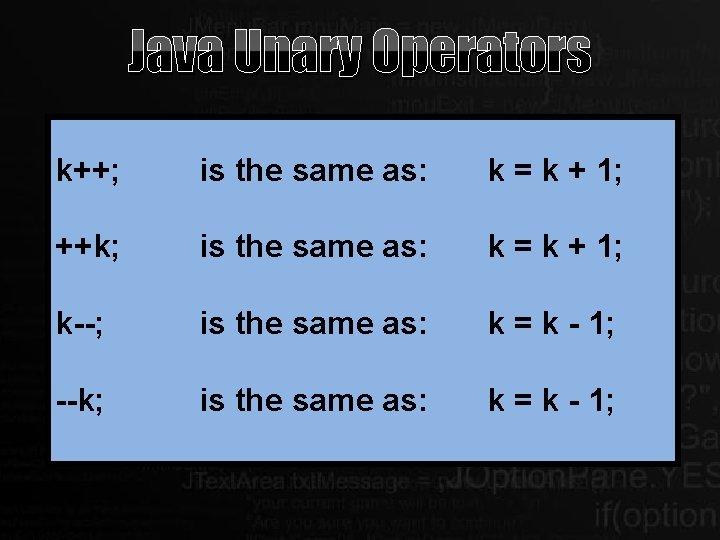
Java Unary Operators k++; is the same as: k = k + 1; ++k; is the same as: k = k + 1; k--; is the same as: k = k - 1; --k; is the same as: k = k - 1;
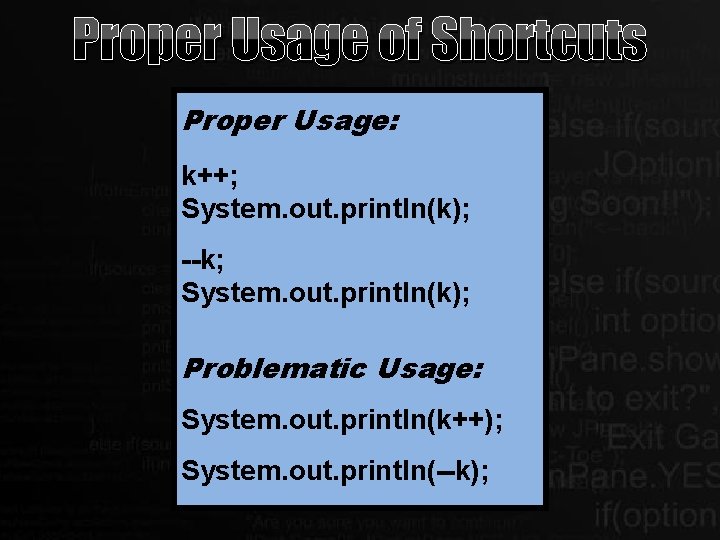
Proper Usage of Shortcuts Proper Usage: k++; System. out. println(k); --k; System. out. println(k); Problematic Usage: System. out. println(k++); System. out. println(--k);
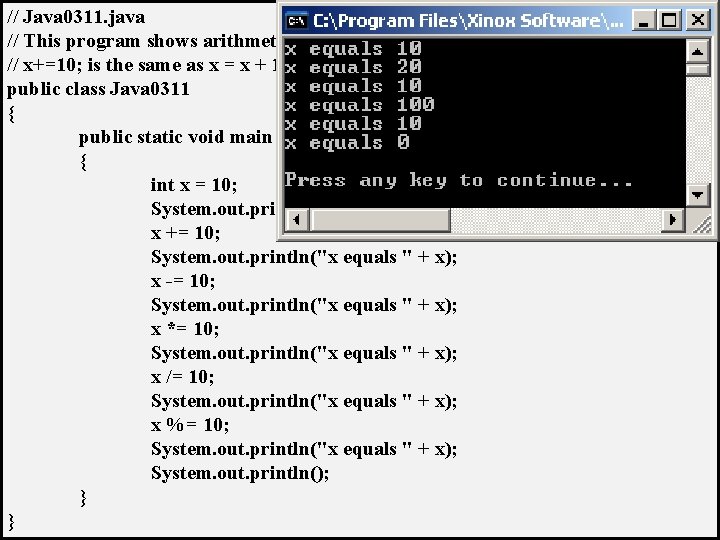
// Java 0311. java // This program shows arithmetic assignment operations in Java. // x+=10; is the same as x = x + 10; public class Java 0311 { public static void main (String args[]) { int x = 10; System. out. println("x equals " + x); x += 10; System. out. println("x equals " + x); x -= 10; System. out. println("x equals " + x); x *= 10; System. out. println("x equals " + x); x /= 10; System. out. println("x equals " + x); x %= 10; System. out. println("x equals " + x); System. out. println(); } }
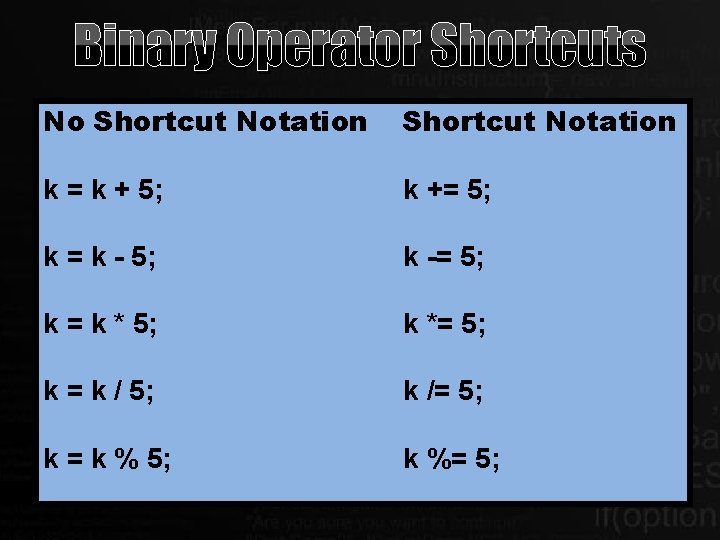
Binary Operator Shortcuts No Shortcut Notation k = k + 5; k += 5; k = k - 5; k -= 5; k = k * 5; k *= 5; k = k / 5; k /= 5; k = k % 5; k %= 5;
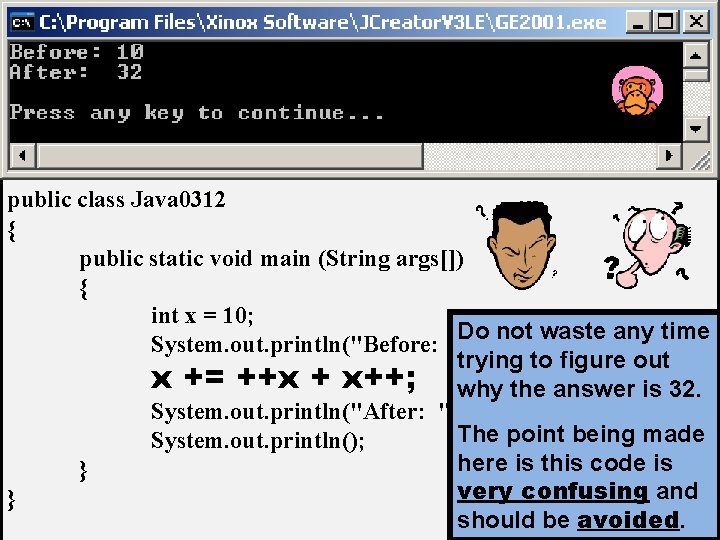
// Java 0312. java // This program demonstrates very bad programming style by // combining various shortcuts in one statement. It is difficult // to determine what actually is happening. public class Java 0312 { public static void main (String args[]) { int x = 10; Do not waste any time System. out. println("Before: " + x); trying to figure out x += ++x + x++; why the answer is 32. System. out. println("After: " + x); The point being made System. out. println(); here is this code is } very confusing and } should be avoided.
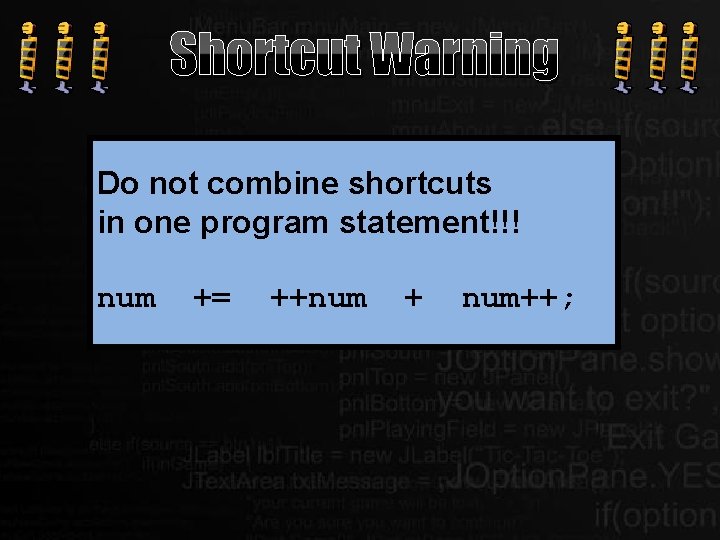
Shortcut Warning Do not combine shortcuts in one program statement!!! num += ++num + num++;
Section 3. 7
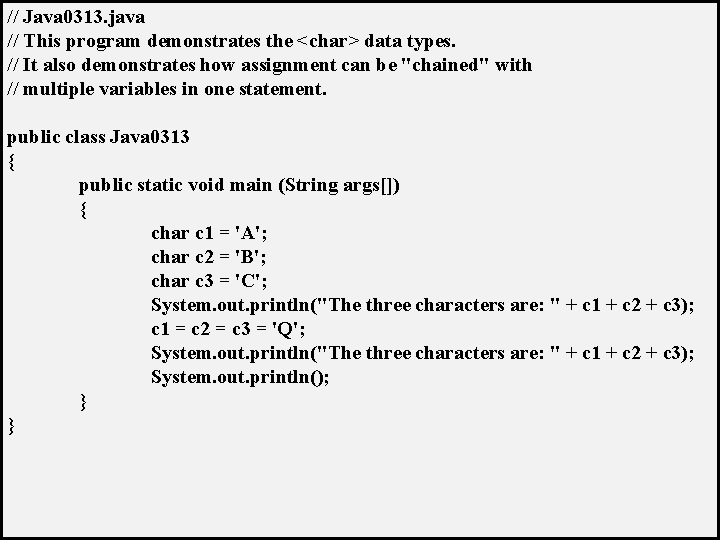
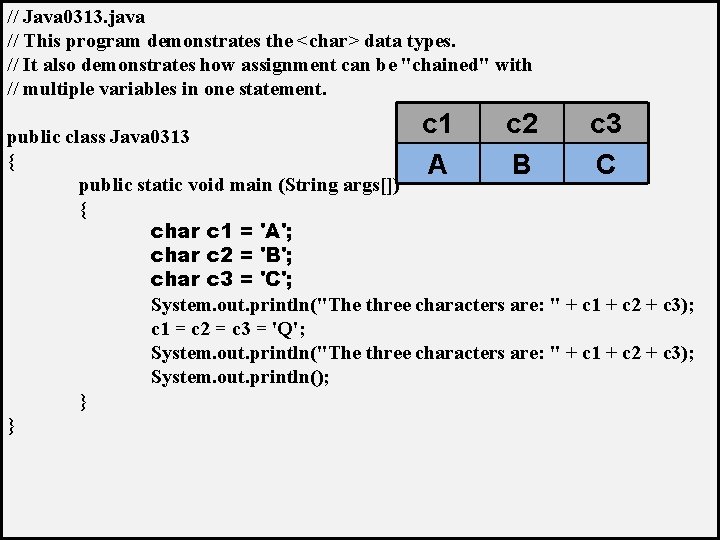
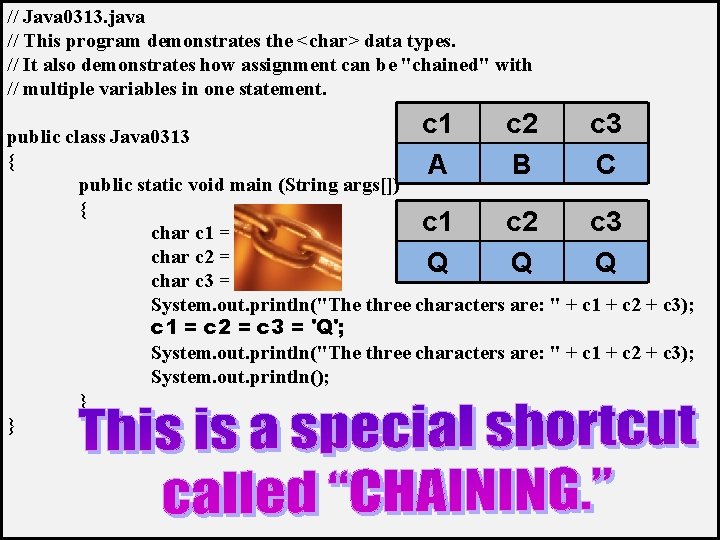
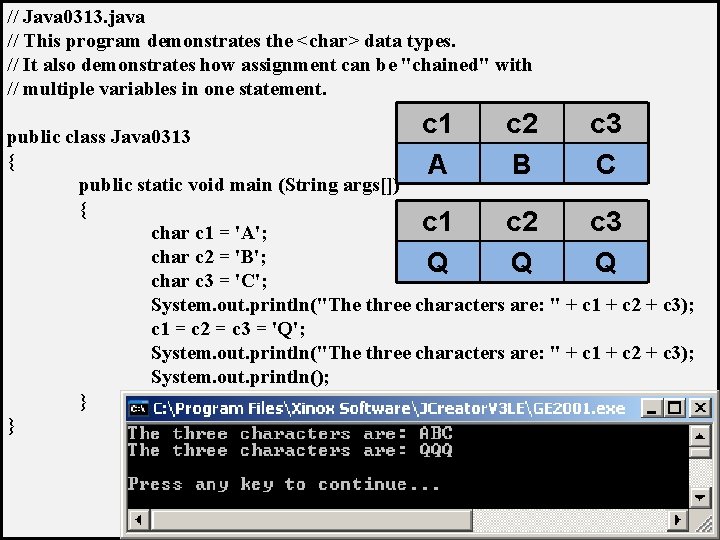
// Java 0313. java // This program demonstrates the <char> data types. // It also demonstrates how assignment can be "chained" with // multiple variables in one statement. public class Java 0313 { public static void main (String args[]) { char c 1 = 'A'; char c 2 = 'B'; char c 3 = 'C'; System. out. println("The three characters are: " + c 1 + c 2 + c 3); c 1 = c 2 = c 3 = 'Q'; System. out. println("The three characters are: " + c 1 + c 2 + c 3); System. out. println(); } }
// Java 0313. java // This program demonstrates the <char> data types. // It also demonstrates how assignment can be "chained" with // multiple variables in one statement. c 1 c 2 c 3 public class Java 0313 { A B C public static void main (String args[]) { char c 1 = 'A'; char c 2 = 'B'; char c 3 = 'C'; System. out. println("The three characters are: " + c 1 + c 2 + c 3); c 1 = c 2 = c 3 = 'Q'; System. out. println("The three characters are: " + c 1 + c 2 + c 3); System. out. println(); } }
// Java 0313. java // This program demonstrates the <char> data types. // It also demonstrates how assignment can be "chained" with // multiple variables in one statement. c 1 c 2 c 3 public class Java 0313 { A B C public static void main (String args[]) { c 1 c 2 c 3 char c 1 = 'A'; char c 2 = 'B'; Q Q Q char c 3 = 'C'; System. out. println("The three characters are: " + c 1 + c 2 + c 3); c 1 = c 2 = c 3 = 'Q'; System. out. println("The three characters are: " + c 1 + c 2 + c 3); System. out. println(); } }
// Java 0313. java // This program demonstrates the <char> data types. // It also demonstrates how assignment can be "chained" with // multiple variables in one statement. c 1 c 2 c 3 public class Java 0313 { A B C public static void main (String args[]) { c 1 c 2 c 3 char c 1 = 'A'; char c 2 = 'B'; Q Q Q char c 3 = 'C'; System. out. println("The three characters are: " + c 1 + c 2 + c 3); c 1 = c 2 = c 3 = 'Q'; System. out. println("The three characters are: " + c 1 + c 2 + c 3); System. out. println(); } }
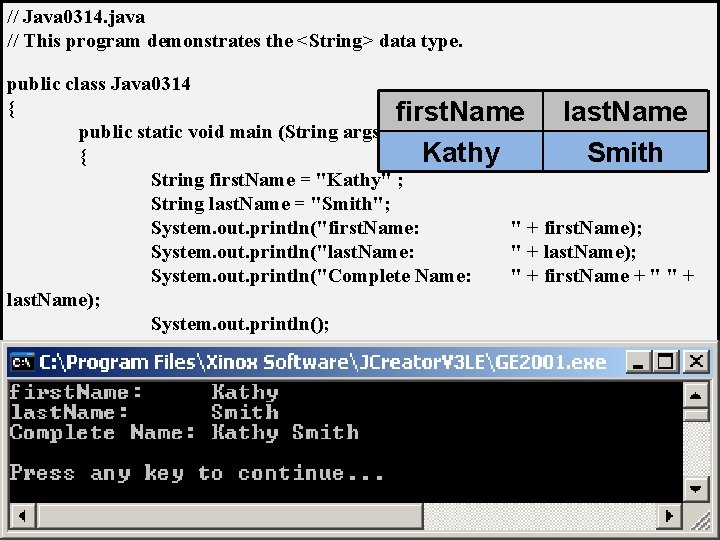
// Java 0314. java // This program demonstrates the <String> data type. public class Java 0314 { first. Name last. Name public static void main (String args[]) Kathy Smith { String first. Name = "Kathy" ; String last. Name = "Smith"; System. out. println("first. Name: " + first. Name); System. out. println("last. Name: " + last. Name); System. out. println("Complete Name: " + first. Name + " " + last. Name); System. out. println(); } }
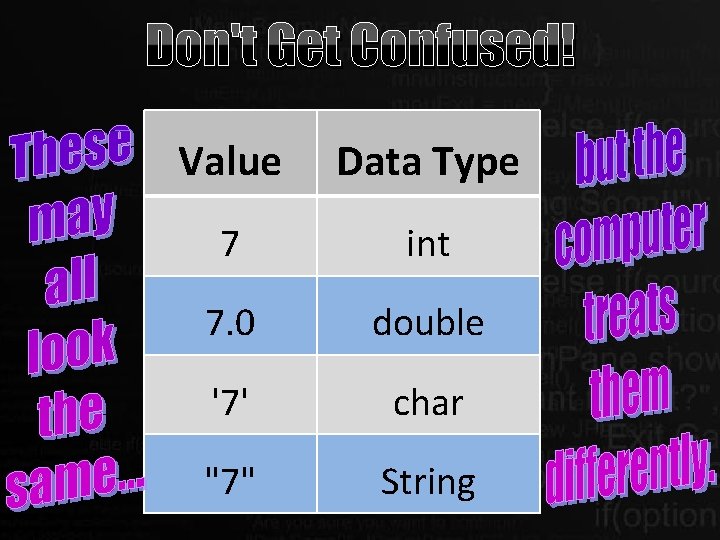
Don't Get Confused! Value Data Type 7 int 7. 0 double '7' char "7" String
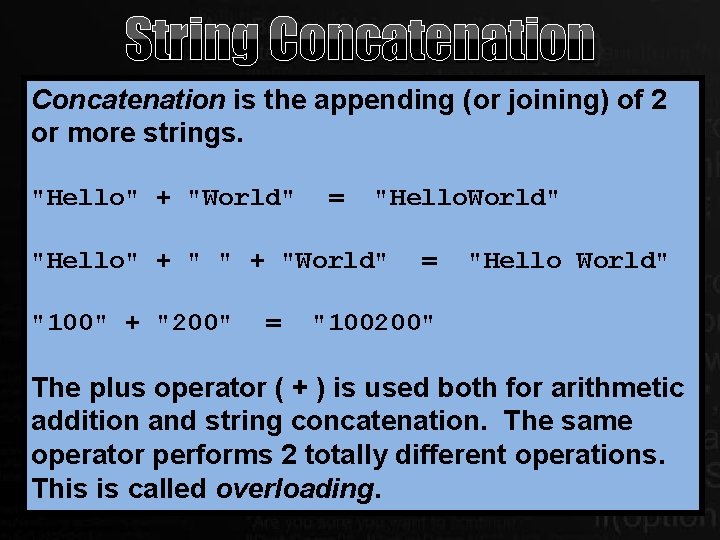
String Concatenation is the appending (or joining) of 2 or more strings. "Hello" + "World" = "Hello. World" "Hello" + "World" "100" + "200" = = "Hello World" "100200" The plus operator ( + ) is used both for arithmetic addition and string concatenation. The same operator performs 2 totally different operations. This is called overloading.
Section 3. 8
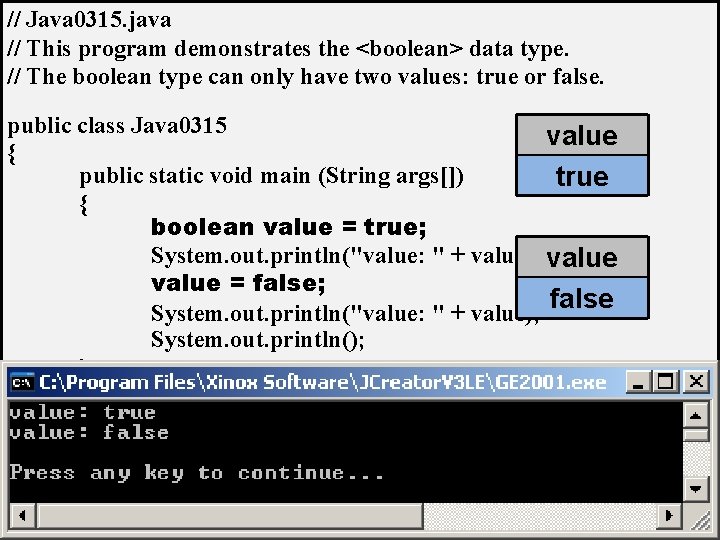
// Java 0315. java // This program demonstrates the <boolean> data type. // The boolean type can only have two values: true or false. public class Java 0315 value { public static void main (String args[]) true { boolean value = true; System. out. println("value: " + value); value = false; false System. out. println("value: " + value); System. out. println(); } }
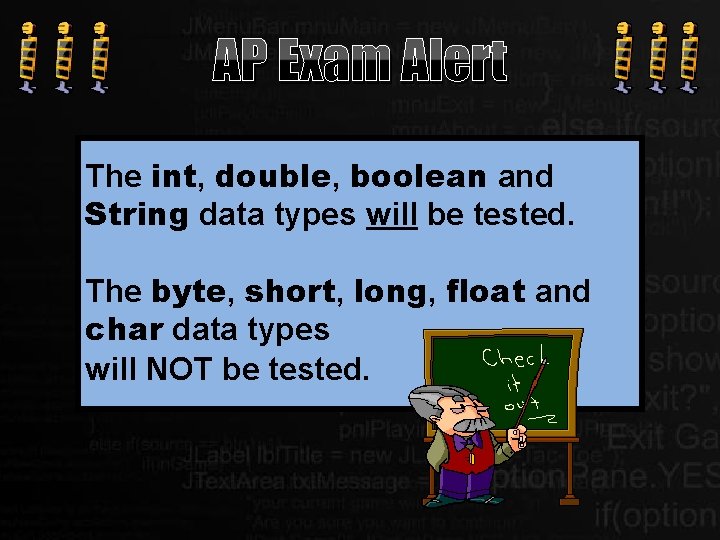
AP Exam Alert The int, double, boolean and String data types will be tested. The byte, short, long, float and char data types will NOT be tested.
Section 3. 9
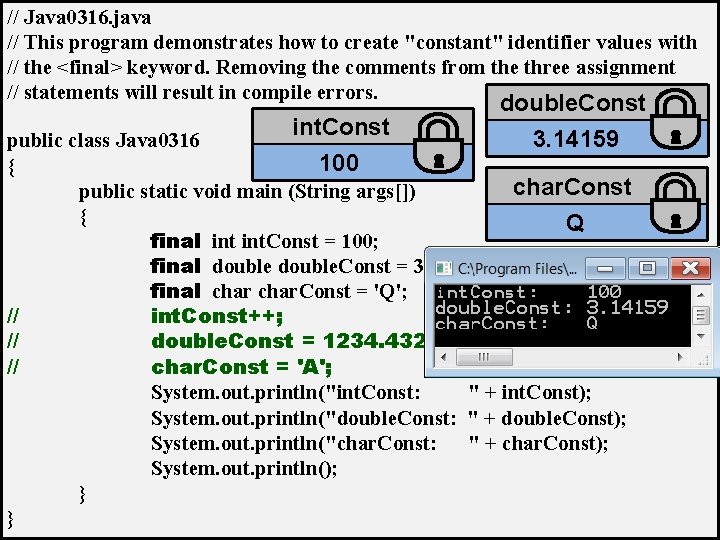
// Java 0316. java // This program demonstrates how to create "constant" identifier values with // the <final> keyword. Removing the comments from the three assignment // statements will result in compile errors. int. Const double. Const 3. 14159 public class Java 0316 100 { char. Const public static void main (String args[]) { Q final int. Const = 100; final double. Const = 3. 14159; final char. Const = 'Q'; // int. Const++; // double. Const = 1234. 4321; // char. Const = 'A'; System. out. println("int. Const: " + int. Const); System. out. println("double. Const: " + double. Const); System. out. println("char. Const: " + char. Const); System. out. println(); } }
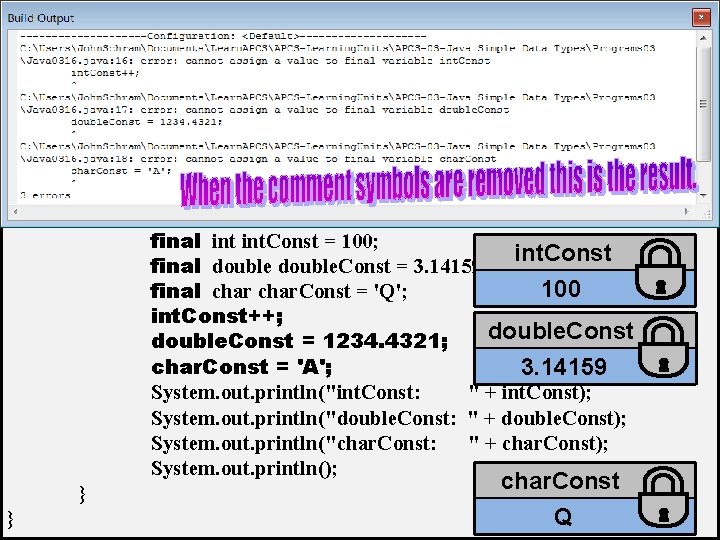
// Java 0316. java // This program demonstrates how to create "constant" identifier values with // the <final> keyword. Removing the comments from the three assignment // statements will result in compile errors. public class Java 0316 { public static void main (String args[]) { final int. Const = 100; int. Const final double. Const = 3. 14159; 100 final char. Const = 'Q'; int. Const++; double. Const = 1234. 4321; char. Const = 'A'; 3. 14159 System. out. println("int. Const: " + int. Const); System. out. println("double. Const: " + double. Const); System. out. println("char. Const: " + char. Const); System. out. println(); char. Const } Q }
Section 3. 10
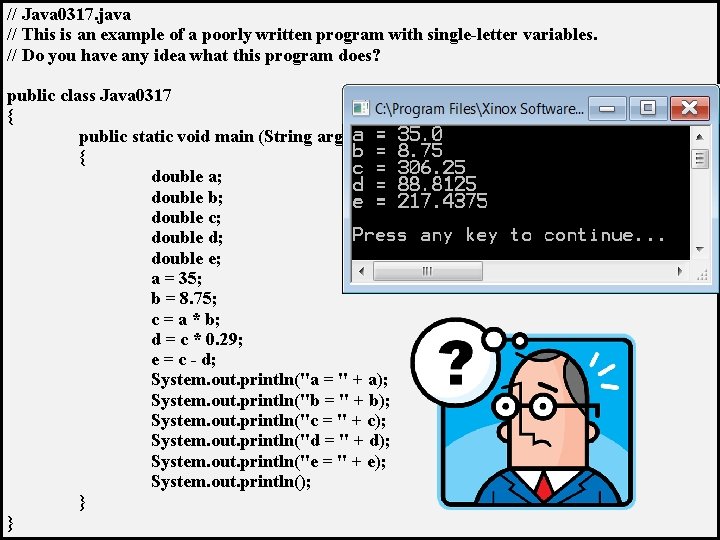
// Java 0317. java // This is an example of a poorly written program with single-letter variables. // Do you have any idea what this program does? public class Java 0317 { public static void main (String args[]) { double a; double b; double c; double d; double e; a = 35; b = 8. 75; c = a * b; d = c * 0. 29; e = c - d; System. out. println("a = " + a); System. out. println("b = " + b); System. out. println("c = " + c); System. out. println("d = " + d); System. out. println("e = " + e); System. out. println(); } }
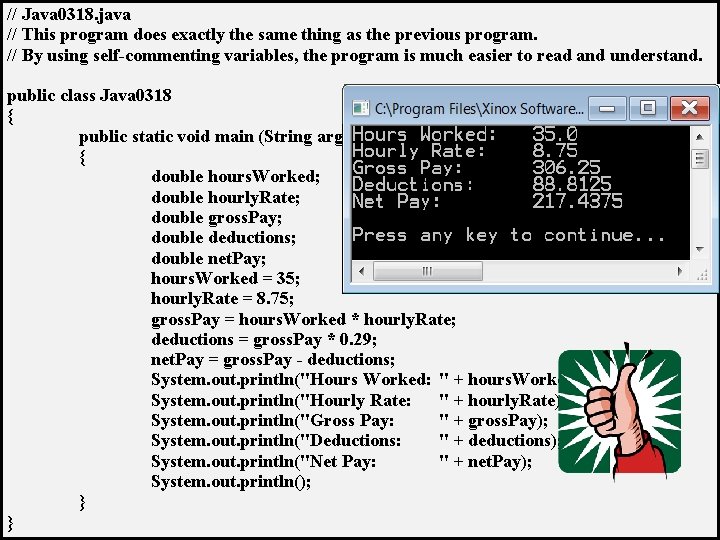
// Java 0318. java // This program does exactly the same thing as the previous program. // By using self-commenting variables, the program is much easier to read and understand. public class Java 0318 { public static void main (String args[]) { double hours. Worked; double hourly. Rate; double gross. Pay; double deductions; double net. Pay; hours. Worked = 35; hourly. Rate = 8. 75; gross. Pay = hours. Worked * hourly. Rate; deductions = gross. Pay * 0. 29; net. Pay = gross. Pay - deductions; System. out. println("Hours Worked: " + hours. Worked); System. out. println("Hourly Rate: " + hourly. Rate); System. out. println("Gross Pay: " + gross. Pay); System. out. println("Deductions: " + deductions); System. out. println("Net Pay: " + net. Pay); System. out. println(); } }
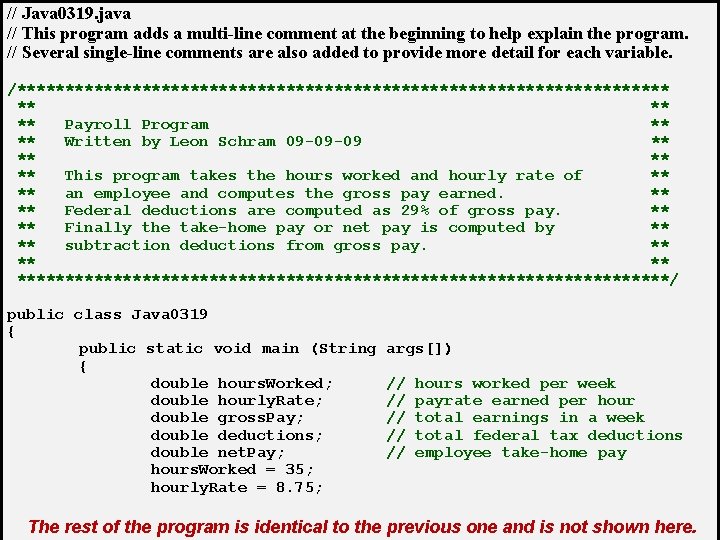
// Java 0319. java // This program adds a multi-line comment at the beginning to help explain the program. // Several single-line comments are also added to provide more detail for each variable. /********************************** ** Payroll Program ** ** Written by Leon Schram 09 -09 -09 ** ** This program takes the hours worked and hourly rate of ** ** an employee and computes the gross pay earned. ** ** Federal deductions are computed as 29% of gross pay. ** ** Finally the take-home pay or net pay is computed by ** ** subtraction deductions from gross pay. ** ***********************************/ public class Java 0319 { public static void main (String { double hours. Worked; double hourly. Rate; double gross. Pay; double deductions; double net. Pay; hours. Worked = 35; hourly. Rate = 8. 75; args[]) // // // hours worked per week payrate earned per hour total earnings in a week total federal tax deductions employee take-home pay The rest of the program is identical to the previous one and is not shown here.
Section 3. 11
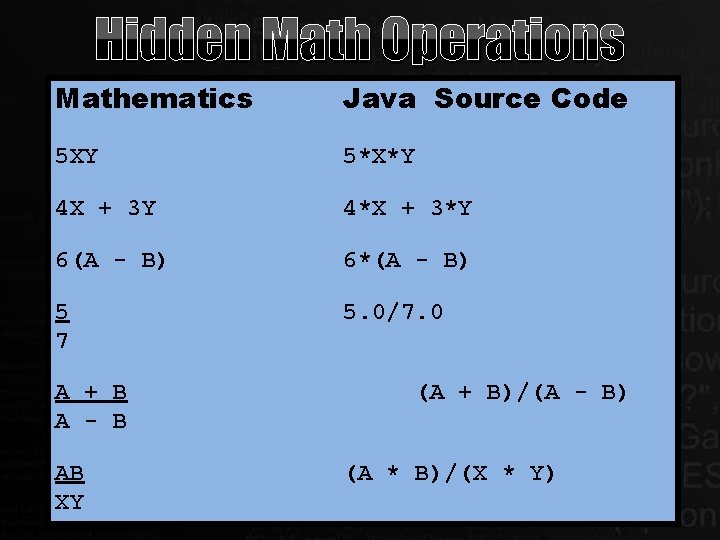
Hidden Math Operations Mathematics Java Source Code 5 XY 5*X*Y 4 X + 3 Y 4*X + 3*Y 6(A - B) 6*(A - B) 5 7 5. 0/7. 0 A + B A - B AB XY (A + B)/(A - B) (A * B)/(X * Y)
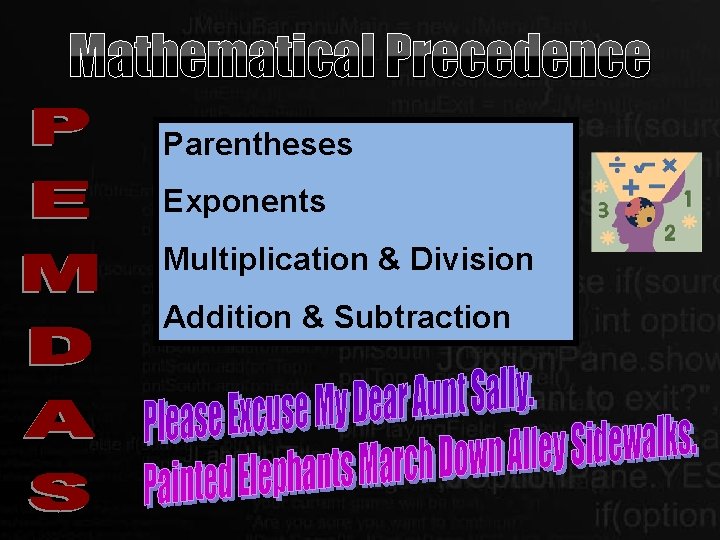
Mathematical Precedence Parentheses Exponents Multiplication & Division Addition & Subtraction
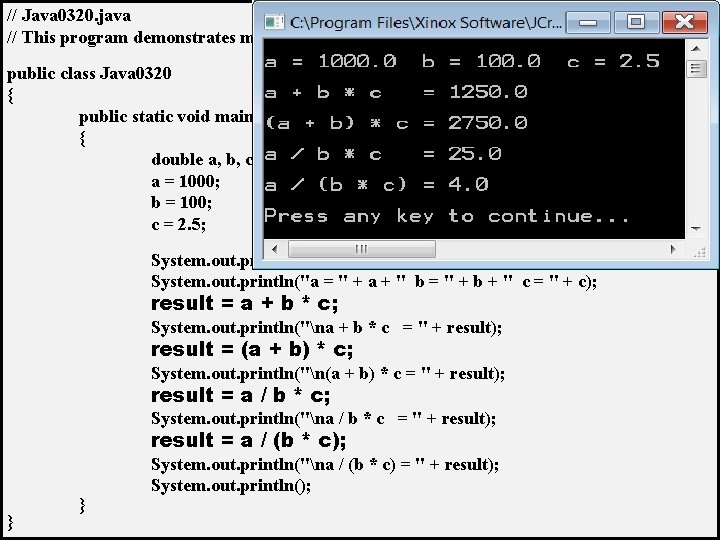
// Java 0320. java // This program demonstrates mathematical precedence in Java operations. public class Java 0320 { public static void main (String args[]) { double a, b, c, result; a = 1000; b = 100; c = 2. 5; System. out. println(); System. out. println("a = " + a + " b = " + b + " c = " + c); result = a + b * c; System. out. println("na + b * c = " + result); result = (a + b) * c; System. out. println("n(a + b) * c = " + result); result = a / b * c; System. out. println("na / b * c = " + result); result = a / (b * c); } } System. out. println("na / (b * c) = " + result); System. out. println();
Section 3. 12
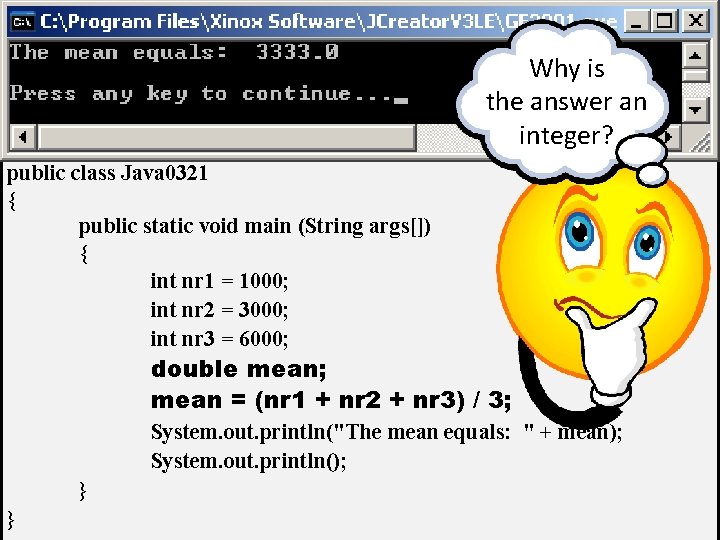
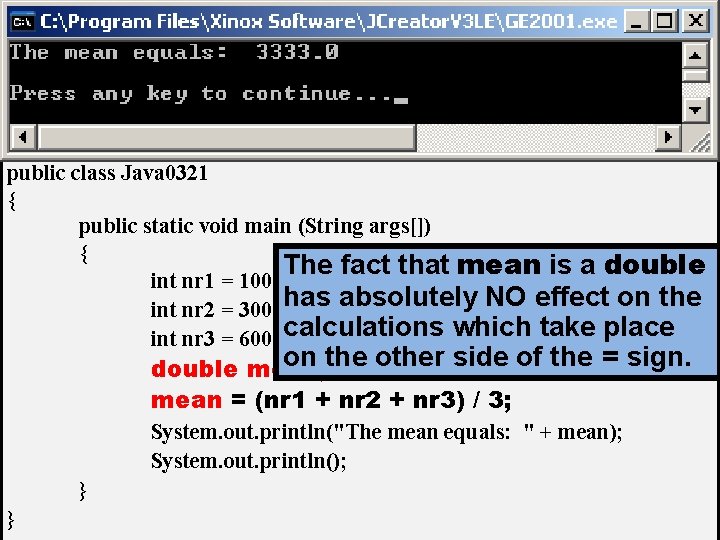
// Java 0321. java // This program demonstrates that the intended computation may not be Why is // performed by Java. The expression on the right side of the assignment the on answer // operator is performed without knowledge of the type the leftan side. integer? public class Java 0321 { public static void main (String args[]) { int nr 1 = 1000; int nr 2 = 3000; int nr 3 = 6000; double mean; mean = (nr 1 + nr 2 + nr 3) / 3; System. out. println("The mean equals: " + mean); System. out. println(); } }
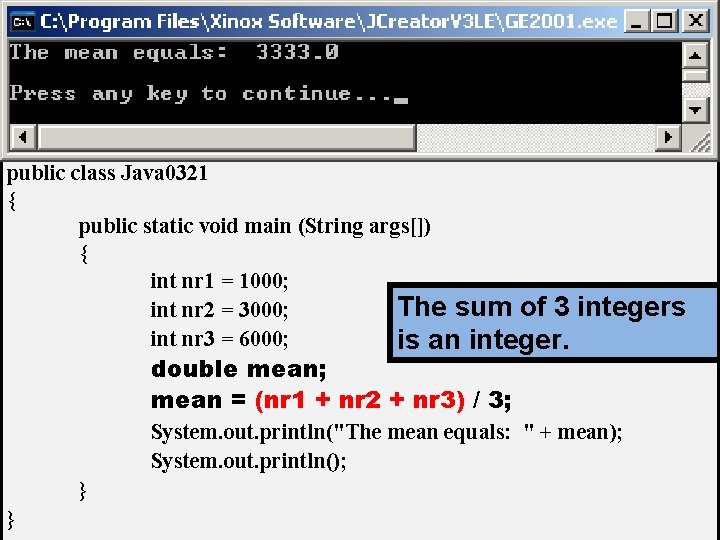
// Java 0321. java // This program demonstrates that the intended computation may not be // performed by Java. The expression on the right side of the assignment // operator is performed without knowledge of the type on the left side. public class Java 0321 { public static void main (String args[]) { int nr 1 = 1000; The sum of 3 int nr 2 = 3000; int nr 3 = 6000; is an integers double mean; mean = (nr 1 + nr 2 + nr 3) / 3; System. out. println("The mean equals: " + mean); System. out. println(); } }
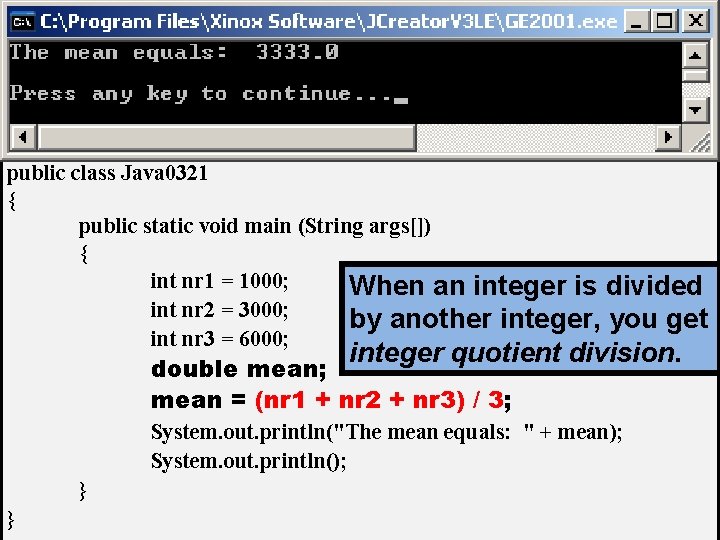
// Java 0321. java // This program demonstrates that the intended computation may not be // performed by Java. The expression on the right side of the assignment // operator is performed without knowledge of the type on the left side. public class Java 0321 { public static void main (String args[]) { int nr 1 = 1000; When an integer is divided int nr 2 = 3000; by another integer, you get int nr 3 = 6000; integer quotient division. double mean; mean = (nr 1 + nr 2 + nr 3) / 3; System. out. println("The mean equals: " + mean); System. out. println(); } }
// Java 0321. java // This program demonstrates that the intended computation may not be // performed by Java. The expression on the right side of the assignment // operator is performed without knowledge of the type on the left side. public class Java 0321 { public static void main (String args[]) { The fact that mean is a double int nr 1 = 1000; has absolutely NO effect on the int nr 2 = 3000; int nr 3 = 6000; calculations which take place on the other side of the = sign. double mean; mean = (nr 1 + nr 2 + nr 3) / 3; System. out. println("The mean equals: " + mean); System. out. println(); } }
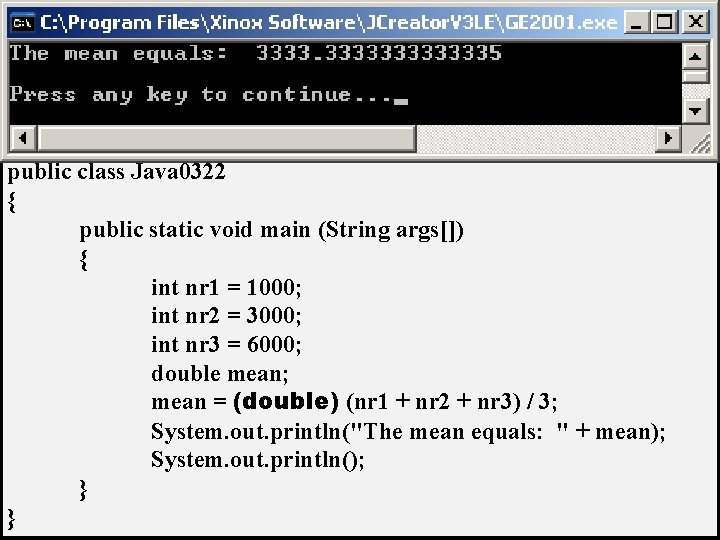
// Java 0322. java // This program corrects the logic error of Java 0321. java. // Type casting is used to "force" real number quotient division. public class Java 0322 { public static void main (String args[]) { int nr 1 = 1000; int nr 2 = 3000; int nr 3 = 6000; double mean; mean = (double) (nr 1 + nr 2 + nr 3) / 3; System. out. println("The mean equals: " + mean); System. out. println(); } }
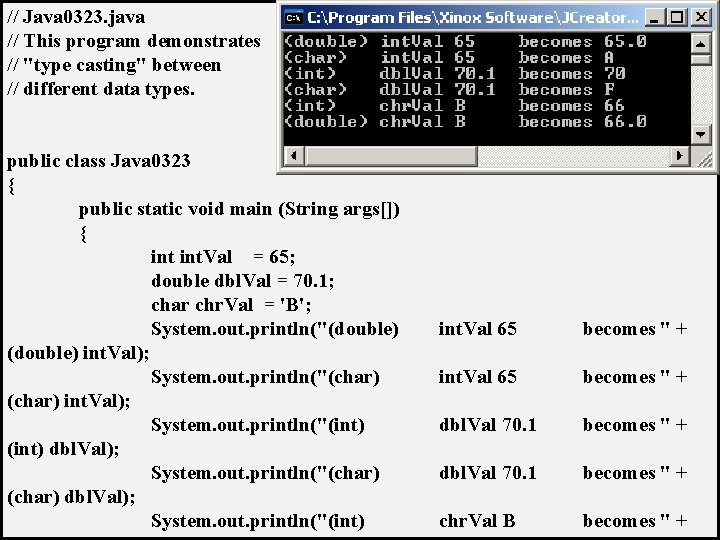
// Java 0323. java // This program demonstrates // "type casting" between // different data types. public class Java 0323 { public static void main (String args[]) { int. Val = 65; double dbl. Val = 70. 1; char chr. Val = 'B'; System. out. println("(double) int. Val); System. out. println("(char) int. Val); System. out. println("(int) dbl. Val); System. out. println("(char) dbl. Val); System. out. println("(int) int. Val 65 becomes " + dbl. Val 70. 1 becomes " + chr. Val B becomes " +
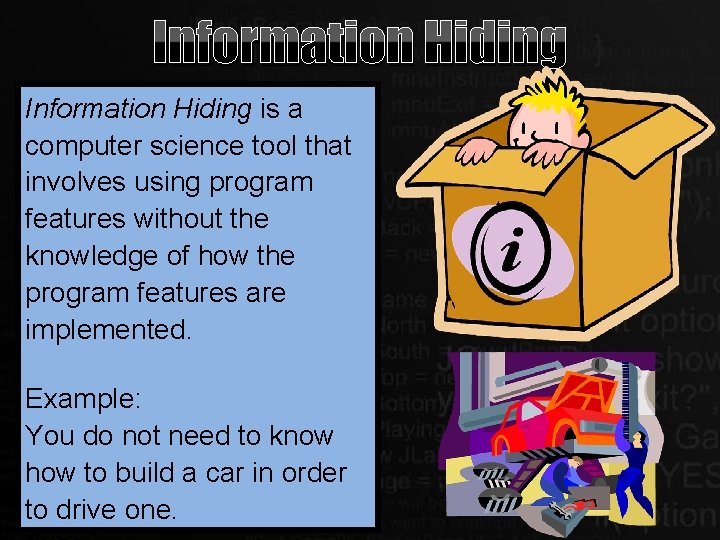
Information Hiding is a computer science tool that involves using program features without the knowledge of how the program features are implemented. Example: You do not need to know how to build a car in order to drive one.