
Exponential Logarithmic Functions Chapter Composite Functions Section Composite









- Slides: 59
Exponential & Logarithmic Functions Chapter: ___
Composite Functions Section: ____
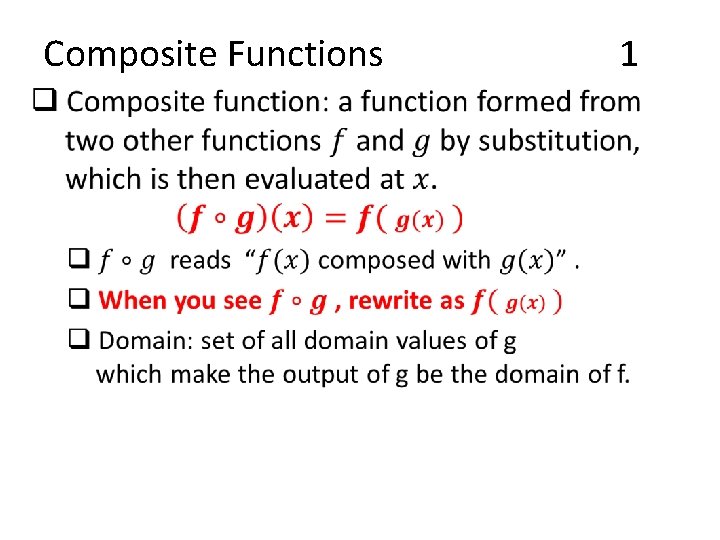
Composite Functions • 1
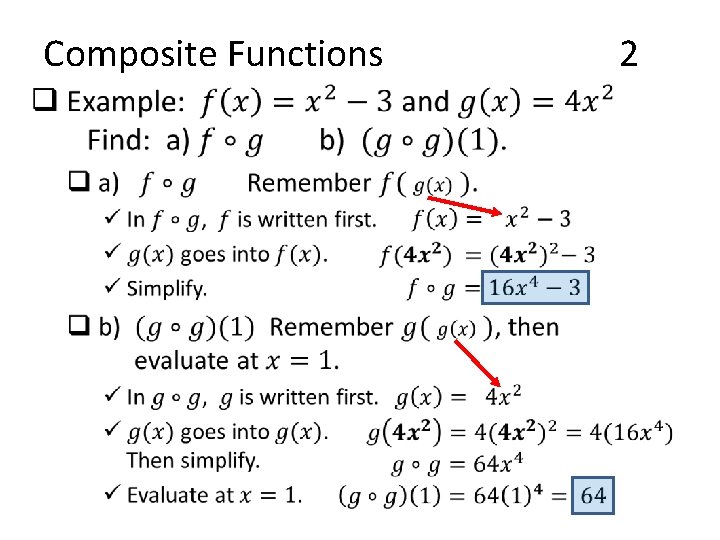
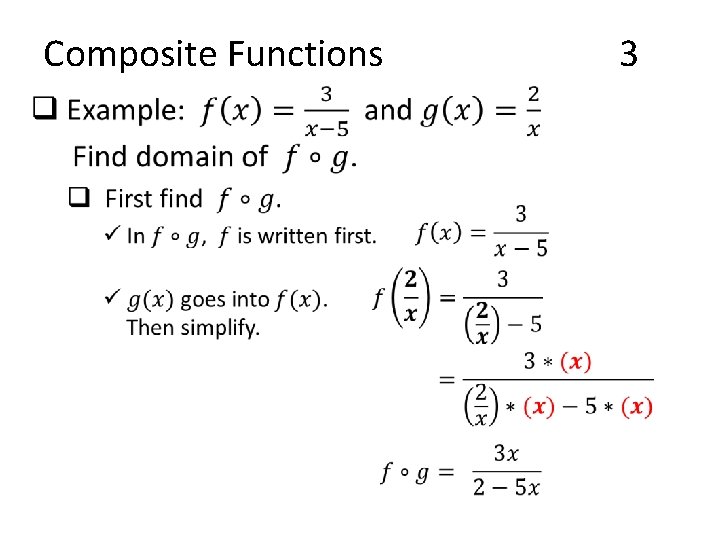
Composite Functions • 2
Composite Functions • 3
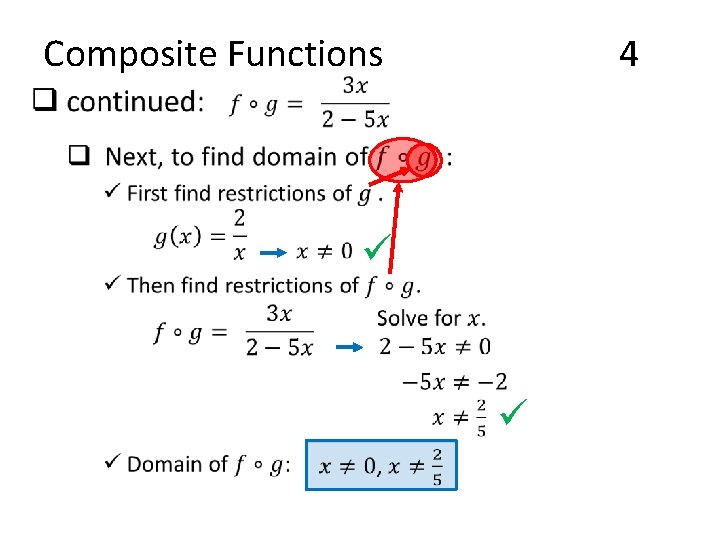
Composite Functions 4 • ü ü
Inverse Functions Section: ____
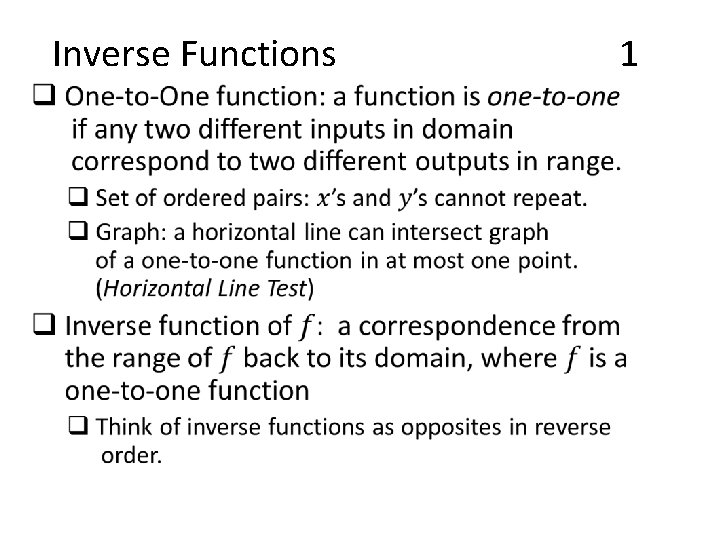
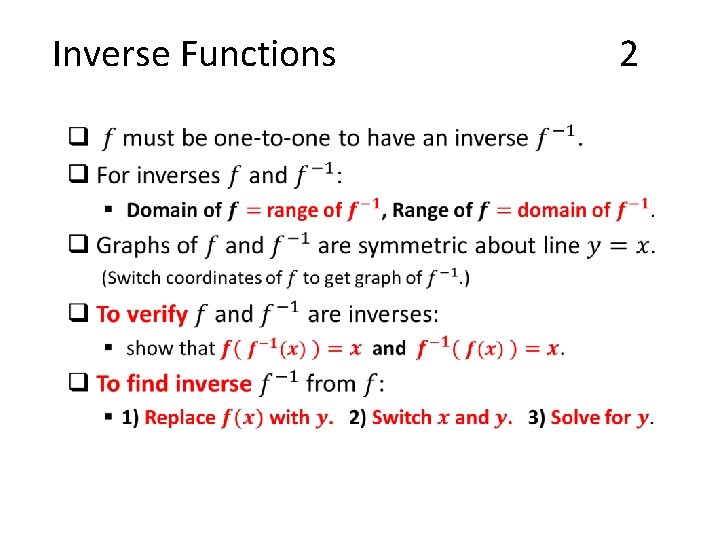
Inverse Functions • 1
Inverse Functions • 2
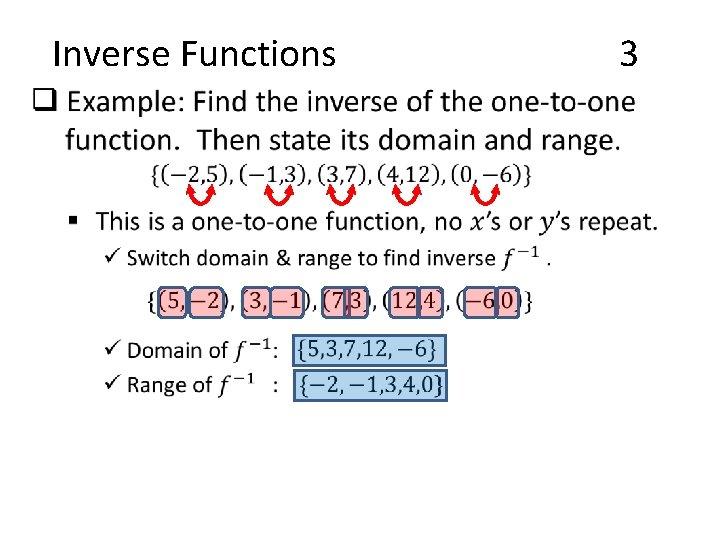
Inverse Functions • 3
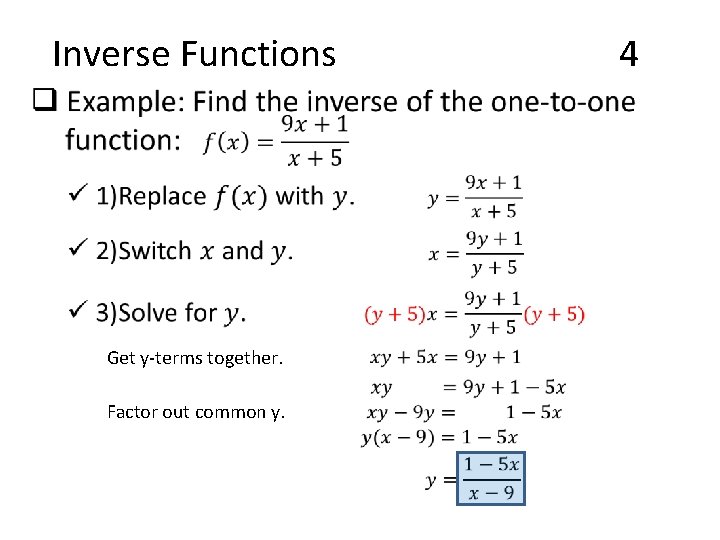
Inverse Functions • Get y-terms together. Factor out common y. 4
Exponential Functions Section: ____
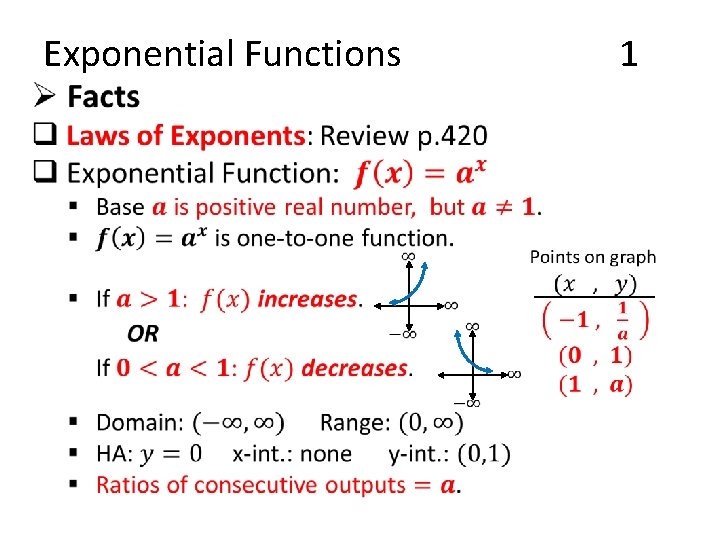
Exponential Functions • 1
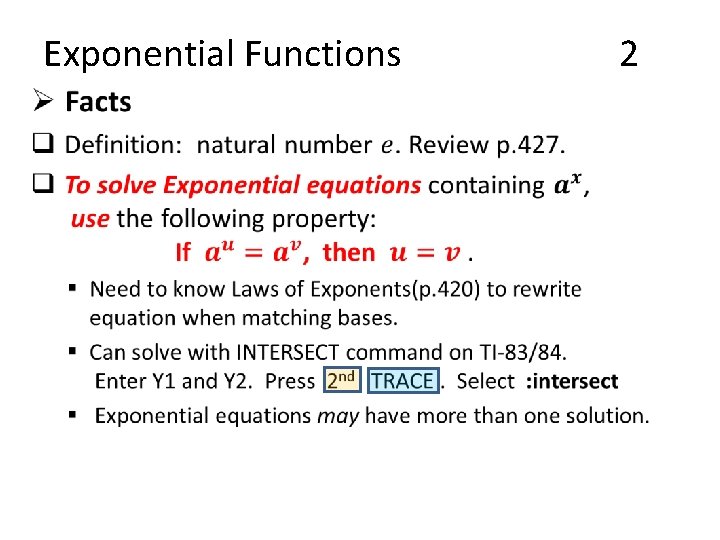
Exponential Functions • 2
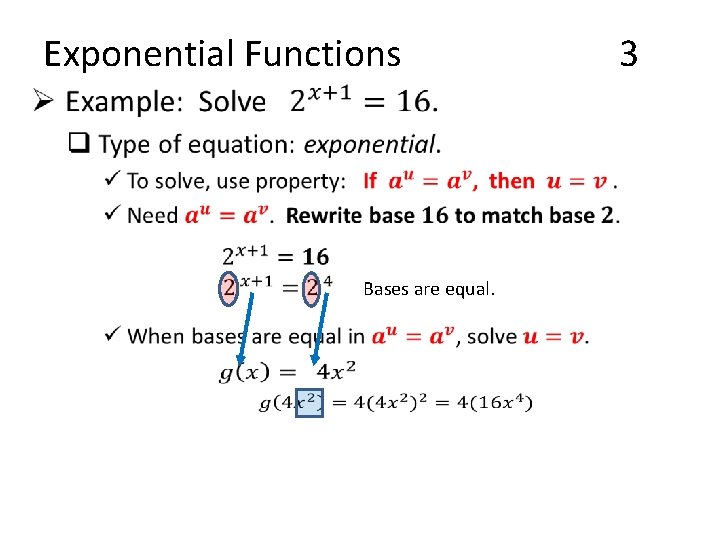
Exponential Functions • Bases are equal. 3
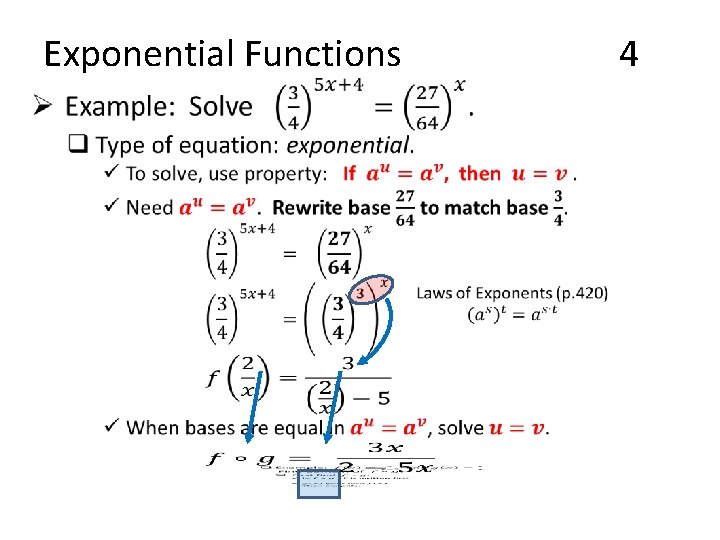
Exponential Functions • 4
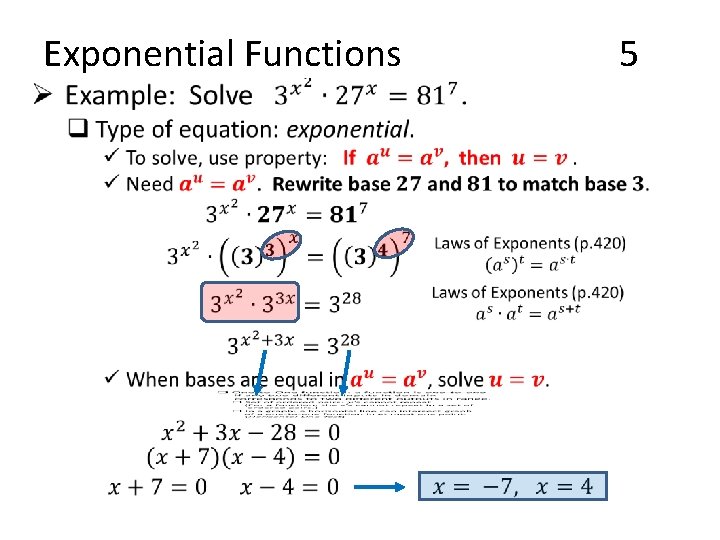
Exponential Functions • 5
Logarithmic Functions Section: ____
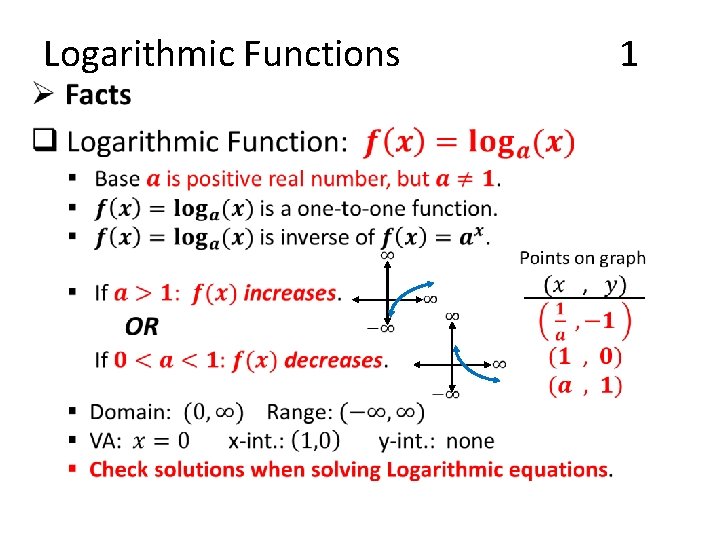
Logarithmic Functions • 1
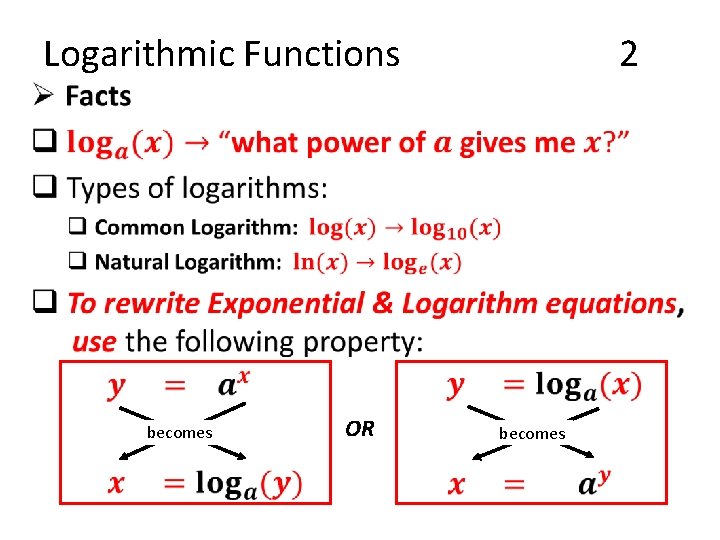
• Logarithmic Functions becomes OR 2 becomes
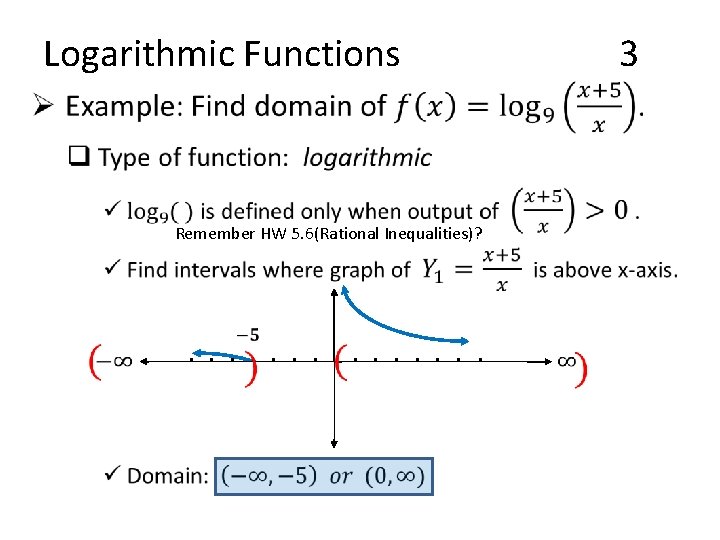
• Logarithmic Functions Remember HW 5. 6(Rational Inequalities)? 3
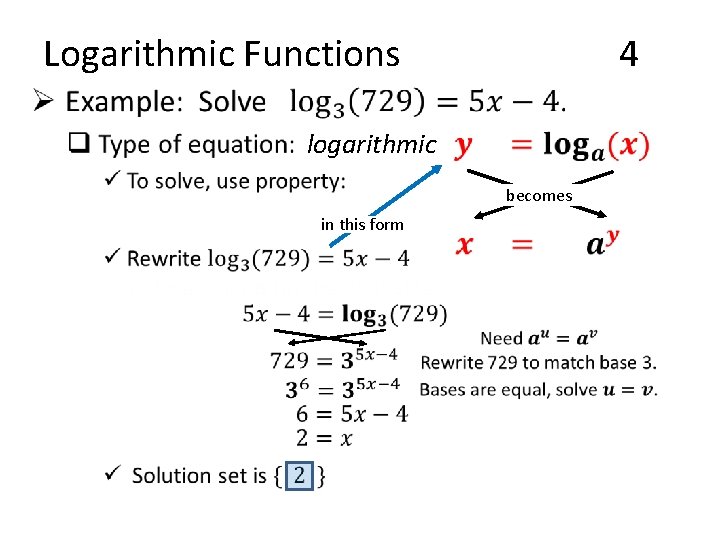
Logarithmic Functions 4 • logarithmic becomes in this form
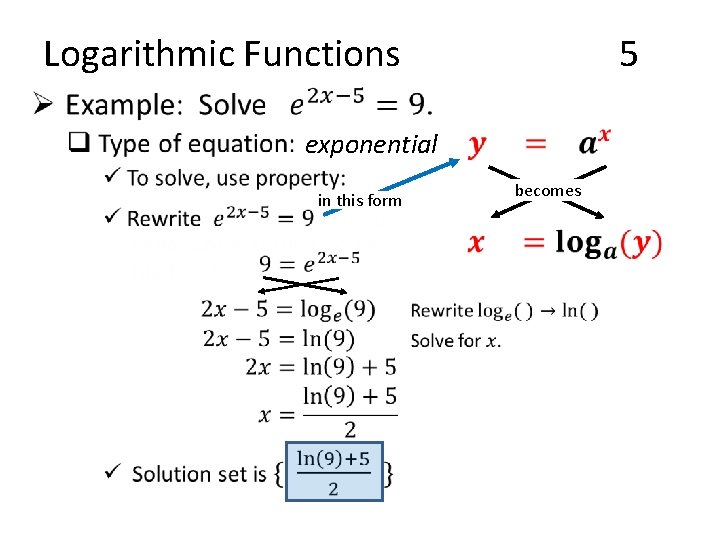
Logarithmic Functions 5 • exponential in this form becomes
Properties of Logarithms Section: ____
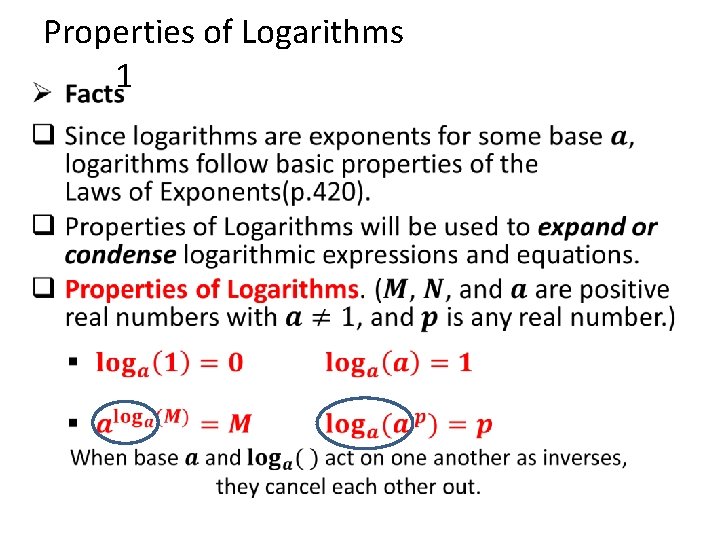
• Properties of Logarithms 1
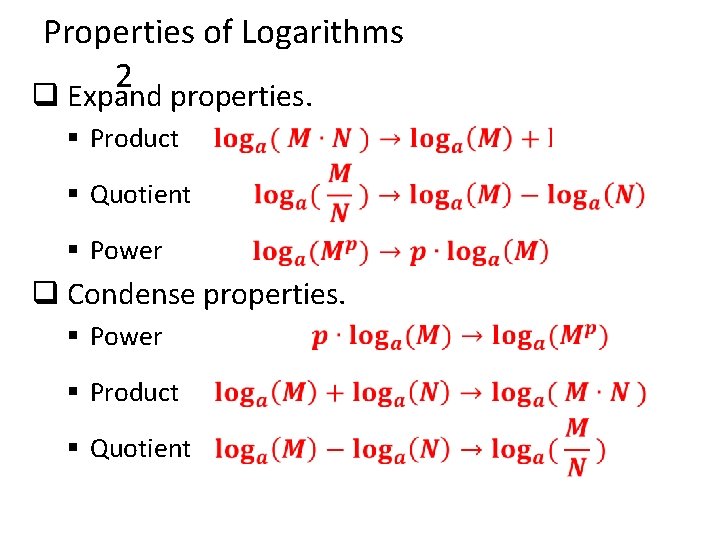
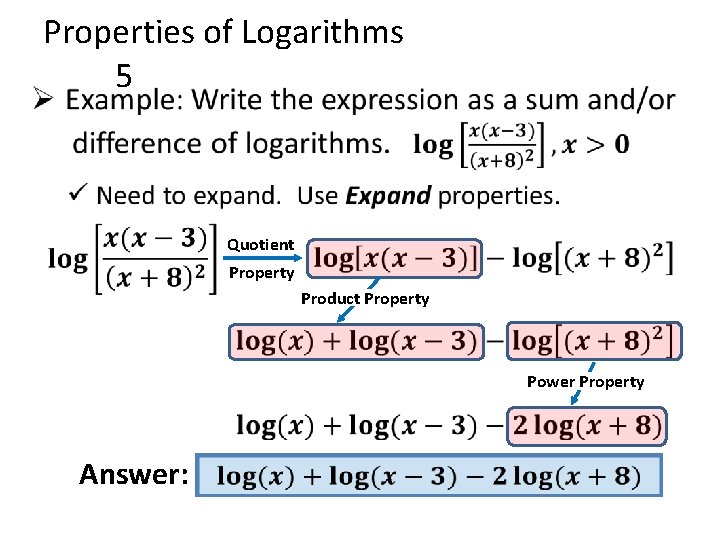
Properties of Logarithms 2 q Expand properties. § Product § Quotient § Power q Condense properties. § Power § Product § Quotient
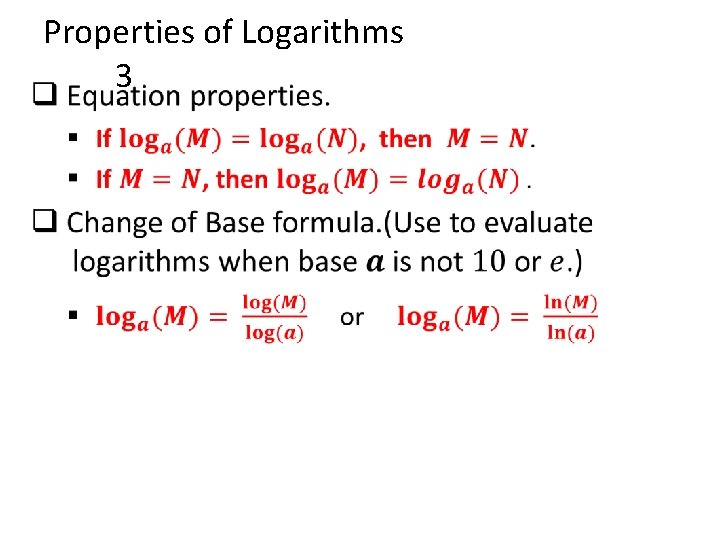
• Properties of Logarithms 3
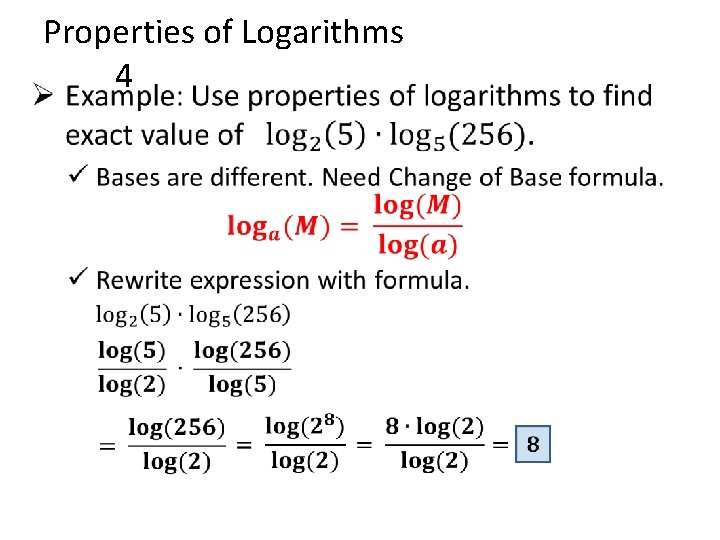
• Properties of Logarithms 4
• Properties of Logarithms 5 Quotient Property Product Property Power Property Answer:
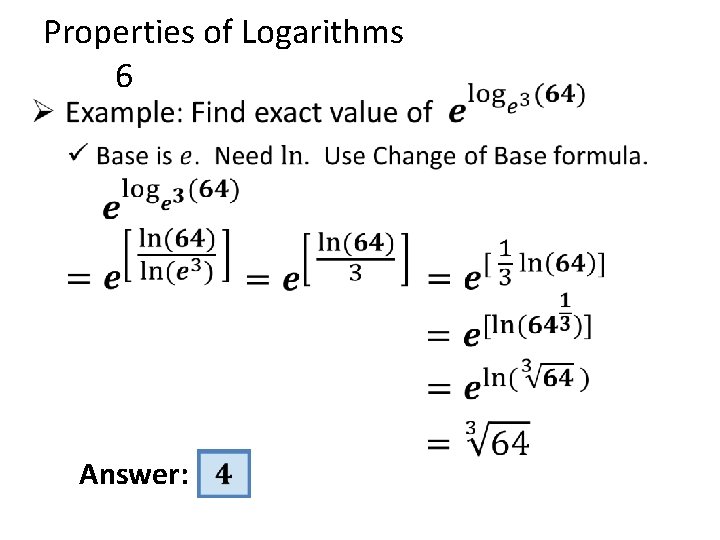
• Properties of Logarithms 6 Answer:
Solving Exponential & Logarithmic Equations Section: ____
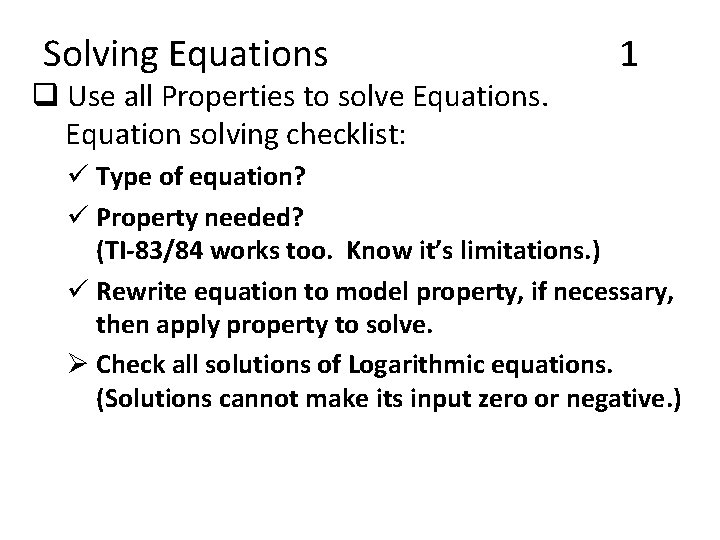
Solving Equations q Use all Properties to solve Equations. Equation solving checklist: 1 ü Type of equation? ü Property needed? (TI-83/84 works too. Know it’s limitations. ) ü Rewrite equation to model property, if necessary, then apply property to solve. Ø Check all solutions of Logarithmic equations. (Solutions cannot make its input zero or negative. )
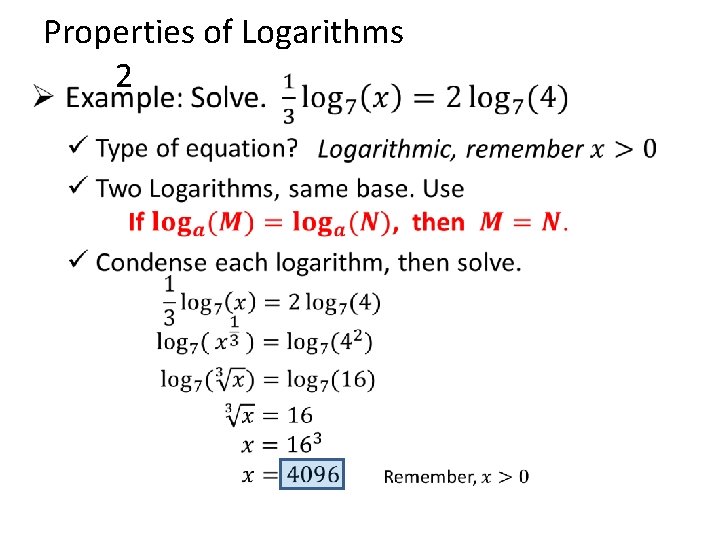
Properties of Logarithms 2 •
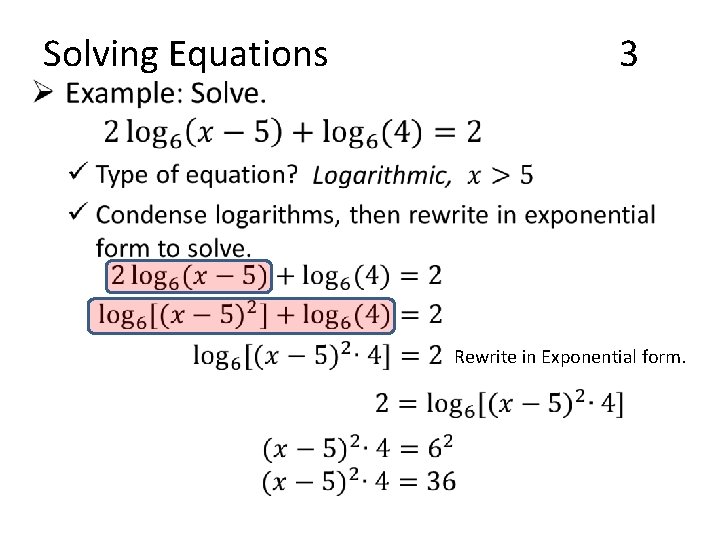
• Solving Equations 3 Rewrite in Exponential form.
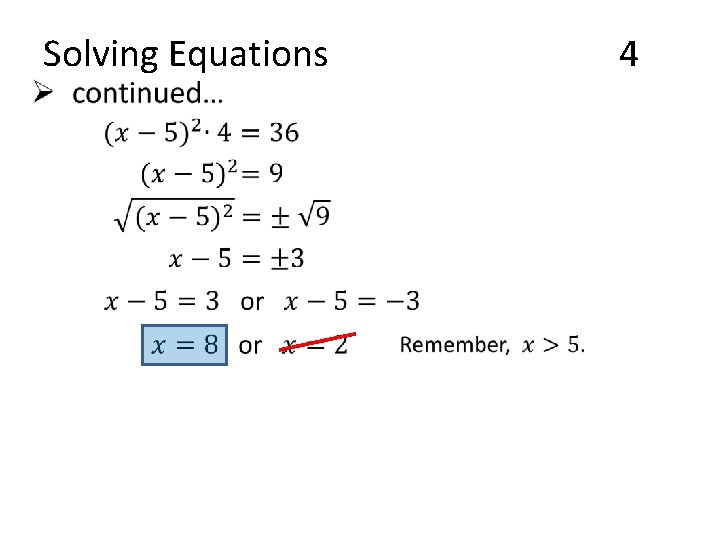
• Solving Equations 4
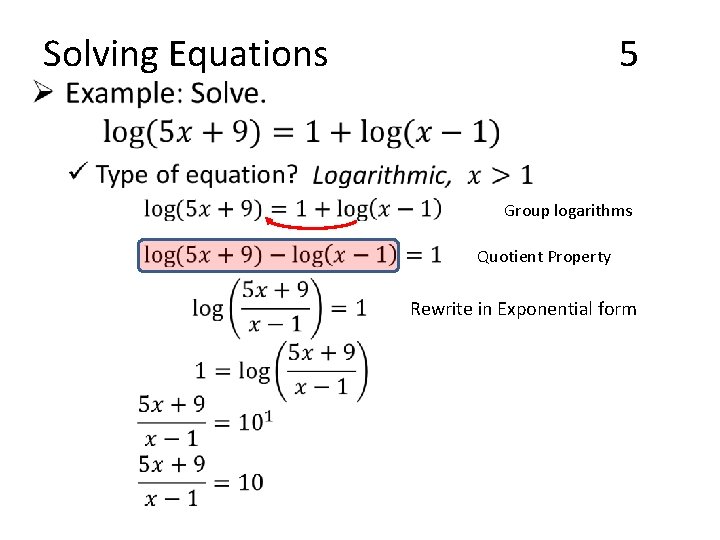
• Solving Equations 5 Group logarithms Quotient Property Rewrite in Exponential form
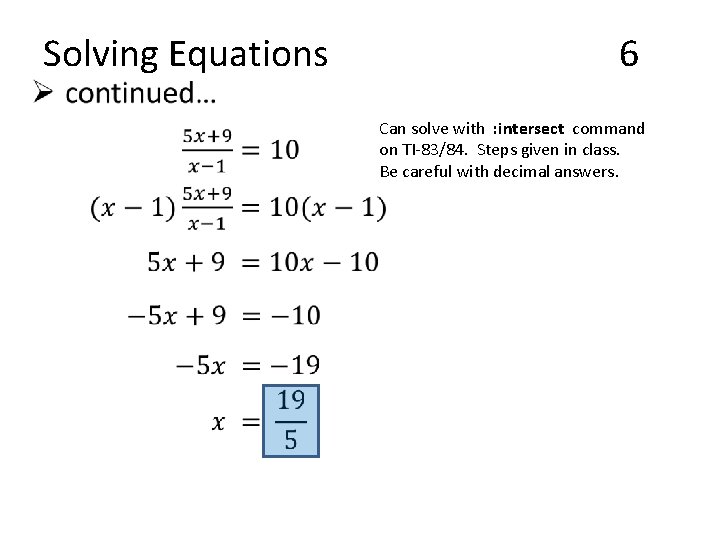
• Solving Equations 6 Can solve with : intersect command on TI-83/84. Steps given in class. Be careful with decimal answers.
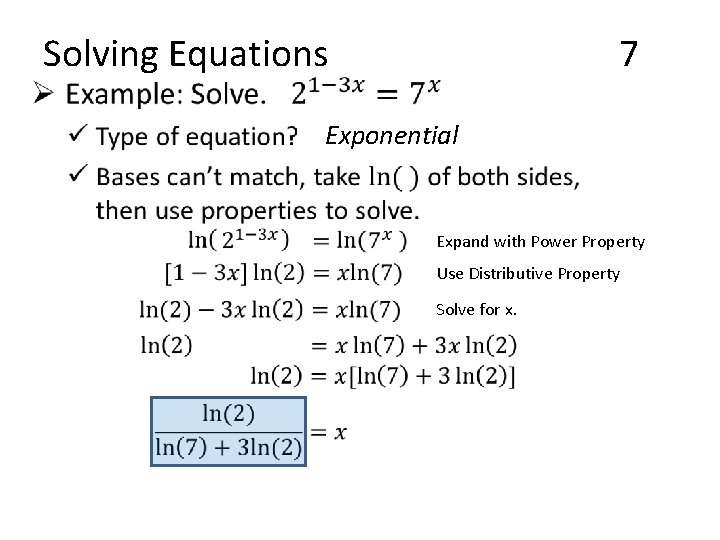
• Solving Equations 7 Exponential Expand with Power Property Use Distributive Property Solve for x.
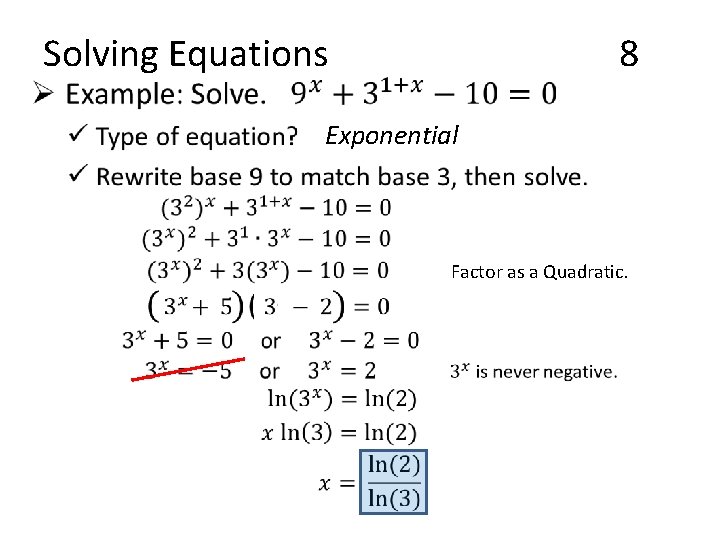
• Solving Equations 8 Exponential Factor as a Quadratic.
Finance Models Section: ____
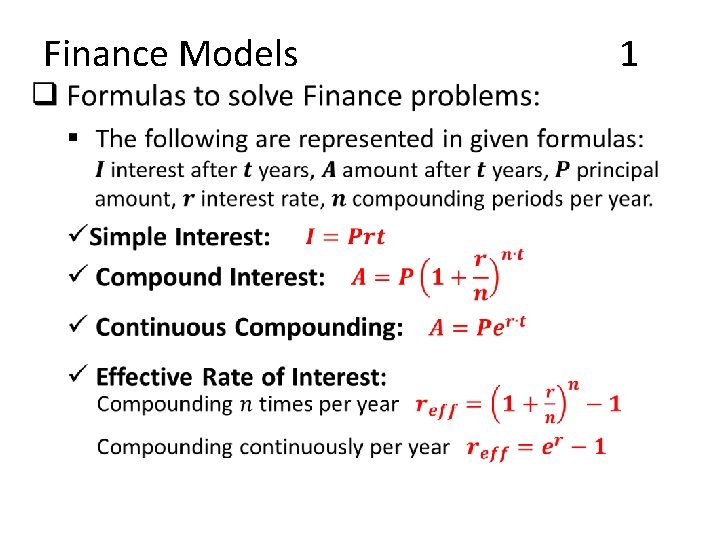
• Finance Models 1
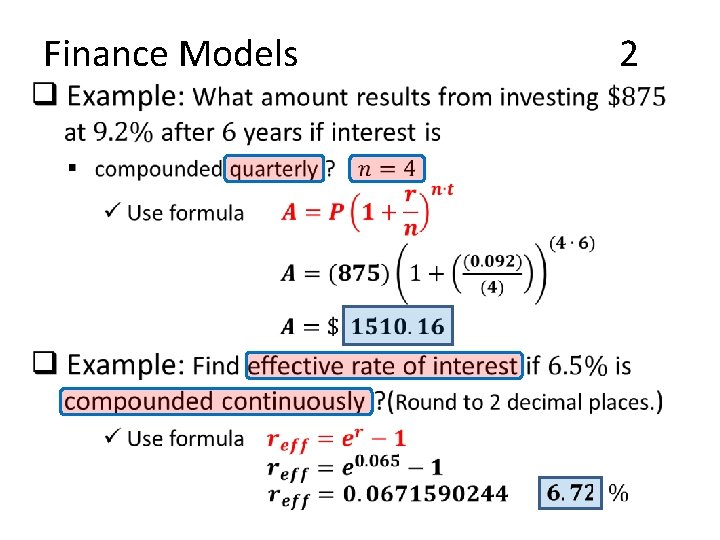
• Finance Models 2
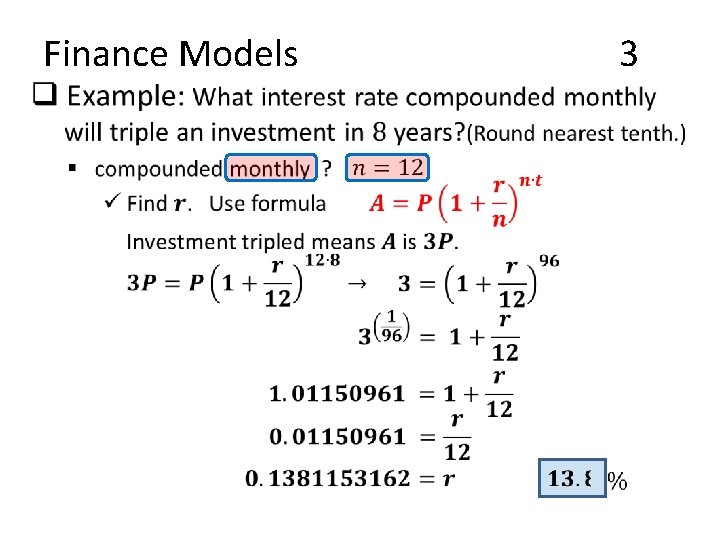
• Finance Models 3
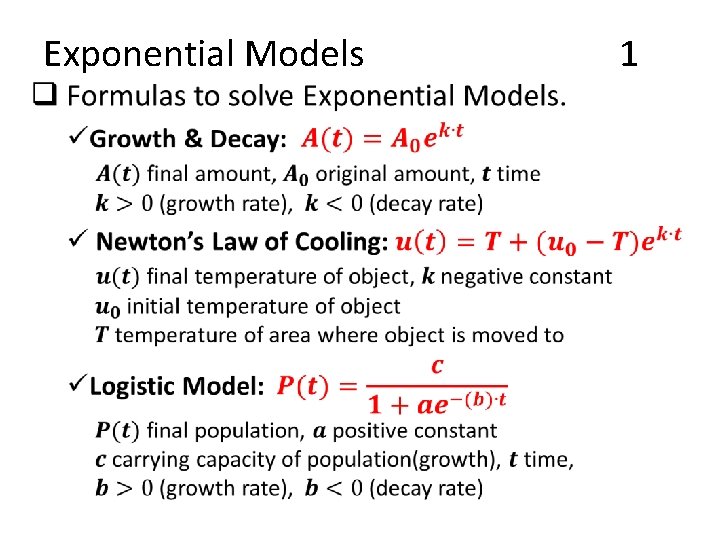
• Exponential Models 1
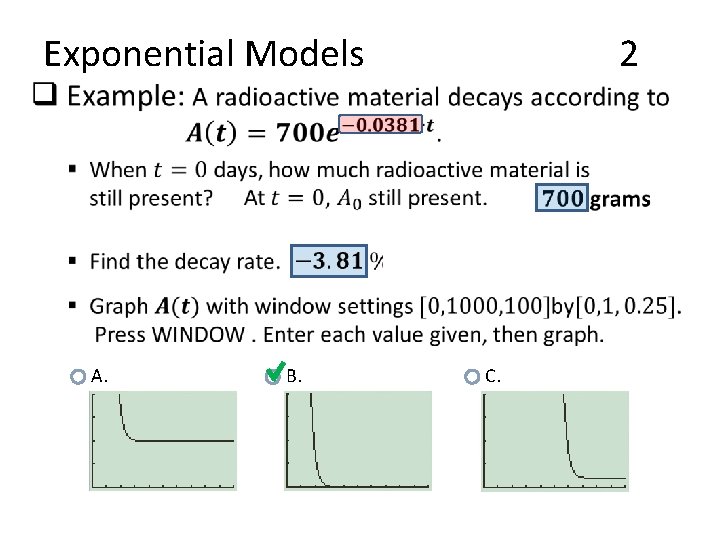
• Exponential Models A. B. 2 C.
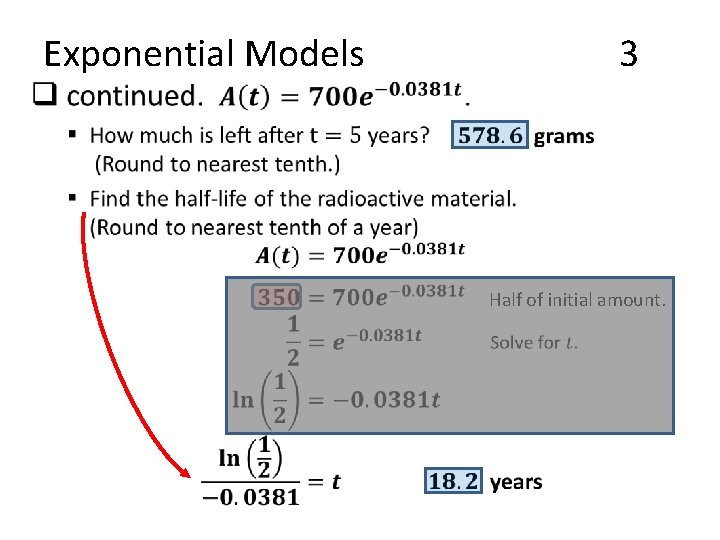
• Exponential Models 3 Half of initial amount.
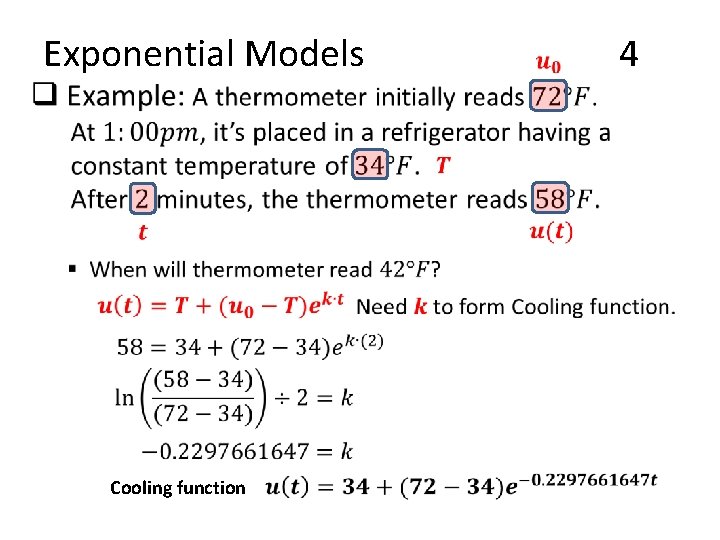
• Exponential Models Cooling function 4
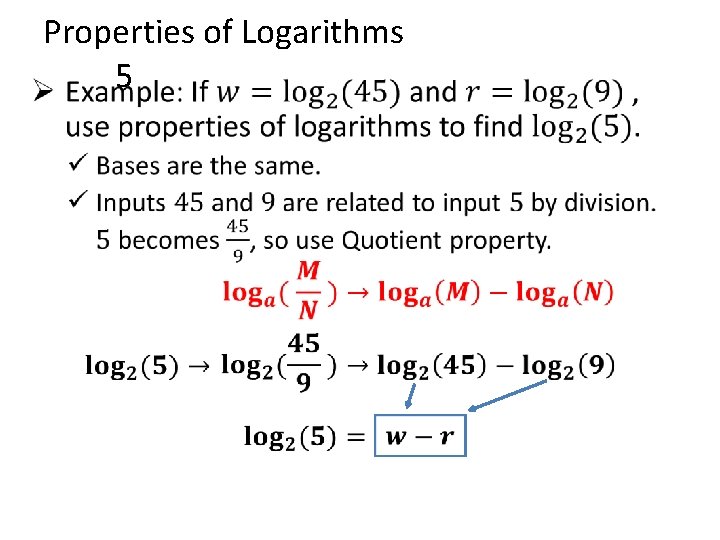
• Properties of Logarithms 5
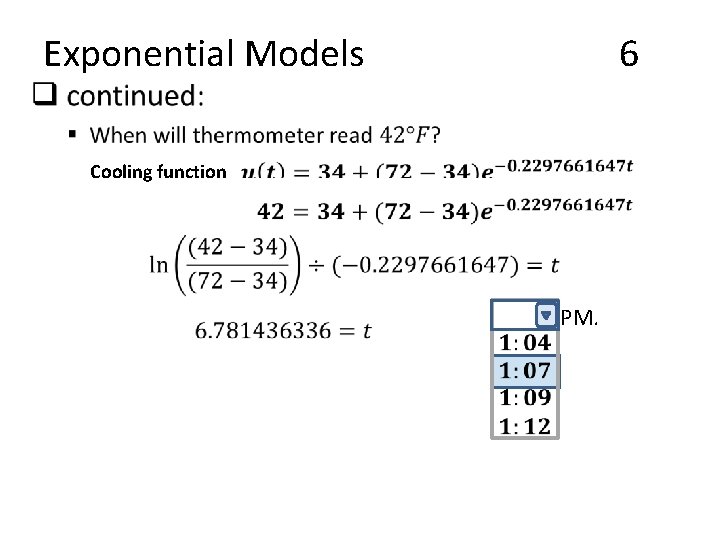
• Exponential Models 6 Cooling function PM.
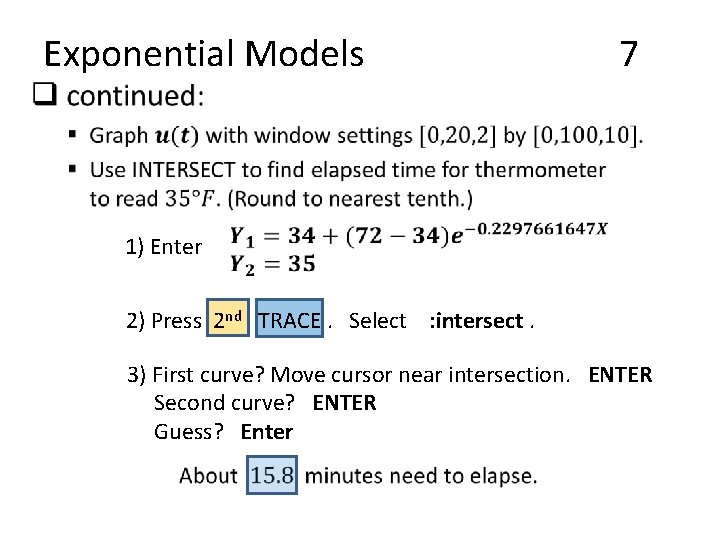
• Exponential Models 7 1) Enter 2) Press 2 nd TRACE. Select : intersect. 3) First curve? Move cursor near intersection. ENTER Second curve? ENTER Guess? Enter