
Exploring Microsoft Word Chapter 6 Creating a Home
- Slides: 25
Exploring Microsoft Word Chapter 6 Creating a Home Page and Web Site By Robert T. Grauer Maryann Barber Exploring Microsoft Office XP - Microsoft Word 2002 Chapter 6 1
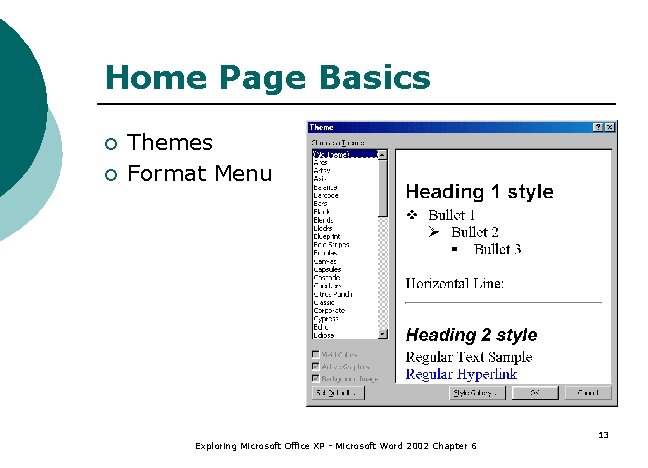
Objectives (1 of 2) ¡ ¡ Define HTML and its role on the World Wide Web; describe HTML codes and explain how they control the appearance of a Web document. Use the Insert Hyperlink command to include hyperlinks, bookmarks, and/or an e-mail address in a Word document. Use the Save As Web page command to convert a Word document to HTML. Use the Format Theme command to enhance the appearance of a Web document. Exploring Microsoft Office XP - Microsoft Word 2002 Chapter 6 2
Objectives (2 of 2) ¡ ¡ Use an FTP program to upload a document to a Web server; add a Web page to the catalog of a search engine. Explain how to view the HTML codes from within Internet Explorer; describe the use of the Telnet program that is built into Windows. Use the Web Page Wizard to create a Web site with multiple pages. Explain how the use of frames and/or bookmarks facilitates navigation between multiple documents. Exploring Microsoft Office XP - Microsoft Word 2002 Chapter 6 3
Overview ¡ Create your own Home Page ¡ Knowledge of HTML needed ¡ HTML document consists of text, graphics and codes ¡ Shows you how to create your home page using Word ¡ Include graphics, formatting effects, and links ¡ Use the FTP capability in Office XP ¡ Use the Web Page Wizard Exploring Microsoft Office XP - Microsoft Word 2002 Chapter 6 4
<title> Home P Introduction to HTML ¡ ¡ ¡ ¡ ¡ Hypertext Markup Language (HTML) HTML tags Save As Web Page Command Hyperlink Insert Hyperlink command Theme Bookmark Browser Graphics Exploring Microsoft Office XP - Microsoft Word 2002 Chapter 6 5
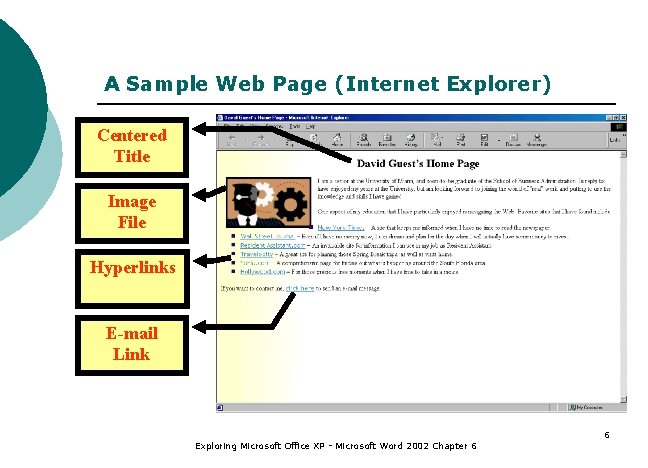
A Sample Web Page (Internet Explorer) Centered Title Image File Hyperlinks E-mail Link Exploring Microsoft Office XP - Microsoft Word 2002 Chapter 6 6
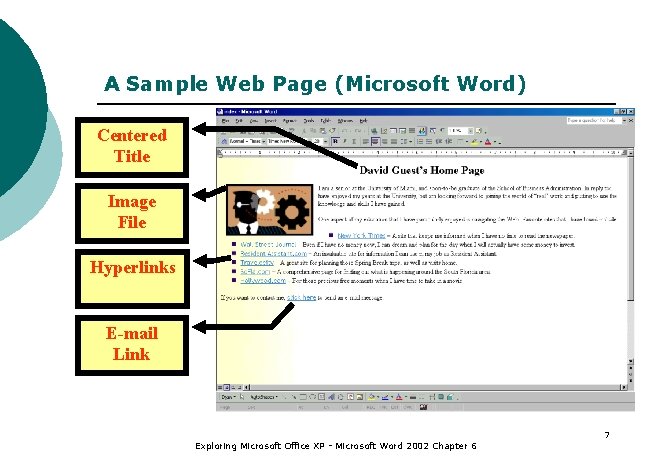
A Sample Web Page (Microsoft Word) Centered Title Image File Hyperlinks E-mail Link Exploring Microsoft Office XP - Microsoft Word 2002 Chapter 6 7
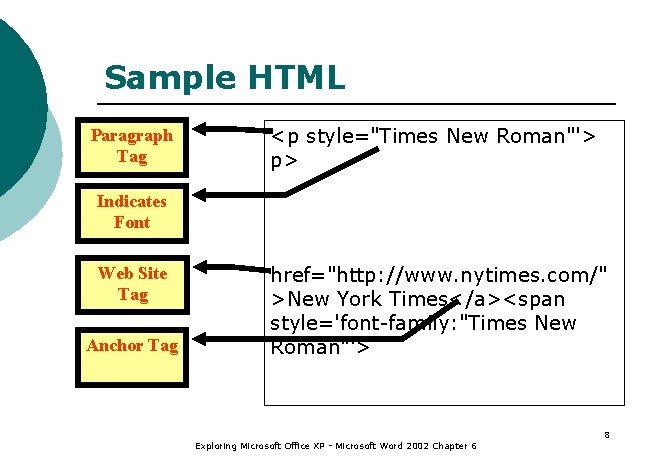
Sample HTML Paragraph Tag <p style="Times New Roman"'> p> Indicates Font Web Site Tag Anchor Tag href="http: //www. nytimes. com/" >New York Times</a><span style='font-family: "Times New Roman"'> Exploring Microsoft Office XP - Microsoft Word 2002 Chapter 6 8
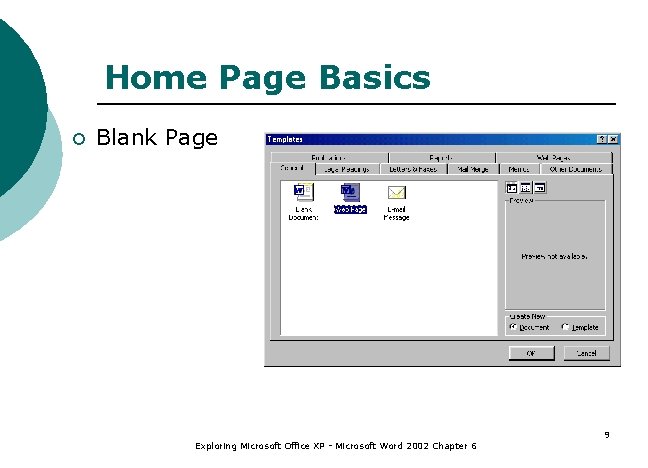
Home Page Basics ¡ Blank Page Exploring Microsoft Office XP - Microsoft Word 2002 Chapter 6 9
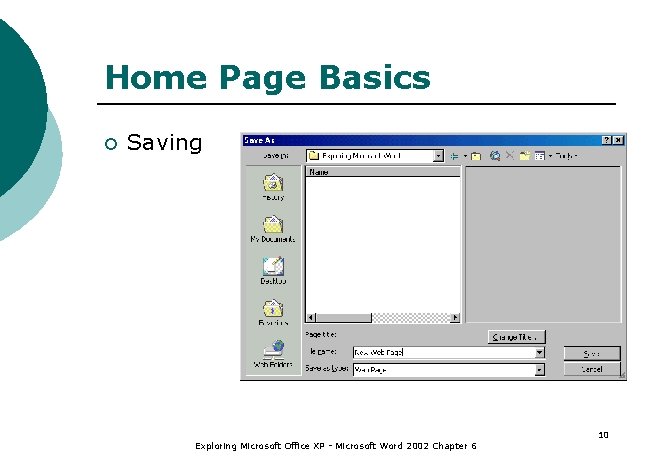
Home Page Basics ¡ Saving Exploring Microsoft Office XP - Microsoft Word 2002 Chapter 6 10
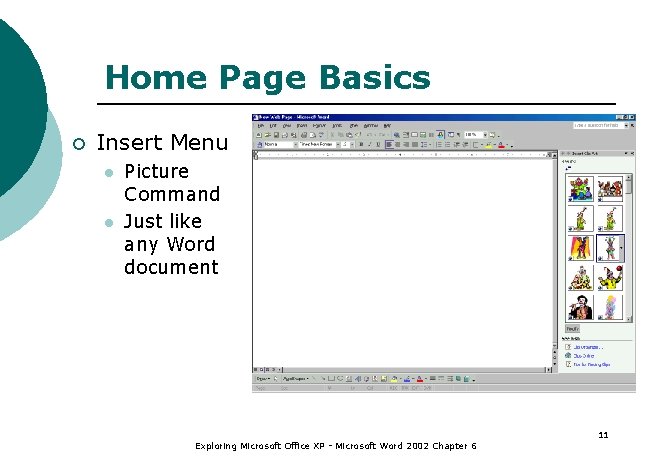
Home Page Basics ¡ Insert Menu l l Picture Command Just like any Word document Exploring Microsoft Office XP - Microsoft Word 2002 Chapter 6 11
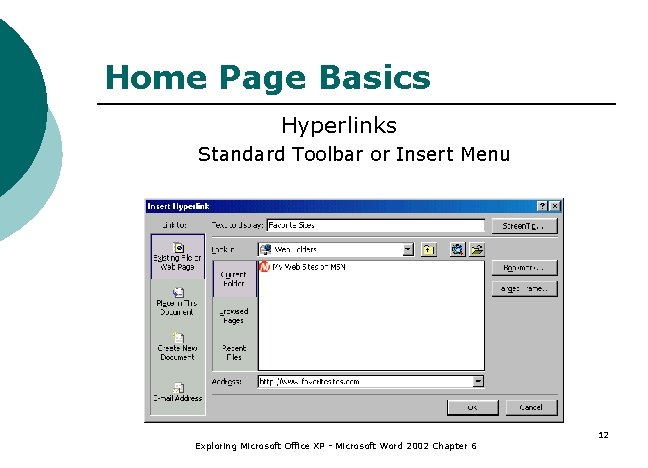
Home Page Basics Hyperlinks Standard Toolbar or Insert Menu Exploring Microsoft Office XP - Microsoft Word 2002 Chapter 6 12
Home Page Basics ¡ ¡ Themes Format Menu Exploring Microsoft Office XP - Microsoft Word 2002 Chapter 6 13
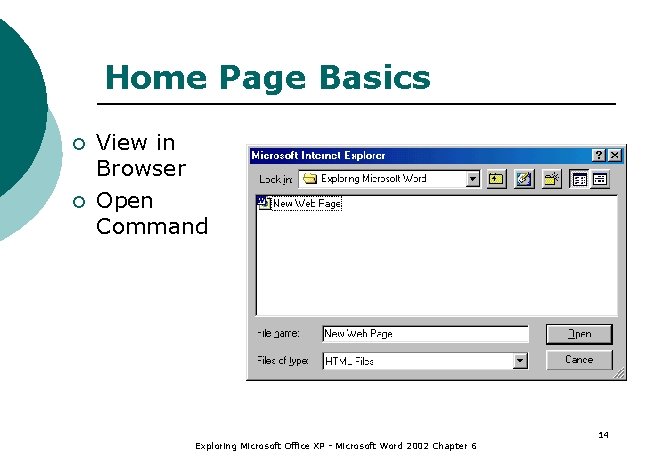
Home Page Basics ¡ ¡ View in Browser Open Command Exploring Microsoft Office XP - Microsoft Word 2002 Chapter 6 14
File Transfer Protocol (FTP) ¡ Need FTP Program l ¡ ¡ ¡ Try Shareware Upload Files Terminal Session Telnet Session Exploring Microsoft Office XP - Microsoft Word 2002 Chapter 6 15
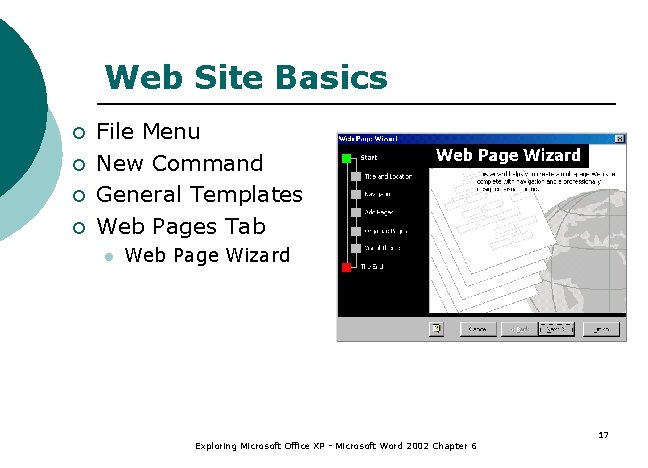
Creating a Web Site ¡ ¡ ¡ Frames Bookmark Web Page Wizard l l l File Menu New Command Follow Instructions Exploring Microsoft Office XP - Microsoft Word 2002 Chapter 6 16
Web Site Basics ¡ ¡ File Menu New Command General Templates Web Pages Tab l Web Page Wizard Exploring Microsoft Office XP - Microsoft Word 2002 Chapter 6 17
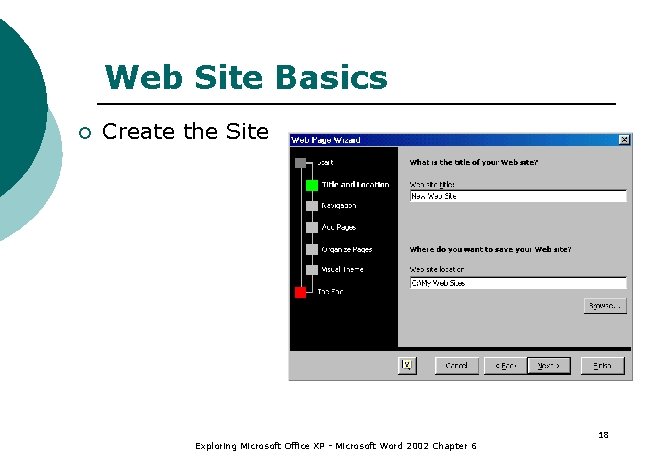
Web Site Basics ¡ Create the Site Exploring Microsoft Office XP - Microsoft Word 2002 Chapter 6 18
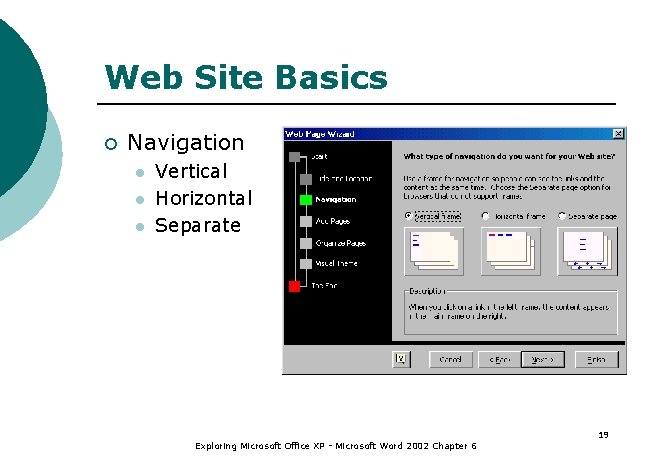
Web Site Basics ¡ Navigation l l l Vertical Horizontal Separate Exploring Microsoft Office XP - Microsoft Word 2002 Chapter 6 19
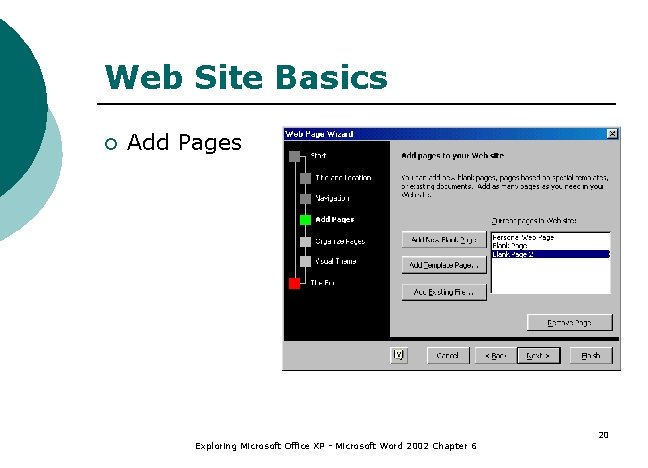
Web Site Basics ¡ Add Pages Exploring Microsoft Office XP - Microsoft Word 2002 Chapter 6 20
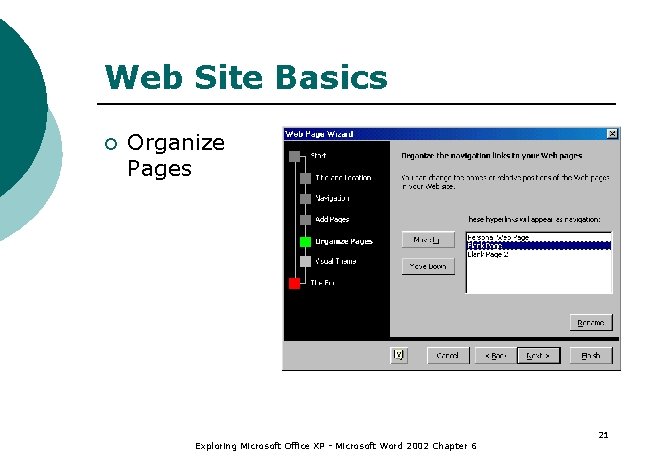
Web Site Basics ¡ Organize Pages Exploring Microsoft Office XP - Microsoft Word 2002 Chapter 6 21
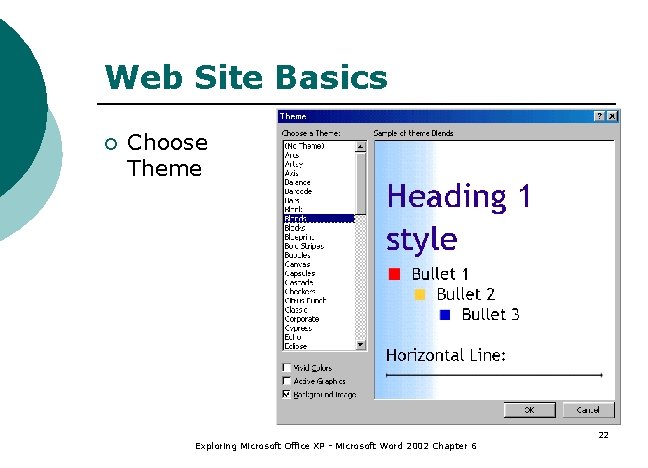
Web Site Basics ¡ Choose Theme Exploring Microsoft Office XP - Microsoft Word 2002 Chapter 6 22
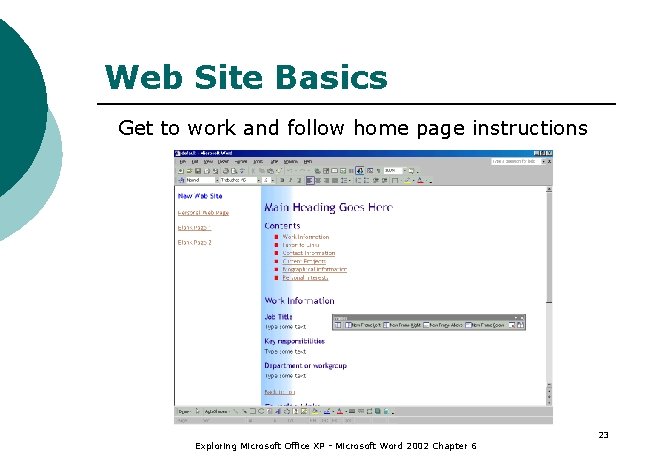
Web Site Basics Get to work and follow home page instructions Exploring Microsoft Office XP - Microsoft Word 2002 Chapter 6 23
Summary (1 of 2) ¡ Hypertext Markup Language (HTML) is the language used to create a Web page. ¡ HTML consists of codes that control the appearance of the document. ¡ Use Word to create your document save as a Web page to convert to HTML. Exploring Microsoft Office XP - Microsoft Word 2002 Chapter 6 24
Summary (2 of 2) ¡ Insert Hyperlinks to link to other web documents. ¡ Insert clip art and graphics. ¡ Use FTP to upload Web pages. ¡ Create a Web site using the Web Page Wizard. Exploring Microsoft Office XP - Microsoft Word 2002 Chapter 6 25