
Exploring Microsoft Word 2003 Chapter 3 Enhancing a

- Slides: 35
Exploring Microsoft Word 2003 Chapter 3: Enhancing a Document: The Web and Other Resources Robert Grauer and Maryann Barber Committed to Shaping the Next Generation of IT Experts. Exploring Word 2003 - Grauer and Barber 1
Objectives (1 of 2) n n n Insert Clip art and/or a photograph into a document Display/hide the Picture toolbar; use the crop tool as appropriate Use the Format Picture command to wrap text around clip art Use Word. Art to insert decorative text into a document Download resources from the Web for inclusion in a Word document Exploring Word 2003 - Grauer and Barber 2
Objectives (2 of 2) n n n Insert a footnote or endnote Insert a hyperlink into a document Save a Word document as a Web page Use wizards and templates to create a document Use the Mail Merge Wizard to create a set of form letters Exploring Word 2003 - Grauer and Barber 3
Case Study: From Donuts to Bagels The opening case study focuses on designing a marketing flyer for a campus bagel shop. The case study describes how your instructor has asked a group of his students to develop a colorful document advertising for a special on bagels, along with the bagel shop’s address, telephone number, and more. Students are asked to use Word. Art, clip art, and other drawing features. Exploring Word 2003 - Grauer and Barber 4
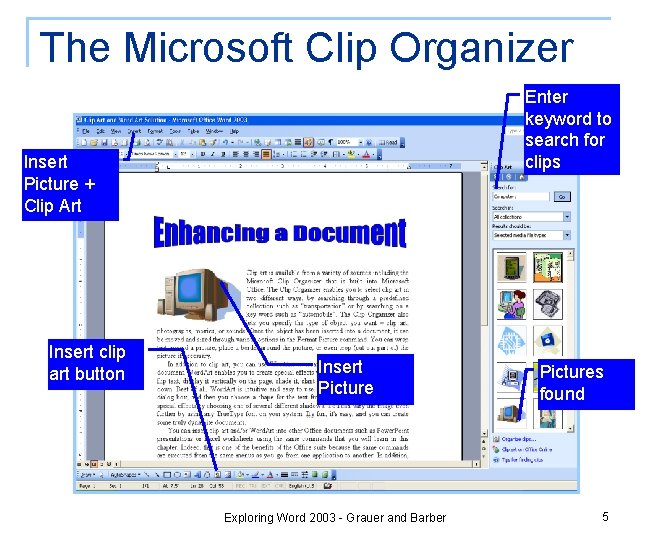
The Microsoft Clip Organizer Enter keyword to search for clips Insert Picture + Clip Art Insert clip art button Insert Picture Exploring Word 2003 - Grauer and Barber Pictures found 5
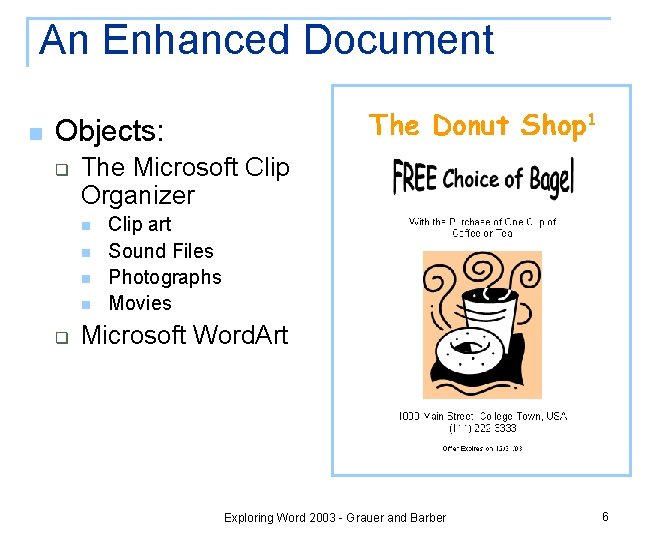
An Enhanced Document n Objects: q The Microsoft Clip Organizer n n q Clip art Sound Files Photographs Movies Microsoft Word. Art Exploring Word 2003 - Grauer and Barber 6
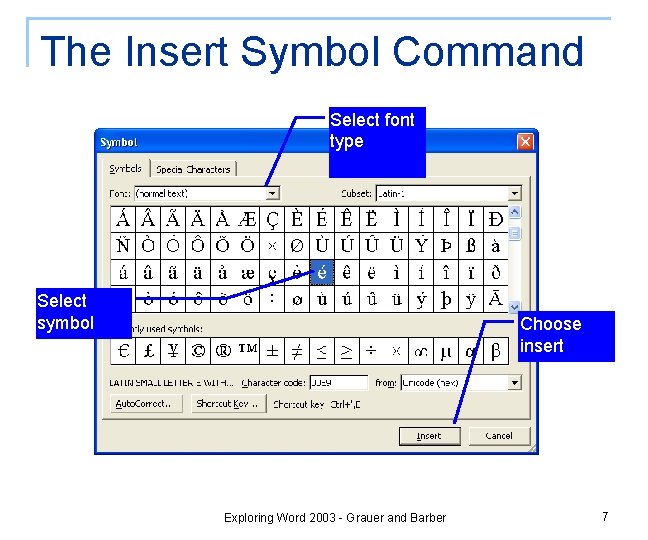
The Insert Symbol Command Select font type Select symbol Choose insert Exploring Word 2003 - Grauer and Barber 7
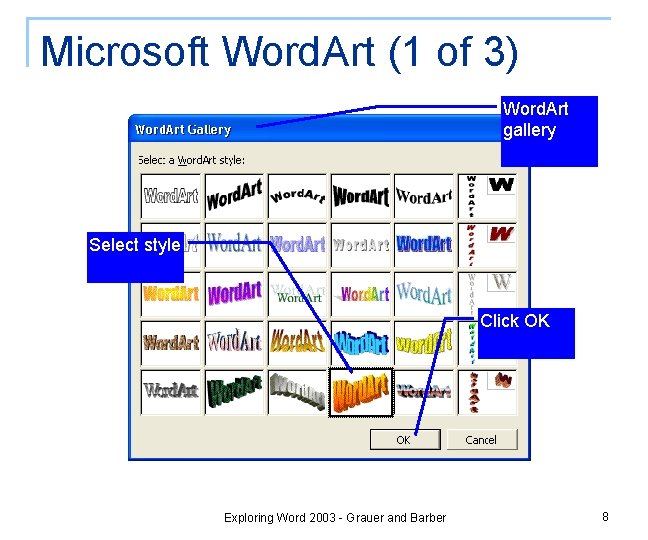
Microsoft Word. Art (1 of 3) Word. Art gallery Select style Click OK Exploring Word 2003 - Grauer and Barber 8
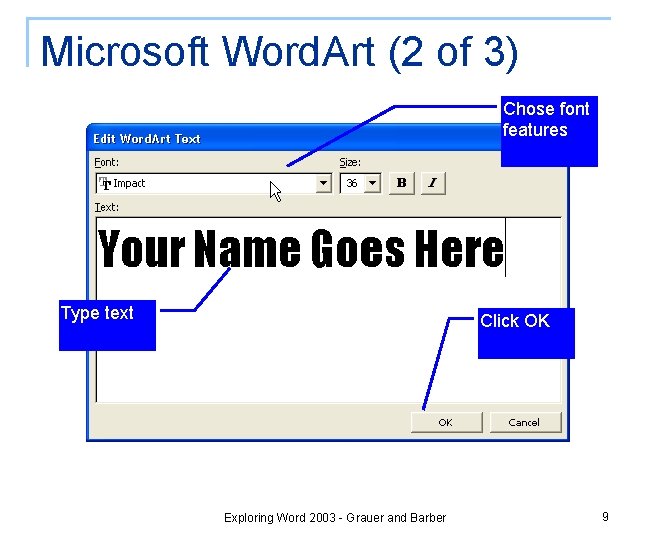
Microsoft Word. Art (2 of 3) Chose font features Type text Click OK Exploring Word 2003 - Grauer and Barber 9
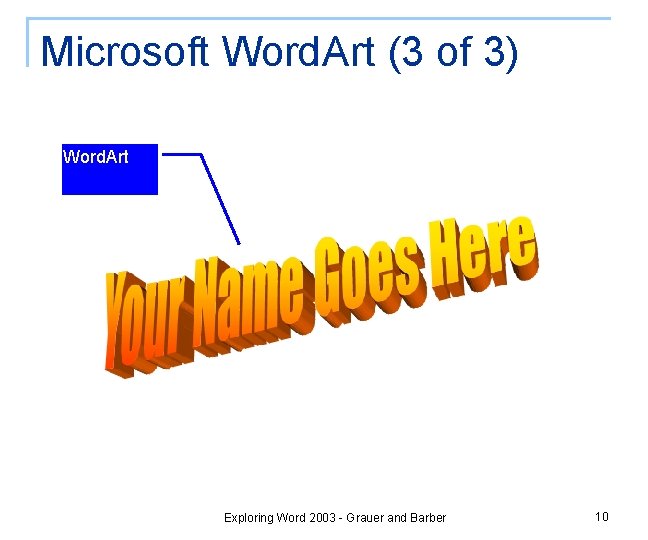
Microsoft Word. Art (3 of 3) Word. Art Exploring Word 2003 - Grauer and Barber 10
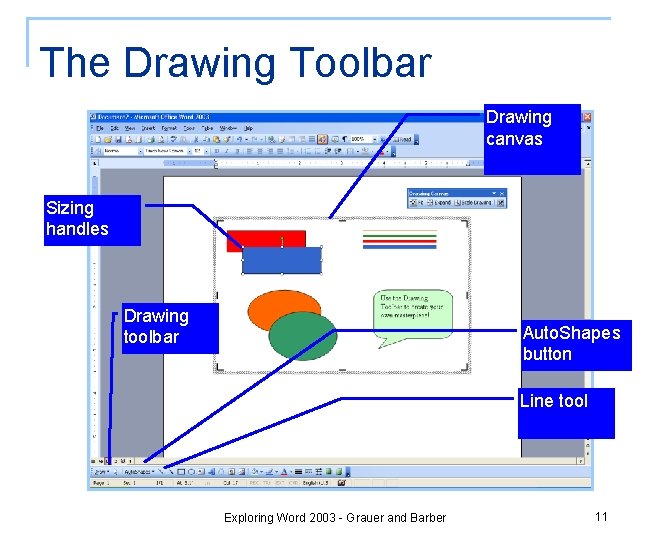
The Drawing Toolbar Drawing canvas Sizing handles Drawing toolbar Auto. Shapes button Line tool Exploring Word 2003 - Grauer and Barber 11
Hands-on Exercise 1 n n Title of Exercise: Clip Art and Word. Art Objective: to insert clip art and Word. Art into a document; to use the Insert Symbol command to add typographical symbols q q Input file: Clip Art and Word. Art Output file: Clip Art and Word. Art Solution Exploring Word 2003 - Grauer and Barber 12
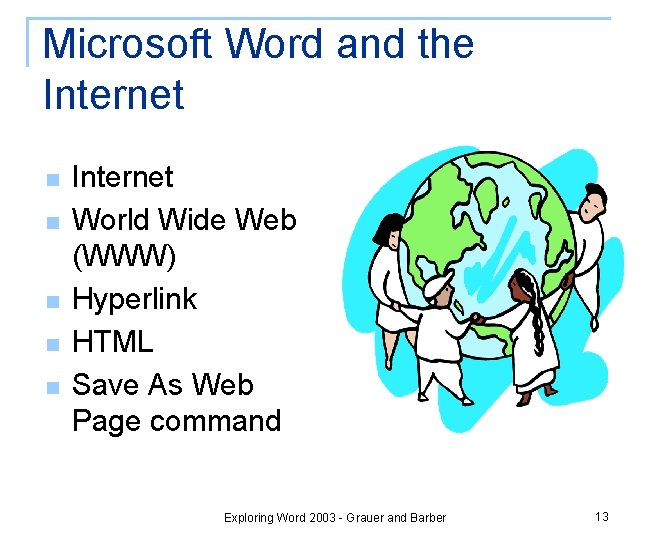
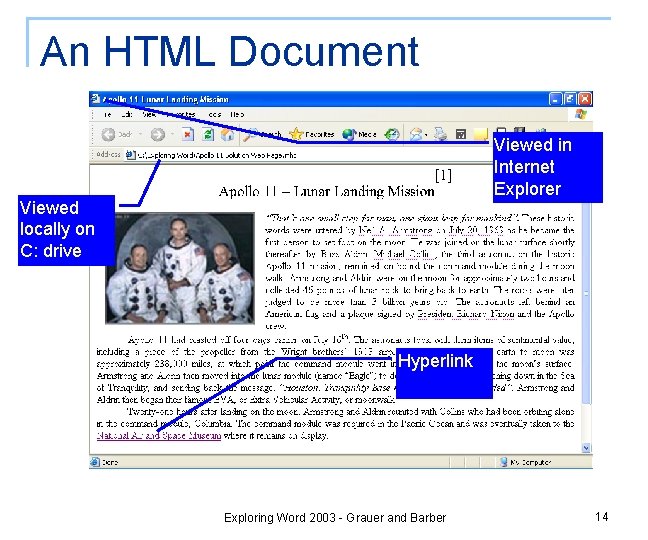
Microsoft Word and the Internet n n n Internet World Wide Web (WWW) Hyperlink HTML Save As Web Page command Exploring Word 2003 - Grauer and Barber 13
An HTML Document Viewed in Internet Explorer Viewed locally on C: drive Hyperlink Exploring Word 2003 - Grauer and Barber 14
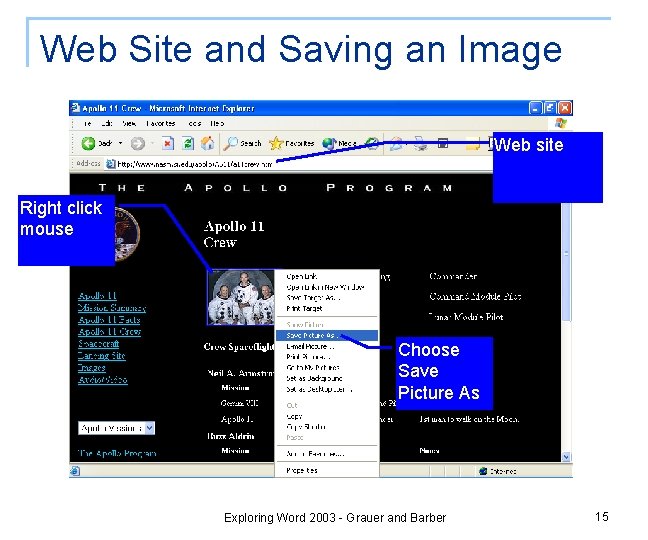
Web Site and Saving an Image Web site Right click mouse Choose Save Picture As Exploring Word 2003 - Grauer and Barber 15
Copyright Protection n n n n Copyright Infringement of a Copyright Public domain Fair use Footnote Endnote Insert Footnote command Software piracy Exploring Word 2003 - Grauer and Barber 16
Hands-on Exercise 2 n n Title of Exercise: Microsoft Word and the Web Objective: to download a picture from the Internet for use in a Word document; to insert a hyperlink into a Word document; to save a Word document as a Web page q q Input file: Apollo 11 Output file: Apollo 11 Solution Exploring Word 2003 - Grauer and Barber 17
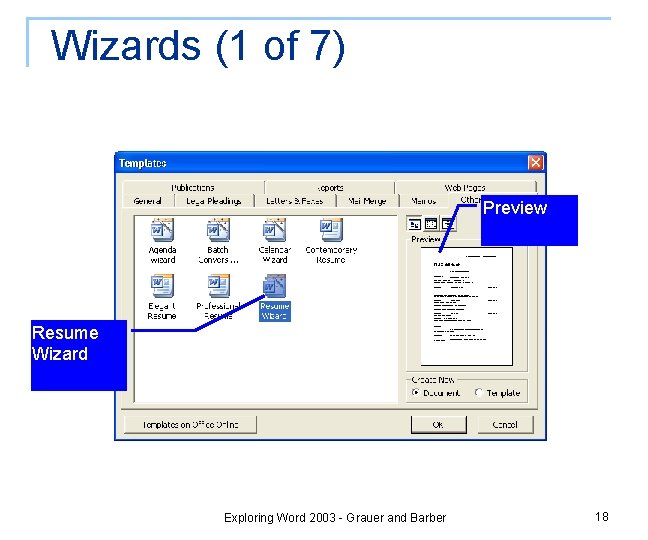
Wizards (1 of 7) Preview Resume Wizard Exploring Word 2003 - Grauer and Barber 18
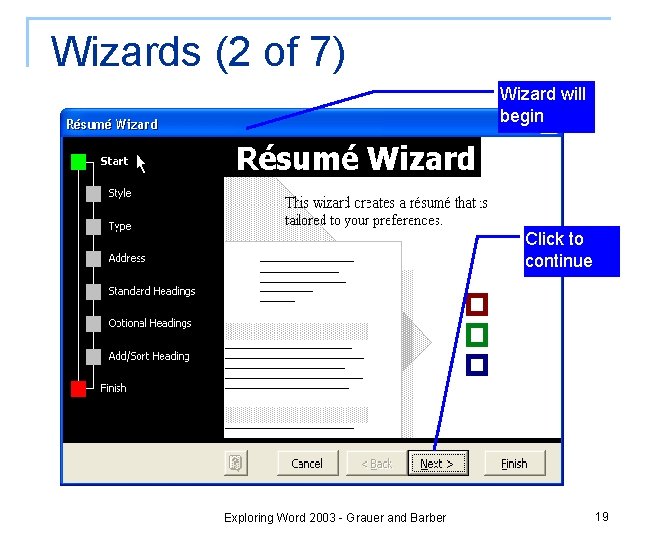
Wizards (2 of 7) Wizard will begin Click to continue Exploring Word 2003 - Grauer and Barber 19
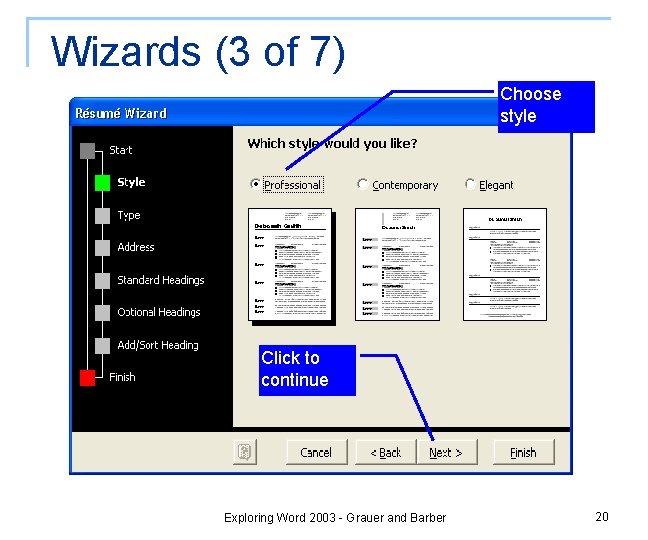
Wizards (3 of 7) Choose style Click to continue Exploring Word 2003 - Grauer and Barber 20
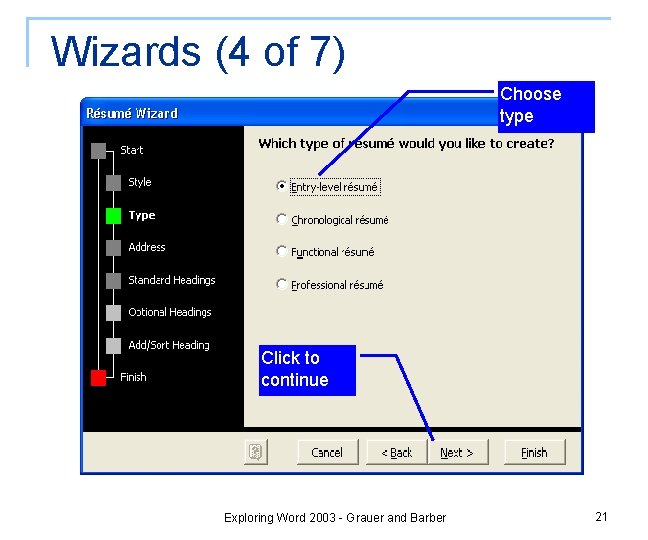
Wizards (4 of 7) Choose type Click to continue Exploring Word 2003 - Grauer and Barber 21
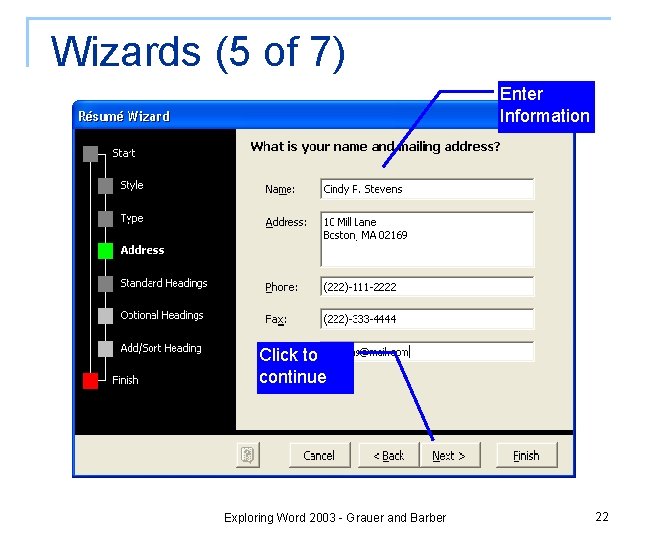
Wizards (5 of 7) Enter Information Click to continue Exploring Word 2003 - Grauer and Barber 22
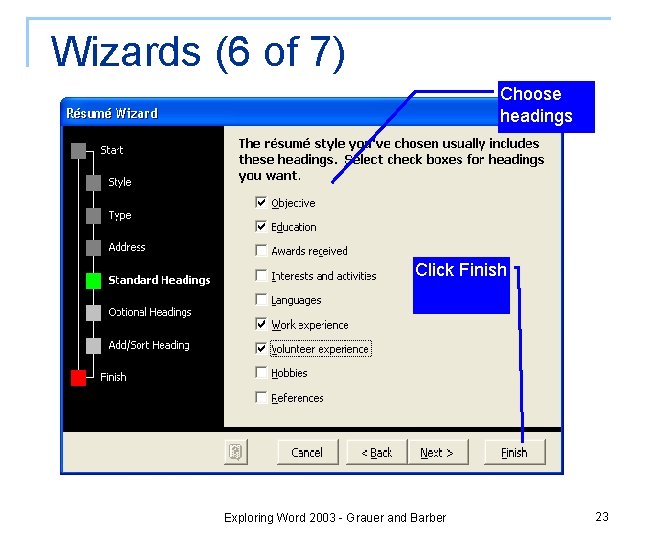
Wizards (6 of 7) Choose headings Click Finish Exploring Word 2003 - Grauer and Barber 23
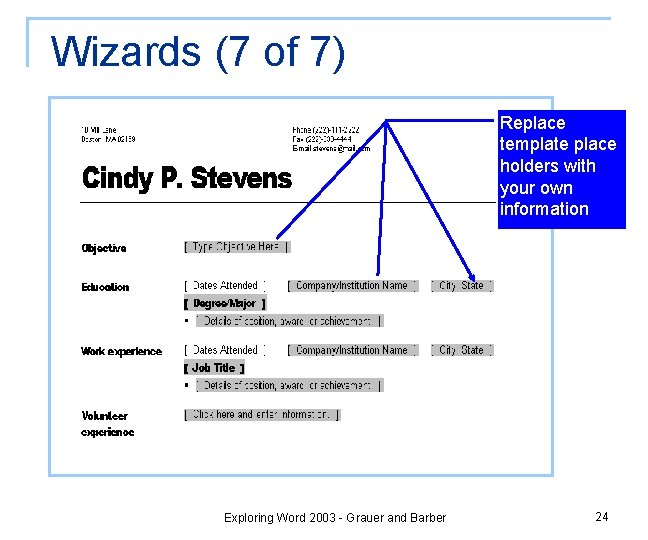
Wizards (7 of 7) Replace template place holders with your own information Exploring Word 2003 - Grauer and Barber 24
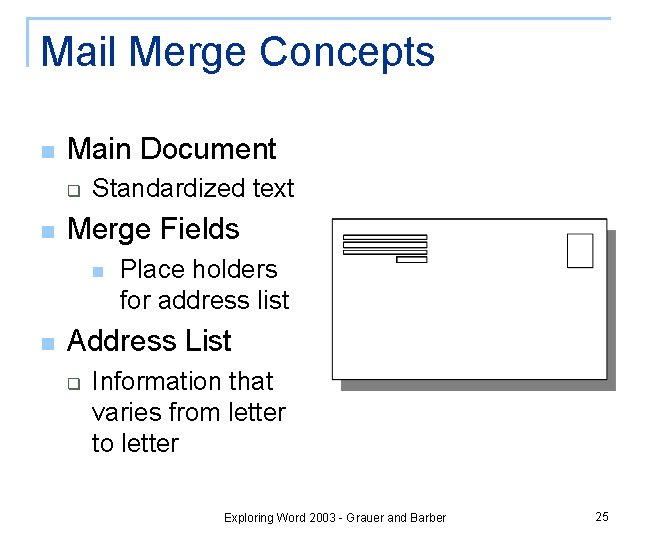
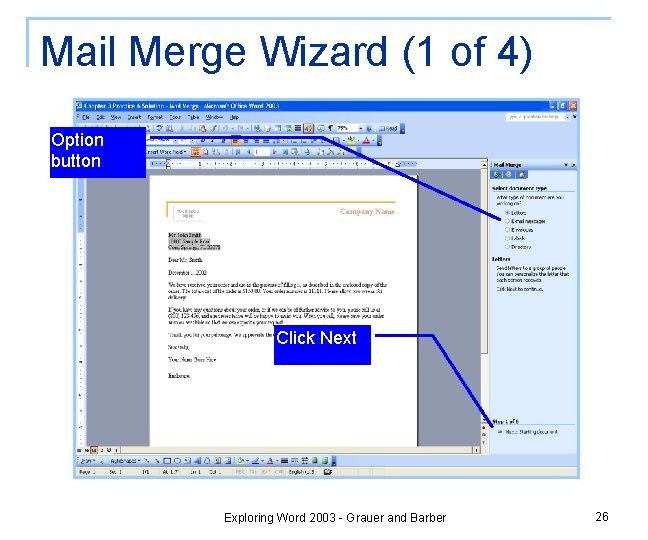
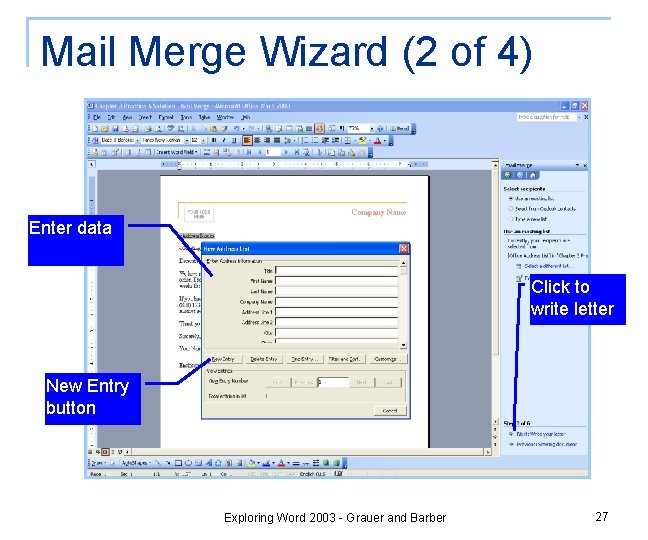
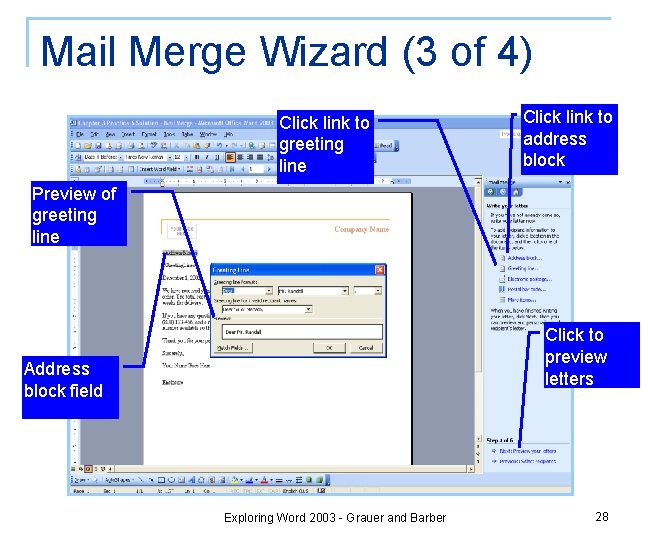
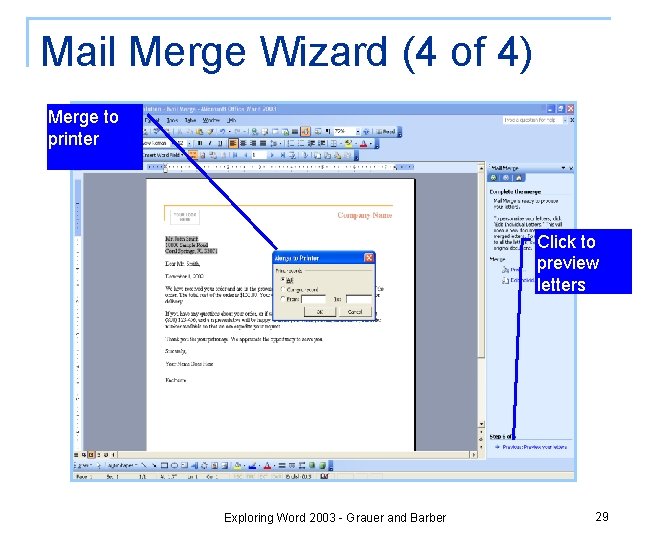
Mail Merge Concepts n Main Document q n Standardized text Merge Fields n n Place holders for address list Address List q Information that varies from letter to letter Exploring Word 2003 - Grauer and Barber 25
Mail Merge Wizard (1 of 4) Option button Click Next Exploring Word 2003 - Grauer and Barber 26
Mail Merge Wizard (2 of 4) Enter data Click to write letter New Entry button Exploring Word 2003 - Grauer and Barber 27
Mail Merge Wizard (3 of 4) Click link to greeting line Click link to address block Preview of greeting line Click to preview letters Address block field Exploring Word 2003 - Grauer and Barber 28
Mail Merge Wizard (4 of 4) Merge to printer Click to preview letters Exploring Word 2003 - Grauer and Barber 29
Hands-on Exercise 3 n n Title of Exercise: Mail Merge Objective: to create a main document and associated data source; to implement a mail merge and produce a set of form letters q q Input file: Form Letter Output file: Form Letter Solution Exploring Word 2003 - Grauer and Barber 30
Summary (1 of 2) n The Microsoft Clip Organizer q q n n n Images Photographs Sound files Motion clips Enhancing a Document The Insert Symbol Command Microsoft Word. Art Exploring Word 2003 - Grauer and Barber 31
Summary (2 of 2) n n n The Drawing Toolbar Microsoft Word and The Internet Copyright Protection Wizards and Templates Mail Merge Exploring Word 2003 - Grauer and Barber 32
End-of-Chapter Exercises n n Multiple Choice Practice Exercises q q q q Exercise 1 – Runner’s Paradise Exercise 2 – Presidential Anecdotes Exercise 3 – Create a Home Page Exercise 4 – A commercial Web Page Exercise 5 – Symbols as Clip Art Exercise 6 – Mail Merge Exercise 7 – Mailing Labels Exercise 8 – Create Your Own Stationery Exploring Word 2003 - Grauer and Barber 33
End-of-Chapter Exercises n Mini Cases q q q Case 1 – Organization Charts Case 2 – Travel World Case 3 – The Calendar Wizard Case 4 – MLA Guidelines Case 5 – Leonardo Da Vinci Exploring Word 2003 - Grauer and Barber 34
Questions? Exploring Word 2003 - Grauer and Barber 35