
Exploring Microsoft Office 2003 Getting Started with Windows
- Slides: 17
Exploring Microsoft Office 2003 Getting Started with Windows® XP Robert Grauer and Maryann Barber Office 2003 Vol 1 2/e - Grauer and Committed to. Exploring Shaping the Next Generation of IT Experts. Barber 1
Microsoft Windows n n The successor to MS-DOS, the text-based operating system for the original PC Introduces four essential features: q q n GUI (Graphical User Interface) Common User Interface; i. e. , a consistent look and conventions in all applications Multitasking; i. e. , run multiple applications The ability to share data between applications These capabilities are found in all versions; Windows 95, 98, NT, 2000, and XP Exploring Office 2003 Vol 1 2/e - Grauer and Barber 2
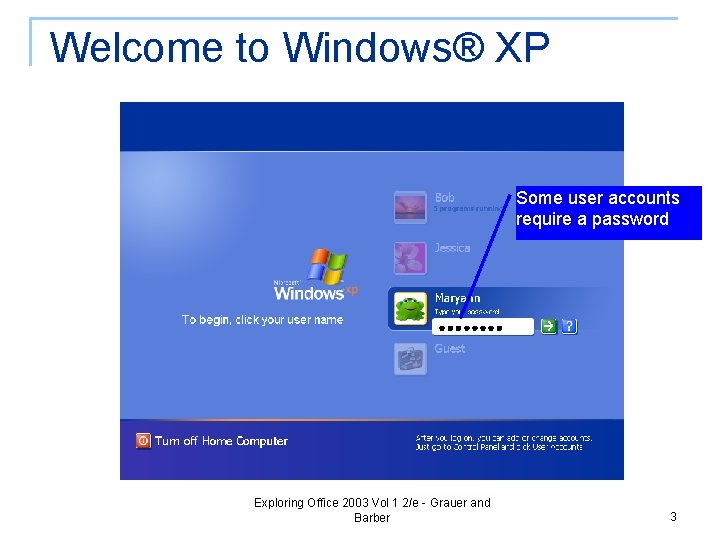
Welcome to Windows® XP Some user accounts require a password Exploring Office 2003 Vol 1 2/e - Grauer and Barber 3
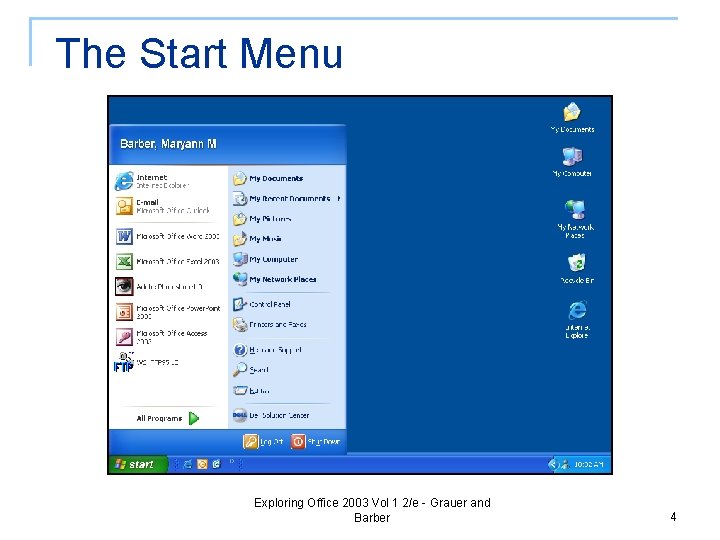
The Start Menu Exploring Office 2003 Vol 1 2/e - Grauer and Barber 4
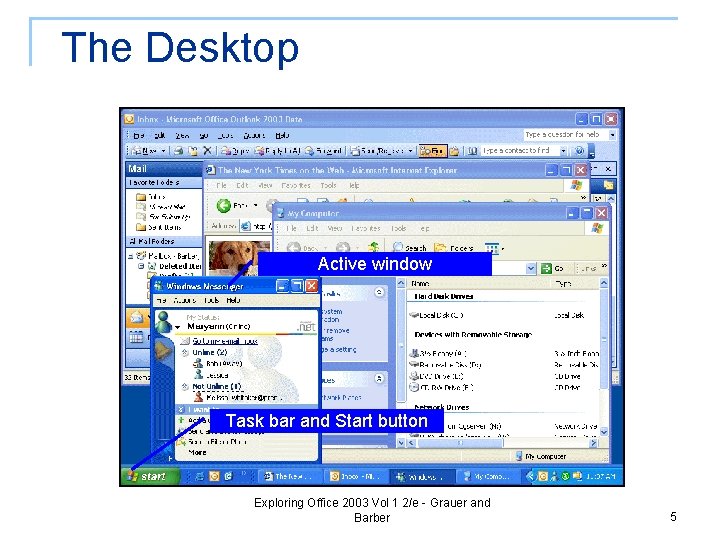
The Desktop Active window Task bar and Start button Exploring Office 2003 Vol 1 2/e - Grauer and Barber 5
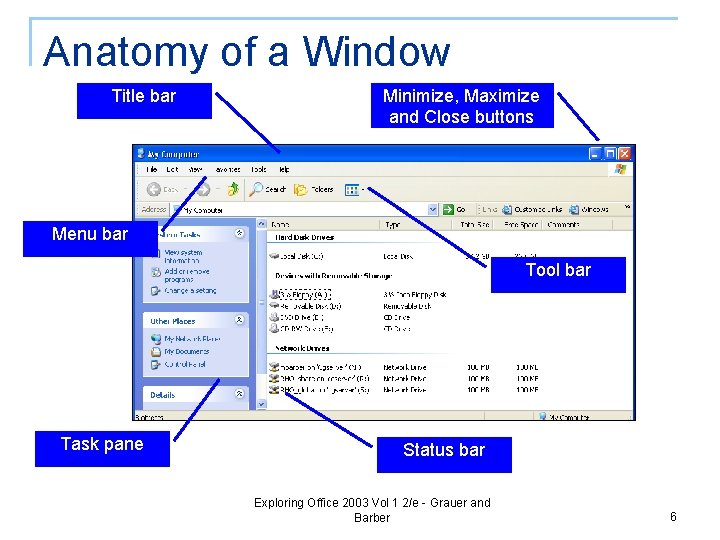
Anatomy of a Window Title bar Minimize, Maximize and Close buttons Menu bar Tool bar Task pane Status bar Exploring Office 2003 Vol 1 2/e - Grauer and Barber 6
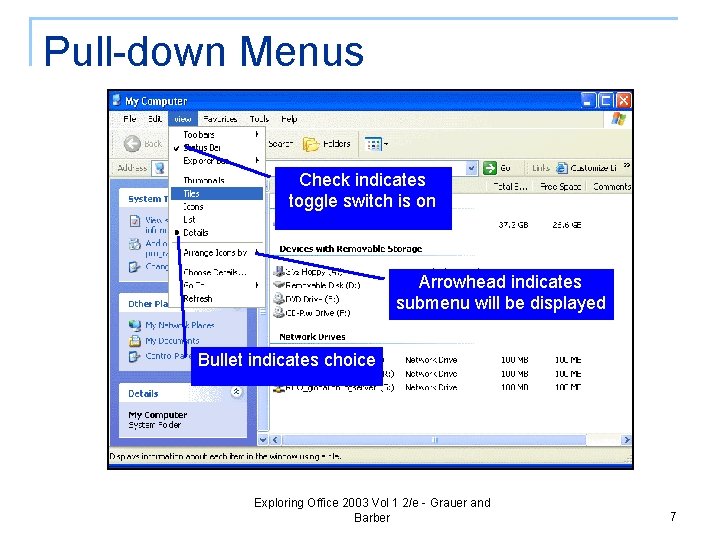
Pull-down Menus Check indicates toggle switch is on Arrowhead indicates submenu will be displayed Bullet indicates choice Exploring Office 2003 Vol 1 2/e - Grauer and Barber 7
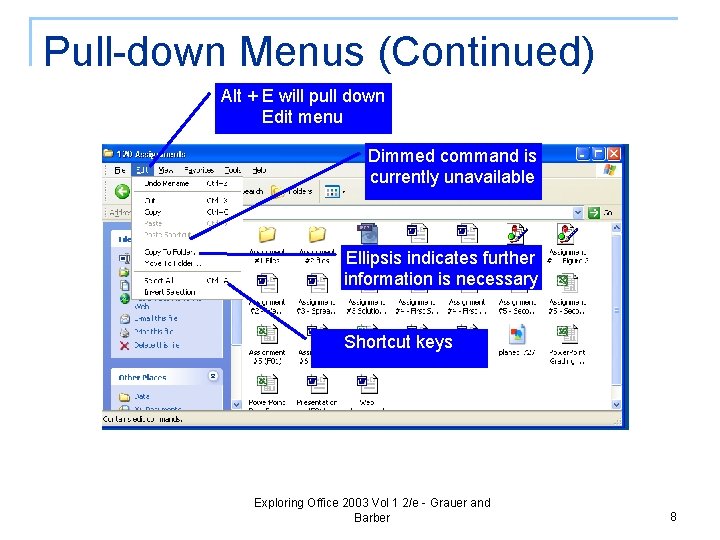
Pull-down Menus (Continued) Alt + E will pull down Edit menu Dimmed command is currently unavailable Ellipsis indicates further information is necessary Shortcut keys Exploring Office 2003 Vol 1 2/e - Grauer and Barber 8
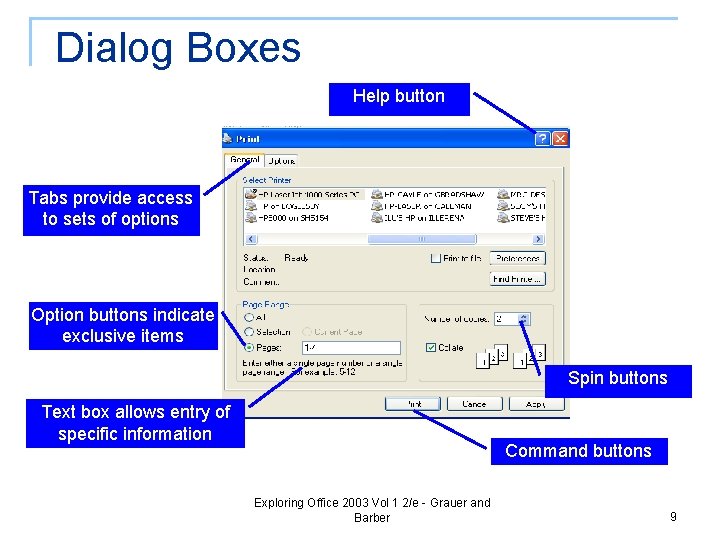
Dialog Boxes Help button Tabs provide access to sets of options Option buttons indicate exclusive items Spin buttons Text box allows entry of specific information Command buttons Exploring Office 2003 Vol 1 2/e - Grauer and Barber 9
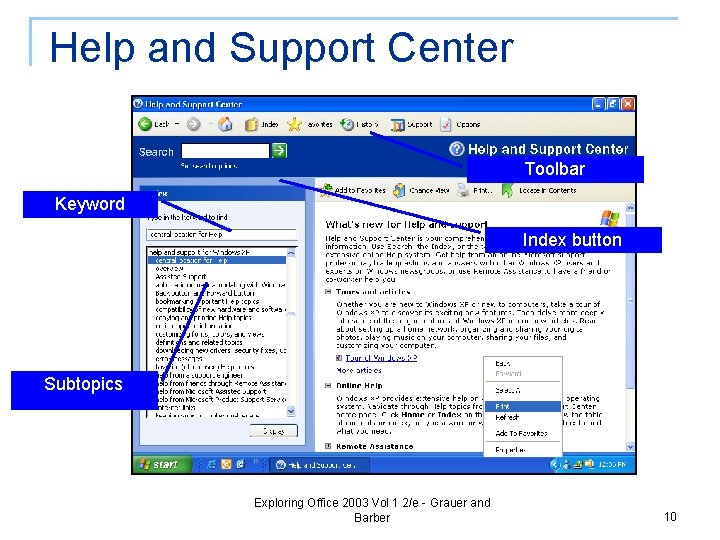
Help and Support Center Toolbar Keyword Index button Subtopics Exploring Office 2003 Vol 1 2/e - Grauer and Barber 10
Disk and File Management n A file is a set of instructions or data q Program file: Microsoft Word or Microsoft Excel q Data File: Document or workbook n Copy, move, rename or delete a file n A folder allows us to organize our files q n May contain files and/or other folders Drive Assignments q Drive A – the floppy disk q Drive C – the fixed (local) disk q Drive D and higher – CD, DVD, Network drives and so on Exploring Office 2003 Vol 1 2/e - Grauer and Barber 11
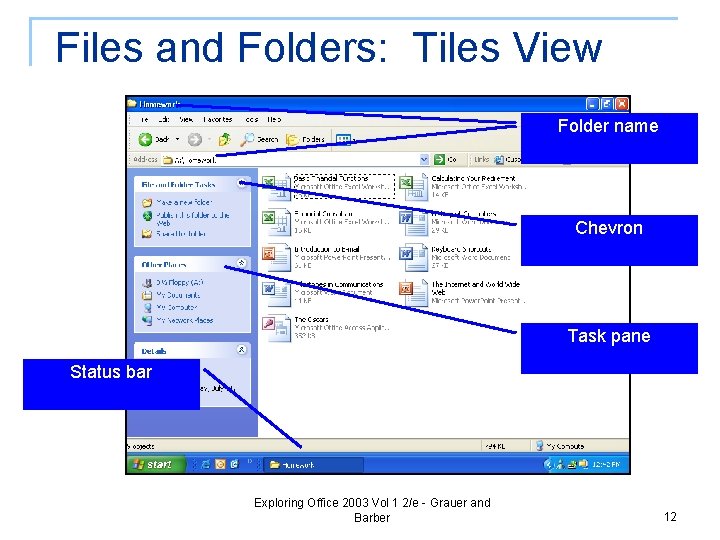
Files and Folders: Tiles View Folder name Chevron Task pane Status bar Exploring Office 2003 Vol 1 2/e - Grauer and Barber 12
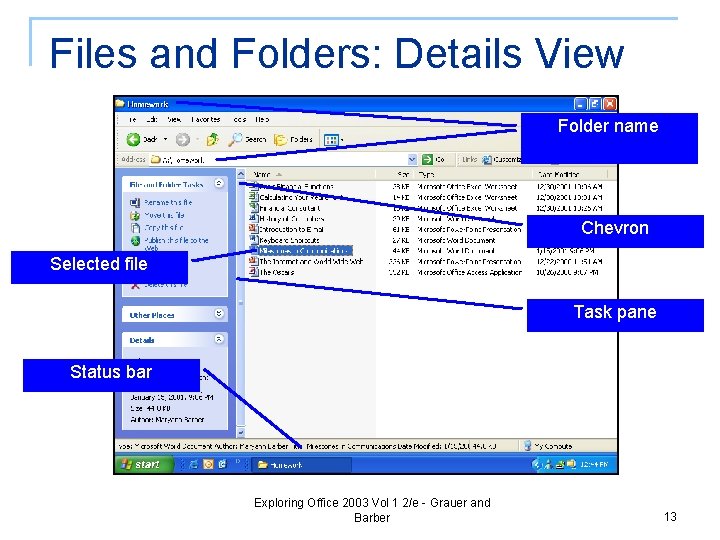
Files and Folders: Details View Folder name Chevron Selected file Task pane Status bar Exploring Office 2003 Vol 1 2/e - Grauer and Barber 13
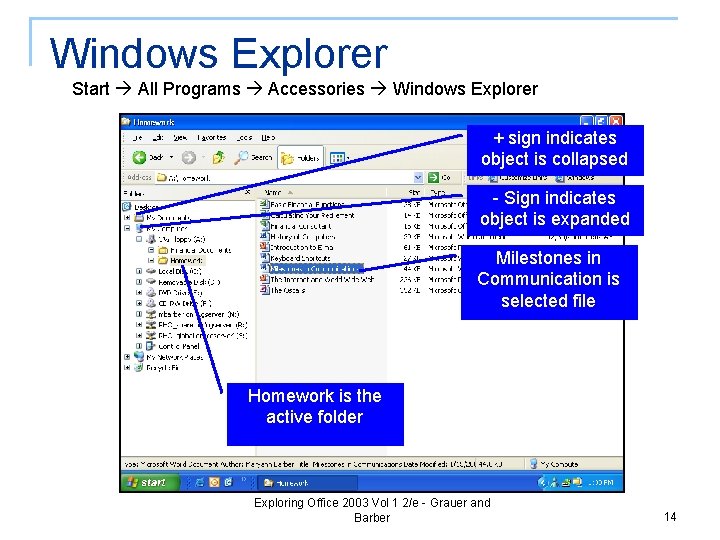
Windows Explorer Start All Programs Accessories Windows Explorer + sign indicates object is collapsed - Sign indicates object is expanded Milestones in Communication is selected file Homework is the active folder Exploring Office 2003 Vol 1 2/e - Grauer and Barber 14
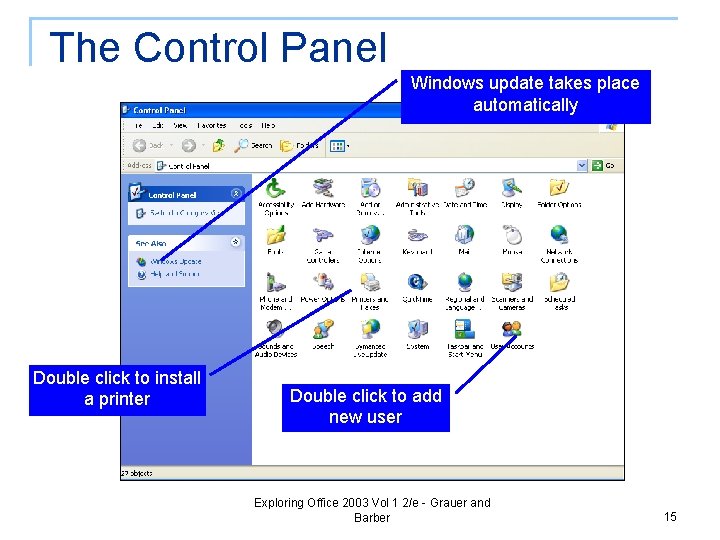
The Control Panel Windows update takes place automatically Double click to install a printer Double click to add new user Exploring Office 2003 Vol 1 2/e - Grauer and Barber 15
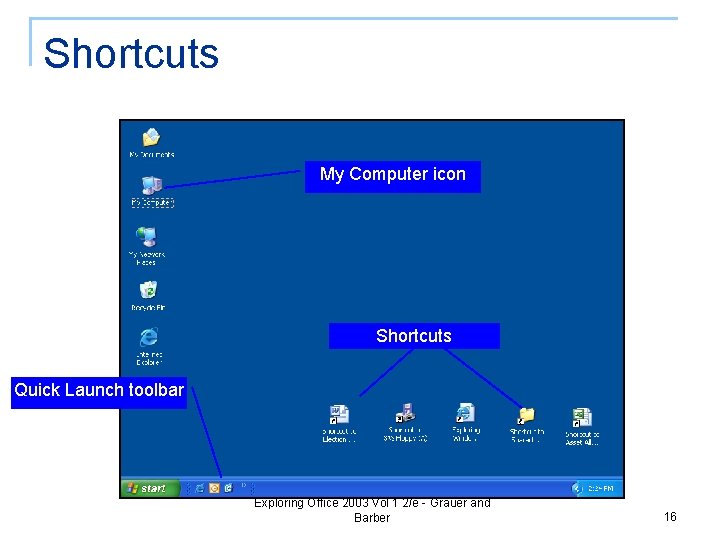
Shortcuts My Computer icon Shortcuts Quick Launch toolbar Exploring Office 2003 Vol 1 2/e - Grauer and Barber 16
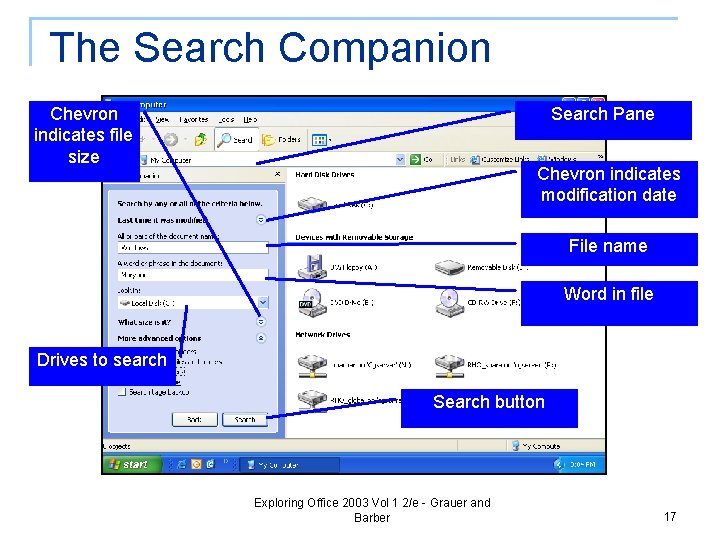
The Search Companion Chevron indicates file size Search Pane Chevron indicates modification date File name Word in file Drives to search Search button Exploring Office 2003 Vol 1 2/e - Grauer and Barber 17