
EXPLORE MY ROTARY Rotary org Resources Find your




- Slides: 45
EXPLORE MY ROTARY
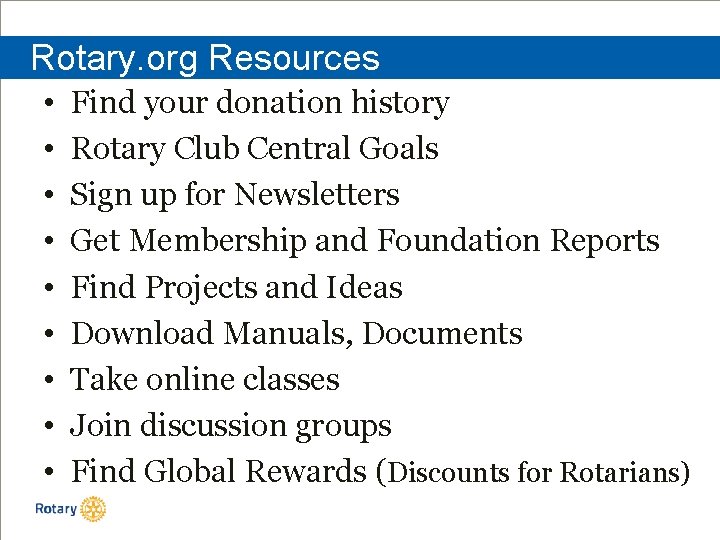
Rotary. org Resources • • • Find your donation history Rotary Club Central Goals Sign up for Newsletters Get Membership and Foundation Reports Find Projects and Ideas Download Manuals, Documents Take online classes Join discussion groups Find Global Rewards (Discounts for Rotarians)
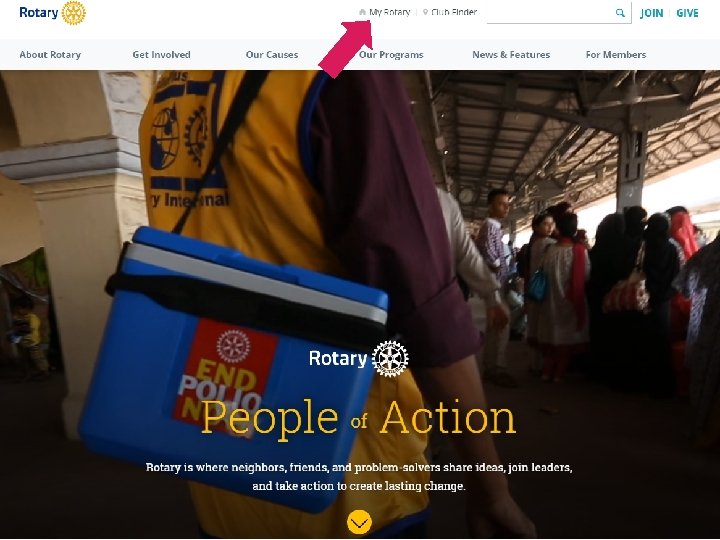
Rotary. org
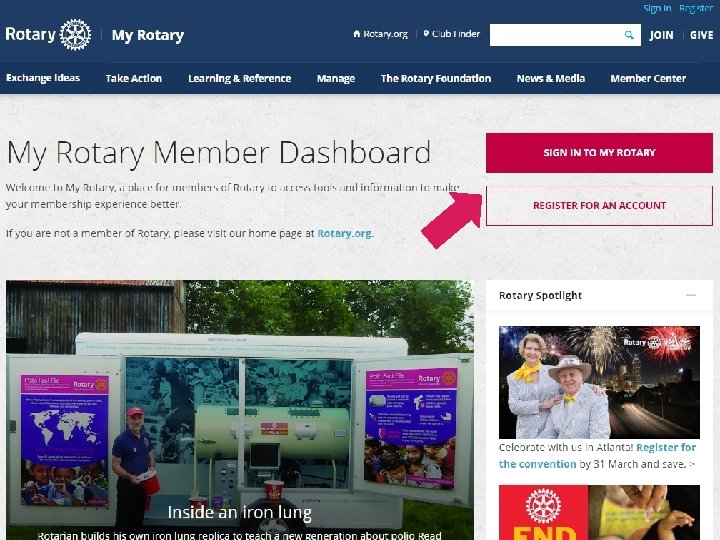
My Rotary
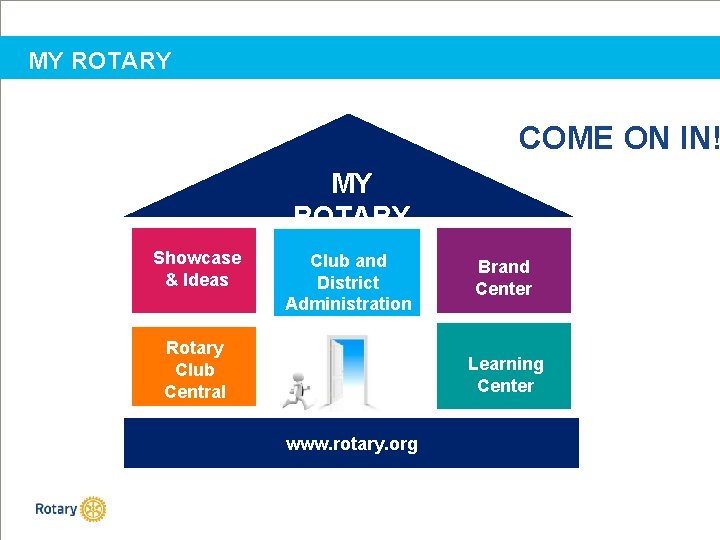
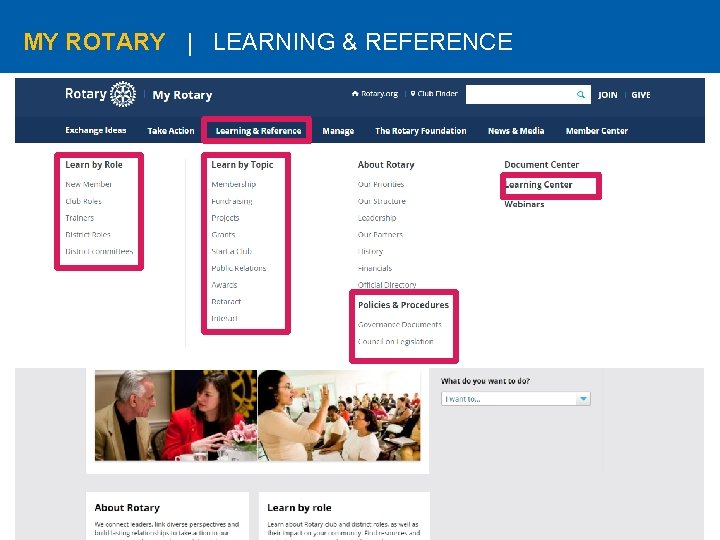
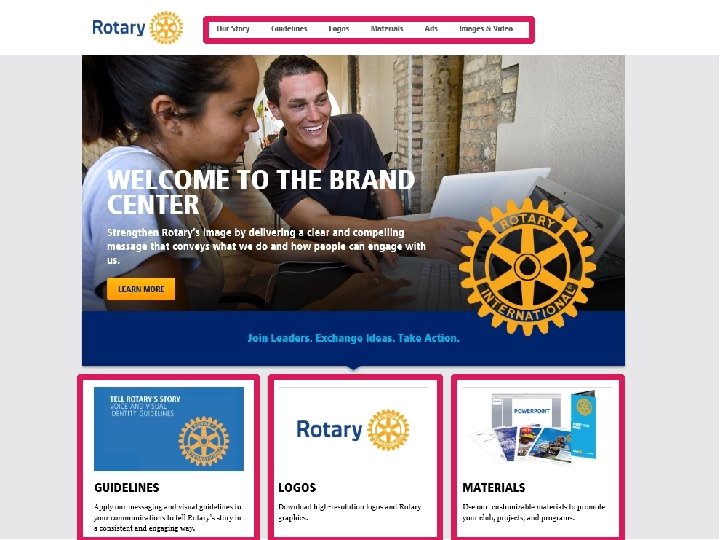
MY ROTARY COME ON IN! MY ROTARY Showcase & Ideas Club and District Administration Rotary Club Central Brand Center Learning Center www. rotary. org
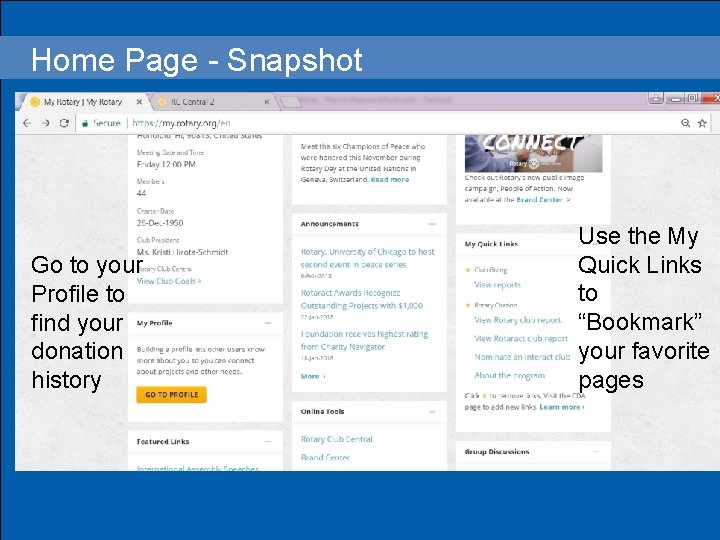
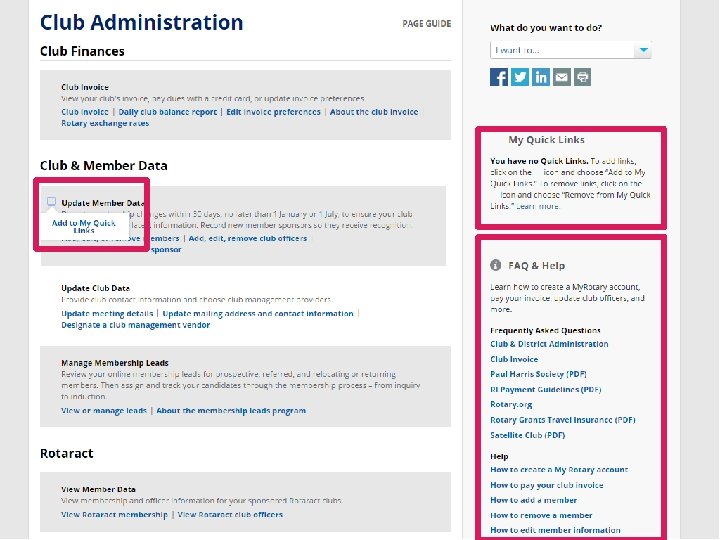
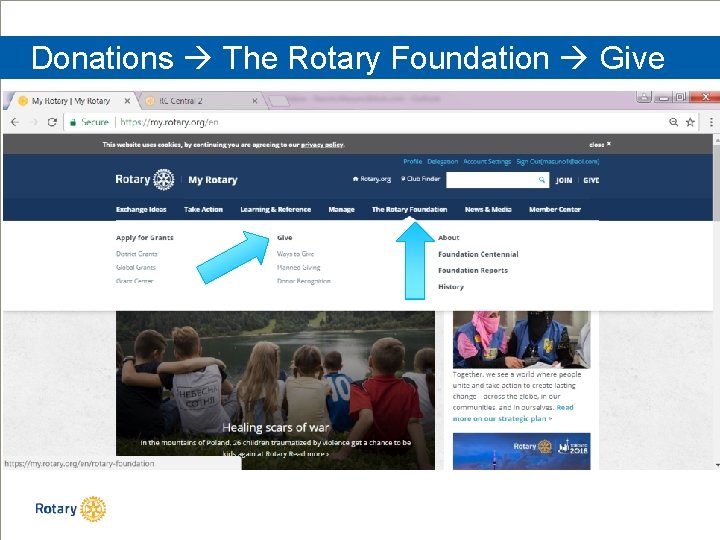
Home Page - Snapshot Head § Bullets Go to your Profile to find your donation history Use the My Quick Links to “Bookmark” your favorite pages
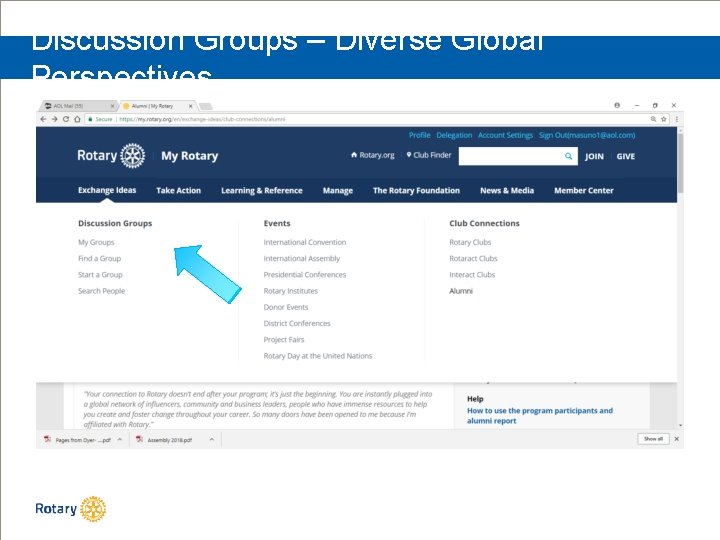
Discussion Groups – Diverse Global Perspectives
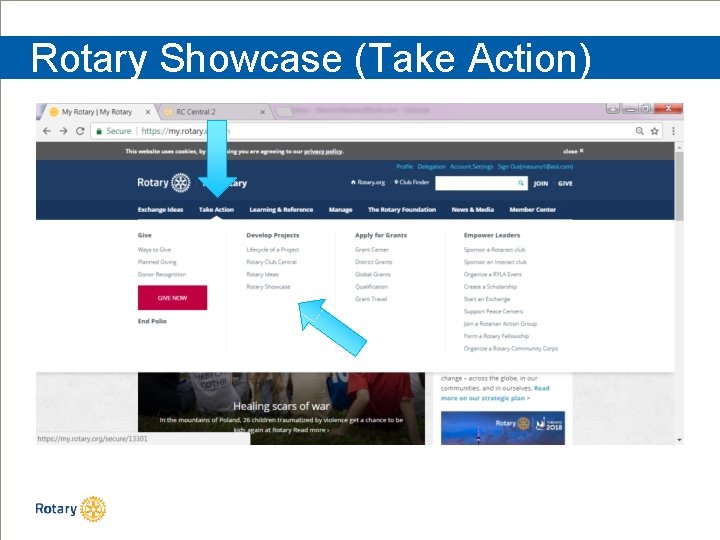
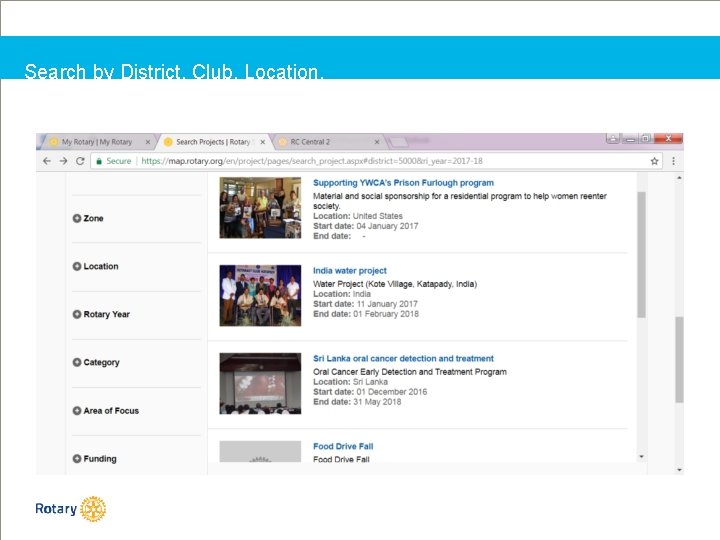
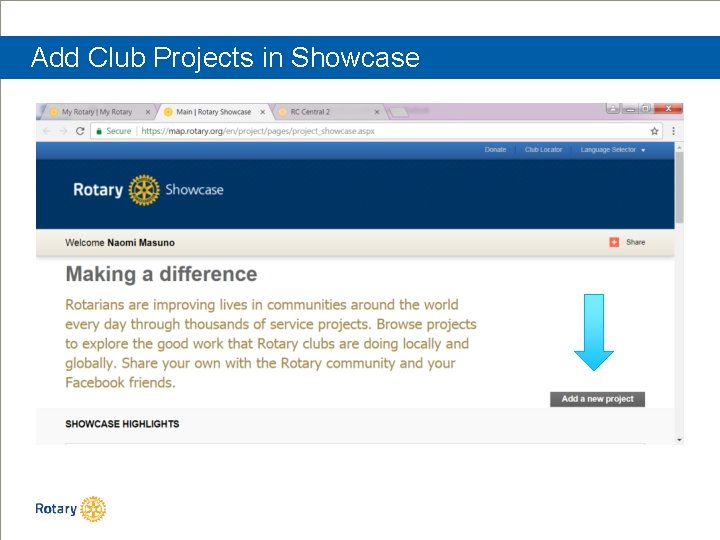
Rotary Showcase (Take Action)
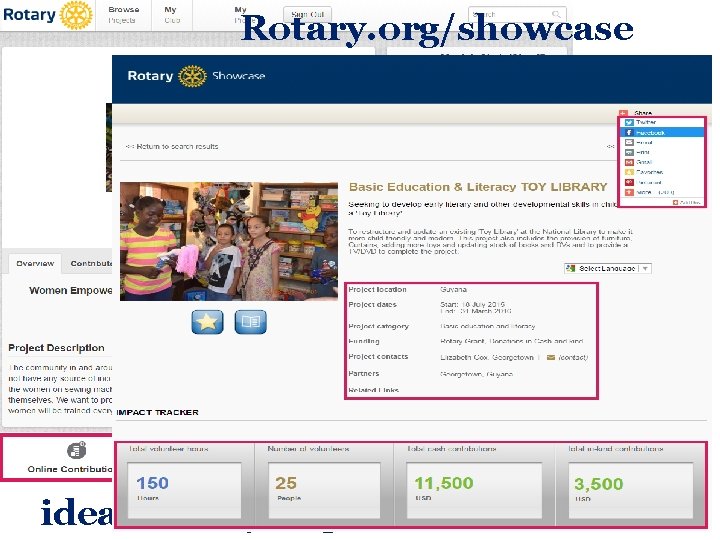
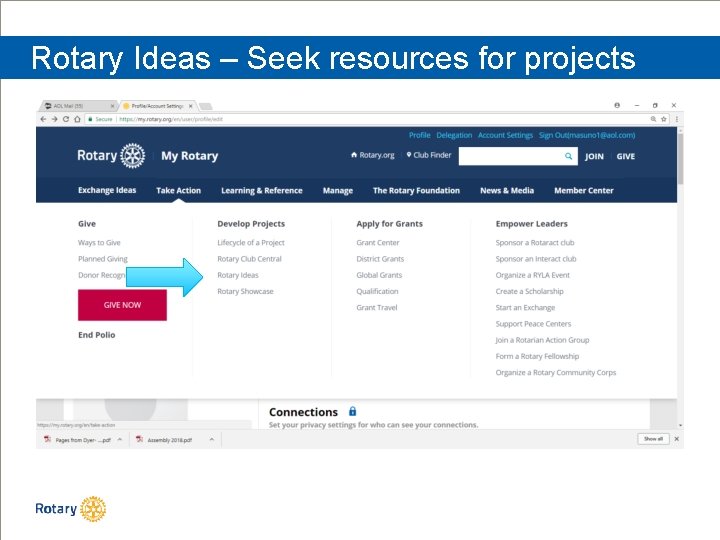
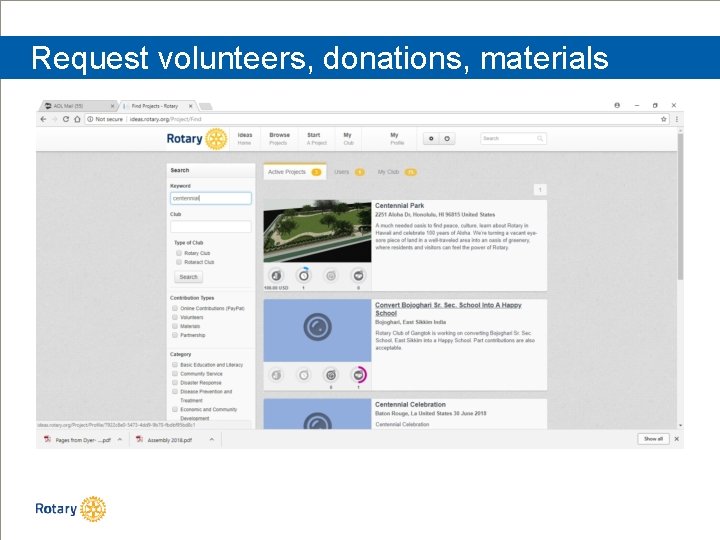
Rotary. org/showcase ideas. rotary. org
Search by District, Club, Location, Area of Focus, Zone etc.
Add Club Projects in Showcase
Rotary Ideas – Seek resources for projects
Request volunteers, donations, materials
MY ROTARY | LEARNING & REFERENCE
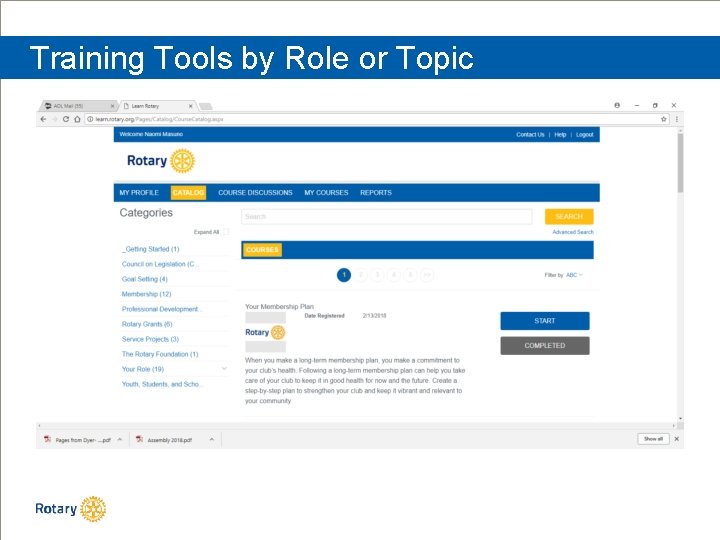
Training Tools by Role or Topic
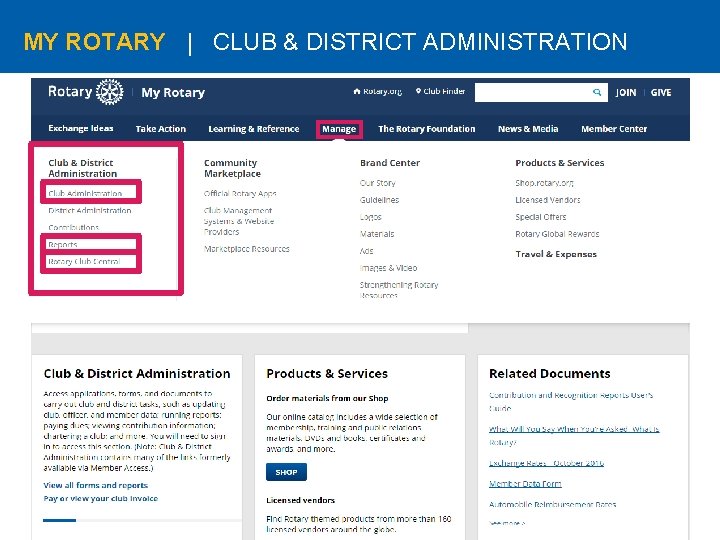
MY ROTARY | CLUB & DISTRICT ADMINISTRATION
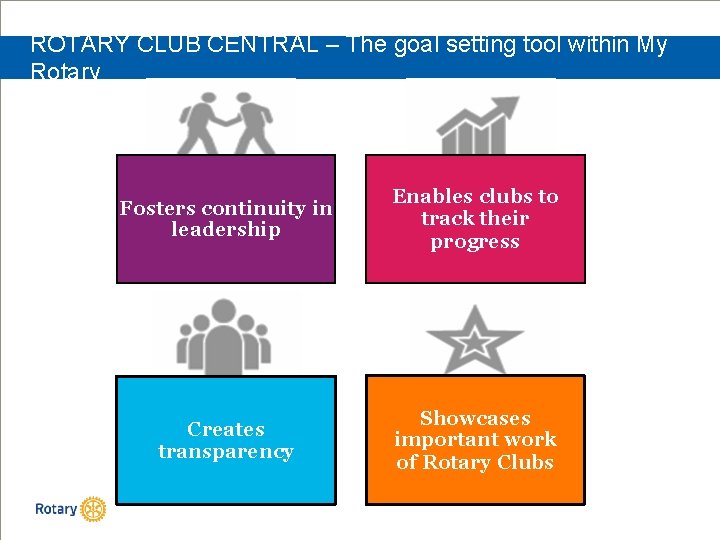
ROTARY CLUB CENTRAL – The goal setting tool within My Rotary Fosters continuity in leadership Enables clubs to track their progress Creates transparency Showcases important work of Rotary Clubs
What’s in it for clubs? One-stop shop Eliminates paper forms Fosters continuity in leadership Enable clubs to track their progress District-level Features Creates transparency Showcases the important work that Rotary clubs do
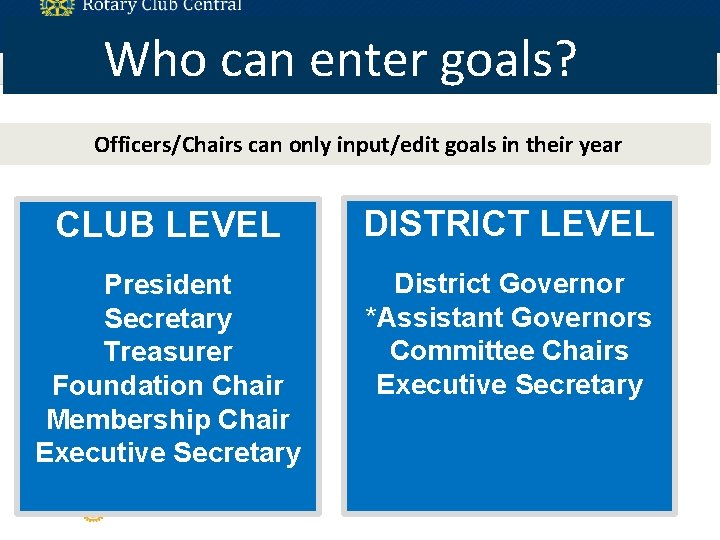
Who can enter goals? Officers/Chairs can only input/edit goals in their year CLUB LEVEL DISTRICT LEVEL President Secretary Treasurer Foundation Chair Membership Chair Executive Secretary District Governor *Assistant Governors Committee Chairs Executive Secretary
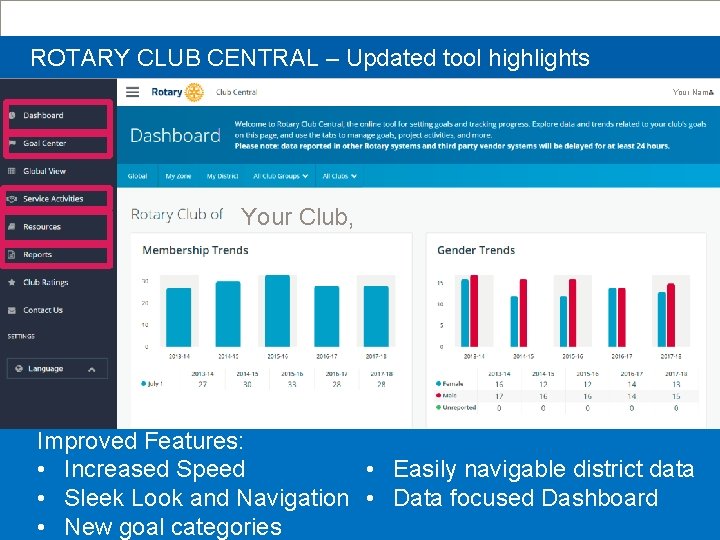
ROTARY CLUB CENTRAL – Updated tool highlights New Tool Screenshot Your Name WANT A MORE EFFECTIVE WAY TO GET PREPARED Your Club, FOR YOUR CLUB VISITS? Improved Features: • Increased Speed • Easily navigable district data • Sleek Look and Navigation • Data focused Dashboard • New goal categories
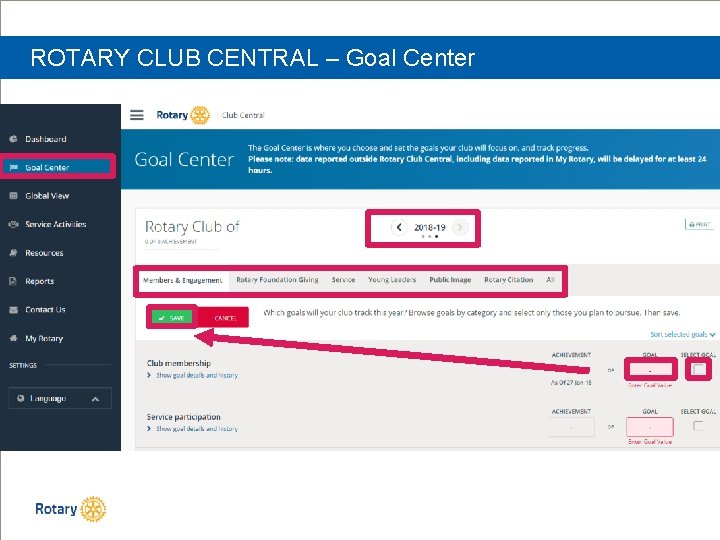
ROTARY CLUB CENTRAL – Goal Center
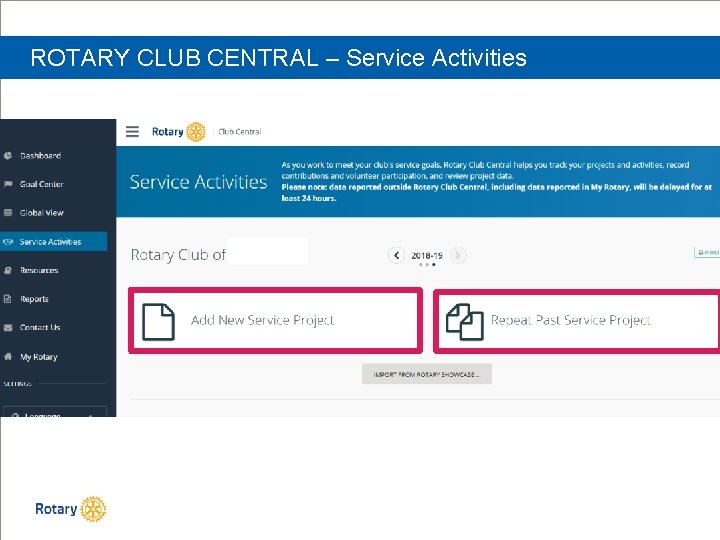
ROTARY CLUB CENTRAL – Service Activities
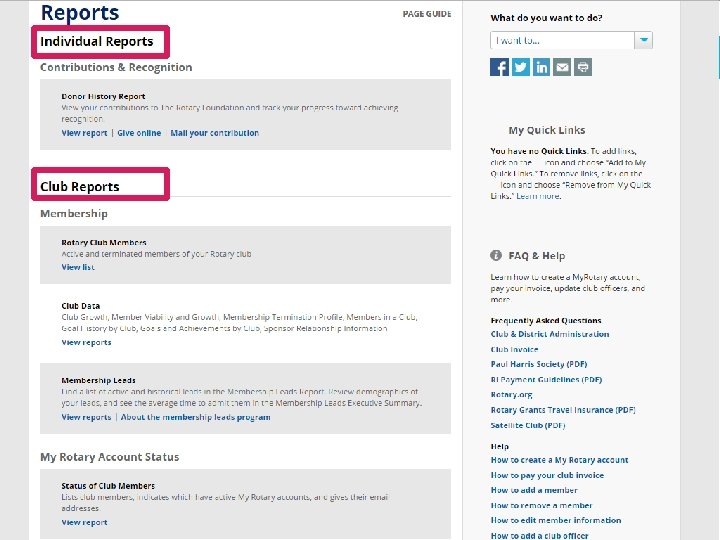
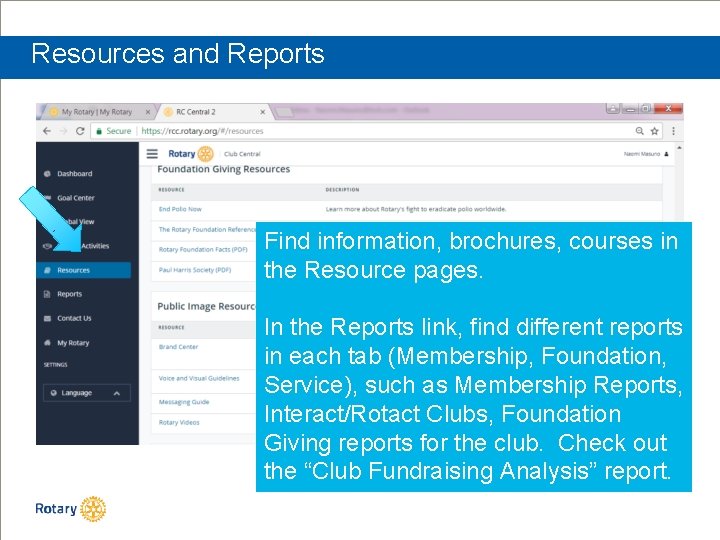
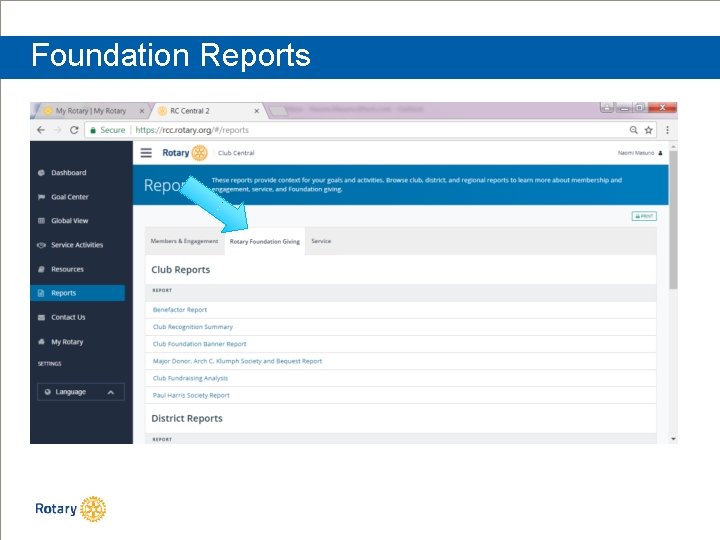
Resources and Reports Find information, brochures, courses in the Resource pages. In the Reports link, find different reports in each tab (Membership, Foundation, Service), such as Membership Reports, Interact/Rotact Clubs, Foundation Giving reports for the club. Check out the “Club Fundraising Analysis” report.
Foundation Reports
Donations The Rotary Foundation Give
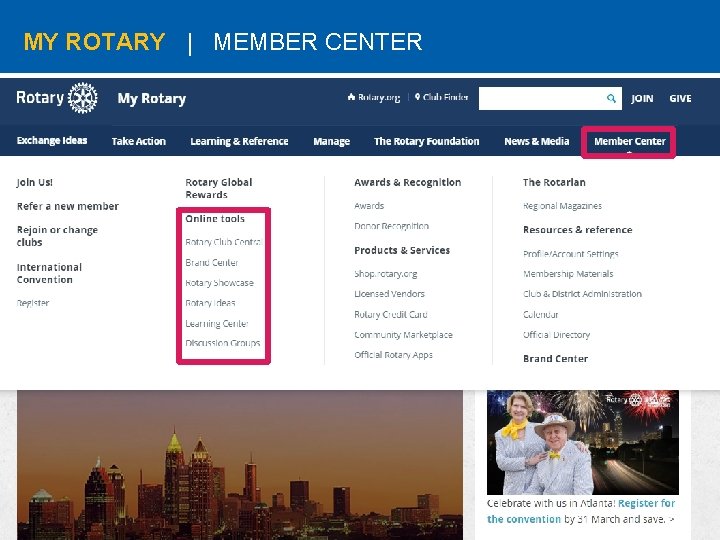
MY ROTARY | MEMBER CENTER
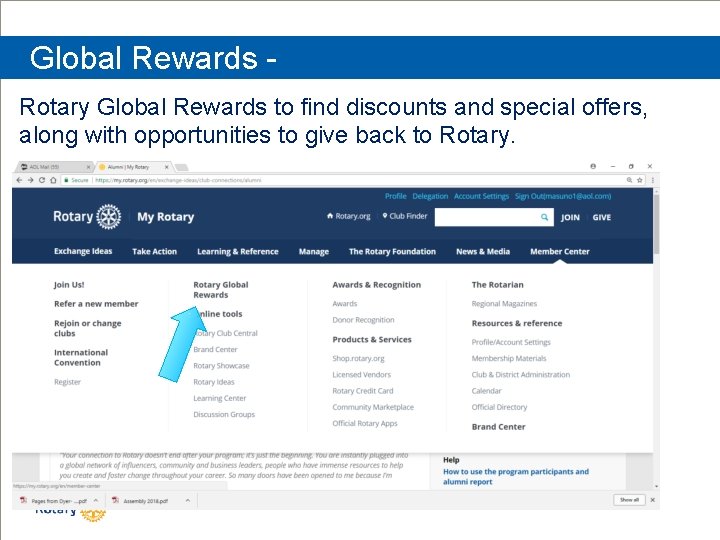
Global Rewards Rotary Global Rewards to find discounts and special offers, along with opportunities to give back to Rotary.
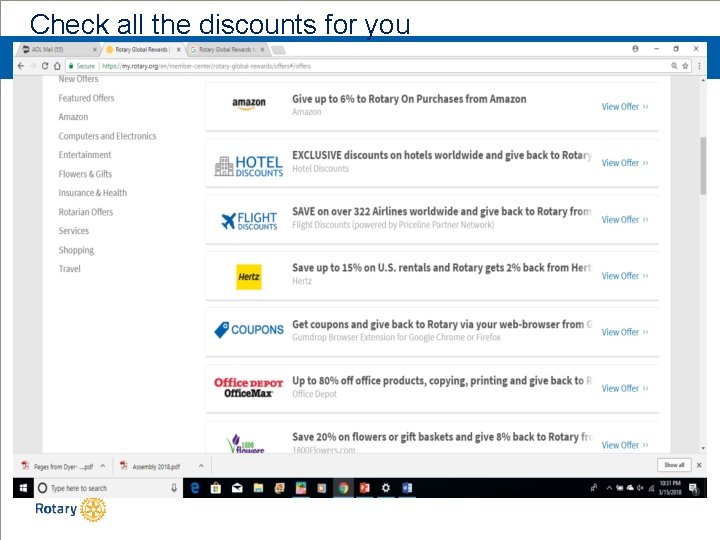
Check all the discounts for you
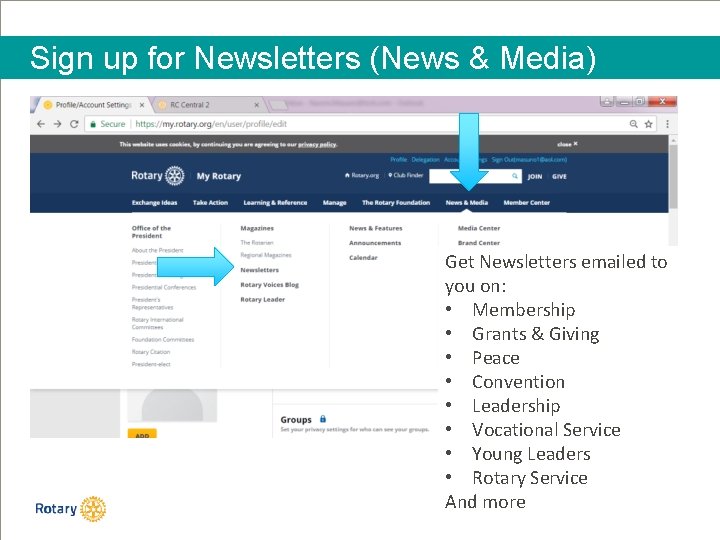
Sign up for Newsletters (News & Media) Get Newsletters emailed to you on: • Membership • Grants & Giving • Peace • Convention • Leadership • Vocational Service • Young Leaders • Rotary Service And more
District Website rotaryd 5000. or g
rotaryd 5000. org What you can find on the district website: • • District Chairs and Org Chart Information on the Avenues of Service Club Presidents and Meeting Locations Events in the Calendar Register for Events Look for Rotarians in the Yellow Pages Create a personal profile
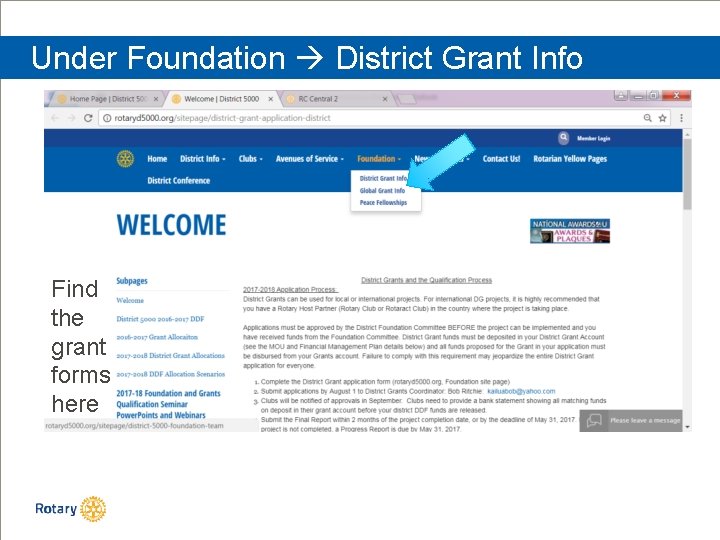
Under Foundation District Grant Info Find the grant forms here
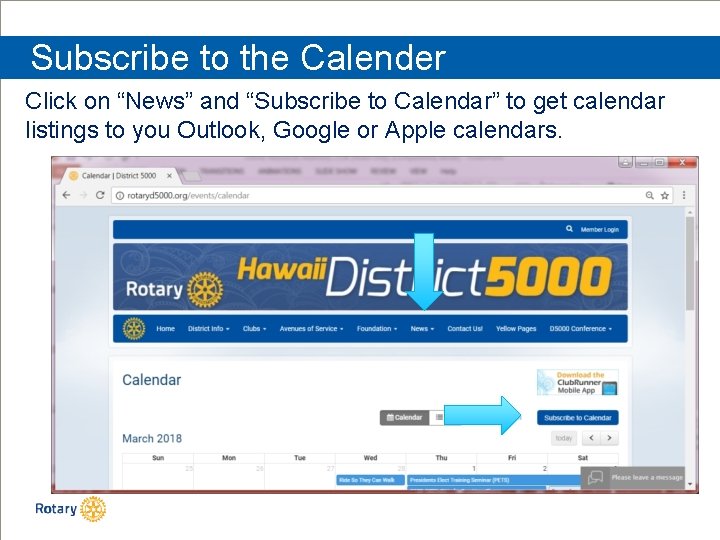
Subscribe to the Calender Click on “News” and “Subscribe to Calendar” to get calendar listings to you Outlook, Google or Apple calendars.
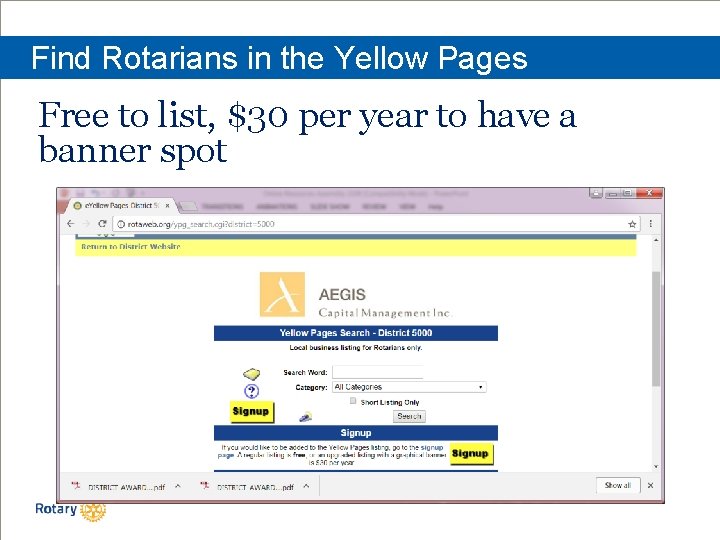
Find Rotarians in the Yellow Pages Free to list, $30 per year to have a banner spot
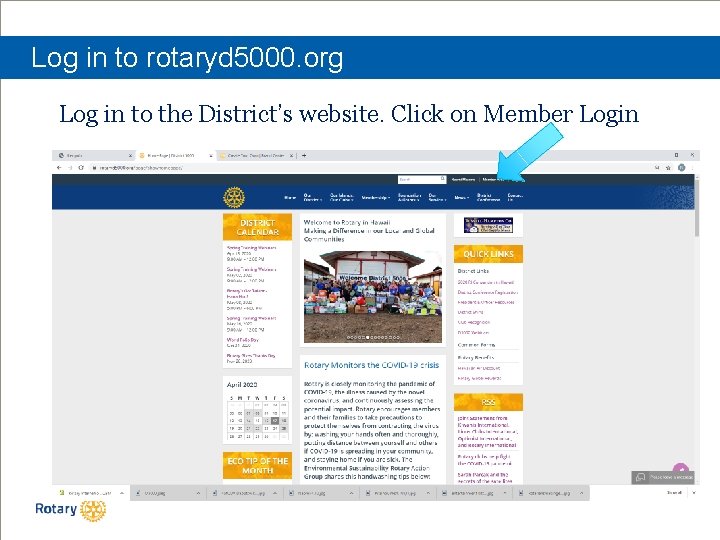
Log in to rotaryd 5000. org Log in to the District’s website. Click on Member Login
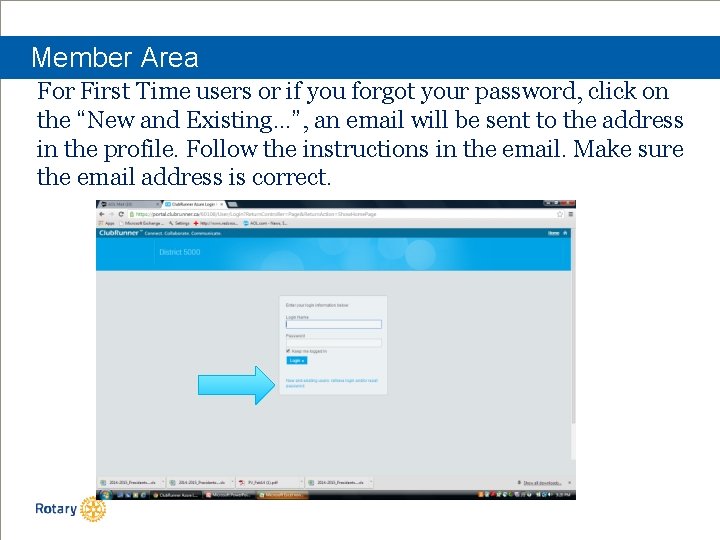
Member Area For First Time users or if you forgot your password, click on the “New and Existing…”, an email will be sent to the address in the profile. Follow the instructions in the email. Make sure the email address is correct.
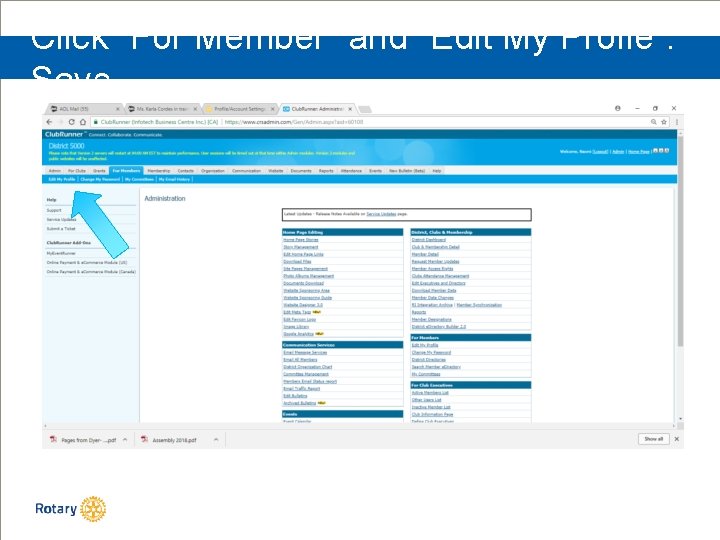
Click “For Member” and “Edit My Profie”. Save
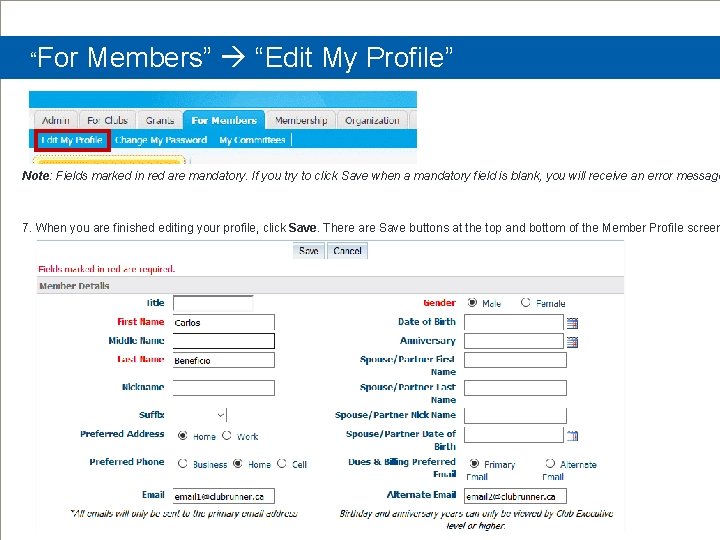
“For Members” “Edit My Profile” Note: Fields marked in red are mandatory. If you try to click Save when a mandatory field is blank, you will receive an error message 7. When you are finished editing your profile, click Save. There are Save buttons at the top and bottom of the Member Profile screen
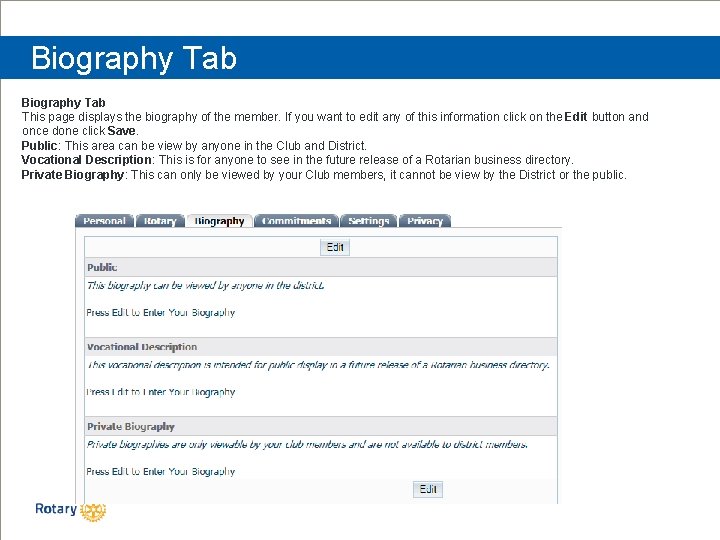
Biography Tab This page displays the biography of the member. If you want to edit any of this information click on the Edit button and once done click Save. Public: This area can be view by anyone in the Club and District. Vocational Description: This is for anyone to see in the future release of a Rotarian business directory. Private Biography: This can only be viewed by your Club members, it cannot be view by the District or the public.
Download the Club. Runner App to your phone • The Club. Runner Mobile App is your key to connect to your Club. Runner website on the go! Free to download and use, this app will let you access the key info you need while you're on the go. Password protected just like your website, the Club. Runner Mobile app allows you to view your member directory, contact your members and executives, read the latest articles posted to your website, and even learn more about your upcoming events and speakers, right from your smartphone or tablet! • To download the app from the Apple App Store or from Google Play, simply type in 'Club. Runner' in the search bar. The mobile app is compatible with all versions of the i. Phone, i. Pad and i. Pod Touch sets that have i. OS 8. 0 or later and with versions of Anrdoids that are 4. 0. 3 or better.
? ASK QUESTIONS ?
MAHALO! Naomi Masuno Cell 808 -492 -0126 Email: naomi. rotary@gmail. com