
Experience in running relational databases on clustered storage

Experience in running relational databases on clustered storage Ruben. Gaspar. Aparicio_@_cern. ch CERN, IT Department CHEP 2015, Okinawa, Japan 13/04/2015
Agenda • • • Brief introduction Our setup Caching technologies Snapshots Data motion, compression & dedup Conclusions 3
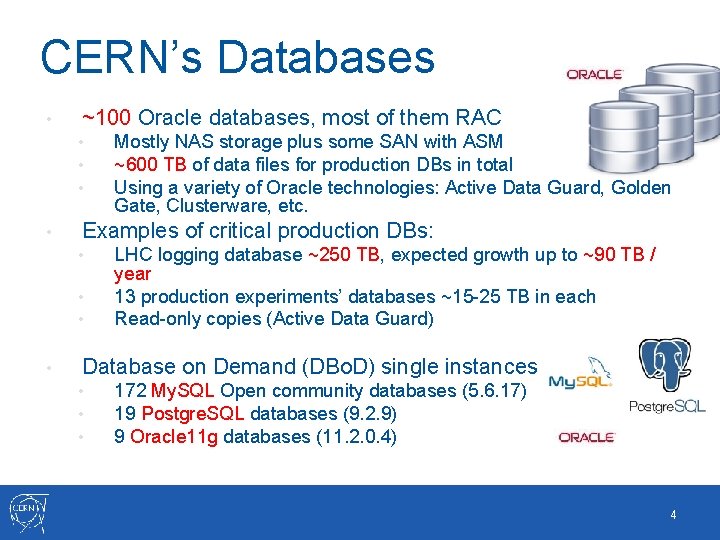
CERN’s Databases • ~100 Oracle databases, most of them RAC • • Examples of critical production DBs: • • Mostly NAS storage plus some SAN with ASM ~600 TB of data files for production DBs in total Using a variety of Oracle technologies: Active Data Guard, Golden Gate, Clusterware, etc. LHC logging database ~250 TB, expected growth up to ~90 TB / year 13 production experiments’ databases ~15 -25 TB in each Read-only copies (Active Data Guard) Database on Demand (DBo. D) single instances • • • 172 My. SQL Open community databases (5. 6. 17) 19 Postgre. SQL databases (9. 2. 9) 9 Oracle 11 g databases (11. 2. 0. 4) 4
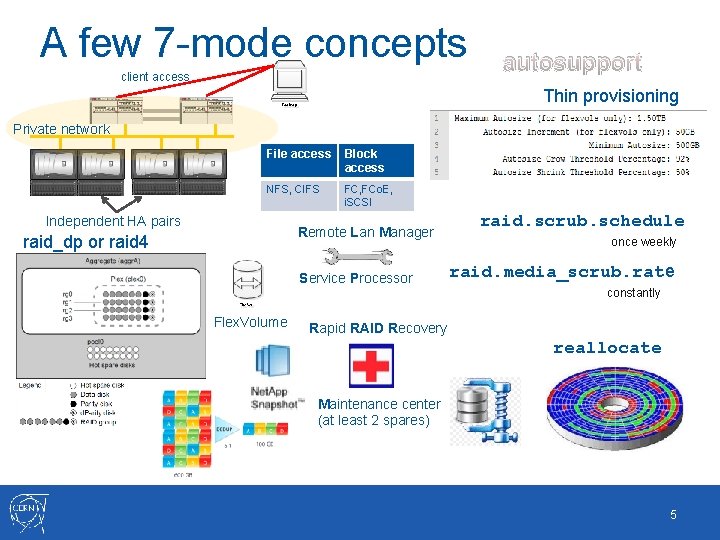
A few 7 -mode concepts client access autosupport Thin provisioning Private network File access Block access NFS, CIFS FC, FCo. E, i. SCSI Independent HA pairs Remote Lan Manager raid_dp or raid 4 Service Processor raid. scrub. schedule once weekly raid. media_scrub. rate constantly Flex. Volume Rapid RAID Recovery reallocate Maintenance center (at least 2 spares) 5

A few C-mode concepts client access Private network cluster Cluster interconnect node shell Cluster mgmt network systemshell C-mode Logging files from the controller no longer accessible by simple NFS export cluster ring show RDB: vifmgr + bcomd + vldb + mgmt Vserver (protected via Snapmirror) Global namespace Cluster should never stop serving data 6
Agenda • • • Brief introduction Our setup Caching technologies Snapshots Data motion, compression & dedup Conclusions 7
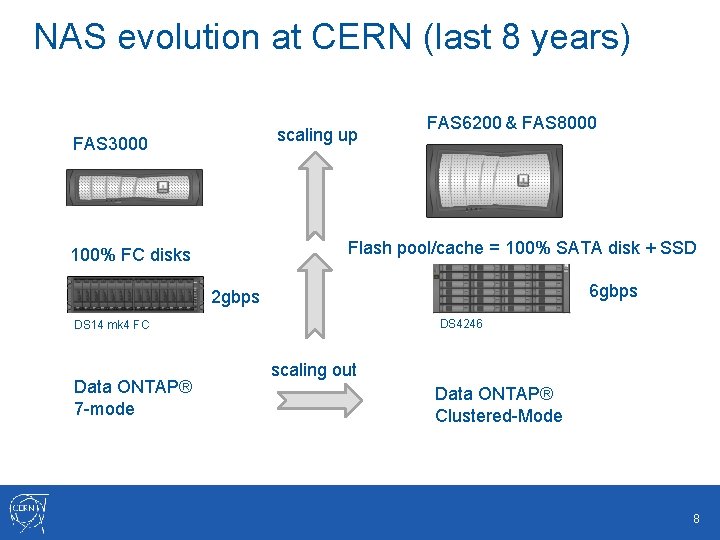
NAS evolution at CERN (last 8 years) scaling up FAS 3000 FAS 6200 & FAS 8000 Flash pool/cache = 100% SATA disk + SSD 100% FC disks 6 gbps 2 gbps DS 4246 DS 14 mk 4 FC Data ONTAP® 7 -mode scaling out Data ONTAP® Clustered-Mode 8
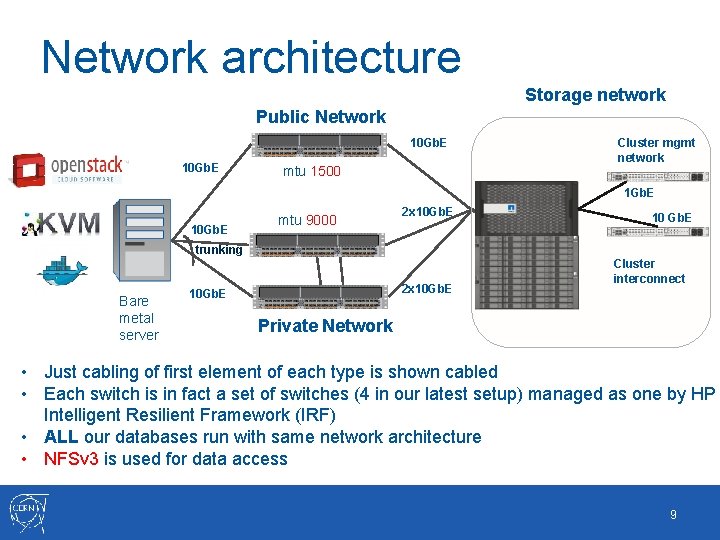
Network architecture Storage network Public Network 10 Gb. E mtu 1500 Cluster mgmt network 1 Gb. E 10 Gb. E mtu 9000 2 x 10 Gb. E 10 Gb. E trunking Bare metal server 2 x 10 Gb. E Cluster interconnect Private Network • Just cabling of first element of each type is shown cabled • Each switch is in fact a set of switches (4 in our latest setup) managed as one by HP Intelligent Resilient Framework (IRF) • ALL our databases run with same network architecture • NFSv 3 is used for data access 9
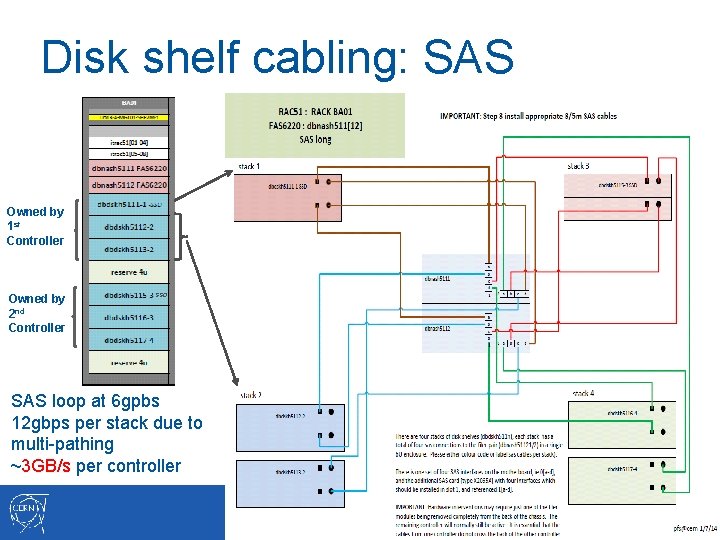
Disk shelf cabling: SAS Owned by 1 st Controller Owned by 2 nd Controller SSD SAS loop at 6 gpbs 12 gbps per stack due to multi-pathing ~3 GB/s per controller 10
Mount options • Oracle and My. SQL are well documented • • Postgre. SQL not popular with NFS, though it works well if properly configured • • Mount Options for Oracle files when used with NFS on NAS devices (Doc ID 359515. 1) Best Practices for Oracle Databases on Net. App Storage, TR 3633 What are the mount options for databases on Net. App NFS? KB ID: 3010189 MTU 9000, reliable NFS stack e. g. Net. App NFS server implementation Do not underestimate impact 11
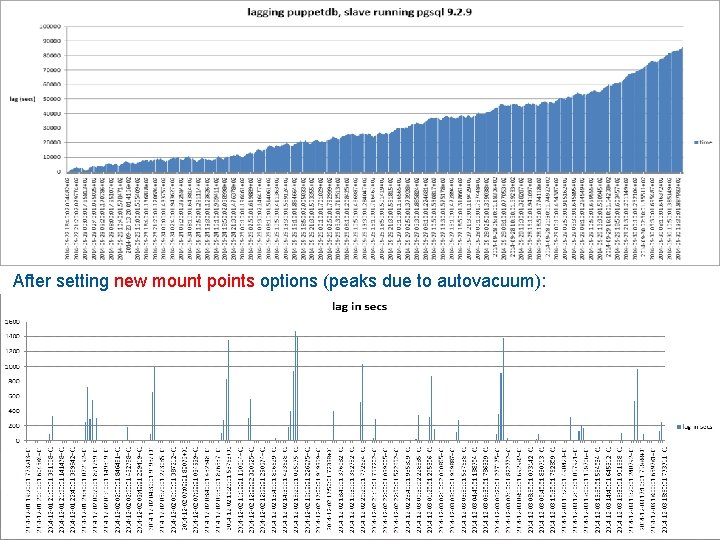
After setting new mount points options (peaks due to autovacuum): 12
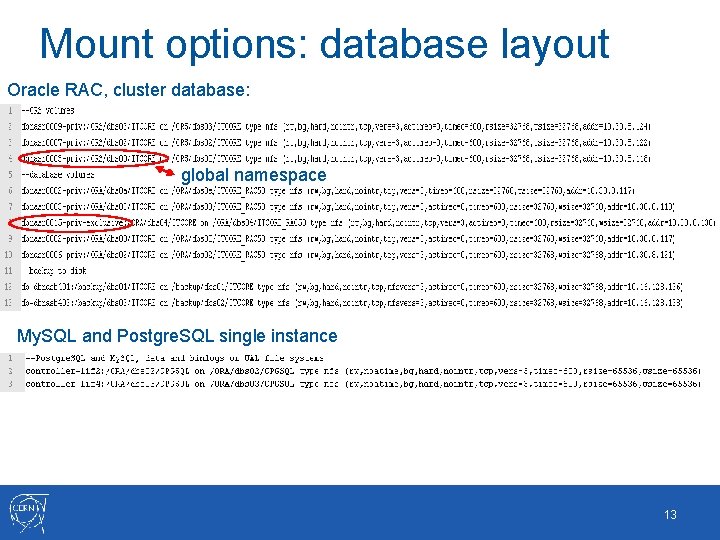
Mount options: database layout Oracle RAC, cluster database: global namespace My. SQL and Postgre. SQL single instance 13
Agenda • • • Brief introduction Our setup Caching technologies Snapshots Data motion, compression & dedup Conclusions 14
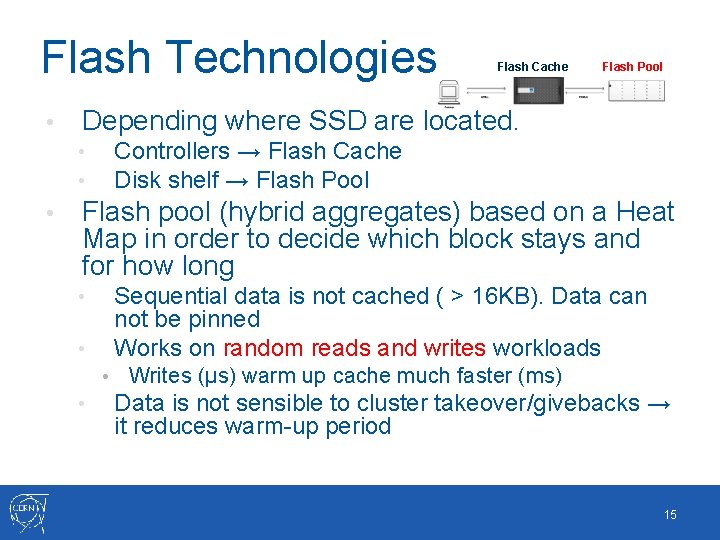
Flash Technologies • Flash Pool Depending where SSD are located. Controllers → Flash Cache Disk shelf → Flash Pool • • • Flash Cache Flash pool (hybrid aggregates) based on a Heat Map in order to decide which block stays and for how long Sequential data is not cached ( > 16 KB). Data can not be pinned Works on random reads and writes workloads • • Writes (μs) warm up cache much faster (ms) Data is not sensible to cluster takeover/givebacks → it reduces warm-up period 15
Agenda • • • Brief introduction Our setup Caching technologies Snapshots Data motion, compression & dedup Conclusions 16
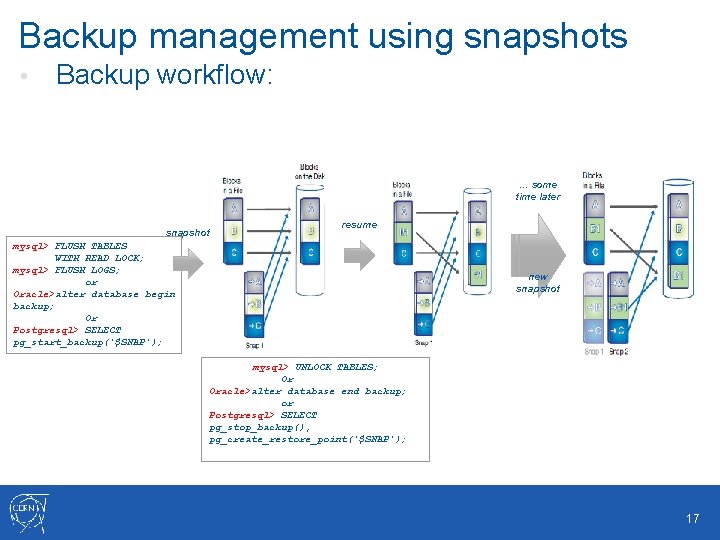
Backup management using snapshots • Backup workflow: … some time later snapshot resume mysql> FLUSH TABLES WITH READ LOCK; mysql> FLUSH LOGS; or Oracle>alter database begin backup; Or Postgresql> SELECT pg_start_backup('$SNAP'); new snapshot mysql> UNLOCK TABLES; Or Oracle>alter database end backup; or Postgresql> SELECT pg_stop_backup(), pg_create_restore_point('$SNAP'); 17
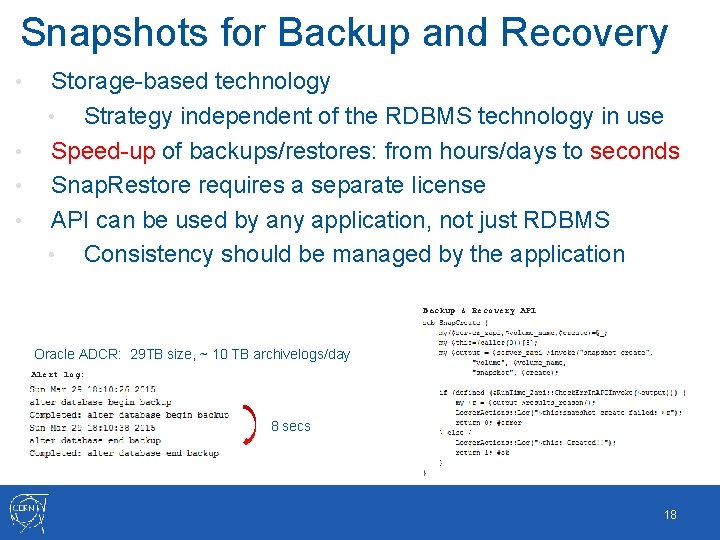
Snapshots for Backup and Recovery • • Storage-based technology • Strategy independent of the RDBMS technology in use Speed-up of backups/restores: from hours/days to seconds Snap. Restore requires a separate license API can be used by any application, not just RDBMS • Consistency should be managed by the application Backup & Recovery API Oracle ADCR: 29 TB size, ~ 10 TB archivelogs/day Alert log: 8 secs 18
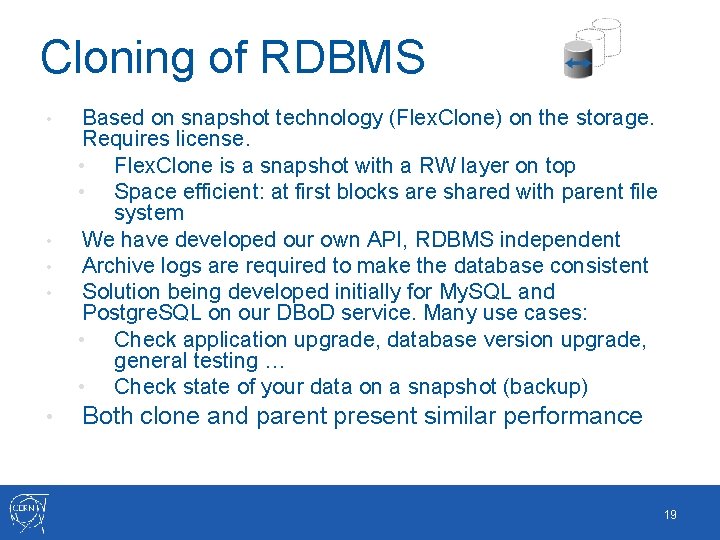
Cloning of RDBMS • • • Based on snapshot technology (Flex. Clone) on the storage. Requires license. • Flex. Clone is a snapshot with a RW layer on top • Space efficient: at first blocks are shared with parent file system We have developed our own API, RDBMS independent Archive logs are required to make the database consistent Solution being developed initially for My. SQL and Postgre. SQL on our DBo. D service. Many use cases: • Check application upgrade, database version upgrade, general testing … • Check state of your data on a snapshot (backup) Both clone and parent present similar performance 19
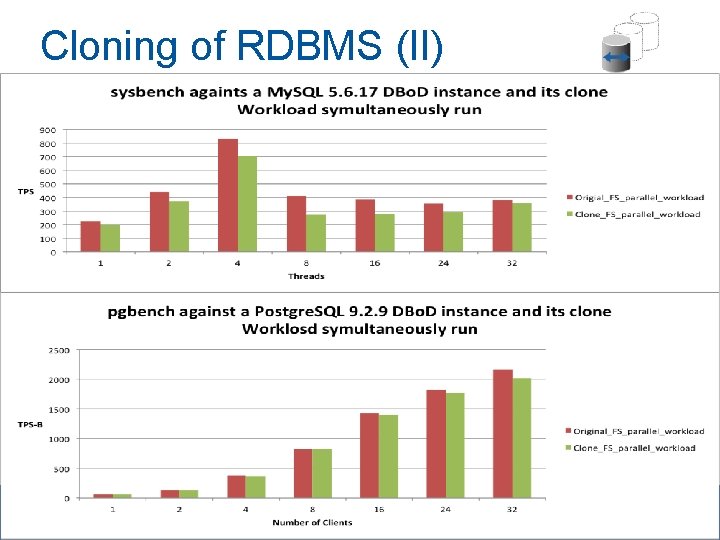
Cloning of RDBMS (II) 20
Agenda • • • Brief introduction Our setup Caching technologies Snapshots Data motion, compression & dedup Conclusions 21
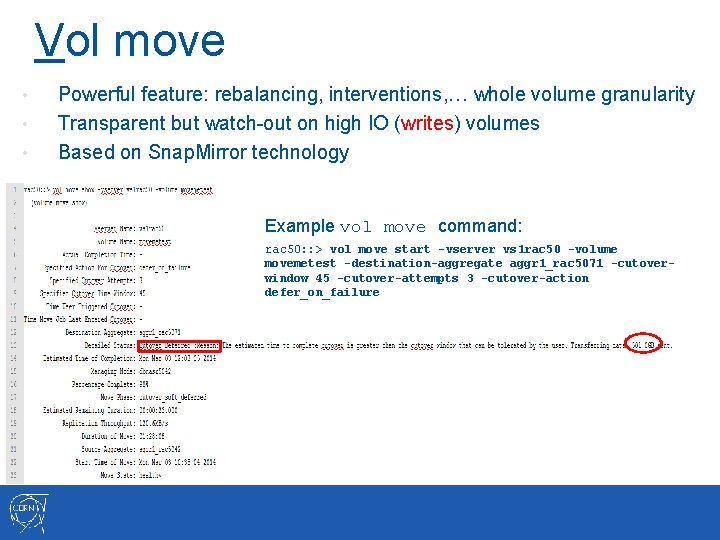
Vol move • • • Powerful feature: rebalancing, interventions, … whole volume granularity Transparent but watch-out on high IO (writes) volumes Based on Snap. Mirror technology Example vol move command: rac 50: : > vol move start -vserver vs 1 rac 50 -volume movemetest -destination-aggregate aggr 1_rac 5071 -cutoverwindow 45 -cutover-attempts 3 -cutover-action defer_on_failure
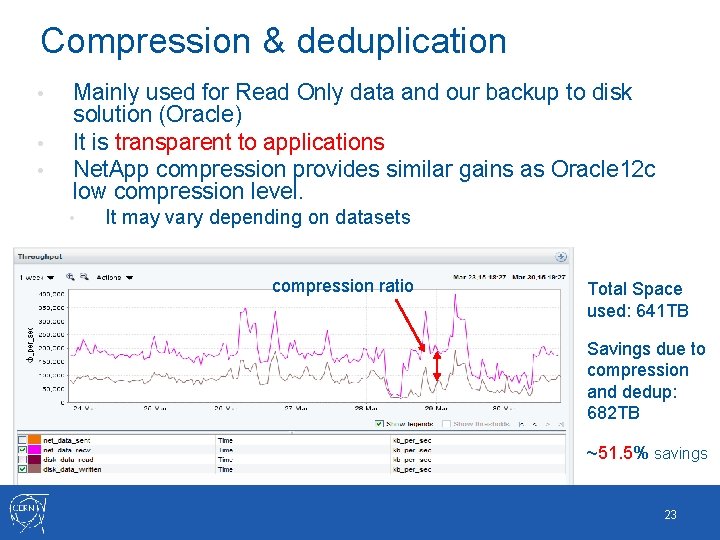
Compression & deduplication • • • Mainly used for Read Only data and our backup to disk solution (Oracle) It is transparent to applications Net. App compression provides similar gains as Oracle 12 c low compression level. • It may vary depending on datasets compression ratio Total Space used: 641 TB Savings due to compression and dedup: 682 TB ~51. 5% savings 23
Conclusions • • • Positive experience so far running on C-mode Data safety features (raid_dp, scrubbing, checksum, …) has been proven to be very reliable but bugs may be encountered, relying on e. g. checksums at the application layer when available is advisable. Mid to high end Net. App NAS provide good performance using the flash pool SSD caching solution Design of stacks and network access require careful planning Cluster resilience has being proven in a number of planned interventions and unplanned incidents • • • Good contacts with vendor specialists has been proven to be very effective Flexibility with clustered ONTAP, helps to reduce the investment • • Online interventions are key for critical services Same infrastructure used to provide i. SCSI object storage via CINDER New service functionality being built based on storage features 24

Questions 25
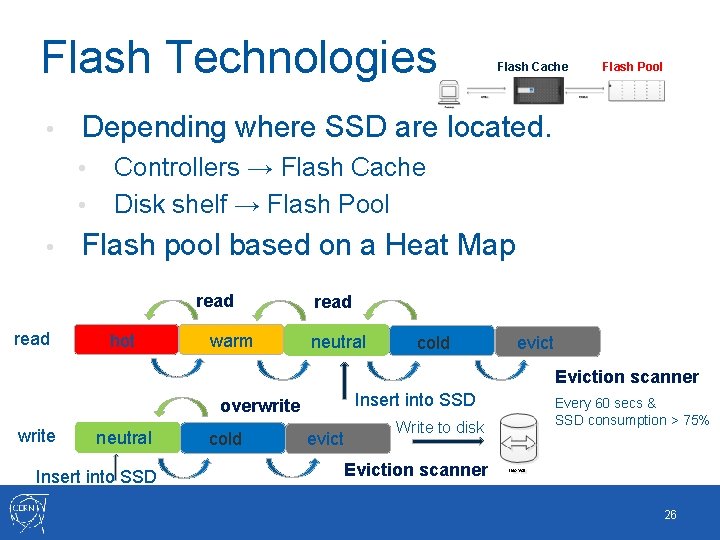
Flash Technologies • • Controllers → Flash Cache Disk shelf → Flash Pool Flash pool based on a Heat Map read Flash Pool Depending where SSD are located. • • Flash Cache hot warm read neutral cold evict Eviction scanner Insert into SSD overwrite neutral Insert into SSD cold evict Write to disk Every 60 secs & SSD consumption > 75% Eviction scanner 26
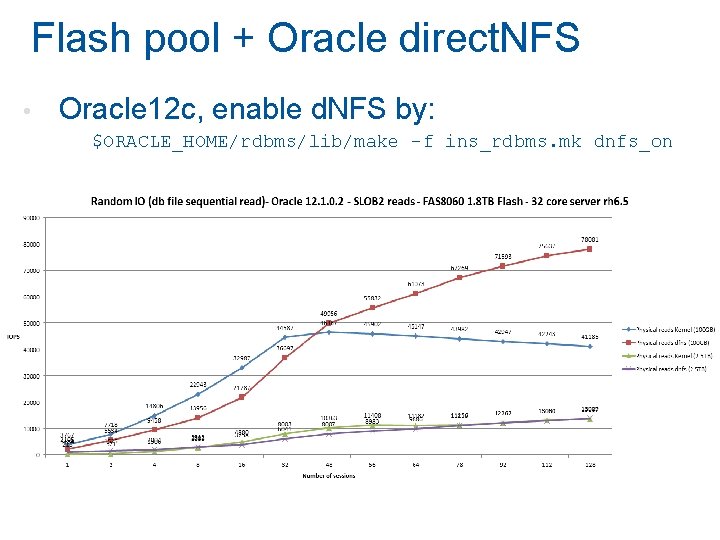
Flash pool + Oracle direct. NFS • Oracle 12 c, enable d. NFS by: $ORACLE_HOME/rdbms/lib/make -f ins_rdbms. mk dnfs_on
- Slides: 27