
EXL 201 Understanding Microsoft Forefront Online Protection for







- Slides: 57
EXL 201 Understanding Microsoft Forefront Online Protection for Exchange Nathan Winters Microsoft Corporation
FOPE Overview
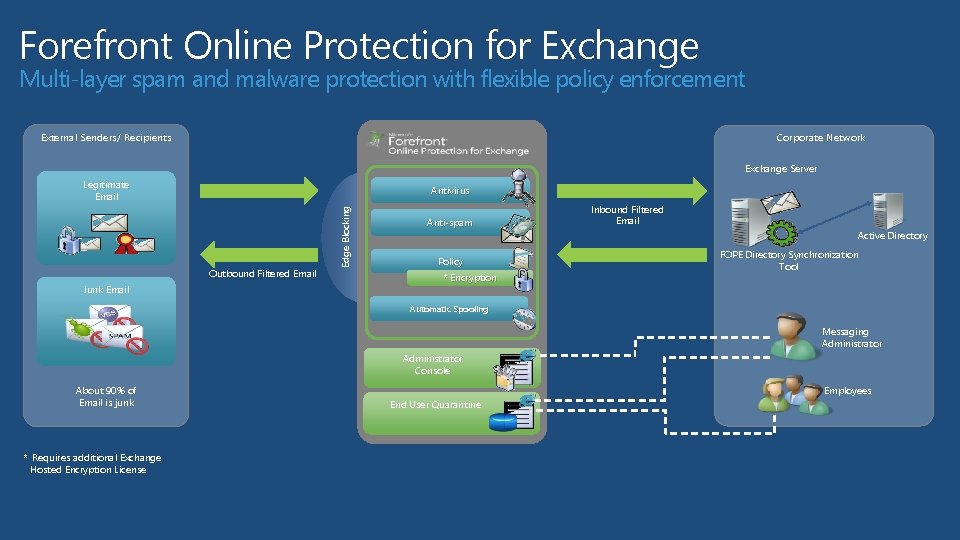
Forefront Online Protection for Exchange Multi-layer spam and malware protection with flexible policy enforcement Corporate Network External Senders/ Recipients Exchange Server Legitimate Email Outbound Filtered Email Junk Email Edge Blocking Antivirus Anti-spam Policy * Encryption Inbound Filtered Email Active Directory FOPE Directory Synchronization Tool Automatic Spooling Messaging Administrator Console About 90% of Email is junk * Requires additional Exchange Hosted Encryption License Employees End User Quarantine
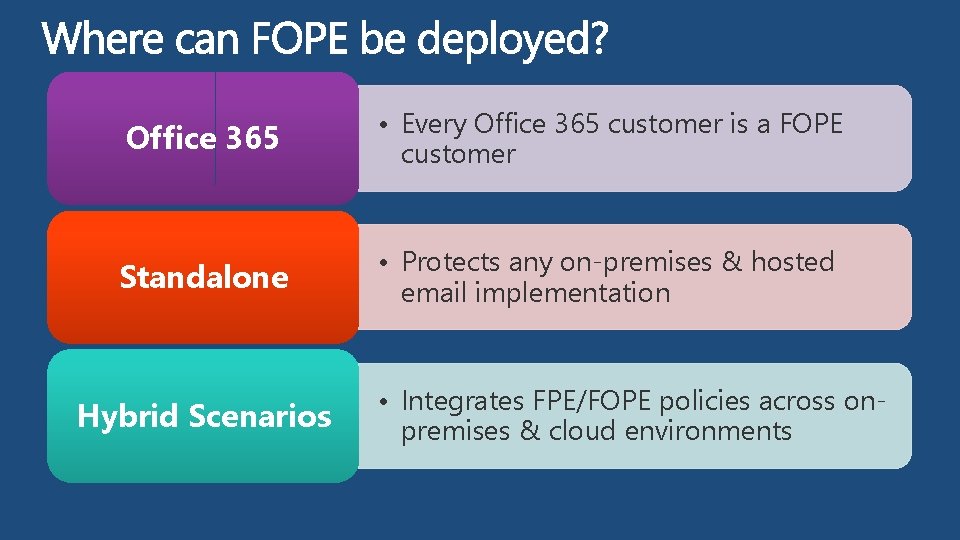
Office 365 • Every Office 365 customer is a FOPE customer Standalone • Protects any on-premises & hosted email implementation Hybrid Scenarios • Integrates FPE/FOPE policies across onpremises & cloud environments
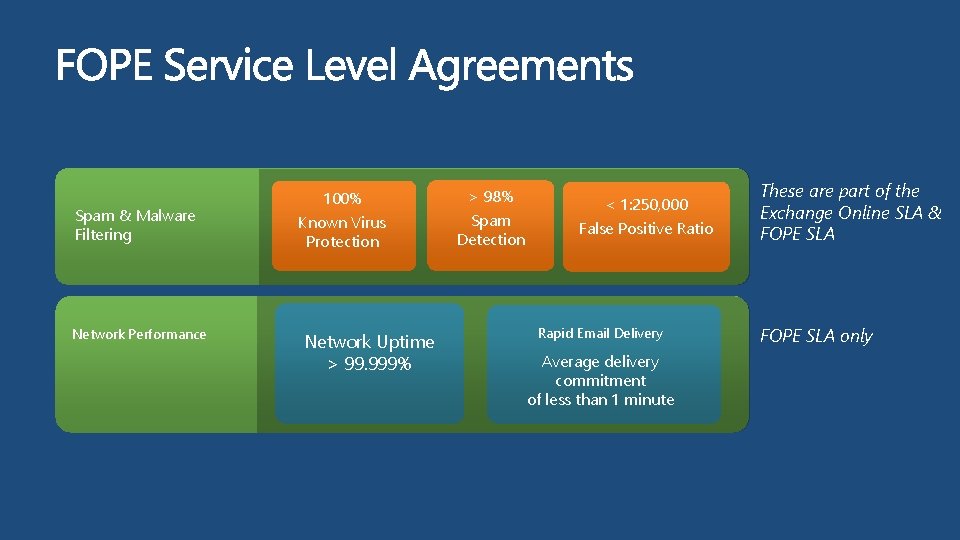
Spam & Malware Filtering Network Performance 100% > 98% Known Virus Protection Spam Detection Network Uptime > 99. 999% < 1: 250, 000 False Positive Ratio Rapid Email Delivery Average delivery commitment of less than 1 minute These are part of the Exchange Online SLA & FOPE SLA only
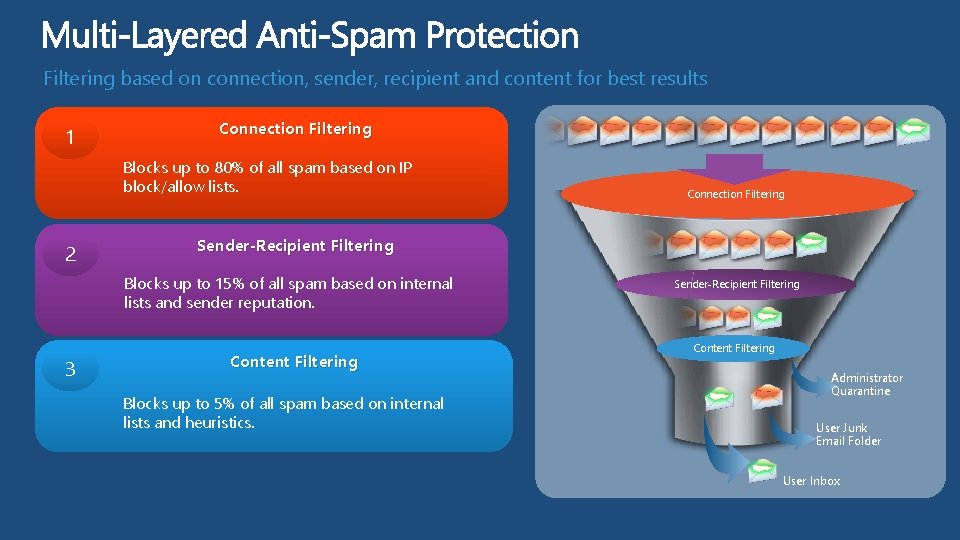
Filtering based on connection, sender, recipient and content for best results 1 Connection Filtering Blocks up to 80% of all spam based on IP block/allow lists. 2 Sender-Recipient Filtering Blocks up to 15% of all spam based on internal lists and sender reputation. 3 Connection Filtering Content Filtering Blocks up to 5% of all spam based on internal lists and heuristics. Sender-Recipient Filtering Content Filtering Administrator Quarantine User Junk Email Folder User Inbox
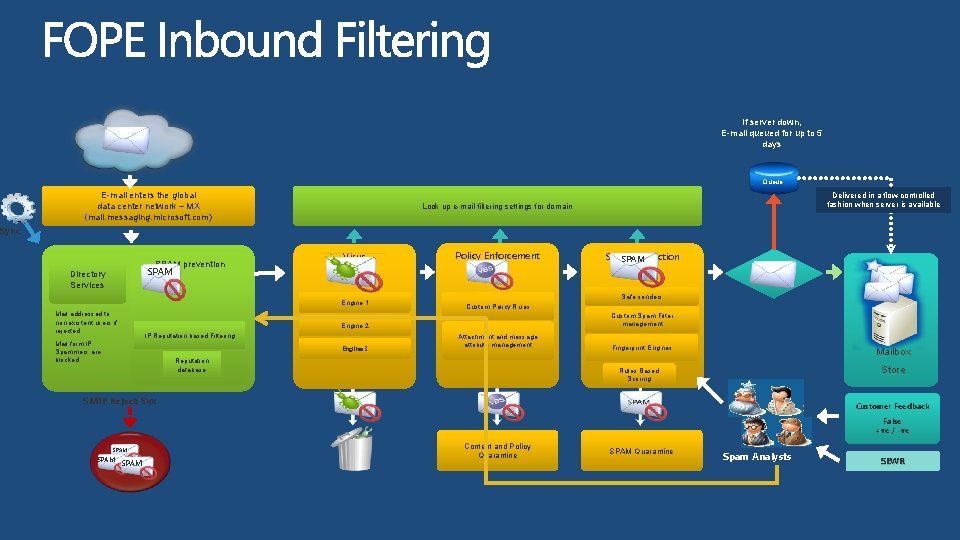
If server down, E-mail queued for up to 5 days Queue E-mail enters the global data center network – MX (mail. messaging. microsoft. com) Delivered in a flow-controlled fashion when server is available Look up e-mail filtering settings for domain Sync Spam SPAM prevention Prevention SPAM Directory Services Virus Scanning Engine 1 Mail addressed to non existent users if rejected Policy Enforcement E-mail server available? Safe senders Custom Policy Rules Custom Spam Filter management Engine 2 IP Reputation based Filtering Mail form IP Spammers are blocked Engine 3 SPAM Protection SPAM Attachment and message attribute management Reputation database Fingerprint Engines Mailbox Store Rules Based Scoring SMTP Reject: 5 xx Customer Feedback False +ve / -ve SPAM Content and Policy Quarantine SPAM Quarantine Spam Analysts SEWR
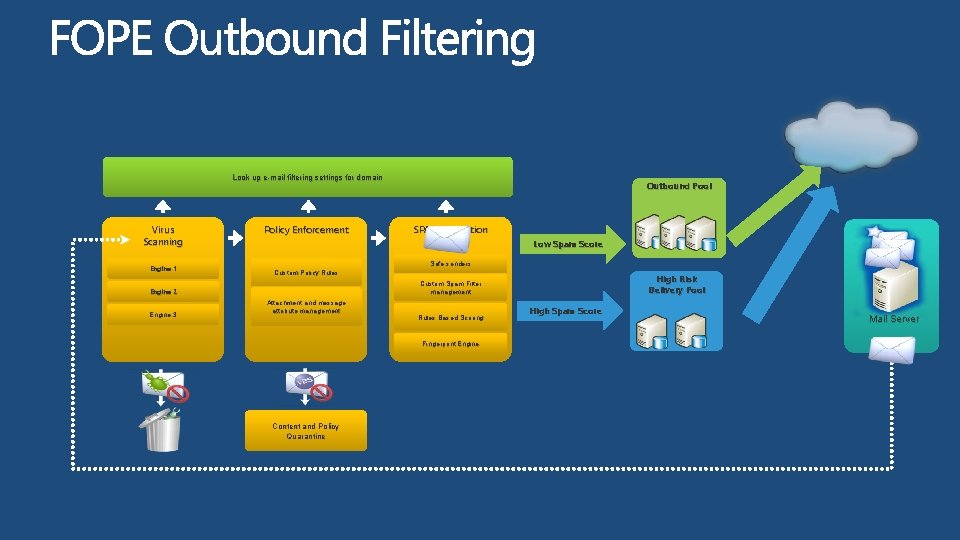
Look up e-mail filtering settings for domain Virus Scanning Engine 1 Policy Enforcement SPAM Protection Low Spam Score Safe senders Custom Policy Rules High Risk Delivery Pool Custom Spam Filter management Engine 2 Engine 3 Outbound Pool Attachment and message attribute management Rules Based Scoring Fingerprint Engine Content and Policy Quarantine High Spam Score Mail Server
FOPE Setup and Configuration http: //www. microsoft. com/exchange/en-us/forefront-onlineprotection-for-exchange. aspx
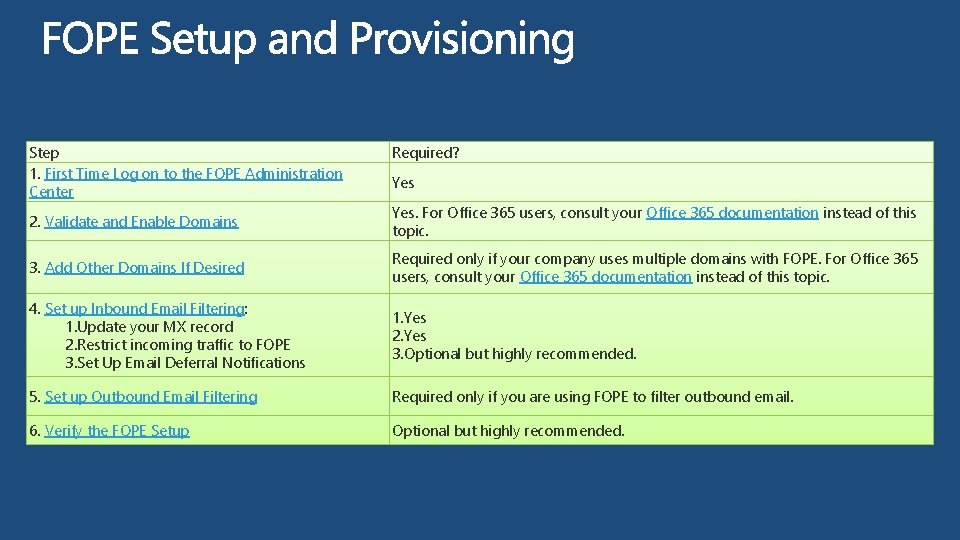
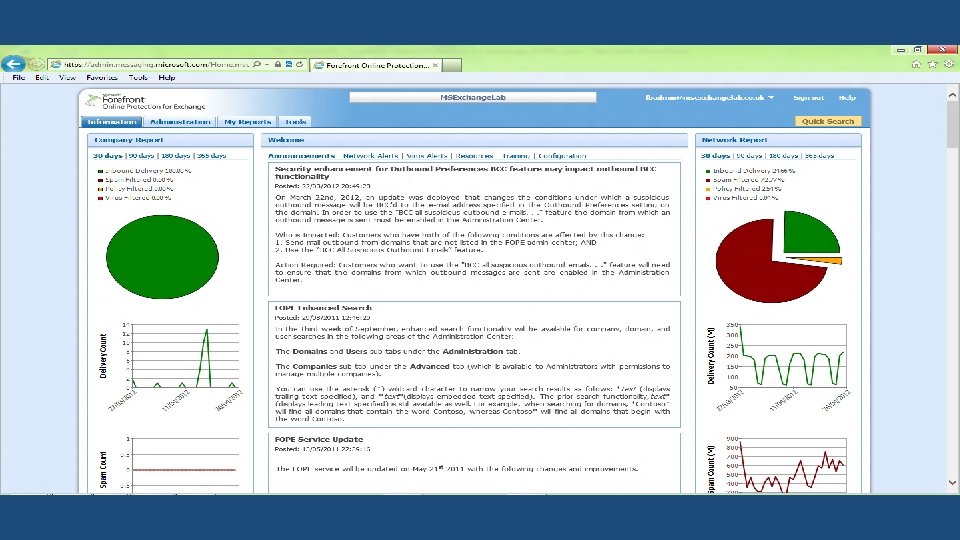
Step 1. First Time Log on to the FOPE Administration Center Required? Yes 2. Validate and Enable Domains Yes. For Office 365 users, consult your Office 365 documentation instead of this topic. 3. Add Other Domains If Desired Required only if your company uses multiple domains with FOPE. For Office 365 users, consult your Office 365 documentation instead of this topic. 4. Set up Inbound Email Filtering: 1. Update your MX record 2. Restrict incoming traffic to FOPE 3. Set Up Email Deferral Notifications 1. Yes 2. Yes 3. Optional but highly recommended. 5. Set up Outbound Email Filtering Required only if you are using FOPE to filter outbound email. 6. Verify the FOPE Setup Optional but highly recommended.
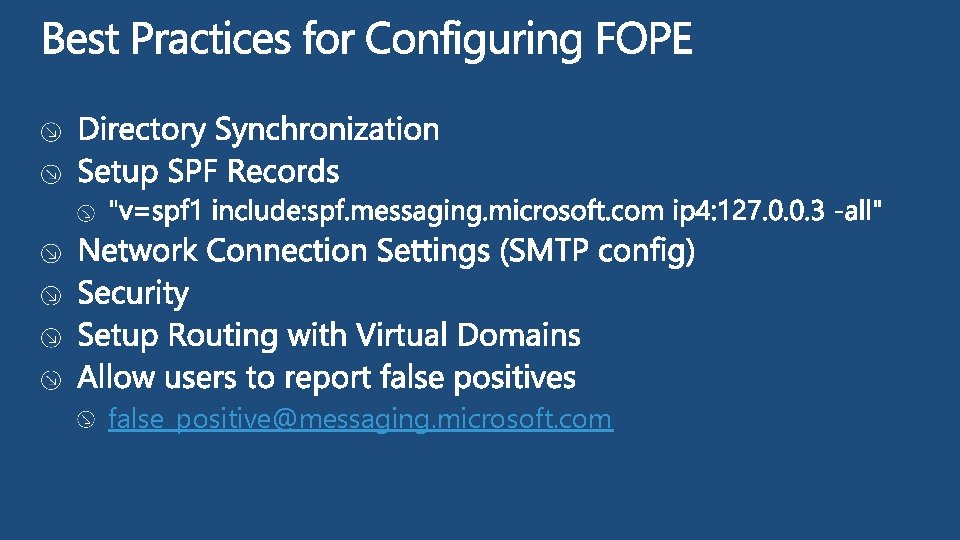
false_positive@messaging. microsoft. com
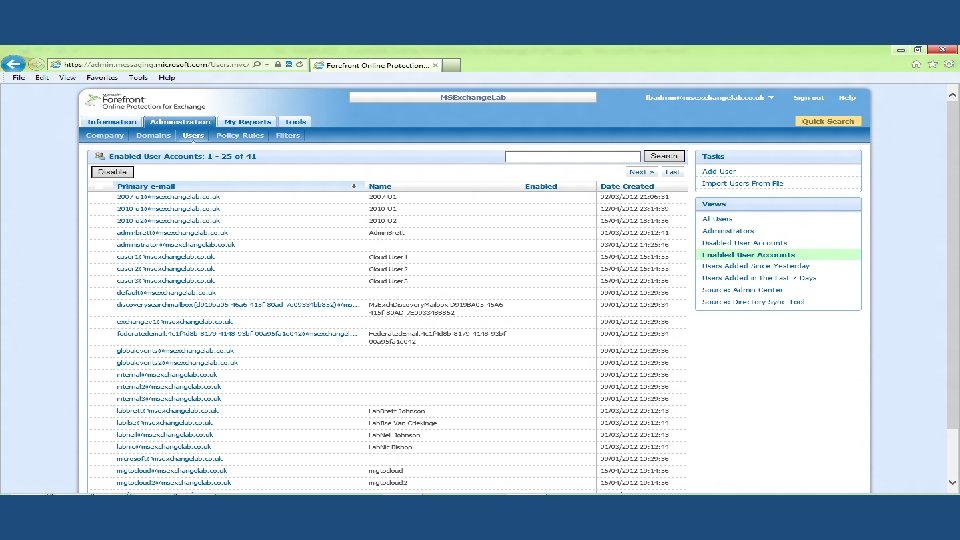
demo Administration Name Title Group
FOPE Managing Junk Mail
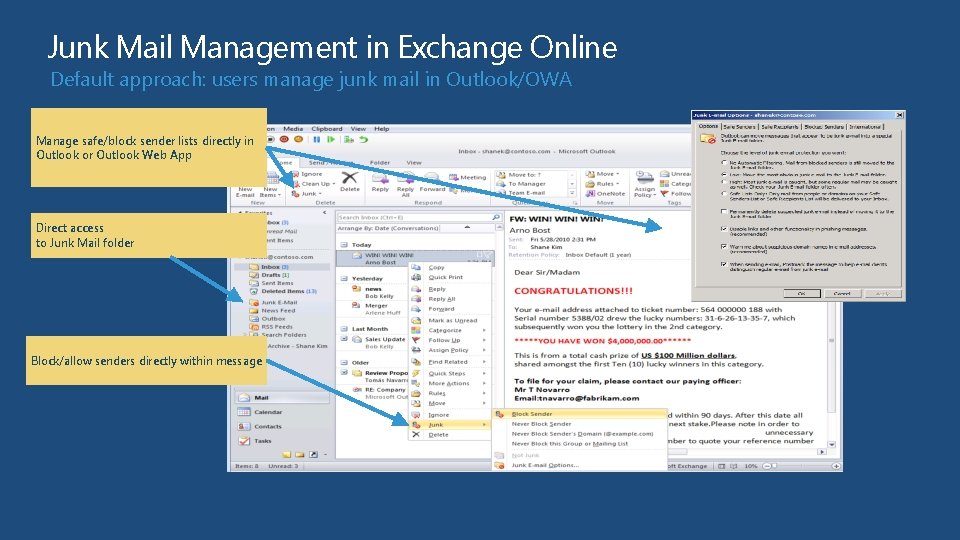
Junk Mail Management in Exchange Online Default approach: users manage junk mail in Outlook/OWA Manage safe/block sender lists directly in Outlook or Outlook Web App Direct access to Junk Mail folder Block/allow senders directly within message
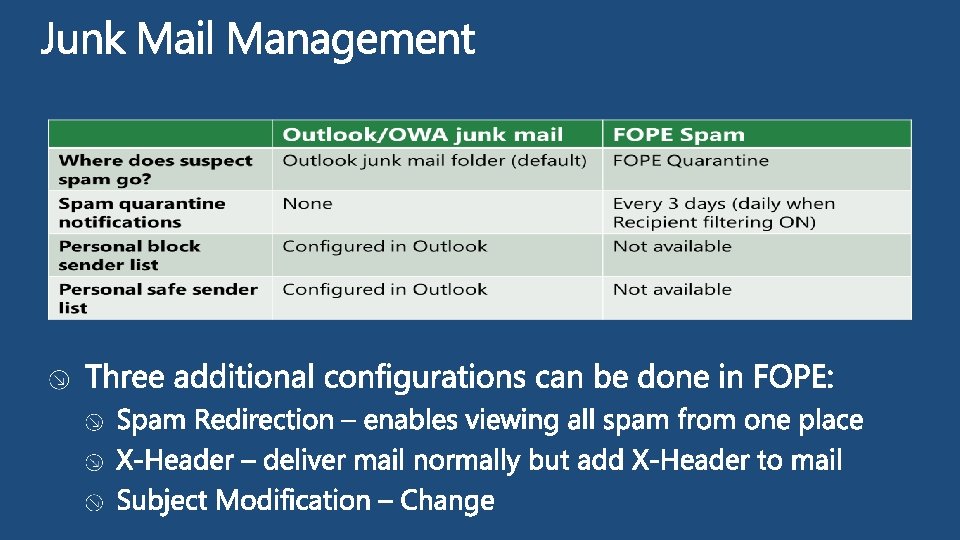
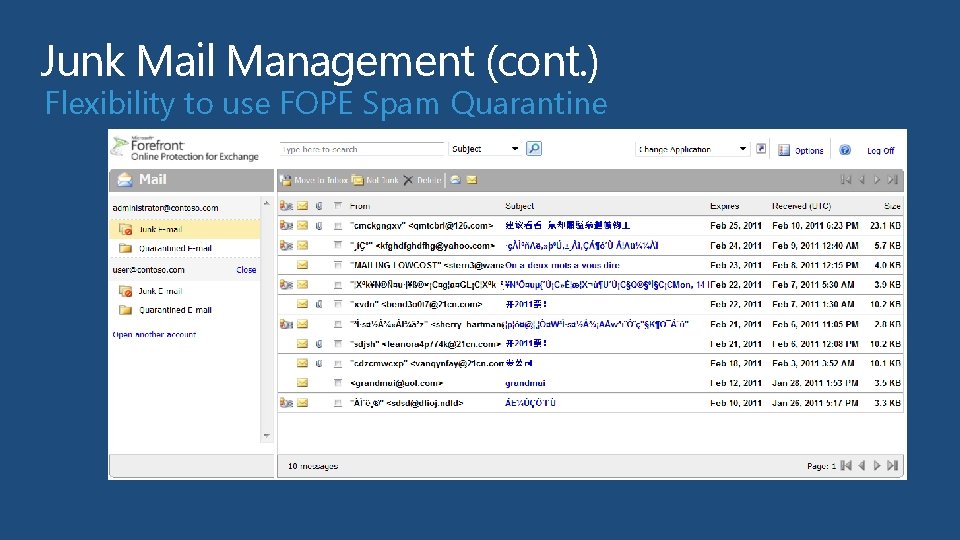
Junk Mail Management (cont. ) Flexibility to use FOPE Spam Quarantine
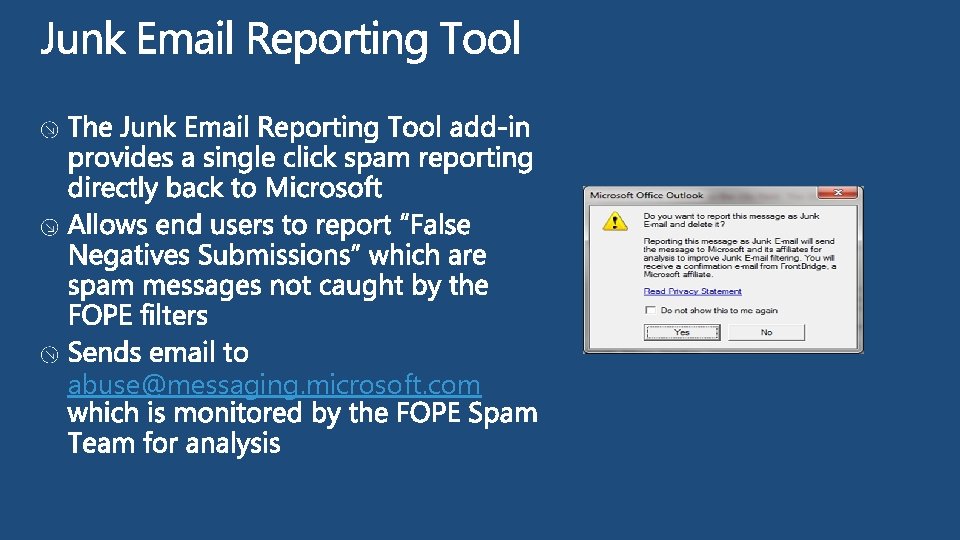
abuse@messaging. microsoft. com
FOPE Connectors and Policies
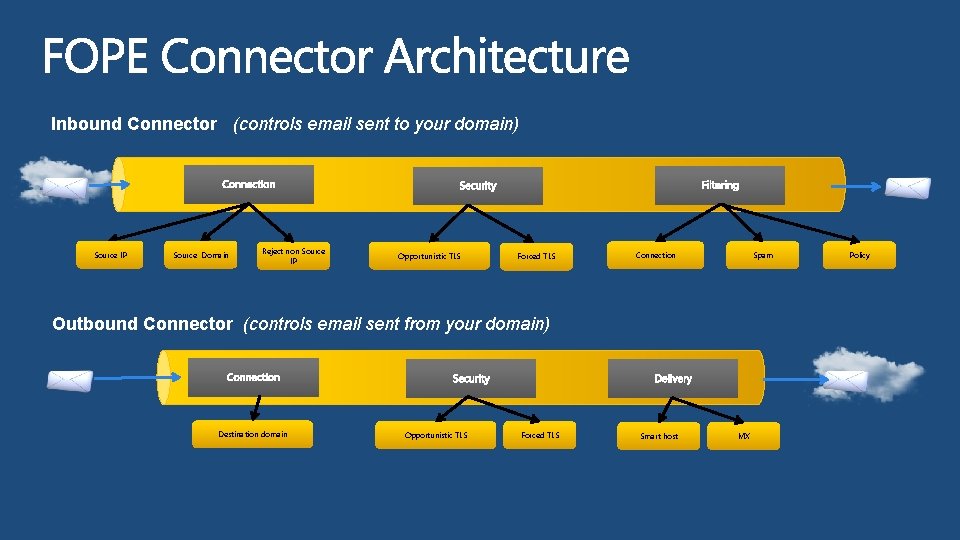
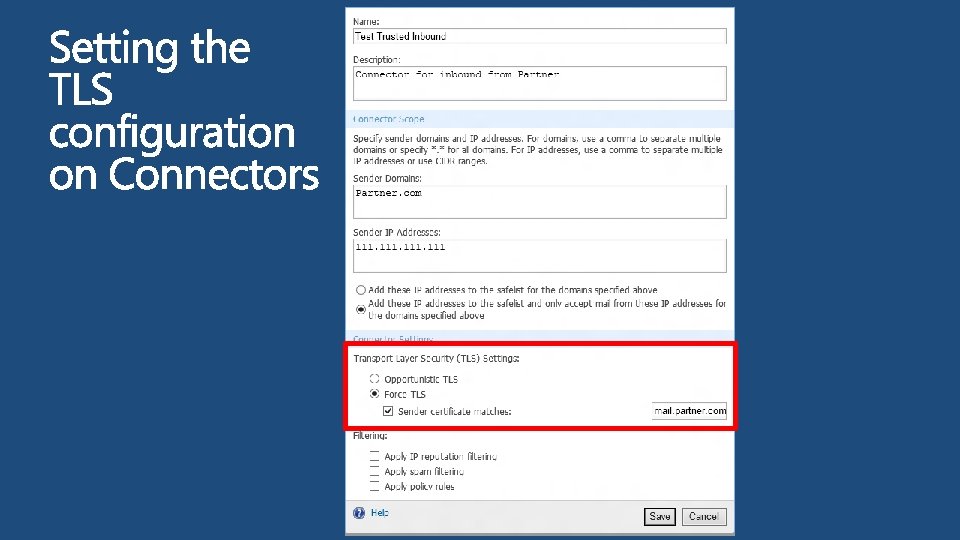
Inbound Connector (controls email sent to your domain) Source IP Source Domain Reject non Source IP Opportunistic TLS Forced TLS Connection Spam Outbound Connector (controls email sent from your domain) Destination domain Opportunistic TLS Forced TLS Smart host MX Policy
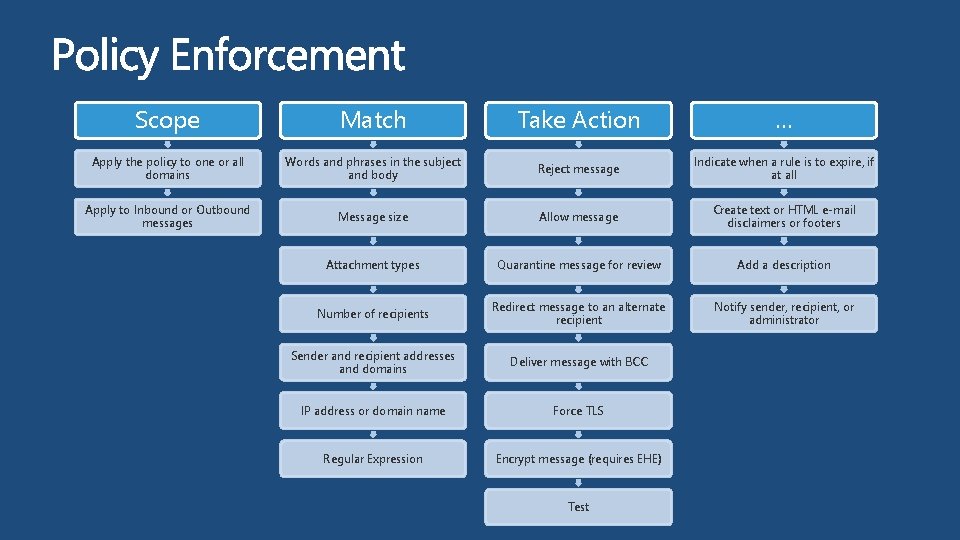
Scope Match Take Action … Apply the policy to one or all domains Words and phrases in the subject and body Reject message Indicate when a rule is to expire, if at all Apply to Inbound or Outbound messages Message size Allow message Create text or HTML e-mail disclaimers or footers Attachment types Quarantine message for review Add a description Number of recipients Redirect message to an alternate recipient Notify sender, recipient, or administrator Sender and recipient addresses and domains Deliver message with BCC IP address or domain name Force TLS Regular Expression Encrypt message (requires EHE) Test
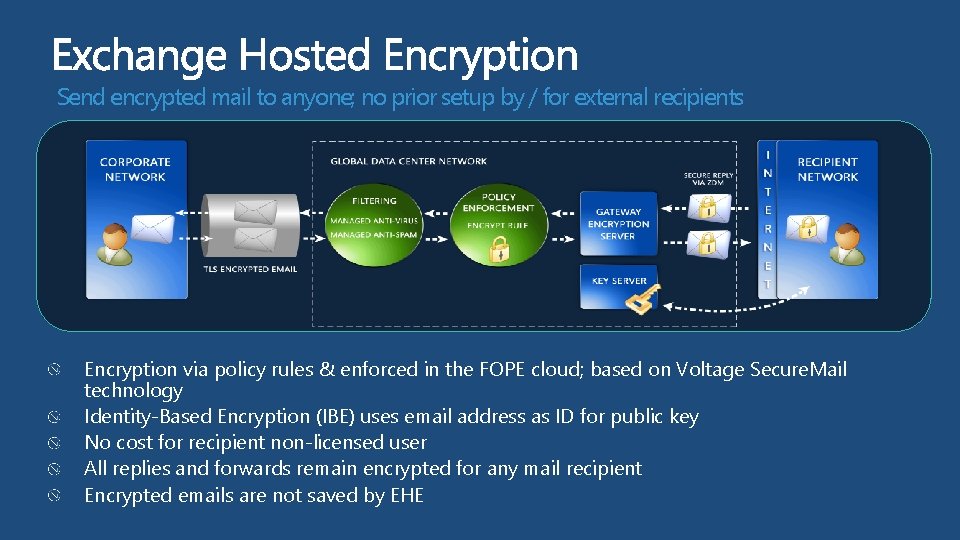
Send encrypted mail to anyone; no prior setup by / for external recipients Encryption via policy rules & enforced in the FOPE cloud; based on Voltage Secure. Mail technology Identity-Based Encryption (IBE) uses email address as ID for public key No cost for recipient non-licensed user All replies and forwards remain encrypted for any mail recipient Encrypted emails are not saved by EHE
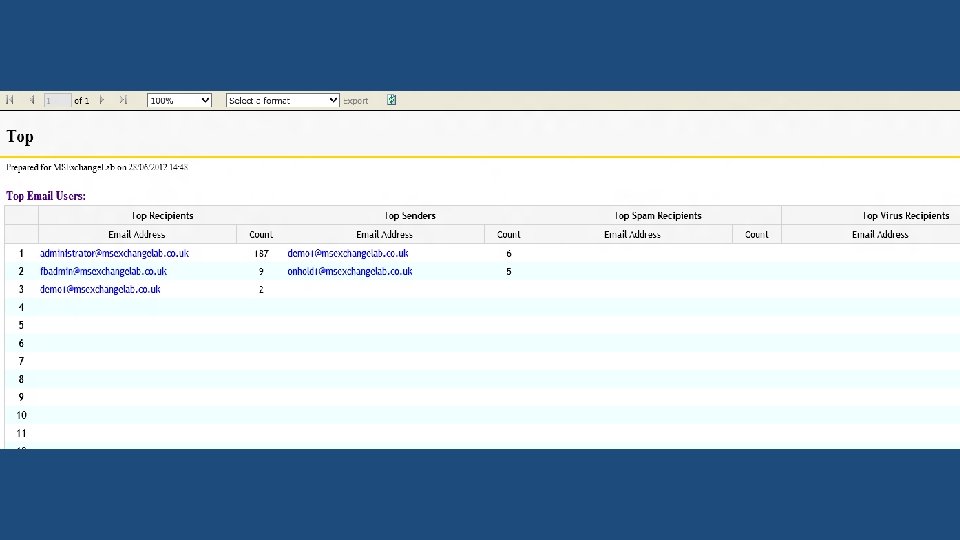
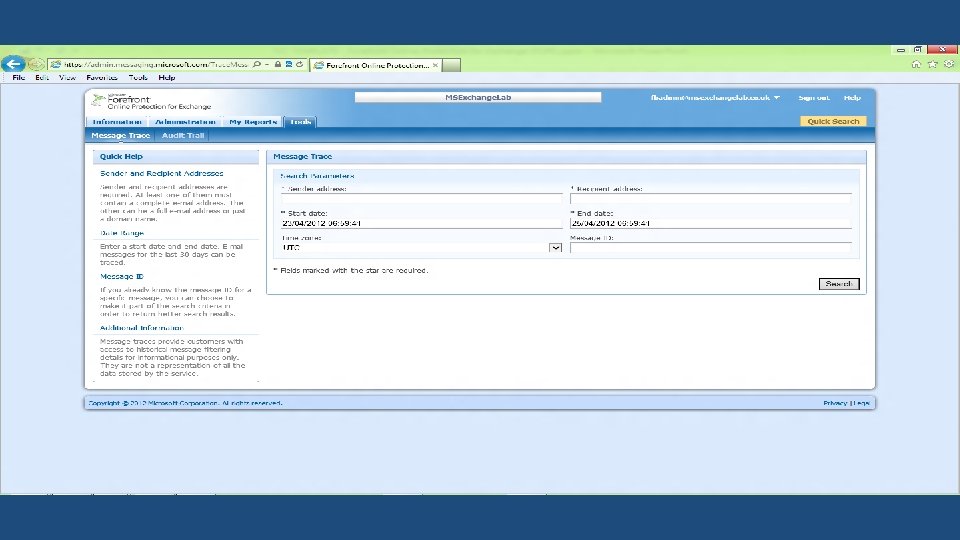
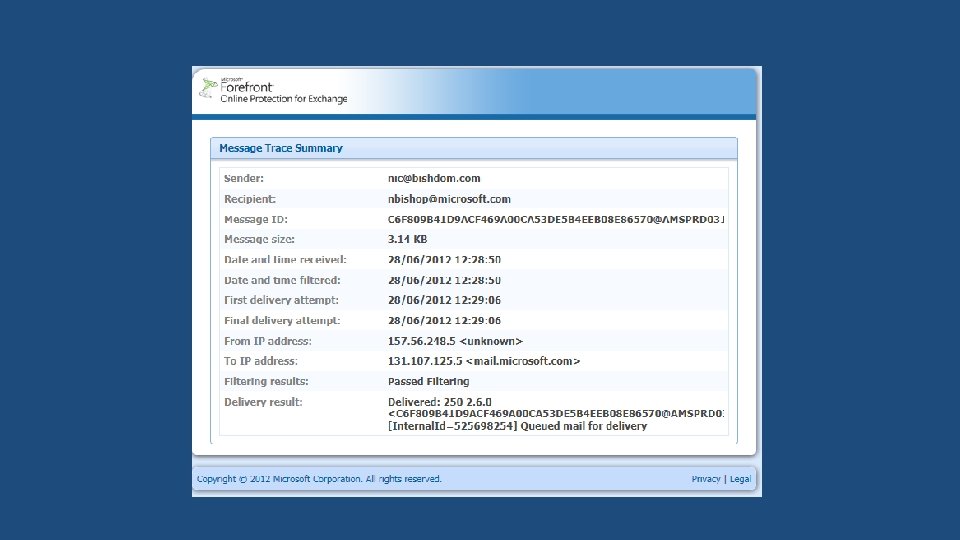
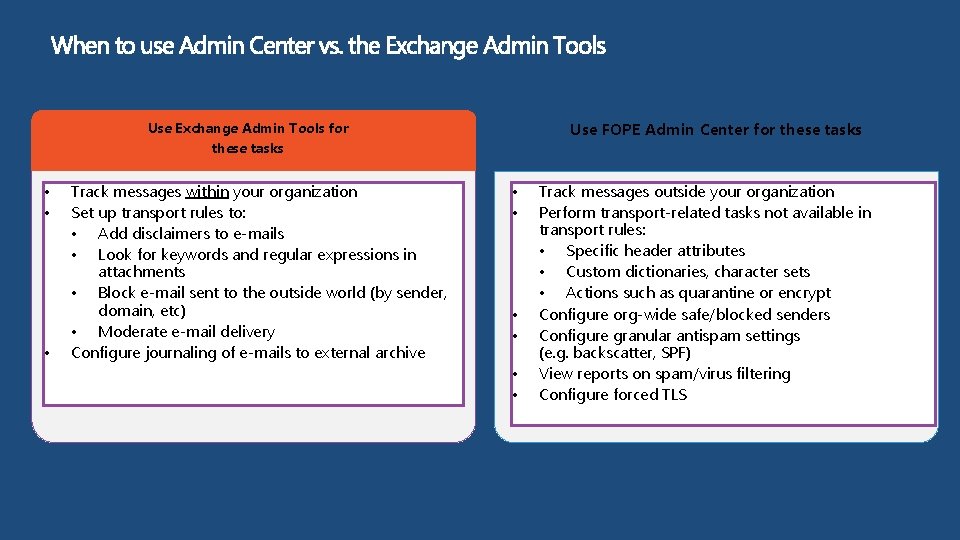
Use FOPE Admin Center for these tasks Use Exchange Admin Tools for these tasks • • • Track messages within your organization Set up transport rules to: • Add disclaimers to e-mails • Look for keywords and regular expressions in attachments • Block e-mail sent to the outside world (by sender, domain, etc) • Moderate e-mail delivery Configure journaling of e-mails to external archive • • • Track messages outside your organization Perform transport-related tasks not available in transport rules: • Specific header attributes • Custom dictionaries, character sets • Actions such as quarantine or encrypt Configure org-wide safe/blocked senders Configure granular antispam settings (e. g. backscatter, SPF) View reports on spam/virus filtering Configure forced TLS
FOPE Mail Routing Basics
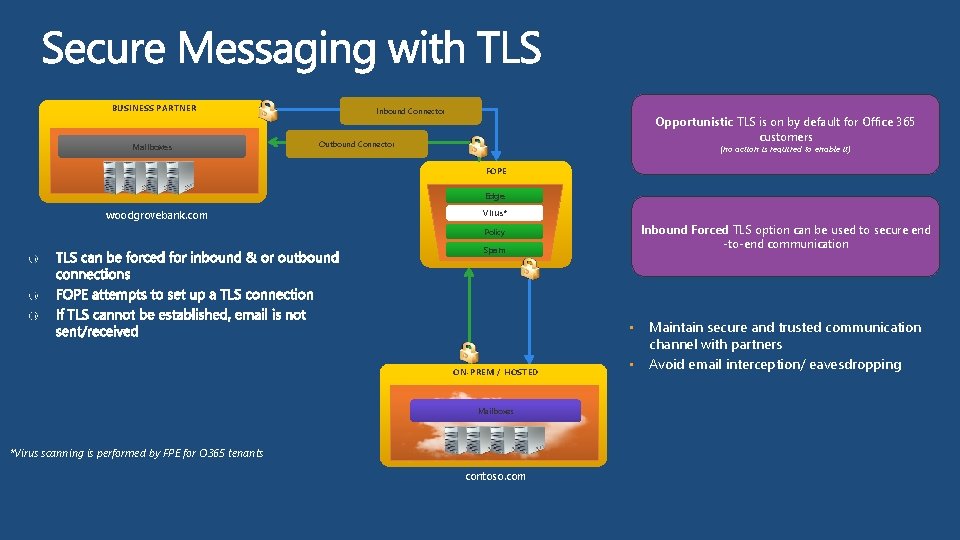
BUSINESS PARTNER Mailboxes Inbound Connector Opportunistic TLS is on by default for Office 365 customers Outbound Connector (no action is required to enable it) FOPE Edge woodgrovebank. com Virus* Inbound Forced TLS option can be used to secure end -to-end communication Policy Spam • ON-PREM / HOSTED Mailboxes *Virus scanning is performed by FPE for O 365 tenants contoso. com • Maintain secure and trusted communication channel with partners Avoid email interception/ eavesdropping
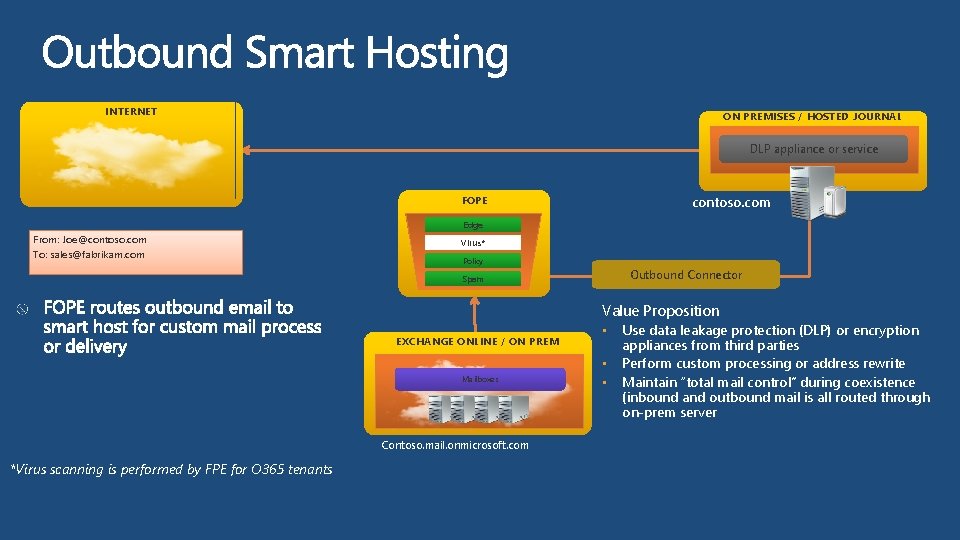
INTERNET ON PREMISES / HOSTED JOURNAL DLP appliance or service contoso. com FOPE Edge From: Joe@contoso. com To: sales@fabrikam. com Virus* Policy Outbound Connector Spam Value Proposition EXCHANGE ONLINE / ON PREM Mailboxes Contoso. mail. onmicrosoft. com *Virus scanning is performed by FPE for O 365 tenants • • • Use data leakage protection (DLP) or encryption appliances from third parties Perform custom processing or address rewrite Maintain “total mail control” during coexistence (inbound and outbound mail is all routed through on-prem server
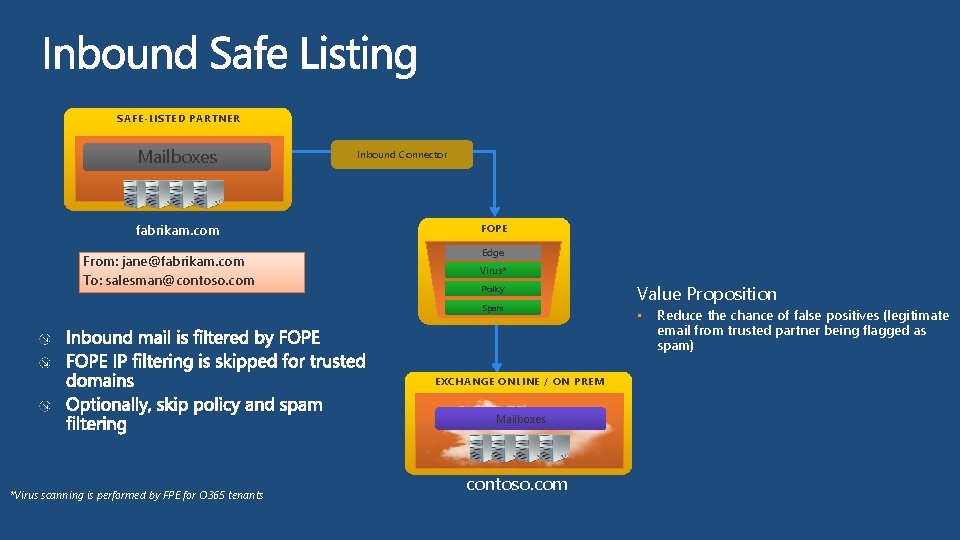
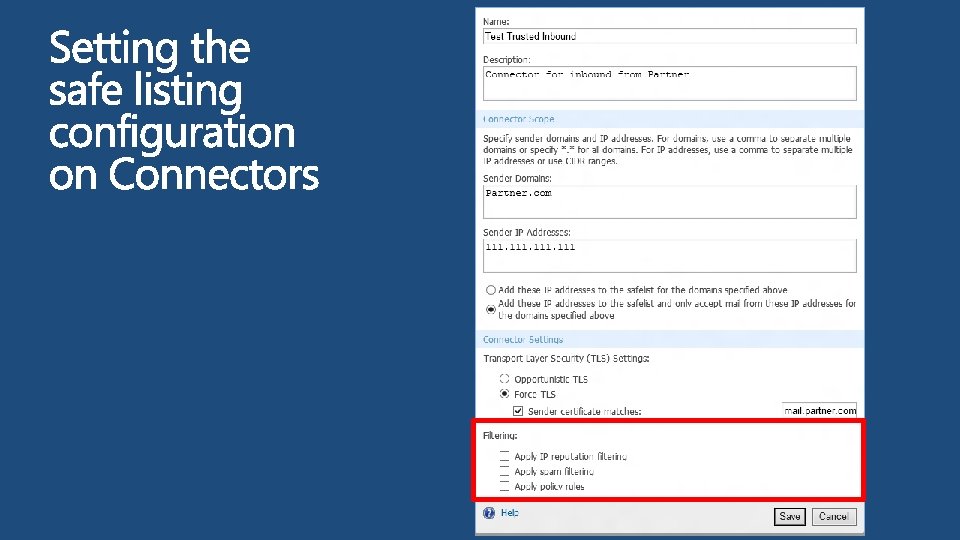
SAFE-LISTED PARTNER Mailboxes fabrikam. com From: jane@fabrikam. com To: salesman@contoso. com Inbound Connector FOPE Edge Virus* Policy Spam EXCHANGE ONLINE / ON PREM Mailboxes *Virus scanning is performed by FPE for O 365 tenants contoso. com Value Proposition • Reduce the chance of false positives (legitimate email from trusted partner being flagged as spam)
FOPE Mail Routing for O 365 Hybrid
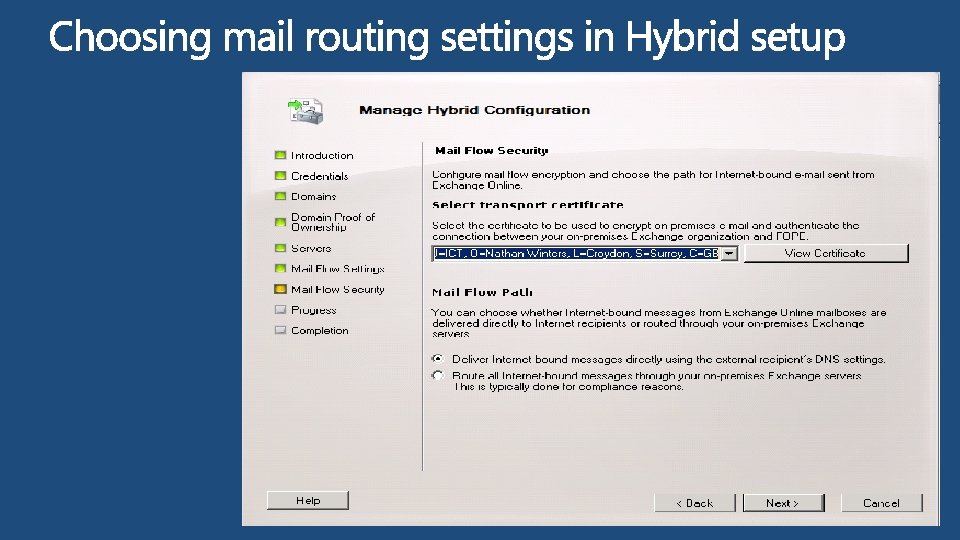
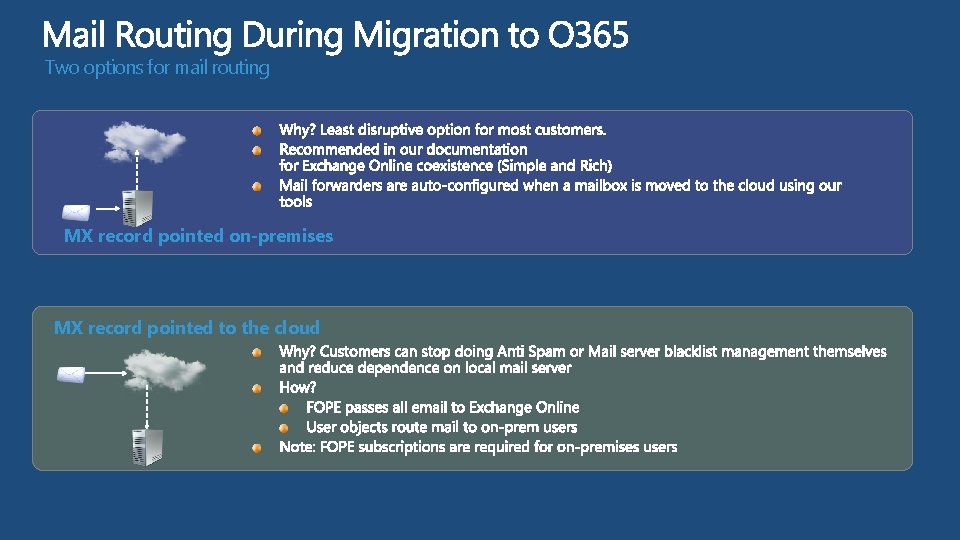
Two options for mail routing MX record pointed on-premises MX record pointed to the cloud
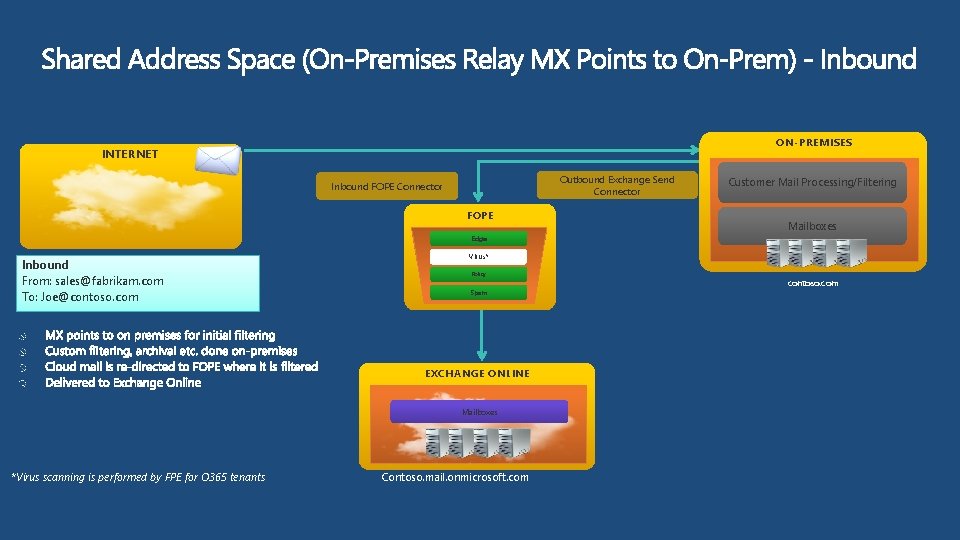
ON-PREMISES INTERNET Outbound Exchange Send Connector Inbound FOPE Connector FOPE Customer Mail Processing/Filtering Mailboxes Edge Inbound From: sales@fabrikam. com To: Joe@contoso. com Virus* Policy Spam EXCHANGE ONLINE Mailboxes *Virus scanning is performed by FPE for O 365 tenants Contoso. mail. onmicrosoft. com contoso. com
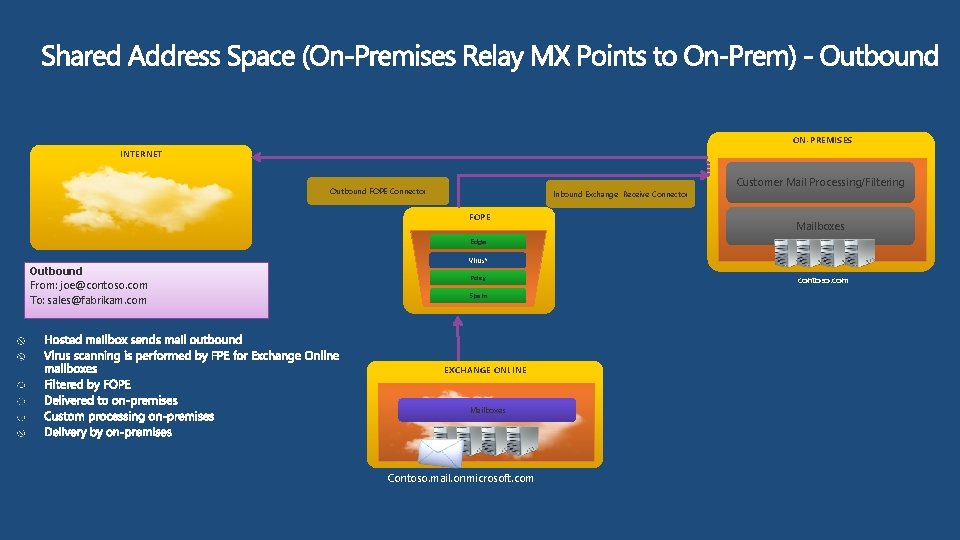
ON-PREMISES INTERNET Outbound FOPE Connector Inbound Exchange Receive Connector FOPE Customer Mail Processing/Filtering Mailboxes Edge Outbound From: joe@contoso. com To: sales@fabrikam. com Virus* Policy Spam EXCHANGE ONLINE Mailboxes Contoso. mail. onmicrosoft. com contoso. com
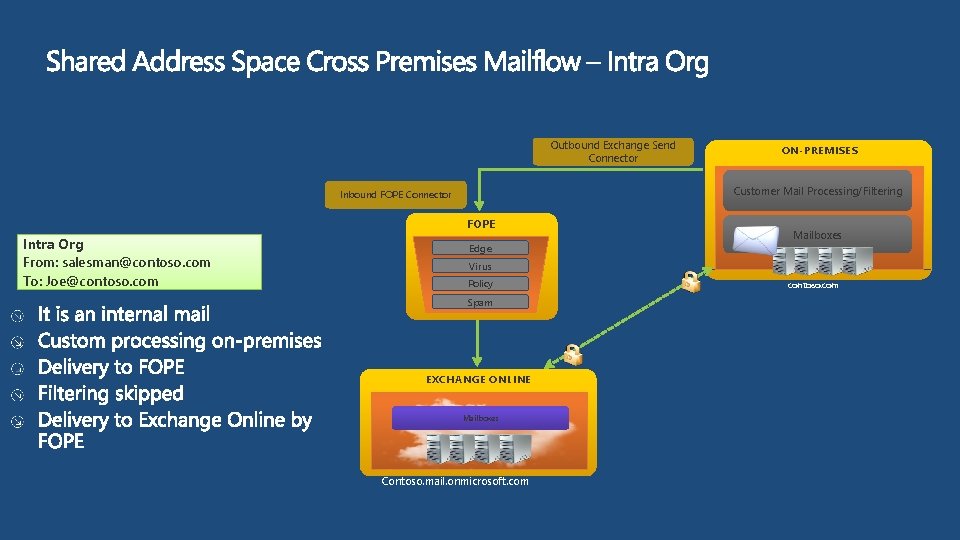
Outbound Exchange Send Connector Customer Mail Processing/Filtering Inbound FOPE Connector FOPE Intra Org From: salesman@contoso. com To: Joe@contoso. com ON-PREMISES Edge Mailboxes Virus Policy Spam EXCHANGE ONLINE Mailboxes Contoso. mail. onmicrosoft. com contoso. com
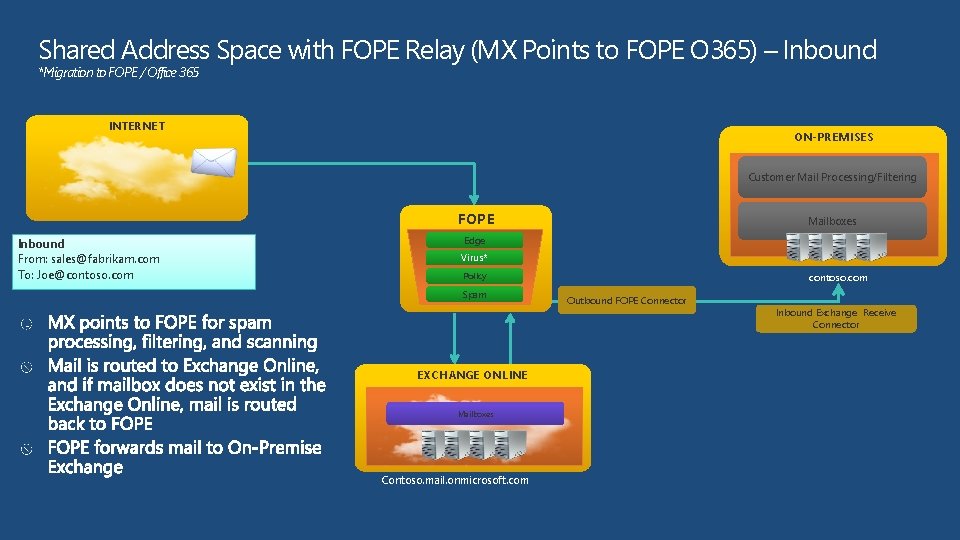
Shared Address Space with FOPE Relay (MX Points to FOPE O 365) – Inbound *Migration to FOPE / Office 365 INTERNET ON-PREMISES Customer Mail Processing/Filtering FOPE Inbound From: sales@fabrikam. com To: Joe@contoso. com Mailboxes Edge Virus* Policy Spam EXCHANGE ONLINE Mailboxes Contoso. mail. onmicrosoft. com contoso. com Outbound FOPE Connector Inbound Exchange Receive Connector
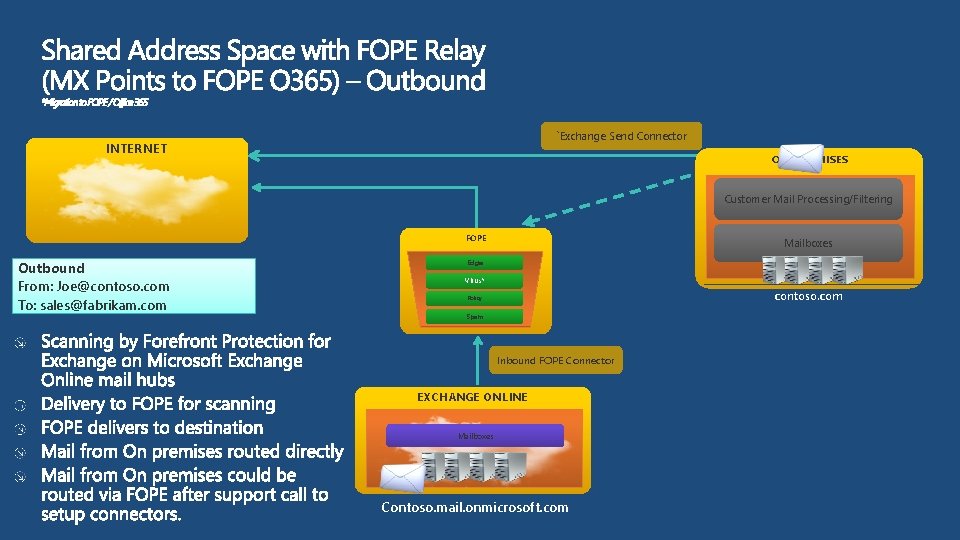
`Exchange Send Connector INTERNET ON-PREMISES Customer Mail Processing/Filtering FOPE Outbound From: Joe@contoso. com To: sales@fabrikam. com Mailboxes Edge Virus* contoso. com Policy Spam Inbound FOPE Connector EXCHANGE ONLINE Mailboxes Contoso. mail. onmicrosoft. com
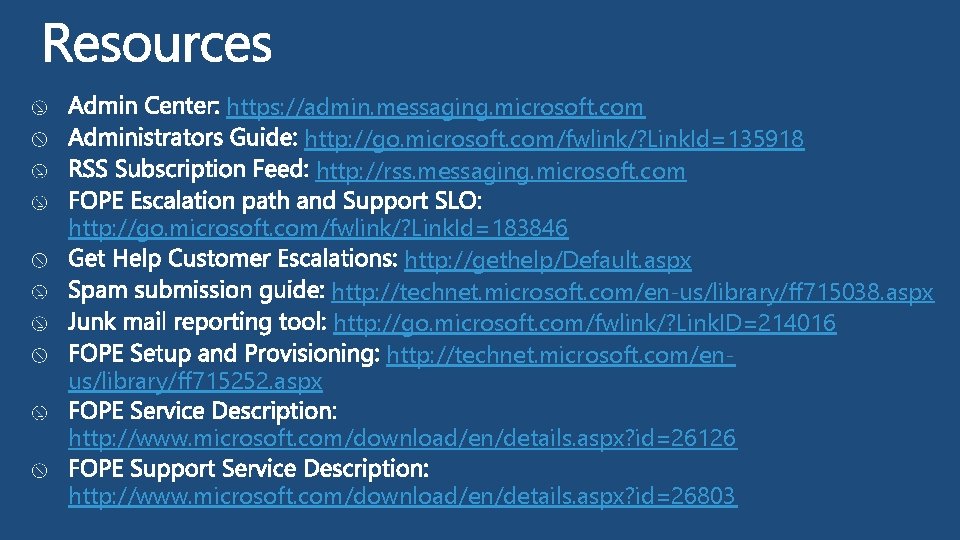
https: //admin. messaging. microsoft. com http: //go. microsoft. com/fwlink/? Link. Id=135918 http: //rss. messaging. microsoft. com http: //go. microsoft. com/fwlink/? Link. Id=183846 http: //gethelp/Default. aspx http: //technet. microsoft. com/en-us/library/ff 715038. aspx http: //go. microsoft. com/fwlink/? Link. ID=214016 http: //technet. microsoft. com/enus/library/ff 715252. aspx http: //www. microsoft. com/download/en/details. aspx? id=26126 http: //www. microsoft. com/download/en/details. aspx? id=26803
nwinters@microsoft. com http: //nathanwinters. co. uk
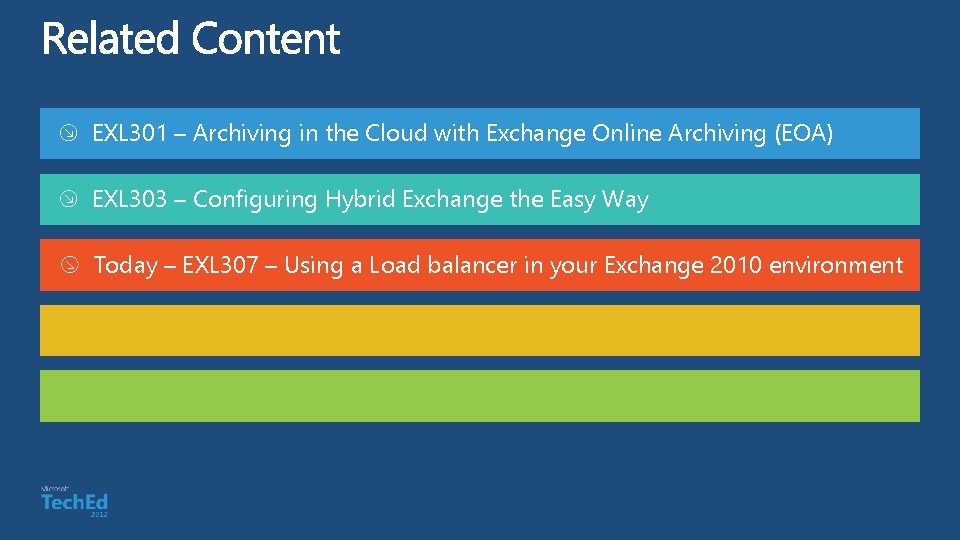
EXL 301 – Archiving in the Cloud with Exchange Online Archiving (EOA) EXL 303 – Configuring Hybrid Exchange the Easy Way Today – EXL 307 – Using a Load balancer in your Exchange 2010 environment
Exchange Team Blog: http: //blogs. technet. com/b/exchange/ Exchange Tech. Net Tech Center: http: //technet. microsoft. com/exchange Geek Out with Perry Blog: http: //blogs. technet. com/b/perryclarke/ MEC Website and Registration: http: //www. mecisback. com/
Learning Connect. Share. Discuss. Microsoft Certification & Training Resources http: //europe. msteched. com www. microsoft. com/learning Tech. Net Resources for IT Professionals Resources for Developers http: //microsoft. com/technet http: //microsoft. com/msdn
Evaluations Submit your evals online http: //europe. msteched. com/sessions