
exercises Trainingland The DHIS 2 Training Environment What

- Slides: 13
exercises Trainingland - The DHIS 2 Training Environment -
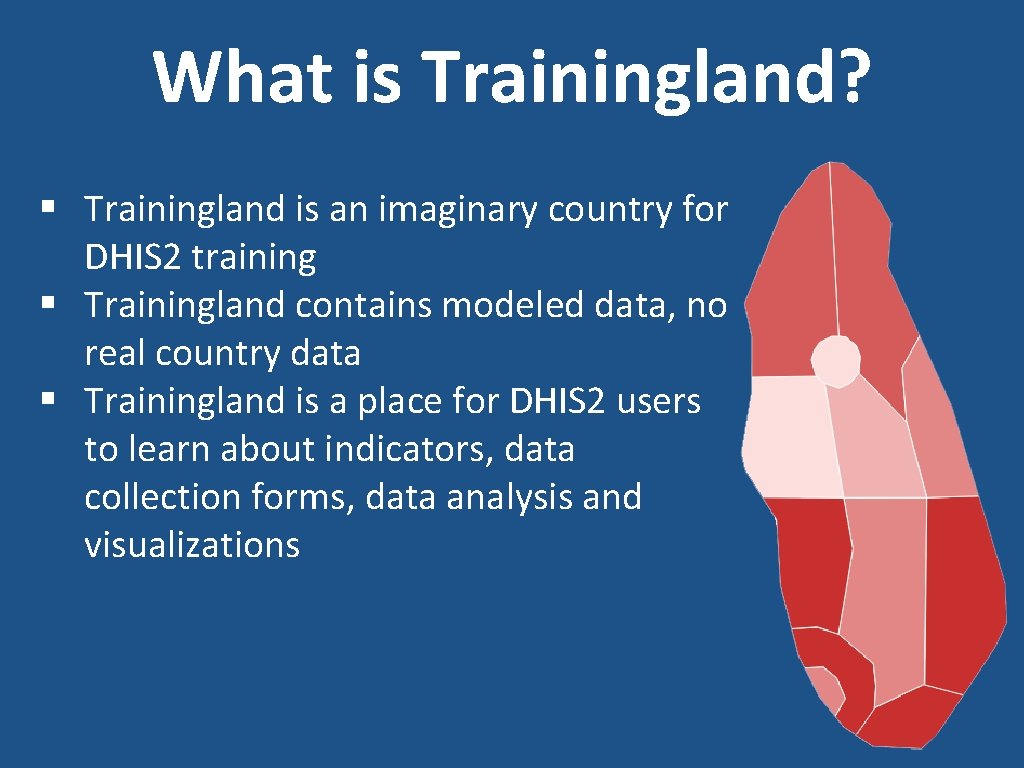
What is Trainingland? § Trainingland is an imaginary country for DHIS 2 training § Trainingland contains modeled data, no real country data § Trainingland is a place for DHIS 2 users to learn about indicators, data collection forms, data analysis and visualizations
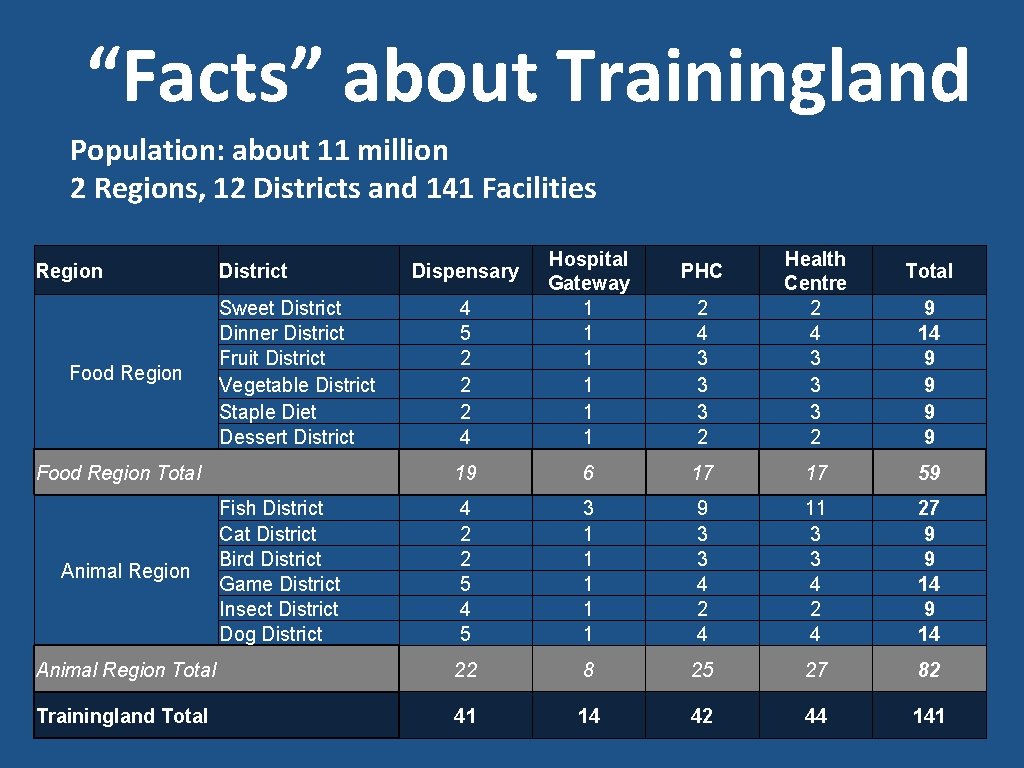
“Facts” about Trainingland Population: about 11 million 2 Regions, 12 Districts and 141 Facilities 2 4 3 3 3 2 Health Centre 2 4 3 3 3 2 6 17 17 59 4 2 2 5 4 5 3 1 1 1 9 3 3 4 2 4 11 3 3 4 27 9 9 14 Animal Region Total 22 8 25 27 82 Trainingland Total 41 14 42 44 141 Region Food Region District Sweet District Dinner District Fruit District Vegetable District Staple Diet Dessert District Food Region Total Animal Region Fish District Cat District Bird District Game District Insect District Dog District 4 5 2 2 2 4 Hospital Gateway 1 1 1 19 Dispensary PHC Total 9 14 9 9 3
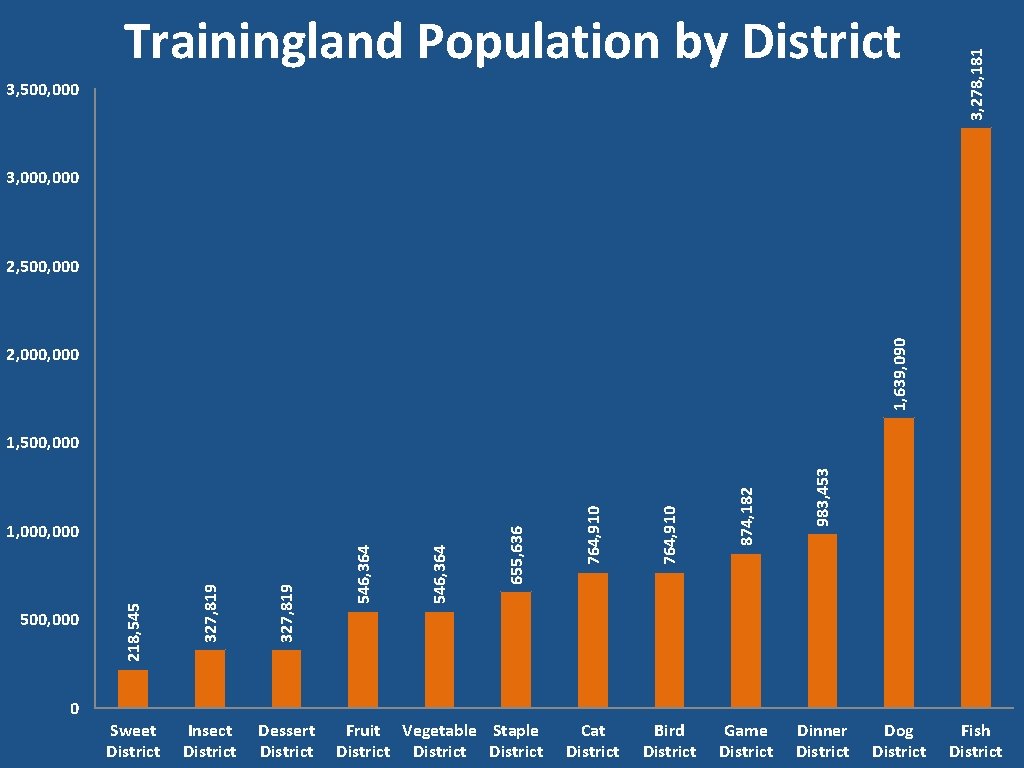
3, 500, 000 3, 278, 181 Trainingland Population by District 3, 000 1, 639, 090 2, 500, 000 2, 000 Fruit Vegetable Staple District Bird District Game District 983, 453 Cat District 874, 182 764, 910 546, 364 Dessert District 546, 364 Insect District 764, 910 Sweet District 327, 819 0 327, 819 500, 000 218, 545 1, 000 655, 636 1, 500, 000 Dinner District Dog District Fish District
Trainingland Disease Burden Estimated HIV prevalence: 10% Institutional Maternal Mortality Rate: 15. 6/100, 000 deliveries Malaria incidence: 21. 6% of total population Neonatal Mortality: 26/1000
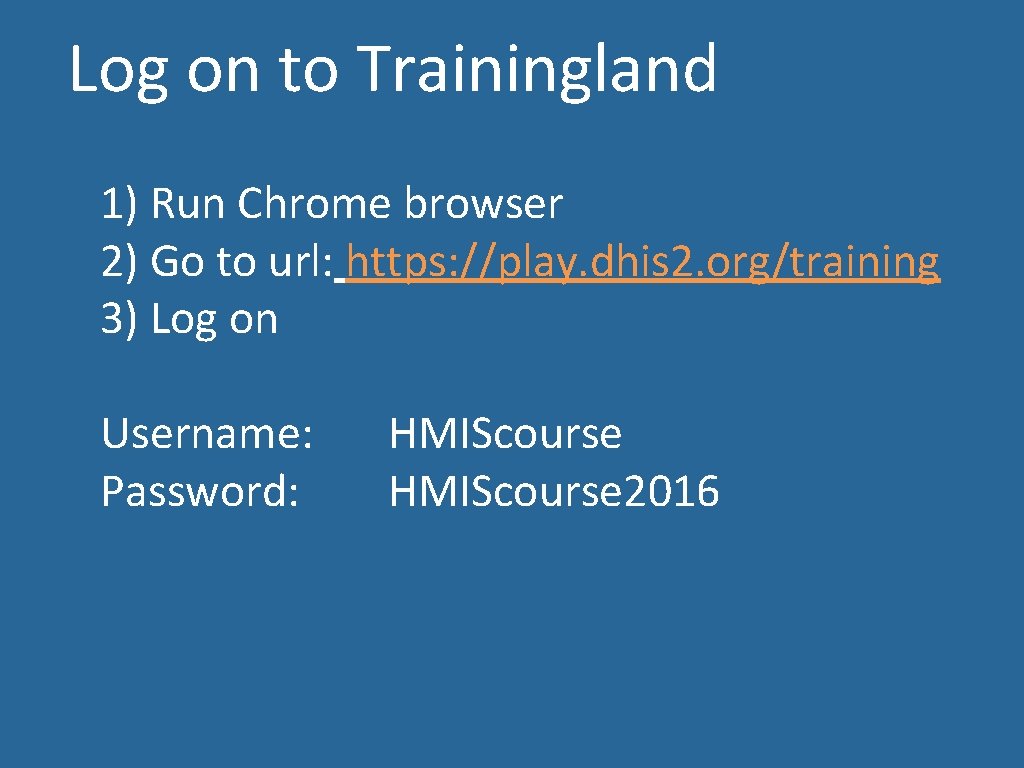
Log on to Trainingland 1) Run Chrome browser 2) Go to url: https: //play. dhis 2. org/training 3) Log on Username: Password: HMIScourse 2016
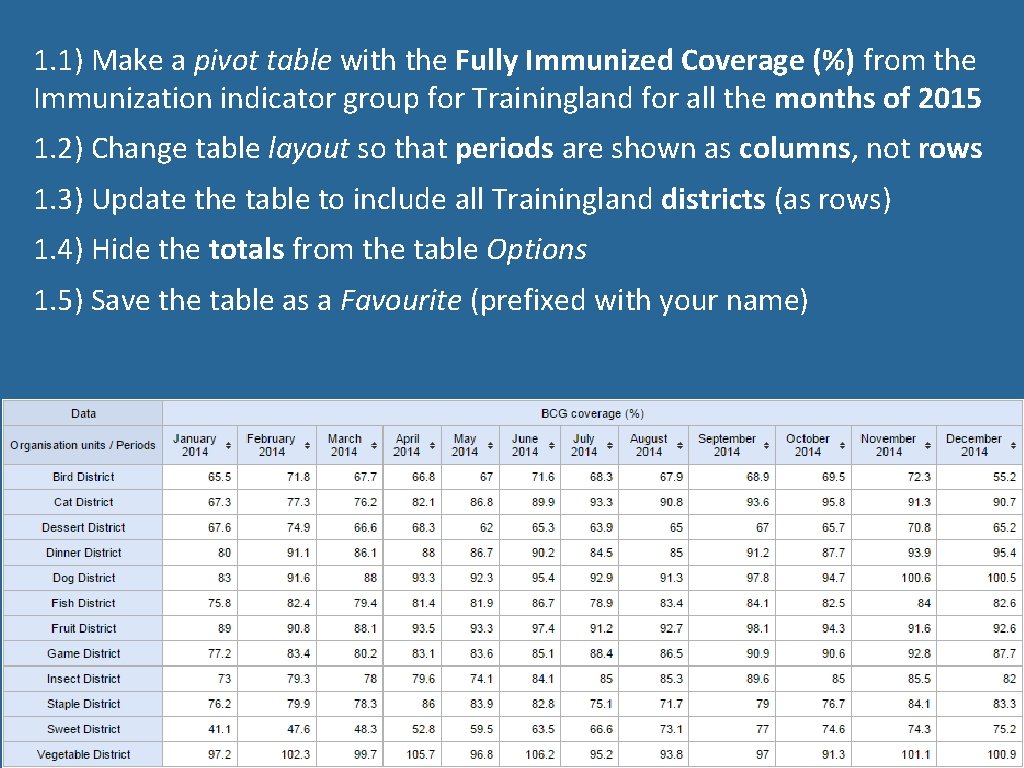
1. 1) Make a pivot table with the Fully Immunized Coverage (%) from the Immunization indicator group for Trainingland for all the months of 2015 1. 2) Change table layout so that periods are shown as columns, not rows 1. 3) Update the table to include all Trainingland districts (as rows) 1. 4) Hide the totals from the table Options 1. 5) Save the table as a Favourite (prefixed with your name)
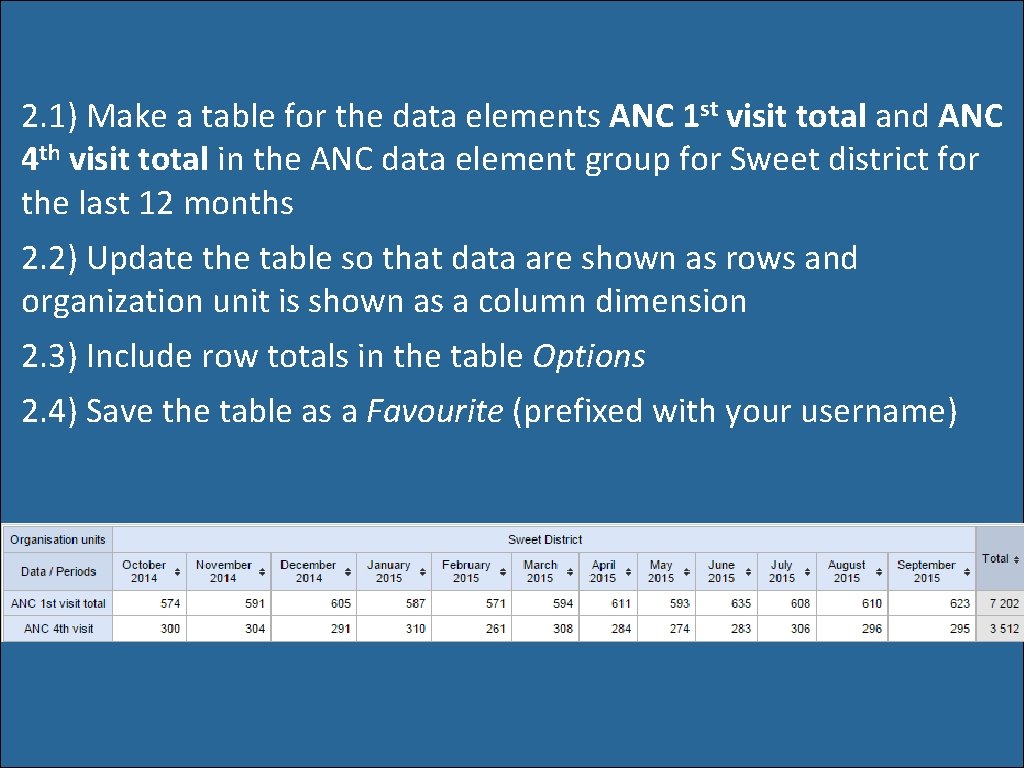
2. 1) Make a table for the data elements ANC 1 st visit total and ANC 4 th visit total in the ANC data element group for Sweet district for the last 12 months 2. 2) Update the table so that data are shown as rows and organization unit is shown as a column dimension 2. 3) Include row totals in the table Options 2. 4) Save the table as a Favourite (prefixed with your username)
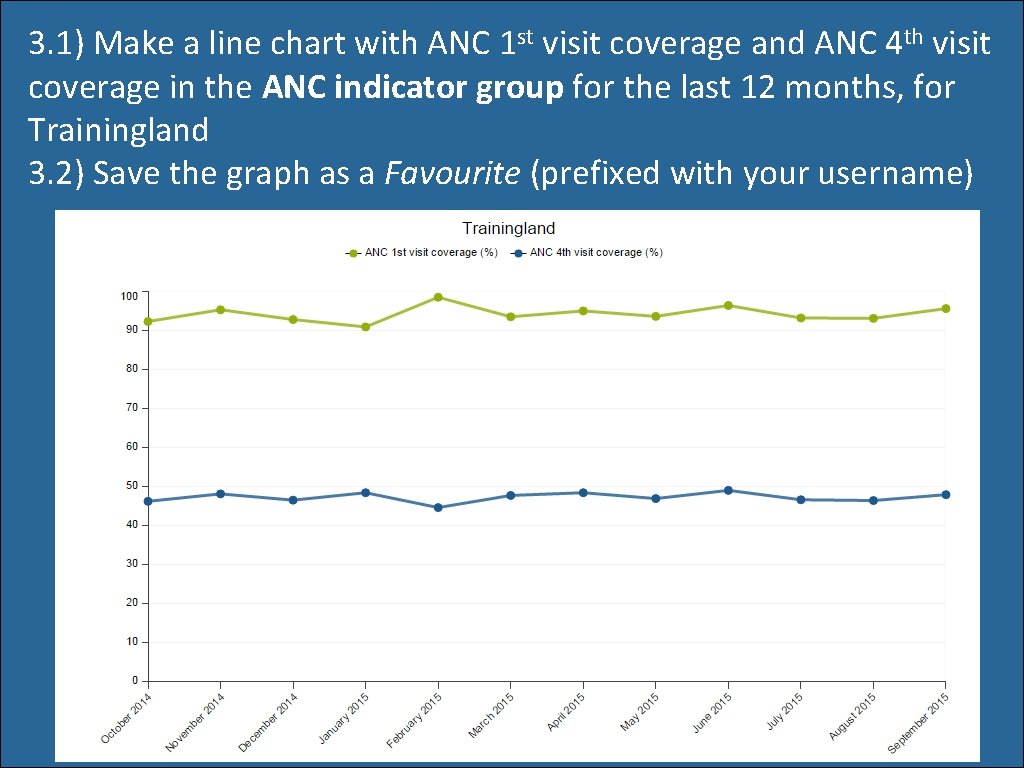
3. 1) Make a line chart with ANC 1 st visit coverage and ANC 4 th visit coverage in the ANC indicator group for the last 12 months, for Trainingland 3. 2) Save the graph as a Favourite (prefixed with your username)
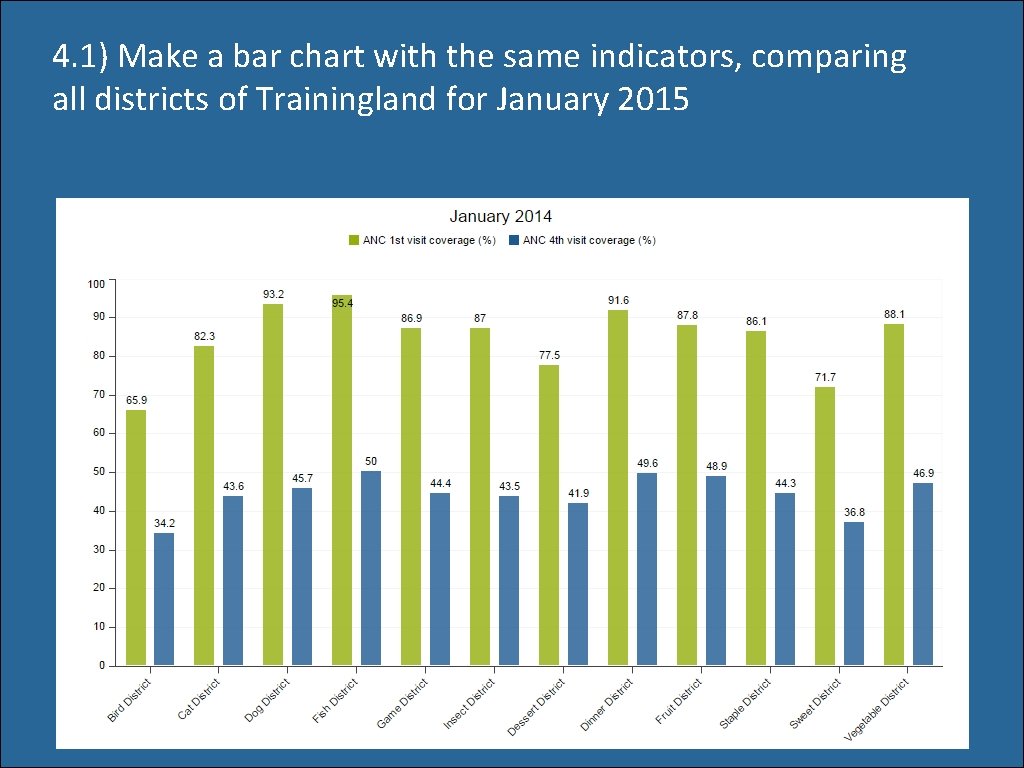
4. 1) Make a bar chart with the same indicators, comparing all districts of Trainingland for January 2015
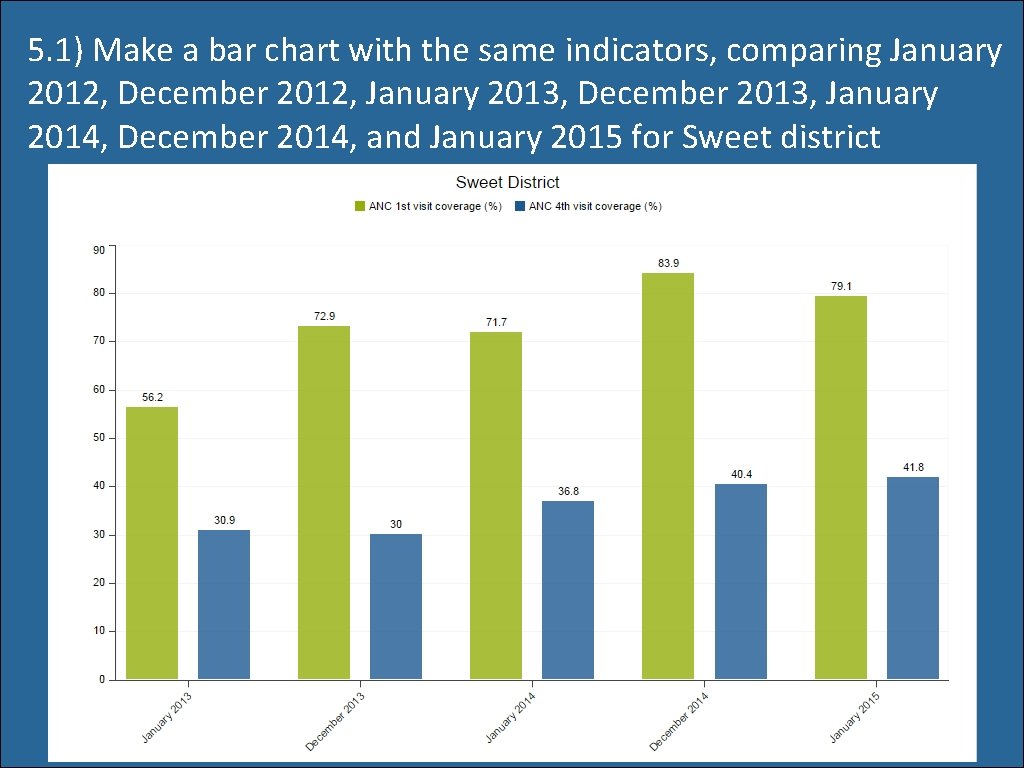
5. 1) Make a bar chart with the same indicators, comparing January 2012, December 2012, January 2013, December 2013, January 2014, December 2014, and January 2015 for Sweet district
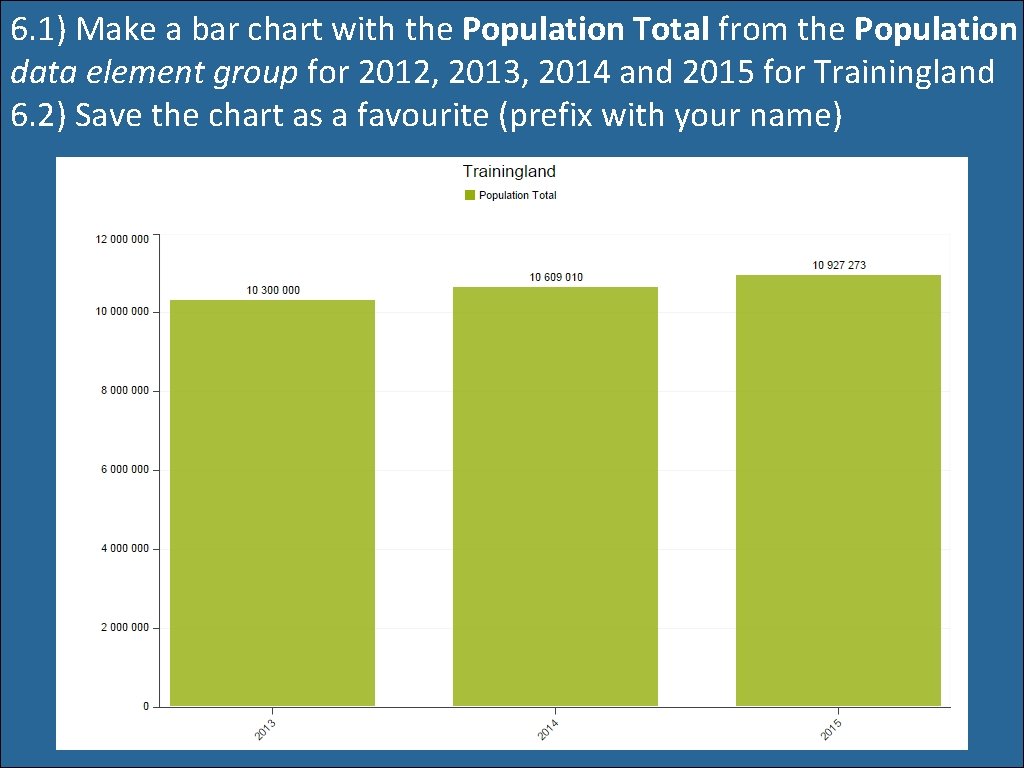
6. 1) Make a bar chart with the Population Total from the Population data element group for 2012, 2013, 2014 and 2015 for Trainingland 6. 2) Save the chart as a favourite (prefix with your name)
7. 1) Open the chart favorite you made in assignment 6, with Total population 7. 2) Open this chart as a table That’s all for now!